
Microsoft PowerApps
RENE MODERY, OFFICE SERVERS AND SERVICES MVP
Rene Modery, Office Servers and Services (Office 365) MVP
Background: SharePoint + Office 365
Germany  6+ years in Singapore
 3 years in Switzerland  Back in Singapore!
Email : rene@modery.net
Twitter : @modery
Blog : http://modery.net
LinkedIn : https://www.linkedin.com/in/modery
What are PowerApps?
“PowerApps is an enterprise software as a service for innovators everywhere to
connect, create, and share business apps on any device. It couples naturally with the
vision of Office as a platform and takes advantage of capabilities like mail, calendar,
contacts, users, lists, and libraries from across the Office Family: Office 365,
SharePoint Online, SharePoint on-premises, Excel and OneDrive. With PowerApps,
you can build apps with clicks – not code – and with templates for many common
app types to help you get started. It’s no longer a matter of end-users waiting for IT
or a professional developer to write the code; they can easily build apps to solve their
own problems. Building a solution with PowerApps on top of Office is a simple
matter of (a) open the PowerApps tool, (b) connect to an Office/SharePoint data
source, (c) customize the UI and (d) start using your great new app. “
http://dev.office.com/blogs/PowerApp-Your-Office-and-SharePoint-Solutions
PowerApps for Employees
 Quickly create apps that work on any device using a Microsoft Office-like
experience, templates to get started quickly and a visual designer to automate
workflows.
 Use built-in connections, or ones built by your company, to connect PowerApps
to cloud services such as Office 365, Dynamics CRM, Salesforce, Dropbox and
OneDrive and on-premises systems including SharePoint, SQL Server, Oracle
databases, SAP and more.
 Share PowerApps like documents. It’s as simple as typing an email address and
your coworkers can take advantage of an app you created.
http://blogs.microsoft.com/blog/2015/11/30/introducing-microsoft-powerapps/
PowerApps for developers and
IT professionals
 PowerApps includes Azure App Service for employee-facing apps, so native web
and mobile apps get into employee hands faster than ever.
 Build additional data connections and APIs to any existing business systems, thus
empowering any users in your organization to create the apps they need.
 Data security and privacy controls are respected by PowerApps, so you can
manage data access and maintain corporate policies.
http://blogs.microsoft.com/blog/2015/11/30/introducing-microsoft-powerapps/
Really Any Device?
Plans
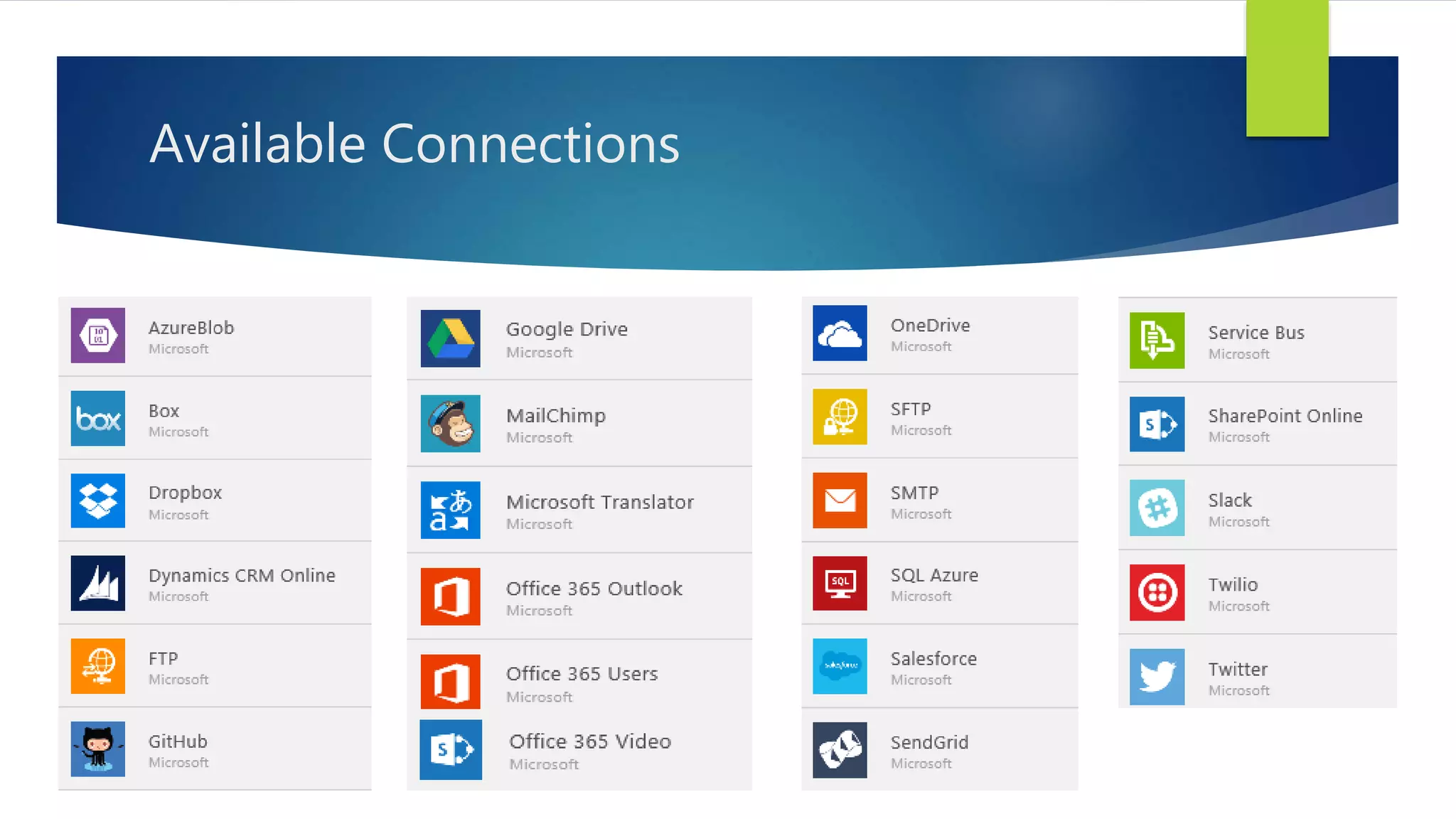
Available Connections
Connections – Enterprise Edition
 How do I connect to a REST API in my app? You’ll need to sign up for a
PowerApps Enterprise plan to connect to an existing REST API or create a new API
and expose it to PowerApps. Learn more about PowerApps Enterprise.
 How do I connect to SQL Server and other on-premises data sources? You’ll need
to sign up for a PowerApps Enterprise plan to connect to an on-premises data
source. Learn more about PowerApps Enterprise.
https://powerapps.microsoft.com/en-gb/support/
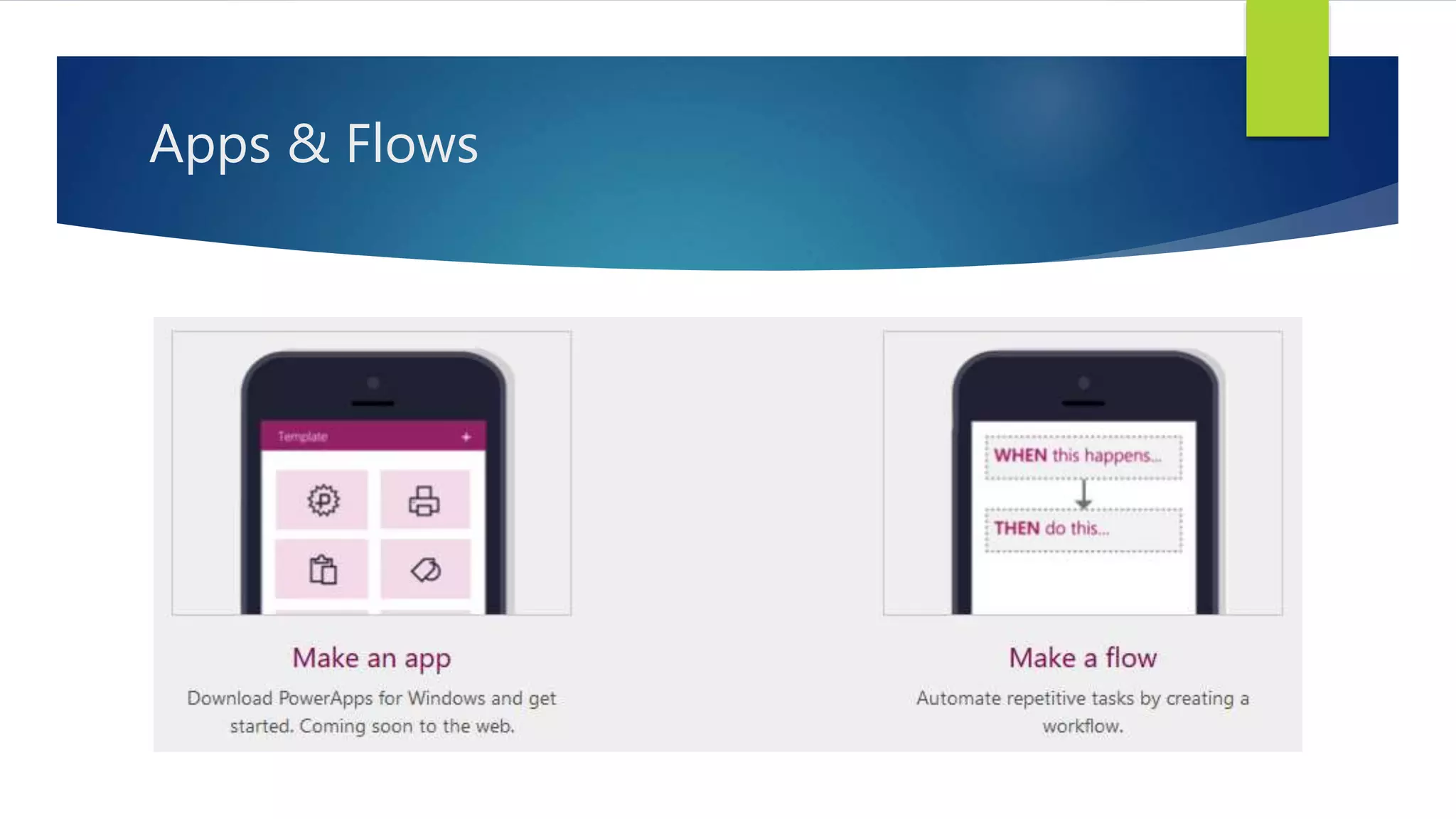
Apps & Flows
DEMOS
Resources
Get Started with PowerApps
 http://www.powerapps.com
Information for Enterprises (Manage Apps / APIs)
 https://azure.microsoft.com/en-gb/documentation/articles/powerapps-get-
started-azure-portal/

Microsoft PowerApps

  • 1.
    Microsoft PowerApps RENE MODERY,OFFICE SERVERS AND SERVICES MVP
  • 2.
    Rene Modery, OfficeServers and Services (Office 365) MVP Background: SharePoint + Office 365 Germany  6+ years in Singapore  3 years in Switzerland  Back in Singapore! Email : rene@modery.net Twitter : @modery Blog : http://modery.net LinkedIn : https://www.linkedin.com/in/modery
  • 3.
    What are PowerApps? “PowerAppsis an enterprise software as a service for innovators everywhere to connect, create, and share business apps on any device. It couples naturally with the vision of Office as a platform and takes advantage of capabilities like mail, calendar, contacts, users, lists, and libraries from across the Office Family: Office 365, SharePoint Online, SharePoint on-premises, Excel and OneDrive. With PowerApps, you can build apps with clicks – not code – and with templates for many common app types to help you get started. It’s no longer a matter of end-users waiting for IT or a professional developer to write the code; they can easily build apps to solve their own problems. Building a solution with PowerApps on top of Office is a simple matter of (a) open the PowerApps tool, (b) connect to an Office/SharePoint data source, (c) customize the UI and (d) start using your great new app. “ http://dev.office.com/blogs/PowerApp-Your-Office-and-SharePoint-Solutions
  • 4.
    PowerApps for Employees Quickly create apps that work on any device using a Microsoft Office-like experience, templates to get started quickly and a visual designer to automate workflows.  Use built-in connections, or ones built by your company, to connect PowerApps to cloud services such as Office 365, Dynamics CRM, Salesforce, Dropbox and OneDrive and on-premises systems including SharePoint, SQL Server, Oracle databases, SAP and more.  Share PowerApps like documents. It’s as simple as typing an email address and your coworkers can take advantage of an app you created. http://blogs.microsoft.com/blog/2015/11/30/introducing-microsoft-powerapps/
  • 5.
    PowerApps for developersand IT professionals  PowerApps includes Azure App Service for employee-facing apps, so native web and mobile apps get into employee hands faster than ever.  Build additional data connections and APIs to any existing business systems, thus empowering any users in your organization to create the apps they need.  Data security and privacy controls are respected by PowerApps, so you can manage data access and maintain corporate policies. http://blogs.microsoft.com/blog/2015/11/30/introducing-microsoft-powerapps/
  • 6.
  • 7.
  • 8.
  • 9.
    Connections – EnterpriseEdition  How do I connect to a REST API in my app? You’ll need to sign up for a PowerApps Enterprise plan to connect to an existing REST API or create a new API and expose it to PowerApps. Learn more about PowerApps Enterprise.  How do I connect to SQL Server and other on-premises data sources? You’ll need to sign up for a PowerApps Enterprise plan to connect to an on-premises data source. Learn more about PowerApps Enterprise. https://powerapps.microsoft.com/en-gb/support/
  • 10.
  • 11.
  • 12.
    Resources Get Started withPowerApps  http://www.powerapps.com Information for Enterprises (Manage Apps / APIs)  https://azure.microsoft.com/en-gb/documentation/articles/powerapps-get- started-azure-portal/