Introduction to Microsoft
Flow & PowerApps
Naomi Moneypenny
n.moneypenny@manyworlds.com
Microsoft MVP
October 2016
What You’ll Learn Today
• Flow, PowerApps (& Forms)
• How to Access and Create
• SharePoint PowerApps
• Roadmap
Whosoever
desires
constant
success must
change his
conduct
with the times.
Niccolo Machiavelli
CHANGE
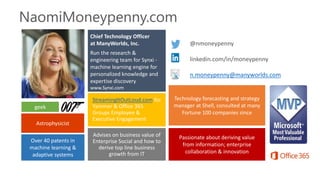
NaomiMoneypenny.com
@nmoneypenny
linkedin.com/in/moneypenny
n.moneypenny@manyworlds.com
Chief Technology Officer
at ManyWorlds, Inc.
Run the research &
engineering team for Synxi -
machine learning engine for
personalized knowledge and
expertise discovery
www.Synxi.com
Passionate about deriving value
from information; enterprise
collaboration & innovation
geek
Technology forecasting and strategy
manager at Shell, consulted at many
Fortune 100 companies since
Over 40 patents in
machine learning &
adaptive systems
Astrophysicist
Advises on business value of
Enterprise Social and how to
derive top line business
growth from IT
StreamingItOutLoud.com for
Yammer & Office 365
Groups Employee &
Executive Engagement
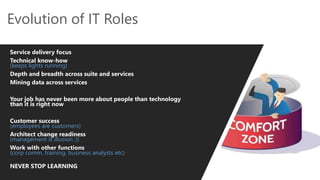
Evolution of IT Roles
Service delivery focus
Technical know-how
(keeps lights running)
Depth and breadth across suite and services
Mining data across services
Your job has never been more about people than technology
than it is right now
Customer success
(employees are customers)
Architect change readiness
(management is illusion ;))
Work with other functions
(corp comm, training, business analysts etc)
NEVER STOP LEARNING
Source: Microsoft
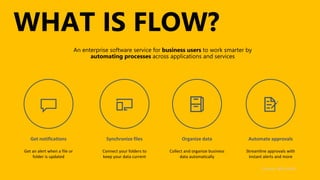
WHAT IS FLOW?
https://flow.microsoft.com
Source: Microsoft
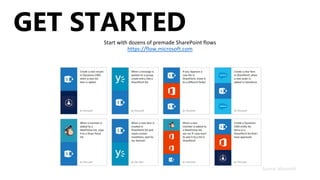
GET STARTED
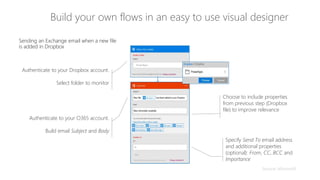
Build your own flows in an easy to use visual designer
Sending an Exchange email when a new file
is added in Dropbox
Authenticate to your O365 account.
Build email Subject and Body
Choose to include properties
from previous step (Dropbox
file) to improve relevance
Specify Send To email address
and additional properties
(optional): From, CC, BCC and
ImportanceConnected to johnsharp@contoso.com
Authenticate to your Dropbox account.
Select folder to monitor
PowerApps
Source: Microsoft
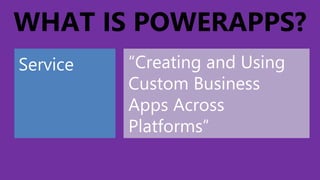
WHAT IS POWERAPPS?
Service “Creating and Using
Custom Business
Apps Across
Platforms”
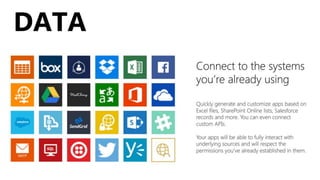
CONNECT DATA
Existing Data
Sources:
External Data +
Flow
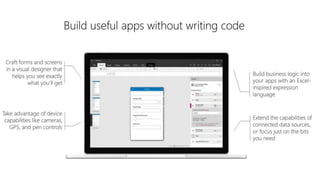
BUILD:
WORKFLOWS
APPS
FORMS
PUBLISH
APPS
instantly…
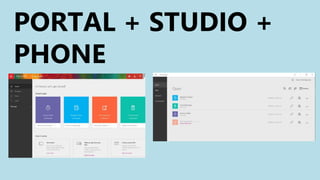
PORTAL + STUDIO +
PHONE
DATA
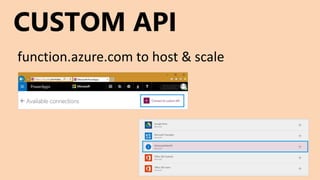
CUSTOM API
function.azure.com to host & scale
PUBLISH
TO RANGE OF DEVICES
• iOS
• Android
• Windows (inc. Phone)
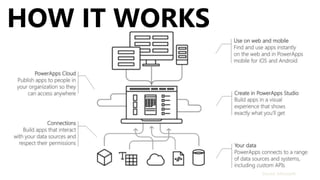
HOW IT WORKS
Source: Microsoft
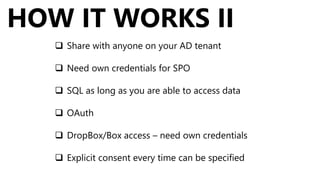
 Share with anyone on your AD tenant
 Need own credentials for SPO
 SQL as long as you are able to access data
 OAuth
 DropBox/Box access – need own credentials
 Explicit consent every time can be specified
HOW IT WORKS II
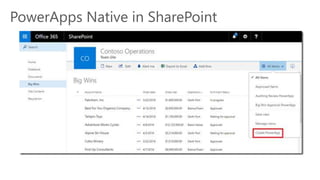
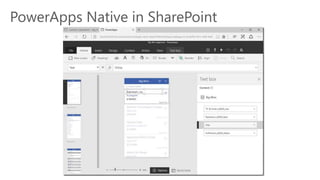
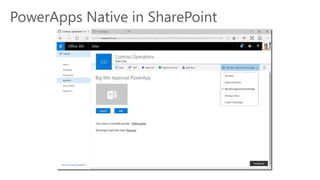
PowerApps Native in SharePoint
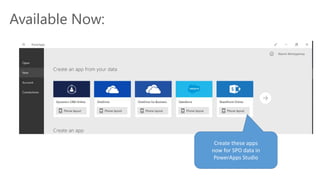
Available Now:
Create these apps
now for SPO data in
PowerApps Studio
Enabling
Citizen Developers
DEMOCRACY comes to business
in a good way…
Images: Wikipedia, Gary Skidmore, licensed from Adobe Stock
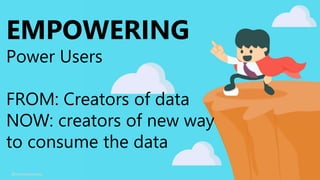
EMPOWERING
Power Users
FROM: Creators of data
NOW: creators of new way
to consume the data
@nmoneypenny
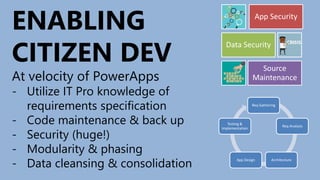
Req Gathering
Req Analysis
ArchitectureApp Design
Testing &
Implementation
ENABLING
CITIZEN DEV
At velocity of PowerApps
- Utilize IT Pro knowledge of
requirements specification
- Code maintenance & back up
- Security (huge!)
- Modularity & phasing
- Data cleansing & consolidation
App Security
Data Security
Source
Maintenance
DEPLOYING TECHNOLOGY
is now
LEADING
community
@nmoneypenny
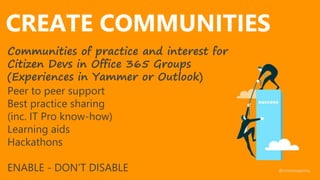
CREATE COMMUNITIES
Communities of practice and interest for
Citizen Devs in Office 365 Groups
(Experiences in Yammer or Outlook)
Peer to peer support
Best practice sharing
(inc. IT Pro know-how)
Learning aids
Hackathons
ENABLE - DON’T DISABLE @nmoneypenny
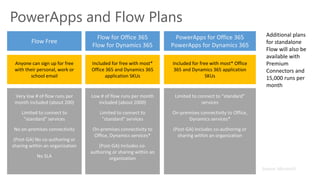
PowerApps and Flow Plans
Anyone can sign up for free
with their personal, work or
school email
Included for free with most*
Office 365 and Dynamics 365
application SKUs
Included for free with most* Office
365 and Dynamics 365 application
SKUs
Additional plans
for standalone
Flow will also be
available with
Premium
Connectors and
15,000 runs per
month
Source: Microsoft
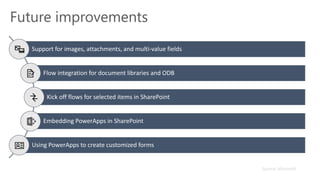
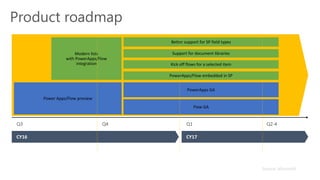
Future improvements
Kick off flows for selected items in SharePoint
Source: Microsoft
Product roadmap
Source: Microsoft
Questions and Thank You!
Blog with all links will be posted soon on
NaomiMoneypenny.com
“In times of change, learners inherit the earth,
while the learned find themselves
beautifully equipped to deal with
a world that no longer exists.”
Eric Hoffer

Introduction to Microsoft Flow & PowerApps

Editor's Notes

  • #2 Always happy to talk about this subject – feel free to reach out!
  • #28 Create caped crusaders
  • #30 The role of training has evolved
  • #31 The role of training has evolved