Nicolas Georgeault
Solution Architect - CDO Negotium Technologies
@ngeorgeault
GOLDBRONZE/
PRIZES
SILVE
R
 Infopath?
 Opening
 Business App GAP
 PowerApps
 Demo
 Demo
 Demo
 Bonus ;)
3
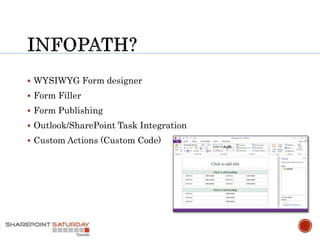
 WYSIWYG Form designer
 Form Filler
 Form Publishing
 Outlook/SharePoint Task Integration
 Custom Actions (Custom Code)
5
BUSINESS APP GAP
We are living in a Cloud First, Mobile First world and
we are more mobile than ever before.
TALENT
ACCESS
AGILITY
Hard to develop
Cross platform development
Keeping up with technology changes
Not enough skilled mobile developers
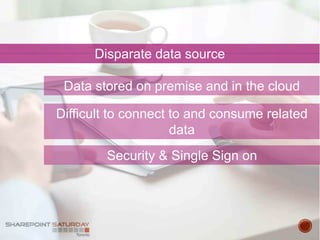
Disparate data source
Difficult to connect to and consume related
data
Security & Single Sign on
Data stored on premise and in the cloud
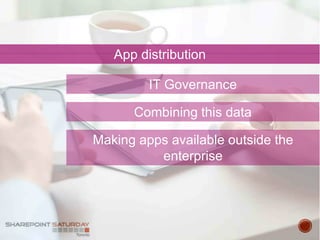
App distribution
Combining this data
Making apps available outside the
enterprise
IT Governance
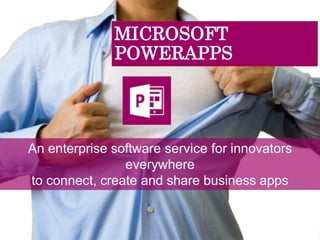
MICROSOFT
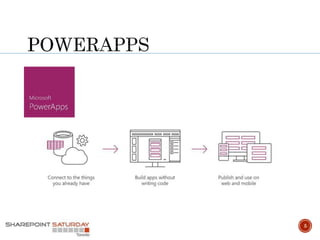
POWERAPPS
An enterprise software service for innovators
everywhere
to connect, create and share business apps
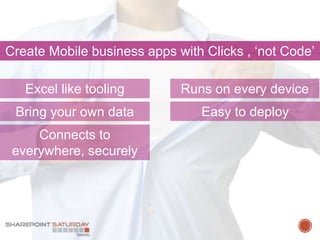
Create Mobile business apps with Clicks , ‘not Code’
Runs on every deviceExcel like tooling
Connects to
everywhere, securely
Bring your own data Easy to deploy
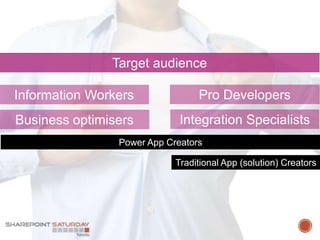
Target audience
Integration Specialists
Pro DevelopersInformation Workers
Business optimisers
Power App Creators
Traditional App (solution) Creators
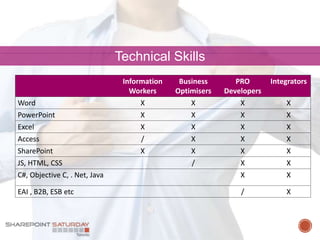
Technical Skills
Information
Workers
Business
Optimisers
PRO
Developers
Integrators
Word X X X X
PowerPoint X X X X
Excel X X X X
Access / X X X
SharePoint X X X X
JS, HTML, CSS / X X
C#, Objective C, . Net, Java X X
EAI , B2B, ESB etc / X
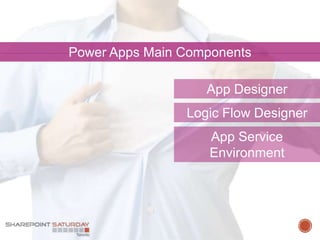
Power Apps Main Components
App Designer
App Service
Environment
Logic Flow Designer
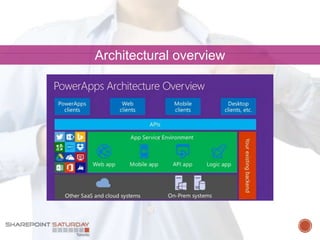
Architectural overview
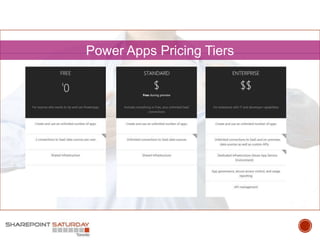
Power Apps Pricing Tiers
DEMO
POWERAPPS
App Designer (UWP)
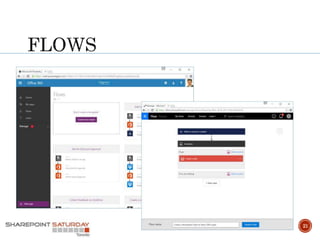
Logic (App) Flow Designer
(WEB)
Sample Application
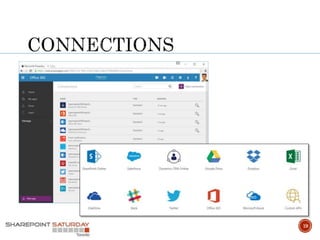
19
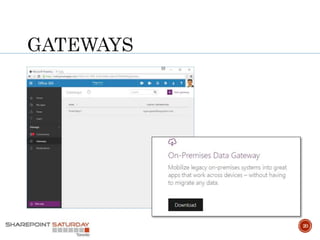
20
21
 Connect to a SharePoint List
 Create a Stock Management App
22
 Connect on Azure SQL
 Connect on Dynamics CRM
23
 Create a Flow between SharePoint and Wunderlist
24
With great power comes great responsibility
EAI & Hybrid
Authorisation
API / App jungle
K.I.S.S
26
Additional resources
https://powerapps.microsoft.com/en-us/tutorials/getting-started
https://channel9.msdn.com/Search?term=powerapps#ch9Search
http://www.powerapps.com
https://disqus.com/home/forums/powerappsdisqus
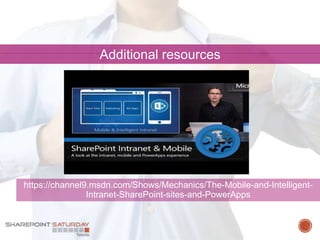
Additional resources
https://channel9.msdn.com/Shows/Mechanics/The-Mobile-and-Intelligent-
Intranet-SharePoint-sites-and-PowerApps
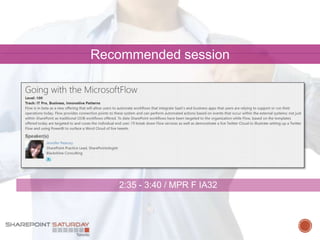
Recommended session
2:35 - 3:40 / MPR F IA32
GOLDBRONZE/
PRIZES
SILVE
R
Special thanks for inspiration ;)
 René Brauwers @ReneBrauwers
 Maarten Visser @mvisser
31
Thank you!
Toronto Enterprise Collaboration User Group
Change Management, Governance, SharePoint, Office 365,
Yammer, PowerBI, etc
http://www.meetup.com/TSPBUG/
Toronto SharePoint Users Group
http://tspug.com/
THANK YOU & See you next year!
Join us for SharePint after the event @ 5:30pm
6982 Financial Dr. and don’t forget to submit feedback
after each session for your chance to win great prizes
at the end of the day!
https://www.surveymonkey.com/r/spstoronto2016

SPS Toronto 2016 - What is microsoft PowerApps

Editor's Notes

  • #7 Business APP GAP Consumer apps are available a plenty, ranging from wine rating apps like vivino; gamified apps such as SWARM, Untapped and so on. But ‘real’ business productivity apps are lagging behind, Off course we have mobile apps which enhance mobile productivity such as Word, Excel, PowerPoint, EverNote, OneNote, Skype for business etc. But where are the real business apps, which unleash the power of the apps available within a enterprise. Unlocking that customer or product information stored in a legacy system somewhere. So why do we have this gap; Microsoft states it has identified 3 reasons for this, being TALENT, ACCESS AND AGILITY
  • #8 TALENT How many of you have tried writing / creating mobile business apps. Creating mobile apps is hard, as we have to keep up with technology changes or new features. It needs to run on multiple platforms. Taking this into account and the fact that there are not enough skilled mobile developers, it is not surprising that creating mobile business apps takes up time and thus money.
  • #9 ACCESS Data is spanned both on premise as well as in the cloud (stored in SaaS applications), accessing this data and integrating these systems is usually a challenge.
  • #10 IT agility and app sharing. Mobile app distribution typically happens through app stores, or through mobile device management, governed by IT.  This creates inherent friction in getting apps onto employee phones. Making internal apps available outside the enterprise * Side loading * App stored * Mobile Device Management By the way Microsoft has a very compelling story regarding Mobile Device Management. Real differentiator. But that’s a story to tell another time
  • #11 What are is Microsoft PowerApps? PowerApps is Microsoft’s answer to address the business app gap it does so by offering a platform including tooling to enable employees, developers, and integrators to create and share mobile business apps These apps run on virtually any mobile platform, Can connect to disparate data sources both spanning on-prem and cloud in a secure way. When I first heard of PowerApps / Project Sienna, the first thing which popped up in my mind was Visual Studio Lightswitch.
  • #13 Let’s have a closer look at the PowerApps Target Audience Information Workers & Business optimisers Familiar tooling - Word, PowerPoint, Excel, Access, SharePoint “Slogan” : Create Mobile business apps with Clicks , ‘not Code’ Pro Developers / Integration Specialist Familiar tooling – Visual Studio .Net , Azure Portal. Familiar technology – .Net languages, Business Process Modelling, SOA, API design “Slogan” : Do more with the things we are already used to
  • #16 Clients connect through API’s, or an existing backend to different cloud and on premise systems. App Service Environment - Dedicated environment / Shared - Virtual network support for better connectivity and security to on-prem system Tons of OOB APIs ready to use Expose your OWN API, hosted anywhere AAD Authentication Advanced User/Group based authorisation API definition discovery
  • #18 Free & Standard limited data sources (however using http + swagger, custom API can be called) Enterprise functionality can be mimicked, by being creative (but I doubt it will be cheaper or better) Enterprise Another benefit of a dedicated environment consists of the fact that no limits (throttling, number of messages etc) are imposed Granular security, control APP permission with AAD Manage all APIs – from on-premises to the cloud Manage and Monitor API Access
  • #19 Sample Application Subcontractor onboaring Current process is in SharePoint, where new contractors are registered. APP to Approve / Reject an onboarding request. SalesForce contractors app which will assign an account id if approved
  • #26 K.I.S.S PowerApps is promising, and most definitely the more basic business apps can be realised fairly fast. However we need to ask ourselves; do we want to build ‘Complex Business Apps‘, If so is PowerApps the right platform. I reckon initially it will be used for the more basic business apps, which don’t do more than displaying information and allow non business critical mutations. Nevertheless, nothing is stopping us to create complex business apps. However, if we do so; just keep in mind that doing it in the right way costs time and money. If we go down the lane regarding complex business apps. I feel it will be our responsibility to ensure: Authorisation Lock down CRUD rights API/APP Jungle More apps / api’s almost all the same. Needs some Quality Control in place Enforce a publish / release policy. Just to check compliance (security, dev standards) EAI & Hybrid Use patterns and tools we are familiar with (Service bus) Based on my initial experience during I’ve noticed that PowerApps indeed is very powerful, however special thought needs to be put in regarding access rights (authorisation rules). Make sure that a user does not have too many, nor too less of rights