*
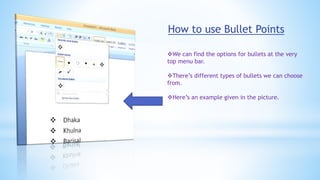
How to use Bullet Points
We can find the options for bullets at the very
top menu bar.
There’s different types of bullets we can choose
from.
Here’s an example given in the picture.
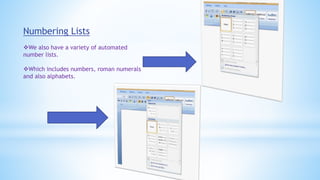
Numbering Lists
We also have a variety of automated
number lists.
Which includes numbers, roman numerals
and also alphabets.
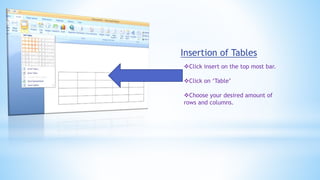
Insertion of Tables
Click insert on the top most bar.
Click on ‘Table’
Choose your desired amount of
rows and columns.
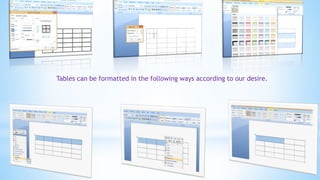
Tables can be formatted in the following ways according to our desire.
How to insert header and footer
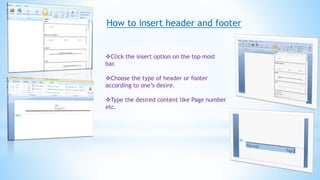
Click the insert option on the top most
bar.
Choose the type of header or footer
according to one’s desire.
Type the desired content like Page number
etc.
Microsoft Excel
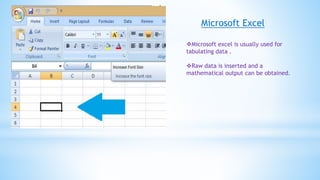
Microsoft excel is usually used for
tabulating data .
Raw data is inserted and a
mathematical output can be obtained.
Use of Function
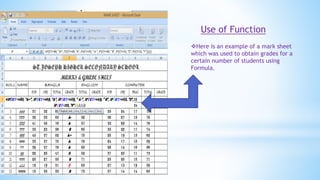
Here is an example of a mark sheet
which was used to obtain grades for a
certain number of students using
Formula.
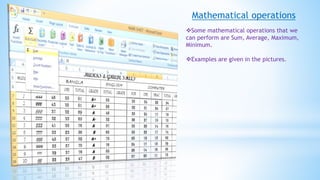
Mathematical operations
Some mathematical operations that we
can perform are Sum, Average, Maximum,
Minimum.
Examples are given in the pictures.
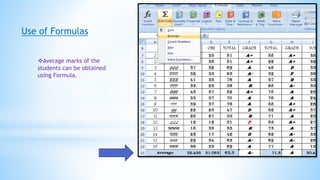
Use of Formulas
Average marks of the
students can be obtained
using Formula.
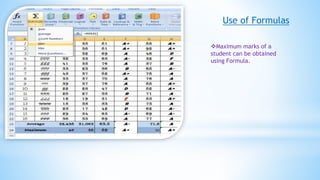
Use of Formulas
Maximum marks of a
student can be obtained
using Formula.
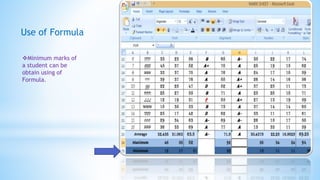
Use of Formula
Minimum marks of
a student can be
obtain using of
Formula.
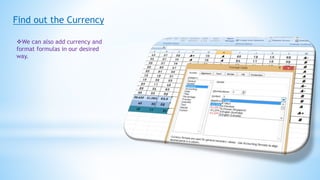
Find out the Currency
We can also add currency and
format formulas in our desired
way.
THANK YOU

Microsoft Office (MS Word,Excel & Power point)

  • 2.
  • 3.
    How to useBullet Points We can find the options for bullets at the very top menu bar. There’s different types of bullets we can choose from. Here’s an example given in the picture.
  • 4.
    Numbering Lists We alsohave a variety of automated number lists. Which includes numbers, roman numerals and also alphabets.
  • 5.
    Insertion of Tables Clickinsert on the top most bar. Click on ‘Table’ Choose your desired amount of rows and columns.
  • 6.
    Tables can beformatted in the following ways according to our desire.
  • 7.
    How to insertheader and footer Click the insert option on the top most bar. Choose the type of header or footer according to one’s desire. Type the desired content like Page number etc.
  • 8.
    Microsoft Excel Microsoft excelis usually used for tabulating data . Raw data is inserted and a mathematical output can be obtained.
  • 9.
    Use of Function Hereis an example of a mark sheet which was used to obtain grades for a certain number of students using Formula.
  • 10.
    Mathematical operations Some mathematicaloperations that we can perform are Sum, Average, Maximum, Minimum. Examples are given in the pictures.
  • 11.
    Use of Formulas Averagemarks of the students can be obtained using Formula.
  • 12.
    Use of Formulas Maximummarks of a student can be obtained using Formula.
  • 13.
    Use of Formula Minimummarks of a student can be obtain using of Formula.
  • 14.
    Find out theCurrency We can also add currency and format formulas in our desired way.
  • 15.