Download to read offline
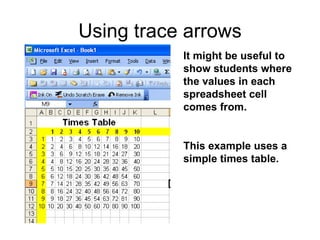
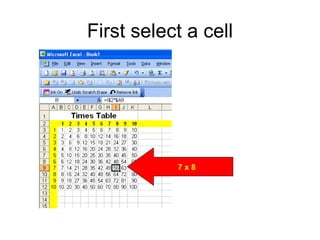
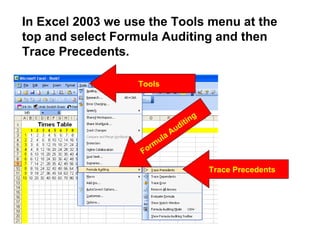


This document discusses using trace arrows in Excel to show students where cell values come from. It uses the example of a times table in cell 7 x 8. By selecting Formula Auditing and then Trace Precedents from the Tools menu, Excel adds blue arrows to show that the number in the cell is calculated from multiplying 7 times 8.


