MEMORY AND STORAGES
PRESENTED BY: Arsalan Saeed Qureshi (D-16-TE-09)
PRESENTED TO: Engr. Jitander Kumar Pabani & Telecommunication Batch 2016
DEPARTMENT OF TELECOMMUNICATION ENGINEERING1
TOPICS
• Ram:
• Introduction
• What Is Ram?
• History Of Ram
• Types Of Ram
• How Ram Works.
• Rom:
• Introduction
• What is Rom?
• History Of Rom
• Types Of Rom
2
INTRODUCTION TO RAM
• Random access memory (RAM) is a form of computer data storage. It takes
the form of integrated circuits that allow stored data to be accessed in any
order with a worst case performance of constant time .RAM is often
associated with volatile types of memory where its stored information is lost if
the power is removed.
• RAM typically resides on Memory Modules
• A RAM Memory chip is an integrated circuit made of millions of Transistors
and Capacitors
3
HISTORY OF RAM
The first practical form of random-access memory was the Williams tube starting in
1947. It stored data as electrically-charged spots on the face of a cathode ray tube.
Since the electron beam of the CRT could read and write the spots on the tube in any
order, memory was random-access. The capacity of the Williams tube was a few
hundred to around a thousand bits, but it was much smaller, faster, and more power-
efficient than using individual vacuum tube latches. Magnetic core memory, invented
in 1947 and developed up until the mid 1970s, became a widespread form of random
access memory. Robert H. Dennard invented Dynamic random access memory in
1968, this allowed replacement of a 4 or 6-transistor latch circuit by a single transistor
for each memory bit, greatly increasing memory density at the cost of volatility.
4
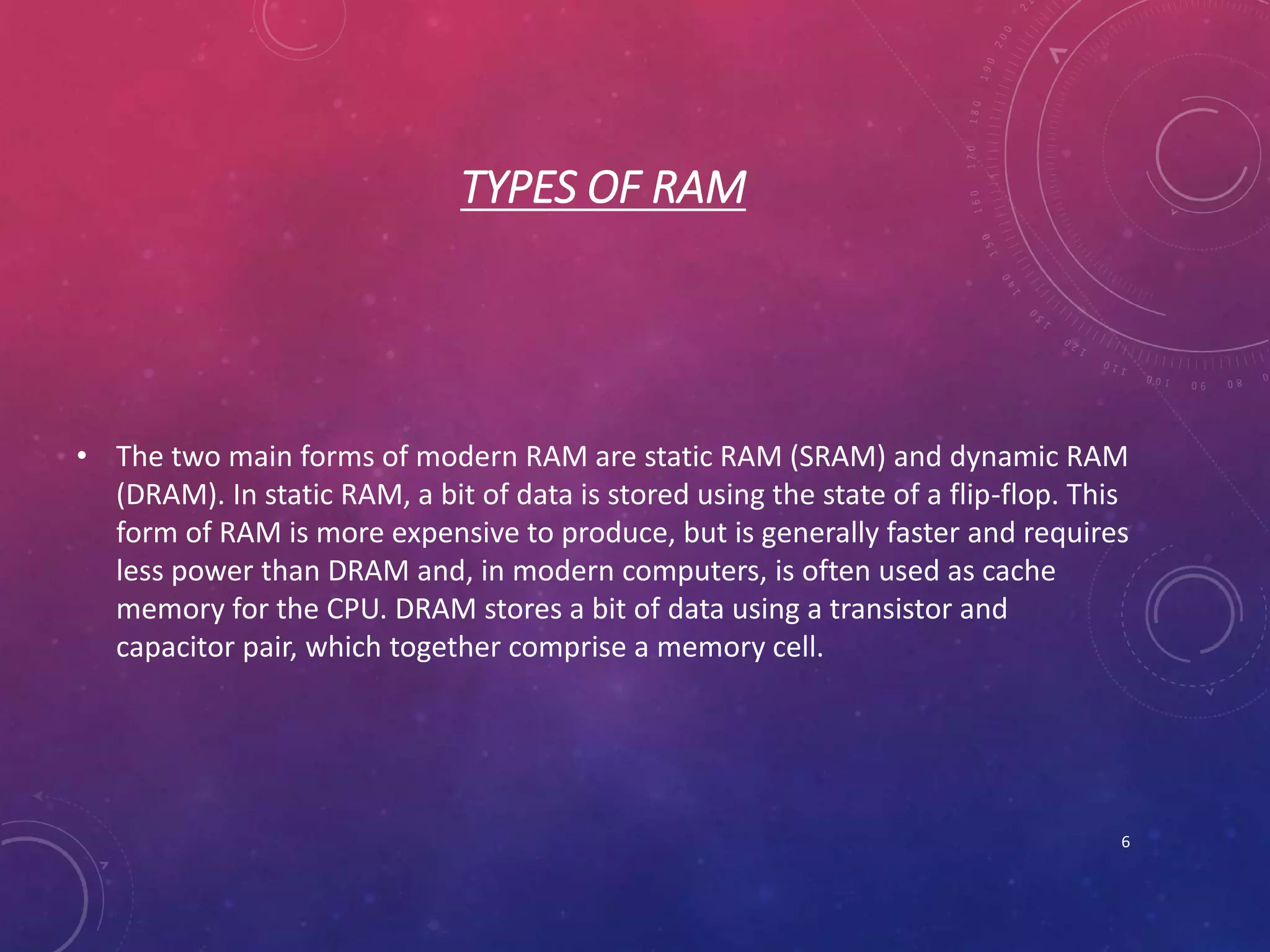
RAMS !!!
5
TYPES OF RAM
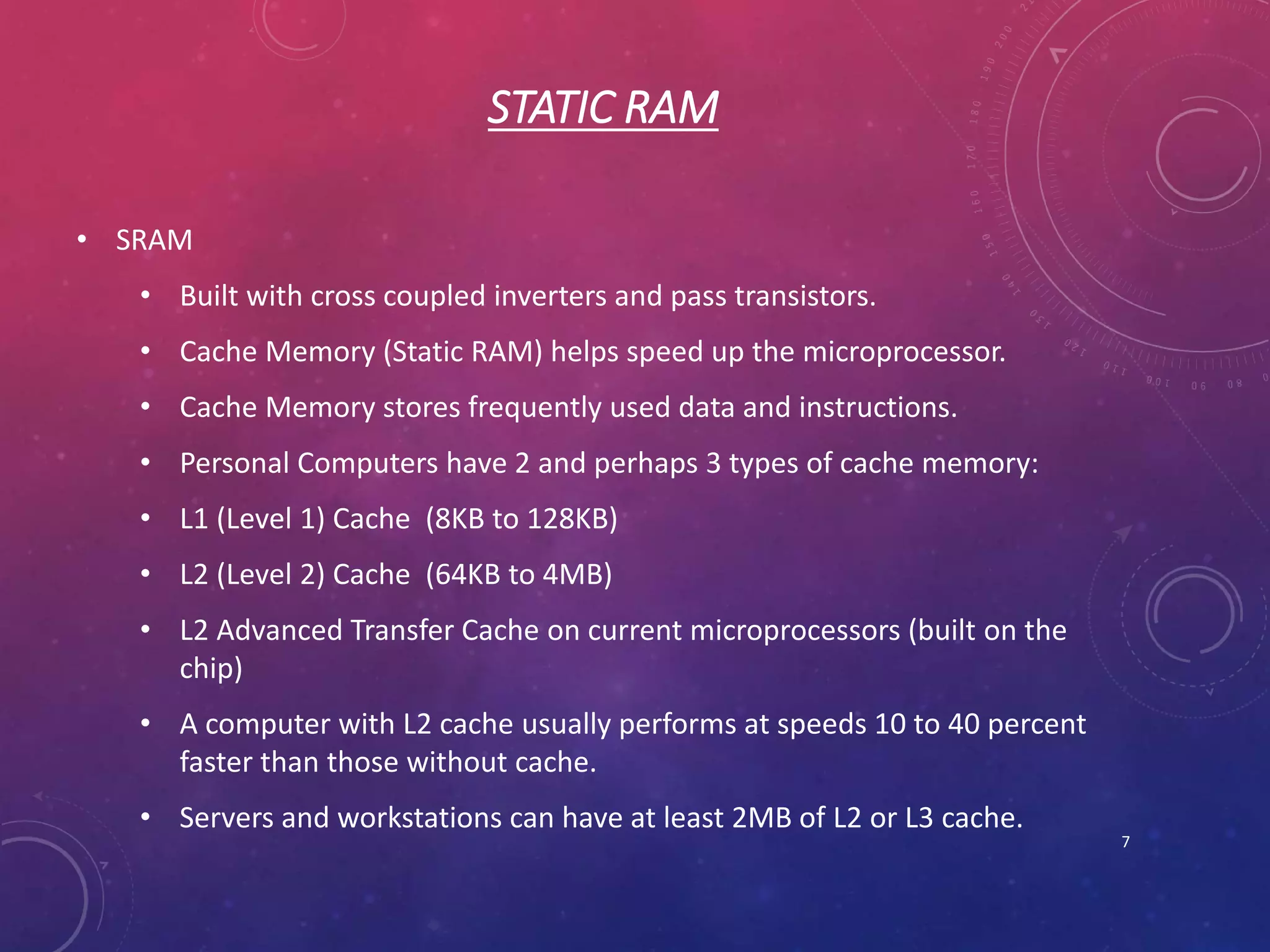
• The two main forms of modern RAM are static RAM (SRAM) and dynamic RAM
(DRAM). In static RAM, a bit of data is stored using the state of a flip-flop. This
form of RAM is more expensive to produce, but is generally faster and requires
less power than DRAM and, in modern computers, is often used as cache
memory for the CPU. DRAM stores a bit of data using a transistor and
capacitor pair, which together comprise a memory cell.
6
STATIC RAM
• SRAM
• Built with cross coupled inverters and pass transistors.
• Cache Memory (Static RAM) helps speed up the microprocessor.
• Cache Memory stores frequently used data and instructions.
• Personal Computers have 2 and perhaps 3 types of cache memory:
• L1 (Level 1) Cache (8KB to 128KB)
• L2 (Level 2) Cache (64KB to 4MB)
• L2 Advanced Transfer Cache on current microprocessors (built on the
chip)
• A computer with L2 cache usually performs at speeds 10 to 40 percent
faster than those without cache.
• Servers and workstations can have at least 2MB of L2 or L3 cache.
7
STATIC RAM
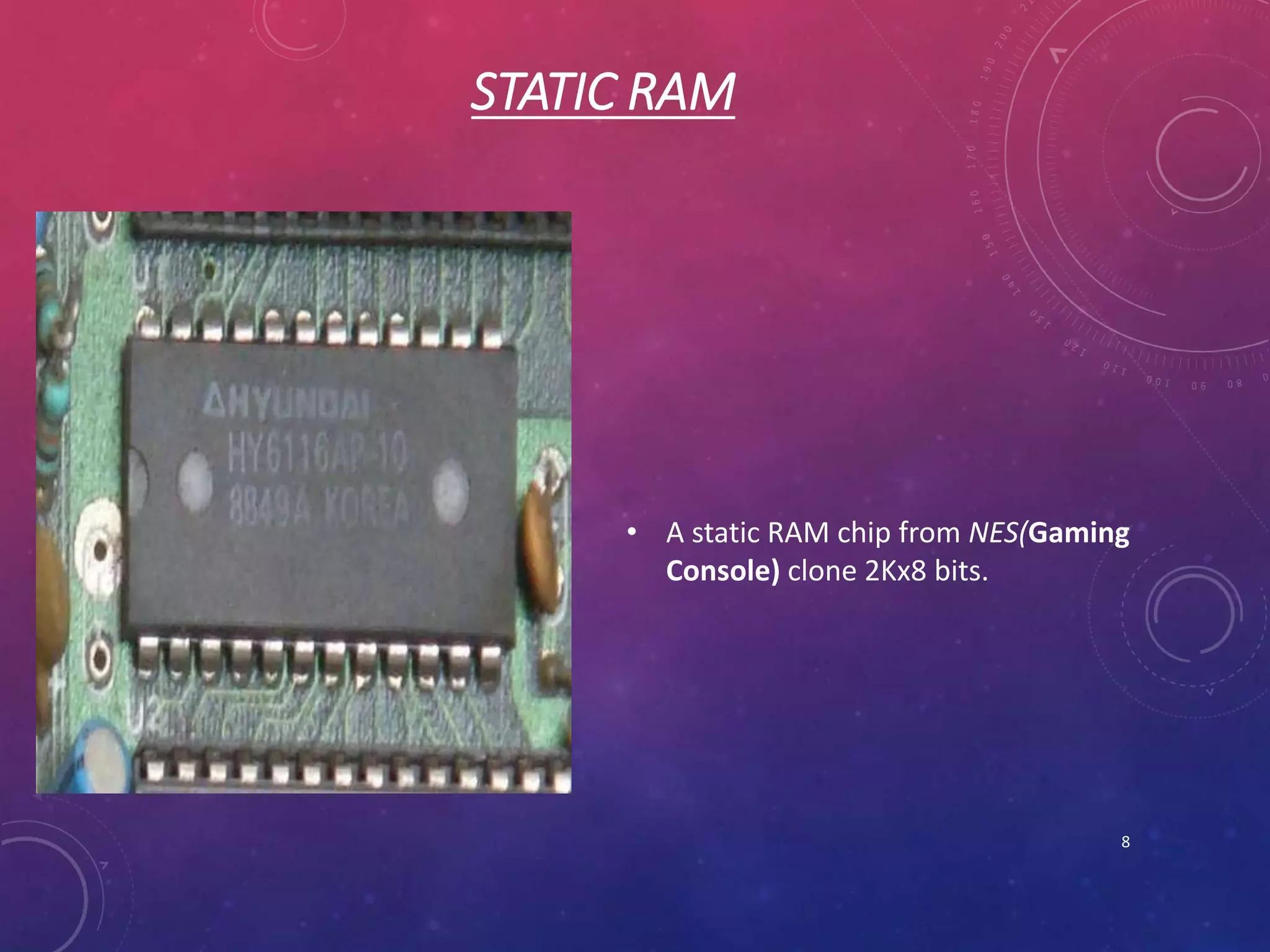
• A static RAM chip from NES(Gaming
Console) clone 2Kx8 bits.
8
DYNAMIC RAM
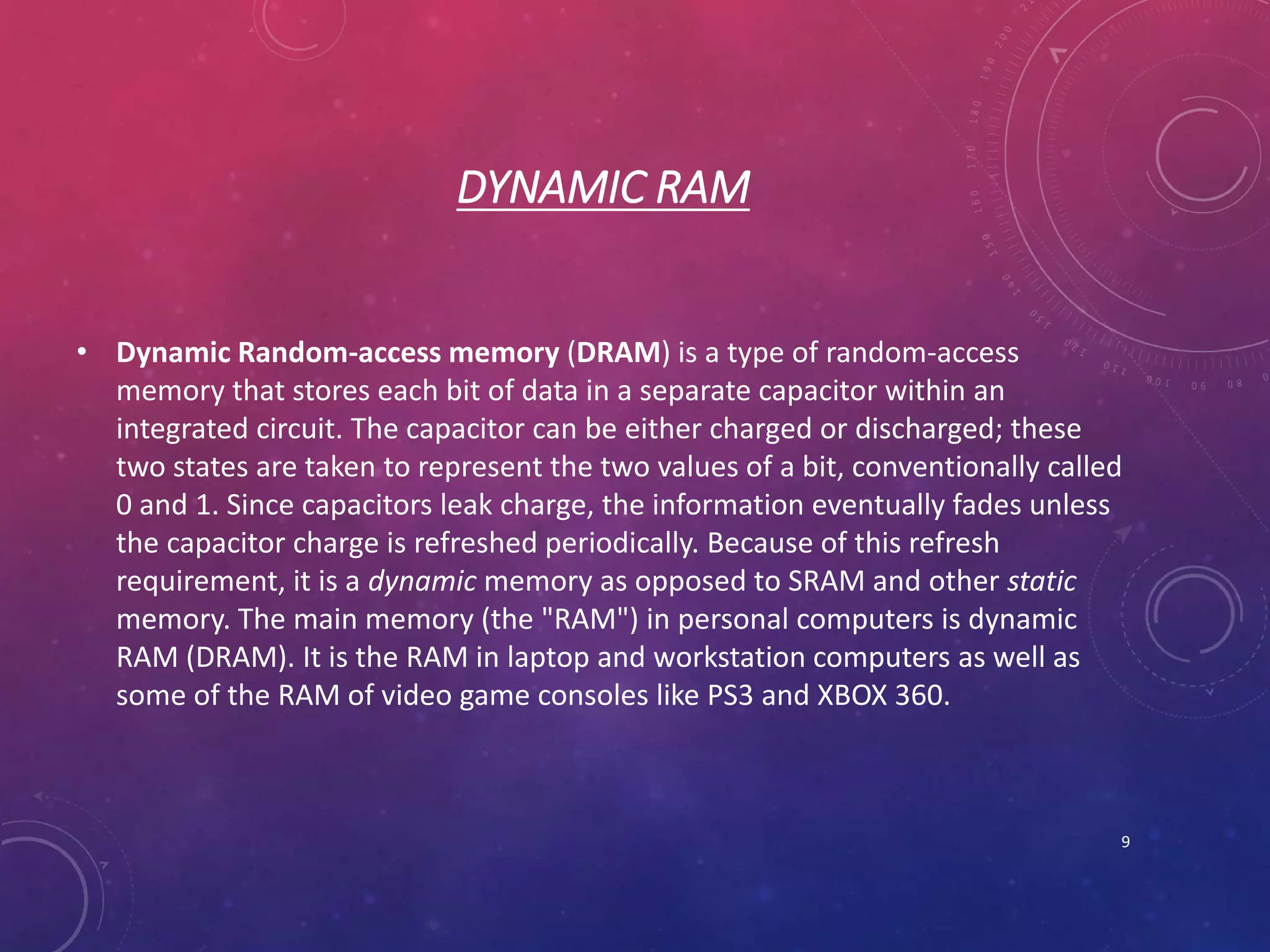
• Dynamic Random-access memory (DRAM) is a type of random-access
memory that stores each bit of data in a separate capacitor within an
integrated circuit. The capacitor can be either charged or discharged; these
two states are taken to represent the two values of a bit, conventionally called
0 and 1. Since capacitors leak charge, the information eventually fades unless
the capacitor charge is refreshed periodically. Because of this refresh
requirement, it is a dynamic memory as opposed to SRAM and other static
memory. The main memory (the "RAM") in personal computers is dynamic
RAM (DRAM). It is the RAM in laptop and workstation computers as well as
some of the RAM of video game consoles like PS3 and XBOX 360.
9
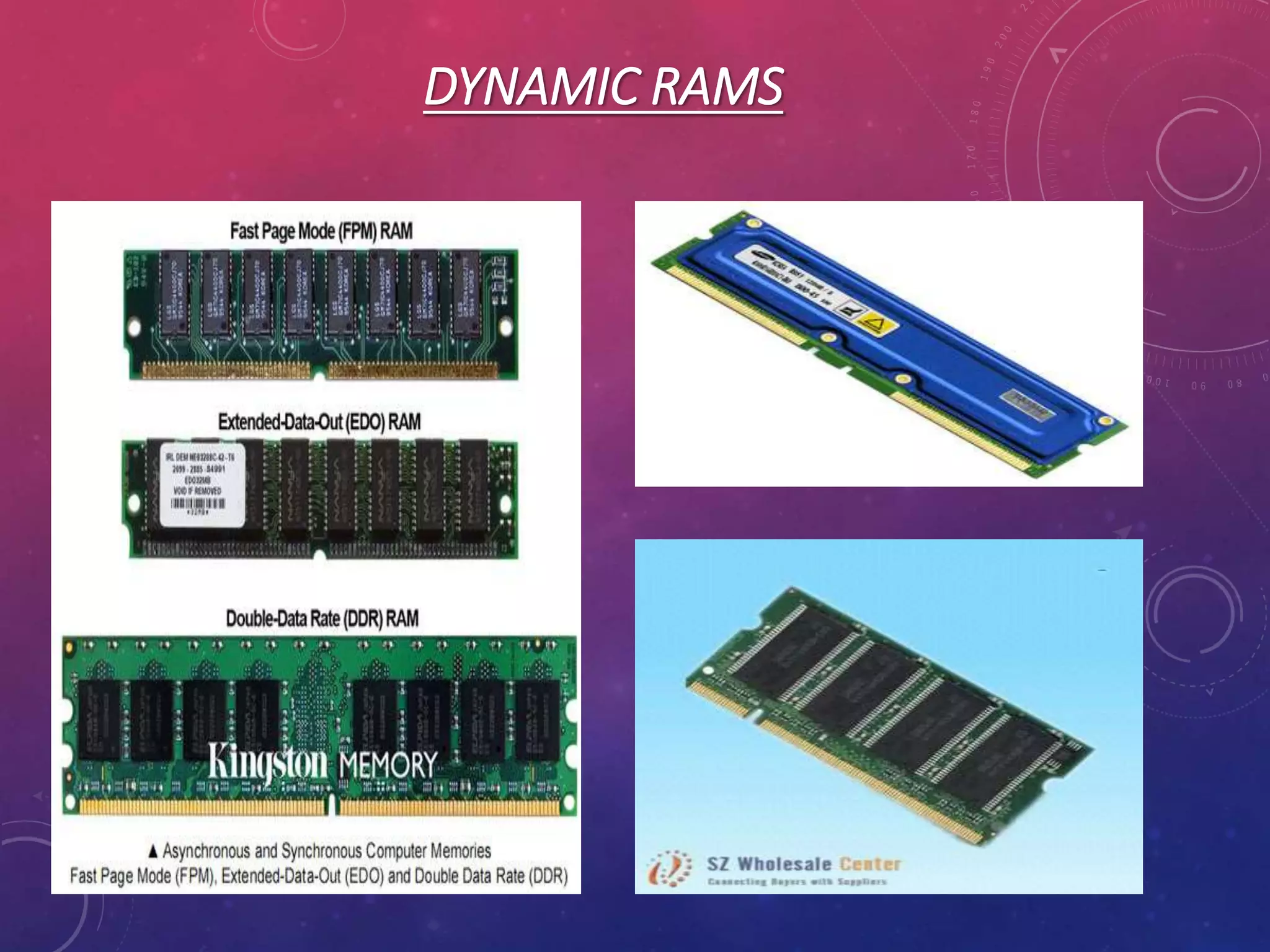
TYPES OF DYNAMIC RAM (DRAM)
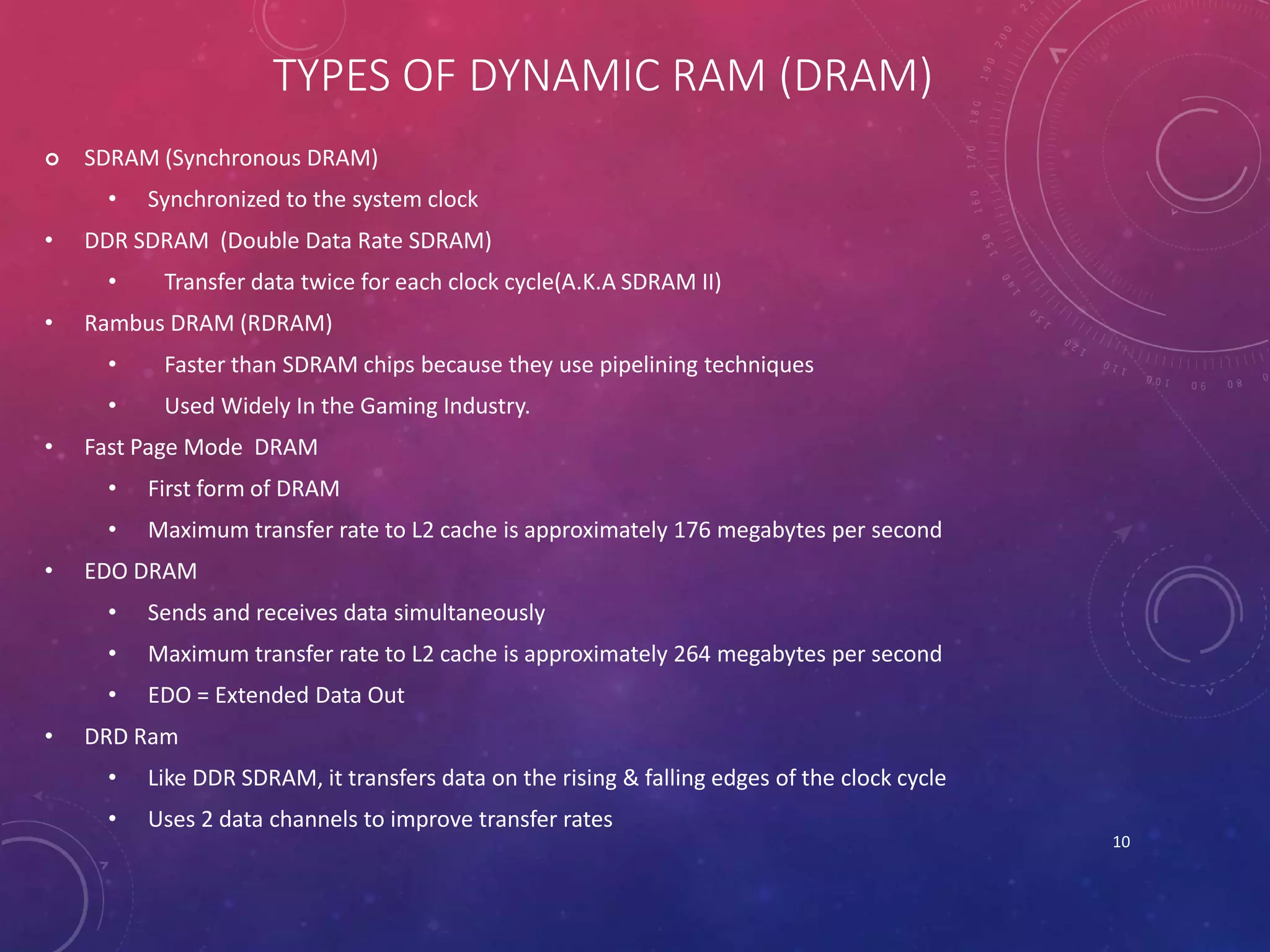
 SDRAM (Synchronous DRAM)
• Synchronized to the system clock
• DDR SDRAM (Double Data Rate SDRAM)
• Transfer data twice for each clock cycle(A.K.A SDRAM II)
• Rambus DRAM (RDRAM)
• Faster than SDRAM chips because they use pipelining techniques
• Used Widely In the Gaming Industry.
• Fast Page Mode DRAM
• First form of DRAM
• Maximum transfer rate to L2 cache is approximately 176 megabytes per second
• EDO DRAM
• Sends and receives data simultaneously
• Maximum transfer rate to L2 cache is approximately 264 megabytes per second
• EDO = Extended Data Out
• DRD Ram
• Like DDR SDRAM, it transfers data on the rising & falling edges of the clock cycle
• Uses 2 data channels to improve transfer rates
10
DYNAMIC RAMS
11
HOW RAM WORKS
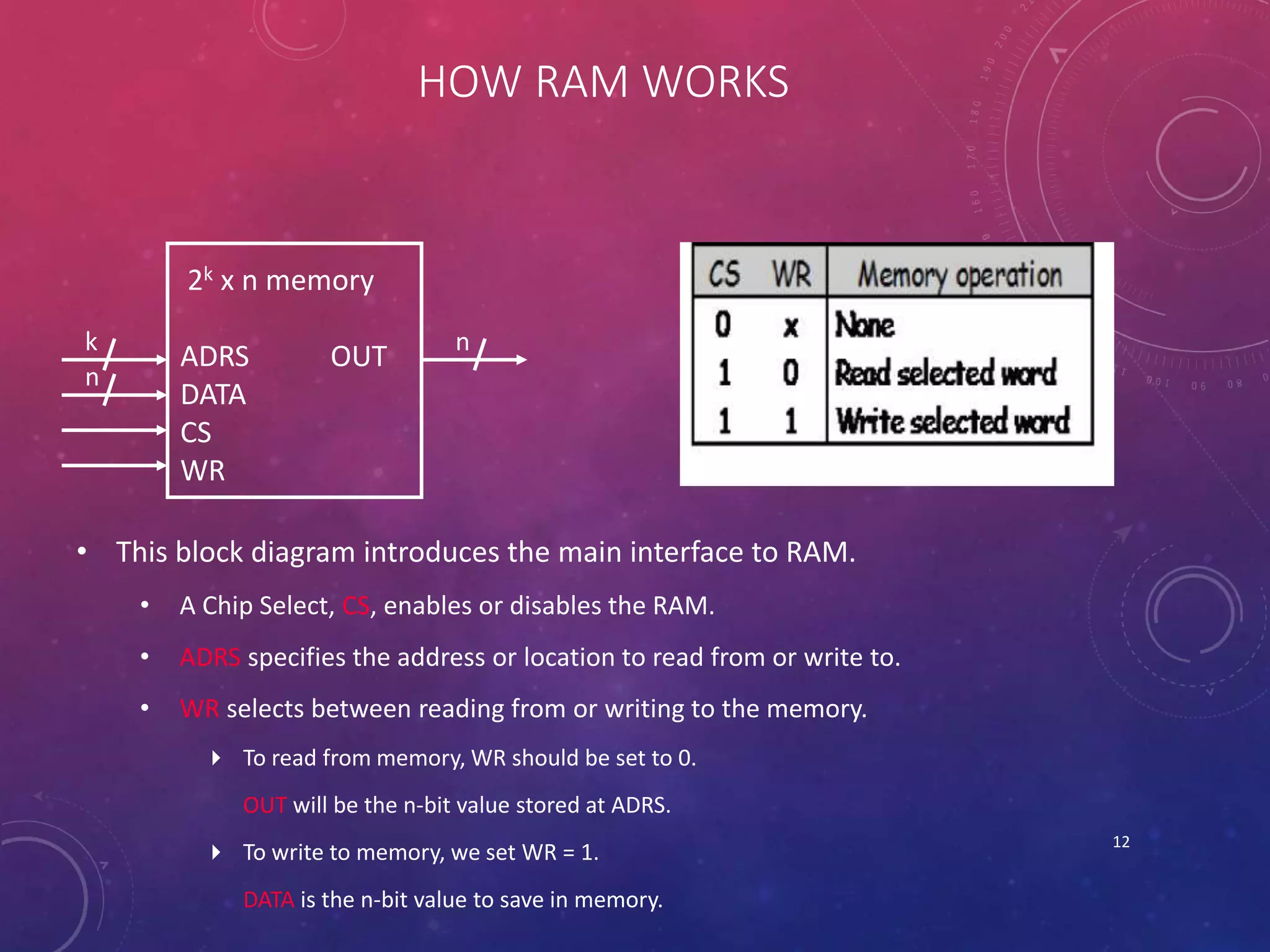
• This block diagram introduces the main interface to RAM.
• A Chip Select, CS, enables or disables the RAM.
• ADRS specifies the address or location to read from or write to.
• WR selects between reading from or writing to the memory.
 To read from memory, WR should be set to 0.
OUT will be the n-bit value stored at ADRS.
 To write to memory, we set WR = 1.
DATA is the n-bit value to save in memory.
12
2k x n memory
ADRS OUT
DATA
CS
WR
k
n
n
READING FROM THE RAM
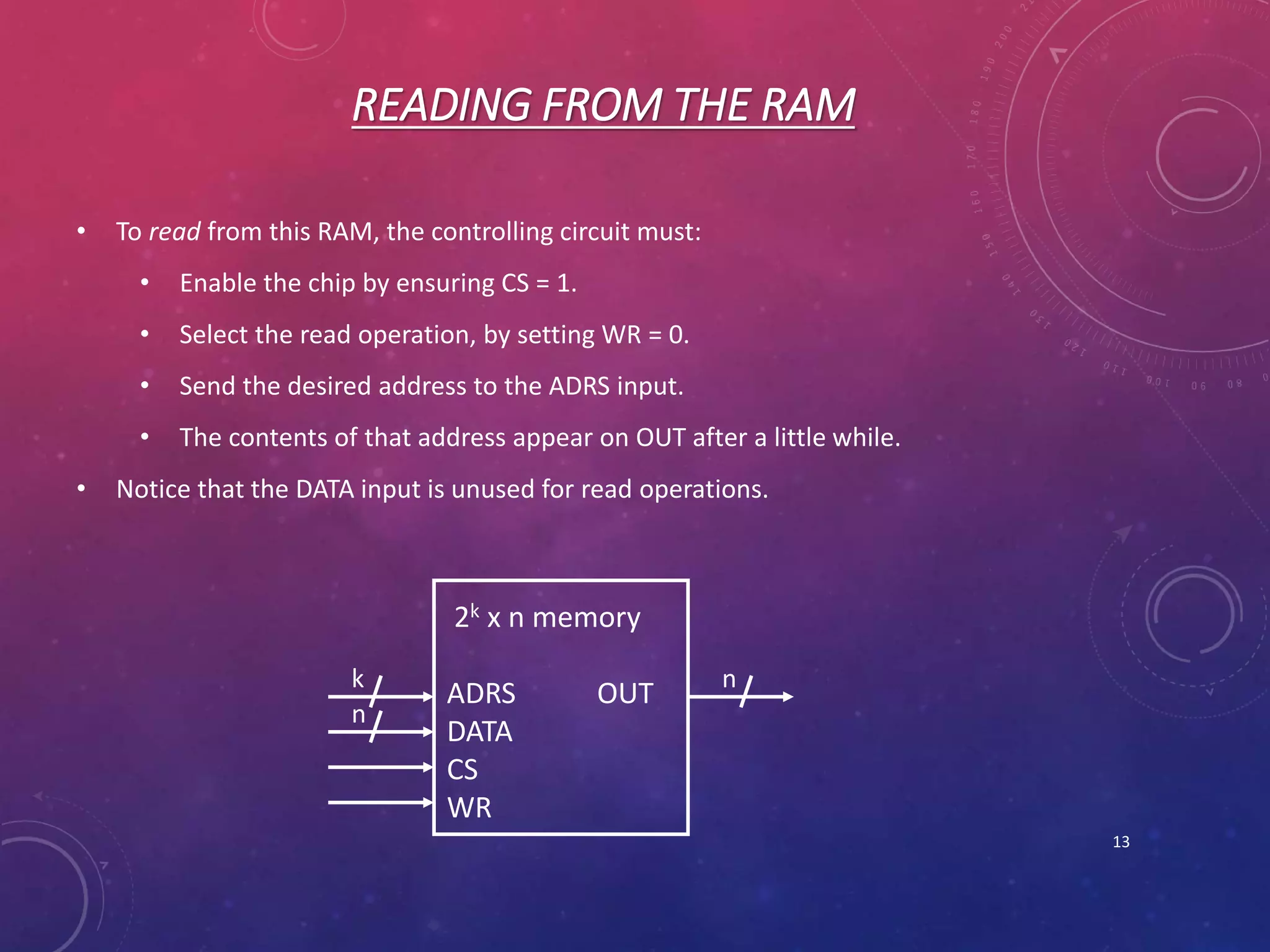
• To read from this RAM, the controlling circuit must:
• Enable the chip by ensuring CS = 1.
• Select the read operation, by setting WR = 0.
• Send the desired address to the ADRS input.
• The contents of that address appear on OUT after a little while.
• Notice that the DATA input is unused for read operations.
13
2k x n memory
ADRS OUT
DATA
CS
WR
k
n
n
WRITING TO THE RAM
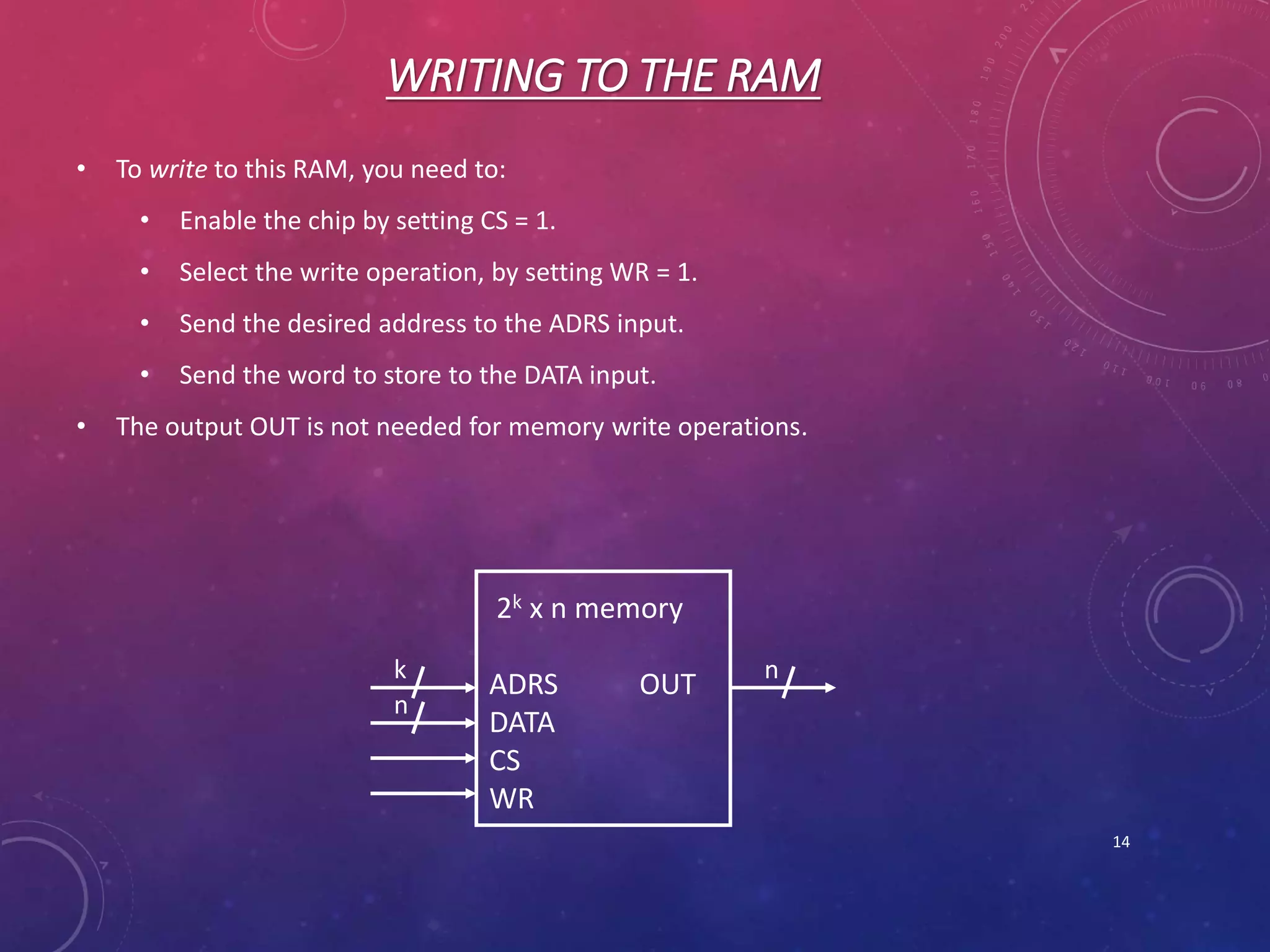
• To write to this RAM, you need to:
• Enable the chip by setting CS = 1.
• Select the write operation, by setting WR = 1.
• Send the desired address to the ADRS input.
• Send the word to store to the DATA input.
• The output OUT is not needed for memory write operations.
14
2k x n memory
ADRS OUT
DATA
CS
WR
k
n
n
INTRODUCTION TO ROMS
• Read-only memory (ROM) is a class of storage medium used in computers and
other electronic devices. Data stored in ROM cannot be modified, or can be
modified only slowly or with difficulty, so it is mainly used to distribute
firmware (software that is very closely tied to specific hardware, and unlikely
to need frequent updates).
• Unlike Ram’s Rom’s are not volatile.
15
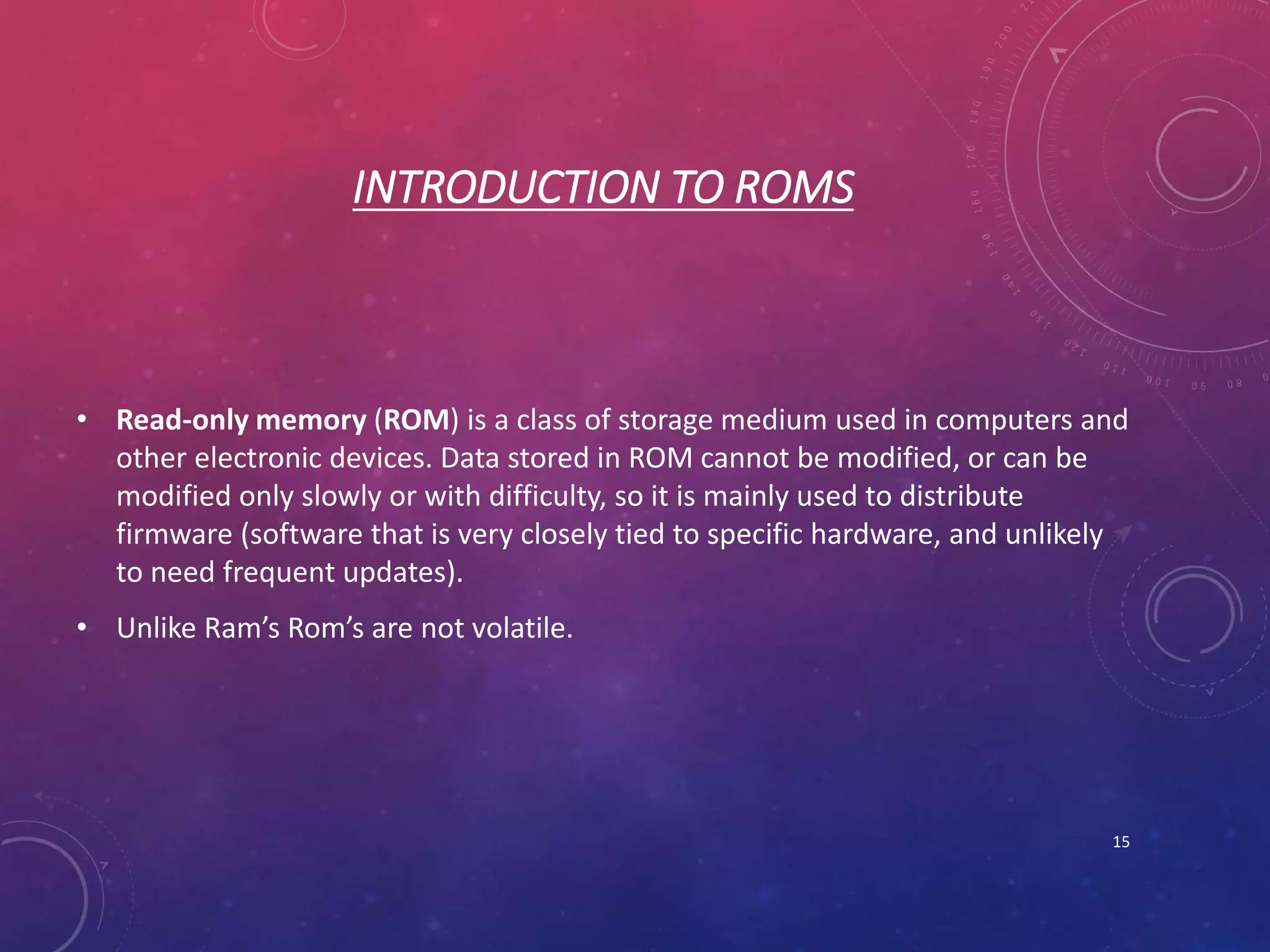
ROMS
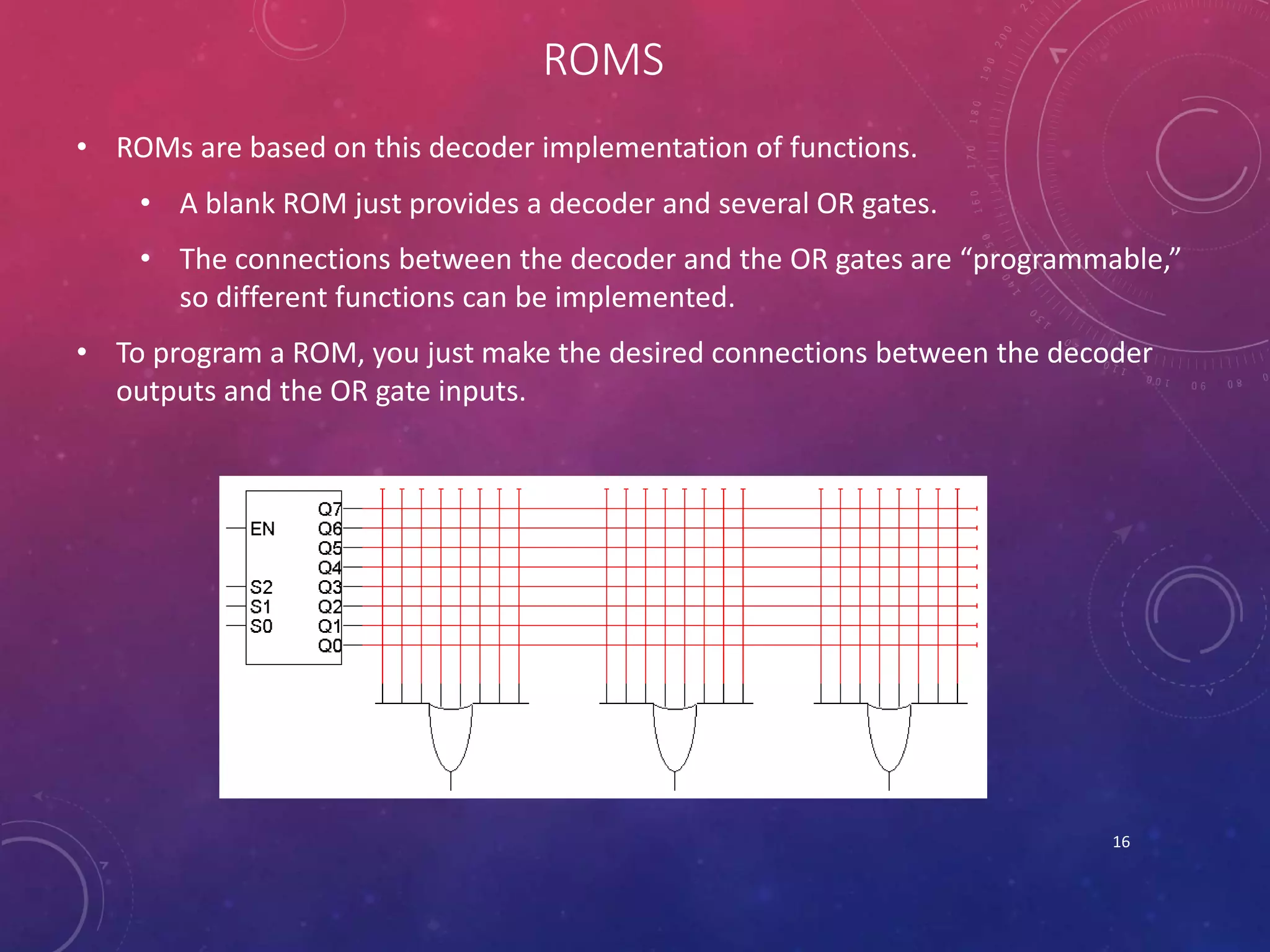
• ROMs are based on this decoder implementation of functions.
• A blank ROM just provides a decoder and several OR gates.
• The connections between the decoder and the OR gates are “programmable,”
so different functions can be implemented.
• To program a ROM, you just make the desired connections between the decoder
outputs and the OR gate inputs.
16
HISTORY OF ROM
• The simplest type of solid state ROM is as old as semiconductor technology itself.
Combinational logic gates can be joined manually to map n-bit address input onto
arbitrary values of m-bit data output (a look-up table). With the invention of the
integrated circuit came mask ROM. Mask ROM consists of a grid of word lines (the address
input) and bit lines (the data output), selectively joined together with transistor switches,
and can represent an arbitrary look-up table with a regular physical layout and predictable
propagation delay. Subsequent developments have addressed these shortcomings. PROM,
invented in 1956, allowed users to program its contents exactly once by physically altering
its structure with the application of high-voltage pulses. This addressed problems 1 and 2
above, since a company can simply order a large batch of fresh PROM chips and program
them with the desired contents at its designers' convenience. The 1971 invention of
EPROM essentially solved problem 3, since EPROM (unlike PROM) can be repeatedly reset
to its unprogrammed state by exposure to strong ultraviolet light. EEPROM, invented in
1983, went a long way to solving problem 4, since an EEPROM can be programmed in-
place if the containing device provides a means to receive the program contents from an
external source (for example, a personal computer via a serial cable). Flash memory,
invented at Toshiba in the mid-1980s, and commercialized in the early 1990s, is a form of
EEPROM that makes very efficient use of chip area and can be erased and reprogrammed
thousands of times without damage. 17
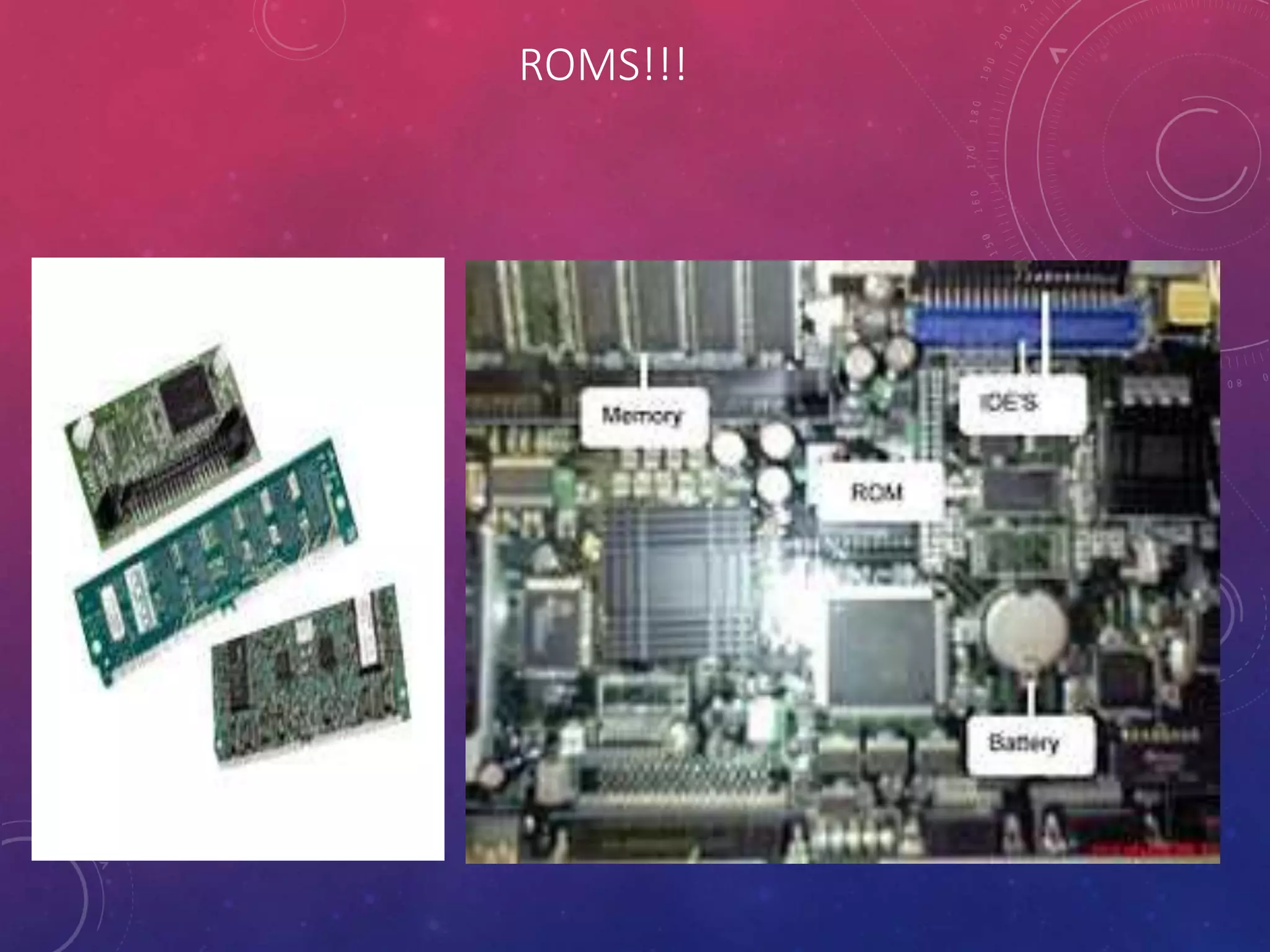
ROMS!!!
18
TYPES OF ROM
• PROM : Programmable Read Only Memory
• Programmed by user
• Also not erasable
• EPROM : Erasable Programmable Read Only Memory
• Programmed by user
• Erased using UV light
• “erase” sets all bits to 0 or
• Development applications
• EEPROM : Electrically Erasable Programmable Read Only Memory
• Programmed by user
• Erased electrically
• Possibly in system, but requires non-standard voltages
19
TYPES OF ROM
• EAROM : Electrically Alterable Read Only Memory
• Similar to EEPROM
• Flash memory
• Writable and non-volatile
• Reads very fast
• Writes very slowly
• Referred to as “programming”
• No special voltages for in system writing
• “Flash” refers to the fact that the entire content of the memory chip can be erased in
one step
• Once erased and written, data is retained for 20+years
20
REFERENCES
1. http://www.authorstream.com/
2. http://www.howstuffworks.com/
3. http://www.wikipedia.com/
4. http://www.osun.com/
5. http://www.google.com/
21
THE END
Thank You
For Listening
I Hope That
You Liked
My
Presentation
22

Memory And Storages

  • 1.
    MEMORY AND STORAGES PRESENTEDBY: Arsalan Saeed Qureshi (D-16-TE-09) PRESENTED TO: Engr. Jitander Kumar Pabani & Telecommunication Batch 2016 DEPARTMENT OF TELECOMMUNICATION ENGINEERING1
  • 2.
    TOPICS • Ram: • Introduction •What Is Ram? • History Of Ram • Types Of Ram • How Ram Works. • Rom: • Introduction • What is Rom? • History Of Rom • Types Of Rom 2
  • 3.
    INTRODUCTION TO RAM •Random access memory (RAM) is a form of computer data storage. It takes the form of integrated circuits that allow stored data to be accessed in any order with a worst case performance of constant time .RAM is often associated with volatile types of memory where its stored information is lost if the power is removed. • RAM typically resides on Memory Modules • A RAM Memory chip is an integrated circuit made of millions of Transistors and Capacitors 3
  • 4.
    HISTORY OF RAM Thefirst practical form of random-access memory was the Williams tube starting in 1947. It stored data as electrically-charged spots on the face of a cathode ray tube. Since the electron beam of the CRT could read and write the spots on the tube in any order, memory was random-access. The capacity of the Williams tube was a few hundred to around a thousand bits, but it was much smaller, faster, and more power- efficient than using individual vacuum tube latches. Magnetic core memory, invented in 1947 and developed up until the mid 1970s, became a widespread form of random access memory. Robert H. Dennard invented Dynamic random access memory in 1968, this allowed replacement of a 4 or 6-transistor latch circuit by a single transistor for each memory bit, greatly increasing memory density at the cost of volatility. 4
  • 5.
  • 6.
    TYPES OF RAM •The two main forms of modern RAM are static RAM (SRAM) and dynamic RAM (DRAM). In static RAM, a bit of data is stored using the state of a flip-flop. This form of RAM is more expensive to produce, but is generally faster and requires less power than DRAM and, in modern computers, is often used as cache memory for the CPU. DRAM stores a bit of data using a transistor and capacitor pair, which together comprise a memory cell. 6
  • 7.
    STATIC RAM • SRAM •Built with cross coupled inverters and pass transistors. • Cache Memory (Static RAM) helps speed up the microprocessor. • Cache Memory stores frequently used data and instructions. • Personal Computers have 2 and perhaps 3 types of cache memory: • L1 (Level 1) Cache (8KB to 128KB) • L2 (Level 2) Cache (64KB to 4MB) • L2 Advanced Transfer Cache on current microprocessors (built on the chip) • A computer with L2 cache usually performs at speeds 10 to 40 percent faster than those without cache. • Servers and workstations can have at least 2MB of L2 or L3 cache. 7
  • 8.
    STATIC RAM • Astatic RAM chip from NES(Gaming Console) clone 2Kx8 bits. 8
  • 9.
    DYNAMIC RAM • DynamicRandom-access memory (DRAM) is a type of random-access memory that stores each bit of data in a separate capacitor within an integrated circuit. The capacitor can be either charged or discharged; these two states are taken to represent the two values of a bit, conventionally called 0 and 1. Since capacitors leak charge, the information eventually fades unless the capacitor charge is refreshed periodically. Because of this refresh requirement, it is a dynamic memory as opposed to SRAM and other static memory. The main memory (the "RAM") in personal computers is dynamic RAM (DRAM). It is the RAM in laptop and workstation computers as well as some of the RAM of video game consoles like PS3 and XBOX 360. 9
  • 10.
    TYPES OF DYNAMICRAM (DRAM)  SDRAM (Synchronous DRAM) • Synchronized to the system clock • DDR SDRAM (Double Data Rate SDRAM) • Transfer data twice for each clock cycle(A.K.A SDRAM II) • Rambus DRAM (RDRAM) • Faster than SDRAM chips because they use pipelining techniques • Used Widely In the Gaming Industry. • Fast Page Mode DRAM • First form of DRAM • Maximum transfer rate to L2 cache is approximately 176 megabytes per second • EDO DRAM • Sends and receives data simultaneously • Maximum transfer rate to L2 cache is approximately 264 megabytes per second • EDO = Extended Data Out • DRD Ram • Like DDR SDRAM, it transfers data on the rising & falling edges of the clock cycle • Uses 2 data channels to improve transfer rates 10
  • 11.
  • 12.
    HOW RAM WORKS •This block diagram introduces the main interface to RAM. • A Chip Select, CS, enables or disables the RAM. • ADRS specifies the address or location to read from or write to. • WR selects between reading from or writing to the memory.  To read from memory, WR should be set to 0. OUT will be the n-bit value stored at ADRS.  To write to memory, we set WR = 1. DATA is the n-bit value to save in memory. 12 2k x n memory ADRS OUT DATA CS WR k n n
  • 13.
    READING FROM THERAM • To read from this RAM, the controlling circuit must: • Enable the chip by ensuring CS = 1. • Select the read operation, by setting WR = 0. • Send the desired address to the ADRS input. • The contents of that address appear on OUT after a little while. • Notice that the DATA input is unused for read operations. 13 2k x n memory ADRS OUT DATA CS WR k n n
  • 14.
    WRITING TO THERAM • To write to this RAM, you need to: • Enable the chip by setting CS = 1. • Select the write operation, by setting WR = 1. • Send the desired address to the ADRS input. • Send the word to store to the DATA input. • The output OUT is not needed for memory write operations. 14 2k x n memory ADRS OUT DATA CS WR k n n
  • 15.
    INTRODUCTION TO ROMS •Read-only memory (ROM) is a class of storage medium used in computers and other electronic devices. Data stored in ROM cannot be modified, or can be modified only slowly or with difficulty, so it is mainly used to distribute firmware (software that is very closely tied to specific hardware, and unlikely to need frequent updates). • Unlike Ram’s Rom’s are not volatile. 15
  • 16.
    ROMS • ROMs arebased on this decoder implementation of functions. • A blank ROM just provides a decoder and several OR gates. • The connections between the decoder and the OR gates are “programmable,” so different functions can be implemented. • To program a ROM, you just make the desired connections between the decoder outputs and the OR gate inputs. 16
  • 17.
    HISTORY OF ROM •The simplest type of solid state ROM is as old as semiconductor technology itself. Combinational logic gates can be joined manually to map n-bit address input onto arbitrary values of m-bit data output (a look-up table). With the invention of the integrated circuit came mask ROM. Mask ROM consists of a grid of word lines (the address input) and bit lines (the data output), selectively joined together with transistor switches, and can represent an arbitrary look-up table with a regular physical layout and predictable propagation delay. Subsequent developments have addressed these shortcomings. PROM, invented in 1956, allowed users to program its contents exactly once by physically altering its structure with the application of high-voltage pulses. This addressed problems 1 and 2 above, since a company can simply order a large batch of fresh PROM chips and program them with the desired contents at its designers' convenience. The 1971 invention of EPROM essentially solved problem 3, since EPROM (unlike PROM) can be repeatedly reset to its unprogrammed state by exposure to strong ultraviolet light. EEPROM, invented in 1983, went a long way to solving problem 4, since an EEPROM can be programmed in- place if the containing device provides a means to receive the program contents from an external source (for example, a personal computer via a serial cable). Flash memory, invented at Toshiba in the mid-1980s, and commercialized in the early 1990s, is a form of EEPROM that makes very efficient use of chip area and can be erased and reprogrammed thousands of times without damage. 17
  • 18.
  • 19.
    TYPES OF ROM •PROM : Programmable Read Only Memory • Programmed by user • Also not erasable • EPROM : Erasable Programmable Read Only Memory • Programmed by user • Erased using UV light • “erase” sets all bits to 0 or • Development applications • EEPROM : Electrically Erasable Programmable Read Only Memory • Programmed by user • Erased electrically • Possibly in system, but requires non-standard voltages 19
  • 20.
    TYPES OF ROM •EAROM : Electrically Alterable Read Only Memory • Similar to EEPROM • Flash memory • Writable and non-volatile • Reads very fast • Writes very slowly • Referred to as “programming” • No special voltages for in system writing • “Flash” refers to the fact that the entire content of the memory chip can be erased in one step • Once erased and written, data is retained for 20+years 20
  • 21.
    REFERENCES 1. http://www.authorstream.com/ 2. http://www.howstuffworks.com/ 3.http://www.wikipedia.com/ 4. http://www.osun.com/ 5. http://www.google.com/ 21
  • 22.
    THE END Thank You ForListening I Hope That You Liked My Presentation 22