Name-Harshita Ahirwar
Guided by- Dinesh kambale
Topic -Memory
Subject - Digital Forensic
Semester -V sem
MEMORY
 Computer memory is any physical
device capable of storing information
temporarily like RAM (random access
memory), or permanently, like ROM
(read-only memory). Memory devices
utilize integrated circuits and are used
by operating systems, software, and
hardware.
Volatile vs. non-volatile
memory
 Volatile memory is a memory that loses
its contents when the computer or
hardware device loses power. Computer
RAM is an example of a volatile memory
and is why if your computer freezes or
reboots when working on a program, you
lose anything that hasn't been saved.
 Non-volatile memory, sometimes
abbreviated as NVRAM, is a memory that
keeps its contents even if the power is
lost. EPROM is an example of a non-
volatile memory.
How is memory used?
 When a program such as your Internet
browser is open, it is loaded from your
hard drive and placed into RAM, which
allows that program to communicate
with the processor at higher speeds.
Anything you save to your computer,
such as a picture or video, is sent to
your hard drive for storage
Why is memory important or
needed for a computer?
 Each device in a computer operates at
different speeds and computer memory gives
your computer a place to quickly access
data. If the CPU had to wait for a secondary
storage device, like a hard disk drive, a
computer would be much slower.
Types of memory
 There are several types of memory for computers. They are listed
below.
 ROM
 ROM is separated into three categories:
 PROM
 EPROM
 EEPROM
 RAM
 There are six types of RAM:
 EDO RAM
 SDRAM
 DDR RAM
 DDR2 RAM
 DDR3 RAM
 DDR4 RAM
 These types of memory all fall into the general categories of SIMM
or DIMM.

ROM
(Read Only Memory)
 Read-only memory (ROM) is a type of storage
medium that permanently stores data on
personal computers (PCs) and other electronic
devices. It contains the programming needed
to start a PC, which is essential for boot-up; it
performs major input/output tasks and holds
programs or software instructions.
 Because ROM is read-only, it cannot be
changed; it is permanent and non-volatile,
meaning it also holds its memory even when
power is removed. By contrast, random
access memory (RAM) is volatile; it is lost
when power is removed.
Type of ROM
 There are different variations on the
classic ROM chips which were
manufacturer produced and could not
change. The most common are
1) Programmable Read-Only Memory
(PROM)
 This type of ROM can be re-programmed
by using a special device called a PROM
programmer. Generally, a PROM can only
be changed/updated once.
 2) Erasable Programmable Read-Only
Memory (EPROM)
 This type of ROM can have its contents
erased by ultraviolet light and then
reprogrammed by an RPROM
programmer. This procedure can be
carried out many times; however, the
constant erasing and rewriting will
eventually render the chip useless.
 3) Electrically Erasable Programmable Read-
Only Memory (EEPROM)
 This type of ROM works in a similar way to
Flash memory in that it can its contents can be
'flashed' for erasure ad then written to without
having to remove the chip from its
environment. EEPROMs are used to store a
computer system's BIOS, and can be updated
without returning the unit to the factory. In
many cases, BIOS updates can be carried out
by computer users wishing a BIOS update
 4) Flash Memory
 Flash memory is an example of quite a recent type of
storage technology known as solid state devices. This
type of portable storage has become very popular
because of its low price and high storage capacity
compared to its rivals, e.g. floppy disk.
 Solid state devices are regarded as being robust and
reliable because they have no moving parts with the
data stored in semiconductor chips. This technology
already exists in the form of flash memory used to store
the Basic Input/Output System (BIOS) of a motherboard.
 Unlike ROM, flash memory can be read form and written
to and unlike RAM does not require power to retain its
data.
 Although these devices typically cannot hold as much
data as hard disks, CD-ROMs and DVDs, the storage
capacity is continually increasing.
RAM
(Random Access Memory)
 Random access memory (RAM) is a type
of data storage used in computers that is
generally located on the motherboard.
This type of memory is volatile and all
information that was stored in RAM is lost
when the computer is turned off. Volatile
memory is temporary memory while ROM
(read-only memory) is non-volatile and
holds data permanently when the power
is turned off.
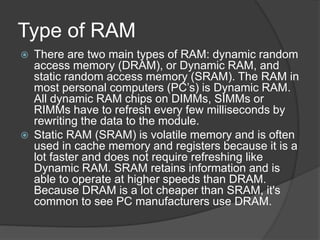
Type of RAM
 There are two main types of RAM: dynamic random
access memory (DRAM), or Dynamic RAM, and
static random access memory (SRAM). The RAM in
most personal computers (PC’s) is Dynamic RAM.
All dynamic RAM chips on DIMMs, SIMMs or
RIMMs have to refresh every few milliseconds by
rewriting the data to the module.
 Static RAM (SRAM) is volatile memory and is often
used in cache memory and registers because it is a
lot faster and does not require refreshing like
Dynamic RAM. SRAM retains information and is
able to operate at higher speeds than DRAM.
Because DRAM is a lot cheaper than SRAM, it's
common to see PC manufacturers use DRAM.

Memory

  • 1.
    Name-Harshita Ahirwar Guided by-Dinesh kambale Topic -Memory Subject - Digital Forensic Semester -V sem
  • 2.
    MEMORY  Computer memoryis any physical device capable of storing information temporarily like RAM (random access memory), or permanently, like ROM (read-only memory). Memory devices utilize integrated circuits and are used by operating systems, software, and hardware.
  • 3.
    Volatile vs. non-volatile memory Volatile memory is a memory that loses its contents when the computer or hardware device loses power. Computer RAM is an example of a volatile memory and is why if your computer freezes or reboots when working on a program, you lose anything that hasn't been saved.  Non-volatile memory, sometimes abbreviated as NVRAM, is a memory that keeps its contents even if the power is lost. EPROM is an example of a non- volatile memory.
  • 4.
    How is memoryused?  When a program such as your Internet browser is open, it is loaded from your hard drive and placed into RAM, which allows that program to communicate with the processor at higher speeds. Anything you save to your computer, such as a picture or video, is sent to your hard drive for storage
  • 5.
    Why is memoryimportant or needed for a computer?  Each device in a computer operates at different speeds and computer memory gives your computer a place to quickly access data. If the CPU had to wait for a secondary storage device, like a hard disk drive, a computer would be much slower.
  • 6.
    Types of memory There are several types of memory for computers. They are listed below.  ROM  ROM is separated into three categories:  PROM  EPROM  EEPROM  RAM  There are six types of RAM:  EDO RAM  SDRAM  DDR RAM  DDR2 RAM  DDR3 RAM  DDR4 RAM  These types of memory all fall into the general categories of SIMM or DIMM. 
  • 7.
    ROM (Read Only Memory) Read-only memory (ROM) is a type of storage medium that permanently stores data on personal computers (PCs) and other electronic devices. It contains the programming needed to start a PC, which is essential for boot-up; it performs major input/output tasks and holds programs or software instructions.  Because ROM is read-only, it cannot be changed; it is permanent and non-volatile, meaning it also holds its memory even when power is removed. By contrast, random access memory (RAM) is volatile; it is lost when power is removed.
  • 8.
    Type of ROM There are different variations on the classic ROM chips which were manufacturer produced and could not change. The most common are 1) Programmable Read-Only Memory (PROM)  This type of ROM can be re-programmed by using a special device called a PROM programmer. Generally, a PROM can only be changed/updated once.
  • 9.
     2) ErasableProgrammable Read-Only Memory (EPROM)  This type of ROM can have its contents erased by ultraviolet light and then reprogrammed by an RPROM programmer. This procedure can be carried out many times; however, the constant erasing and rewriting will eventually render the chip useless.
  • 10.
     3) ElectricallyErasable Programmable Read- Only Memory (EEPROM)  This type of ROM works in a similar way to Flash memory in that it can its contents can be 'flashed' for erasure ad then written to without having to remove the chip from its environment. EEPROMs are used to store a computer system's BIOS, and can be updated without returning the unit to the factory. In many cases, BIOS updates can be carried out by computer users wishing a BIOS update
  • 11.
     4) FlashMemory  Flash memory is an example of quite a recent type of storage technology known as solid state devices. This type of portable storage has become very popular because of its low price and high storage capacity compared to its rivals, e.g. floppy disk.  Solid state devices are regarded as being robust and reliable because they have no moving parts with the data stored in semiconductor chips. This technology already exists in the form of flash memory used to store the Basic Input/Output System (BIOS) of a motherboard.  Unlike ROM, flash memory can be read form and written to and unlike RAM does not require power to retain its data.  Although these devices typically cannot hold as much data as hard disks, CD-ROMs and DVDs, the storage capacity is continually increasing.
  • 12.
    RAM (Random Access Memory) Random access memory (RAM) is a type of data storage used in computers that is generally located on the motherboard. This type of memory is volatile and all information that was stored in RAM is lost when the computer is turned off. Volatile memory is temporary memory while ROM (read-only memory) is non-volatile and holds data permanently when the power is turned off.
  • 13.
    Type of RAM There are two main types of RAM: dynamic random access memory (DRAM), or Dynamic RAM, and static random access memory (SRAM). The RAM in most personal computers (PC’s) is Dynamic RAM. All dynamic RAM chips on DIMMs, SIMMs or RIMMs have to refresh every few milliseconds by rewriting the data to the module.  Static RAM (SRAM) is volatile memory and is often used in cache memory and registers because it is a lot faster and does not require refreshing like Dynamic RAM. SRAM retains information and is able to operate at higher speeds than DRAM. Because DRAM is a lot cheaper than SRAM, it's common to see PC manufacturers use DRAM.