


“MATLAB EXPLORATION”
(Place to visualize
your thoughts)
February 12, 2016
Presentation By
Mr. ReddyPrasad Reddivari,
Assistant Professor
Department of Electrical and Electronics
Engineering
Sri Venkateshwara College of Engineering
Bengaluru, Karnataka-562157
Tel: 9494747497
E-Mail: reddytnp.244@gmail.com.
Website: www.reddyprasad.yolasite.com
MATLAB/SIMULINK for Engineering applications
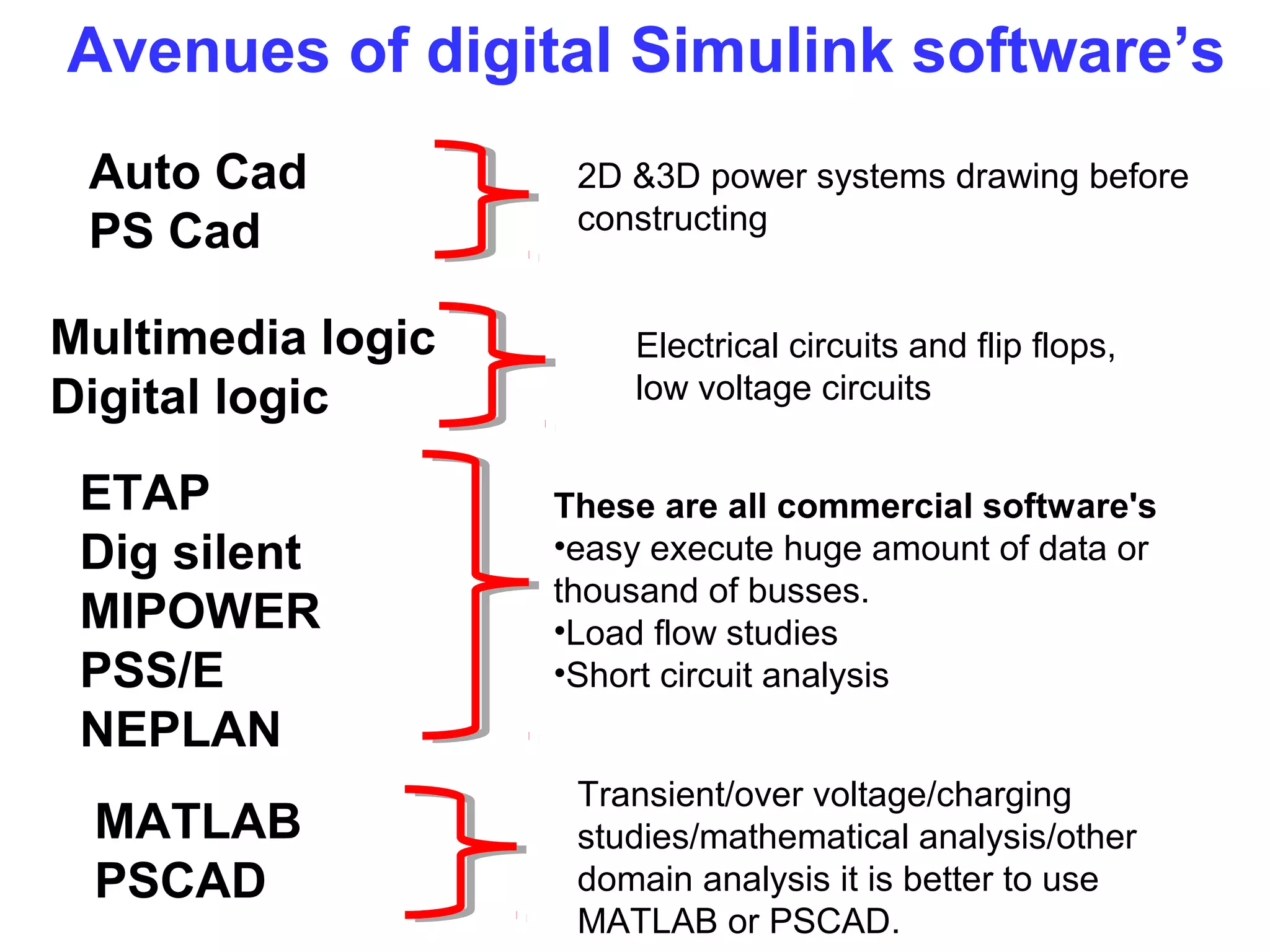
Avenues of digital Simulink software’s
ETAP
Dig silent
MIPOWER
PSS/E
NEPLAN
MATLAB
PSCAD
Auto Cad
PS Cad
Multimedia logic
Digital logic
2D &3D power systems drawing before
constructing
These are all commercial software's
•easy execute huge amount of data or
thousand of busses.
•Load flow studies
•Short circuit analysis
Transient/over voltage/charging
studies/mathematical analysis/other
domain analysis it is better to use
MATLAB or PSCAD.
Electrical circuits and flip flops,
low voltage circuits
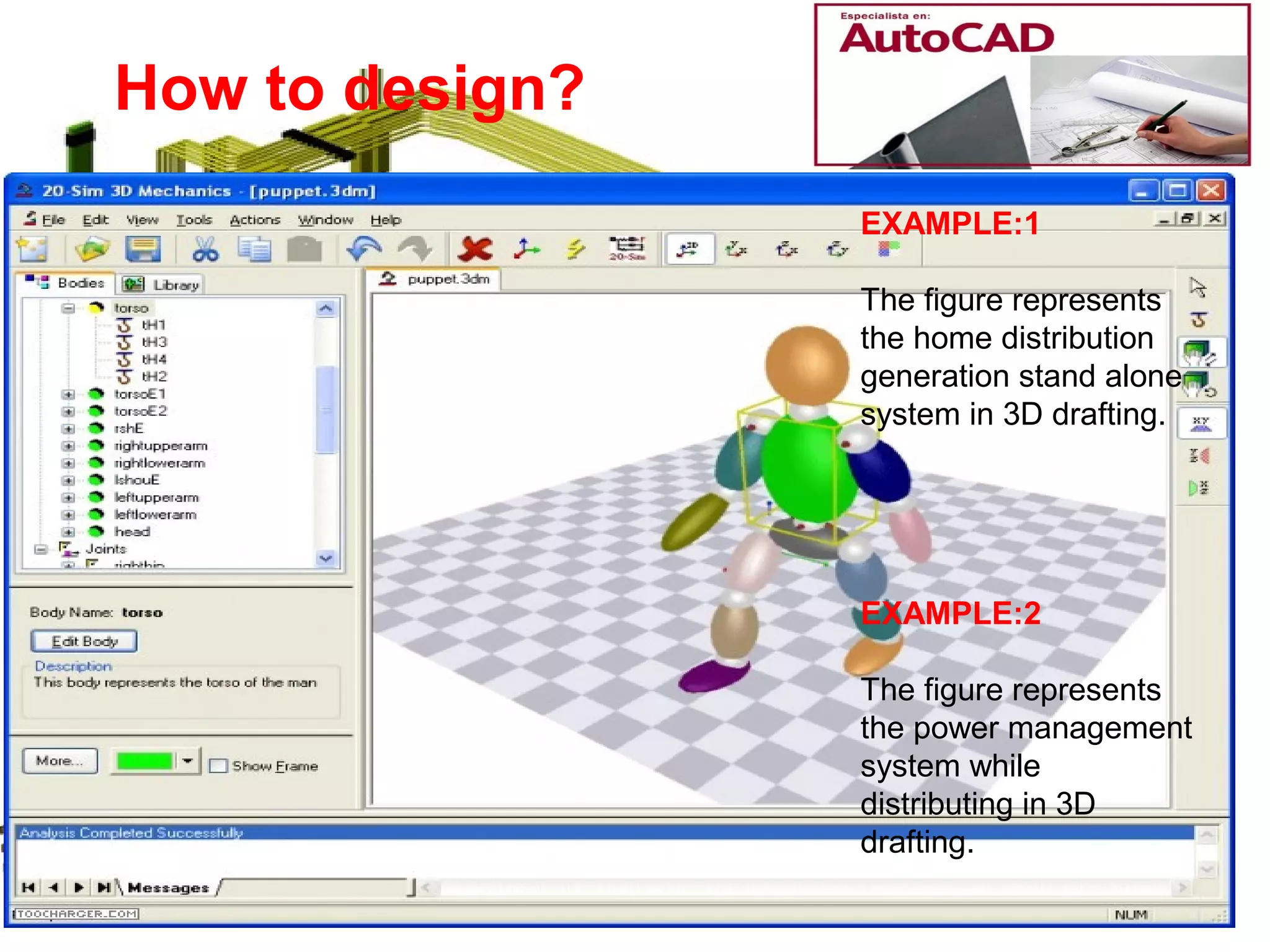
EXAMPLE:1
The figure represents
the home distribution
generation stand alone
system in 3D drafting.
EXAMPLE:2
The figure represents
the power management
system while
distributing in 3D
drafting.
How to design?
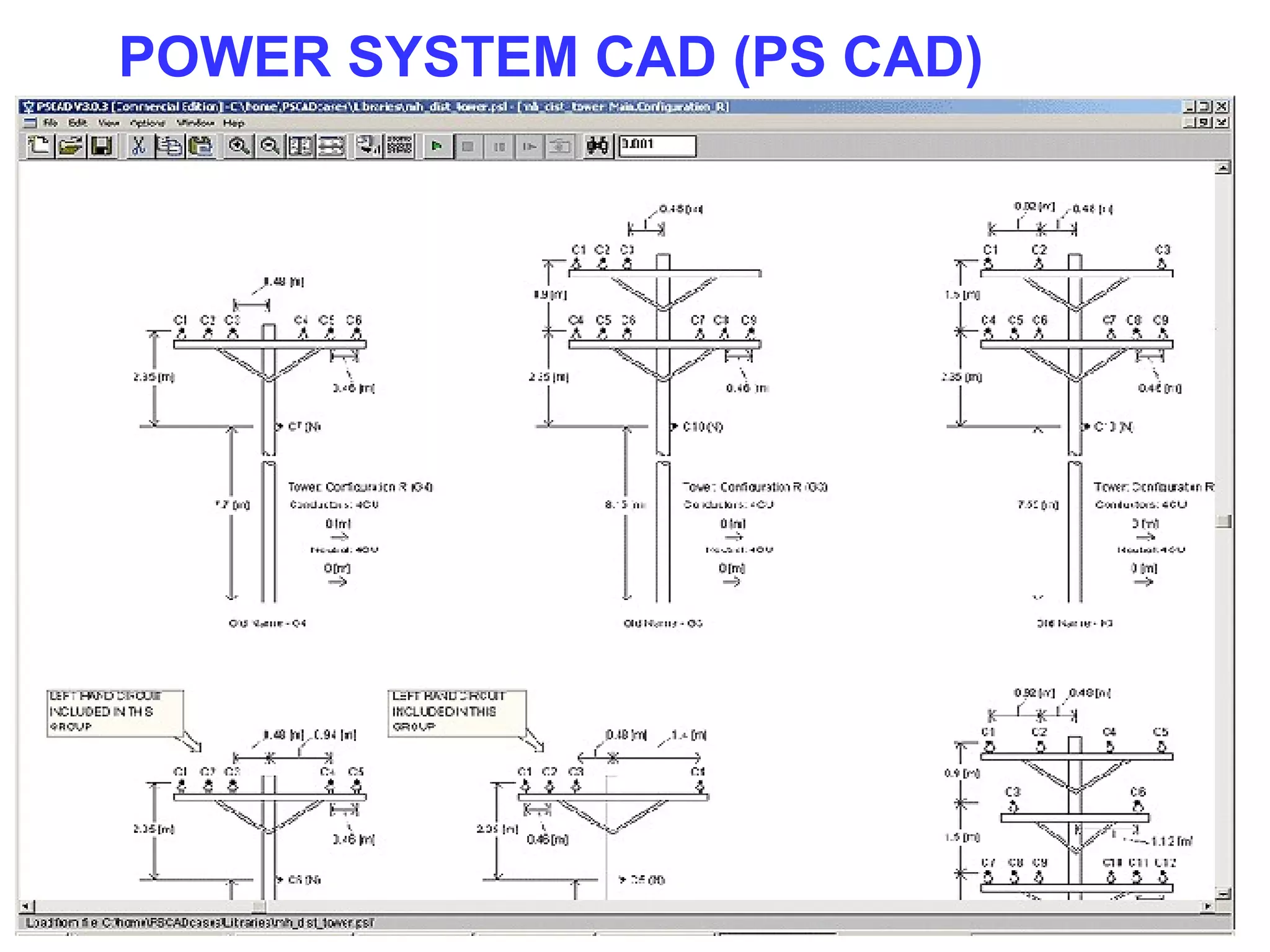
POWER SYSTEM CAD (PS CAD)
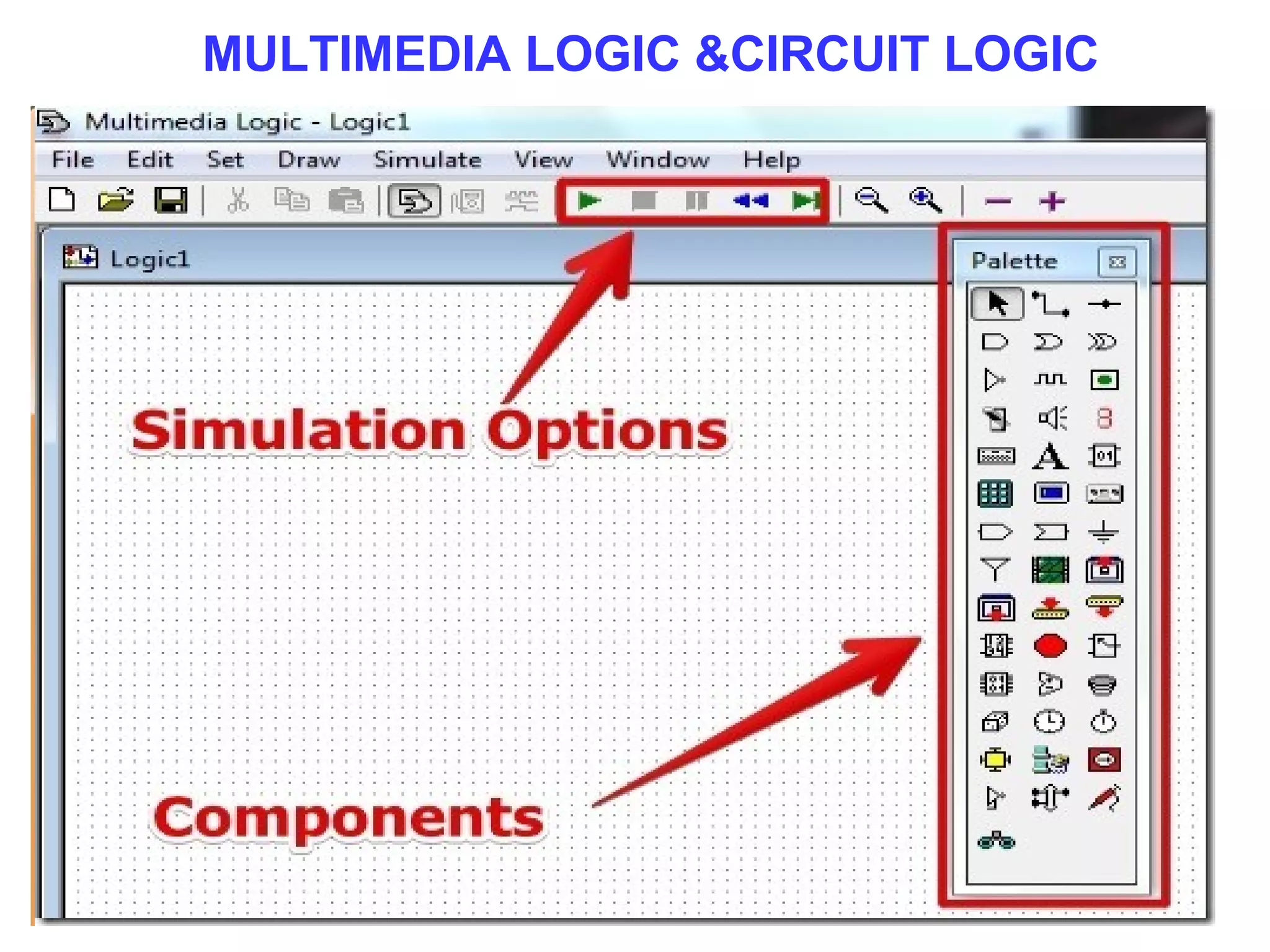
MULTIMEDIA LOGIC &CIRCUIT LOGIC
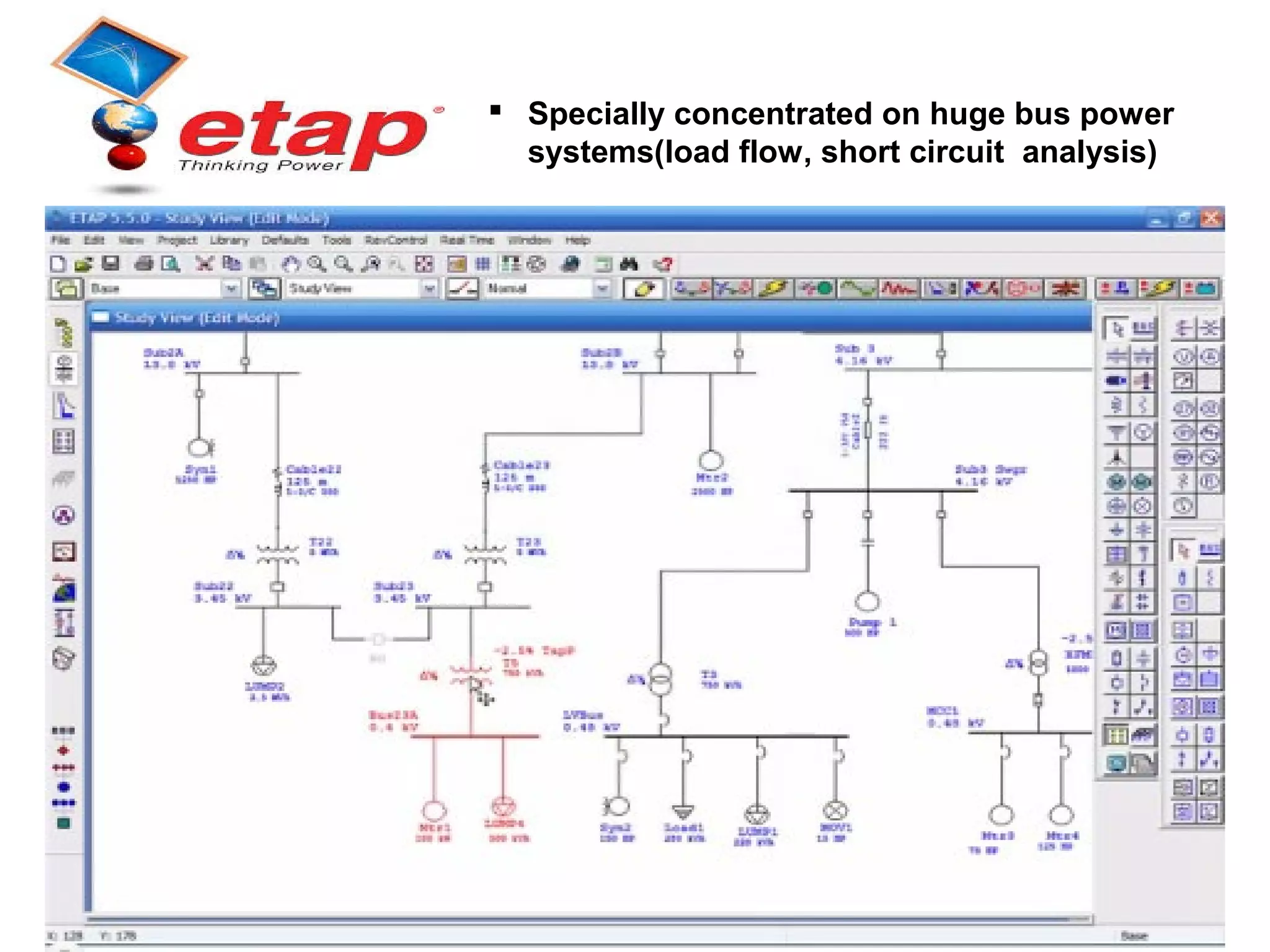
 Specially concentrated on huge bus power
systems(load flow, short circuit analysis)
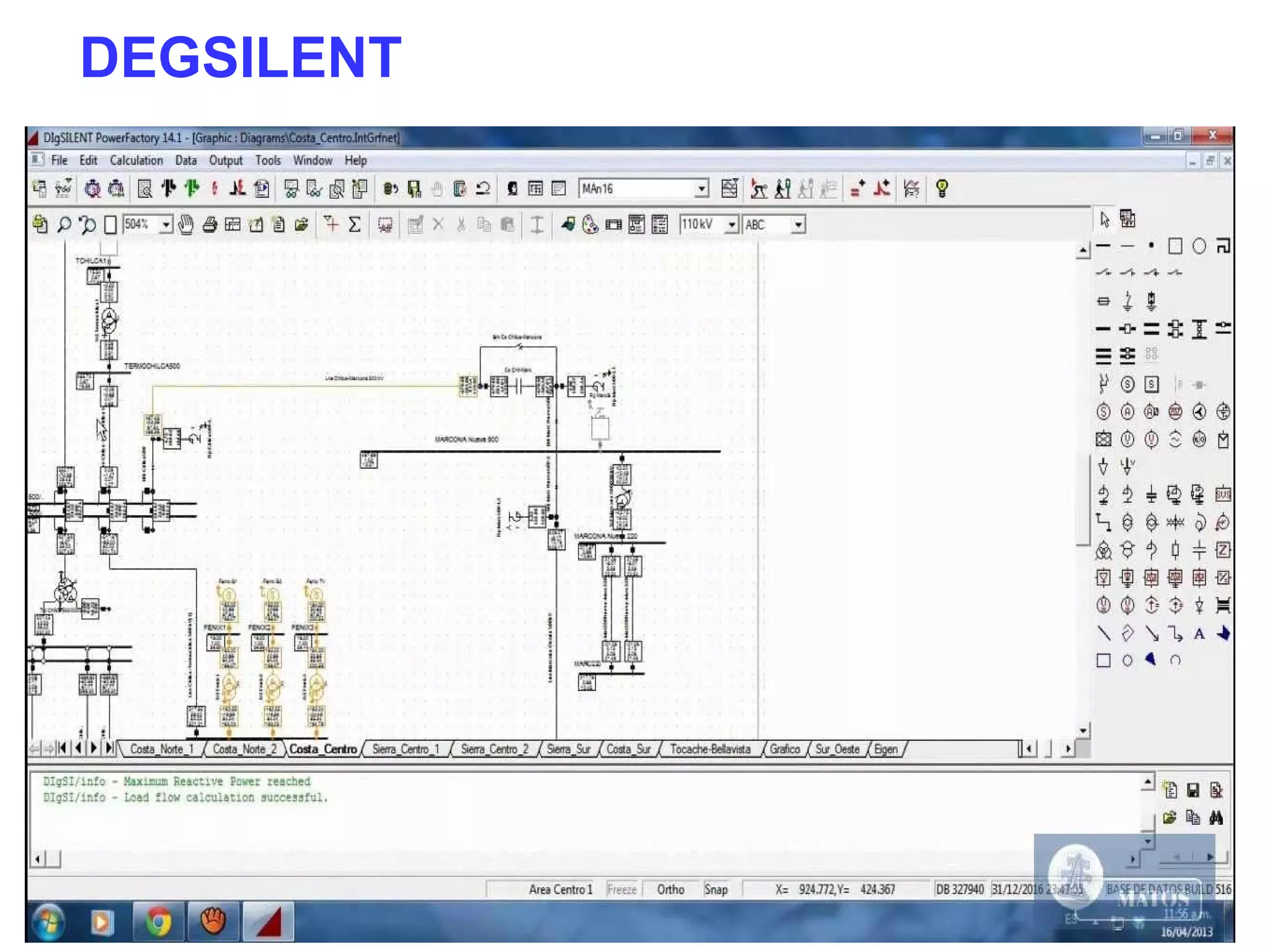
DEGSILENT
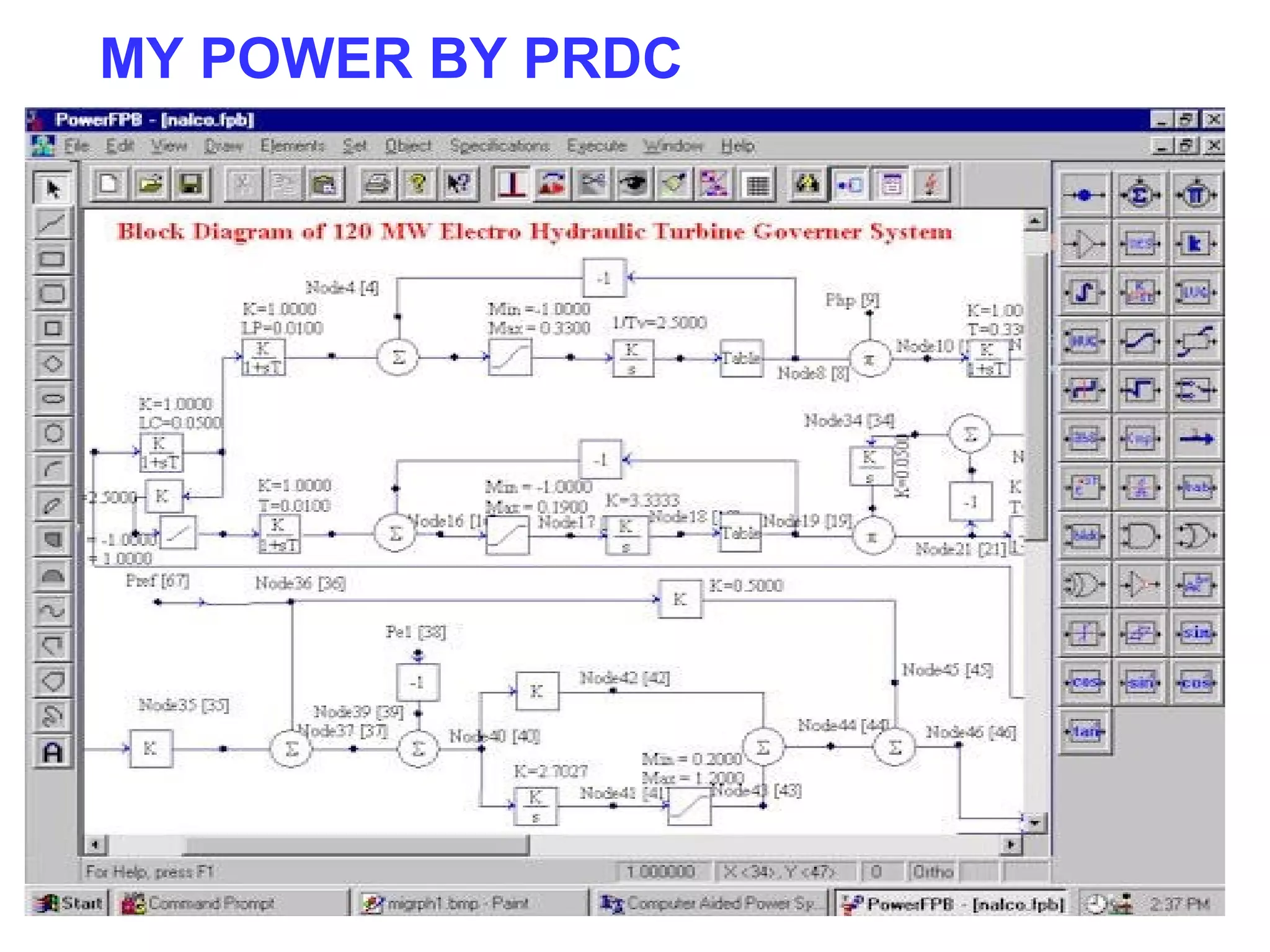
MY POWER BY PRDC
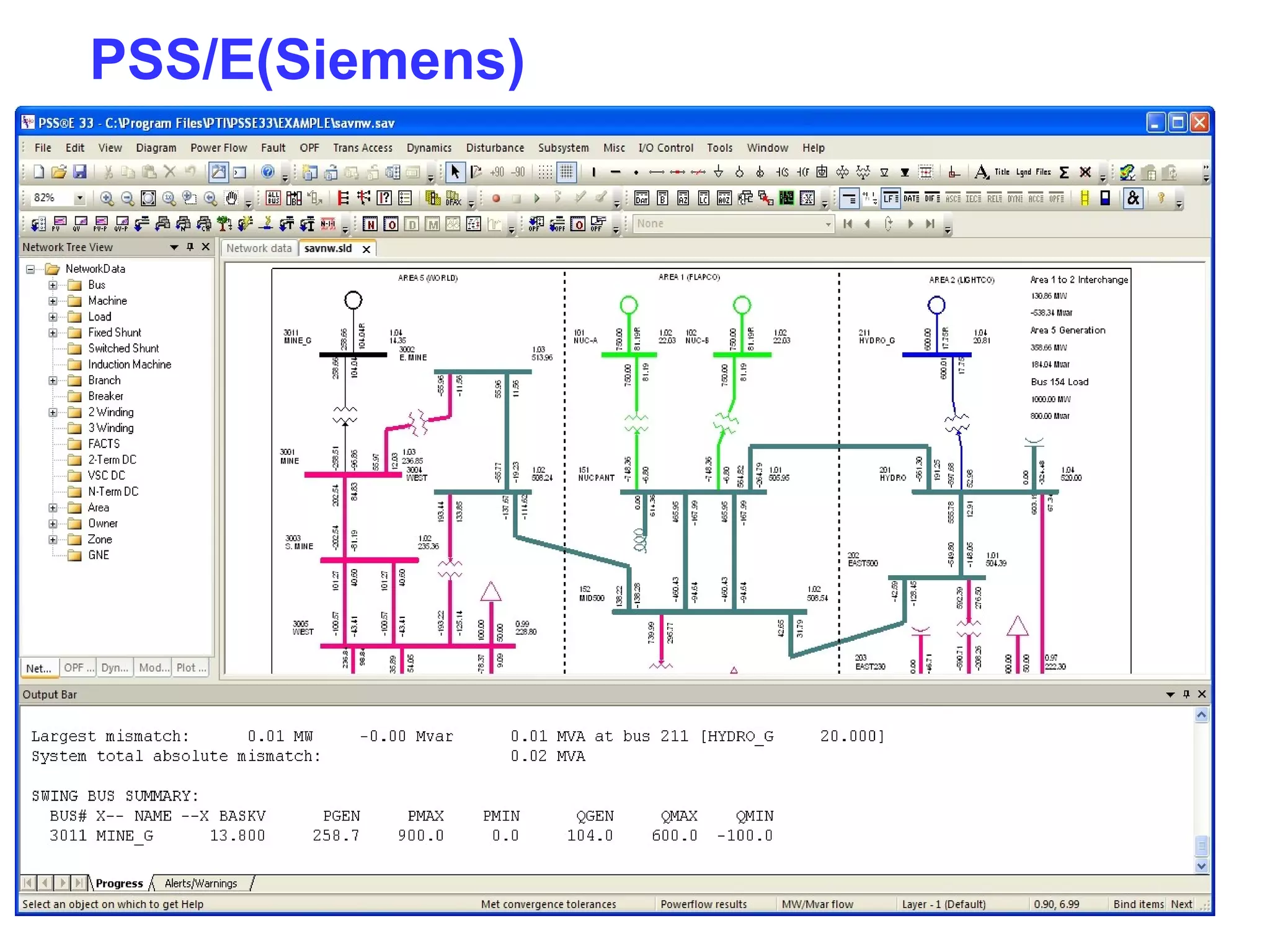
PSS/E(Siemens)
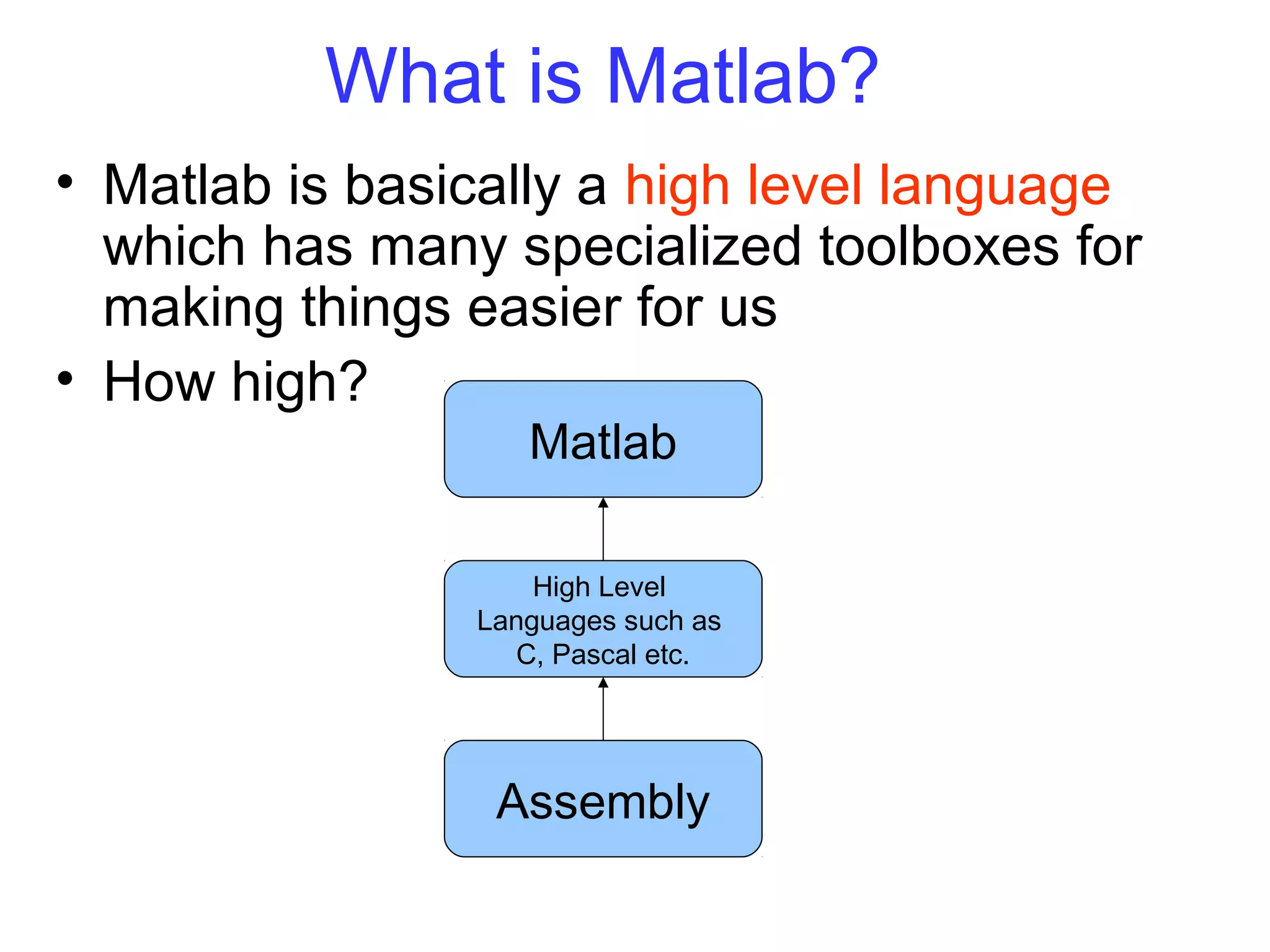
What is Matlab?
• Matlab is basically a high level language
which has many specialized toolboxes for
making things easier for us
• How high?
Assembly
High Level
Languages such as
C, Pascal etc.
Matlab
11
Matlab
• Stands for MATrix LABoratory
• Interpreted language
• Scientific programming environment
• Very good tool for the manipulation of
matrices
• Great visualisation capabilities
• Loads of built-in functions
• Easy to learn and simple to use
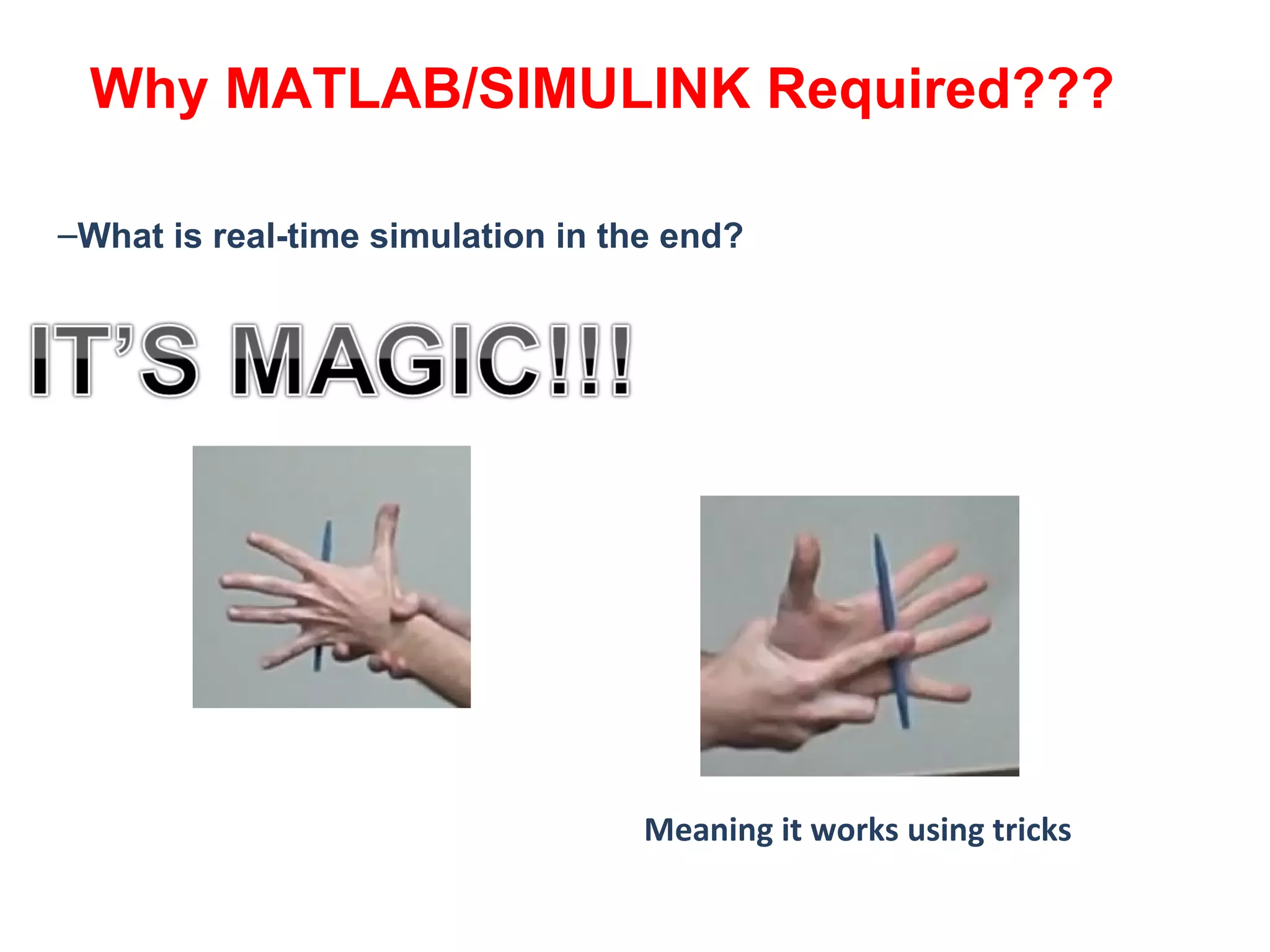
–What is real-time simulation in the end?
Meaning it works using tricks
Why MATLAB/SIMULINK Required???
MATLAB IntroductionMATLAB IntroductionMATLAB IntroductionMATLAB Introduction
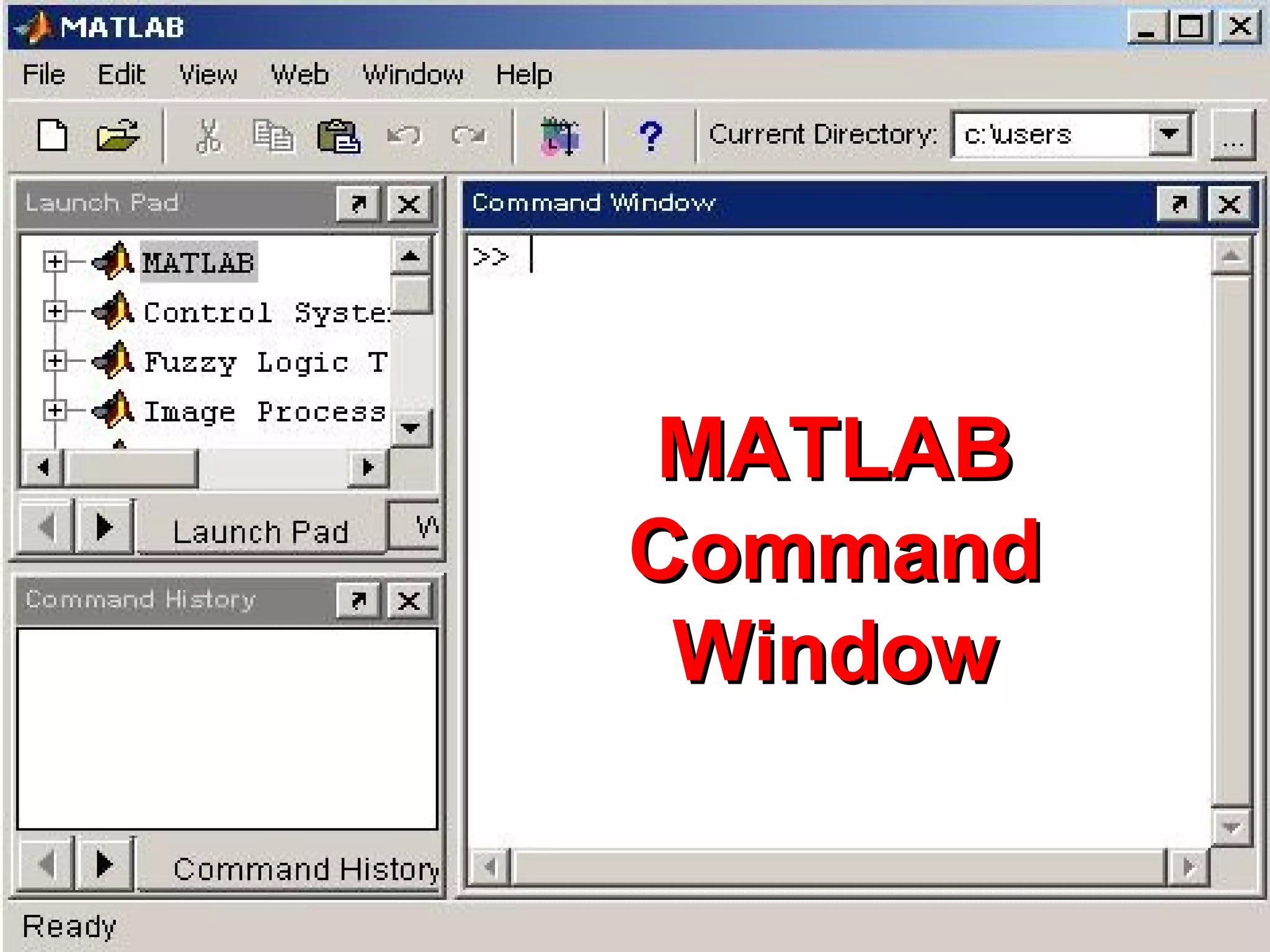
• In Windows
systems
MATLAB is
started by
double-clicking
the mouse on
the appropriate
icon.
• In Windows
systems
MATLAB is
started by
double-clicking
the mouse on
the appropriate
icon.
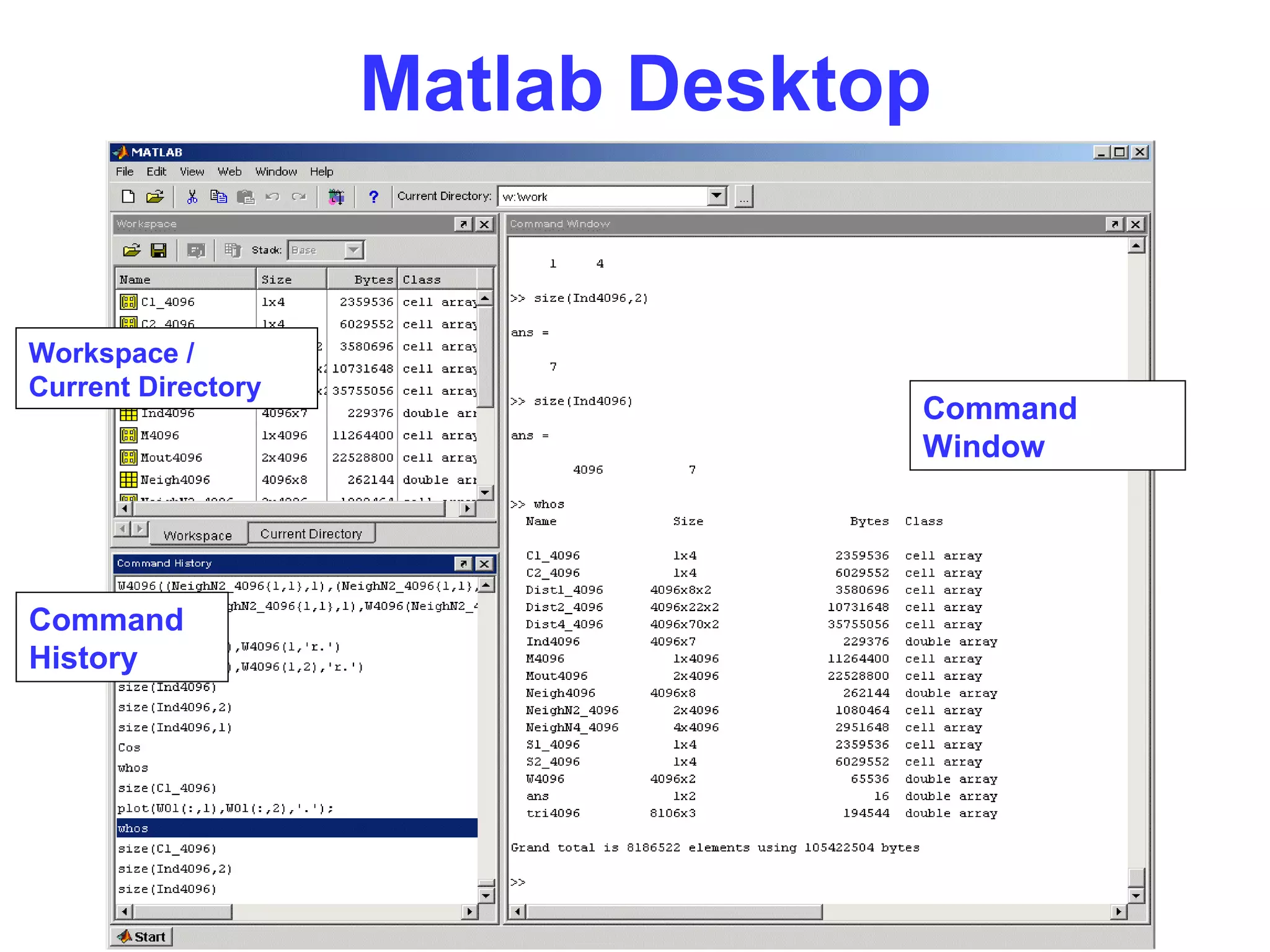
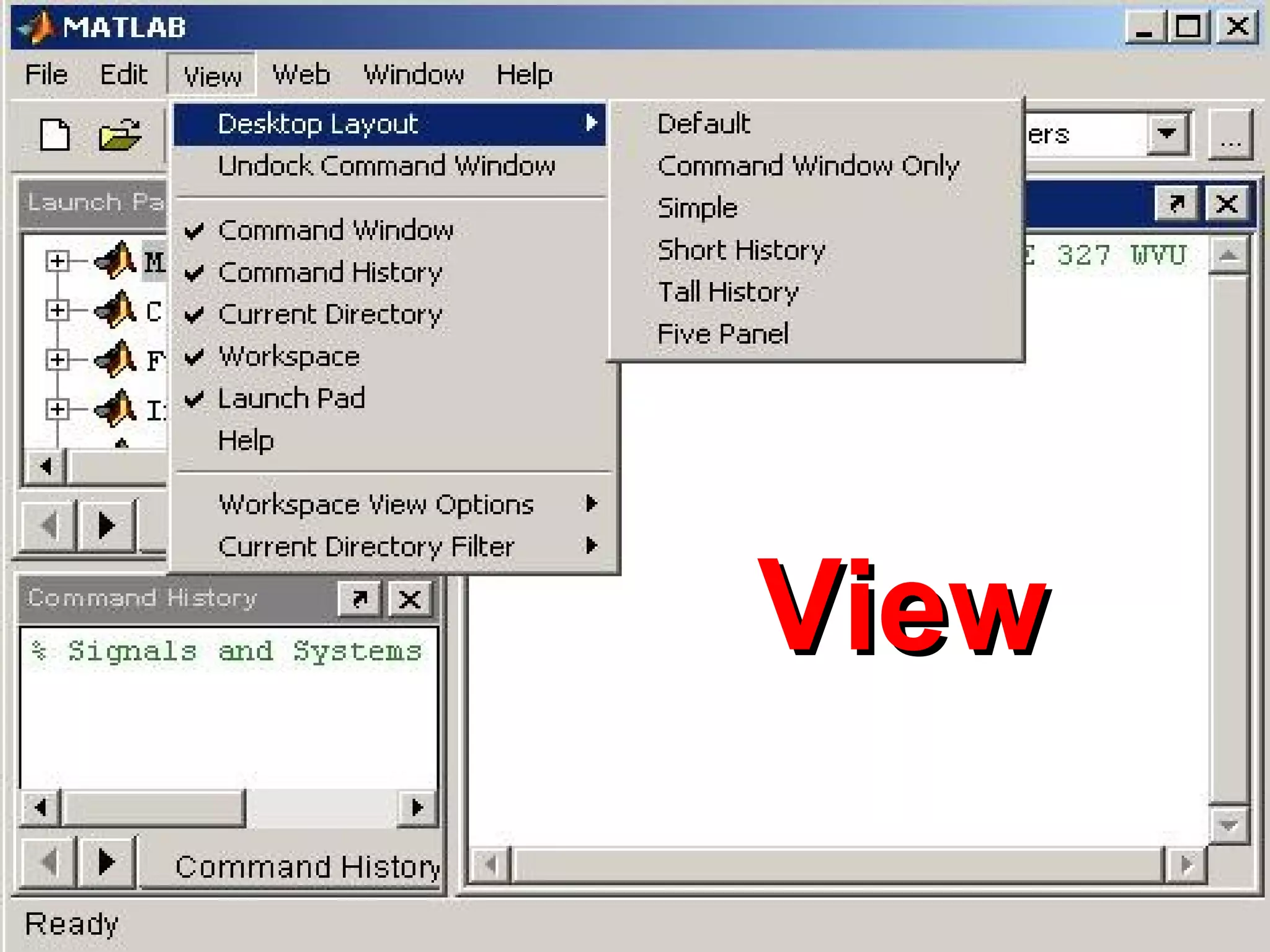
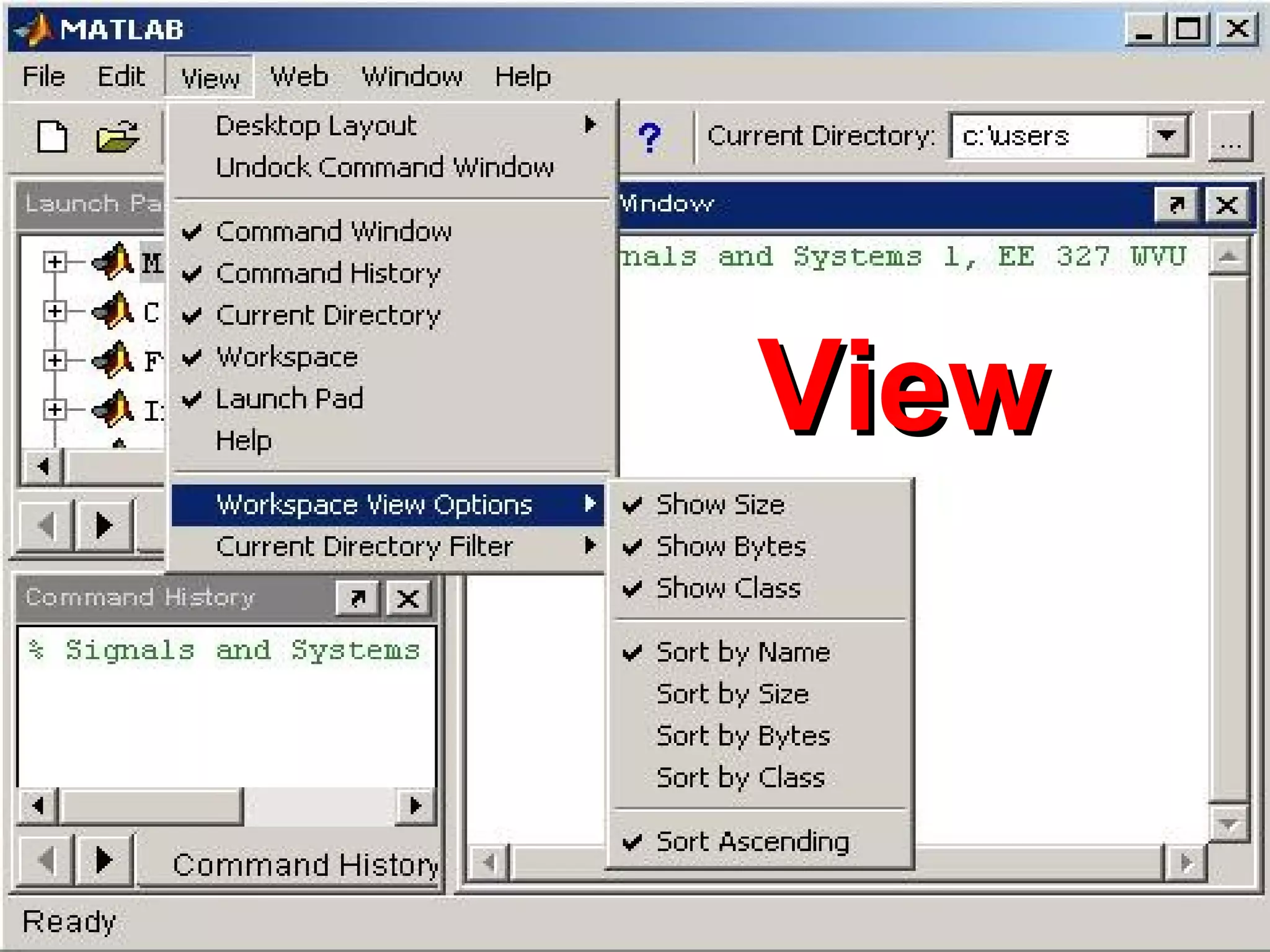
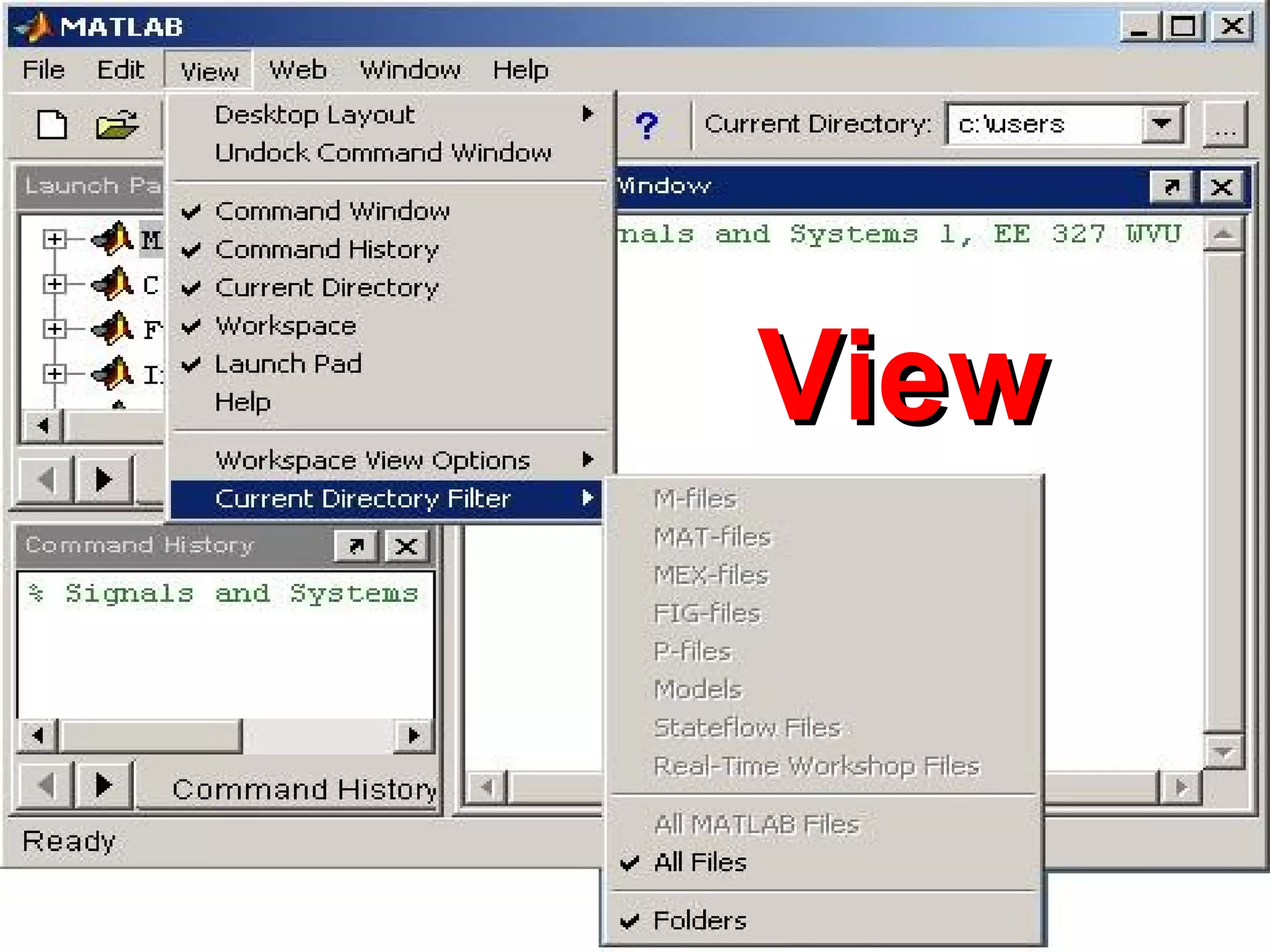
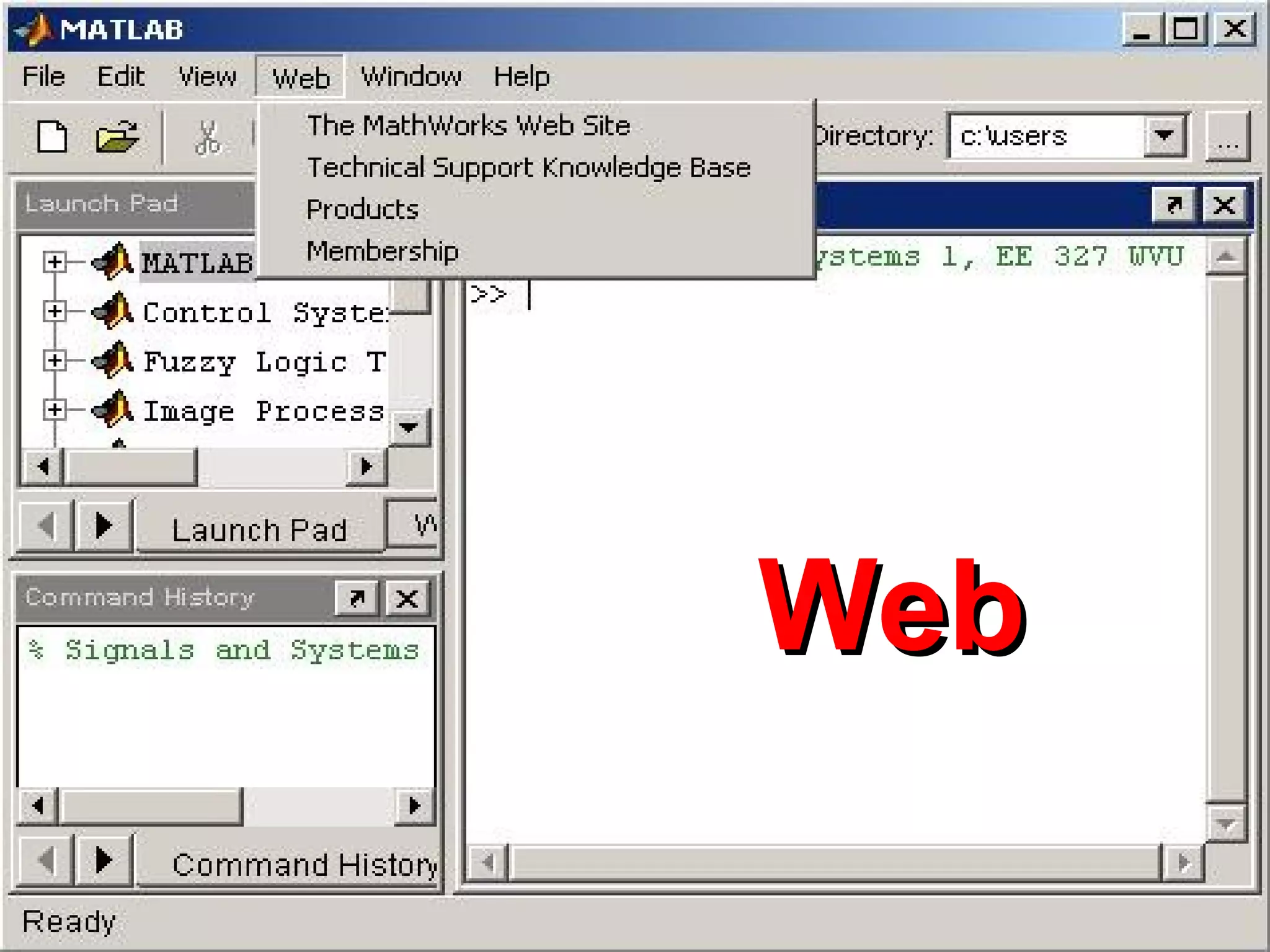
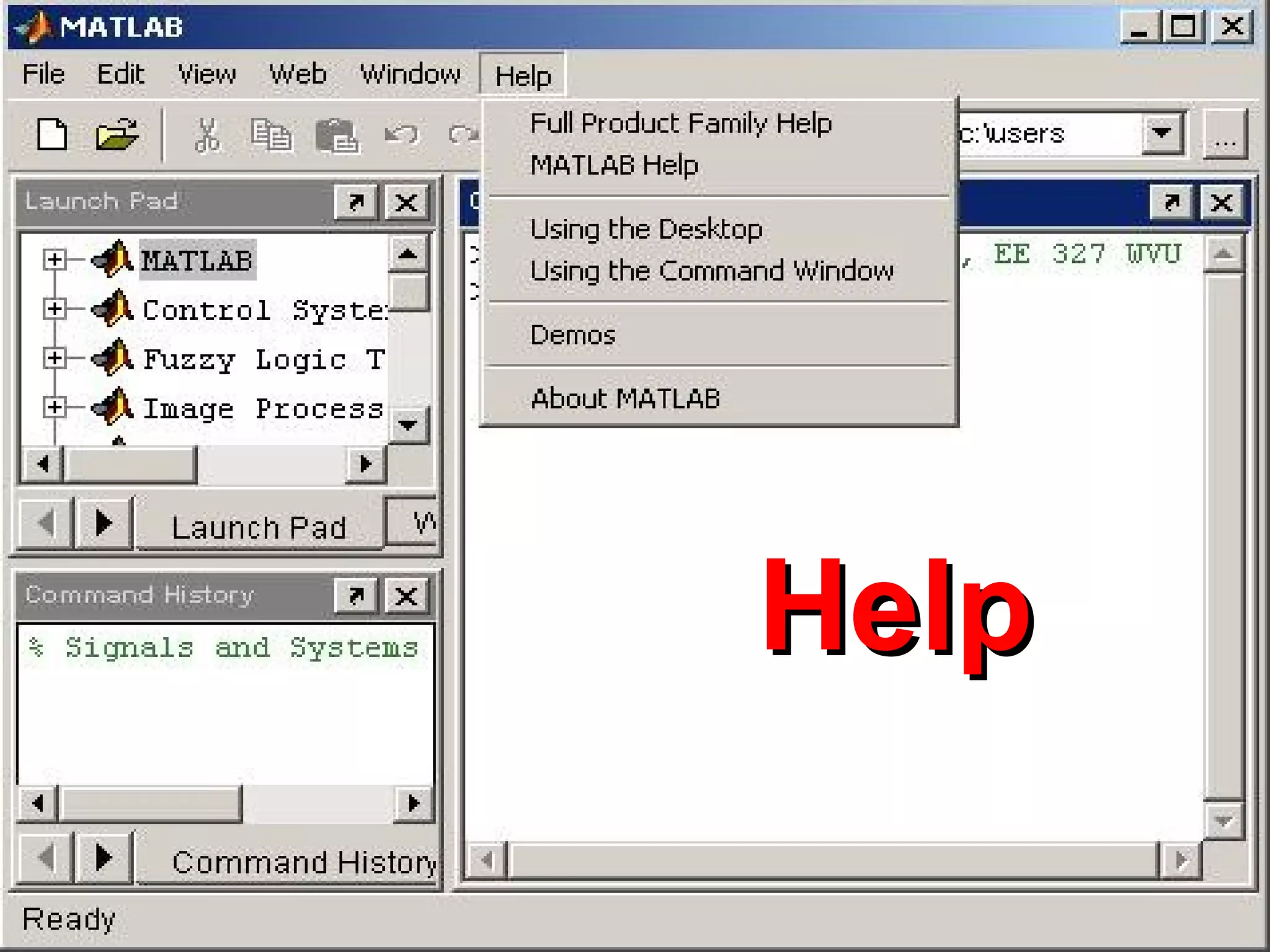
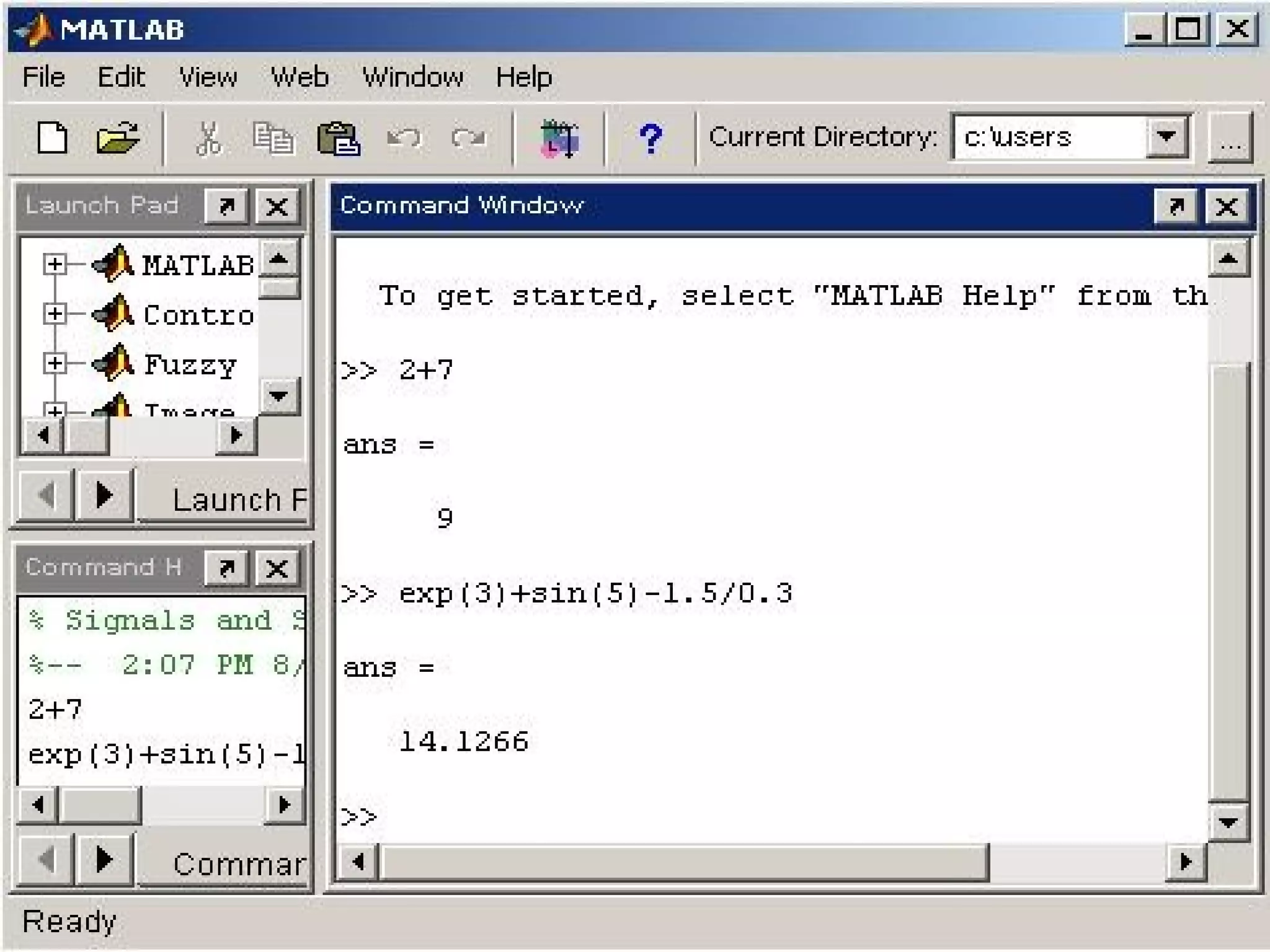
Matlab Desktop
Command
Window
Workspace /
Current Directory
Command
History
MATLABMATLAB
CommandCommand
WindowWindow
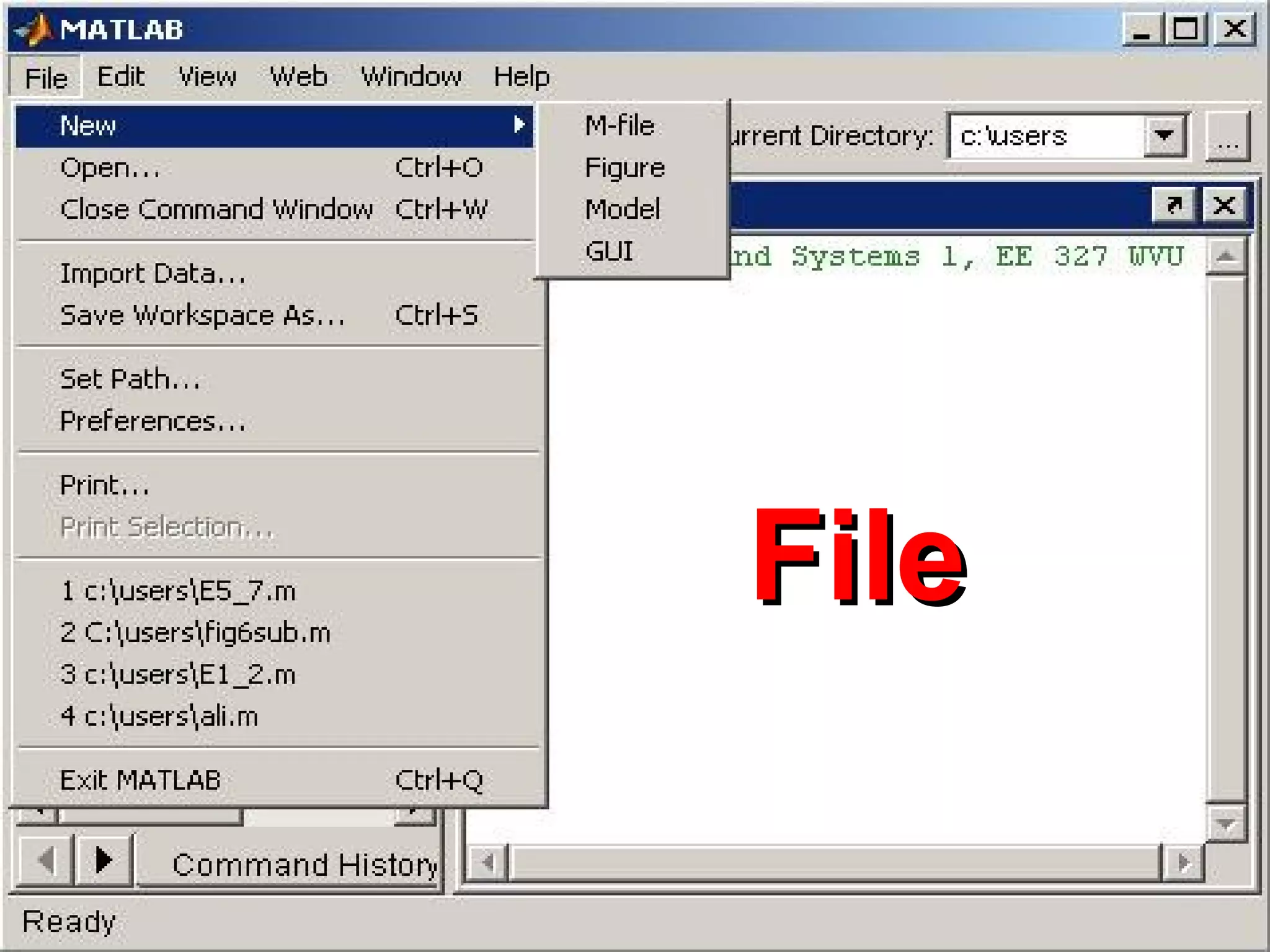
FileFile
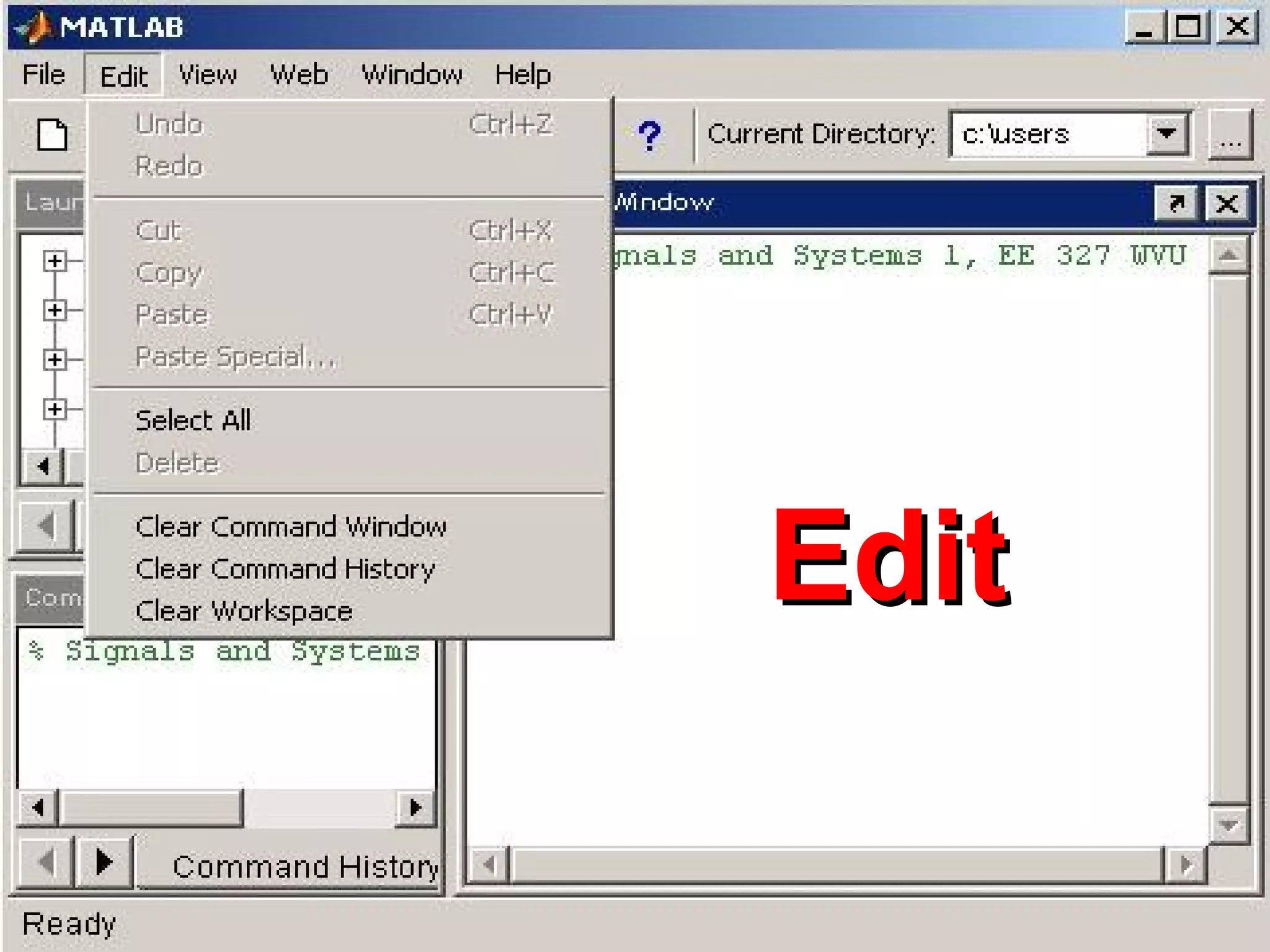
EditEdit
ViewView
ViewView
ViewView
WebWeb
HelpHelp
What are we interested in?
• Matlab is too broad for our purposes in
this course.
• The features we are going to require is
Matlab
Command
Line
m-files
functions
mat-files
Command execution
like DOS command
window
Series of
Matlab
commands
Input
Output
capability
Data
storage/
loading
MATLAB IntroductionMATLAB IntroductionMATLAB IntroductionMATLAB Introduction
MATLAB includes hundreds
of functions for:
• Data analysis and visualization,
• Numeric and symbolic computation,
• Engineering and Scientific graphics,
• Modeling, simulation, and prototyping,
• Eigenvalue, singular value
MATLAB includes hundreds
of functions for:
• Data analysis and visualization,
• Numeric and symbolic computation,
• Engineering and Scientific graphics,
• Modeling, simulation, and prototyping,
• Eigenvalue, singular value
MATLAB IntroductionMATLAB IntroductionMATLAB IntroductionMATLAB Introduction
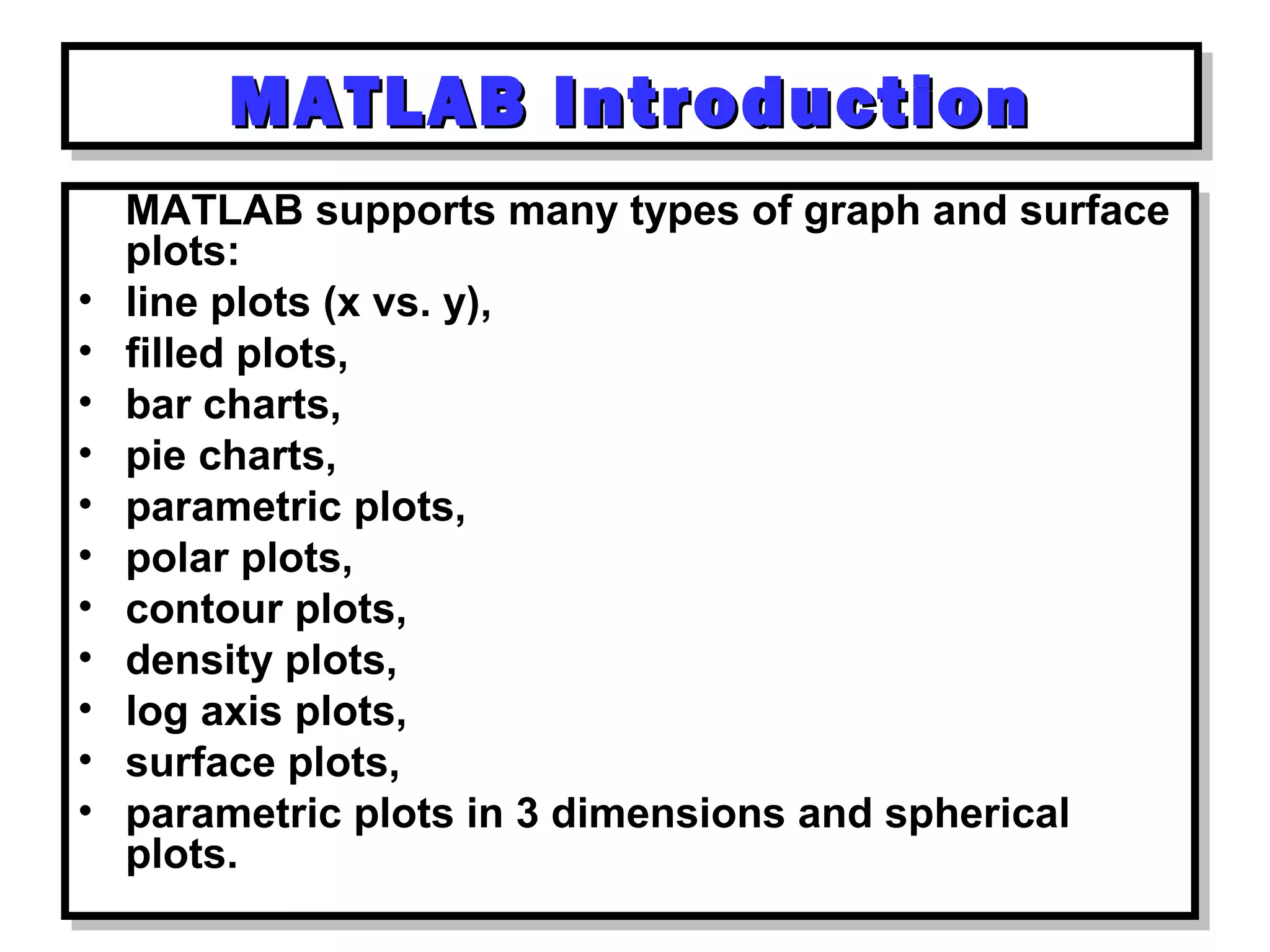
MATLAB supports many types of graph and surface
plots:
• line plots (x vs. y),
• filled plots,
• bar charts,
• pie charts,
• parametric plots,
• polar plots,
• contour plots,
• density plots,
• log axis plots,
• surface plots,
• parametric plots in 3 dimensions and spherical
plots.
MATLAB supports many types of graph and surface
plots:
• line plots (x vs. y),
• filled plots,
• bar charts,
• pie charts,
• parametric plots,
• polar plots,
• contour plots,
• density plots,
• log axis plots,
• surface plots,
• parametric plots in 3 dimensions and spherical
plots.
MATLAB IntroductionMATLAB IntroductionMATLAB IntroductionMATLAB Introduction
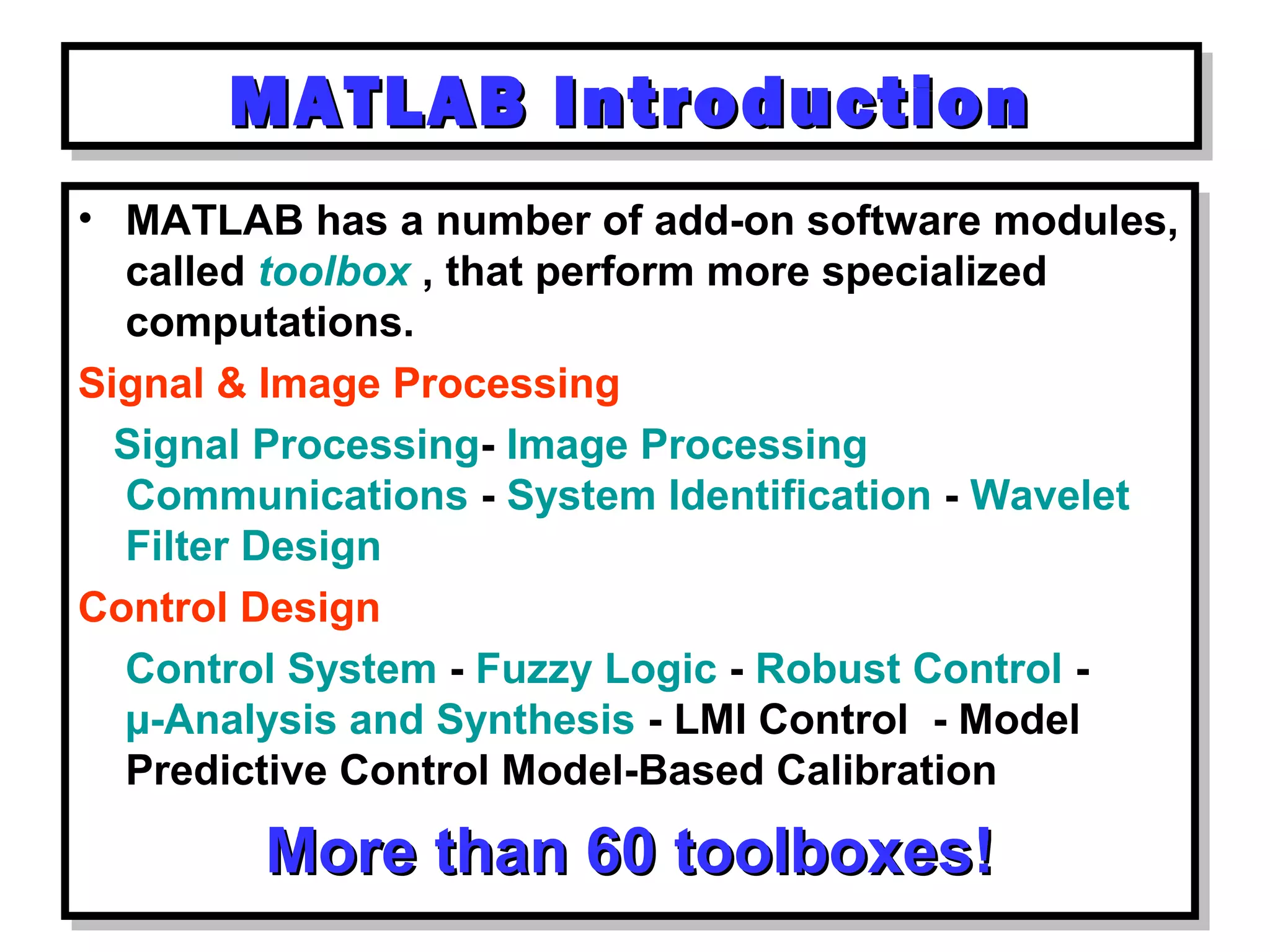
• MATLAB has a number of add-on software modules,
called toolbox , that perform more specialized
computations.
Signal & Image Processing
Signal Processing- Image Processing
Communications - System Identification - Wavelet
Filter Design
Control Design
Control System - Fuzzy Logic - Robust Control -
µ-Analysis and Synthesis - LMI Control - Model
Predictive Control Model-Based Calibration
More than 60 toolboxes!More than 60 toolboxes!
• MATLAB has a number of add-on software modules,
called toolbox , that perform more specialized
computations.
Signal & Image Processing
Signal Processing- Image Processing
Communications - System Identification - Wavelet
Filter Design
Control Design
Control System - Fuzzy Logic - Robust Control -
µ-Analysis and Synthesis - LMI Control - Model
Predictive Control Model-Based Calibration
More than 60 toolboxes!More than 60 toolboxes!
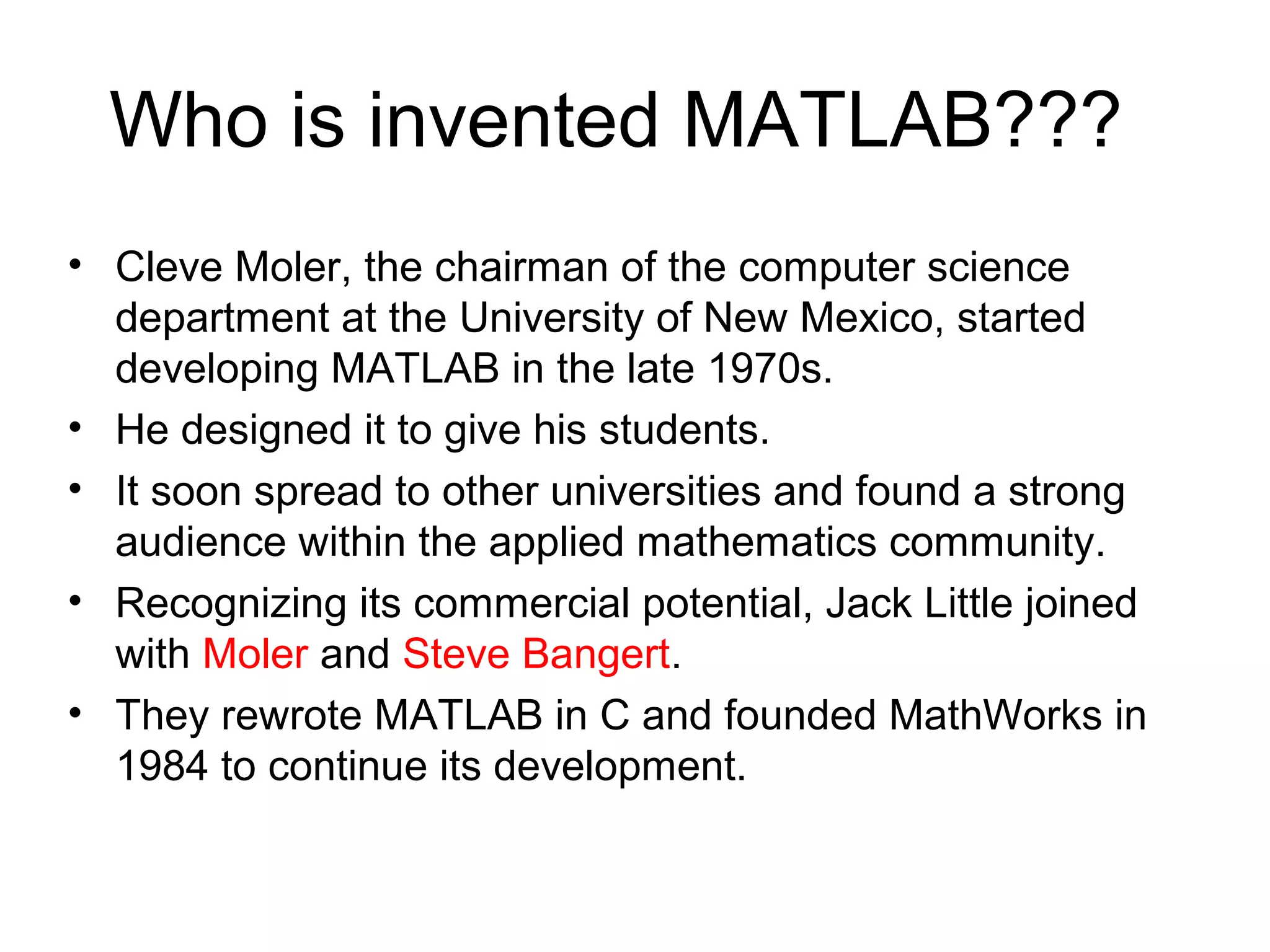
Who is invented MATLAB???
• Cleve Moler, the chairman of the computer science
department at the University of New Mexico, started
developing MATLAB in the late 1970s.
• He designed it to give his students.
• It soon spread to other universities and found a strong
audience within the applied mathematics community.
• Recognizing its commercial potential, Jack Little joined
with Moler and Steve Bangert.
• They rewrote MATLAB in C and founded MathWorks in
1984 to continue its development.
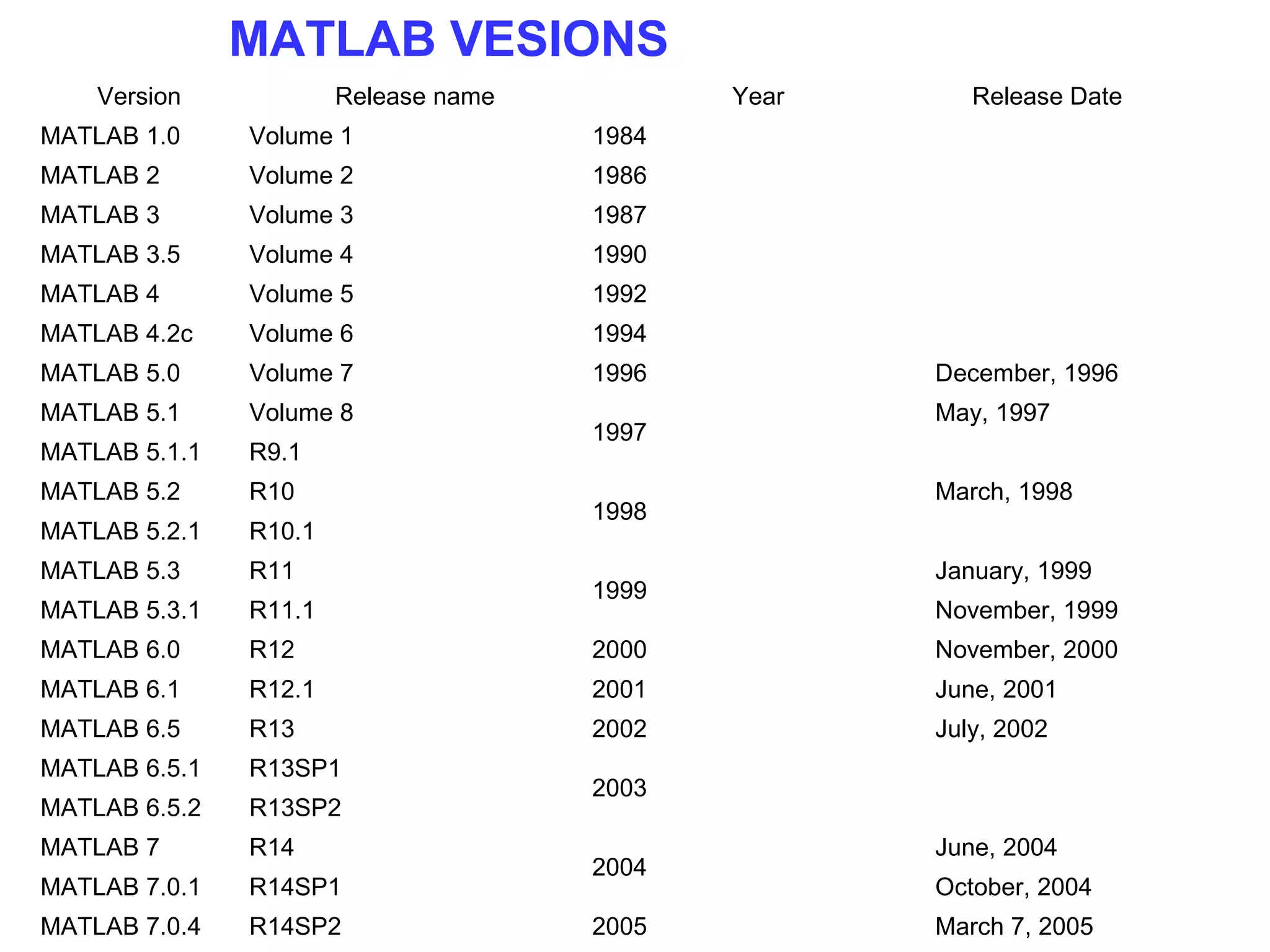
Version Release name Year Release Date
MATLAB 1.0 Volume 1 1984
MATLAB 2 Volume 2 1986
MATLAB 3 Volume 3 1987
MATLAB 3.5 Volume 4 1990
MATLAB 4 Volume 5 1992
MATLAB 4.2c Volume 6 1994
MATLAB 5.0 Volume 7 1996 December, 1996
MATLAB 5.1 Volume 8
1997
May, 1997
MATLAB 5.1.1 R9.1
MATLAB 5.2 R10
1998
March, 1998
MATLAB 5.2.1 R10.1
MATLAB 5.3 R11
1999
January, 1999
MATLAB 5.3.1 R11.1 November, 1999
MATLAB 6.0 R12 2000 November, 2000
MATLAB 6.1 R12.1 2001 June, 2001
MATLAB 6.5 R13 2002 July, 2002
MATLAB 6.5.1 R13SP1
2003
MATLAB 6.5.2 R13SP2
MATLAB 7 R14
2004
June, 2004
MATLAB 7.0.1 R14SP1 October, 2004
MATLAB 7.0.4 R14SP2 2005 March 7, 2005
MATLAB VESIONS
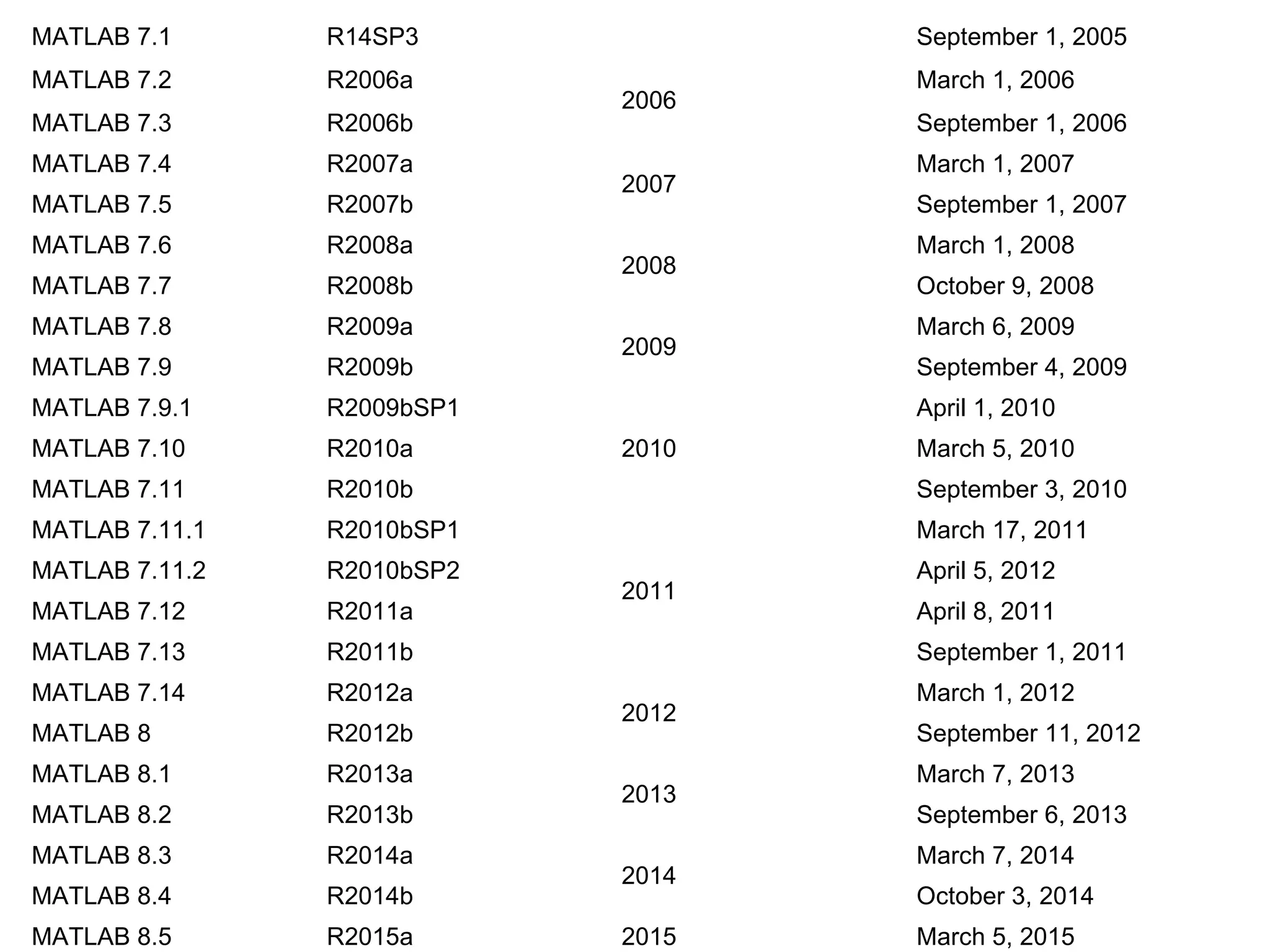
MATLAB 7.1 R14SP3 September 1, 2005
MATLAB 7.2 R2006a
2006
March 1, 2006
MATLAB 7.3 R2006b September 1, 2006
MATLAB 7.4 R2007a
2007
March 1, 2007
MATLAB 7.5 R2007b September 1, 2007
MATLAB 7.6 R2008a
2008
March 1, 2008
MATLAB 7.7 R2008b October 9, 2008
MATLAB 7.8 R2009a
2009
March 6, 2009
MATLAB 7.9 R2009b September 4, 2009
MATLAB 7.9.1 R2009bSP1
2010
April 1, 2010
MATLAB 7.10 R2010a March 5, 2010
MATLAB 7.11 R2010b September 3, 2010
MATLAB 7.11.1 R2010bSP1
2011
March 17, 2011
MATLAB 7.11.2 R2010bSP2 April 5, 2012
MATLAB 7.12 R2011a April 8, 2011
MATLAB 7.13 R2011b September 1, 2011
MATLAB 7.14 R2012a
2012
March 1, 2012
MATLAB 8 R2012b September 11, 2012
MATLAB 8.1 R2013a
2013
March 7, 2013
MATLAB 8.2 R2013b September 6, 2013
MATLAB 8.3 R2014a
2014
March 7, 2014
MATLAB 8.4 R2014b October 3, 2014
MATLAB 8.5 R2015a 2015 March 5, 2015
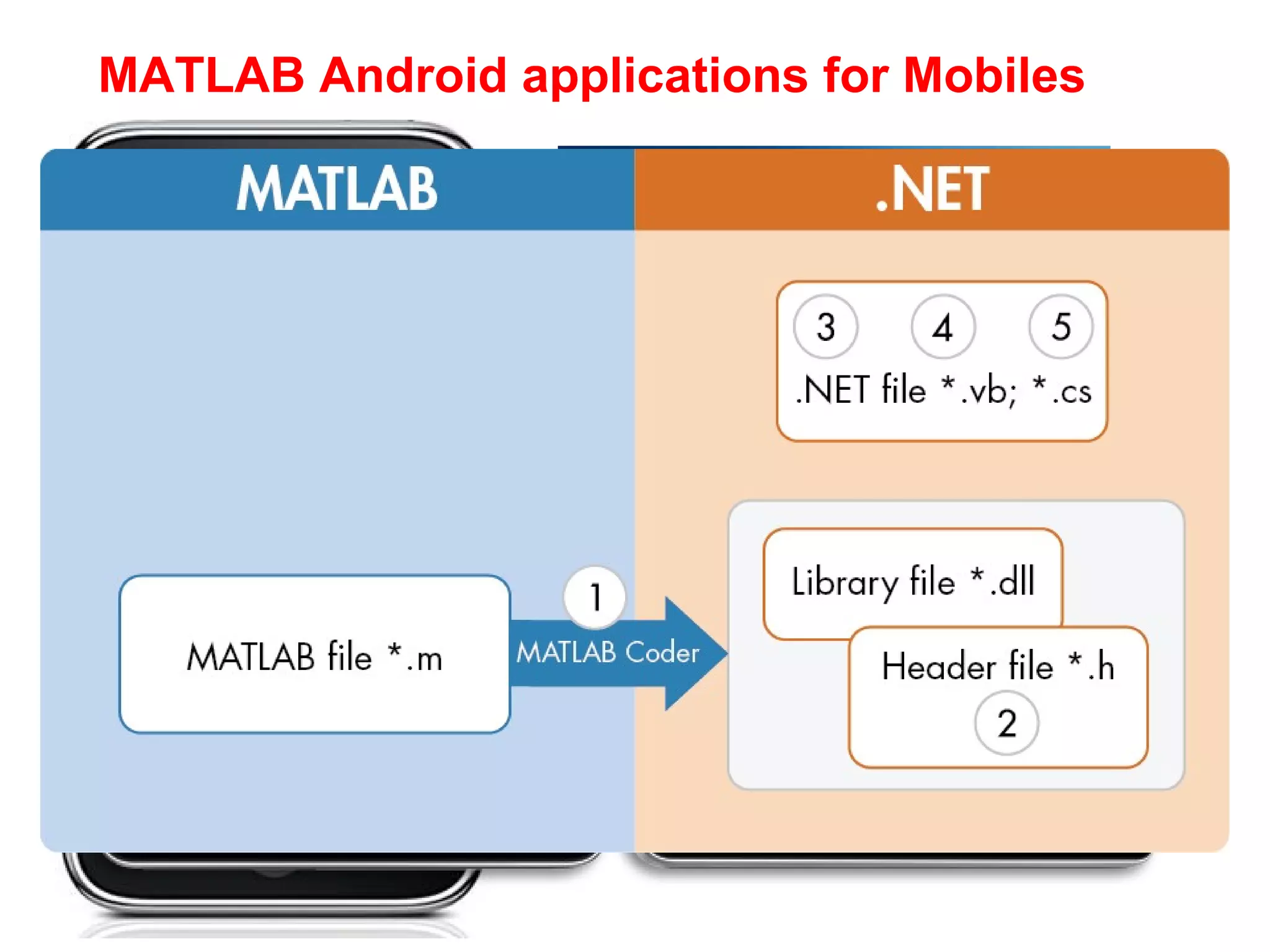
MATLAB Android applications for Mobiles
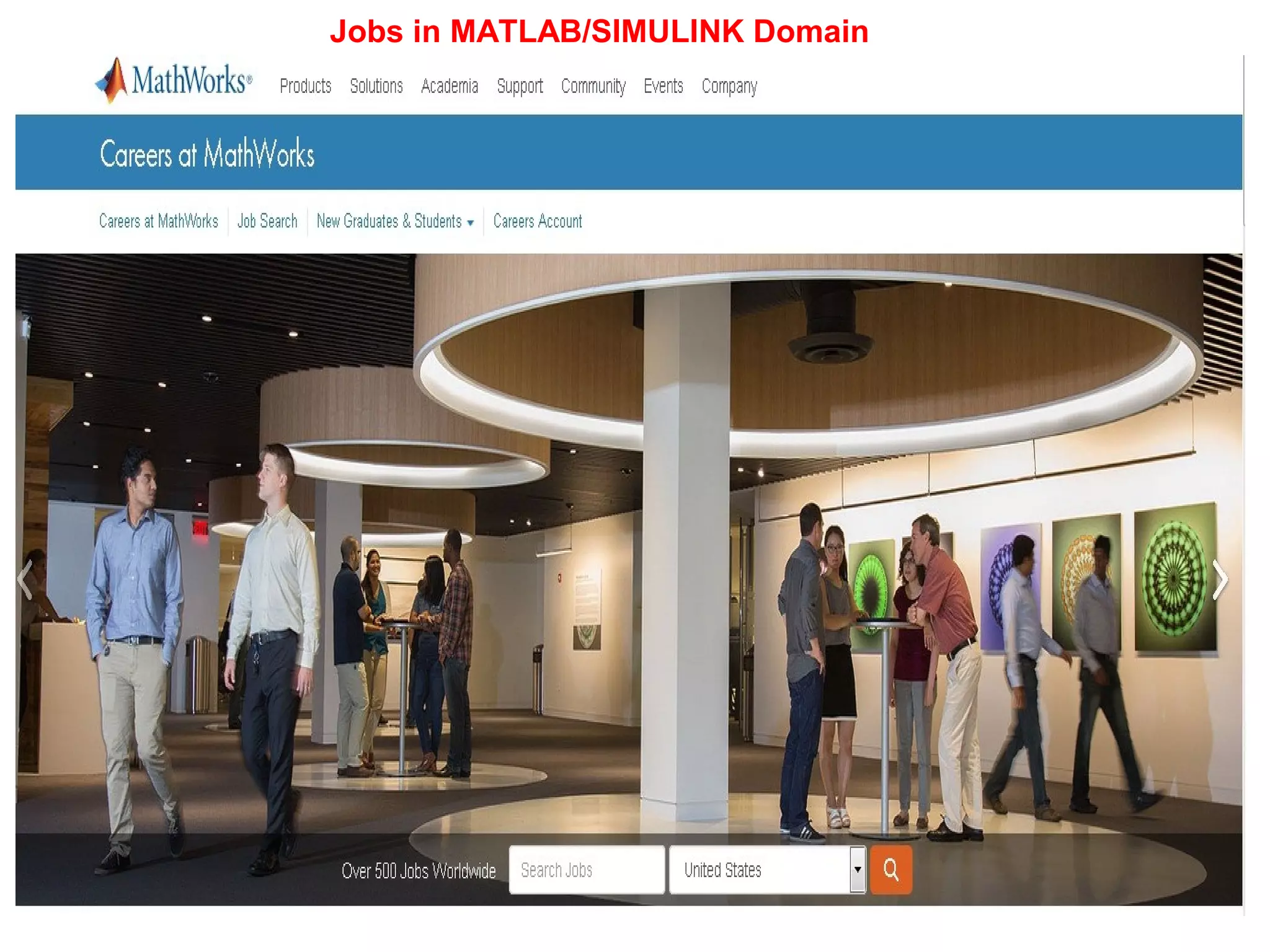
Jobs in MATLAB/SIMULINK Domain
THANK
YOU

Matlab day 1: Introduction to MATLAB

  • 1.
    “MATLAB EXPLORATION” (Place tovisualize your thoughts) February 12, 2016 Presentation By Mr. ReddyPrasad Reddivari, Assistant Professor Department of Electrical and Electronics Engineering Sri Venkateshwara College of Engineering Bengaluru, Karnataka-562157 Tel: 9494747497 E-Mail: reddytnp.244@gmail.com. Website: www.reddyprasad.yolasite.com MATLAB/SIMULINK for Engineering applications
  • 2.
    Avenues of digitalSimulink software’s ETAP Dig silent MIPOWER PSS/E NEPLAN MATLAB PSCAD Auto Cad PS Cad Multimedia logic Digital logic 2D &3D power systems drawing before constructing These are all commercial software's •easy execute huge amount of data or thousand of busses. •Load flow studies •Short circuit analysis Transient/over voltage/charging studies/mathematical analysis/other domain analysis it is better to use MATLAB or PSCAD. Electrical circuits and flip flops, low voltage circuits
  • 3.
    EXAMPLE:1 The figure represents thehome distribution generation stand alone system in 3D drafting. EXAMPLE:2 The figure represents the power management system while distributing in 3D drafting. How to design?
  • 4.
  • 5.
  • 6.
     Specially concentratedon huge bus power systems(load flow, short circuit analysis)
  • 7.
  • 8.
  • 9.
  • 10.
    What is Matlab? •Matlab is basically a high level language which has many specialized toolboxes for making things easier for us • How high? Assembly High Level Languages such as C, Pascal etc. Matlab
  • 11.
    11 Matlab • Stands forMATrix LABoratory • Interpreted language • Scientific programming environment • Very good tool for the manipulation of matrices • Great visualisation capabilities • Loads of built-in functions • Easy to learn and simple to use
  • 12.
    –What is real-timesimulation in the end? Meaning it works using tricks Why MATLAB/SIMULINK Required???
  • 13.
    MATLAB IntroductionMATLAB IntroductionMATLABIntroductionMATLAB Introduction • In Windows systems MATLAB is started by double-clicking the mouse on the appropriate icon. • In Windows systems MATLAB is started by double-clicking the mouse on the appropriate icon.
  • 14.
  • 15.
  • 16.
  • 17.
  • 18.
  • 19.
  • 20.
  • 21.
  • 22.
  • 24.
    What are weinterested in? • Matlab is too broad for our purposes in this course. • The features we are going to require is Matlab Command Line m-files functions mat-files Command execution like DOS command window Series of Matlab commands Input Output capability Data storage/ loading
  • 25.
    MATLAB IntroductionMATLAB IntroductionMATLABIntroductionMATLAB Introduction MATLAB includes hundreds of functions for: • Data analysis and visualization, • Numeric and symbolic computation, • Engineering and Scientific graphics, • Modeling, simulation, and prototyping, • Eigenvalue, singular value MATLAB includes hundreds of functions for: • Data analysis and visualization, • Numeric and symbolic computation, • Engineering and Scientific graphics, • Modeling, simulation, and prototyping, • Eigenvalue, singular value
  • 26.
    MATLAB IntroductionMATLAB IntroductionMATLABIntroductionMATLAB Introduction MATLAB supports many types of graph and surface plots: • line plots (x vs. y), • filled plots, • bar charts, • pie charts, • parametric plots, • polar plots, • contour plots, • density plots, • log axis plots, • surface plots, • parametric plots in 3 dimensions and spherical plots. MATLAB supports many types of graph and surface plots: • line plots (x vs. y), • filled plots, • bar charts, • pie charts, • parametric plots, • polar plots, • contour plots, • density plots, • log axis plots, • surface plots, • parametric plots in 3 dimensions and spherical plots.
  • 27.
    MATLAB IntroductionMATLAB IntroductionMATLABIntroductionMATLAB Introduction • MATLAB has a number of add-on software modules, called toolbox , that perform more specialized computations. Signal & Image Processing Signal Processing- Image Processing Communications - System Identification - Wavelet Filter Design Control Design Control System - Fuzzy Logic - Robust Control - µ-Analysis and Synthesis - LMI Control - Model Predictive Control Model-Based Calibration More than 60 toolboxes!More than 60 toolboxes! • MATLAB has a number of add-on software modules, called toolbox , that perform more specialized computations. Signal & Image Processing Signal Processing- Image Processing Communications - System Identification - Wavelet Filter Design Control Design Control System - Fuzzy Logic - Robust Control - µ-Analysis and Synthesis - LMI Control - Model Predictive Control Model-Based Calibration More than 60 toolboxes!More than 60 toolboxes!
  • 28.
    Who is inventedMATLAB??? • Cleve Moler, the chairman of the computer science department at the University of New Mexico, started developing MATLAB in the late 1970s. • He designed it to give his students. • It soon spread to other universities and found a strong audience within the applied mathematics community. • Recognizing its commercial potential, Jack Little joined with Moler and Steve Bangert. • They rewrote MATLAB in C and founded MathWorks in 1984 to continue its development.
  • 29.
    Version Release nameYear Release Date MATLAB 1.0 Volume 1 1984 MATLAB 2 Volume 2 1986 MATLAB 3 Volume 3 1987 MATLAB 3.5 Volume 4 1990 MATLAB 4 Volume 5 1992 MATLAB 4.2c Volume 6 1994 MATLAB 5.0 Volume 7 1996 December, 1996 MATLAB 5.1 Volume 8 1997 May, 1997 MATLAB 5.1.1 R9.1 MATLAB 5.2 R10 1998 March, 1998 MATLAB 5.2.1 R10.1 MATLAB 5.3 R11 1999 January, 1999 MATLAB 5.3.1 R11.1 November, 1999 MATLAB 6.0 R12 2000 November, 2000 MATLAB 6.1 R12.1 2001 June, 2001 MATLAB 6.5 R13 2002 July, 2002 MATLAB 6.5.1 R13SP1 2003 MATLAB 6.5.2 R13SP2 MATLAB 7 R14 2004 June, 2004 MATLAB 7.0.1 R14SP1 October, 2004 MATLAB 7.0.4 R14SP2 2005 March 7, 2005 MATLAB VESIONS
  • 30.
    MATLAB 7.1 R14SP3September 1, 2005 MATLAB 7.2 R2006a 2006 March 1, 2006 MATLAB 7.3 R2006b September 1, 2006 MATLAB 7.4 R2007a 2007 March 1, 2007 MATLAB 7.5 R2007b September 1, 2007 MATLAB 7.6 R2008a 2008 March 1, 2008 MATLAB 7.7 R2008b October 9, 2008 MATLAB 7.8 R2009a 2009 March 6, 2009 MATLAB 7.9 R2009b September 4, 2009 MATLAB 7.9.1 R2009bSP1 2010 April 1, 2010 MATLAB 7.10 R2010a March 5, 2010 MATLAB 7.11 R2010b September 3, 2010 MATLAB 7.11.1 R2010bSP1 2011 March 17, 2011 MATLAB 7.11.2 R2010bSP2 April 5, 2012 MATLAB 7.12 R2011a April 8, 2011 MATLAB 7.13 R2011b September 1, 2011 MATLAB 7.14 R2012a 2012 March 1, 2012 MATLAB 8 R2012b September 11, 2012 MATLAB 8.1 R2013a 2013 March 7, 2013 MATLAB 8.2 R2013b September 6, 2013 MATLAB 8.3 R2014a 2014 March 7, 2014 MATLAB 8.4 R2014b October 3, 2014 MATLAB 8.5 R2015a 2015 March 5, 2015
  • 31.
  • 32.
  • 34.