GOPOSE   L   CAL   ISTINGLGALCEES
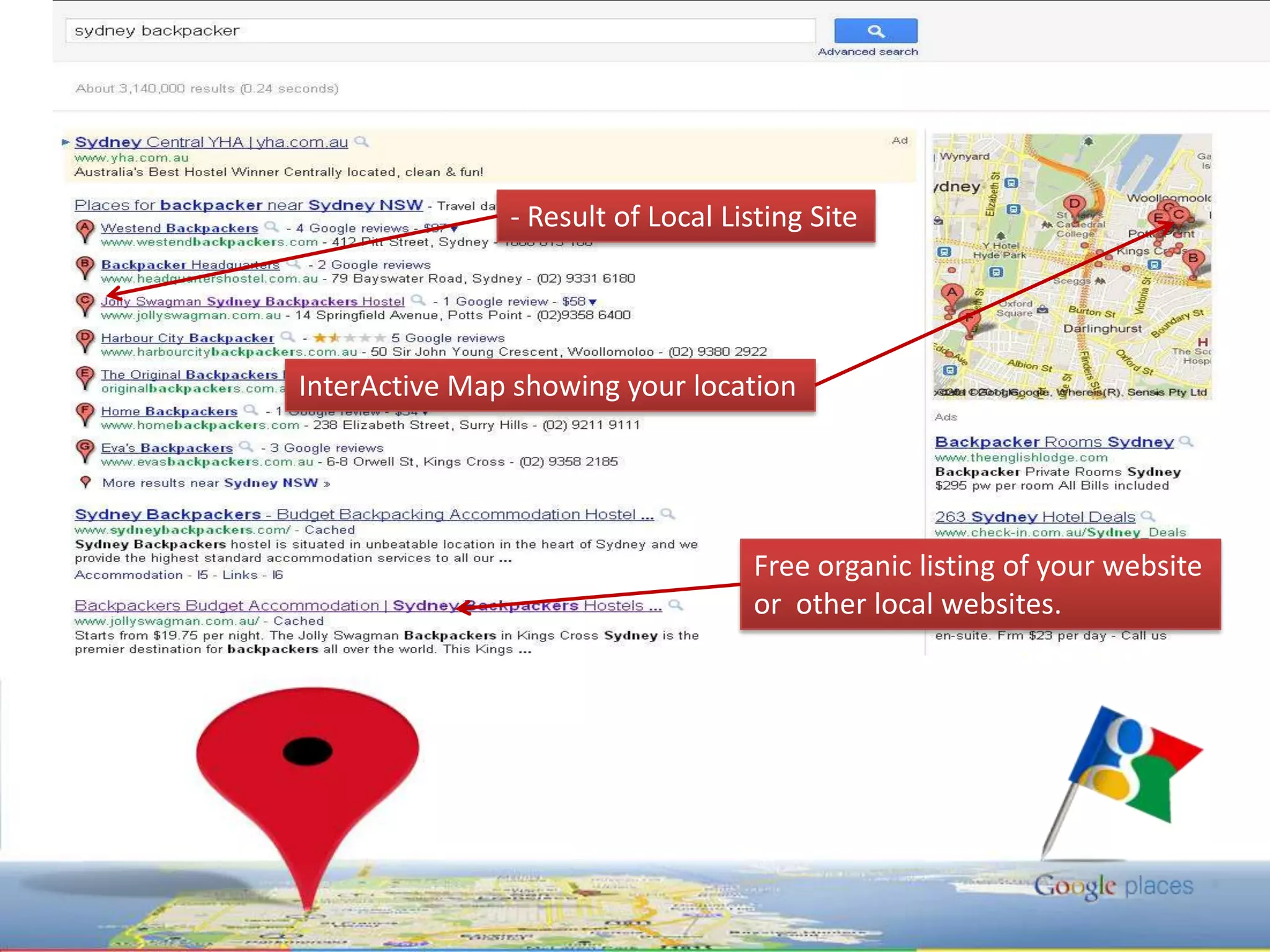
- Result of Local Listing SiteInterActive Map showing your locationFree organic listing of your websiteor  other local websites.
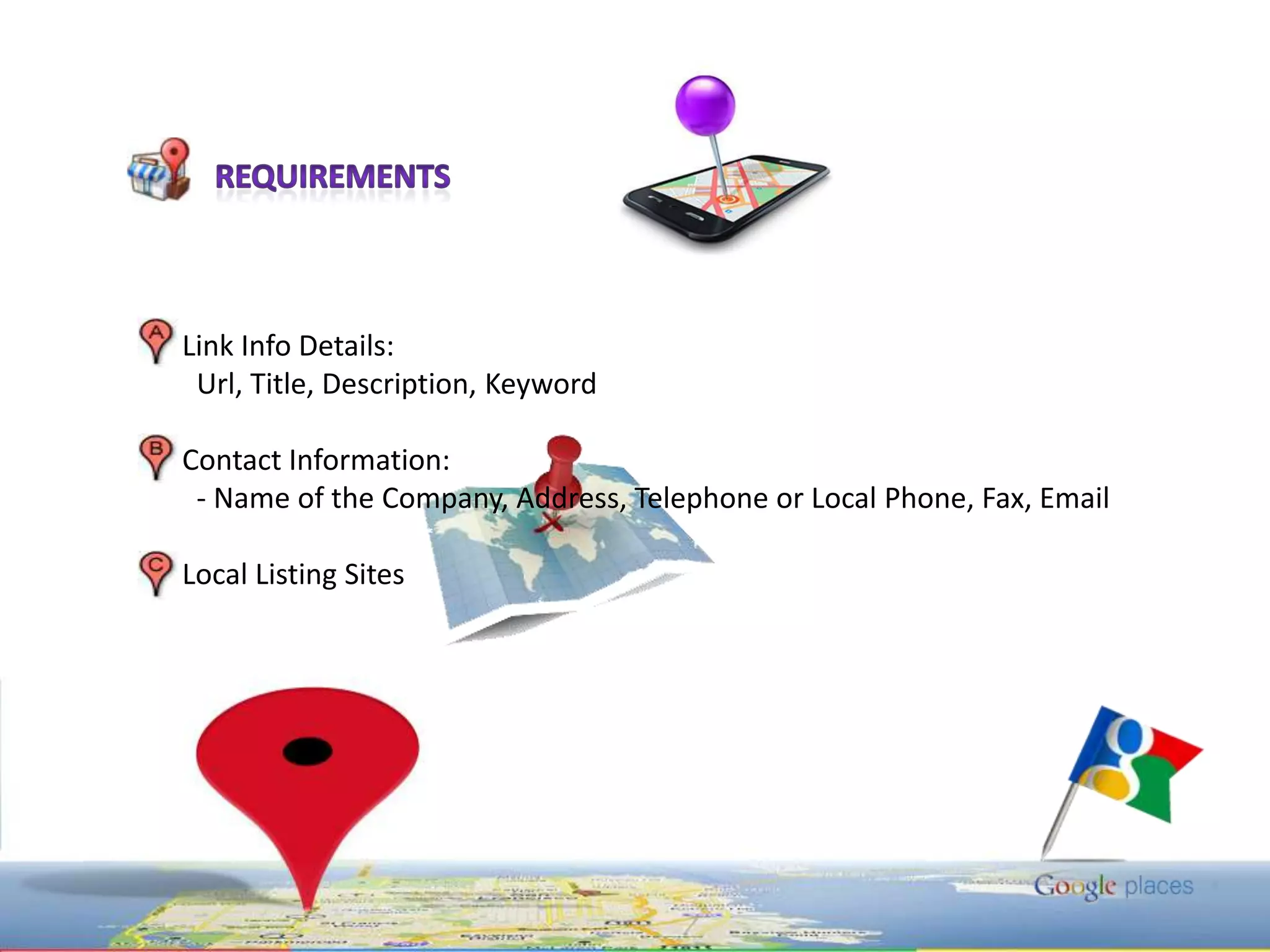
RequirementsLink Info Details:Url, Title, Description, KeywordContact Information: - Name of the Company, Address, Telephone or Local Phone, Fax, EmailLocal Listing Sites
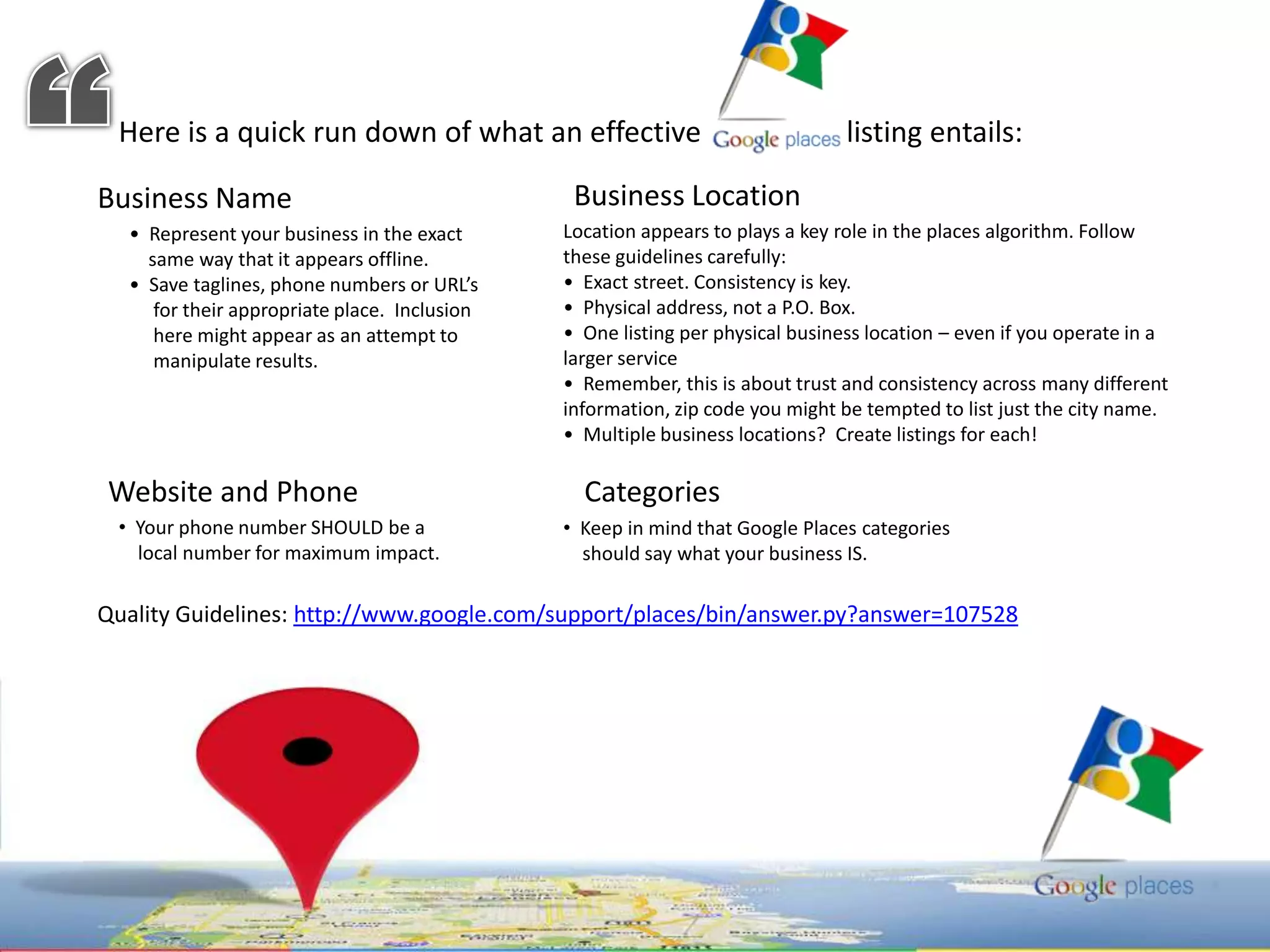
“Here is a quick run down of what an effective                    listing entails: Business LocationBusiness Name Location appears to plays a key role in the places algorithm. Follow these guidelines carefully: •  Exact street. Consistency is key.   •  Physical address, not a P.O. Box.  •  One listing per physical business location – even if you operate in a larger service •  Remember, this is about trust and consistency across many different information, zip code you might be tempted to list just the city name.   •  Multiple business locations?  Create listings for each! •  Represent your business in the exact    same way that it appears offline.   •  Save taglines, phone numbers or URL’s    for their appropriate place.  Inclusion    here might appear as an attempt to     manipulate results. Website and Phone Categories   Your phone number SHOULD be a    local number for maximum impact.
  Keep in mind that Google Places categories     should say what your business IS.Quality Guidelines: http://www.google.com/support/places/bin/answer.py?answer=107528
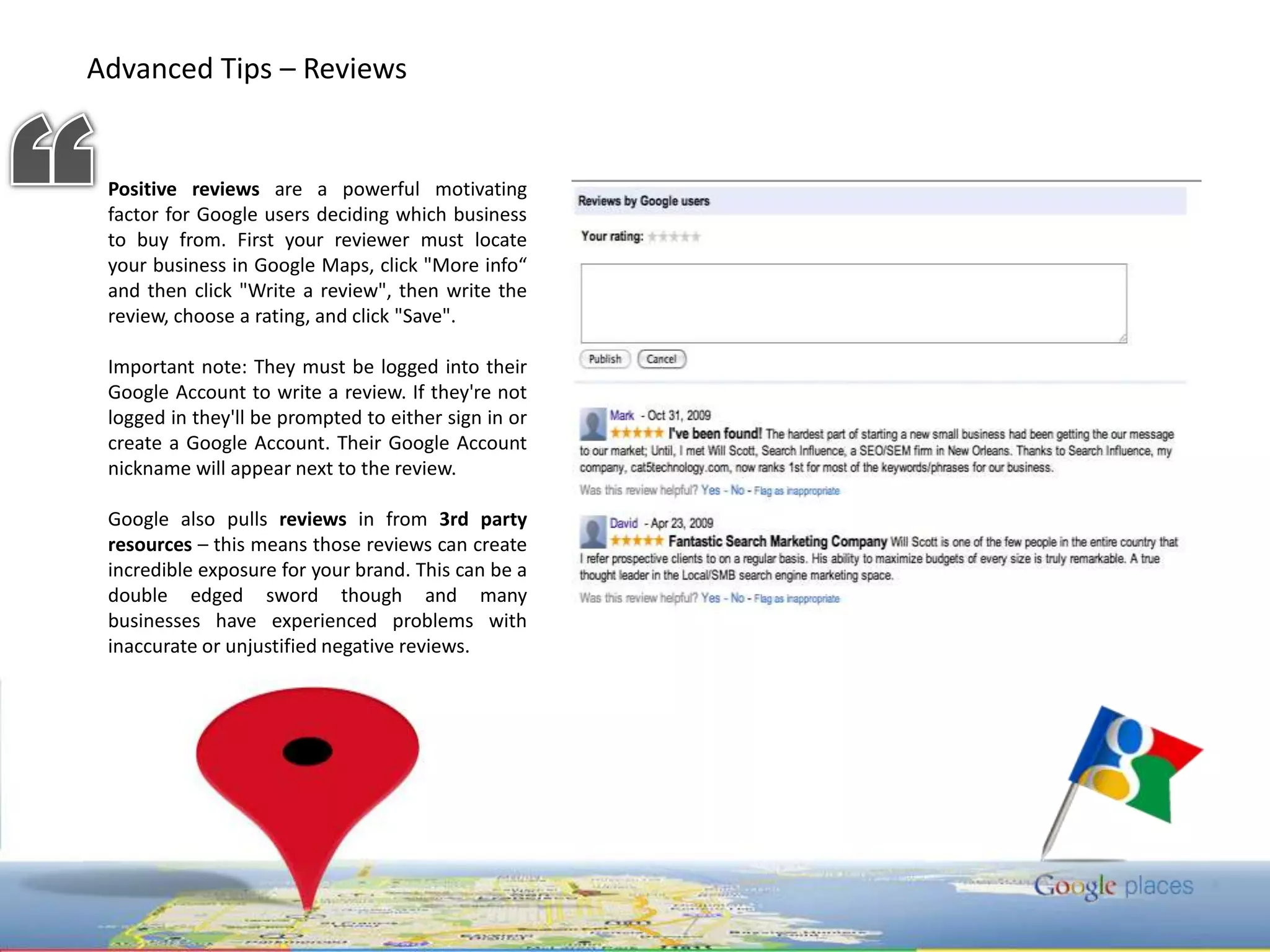
Advanced Tips – Reviews “Positivereviews are a powerful motivating factor for Google users deciding which business to buy from. First your reviewer must locate your business in Google Maps, click "More info“ and then click "Write a review", then write the review, choose a rating, and click "Save".  Important note: They must be logged into their Google Account to write a review. If they're not logged in they'll be prompted to either sign in or create a Google Account. Their Google Account nickname will appear next to the review. Google also pulls reviews in from 3rd party resources – this means those reviews can create incredible exposure for your brand. This can be a double edged sword though and many businesses have experienced problems with inaccurate or unjustified negative reviews.
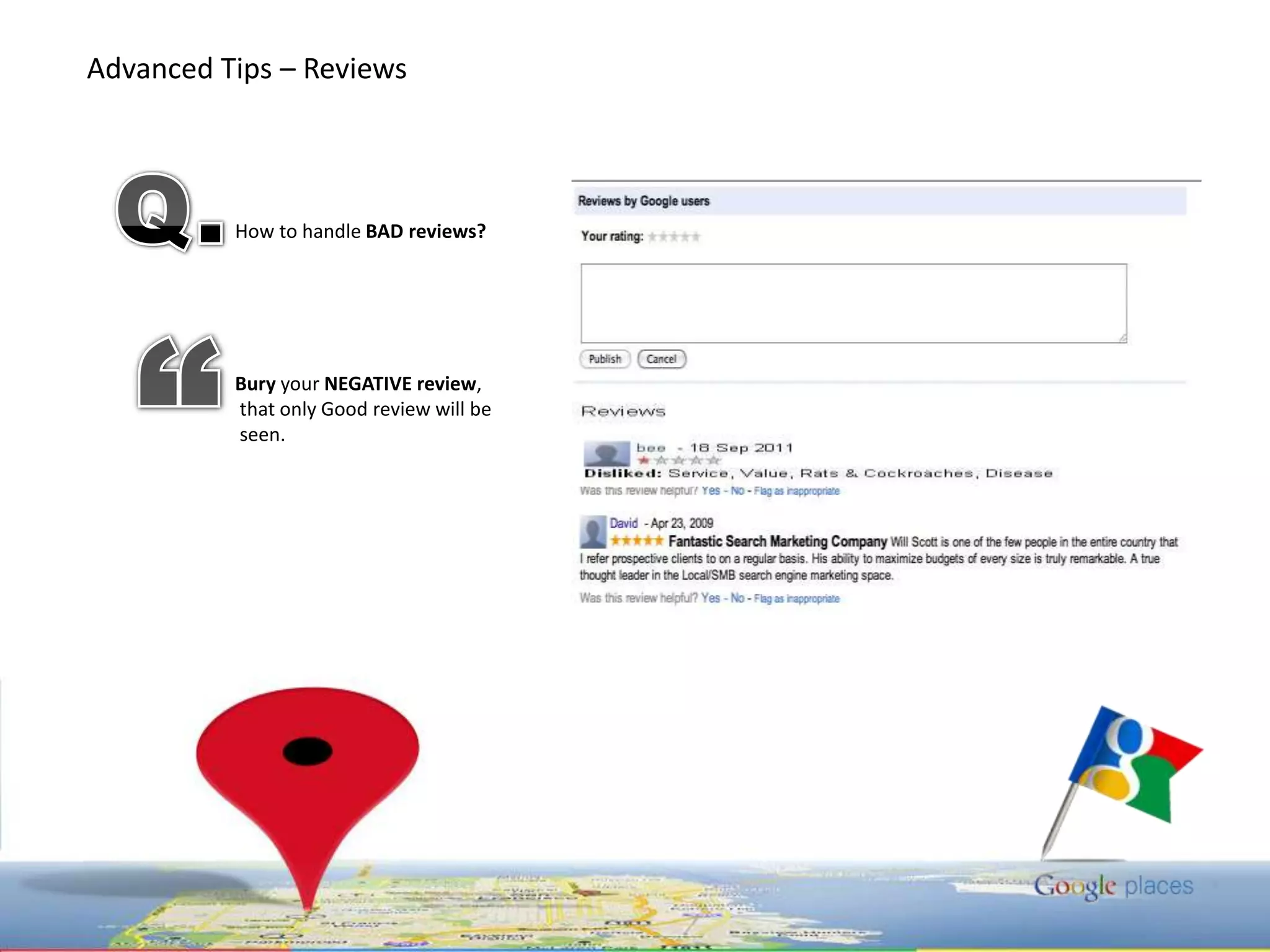
Advanced Tips – Reviews Q.How to handle BADreviews?Bury your NEGATIVE review,that only Good review will beseen.“
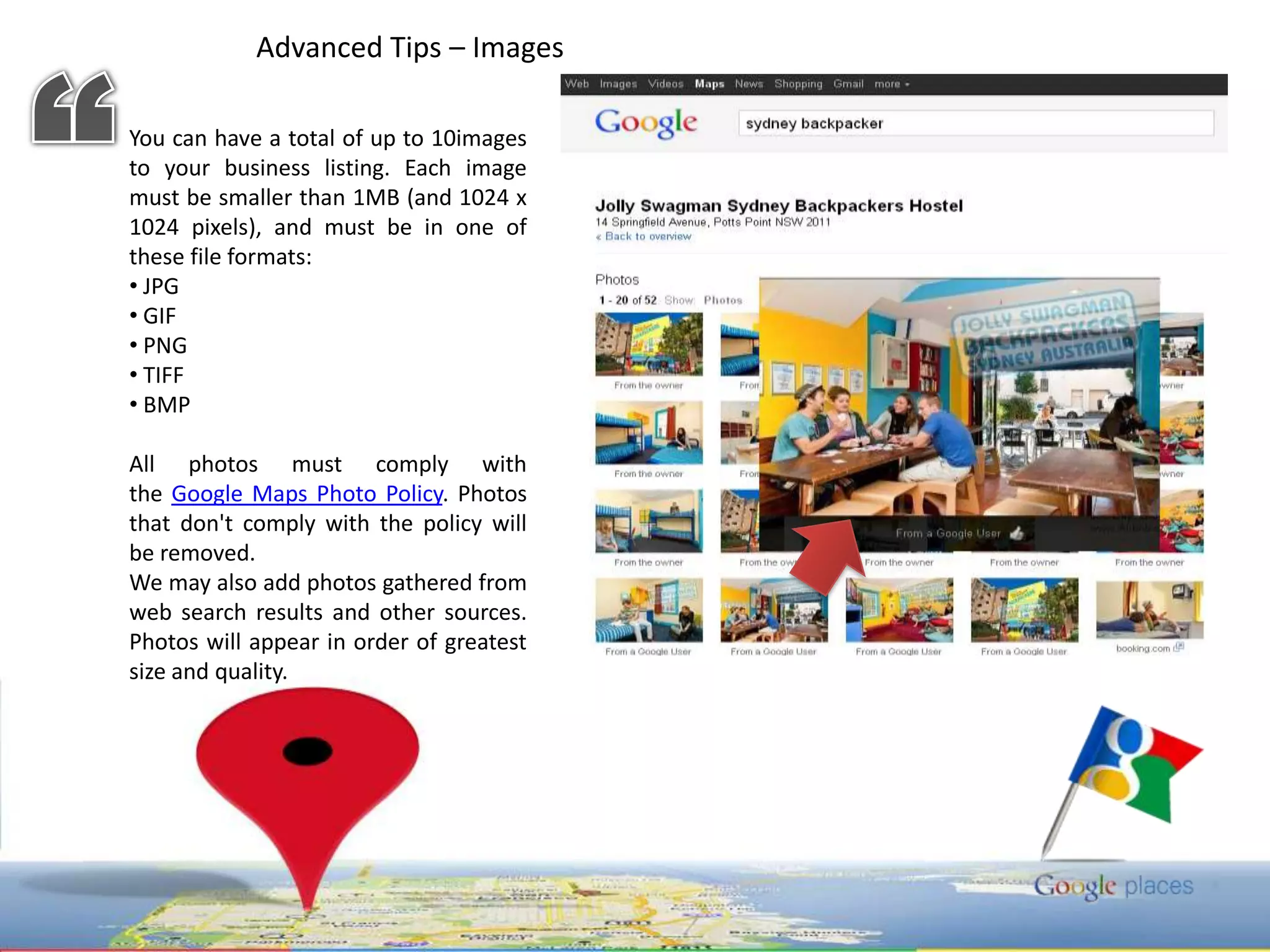
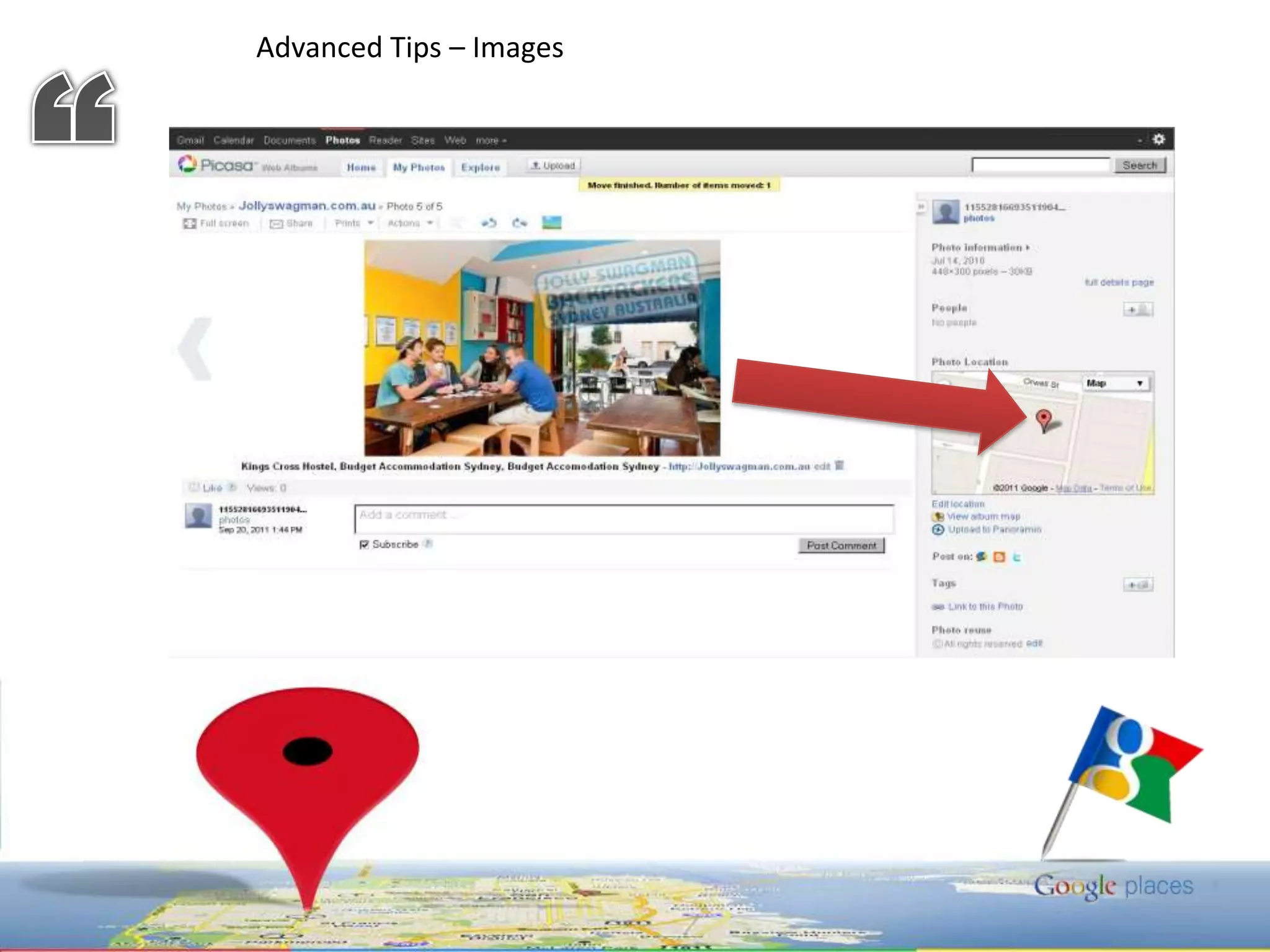
Advanced Tips – Images “You can have a total of up to 10images to your business listing. Each image must be smaller than 1MB (and 1024 x 1024 pixels), and must be in one of these file formats: JPG
 GIF
 PNG
 TIFF

Google Local Listing Simplified - Ron Edrote (SEO Local Lister | SEO Cagayan de Oro)

  • 1.
    GOPOSE L CAL ISTINGLGALCEES
  • 3.
    - Result ofLocal Listing SiteInterActive Map showing your locationFree organic listing of your websiteor other local websites.
  • 4.
    RequirementsLink Info Details:Url,Title, Description, KeywordContact Information: - Name of the Company, Address, Telephone or Local Phone, Fax, EmailLocal Listing Sites
  • 5.
    “Here is aquick run down of what an effective listing entails: Business LocationBusiness Name Location appears to plays a key role in the places algorithm. Follow these guidelines carefully: • Exact street. Consistency is key. • Physical address, not a P.O. Box. • One listing per physical business location – even if you operate in a larger service • Remember, this is about trust and consistency across many different information, zip code you might be tempted to list just the city name. • Multiple business locations? Create listings for each! • Represent your business in the exact same way that it appears offline. • Save taglines, phone numbers or URL’s for their appropriate place. Inclusion here might appear as an attempt to manipulate results. Website and Phone Categories Your phone number SHOULD be a local number for maximum impact.
  • 6.
    Keepin mind that Google Places categories should say what your business IS.Quality Guidelines: http://www.google.com/support/places/bin/answer.py?answer=107528
  • 7.
    Advanced Tips –Reviews “Positivereviews are a powerful motivating factor for Google users deciding which business to buy from. First your reviewer must locate your business in Google Maps, click "More info“ and then click "Write a review", then write the review, choose a rating, and click "Save". Important note: They must be logged into their Google Account to write a review. If they're not logged in they'll be prompted to either sign in or create a Google Account. Their Google Account nickname will appear next to the review. Google also pulls reviews in from 3rd party resources – this means those reviews can create incredible exposure for your brand. This can be a double edged sword though and many businesses have experienced problems with inaccurate or unjustified negative reviews.
  • 8.
    Advanced Tips –Reviews Q.How to handle BADreviews?Bury your NEGATIVE review,that only Good review will beseen.“
  • 9.
    Advanced Tips –Images “You can have a total of up to 10images to your business listing. Each image must be smaller than 1MB (and 1024 x 1024 pixels), and must be in one of these file formats: JPG
  • 10.
  • 11.
  • 12.
  • 13.
    BMPAll photosmust comply with the Google Maps Photo Policy. Photos that don't comply with the policy will be removed.We may also add photos gathered from web search results and other sources. Photos will appear in order of greatest size and quality.
  • 14.
  • 15.
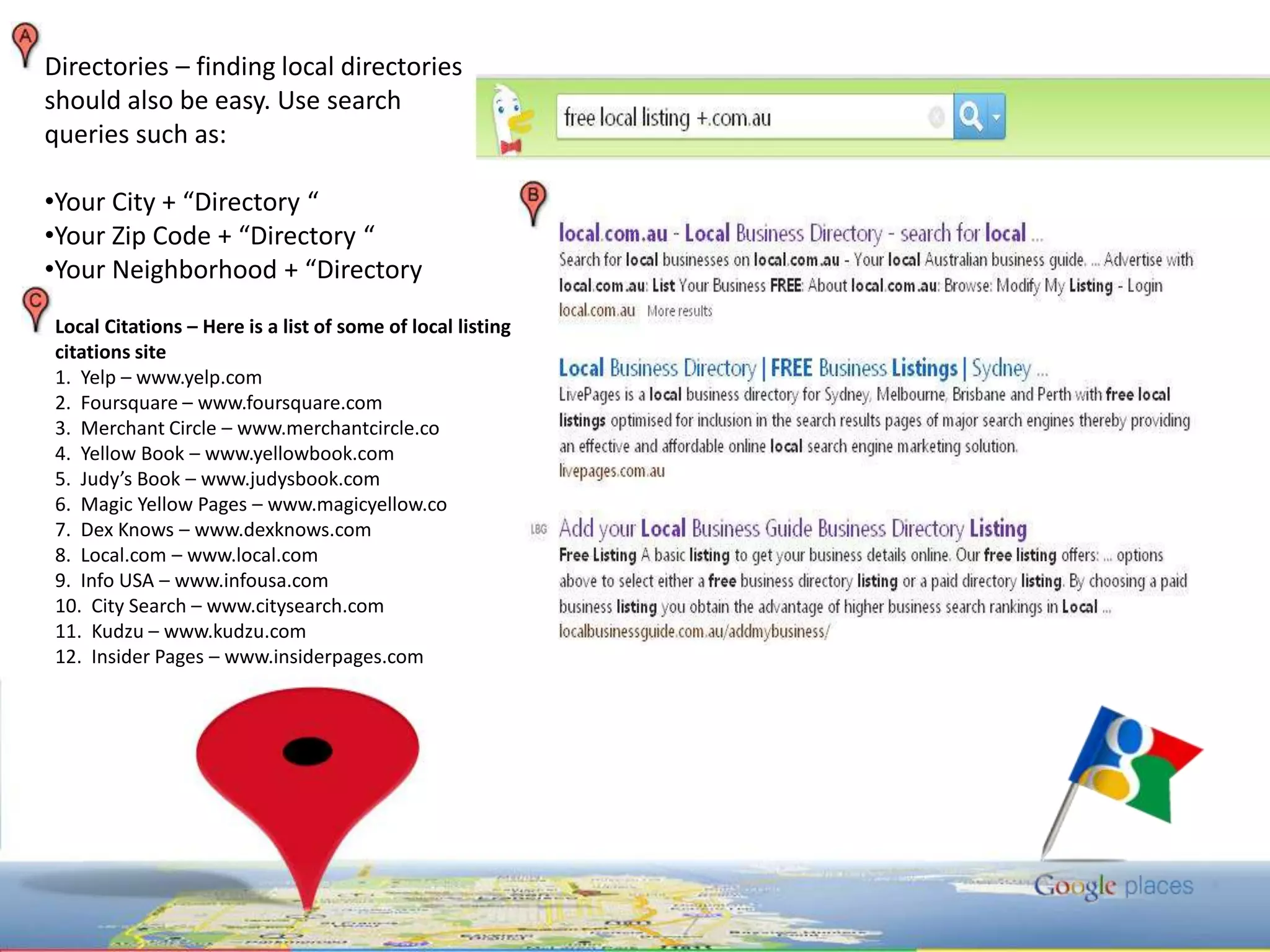
    Directories – findinglocal directories should also be easy. Use search queries such as: Your City + “Directory “
  • 16.
    Your Zip Code+ “Directory “
  • 17.
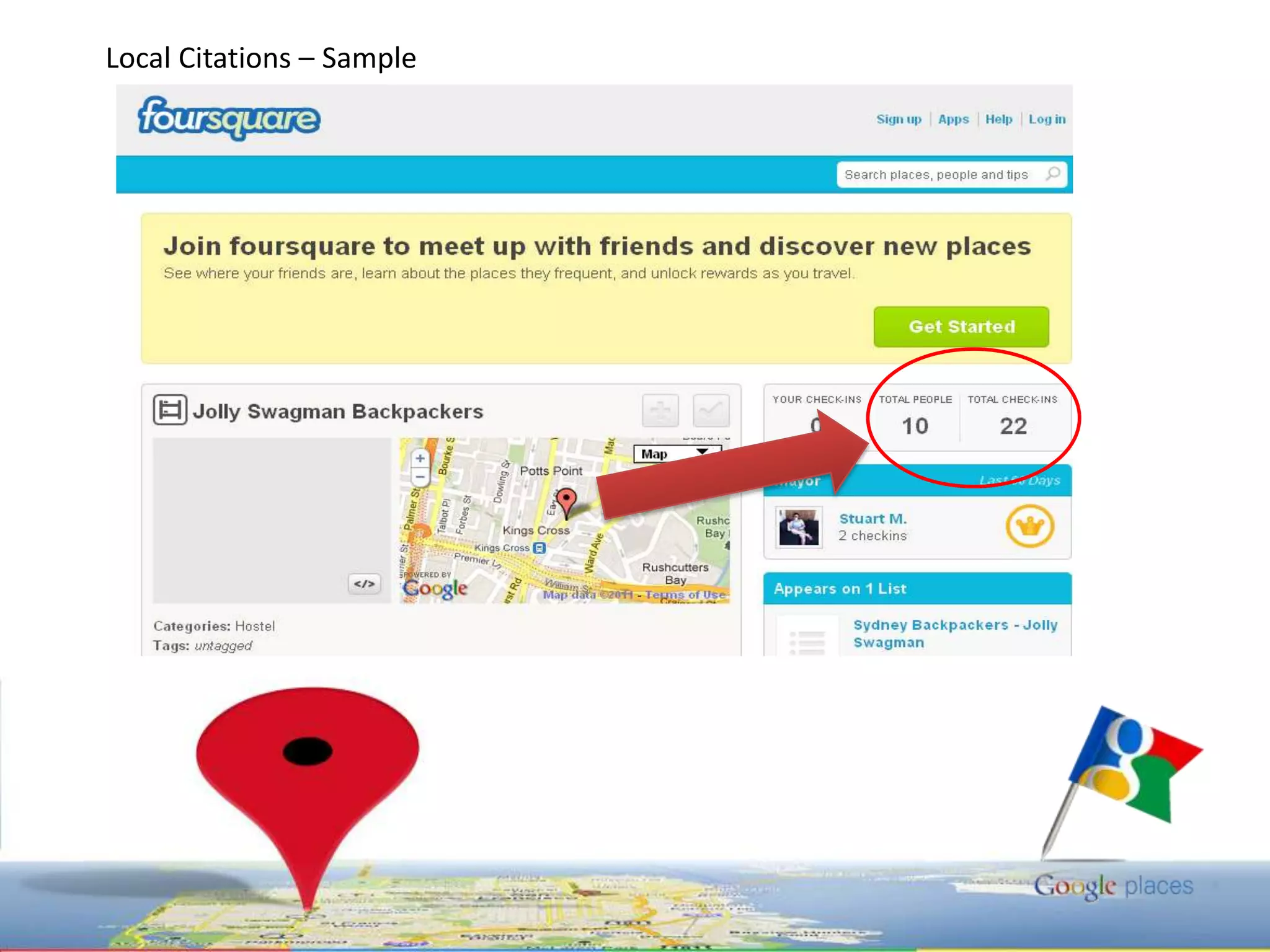
    Your Neighborhood +“Directory Local Citations – Here is a list of some of local listing citations site1. Yelp – www.yelp.com 2. Foursquare – www.foursquare.com 3. Merchant Circle – www.merchantcircle.co4. Yellow Book – www.yellowbook.com 5. Judy’s Book – www.judysbook.com 6. Magic Yellow Pages – www.magicyellow.co7. Dex Knows – www.dexknows.com 8. Local.com – www.local.com 9. Info USA – www.infousa.com 10. City Search – www.citysearch.com 11. Kudzu – www.kudzu.com 12. Insider Pages – www.insiderpages.com
  • 18.
  • 19.
    SEO Cagayan deOro | SEO Cebu City | SEO PhilippinesAbout Me Hello I am Ron Edrote you can find more about me in google+ just search "Ron Edrote", Been working in as SEO in Cagayan de Oro, Cebu City, Philippines for over 3 years, all agency side, now working for Taking You Forward Inc (Australian Campaign) in Mandaue City, Cebu, specializing in the analysis side, including Auditing, competitor analysis and keyword research and Off-site Submission, a Search Marketing Associate | Online Marketer | SEO Local Lister. A SEO Instructor in Informatics SM-Cebu.  I Learned my SEO at Syntactics Inc. - Cagayan de Oro City.Â