

How to do
the right
website
analysis
Jackquiline Belhida-Doring
-Partner of NewMedia316
-Vice President of Communication for The Vine Co-
working Space
-Project Manager of Coco Treasure, LLC
-Supermom
Follow Me:
Facebook:
fb.com/@jacquedoring
Twitter:
https://twitter.com/jacquedoring
LinkedIn: https://www.linkedin.com/in/jacquebelhida
I. What is Search Engine?
A search engine is a software system that is designed to
search for information on the World Wide Web. The search
results are generally presented in a line of results often
referred to as search engine results pages (SERPs). The
information may be a mix of web pages, images, and other
types of files.
How Search Engine Operates?
PROVIDING ANSWERS
Providing answers to user queries, most frequently through
lists of relevant pages that they've retrieved and ranked for
relevancy.
CRAWLING AND INDEXING
Crawling and indexing the billions of documents, pages, files,
news, videos, and media on the World Wide Web.
How Search Engine Determine Relevance
and Popularity?
Popularity and relevance aren’t determined manually. Instead,
the engines employ mathematical equations (algorithms) to sort
the wheat from the chaff (relevance), and then to rank the wheat
in order of quality (popularity).
Search engines typically assume that the more popular a
site, page, or document, the more valuable the information it
contains must be. This assumption has proven fairly
successful in terms of user satisfaction with search results.
These algorithms often comprise hundreds of variables. In
the search marketing field, we refer to them as “ranking
factors.”
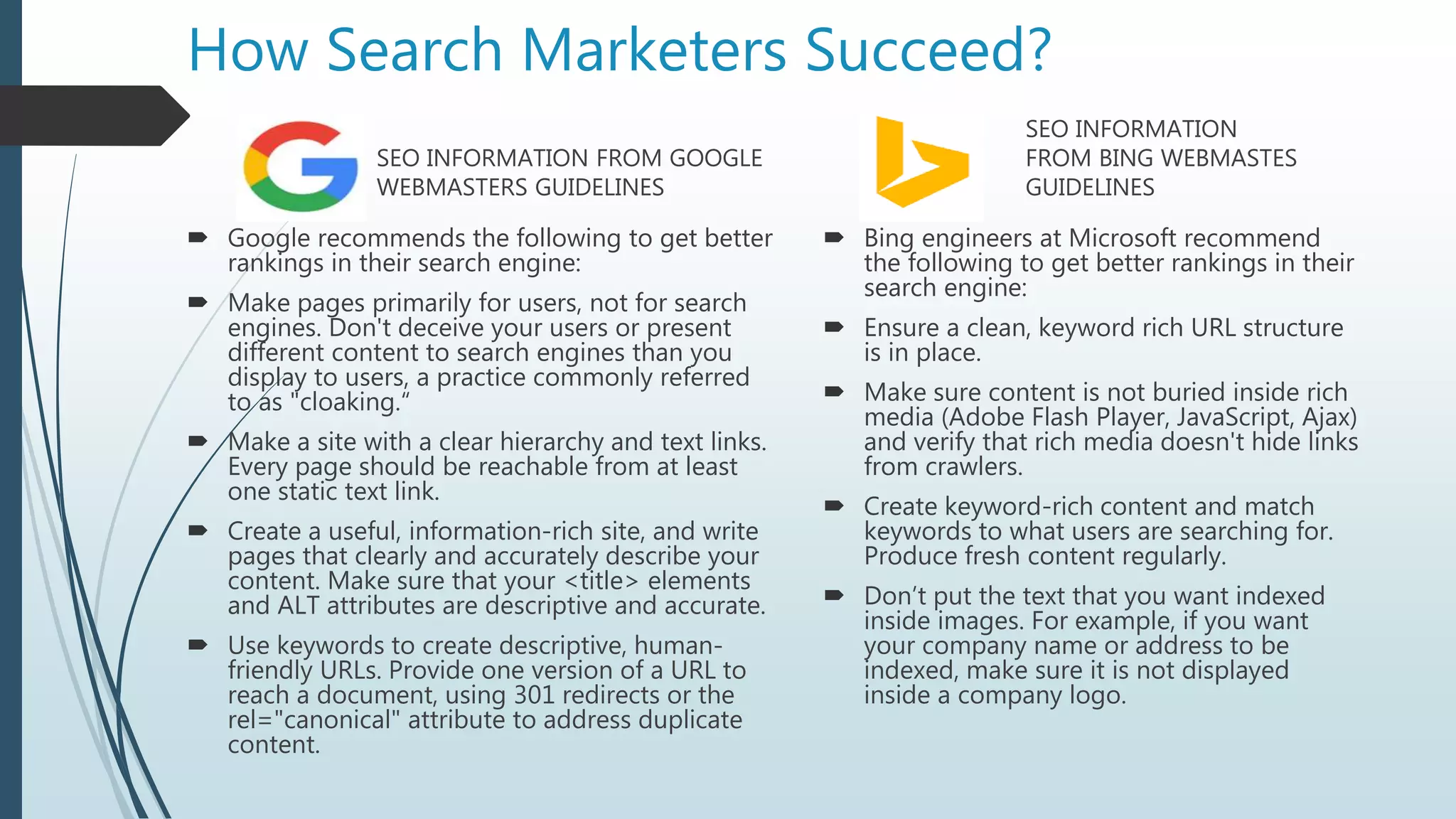
How Search Marketers Succeed?
SEO INFORMATION FROM GOOGLE
WEBMASTERS GUIDELINES
 Google recommends the following to get better
rankings in their search engine:
 Make pages primarily for users, not for search
engines. Don't deceive your users or present
different content to search engines than you
display to users, a practice commonly referred
to as "cloaking.“
 Make a site with a clear hierarchy and text links.
Every page should be reachable from at least
one static text link.
 Create a useful, information-rich site, and write
pages that clearly and accurately describe your
content. Make sure that your <title> elements
and ALT attributes are descriptive and accurate.
 Use keywords to create descriptive, human-
friendly URLs. Provide one version of a URL to
reach a document, using 301 redirects or the
rel="canonical" attribute to address duplicate
content.
SEO INFORMATION
FROM BING WEBMASTES
GUIDELINES
 Bing engineers at Microsoft recommend
the following to get better rankings in their
search engine:
 Ensure a clean, keyword rich URL structure
is in place.
 Make sure content is not buried inside rich
media (Adobe Flash Player, JavaScript, Ajax)
and verify that rich media doesn't hide links
from crawlers.
 Create keyword-rich content and match
keywords to what users are searching for.
Produce fresh content regularly.
 Don’t put the text that you want indexed
inside images. For example, if you want
your company name or address to be
indexed, make sure it is not displayed
inside a company logo.
II. What is SEO
SEO stands for Search Engine Optimization. It is the process
of getting traffic from the free, organic, editorial, or natural
search results on search engines.
Types Of SEO Techniques
WHITE HAT SEO
utilizes techniques and methods to improve the search
engine rankings of a website which don’t run afoul of search
engine (mainly Google) guidelines
BLACK HAT SEO
exploits weaknesses in the search engine algorithms to
obtain high rankings for a website
such techniques and methods are in direct conflict with
search engine guidelines
SEO SUCCESS FACTORS
On-The-Page SEO
• refers to how well your website’s content is presented to
search engines.
Off-The-Page SEO
• refers to your site’s “authority” on the internet.
• is the process of optimizing your webpages outside your
website by getting backlinks from other sites
SEO Violations and Ranking Penalties
• make sure to follow Search engines guidelines to avoid
ranking penalty or , worse, being banned from search
engines entirely.
SEO OBJECTIVES
IMPROVE RANKINGS
Having your website list prominently across a range of
keywords on Google is a key part of any SEO.
IMPROVE NON BRANDED ORGANIC SEARCH VISITS
Increase the number of visitors to your site which is not
using the brand name
IMPROVE SEO CONVERSIONS
Improve website ROI from the non-branded organic
traffic.
IMPROVE DOMAIN AUTHORITY
Improve domain authority through offsite SEO strategies.
SEO STAGES
1. Data Gathering
Where to get your data?
• Google Search Results
Google Search Console
Consumer Surveys
Majestic
Semrush
Meltwater
SEO STAGES
2. Keyword Research
is the process of determining what keywords are used
in search engines by potential customers
is one of the most important, valuable, and high return
activities in the search marketing field. Ranking for the right
keywords can make or break your website.
SEO STAGES
3. Keyword Allocations/Information Structure
the art and science of SEO engineers organizing
keywords throughout your website in a manner that
balances optimization for human users and a SEO
friendly structure for search engines
4. On-the-Page Analysis
outlines all the onsite changes or recommendations that
need to be made to your website
5. On-the-Page Implementation
execute SEO recommendations
PAGERANK
PageRank is a link analysis algorithm used by Google to
help determine the relative importance of a website. Every
website is given a Google PageRank score between 0 and 10
on an exponential scale.
HISTORY
Way back in 1998, the two guys who created Google, Larry Page
and Sergey Brin, came up with a new way to analyze websites
based on their linking relationships with other websites.
They called this new system they came up with "Backrub" at first.
Later they decided to call it "PageRank," based oddly enough on
Larry Page's last name, and not on the fact that the algorithm
was created to rank webpages.
HOW TO DO THE RIGHT SEO AUDIT
 ONPAGE OPTIMIZATION: CODING
 Domain URL
 Google Analytics
 SEO-Friendly URL
 Broken Links
 Internal Duplicate Pages
 External Duplicate
 Internal linking
 Site Speed
 Sitemap
 Robots.txt
 ONPAGE OPTIMIZATION: CONTENT
 Page Title
 Meta Description
 Headings (H1, H2 & H3)
 Lack of Content
 Image Alt Tags
 Blog
ONPAGE OPTIMIZATION: CODING
DOMAIN URL
Search engines do not like pages which duplicate large amounts of content on
the same website, which can happen when the same page, due to Web
configuration or CMS issues, is shown in different URLs.
A common scenario for this issue is found when the non-www and the www
version of your site both feature your content. For example, when
www.domain.com and domain.com show the home page information.
You should pick either version to show your site content and use 301 redirects
to refer from the non-original page versions to the original ones.
ONPAGE OPTIMIZATION: CODING
DOMAIN URL
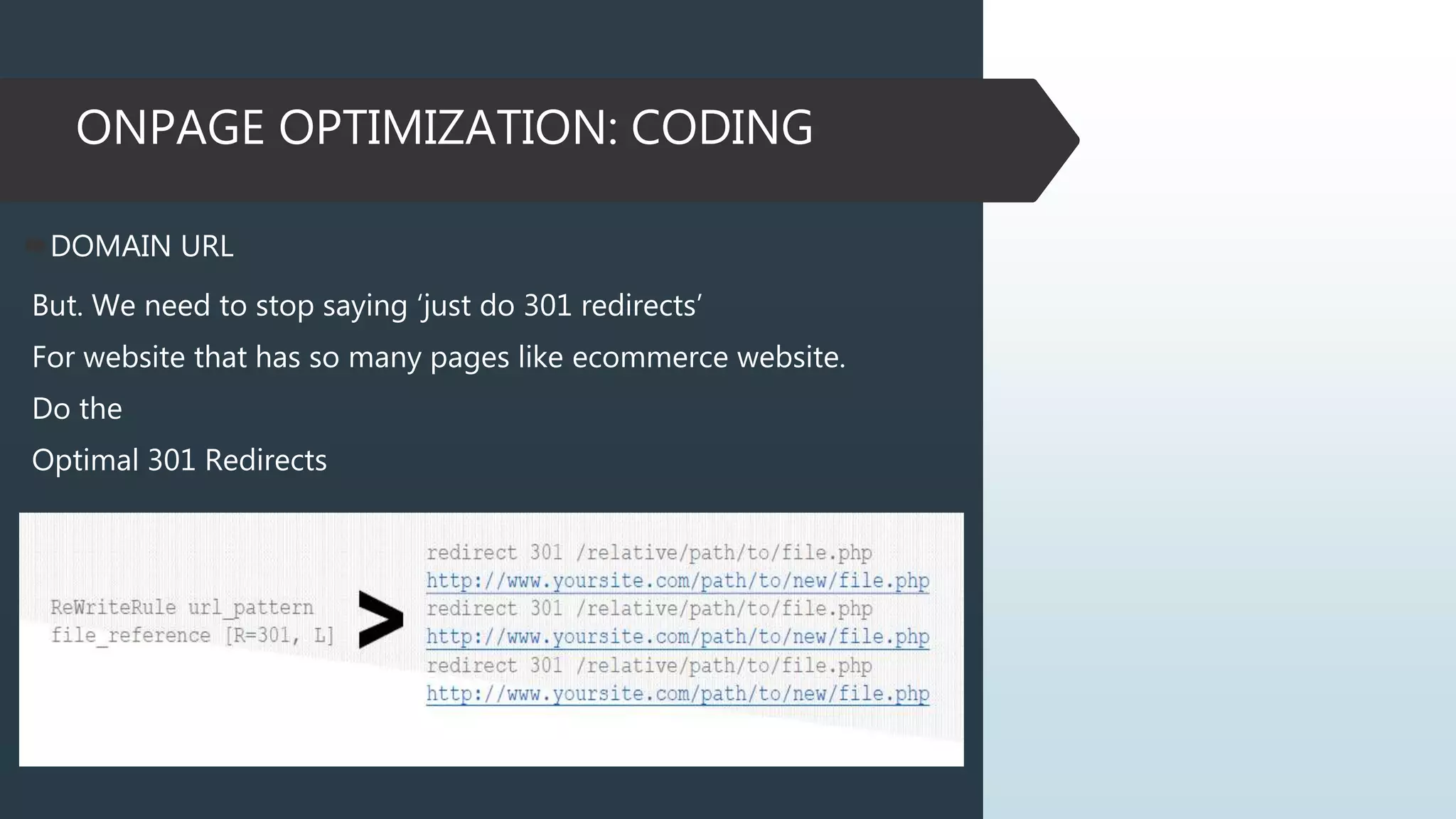
But. We need to stop saying ‘just do 301 redirects’
For website that has so many pages like ecommerce website.
Do the
Optimal 301 Redirects
ONPAGE OPTIMIZATION: CODING
GOOGLE ANALYTICS
Web analytics let you measure visitor activity on your website. You
should have at least one analytics tool installed.
Access: http://www.google.com/analytics/
SEO FRIENDLY URL
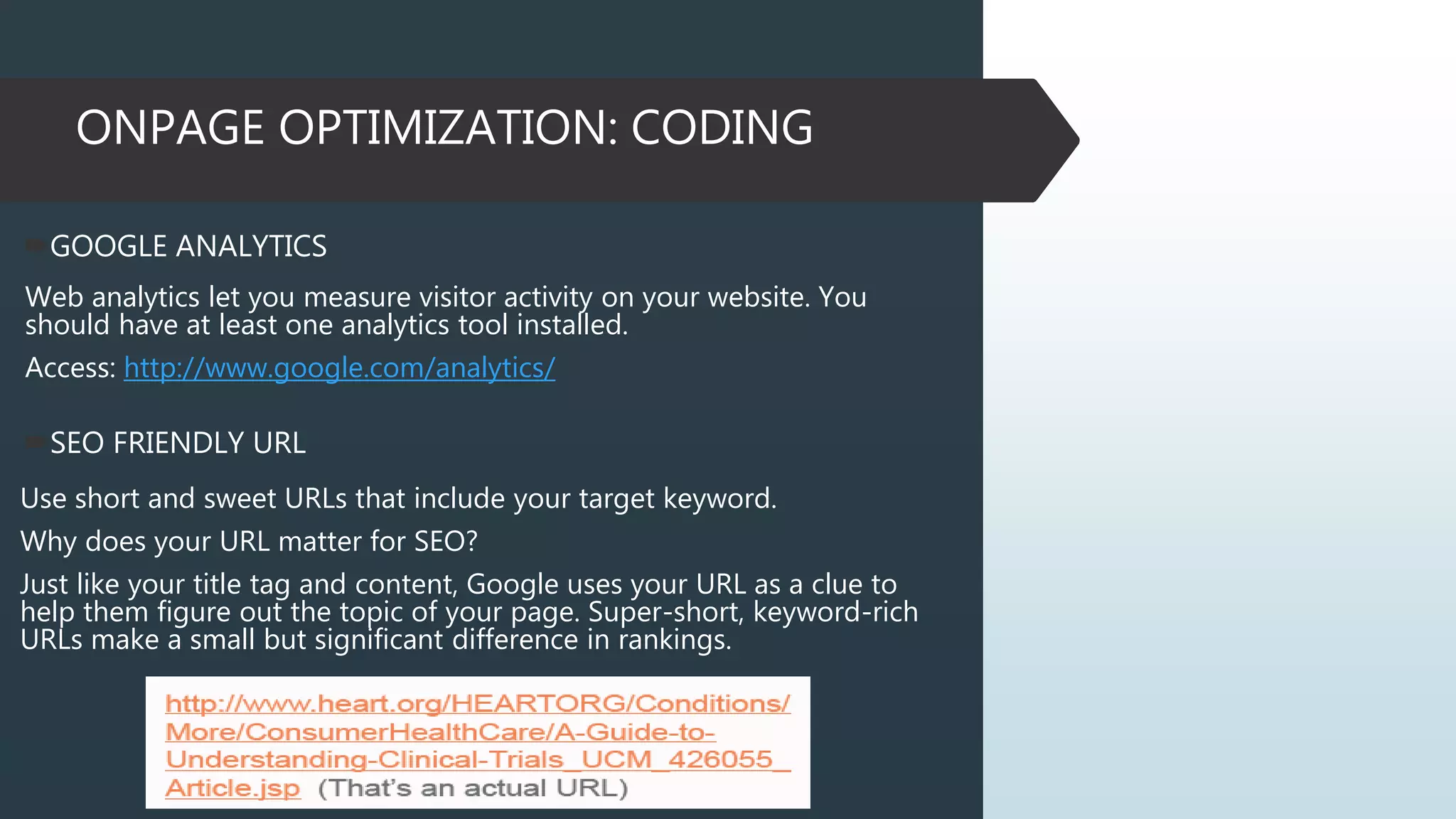
Use short and sweet URLs that include your target keyword.
Why does your URL matter for SEO?
Just like your title tag and content, Google uses your URL as a clue to
help them figure out the topic of your page. Super-short, keyword-rich
URLs make a small but significant difference in rankings.
ONPAGE OPTIMIZATION: CODING
302 REDIRECTS
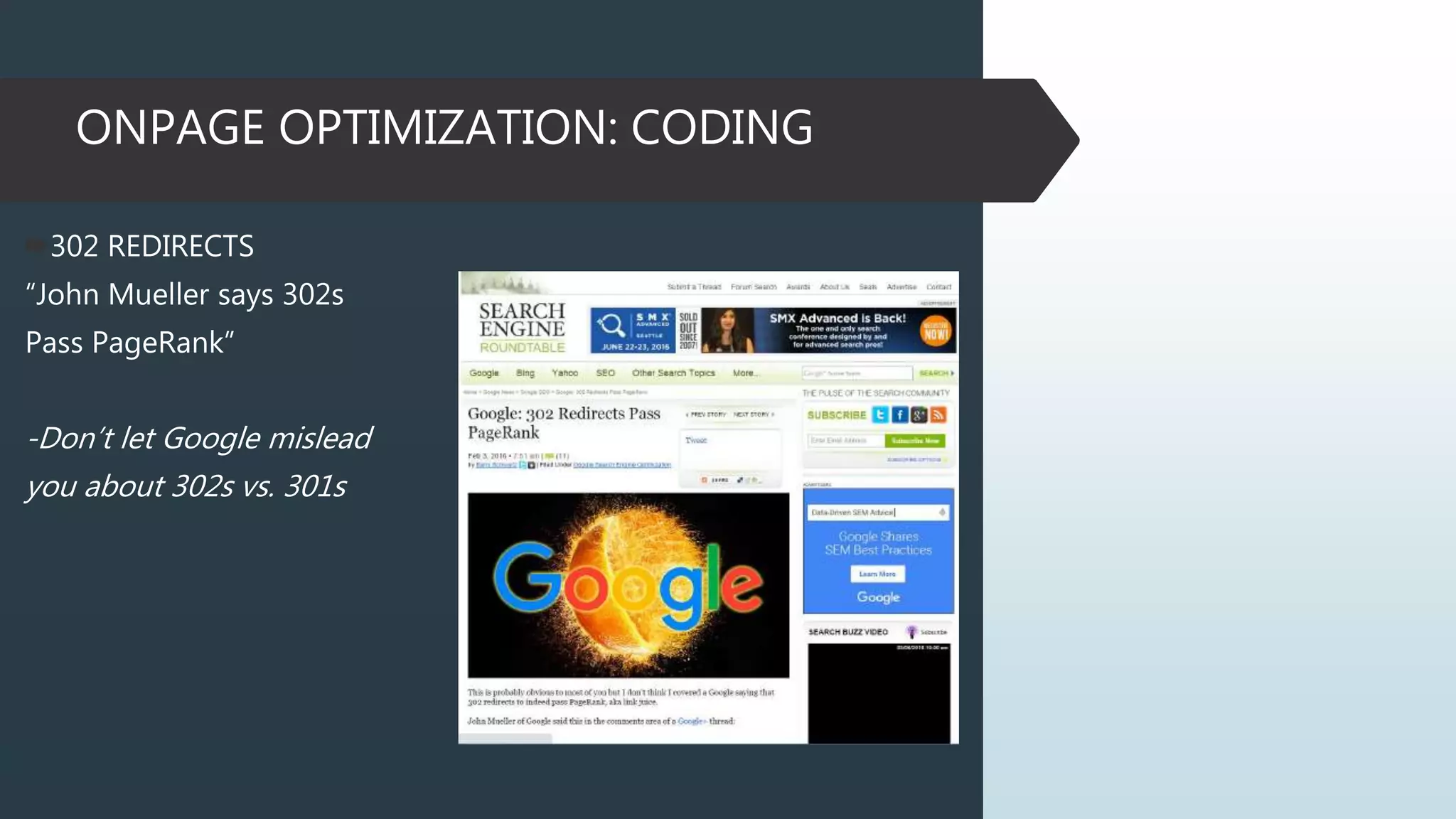
“John Mueller says 302s
Pass PageRank”
-Don’t let Google mislead
you about 302s vs. 301s
ONPAGE OPTIMIZATION: CODING
CHECK FOR BROKEN LINKS
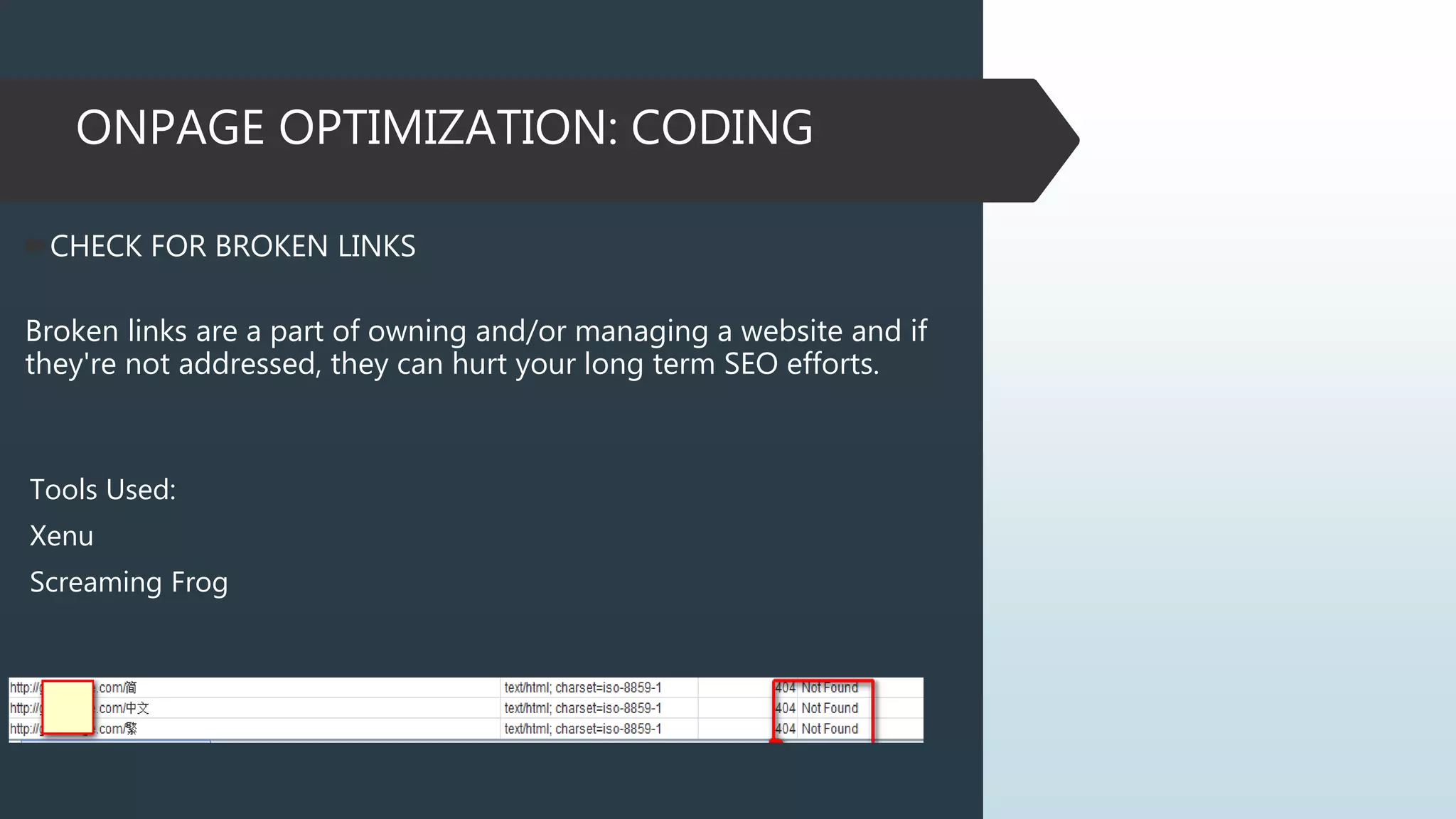
Broken links are a part of owning and/or managing a website and if
they're not addressed, they can hurt your long term SEO efforts.
Tools Used:
Xenu
Screaming Frog
ONPAGE OPTIMIZATION: CODING
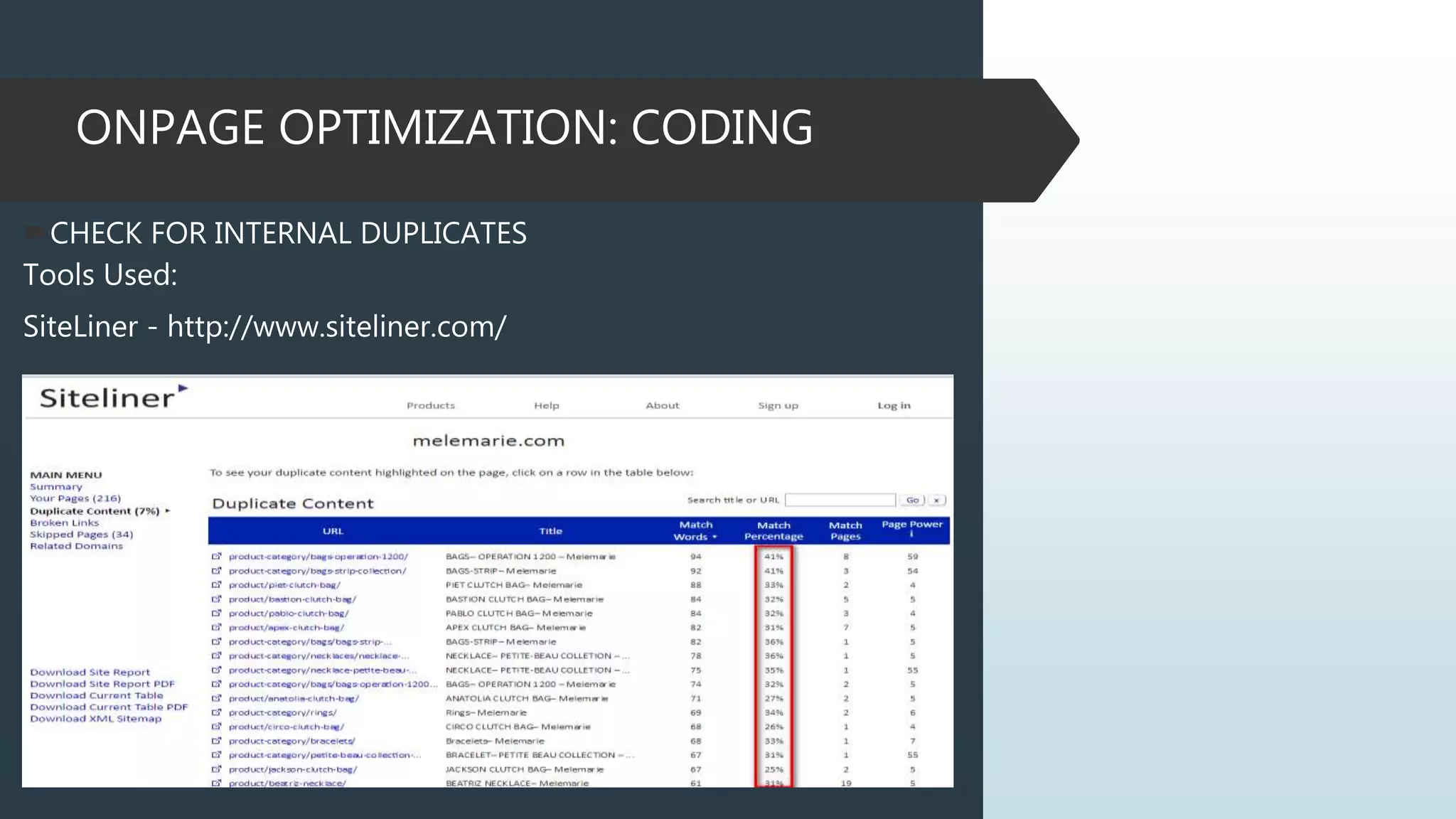
CHECK FOR INTERNAL DUPLICATES
Tools Used:
SiteLiner - http://www.siteliner.com/
ONPAGE OPTIMIZATION: CODING
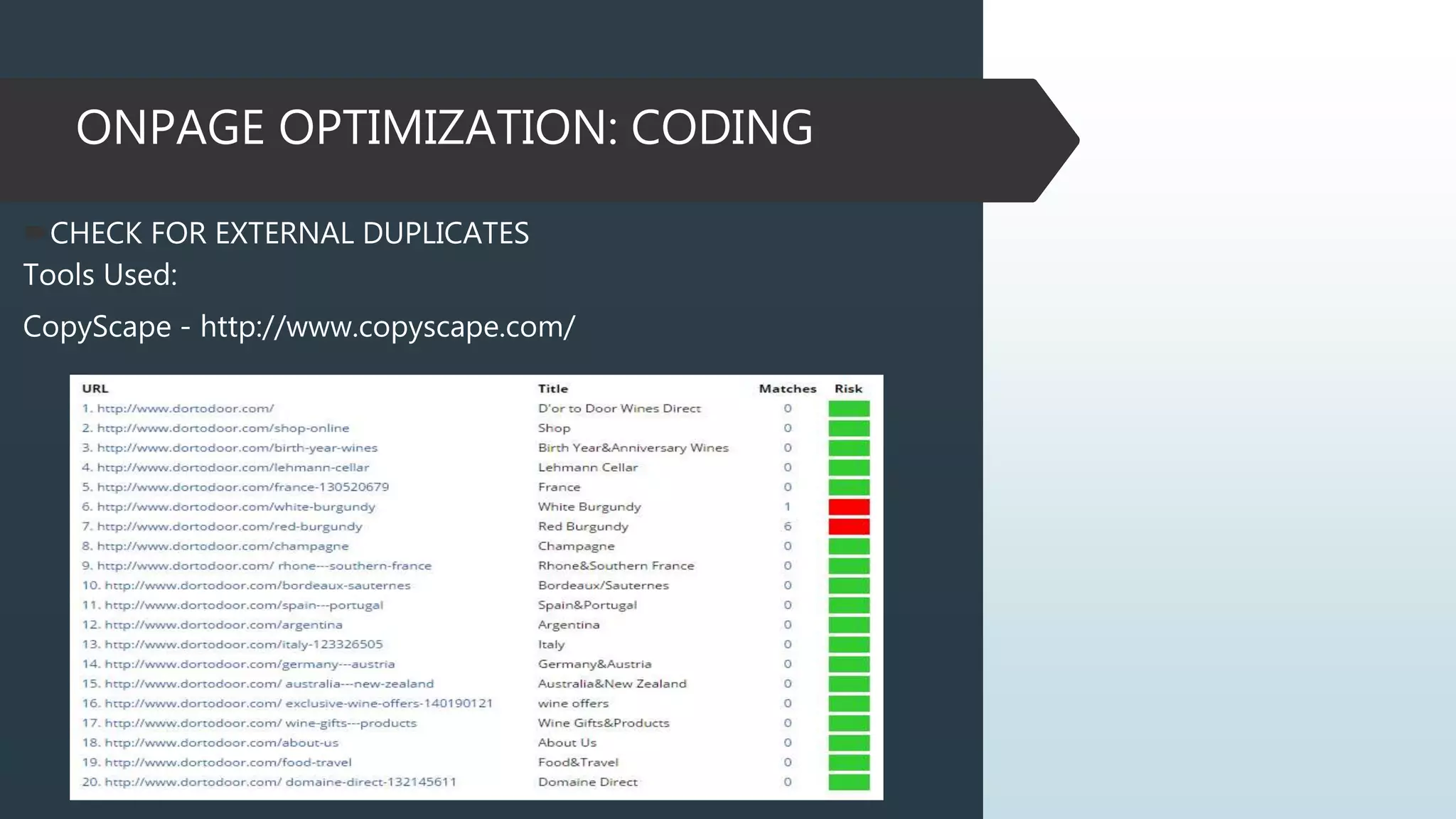
CHECK FOR EXTERNAL DUPLICATES
Tools Used:
CopyScape - http://www.copyscape.com/
ONPAGE OPTIMIZATION: CODING
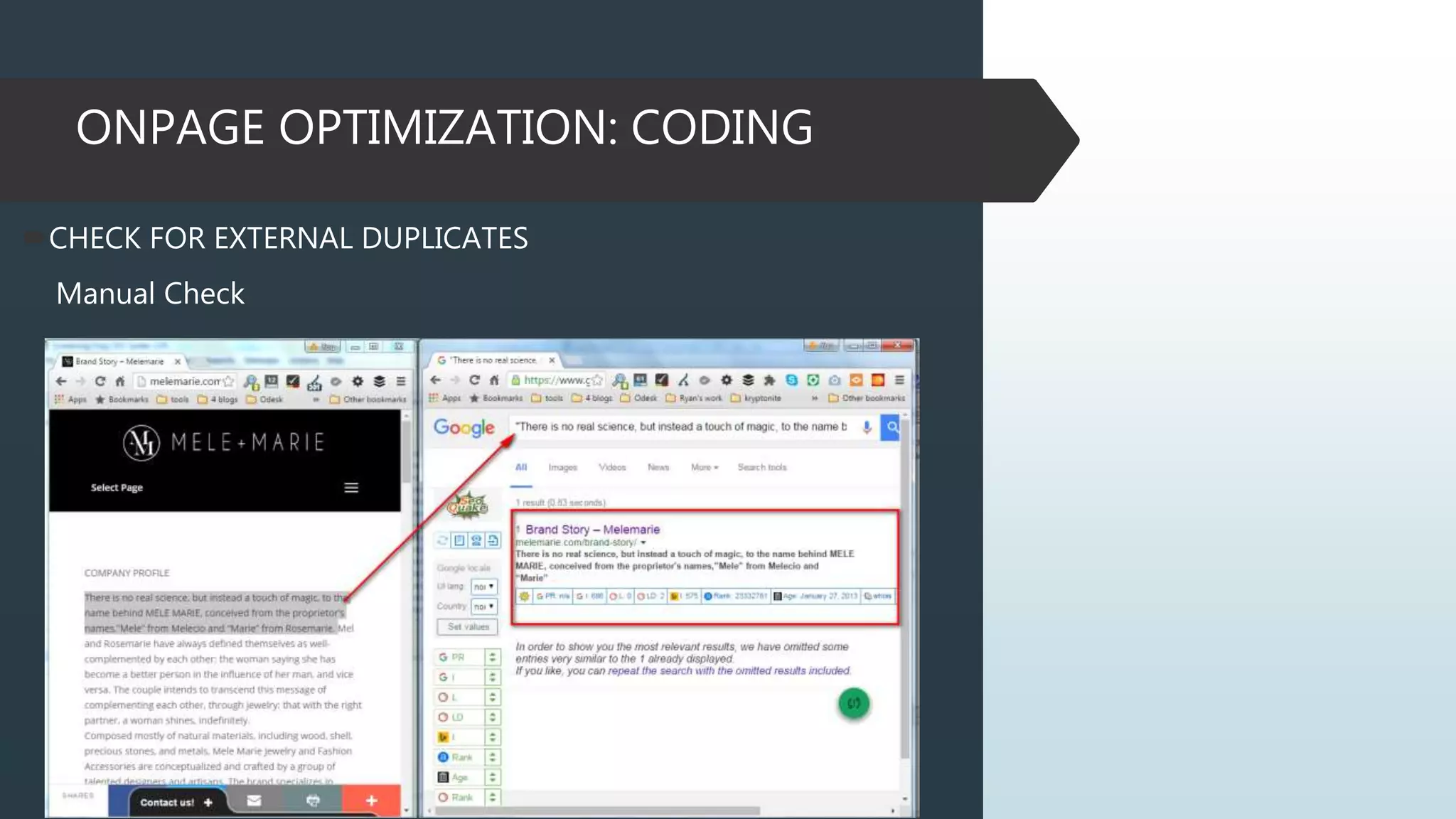
CHECK FOR EXTERNAL DUPLICATES
Manual Check
ONPAGE OPTIMIZATION: CODING
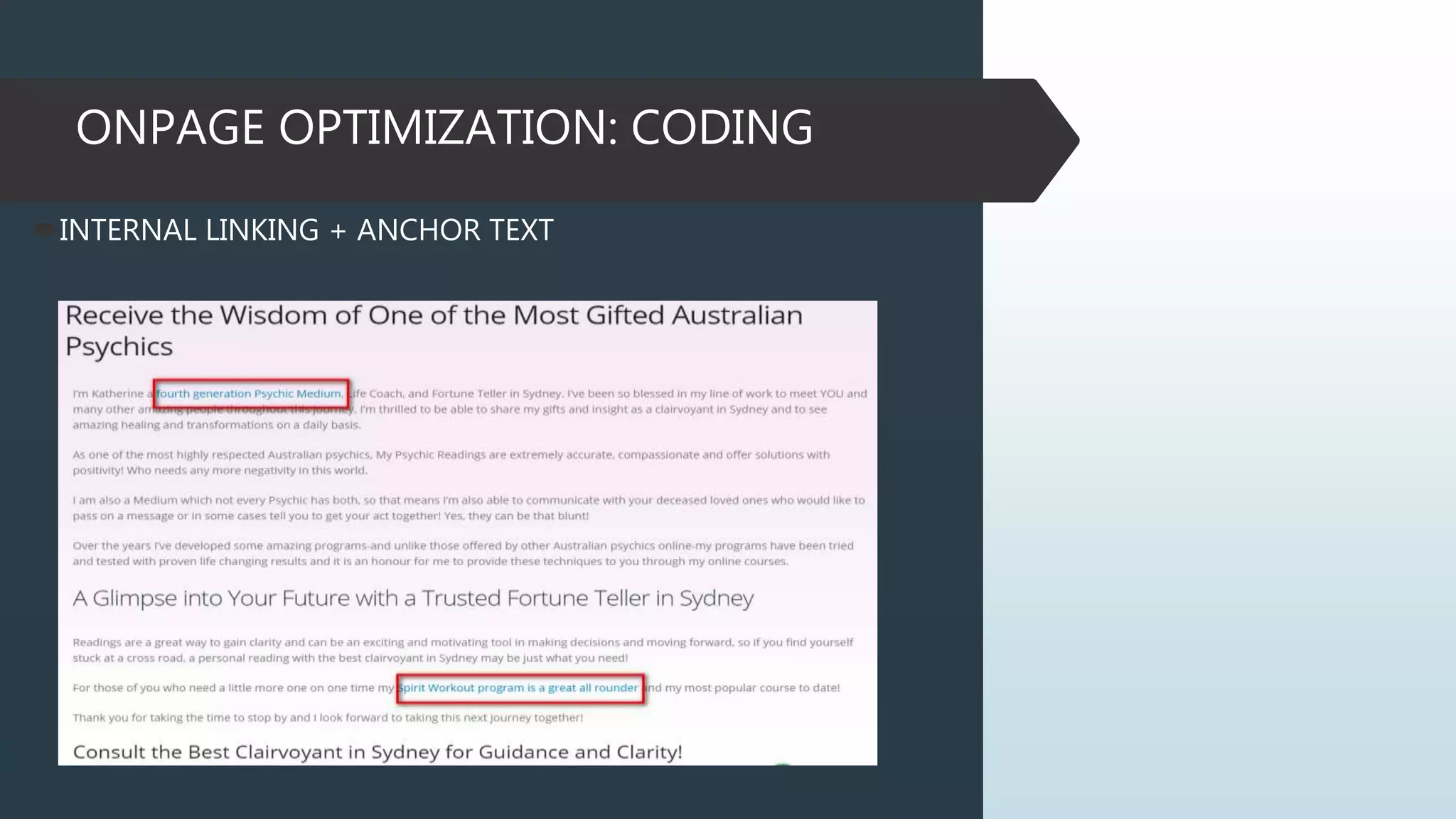
INTERNAL LINKING STRUCTURES
Internal linking Structures are incredibly powerful asset.
Internal links with Anchor Text help to improve website
navigation, usability and SEO. Use phrase when not just the
targeted keyword. It is recommended to have a 2-3 internal
links.
ONPAGE OPTIMIZATION: CODING
INTERNAL LINKING + ANCHOR TEXT
ONPAGE OPTIMIZATION: CODING
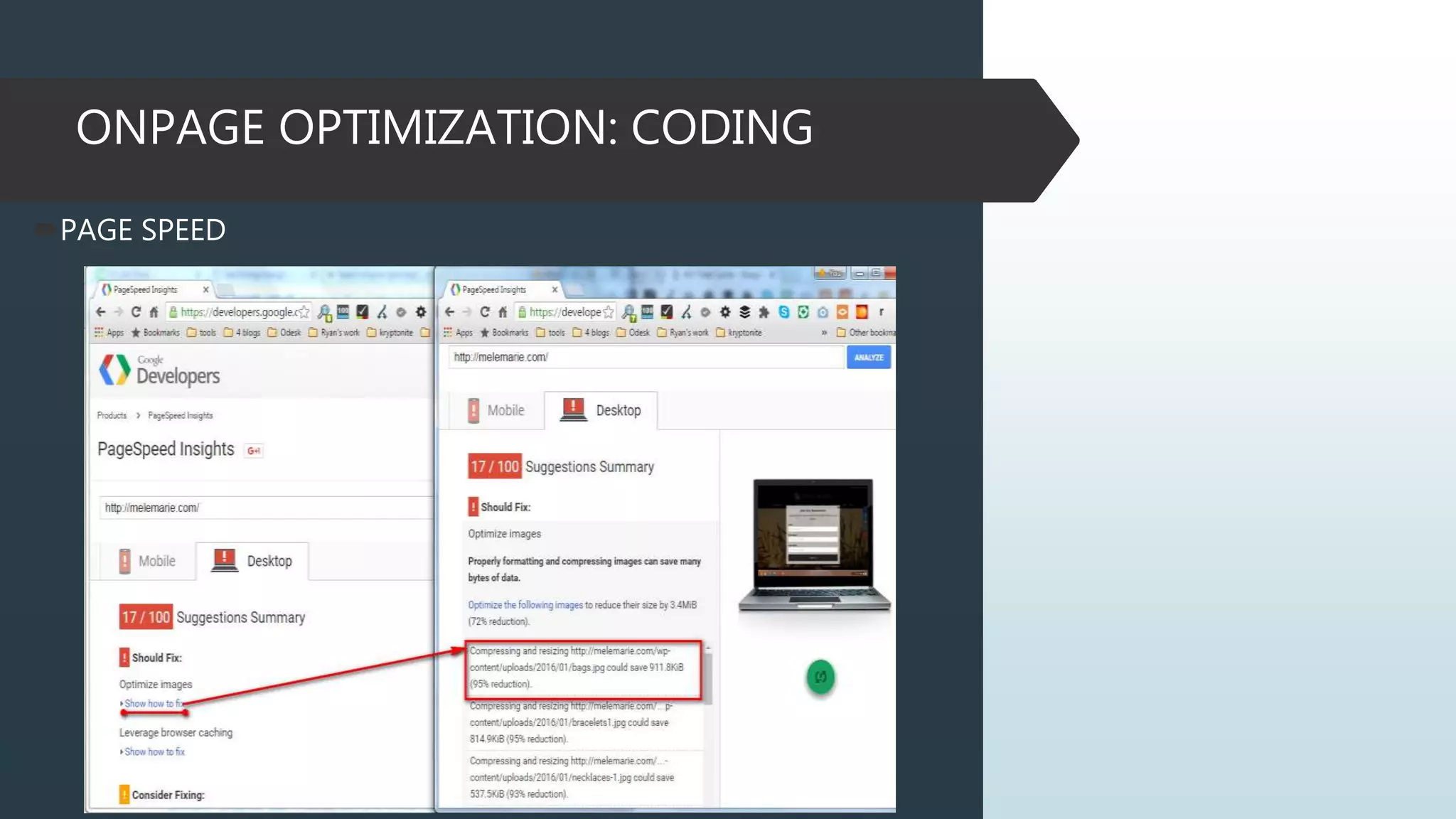
PAGE SPEED
Page Speed is one of the few ranking signals that Google has
publicly confirmed. It’s that important.
You can easily evaluate and improve your site’s loading speed
using Google’s own PageSpeed Insights tool.
Use the Google PageSpeed Insights tool to figure out your site’s
loading speed. Wordpress free plugins W3 Total Cache, WP Smush
It can help speed things up.
Tools Used:
https://developers.google.com/speed/pagespeed/insights/
https://gtmetrix.com/
http://tools.pingdom.com/
ONPAGE OPTIMIZATION: CODING
PAGE SPEED
ONPAGE OPTIMIZATION: CODING
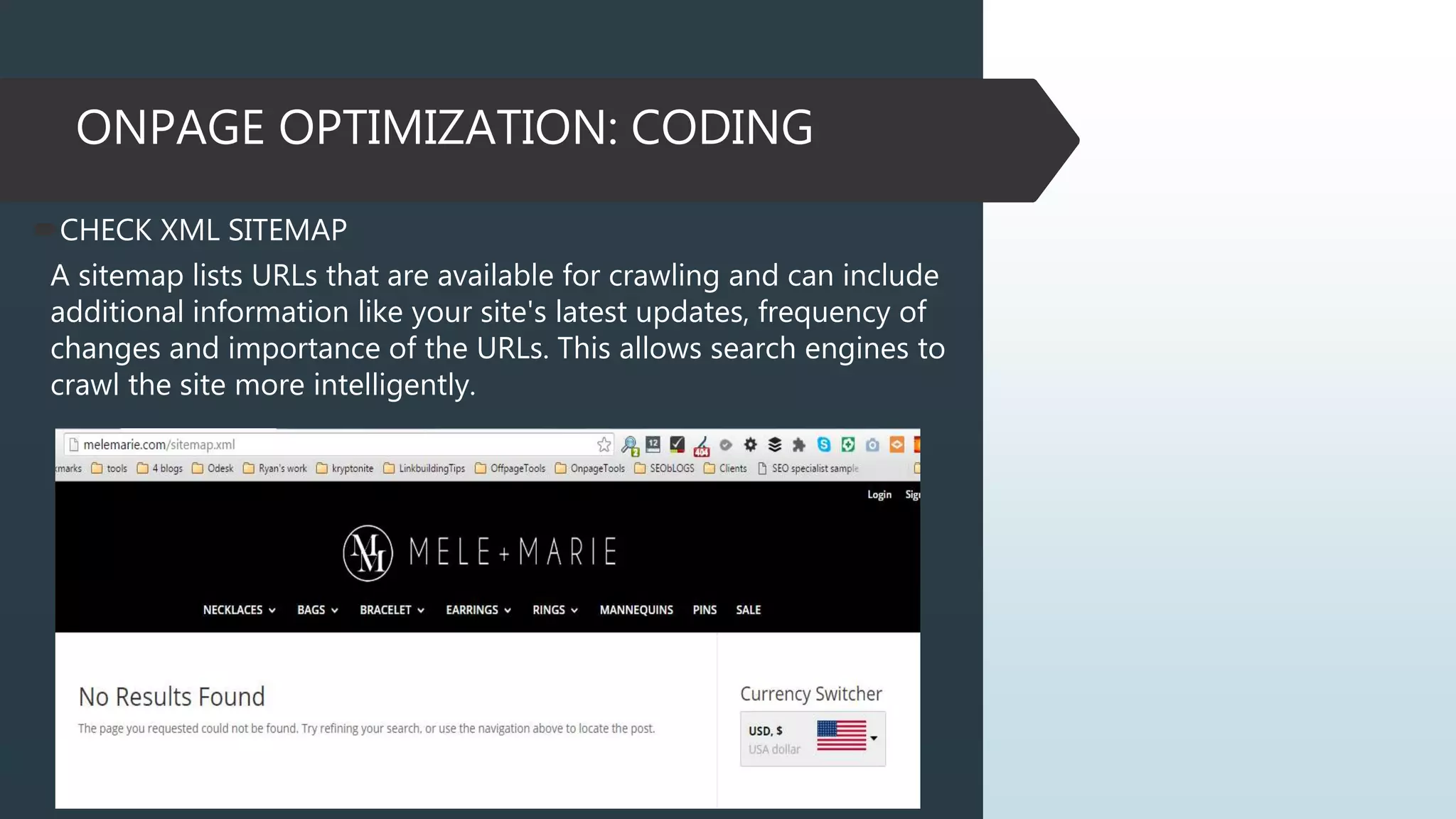
CHECK XML SITEMAP
A sitemap lists URLs that are available for crawling and can include
additional information like your site's latest updates, frequency of
changes and importance of the URLs. This allows search engines to
crawl the site more intelligently.
ONPAGE OPTIMIZATION: CODING
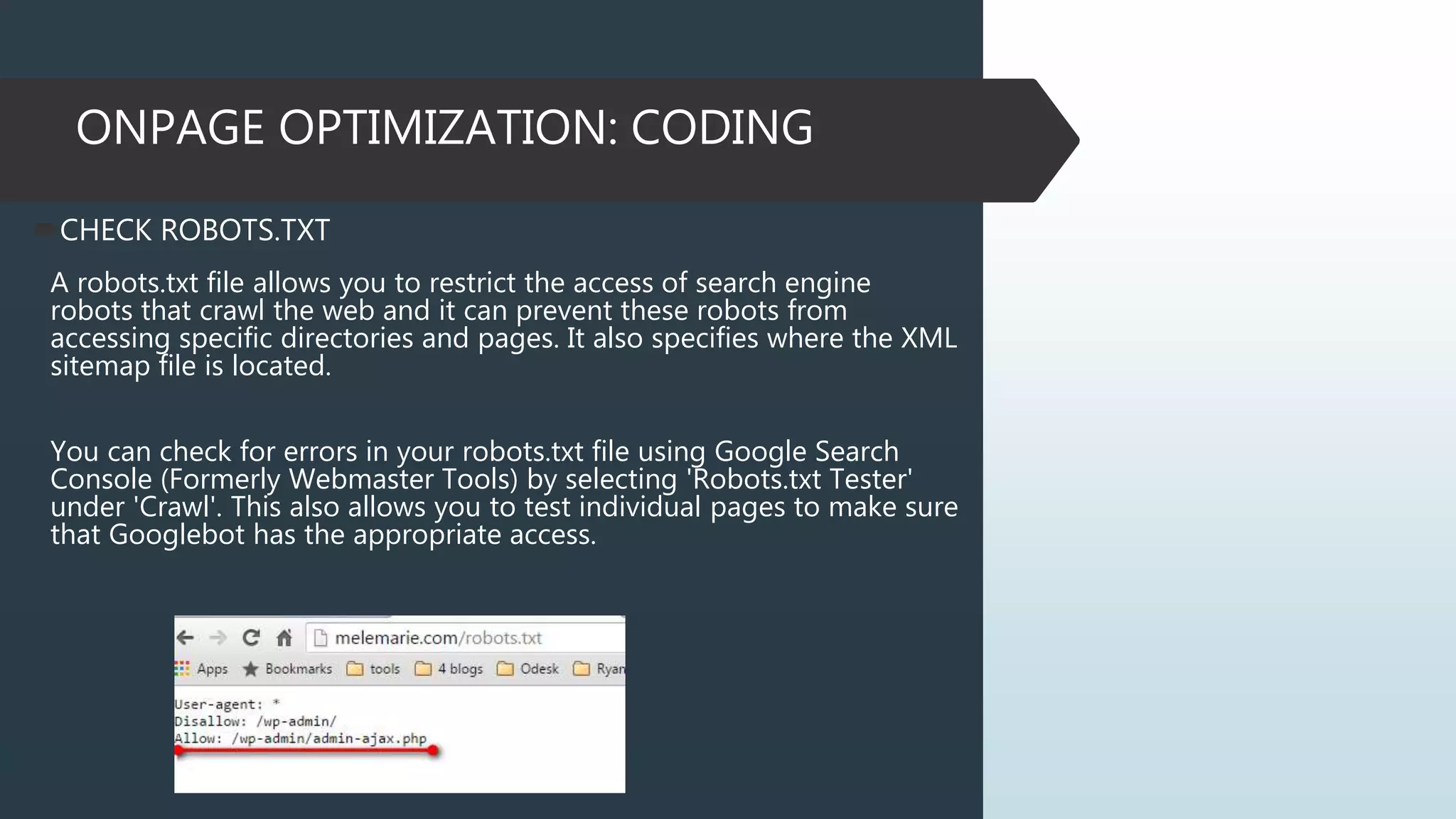
CHECK ROBOTS.TXT
A robots.txt file allows you to restrict the access of search engine
robots that crawl the web and it can prevent these robots from
accessing specific directories and pages. It also specifies where the XML
sitemap file is located.
You can check for errors in your robots.txt file using Google Search
Console (Formerly Webmaster Tools) by selecting 'Robots.txt Tester'
under 'Crawl'. This also allows you to test individual pages to make sure
that Googlebot has the appropriate access.
ONPAGE OPTIMIZATION: CONTENT
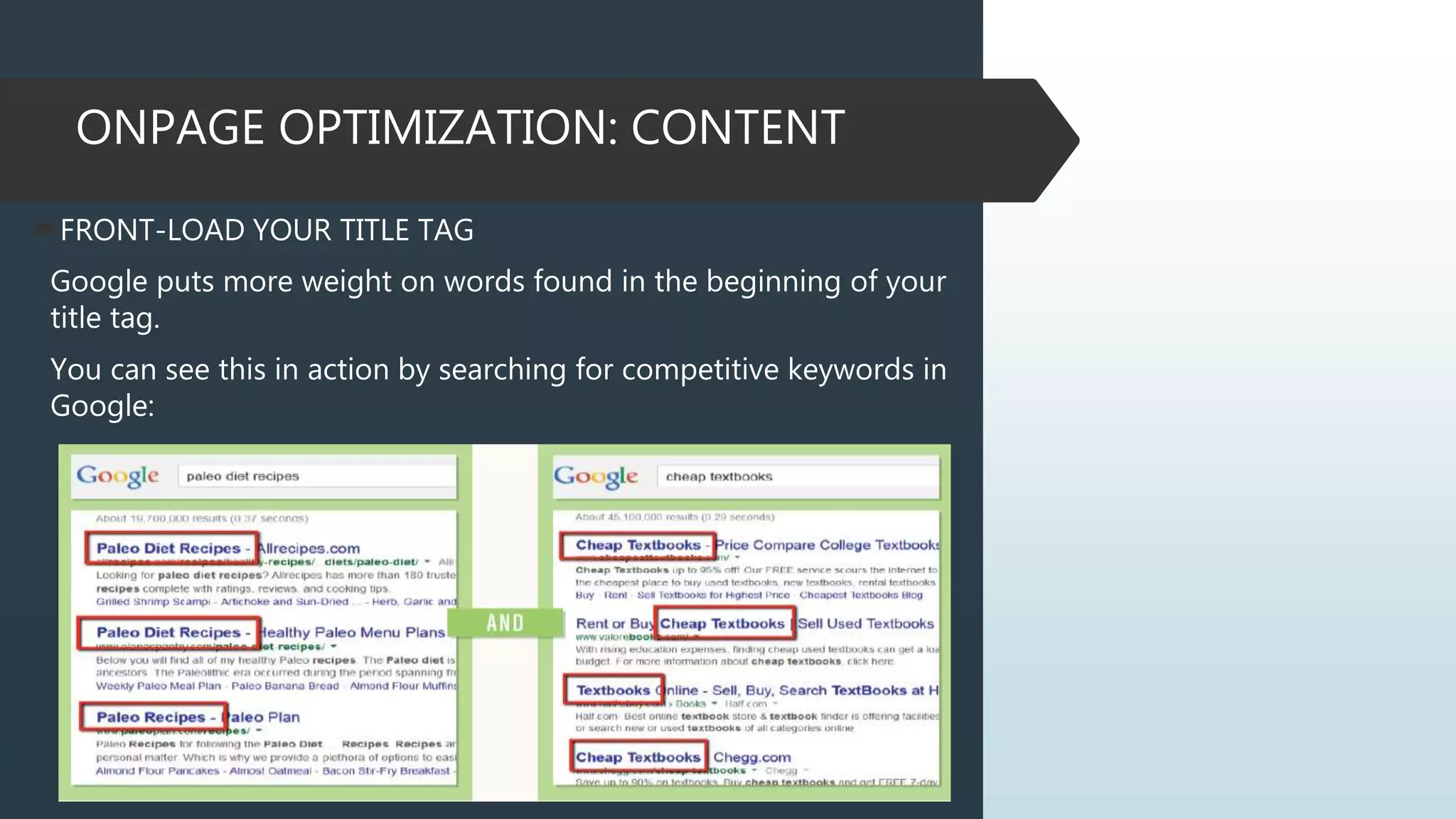
FRONT-LOAD YOUR TITLE TAG
Google puts more weight on words found in the beginning of your
title tag.
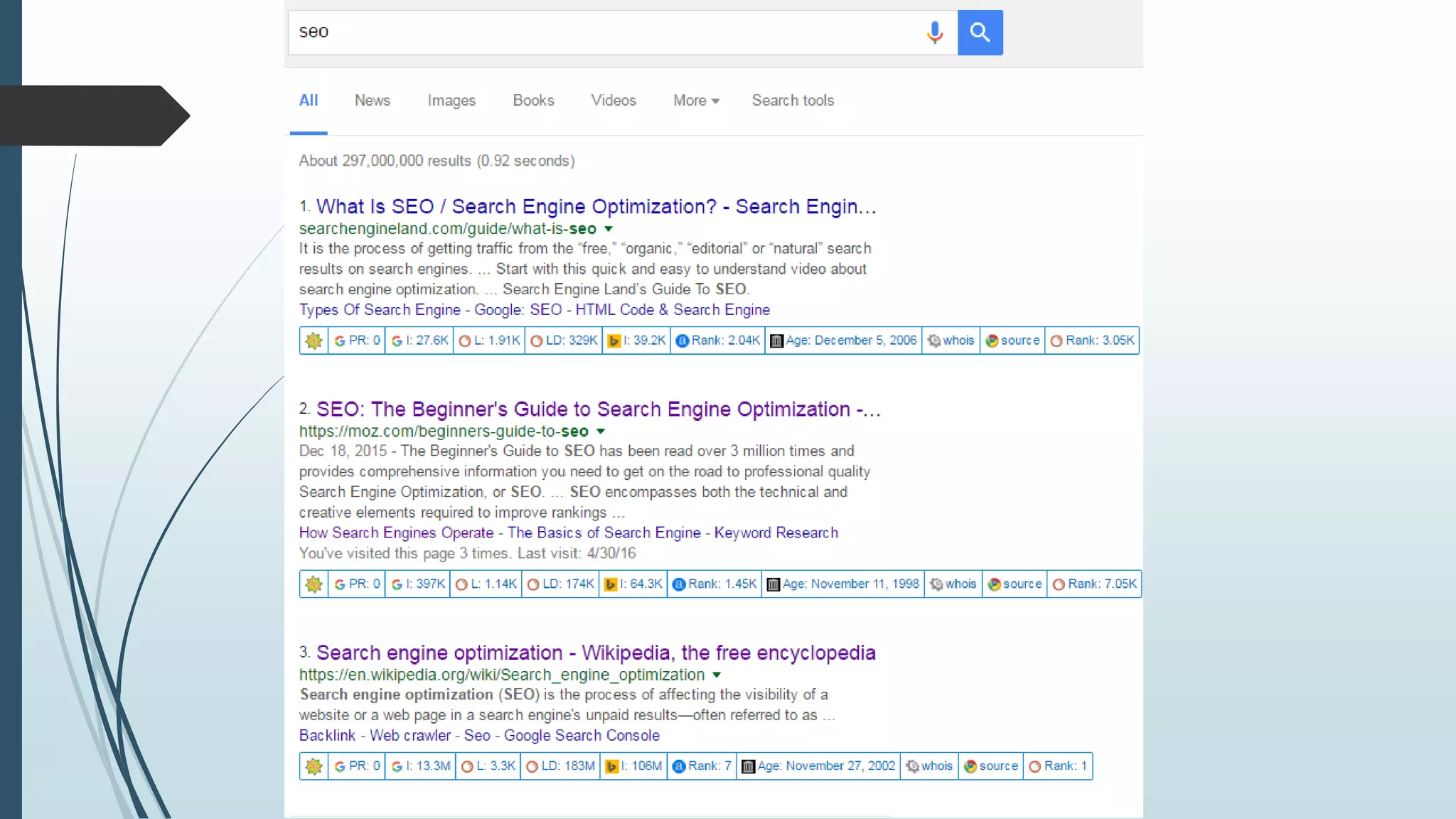
You can see this in action by searching for competitive keywords in
Google:
ONPAGE OPTIMIZATION: CONTENT
FRONT-LOAD YOUR TITLE TAG
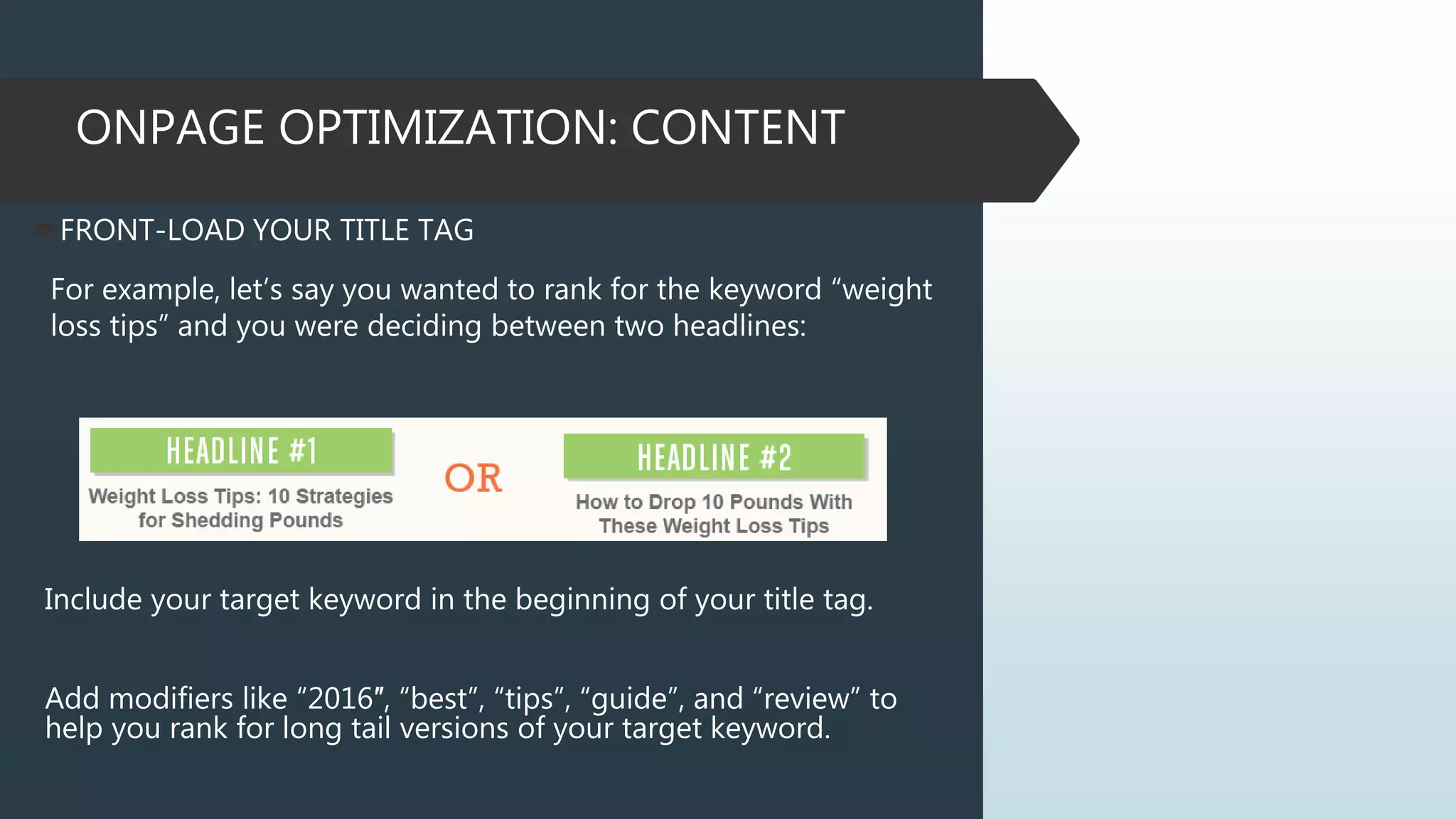
For example, let’s say you wanted to rank for the keyword “weight
loss tips” and you were deciding between two headlines:
Include your target keyword in the beginning of your title tag.
Add modifiers like “2016″, “best”, “tips”, “guide”, and “review” to
help you rank for long tail versions of your target keyword.
ONPAGE OPTIMIZATION: CONTENT
META DESCRIPTION
Ideally, your meta description should contain between 70 and 160 characters
(spaces included).
Meta descriptions allow you to influence how your web pages are described
and displayed in search results.
Ensure that each of your web pages have a unique meta description that is
explicit and contains your most important keywords for each page (these
appear in bold when they match part or all of the user’s search query).
A good description acts as a potential organic advertisement and encourages
the viewer to click through to your site.
Example:
Web Force 5 is an experienced website design, digital marketing and graphic
design company in Australia committed to provide outstanding services to
clients. Call us today.
ONPAGE OPTIMIZATION: CONTENT
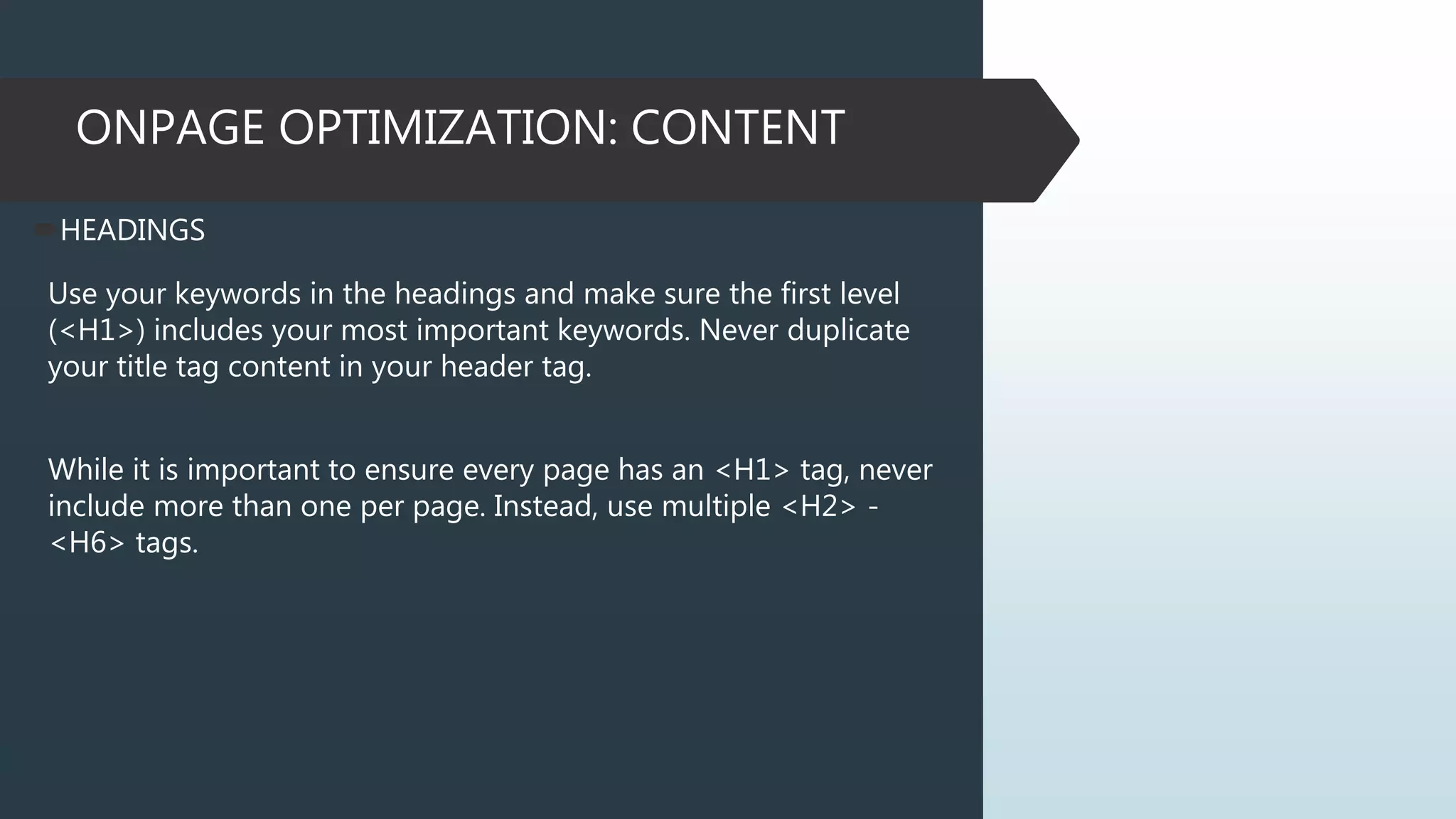
HEADINGS
Use your keywords in the headings and make sure the first level
(<H1>) includes your most important keywords. Never duplicate
your title tag content in your header tag.
While it is important to ensure every page has an <H1> tag, never
include more than one per page. Instead, use multiple <H2> -
<H6> tags.
ONPAGE OPTIMIZATION: CONTENT
HEADINGS
ONPAGE OPTIMIZATION: CONTENT
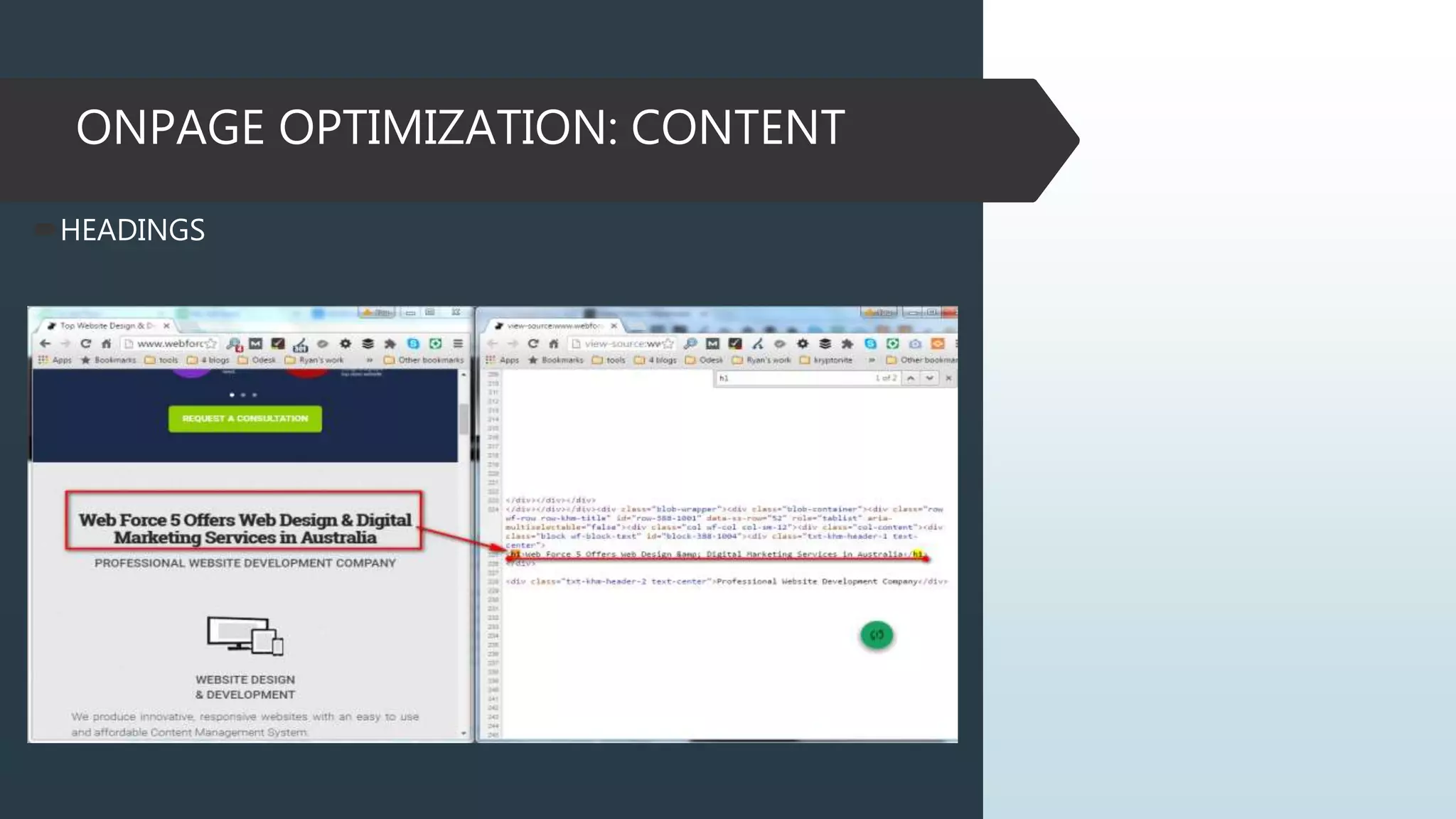
IS THERE ENOUGH CONTENT?
ONPAGE OPTIMIZATION: CONTENT
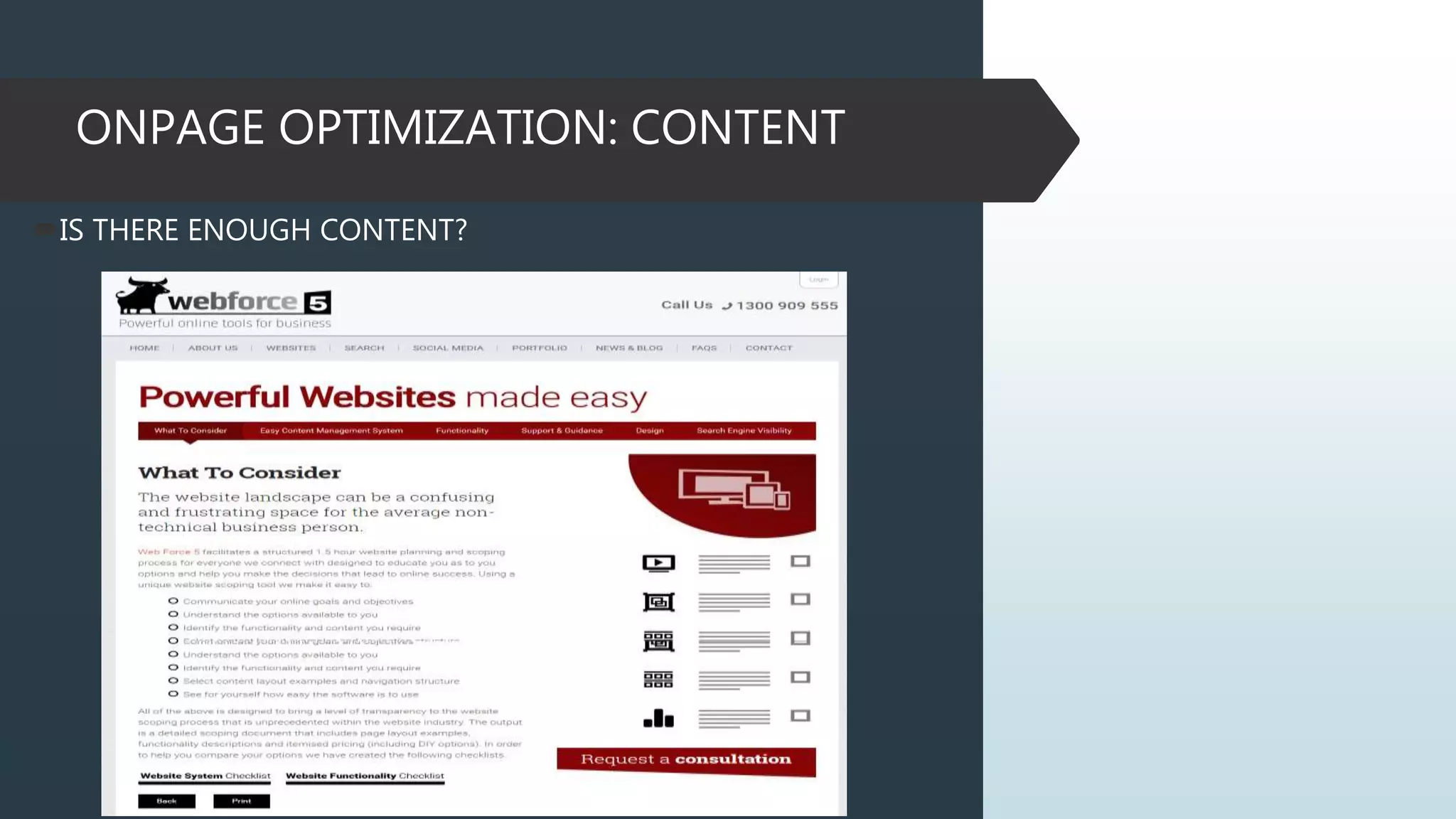
IMAGE OPTIMIZATION
This isn’t absolutely necessary, but optimizing your images for
popular keywords can land you traffic from Google Image Search.
ONPAGE OPTIMIZATION: CONTENT
BLOG
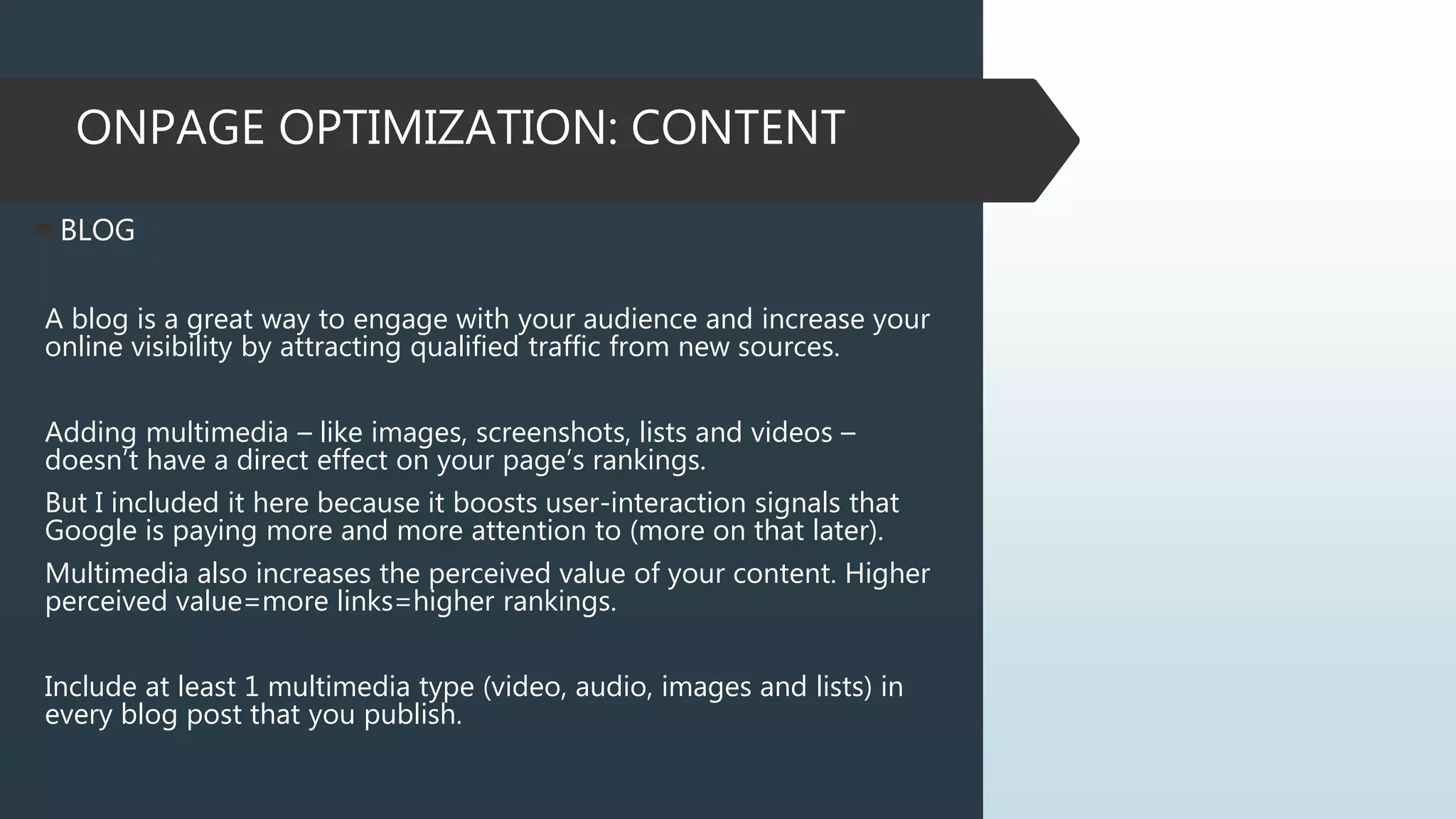
A blog is a great way to engage with your audience and increase your
online visibility by attracting qualified traffic from new sources.
Adding multimedia – like images, screenshots, lists and videos –
doesn’t have a direct effect on your page’s rankings.
But I included it here because it boosts user-interaction signals that
Google is paying more and more attention to (more on that later).
Multimedia also increases the perceived value of your content. Higher
perceived value=more links=higher rankings.
Include at least 1 multimedia type (video, audio, images and lists) in
every blog post that you publish.
ONPAGE OPTIMIZATION: CONTENT
BONUS STRATEGY
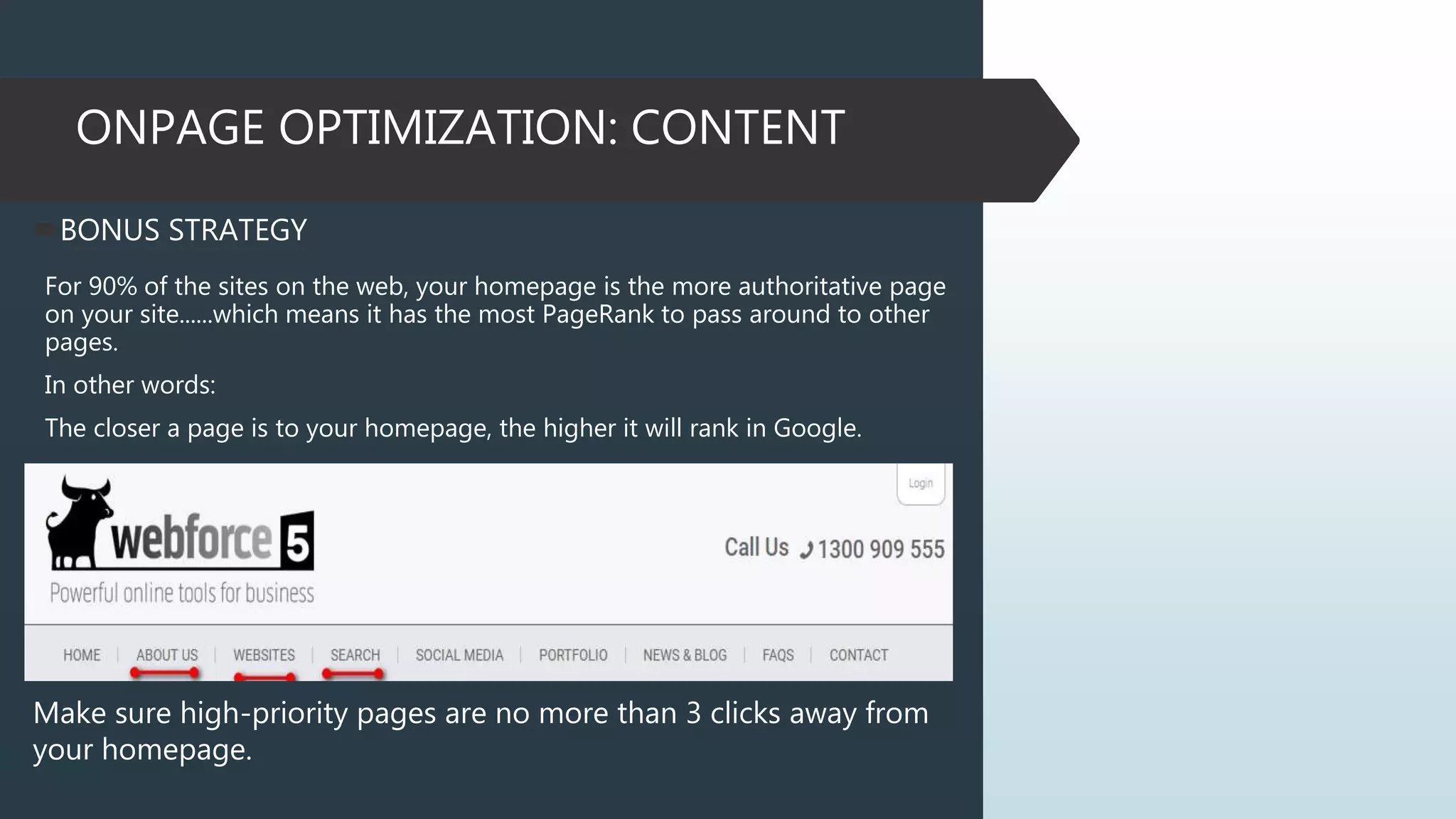
For 90% of the sites on the web, your homepage is the more authoritative page
on your site......which means it has the most PageRank to pass around to other
pages.
In other words:
The closer a page is to your homepage, the higher it will rank in Google.
Make sure high-priority pages are no more than 3 clicks away from
your homepage.
GOOGLE ALGORITH MAJOR UPDATES:
2011 UPDATES
Google Panda Update – February 2011
Google’s Panda Update is a search filter introduced in February 2011 meant to
stop sites with poor quality content from working their way into Google’s top
search results. Panda is updated from time-to-time. When this happens, sites
previously hit may escape, if they’ve made the right changes. Panda may also
catch sites that escaped before.
2012 UPDATES
Google Penguin Update – April 2012
Google launched the Penguin Update in April 2012 to better catch sites
deemed to be spamming its search results, in particular those doing so by
buying links or obtaining them through link networks designed primarily to
boost Google rankings. When a new Penguin Update is released, sites that have
taken action to remove bad links (such as through the Google disavow links
tool or to remove spam may regain rankings. New sites not previously caught
might get trapped by Penguin.
GOOGLE ALGORITH MAJOR UPDATES:
2014 UPDATES
Google Pigeon Update – July 24, 2014
Provide more useful, relevant and accurate local search results that are
tied more closely to traditional web search ranking signals. Google
stated that this new algorithm improves their distance and location
ranking parameters.
2013 UPDATES
Google Hummingbird – September 2013
Hummingbird is paying more attention to each word in a query,
ensuring that the whole query — the whole sentence or conversation
or meaning — is taken into account, rather than particular words. The
goal is that pages matching the meaning do better, rather than pages
matching just a few words. It is “precise and fast” and is designed to
better focus on the meaning behind the words
GOOGLE ALGORITH MAJOR UPDATES:
2015 UPDATES
Mobile Update AKA “Mobilegeddon” – April 22, 2015
In a rare move, Google pre-announced an algorithm update, telling us
that mobile rankings would differ for mobile-friendly sites starting on
April 21st. The impact of this update was, in the short-term, much
smaller than expected, and our data showed that algorithm flux peaked
on April 22nd.
More relevant app content in search results
More mobile-friendly websites in search results.
When it comes to search on mobile devices, users should get the
most relevant and timely results, no matter if the information lives
on mobile-friendly web pages or apps.
GOOGLE ALGORITH MAJOR UPDATES:
2015 UPDATES
RankBrain – October 26, 2015
Google made a major announcement, revealing that machine learning
had been a part of the algorithm for months, contributing to the 3rd
most influential ranking factor.
RankBrain is Google’s name for a machine-learning artificial
intelligence system that’s used to help process its search results.
It is a learning system that interpret language, queries in a way that has
a gut feeling and guessability of people
GOOGLE ALGORITH MAJOR UPDATES:
2016 UPDATES
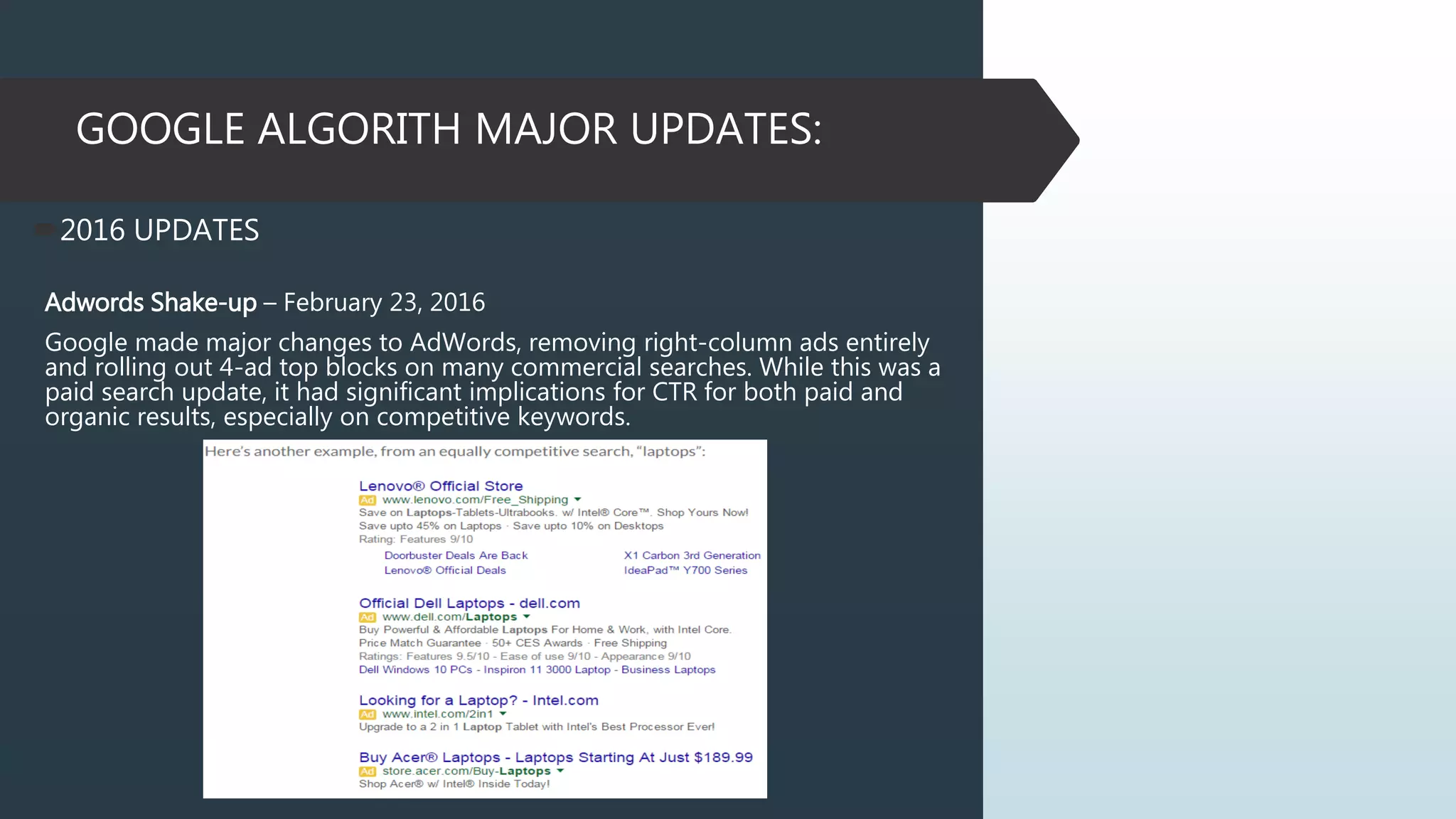
Adwords Shake-up – February 23, 2016
Google made major changes to AdWords, removing right-column ads entirely
and rolling out 4-ad top blocks on many commercial searches. While this was a
paid search update, it had significant implications for CTR for both paid and
organic results, especially on competitive keywords.
THAT’S ALL FOLKS! THANK YOU
EVERYJUAN!

How to do the right website analysis

  • 1.
    How to do theright website analysis
  • 2.
    Jackquiline Belhida-Doring -Partner ofNewMedia316 -Vice President of Communication for The Vine Co- working Space -Project Manager of Coco Treasure, LLC -Supermom Follow Me: Facebook: fb.com/@jacquedoring Twitter: https://twitter.com/jacquedoring LinkedIn: https://www.linkedin.com/in/jacquebelhida
  • 3.
    I. What isSearch Engine? A search engine is a software system that is designed to search for information on the World Wide Web. The search results are generally presented in a line of results often referred to as search engine results pages (SERPs). The information may be a mix of web pages, images, and other types of files.
  • 4.
    How Search EngineOperates? PROVIDING ANSWERS Providing answers to user queries, most frequently through lists of relevant pages that they've retrieved and ranked for relevancy. CRAWLING AND INDEXING Crawling and indexing the billions of documents, pages, files, news, videos, and media on the World Wide Web.
  • 5.
    How Search EngineDetermine Relevance and Popularity? Popularity and relevance aren’t determined manually. Instead, the engines employ mathematical equations (algorithms) to sort the wheat from the chaff (relevance), and then to rank the wheat in order of quality (popularity). Search engines typically assume that the more popular a site, page, or document, the more valuable the information it contains must be. This assumption has proven fairly successful in terms of user satisfaction with search results. These algorithms often comprise hundreds of variables. In the search marketing field, we refer to them as “ranking factors.”
  • 7.
    How Search MarketersSucceed? SEO INFORMATION FROM GOOGLE WEBMASTERS GUIDELINES  Google recommends the following to get better rankings in their search engine:  Make pages primarily for users, not for search engines. Don't deceive your users or present different content to search engines than you display to users, a practice commonly referred to as "cloaking.“  Make a site with a clear hierarchy and text links. Every page should be reachable from at least one static text link.  Create a useful, information-rich site, and write pages that clearly and accurately describe your content. Make sure that your <title> elements and ALT attributes are descriptive and accurate.  Use keywords to create descriptive, human- friendly URLs. Provide one version of a URL to reach a document, using 301 redirects or the rel="canonical" attribute to address duplicate content. SEO INFORMATION FROM BING WEBMASTES GUIDELINES  Bing engineers at Microsoft recommend the following to get better rankings in their search engine:  Ensure a clean, keyword rich URL structure is in place.  Make sure content is not buried inside rich media (Adobe Flash Player, JavaScript, Ajax) and verify that rich media doesn't hide links from crawlers.  Create keyword-rich content and match keywords to what users are searching for. Produce fresh content regularly.  Don’t put the text that you want indexed inside images. For example, if you want your company name or address to be indexed, make sure it is not displayed inside a company logo.
  • 8.
    II. What isSEO SEO stands for Search Engine Optimization. It is the process of getting traffic from the free, organic, editorial, or natural search results on search engines.
  • 9.
    Types Of SEOTechniques WHITE HAT SEO utilizes techniques and methods to improve the search engine rankings of a website which don’t run afoul of search engine (mainly Google) guidelines BLACK HAT SEO exploits weaknesses in the search engine algorithms to obtain high rankings for a website such techniques and methods are in direct conflict with search engine guidelines
  • 10.
    SEO SUCCESS FACTORS On-The-PageSEO • refers to how well your website’s content is presented to search engines. Off-The-Page SEO • refers to your site’s “authority” on the internet. • is the process of optimizing your webpages outside your website by getting backlinks from other sites SEO Violations and Ranking Penalties • make sure to follow Search engines guidelines to avoid ranking penalty or , worse, being banned from search engines entirely.
  • 11.
    SEO OBJECTIVES IMPROVE RANKINGS Havingyour website list prominently across a range of keywords on Google is a key part of any SEO. IMPROVE NON BRANDED ORGANIC SEARCH VISITS Increase the number of visitors to your site which is not using the brand name IMPROVE SEO CONVERSIONS Improve website ROI from the non-branded organic traffic. IMPROVE DOMAIN AUTHORITY Improve domain authority through offsite SEO strategies.
  • 12.
    SEO STAGES 1. DataGathering Where to get your data? • Google Search Results Google Search Console Consumer Surveys Majestic Semrush Meltwater
  • 13.
    SEO STAGES 2. KeywordResearch is the process of determining what keywords are used in search engines by potential customers is one of the most important, valuable, and high return activities in the search marketing field. Ranking for the right keywords can make or break your website.
  • 14.
    SEO STAGES 3. KeywordAllocations/Information Structure the art and science of SEO engineers organizing keywords throughout your website in a manner that balances optimization for human users and a SEO friendly structure for search engines 4. On-the-Page Analysis outlines all the onsite changes or recommendations that need to be made to your website 5. On-the-Page Implementation execute SEO recommendations
  • 15.
    PAGERANK PageRank is alink analysis algorithm used by Google to help determine the relative importance of a website. Every website is given a Google PageRank score between 0 and 10 on an exponential scale. HISTORY Way back in 1998, the two guys who created Google, Larry Page and Sergey Brin, came up with a new way to analyze websites based on their linking relationships with other websites. They called this new system they came up with "Backrub" at first. Later they decided to call it "PageRank," based oddly enough on Larry Page's last name, and not on the fact that the algorithm was created to rank webpages.
  • 16.
    HOW TO DOTHE RIGHT SEO AUDIT  ONPAGE OPTIMIZATION: CODING  Domain URL  Google Analytics  SEO-Friendly URL  Broken Links  Internal Duplicate Pages  External Duplicate  Internal linking  Site Speed  Sitemap  Robots.txt  ONPAGE OPTIMIZATION: CONTENT  Page Title  Meta Description  Headings (H1, H2 & H3)  Lack of Content  Image Alt Tags  Blog
  • 17.
    ONPAGE OPTIMIZATION: CODING DOMAINURL Search engines do not like pages which duplicate large amounts of content on the same website, which can happen when the same page, due to Web configuration or CMS issues, is shown in different URLs. A common scenario for this issue is found when the non-www and the www version of your site both feature your content. For example, when www.domain.com and domain.com show the home page information. You should pick either version to show your site content and use 301 redirects to refer from the non-original page versions to the original ones.
  • 18.
    ONPAGE OPTIMIZATION: CODING DOMAINURL But. We need to stop saying ‘just do 301 redirects’ For website that has so many pages like ecommerce website. Do the Optimal 301 Redirects
  • 19.
    ONPAGE OPTIMIZATION: CODING GOOGLEANALYTICS Web analytics let you measure visitor activity on your website. You should have at least one analytics tool installed. Access: http://www.google.com/analytics/ SEO FRIENDLY URL Use short and sweet URLs that include your target keyword. Why does your URL matter for SEO? Just like your title tag and content, Google uses your URL as a clue to help them figure out the topic of your page. Super-short, keyword-rich URLs make a small but significant difference in rankings.
  • 20.
    ONPAGE OPTIMIZATION: CODING 302REDIRECTS “John Mueller says 302s Pass PageRank” -Don’t let Google mislead you about 302s vs. 301s
  • 21.
    ONPAGE OPTIMIZATION: CODING CHECKFOR BROKEN LINKS Broken links are a part of owning and/or managing a website and if they're not addressed, they can hurt your long term SEO efforts. Tools Used: Xenu Screaming Frog
  • 22.
    ONPAGE OPTIMIZATION: CODING CHECKFOR INTERNAL DUPLICATES Tools Used: SiteLiner - http://www.siteliner.com/
  • 23.
    ONPAGE OPTIMIZATION: CODING CHECKFOR EXTERNAL DUPLICATES Tools Used: CopyScape - http://www.copyscape.com/
  • 24.
    ONPAGE OPTIMIZATION: CODING CHECKFOR EXTERNAL DUPLICATES Manual Check
  • 25.
    ONPAGE OPTIMIZATION: CODING INTERNALLINKING STRUCTURES Internal linking Structures are incredibly powerful asset. Internal links with Anchor Text help to improve website navigation, usability and SEO. Use phrase when not just the targeted keyword. It is recommended to have a 2-3 internal links.
  • 26.
  • 27.
    ONPAGE OPTIMIZATION: CODING PAGESPEED Page Speed is one of the few ranking signals that Google has publicly confirmed. It’s that important. You can easily evaluate and improve your site’s loading speed using Google’s own PageSpeed Insights tool. Use the Google PageSpeed Insights tool to figure out your site’s loading speed. Wordpress free plugins W3 Total Cache, WP Smush It can help speed things up. Tools Used: https://developers.google.com/speed/pagespeed/insights/ https://gtmetrix.com/ http://tools.pingdom.com/
  • 28.
  • 29.
    ONPAGE OPTIMIZATION: CODING CHECKXML SITEMAP A sitemap lists URLs that are available for crawling and can include additional information like your site's latest updates, frequency of changes and importance of the URLs. This allows search engines to crawl the site more intelligently.
  • 30.
    ONPAGE OPTIMIZATION: CODING CHECKROBOTS.TXT A robots.txt file allows you to restrict the access of search engine robots that crawl the web and it can prevent these robots from accessing specific directories and pages. It also specifies where the XML sitemap file is located. You can check for errors in your robots.txt file using Google Search Console (Formerly Webmaster Tools) by selecting 'Robots.txt Tester' under 'Crawl'. This also allows you to test individual pages to make sure that Googlebot has the appropriate access.
  • 31.
    ONPAGE OPTIMIZATION: CONTENT FRONT-LOADYOUR TITLE TAG Google puts more weight on words found in the beginning of your title tag. You can see this in action by searching for competitive keywords in Google:
  • 32.
    ONPAGE OPTIMIZATION: CONTENT FRONT-LOADYOUR TITLE TAG For example, let’s say you wanted to rank for the keyword “weight loss tips” and you were deciding between two headlines: Include your target keyword in the beginning of your title tag. Add modifiers like “2016″, “best”, “tips”, “guide”, and “review” to help you rank for long tail versions of your target keyword.
  • 33.
    ONPAGE OPTIMIZATION: CONTENT METADESCRIPTION Ideally, your meta description should contain between 70 and 160 characters (spaces included). Meta descriptions allow you to influence how your web pages are described and displayed in search results. Ensure that each of your web pages have a unique meta description that is explicit and contains your most important keywords for each page (these appear in bold when they match part or all of the user’s search query). A good description acts as a potential organic advertisement and encourages the viewer to click through to your site. Example: Web Force 5 is an experienced website design, digital marketing and graphic design company in Australia committed to provide outstanding services to clients. Call us today.
  • 34.
    ONPAGE OPTIMIZATION: CONTENT HEADINGS Useyour keywords in the headings and make sure the first level (<H1>) includes your most important keywords. Never duplicate your title tag content in your header tag. While it is important to ensure every page has an <H1> tag, never include more than one per page. Instead, use multiple <H2> - <H6> tags.
  • 35.
  • 36.
  • 37.
    ONPAGE OPTIMIZATION: CONTENT IMAGEOPTIMIZATION This isn’t absolutely necessary, but optimizing your images for popular keywords can land you traffic from Google Image Search.
  • 38.
    ONPAGE OPTIMIZATION: CONTENT BLOG Ablog is a great way to engage with your audience and increase your online visibility by attracting qualified traffic from new sources. Adding multimedia – like images, screenshots, lists and videos – doesn’t have a direct effect on your page’s rankings. But I included it here because it boosts user-interaction signals that Google is paying more and more attention to (more on that later). Multimedia also increases the perceived value of your content. Higher perceived value=more links=higher rankings. Include at least 1 multimedia type (video, audio, images and lists) in every blog post that you publish.
  • 39.
    ONPAGE OPTIMIZATION: CONTENT BONUSSTRATEGY For 90% of the sites on the web, your homepage is the more authoritative page on your site......which means it has the most PageRank to pass around to other pages. In other words: The closer a page is to your homepage, the higher it will rank in Google. Make sure high-priority pages are no more than 3 clicks away from your homepage.
  • 40.
    GOOGLE ALGORITH MAJORUPDATES: 2011 UPDATES Google Panda Update – February 2011 Google’s Panda Update is a search filter introduced in February 2011 meant to stop sites with poor quality content from working their way into Google’s top search results. Panda is updated from time-to-time. When this happens, sites previously hit may escape, if they’ve made the right changes. Panda may also catch sites that escaped before. 2012 UPDATES Google Penguin Update – April 2012 Google launched the Penguin Update in April 2012 to better catch sites deemed to be spamming its search results, in particular those doing so by buying links or obtaining them through link networks designed primarily to boost Google rankings. When a new Penguin Update is released, sites that have taken action to remove bad links (such as through the Google disavow links tool or to remove spam may regain rankings. New sites not previously caught might get trapped by Penguin.
  • 41.
    GOOGLE ALGORITH MAJORUPDATES: 2014 UPDATES Google Pigeon Update – July 24, 2014 Provide more useful, relevant and accurate local search results that are tied more closely to traditional web search ranking signals. Google stated that this new algorithm improves their distance and location ranking parameters. 2013 UPDATES Google Hummingbird – September 2013 Hummingbird is paying more attention to each word in a query, ensuring that the whole query — the whole sentence or conversation or meaning — is taken into account, rather than particular words. The goal is that pages matching the meaning do better, rather than pages matching just a few words. It is “precise and fast” and is designed to better focus on the meaning behind the words
  • 42.
    GOOGLE ALGORITH MAJORUPDATES: 2015 UPDATES Mobile Update AKA “Mobilegeddon” – April 22, 2015 In a rare move, Google pre-announced an algorithm update, telling us that mobile rankings would differ for mobile-friendly sites starting on April 21st. The impact of this update was, in the short-term, much smaller than expected, and our data showed that algorithm flux peaked on April 22nd. More relevant app content in search results More mobile-friendly websites in search results. When it comes to search on mobile devices, users should get the most relevant and timely results, no matter if the information lives on mobile-friendly web pages or apps.
  • 43.
    GOOGLE ALGORITH MAJORUPDATES: 2015 UPDATES RankBrain – October 26, 2015 Google made a major announcement, revealing that machine learning had been a part of the algorithm for months, contributing to the 3rd most influential ranking factor. RankBrain is Google’s name for a machine-learning artificial intelligence system that’s used to help process its search results. It is a learning system that interpret language, queries in a way that has a gut feeling and guessability of people
  • 44.
    GOOGLE ALGORITH MAJORUPDATES: 2016 UPDATES Adwords Shake-up – February 23, 2016 Google made major changes to AdWords, removing right-column ads entirely and rolling out 4-ad top blocks on many commercial searches. While this was a paid search update, it had significant implications for CTR for both paid and organic results, especially on competitive keywords.
  • 45.
    THAT’S ALL FOLKS!THANK YOU EVERYJUAN!