Creation – Contact Page 
Lesson 23
Lesson Goals 
 Know methods of including user feedback on a site 
 Understand how to use various form elements 
 Be able to create a mailto form in Dreamweaver 
#mailto 
#form
Assessment Criteria 
 The assessment criteria for this part of the unit is as follows: 
LO3 – Create a new functional multi-page website 
P3 
Demonstrate web authoring skills by creating a new competent functional 
multi-page website that includes: 
• Consistent style across pages 
• Text and graphics 
• Method of user feedback 
M2 
Demonstrate proficient design skills. 
The new multi-page website produced 
is suitable for the target audience and 
includes rich media. The website 
produced is generally of a good 
technical standard. 
D2 
Make appropriate use of 
optimisation techniques and 
site management tools. The 
website produced is generally 
of a high technical standard.
Contact Page 
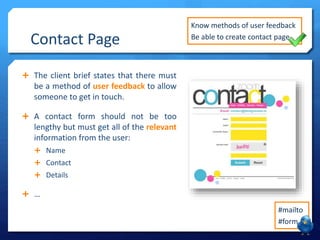
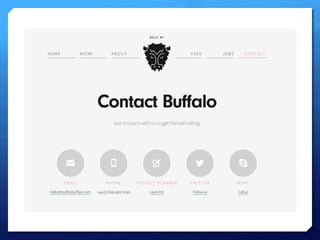
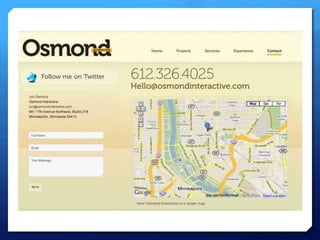
 The client brief states that there must 
be a method of user feedback to allow 
someone to get in touch. 
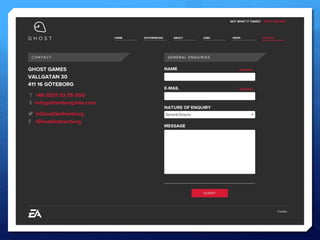
 A contact form should not be too 
lengthy but must get all of the relevant 
information from the user: 
 Name 
 Contact 
 Details 
 … 
Know methods of user feedback 
Be able to create contact page 
#mailto 
#form
Contact Page 
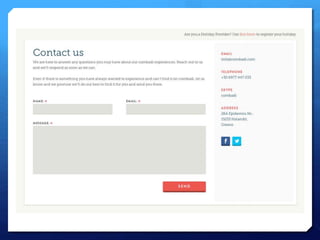
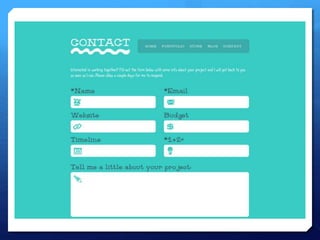
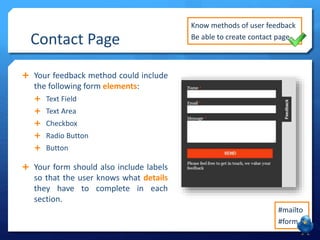
 Your feedback method could include 
the following form elements: 
 Text Field 
 Text Area 
 Checkbox 
 Radio Button 
 Button 
 Your form should also include labels 
so that the user knows what details 
they have to complete in each 
section. 
Know methods of user feedback 
Be able to create contact page 
#mailto 
#form
Your Task 
 Create a method of user feedback 
on your contact page or contact 
section in your template. 
 You may use elements such as: 
 Text Field or Area 
 Radio Button 
 Checkbox 
 Buttons 
 Put some evidence of your 
contact method into the planning 
form and describe what you’ve 
made. 
Know methods of user feedback 
Be able to create contact page 
#mailto 
#form

LO3 - Lesson 23 - Contact Page

  • 1.
    Creation – ContactPage Lesson 23
  • 2.
    Lesson Goals Know methods of including user feedback on a site  Understand how to use various form elements  Be able to create a mailto form in Dreamweaver #mailto #form
  • 3.
    Assessment Criteria The assessment criteria for this part of the unit is as follows: LO3 – Create a new functional multi-page website P3 Demonstrate web authoring skills by creating a new competent functional multi-page website that includes: • Consistent style across pages • Text and graphics • Method of user feedback M2 Demonstrate proficient design skills. The new multi-page website produced is suitable for the target audience and includes rich media. The website produced is generally of a good technical standard. D2 Make appropriate use of optimisation techniques and site management tools. The website produced is generally of a high technical standard.
  • 4.
    Contact Page The client brief states that there must be a method of user feedback to allow someone to get in touch.  A contact form should not be too lengthy but must get all of the relevant information from the user:  Name  Contact  Details  … Know methods of user feedback Be able to create contact page #mailto #form
  • 10.
    Contact Page Your feedback method could include the following form elements:  Text Field  Text Area  Checkbox  Radio Button  Button  Your form should also include labels so that the user knows what details they have to complete in each section. Know methods of user feedback Be able to create contact page #mailto #form
  • 11.
    Your Task Create a method of user feedback on your contact page or contact section in your template.  You may use elements such as:  Text Field or Area  Radio Button  Checkbox  Buttons  Put some evidence of your contact method into the planning form and describe what you’ve made. Know methods of user feedback Be able to create contact page #mailto #form