Resources
Lesson 2
 Know hardware and peripherals used to make a game
 Understand system requirements of chosen software
 Be able to describe resources needed for the game
Lesson Goals
#hardware
#software
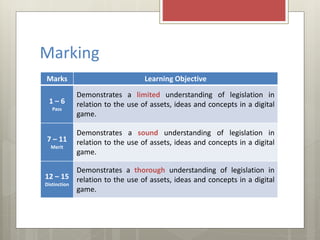
Marking
Marks Learning Objective
1 – 6
Pass
Demonstrates a limited understanding of legislation in
relation to the use of assets, ideas and concepts in a digital
game.
7 – 11
Merit
Demonstrates a sound understanding of legislation in
relation to the use of assets, ideas and concepts in a digital
game.
12 – 15
Distinction
Demonstrates a thorough understanding of legislation in
relation to the use of assets, ideas and concepts in a digital
game.
 Resources are anything that you will
need to complete the project and
meet the client requirements.
 This includes things such as physical
resources like the equipment you
will use to make your digital game.
 Planning what resources you will
need helps you to make decisions
on what equipment will be most
suitable for the task you have to
complete.
Resources
Understand system requirements
Be able to list resources needed
#hardware
#software
Resources
What resources will you need to complete this project?
Understand system requirements
Be able to list resources needed
#hardware
#software
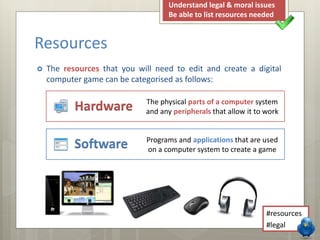
 The resources that you will need to edit and create a digital
computer game can be categorised as follows:
Resources
Software
Hardware The physical parts of a computer system
and any peripherals that allow it to work
Programs and applications that are used
on a computer system to create a game
Understand system requirements
Be able to list resources needed
#hardware
#software
 Describe the equipment you will need to create the game:
 Hardware
 Peripherals
Your Task
 Explain what software you will use
and why you will use that software:
 Tools & Features
 Ease of Use
 System Requirements
 Distinction: Research the system
requirements to run Mission Maker
on a desktop computer.
Understand system requirements
Be able to list resources needed
#hardware
#software
Keywords
 Resource
 Hardware
 Software
 All of the things that you will need,
including hardware or software which will
enable you to complete the task.
 The physical parts of a computer system
that allow it to work.
 Programs and applications that are used
on a computer system.
Understand system requirements
Be able to list resources needed
#hardware
#software

LO2 - Lesson 2 - Resources

  • 1.
  • 2.
     Know hardwareand peripherals used to make a game  Understand system requirements of chosen software  Be able to describe resources needed for the game Lesson Goals #hardware #software
  • 3.
    Marking Marks Learning Objective 1– 6 Pass Demonstrates a limited understanding of legislation in relation to the use of assets, ideas and concepts in a digital game. 7 – 11 Merit Demonstrates a sound understanding of legislation in relation to the use of assets, ideas and concepts in a digital game. 12 – 15 Distinction Demonstrates a thorough understanding of legislation in relation to the use of assets, ideas and concepts in a digital game.
  • 4.
     Resources areanything that you will need to complete the project and meet the client requirements.  This includes things such as physical resources like the equipment you will use to make your digital game.  Planning what resources you will need helps you to make decisions on what equipment will be most suitable for the task you have to complete. Resources Understand system requirements Be able to list resources needed #hardware #software
  • 5.
    Resources What resources willyou need to complete this project? Understand system requirements Be able to list resources needed #hardware #software
  • 6.
     The resourcesthat you will need to edit and create a digital computer game can be categorised as follows: Resources Software Hardware The physical parts of a computer system and any peripherals that allow it to work Programs and applications that are used on a computer system to create a game Understand system requirements Be able to list resources needed #hardware #software
  • 7.
     Describe theequipment you will need to create the game:  Hardware  Peripherals Your Task  Explain what software you will use and why you will use that software:  Tools & Features  Ease of Use  System Requirements  Distinction: Research the system requirements to run Mission Maker on a desktop computer. Understand system requirements Be able to list resources needed #hardware #software
  • 8.
    Keywords  Resource  Hardware Software  All of the things that you will need, including hardware or software which will enable you to complete the task.  The physical parts of a computer system that allow it to work.  Programs and applications that are used on a computer system. Understand system requirements Be able to list resources needed #hardware #software