2D Game Development
OCR level 2 Cambridge technical diploma in media
Unit 61: 2D Games Production
Student name
Tutor name Iain Bruce
IV name Robin Kay
Assignment 1 Game Design Document
Assignment 2 Asset creation
Assignment 3 Final Game
Outline
By completing this unit you will understand
1. Be able to plan for the production of an original 2D computer/console game
2. Be able to produce final elements for use in the first level of a planned 2D computer/console game
3. Be able to produce the first level of an original and functioning 2D computer/console game
You will also learn practical game development skills, and will be able to
1. plan for the production of a 2D game by creating sprites, concept art, game design documents etc…
2. managing your time independently and professionally
3. producing sound effects, background images, animated sprites in Photoshop
4. using a 2D game engine to create an interactive game world, complete with actions, events, scores etc…
Game Design Document
Outline:
You have been asked to come up with an idea for a 2D arcade game, for the PC platform. You will need to plan out your idea in an
ever-evolving pre-production portfolio called a “Game Design Document” or GDD for short.
Your GDD will need to include the following:
Brainstorms of your initial ideas
 Your games genre
 Your games concept / challenge
 Your games narrative
 Your games theme
 Your games art style
 Information about the players avatar
 Concept art for the avatar, following game design principles
 Information about enemy classes
 Concept art for the enemy class, following game design principles
 Information about game world objects (eg/ weapons, ammunition, vehicles etc…)
 Concept art for objects within the game world
 Your games setting
 Concept art for the games environments or backgrouns
 Controls
 Score system
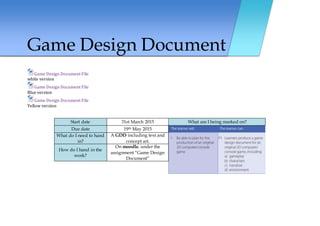
Game Design Document
Game Design Document File
white version
Game Design Document File
Blue version
Game Design Document File
Yellow version
Start date 31st March 2015 What am I being marked on?
Due date 19th May 2015
What do I need to hand
in?
A GDD including text and
concept art.
How do I hand in the
work?
On moodle, under the
assignment “Game Design
Document”
Asset Creation
Outline:
You have now planned out an idea for your game, and you are ready to begin creating assets for your game. You will need to
create a variety of graphical & sound assets for use in your game world, including
 Sound effects (eg/ gunshots, explosions, splats, car engines etc…)
 Graphical assets (eg/ sprites for the avatar, enemies, background images for your game level/room etc…)
 Sprite sheets
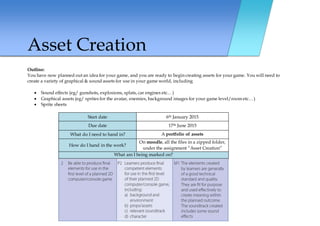
Start date 6th January 2015
Due date 17th June 2015
What do I need to hand in? A portfolio of assets
How do I hand in the work?
On moodle, all the files in a zipped folder,
under the assignment “Asset Creation”
What am I being marked on?
Final Game
Outline:
Now that your planning and preparation is done you can begin to put together your interactive game in GameMaker, a 2D game
engine.
To do this you will need to consider:
 What sprites need to be imported or created in the engines sprite editor
 What sounds need to be imported
 What background images need to be imported
 What interactive objects you need in the level (room)
 What events will need to happen to these objects (eg/player hits UP key on keyboard) and what actions will happen as a
consequence (eg/ players avatar moves forward)
 Build the level in the room
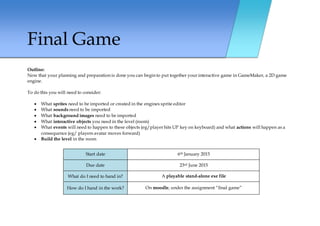
Start date 6th January 2015
Due date 23rd June 2015
What do I need to hand in? A playable stand-alone exe file
How do I hand in the work? On moodle, under the assignment “final game”
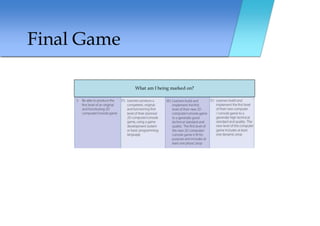
Final Game
What am I being marked on?

Game maker brief level 2

  • 1.
    2D Game Development OCRlevel 2 Cambridge technical diploma in media Unit 61: 2D Games Production Student name Tutor name Iain Bruce IV name Robin Kay Assignment 1 Game Design Document Assignment 2 Asset creation Assignment 3 Final Game
  • 2.
    Outline By completing thisunit you will understand 1. Be able to plan for the production of an original 2D computer/console game 2. Be able to produce final elements for use in the first level of a planned 2D computer/console game 3. Be able to produce the first level of an original and functioning 2D computer/console game You will also learn practical game development skills, and will be able to 1. plan for the production of a 2D game by creating sprites, concept art, game design documents etc… 2. managing your time independently and professionally 3. producing sound effects, background images, animated sprites in Photoshop 4. using a 2D game engine to create an interactive game world, complete with actions, events, scores etc…
  • 3.
    Game Design Document Outline: Youhave been asked to come up with an idea for a 2D arcade game, for the PC platform. You will need to plan out your idea in an ever-evolving pre-production portfolio called a “Game Design Document” or GDD for short. Your GDD will need to include the following: Brainstorms of your initial ideas  Your games genre  Your games concept / challenge  Your games narrative  Your games theme  Your games art style  Information about the players avatar  Concept art for the avatar, following game design principles  Information about enemy classes  Concept art for the enemy class, following game design principles  Information about game world objects (eg/ weapons, ammunition, vehicles etc…)  Concept art for objects within the game world  Your games setting  Concept art for the games environments or backgrouns  Controls  Score system
  • 4.
    Game Design Document GameDesign Document File white version Game Design Document File Blue version Game Design Document File Yellow version Start date 31st March 2015 What am I being marked on? Due date 19th May 2015 What do I need to hand in? A GDD including text and concept art. How do I hand in the work? On moodle, under the assignment “Game Design Document”
  • 5.
    Asset Creation Outline: You havenow planned out an idea for your game, and you are ready to begin creating assets for your game. You will need to create a variety of graphical & sound assets for use in your game world, including  Sound effects (eg/ gunshots, explosions, splats, car engines etc…)  Graphical assets (eg/ sprites for the avatar, enemies, background images for your game level/room etc…)  Sprite sheets Start date 6th January 2015 Due date 17th June 2015 What do I need to hand in? A portfolio of assets How do I hand in the work? On moodle, all the files in a zipped folder, under the assignment “Asset Creation” What am I being marked on?
  • 6.
    Final Game Outline: Now thatyour planning and preparation is done you can begin to put together your interactive game in GameMaker, a 2D game engine. To do this you will need to consider:  What sprites need to be imported or created in the engines sprite editor  What sounds need to be imported  What background images need to be imported  What interactive objects you need in the level (room)  What events will need to happen to these objects (eg/player hits UP key on keyboard) and what actions will happen as a consequence (eg/ players avatar moves forward)  Build the level in the room Start date 6th January 2015 Due date 23rd June 2015 What do I need to hand in? A playable stand-alone exe file How do I hand in the work? On moodle, under the assignment “final game”
  • 7.
    Final Game What amI being marked on?