Download to read offline
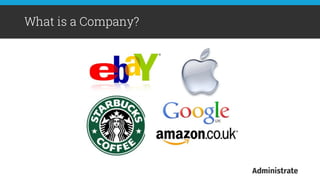
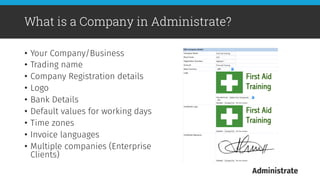
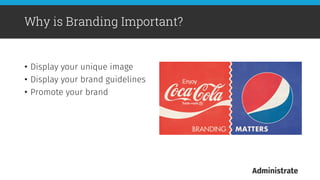
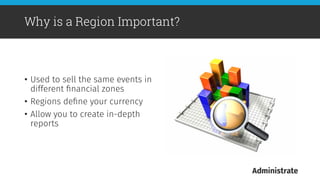
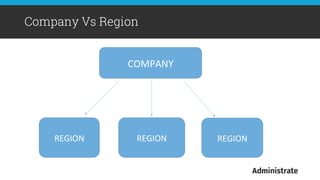
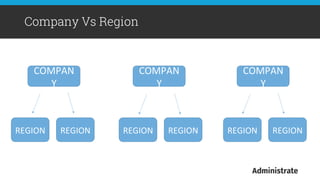
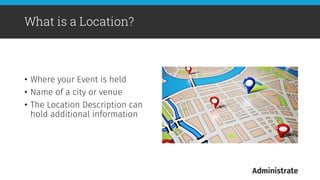
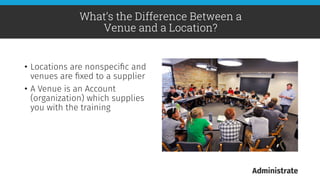
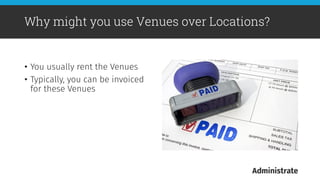
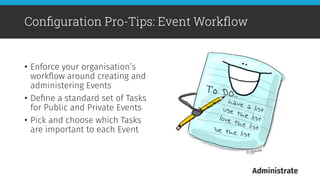

This document provides an overview of key configuration settings in Administrate, including companies, branding, regions, countries, locations, venues, and pro tips. It describes how companies represent businesses, regions define currencies, and locations specify event locations. Venues represent supplier organizations that provide training facilities. Pro tips include email integration, event workflows, custom fields, and instructor payment rates to streamline operations. The document aims to help users understand and optimize Administrate's configuration options.


![LITE 2016 – Reaching for the Stars [Graham Obree]](https://cdn.slidesharecdn.com/ss_thumbnails/gothinkshortpres-161012153553-thumbnail.jpg?width=640&height=640&fit=bounds)

![LITE 2016 – Using Administrate Integrations [Aaron Bassett & Chris Beswick]](https://cdn.slidesharecdn.com/ss_thumbnails/3-161012212212-thumbnail.jpg?width=640&height=640&fit=bounds)

![LITE 2016 – Configuring Administrate [Matt Prentice]](https://cdn.slidesharecdn.com/ss_thumbnails/1-161012113303-thumbnail.jpg?width=640&height=640&fit=bounds)


![LITE 2018 – The State of the Product [Troy Michels]](https://cdn.slidesharecdn.com/ss_thumbnails/session8-2innovation8stateofproduct1-181030101032-thumbnail.jpg?width=640&height=640&fit=bounds)


![LITE 2018 – The Impact of AI on Education [John Peebles]](https://cdn.slidesharecdn.com/ss_thumbnails/session1-liteimpactofaioneducation-181029164420-thumbnail.jpg?width=640&height=640&fit=bounds)
![LITE 2018 – The Future Of The Training Industry [John Peebles]](https://cdn.slidesharecdn.com/ss_thumbnails/session9-thefutureofthetrainingindustry-181029164133-thumbnail.jpg?width=640&height=640&fit=bounds)
![LITE 2018 – Making the Most of Your Customer Feedback [Chris Wigglesworth]](https://cdn.slidesharecdn.com/ss_thumbnails/makingthemostofcustomerfeedback2-181029164130-thumbnail.jpg?width=640&height=640&fit=bounds)
![LITE 2018 – Making the Most of Your Customer Feedback [Abby Fermont]](https://cdn.slidesharecdn.com/ss_thumbnails/makingthemostofcustomerfeedback1-181029164129-thumbnail.jpg?width=640&height=640&fit=bounds)

![LITE 2018 – Pricing Your Course Profitably and Strategically [Siobhain Murdoch]](https://cdn.slidesharecdn.com/ss_thumbnails/session6-pricingyourcourseprofitablyandstrategically-181029164128-thumbnail.jpg?width=640&height=640&fit=bounds)
![LITE 2018 – Lies, Damned Lies, and Your Data [Ryan Cochrane]](https://cdn.slidesharecdn.com/ss_thumbnails/session3-liteliesdamnedliesandyourdata-181029164117-thumbnail.jpg?width=640&height=640&fit=bounds)
![LITE 2018 – Building a Winning Sales Culture [Jesse Vernon]](https://cdn.slidesharecdn.com/ss_thumbnails/session2-buildingawinnningsalesculture-181029164109-thumbnail.jpg?width=640&height=640&fit=bounds)

![LITE 2018 – A Deep Dive Into Communication Triggers [Terry Woods]](https://cdn.slidesharecdn.com/ss_thumbnails/session5-day2evolutionsession5adeepdiveintocommunicationstriggersfinal-181029163803-thumbnail.jpg?width=640&height=640&fit=bounds)
![LITE 2018 - A Deep Dive Into Our Reporting System [Jesse Vernon]](https://cdn.slidesharecdn.com/ss_thumbnails/session4-adeepdiveintoourreportingengine-181029163759-thumbnail.jpg?width=640&height=640&fit=bounds)
![LITE 2018 – Creating and Using SCORM content [Gilles Bell]](https://cdn.slidesharecdn.com/ss_thumbnails/session3-fridayevolution03creatingandusingscormcontent-181029163757-thumbnail.jpg?width=640&height=640&fit=bounds)
![LITE 2018 - Administrate - Enterprise [Gilles Bell]](https://cdn.slidesharecdn.com/ss_thumbnails/session2-fridayevolution02administrate-enterprise-181029163750-thumbnail.jpg?width=640&height=640&fit=bounds)


![20260201 [FOSDEM] gomodjail - library sandboxing for Go modules.pdf](https://cdn.slidesharecdn.com/ss_thumbnails/20260201fosdemgomodjail-librarysandboxingforgomodules-260201225659-76609ec4-thumbnail.jpg?width=640&height=640&fit=bounds)


