HOW TO SPEED UP
YOUR
SHOPIFY ONLINE STORE
Buying and Using a Shopify store is very easy but
keep it up-to-date is really a mess.
THIS IS WHERE YOU GET THE PROBLEM
?
If you customize the theme this will slow down the
speed .
So you need a technical person who can speed
up you store with customization.
PAGE SPEED OPTIMIZATION
Image
Optimization
• Optimize your images before
uploading them.
• Manage image resolution.
• And reduce amount of data.
• Which means faster loading.
Store speed depends on store
theme.
Use
Faster theme
Use
Faster theme
• Use a light weight theme.
• Analyze preview & then select your theme.
Optimize JavaScript & CSS
Use all CSS and JavaScript files in one location.
Use external CSS and JavaScript.
Manage
Apps
Use only apps which you want to use.
Remove unnecessary apps.
Use theme,
compatible with
all media
devices & reach
your customer
everywhere.
Choose
Responsive Theme
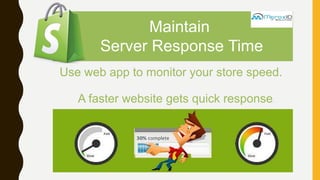
Maintain
Server Response Time
Use web app to monitor your store speed.
A faster website gets quick response.
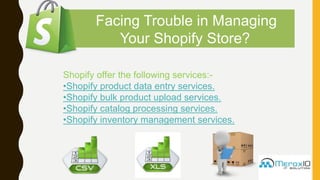
Facing Trouble in Managing
Your Shopify Store?
Shopify offer the following services:-
•Shopify product data entry services.
•Shopify bulk product upload services.
•Shopify catalog processing services.
•Shopify inventory management services.
POWERED BY SHOPIFY WEB EXPERT
,
91 1204204611
D-212 2nd Floor Krishna Apra Plaza Alpha Commercial
Belt
Greater Noida
info@meroxio.com
www.meroxio.com

speed up shopify

  • 1.
    HOW TO SPEEDUP YOUR SHOPIFY ONLINE STORE
  • 2.
    Buying and Usinga Shopify store is very easy but keep it up-to-date is really a mess. THIS IS WHERE YOU GET THE PROBLEM ? If you customize the theme this will slow down the speed . So you need a technical person who can speed up you store with customization. PAGE SPEED OPTIMIZATION
  • 3.
    Image Optimization • Optimize yourimages before uploading them. • Manage image resolution. • And reduce amount of data. • Which means faster loading. Store speed depends on store theme.
  • 4.
    Use Faster theme Use Faster theme •Use a light weight theme. • Analyze preview & then select your theme.
  • 5.
    Optimize JavaScript &CSS Use all CSS and JavaScript files in one location. Use external CSS and JavaScript.
  • 6.
    Manage Apps Use only appswhich you want to use. Remove unnecessary apps.
  • 7.
    Use theme, compatible with allmedia devices & reach your customer everywhere. Choose Responsive Theme
  • 8.
    Maintain Server Response Time Useweb app to monitor your store speed. A faster website gets quick response.
  • 9.
    Facing Trouble inManaging Your Shopify Store? Shopify offer the following services:- •Shopify product data entry services. •Shopify bulk product upload services. •Shopify catalog processing services. •Shopify inventory management services.
  • 10.
    POWERED BY SHOPIFYWEB EXPERT , 91 1204204611 D-212 2nd Floor Krishna Apra Plaza Alpha Commercial Belt Greater Noida info@meroxio.com www.meroxio.com