1

17-FEB-2014 – Monday

Topic:

Domain
Name
Server
(Overview, Configuration)

1
2

Domain Name Server
Overview
Overview
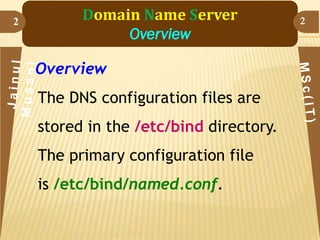
The DNS configuration files are
stored in the /etc/bind directory.
The primary configuration file
is /etc/bind/named.conf.

2
3

Domain Name Server
Overview
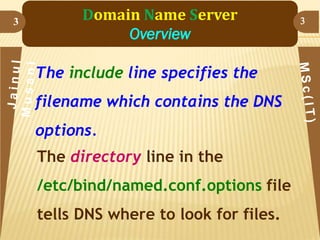
The include line specifies the

filename which contains the DNS
options.
The directory line in the
/etc/bind/named.conf.options file
tells DNS where to look for files.

3
4

Domain Name Server
Overview
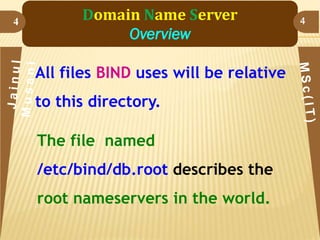
All files BIND uses will be relative

to this directory.
The file named

/etc/bind/db.root describes the
root nameservers in the world.

4
5

Domain Name Server
Overview
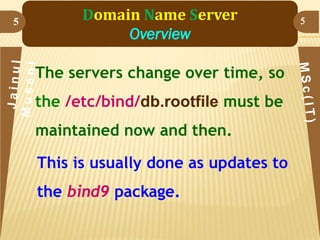
The servers change over time, so

the /etc/bind/db.rootfile must be
maintained now and then.

This is usually done as updates to
the bind9 package.

5
Domain Name Server
Overview

6

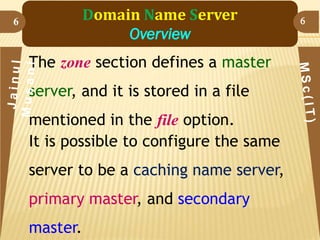
The zone section defines a master
server, and it is stored in a file
mentioned in the file option.
It is possible to configure the same

server to be a caching name server,
primary master, and secondary

master.

6
7

Domain Name Server
Overview
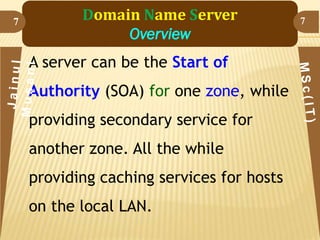
A server can be the Start of
Authority (SOA) for one zone, while
providing secondary service for
another zone. All the while

providing caching services for hosts
on the local LAN.

7
8

Domain Name Server
Overview - Caching Nameserver
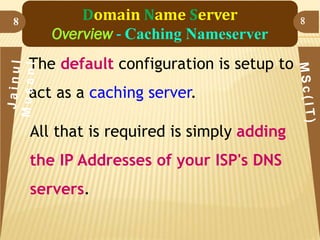
The default configuration is setup to

act as a caching server.
All that is required is simply adding

the IP Addresses of your ISP's DNS
servers.

8
9

Domain Name Server
Overview - Caching Nameserver
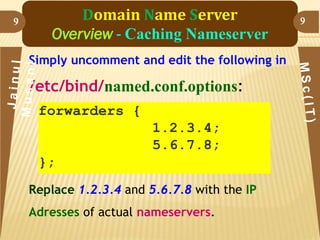
Simply uncomment and edit the following in

/etc/bind/named.conf.options:
forwarders {
1.2.3.4;
5.6.7.8;

};
Replace 1.2.3.4 and 5.6.7.8 with the IP
Adresses of actual nameservers.

9
10

Domain Name Server
Overview - Caching Nameserver
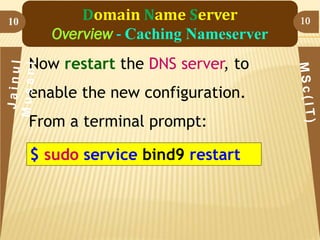
Now restart the DNS server, to

enable the new configuration.
From a terminal prompt:

$ sudo service bind9 restart

10
11

Domain Name Server
Overview - Primary Master
In this section BIND9 will be

configured as the Primary Master for
the domain example.com.
Simply replace example.com with

your FQDN (Fully Qualified Domain
Name).

11
12

Domain Name Server
Overview - Forward Zone File
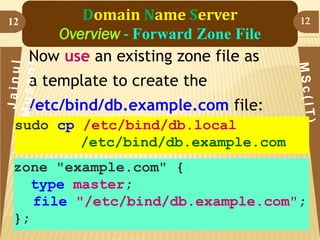
Now use an existing zone file as

12

a template to create the
/etc/bind/db.example.com file:
sudo cp /etc/bind/db.local
/etc/bind/db.example.com
zone "example.com" {
type master;
file "/etc/bind/db.example.com";
};
13

Domain Name Server
Overview - Secondary Master
Once a Primary Master has been
configured a Secondary Master is
needed in order to maintain the
availability of the domain should

the Primary become unavailable.

13
14

Domain Name Server
Overview - Secondary Master
First, on the Primary Master server, the
zone transfer needs to be allowed.

Add the allow-transfer option to

the example Forward and Reverse
zone definitions in

/etc/bind/named.conf.local:

14
15

Domain Name Server
Overview - Secondary Master

15

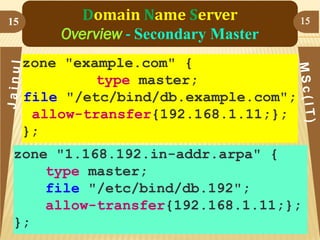
zone "example.com" {
type master;
file "/etc/bind/db.example.com";
allow-transfer{192.168.1.11;};
};
zone "1.168.192.in-addr.arpa" {
type master;
file "/etc/bind/db.192";
allow-transfer{192.168.1.11;};
};
16

Domain Name Server
Overview - Secondary Master
Replace 192.168.1.11 with the IP Address

of your Secondary nameserver.

Restart BIND9 on the Primary Master:
$ sudo service bind9 restart

16

Linux04 dns 2

  • 1.
  • 2.
    2 Domain Name Server Overview Overview TheDNS configuration files are stored in the /etc/bind directory. The primary configuration file is /etc/bind/named.conf. 2
  • 3.
    3 Domain Name Server Overview Theinclude line specifies the filename which contains the DNS options. The directory line in the /etc/bind/named.conf.options file tells DNS where to look for files. 3
  • 4.
    4 Domain Name Server Overview Allfiles BIND uses will be relative to this directory. The file named /etc/bind/db.root describes the root nameservers in the world. 4
  • 5.
    5 Domain Name Server Overview Theservers change over time, so the /etc/bind/db.rootfile must be maintained now and then. This is usually done as updates to the bind9 package. 5
  • 6.
    Domain Name Server Overview 6 Thezone section defines a master server, and it is stored in a file mentioned in the file option. It is possible to configure the same server to be a caching name server, primary master, and secondary master. 6
  • 7.
    7 Domain Name Server Overview Aserver can be the Start of Authority (SOA) for one zone, while providing secondary service for another zone. All the while providing caching services for hosts on the local LAN. 7
  • 8.
    8 Domain Name Server Overview- Caching Nameserver The default configuration is setup to act as a caching server. All that is required is simply adding the IP Addresses of your ISP's DNS servers. 8
  • 9.
    9 Domain Name Server Overview- Caching Nameserver Simply uncomment and edit the following in /etc/bind/named.conf.options: forwarders { 1.2.3.4; 5.6.7.8; }; Replace 1.2.3.4 and 5.6.7.8 with the IP Adresses of actual nameservers. 9
  • 10.
    10 Domain Name Server Overview- Caching Nameserver Now restart the DNS server, to enable the new configuration. From a terminal prompt: $ sudo service bind9 restart 10
  • 11.
    11 Domain Name Server Overview- Primary Master In this section BIND9 will be configured as the Primary Master for the domain example.com. Simply replace example.com with your FQDN (Fully Qualified Domain Name). 11
  • 12.
    12 Domain Name Server Overview- Forward Zone File Now use an existing zone file as 12 a template to create the /etc/bind/db.example.com file: sudo cp /etc/bind/db.local /etc/bind/db.example.com zone "example.com" { type master; file "/etc/bind/db.example.com"; };
  • 13.
    13 Domain Name Server Overview- Secondary Master Once a Primary Master has been configured a Secondary Master is needed in order to maintain the availability of the domain should the Primary become unavailable. 13
  • 14.
    14 Domain Name Server Overview- Secondary Master First, on the Primary Master server, the zone transfer needs to be allowed. Add the allow-transfer option to the example Forward and Reverse zone definitions in /etc/bind/named.conf.local: 14
  • 15.
    15 Domain Name Server Overview- Secondary Master 15 zone "example.com" { type master; file "/etc/bind/db.example.com"; allow-transfer{192.168.1.11;}; }; zone "1.168.192.in-addr.arpa" { type master; file "/etc/bind/db.192"; allow-transfer{192.168.1.11;}; };
  • 16.
    16 Domain Name Server Overview- Secondary Master Replace 192.168.1.11 with the IP Address of your Secondary nameserver. Restart BIND9 on the Primary Master: $ sudo service bind9 restart 16