Workshop
@
Ramnshee Infotech
By Jainul Musani
1
SESSION:01
Express JS
ExpressJs
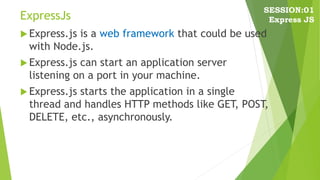
 Express.js is a web framework that could be used
with Node.js.
 Express.js can start an application server
listening on a port in your machine.
 Express.js starts the application in a single
thread and handles HTTP methods like GET, POST,
DELETE, etc., asynchronously.
SESSION:01
Express JS
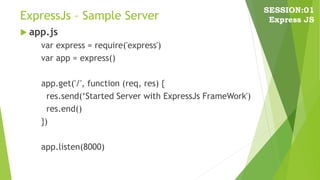
ExpressJs – Sample Server
 app.js
var express = require('express')
var app = express()
app.get('/', function (req, res) {
res.send(‘Started Server with ExpressJs FrameWork')
res.end()
})
app.listen(8000)
SESSION:01
Express JS
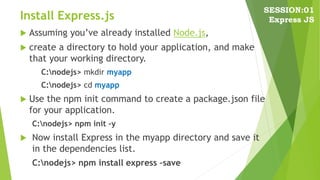
Install Express.js
 Assuming you’ve already installed Node.js,
 create a directory to hold your application, and make
that your working directory.
C:nodejs> mkdir myapp
C:nodejs> cd myapp
 Use the npm init command to create a package.json file
for your application.
C:nodejs> npm init –y
 Now install Express in the myapp directory and save it
in the dependencies list.
C:nodejs> npm install express –save
SESSION:01
Express JS
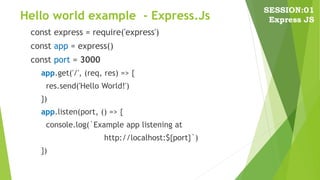
Hello world example - Express.Js
const express = require('express')
const app = express()
const port = 3000
app.get('/', (req, res) => {
res.send('Hello World!')
})
app.listen(port, () => {
console.log(`Example app listening at
http://localhost:${port}`)
})
SESSION:01
Express JS
Run “Hello World”
 Run the app with the following command:
C:nodejs> node app.js
SESSION:01
Express JS
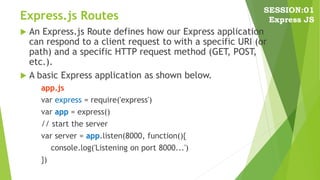
Express.js Routes
 An Express.js Route defines how our Express application
can respond to a client request to with a specific URI (or
path) and a specific HTTP request method (GET, POST,
etc.).
 A basic Express application as shown below.
app.js
var express = require('express')
var app = express()
// start the server
var server = app.listen(8000, function(){
console.log('Listening on port 8000...')
})
SESSION:01
Express JS
Express.js Routes
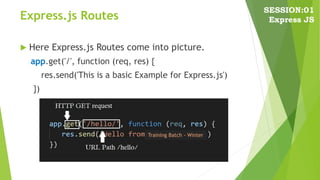
 Here Express.js Routes come into picture.
app.get('/', function (req, res) {
res.send('This is a basic Example for Express.js')
})
SESSION:01
Express JS
Training Batch - Winter
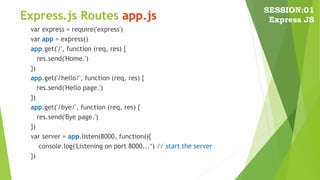
Express.js Routes app.js
var express = require('express')
var app = express()
app.get('/', function (req, res) {
res.send('Home.')
})
app.get('/hello/', function (req, res) {
res.send('Hello page.')
})
app.get('/bye/', function (req, res) {
res.send('Bye page.')
})
var server = app.listen(8000, function(){
console.log('Listening on port 8000...‘) // start the server
})
SESSION:01
Express JS

ExpressJs Session01

  • 1.
    Workshop @ Ramnshee Infotech By JainulMusani 1 SESSION:01 Express JS
  • 2.
    ExpressJs  Express.js isa web framework that could be used with Node.js.  Express.js can start an application server listening on a port in your machine.  Express.js starts the application in a single thread and handles HTTP methods like GET, POST, DELETE, etc., asynchronously. SESSION:01 Express JS
  • 3.
    ExpressJs – SampleServer  app.js var express = require('express') var app = express() app.get('/', function (req, res) { res.send(‘Started Server with ExpressJs FrameWork') res.end() }) app.listen(8000) SESSION:01 Express JS
  • 4.
    Install Express.js  Assumingyou’ve already installed Node.js,  create a directory to hold your application, and make that your working directory. C:nodejs> mkdir myapp C:nodejs> cd myapp  Use the npm init command to create a package.json file for your application. C:nodejs> npm init –y  Now install Express in the myapp directory and save it in the dependencies list. C:nodejs> npm install express –save SESSION:01 Express JS
  • 5.
    Hello world example- Express.Js const express = require('express') const app = express() const port = 3000 app.get('/', (req, res) => { res.send('Hello World!') }) app.listen(port, () => { console.log(`Example app listening at http://localhost:${port}`) }) SESSION:01 Express JS
  • 6.
    Run “Hello World” Run the app with the following command: C:nodejs> node app.js SESSION:01 Express JS
  • 7.
    Express.js Routes  AnExpress.js Route defines how our Express application can respond to a client request to with a specific URI (or path) and a specific HTTP request method (GET, POST, etc.).  A basic Express application as shown below. app.js var express = require('express') var app = express() // start the server var server = app.listen(8000, function(){ console.log('Listening on port 8000...') }) SESSION:01 Express JS
  • 8.
    Express.js Routes  HereExpress.js Routes come into picture. app.get('/', function (req, res) { res.send('This is a basic Example for Express.js') }) SESSION:01 Express JS Training Batch - Winter
  • 9.
    Express.js Routes app.js varexpress = require('express') var app = express() app.get('/', function (req, res) { res.send('Home.') }) app.get('/hello/', function (req, res) { res.send('Hello page.') }) app.get('/bye/', function (req, res) { res.send('Bye page.') }) var server = app.listen(8000, function(){ console.log('Listening on port 8000...‘) // start the server }) SESSION:01 Express JS