ReactJs : Tutorial-06-Life Cycle of a Component in ReactJs
Life Cycle of a Component
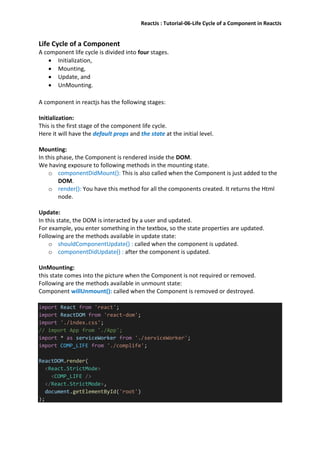
A component life cycle is divided into four stages.
 Initialization,
 Mounting,
 Update, and
 UnMounting.
A component in reactjs has the following stages:
Initialization:
This is the first stage of the component life cycle.
Here it will have the default props and the state at the initial level.
Mounting:
In this phase, the Component is rendered inside the DOM.
We having exposure to following methods in the mounting state.
o componentDidMount(): This is also called when the Component is just added to the
DOM.
o render(): You have this method for all the components created. It returns the Html
node.
Update:
In this state, the DOM is interacted by a user and updated.
For example, you enter something in the textbox, so the state properties are updated.
Following are the methods available in update state:
o shouldComponentUpdate() : called when the component is updated.
o componentDidUpdate() : after the component is updated.
UnMounting:
this state comes into the picture when the Component is not required or removed.
Following are the methods available in unmount state:
Component willUnmount(): called when the Component is removed or destroyed.
import React from 'react';
import ReactDOM from 'react-dom';
import './index.css';
// import App from './App';
import * as serviceWorker from './serviceWorker';
import COMP_LIFE from './complife';
ReactDOM.render(
<React.StrictMode>
<COMP_LIFE />
</React.StrictMode>,
document.getElementById('root')
);
ReactJs : Tutorial-06-Life Cycle of a Component in ReactJs
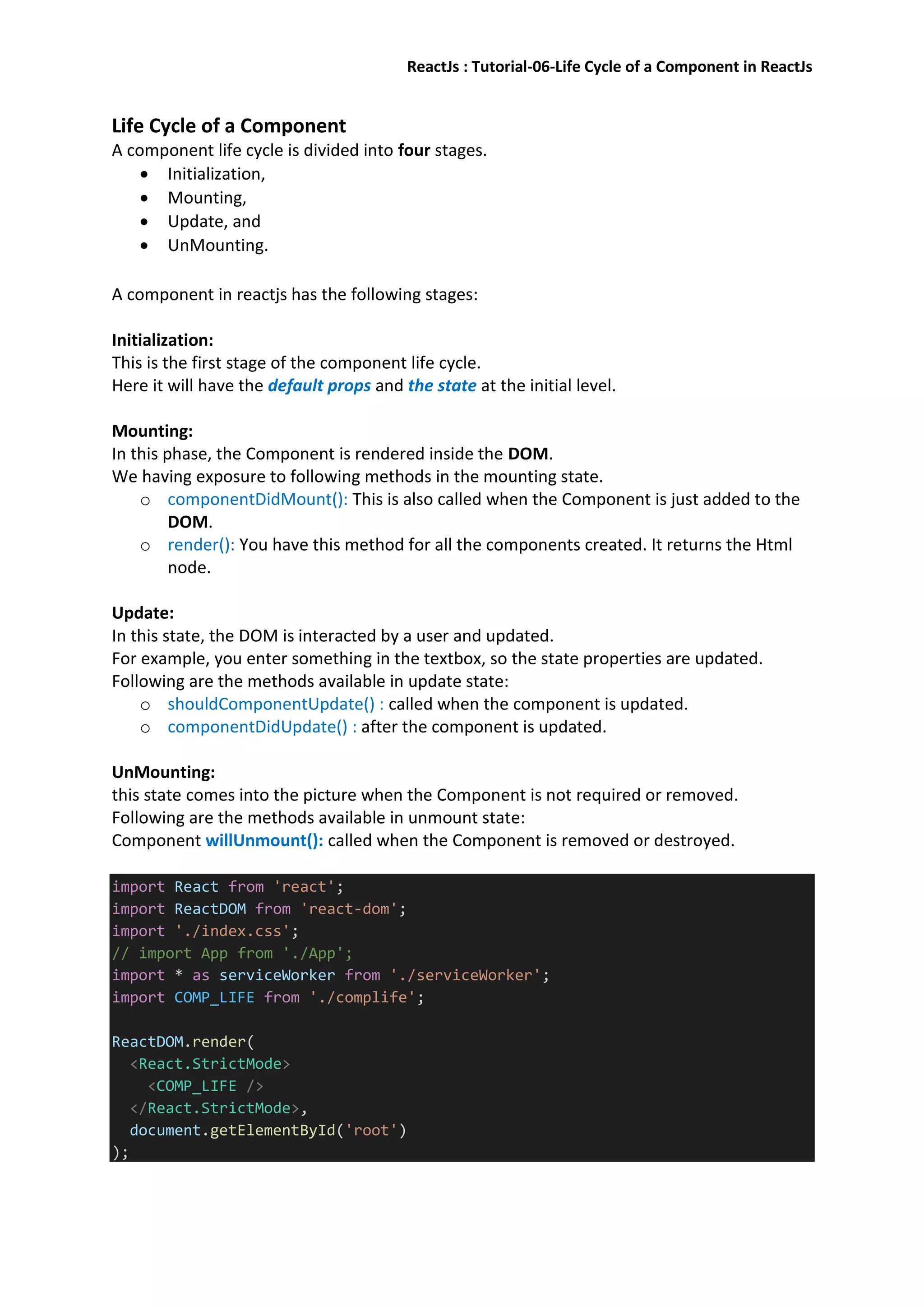
import React from 'react';
import ReactDOM from 'react-dom';
class COMP_LIFE extends React.Component {
constructor(props) {
super(props);
//this.state = { name: '', revname: '' };
this.state = { name: '' };
this.UpdateName = this.UpdateName.bind(this);
this.testclick = this.testclick.bind(this);
}
UpdateName(event) {
this.setState({ name: event.target.value });
//this.setState({ revname: event.target.value + '1' });
}
testclick(event) {
alert("The name entered is: " + this.state.name);
}
// componentDidMount() {
// console.log('Mounting State : calling method componentDidMount');
// }
shouldComponentUpdate() {
console.log('Update State : calling method shouldComponentUpdate');
return true;
}
// componentDidUpdate() {
// console.log('Update State : calling method componentDidUpdate')
// }
// componentWillUnmount() {
// console.log('UnMounting State : calling method componentWillUnmount
');
// }
render() {
return (
<div>
Enter Your Name:<input type="text" value={this.state.name} onC
hange={this.UpdateName} /><br />
{/* <h2>{this.state.name}</h2> */}
{/* <h5>{this.state.revname}</h5> */}
<input type="button" value="Click Here" onClick={this.testclic
k} />
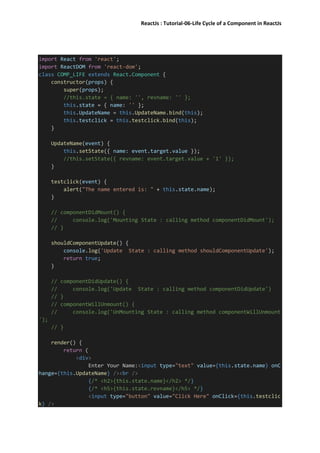
ReactJs : Tutorial-06-Life Cycle of a Component in ReactJs
</div>
);
}
}
export default COMP_LIFE;

React js t6 -lifecycle

  • 1.
    ReactJs : Tutorial-06-LifeCycle of a Component in ReactJs Life Cycle of a Component A component life cycle is divided into four stages.  Initialization,  Mounting,  Update, and  UnMounting. A component in reactjs has the following stages: Initialization: This is the first stage of the component life cycle. Here it will have the default props and the state at the initial level. Mounting: In this phase, the Component is rendered inside the DOM. We having exposure to following methods in the mounting state. o componentDidMount(): This is also called when the Component is just added to the DOM. o render(): You have this method for all the components created. It returns the Html node. Update: In this state, the DOM is interacted by a user and updated. For example, you enter something in the textbox, so the state properties are updated. Following are the methods available in update state: o shouldComponentUpdate() : called when the component is updated. o componentDidUpdate() : after the component is updated. UnMounting: this state comes into the picture when the Component is not required or removed. Following are the methods available in unmount state: Component willUnmount(): called when the Component is removed or destroyed. import React from 'react'; import ReactDOM from 'react-dom'; import './index.css'; // import App from './App'; import * as serviceWorker from './serviceWorker'; import COMP_LIFE from './complife'; ReactDOM.render( <React.StrictMode> <COMP_LIFE /> </React.StrictMode>, document.getElementById('root') );
  • 2.
    ReactJs : Tutorial-06-LifeCycle of a Component in ReactJs import React from 'react'; import ReactDOM from 'react-dom'; class COMP_LIFE extends React.Component { constructor(props) { super(props); //this.state = { name: '', revname: '' }; this.state = { name: '' }; this.UpdateName = this.UpdateName.bind(this); this.testclick = this.testclick.bind(this); } UpdateName(event) { this.setState({ name: event.target.value }); //this.setState({ revname: event.target.value + '1' }); } testclick(event) { alert("The name entered is: " + this.state.name); } // componentDidMount() { // console.log('Mounting State : calling method componentDidMount'); // } shouldComponentUpdate() { console.log('Update State : calling method shouldComponentUpdate'); return true; } // componentDidUpdate() { // console.log('Update State : calling method componentDidUpdate') // } // componentWillUnmount() { // console.log('UnMounting State : calling method componentWillUnmount '); // } render() { return ( <div> Enter Your Name:<input type="text" value={this.state.name} onC hange={this.UpdateName} /><br /> {/* <h2>{this.state.name}</h2> */} {/* <h5>{this.state.revname}</h5> */} <input type="button" value="Click Here" onClick={this.testclic k} />
  • 3.
    ReactJs : Tutorial-06-LifeCycle of a Component in ReactJs </div> ); } } export default COMP_LIFE;