Life’s a BeachTeaching made easy With FREE Web 2.0 ToolsDolores Bluntschly – 2nd Grade TeacherCrestview Elementary Schoolbluntschly.dolores@crestviewschools.netTwitter - @miss2blcrestviewschools.net
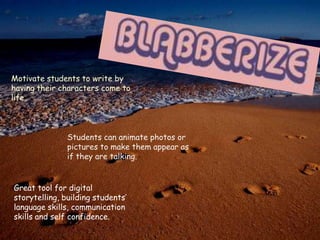
Motivate students to write by having their characters come to life.  Students can animate photos or pictures to make them appear as if they are talking.Great tool for digital storytelling, building students’ language skills, communication skills and self confidence.
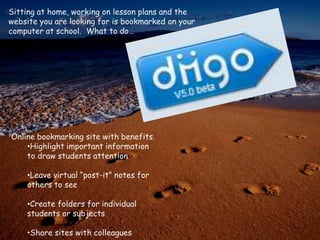
Sitting at home, working on lesson plans and the website you are looking for is bookmarked on your computer at school.  What to do…Online bookmarking site with benefits.Highlight important information to draw students attention
Leave virtual “post-it” notes for others to see
Create folders for individual students or subjects
Share sites with colleagues‘Okay, class today we are going to create a poster about how we can help take care of our Earth.’Great idea, but now your room is full of 25 posters with no place to hang them.  Then after you grade and return them to the students you watch as they throw them into the trash as they walk out the room.  How aggravating!Interactive poster where students can include text, pictures, music and videos.Students take more pride in their work when they realize that others, beyond school walls, will be viewing their work.
Create and share work onlineUpload files from Microsoft Word, Excel and PowerPoint to work on anywhereCreate forms/quizzes/tests that students or parents can complete online and have all of your data in one place.
Trying to explain to students what to do when you save a document and they are staring at you like you are speaking another language…Jing allows you to take pictures of what you are doing on your computer to add to a document that you can then give to your students (or sub).Still not convinced…Then use Jing to add voice to your pictures and no document is needed.  No papers to lose (Go Green!) and students can listen to it over and over and over again.
They say a picture is worth a 1000 words, then why are all those pictures still on my SD card in my digital camera.Here you can upload photos and create a slide show with music and or text.Students can upload pictures or photos to create a digital story to share with the world!
Make those dull, drab photos come to life with online photo editing.Add stickers, boarders and graphics to your picturesCreate a collage and share photos with friends and family.
Create group rooms to share photos with friends and familyOnline photo storage
Organize photos into folders

Life’s a beach

  • 1.
    Life’s a BeachTeachingmade easy With FREE Web 2.0 ToolsDolores Bluntschly – 2nd Grade TeacherCrestview Elementary Schoolbluntschly.dolores@crestviewschools.netTwitter - @miss2blcrestviewschools.net
  • 2.
    Motivate students towrite by having their characters come to life. Students can animate photos or pictures to make them appear as if they are talking.Great tool for digital storytelling, building students’ language skills, communication skills and self confidence.
  • 3.
    Sitting at home,working on lesson plans and the website you are looking for is bookmarked on your computer at school. What to do…Online bookmarking site with benefits.Highlight important information to draw students attention
  • 4.
    Leave virtual “post-it”notes for others to see
  • 5.
    Create folders forindividual students or subjects
  • 6.
    Share sites withcolleagues‘Okay, class today we are going to create a poster about how we can help take care of our Earth.’Great idea, but now your room is full of 25 posters with no place to hang them. Then after you grade and return them to the students you watch as they throw them into the trash as they walk out the room. How aggravating!Interactive poster where students can include text, pictures, music and videos.Students take more pride in their work when they realize that others, beyond school walls, will be viewing their work.
  • 7.
    Create and sharework onlineUpload files from Microsoft Word, Excel and PowerPoint to work on anywhereCreate forms/quizzes/tests that students or parents can complete online and have all of your data in one place.
  • 8.
    Trying to explainto students what to do when you save a document and they are staring at you like you are speaking another language…Jing allows you to take pictures of what you are doing on your computer to add to a document that you can then give to your students (or sub).Still not convinced…Then use Jing to add voice to your pictures and no document is needed. No papers to lose (Go Green!) and students can listen to it over and over and over again.
  • 9.
    They say apicture is worth a 1000 words, then why are all those pictures still on my SD card in my digital camera.Here you can upload photos and create a slide show with music and or text.Students can upload pictures or photos to create a digital story to share with the world!
  • 11.
    Make those dull,drab photos come to life with online photo editing.Add stickers, boarders and graphics to your picturesCreate a collage and share photos with friends and family.
  • 12.
    Create group roomsto share photos with friends and familyOnline photo storage
  • 13.