






Educational Technology for the Students of Today Adam Scott Bellow
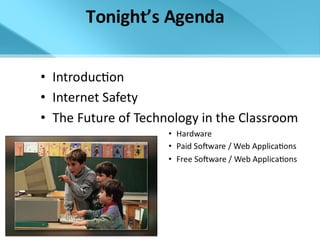
Tonight’s Agenda
Internet Safety
DANGERS  of the Net The Three P’s Pop-Ups Porn Predators
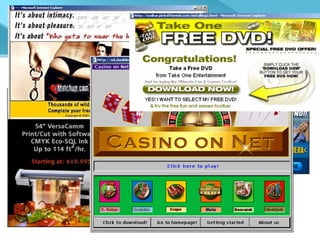
Pop Ups Websites use Pop Up Ads to pay for their site Often times free education sites are plagued with inappropriate and distracting Pop Up ads Pop Up Blockers are available www.download. com www.softpedia.com http://www.panicware.com/product_psfree.html
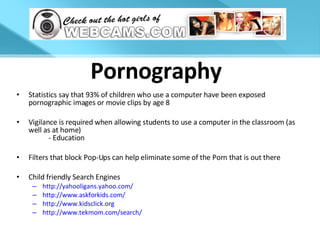
Pornography Statistics say that 93% of children who use a computer have been exposed pornographic images or movie clips by age 8 Vigilance is required when allowing students to use a computer in the classroom (as well as at home) - Education Filters that block Pop-Ups can help eliminate some of the Porn that is out there Child friendly Search Engines http://yahooligans.yahoo.com/ http://www.askforkids.com / http://www.kidsclick.org http://www.tekmom.com/search/
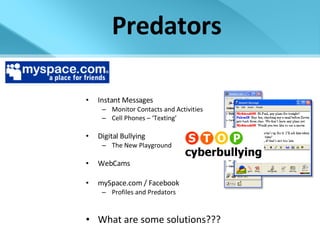
Predators Instant Messages Monitor Contacts and Activities Cell Phones – ‘Texting’ Digital Bullying The New Playground WebCams mySpace.com / Facebook Profiles and Predators What are some solutions??? A MySpace Profile Picture  From a 14 Year Old Girl
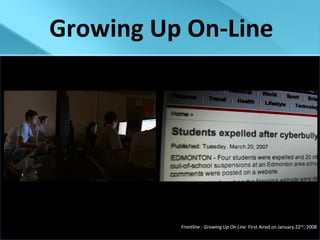
Growing Up On-Line Frontline : Growing Up On Line  First Aired on January 22 nd , 2008
HARDWARE
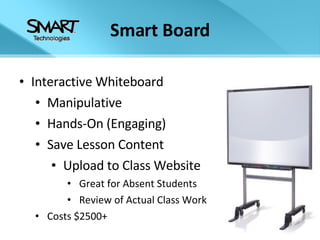
Smart Board Interactive Whiteboard Manipulative Hands-On (Engaging) Save Lesson Content Upload to Class Website Great for Absent Students Review of Actual Class Work Costs $2500+
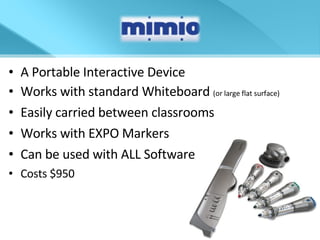
A Portable Interactive Device Works with standard Whiteboard  (or large flat surface) Easily carried between classrooms Works with EXPO Markers Can be used with ALL Software Costs $950
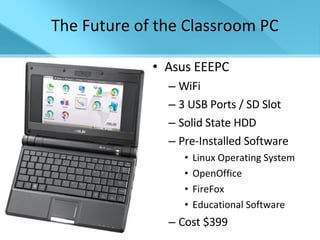
Asus EEEPC WiFi 3 USB Ports / SD Slot Solid State HDD Pre-Installed Software Linux Operating System OpenOffice FireFox Educational Software Cost $399 The Future of the Classroom PC
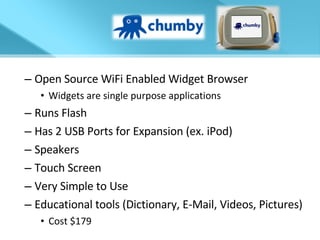
Open Source WiFi Enabled Widget Browser Widgets are single purpose applications Runs Flash Has 2 USB Ports for Expansion (ex. iPod) Speakers Touch Screen Very Simple to Use Educational tools (Dictionary, E-Mail, Videos, Pictures) Cost $179
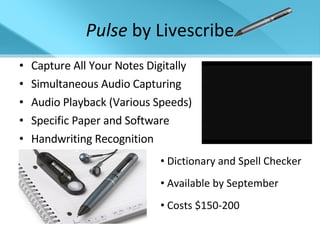
Pulse  by Livescribe Capture All Your Notes Digitally Simultaneous Audio Capturing Audio Playback (Various Speeds) Specific Paper and Software Handwriting Recognition Dictionary and Spell Checker Available by September Costs $150-200
$OFTWARE and  $UBSCRIBTION WEBWARE http://www.chuckegg.com/wp-content/uploads/2007/04/cdstock.jpg
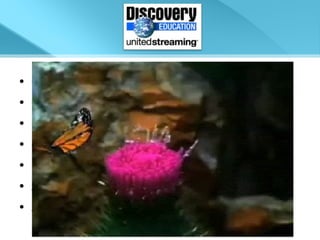
Over 40,000 of Streaming Videos Can show portions of a video  Create clip libraries of your favorite clips On-line quizzes and assessments E-mailed grades or results Standards aligned lesson plans and activities Subscription pricing for Schools
kidthing Free Downloadable Player Free Content for Educators Interactive Dr. Seuss Books Read and explained to users Service is Safe for Students Books are Reasonably Priced  $1.99 - $3.99 Educational Resources/Games No Internet Access Needed
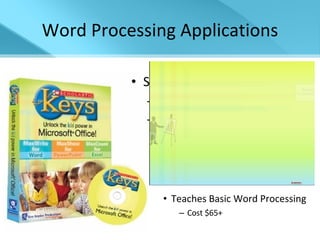
Word Processing Applications Scholastic Keys An add-on for MS Office 2003 Simplifies the User Interface Same Powerful Tools Student Friendly Clip Art Interactive Drawing Mode Teaches Basic Word Processing Cost $65+
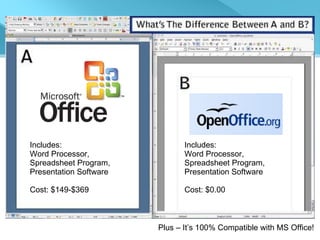
Includes: Word Processor,  Spreadsheet Program, Presentation Software Cost: $149-$369   Includes: Word Processor,  Spreadsheet Program, Presentation Software Cost: $0.00   Plus – It’s 100% Compatible with MS Office!
THE BEST THINGS IN LIFE ARE FREE http://www.chuckegg.com/wp-content/uploads/2007/04/cdstock.jpg
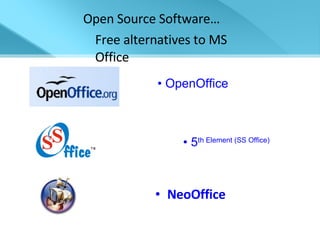
NeoOffice Open Source Software… Free alternatives to MS Office   5 th  Element (SS Office)  OpenOffice
Online Document Collaboration Office Live Workspace and Google Docs Collaborative Document Creation and Editing Allows Users to Change and Track Changes to Documents Office Live allows Mobile Phone Document Editing 5+ GB of Online Document Storage At the moment, both services are FREE  (assuming you own MS Office) For more info click here.
Share Lesson Videos Include Lesson Plans Include Links and Files Share Student Projects Share Demonstrations On-Line Collaboration
what’s a “wiki”? Wiki Editable Web entries Allows global collaboration Simple and Quick to Create Examples Wikipedia pbwiki* Wikispaces*
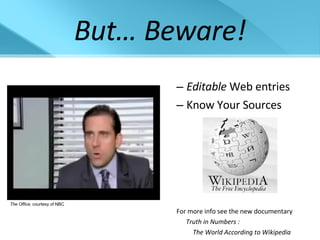
But… Beware! Editable  Web entries Know Your Sources For more info see the new documentary Truth in Numbers :   The World According to Wikipedia The Office,  courtesy of NBC
Create Bookmarks to Sites for Your Peers Create Bookmarks to Sites for Your Students Organize Your Links and Favorites Create Simple WebQuests and On-Line Activities Make The Web Easier and Safer For Students Saves Time and Energy For Future Class Remember to Check Links Before Use… Should be active and unblocked by filters
diigo – Book Marking 2.0  Great Research Tool Highlighting Interactive Bookmarks Sticky Notes Messaging Works with  del.icio.us
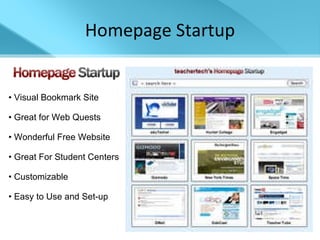
Homepage Startup Visual Bookmark Site Great for Web Quests Wonderful Free Website Great For Student Centers Customizable Easy to Use and Set-up
Space Time and PicLens Bring 3-D Browsing to Pictures and Web Searches Available For
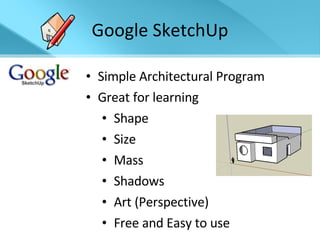
Google SketchUp Simple Architectural Program Great for learning Shape Size Mass Shadows Art (Perspective) Free and Easy to use
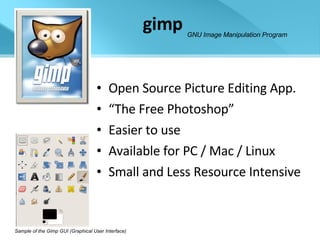
gimp Open Source Picture Editing App. “ The Free Photoshop” Easier to use Available for PC / Mac / Linux Small and Less Resource Intensive Sample of the Gimp GUI (Graphical User Interface) GNU Image Manipulation Program
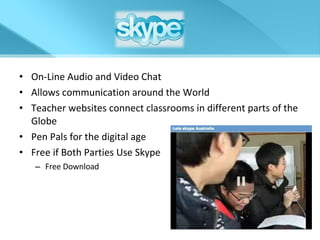
On-Line Audio and Video Chat Allows communication around the World Teacher websites connect classrooms in different parts of the Globe Pen Pals for the digital age Free if Both Parties Use Skype Free Download
Embeds a flash audio player into your personal or school website/blog and communicate with your colleagues/students/student’s parents You or your students can record Greetings You or your students can be a “Citizen Reporter” Record audio on class trips Record audio during special activities Edit audio for digital presentations Click logo for gabcast sample
Embeds Presentations to your class Website or Blog Sync Audio to SlideShows or Allow Users to Do this Allows presentations to be public or private You or your students can download Presentation files You or your students can share Projects with others Click here to see this Presentation with SlideShare
a non-profit web resource free of biased opinions free of advertising or agendas offers many free software alternatives a place for teachers to share lessons and ideas a place for teachers to seek help and get answers links to the best of the best websites a safe environment for both teachers and students easy to understand and navigate
TEACHER TIP$ Ask for Teacher Discounts Most Stores Offer 10-20% Ask for Trial Software Ask for Hardware Demos Always Be Informed Take Your Time Evaluating
The Future… “ Our kids are connected. Technology is part of their lives. But. . . . it’s not technology, it’s information. These gadgets are their links to information. These gadgets represent intellectual appendages to our children. They are the hands and feet that carry children to new experiences. ” -David Warlick [email_address]

Educational Technology - May 2008

  • 1.
    Educational Technology forthe Students of Today Adam Scott Bellow
  • 2.
  • 3.
  • 4.
    DANGERS ofthe Net The Three P’s Pop-Ups Porn Predators
  • 5.
    Pop Ups Websitesuse Pop Up Ads to pay for their site Often times free education sites are plagued with inappropriate and distracting Pop Up ads Pop Up Blockers are available www.download. com www.softpedia.com http://www.panicware.com/product_psfree.html
  • 6.
    Pornography Statistics saythat 93% of children who use a computer have been exposed pornographic images or movie clips by age 8 Vigilance is required when allowing students to use a computer in the classroom (as well as at home) - Education Filters that block Pop-Ups can help eliminate some of the Porn that is out there Child friendly Search Engines http://yahooligans.yahoo.com/ http://www.askforkids.com / http://www.kidsclick.org http://www.tekmom.com/search/
  • 7.
    Predators Instant MessagesMonitor Contacts and Activities Cell Phones – ‘Texting’ Digital Bullying The New Playground WebCams mySpace.com / Facebook Profiles and Predators What are some solutions??? A MySpace Profile Picture From a 14 Year Old Girl
  • 8.
    Growing Up On-LineFrontline : Growing Up On Line First Aired on January 22 nd , 2008
  • 9.
  • 10.
    Smart Board InteractiveWhiteboard Manipulative Hands-On (Engaging) Save Lesson Content Upload to Class Website Great for Absent Students Review of Actual Class Work Costs $2500+
  • 11.
    A Portable InteractiveDevice Works with standard Whiteboard (or large flat surface) Easily carried between classrooms Works with EXPO Markers Can be used with ALL Software Costs $950
  • 12.
    Asus EEEPC WiFi3 USB Ports / SD Slot Solid State HDD Pre-Installed Software Linux Operating System OpenOffice FireFox Educational Software Cost $399 The Future of the Classroom PC
  • 13.
    Open Source WiFiEnabled Widget Browser Widgets are single purpose applications Runs Flash Has 2 USB Ports for Expansion (ex. iPod) Speakers Touch Screen Very Simple to Use Educational tools (Dictionary, E-Mail, Videos, Pictures) Cost $179
  • 14.
    Pulse byLivescribe Capture All Your Notes Digitally Simultaneous Audio Capturing Audio Playback (Various Speeds) Specific Paper and Software Handwriting Recognition Dictionary and Spell Checker Available by September Costs $150-200
  • 15.
    $OFTWARE and $UBSCRIBTION WEBWARE http://www.chuckegg.com/wp-content/uploads/2007/04/cdstock.jpg
  • 16.
    Over 40,000 ofStreaming Videos Can show portions of a video Create clip libraries of your favorite clips On-line quizzes and assessments E-mailed grades or results Standards aligned lesson plans and activities Subscription pricing for Schools
  • 17.
    kidthing Free DownloadablePlayer Free Content for Educators Interactive Dr. Seuss Books Read and explained to users Service is Safe for Students Books are Reasonably Priced $1.99 - $3.99 Educational Resources/Games No Internet Access Needed
  • 18.
    Word Processing ApplicationsScholastic Keys An add-on for MS Office 2003 Simplifies the User Interface Same Powerful Tools Student Friendly Clip Art Interactive Drawing Mode Teaches Basic Word Processing Cost $65+
  • 19.
    Includes: Word Processor, Spreadsheet Program, Presentation Software Cost: $149-$369 Includes: Word Processor, Spreadsheet Program, Presentation Software Cost: $0.00 Plus – It’s 100% Compatible with MS Office!
  • 20.
    THE BEST THINGSIN LIFE ARE FREE http://www.chuckegg.com/wp-content/uploads/2007/04/cdstock.jpg
  • 21.
    NeoOffice Open SourceSoftware… Free alternatives to MS Office 5 th Element (SS Office) OpenOffice
  • 22.
    Online Document CollaborationOffice Live Workspace and Google Docs Collaborative Document Creation and Editing Allows Users to Change and Track Changes to Documents Office Live allows Mobile Phone Document Editing 5+ GB of Online Document Storage At the moment, both services are FREE (assuming you own MS Office) For more info click here.
  • 23.
    Share Lesson VideosInclude Lesson Plans Include Links and Files Share Student Projects Share Demonstrations On-Line Collaboration
  • 24.
    what’s a “wiki”?Wiki Editable Web entries Allows global collaboration Simple and Quick to Create Examples Wikipedia pbwiki* Wikispaces*
  • 25.
    But… Beware! Editable Web entries Know Your Sources For more info see the new documentary Truth in Numbers : The World According to Wikipedia The Office, courtesy of NBC
  • 26.
    Create Bookmarks toSites for Your Peers Create Bookmarks to Sites for Your Students Organize Your Links and Favorites Create Simple WebQuests and On-Line Activities Make The Web Easier and Safer For Students Saves Time and Energy For Future Class Remember to Check Links Before Use… Should be active and unblocked by filters
  • 27.
    diigo – BookMarking 2.0 Great Research Tool Highlighting Interactive Bookmarks Sticky Notes Messaging Works with del.icio.us
  • 28.
    Homepage Startup VisualBookmark Site Great for Web Quests Wonderful Free Website Great For Student Centers Customizable Easy to Use and Set-up
  • 29.
    Space Time andPicLens Bring 3-D Browsing to Pictures and Web Searches Available For
  • 30.
    Google SketchUp SimpleArchitectural Program Great for learning Shape Size Mass Shadows Art (Perspective) Free and Easy to use
  • 31.
    gimp Open SourcePicture Editing App. “ The Free Photoshop” Easier to use Available for PC / Mac / Linux Small and Less Resource Intensive Sample of the Gimp GUI (Graphical User Interface) GNU Image Manipulation Program
  • 32.
    On-Line Audio andVideo Chat Allows communication around the World Teacher websites connect classrooms in different parts of the Globe Pen Pals for the digital age Free if Both Parties Use Skype Free Download
  • 33.
    Embeds a flashaudio player into your personal or school website/blog and communicate with your colleagues/students/student’s parents You or your students can record Greetings You or your students can be a “Citizen Reporter” Record audio on class trips Record audio during special activities Edit audio for digital presentations Click logo for gabcast sample
  • 34.
    Embeds Presentations toyour class Website or Blog Sync Audio to SlideShows or Allow Users to Do this Allows presentations to be public or private You or your students can download Presentation files You or your students can share Projects with others Click here to see this Presentation with SlideShare
  • 35.
    a non-profit webresource free of biased opinions free of advertising or agendas offers many free software alternatives a place for teachers to share lessons and ideas a place for teachers to seek help and get answers links to the best of the best websites a safe environment for both teachers and students easy to understand and navigate
  • 36.
    TEACHER TIP$ Askfor Teacher Discounts Most Stores Offer 10-20% Ask for Trial Software Ask for Hardware Demos Always Be Informed Take Your Time Evaluating
  • 37.
    The Future… “Our kids are connected. Technology is part of their lives. But. . . . it’s not technology, it’s information. These gadgets are their links to information. These gadgets represent intellectual appendages to our children. They are the hands and feet that carry children to new experiences. ” -David Warlick [email_address]