MOBILE LEARNING EXPERIENCE


                      Resource
                       Posters
    These posters were put around the venue for Mobile
Learning Experience 2012 in Phoenix, Arizona. They were
  put together by Tony Vincent from online submissions.

            Join us for Mobile Learning Experience 2013!
                                         mobile2013.org
APPitic
              APPitic is a directory of apps for
              education by Apple Distinguished
              Educators to help teachers
              transform teaching and learning.
              These apps have been tested in a
              variety of different grade levels,
              instructional strategies and
              classroom settings. Apps are sorted
              in a variety of ways, including by
              theme, multiple intelligences, and
              National Education Technology
              Standards.


                      Submitted by Tony Vincent
                        Phoenix, Arizona, USA
                       twitter.com/tonyvincent

appitic.com
Learning in Hand
Learning in Hand has been online
since 2001 when it was part of Tony
Vincent’s fifth grade classroom
website. Originally focused on Palm
handhelds, the site now focuses
iPads and other current digital tools
for K-12. Tony has written about iOS
device management, project-based
learning, podcasting, and QR codes.


        Submitted by Tony Vincent
          Phoenix, Arizona, USA
         twitter.com/tonyvincent


                                        learninginhand.com
Mobile & Technology-
Enhanced Community
  Building Activities
This website has been designed to describe
mobile learning and technology-based
activities that facilitate a sense of
community in a variety of educational and
training settings. They rely mostly on texting,
emailing, and photo-taking activities. Free,
group sharing internet sites are also used
which require access to the Internet via a
smartphone or computer. Sites such as
Flickr Photo Sharing, Google Docs, and Web
2.0 tools supplement some of the activities.


         Submitted by Jackie Gerstein
               Boise, Idaho, USA
          twitter.com/jackiegerstein

                                                  j.mp/mtecba
Evernote
               Evernote lets you gather everything
               you see, read, hear into convenient
               folders. It’s cloud-based, so your
               Evernote folders are anywhere and
               everywhere you go. You can take
               photos, record, dictate and type.
               Evernote can even interpret printed
               information off a picture. The more
               you use it the more you appreciate it.
               Professional or personal, this app
               can do it for you if you would like to
               be better organized.


                       Submitted by Elisabeth LeBris
                         Kenilworth, Illinois, USA
                           twitter.com/elebris

evernote.com
Send To Dropbox
Send To Dropbox is a free service
that creates an e-mail address you
can use to send files directly to your
Dropbox account. It's a quick way for
students to hand in work they've
completed, and it keeps your regular
e-mail inbox neat and tidy. Add the
address as a contact on your
classroom mobile devices and
students can share their work with
just a few taps.


       Submitted by Mike Henrickson
            Sterling, Virginia, USA
        twitter.com/MikeHenrickson


                                         sendtodropbox.com
Poll Everywhere
                     I use this as an engagement tool in
                     my High School English classes. I
                     can have open ended questions
                     which gather info from the whole
                     class on a topic, or a question, or I
                     can use the multiple choice
                     function to ‘test’ student reading
                     comprehension. I find it engages
                     most kids in my room at a far better
                     response ratio than a question
                     posed orally to the class. It’s a great
                     tool for any classroom.


                              Submitted by Kirby Dietze
                                   Alberta, Canada
                               twitter.com/KirbyDietze

polleverywhere.com
Blurb Mobile
This iOS app lets you create
stories using your own media.
Capture and sequence videos,
photos, screenshots into short
visual stories you can share. Edit
media with a variety of tools and
record audio & attach to images
or story. Easy to use. Free-mium
with upgrade only 99¢


         Submitted by Andy Mann
            Muskegon, Michigan
        twitter.com/andrewmmann


                                     j.mp/blurbmobile
YouTube Teachers
                        YouTube Teachers is an
                        awesome how-to site that
                        shows teachers to use
                        YouTube in the classroom. It
                        has playlists sorted by grade
                        level and content area, and
                        the ads and suggested videos
                        are appropriate for students.


                              Submitted by Karen Mensing
                                 Phoenix, Arizona, USA
                              youtube.com/karenmensing

youtube.com/teachers
Google Translate
Google Translate is Google's
free online language translation
service and it instantly
translates text and web pages.
This translator supports many
languages and is available to
use as a website or an app.


      Submitted by Karen Mensing
         Phoenix, Arizona, USA
        twitter.com/MsMensing


                                   translate.google.com
YouTube
                        Video Editor
                     The YouTube Video Editor is free,
                     cloud-based video editing
                     software for laptops and
                     desktops. It allows you to virtually
                     store your videos and edit them
                     within YouTube’s browser. You
                     can also take existing video clips
                     hosted on YouTube and cut, edit,
                     re-color, add sound and more to
                     create new content.


                             Submitted by Karen Mensing
                                Phoenix, Arizona, USA
                             youtube.com/karenmensing

youtube.com/editor
International Children’s
     Digital Library
This site provides free access to
ebooks for children. The ICDL
Foundation's goal is to build a
collection of books that represents
outstanding historical and
contemporary books from
throughout the world. Books can be
accessed via the website or using
apps for iPhone and iPad. There are
currently 4,643 books in the
collection in 61 languages.


         Submitted by Sharon Ewers
            Phoenix, Arizona, USA
           twitter.com/ArcadiaLib
                                      childrenslibrary.org
Pixlr Photo Editor
Pixlr is an Android app, iOS app, and
web tool with basic free photo editing.
Pixlr allows users to work in layers,
which helps students understand how
arranging items in a document is
completed. The editing options range
from cropping and rotating photos to
working with filters and color
adjustments.


       Submitted by Shelly Mowinkel
               Nebraska, USA
        twitter.com/shellymowinkel


                                          pixlr.com
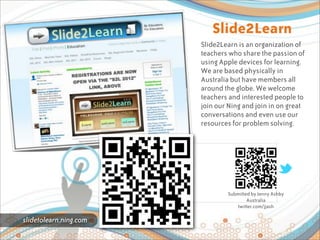
Slide2Learn
                        Slide2Learn is an organization of
                        teachers who share the passion of
                        using Apple devices for learning.
                        We are based physically in
                        Australia but have members all
                        around the globe. We welcome
                        teachers and interested people to
                        join our Ning and join in on great
                        conversations and even use our
                        resources for problem solving.


                                Submitted by Jenny Ashby
                                        Australia
                                   twitter.com/jjash

slidetolearn.ning.com
GameSalad
Mobile App Creation for the rest of us!
Gamesalad is a free rules driven
development tool allowing almost
anyone to create highly interactive
apps for iOS, Android, HTML5, and
Macs without coding. You will be
amazed what you can create without
learning a programming language.


       Submitted by Chris Thompson
          Atlanta, Georgia, USA
          twitter.com/ctceismc


                                          gamesalad.com
Mr. Hanson’s
                            Online
                          Classroom
                       A Place for my math students
                       to find all of the digital
                       lessons created for them in
                       Algebra 1 and Geometry.


                             Submitted by Bjorn Hanson
                              Minocqua, Wisconsin, USA
                             twitter.com/mrbjornhanson

mrhanson.pbworks.com
Creighton iAchieve
         Project
Creighton School District's iAchieve iPod
project has implemented iPod touches
into 22 third and fourth grade
classrooms and 2 Kindergarten
classrooms across the district. Students
create audio recordings to track their
reading fluency, making their own
digital books, collaborating with other
students across the district, along with
practicing high frequency words,
reading, grammar, and math skills.


      Submitted by Suzanne Sallee
         Phoenix, Arizona, USA
  suzanne-sallee-iachieve.blogspot.com

                                            j.mp/iachieve
EdTechTeacher
                    This website answers teacher
                    questions that begin with "I want
                    my students to..." by explaining how
                    to use different technologies in the
                    classroom. The site contributors
                    give wonderfully clear examples
                    and suggestions for everything from
                    using mobile devices to the best
                    websites for teaching science.


                            Submitted by Robyn Griffith
                              Phoenix, Arizona, USA
                               twitter.com/luvipad

edtechteacher.org
Classroom 2.0 LIVE
Classroom 2.0 LIVE provides free,
weekly, Saturday webinars with special
guest presenters each week. The
webinars are dedicated to supporting
teachers with resources and practical
suggestions for incorporating Web 2.0
technologies into their teaching and
learning. All sessions are recorded and
archived with Livebinder resources and
available on iTunesU.


      Submitted by Peggy George
        Phoenix, Arizona, USA
         twitter.com/pgeorge


                                          live.classroom20.com
Arcademic Skill
                    Builders
                 Arcademic Skill Builders are online
                 educational video games that offer a
                 powerful approach to learning basic
                 math, language arts, vocabulary, and
                 thinking skills. Students are completely
                 safe while playing the games. It is
                 impossible for anyone outside your class
                 to contact a student while playing the
                 games. In the multiplayer games, if the
                 student starts a 'private' game, then only
                 players that know the password (created
                 by the student) can join the game. For
                 grades 1-6 and requires Flash.


                           Submitted by Lois Rubino
                          Fountain Hills, Arizona, USA
                            twitter.com/LoisRubino
arcademics.com
StudyBuddy
       Campus
StudyBuddyCampus provides free virtual
classrooms where teachers create lessons
for their students, easily create electronic
assignments, have their assignments
automatically graded by the application,
allow their students to collaborate on safe
discussion among classmates, assign
educational games as homework,
collaborate across the nation in a free
online community, and share assignments
and other documents with other teachers
in the community.


       Submitted by Heather Jancoski
           Youngtown, AZ, USA
         facebook.com/hjancoski

                                               studybuddycampus.com
Developing
                   Education
               Developing Education is a resource
               blog for iOS implementation in
               education, technology leadership
               and professional learning. This is
               Derek Keenan's blog and contains
               presentation resources, app
               reviews and other pertinent
               educational resources centered on
               educational technology.


                       Submitted by Derek Keenan
                         Airdrie, Alberta, Canada
                          twitter.com/mrkeenan

mrkeenan.com
MentorMob
Curate any article, website or video
into learning playlists. Anyone can
create or use these step-by-step
playlists containing only the best
information, so you don't have to
search through the good and the bad
search results and find what you need.
It's already there for you. Create, add
and edit together and then share to
make great learning free!


       Submitted by Alison Anderson
           Portland, Oregon, USA
          twitter.com/tedrosececi


                                          mentormob.com
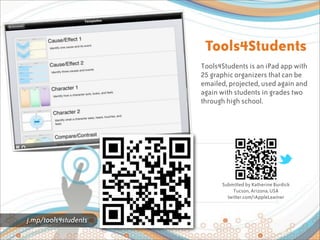
Tools4Students
                      Tools4Students is an iPad app with
                      25 graphic organizers that can be
                      emailed, projected, used again and
                      again with students in grades two
                      through high school.


                            Submitted by Katherine Burdick
                                Tucson, Arizona, USA
                              twitter.com/iAppleLearner


j.mp/tools4students
K5 Computer Lab
This website is produced by a
"techie" and offers current and
up-to-date lessons spanning the
curriculum. As an elementary
computer educator, I have
found this to be a website that I
use frequently and often refer
to others.


      Submitted by Rosanna Westby
         Phoenix, Arizona, USA
          twitter.com/westbyr


                                    oakdome.com/k5
Android 4
                            Schools
                      Richard Byrne, an educator who
                      writes the popular Free Technology
                      for Teachers blog, writes
                      educational app reviews for
                      Android devices. The app that are
                      mentioned are usually free and
                      quite useful to K-12 students,
                      teachers, and administrators.


                              Submitted by Tony Vincent
                                Phoenix, Arizona, USA
                               twitter.com/tonyvincent

android4schools.com
OpenDNS
OpenDNS provides free internet
filtering and security. OpenDNS’
Parental Control Solutions can help
parents manage their children’s
Internet access. Setup involves
changing a setting on a home’s
wireless router to direct traffic
through OpenDNS’ servers.


        Submitted by Tony Vincent
          Phoenix, Arizona, USA
           learninginhand.com


                                      opendns.com
Getting the Most
                 Out of Your iPods
                 This iBook for iPad was created for a
                 presentation at the 2012 Nebraska
                 Educational Technology Association’s
                 spring conference. The book shows
                 tips and ways to utilize iPods in the
                 classroom on an every day basis. It’s
                 by Chad Ackerson, a 5th/6th grade
                 teacher. Visit his website at
                 bit.ly/neta2012.


                         Submitted by Chad Ackerson
                            Elba, Nebraska, USA
                               bit.ly/neta2012

j.mp/mostipods

Mobile Learning Resource Posters

  • 1.
    MOBILE LEARNING EXPERIENCE Resource Posters These posters were put around the venue for Mobile Learning Experience 2012 in Phoenix, Arizona. They were put together by Tony Vincent from online submissions. Join us for Mobile Learning Experience 2013! mobile2013.org
  • 2.
    APPitic APPitic is a directory of apps for education by Apple Distinguished Educators to help teachers transform teaching and learning. These apps have been tested in a variety of different grade levels, instructional strategies and classroom settings. Apps are sorted in a variety of ways, including by theme, multiple intelligences, and National Education Technology Standards. Submitted by Tony Vincent Phoenix, Arizona, USA twitter.com/tonyvincent appitic.com
  • 3.
    Learning in Hand Learningin Hand has been online since 2001 when it was part of Tony Vincent’s fifth grade classroom website. Originally focused on Palm handhelds, the site now focuses iPads and other current digital tools for K-12. Tony has written about iOS device management, project-based learning, podcasting, and QR codes. Submitted by Tony Vincent Phoenix, Arizona, USA twitter.com/tonyvincent learninginhand.com
  • 4.
    Mobile & Technology- EnhancedCommunity Building Activities This website has been designed to describe mobile learning and technology-based activities that facilitate a sense of community in a variety of educational and training settings. They rely mostly on texting, emailing, and photo-taking activities. Free, group sharing internet sites are also used which require access to the Internet via a smartphone or computer. Sites such as Flickr Photo Sharing, Google Docs, and Web 2.0 tools supplement some of the activities. Submitted by Jackie Gerstein Boise, Idaho, USA twitter.com/jackiegerstein j.mp/mtecba
  • 5.
    Evernote Evernote lets you gather everything you see, read, hear into convenient folders. It’s cloud-based, so your Evernote folders are anywhere and everywhere you go. You can take photos, record, dictate and type. Evernote can even interpret printed information off a picture. The more you use it the more you appreciate it. Professional or personal, this app can do it for you if you would like to be better organized. Submitted by Elisabeth LeBris Kenilworth, Illinois, USA twitter.com/elebris evernote.com
  • 6.
    Send To Dropbox SendTo Dropbox is a free service that creates an e-mail address you can use to send files directly to your Dropbox account. It's a quick way for students to hand in work they've completed, and it keeps your regular e-mail inbox neat and tidy. Add the address as a contact on your classroom mobile devices and students can share their work with just a few taps. Submitted by Mike Henrickson Sterling, Virginia, USA twitter.com/MikeHenrickson sendtodropbox.com
  • 7.
    Poll Everywhere I use this as an engagement tool in my High School English classes. I can have open ended questions which gather info from the whole class on a topic, or a question, or I can use the multiple choice function to ‘test’ student reading comprehension. I find it engages most kids in my room at a far better response ratio than a question posed orally to the class. It’s a great tool for any classroom. Submitted by Kirby Dietze Alberta, Canada twitter.com/KirbyDietze polleverywhere.com
  • 8.
    Blurb Mobile This iOSapp lets you create stories using your own media. Capture and sequence videos, photos, screenshots into short visual stories you can share. Edit media with a variety of tools and record audio & attach to images or story. Easy to use. Free-mium with upgrade only 99¢ Submitted by Andy Mann Muskegon, Michigan twitter.com/andrewmmann j.mp/blurbmobile
  • 9.
    YouTube Teachers YouTube Teachers is an awesome how-to site that shows teachers to use YouTube in the classroom. It has playlists sorted by grade level and content area, and the ads and suggested videos are appropriate for students. Submitted by Karen Mensing Phoenix, Arizona, USA youtube.com/karenmensing youtube.com/teachers
  • 10.
    Google Translate Google Translateis Google's free online language translation service and it instantly translates text and web pages. This translator supports many languages and is available to use as a website or an app. Submitted by Karen Mensing Phoenix, Arizona, USA twitter.com/MsMensing translate.google.com
  • 11.
    YouTube Video Editor The YouTube Video Editor is free, cloud-based video editing software for laptops and desktops. It allows you to virtually store your videos and edit them within YouTube’s browser. You can also take existing video clips hosted on YouTube and cut, edit, re-color, add sound and more to create new content. Submitted by Karen Mensing Phoenix, Arizona, USA youtube.com/karenmensing youtube.com/editor
  • 12.
    International Children’s Digital Library This site provides free access to ebooks for children. The ICDL Foundation's goal is to build a collection of books that represents outstanding historical and contemporary books from throughout the world. Books can be accessed via the website or using apps for iPhone and iPad. There are currently 4,643 books in the collection in 61 languages. Submitted by Sharon Ewers Phoenix, Arizona, USA twitter.com/ArcadiaLib childrenslibrary.org
  • 13.
    Pixlr Photo Editor Pixlris an Android app, iOS app, and web tool with basic free photo editing. Pixlr allows users to work in layers, which helps students understand how arranging items in a document is completed. The editing options range from cropping and rotating photos to working with filters and color adjustments. Submitted by Shelly Mowinkel Nebraska, USA twitter.com/shellymowinkel pixlr.com
  • 14.
    Slide2Learn Slide2Learn is an organization of teachers who share the passion of using Apple devices for learning. We are based physically in Australia but have members all around the globe. We welcome teachers and interested people to join our Ning and join in on great conversations and even use our resources for problem solving. Submitted by Jenny Ashby Australia twitter.com/jjash slidetolearn.ning.com
  • 15.
    GameSalad Mobile App Creationfor the rest of us! Gamesalad is a free rules driven development tool allowing almost anyone to create highly interactive apps for iOS, Android, HTML5, and Macs without coding. You will be amazed what you can create without learning a programming language. Submitted by Chris Thompson Atlanta, Georgia, USA twitter.com/ctceismc gamesalad.com
  • 16.
    Mr. Hanson’s Online Classroom A Place for my math students to find all of the digital lessons created for them in Algebra 1 and Geometry. Submitted by Bjorn Hanson Minocqua, Wisconsin, USA twitter.com/mrbjornhanson mrhanson.pbworks.com
  • 17.
    Creighton iAchieve Project Creighton School District's iAchieve iPod project has implemented iPod touches into 22 third and fourth grade classrooms and 2 Kindergarten classrooms across the district. Students create audio recordings to track their reading fluency, making their own digital books, collaborating with other students across the district, along with practicing high frequency words, reading, grammar, and math skills. Submitted by Suzanne Sallee Phoenix, Arizona, USA suzanne-sallee-iachieve.blogspot.com j.mp/iachieve
  • 18.
    EdTechTeacher This website answers teacher questions that begin with "I want my students to..." by explaining how to use different technologies in the classroom. The site contributors give wonderfully clear examples and suggestions for everything from using mobile devices to the best websites for teaching science. Submitted by Robyn Griffith Phoenix, Arizona, USA twitter.com/luvipad edtechteacher.org
  • 19.
    Classroom 2.0 LIVE Classroom2.0 LIVE provides free, weekly, Saturday webinars with special guest presenters each week. The webinars are dedicated to supporting teachers with resources and practical suggestions for incorporating Web 2.0 technologies into their teaching and learning. All sessions are recorded and archived with Livebinder resources and available on iTunesU. Submitted by Peggy George Phoenix, Arizona, USA twitter.com/pgeorge live.classroom20.com
  • 20.
    Arcademic Skill Builders Arcademic Skill Builders are online educational video games that offer a powerful approach to learning basic math, language arts, vocabulary, and thinking skills. Students are completely safe while playing the games. It is impossible for anyone outside your class to contact a student while playing the games. In the multiplayer games, if the student starts a 'private' game, then only players that know the password (created by the student) can join the game. For grades 1-6 and requires Flash. Submitted by Lois Rubino Fountain Hills, Arizona, USA twitter.com/LoisRubino arcademics.com
  • 21.
    StudyBuddy Campus StudyBuddyCampus provides free virtual classrooms where teachers create lessons for their students, easily create electronic assignments, have their assignments automatically graded by the application, allow their students to collaborate on safe discussion among classmates, assign educational games as homework, collaborate across the nation in a free online community, and share assignments and other documents with other teachers in the community. Submitted by Heather Jancoski Youngtown, AZ, USA facebook.com/hjancoski studybuddycampus.com
  • 22.
    Developing Education Developing Education is a resource blog for iOS implementation in education, technology leadership and professional learning. This is Derek Keenan's blog and contains presentation resources, app reviews and other pertinent educational resources centered on educational technology. Submitted by Derek Keenan Airdrie, Alberta, Canada twitter.com/mrkeenan mrkeenan.com
  • 23.
    MentorMob Curate any article,website or video into learning playlists. Anyone can create or use these step-by-step playlists containing only the best information, so you don't have to search through the good and the bad search results and find what you need. It's already there for you. Create, add and edit together and then share to make great learning free! Submitted by Alison Anderson Portland, Oregon, USA twitter.com/tedrosececi mentormob.com
  • 24.
    Tools4Students Tools4Students is an iPad app with 25 graphic organizers that can be emailed, projected, used again and again with students in grades two through high school. Submitted by Katherine Burdick Tucson, Arizona, USA twitter.com/iAppleLearner j.mp/tools4students
  • 25.
    K5 Computer Lab Thiswebsite is produced by a "techie" and offers current and up-to-date lessons spanning the curriculum. As an elementary computer educator, I have found this to be a website that I use frequently and often refer to others. Submitted by Rosanna Westby Phoenix, Arizona, USA twitter.com/westbyr oakdome.com/k5
  • 26.
    Android 4 Schools Richard Byrne, an educator who writes the popular Free Technology for Teachers blog, writes educational app reviews for Android devices. The app that are mentioned are usually free and quite useful to K-12 students, teachers, and administrators. Submitted by Tony Vincent Phoenix, Arizona, USA twitter.com/tonyvincent android4schools.com
  • 27.
    OpenDNS OpenDNS provides freeinternet filtering and security. OpenDNS’ Parental Control Solutions can help parents manage their children’s Internet access. Setup involves changing a setting on a home’s wireless router to direct traffic through OpenDNS’ servers. Submitted by Tony Vincent Phoenix, Arizona, USA learninginhand.com opendns.com
  • 28.
    Getting the Most Out of Your iPods This iBook for iPad was created for a presentation at the 2012 Nebraska Educational Technology Association’s spring conference. The book shows tips and ways to utilize iPods in the classroom on an every day basis. It’s by Chad Ackerson, a 5th/6th grade teacher. Visit his website at bit.ly/neta2012. Submitted by Chad Ackerson Elba, Nebraska, USA bit.ly/neta2012 j.mp/mostipods