Methods(1) 
Lecture 5 
Dr. Hakem Beitollahi 
Computer Engineering Department 
Soran University
 Introduction 
 Math Class Methods 
 Methods 
 Method Definitions 
 Argument Promotion 
Methods(I)— 2
Introdcution 
 Most computer programs that solve real-world 
problems are much larger than programs that 
you have written yet! 
 Experience has shown that the best way to 
develop and maintain a large program is to 
construct it from small, simple pieces, or 
modules. 
 Methods are the building blocks of C# and the 
place where all program activity occurs. 
 Divide and conquer technique 
 Construct a large program from small, simple pieces 
(e.g., components) 
Methods(I)— 3
What are methods? 
 Methods 
 Called functions or procedures in other languages 
 Allow programmers to modularize a program by 
separating its tasks into self-contained units 
o Statements in method bodies are written only once 
 Reused from perhaps several locations in a program 
 Hidden from other methods 
 Avoid repeating code 
o Enable the divide-and-conquer approach 
o Reusable in other programs 
o User-defined or programmer-defined methods 
Methods(I)— 4
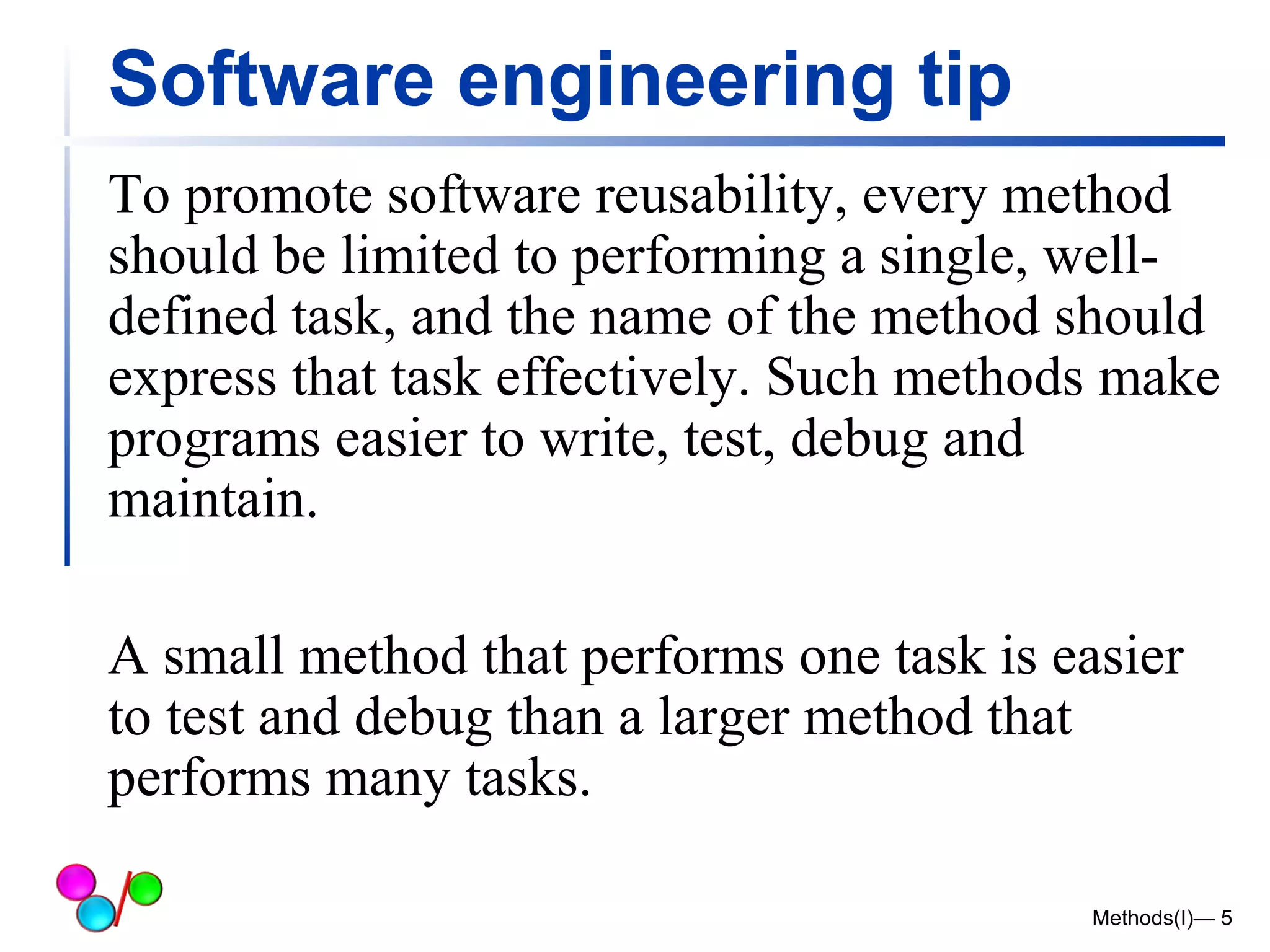
Software engineering tip 
To promote software reusability, every method 
should be limited to performing a single, well-defined 
task, and the name of the method should 
express that task effectively. Such methods make 
programs easier to write, test, debug and 
maintain. 
A small method that performs one task is easier 
to test and debug than a larger method that 
performs many tasks. 
Methods(I)— 5
Methods in C# 
 C# programs are written by combining new 
methods and classes 
 available in the .NET Framework Class Library 
(FCL) 
 The FCL provides: 
 mathematical calculations, string 
manipulations, character manipulations, 
input/output operations and so on. 
 A method is invoked by a method call. 
Methods(I)— 6
Methods in C# 
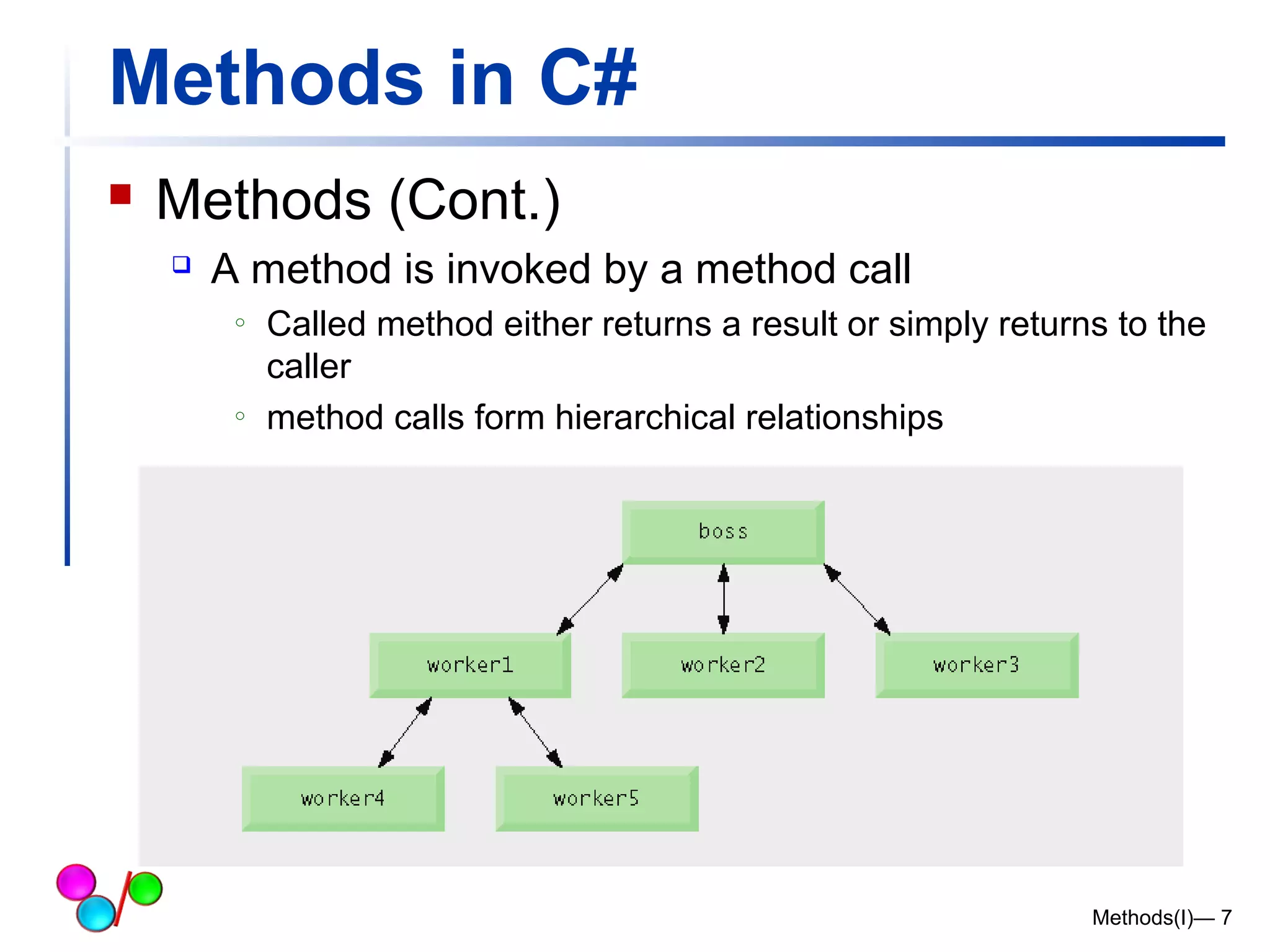
 Methods (Cont.) 
 A method is invoked by a method call 
o Called method either returns a result or simply returns to the 
caller 
o method calls form hierarchical relationships 
Methods(I)— 7
Math Class Methods 
Methods(I)— 8
Math Class Methods (I) 
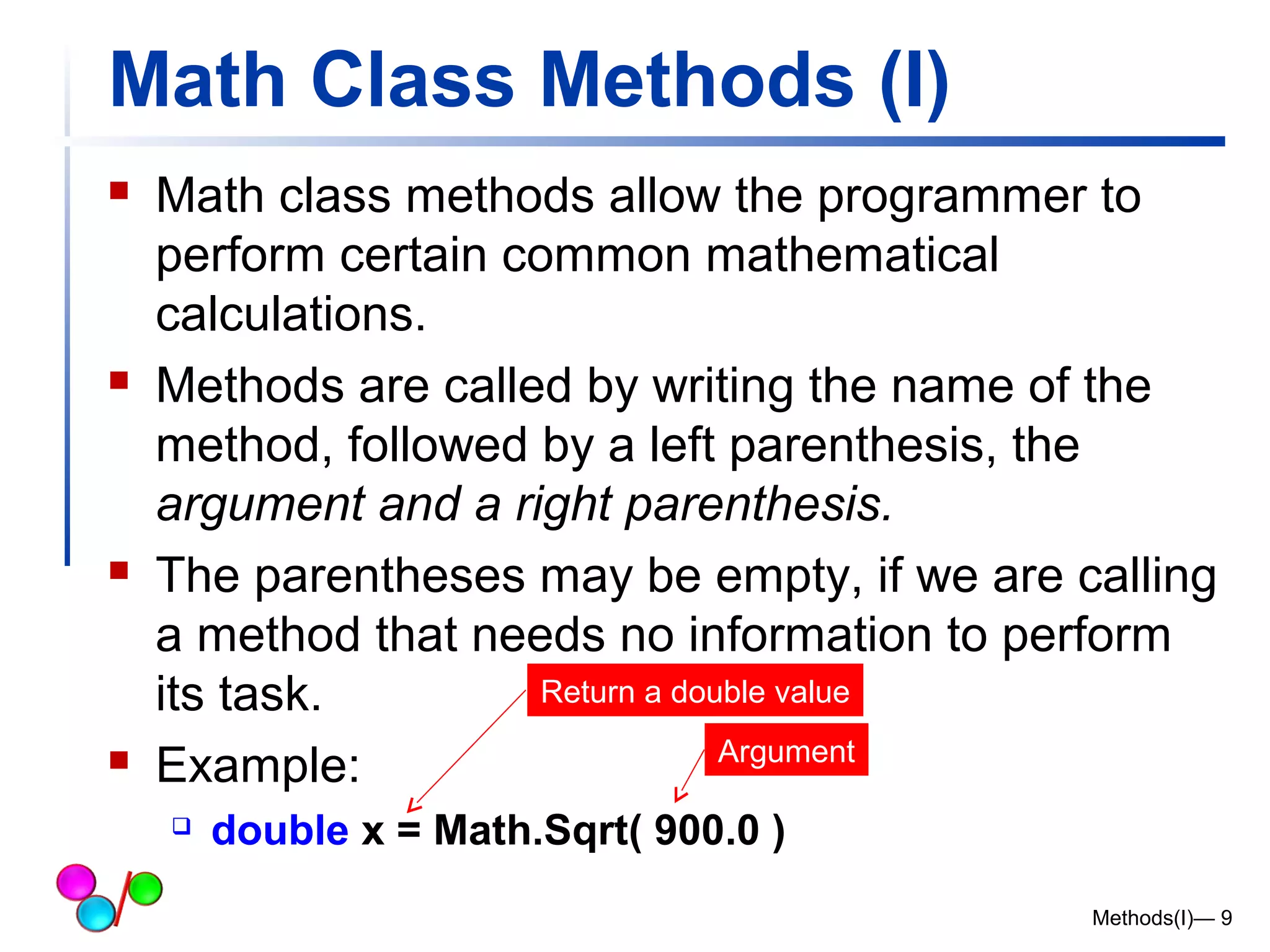
 Math class methods allow the programmer to 
perform certain common mathematical 
calculations. 
 Methods are called by writing the name of the 
method, followed by a left parenthesis, the 
argument and a right parenthesis. 
 The parentheses may be empty, if we are calling 
a method that needs no information to perform 
its task. 
Return a double value 
 Example: 
 double x = Math.Sqrt( 900.0 ) 
Methods(I)— 9 
Argument
Software Engineering Observation 6.3 
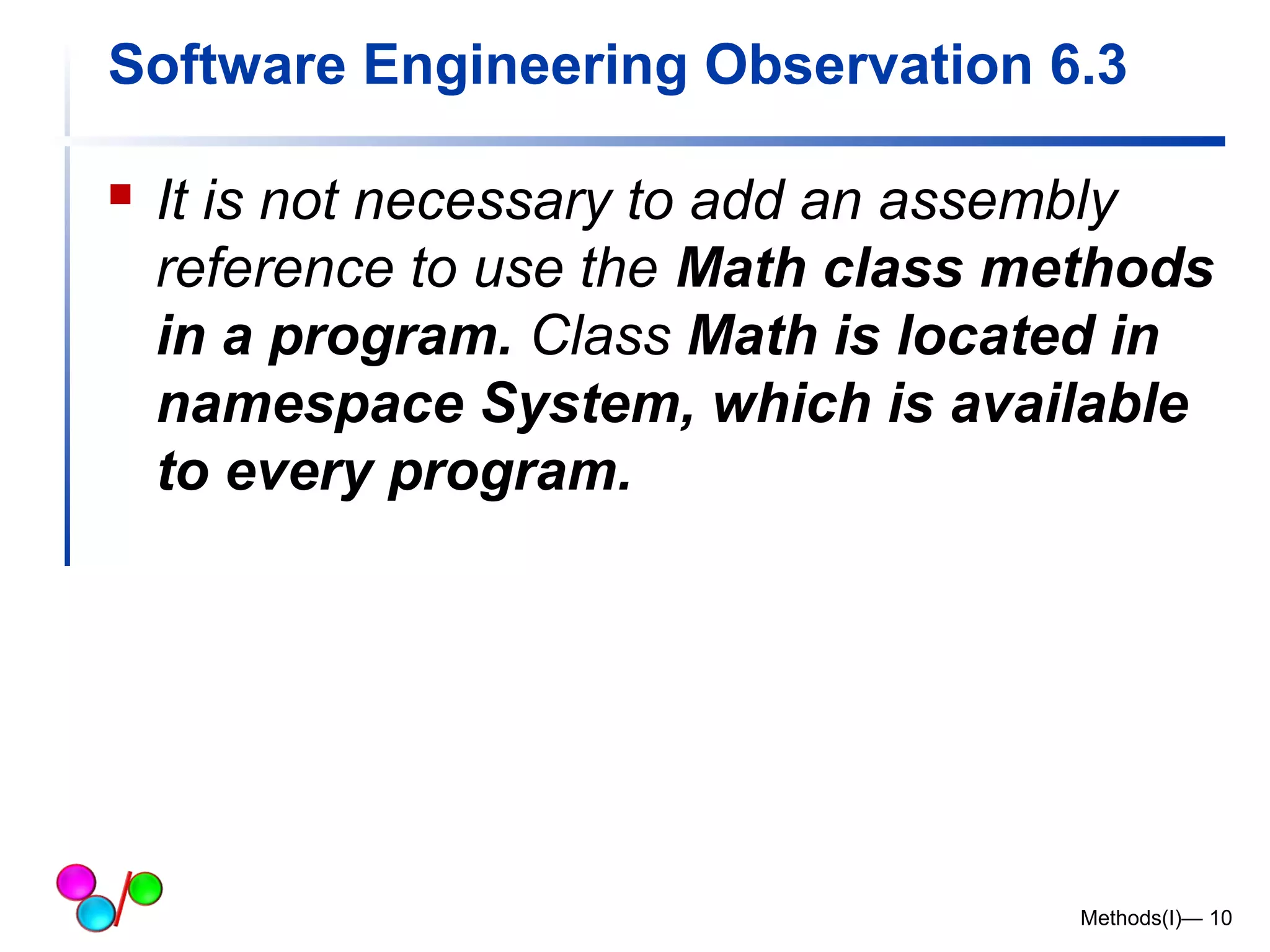
 It is not necessary to add an assembly 
reference to use the Math class methods 
in a program. Class Math is located in 
namespace System, which is available 
to every program. 
Methods(I)— 10
Math Class Methods (II) 
Methods(I)— 11
Methods(I)— 12
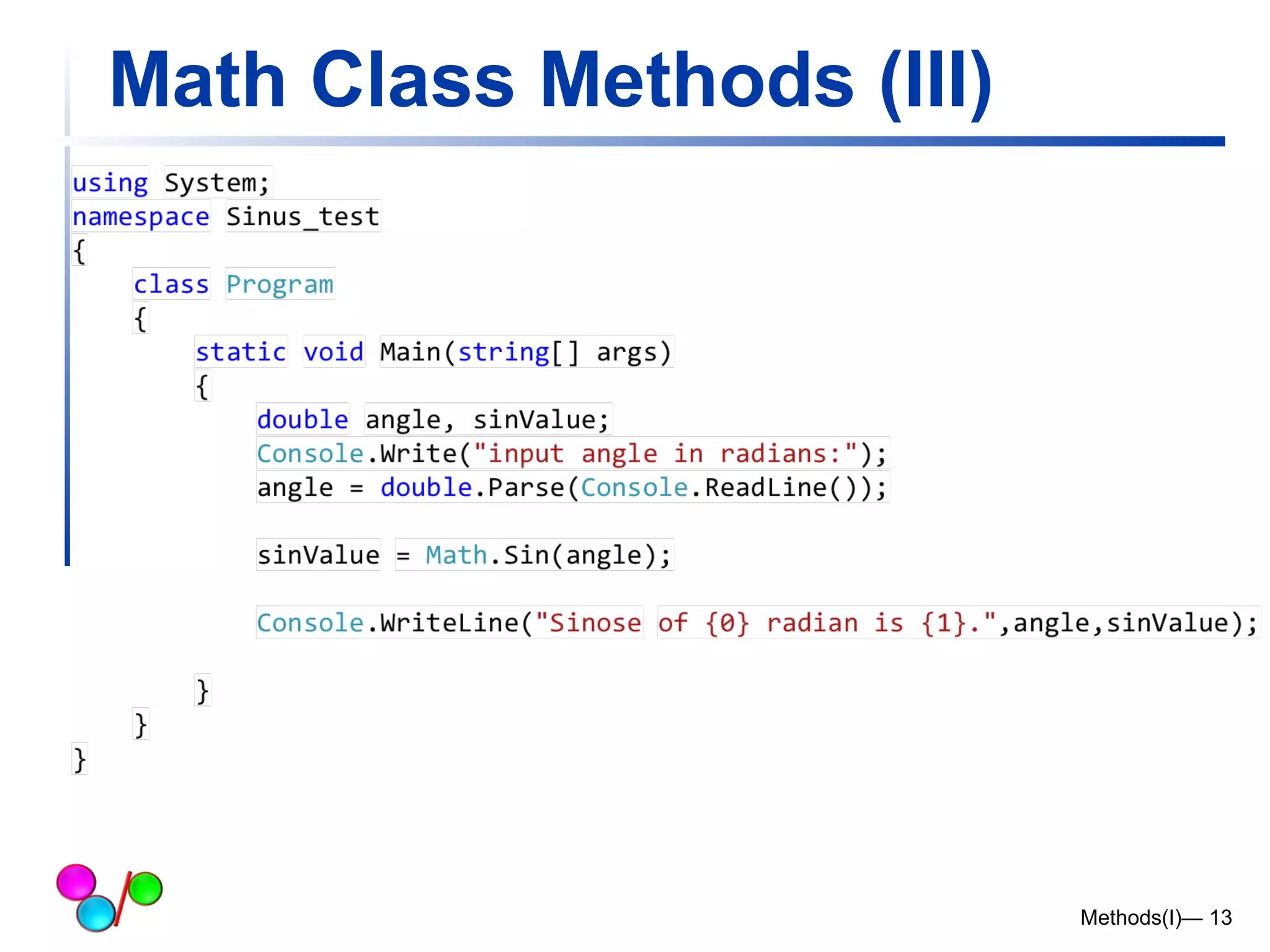
Math Class Methods (III) 
Methods(I)— 13
Method Definitions 
Methods(I)— 14
Method Definitions (I) 
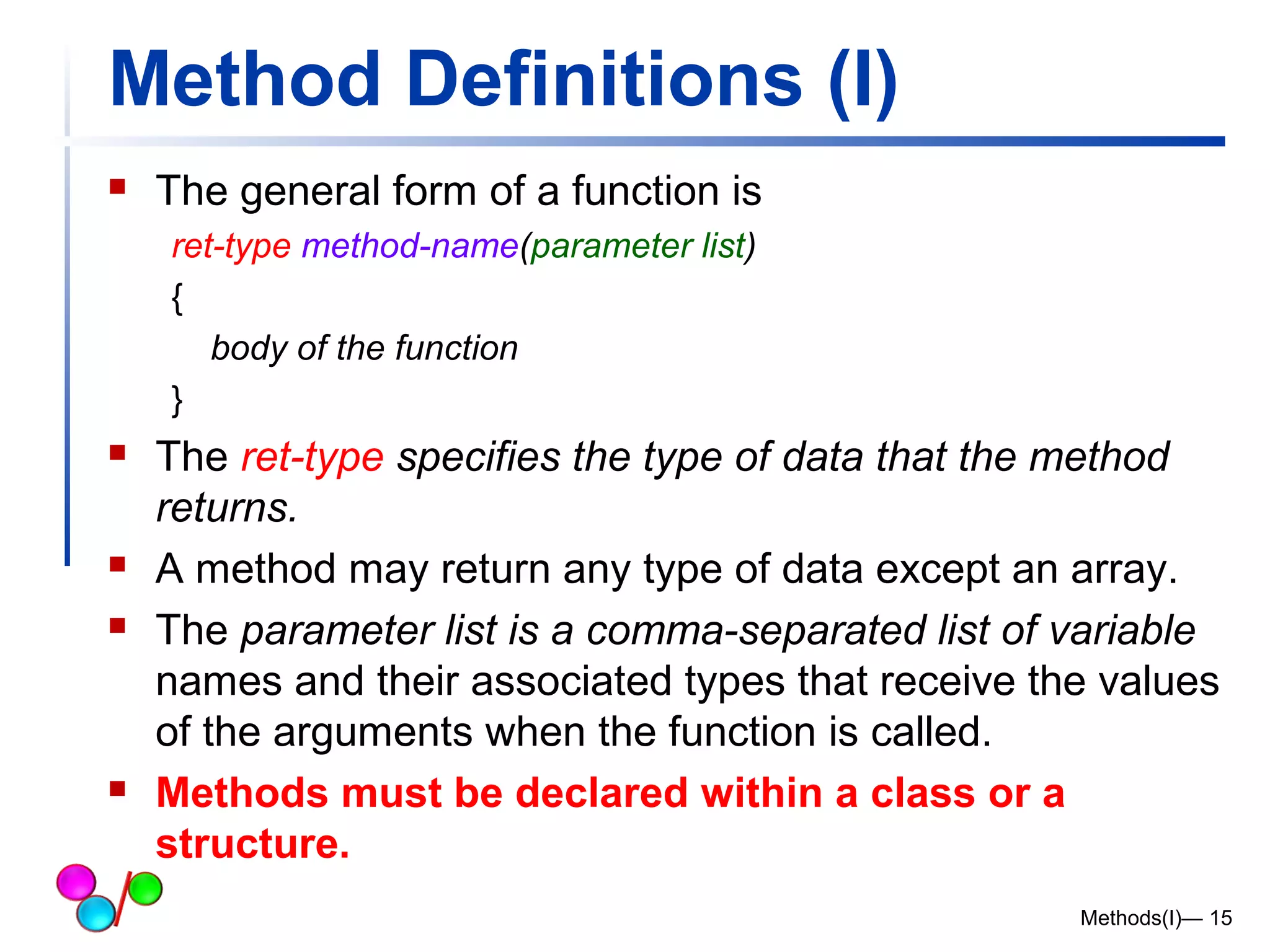
 The general form of a function is 
ret-type method-name(parameter list) 
{ 
body of the function 
} 
 The ret-type specifies the type of data that the method 
returns. 
 A method may return any type of data except an array. 
 The parameter list is a comma-separated list of variable 
names and their associated types that receive the values 
of the arguments when the function is called. 
 Methods must be declared within a class or a 
structure. 
Methods(I)— 15
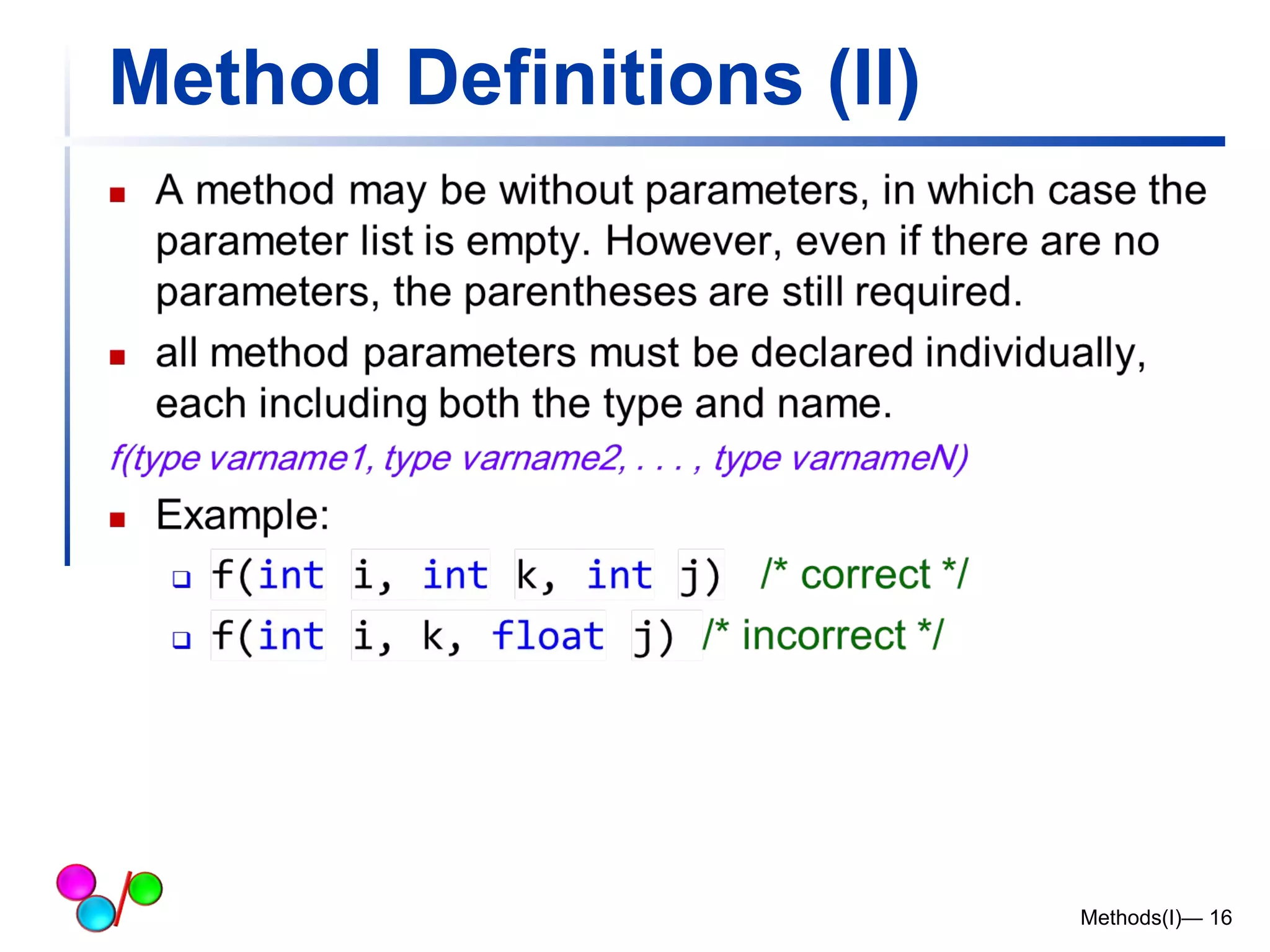
Method Definitions (II) 
Methods(I)— 16
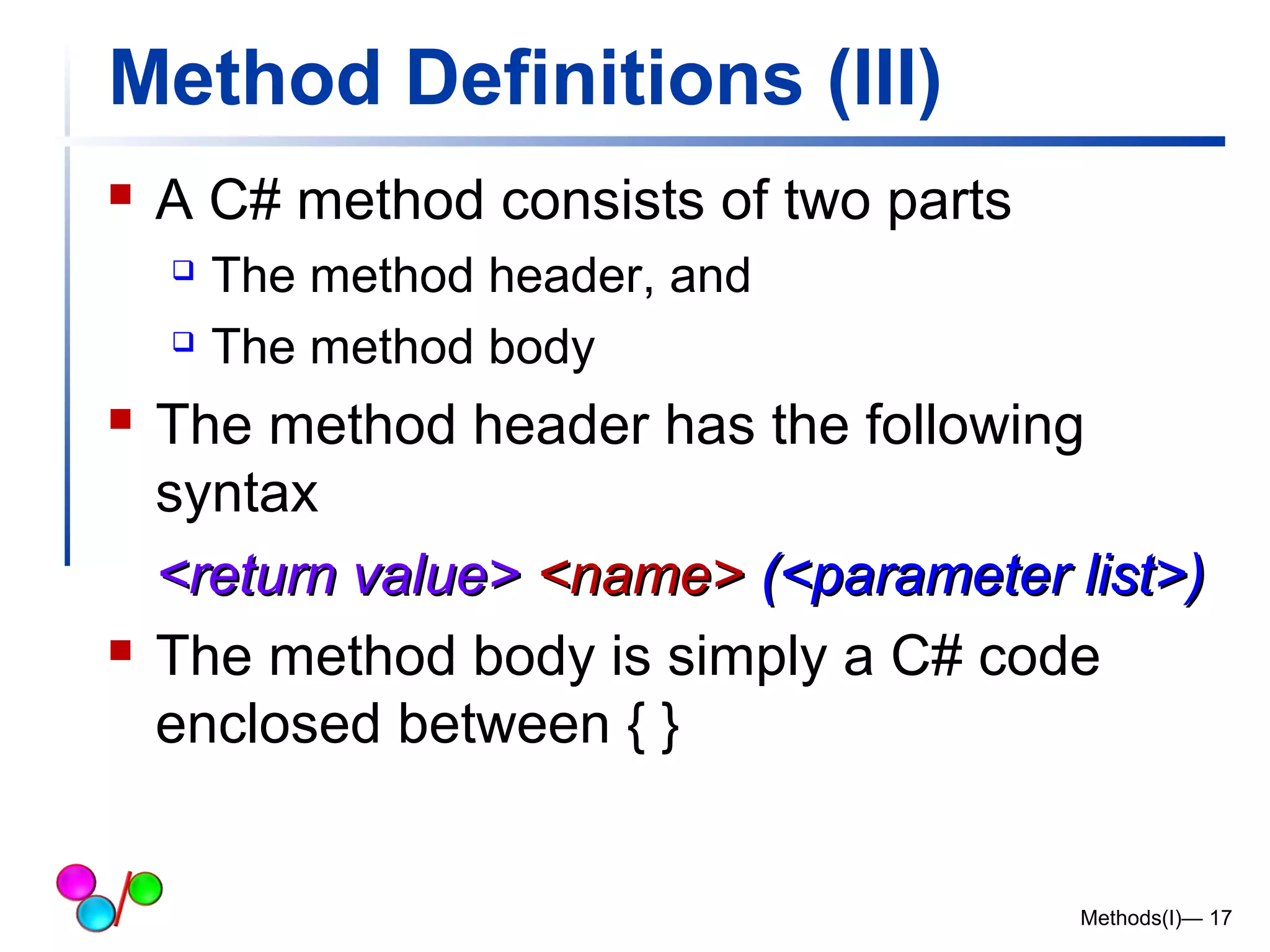
Method Definitions (III) 
 A C# method consists of two parts 
 The method header, and 
 The method body 
 The method header has the following 
syntax 
<<rreettuurrnn vvaalluuee>> <<nnaammee>> ((<<ppaarraammeetteerr lliisstt>>)) 
 The method body is simply a C# code 
enclosed between { } 
Methods(I)— 17
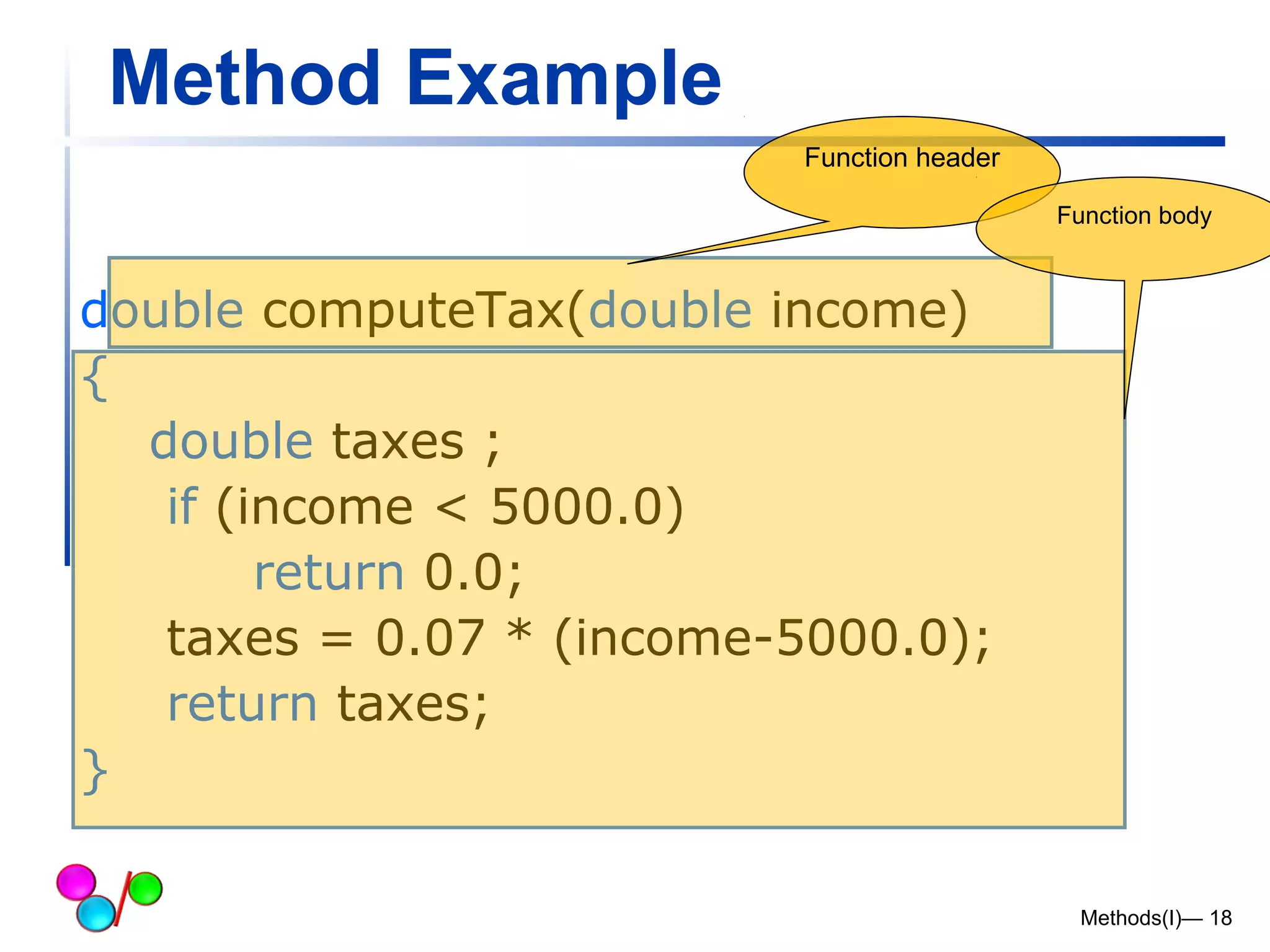
Method Example 
Methods(I)— 18 
double computeTax(double income) 
{ 
double taxes ; 
if (income < 5000.0) 
return 0.0; 
taxes = 0.07 * (income-5000.0); 
return taxes; 
} 
Function header 
Function body
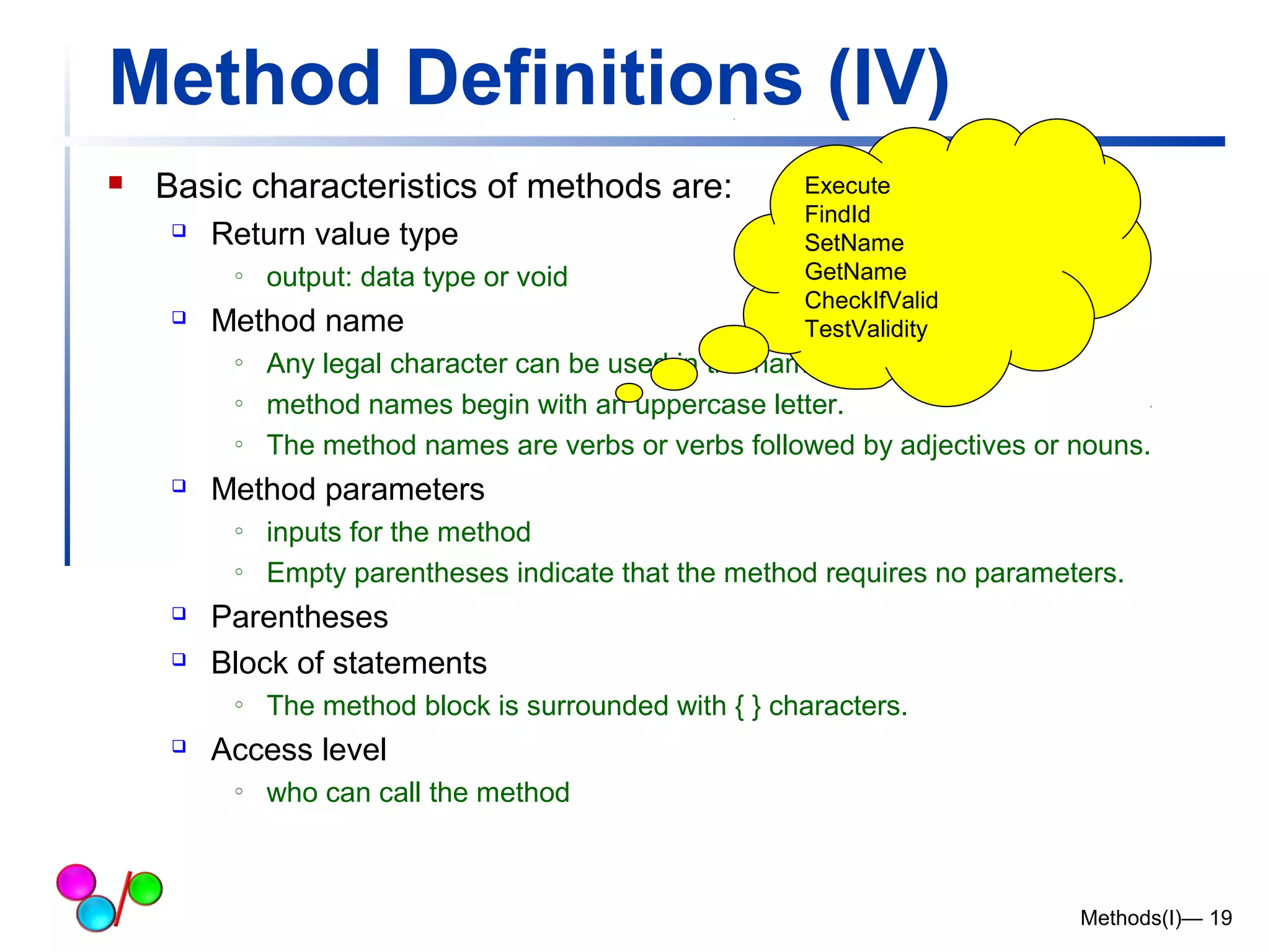
Method Definitions (IV) 
 Basic characteristics of methods are: 
 Return value type 
o output: data type or void 
 Method name 
o Any legal character can be used in the name of a method. 
o method names begin with an uppercase letter. 
o The method names are verbs or verbs followed by adjectives or nouns. 
 Method parameters 
o inputs for the method 
o Empty parentheses indicate that the method requires no parameters. 
 Parentheses 
 Block of statements 
o The method block is surrounded with { } characters. 
 Access level 
o who can call the method 
Methods(I)— 19 
Execute 
FindId 
SetName 
GetName 
CheckIfValid 
TestValidity
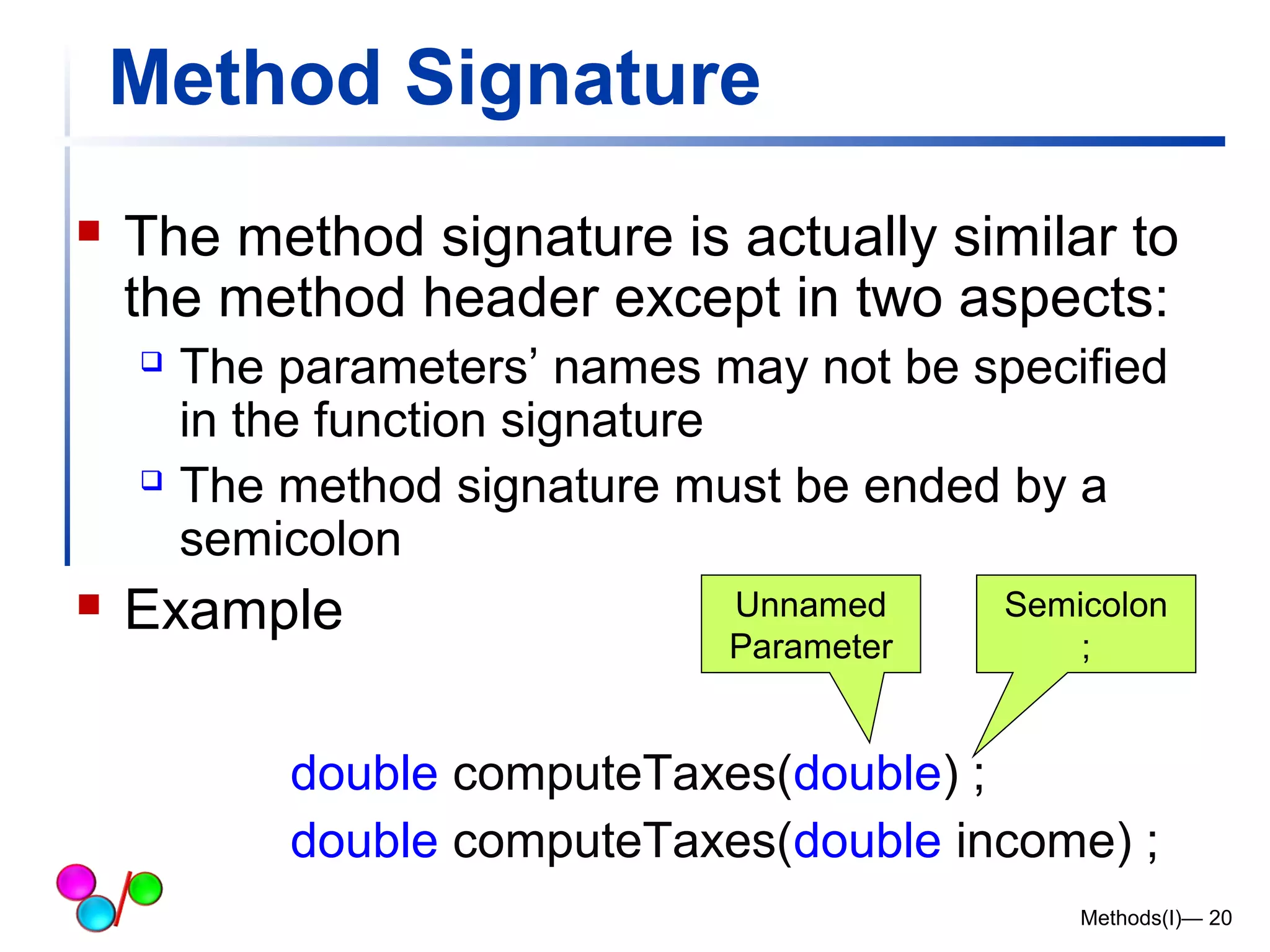
Method Signature 
 The method signature is actually similar to 
the method header except in two aspects: 
 The parameters’ names may not be specified 
in the function signature 
 The method signature must be ended by a 
semicolon 
 Example Unnamed 
Parameter 
Semicolon 
; 
double computeTaxes(double) ; 
double computeTaxes(double income) ; 
Methods(I)— 20
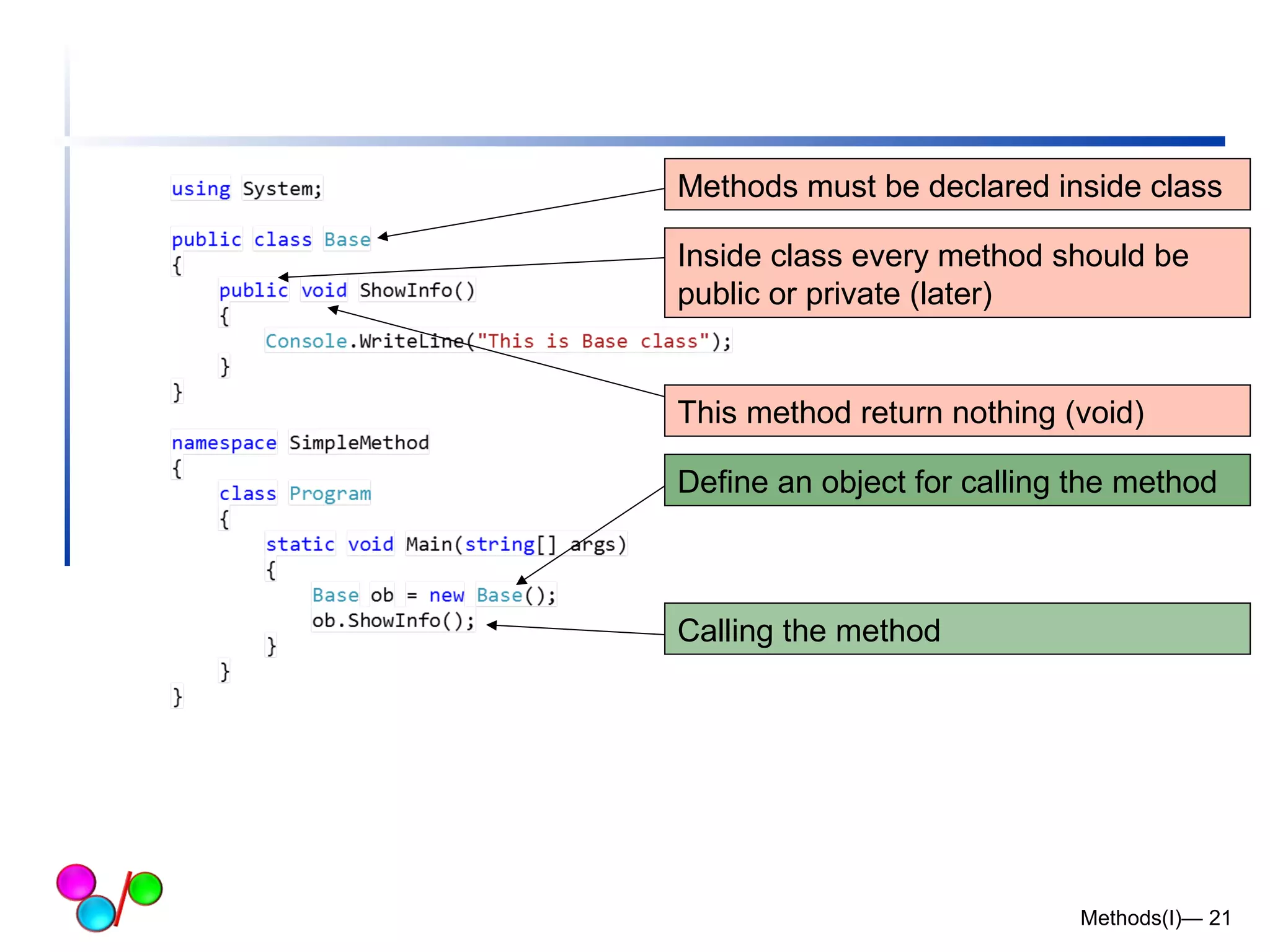
Methods must be declared inside class 
Inside class every method should be 
public or private (later) 
This method return nothing (void) 
Define an object for calling the method 
Methods(I)— 21 
Calling the method
Method Definitions (V) 
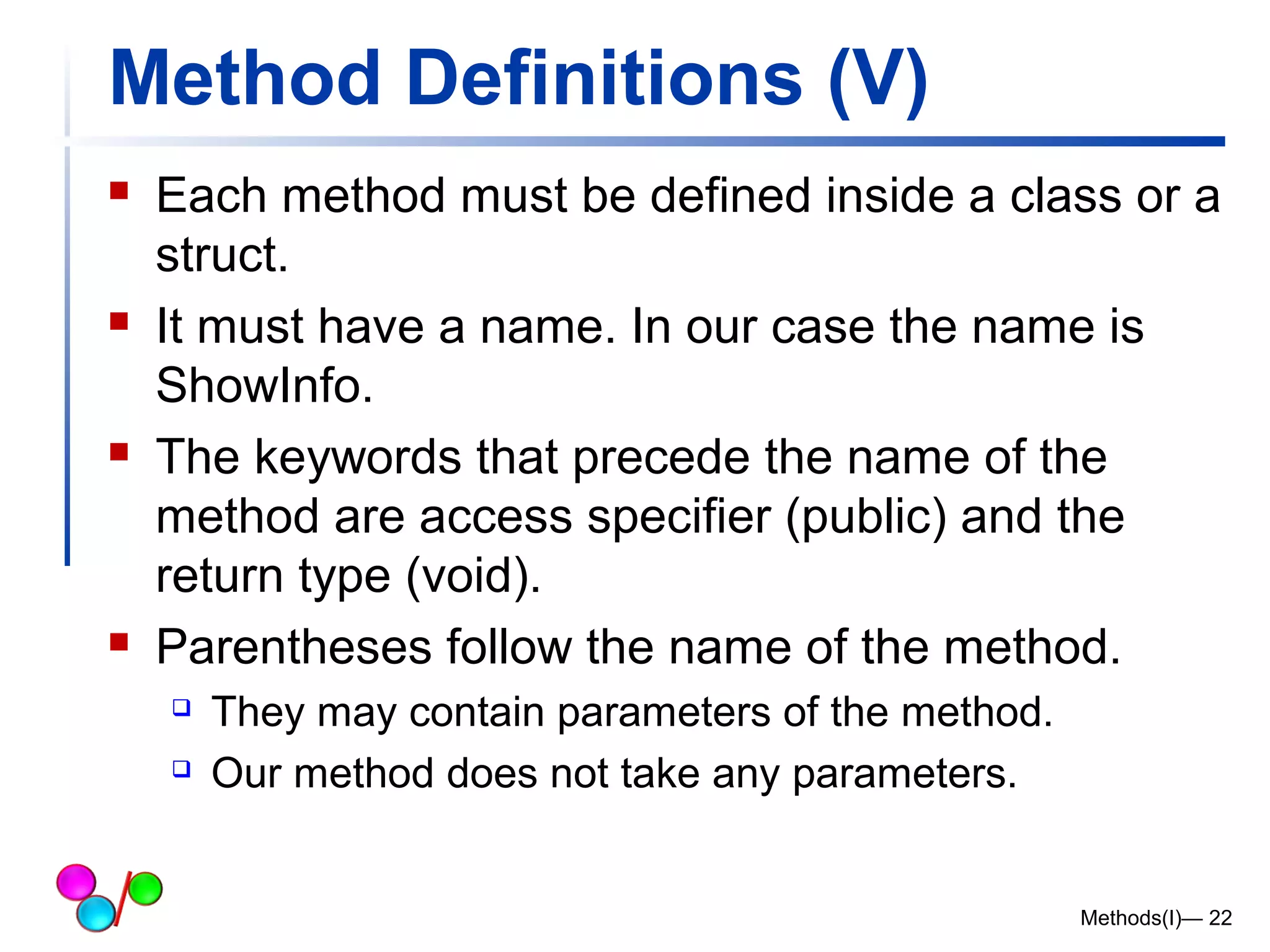
 Each method must be defined inside a class or a 
struct. 
 It must have a name. In our case the name is 
ShowInfo. 
 The keywords that precede the name of the 
method are access specifier (public) and the 
return type (void). 
 Parentheses follow the name of the method. 
 They may contain parameters of the method. 
 Our method does not take any parameters. 
Methods(I)— 22
Method Definitions (VI) 
Methods(I)— 23 
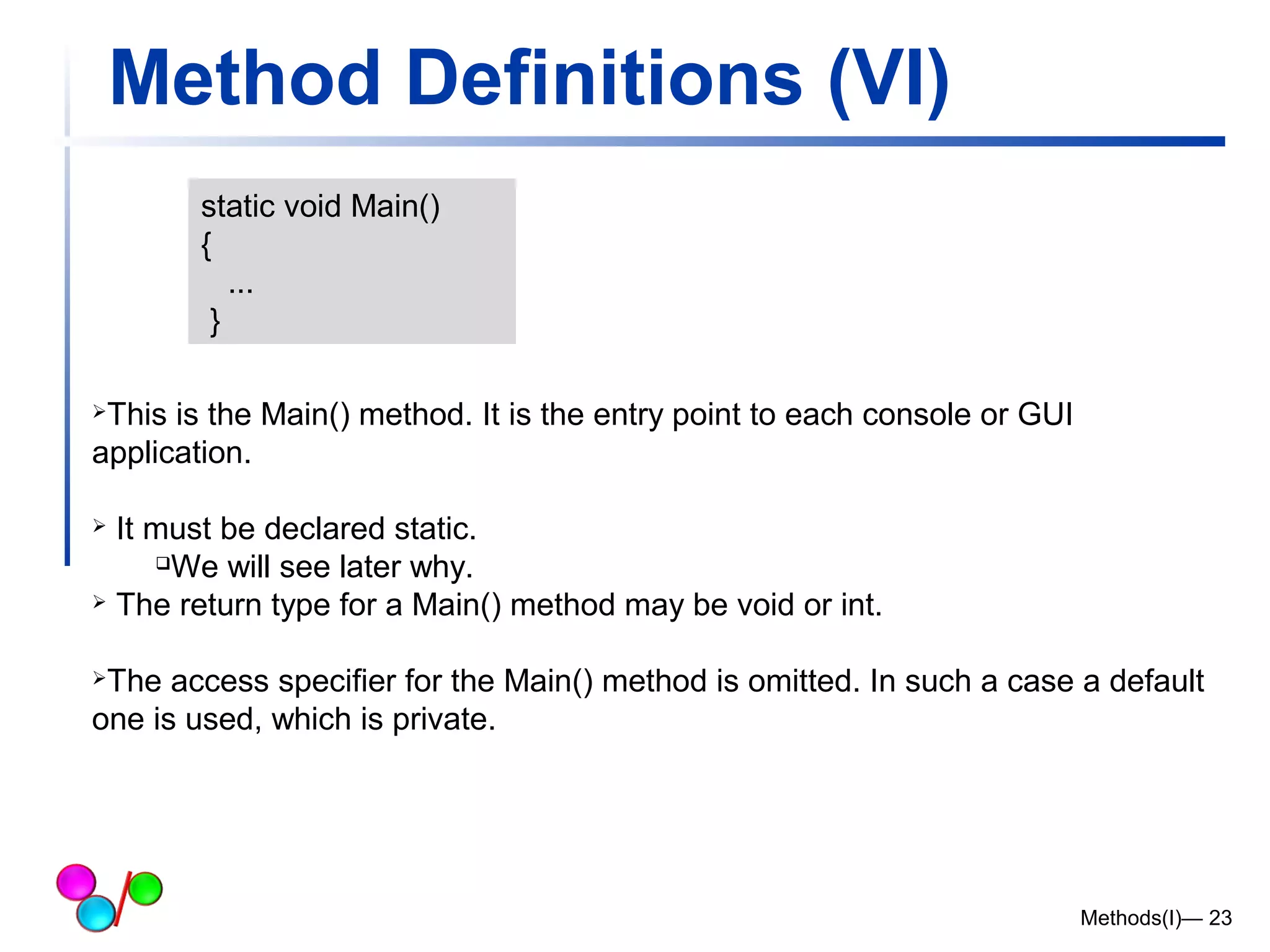
static void Main() 
{ 
... 
} 
This is the Main() method. It is the entry point to each console or GUI 
application. 
 It must be declared static. 
We will see later why. 
 The return type for a Main() method may be void or int. 
The access specifier for the Main() method is omitted. In such a case a default 
one is used, which is private.
Method Definitions (VII) 
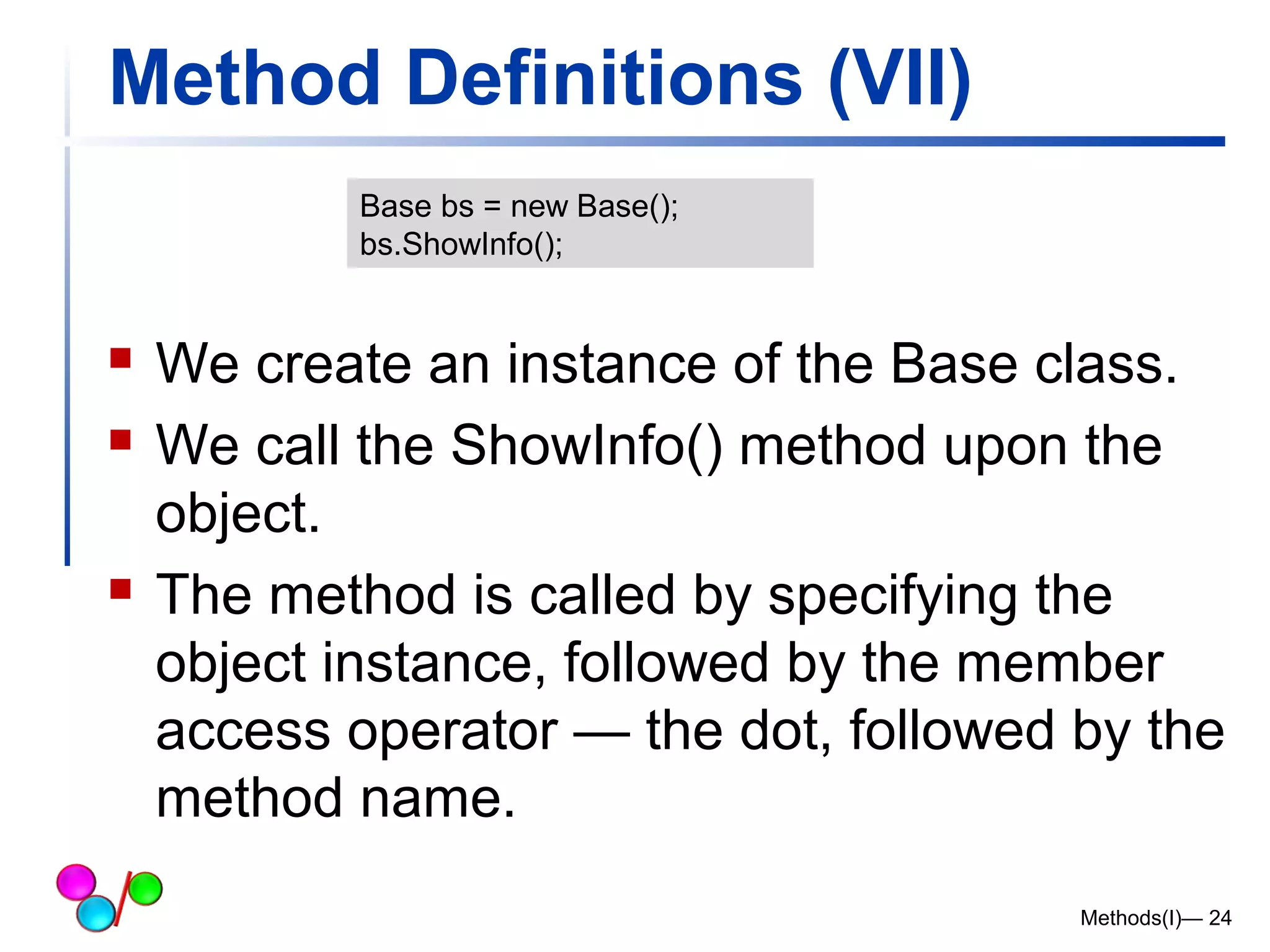
 We create an instance of the Base class. 
 We call the ShowInfo() method upon the 
object. 
 The method is called by specifying the 
object instance, followed by the member 
access operator — the dot, followed by the 
method name. 
Methods(I)— 24 
Base bs = new Base(); 
bs.ShowInfo();
Another Example 
Methods(I)— 25
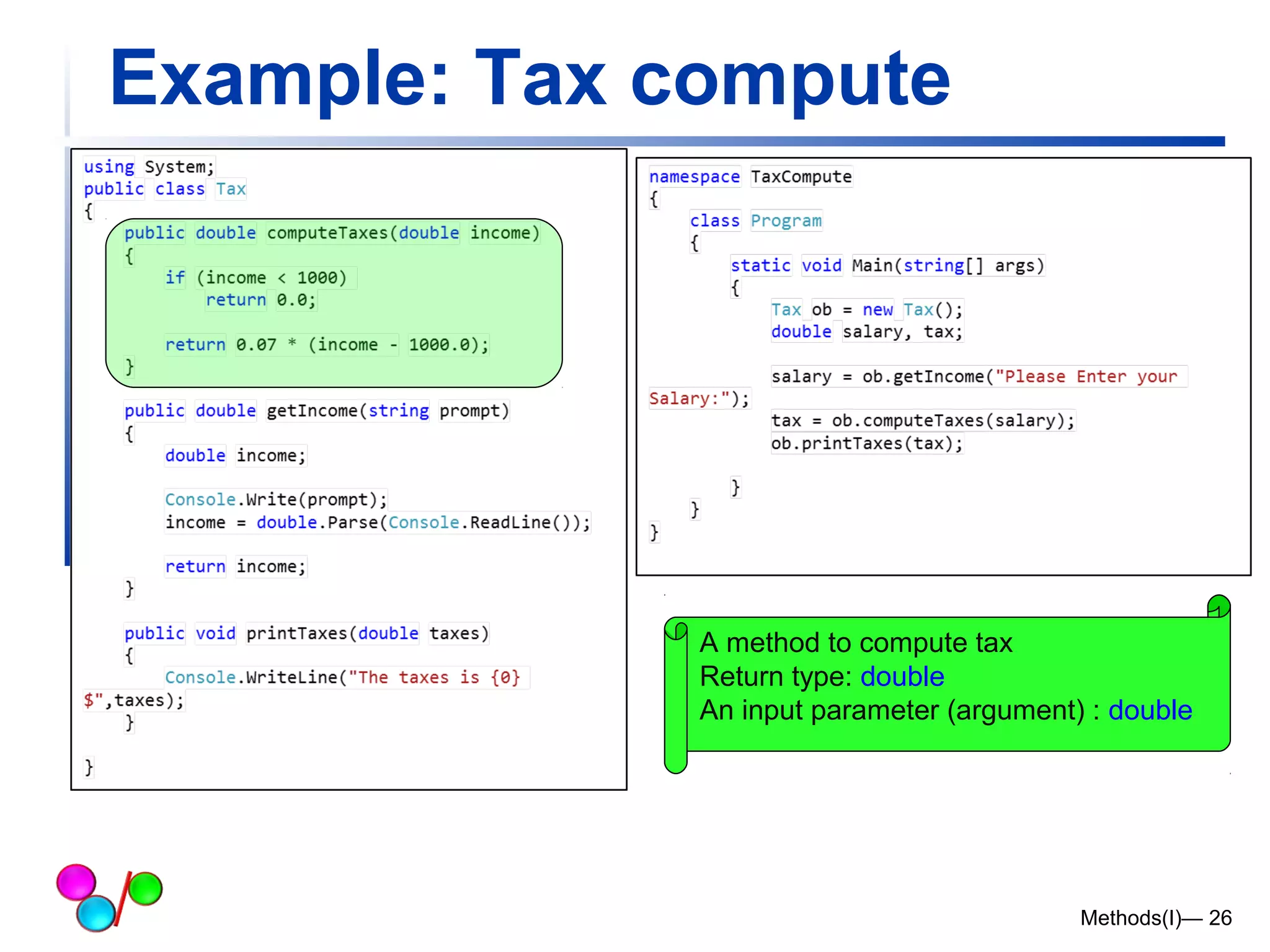
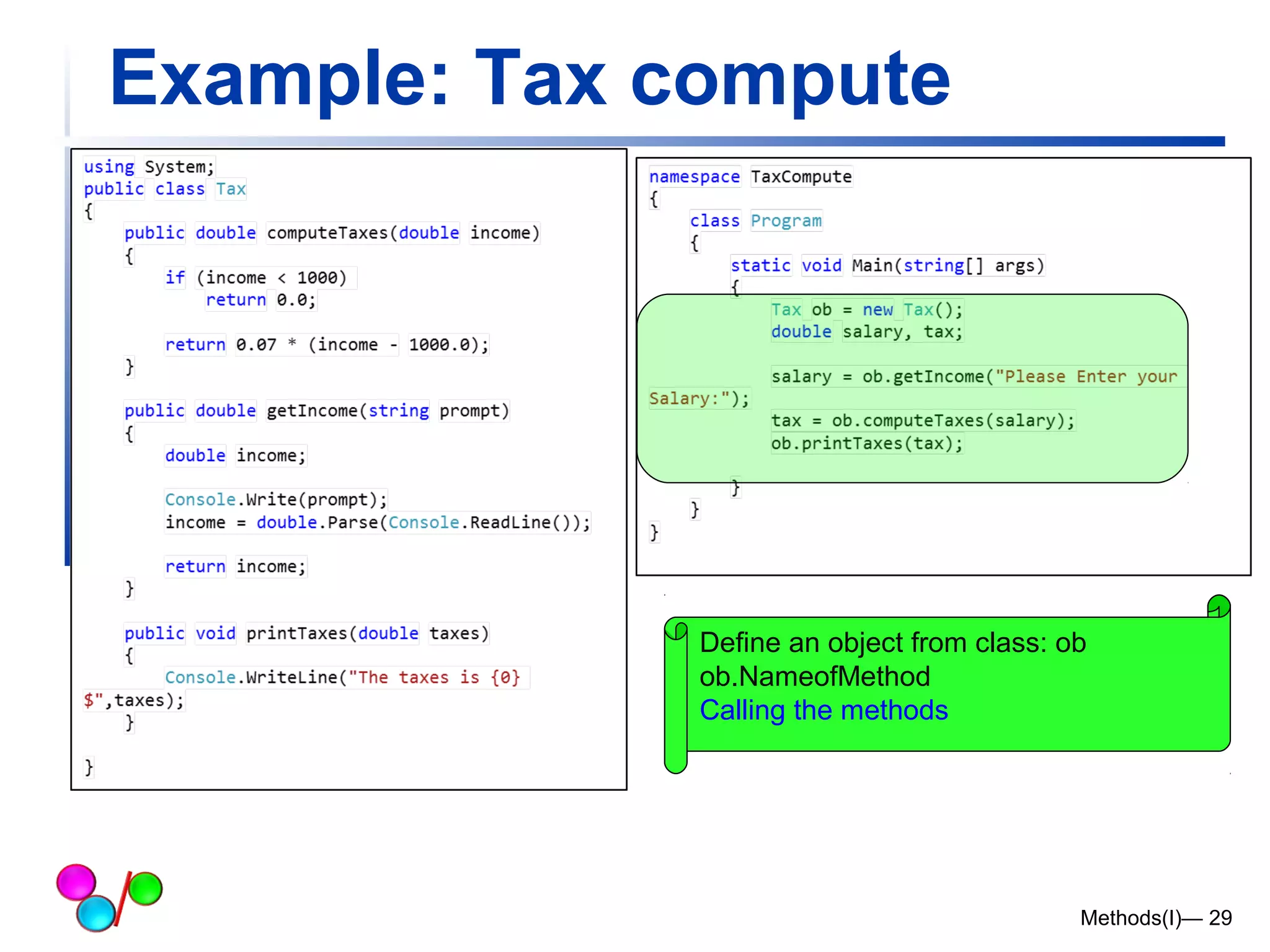
Example: Tax compute 
A method to compute tax 
Return type: double 
An input parameter (argument) : double 
Methods(I)— 26
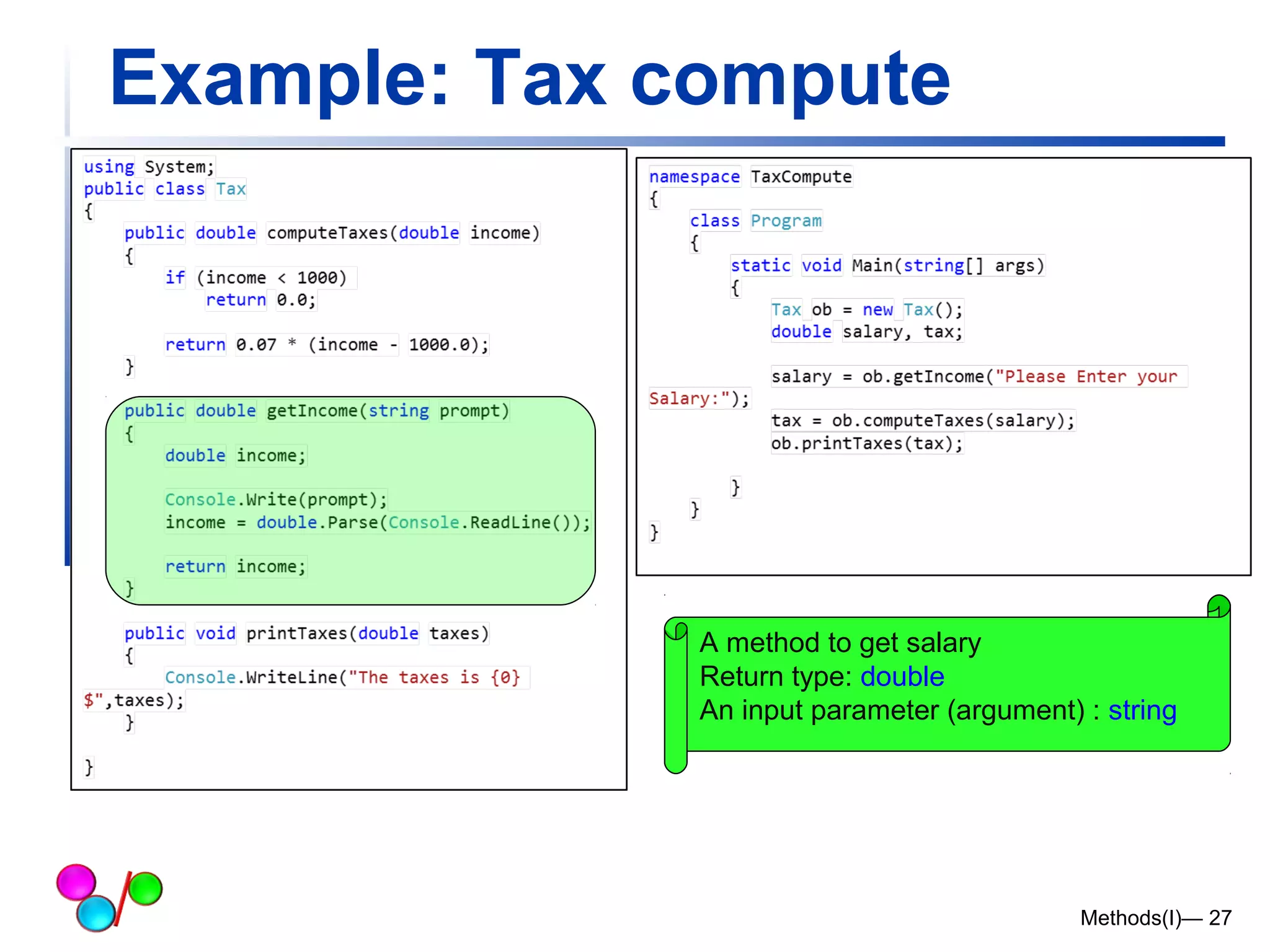
Example: Tax compute 
A method to get salary 
Return type: double 
An input parameter (argument) : string 
Methods(I)— 27
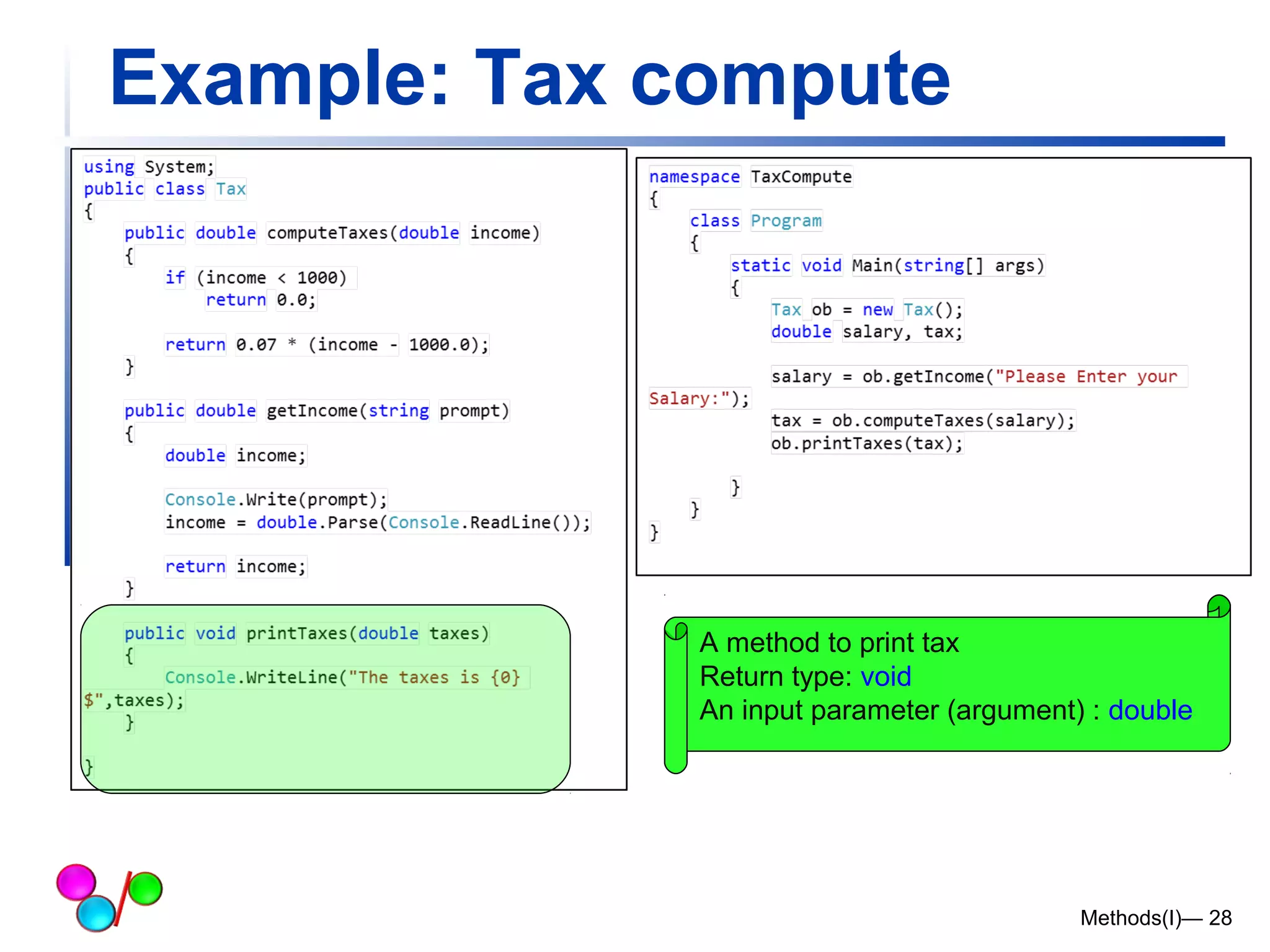
Example: Tax compute 
A method to print tax 
Return type: void 
An input parameter (argument) : double 
Methods(I)— 28
Example: Tax compute 
Define an object from class: ob 
ob.NameofMethod 
Calling the methods 
Methods(I)— 29
More about Method parameters 
Methods(I)— 30
Method Parameters 
 A parameter is a value passed to the 
method. 
 Methods can take one or more 
parameters. 
 If methods work with data, we must pass 
the data to the methods. 
 We do it by specifying them inside the 
parentheses. 
 In the method definition, we must provide 
a name and type for each parameter. 
Methods(I)— 31
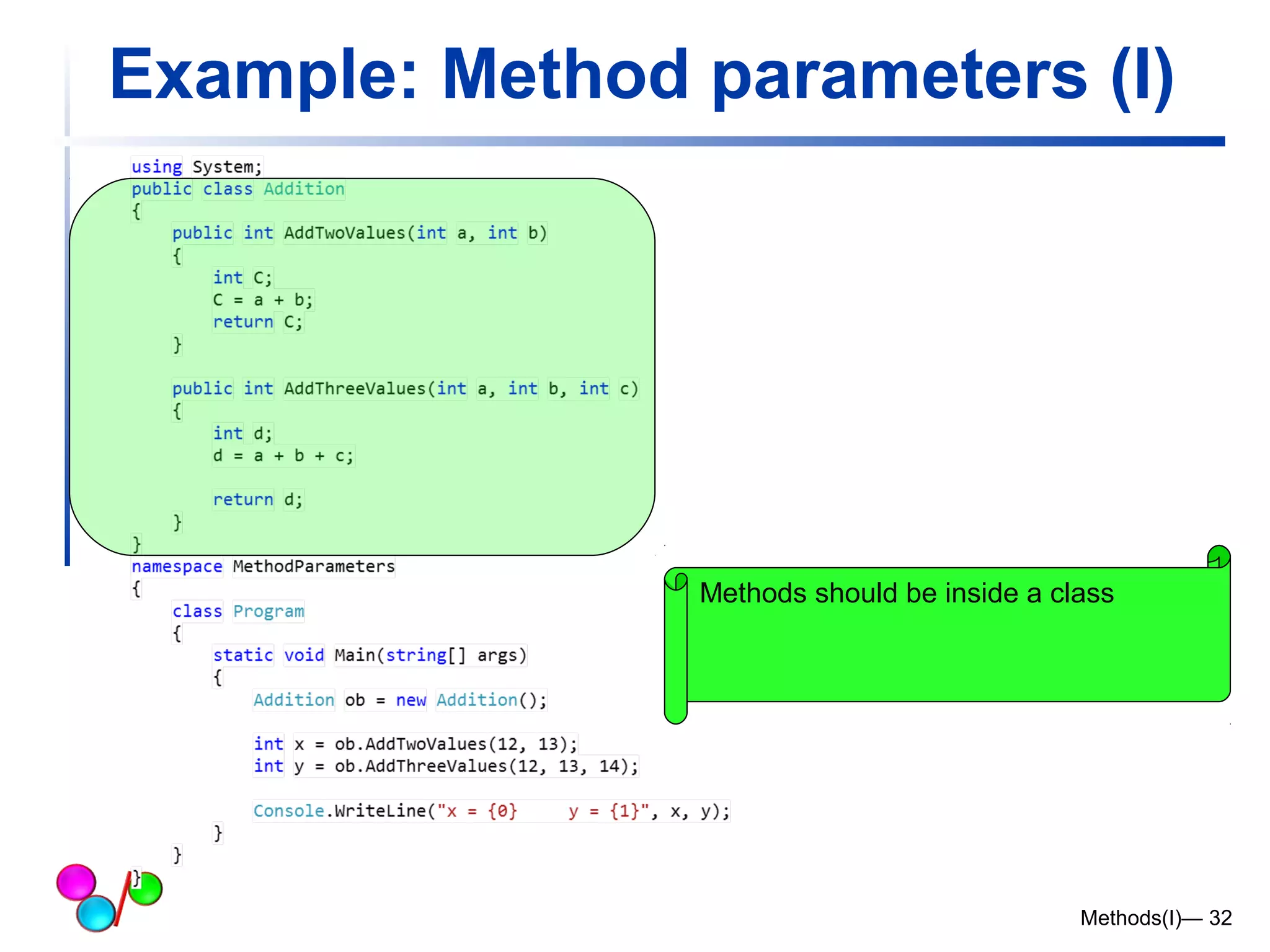
Example: Method parameters (I) 
Methods should be inside a class 
Methods(I)— 32
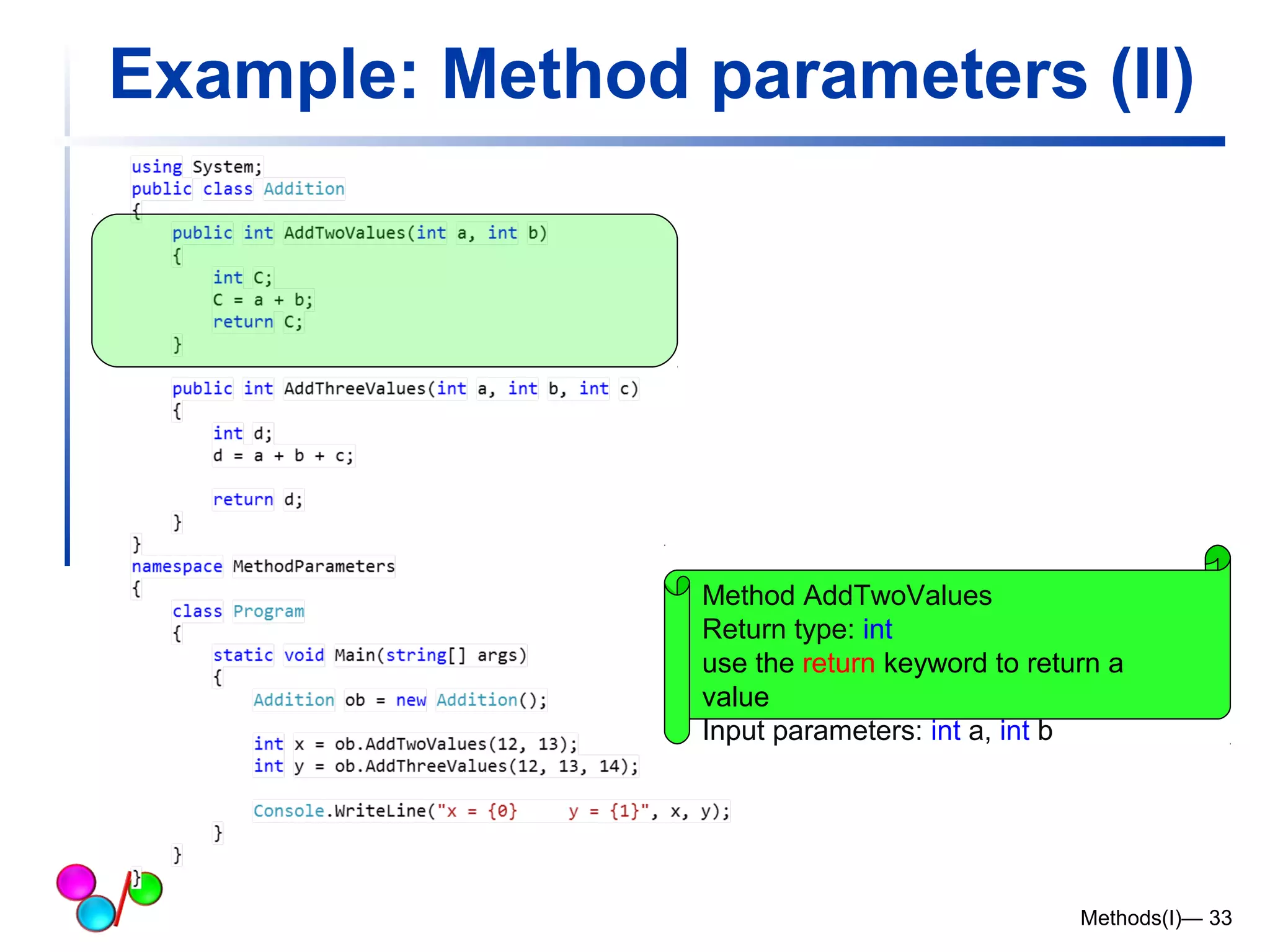
Example: Method parameters (II) 
Method AddTwoValues 
Return type: int 
use the return keyword to return a 
value 
Input parameters: int a, int b 
Methods(I)— 33
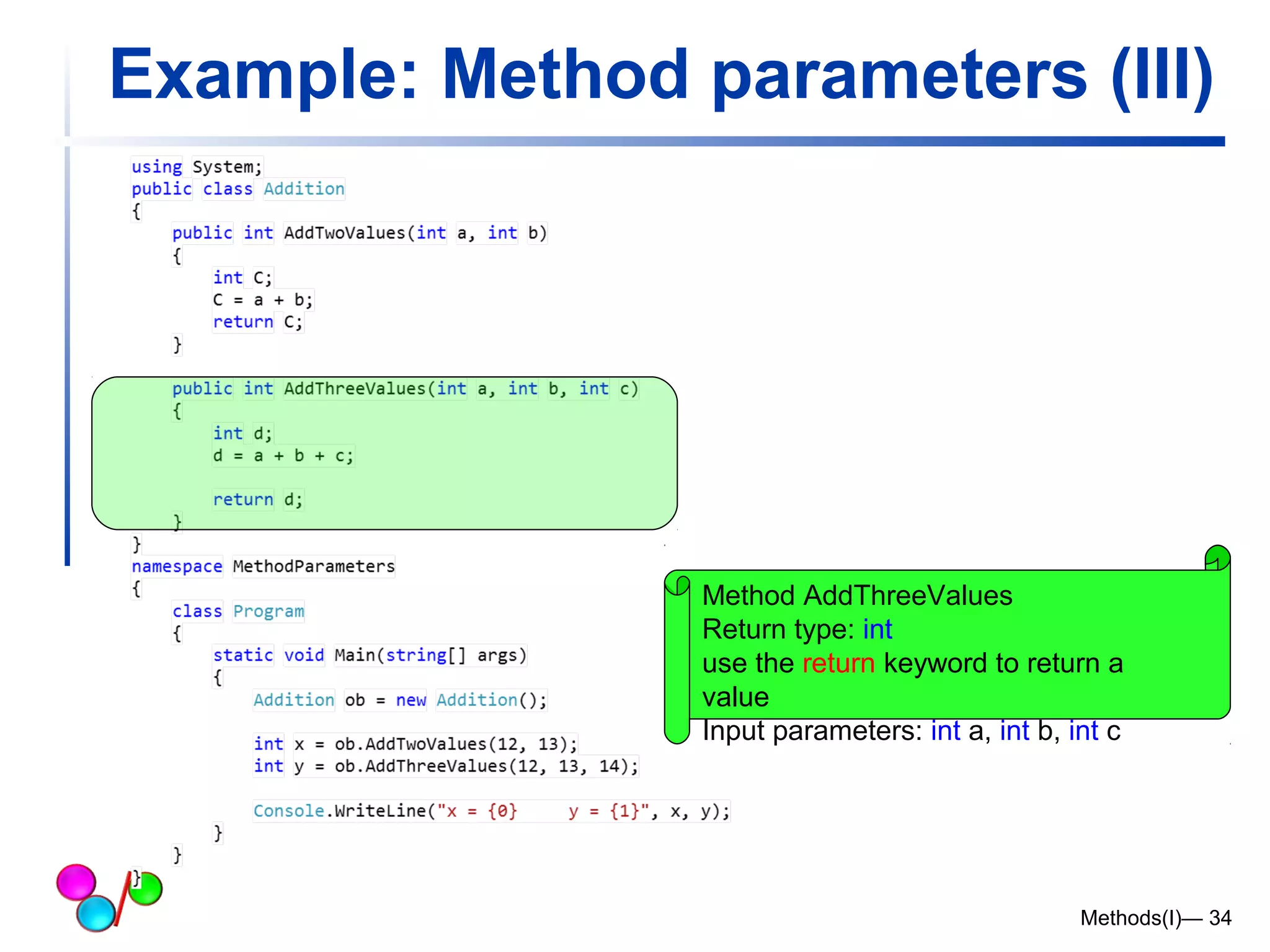
Example: Method parameters (III) 
Method AddThreeValues 
Return type: int 
use the return keyword to return a 
value 
Input parameters: int a, int b, int c 
Methods(I)— 34
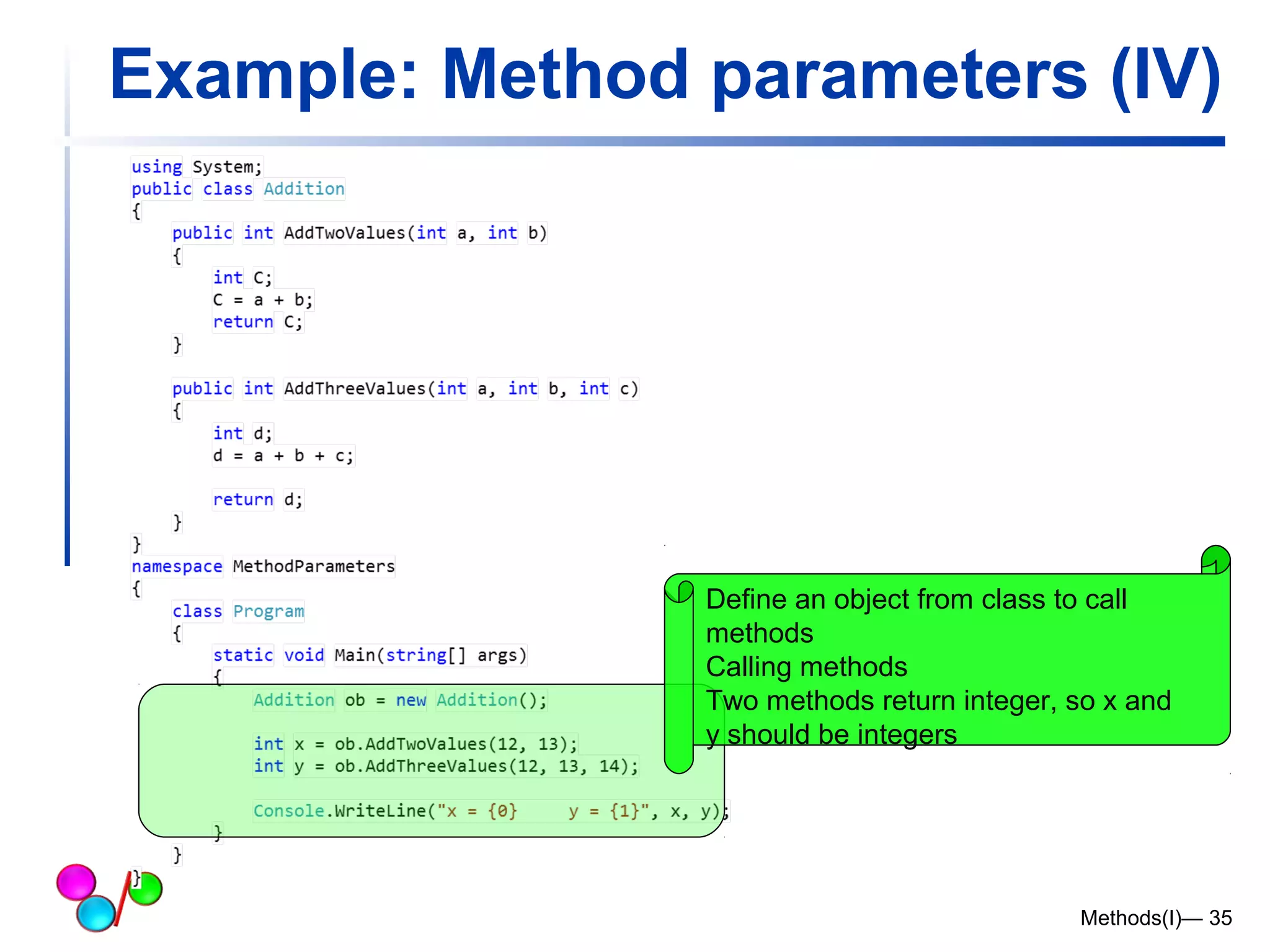
Example: Method parameters (IV) 
Define an object from class to call 
methods 
Calling methods 
Two methods return integer, so x and 
y should be integers 
Methods(I)— 35
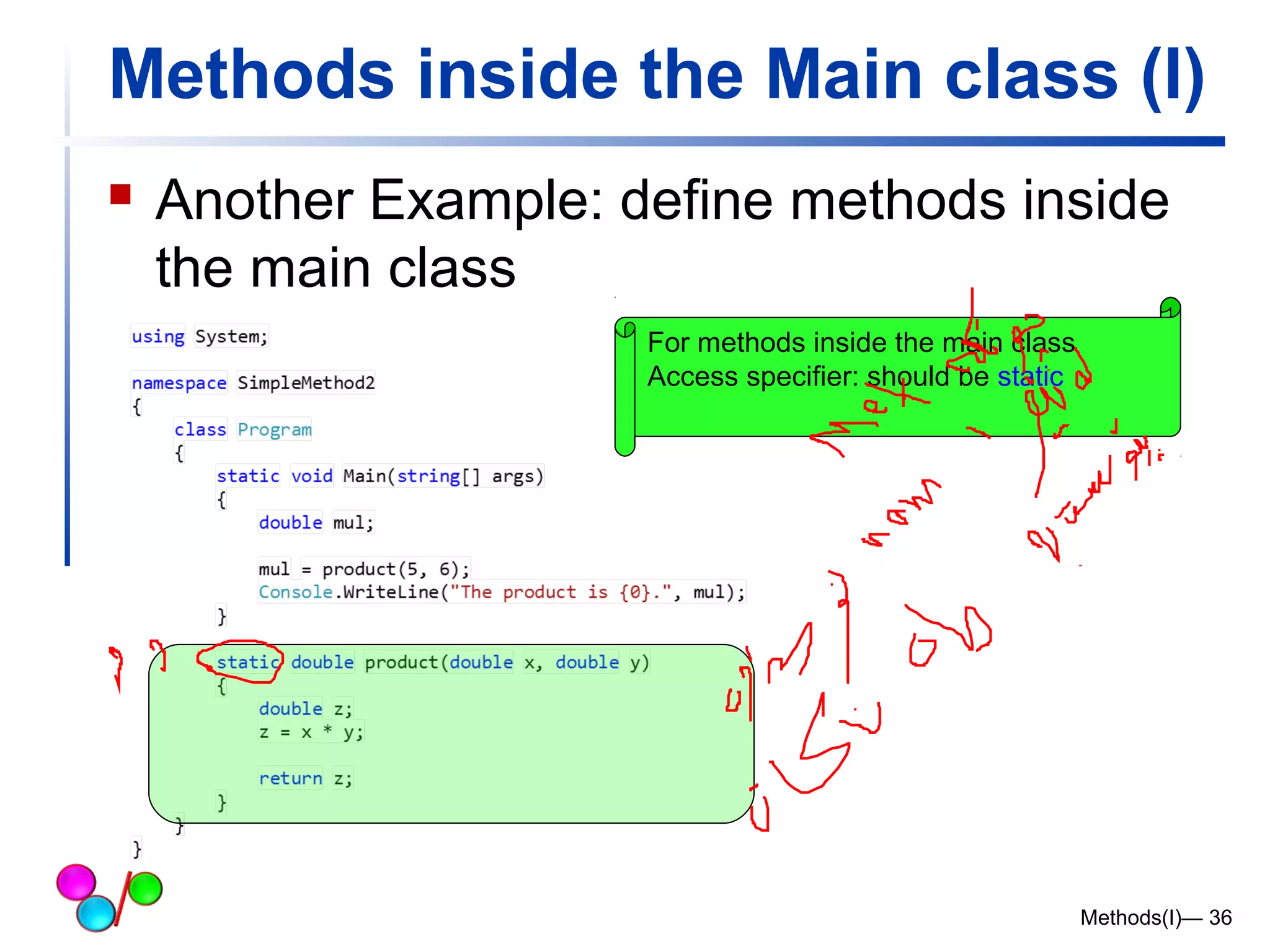
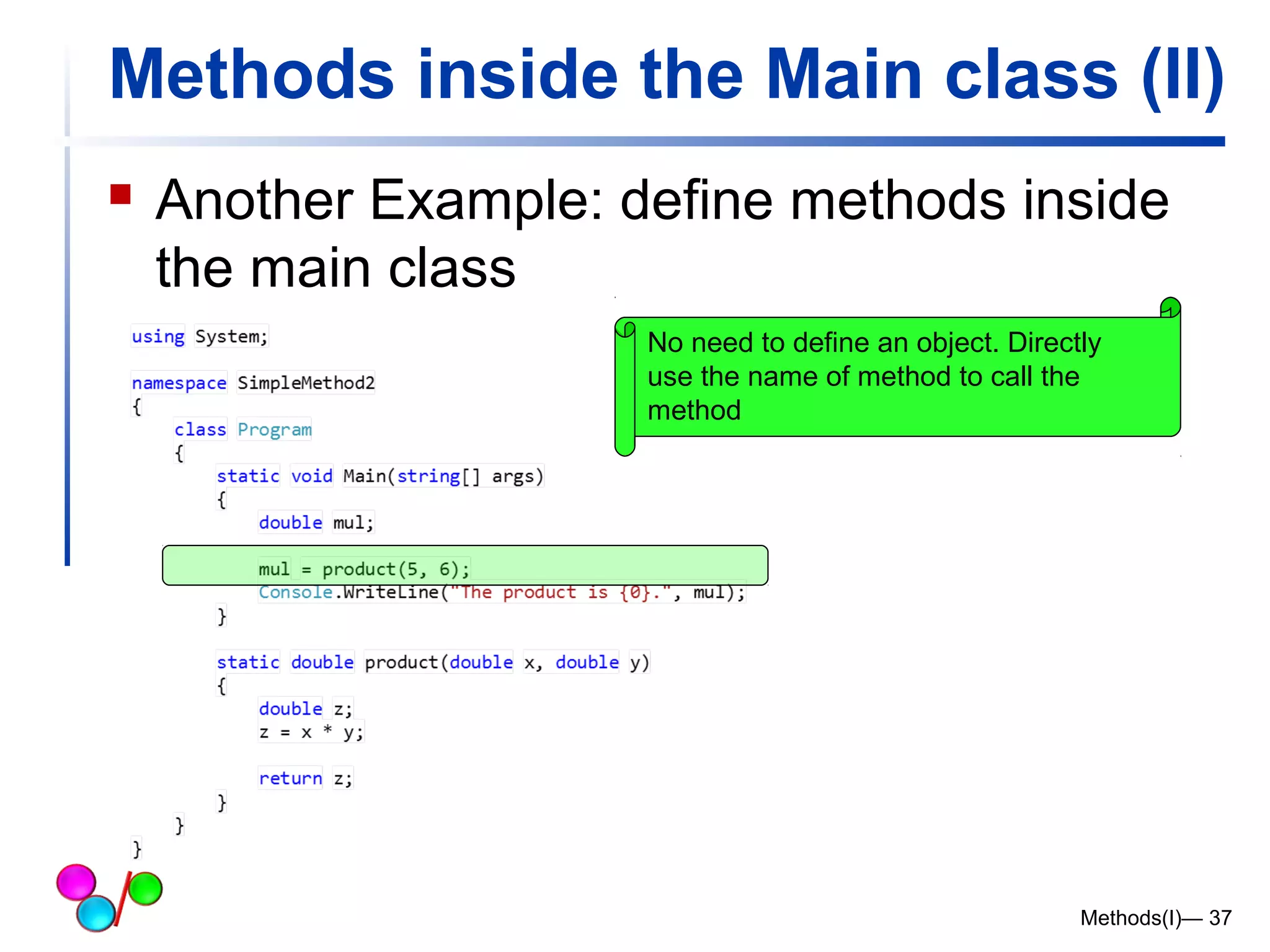
Methods inside the Main class (I) 
 Another Example: define methods inside 
the main class 
Methods(I)— 36 
For methods inside the main class 
Access specifier: should be static
Methods inside the Main class (II) 
 Another Example: define methods inside 
the main class 
No need to define an object. Directly 
use the name of method to call the 
method 
Methods(I)— 37
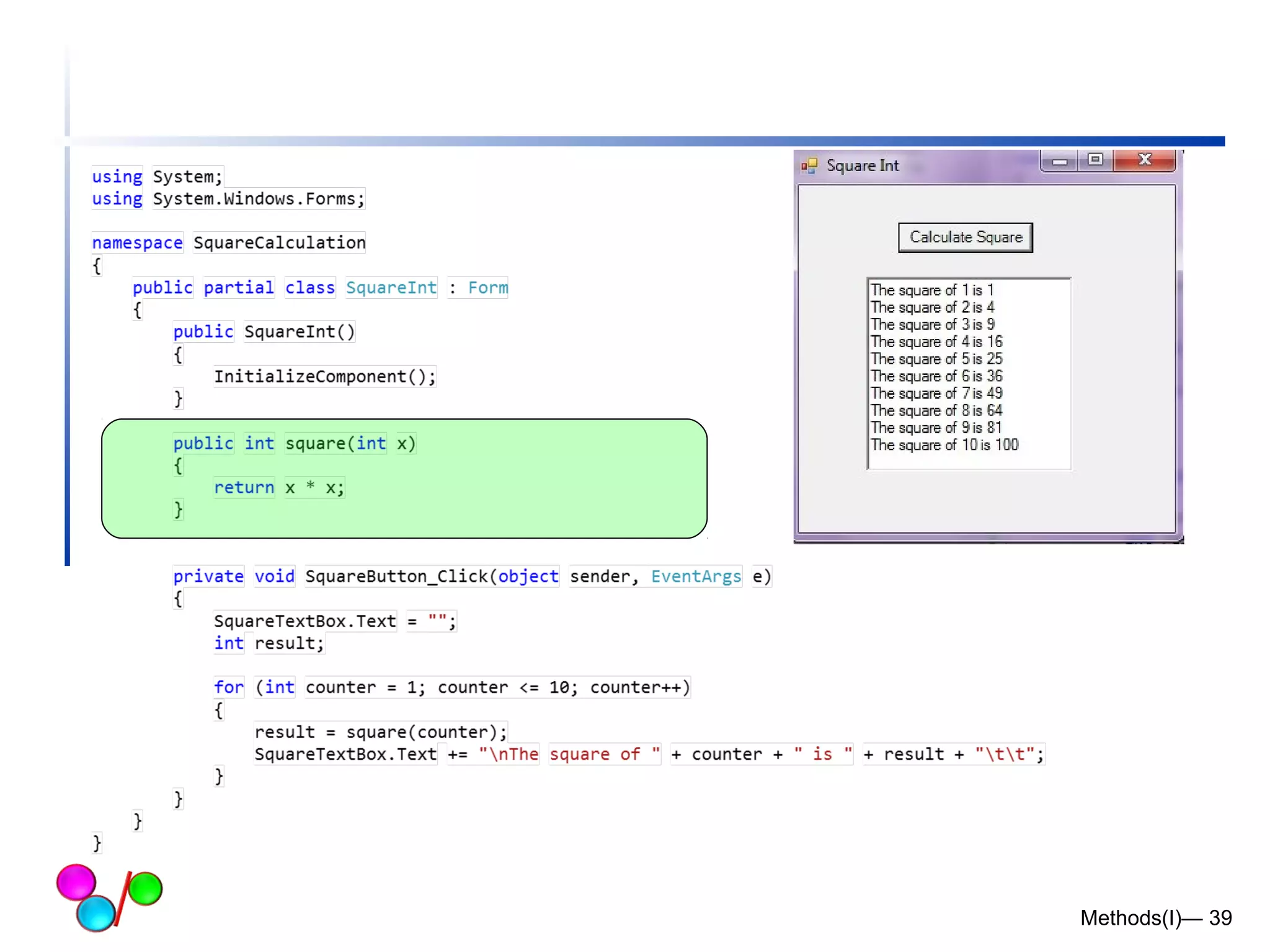
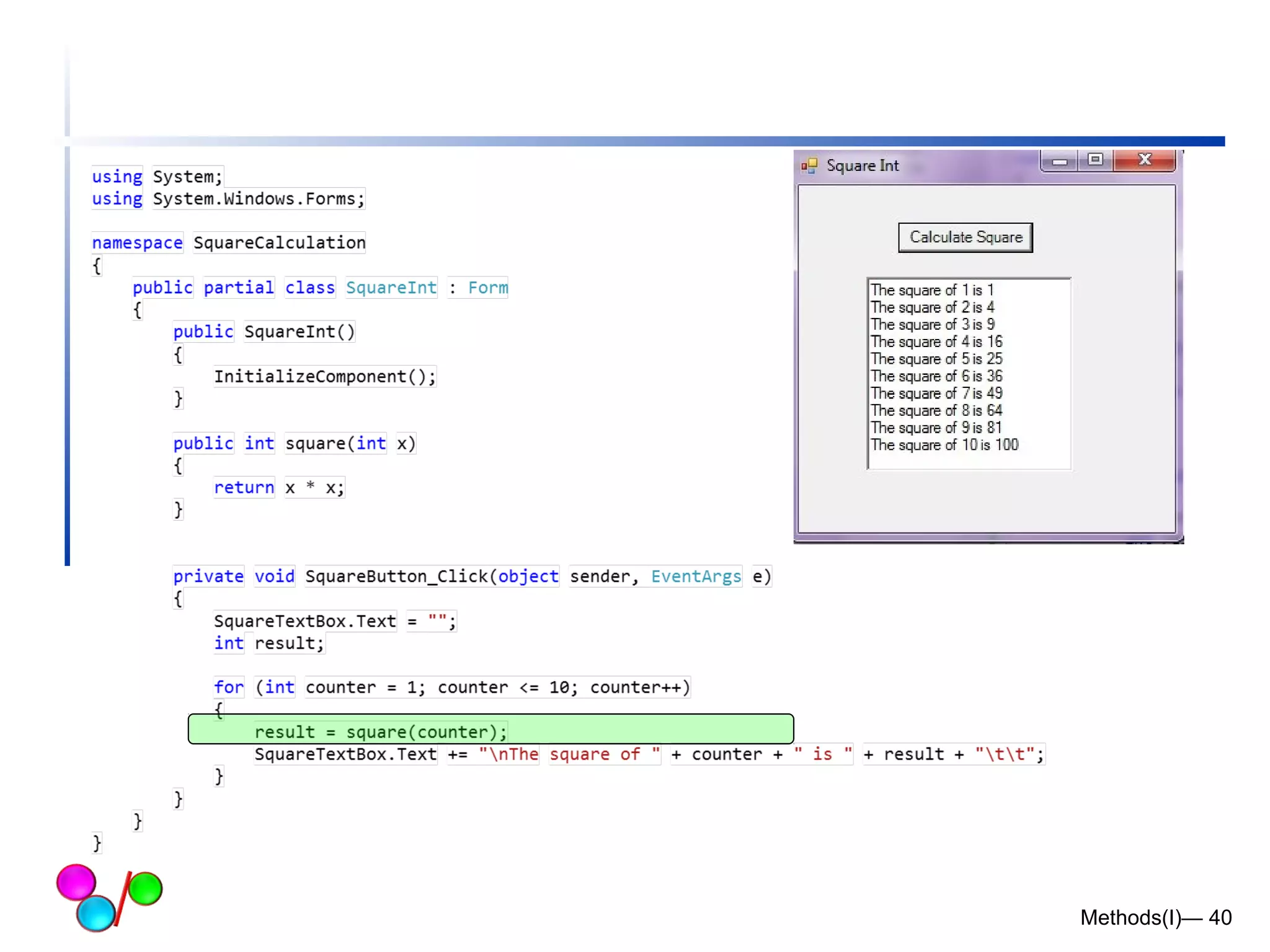
Methods in Windows Application Forms 
Methods(I)— 38
Methods(I)— 39
Methods(I)— 40
Common Programming Error 6.2 
 Defining a method outside the braces of a 
class definition is a syntax error. 
Methods(I)— 41
Common Programming Error 6.3 
 Omitting the return-value-type in a method 
definition is a syntax error. If a method 
does not return a value, the method’s 
return-value-type must be void. 
Methods(I)— 42
Common Programming Error 6.4 
 Forgetting to return a value from a method 
that is supposed to return a value is a 
syntax error. If a return-value-type other 
than void is specified, the method must 
contain a return statement that returns a 
value. 
Methods(I)— 43
Common Programming Error 6.5 
 Returning a value from a method whose 
return type has been declared void is a 
syntax error 
Methods(I)— 44
Common Programming Error 6.6 
 Placing a semicolon after the right 
parenthesis enclosing the parameter list of 
a method definition is a syntax error. 
Methods(I)— 45
Common Programming Error 6.7 
 Redefining a method parameter in the 
method’s body is a syntax error. 
Methods(I)— 46
Common Programming Error 6.9 
 Passing to a method an argument that is 
not compatible with the corresponding 
parameter’s type is a syntax error. 
Methods(I)— 47
Common Programming Error 6.9 
 Defining a method inside another method 
is a syntax error (i.e., methods cannot be 
nested) 
Methods(I)— 48
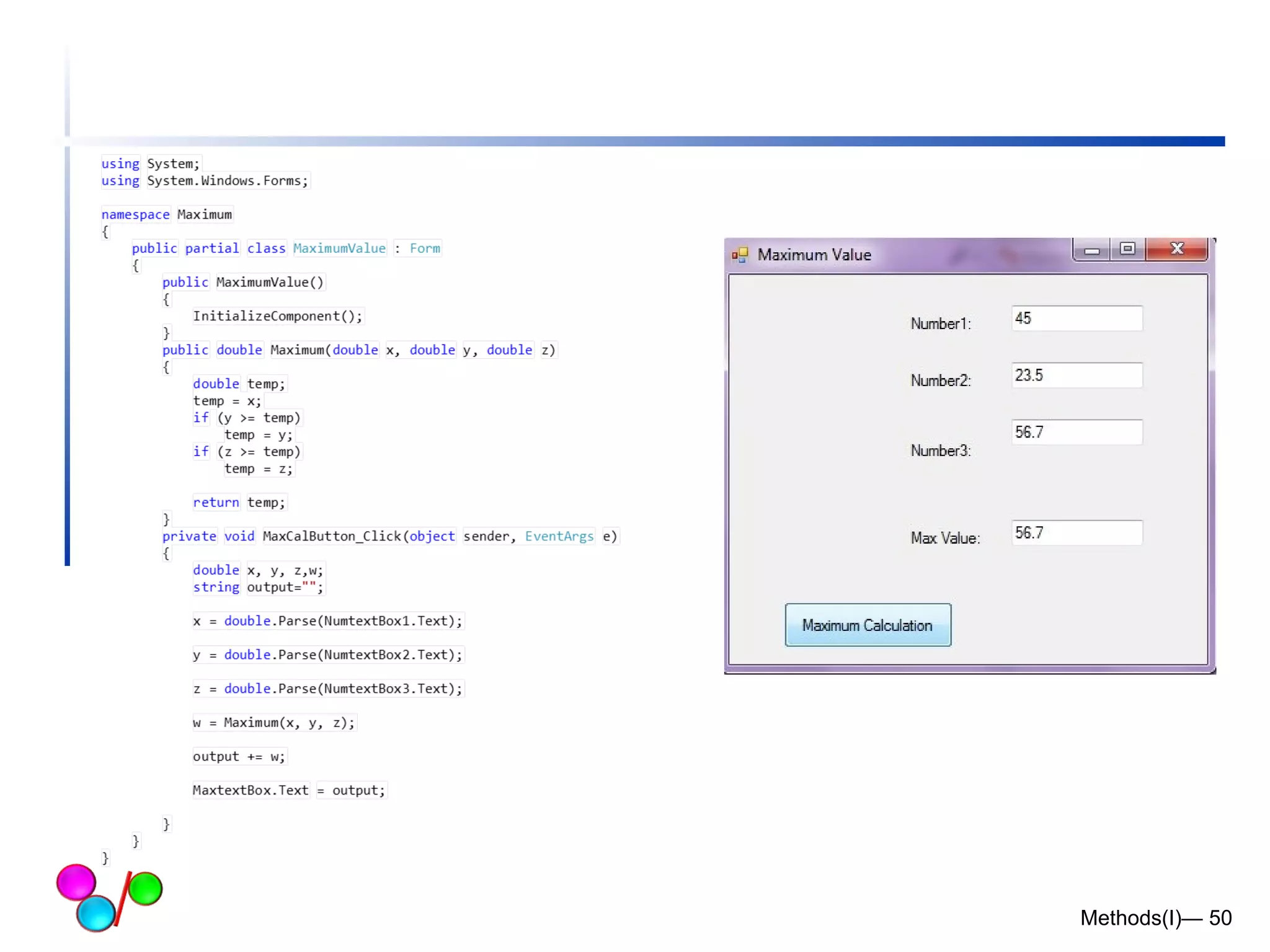
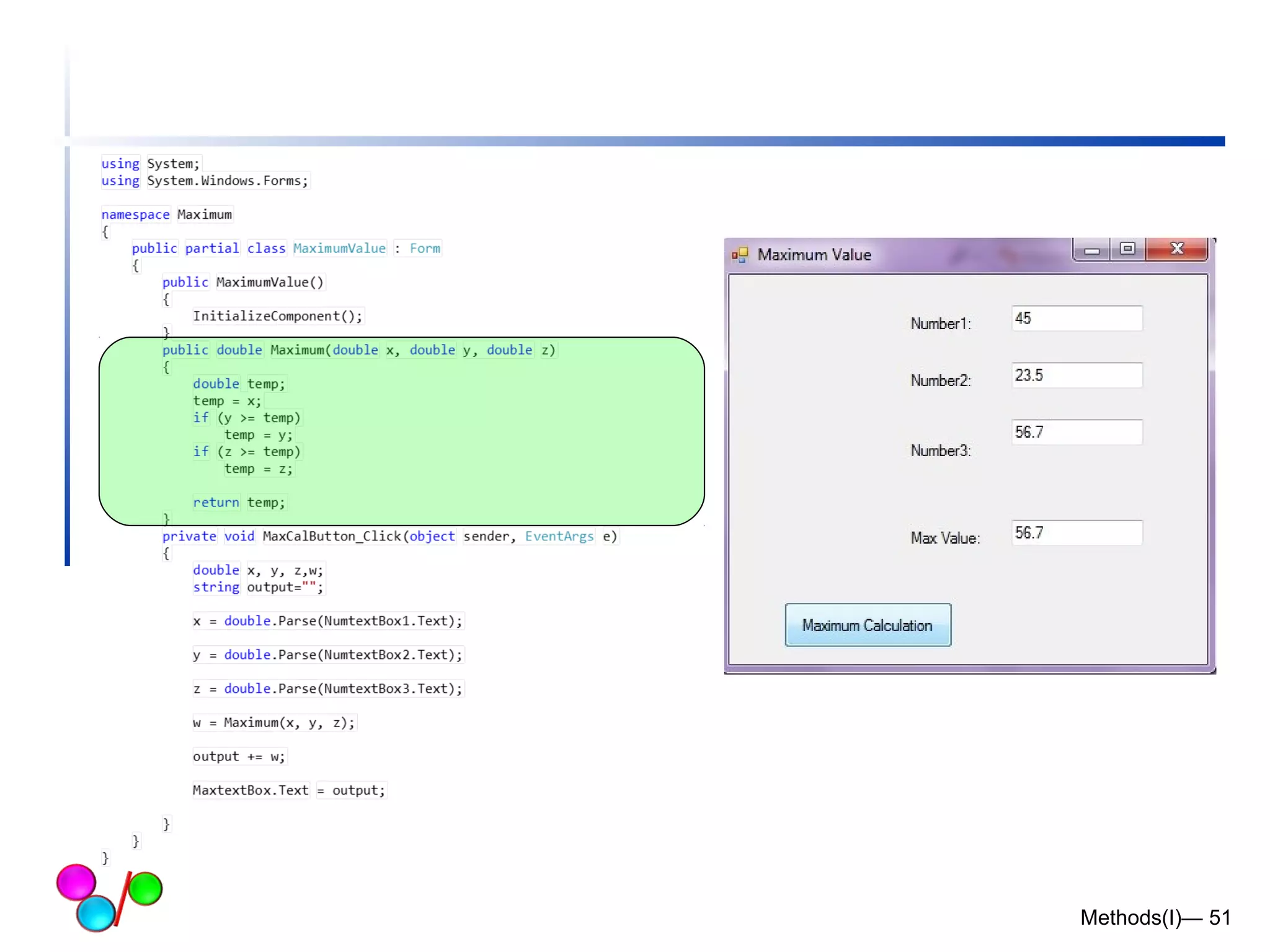
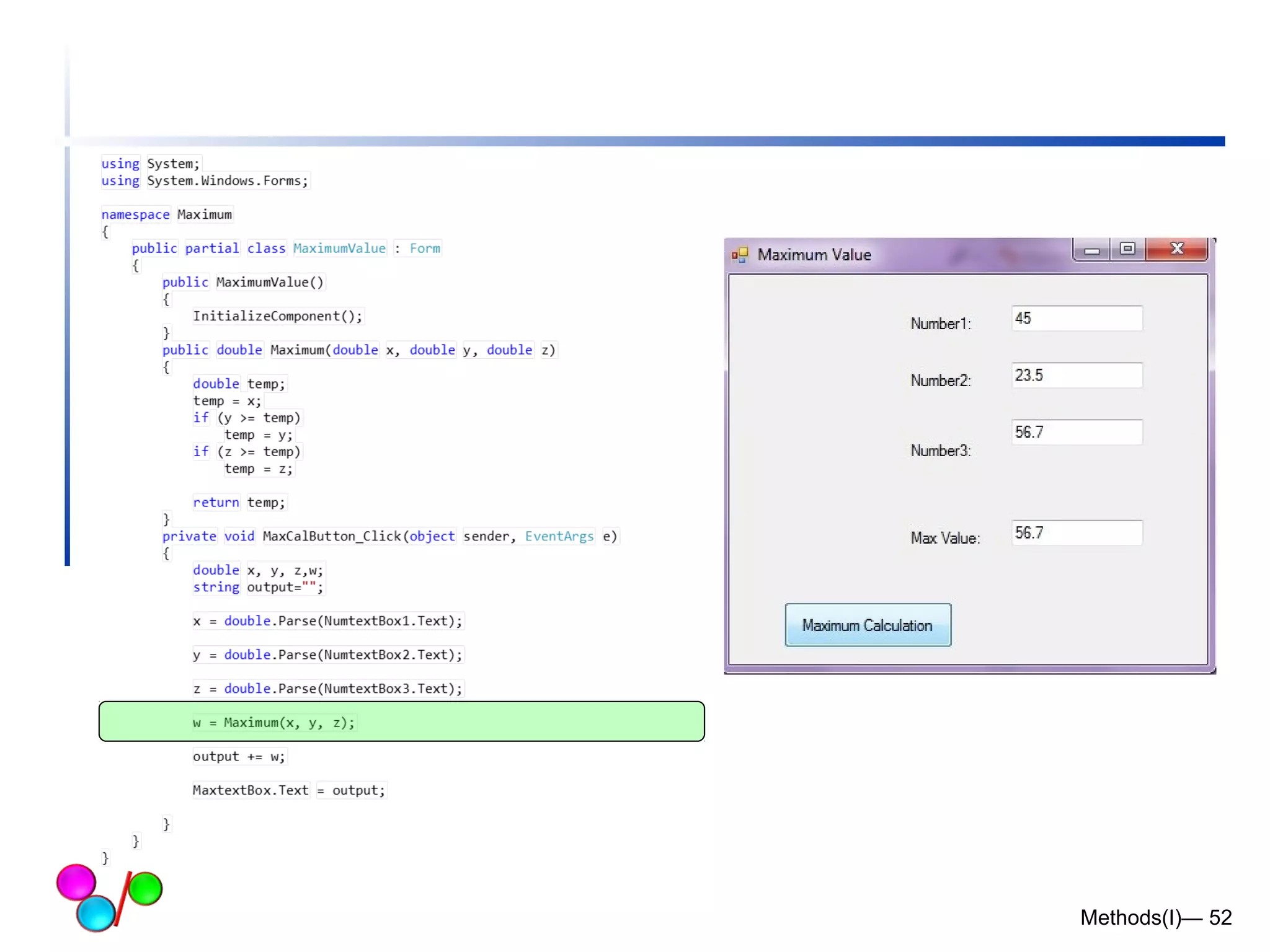
 Example: write a method to find maximum 
of three double values 
 Use windows application form 
Methods(I)— 49
Methods(I)— 50
Methods(I)— 51
Methods(I)— 52

Lecture 5

  • 1.
    Methods(1) Lecture 5 Dr. Hakem Beitollahi Computer Engineering Department Soran University
  • 2.
     Introduction Math Class Methods  Methods  Method Definitions  Argument Promotion Methods(I)— 2
  • 3.
    Introdcution  Mostcomputer programs that solve real-world problems are much larger than programs that you have written yet!  Experience has shown that the best way to develop and maintain a large program is to construct it from small, simple pieces, or modules.  Methods are the building blocks of C# and the place where all program activity occurs.  Divide and conquer technique  Construct a large program from small, simple pieces (e.g., components) Methods(I)— 3
  • 4.
    What are methods?  Methods  Called functions or procedures in other languages  Allow programmers to modularize a program by separating its tasks into self-contained units o Statements in method bodies are written only once  Reused from perhaps several locations in a program  Hidden from other methods  Avoid repeating code o Enable the divide-and-conquer approach o Reusable in other programs o User-defined or programmer-defined methods Methods(I)— 4
  • 5.
    Software engineering tip To promote software reusability, every method should be limited to performing a single, well-defined task, and the name of the method should express that task effectively. Such methods make programs easier to write, test, debug and maintain. A small method that performs one task is easier to test and debug than a larger method that performs many tasks. Methods(I)— 5
  • 6.
    Methods in C#  C# programs are written by combining new methods and classes  available in the .NET Framework Class Library (FCL)  The FCL provides:  mathematical calculations, string manipulations, character manipulations, input/output operations and so on.  A method is invoked by a method call. Methods(I)— 6
  • 7.
    Methods in C#  Methods (Cont.)  A method is invoked by a method call o Called method either returns a result or simply returns to the caller o method calls form hierarchical relationships Methods(I)— 7
  • 8.
    Math Class Methods Methods(I)— 8
  • 9.
    Math Class Methods(I)  Math class methods allow the programmer to perform certain common mathematical calculations.  Methods are called by writing the name of the method, followed by a left parenthesis, the argument and a right parenthesis.  The parentheses may be empty, if we are calling a method that needs no information to perform its task. Return a double value  Example:  double x = Math.Sqrt( 900.0 ) Methods(I)— 9 Argument
  • 10.
    Software Engineering Observation6.3  It is not necessary to add an assembly reference to use the Math class methods in a program. Class Math is located in namespace System, which is available to every program. Methods(I)— 10
  • 11.
    Math Class Methods(II) Methods(I)— 11
  • 12.
  • 13.
    Math Class Methods(III) Methods(I)— 13
  • 14.
  • 15.
    Method Definitions (I)  The general form of a function is ret-type method-name(parameter list) { body of the function }  The ret-type specifies the type of data that the method returns.  A method may return any type of data except an array.  The parameter list is a comma-separated list of variable names and their associated types that receive the values of the arguments when the function is called.  Methods must be declared within a class or a structure. Methods(I)— 15
  • 16.
    Method Definitions (II) Methods(I)— 16
  • 17.
    Method Definitions (III)  A C# method consists of two parts  The method header, and  The method body  The method header has the following syntax <<rreettuurrnn vvaalluuee>> <<nnaammee>> ((<<ppaarraammeetteerr lliisstt>>))  The method body is simply a C# code enclosed between { } Methods(I)— 17
  • 18.
    Method Example Methods(I)—18 double computeTax(double income) { double taxes ; if (income < 5000.0) return 0.0; taxes = 0.07 * (income-5000.0); return taxes; } Function header Function body
  • 19.
    Method Definitions (IV)  Basic characteristics of methods are:  Return value type o output: data type or void  Method name o Any legal character can be used in the name of a method. o method names begin with an uppercase letter. o The method names are verbs or verbs followed by adjectives or nouns.  Method parameters o inputs for the method o Empty parentheses indicate that the method requires no parameters.  Parentheses  Block of statements o The method block is surrounded with { } characters.  Access level o who can call the method Methods(I)— 19 Execute FindId SetName GetName CheckIfValid TestValidity
  • 20.
    Method Signature The method signature is actually similar to the method header except in two aspects:  The parameters’ names may not be specified in the function signature  The method signature must be ended by a semicolon  Example Unnamed Parameter Semicolon ; double computeTaxes(double) ; double computeTaxes(double income) ; Methods(I)— 20
  • 21.
    Methods must bedeclared inside class Inside class every method should be public or private (later) This method return nothing (void) Define an object for calling the method Methods(I)— 21 Calling the method
  • 22.
    Method Definitions (V)  Each method must be defined inside a class or a struct.  It must have a name. In our case the name is ShowInfo.  The keywords that precede the name of the method are access specifier (public) and the return type (void).  Parentheses follow the name of the method.  They may contain parameters of the method.  Our method does not take any parameters. Methods(I)— 22
  • 23.
    Method Definitions (VI) Methods(I)— 23 static void Main() { ... } This is the Main() method. It is the entry point to each console or GUI application.  It must be declared static. We will see later why.  The return type for a Main() method may be void or int. The access specifier for the Main() method is omitted. In such a case a default one is used, which is private.
  • 24.
    Method Definitions (VII)  We create an instance of the Base class.  We call the ShowInfo() method upon the object.  The method is called by specifying the object instance, followed by the member access operator — the dot, followed by the method name. Methods(I)— 24 Base bs = new Base(); bs.ShowInfo();
  • 25.
  • 26.
    Example: Tax compute A method to compute tax Return type: double An input parameter (argument) : double Methods(I)— 26
  • 27.
    Example: Tax compute A method to get salary Return type: double An input parameter (argument) : string Methods(I)— 27
  • 28.
    Example: Tax compute A method to print tax Return type: void An input parameter (argument) : double Methods(I)— 28
  • 29.
    Example: Tax compute Define an object from class: ob ob.NameofMethod Calling the methods Methods(I)— 29
  • 30.
    More about Methodparameters Methods(I)— 30
  • 31.
    Method Parameters A parameter is a value passed to the method.  Methods can take one or more parameters.  If methods work with data, we must pass the data to the methods.  We do it by specifying them inside the parentheses.  In the method definition, we must provide a name and type for each parameter. Methods(I)— 31
  • 32.
    Example: Method parameters(I) Methods should be inside a class Methods(I)— 32
  • 33.
    Example: Method parameters(II) Method AddTwoValues Return type: int use the return keyword to return a value Input parameters: int a, int b Methods(I)— 33
  • 34.
    Example: Method parameters(III) Method AddThreeValues Return type: int use the return keyword to return a value Input parameters: int a, int b, int c Methods(I)— 34
  • 35.
    Example: Method parameters(IV) Define an object from class to call methods Calling methods Two methods return integer, so x and y should be integers Methods(I)— 35
  • 36.
    Methods inside theMain class (I)  Another Example: define methods inside the main class Methods(I)— 36 For methods inside the main class Access specifier: should be static
  • 37.
    Methods inside theMain class (II)  Another Example: define methods inside the main class No need to define an object. Directly use the name of method to call the method Methods(I)— 37
  • 38.
    Methods in WindowsApplication Forms Methods(I)— 38
  • 39.
  • 40.
  • 41.
    Common Programming Error6.2  Defining a method outside the braces of a class definition is a syntax error. Methods(I)— 41
  • 42.
    Common Programming Error6.3  Omitting the return-value-type in a method definition is a syntax error. If a method does not return a value, the method’s return-value-type must be void. Methods(I)— 42
  • 43.
    Common Programming Error6.4  Forgetting to return a value from a method that is supposed to return a value is a syntax error. If a return-value-type other than void is specified, the method must contain a return statement that returns a value. Methods(I)— 43
  • 44.
    Common Programming Error6.5  Returning a value from a method whose return type has been declared void is a syntax error Methods(I)— 44
  • 45.
    Common Programming Error6.6  Placing a semicolon after the right parenthesis enclosing the parameter list of a method definition is a syntax error. Methods(I)— 45
  • 46.
    Common Programming Error6.7  Redefining a method parameter in the method’s body is a syntax error. Methods(I)— 46
  • 47.
    Common Programming Error6.9  Passing to a method an argument that is not compatible with the corresponding parameter’s type is a syntax error. Methods(I)— 47
  • 48.
    Common Programming Error6.9  Defining a method inside another method is a syntax error (i.e., methods cannot be nested) Methods(I)— 48
  • 49.
     Example: writea method to find maximum of three double values  Use windows application form Methods(I)— 49
  • 50.
  • 51.
  • 52.