“
”
Overview
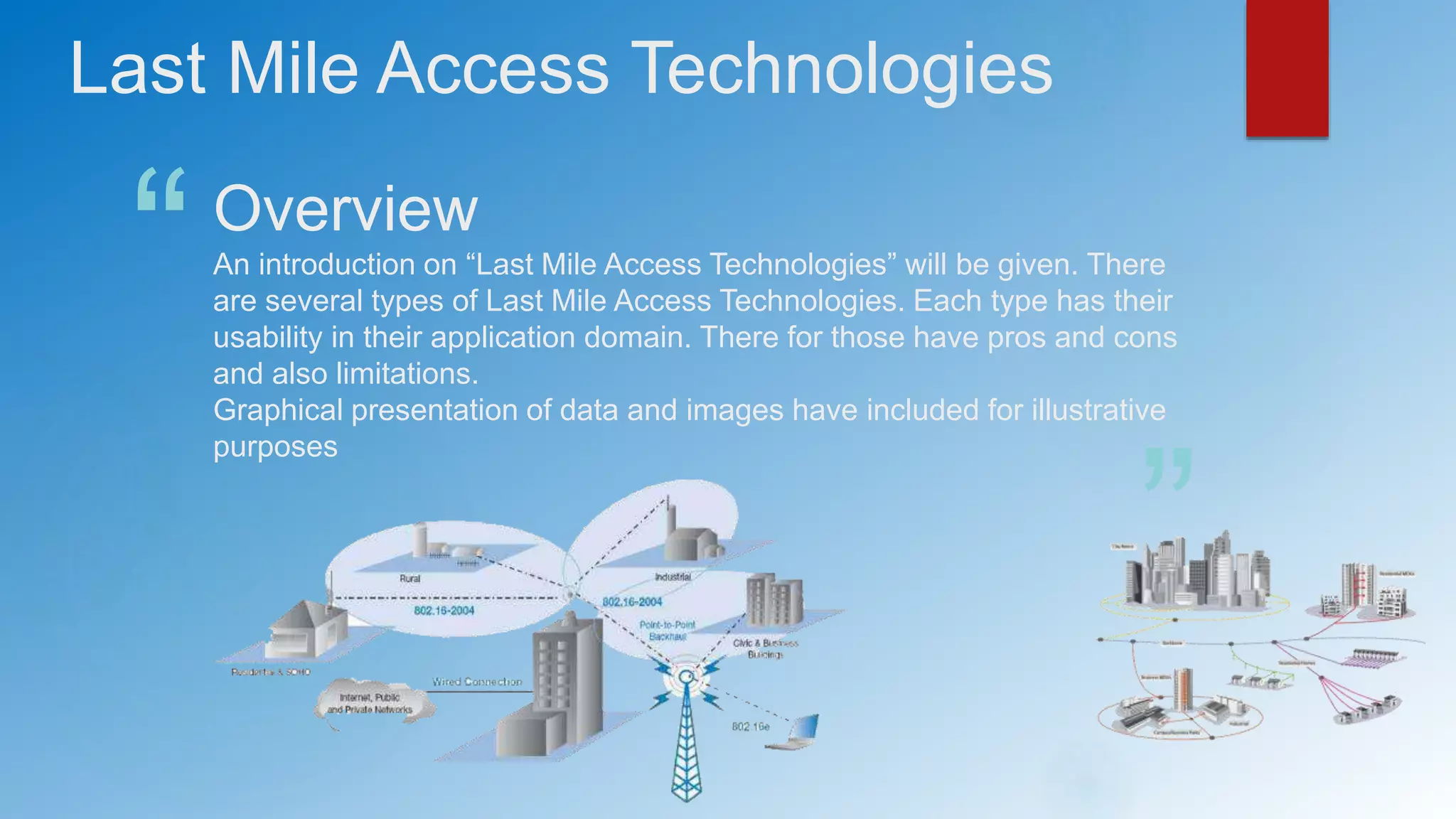
An introduction on “Last Mile Access Technologies” will be given. There
are several types of Last Mile Access Technologies. Each type has their
usability in their application domain. There for those have pros and cons
and also limitations.
Graphical presentation of data and images have included for illustrative
purposes
Last Mile Access Technologies
What is “Last Mile Access”
“It is the final leg of delivering connectivity from a communications provider to a
customer. Usually referred to by the telecommunications and cable television
industries. It is typically scene as an expensive challenge because “fanning out”
wires and cables is a considerable physical undertaking.” (from Wikipedia)
The last mile is the physical connection from our Internet Service Provider
(ISP) to our home
Hence the following notations are also used.
 Local Access Network
 First Mile
 Local Loop
Techniques
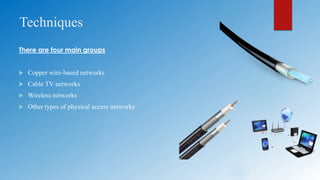
There are four main groups
 Copper wire-based networks
 Cable TV networks
 Wireless networks
 Other types of physical access networks
Copper wire technologies
 Dial-up
 ISDN
 xDSL
Generally copper data cabling and wiring systems are divided into categories or classes by the
cabling standards organizations and use bandwidth needs to determine the proper customer
application of each category of cabling.
Why are copper networks still so widely used although they have been rendered obsolete by
next-generation technologies ?
Better and more reliable service for customer at a lower rate
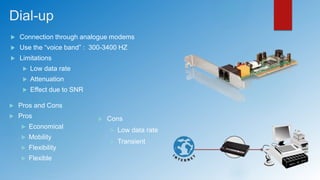
Dial-up
 Connection through analogue modems
 Use the “voice band” : 300-3400 HZ
 Limitations
 Low data rate
 Attenuation
 Effect due to SNR
 Pros and Cons
 Pros
 Economical
 Mobility
 Flexibility
 Flexible
 Cons
 Low data rate
 Transient
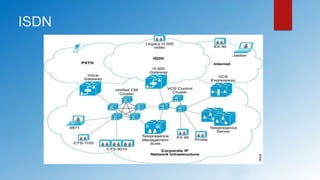
ISDN (Integrated Services Digital Network)
 Integrated services digital network
 100% pure digital network
 Better speed and quality for voice/data transmission
 More infrastructure needed
 Offer two levels of services
 Basic Rate Interface (BRI) : for home and small enterprises
 Primary Rate Interface (PRI) : for large usage
 Both rates include number of B Channels and D Channels
 B Channel (Barrier Channel) : carries main data
 D Channel (Delta Channel): carries signal information
ISDN
ISDN | Advantages & Disadvantages
 Advantages
 Reliable connection (Digital)
 Higher data rate
 Can connect to multiple devices (Phone, Fax, PC etc…)
 Disadvantages
 Expensive
 Need special devices
xDSL (Digital Subscriber Line)
 Accommodate speed ranges from 128Kbps to 24000 Kbps
 Use the copper cables of the local loop of the telephone system
 Summarize number of years of experience in this field
 Examples of DSL technologies
 Digital Subscriber Line (DSL)
 Asymmetric Digital Subscriber Line (ADSL)
 Gigabyte Digital Subscriber Line (GDSL ) etc…
 Two modulation techniques
 CAP (Carrier less Amplitude/Phase) : Similar to QAM
 Discrete Multitone Technique : Use combination of QAM and FDM
 xDSL speeds changes with distance
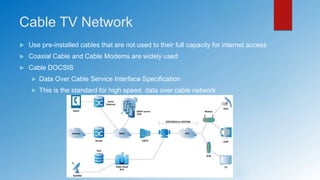
Cable TV Network
 Use pre-installed cables that are not used to their full capacity for internet access
 Coaxial Cable and Cable Modems are widely used
 Cable DOCSIS
 Data Over Cable Service Interface Specification
 This is the standard for high speed data over cable network
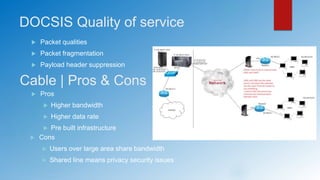
DOCSIS Quality of service
 Packet qualities
 Packet fragmentation
 Payload header suppression
Cable | Pros & Cons
 Pros
 Higher bandwidth
 Higher data rate
 Pre built infrastructure
 Cons
 Users over large area share bandwidth
 Shared line means privacy security issues
Wireless
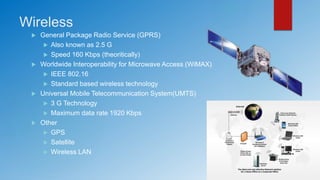
 General Package Radio Service (GPRS)
 Also known as 2.5 G
 Speed 160 Kbps (theoritically)
 Worldwide Interoperability for Microwave Access (WiMAX)
 IEEE 802.16
 Standard based wireless technology
 Universal Mobile Telecommunication System(UMTS)
 3 G Technology
 Maximum data rate 1920 Kbps
 Other
 GPS
 Satellite
 Wireless LAN
Other
 Fiber
Future prophesy
 Interconnections
 Fiber for speed
 How to use old cables and trenches
 Integration of the third world
 Cheap technology fast
 Wireless
 Higher demand for mobilit
Summery
 It’s important to know the reasons for having different
implementation mechanisms
 Though sophisticated method exists, still legacy mechanisms are
used in primary cases and special cases.
 Advantages are valid under certain parameters
 Now technology move towards more reliable approaches
 “Mobility” has become a key feature. And at the same time security
and performance has to optimized.
 Wireless technology
 Wearable devices (NFC technologies etc…)
References
[1] “Last Mile”. Jan 3 2014 . Available http://en.wikipedia.org/wiki/Last_mile. [Accessed: May 29,
2014].
[2] “last-mile technology” . Apr 2005. [Blog entry] Rouse. Available
http://searchnetworking.techtarget.com/definition/last-mile-technology [Accessed: 29 May
2014].
[3] A.Z. Dodd, Essential guide to telecommunications, 5th ed. New Jersey: Prentice Hall, 2012.
[4] “Broadband Telecommunications” . Mar 7 2012. [Blog entry] Jchan. Available
http://jonapchan.blogspot.com/ [Accessed: 29 May 2014].

Last Mile Access Technologies

  • 1.
    “ ” Overview An introduction on“Last Mile Access Technologies” will be given. There are several types of Last Mile Access Technologies. Each type has their usability in their application domain. There for those have pros and cons and also limitations. Graphical presentation of data and images have included for illustrative purposes Last Mile Access Technologies
  • 2.
    What is “LastMile Access” “It is the final leg of delivering connectivity from a communications provider to a customer. Usually referred to by the telecommunications and cable television industries. It is typically scene as an expensive challenge because “fanning out” wires and cables is a considerable physical undertaking.” (from Wikipedia) The last mile is the physical connection from our Internet Service Provider (ISP) to our home Hence the following notations are also used.  Local Access Network  First Mile  Local Loop
  • 3.
    Techniques There are fourmain groups  Copper wire-based networks  Cable TV networks  Wireless networks  Other types of physical access networks
  • 4.
    Copper wire technologies Dial-up  ISDN  xDSL Generally copper data cabling and wiring systems are divided into categories or classes by the cabling standards organizations and use bandwidth needs to determine the proper customer application of each category of cabling. Why are copper networks still so widely used although they have been rendered obsolete by next-generation technologies ? Better and more reliable service for customer at a lower rate
  • 5.
    Dial-up  Connection throughanalogue modems  Use the “voice band” : 300-3400 HZ  Limitations  Low data rate  Attenuation  Effect due to SNR  Pros and Cons  Pros  Economical  Mobility  Flexibility  Flexible  Cons  Low data rate  Transient
  • 6.
    ISDN (Integrated ServicesDigital Network)  Integrated services digital network  100% pure digital network  Better speed and quality for voice/data transmission  More infrastructure needed  Offer two levels of services  Basic Rate Interface (BRI) : for home and small enterprises  Primary Rate Interface (PRI) : for large usage  Both rates include number of B Channels and D Channels  B Channel (Barrier Channel) : carries main data  D Channel (Delta Channel): carries signal information
  • 7.
  • 8.
    ISDN | Advantages& Disadvantages  Advantages  Reliable connection (Digital)  Higher data rate  Can connect to multiple devices (Phone, Fax, PC etc…)  Disadvantages  Expensive  Need special devices
  • 9.
    xDSL (Digital SubscriberLine)  Accommodate speed ranges from 128Kbps to 24000 Kbps  Use the copper cables of the local loop of the telephone system  Summarize number of years of experience in this field  Examples of DSL technologies  Digital Subscriber Line (DSL)  Asymmetric Digital Subscriber Line (ADSL)  Gigabyte Digital Subscriber Line (GDSL ) etc…  Two modulation techniques  CAP (Carrier less Amplitude/Phase) : Similar to QAM  Discrete Multitone Technique : Use combination of QAM and FDM  xDSL speeds changes with distance
  • 10.
    Cable TV Network Use pre-installed cables that are not used to their full capacity for internet access  Coaxial Cable and Cable Modems are widely used  Cable DOCSIS  Data Over Cable Service Interface Specification  This is the standard for high speed data over cable network
  • 11.
    DOCSIS Quality ofservice  Packet qualities  Packet fragmentation  Payload header suppression Cable | Pros & Cons  Pros  Higher bandwidth  Higher data rate  Pre built infrastructure  Cons  Users over large area share bandwidth  Shared line means privacy security issues
  • 12.
    Wireless  General PackageRadio Service (GPRS)  Also known as 2.5 G  Speed 160 Kbps (theoritically)  Worldwide Interoperability for Microwave Access (WiMAX)  IEEE 802.16  Standard based wireless technology  Universal Mobile Telecommunication System(UMTS)  3 G Technology  Maximum data rate 1920 Kbps  Other  GPS  Satellite  Wireless LAN
  • 13.
    Other  Fiber Future prophesy Interconnections  Fiber for speed  How to use old cables and trenches  Integration of the third world  Cheap technology fast  Wireless  Higher demand for mobilit
  • 14.
    Summery  It’s importantto know the reasons for having different implementation mechanisms  Though sophisticated method exists, still legacy mechanisms are used in primary cases and special cases.  Advantages are valid under certain parameters  Now technology move towards more reliable approaches  “Mobility” has become a key feature. And at the same time security and performance has to optimized.  Wireless technology  Wearable devices (NFC technologies etc…)
  • 15.
    References [1] “Last Mile”.Jan 3 2014 . Available http://en.wikipedia.org/wiki/Last_mile. [Accessed: May 29, 2014]. [2] “last-mile technology” . Apr 2005. [Blog entry] Rouse. Available http://searchnetworking.techtarget.com/definition/last-mile-technology [Accessed: 29 May 2014]. [3] A.Z. Dodd, Essential guide to telecommunications, 5th ed. New Jersey: Prentice Hall, 2012. [4] “Broadband Telecommunications” . Mar 7 2012. [Blog entry] Jchan. Available http://jonapchan.blogspot.com/ [Accessed: 29 May 2014].

Editor's Notes

  • #2 The purpose of this slide is to give an overview of the presentation on what topics and areas will be focusing on the upcoming slides. At the end of the presentation the reference links and learning summery will be presented on separate slides.
  • #3 Last-mile technology is any telecommunications technology that carriessignals from the broad telecommunication backbone along the relatively short distance (hence, the "last mile") to and from the home or business. Or to put it another way: the infrastructure at the neighbourhood level. In many communities, last-mile technology represents a major remaining challenge because the cost of providing high-speed, high-bandwidth services to individual subscribers in remote areas can be higher than the service provider would like.
  • #4 Another way of categorizing: Plain Old Telephone Systems (POTS) ISDN A some what faster technology than regular telephone services Digital Subscriber Lines (DSL) over existing telephone twisted pair lines Cable and cable modem for data, using same installed coaxial cable that already is used for television Wireless including Satellite such as DirectTV Optical Fiber and transmission technologies
  • #5 The legacy copper Public Switch Telephone Network (PSTN) provided the backbone of national telephone networks for more than 100 years. But today, IP-based networks deliver connection speeds and new products and services unequalled by anything delivered via copper. Recognizing this, consumers are abandoning out-dated copper services at a rapid pace, instead opting for more reliable wireless and wired IP-based networks.
  • #6 Dialup technology traces its origins back to the days of the telegraph. Simple signals being sent across an extended circuit were created manually by tapping contacts together to turn the circuit either on or off. In an effort to improve the service. Having the capability to send a voice across the line made the technology more accessible and attractive to consumers.
  • #7 ISDN is a set of CCITT/ITU standards for digital transmission over ordinary telephone copper wire as well as over other media. Home and business users who install an ISDN adapter (in place of a telephone modem) receive Web pages at up to 128 Kbps compared with the maximum 56 Kbps rate of a modem connection. ISDN requires adapters at both ends of the transmission so your access provider also needs an ISDN adapter. ISDN is generally available from your phone company in most urban areas in the United States and Europe. In many areas where DSL and cable modem service are now offered, ISDN is no longer as popular an option as it was formerly.
  • #8 In excess of the conventional circuits of the community switched telephone network. ISDN was introduced by Consultative Committee on International Telegraph and Telephone (CCITT) in 1988. ISDN was originally pictured as a really alacritous operates, but this was a lengthened instance ago when it was hoped to individual fiber all the way to your shelter. It turned out that functional that entire trait would be too overpriced, so they designed ISDN to run on the copper wiring that you already have
  • #9 Speed / Data Rate 128 kb/s (160kb/s) for BRI 1920 kb/s (2048 kb/s) for BRI
  • #10 A modem (modulator-demodulator) is a device that modulates and analog carrier signal to encode digital information, and also demodulates such a carrier signal to decode the transmitted information. Modem also can enable computers to communicate over standard telephone lines. Conversion to analogue signal is as modulation, conversion back to binary signal is call demodulation. QAM (Quadrature Amplitude Modulation) FDM (Frequency Division Multiplexing)
  • #11 A cable modem is a device that enables you to hook up your PC to a local cable TV line and receive data at about 1.5 Mbps. This data rate far exceeds that of the prevalent 28.8 and 56 Kbps telephone modems and the up to 128 Kbps of Integrated Services Digital Network (ISDN) and is about the data rate available to subscribers of Digital Subscriber Line (DSL) telephone service. Coaxial cable is the kind of copper cable used by cable TV companies between the community antenna and user homes and businesses.  Cable TV network issues Not build for upstream communication Each CM is authorized by CMTS
  • #12 DOCSIS stands for Data Over Cable Service Interface Specifications - methods for transporting data over a cable (CATV) plant utilizing QAM and/or QPSK RF modulation. DOCSIS modems and CMTS platforms are certified by CableLabs, the organizational body that sets and tests the standards. CableLabs is a consortium of cable experts and industry operators.
  • #13 Wireless is a term used to describe telecommunications in which electromagnetic waves (rather than some form of wire) carry the signal over part or all of the communication path. Some monitoring devices, such as intrusion alarms, employ acoustic waves at frequencies above the range of human hearing; these are also sometimes classified as wireless.
  • #14 Optical fiber (or "fiber optic") refers to the medium and the technology associated with the transmission of information as light pulses along a glass or plastic strand or fiber. Optical fiber carries much more information than conventional copper wire and is in general not subject to electromagnetic interference and the need to retransmit signals. Most telephone company long-distance lines are now made of optical fiber. Transmission over an optical fiber cable requires repeaters at distance intervals. The glass fiber requires more protection within an outer cable than copper. For these reasons and because the installation of any new cabling is labor-intensive, few communities have installed optical fiber cables from the phone company's branch office to local customers (known as local loops). A type of fiber known as single mode fiber is used for longer distances; multimode fiber is used for shorter distances.
  • #15 Summery is based on the content on the slides as well as additional reading on internet Eg: wearable devices