Programming in Java
I/O Basics and Streams
Introduction
• Most real applications of Java are not text-based, console
programs.
• Java’s support for console I/O is limited.
• Text-based console I/O is not very important to Java
programming.
• Java does provide strong, flexible support for I/O as it relates to
files and networks.
Files
File Class
• The File class provides the methods for obtaining the properties
of a file/directory and for renaming and deleting a file/directory.
• An absolute file name (or full name) contains a file name with
its complete path and drive letter.
• For example, c:bookWelcome.java
• A relative file name is in relation to the current working
directory.
• The complete directory path for a relative file name is omitted.
• For example, Welcome.java
File Class
• The File class is a wrapper class for the file name and its
directory path.
• For example, new File("c:book") creates a File object for the
directory c:book,
• and new File("c:booktest.dat") creates a File object for the
file c:booktest.dat, both on Windows.
• File class does not contain the methods for reading and writing
file contents.
Methods and Constructors
Constructor:
File(String path_name)
• Creates a File object for the specified path name. The path name
may be a directory or a file.
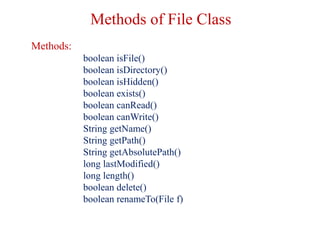
Methods of File Class
Methods:
boolean isFile()
boolean isDirectory()
boolean isHidden()
boolean exists()
boolean canRead()
boolean canWrite()
String getName()
String getPath()
String getAbsolutePath()
long lastModified()
long length()
boolean delete()
boolean renameTo(File f)
Reading and Writing Files
• In Java, all files are byte-oriented, and Java provides methods to
read and write bytes from and to a file.
• Java allows us to wrap a byte-oriented file stream within a
character-based object.
• We can use Scanner and PrintWriter class to read and write
Files.
Streams
• Java implements streams within class hierarchies defined in the
java.io package.
• A stream is an ordered sequence of data.
• A stream is linked to a physical device by the Java I/O system.
• All streams behave in the same manner, even if the actual
physical devices to which they are linked differ.
• An I/O Stream represents an input source or an output
destination.
I/O Streams
• A stream can represent many different kinds of sources and
destinations
– disk files, devices, other programs, a network socket, and
memory arrays
• Streams support many different kinds of data
– simple bytes, primitive data types, localized characters, and
objects
• Some streams simply pass on data; others manipulate and
transform the data in useful ways.
Input Stream
• A program uses an input stream to read data from a source, one
item at a time.
Reading information into a program.
Output Stream
• A program uses an output stream to write data to a destination,
one item at time:
Writing information from a program.
Types of Streams
• Java defines two different types of Streams-
 Byte Streams
 Character Streams
• Byte streams provide a convenient means for handling input and
output of bytes.
• Byte streams are used, for example, when reading or writing
binary data.
• Character streams provide a convenient means for handling
input and output of characters.
• In some cases, character streams are more efficient than byte
streams.
Byte Streams
• Programs use byte streams to perform input and output of 8-bit bytes.
• Byte streams are defined by using two class hierarchies.
• At the top, there are two abstract classes: InputStream and
OutputStream.
• The abstract classes InputStream and OutputStream define several
key methods that the other stream classes implement.
• Two of the most important methods are read( )and write( ), which,
respectively, read and write bytes of data.
• Both methods are declared as abstract inside InputStream and
OutputStream.
Reading/ Writing File using Streams
Using Byte Streams
import java.io.*;
public class CopyBytes {
public static void main(String[] args) throws IOException
{ FileInputStream in = null;
FileOutputStream out = null;
try {
in = new FileInputStream(“ravi.txt");
out = new FileOutputStream(“Copy.txt");
int c;
while ((c = in.read()) != -1)
{ out.write(c); }
}
finally { if (in != null)
{ in.close(); }
if (out != null)
{ out.close(); }
} } }
Byte Stream Contd…
Note: read() returns an int value.
• If the input is a stream of bytes, why doesn't read() return
a byte value?
• Using a int as a return type allows read() to use -1 to indicate
that it has reached the end of the stream.
Closing the Streams
• Closing a stream when it's no longer needed is very important.
• It is so important that we have used a finally block to guarantee that
both streams will be closed even if an error occurs. This practice
helps avoid serious resource leaks.
• That's why CopyBytes makes sure that each stream variable contains
an object reference before invoking close.
Use of Byte Stream
• Byte streams should only be used for the most primitive I/O.
• Since ravi.txt contains character data, the best approach is to
use character streams.
• Byte Stream represents a kind of low-level I/O.
• So why talk about byte streams?
• Because all other stream types are built on byte streams.
Byte Stream Classes
Ravi Kant Sahu, Asst. Professor @ Lovely Professional University, Punjab (India)
Stream Class Meaning / Use
BufferedInputStream Buffered input stream
BufferedOutputStream Buffered output stream
DataInputStream contains methods for reading the Java standard
data types
DataOutputStream contains methods for writing the Java standard
data types
FileInputStream Input stream that reads from a file
FileOutputStream Output stream that writes to a file
InputStream Abstract class that describes stream input
OutputStream Abstract class that describes stream output
PrintStream Output stream that contains print() and println(
)
PipedInputStream Input Pipe
PipedOutputStream Output Pipe
Methods defined by ‘InputStream’
Ravi Kant Sahu, Asst. Professor @ Lovely Professional University, Punjab (India)
Methods defined by ‘OutputStream’
Character Stream
• The Java platform stores character values using Unicode conventions.
• Character stream I/O automatically translates this internal format to
and from the local character set.
• Character streams are defined by using two class hierarchies.
• At the top are two abstract classes, Reader and Writer.
• These abstract classes handle Unicode character streams.
• Similar to Byte Streams, read() and write() methods are defined in
Reader and Writer class.
Character Stream Classes
Predefined Streams
• java.lang package defines a class called System, which
encapsulates several aspects of the run-time environment.
• System contains three predefined stream variables:
in, out, and err.
• These fields are declared as public, static, and final within
System.
• This means that they can be used by any other part of your
program and without reference to a specific System object.
Predefined Streams
• System.out refers to the standard output stream. By default, this is the
console.
• System.in refers to standard input, which is the keyboard by default.
• System.err refers to the standard error stream, which also is the
console by default.
• However, these streams may be redirected to any compatible I/O
device.
• System.in is an object of type InputStream;
• System.out and System.err are objects of type PrintStream.
• These are byte streams, even though they typically are used to read
and write characters from and to the console.
Reading Console Input
• In Java 1.0, the only way to perform console input was to use a byte stream.
• In Java, console input is accomplished by reading from System.in.
• To obtain a character-based stream that is attached to the console, wrap
System.in in a BufferedReader object.
• BufferedReader supports a buffered input stream.
• Its most commonly used constructor is:
BufferedReader (Reader inputReader)
• Here, inputReader is the stream that is linked to the instance of
BufferedReader that is being created.
• Reader is an abstract class. One of its concrete subclasses is
InputStreamReader, which converts bytes to characters.
• To obtain an InputStreamReader object that is linked to System.in,
use the following constructor:
InputStreamReader(InputStream inputStream)
• Because System.in refers to an object of type InputStream, it can be
used for inputStream.
• Putting it all together, the following line of code creates a
BufferedReader that is connected to the keyboard:
BufferedReader br = new BufferedReader(new
InputStreamReader(System.in));
• After this statement executes, br is a character-based stream that is
linked to the console through System.in.
reading Characters and Strings
• To read a character from a BufferedReader, use read( ).
int read( ) throws IOException
• Each time read( ) is called, it reads a character from the input stream
and returns it as an integer value.
• It returns –1 when the end of the stream is encountered.
• It can throw an IOException.
• To read a string from the keyboard, use readLine( ) that is a member
of the BufferedReader class.
String readLine( ) throws IOException
reading Characters
• To read a character from a BufferedReader, use read( ).
int read( ) throws IOException
• Each time read( ) is called, it reads a character from the input
stream and returns it as an integer value.
• It returns –1 when the end of the stream is encountered.
• It can throw an IOException.
reading Characters
import java.io.*;
class BRRead {
public static void main(String args[]) throws IOException
{
char c;
BufferedReader br = new BufferedReader (new
InputStreamReader(System.in));
System.out.println("Enter characters, 'q' to quit.");
do {
c = (char) br.read();
System.out.println(c);
}
while(c != 'q');
}
}
reading String
import java.io.*;
class BRReadLines {
public static void main(String args[]) throws IOException
{
BufferedReader br = new BufferedReader(new
InputStreamReader(System.in));
String str;
System.out.println("Enter lines of text.");
System.out.println("Enter 'stop' to quit.");
do {
str = br.readLine();
System.out.println(str);
}
while(!str.equals("stop"));
}
}
Writing Console Output
• print() and println(), defined by PrintStream class, are used.
• System.out is a ByteStream for referencing these methods.
• PrintStream is an output stream derived from OutputStream, it
also implements write( ) which can be used to write to the
console.
void write(int byte_val)
class WriteDemo
{
public static void main(String args[])
{
int b;
b = 'A';
System.out.write(b);
System.out.write('n');
}
}
PrinterWriter Class
• Although using System.out to write to the console is acceptable.
• The recommended method of writing to the console when using
Java is through a PrintWriter stream.
• PrintWriter is one of the character-based classes.
• Using a character-based class for console output makes it easier to
internationalize your program.
PrintWriter(OutputStream outputStream, boolean flushOnNewline)
• outputStream is an object of type OutputStream.
• flushOnNewline controls whether Java flushes the output stream
every time a println( )method is called.
• If flushOnNewline is true, flushing automatically takes place.
• If false, flushing is not automatic.
• PrintWriter supports the print( ) and println( ) methods for all types
including Object. Thus, we can use these methods in the same way
as they have been used with System.out.
• If an argument is not a simple type, the PrintWriter methods call the
object’s toString( ) method and then print the result.
Using PrintWriter
import java.io.*;
public class PrintWriterDemo
{
public static void main(String args[])
{
PrintWriter pw = new PrintWriter(System.out, true);
pw.println(“Using PrintWriter Object");
int i = -7;
pw.println(i);
double d = 4.5e-7;
pw.println(d);
}
}
Binary I/O classes
Binary Input/Output Classes
FileInputStream and FileOutputStream
• FileInputStream and FileOutputStream are stream classes which
create byte streams linked to files.
FileInputStream(String fileName) throws FileNotFoundException
FileOutputStream(String fileName) throws FileNotFoundException
• When an output file is opened, any pre-existing file by the same
name is destroyed.
• Files must be closed using close(), when you are done.
void close( ) throws IOException
Reading and Writing Files
• To read from a file, we can use read( ) that is defined with in
FileInputStream.
int read( ) throws IOException
• Each time read() is called, it reads a single byte from the file
and returns the byte as an integer value.
• To write to a file, we can use the write( )method defined by
FileOutputStream.
void write(int byteval) throws IOException
import java.io.*;
class CopyFile {
public static void main(String args[])throws IOException{
int i; FileInputStream fin=null; FileOutputStream fout=null;
fin = new FileInputStream(args[0]);
fout = new FileOutputStream(args[1]);
try {
do { i = fin.read();
if(i != -1) fout.write(i);
} while(i != -1);
}
catch(IOException e) {
System.out.println("File Error");
}
fin.close();
fout.close();
}
}
FilterInputStream & FilterOutputStream
• The basic byte input stream provides a read() method that can be used
only for reading bytes.
• If we want to read integers, doubles, or strings, we need a filter class to
wrap the byte input stream.
• Filter class enables us to read integers, doubles, and strings instead of
bytes and characters.
• FilterInputStream and FilterOutputStream are the base classes for
filtering data.
• When we need to process primitive numeric types, we use
DataInputStream and DataOutputStream to filter bytes.
DataInputStream & DataOutputStream
• DataInputStream reads bytes from the stream and converts them
into appropriate primitive type values or strings.
• DataOutputStream converts primitive type values or strings into
bytes and outputs the bytes to the stream.
• DataInputStream/DataOutputStream extends FilterInputStream/
FilterOutputStream and implements DataInput/DataOutput
interface respectively.
Constructor and Methods of DataInputStream
Constructor and Methods of DataOutputStream
BufferedInputStream/ BufferedOutputStream
• Used to speed up input and output by reducing the number of disk
reads and writes.
• Using BufferedInputStream, the whole block of data on the disk
is read into the buffer in the memory once.
• The individual data are delivered to the program from the buffer.
• Using BufferedOutputStream, the individual data are first written
to the buffer in the memory.
• When the buffer is full, all data in the buffer is written to the disk.
Constructors of
BufferedInputStream and BufferedOutputSTream
• BufferedInputStream (InputStream in)
• BufferedInputStream(InputStream in, int bufferSize)
• BufferedOutputStream (OutputStream in)
• BufferedOutputStream(OutputStream in, int bufferSize)
• If no buffer size is specified, the default size is 512 bytes.
Methods of
BufferedInputStream and BufferedOutputSTream
• BufferedInputStream/BufferedOutputStream does not contain new
methods.
• All the methods are inherited from the InputStream/OutputStream
classes.
Object Input/Output
• ObjectInputStream/ObjectOutputStream classes can be used to
read/write serializable objects.
• ObjectInputStream/ObjectOutputStream enables you to perform
I/O for objects in addition to primitive type values and strings.
• ObjectInputStream/ObjectOutputStream contains all the functions
of DataInputStream/ DataOutputStream.
Constructor and Methods of ObjectInputStream
Constructor and Methods of ObjectOutputStream
Serialization
Serialization
• Serialization is the process of writing the state of an object to a
byte stream.
• This is useful when we want to save the state of our program to a
persistent storage area, such as a file.
• At a later time, we may restore these objects by using the process
of de-serialization.
• Serialization is also needed to implement Remote Method
Invocation (RMI).
• An object to be serialized may have references to other objects,
which, in turn, have references to still more objects.
• If we attempt to serialize an object at the top of an object graph,
all of the other referenced objects are recursively located and
serialized.
Serialization: Interfaces and Classes
• An overview of the interfaces and classes that support
serialization follows:
1) Serializable
– Only an object that implements the Serializable interface can
be saved and restored by the serialization facilities.
– The Serializable interface defines no members.
– It is simply used to indicate that a class may be serialized.
– If a class is serializable, all of its subclasses are also
serializable.
2) Externalizable
• The Externalizable interface is designed for compression or
encryption .
• The Externalizable interface defines two methods:
void readExternal (ObjectInput inStream)throws IOException,
ClassNotFoundException
void writeExternal (ObjectOutput outStream) throws IOException
• In these methods, inStream is the byte stream from which the object
is to be read, and outStream is the byte stream to which the object is
to be written.
Serialization Example
class MyClass implements Serializable
{
String s;
int i;
double d;
public MyClass(String s, int i, double d) {
this.s = s;
this.i = i;
this.d = d;
}
public String toString()
{
return "s=" + s + "; i=" + i + "; d=" + d;
}
}
import java.io.*;
public class SerializationDemo {
public static void main(String args[]) {
try {
MyClass object1 = new MyClass("Hello", -7, 2.7e10);
System.out.println("object1: " + object1);
FileOutputStream fos = new FileOutputStream("serial.txt");
ObjectOutputStream oos = new ObjectOutputStream(fos);
oos.writeObject(object1);
oos.flush();
oos.close();
}
catch(IOException e) {
System.out.println("Exception during serialization: " + e);
System.exit(0);
}
// Object deserialization
try {
MyClass object2;
FileInputStream fis = new FileInputStream("serial.txt");
ObjectInputStream ois = new ObjectInputStream(fis);
object2 = (MyClass)ois.readObject();
ois.close();
System.out.println("object2: " + object2);
}
catch(Exception e) {
System.out.println("Exception during deserialization: " + e);
System.exit(0);
}
}
}
Random Access File
Random Access File
• RandomAccessFile class to allow a file to be read from and
written to at random locations.
• It implements the interfaces DataInput and DataOutput, which
define the basic I/O methods.
• RandomAccessFile is special because it supports positioning
requests within the file.
RandomAccessFile(File fileObj, String access)
throws FileNotFoundException
RandomAccessFile(String filename, String access)
throws FileNotFoundException
• “r”, then the file can be read, but not written
• “rw”,then the file is opened in read-write mode
• The method seek() is used to set the current position of the file
pointer within the file:
void seek(long newPos) throws IOException
• Here, newPos specifies the new position of the file pointer
from the beginning of the file.
• After a call to seek( ), the next read or write operation will
occur at the new file position.
Methods
Methods
• length() returns the length of the file.
long length()
• getFilePointer() returns the offset, in bytes, from the beginning
of the file to where the next read or write occurs.
long getFilePointer()
• setLength() is used to sets a new length for file.
void setLength(long newLength)

L21 io streams

  • 1.
    Programming in Java I/OBasics and Streams
  • 2.
    Introduction • Most realapplications of Java are not text-based, console programs. • Java’s support for console I/O is limited. • Text-based console I/O is not very important to Java programming. • Java does provide strong, flexible support for I/O as it relates to files and networks.
  • 3.
  • 4.
    File Class • TheFile class provides the methods for obtaining the properties of a file/directory and for renaming and deleting a file/directory. • An absolute file name (or full name) contains a file name with its complete path and drive letter. • For example, c:bookWelcome.java • A relative file name is in relation to the current working directory. • The complete directory path for a relative file name is omitted. • For example, Welcome.java
  • 5.
    File Class • TheFile class is a wrapper class for the file name and its directory path. • For example, new File("c:book") creates a File object for the directory c:book, • and new File("c:booktest.dat") creates a File object for the file c:booktest.dat, both on Windows. • File class does not contain the methods for reading and writing file contents.
  • 6.
    Methods and Constructors Constructor: File(Stringpath_name) • Creates a File object for the specified path name. The path name may be a directory or a file.
  • 7.
    Methods of FileClass Methods: boolean isFile() boolean isDirectory() boolean isHidden() boolean exists() boolean canRead() boolean canWrite() String getName() String getPath() String getAbsolutePath() long lastModified() long length() boolean delete() boolean renameTo(File f)
  • 8.
    Reading and WritingFiles • In Java, all files are byte-oriented, and Java provides methods to read and write bytes from and to a file. • Java allows us to wrap a byte-oriented file stream within a character-based object. • We can use Scanner and PrintWriter class to read and write Files.
  • 9.
    Streams • Java implementsstreams within class hierarchies defined in the java.io package. • A stream is an ordered sequence of data. • A stream is linked to a physical device by the Java I/O system. • All streams behave in the same manner, even if the actual physical devices to which they are linked differ. • An I/O Stream represents an input source or an output destination.
  • 10.
    I/O Streams • Astream can represent many different kinds of sources and destinations – disk files, devices, other programs, a network socket, and memory arrays • Streams support many different kinds of data – simple bytes, primitive data types, localized characters, and objects • Some streams simply pass on data; others manipulate and transform the data in useful ways.
  • 11.
    Input Stream • Aprogram uses an input stream to read data from a source, one item at a time. Reading information into a program.
  • 12.
    Output Stream • Aprogram uses an output stream to write data to a destination, one item at time: Writing information from a program.
  • 13.
    Types of Streams •Java defines two different types of Streams-  Byte Streams  Character Streams • Byte streams provide a convenient means for handling input and output of bytes. • Byte streams are used, for example, when reading or writing binary data. • Character streams provide a convenient means for handling input and output of characters. • In some cases, character streams are more efficient than byte streams.
  • 14.
    Byte Streams • Programsuse byte streams to perform input and output of 8-bit bytes. • Byte streams are defined by using two class hierarchies. • At the top, there are two abstract classes: InputStream and OutputStream. • The abstract classes InputStream and OutputStream define several key methods that the other stream classes implement. • Two of the most important methods are read( )and write( ), which, respectively, read and write bytes of data. • Both methods are declared as abstract inside InputStream and OutputStream.
  • 15.
    Reading/ Writing Fileusing Streams
  • 16.
    Using Byte Streams importjava.io.*; public class CopyBytes { public static void main(String[] args) throws IOException { FileInputStream in = null; FileOutputStream out = null; try { in = new FileInputStream(“ravi.txt"); out = new FileOutputStream(“Copy.txt"); int c; while ((c = in.read()) != -1) { out.write(c); } } finally { if (in != null) { in.close(); } if (out != null) { out.close(); } } } }
  • 17.
    Byte Stream Contd… Note:read() returns an int value. • If the input is a stream of bytes, why doesn't read() return a byte value? • Using a int as a return type allows read() to use -1 to indicate that it has reached the end of the stream.
  • 18.
    Closing the Streams •Closing a stream when it's no longer needed is very important. • It is so important that we have used a finally block to guarantee that both streams will be closed even if an error occurs. This practice helps avoid serious resource leaks. • That's why CopyBytes makes sure that each stream variable contains an object reference before invoking close.
  • 19.
    Use of ByteStream • Byte streams should only be used for the most primitive I/O. • Since ravi.txt contains character data, the best approach is to use character streams. • Byte Stream represents a kind of low-level I/O. • So why talk about byte streams? • Because all other stream types are built on byte streams.
  • 20.
    Byte Stream Classes RaviKant Sahu, Asst. Professor @ Lovely Professional University, Punjab (India) Stream Class Meaning / Use BufferedInputStream Buffered input stream BufferedOutputStream Buffered output stream DataInputStream contains methods for reading the Java standard data types DataOutputStream contains methods for writing the Java standard data types FileInputStream Input stream that reads from a file FileOutputStream Output stream that writes to a file InputStream Abstract class that describes stream input OutputStream Abstract class that describes stream output PrintStream Output stream that contains print() and println( ) PipedInputStream Input Pipe PipedOutputStream Output Pipe
  • 21.
    Methods defined by‘InputStream’ Ravi Kant Sahu, Asst. Professor @ Lovely Professional University, Punjab (India)
  • 22.
    Methods defined by‘OutputStream’
  • 23.
    Character Stream • TheJava platform stores character values using Unicode conventions. • Character stream I/O automatically translates this internal format to and from the local character set. • Character streams are defined by using two class hierarchies. • At the top are two abstract classes, Reader and Writer. • These abstract classes handle Unicode character streams. • Similar to Byte Streams, read() and write() methods are defined in Reader and Writer class.
  • 24.
  • 25.
    Predefined Streams • java.langpackage defines a class called System, which encapsulates several aspects of the run-time environment. • System contains three predefined stream variables: in, out, and err. • These fields are declared as public, static, and final within System. • This means that they can be used by any other part of your program and without reference to a specific System object.
  • 26.
    Predefined Streams • System.outrefers to the standard output stream. By default, this is the console. • System.in refers to standard input, which is the keyboard by default. • System.err refers to the standard error stream, which also is the console by default. • However, these streams may be redirected to any compatible I/O device. • System.in is an object of type InputStream; • System.out and System.err are objects of type PrintStream. • These are byte streams, even though they typically are used to read and write characters from and to the console.
  • 27.
    Reading Console Input •In Java 1.0, the only way to perform console input was to use a byte stream. • In Java, console input is accomplished by reading from System.in. • To obtain a character-based stream that is attached to the console, wrap System.in in a BufferedReader object. • BufferedReader supports a buffered input stream. • Its most commonly used constructor is: BufferedReader (Reader inputReader) • Here, inputReader is the stream that is linked to the instance of BufferedReader that is being created. • Reader is an abstract class. One of its concrete subclasses is InputStreamReader, which converts bytes to characters.
  • 28.
    • To obtainan InputStreamReader object that is linked to System.in, use the following constructor: InputStreamReader(InputStream inputStream) • Because System.in refers to an object of type InputStream, it can be used for inputStream. • Putting it all together, the following line of code creates a BufferedReader that is connected to the keyboard: BufferedReader br = new BufferedReader(new InputStreamReader(System.in)); • After this statement executes, br is a character-based stream that is linked to the console through System.in.
  • 29.
    reading Characters andStrings • To read a character from a BufferedReader, use read( ). int read( ) throws IOException • Each time read( ) is called, it reads a character from the input stream and returns it as an integer value. • It returns –1 when the end of the stream is encountered. • It can throw an IOException. • To read a string from the keyboard, use readLine( ) that is a member of the BufferedReader class. String readLine( ) throws IOException
  • 30.
    reading Characters • Toread a character from a BufferedReader, use read( ). int read( ) throws IOException • Each time read( ) is called, it reads a character from the input stream and returns it as an integer value. • It returns –1 when the end of the stream is encountered. • It can throw an IOException.
  • 31.
    reading Characters import java.io.*; classBRRead { public static void main(String args[]) throws IOException { char c; BufferedReader br = new BufferedReader (new InputStreamReader(System.in)); System.out.println("Enter characters, 'q' to quit."); do { c = (char) br.read(); System.out.println(c); } while(c != 'q'); } }
  • 32.
    reading String import java.io.*; classBRReadLines { public static void main(String args[]) throws IOException { BufferedReader br = new BufferedReader(new InputStreamReader(System.in)); String str; System.out.println("Enter lines of text."); System.out.println("Enter 'stop' to quit."); do { str = br.readLine(); System.out.println(str); } while(!str.equals("stop")); } }
  • 33.
    Writing Console Output •print() and println(), defined by PrintStream class, are used. • System.out is a ByteStream for referencing these methods. • PrintStream is an output stream derived from OutputStream, it also implements write( ) which can be used to write to the console. void write(int byte_val)
  • 34.
    class WriteDemo { public staticvoid main(String args[]) { int b; b = 'A'; System.out.write(b); System.out.write('n'); } }
  • 35.
    PrinterWriter Class • Althoughusing System.out to write to the console is acceptable. • The recommended method of writing to the console when using Java is through a PrintWriter stream. • PrintWriter is one of the character-based classes. • Using a character-based class for console output makes it easier to internationalize your program. PrintWriter(OutputStream outputStream, boolean flushOnNewline)
  • 36.
    • outputStream isan object of type OutputStream. • flushOnNewline controls whether Java flushes the output stream every time a println( )method is called. • If flushOnNewline is true, flushing automatically takes place. • If false, flushing is not automatic. • PrintWriter supports the print( ) and println( ) methods for all types including Object. Thus, we can use these methods in the same way as they have been used with System.out. • If an argument is not a simple type, the PrintWriter methods call the object’s toString( ) method and then print the result.
  • 37.
    Using PrintWriter import java.io.*; publicclass PrintWriterDemo { public static void main(String args[]) { PrintWriter pw = new PrintWriter(System.out, true); pw.println(“Using PrintWriter Object"); int i = -7; pw.println(i); double d = 4.5e-7; pw.println(d); } }
  • 38.
  • 39.
  • 40.
    FileInputStream and FileOutputStream •FileInputStream and FileOutputStream are stream classes which create byte streams linked to files. FileInputStream(String fileName) throws FileNotFoundException FileOutputStream(String fileName) throws FileNotFoundException • When an output file is opened, any pre-existing file by the same name is destroyed. • Files must be closed using close(), when you are done. void close( ) throws IOException
  • 41.
    Reading and WritingFiles • To read from a file, we can use read( ) that is defined with in FileInputStream. int read( ) throws IOException • Each time read() is called, it reads a single byte from the file and returns the byte as an integer value. • To write to a file, we can use the write( )method defined by FileOutputStream. void write(int byteval) throws IOException
  • 42.
    import java.io.*; class CopyFile{ public static void main(String args[])throws IOException{ int i; FileInputStream fin=null; FileOutputStream fout=null; fin = new FileInputStream(args[0]); fout = new FileOutputStream(args[1]); try { do { i = fin.read(); if(i != -1) fout.write(i); } while(i != -1); } catch(IOException e) { System.out.println("File Error"); } fin.close(); fout.close(); } }
  • 43.
    FilterInputStream & FilterOutputStream •The basic byte input stream provides a read() method that can be used only for reading bytes. • If we want to read integers, doubles, or strings, we need a filter class to wrap the byte input stream. • Filter class enables us to read integers, doubles, and strings instead of bytes and characters. • FilterInputStream and FilterOutputStream are the base classes for filtering data. • When we need to process primitive numeric types, we use DataInputStream and DataOutputStream to filter bytes.
  • 44.
    DataInputStream & DataOutputStream •DataInputStream reads bytes from the stream and converts them into appropriate primitive type values or strings. • DataOutputStream converts primitive type values or strings into bytes and outputs the bytes to the stream. • DataInputStream/DataOutputStream extends FilterInputStream/ FilterOutputStream and implements DataInput/DataOutput interface respectively.
  • 45.
    Constructor and Methodsof DataInputStream
  • 46.
    Constructor and Methodsof DataOutputStream
  • 47.
    BufferedInputStream/ BufferedOutputStream • Usedto speed up input and output by reducing the number of disk reads and writes. • Using BufferedInputStream, the whole block of data on the disk is read into the buffer in the memory once. • The individual data are delivered to the program from the buffer. • Using BufferedOutputStream, the individual data are first written to the buffer in the memory. • When the buffer is full, all data in the buffer is written to the disk.
  • 48.
    Constructors of BufferedInputStream andBufferedOutputSTream • BufferedInputStream (InputStream in) • BufferedInputStream(InputStream in, int bufferSize) • BufferedOutputStream (OutputStream in) • BufferedOutputStream(OutputStream in, int bufferSize) • If no buffer size is specified, the default size is 512 bytes.
  • 49.
    Methods of BufferedInputStream andBufferedOutputSTream • BufferedInputStream/BufferedOutputStream does not contain new methods. • All the methods are inherited from the InputStream/OutputStream classes.
  • 50.
    Object Input/Output • ObjectInputStream/ObjectOutputStreamclasses can be used to read/write serializable objects. • ObjectInputStream/ObjectOutputStream enables you to perform I/O for objects in addition to primitive type values and strings. • ObjectInputStream/ObjectOutputStream contains all the functions of DataInputStream/ DataOutputStream.
  • 51.
    Constructor and Methodsof ObjectInputStream
  • 52.
    Constructor and Methodsof ObjectOutputStream
  • 53.
  • 54.
    Serialization • Serialization isthe process of writing the state of an object to a byte stream. • This is useful when we want to save the state of our program to a persistent storage area, such as a file. • At a later time, we may restore these objects by using the process of de-serialization. • Serialization is also needed to implement Remote Method Invocation (RMI).
  • 55.
    • An objectto be serialized may have references to other objects, which, in turn, have references to still more objects. • If we attempt to serialize an object at the top of an object graph, all of the other referenced objects are recursively located and serialized.
  • 56.
    Serialization: Interfaces andClasses • An overview of the interfaces and classes that support serialization follows: 1) Serializable – Only an object that implements the Serializable interface can be saved and restored by the serialization facilities. – The Serializable interface defines no members. – It is simply used to indicate that a class may be serialized. – If a class is serializable, all of its subclasses are also serializable.
  • 57.
    2) Externalizable • TheExternalizable interface is designed for compression or encryption . • The Externalizable interface defines two methods: void readExternal (ObjectInput inStream)throws IOException, ClassNotFoundException void writeExternal (ObjectOutput outStream) throws IOException • In these methods, inStream is the byte stream from which the object is to be read, and outStream is the byte stream to which the object is to be written.
  • 58.
    Serialization Example class MyClassimplements Serializable { String s; int i; double d; public MyClass(String s, int i, double d) { this.s = s; this.i = i; this.d = d; } public String toString() { return "s=" + s + "; i=" + i + "; d=" + d; } }
  • 59.
    import java.io.*; public classSerializationDemo { public static void main(String args[]) { try { MyClass object1 = new MyClass("Hello", -7, 2.7e10); System.out.println("object1: " + object1); FileOutputStream fos = new FileOutputStream("serial.txt"); ObjectOutputStream oos = new ObjectOutputStream(fos); oos.writeObject(object1); oos.flush(); oos.close(); } catch(IOException e) { System.out.println("Exception during serialization: " + e); System.exit(0); }
  • 60.
    // Object deserialization try{ MyClass object2; FileInputStream fis = new FileInputStream("serial.txt"); ObjectInputStream ois = new ObjectInputStream(fis); object2 = (MyClass)ois.readObject(); ois.close(); System.out.println("object2: " + object2); } catch(Exception e) { System.out.println("Exception during deserialization: " + e); System.exit(0); } } }
  • 61.
  • 62.
    Random Access File •RandomAccessFile class to allow a file to be read from and written to at random locations. • It implements the interfaces DataInput and DataOutput, which define the basic I/O methods.
  • 63.
    • RandomAccessFile isspecial because it supports positioning requests within the file. RandomAccessFile(File fileObj, String access) throws FileNotFoundException RandomAccessFile(String filename, String access) throws FileNotFoundException • “r”, then the file can be read, but not written • “rw”,then the file is opened in read-write mode
  • 64.
    • The methodseek() is used to set the current position of the file pointer within the file: void seek(long newPos) throws IOException • Here, newPos specifies the new position of the file pointer from the beginning of the file. • After a call to seek( ), the next read or write operation will occur at the new file position. Methods
  • 65.
    Methods • length() returnsthe length of the file. long length() • getFilePointer() returns the offset, in bytes, from the beginning of the file to where the next read or write occurs. long getFilePointer() • setLength() is used to sets a new length for file. void setLength(long newLength)