







FILE HANDLING IN C++
NikhilDevS.B
nikhildevsb@gmail.com
www.facebook.com/nikhildevsb
TwitterProfile
www.linkedin.com/nikhildevsb
Typing speed: 22 wpm.
Disclaimer: This presentation is prepared by trainees of
baabtra.com as a part of mentoring program. This is not
official document of baabtra.com – Mentoring Partner
What is a File?
• A file is a collection of information, usually stored on a
computer’s disk. Information can be saved to files and then
later reused.
• Computers store files to secondary storage so that the
contents of files remain intact when a computer shuts down.
•When a computer reads a file, it copies the file from the
storage device to memory; when it writes to a file, it transfers
data from memory to the storage device.
•All files are assigned a name that is used for identification
purposes by the operating system and the user.
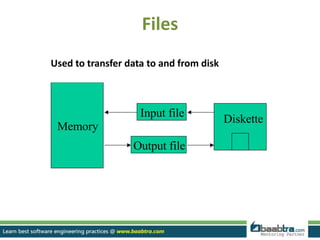
Files
Diskette
Memory
Input file
Output file
Used to transfer data to and from disk
Steps in Processing a File
Using a file in a program is a simple three-step process
•The file must be opened. If the file does not yet exits,
opening it means creating it.
•Information is then saved to the file, read from the file, or
both.
•When the program is finished using the file, the file must
be closed.
File streams in c++
The following classes in c++ have access to file input and output
functions:
ifstream - This data type represents the input file stream and is used to read
information from files
ofstream - This data type represents the output file stream and is used to
create files and to write information to files.
fstream - This data type represents the file stream generally, and has the
capabilities of both ofstream and ifstream which means it can
create files, write information to files, and read information
from files.
Opening Files Using Constructor
ofstream - output file stream
•File access requires the inclusion of header file fstream.h
• Before data can be written to or read from a file, the file must be opened.
• Use ofstream for output stream.
ofstream objectname( “filename”);
E.g. // ofstream constructor opens file named “customer” for output(write).
fout as ofstream object.
void main()
{
ofstream fout( "customer”); //open file to write
string str_name=“John”;
fout<<string_name; //write to file
…….
}
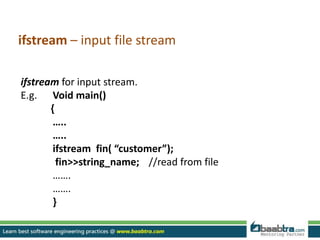
ifstream – input file stream
ifstream for input stream.
E.g. Void main()
{
…..
…..
ifstream fin( “customer”);
fin>>string_name; //read from file
…….
…….
}
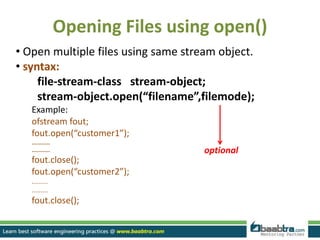
Opening Files using open()
• Open multiple files using same stream object.
• syntax:
file-stream-class stream-object;
stream-object.open(“filename”,filemode);
Example:
ofstream fout;
fout.open(“customer1”);
...........
...........
fout.close();
fout.open(“customer2”);
.........
.........
fout.close();
optional
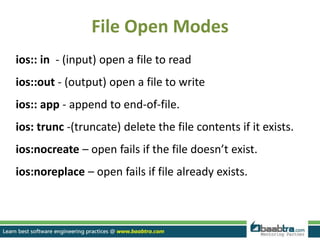
File Open Modes
ios:: in - (input) open a file to read
ios::out - (output) open a file to write
ios:: app - append to end-of-file.
ios: trunc -(truncate) delete the file contents if it exists.
ios:nocreate – open fails if the file doesn’t exist.
ios:noreplace – open fails if file already exists.
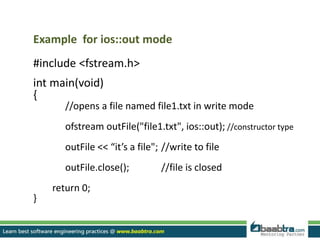
Example for ios::out mode
#include <fstream.h>
int main(void)
{
//opens a file named file1.txt in write mode
ofstream outFile("file1.txt", ios::out); //constructor type
outFile << “it’s a file"; //write to file
outFile.close(); //file is closed
return 0;
}
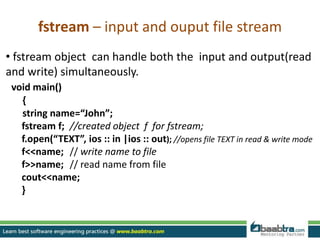
fstream – input and ouput file stream
• fstream object can handle both the input and output(read
and write) simultaneously.
void main()
{
string name=“John”;
fstream f; //created object f for fstream;
f.open(“TEXT”, ios :: in |ios :: out); //opens file TEXT in read & write mode
f<<name; // write name to file
f>>name; // read name from file
cout<<name;
}
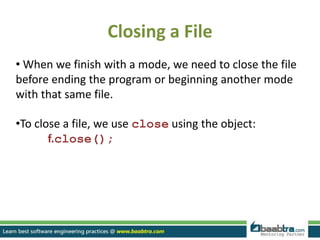
Closing a File
• When we finish with a mode, we need to close the file
before ending the program or beginning another mode
with that same file.
•To close a file, we use close using the object:
f.close();
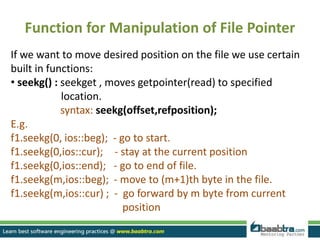
Function for Manipulation of File Pointer
If we want to move desired position on the file we use certain
built in functions:
• seekg() : seekget , moves getpointer(read) to specified
location.
syntax: seekg(offset,refposition);
E.g.
f1.seekg(0, ios::beg); - go to start.
f1.seekg(0,ios::cur); - stay at the current position
f1.seekg(0,ios::end); - go to end of file.
f1.seekg(m,ios::beg); - move to (m+1)th byte in the file.
f1.seekg(m,ios::cur) ; - go forward by m byte from current
position
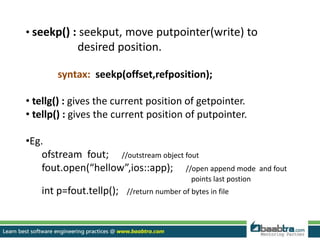
• seekp() : seekput, move putpointer(write) to
desired position.
syntax: seekp(offset,refposition);
• tellg() : gives the current position of getpointer.
• tellp() : gives the current position of putpointer.
•Eg.
ofstream fout; //outstream object fout
fout.open(“hellow”,ios::app); //open append mode and fout
points last postion
int p=fout.tellp(); //return number of bytes in file
Thank you...
Want to learn more about programming or Looking to become a good programmer?
Are you wasting time on searching so many contents online?
Do you want to learn things quickly?
Tired of spending huge amount of money to become a Software professional?
Do an online course
@ baabtra.com
We put industry standards to practice. Our structured, activity based courses are so designed
to make a quick, good software professional out of anybody who holds a passion for coding.
Follow us @ twitter.com/baabtra
Like us @ facebook.com/baabtra
Subscribe to us @ youtube.com/baabtra
Become a follower @ slideshare.net/BaabtraMentoringPartner
Connect to us @ in.linkedin.com/in/baabtra
Give a feedback @ massbaab.com/baabtra
Thanks in advance
www.baabtra.com | www.massbaab.com |www.baabte.com
Emarald Mall (Big Bazar Building)
Mavoor Road, Kozhikode,
Kerala, India.
Ph: + 91 – 495 40 25 550
NC Complex, Near Bus Stand
Mukkam, Kozhikode,
Kerala, India.
Ph: + 91 – 495 40 25 550
Cafit Square,
Hilite Business Park,
Near Pantheerankavu,
Kozhikode
Start up Village
Eranakulam,
Kerala, India.
Email: info@baabtra.com
Contact Us

File handling in c++

  • 2.
    FILE HANDLING INC++ NikhilDevS.B nikhildevsb@gmail.com www.facebook.com/nikhildevsb TwitterProfile www.linkedin.com/nikhildevsb Typing speed: 22 wpm.
  • 3.
    Disclaimer: This presentationis prepared by trainees of baabtra.com as a part of mentoring program. This is not official document of baabtra.com – Mentoring Partner
  • 4.
    What is aFile? • A file is a collection of information, usually stored on a computer’s disk. Information can be saved to files and then later reused. • Computers store files to secondary storage so that the contents of files remain intact when a computer shuts down. •When a computer reads a file, it copies the file from the storage device to memory; when it writes to a file, it transfers data from memory to the storage device. •All files are assigned a name that is used for identification purposes by the operating system and the user.
  • 5.
    Files Diskette Memory Input file Output file Usedto transfer data to and from disk
  • 6.
    Steps in Processinga File Using a file in a program is a simple three-step process •The file must be opened. If the file does not yet exits, opening it means creating it. •Information is then saved to the file, read from the file, or both. •When the program is finished using the file, the file must be closed.
  • 7.
    File streams inc++ The following classes in c++ have access to file input and output functions: ifstream - This data type represents the input file stream and is used to read information from files ofstream - This data type represents the output file stream and is used to create files and to write information to files. fstream - This data type represents the file stream generally, and has the capabilities of both ofstream and ifstream which means it can create files, write information to files, and read information from files.
  • 8.
    Opening Files UsingConstructor ofstream - output file stream •File access requires the inclusion of header file fstream.h • Before data can be written to or read from a file, the file must be opened. • Use ofstream for output stream. ofstream objectname( “filename”); E.g. // ofstream constructor opens file named “customer” for output(write). fout as ofstream object. void main() { ofstream fout( "customer”); //open file to write string str_name=“John”; fout<<string_name; //write to file ……. }
  • 9.
    ifstream – inputfile stream ifstream for input stream. E.g. Void main() { ….. ….. ifstream fin( “customer”); fin>>string_name; //read from file ……. ……. }
  • 10.
    Opening Files usingopen() • Open multiple files using same stream object. • syntax: file-stream-class stream-object; stream-object.open(“filename”,filemode); Example: ofstream fout; fout.open(“customer1”); ........... ........... fout.close(); fout.open(“customer2”); ......... ......... fout.close(); optional
  • 11.
    File Open Modes ios::in - (input) open a file to read ios::out - (output) open a file to write ios:: app - append to end-of-file. ios: trunc -(truncate) delete the file contents if it exists. ios:nocreate – open fails if the file doesn’t exist. ios:noreplace – open fails if file already exists.
  • 12.
    Example for ios::outmode #include <fstream.h> int main(void) { //opens a file named file1.txt in write mode ofstream outFile("file1.txt", ios::out); //constructor type outFile << “it’s a file"; //write to file outFile.close(); //file is closed return 0; }
  • 13.
    fstream – inputand ouput file stream • fstream object can handle both the input and output(read and write) simultaneously. void main() { string name=“John”; fstream f; //created object f for fstream; f.open(“TEXT”, ios :: in |ios :: out); //opens file TEXT in read & write mode f<<name; // write name to file f>>name; // read name from file cout<<name; }
  • 14.
    Closing a File •When we finish with a mode, we need to close the file before ending the program or beginning another mode with that same file. •To close a file, we use close using the object: f.close();
  • 15.
    Function for Manipulationof File Pointer If we want to move desired position on the file we use certain built in functions: • seekg() : seekget , moves getpointer(read) to specified location. syntax: seekg(offset,refposition); E.g. f1.seekg(0, ios::beg); - go to start. f1.seekg(0,ios::cur); - stay at the current position f1.seekg(0,ios::end); - go to end of file. f1.seekg(m,ios::beg); - move to (m+1)th byte in the file. f1.seekg(m,ios::cur) ; - go forward by m byte from current position
  • 16.
    • seekp() :seekput, move putpointer(write) to desired position. syntax: seekp(offset,refposition); • tellg() : gives the current position of getpointer. • tellp() : gives the current position of putpointer. •Eg. ofstream fout; //outstream object fout fout.open(“hellow”,ios::app); //open append mode and fout points last postion int p=fout.tellp(); //return number of bytes in file
  • 17.
  • 18.
    Want to learnmore about programming or Looking to become a good programmer? Are you wasting time on searching so many contents online? Do you want to learn things quickly? Tired of spending huge amount of money to become a Software professional? Do an online course @ baabtra.com We put industry standards to practice. Our structured, activity based courses are so designed to make a quick, good software professional out of anybody who holds a passion for coding.
  • 19.
    Follow us @twitter.com/baabtra Like us @ facebook.com/baabtra Subscribe to us @ youtube.com/baabtra Become a follower @ slideshare.net/BaabtraMentoringPartner Connect to us @ in.linkedin.com/in/baabtra Give a feedback @ massbaab.com/baabtra Thanks in advance www.baabtra.com | www.massbaab.com |www.baabte.com
  • 20.
    Emarald Mall (BigBazar Building) Mavoor Road, Kozhikode, Kerala, India. Ph: + 91 – 495 40 25 550 NC Complex, Near Bus Stand Mukkam, Kozhikode, Kerala, India. Ph: + 91 – 495 40 25 550 Cafit Square, Hilite Business Park, Near Pantheerankavu, Kozhikode Start up Village Eranakulam, Kerala, India. Email: info@baabtra.com Contact Us