Super Keyword in Java
• The super keyword in Java is a reference
variable which is used to refer immediate
parent class object.
• Whenever you create the instance of subclass,
an instance of parent class is created implicitly
which is referred by super reference variable.
Usage of Java super Keyword
• super can be used to refer immediate parent
class instance variable.
• super can be used to invoke immediate parent
class method.
• super() can be used to invoke immediate
parent class constructor.
Use of super with variables
• This scenario occurs when a derived class and
base class has the same data members. In that
case, there is a possibility of ambiguity for
the JVM.
• class Vehicle {
• int maxSpeed = 120;
• }
• // sub class Car extending vehicle
• class Car extends Vehicle {
• int maxSpeed = 180;
• void display()
• {
• // print maxSpeed of base class (vehicle)
• System.out.println("Maximum Speed: "
• + super.maxSpeed);
}
• }
• // Driver Program
• class Test {
• public static void main(String[] args)
• {
• Car small = new Car();
• small.display();
• }
• }
• OutputMaximum Speed: 120
• class Animal{
• String color="white";
• }
• class Dog extends Animal{
• String color="black";
• void printColor(){
• System.out.println(color);//prints color of Dog class
• System.out.println(super.color);//prints color of Animal class
• }
• }
• class TestSuper1{
• public static void main(String args[]){
• Dog d=new Dog();
• d.printColor();
• }}
super can be used to invoke parent
class method
• The super keyword can also be used to invoke
parent class method. It should be used if
subclass contains the same method as parent
class. In other words, it is used if method is
overridden.
• class Animal{
• void eat(){System.out.println("eating...");}
• }
• class Dog extends Animal{
• void eat(){System.out.println("eating bread...");}
• void bark(){System.out.println("barking...");}
• void work(){
• super.eat();
• bark();
• }
• }
• class TestSuper2{
• public static void main(String args[]){
• Dog d=new Dog();
• d.work();
• }}
Use of super with constructors
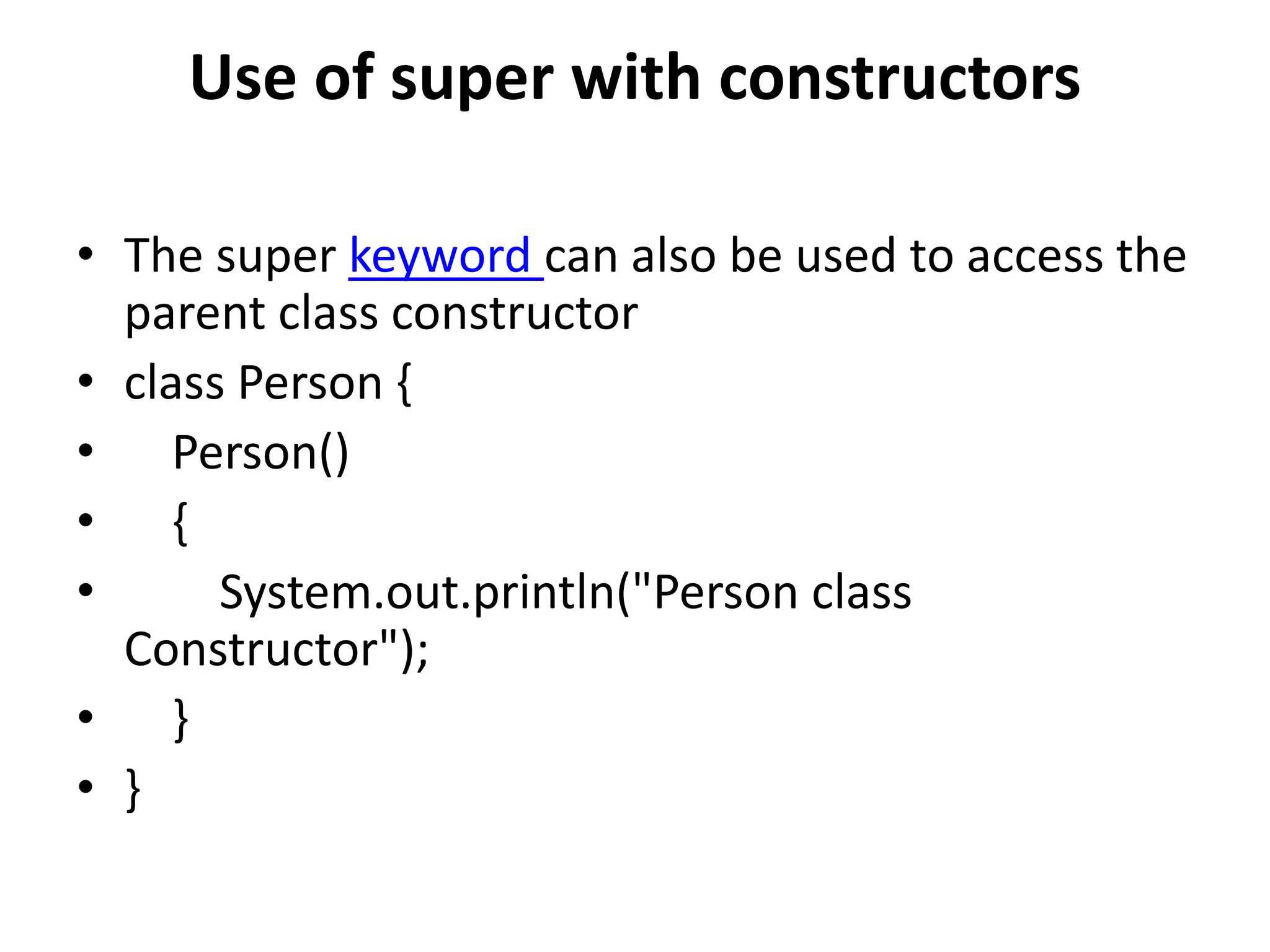
• The super keyword can also be used to access the
parent class constructor
• class Person {
• Person()
• {
• System.out.println("Person class
Constructor");
• }
• }
• class Student extends Person {
• Student()
• {
• // invoke or call parent class constructor
• super();
•
• System.out.println("Student class Constructor");
• }
• }
• class Test {
• public static void main(String[] args)
• {
• Student s = new Student();
• }
• }
final Keyword in Java
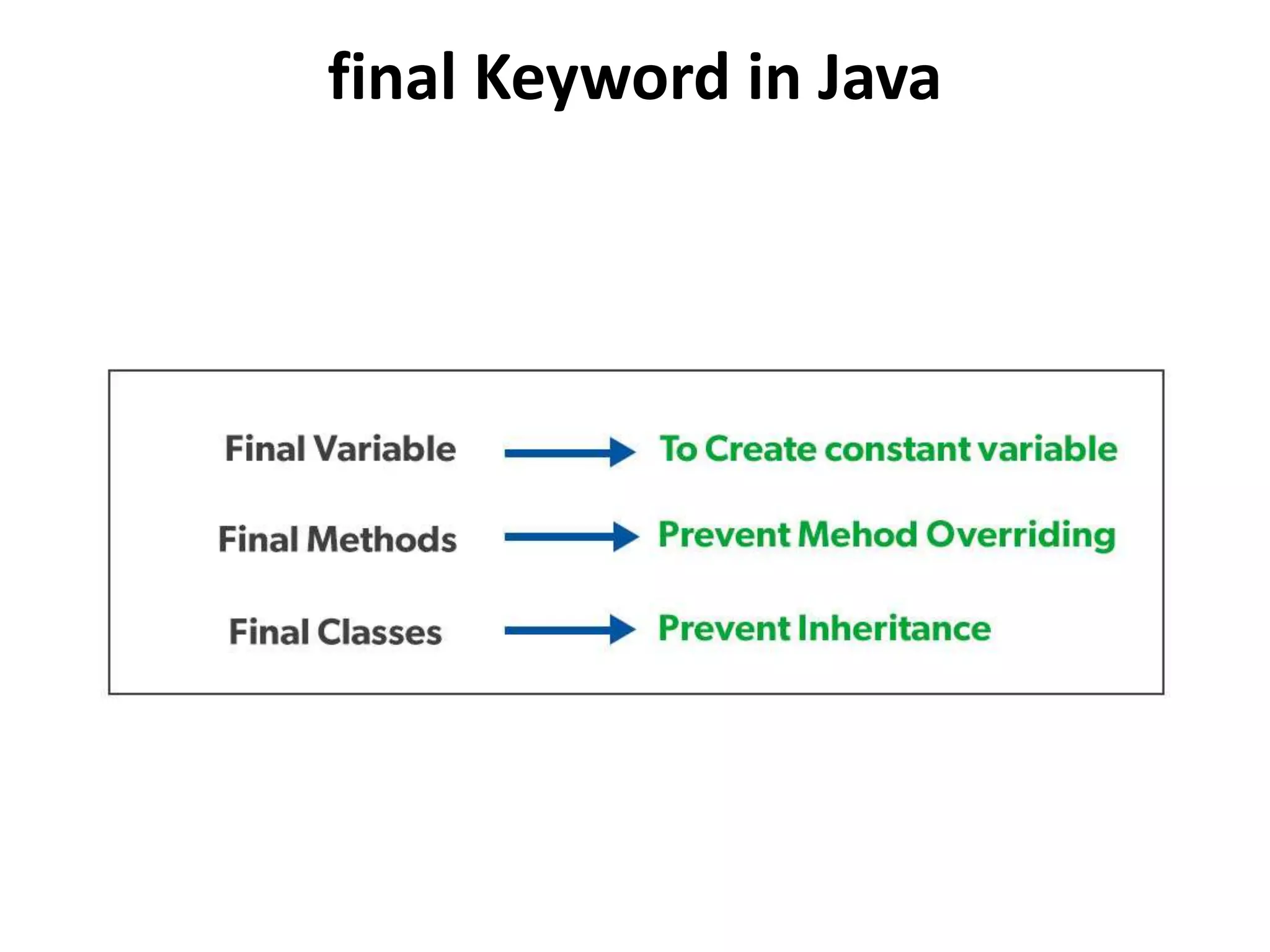
Final Variables
• When a variable is declared with the final
keyword, its value can’t be modified,
essentially, a constant.
• Initializing a final Variable
• We must initialize a final variable, otherwise,
the compiler will throw a compile-time error.
A final variable can only be initialized once.
• class Bike9{
• final int speedlimit=90;//final variable
• void run(){
• speedlimit=400;
• }
• }
• Class Demo
• { public static void main(String args[]){
• Bike9 obj=new Bike9();
• obj.run();
• }
• }//end of class
• Output:Compile Time Error
final method
• If you make any method as final, you cannot override it.
• class Bike{
• final void run(){System.out.println("running");}
• }
•
• class Honda extends Bike{
• void run(){System.out.println("running safely with 100kmph");}
• class Demo{
• public static void main(String args[]){
• Honda honda= new Honda();
• honda.run();
• }
• } Output:Compile Time Error
Final classes
• When a class is declared with final keyword, it is called a
final class. A final class cannot be extended(inherited).
• final class A
• {
• // methods and fields
• }
• // The following class is illegal
• class B extends A
• {
• // COMPILE-ERROR! Can't subclass A
• }
Interfaces in Java
• The interface in Java is a mechanism to
achieve abstraction.
• There can be only abstract methods in the Java
interface, not the method body. It is used to
achieve abstraction and multiple inheritance in
Java.
• In other words, you can say that interfaces can
have abstract methods and variables. It cannot
have a method body.
• Java Interface also represents the IS-A
relationship.
• Like abstract classes, interfaces cannot be used to
create objects.
• Interface methods do not have a body - the body is
provided by the "implement" class
• On implementation of an interface, you must override
all of its methods
• Interface methods are by default abstract and public
• Interface attributes are by default public, static and
final
• An interface cannot contain a constructor (as it cannot
• be used to create objects)
How to declare an interface?
• An interface is declared by using the interface
keyword.
• Syntax:
• interface <interface_name>{
•
• // declare constant fields
• // declare methods that abstract
• // by default.
• }
• interface printable{
• void print();
• }
• class A6 implements printable{
• public void print(){System.out.println("Hello");}
•
• public static void main(String args[]){
• A6 obj = new A6();
• obj.print();
• }
• }
•
Why And When To Use Interfaces?
• To achieve security - hide certain details and only
• show the important details of an object (interface).
• Java does not support "multiple inheritance" (a
• class can only inherit from one superclass).
• However, it can be achieved with interfaces,
• because the class can implement multiple
• interfaces.
• Note: To implement multiple interfaces , separate
• them with a comma
Multiple inheritance is not supported
through class in java, but it is possible
by an interface, why?
• As we have explained in the inheritance
chapter, multiple inheritance is not supported
in the case of class
• because of ambiguity. However, it is supported
in case of an interface because there is no
ambiguity. It is because its implementation is
provided by the implementation class
• interface Printable{
• void print();
• }
• interface Showable{
• void print();
• }
•
• class TestInterface3 implements Printable, Showable{
• public void print(){System.out.println("Hello");}
• public static void main(String args[]){
• TestInterface3 obj = new TestInterface3();
• obj.print();
• }
• }
• interface Calculator {
• int add(int a,int b);
• int subtract(int a,int b);
• int multiply(int a,int b);
• int divide(int a,int b);
• }
• class Normal_Calculator implements Calculator
• {
• public int add(int a,int b){
• return a+b;}
• public int subtract(int a,int b){
• return a-b;}
• public int multiply(int a,int b){
• return a*b;}
• public int divide(int a,int b){
• return a/b;}
• public static void main(String args[]){
• Normal_Calculator c=new Normal_Calculator();
• System.out.println(“Value after addition = “+c.add(5,2));
• System.out.println(“Value after Subtraction = “+c.subtract(5,2));
• System.out.println(“Value after Multiplication = “+c.multiply(5,2));
• System.out.println(“Value after division = “+c.divide(5,2)); }}
Multiple inheritance
• interface Shape
• {
• void area(double a);
• }
• interface student
• {
• void info(int roll);
• }
• class Oper19 implements
• Shape,student
{
public void area(double a){
System.out.println("square area
="+(a*a));
}
public void info(int roll)
{
System.out.println("student roll no
="+roll);
}
• public static void main(String args[])
• {
Oper19 ob=new Oper19();
ob.area(3.2);
ob.info(12);
}
}
Packages In Java
• Package in Java is a mechanism to encapsulate
a group of classes, sub packages and
interfaces.

Super Keyword in Java.pptx

  • 1.
  • 2.
    • The superkeyword in Java is a reference variable which is used to refer immediate parent class object. • Whenever you create the instance of subclass, an instance of parent class is created implicitly which is referred by super reference variable.
  • 3.
    Usage of Javasuper Keyword • super can be used to refer immediate parent class instance variable. • super can be used to invoke immediate parent class method. • super() can be used to invoke immediate parent class constructor.
  • 4.
    Use of superwith variables • This scenario occurs when a derived class and base class has the same data members. In that case, there is a possibility of ambiguity for the JVM.
  • 5.
    • class Vehicle{ • int maxSpeed = 120; • } • // sub class Car extending vehicle • class Car extends Vehicle { • int maxSpeed = 180; • void display() • { • // print maxSpeed of base class (vehicle) • System.out.println("Maximum Speed: " • + super.maxSpeed); } • }
  • 6.
    • // DriverProgram • class Test { • public static void main(String[] args) • { • Car small = new Car(); • small.display(); • } • } • OutputMaximum Speed: 120
  • 7.
    • class Animal{ •String color="white"; • } • class Dog extends Animal{ • String color="black"; • void printColor(){ • System.out.println(color);//prints color of Dog class • System.out.println(super.color);//prints color of Animal class • } • } • class TestSuper1{ • public static void main(String args[]){ • Dog d=new Dog(); • d.printColor(); • }}
  • 8.
    super can beused to invoke parent class method • The super keyword can also be used to invoke parent class method. It should be used if subclass contains the same method as parent class. In other words, it is used if method is overridden.
  • 9.
    • class Animal{ •void eat(){System.out.println("eating...");} • } • class Dog extends Animal{ • void eat(){System.out.println("eating bread...");} • void bark(){System.out.println("barking...");} • void work(){ • super.eat(); • bark(); • } • } • class TestSuper2{ • public static void main(String args[]){ • Dog d=new Dog(); • d.work(); • }}
  • 10.
    Use of superwith constructors • The super keyword can also be used to access the parent class constructor • class Person { • Person() • { • System.out.println("Person class Constructor"); • } • }
  • 11.
    • class Studentextends Person { • Student() • { • // invoke or call parent class constructor • super(); • • System.out.println("Student class Constructor"); • } • } • class Test { • public static void main(String[] args) • { • Student s = new Student(); • } • }
  • 12.
  • 13.
    Final Variables • Whena variable is declared with the final keyword, its value can’t be modified, essentially, a constant. • Initializing a final Variable • We must initialize a final variable, otherwise, the compiler will throw a compile-time error. A final variable can only be initialized once.
  • 14.
    • class Bike9{ •final int speedlimit=90;//final variable • void run(){ • speedlimit=400; • } • } • Class Demo • { public static void main(String args[]){ • Bike9 obj=new Bike9(); • obj.run(); • } • }//end of class • Output:Compile Time Error
  • 15.
    final method • Ifyou make any method as final, you cannot override it. • class Bike{ • final void run(){System.out.println("running");} • } • • class Honda extends Bike{ • void run(){System.out.println("running safely with 100kmph");} • class Demo{ • public static void main(String args[]){ • Honda honda= new Honda(); • honda.run(); • } • } Output:Compile Time Error
  • 16.
    Final classes • Whena class is declared with final keyword, it is called a final class. A final class cannot be extended(inherited). • final class A • { • // methods and fields • } • // The following class is illegal • class B extends A • { • // COMPILE-ERROR! Can't subclass A • }
  • 17.
    Interfaces in Java •The interface in Java is a mechanism to achieve abstraction. • There can be only abstract methods in the Java interface, not the method body. It is used to achieve abstraction and multiple inheritance in Java. • In other words, you can say that interfaces can have abstract methods and variables. It cannot have a method body. • Java Interface also represents the IS-A relationship.
  • 18.
    • Like abstractclasses, interfaces cannot be used to create objects. • Interface methods do not have a body - the body is provided by the "implement" class • On implementation of an interface, you must override all of its methods • Interface methods are by default abstract and public • Interface attributes are by default public, static and final • An interface cannot contain a constructor (as it cannot • be used to create objects)
  • 19.
    How to declarean interface? • An interface is declared by using the interface keyword. • Syntax: • interface <interface_name>{ • • // declare constant fields • // declare methods that abstract • // by default. • }
  • 20.
    • interface printable{ •void print(); • } • class A6 implements printable{ • public void print(){System.out.println("Hello");} • • public static void main(String args[]){ • A6 obj = new A6(); • obj.print(); • } • } •
  • 21.
    Why And WhenTo Use Interfaces? • To achieve security - hide certain details and only • show the important details of an object (interface). • Java does not support "multiple inheritance" (a • class can only inherit from one superclass). • However, it can be achieved with interfaces, • because the class can implement multiple • interfaces. • Note: To implement multiple interfaces , separate • them with a comma
  • 22.
    Multiple inheritance isnot supported through class in java, but it is possible by an interface, why? • As we have explained in the inheritance chapter, multiple inheritance is not supported in the case of class • because of ambiguity. However, it is supported in case of an interface because there is no ambiguity. It is because its implementation is provided by the implementation class
  • 23.
    • interface Printable{ •void print(); • } • interface Showable{ • void print(); • } • • class TestInterface3 implements Printable, Showable{ • public void print(){System.out.println("Hello");} • public static void main(String args[]){ • TestInterface3 obj = new TestInterface3(); • obj.print(); • } • }
  • 24.
    • interface Calculator{ • int add(int a,int b); • int subtract(int a,int b); • int multiply(int a,int b); • int divide(int a,int b); • }
  • 25.
    • class Normal_Calculatorimplements Calculator • { • public int add(int a,int b){ • return a+b;} • public int subtract(int a,int b){ • return a-b;} • public int multiply(int a,int b){ • return a*b;} • public int divide(int a,int b){ • return a/b;}
  • 26.
    • public staticvoid main(String args[]){ • Normal_Calculator c=new Normal_Calculator(); • System.out.println(“Value after addition = “+c.add(5,2)); • System.out.println(“Value after Subtraction = “+c.subtract(5,2)); • System.out.println(“Value after Multiplication = “+c.multiply(5,2)); • System.out.println(“Value after division = “+c.divide(5,2)); }}
  • 27.
    Multiple inheritance • interfaceShape • { • void area(double a); • } • interface student • { • void info(int roll); • }
  • 28.
    • class Oper19implements • Shape,student { public void area(double a){ System.out.println("square area ="+(a*a)); } public void info(int roll) { System.out.println("student roll no ="+roll); }
  • 29.
    • public staticvoid main(String args[]) • { Oper19 ob=new Oper19(); ob.area(3.2); ob.info(12); } }
  • 30.
    Packages In Java •Package in Java is a mechanism to encapsulate a group of classes, sub packages and interfaces.