Java I/O Package
Introduction
• Most programs cannot accomplish their goals without
accessing external data
• Data is retrieved from an input source and results of a
program are sent to an output destination
• These sources or destinations are defined very broadly in
Java, e.g. a network connection, memory buffer, or disk file
• The java.io package supports Java’s basic I/O (input/output)
system
• Java provides strong, flexible support for I/O as it relates to
files and networks
• physically different, these devices are all handled by the
same abstraction: the stream
Streams
• A stream is a logical entity that either produces or
consumes information
• A stream is linked to a physical device by the Java
I/O system
• All streams behave in the same manner, even if the
actual physical devices they are linked to differ
• an input stream can abstract many different kinds of
input: from a disk file, a keyboard, or a network
socket
• Likewise, an output stream may refer to the console,
a disk file, or a network connection
Types of Streams
• Java 2 defines two types of streams: byte and
character
• Byte streams provide a convenient means for
handling input and output of bytes
• Byte streams are used when reading or writing
binary data
• Character streams provide a convenient means
for handling input and output of characters
• They use Unicode and, therefore, can be
internationalized.
Byte Streams
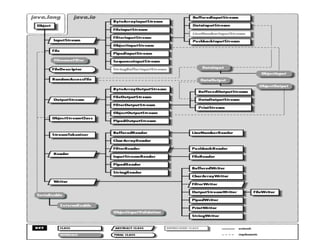
• Byte Streams are defined by using two class
hierarchies
• At the top are two abstract classes:
InputStream and OutputStream
• Each of these abstract classes has several
concrete subclasses
• These classes handle the differences between
various devices, such as disk files, network
connections, and even memory buffers
Byte Streams (contd)
• The abstract classes InputStream and
OutputStream define several key methods
that the other stream classes implement
• Two of the most important are read( ) and
write( ) which read and write bytes of data
• Both methods are declared as abstract and
are overridden by derived stream classes
Character Streams
• Character streams are defined by using two class
hierarchies
• At the top are two abstract classes, Reader and Writer
• These abstract classes handle Unicode character
streams
• The abstract classes Reader and Writer define several
key methods that the other stream classes implement
• Two of the most important methods are read( ) and
write( ), which read and write characters of data
• These methods are overridden by derived stream
classes.
Java IO Package and Streams

Java IO Package and Streams

  • 1.
  • 2.
    Introduction • Most programscannot accomplish their goals without accessing external data • Data is retrieved from an input source and results of a program are sent to an output destination • These sources or destinations are defined very broadly in Java, e.g. a network connection, memory buffer, or disk file • The java.io package supports Java’s basic I/O (input/output) system • Java provides strong, flexible support for I/O as it relates to files and networks • physically different, these devices are all handled by the same abstraction: the stream
  • 3.
    Streams • A streamis a logical entity that either produces or consumes information • A stream is linked to a physical device by the Java I/O system • All streams behave in the same manner, even if the actual physical devices they are linked to differ • an input stream can abstract many different kinds of input: from a disk file, a keyboard, or a network socket • Likewise, an output stream may refer to the console, a disk file, or a network connection
  • 4.
    Types of Streams •Java 2 defines two types of streams: byte and character • Byte streams provide a convenient means for handling input and output of bytes • Byte streams are used when reading or writing binary data • Character streams provide a convenient means for handling input and output of characters • They use Unicode and, therefore, can be internationalized.
  • 5.
    Byte Streams • ByteStreams are defined by using two class hierarchies • At the top are two abstract classes: InputStream and OutputStream • Each of these abstract classes has several concrete subclasses • These classes handle the differences between various devices, such as disk files, network connections, and even memory buffers
  • 6.
    Byte Streams (contd) •The abstract classes InputStream and OutputStream define several key methods that the other stream classes implement • Two of the most important are read( ) and write( ) which read and write bytes of data • Both methods are declared as abstract and are overridden by derived stream classes
  • 7.
    Character Streams • Characterstreams are defined by using two class hierarchies • At the top are two abstract classes, Reader and Writer • These abstract classes handle Unicode character streams • The abstract classes Reader and Writer define several key methods that the other stream classes implement • Two of the most important methods are read( ) and write( ), which read and write characters of data • These methods are overridden by derived stream classes.