File I/O in Java
2
Streams
• All modern I/O is stream-based
• A stream is a connection to a source of data or to a
destination for data (sometimes both)
• An input stream may be associated with the keyboard
• An input stream or an output stream may be
associated with a file
• Three stream objects are automatically created for
every application: System.in, System.out, and
System.err.
Types of Streams
• There are 2 kinds of streams
(1)byte streams, (2) character streams
• Java programs perform I/O through streams. A stream is either a
source of or a destination for bytes
• Java implements streams with in class hierarchies defined in the
java.io package.
– InputStream Methods:
– int read( ); returns an int,
int read(byte[ ]); read into byte array and return the number of
bytes read
int read(byte[ ], int, int); The two int arguments in the third
method indicate a sub range in the target array that needs to be
filled.
• void close( ) : When you have finished with a stream, close it
OutputStream Methods:
void write(int)
void write (byte[ ])
void write(byte [ ], int, int)
These methods write to the output stream
void close( ): You should close output streams when you
have finished with them.
void flush( ): Sometimes an output stream accumulates
writes before committing them. The flush ( ) method
allows you to force writes.
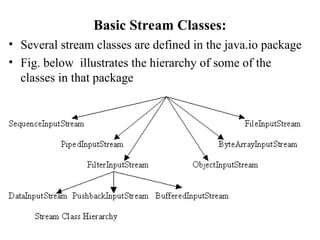
Basic Stream Classes:
• Several stream classes are defined in the java.io package
• Fig. below illustrates the hierarchy of some of the
classes in that package
6
Opening a stream
• There is data external to your program that you want to
get, or you want to put data somewhere outside your
program
• When you open a stream, you are making a connection
to that external place
• Once the connection is made, you forget about the
external place and just use the stream
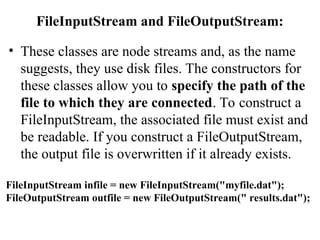
FileInputStream and FileOutputStream:
• These classes are node streams and, as the name
suggests, they use disk files. The constructors for
these classes allow you to specify the path of the
file to which they are connected. To construct a
FileInputStream, the associated file must exist and
be readable. If you construct a FileOutputStream,
the output file is overwritten if it already exists.
FileInputStream infile = new FileInputStream("myfile.dat");
FileOutputStream outfile = new FileOutputStream(" results.dat");
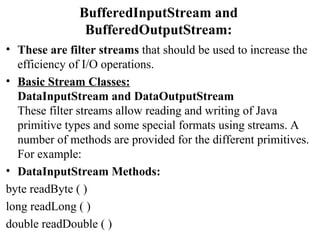
BufferedInputStream and
BufferedOutputStream:
• These are filter streams that should be used to increase the
efficiency of I/O operations.
• Basic Stream Classes:
DataInputStream and DataOutputStream
These filter streams allow reading and writing of Java
primitive types and some special formats using streams. A
number of methods are provided for the different primitives.
For example:
• DataInputStream Methods:
byte readByte ( )
long readLong ( )
double readDouble ( )
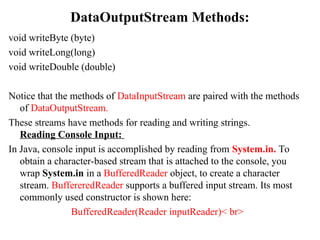
DataOutputStream Methods:
void writeByte (byte)
void writeLong(long)
void writeDouble (double)
Notice that the methods of DataInputStream are paired with the methods
of DataOutputStream.
These streams have methods for reading and writing strings.
Reading Console Input:
In Java, console input is accomplished by reading from System.in. To
obtain a character-based stream that is attached to the console, you
wrap System.in in a BufferedReader object, to create a character
stream. BuffereredReader supports a buffered input stream. Its most
commonly used constructor is shown here:
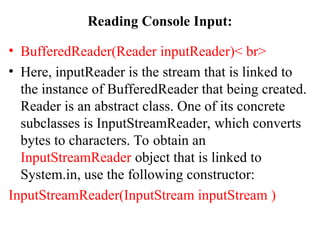
BufferedReader(Reader inputReader)< br>
Reading Console Input:
• BufferedReader(Reader inputReader)< br>
• Here, inputReader is the stream that is linked to
the instance of BufferedReader that being created.
Reader is an abstract class. One of its concrete
subclasses is InputStreamReader, which converts
bytes to characters. To obtain an
InputStreamReader object that is linked to
System.in, use the following constructor:
InputStreamReader(InputStream inputStream )
Reading Console Input:
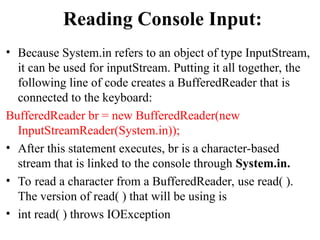
• Because System.in refers to an object of type InputStream,
it can be used for inputStream. Putting it all together, the
following line of code creates a BufferedReader that is
connected to the keyboard:
BufferedReader br = new BufferedReader(new
InputStreamReader(System.in));
• After this statement executes, br is a character-based
stream that is linked to the console through System.in.
• To read a character from a BufferedReader, use read( ).
The version of read( ) that will be using is
• int read( ) throws IOException
BufferedReader to read characters from the
console.
// Use a BufferedReader to read characters from the console.
import java.io.*;
class BRRead {
public static void main(String args[]) throws IOException
char c;
BufferedReader br = new BufferedReader(new
InputStreamReader (System.in ));
System.out.println("Enter characters, 'q' to quit.");
// read characters
do { c = (char) br.read( );
System.out.println( c);
} while(c ! = 'q');
}
}
Output :
Enter
Characters,
'q' to quit
Helloq
H
e
l
l
o
q
Read a string from console using a
BufferedReader
// Read a string from console using a BufferedReader.
import java.io.*;
class BRReadLines {
public static void main(String args[]) throws IOException{
// Create a BufferReader using System.in
BufferReader br = new BufferReader
(new InputStreamReader(System.in));
String str;
System.out.println(" Enter Lines of text");
System.out.println(" Enter 'stop' to quit. ");
do{ str = br.readLine( );
System.out.println(str);
}while(!str.equals("stop"));
}
}
Writing Console Output:
//Program to demonstrate System.out.write ( )
class WriteDemo {
public static void main(String args[]){
int b;
b ='A';
System.out.write(b);
System.out.write('n');
}
}
FILES:
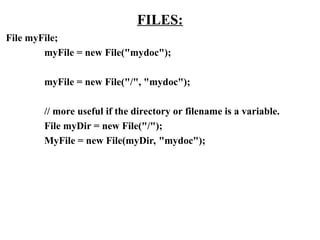
File myFile;
myFile = new File("mydoc");
myFile = new File("/", "mydoc");
// more useful if the directory or filename is a variable.
File myDir = new File("/");
MyFile = new File(myDir, "mydoc");
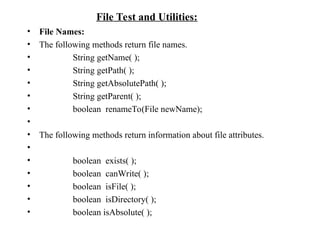
• File Names:
• The following methods return file names.
• String getName( );
• String getPath( );
• String getAbsolutePath( );
• String getParent( );
• boolean renameTo(File newName);
•
• The following methods return information about file attributes.
•
• boolean exists( );
• boolean canWrite( );
• boolean isFile( );
• boolean isDirectory( );
• boolean isAbsolute( );
File Test and Utilities:

Java development development Files lectur6.ppt

  • 1.
  • 2.
    2 Streams • All modernI/O is stream-based • A stream is a connection to a source of data or to a destination for data (sometimes both) • An input stream may be associated with the keyboard • An input stream or an output stream may be associated with a file • Three stream objects are automatically created for every application: System.in, System.out, and System.err.
  • 3.
    Types of Streams •There are 2 kinds of streams (1)byte streams, (2) character streams • Java programs perform I/O through streams. A stream is either a source of or a destination for bytes • Java implements streams with in class hierarchies defined in the java.io package. – InputStream Methods: – int read( ); returns an int, int read(byte[ ]); read into byte array and return the number of bytes read int read(byte[ ], int, int); The two int arguments in the third method indicate a sub range in the target array that needs to be filled. • void close( ) : When you have finished with a stream, close it
  • 4.
    OutputStream Methods: void write(int) voidwrite (byte[ ]) void write(byte [ ], int, int) These methods write to the output stream void close( ): You should close output streams when you have finished with them. void flush( ): Sometimes an output stream accumulates writes before committing them. The flush ( ) method allows you to force writes.
  • 5.
    Basic Stream Classes: •Several stream classes are defined in the java.io package • Fig. below illustrates the hierarchy of some of the classes in that package
  • 6.
    6 Opening a stream •There is data external to your program that you want to get, or you want to put data somewhere outside your program • When you open a stream, you are making a connection to that external place • Once the connection is made, you forget about the external place and just use the stream
  • 7.
    FileInputStream and FileOutputStream: •These classes are node streams and, as the name suggests, they use disk files. The constructors for these classes allow you to specify the path of the file to which they are connected. To construct a FileInputStream, the associated file must exist and be readable. If you construct a FileOutputStream, the output file is overwritten if it already exists. FileInputStream infile = new FileInputStream("myfile.dat"); FileOutputStream outfile = new FileOutputStream(" results.dat");
  • 8.
    BufferedInputStream and BufferedOutputStream: • Theseare filter streams that should be used to increase the efficiency of I/O operations. • Basic Stream Classes: DataInputStream and DataOutputStream These filter streams allow reading and writing of Java primitive types and some special formats using streams. A number of methods are provided for the different primitives. For example: • DataInputStream Methods: byte readByte ( ) long readLong ( ) double readDouble ( )
  • 9.
    DataOutputStream Methods: void writeByte(byte) void writeLong(long) void writeDouble (double) Notice that the methods of DataInputStream are paired with the methods of DataOutputStream. These streams have methods for reading and writing strings. Reading Console Input: In Java, console input is accomplished by reading from System.in. To obtain a character-based stream that is attached to the console, you wrap System.in in a BufferedReader object, to create a character stream. BuffereredReader supports a buffered input stream. Its most commonly used constructor is shown here: BufferedReader(Reader inputReader)< br>
  • 10.
    Reading Console Input: •BufferedReader(Reader inputReader)< br> • Here, inputReader is the stream that is linked to the instance of BufferedReader that being created. Reader is an abstract class. One of its concrete subclasses is InputStreamReader, which converts bytes to characters. To obtain an InputStreamReader object that is linked to System.in, use the following constructor: InputStreamReader(InputStream inputStream )
  • 11.
    Reading Console Input: •Because System.in refers to an object of type InputStream, it can be used for inputStream. Putting it all together, the following line of code creates a BufferedReader that is connected to the keyboard: BufferedReader br = new BufferedReader(new InputStreamReader(System.in)); • After this statement executes, br is a character-based stream that is linked to the console through System.in. • To read a character from a BufferedReader, use read( ). The version of read( ) that will be using is • int read( ) throws IOException
  • 12.
    BufferedReader to readcharacters from the console. // Use a BufferedReader to read characters from the console. import java.io.*; class BRRead { public static void main(String args[]) throws IOException char c; BufferedReader br = new BufferedReader(new InputStreamReader (System.in )); System.out.println("Enter characters, 'q' to quit."); // read characters do { c = (char) br.read( ); System.out.println( c); } while(c ! = 'q'); } } Output : Enter Characters, 'q' to quit Helloq H e l l o q
  • 13.
    Read a stringfrom console using a BufferedReader // Read a string from console using a BufferedReader. import java.io.*; class BRReadLines { public static void main(String args[]) throws IOException{ // Create a BufferReader using System.in BufferReader br = new BufferReader (new InputStreamReader(System.in)); String str; System.out.println(" Enter Lines of text"); System.out.println(" Enter 'stop' to quit. "); do{ str = br.readLine( ); System.out.println(str); }while(!str.equals("stop")); } }
  • 14.
    Writing Console Output: //Programto demonstrate System.out.write ( ) class WriteDemo { public static void main(String args[]){ int b; b ='A'; System.out.write(b); System.out.write('n'); } }
  • 15.
    FILES: File myFile; myFile =new File("mydoc"); myFile = new File("/", "mydoc"); // more useful if the directory or filename is a variable. File myDir = new File("/"); MyFile = new File(myDir, "mydoc");
  • 16.
    • File Names: •The following methods return file names. • String getName( ); • String getPath( ); • String getAbsolutePath( ); • String getParent( ); • boolean renameTo(File newName); • • The following methods return information about file attributes. • • boolean exists( ); • boolean canWrite( ); • boolean isFile( ); • boolean isDirectory( ); • boolean isAbsolute( ); File Test and Utilities: