Taking Augmented Reality
  out of the Laboratory
 and into the Real World


Dr Christian Sandor
Director: Magic Vision Lab

Senior Lecturer:
School of Computer and Information Science
University of South Australia
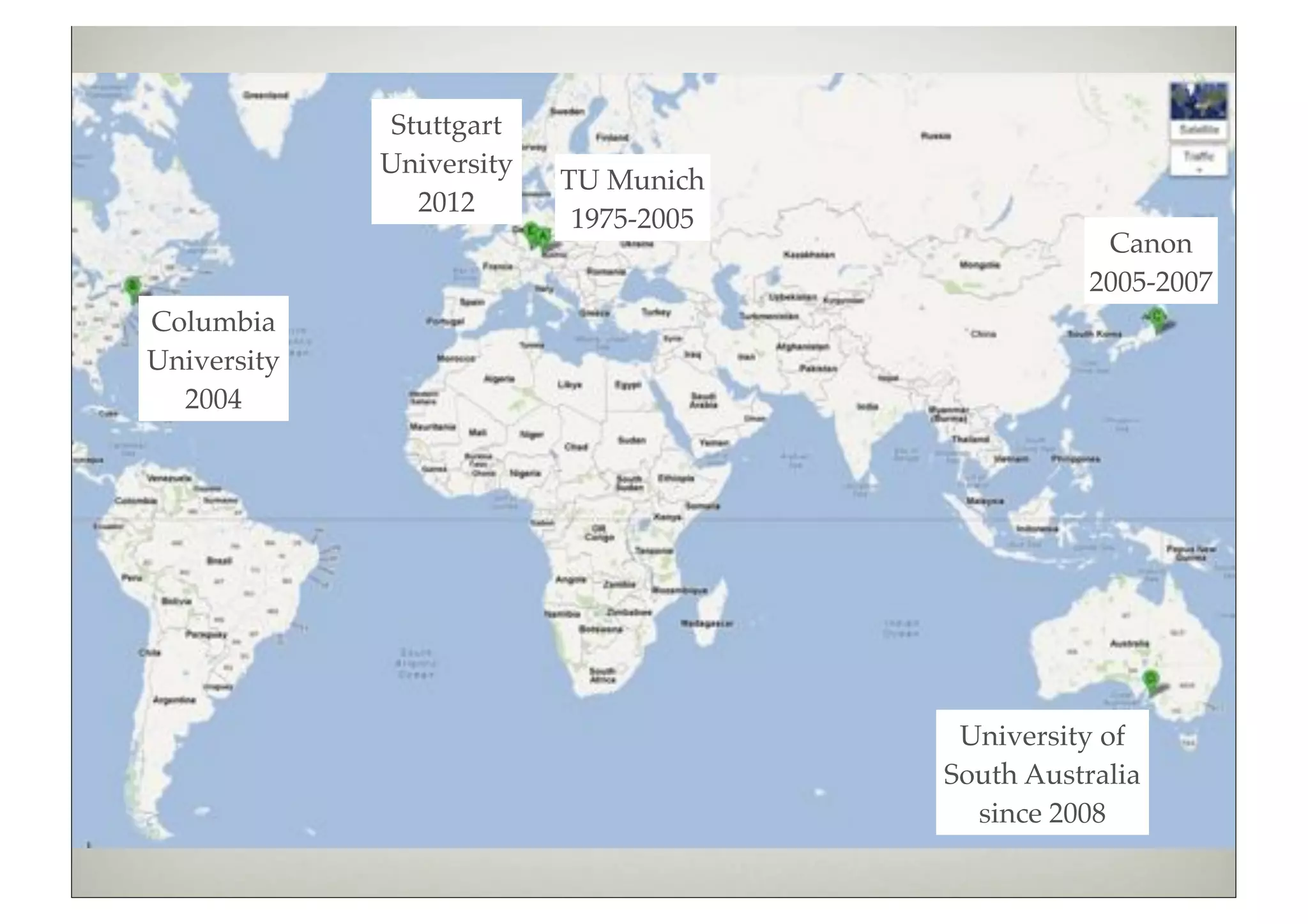
Stuttgart
             University
                          TU Munich
                2012
                           1975-2005
                                                   Canon
                                                  2005-2007
Columbia
University
  2004


                                        University of
                                       South Australia
                                         since 2008
2009                         2010                      2011


Students               Research                     Sponsors
2 PhD [2013: +3; -1]   Augmented Reality (AR)
2 Master               Human-Computer Interaction
4 Internship           Haptics
                       Visualization
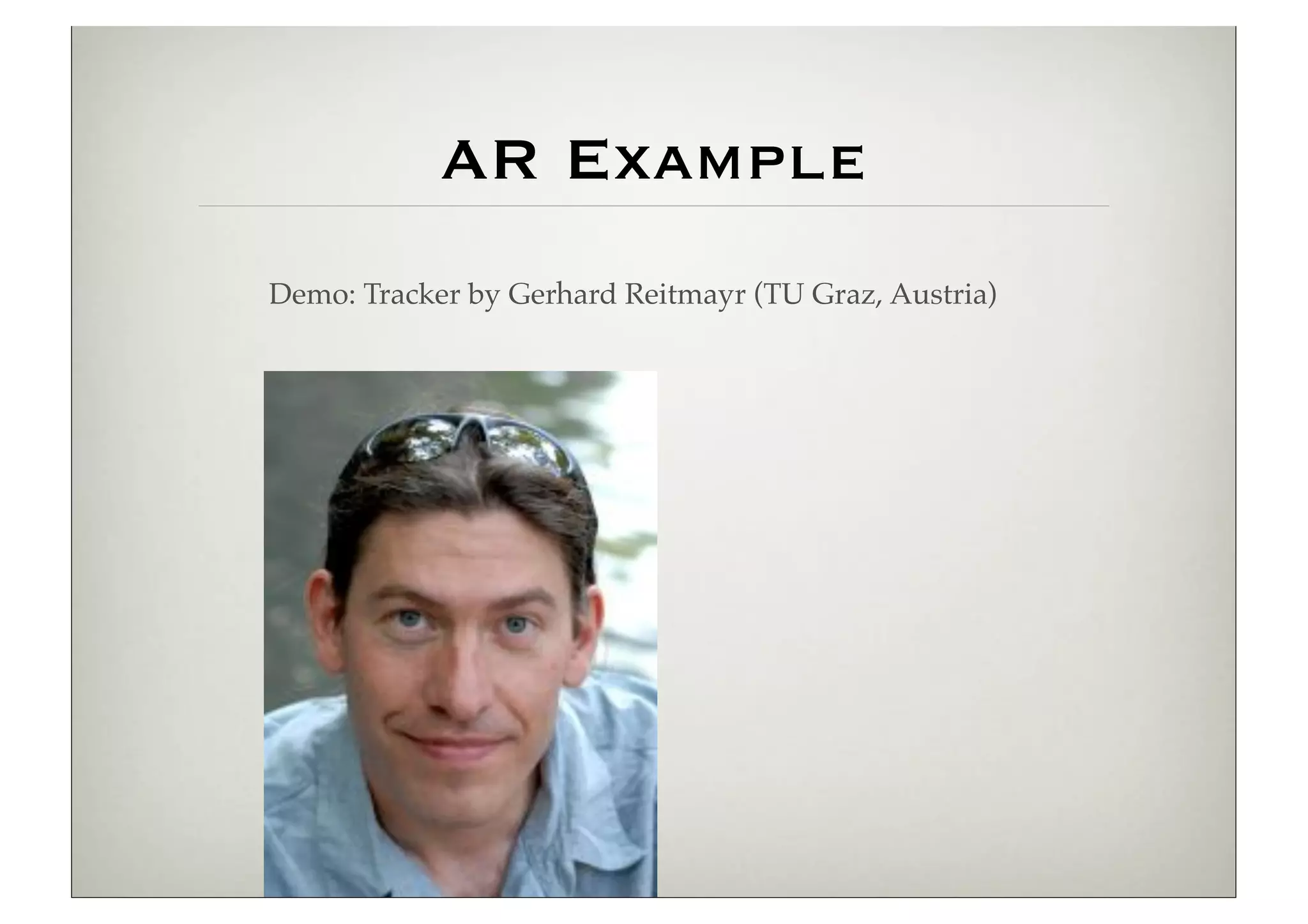
AR Example
Demo: Tracker by Gerhard Reitmayr (TU Graz, Austria)
Augmented Reality
         [Azuma 1997]
         1. Combines real and virtual
         2. Interactive in realtime
         3. Registered in 3–D
         [Milgram & Kishino, 1994]
2 Challenges in Developing User Interfaces for Ubiquitous Augmented Reality


                                            Mixed
                                          Reality (MR)


        Real           Augmented                          Augmented             Virtual
     Environment       Reality (AR)                      Virtuality (AV)      Environment
AR in the Real World

1584: Pepper’s Ghost
[Giambattista della Porta]


Early 1990s: Boeing coins
term AR for their wire
assembly application


2002: Intelligent Welding
Gun [Klinker & BMW]
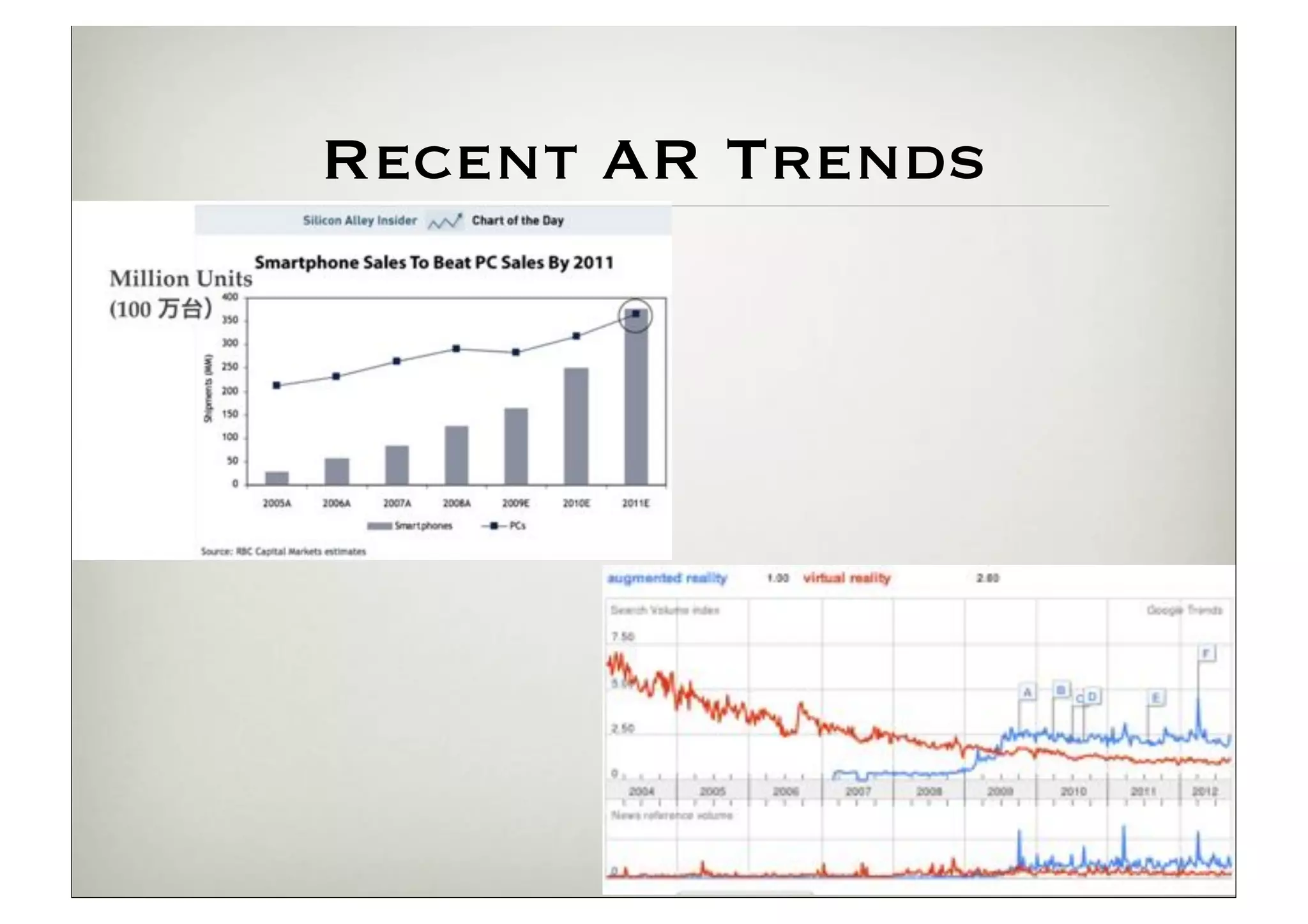
Recent AR Trends
Current State of AR:
 low-level = solved!


Essential technology: tracking
(where is the camera in the real world?)
 Parallel Tracking and Mapping for Small AR
 Workspaces [Klein & Murray, 2007]
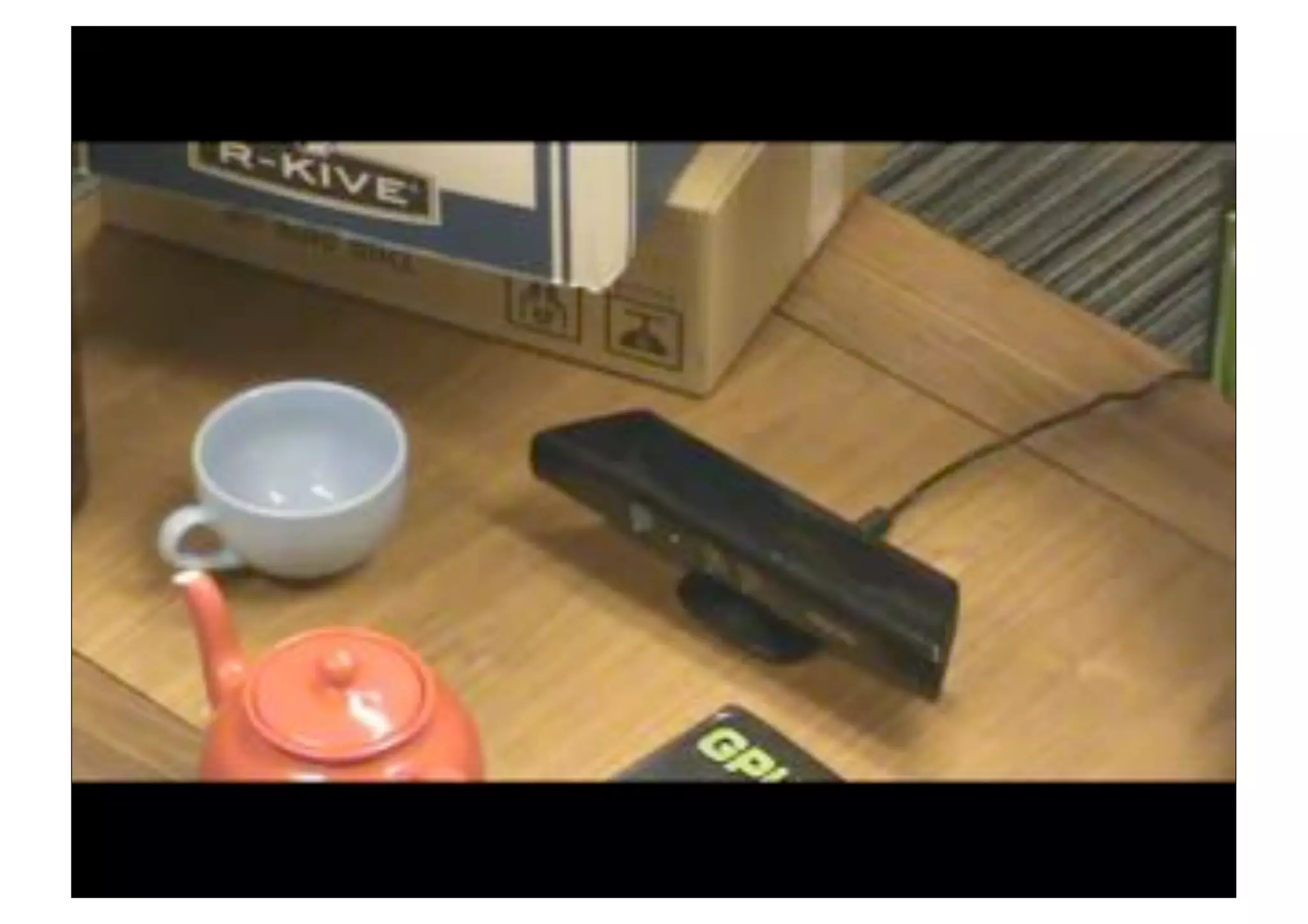
 KinectFusion [Newcombe et al., 2011]
Current State of AR:
Challenge = High-Level
  1. Applications

     Industrial Design (with Canon)
     AR Browser (with Nokia, Samsung, Nvidia)
     Medical
     Games
     Other industrial applications (training, maintenance,
     planning, ...)
     ...

  2. Human-Computer Interaction

     Human Perception of AR
     Usability
     Providing more versatile AR interfaces
Our Approach

                          Augmented Reality
Visualization:
“seeing the unseen”
[McCormick, 1988]

Haptics: AR for the
sense of touch
                      Visualization   Haptics
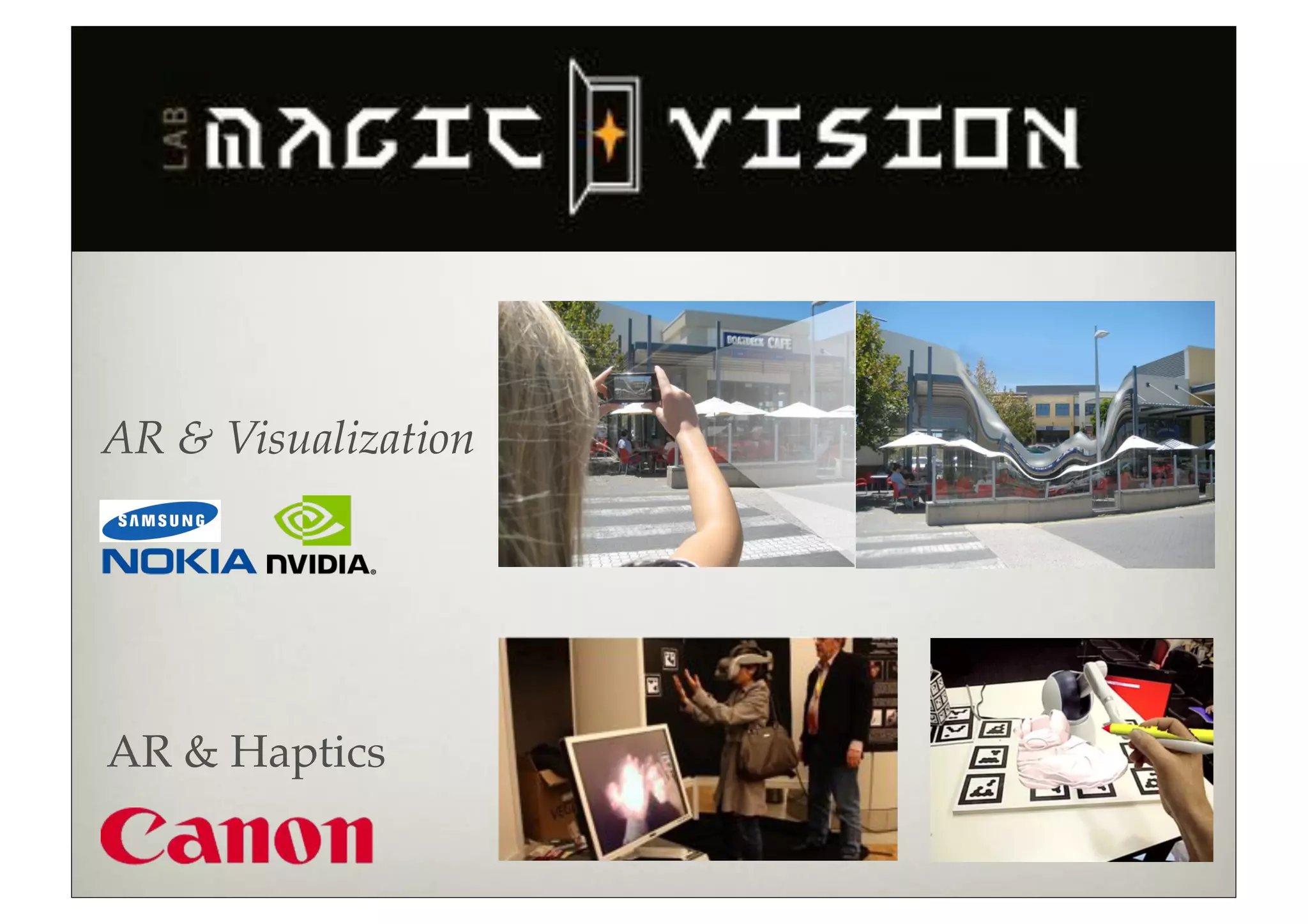
AR & Visualization


AR & Haptics
Motivation
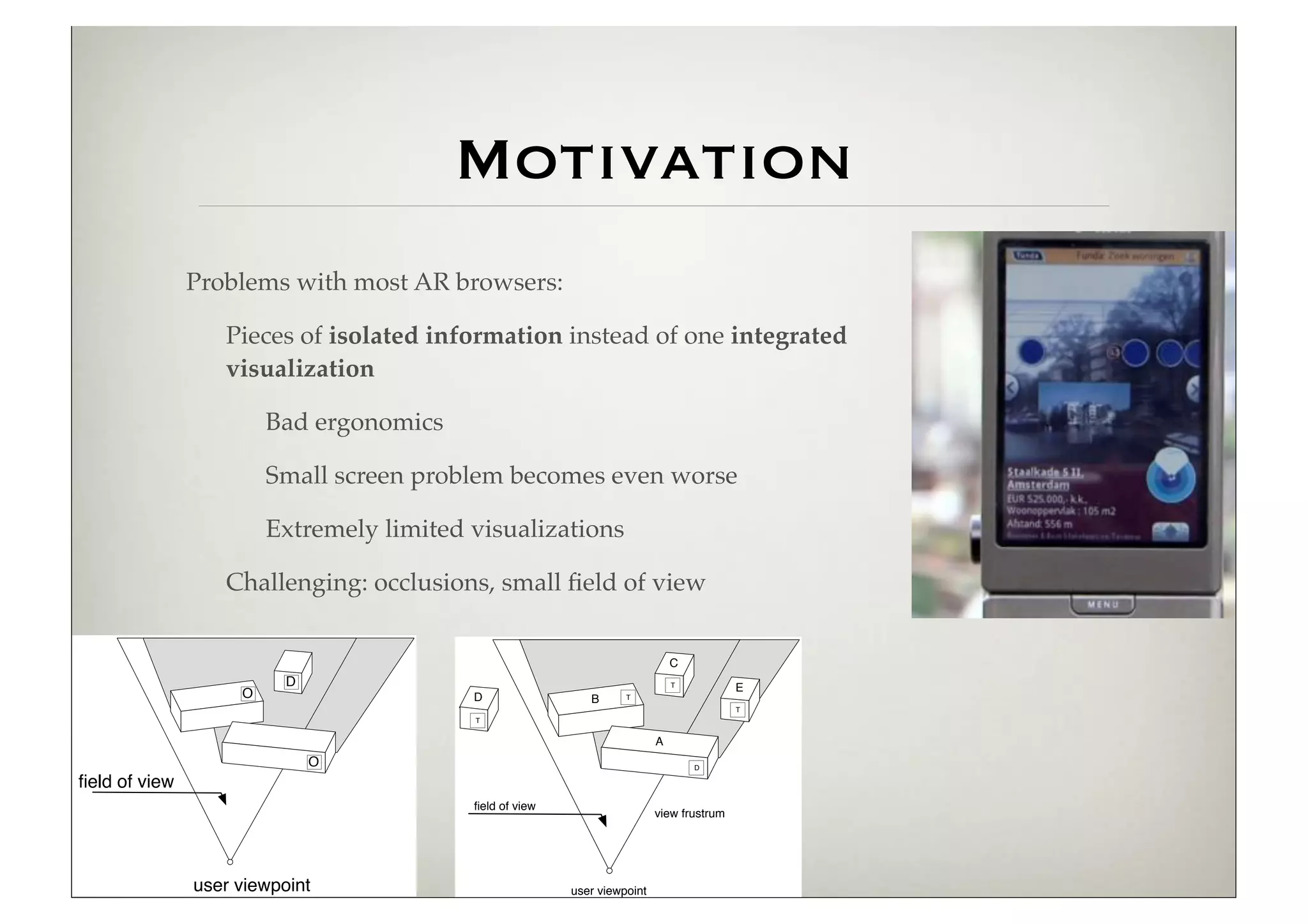
               Problems with most AR browsers:

                  Pieces of isolated information instead of one integrated
                  visualization

                        Bad ergonomics

                        Small screen problem becomes even worse

                        Extremely limited visualizations

                  Challenging: occlusions, small field of view


                                                                              C
                          D                                                   T
                                                                                          E
                    O                     D                 B      T
                                                                                          T
                                          T


                                                                          A
                              O                                                   D

field of view
                                          field of view
                                                                          view frustrum


               user viewpoint                            user viewpoint
Naive Overlay   Benjamin Avery, Bruce H.
                Thomas, Wayne Piekarski.
                ISMAR 2008.
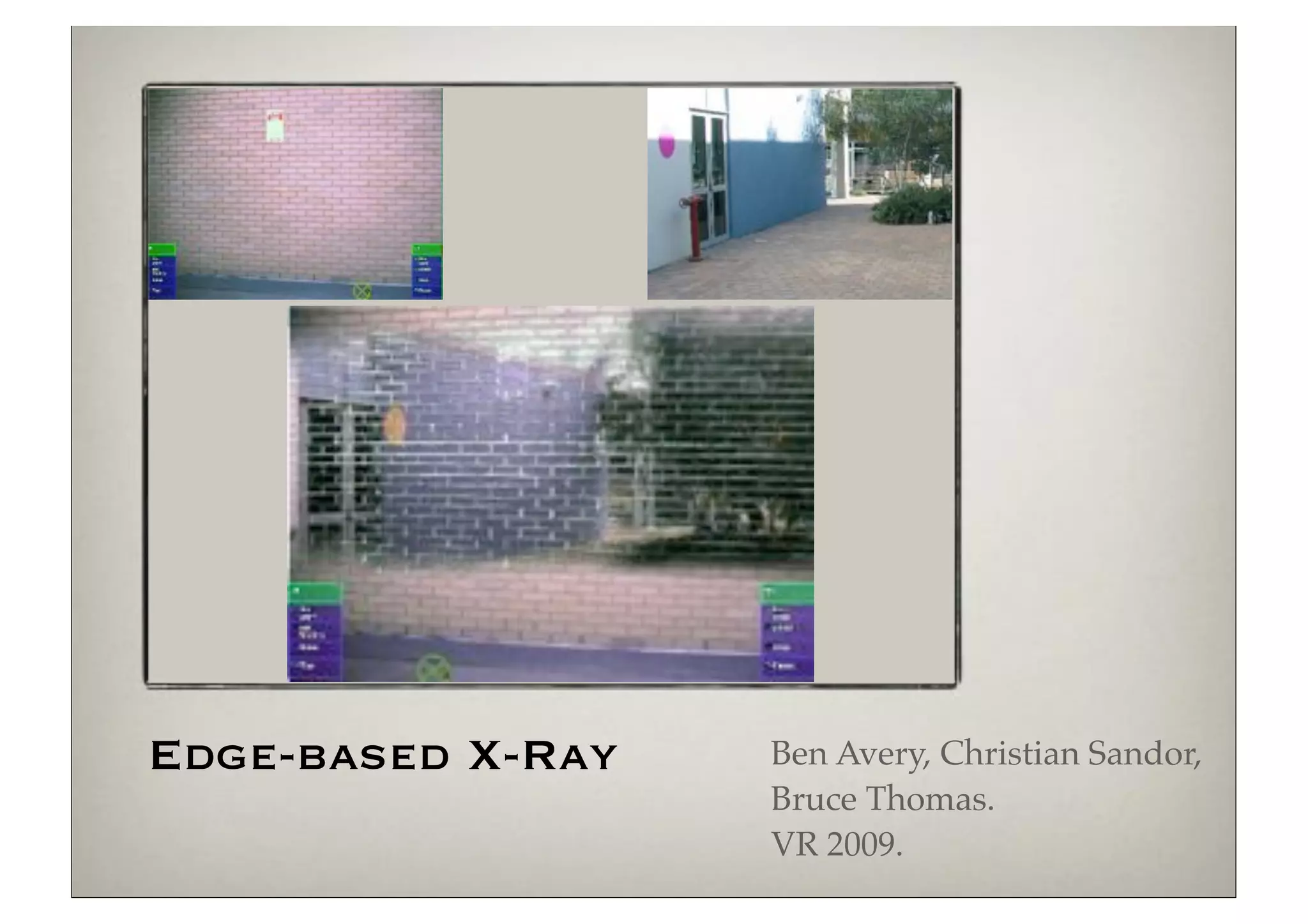
Edge-based X-Ray   Ben Avery, Christian Sandor,
                   Bruce Thomas.
                   VR 2009.
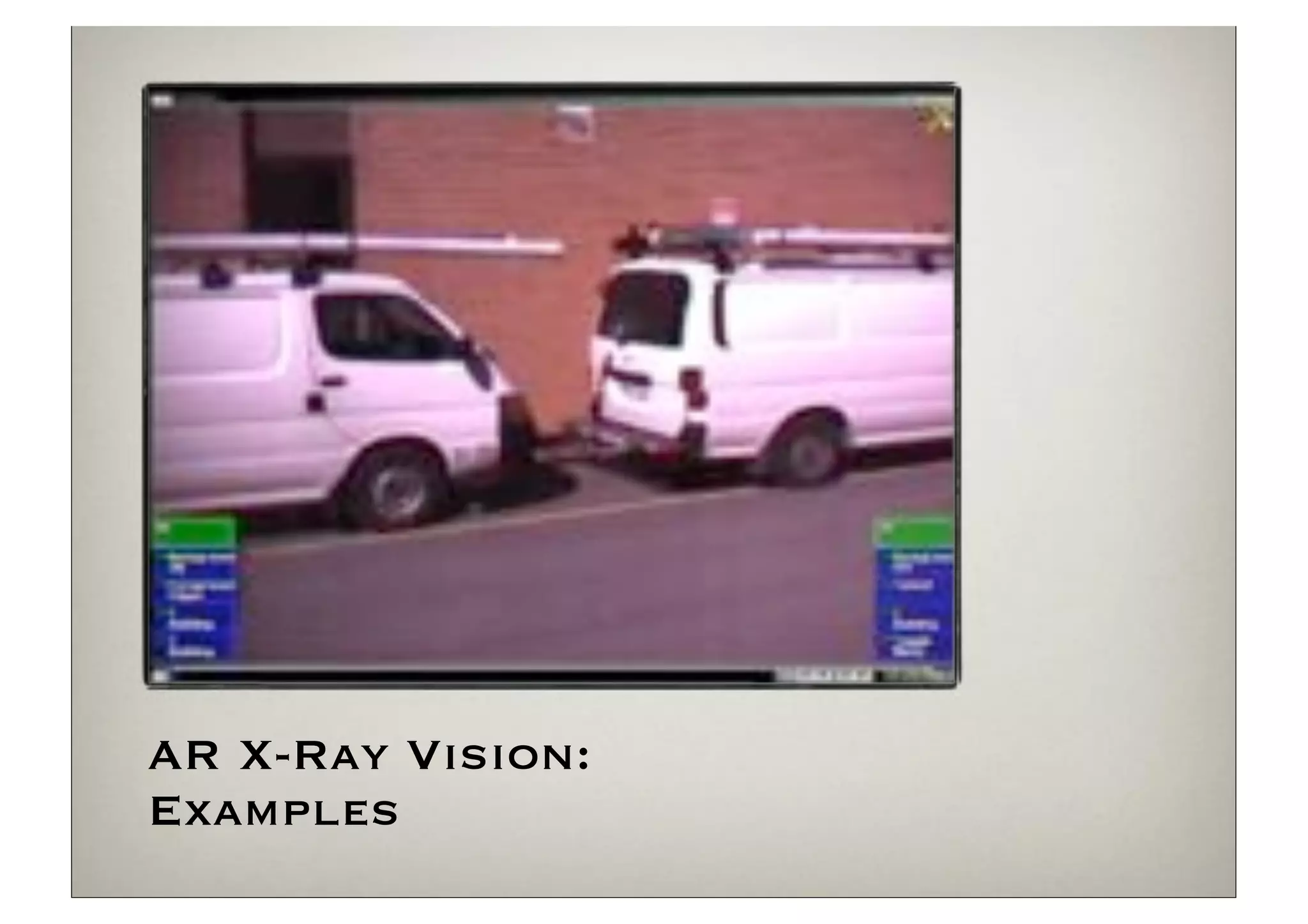
AR X-Ray Vision:
Examples
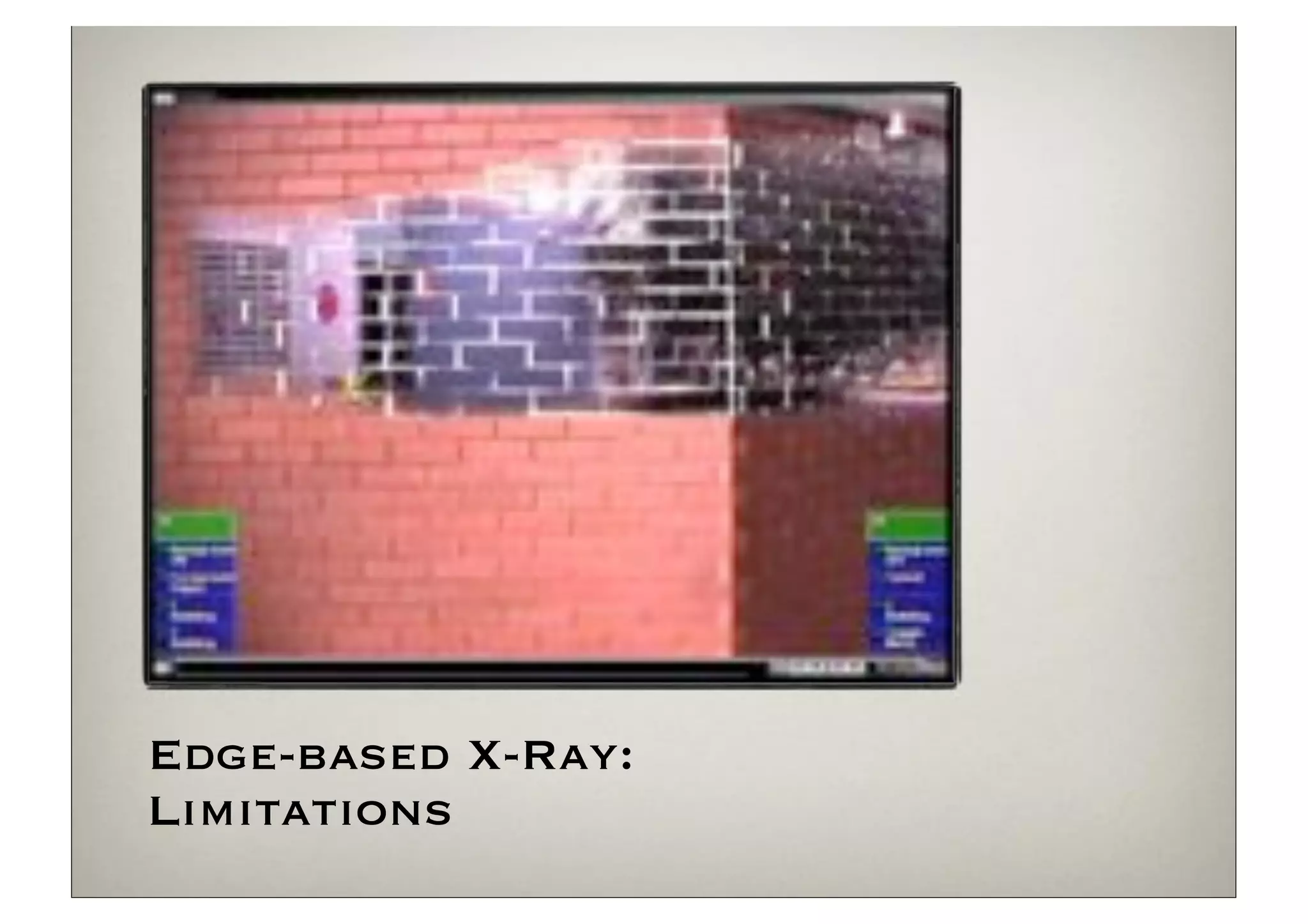
Edge-based X-Ray:
Limitations
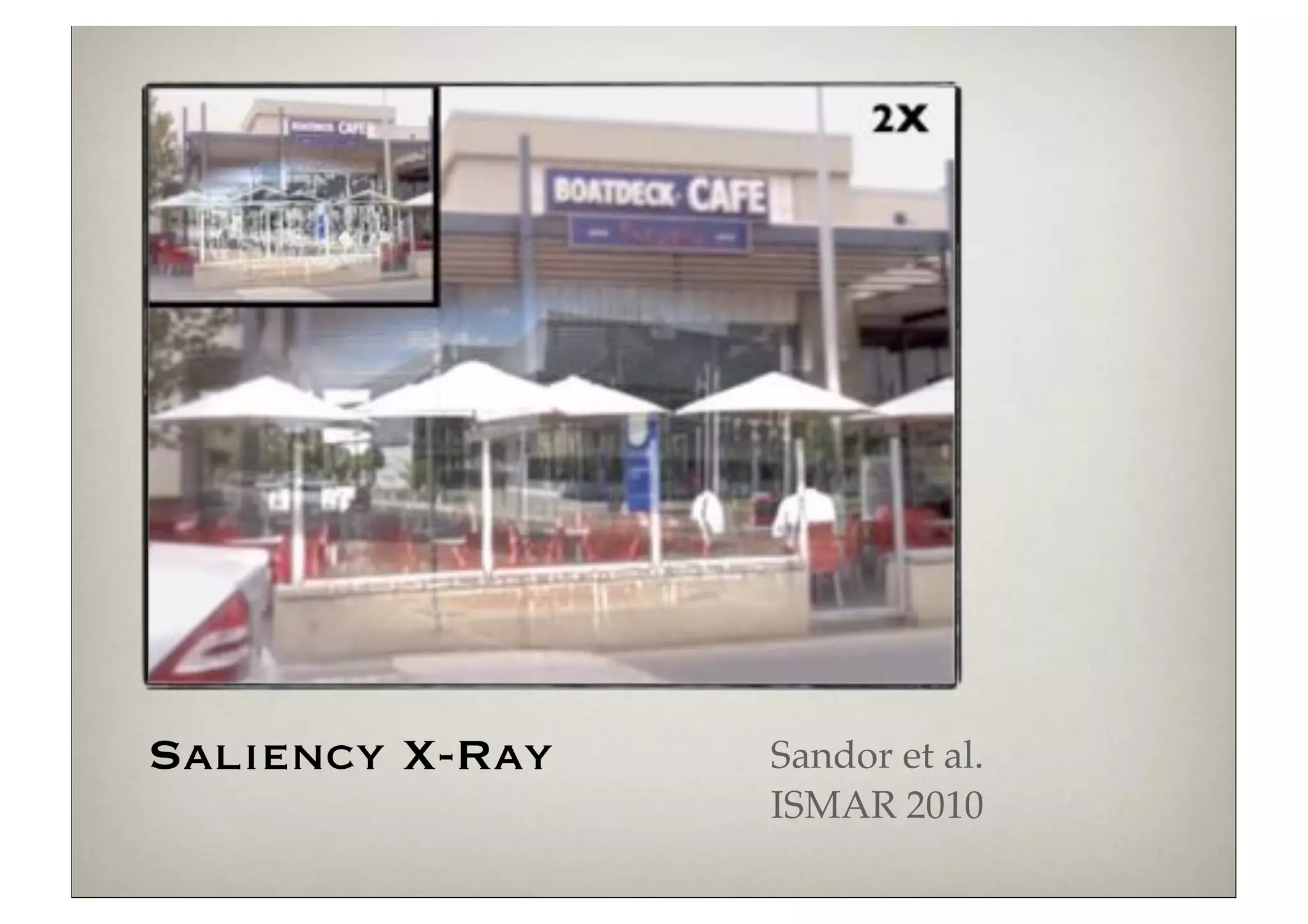
Saliency X-Ray   Sandor et al.
                 ISMAR 2010
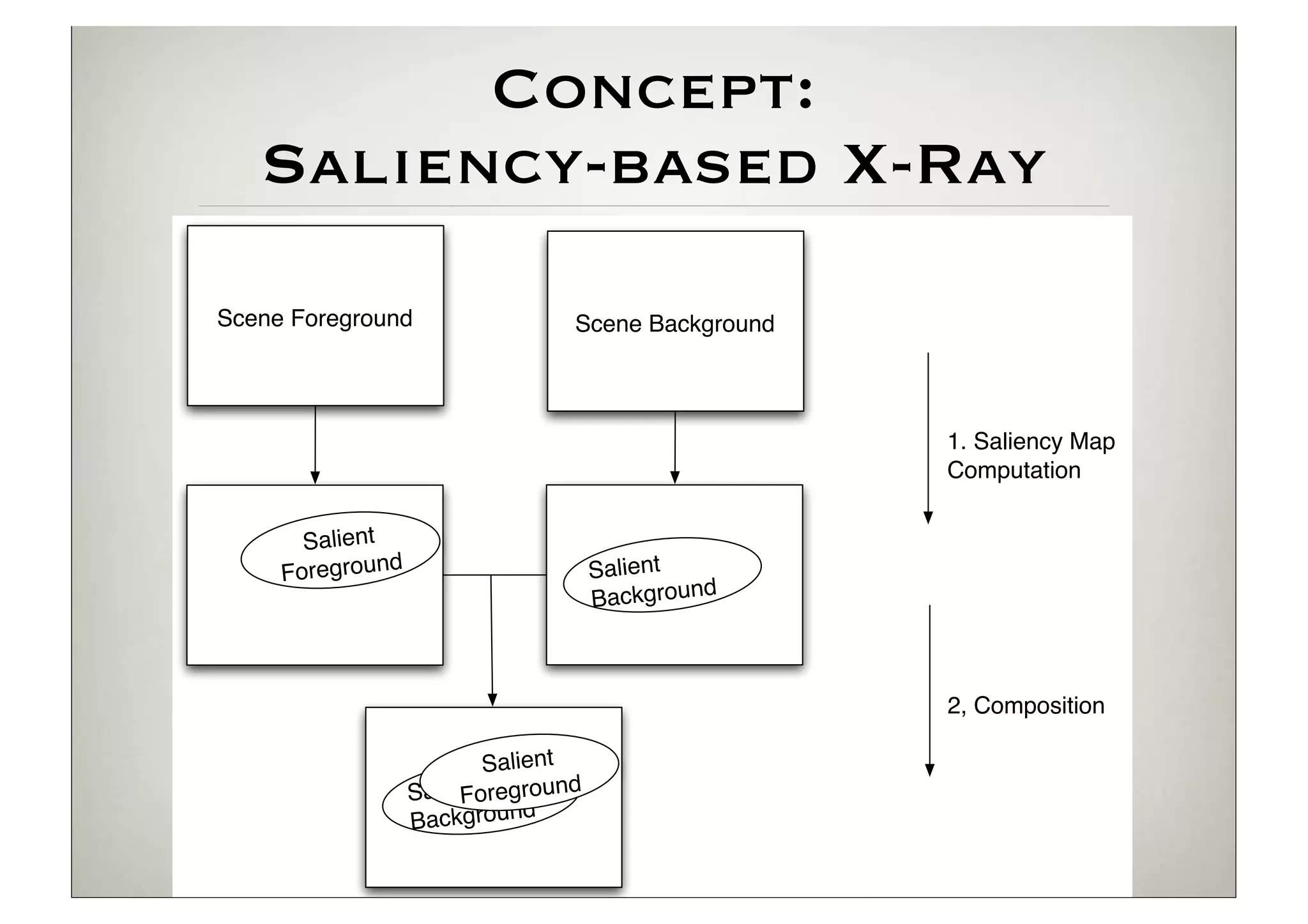
Concept:
   Saliency-based X-Ray
Scene Foreground                 Scene Background


                                                    1. Saliency Map
                                                    Computation


       Salient
     Foreground                      Salient
                                     Background


                                                    2, Composition

                         Salient
                  Salient reground
                       Fo
                  Bac kground
ly on visual data.
                                                                                                r g
  chnique uses saliency maps                                                            Mrg =
  f the occluder and occluded
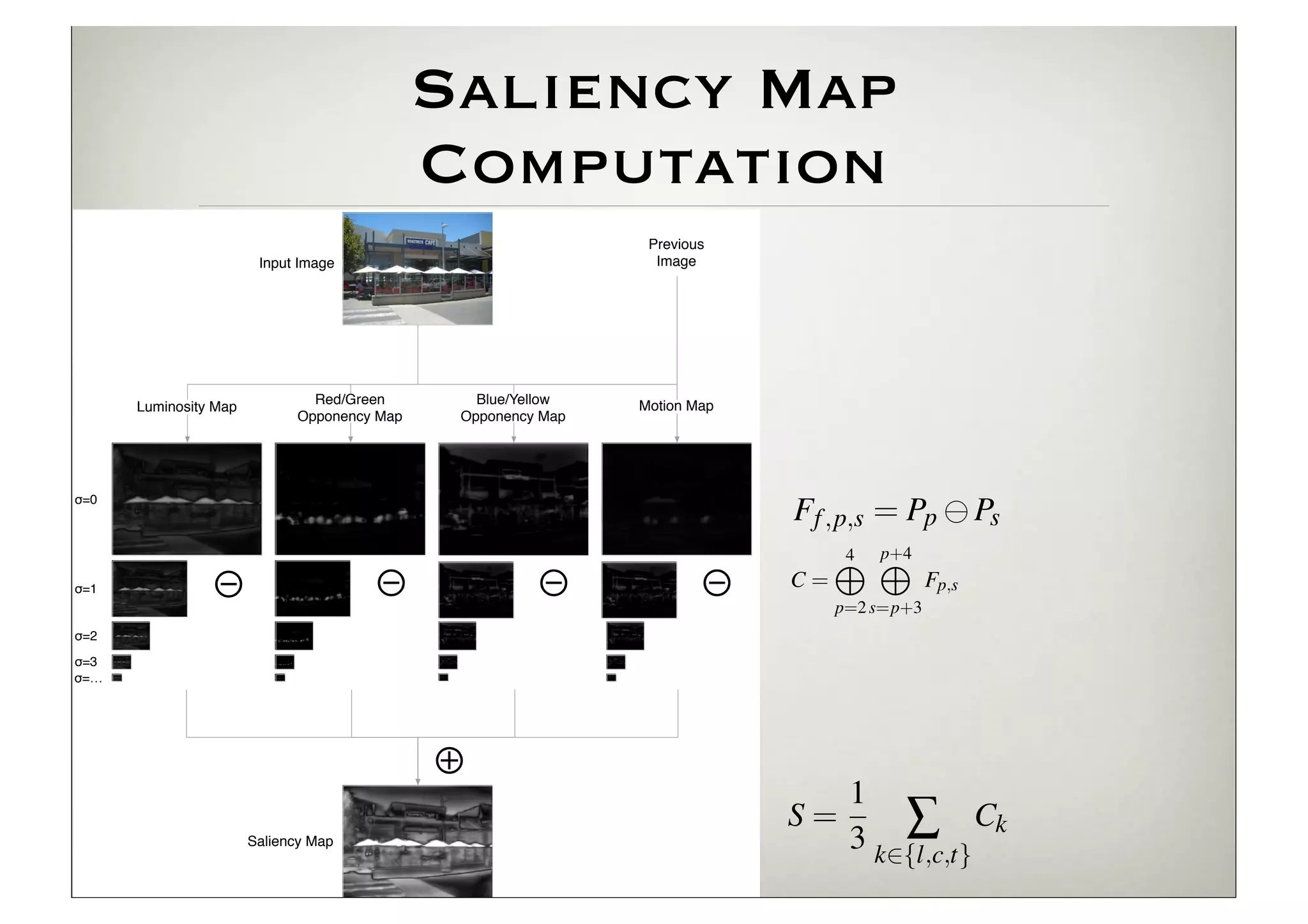
We first compute the saliency
                                                   Saliency Map                               max(r, g, b)                              Oc


                                                                b min(r, g)
  ons. Second, we perform a
 lient regions in the occluder
                                                   Computation g, b)
                                                            M =
                                                                 max(r,                  by
                                                    Figure 4: Saliency map computation: an input image is split into fe
 e occluded region are made                         ture maps which are across-scale subtracted to a single map Mc .
                                                       These mapsPrevious and Mby are combined into mimic the recepti
                                                                       Mrg
   transparent. When salientInput Image                                Image
                                                    fields of the human eye. The features mapsthe luminosity chann
                                                       Motion is defined as observed changes in are combined to yie
 ding to their strength. With                                Figure 4: Saliency map computation: an input image is split into fea-
                                                    the final saliencywhich are across-scale subtracted to mimic the receptive
                                                    over time. maps map.
                                                             ture
 hile still maintaining strong                         and fields inthe human eye. The addition and across-scale subtractio
                                                              denote across scale features maps are combined to yield
                                                       Contrasts of the dyadic feature pyramids are modeled as acro
 or the two stages (Saliency                                   the final saliency map.
                                                    scale subtraction Map across scale addition and across-scale subtraction.levels of t
                                     Red/Green         Blue/Yellow      denote between fine and coarse scaled
                                                                   and Motion
omposition (Section 3.2), we
             Luminosity Map
                                   Opponency Map     Opponency Map
                                                    pyramid. For each of the features, a set of feature maps are gene
X-ray technique.                                    S 2 {3, 4}.2Features maps arecombined using using across-scale additi
                                                    ated as: S {3, 4}. Features maps are combined across-scale addition
                                                                                                                                  Figure 5
                                                                                                                                  ries of fi
 m, which only used edges as
           σ=0
                                                        to yield to yield conspicuity maps: = Pp Ps
                                                                   conspicuity maps:   Ff ,p,s                                      , , an
 ionally employs luminosity,                                                                  4 p+4
                                                                                                                                  values.

 es the effect for luminosity, ⊖                    where ⊖ represents the visual4feature f 2 {l, c, m}. p and s ref
                                                           f                  = M p+4
                                                                                              M M
                                                                      ⊖ areC appliedM p 2 {2, 3, 4}, s = p + S, fin
                                                                                       Fp,s
           σ=1          ⊖
 are preserved. Figure 3(a,b)                       to pyramid levels and C = p=2 s=p+3as Fp,s                This
                                                                                                                   an
           σ=2
                                                                                                              and occ
           σ=3                                                                              p=2 s=p+3
                                                                Finally, all conspicuity maps are combined to form the saliency with em
           σ=…                                               map:
                                                                                            1                                   4 E VA
                                                      Finally, all conspicuity Smaps  Ck =
                                                                                            3 k2{l,c,t} combined to form the salien
                                                                                                 are                            We hav
                                                   ⊕map:                                                                        saliency
                                                                                                                                target ac
                                                                At this point, a saliency map1 been created for an image, com-
                                                                                              has
                                                                                                  Â
                                                             bining the hue, luminosity= motion features. In the next stage,    gate vis
                                                                                       S and              Ck                    techniqu
                              Saliency Map                                                   3 k2{l,c,t}
                                                             occluded and occluder regions are composed using their saliency
                                                                                                                                   Our d
                                                             information to create the final AR X-ray image.
                                                                                                                                capabili
                                                                                                                                how it
                                                      At this3.2 Composition map has been created for an image, com
                                                               point, a saliency
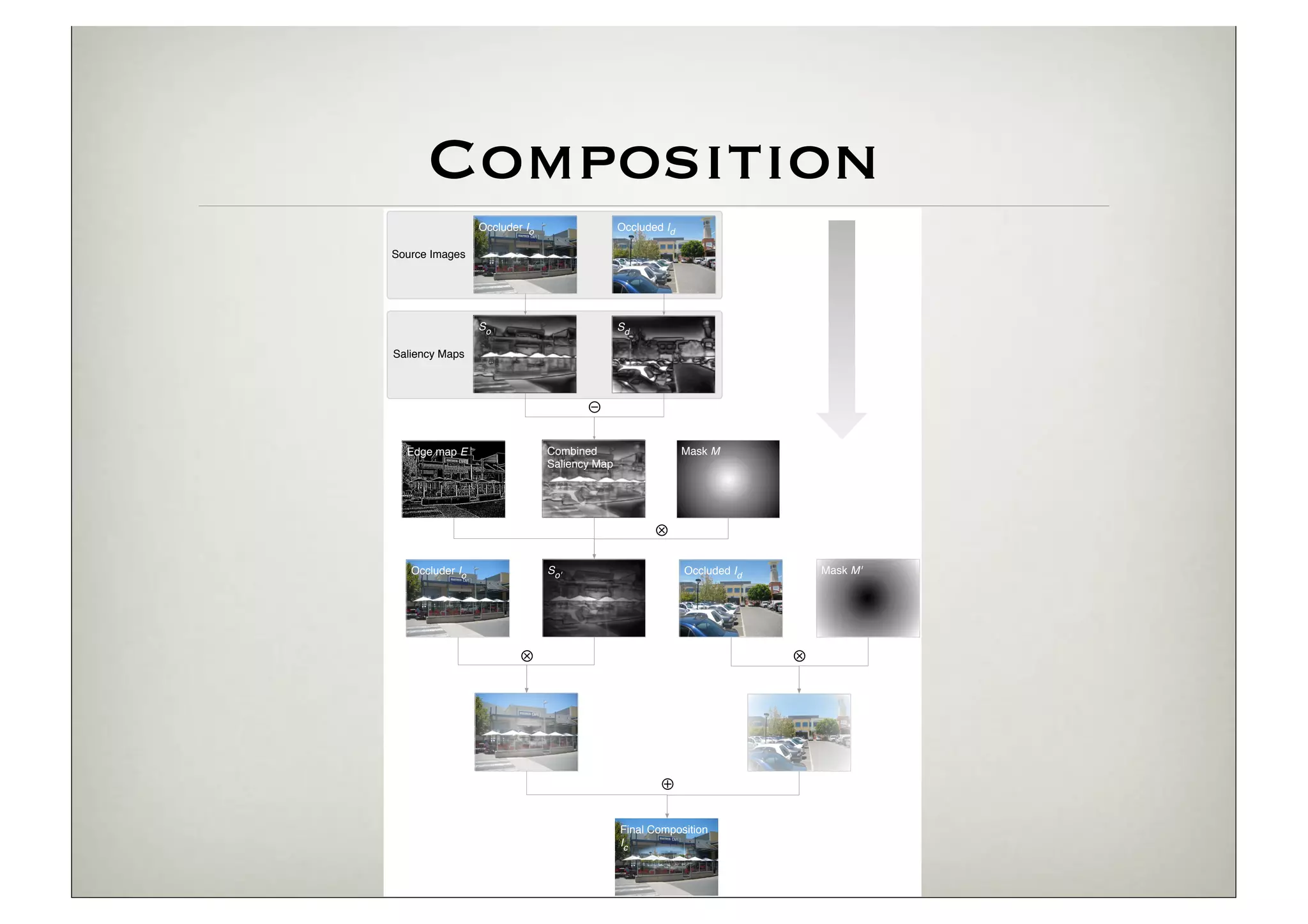
Composition
                 Occluder Io                  Occluded Id

Source Images


                 So                           Sd

Saliency Maps


                                      ⊖

  Edge map E                   Combined                     Mask M
                               Saliency Map


                                                     ⊗
   Occluder Io                 So'                          Occluded Id       Mask M'


                         ⊗                                                ⊗


                                                      ⊕

                                              Final Composition
                                              Ic
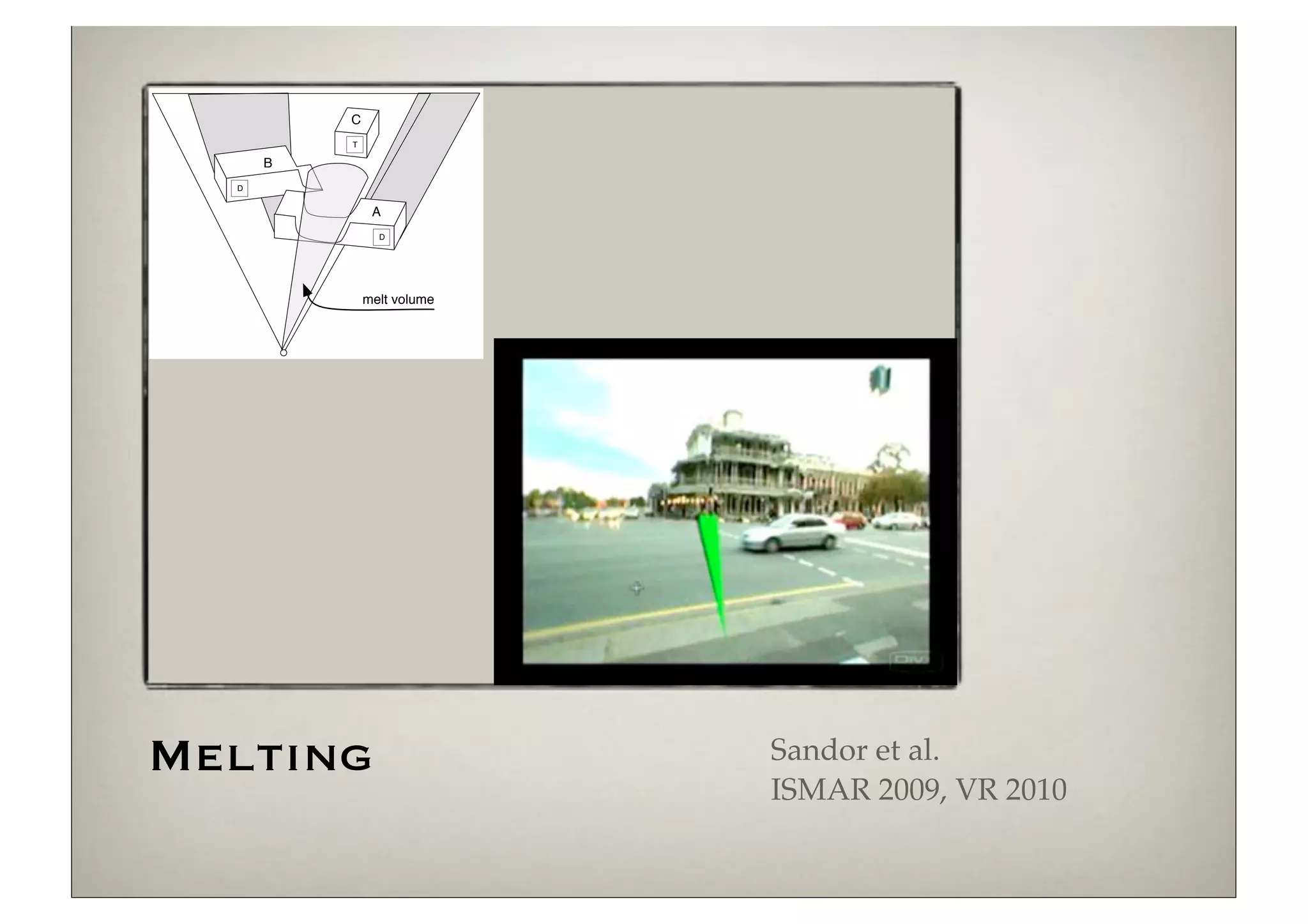
C
          T

      B
  D


               A
                D


              melt volume


Melting                     Sandor et al.
                            ISMAR 2009, VR 2010
More Melting Examples
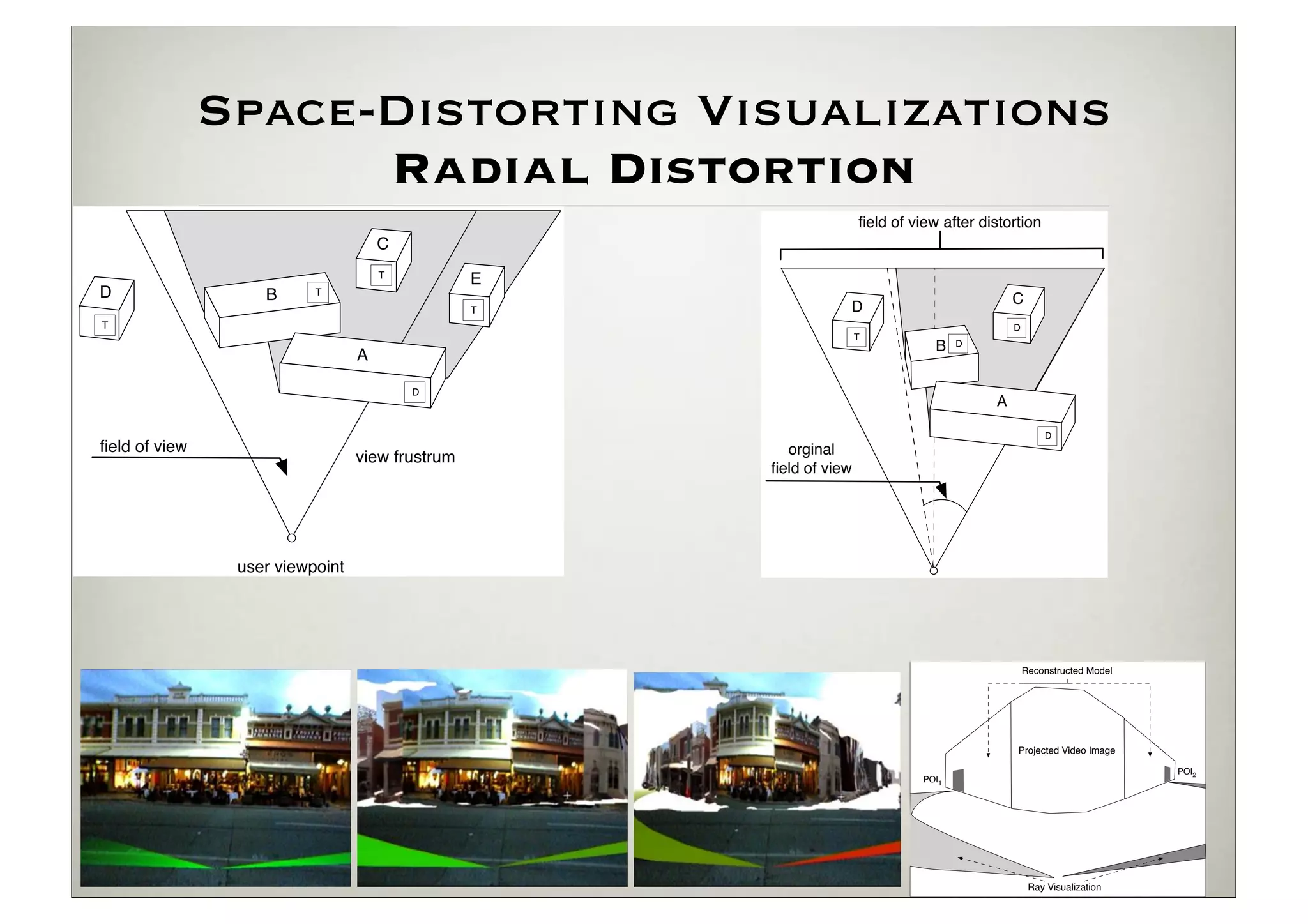
Space-Distorting Visualizations
                     Radial Distortion
                                                                    field of view after distortion
                                     C
                                     T
                                                 E
D                  B      T
                                                                                             C
                                                 T              D
T                                                                                            D
                                                                    T
                                                                                B    D
                                 A

                                         D
                                                                                         A

                                                                                                     D
field of view                                           orginal
                                 view frustrum
                                                     field of view


                user viewpoint


                                                                                                 Reconstructed Model


                                                                                             Projected Video Image

                                                                                                                       POI2
                                                                              POI1


                                                                                                  Ray Visualization
Space-Distorting Visualizations
      Radial Distortion
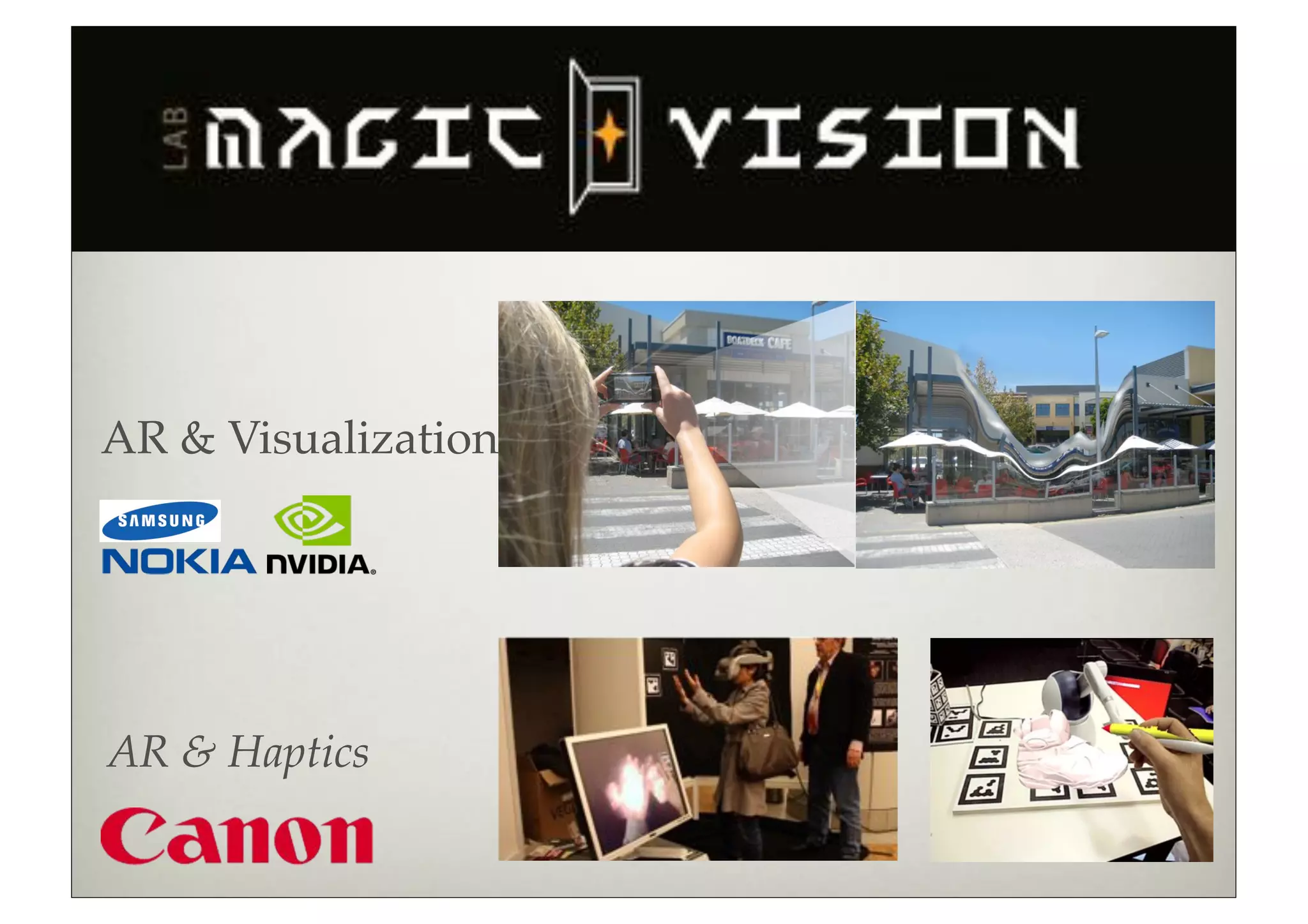
AR & Visualization


AR & Haptics
Our ISMAR 2011 Best
    Demo Award
Collaboration with
  Gerhard Reitmayr (TU Graz, Computer Vision)
  Matt Swoboda (Sony London, Computer
  Graphics)
We won against 40 other demos
  Top labs: INRIA, Georgia Tech, TU Graz
  Top companies: Volkswagen, Sony, Nokia...
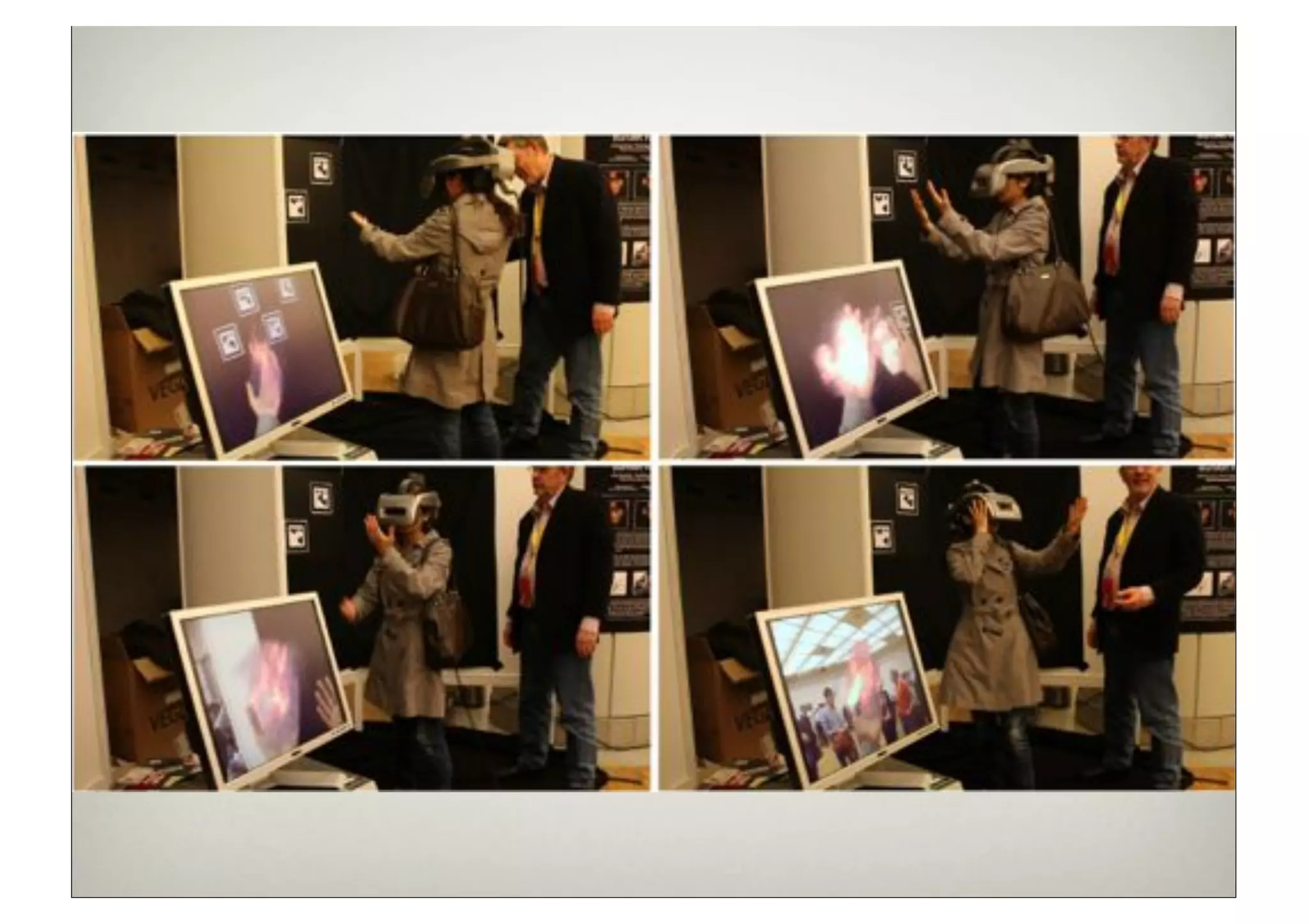
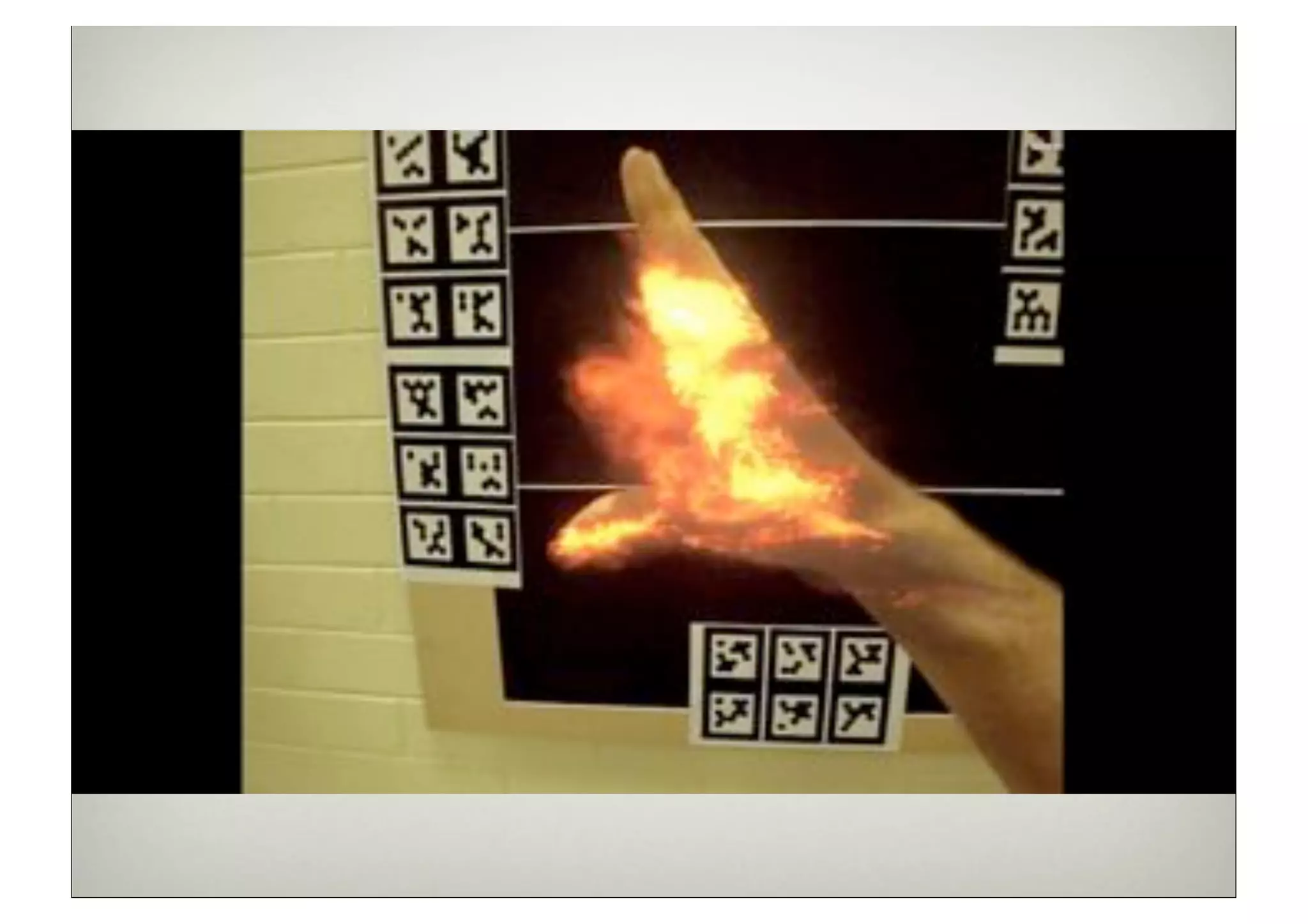
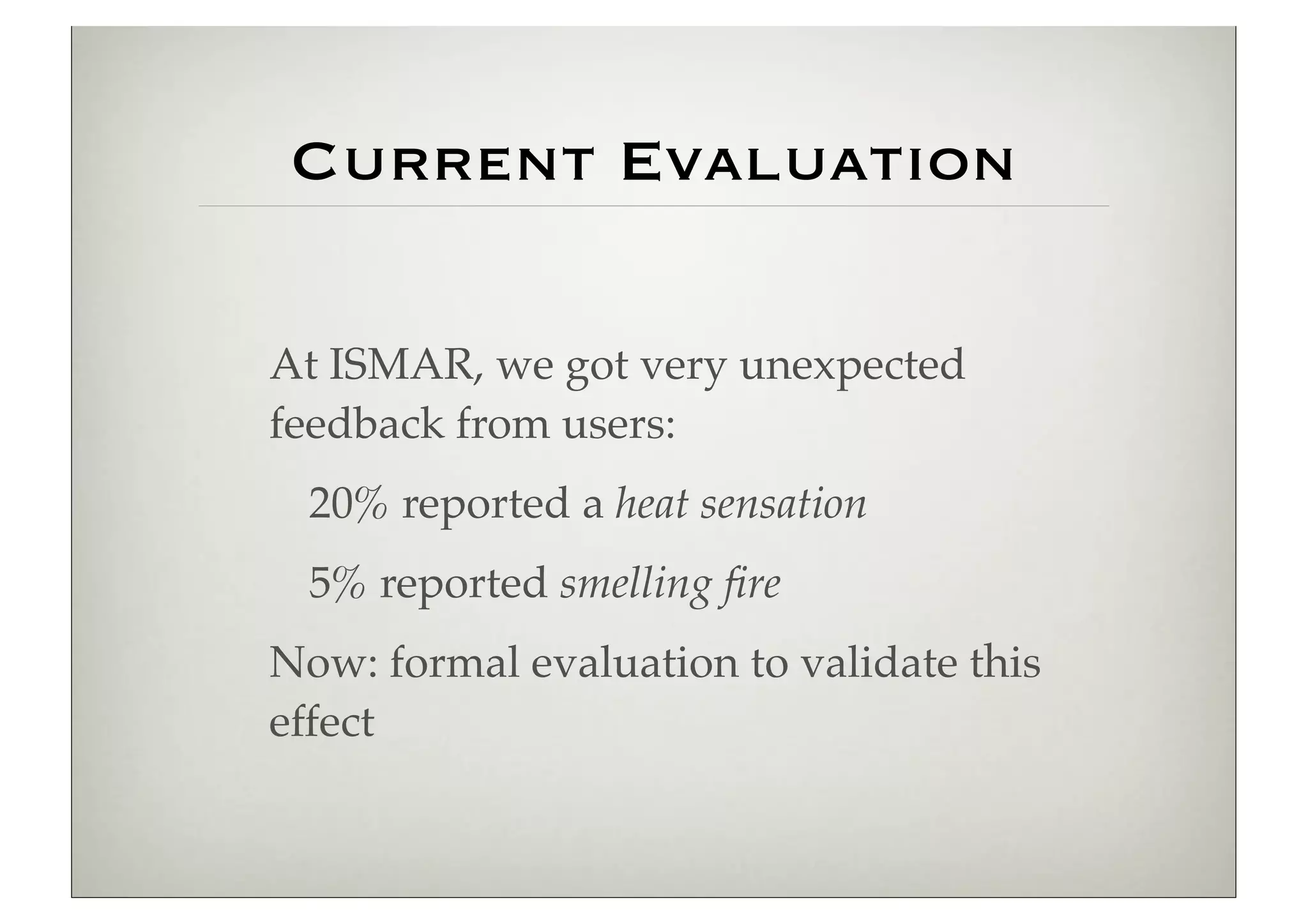
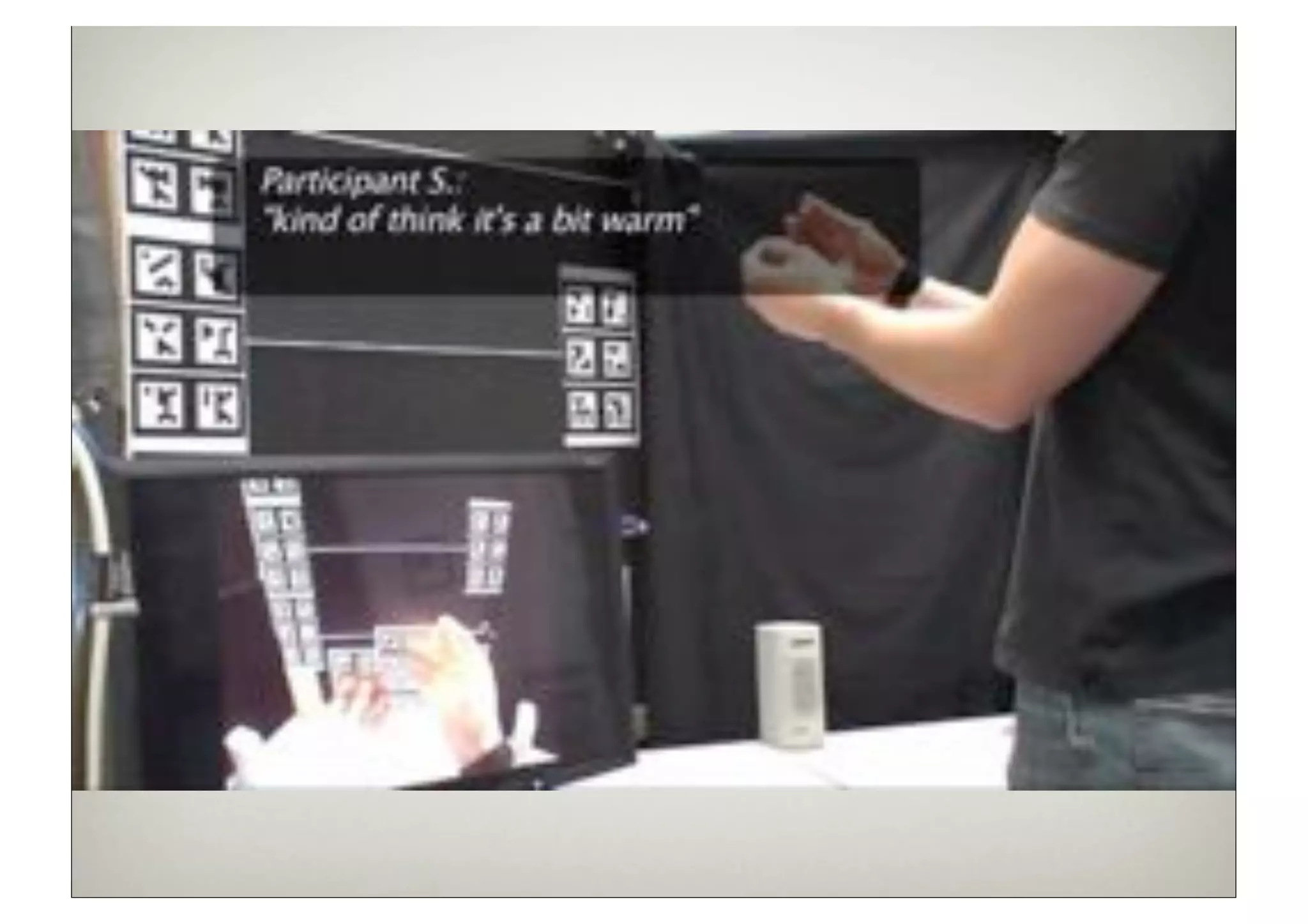
Current Evaluation

At ISMAR, we got very unexpected
feedback from users:
  20% reported a heat sensation
  5% reported smelling fire
Now: formal evaluation to validate this
effect
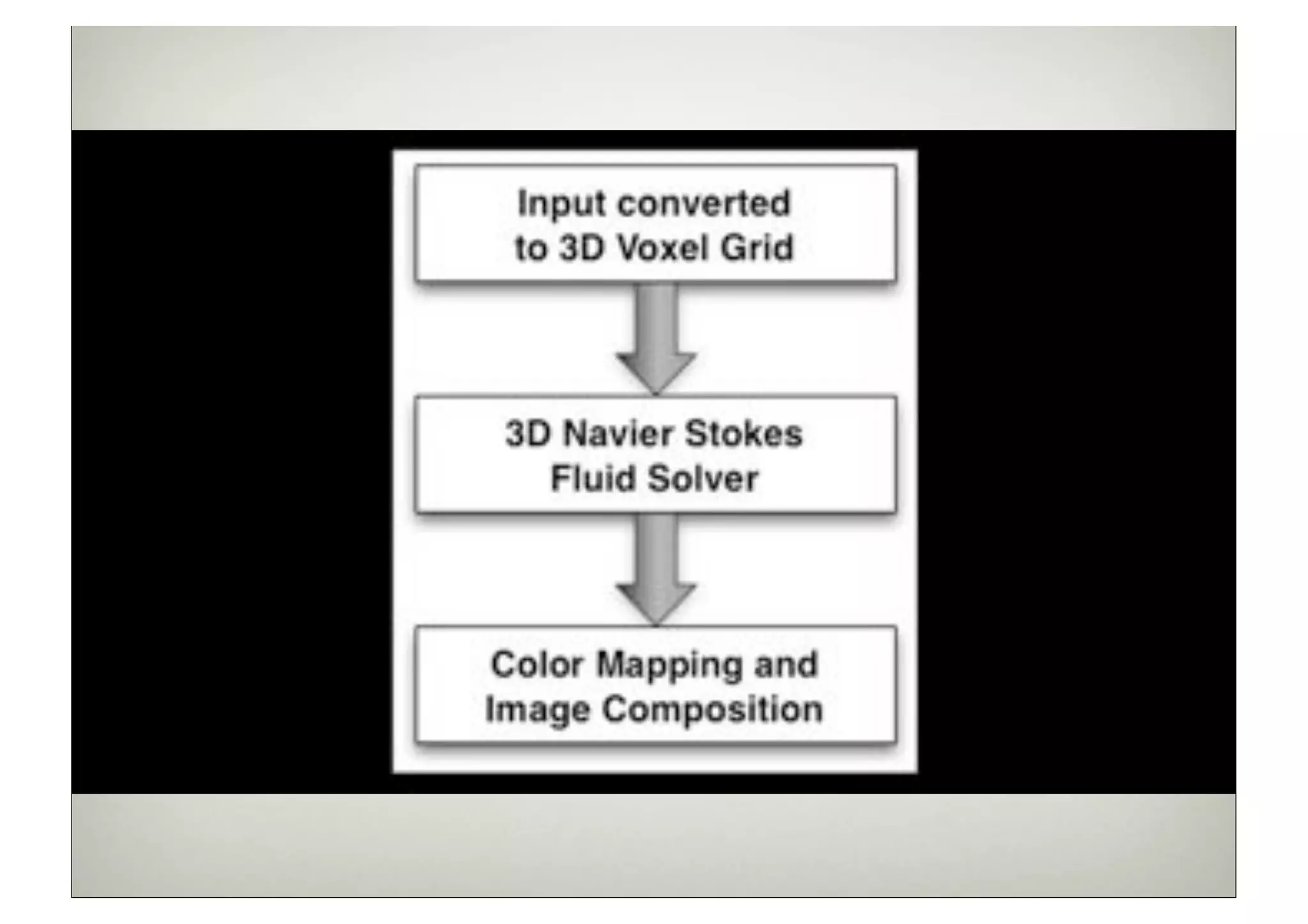
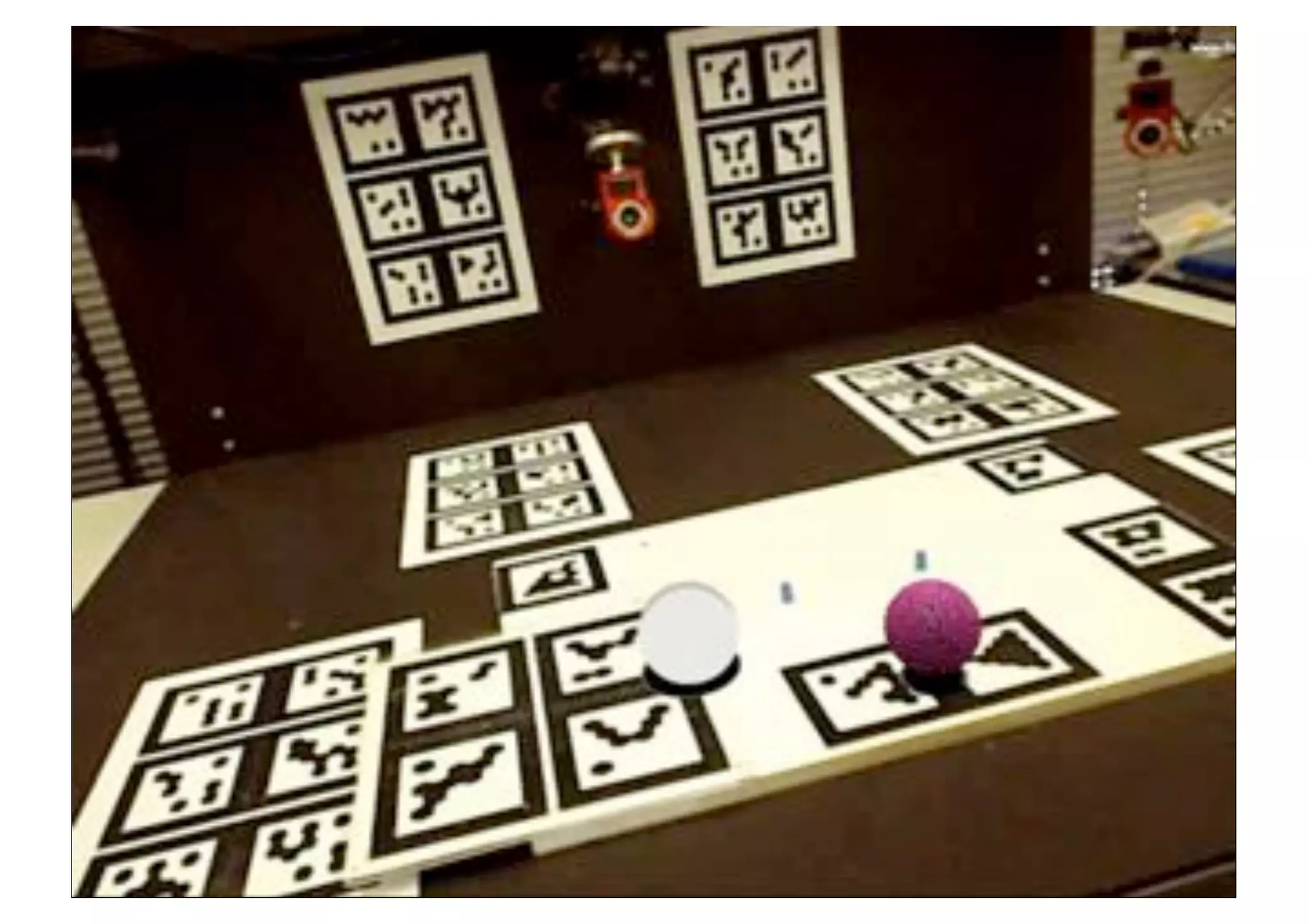
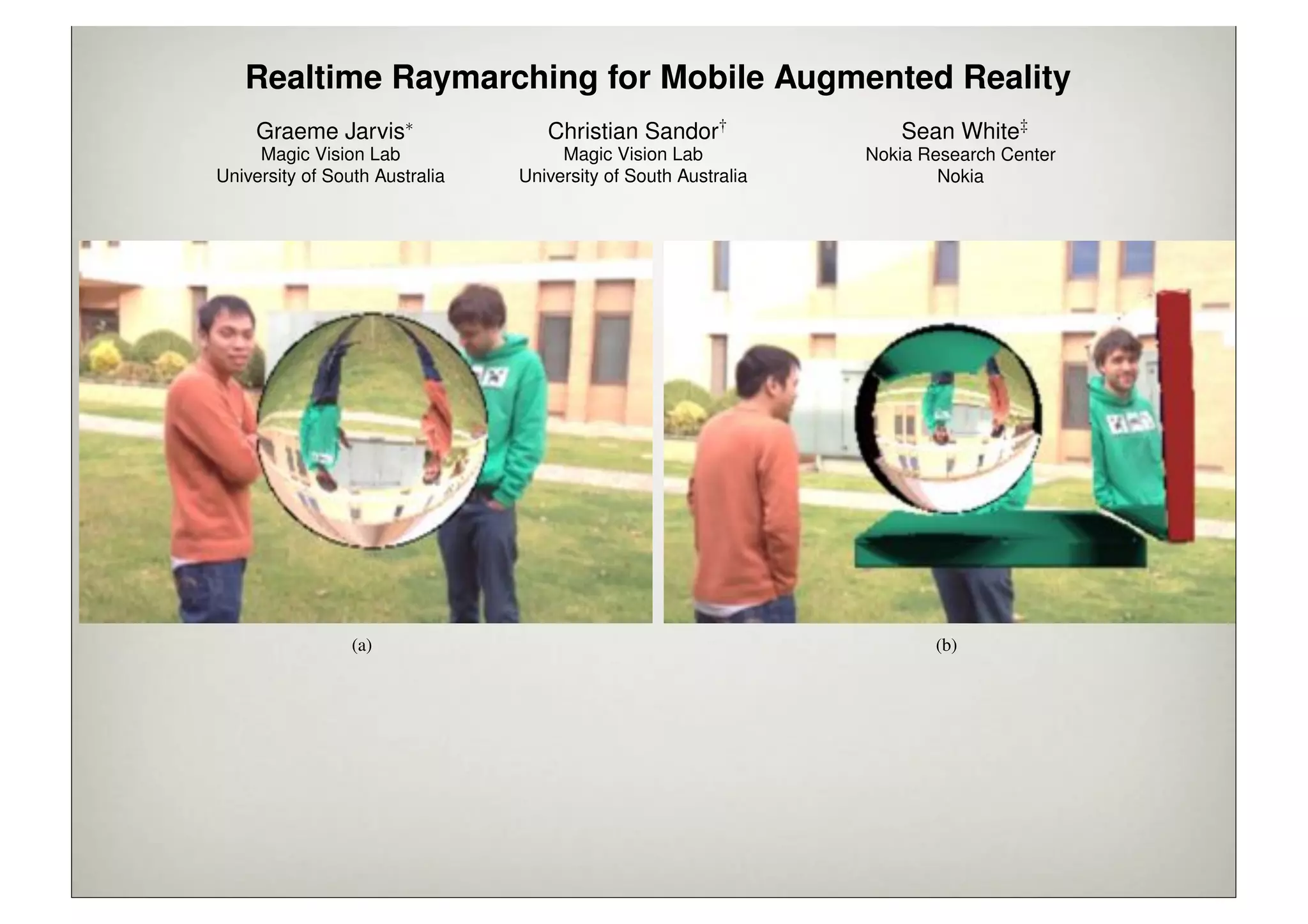
Realtime Raymarching for Mobile Augmented Reality
                     Graeme Jarvis⇤                     Christian Sandor†                            Sean White‡
                     Magic Vision Lab                     Magic Vision Lab                      Nokia Research Center
                University of South Australia        University of South Australia                      Nokia


                                 (a)                                                                     (b)

Figure 1: Raymarching on mobile phones enables us to display several effects on virtual objects that incorporate imagery from the physical
world: from simple refractions (a), to dynamic, complex scenes (c). All renderings are realtime on an iPhone 4s.


A BSTRACT                                                                 (iPhone), Ray Tracer and Raytracing on Android, and many others
                                                                          but all render at multiple-seconds-per-frame.
Augmented Reality (AR) is a technology that adds virtual visual
information to the user’s view of the real world. Mobile Aug-                Visual effects such as ambient occlusion, reflection, refraction,
mented Reality (MAR) systems allow the user to take these aug-            and dynamic soft shadow (as exampled in Figure 1) are process-
mentations with them on their travels, building the foundation of a       ing intensive and difficult to simulate using other visual algorithms,
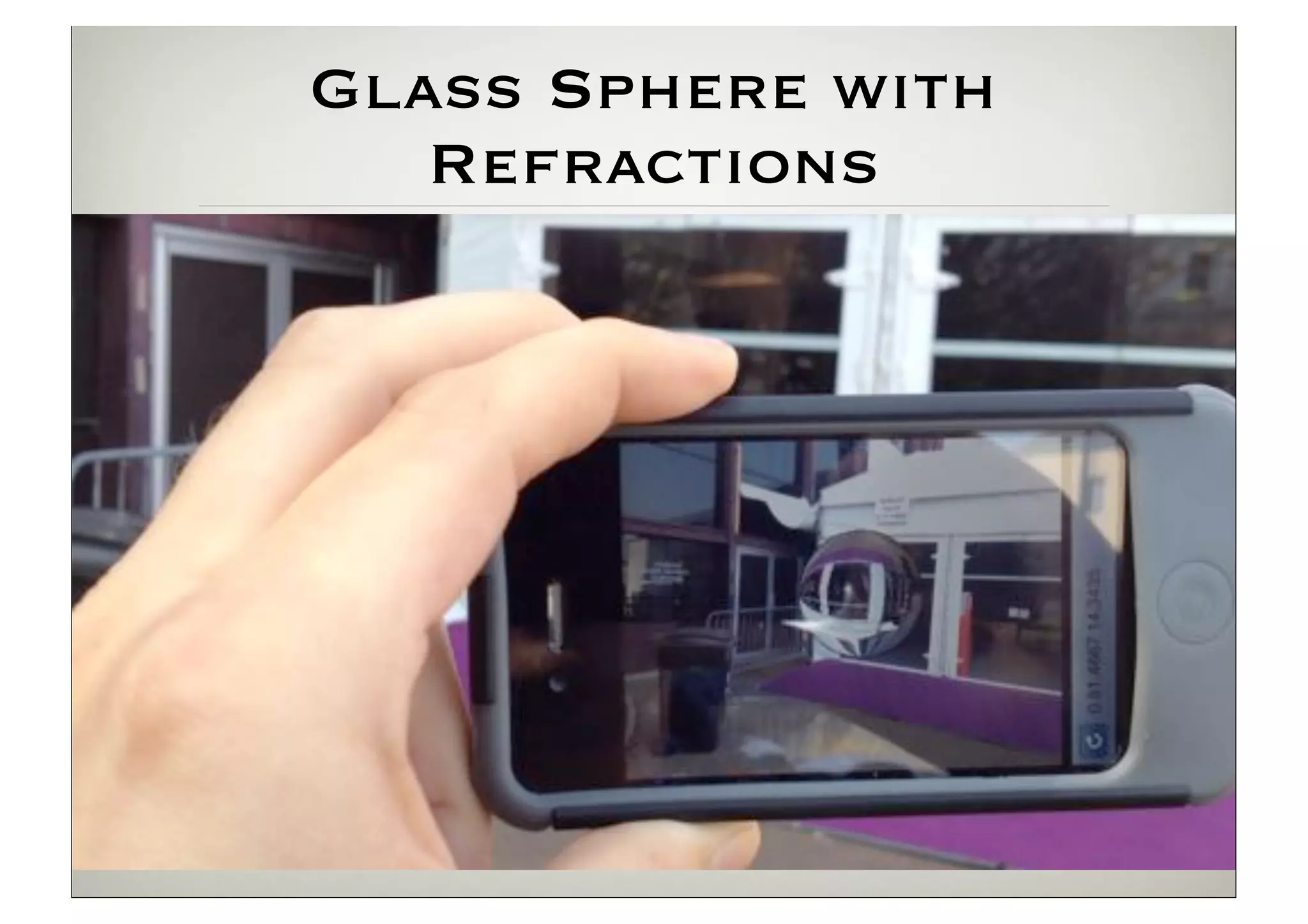
Glass Sphere with
   Refractions
Conclusions:
      Scientific Contribution

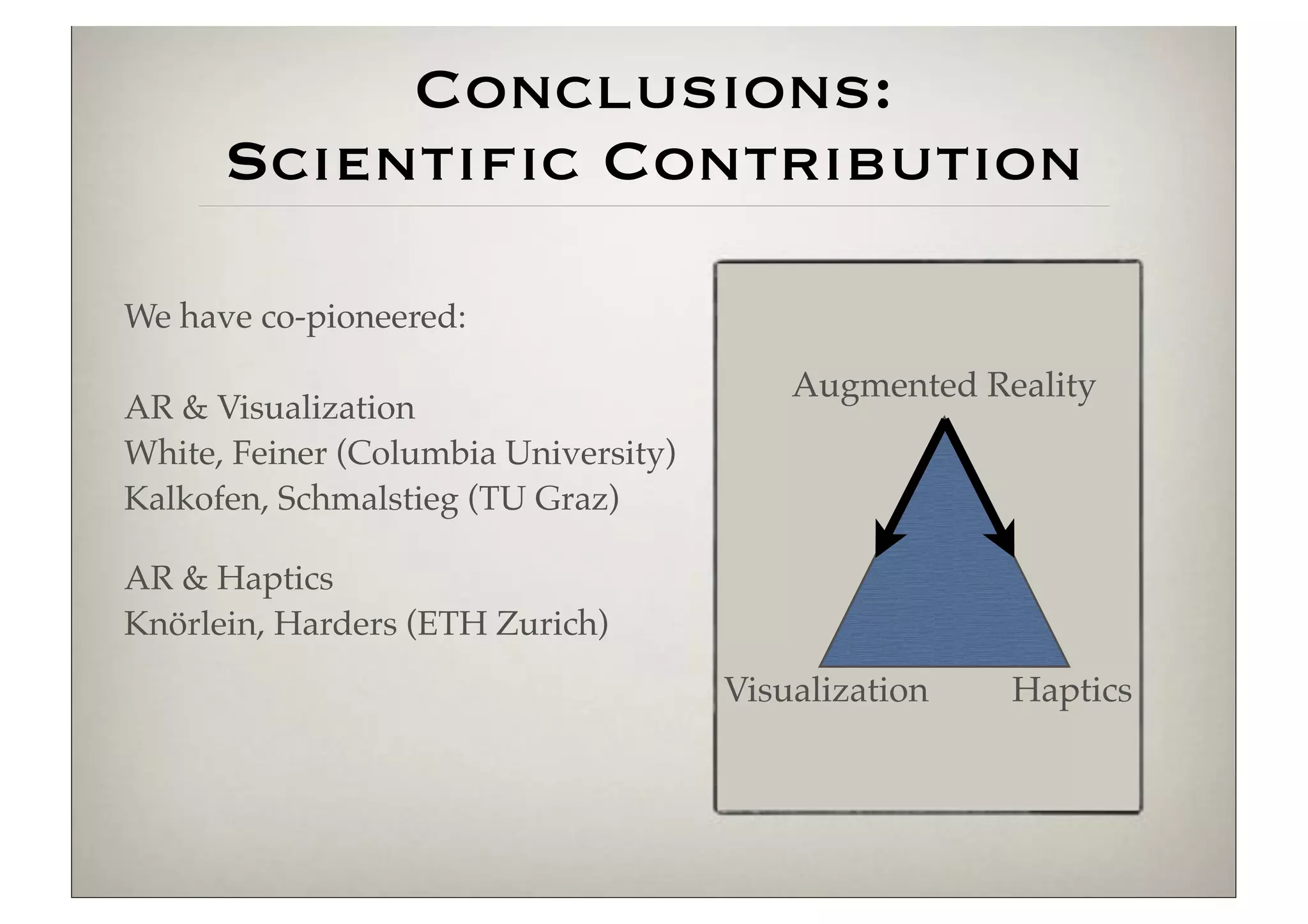
We have co-pioneered:

                                          Augmented Reality
AR & Visualization
White, Feiner (Columbia University)
Kalkofen, Schmalstieg (TU Graz)

AR & Haptics
Knörlein, Harders (ETH Zurich)
                                      Visualization   Haptics
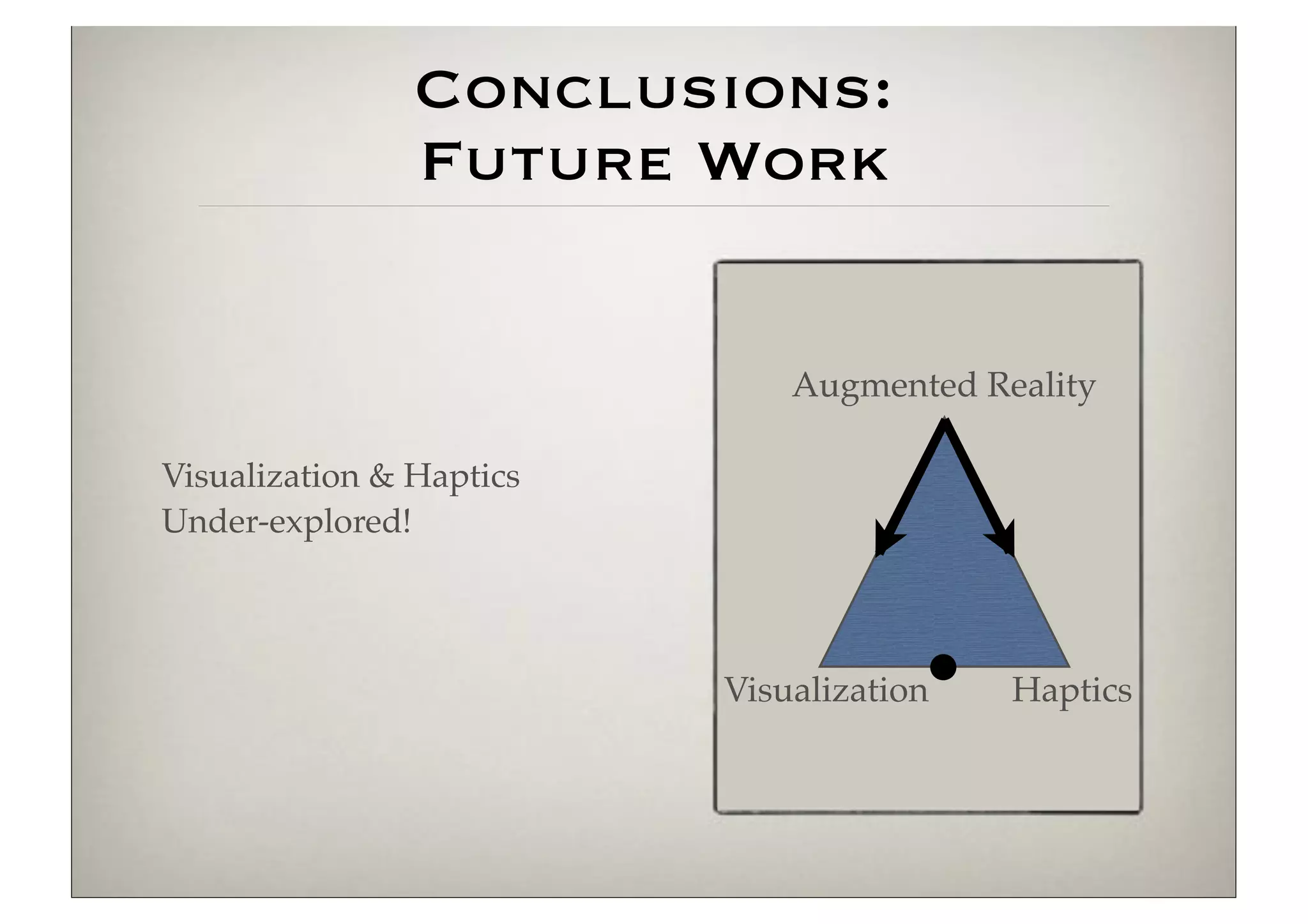
Conclusions:
                Future Work


                              Augmented Reality

Visualization & Haptics
Under-explored!


                          Visualization   Haptics
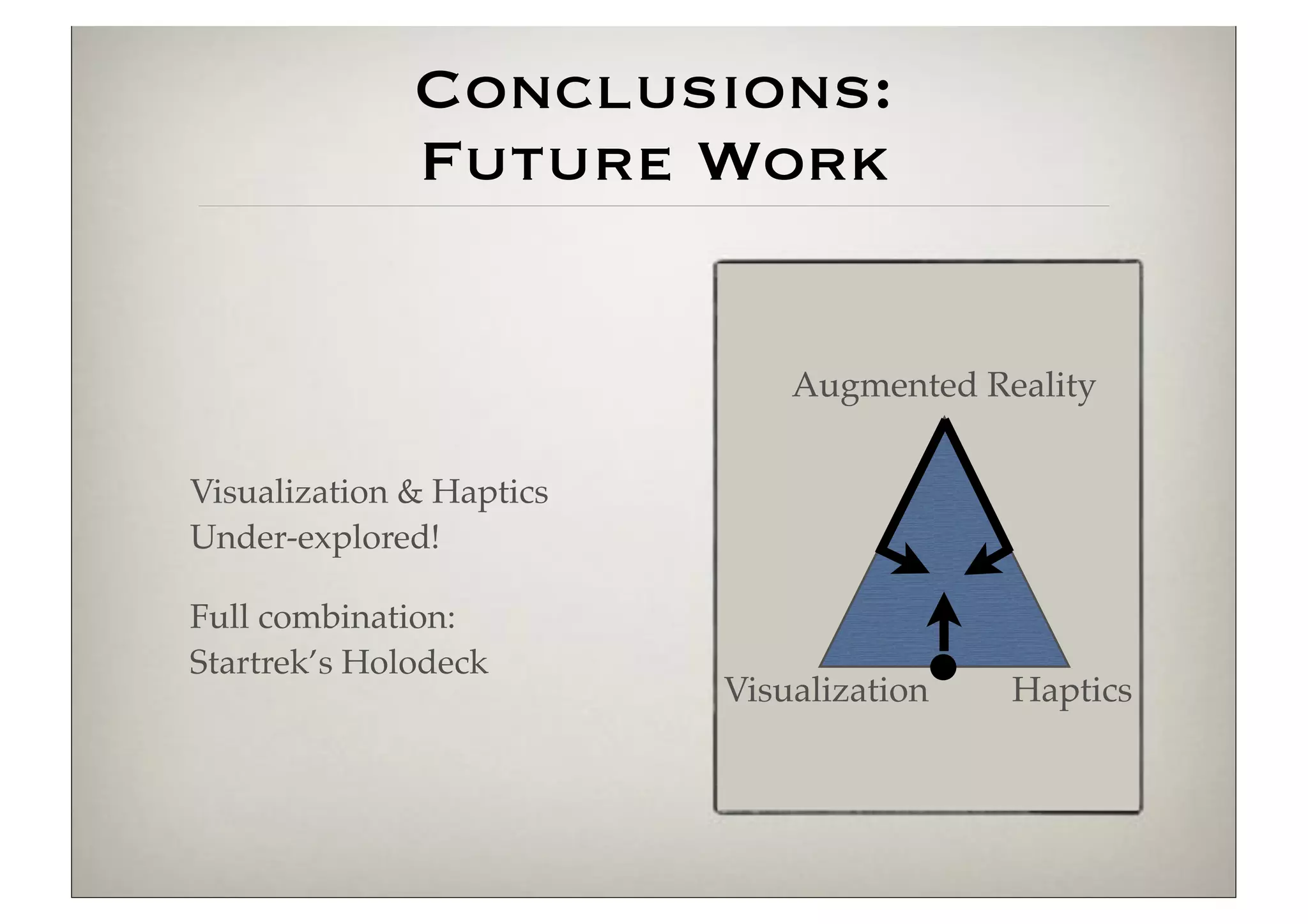
Conclusions:
              Future Work


                              Augmented Reality


Visualization & Haptics
Under-explored!

Full combination:
Startrek’s Holodeck
                          Visualization   Haptics
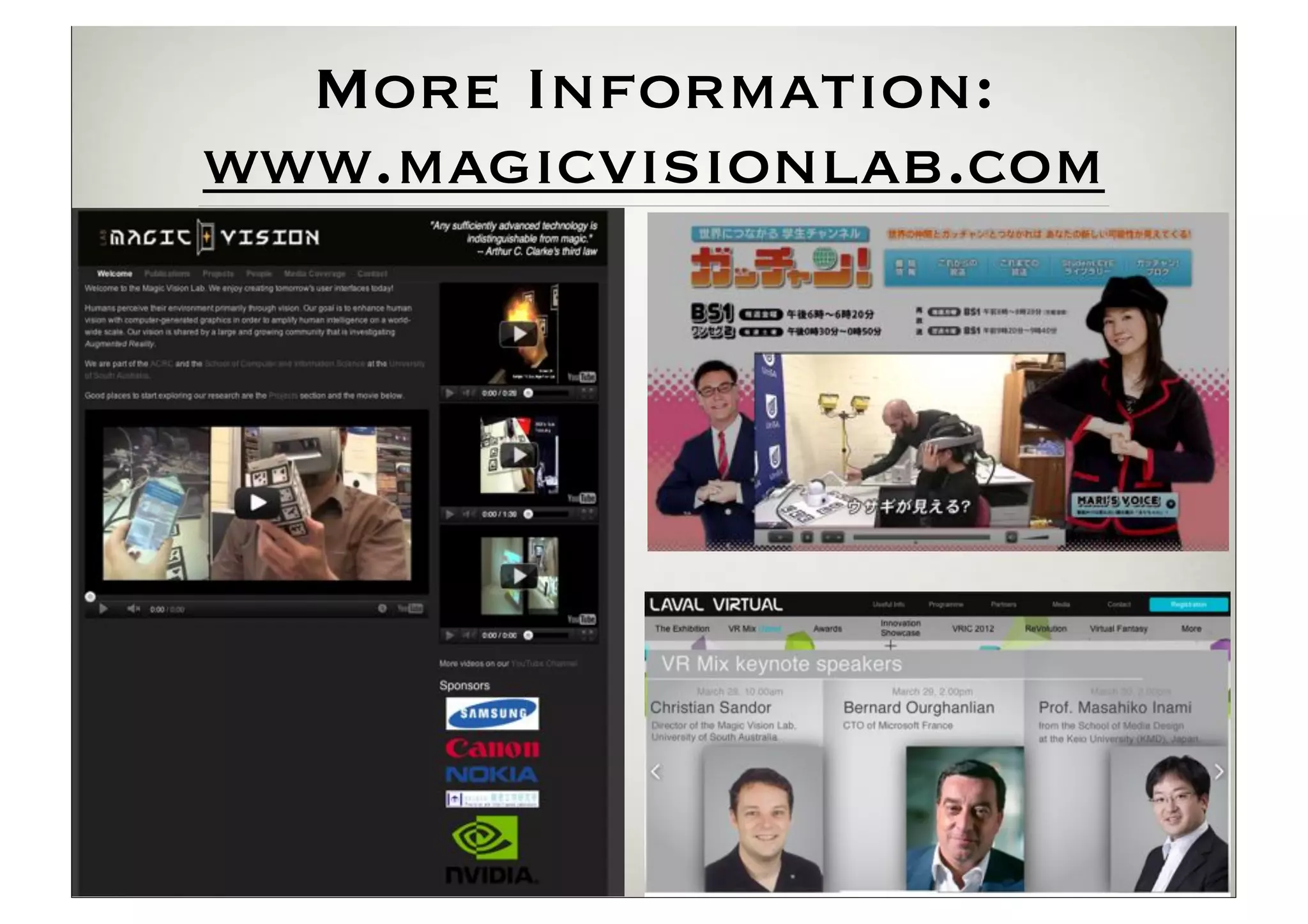
More Information:
www.magicvisionlab.com
Key Points For Taking
AR into the Real World
Tracking: practically solved

Challenges:

   Applications

       AR Browser (with Nokia, Samsung, Nvidia)
       Industrial Design (with Canon)
       Medical
       Games
       Other industrial applications (training, maintenance, planning, ...)
       ...

   Human-Computer Interaction

       Human Perception of AR
       Usability
       Providing more versatile AR interfaces

                                                      Thank You!

Keynote Virtual Efficiency Congress 2012

  • 1.
    Taking Augmented Reality out of the Laboratory and into the Real World Dr Christian Sandor Director: Magic Vision Lab Senior Lecturer: School of Computer and Information Science University of South Australia
  • 2.
    Stuttgart University TU Munich 2012 1975-2005 Canon 2005-2007 Columbia University 2004 University of South Australia since 2008
  • 3.
    2009 2010 2011 Students Research Sponsors 2 PhD [2013: +3; -1] Augmented Reality (AR) 2 Master Human-Computer Interaction 4 Internship Haptics Visualization
  • 4.
    AR Example Demo: Trackerby Gerhard Reitmayr (TU Graz, Austria)
  • 5.
    Augmented Reality [Azuma 1997] 1. Combines real and virtual 2. Interactive in realtime 3. Registered in 3–D [Milgram & Kishino, 1994] 2 Challenges in Developing User Interfaces for Ubiquitous Augmented Reality Mixed Reality (MR) Real Augmented Augmented Virtual Environment Reality (AR) Virtuality (AV) Environment
  • 6.
    AR in theReal World 1584: Pepper’s Ghost [Giambattista della Porta] Early 1990s: Boeing coins term AR for their wire assembly application 2002: Intelligent Welding Gun [Klinker & BMW]
  • 7.
  • 8.
    Current State ofAR: low-level = solved! Essential technology: tracking (where is the camera in the real world?) Parallel Tracking and Mapping for Small AR Workspaces [Klein & Murray, 2007] KinectFusion [Newcombe et al., 2011]
  • 11.
    Current State ofAR: Challenge = High-Level 1. Applications Industrial Design (with Canon) AR Browser (with Nokia, Samsung, Nvidia) Medical Games Other industrial applications (training, maintenance, planning, ...) ... 2. Human-Computer Interaction Human Perception of AR Usability Providing more versatile AR interfaces
  • 12.
    Our Approach Augmented Reality Visualization: “seeing the unseen” [McCormick, 1988] Haptics: AR for the sense of touch Visualization Haptics
  • 13.
  • 14.
    Motivation Problems with most AR browsers: Pieces of isolated information instead of one integrated visualization Bad ergonomics Small screen problem becomes even worse Extremely limited visualizations Challenging: occlusions, small field of view C D T E O D B T T T A O D field of view field of view view frustrum user viewpoint user viewpoint
  • 15.
    Naive Overlay Benjamin Avery, Bruce H. Thomas, Wayne Piekarski. ISMAR 2008.
  • 16.
    Edge-based X-Ray Ben Avery, Christian Sandor, Bruce Thomas. VR 2009.
  • 17.
  • 18.
  • 19.
    Saliency X-Ray Sandor et al. ISMAR 2010
  • 20.
    Concept: Saliency-based X-Ray Scene Foreground Scene Background 1. Saliency Map Computation Salient Foreground Salient Background 2, Composition Salient Salient reground Fo Bac kground
  • 21.
    ly on visualdata. r g chnique uses saliency maps Mrg = f the occluder and occluded We first compute the saliency Saliency Map max(r, g, b) Oc b min(r, g) ons. Second, we perform a lient regions in the occluder Computation g, b) M = max(r, by Figure 4: Saliency map computation: an input image is split into fe e occluded region are made ture maps which are across-scale subtracted to a single map Mc . These mapsPrevious and Mby are combined into mimic the recepti Mrg transparent. When salientInput Image Image fields of the human eye. The features mapsthe luminosity chann Motion is defined as observed changes in are combined to yie ding to their strength. With Figure 4: Saliency map computation: an input image is split into fea- the final saliencywhich are across-scale subtracted to mimic the receptive over time. maps map. ture hile still maintaining strong and fields inthe human eye. The addition and across-scale subtractio denote across scale features maps are combined to yield Contrasts of the dyadic feature pyramids are modeled as acro or the two stages (Saliency the final saliency map. scale subtraction Map across scale addition and across-scale subtraction.levels of t Red/Green Blue/Yellow denote between fine and coarse scaled and Motion omposition (Section 3.2), we Luminosity Map Opponency Map Opponency Map pyramid. For each of the features, a set of feature maps are gene X-ray technique. S 2 {3, 4}.2Features maps arecombined using using across-scale additi ated as: S {3, 4}. Features maps are combined across-scale addition Figure 5 ries of fi m, which only used edges as σ=0 to yield to yield conspicuity maps: = Pp Ps conspicuity maps: Ff ,p,s , , an ionally employs luminosity, 4 p+4 values. es the effect for luminosity, ⊖ where ⊖ represents the visual4feature f 2 {l, c, m}. p and s ref f = M p+4 M M ⊖ areC appliedM p 2 {2, 3, 4}, s = p + S, fin Fp,s σ=1 ⊖ are preserved. Figure 3(a,b) to pyramid levels and C = p=2 s=p+3as Fp,s This an σ=2 and occ σ=3 p=2 s=p+3 Finally, all conspicuity maps are combined to form the saliency with em σ=… map: 1 4 E VA Finally, all conspicuity Smaps  Ck = 3 k2{l,c,t} combined to form the salien are We hav ⊕map: saliency target ac At this point, a saliency map1 been created for an image, com- has  bining the hue, luminosity= motion features. In the next stage, gate vis S and Ck techniqu Saliency Map 3 k2{l,c,t} occluded and occluder regions are composed using their saliency Our d information to create the final AR X-ray image. capabili how it At this3.2 Composition map has been created for an image, com point, a saliency
  • 22.
    Composition Occluder Io Occluded Id Source Images So Sd Saliency Maps ⊖ Edge map E Combined Mask M Saliency Map ⊗ Occluder Io So' Occluded Id Mask M' ⊗ ⊗ ⊕ Final Composition Ic
  • 23.
    C T B D A D melt volume Melting Sandor et al. ISMAR 2009, VR 2010
  • 24.
  • 25.
    Space-Distorting Visualizations Radial Distortion field of view after distortion C T E D B T C T D T D T B D A D A D field of view orginal view frustrum field of view user viewpoint Reconstructed Model Projected Video Image POI2 POI1 Ray Visualization
  • 26.
  • 27.
  • 30.
    Our ISMAR 2011Best Demo Award Collaboration with Gerhard Reitmayr (TU Graz, Computer Vision) Matt Swoboda (Sony London, Computer Graphics) We won against 40 other demos Top labs: INRIA, Georgia Tech, TU Graz Top companies: Volkswagen, Sony, Nokia...
  • 33.
    Current Evaluation At ISMAR,we got very unexpected feedback from users: 20% reported a heat sensation 5% reported smelling fire Now: formal evaluation to validate this effect
  • 38.
    Realtime Raymarching forMobile Augmented Reality Graeme Jarvis⇤ Christian Sandor† Sean White‡ Magic Vision Lab Magic Vision Lab Nokia Research Center University of South Australia University of South Australia Nokia (a) (b) Figure 1: Raymarching on mobile phones enables us to display several effects on virtual objects that incorporate imagery from the physical world: from simple refractions (a), to dynamic, complex scenes (c). All renderings are realtime on an iPhone 4s. A BSTRACT (iPhone), Ray Tracer and Raytracing on Android, and many others but all render at multiple-seconds-per-frame. Augmented Reality (AR) is a technology that adds virtual visual information to the user’s view of the real world. Mobile Aug- Visual effects such as ambient occlusion, reflection, refraction, mented Reality (MAR) systems allow the user to take these aug- and dynamic soft shadow (as exampled in Figure 1) are process- mentations with them on their travels, building the foundation of a ing intensive and difficult to simulate using other visual algorithms,
  • 39.
    Glass Sphere with Refractions
  • 40.
    Conclusions: Scientific Contribution We have co-pioneered: Augmented Reality AR & Visualization White, Feiner (Columbia University) Kalkofen, Schmalstieg (TU Graz) AR & Haptics Knörlein, Harders (ETH Zurich) Visualization Haptics
  • 41.
    Conclusions: Future Work Augmented Reality Visualization & Haptics Under-explored! Visualization Haptics
  • 42.
    Conclusions: Future Work Augmented Reality Visualization & Haptics Under-explored! Full combination: Startrek’s Holodeck Visualization Haptics
  • 43.
  • 44.
    Key Points ForTaking AR into the Real World Tracking: practically solved Challenges: Applications AR Browser (with Nokia, Samsung, Nvidia) Industrial Design (with Canon) Medical Games Other industrial applications (training, maintenance, planning, ...) ... Human-Computer Interaction Human Perception of AR Usability Providing more versatile AR interfaces Thank You!