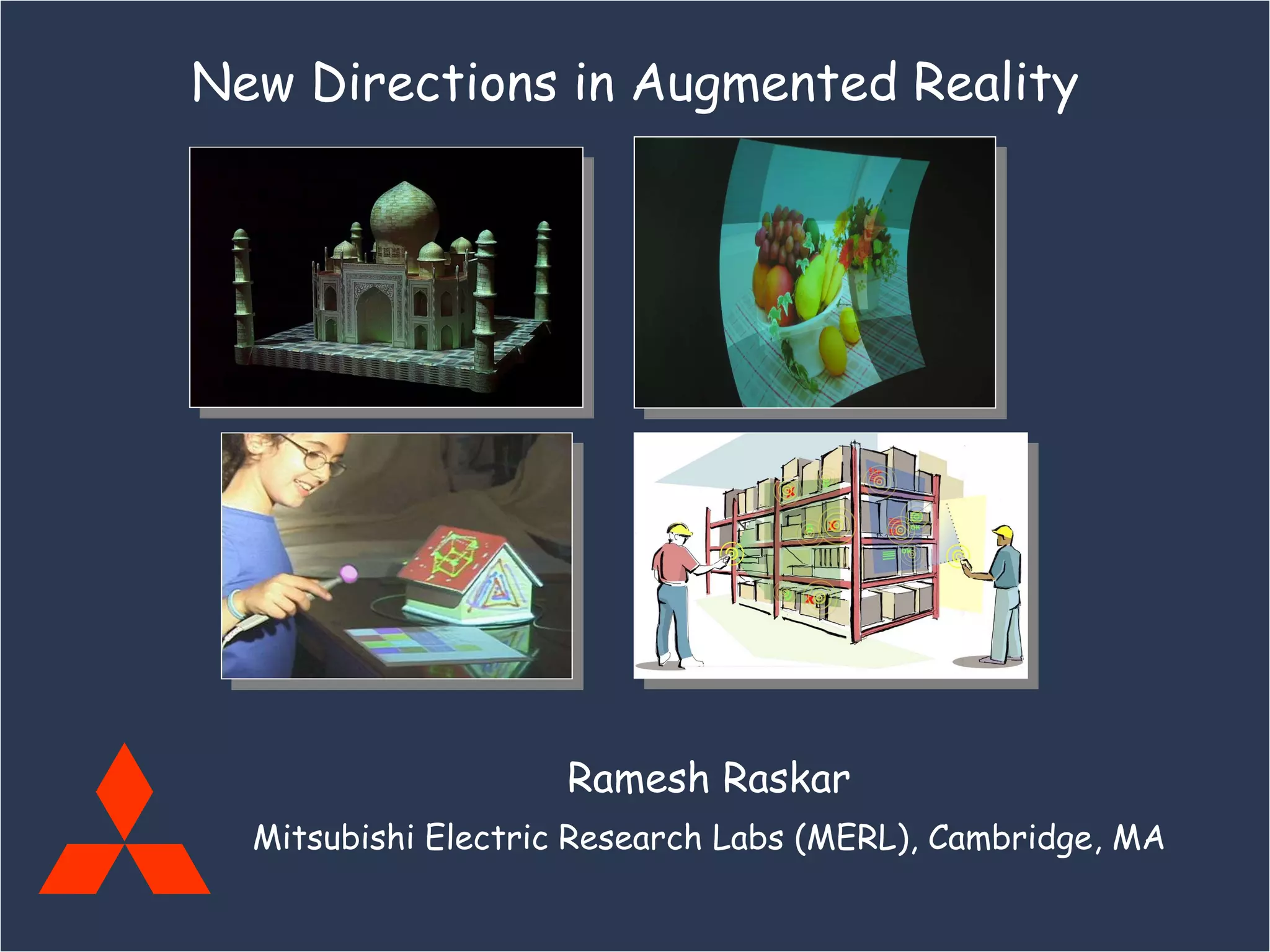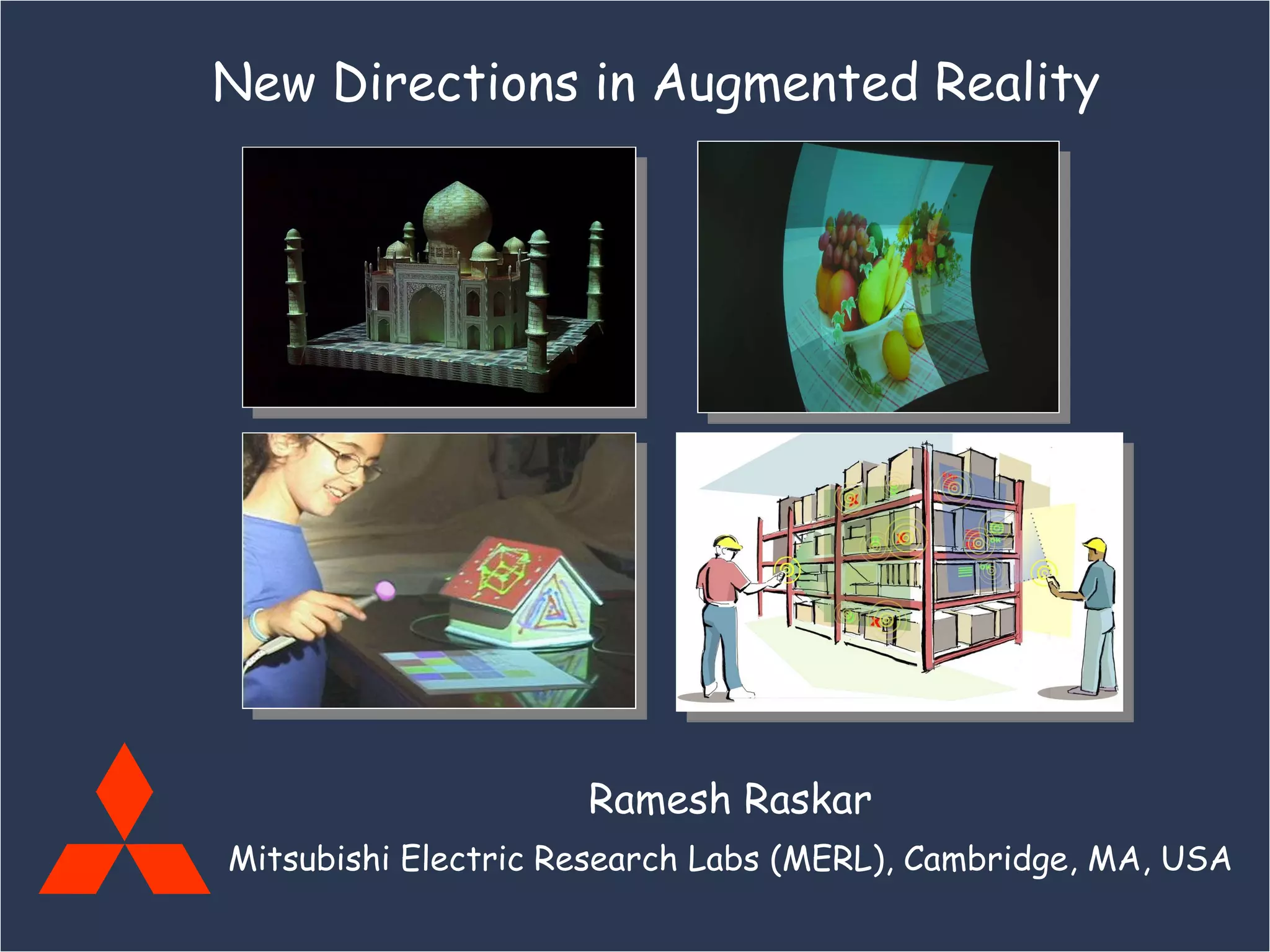
Ramesh Raskar Mitsubishi Electric Research Labs (MERL), Cambridge, MA, USA New Directions in Augmented Reality
Parent Organization:  MELCO Mitsubishi Electric (MELCO), including subsidiaries $32B in annual sales 125,000 people 10 business sectors: Space Development and Satellite Communications Communications and Information Processing Visual Equipment and Systems Electronic Devices Home Electronics Energy Industrial Equipment Public-Use Systems Transportation
MERL Mitsubishi Electric Research Laboratories Dick Waters, President & CEO Two labs, co-located in Cambridge, MA: MERL Technology Lab Kent Wittenburg, Director Advanced systems development ~35 researchers MERL Research Lab Joe Marks, Director Basic research in applied computing 23 researchers, interns, consultants CV, HCI, Multimedia, CG, AI
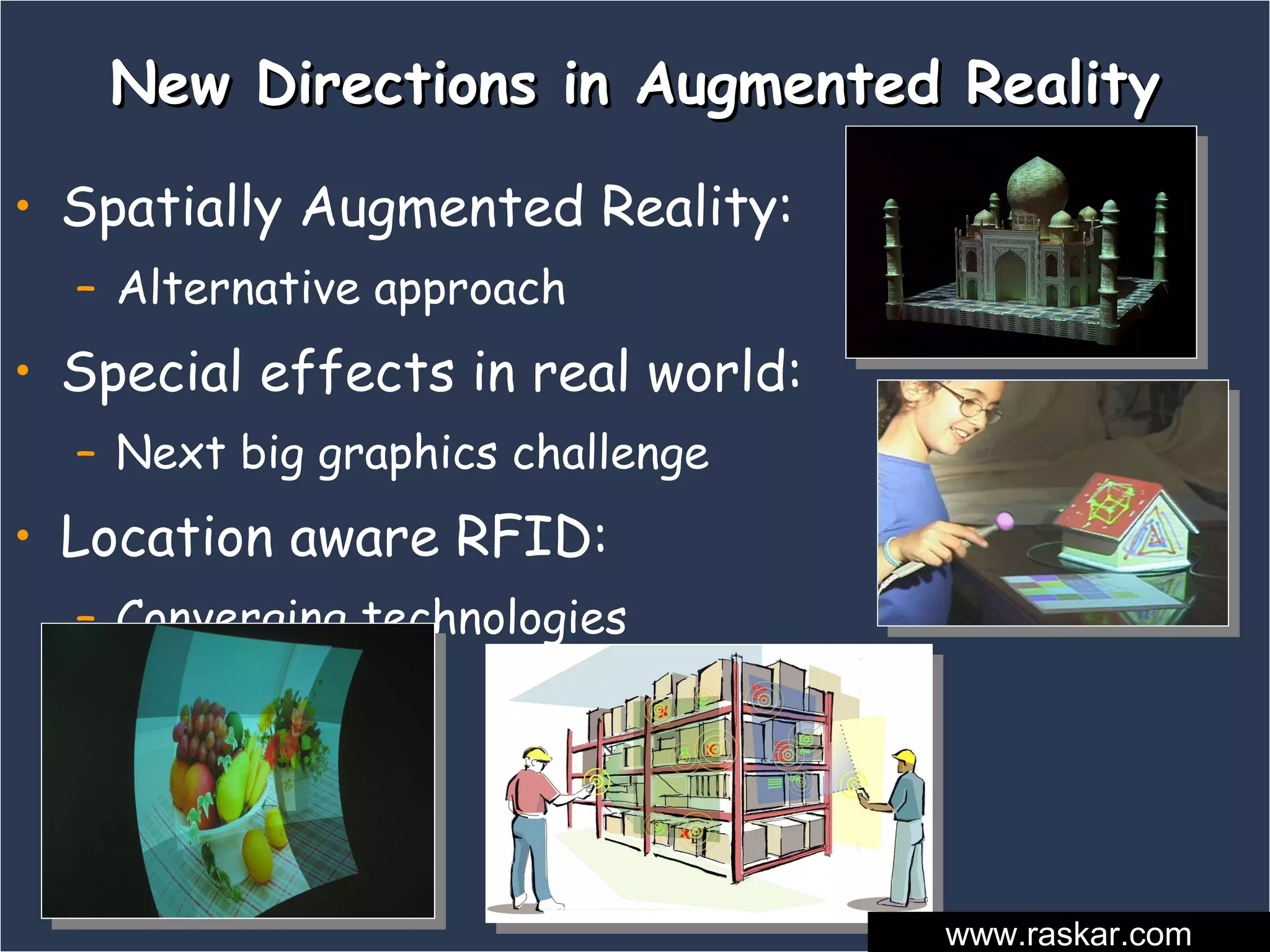
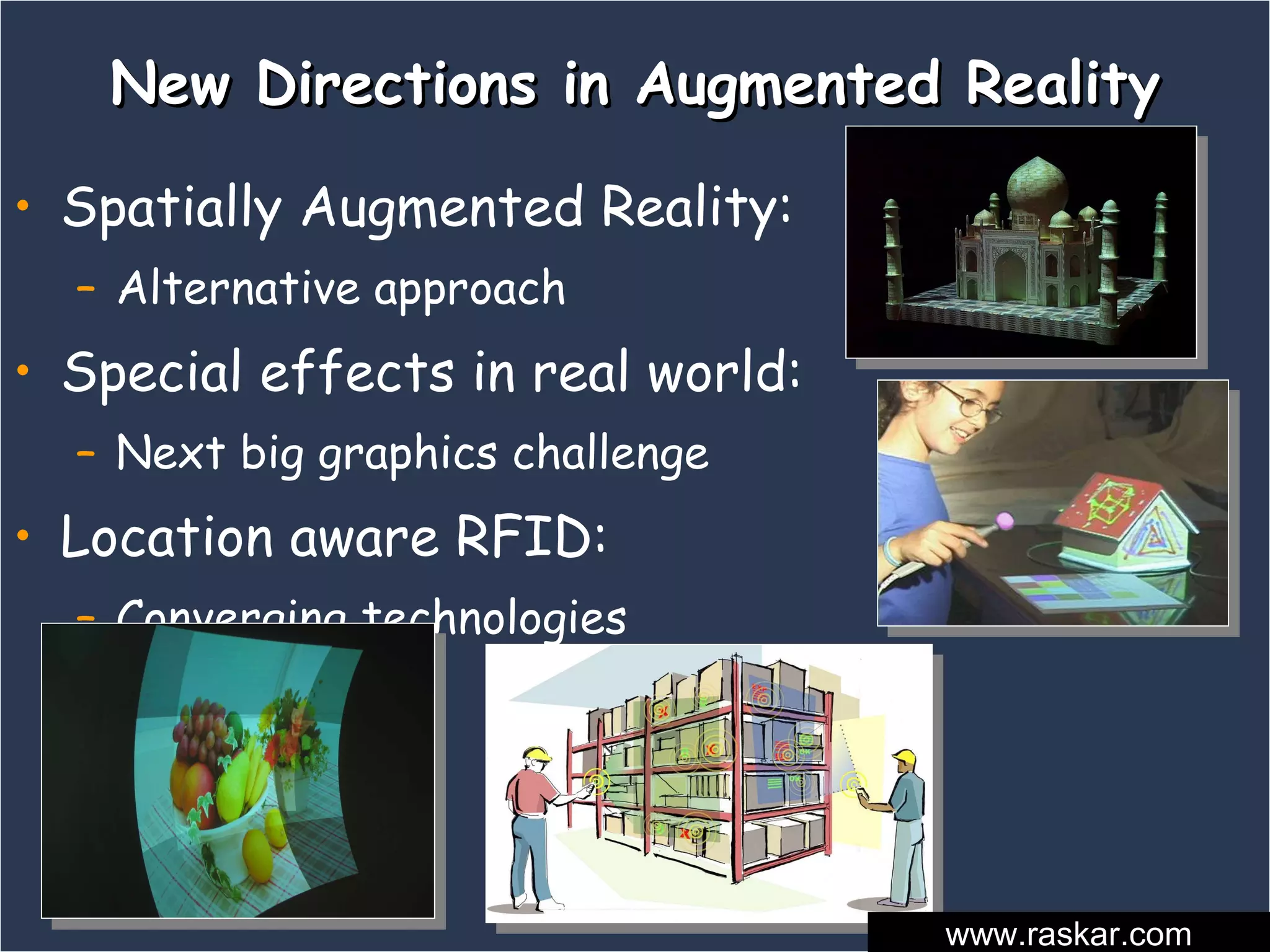
New Directions in Augmented Reality Spatially Augmented Reality:  Alternative approach Special effects in real world:  Next big graphics challenge Location aware RFID:  Converging technologies www.raskar.com
Non-trivial AR Painting with Light [Bandyopadhyay, Raskar, Fuchs 2001]
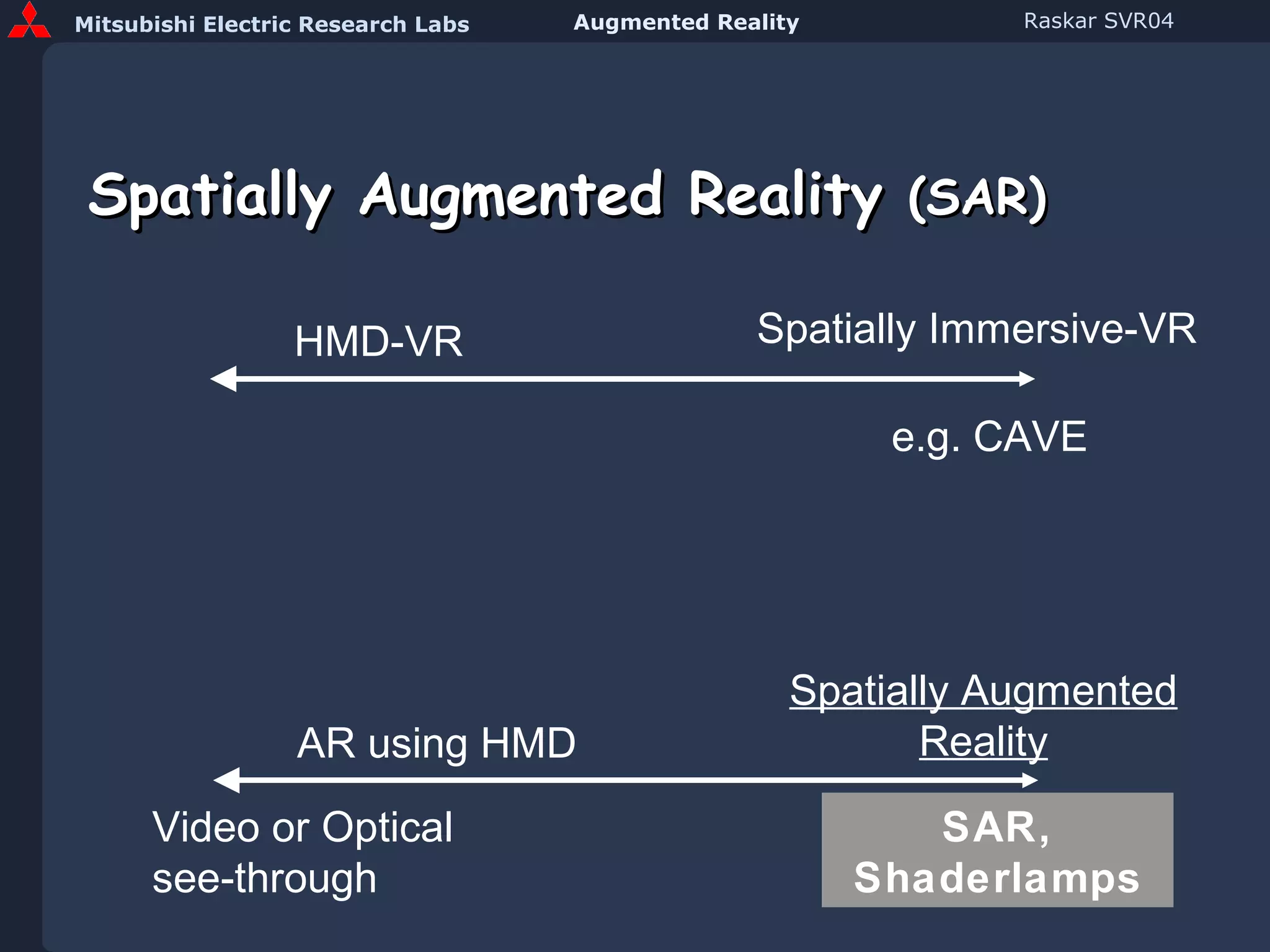
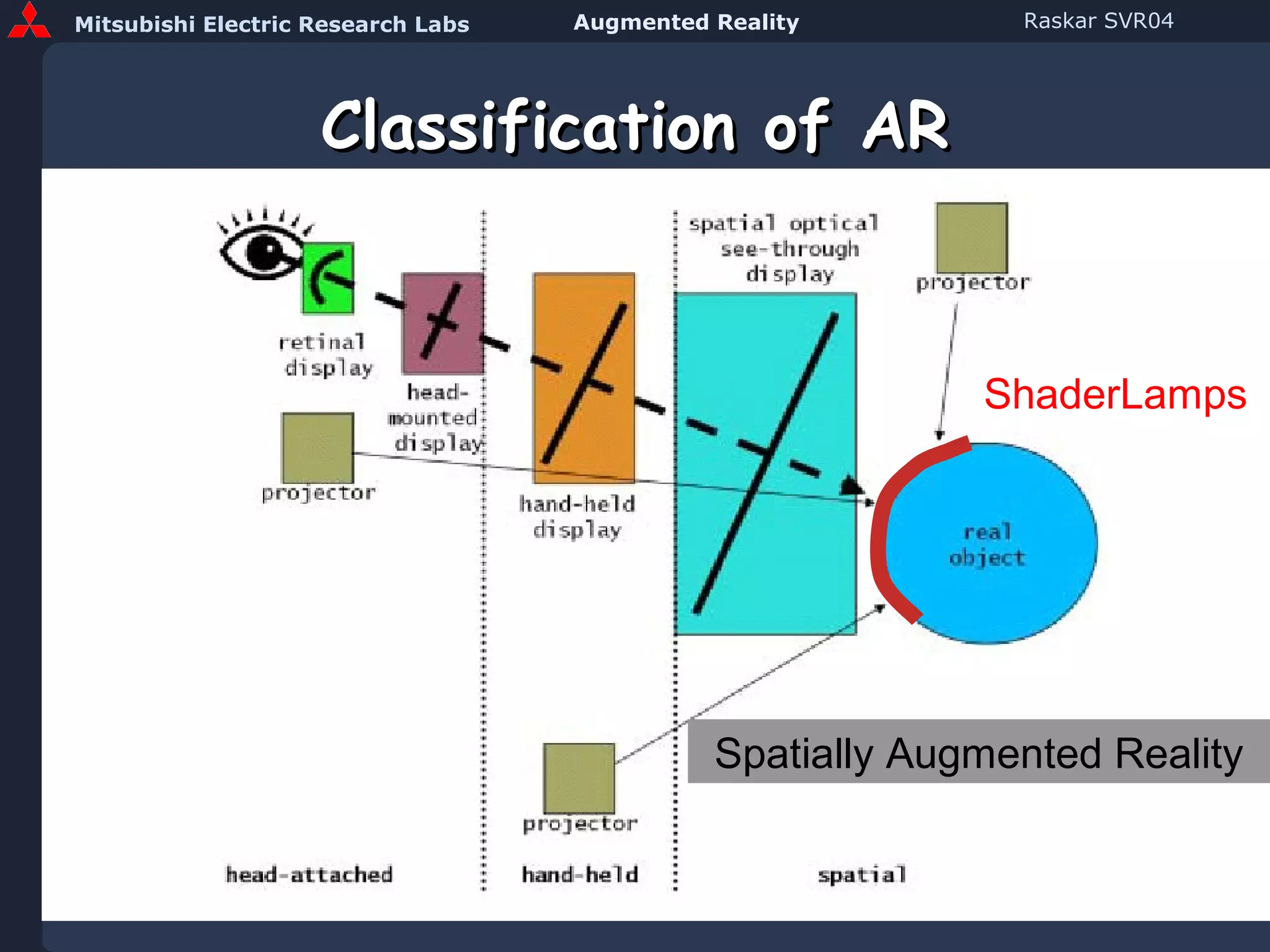
Spatially Augmented Reality  (SAR) HMD-VR Spatially Immersive-VR AR using HMD Spatially Augmented Reality e.g. CAVE Video or Optical see-through SAR, Shaderlamps
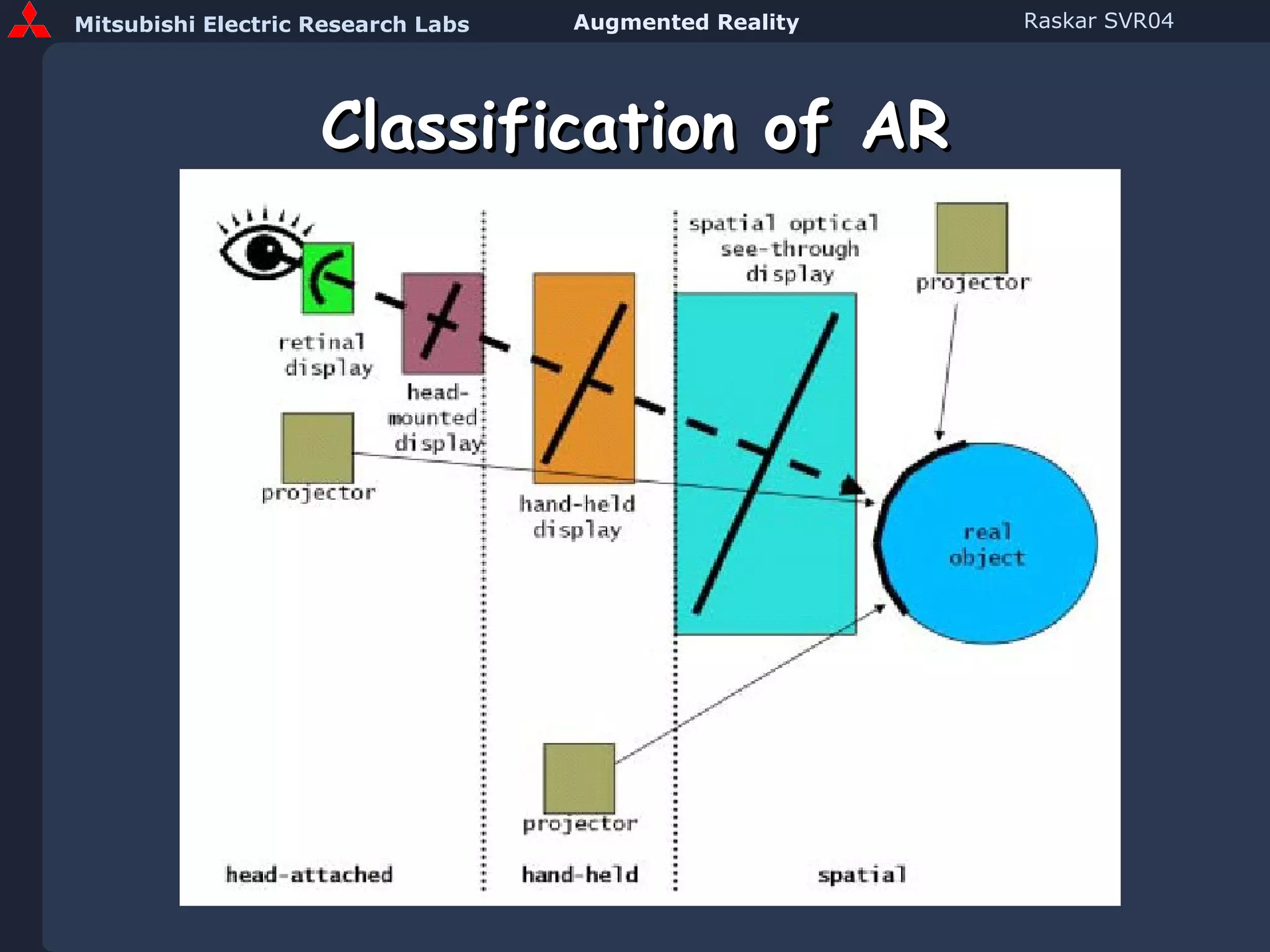
Classification of AR
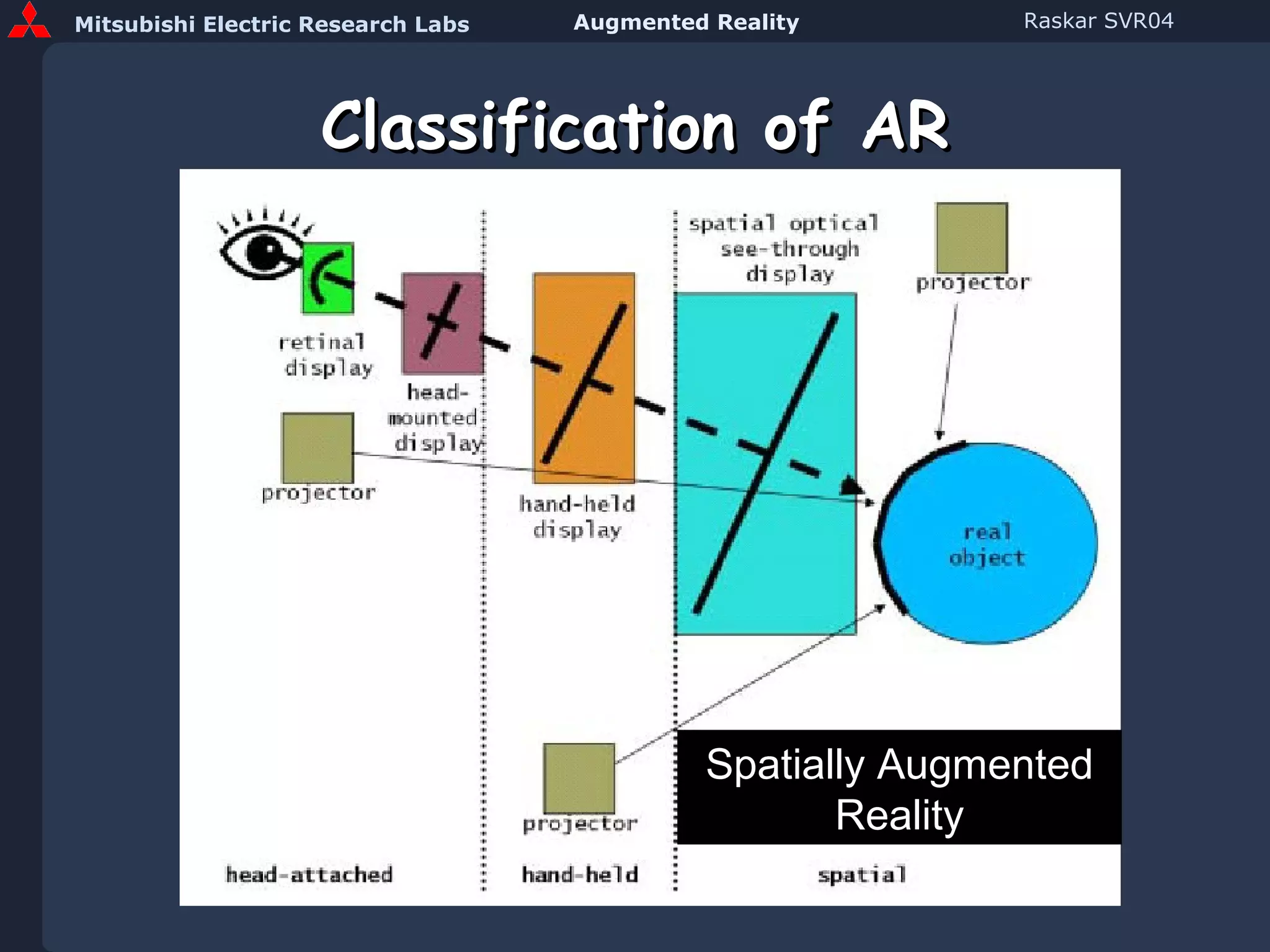
Classification of AR Spatially Augmented Reality
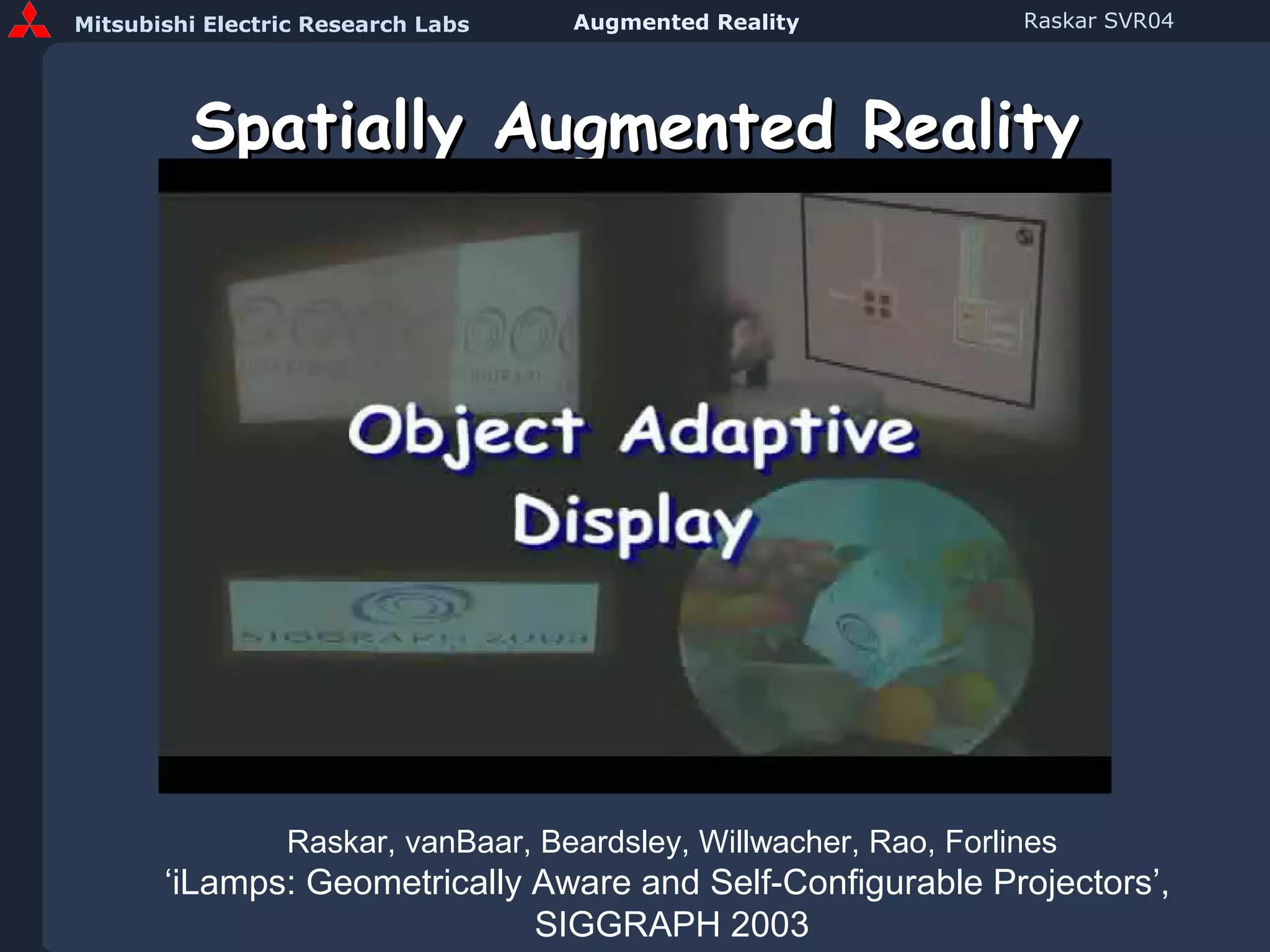
Spatially Augmented Reality Raskar, vanBaar, Beardsley, Willwacher, Rao, Forlines ‘iLamps: Geometrically Aware and Self-Configurable Projectors’,  SIGGRAPH 2003
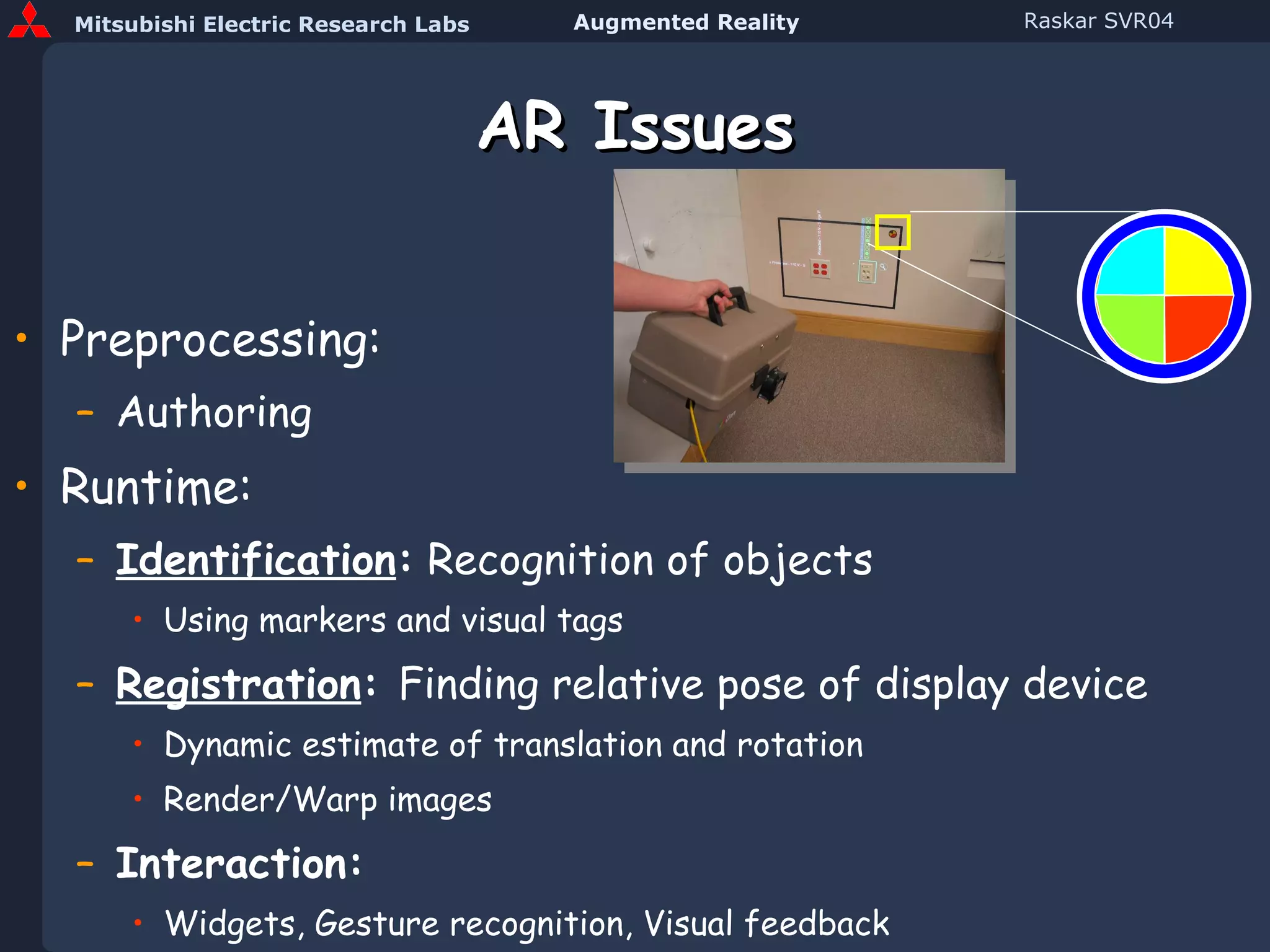
AR Issues Preprocessing: Authoring Runtime: Identification :  Recognition of objects Using markers and visual tags Registration :  Finding relative pose of display device Dynamic estimate of translation and rotation Render/Warp images Interaction: Widgets, Gesture recognition, Visual feedback
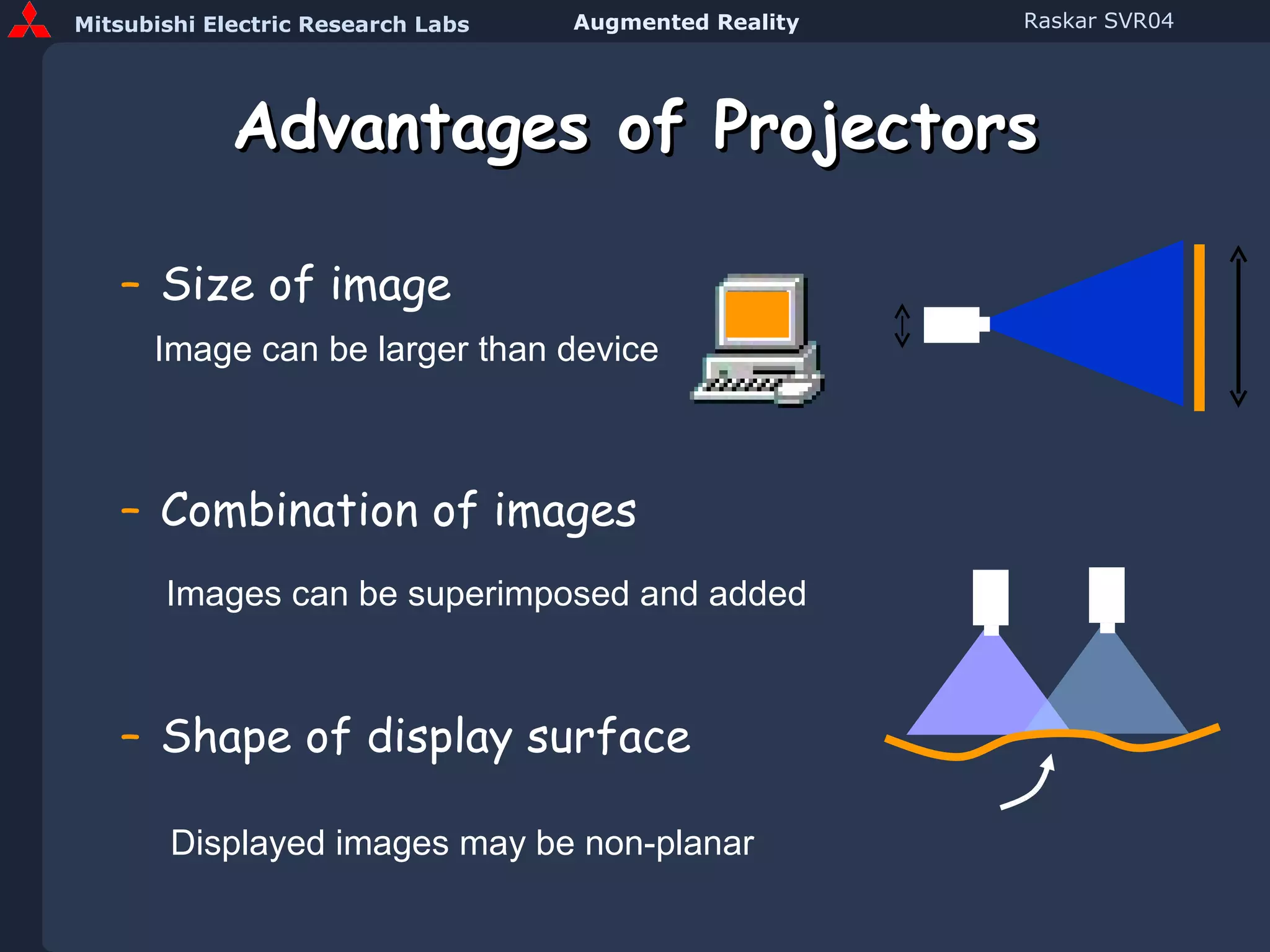
Advantages of Projectors Size of image Combination of images Shape of display surface Image can be larger than device Images can be superimposed and added Displayed images may be non-planar
Disadvantages Projector limitations Limited depth of field Shadows Affected by display surface reflectance Challenges Calibration required Rendering involves complex relationships
Advantages of Spatial Augmentation (SAR) Augmentation of objects not view Wide area, High resolution Comparison Body-Worn Displays Better ergonomics Reduced tracking requirements Hand-held Displays Avoids ‘last foot’ problem
Classification of AR Spatially Augmented Reality ShaderLamps
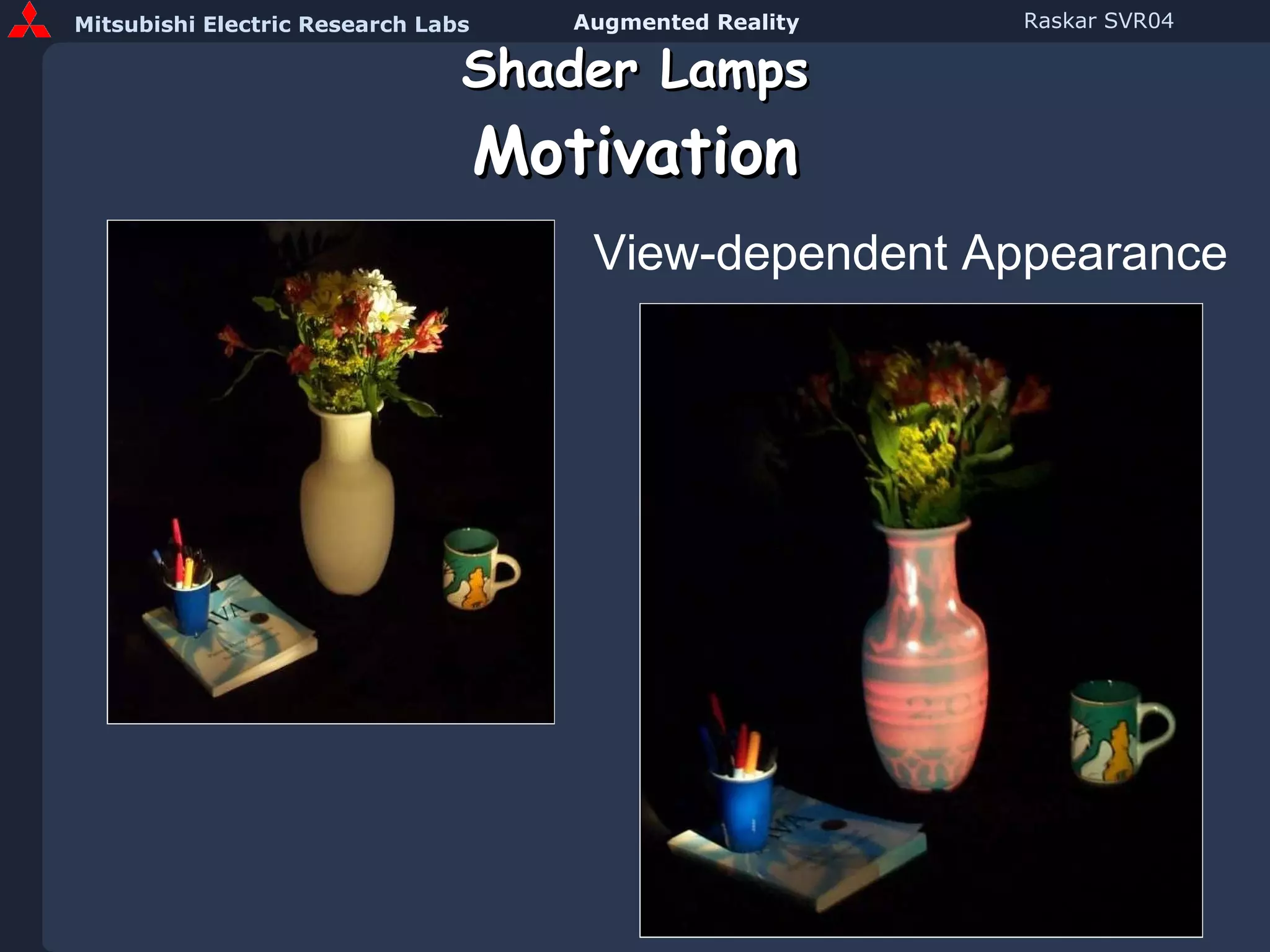
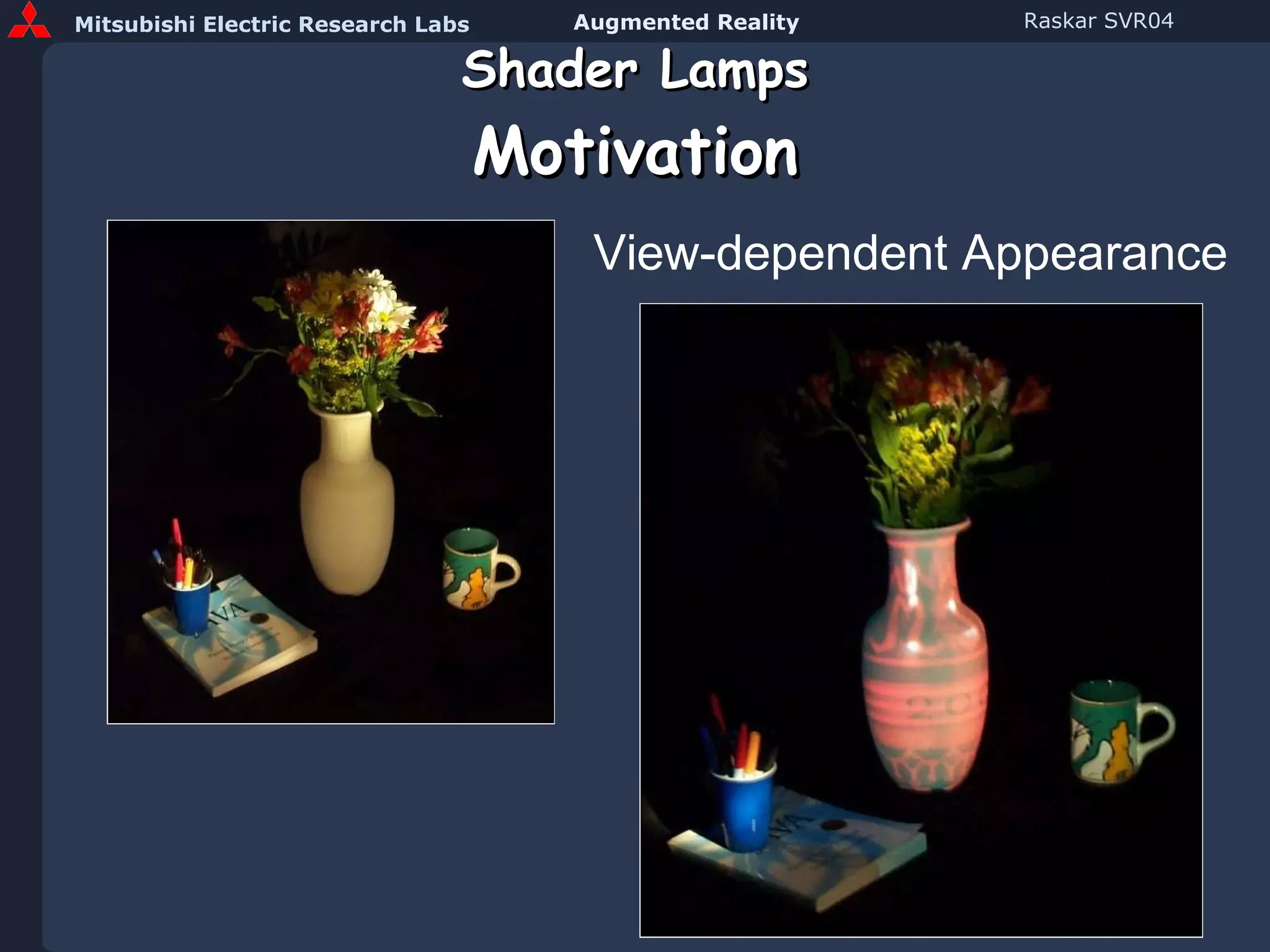
Shader Lamps Motivation View-dependent Appearance
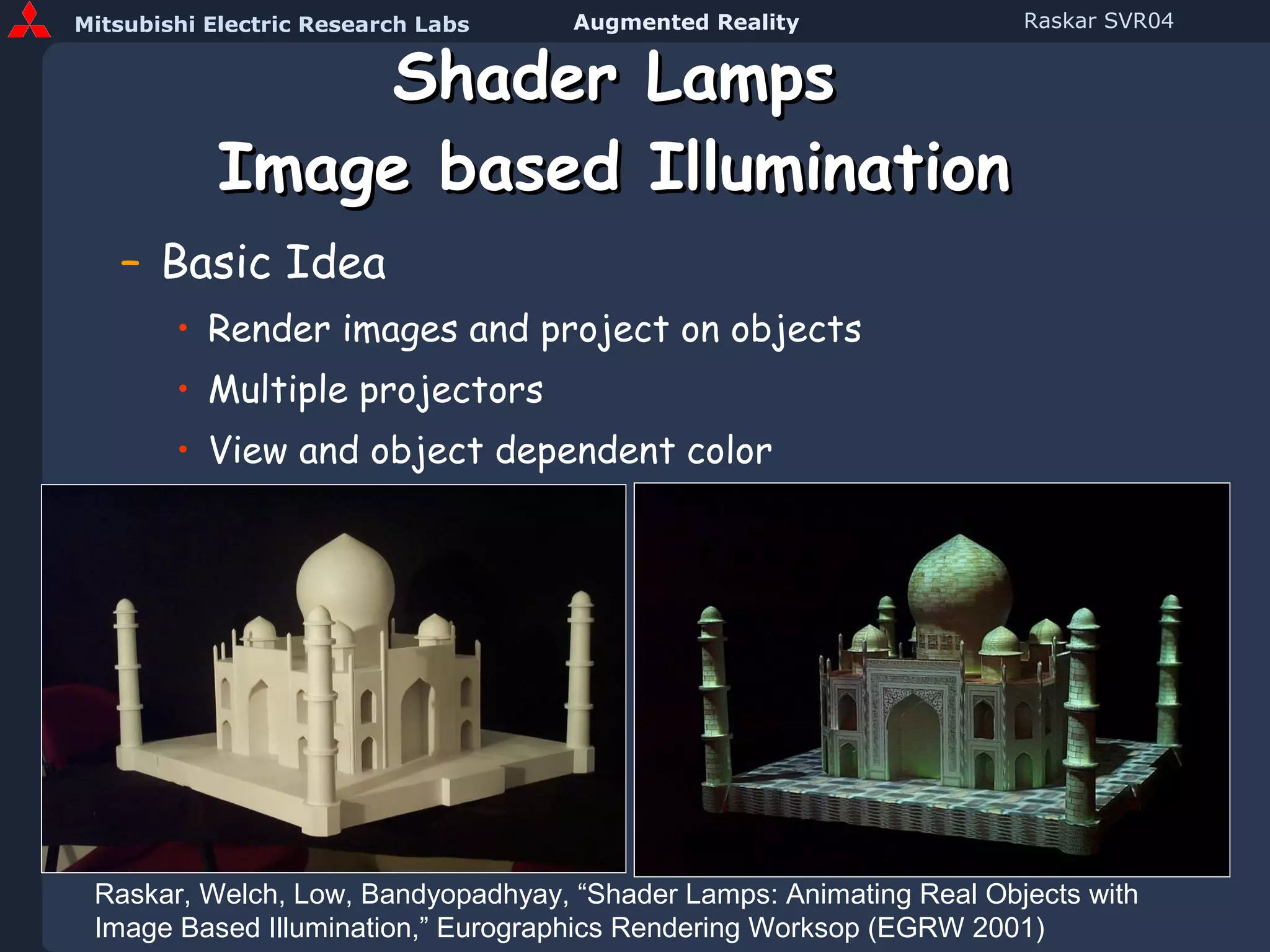
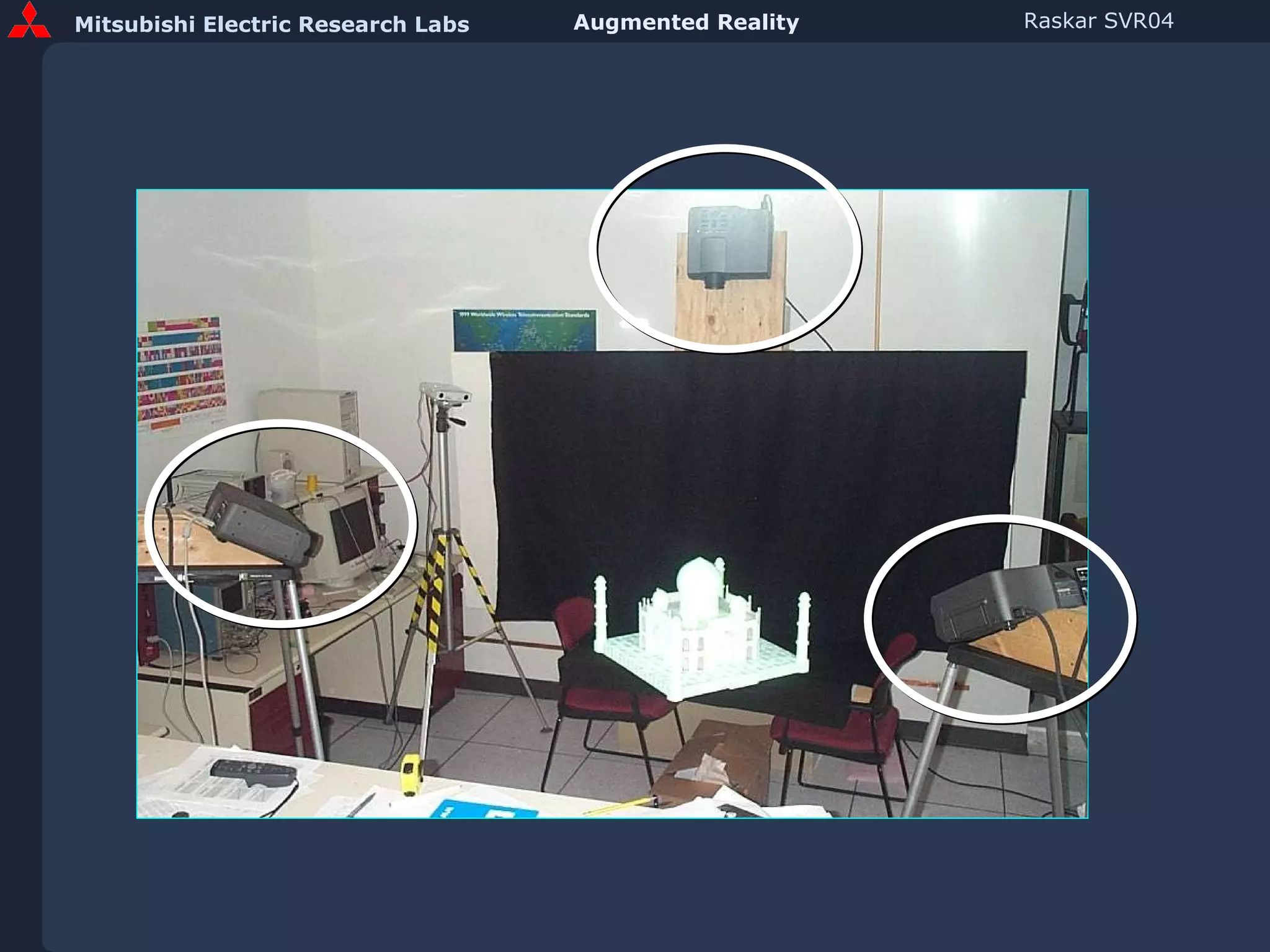
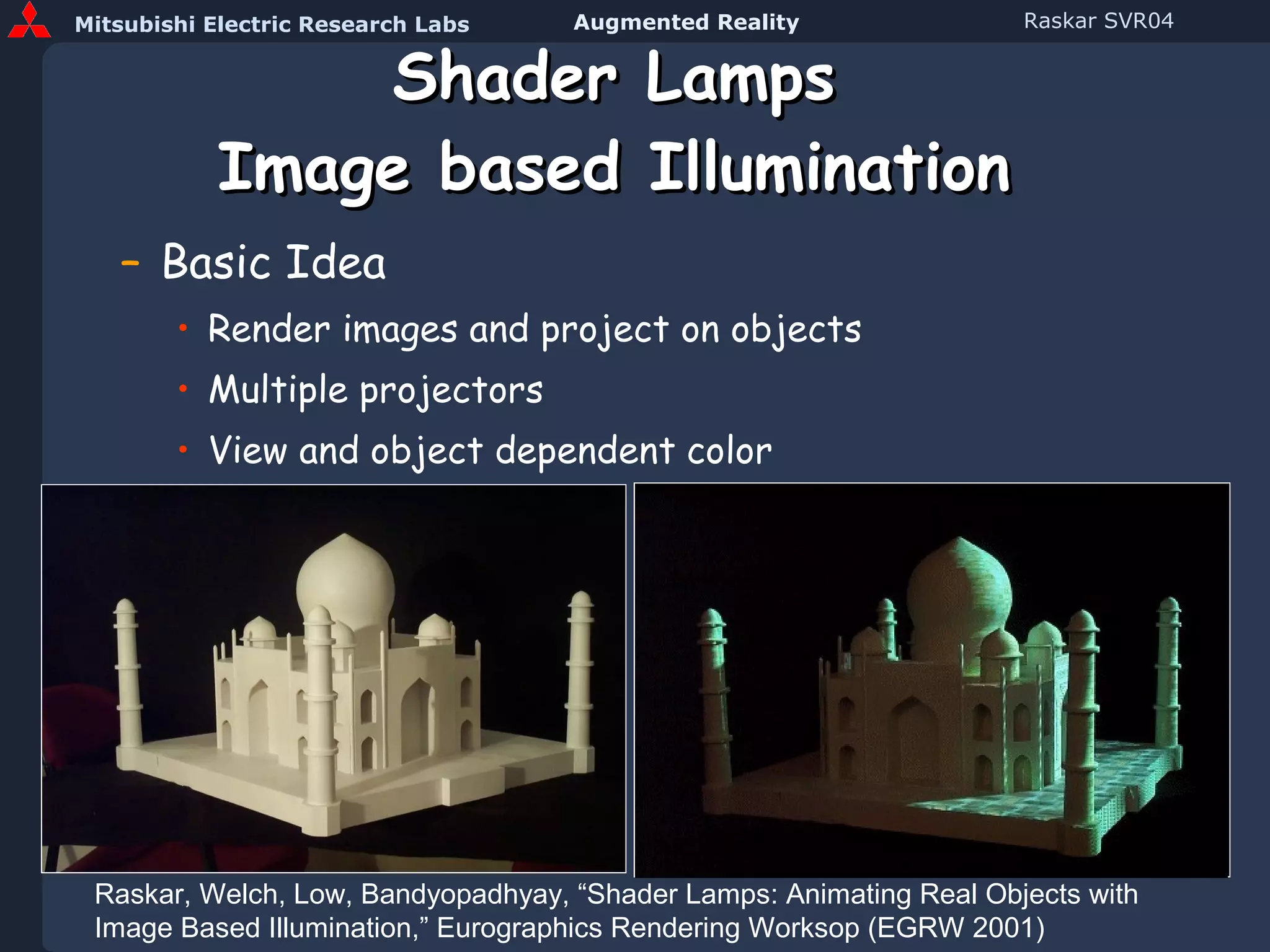
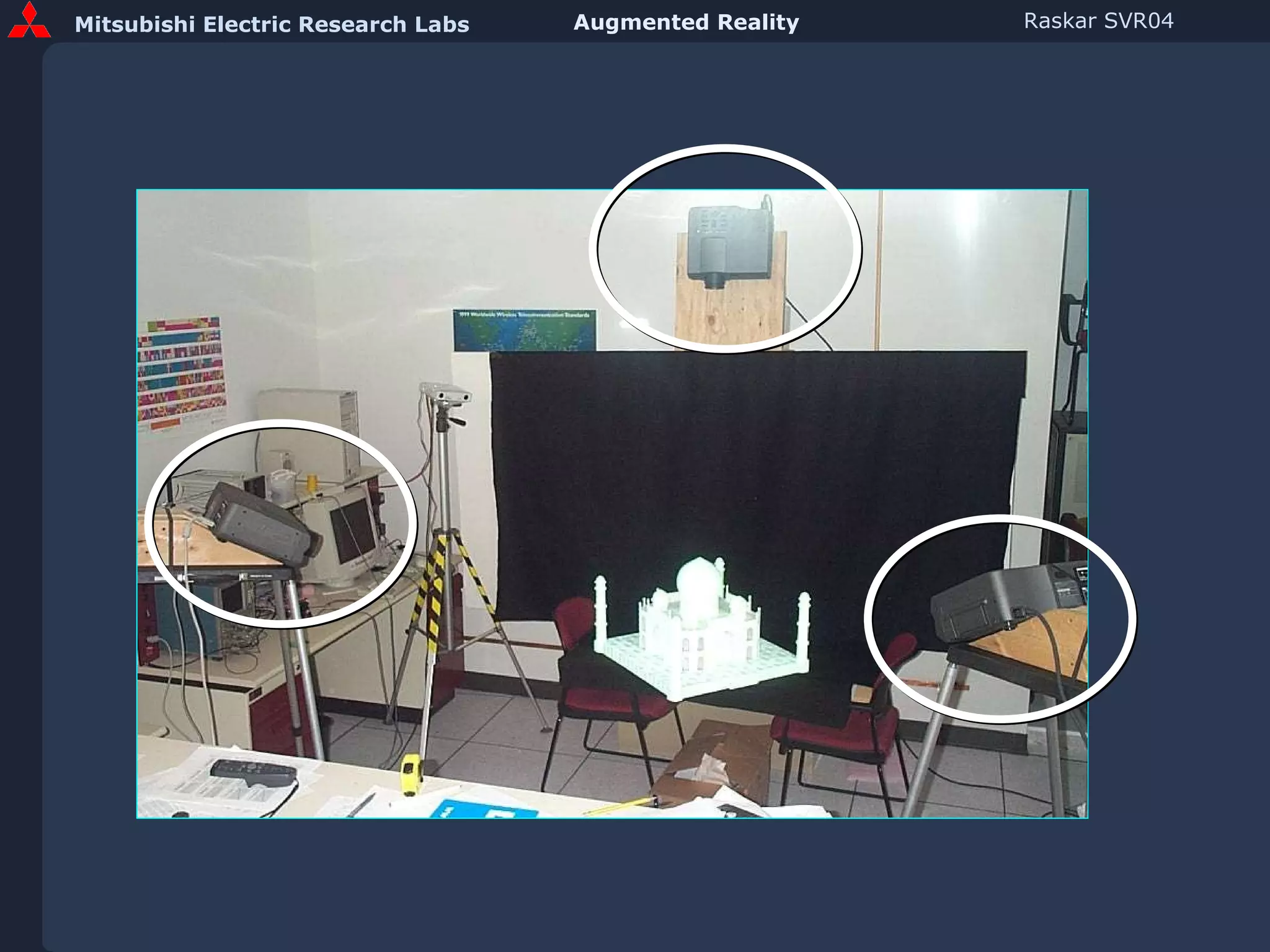
Shader Lamps Image based Illumination Basic Idea Render images and project on objects Multiple projectors View and object dependent color Raskar, Welch, Low, Bandyopadhyay, “Shader Lamps: Animating Real Objects with Image Based Illumination,” Eurographics Rendering Worksop (EGRW 2001)
 
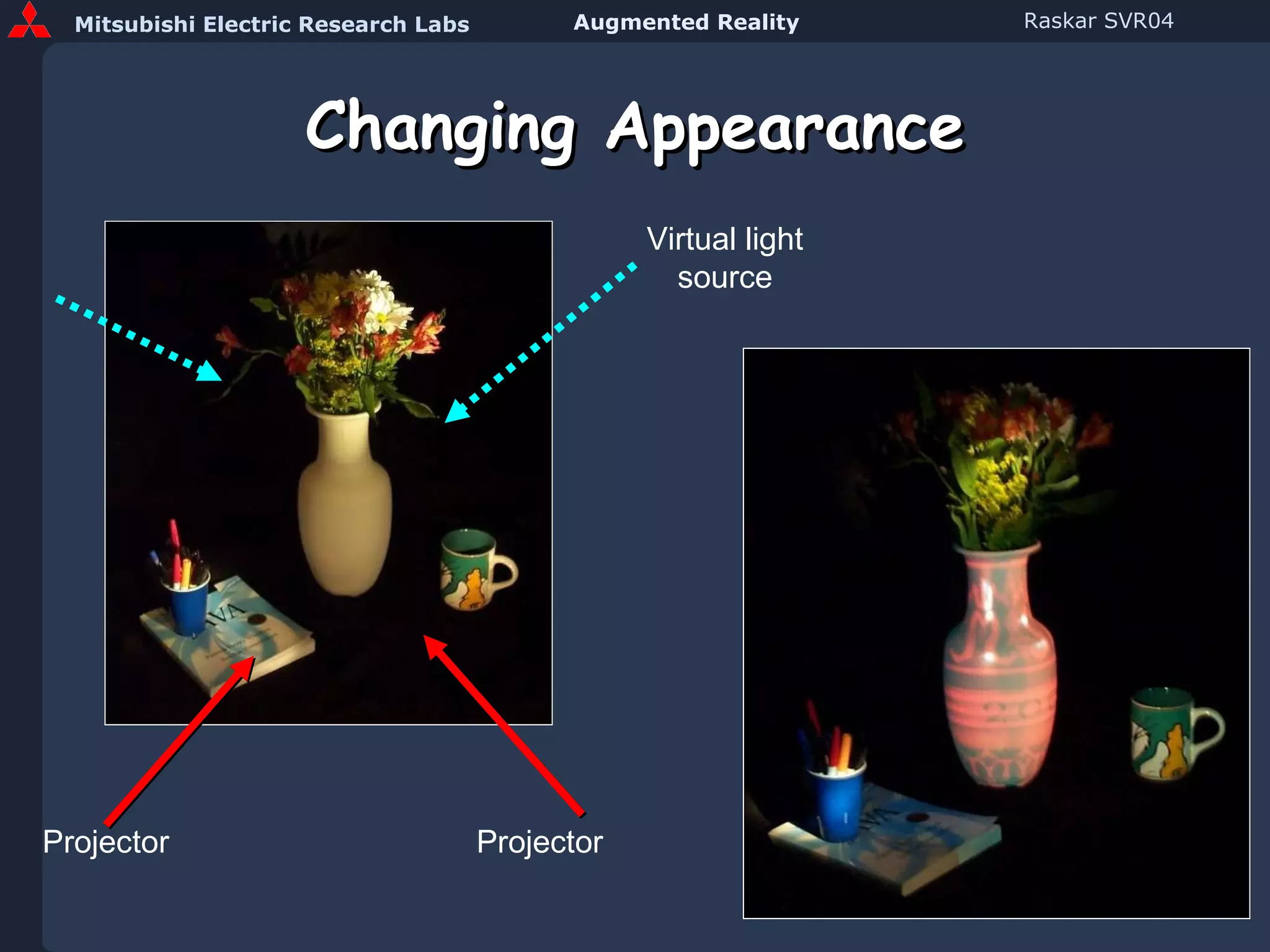
Changing Appearance Projector Projector Virtual light source
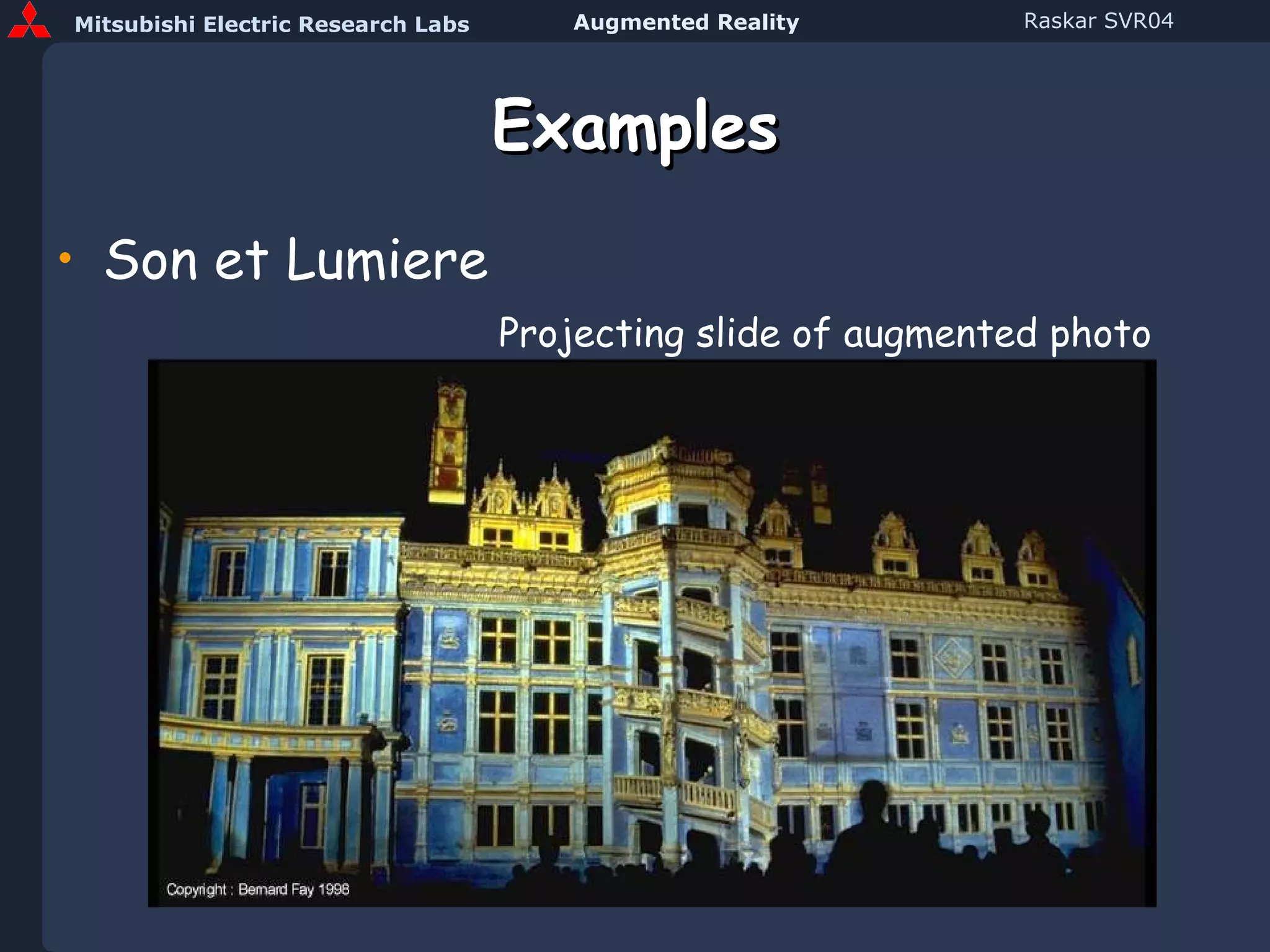
Examples Son et Lumiere Projecting slide of augmented photo
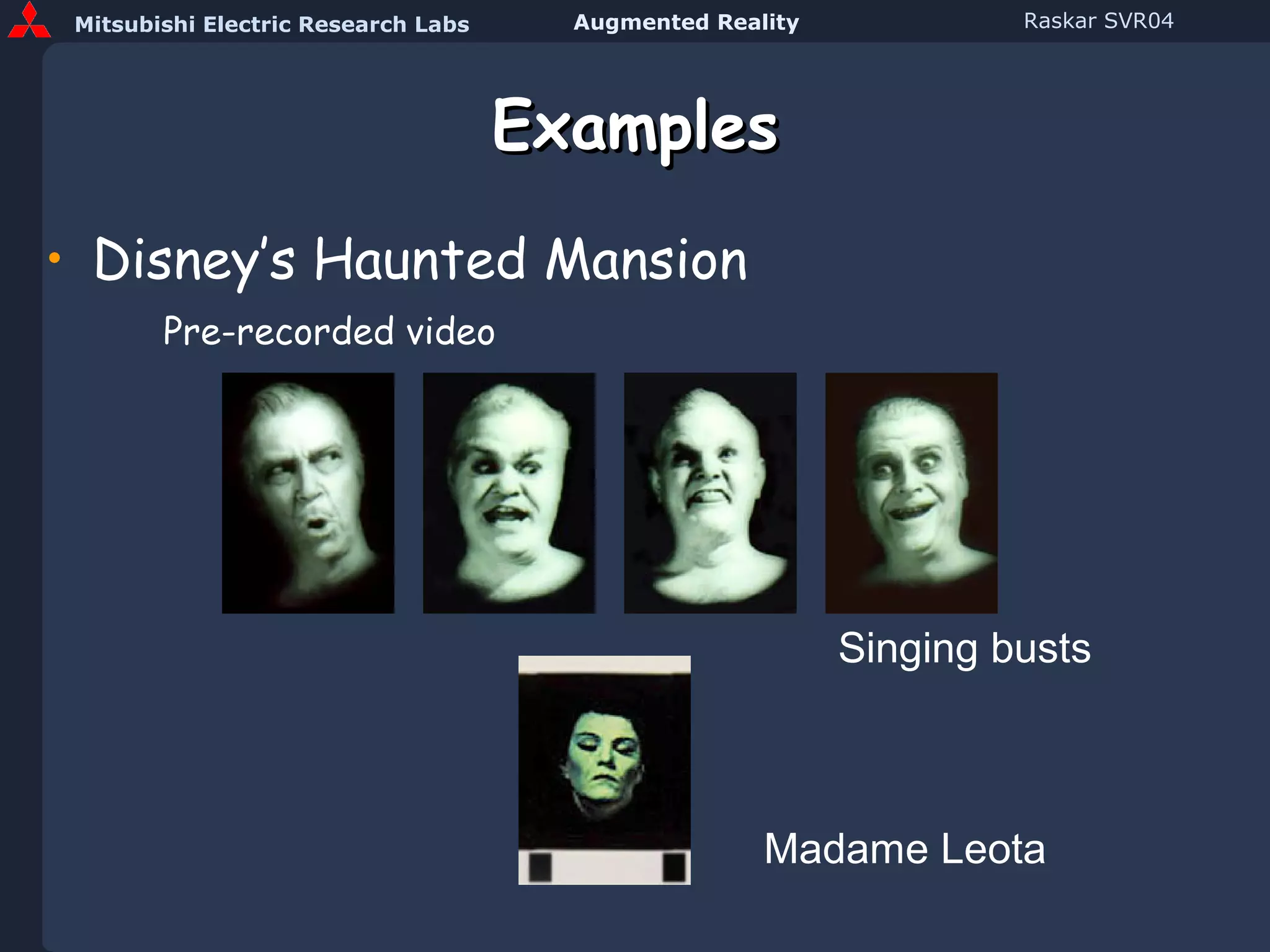
Examples Disney’s Haunted Mansion Pre-recorded video Singing busts Madame Leota
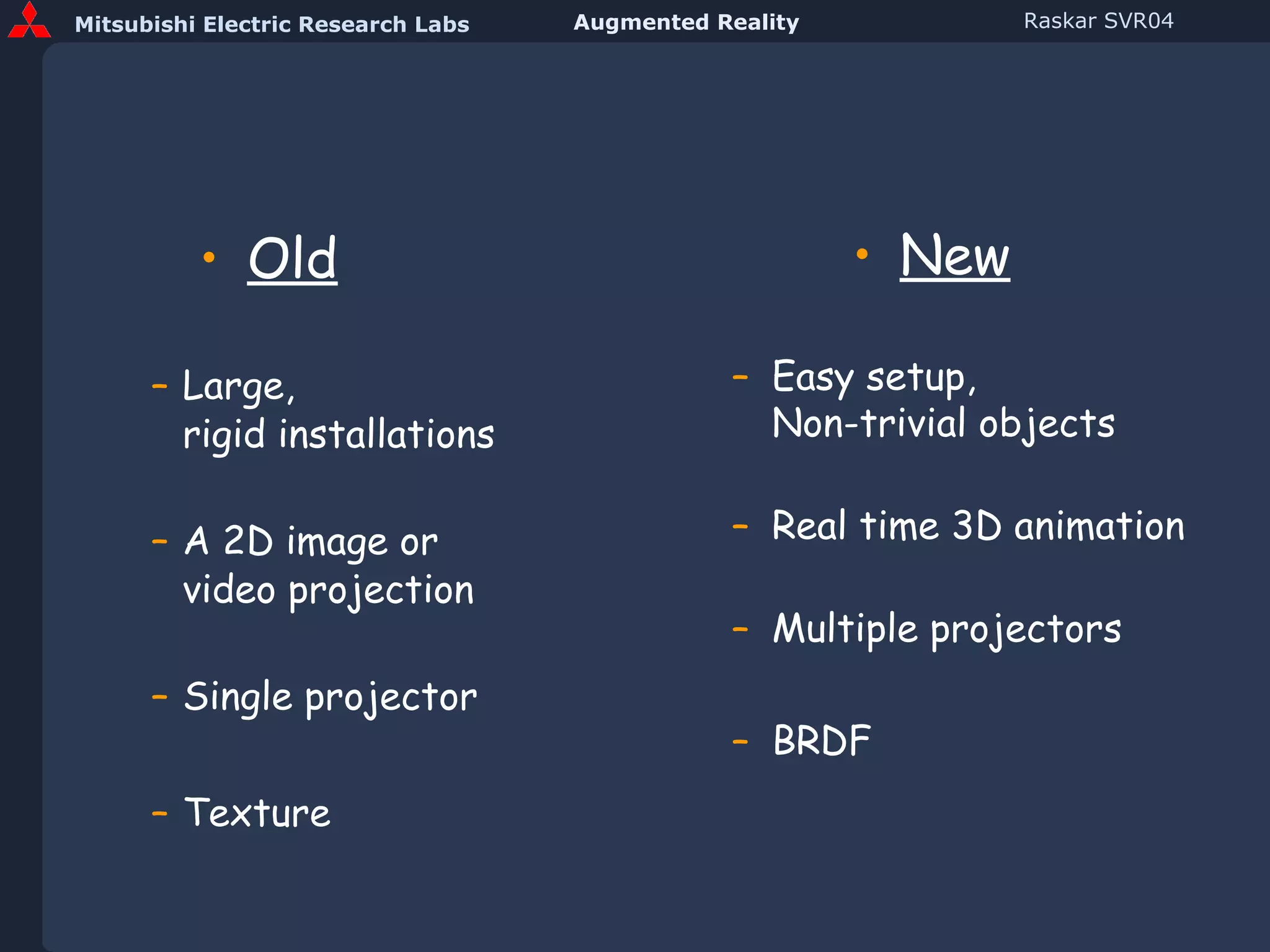
Old Large,  rigid installations A 2D image or  video projection Single projector Texture New Easy setup, Non-trivial objects Real time 3D animation Multiple projectors BRDF
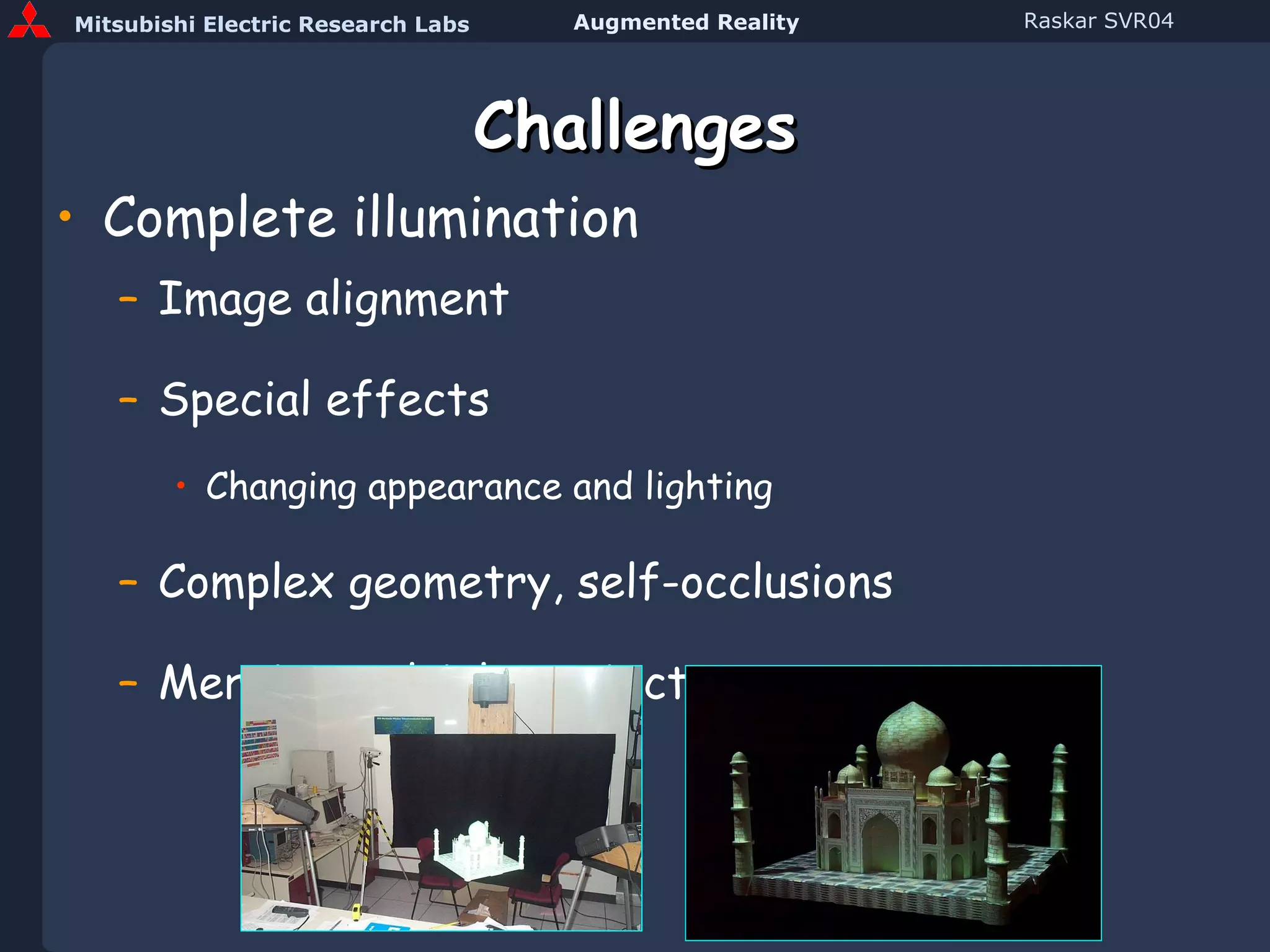
Challenges Complete illumination Image alignment Special effects  Changing appearance and lighting Complex geometry, self-occlusions Merging multiple projectors
Steps Preprocessing Scan 3D object and create model Approximately position projector(s) Compute pose,  P Find features Find pixels that illuminate them Compute intensity correction Run time Render images of 3D model Intensity correction for object shape Feathering for projector overlap
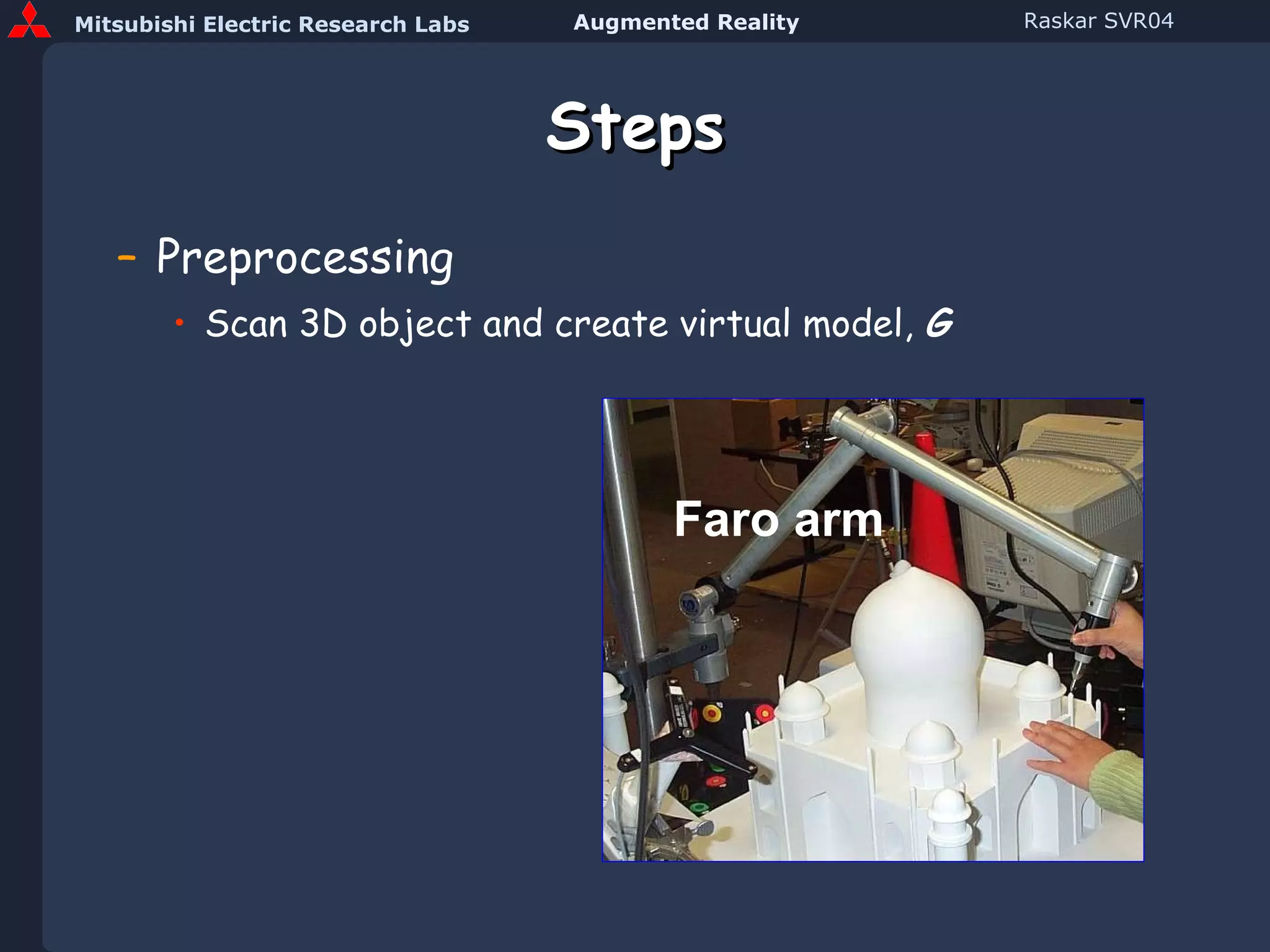
Steps Preprocessing Scan 3D object and create virtual model,  G Faro arm
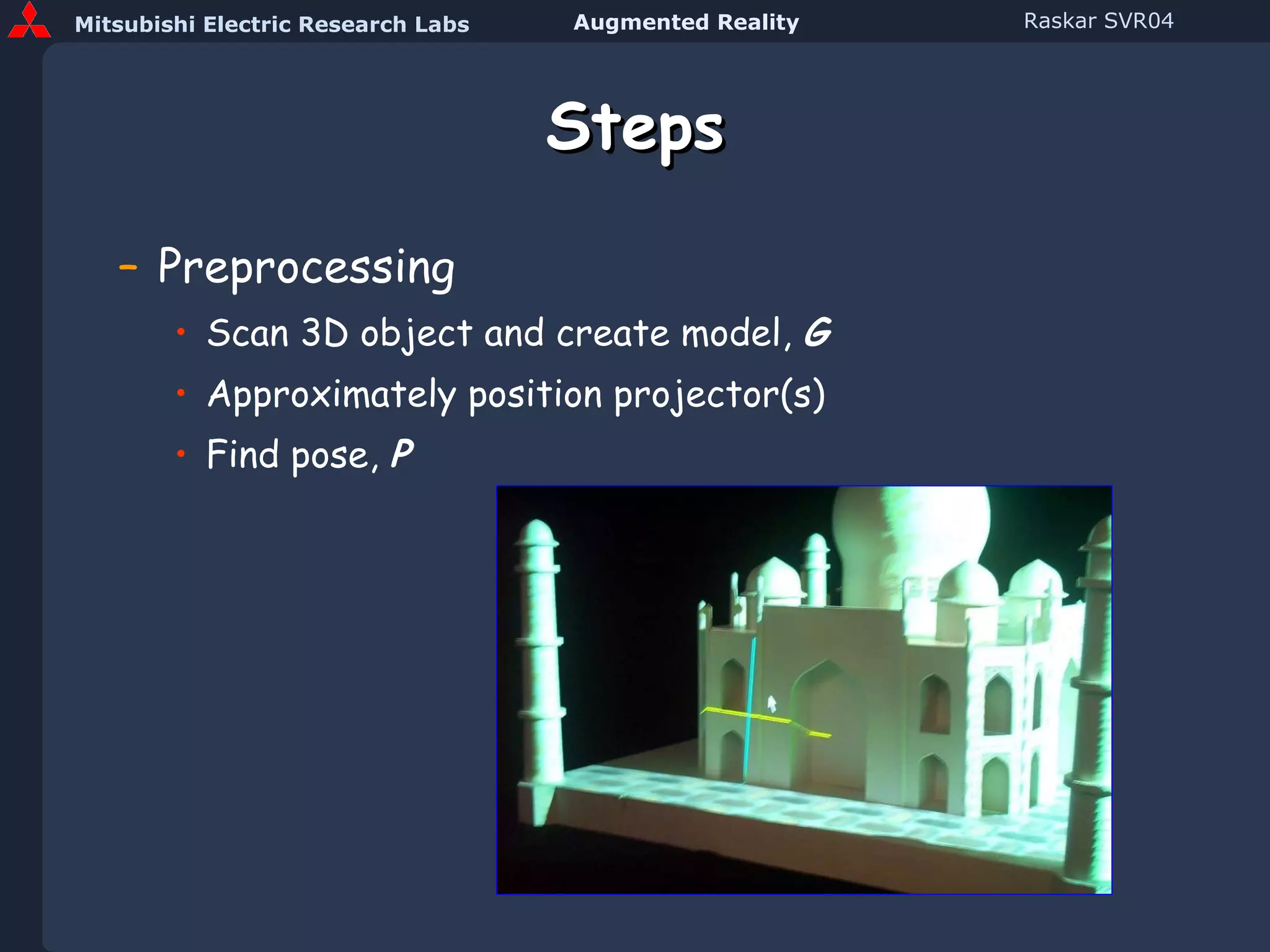
Steps Preprocessing Scan 3D object and create model,  G Approximately position projector(s) Find pose,  P
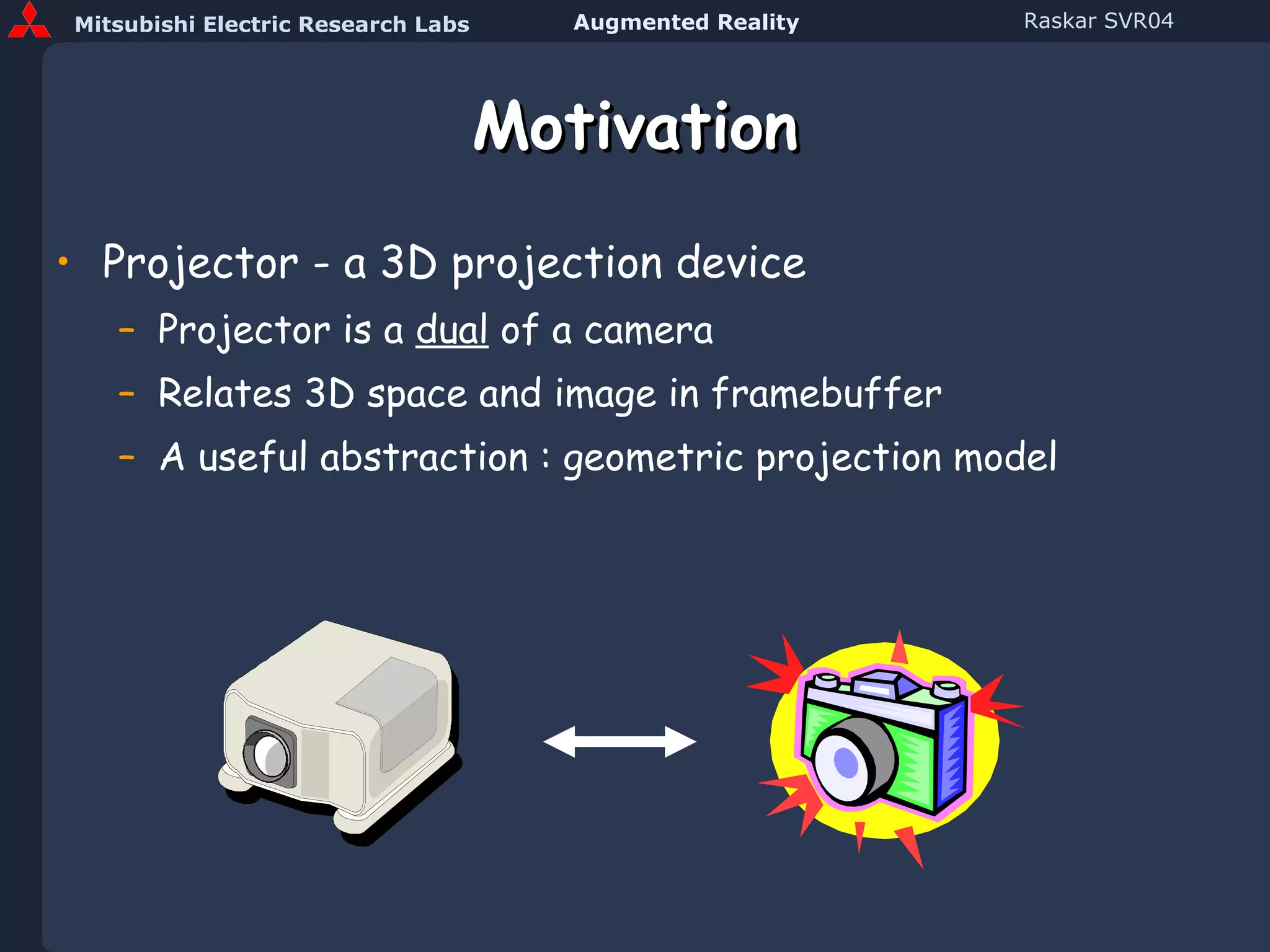
Motivation Projector - a 3D projection device Projector is a  dual  of a camera Relates 3D space and image in framebuffer A useful abstraction : geometric projection model
Projector Model Pin hole model Equations for perspective projection Relationship between 3D and 2D Intrinsic and Extrinsic Parameters
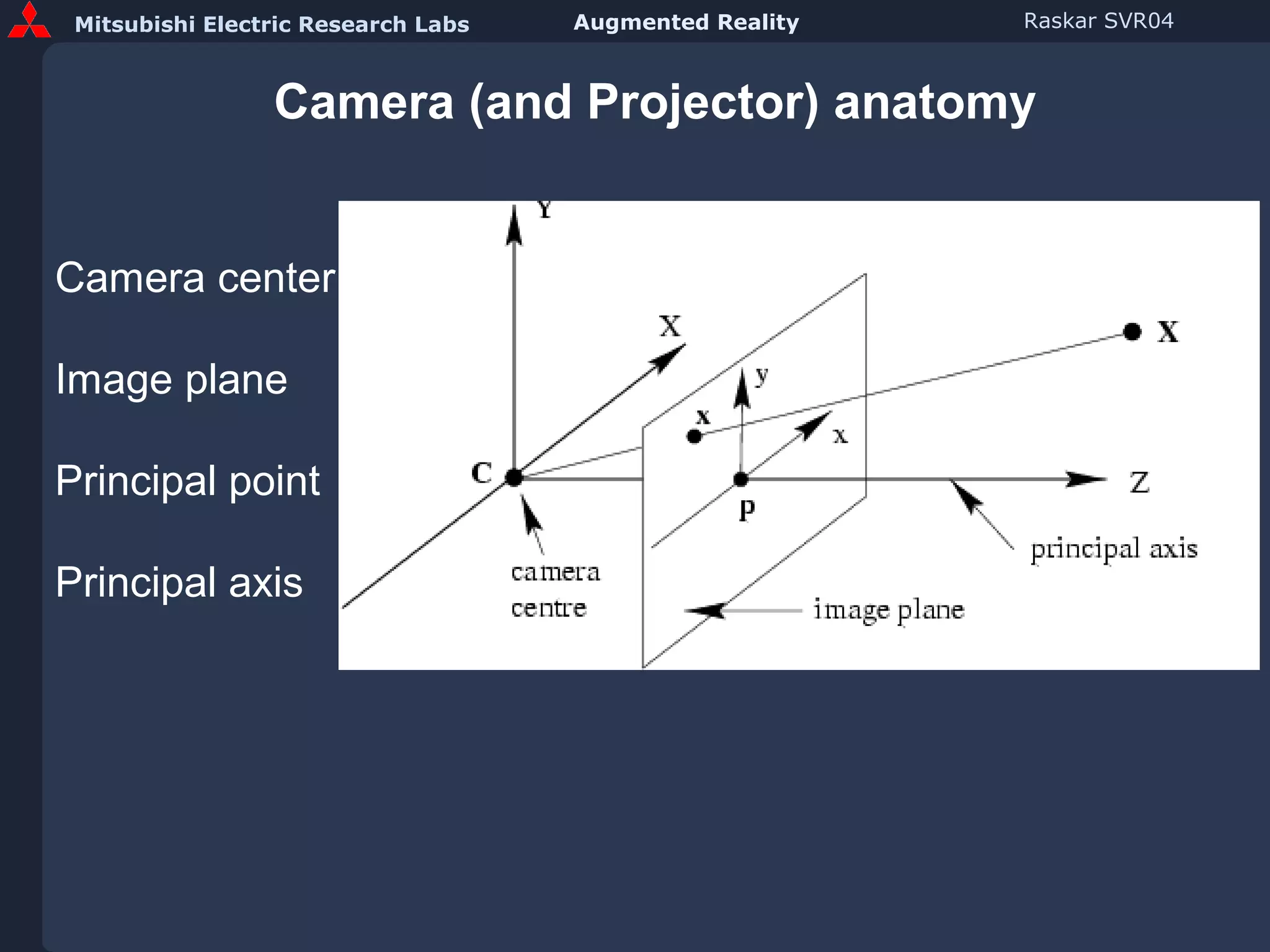
Camera (and Projector) anatomy Camera center Image plane Principal point Principal axis
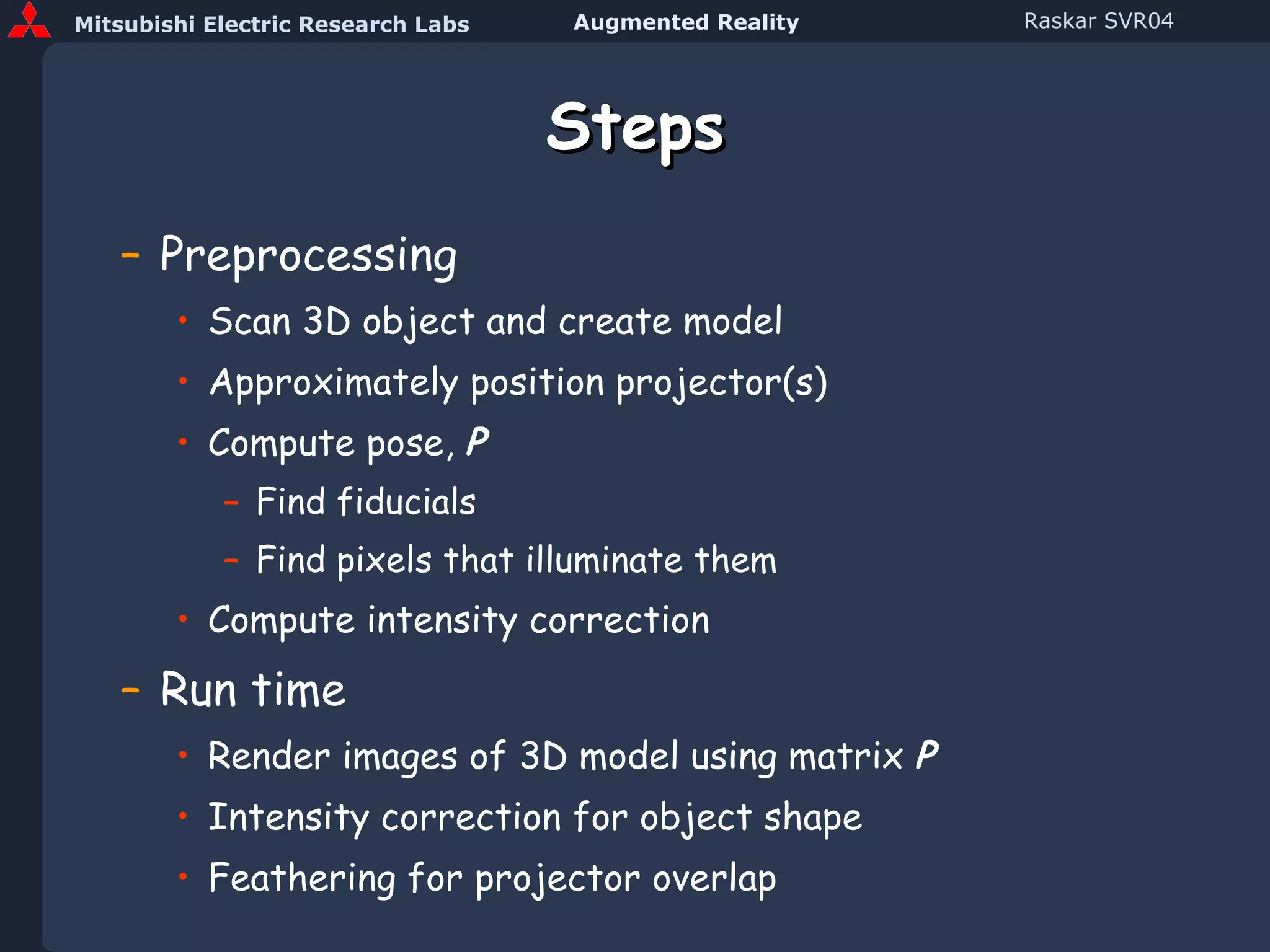
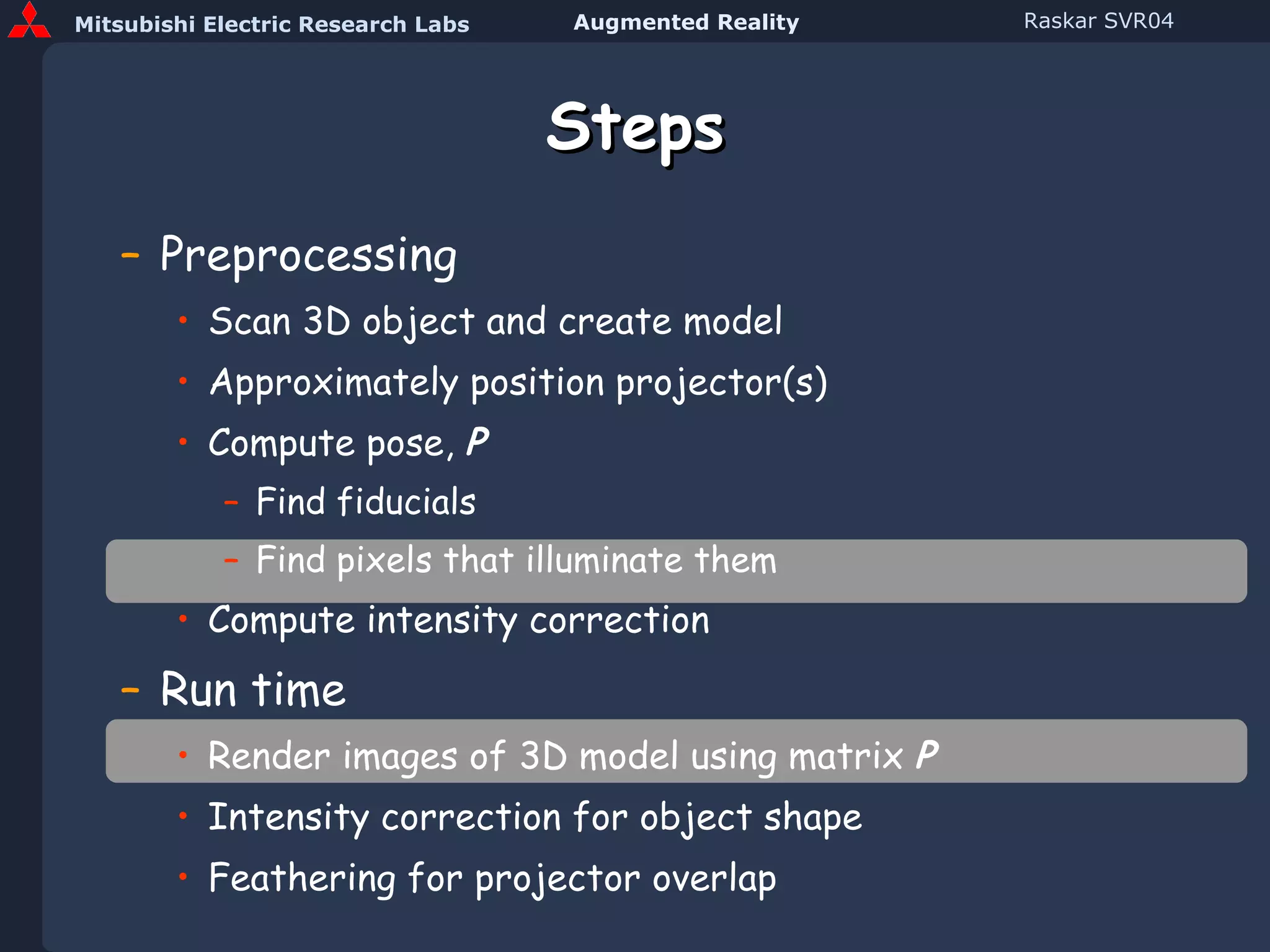
Steps Preprocessing Scan 3D object and create model Approximately position projector(s) Compute pose,  P Find fiducials Find pixels that illuminate them Compute intensity correction Run time Render images of 3D model using matrix  P Intensity correction for object shape Feathering for projector overlap
Changing Appearance Projector Projector Virtual light source
Steps Preprocessing Scan 3D object and create model Approximately position projector(s) Compute pose,  P Find fiducials Find pixels that illuminate them Compute intensity correction Run time Render images of 3D model using matrix  P Intensity correction for object shape Feathering for projector overlap
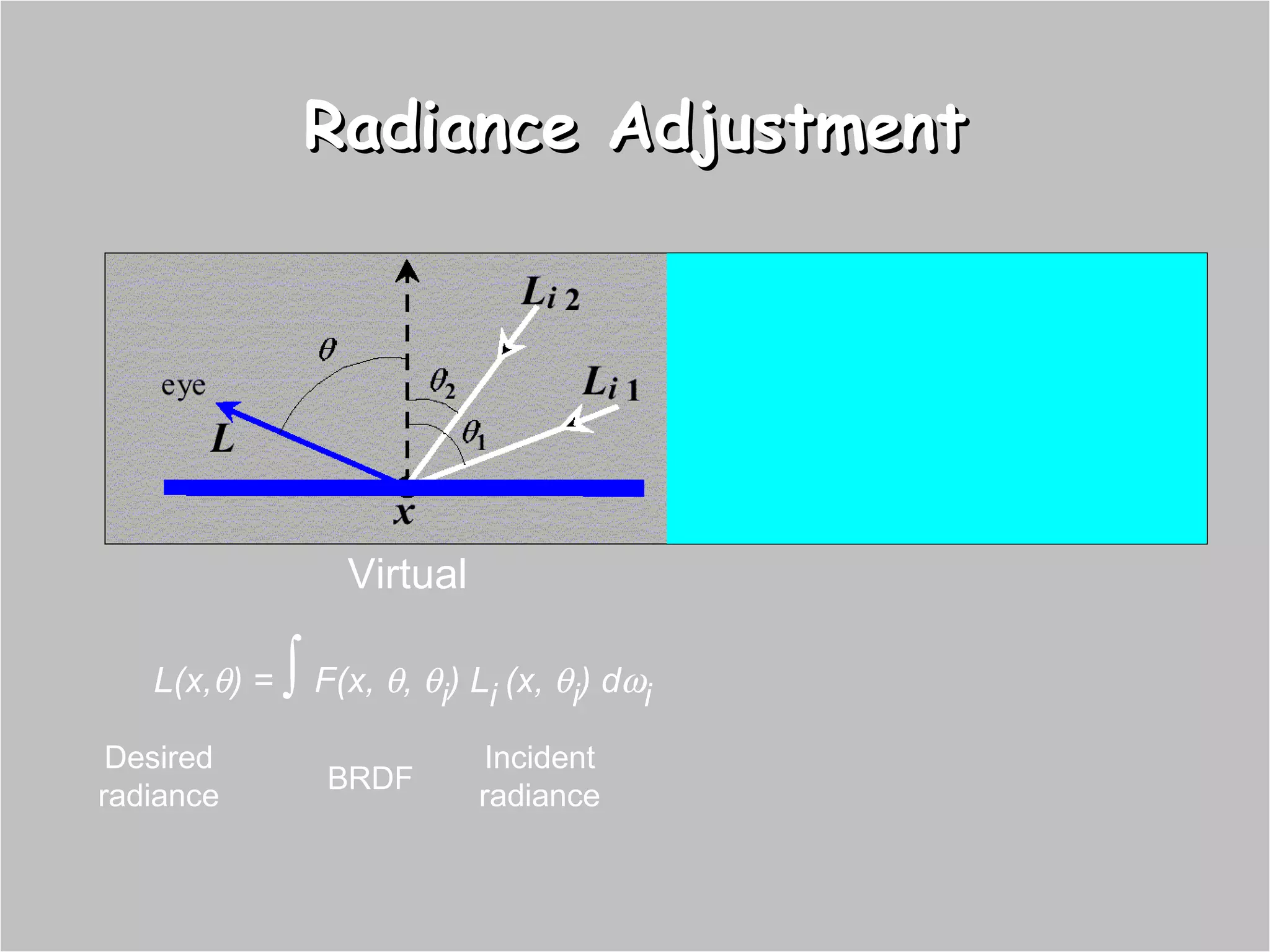
Radiance Adjustment Virtual L(x,  ) =     F(x,   ,   i ) L i   (x,   i ) d  i I d Desired radiance BRDF Incident radiance
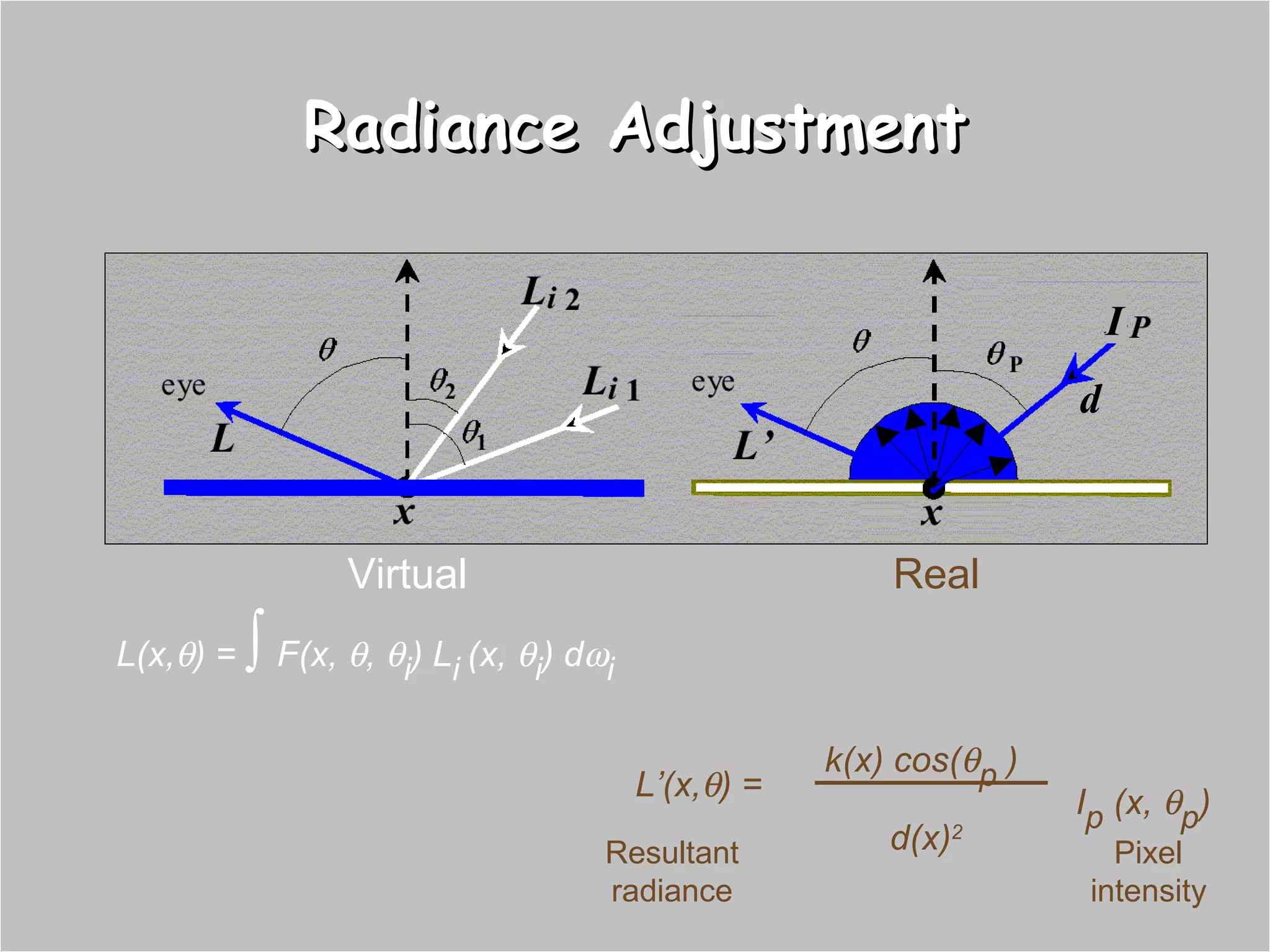
Radiance Adjustment k(x) cos(  p  )  d(x) 2 Real L(x,  ) =     F(x,   ,   i ) L i   (x,   i ) d  i L’(x,  ) = I d I p  (x,   p ) Virtual Resultant radiance Pixel intensity
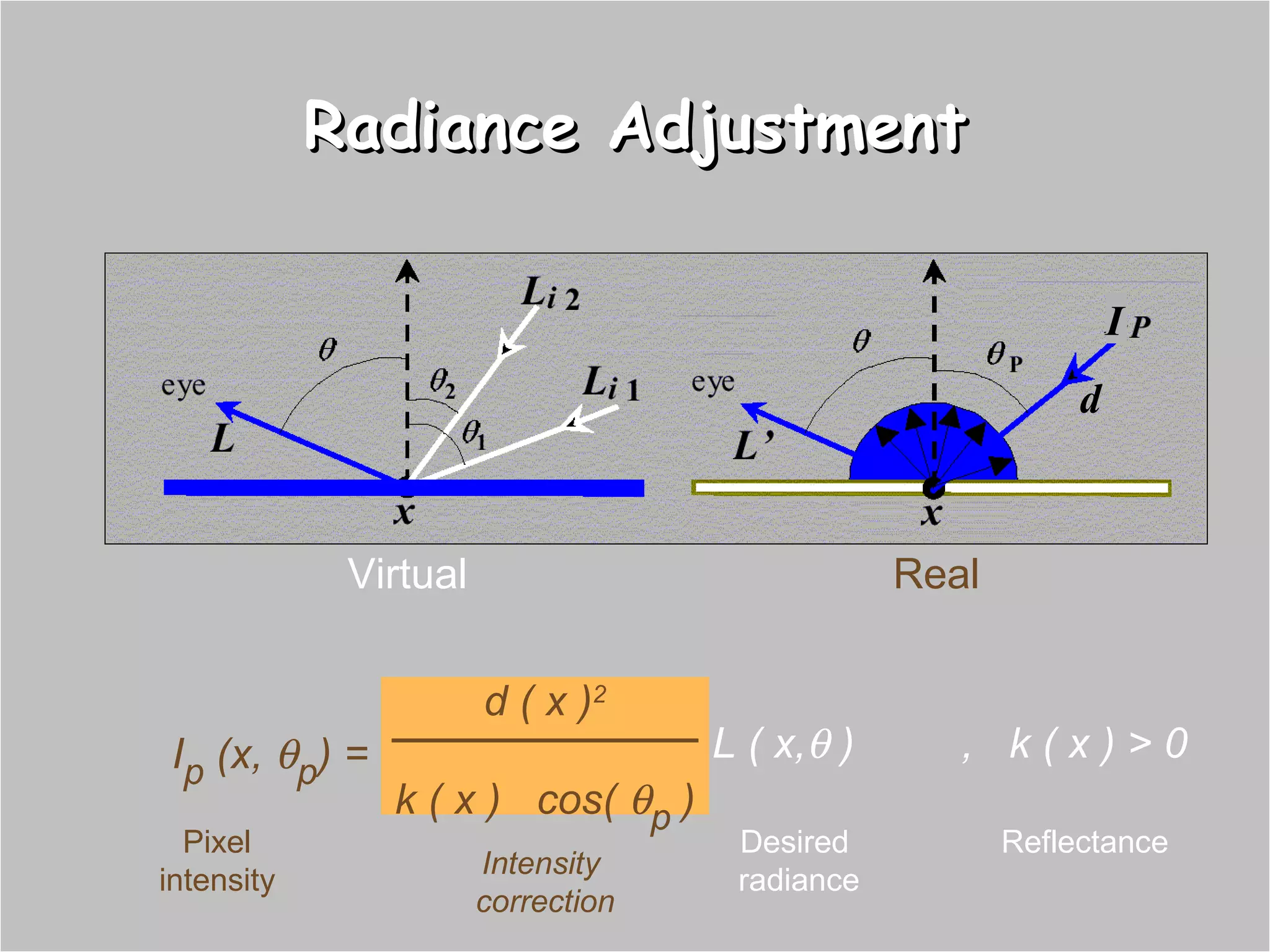
Radiance Adjustment d ( x ) 2 k ( x )  cos(   p  ) I p  (x,   p ) = I d ,  k ( x ) > 0 L ( x,   ) Virtual Real Intensity  correction Desired  radiance Pixel intensity Reflectance
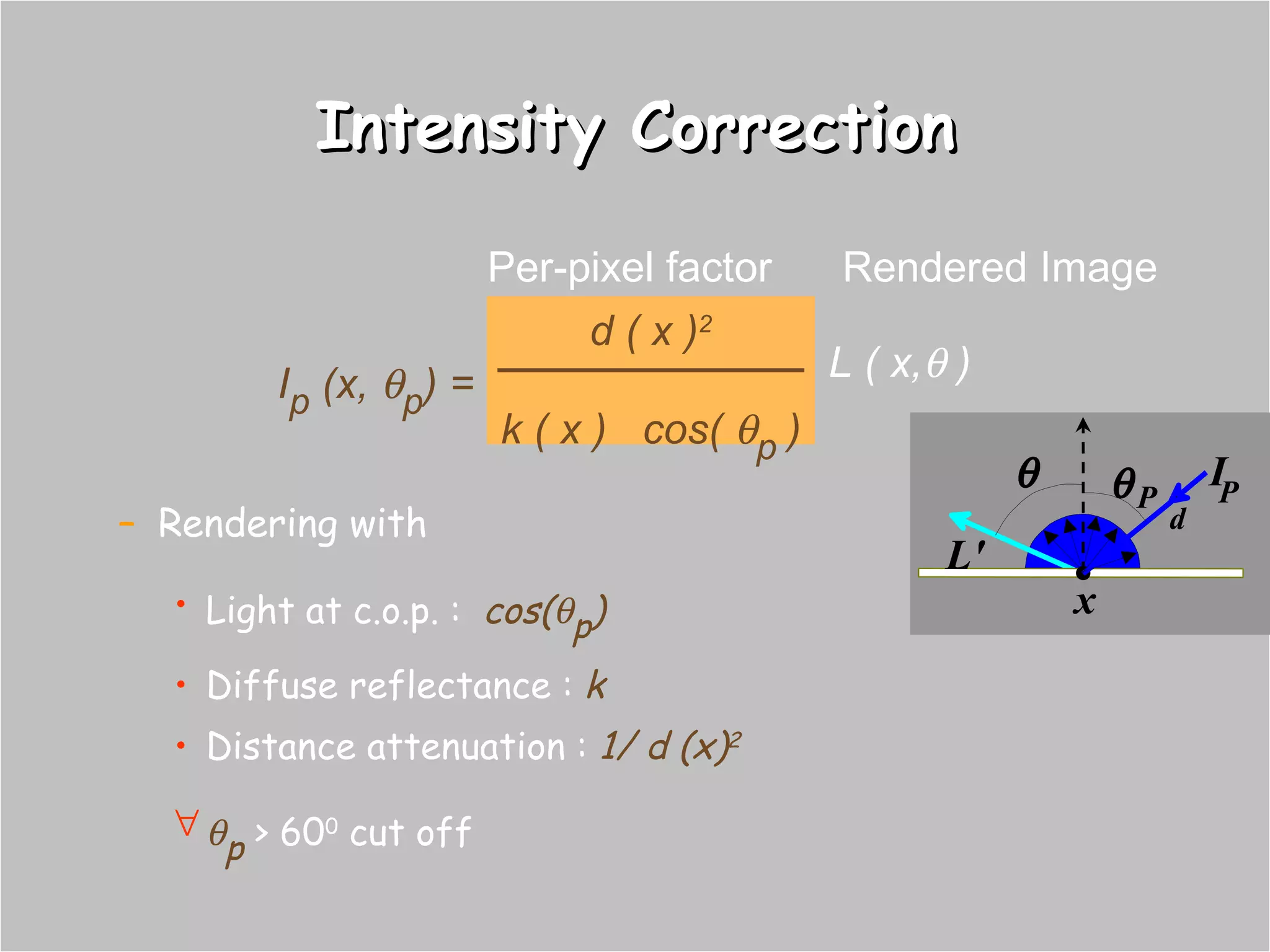
Rendering with Light at c.o.p. :  cos(  p ) Diffuse reflectance :  k Distance attenuation :  1/ d (x) 2  p  > 60 0  cut off Intensity Correction Per-pixel factor x L'   P I P d Rendered Image d ( x ) 2 k ( x )  cos(   p  ) I p  (x,   p ) = L ( x,   )
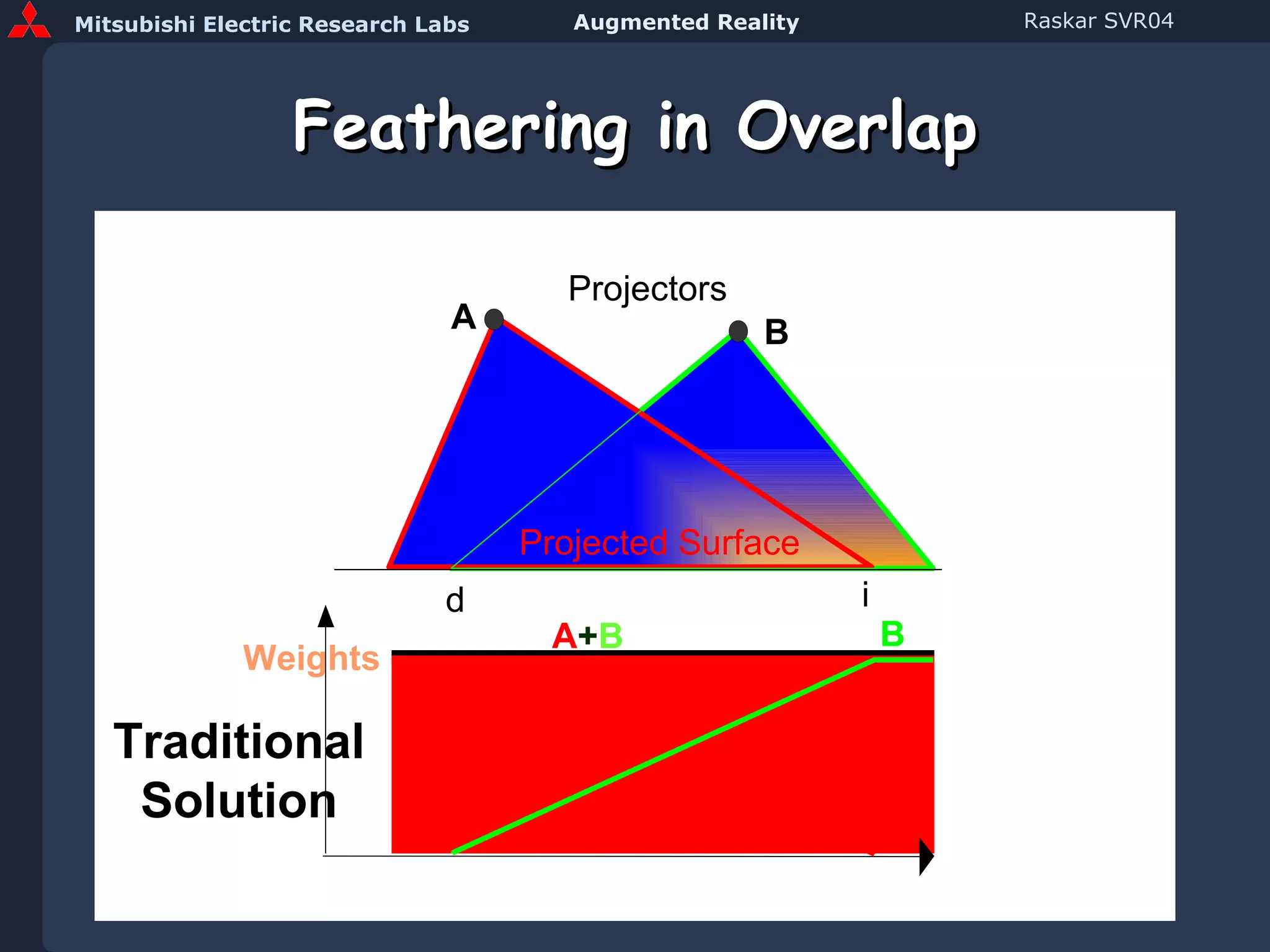
Feathering in Overlap A B Projectors i d Traditional Solution A + B Projected Surface Weights A B
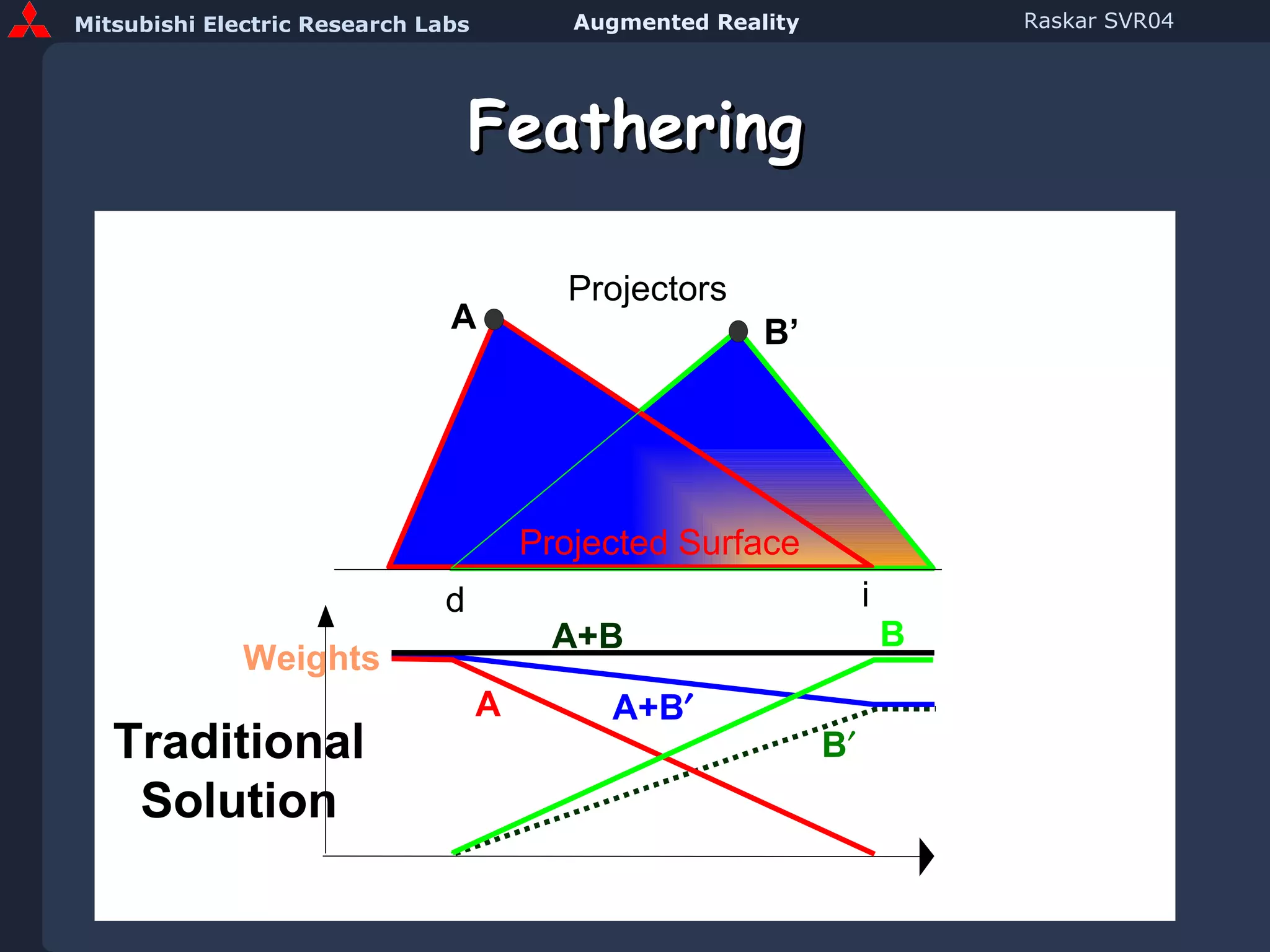
Feathering A B’ Projectors i d Traditional Solution A+B Projected Surface Weights B  A+B  A B
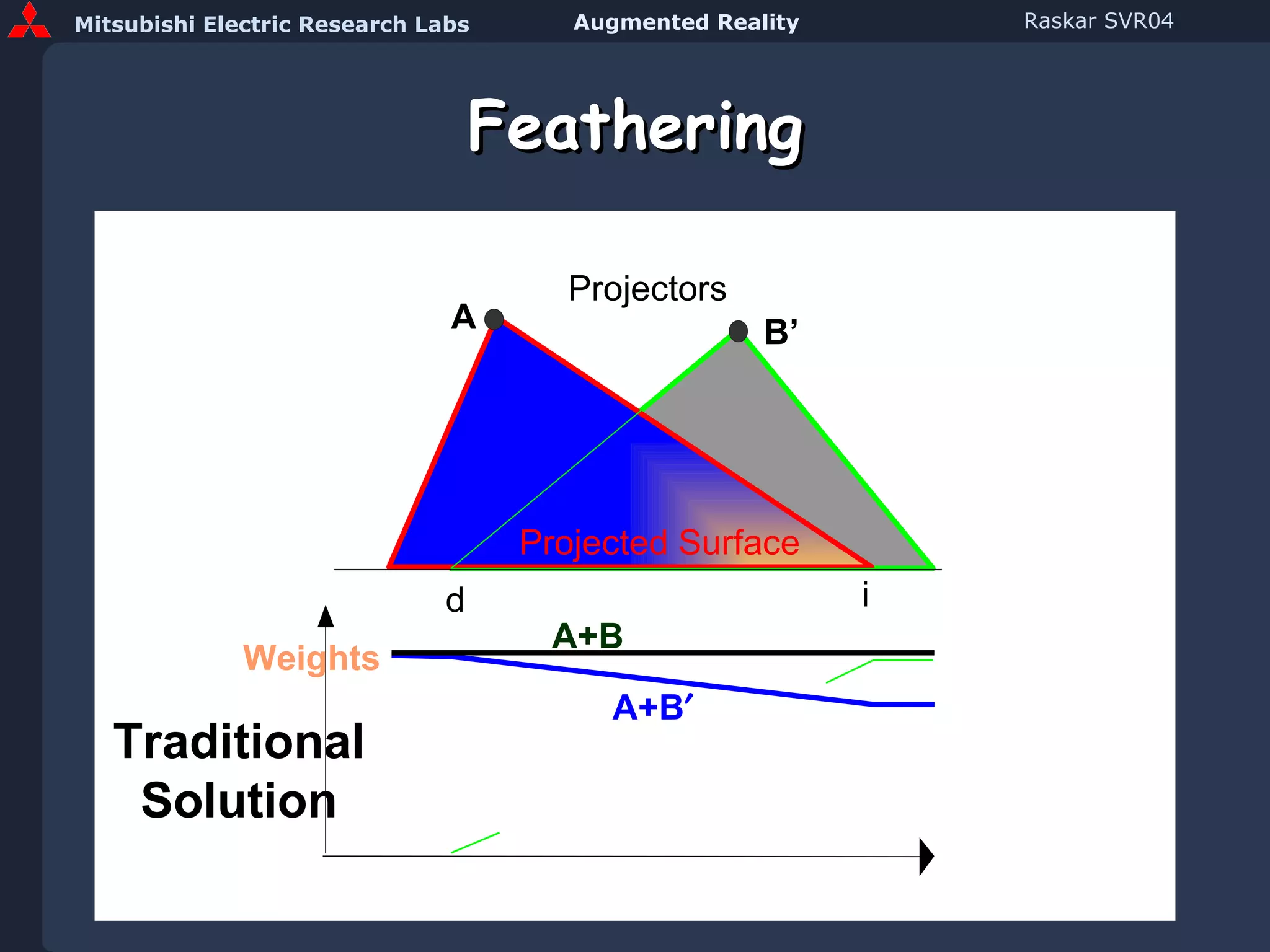
Feathering A B’ Projectors i d Traditional Solution A+B Projected Surface Weights A+B 
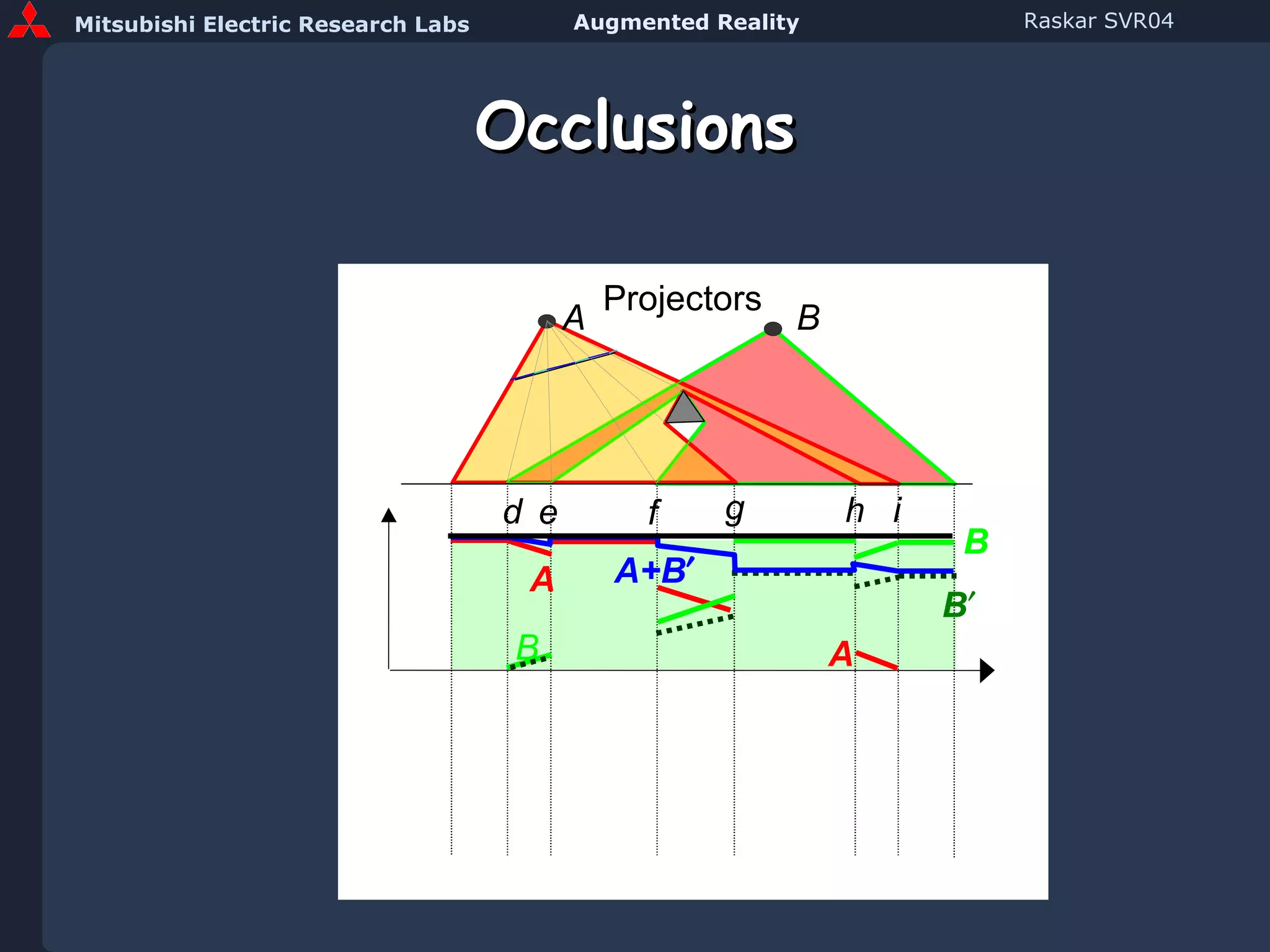
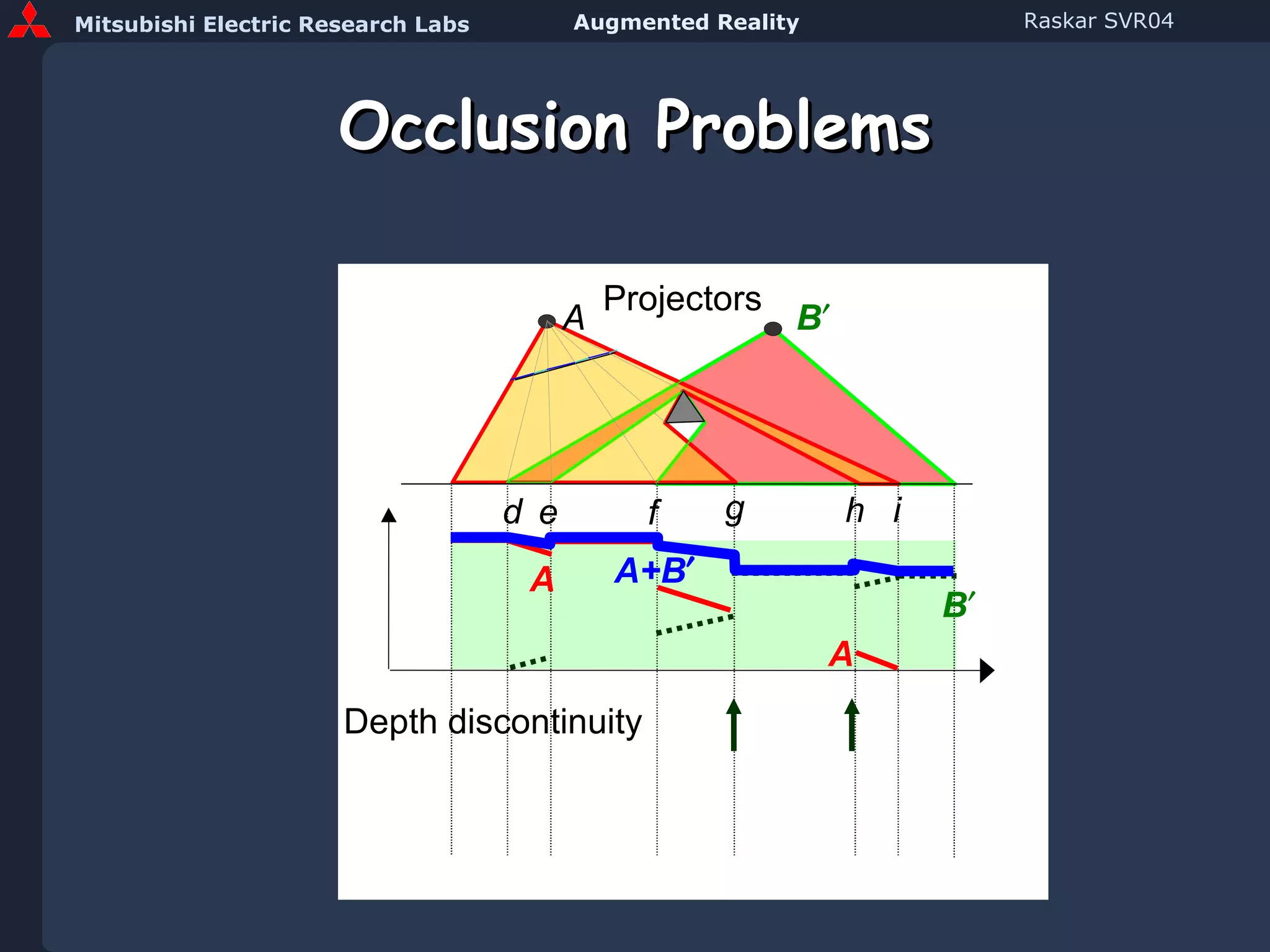
Occlusions A B Projectors h g d e f i A A B B B  A+B 
Occlusion Problems A B  Projectors h g d e f A+B  i Depth discontinuity A A B 
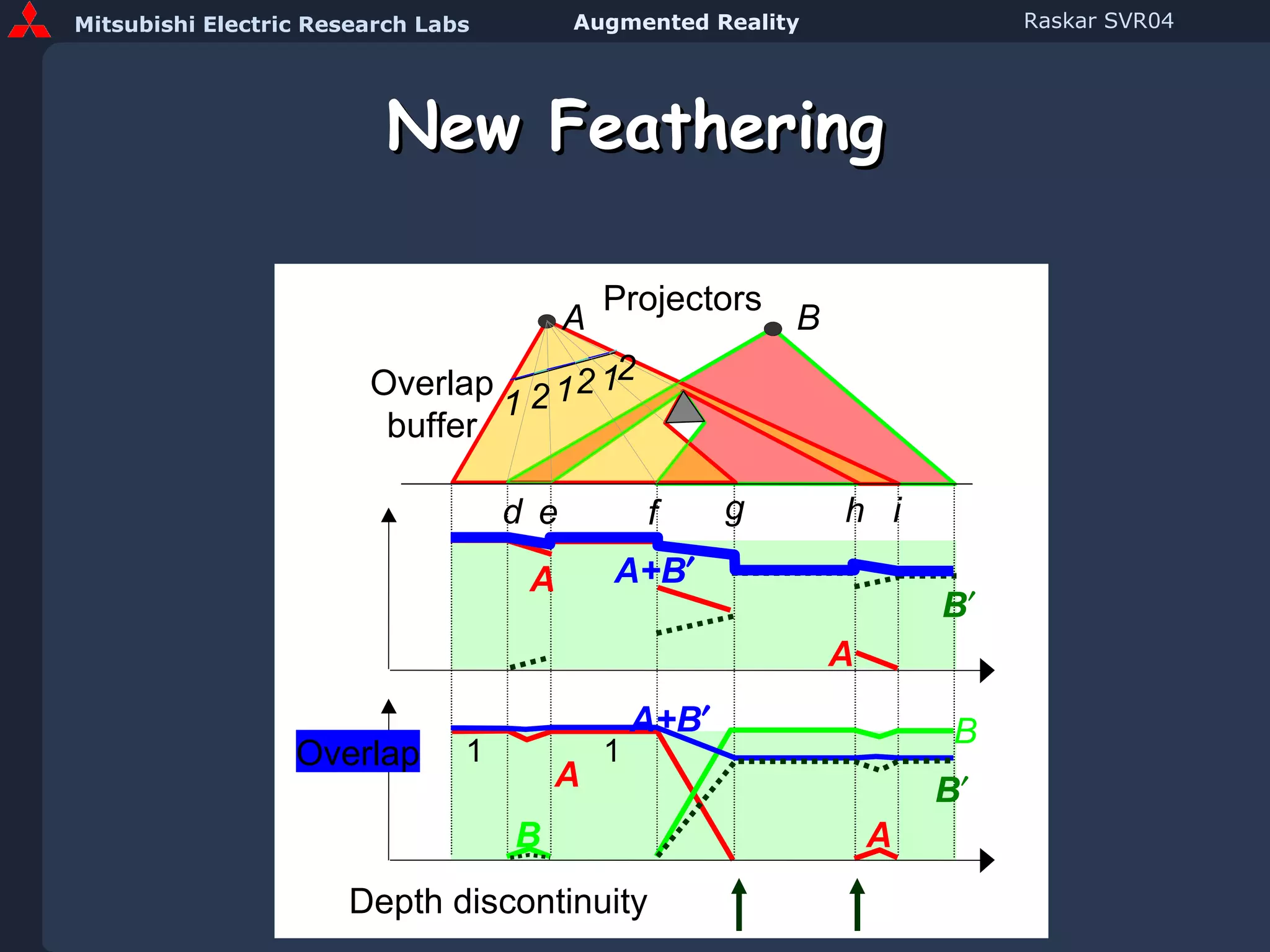
New Feathering A B Projectors h g d e f A+B  Overlap buffer 1 1 1 2 2 2 i Depth discontinuity Overlap 1 1 A A A A B B B  A+B  B 
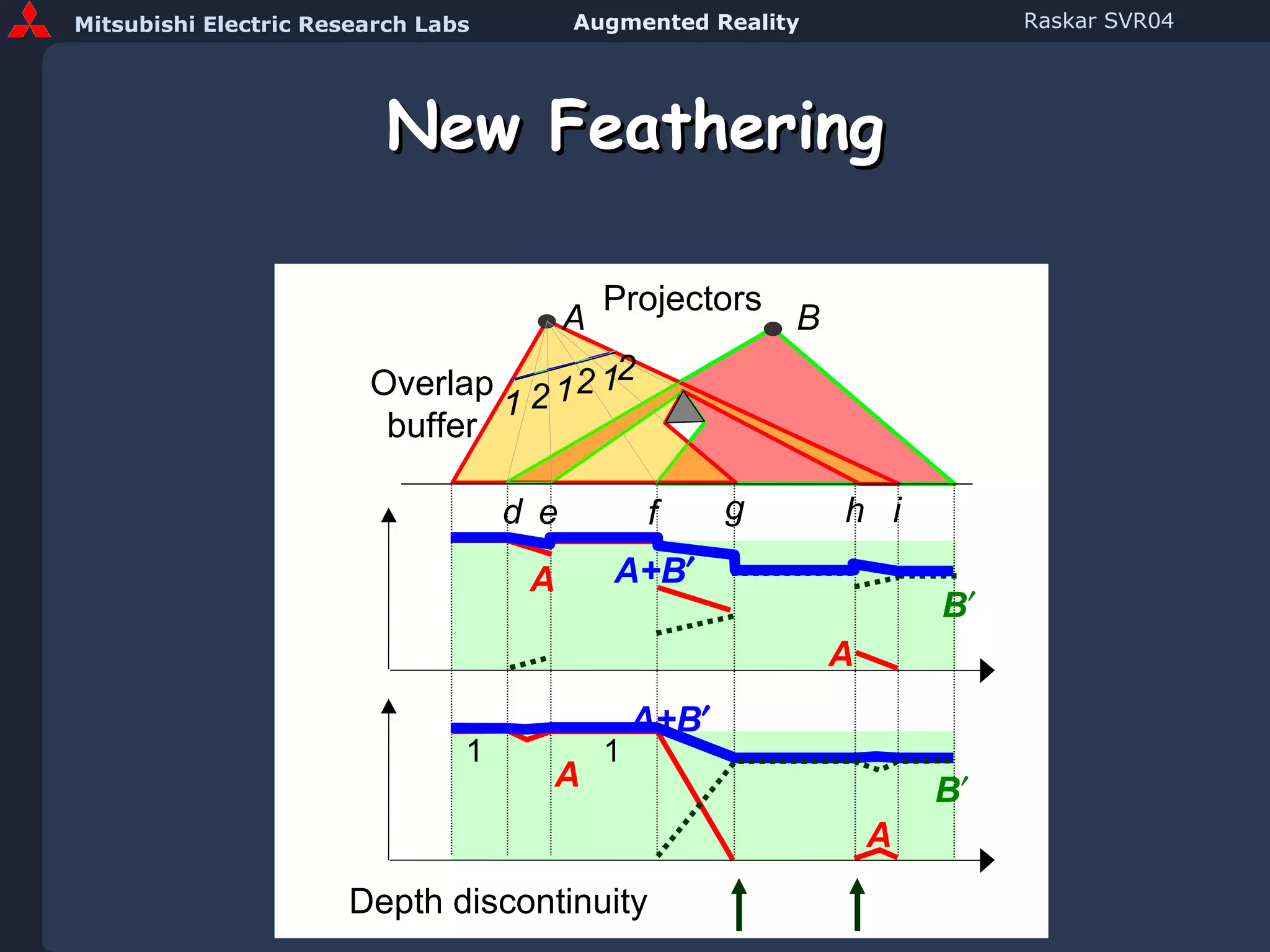
New Feathering A B Projectors h g d e f A+B  A+B  Overlap buffer 1 1 1 2 2 2 i Depth discontinuity 1 1 A A A A B  B 
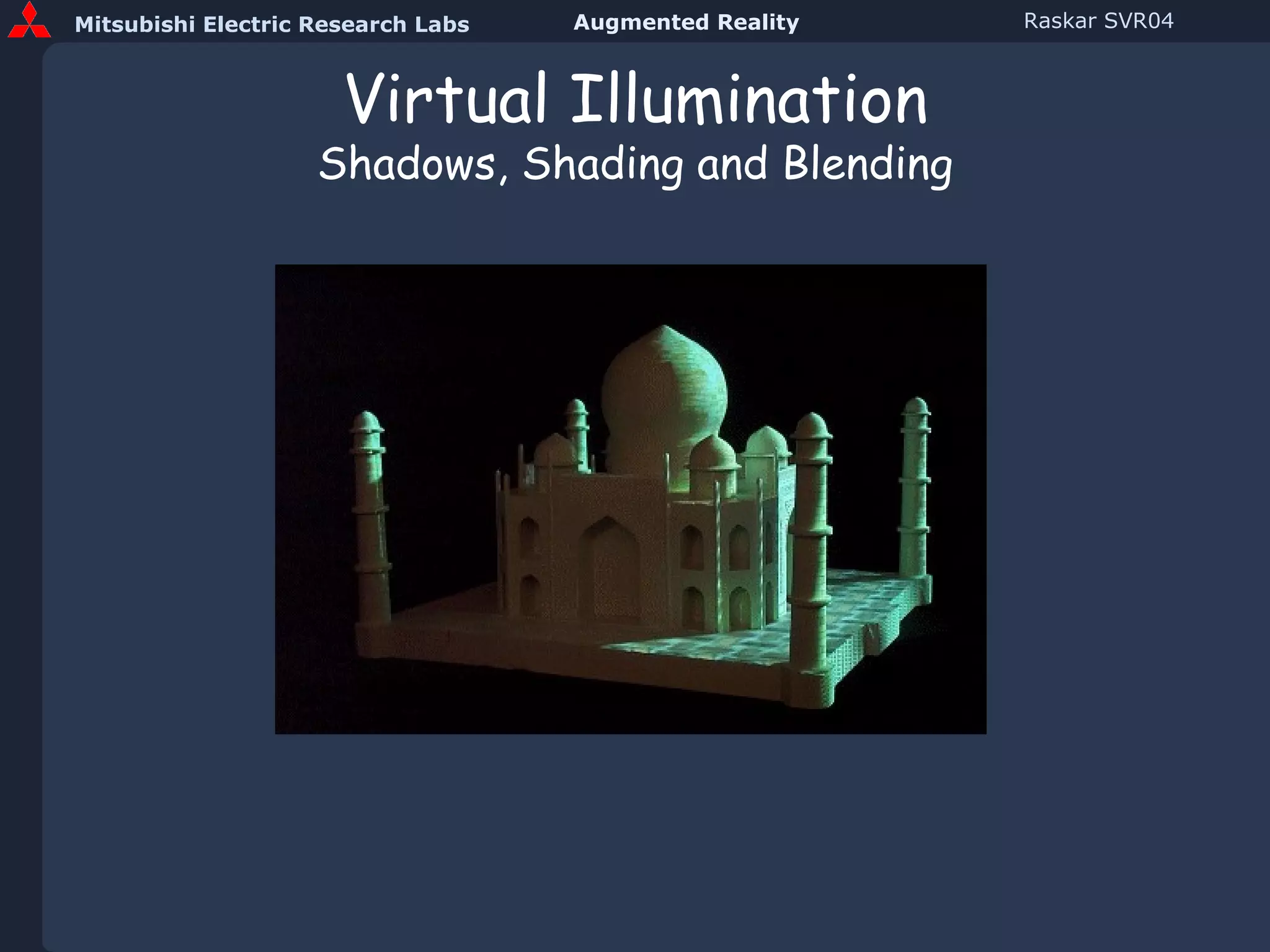
Virtual Illumination Shadows, Shading and Blending
Steps Preprocessing Scan 3D object and create model,  G Approximately position projector(s) Compute pose,  P Compute intensity correction,   Run time Render image [  I  ]   using   model  G  from pose  P
Steps Preprocessing Scan 3D object and create model Approximately position projector(s) Compute pose Compute intensity correction Run time Render image [  I  ] Apply intensity correction for object shape [    ] * [  I  ] Apply feathering for projector overlap, [   ] * [    ]  * [   I   ]
Steps Preprocessing Scan 3D object and create model Approximately position projector(s) Compute pose Compute intensity correction Run time Render image [  I  ] Intensity correction, [    ]   *   [  I  ] Feathering, [   ]  *  [    ]  *   [   I   ]
Steps Preprocessing Scan 3D object and create model,  G Approximately position projector(s) Compute pose,  P Find fiducials Find pixels that illuminate them Find projector pose Run time Render 3D model  G   from  P  ,  [   I   ] Intensity correction for object shape [    ]  *   [   I   ] Feathering for projector overlap [   ]  *  [    ]  *   [   I   ]
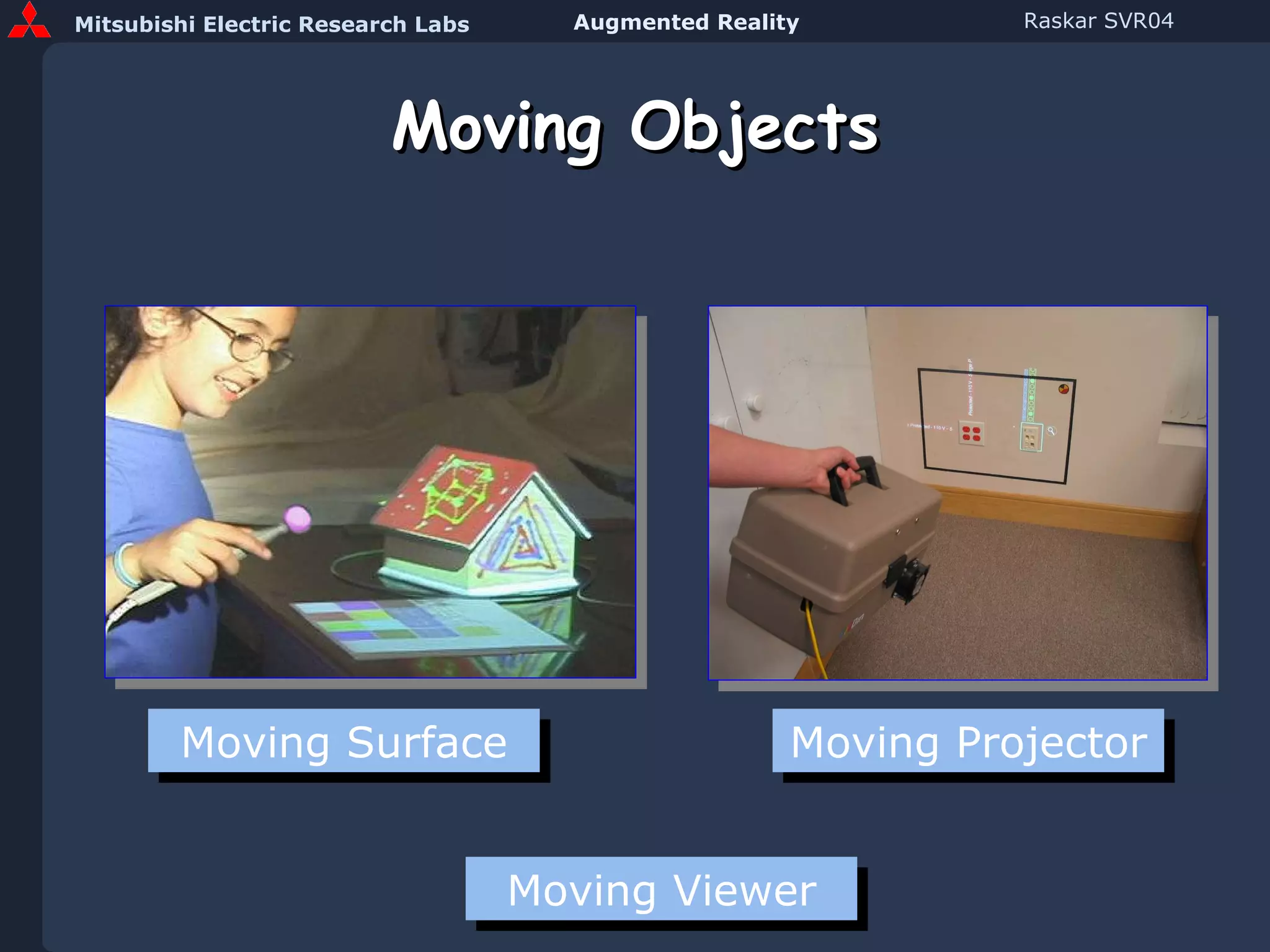
Moving Objects Moving Surface Moving Projector Moving Viewer
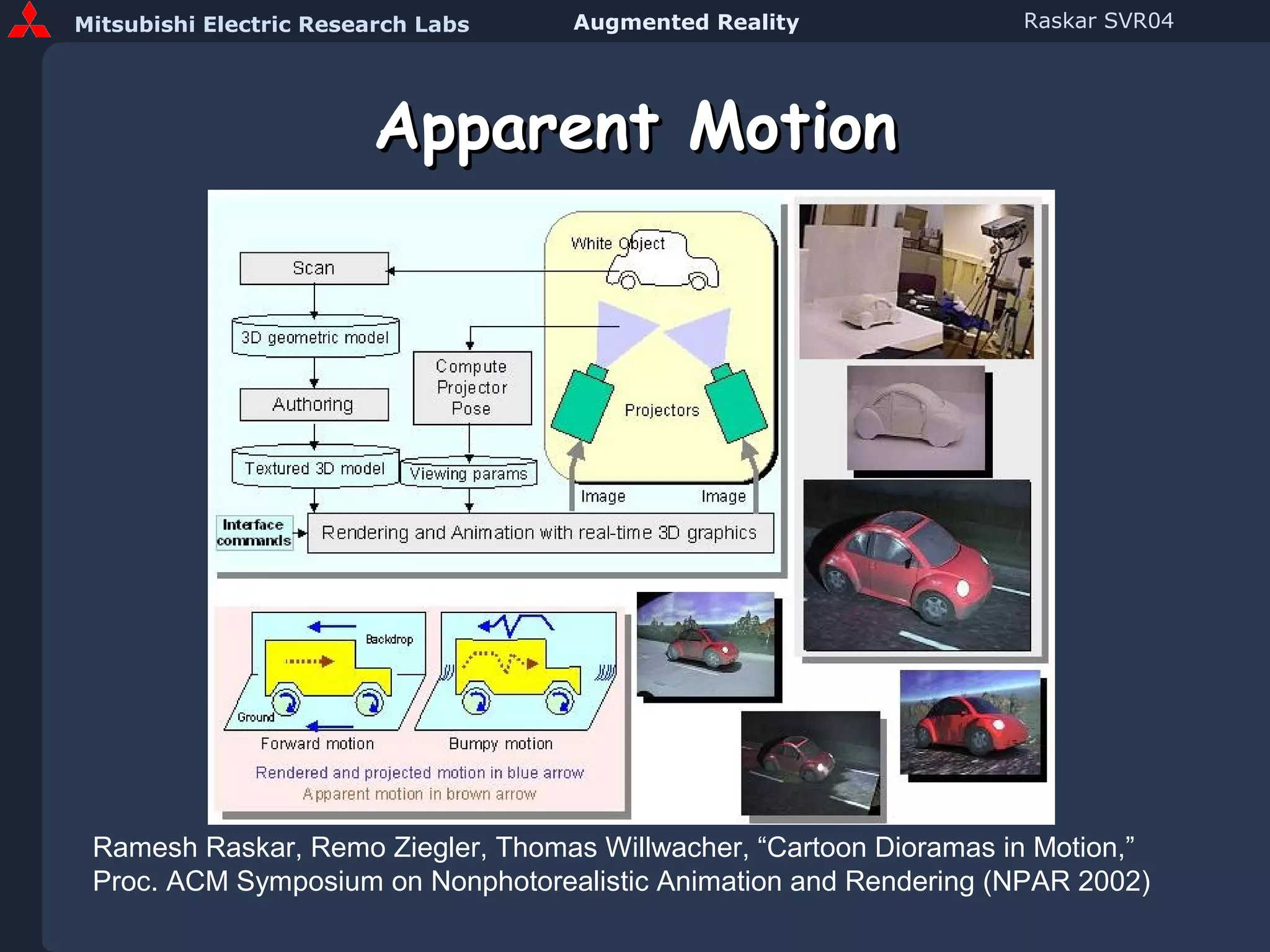
Apparent Motion Ramesh Raskar, Remo Ziegler, Thomas Willwacher, “Cartoon Dioramas in Motion,” Proc. ACM Symposium on Nonphotorealistic Animation and Rendering (NPAR 2002)
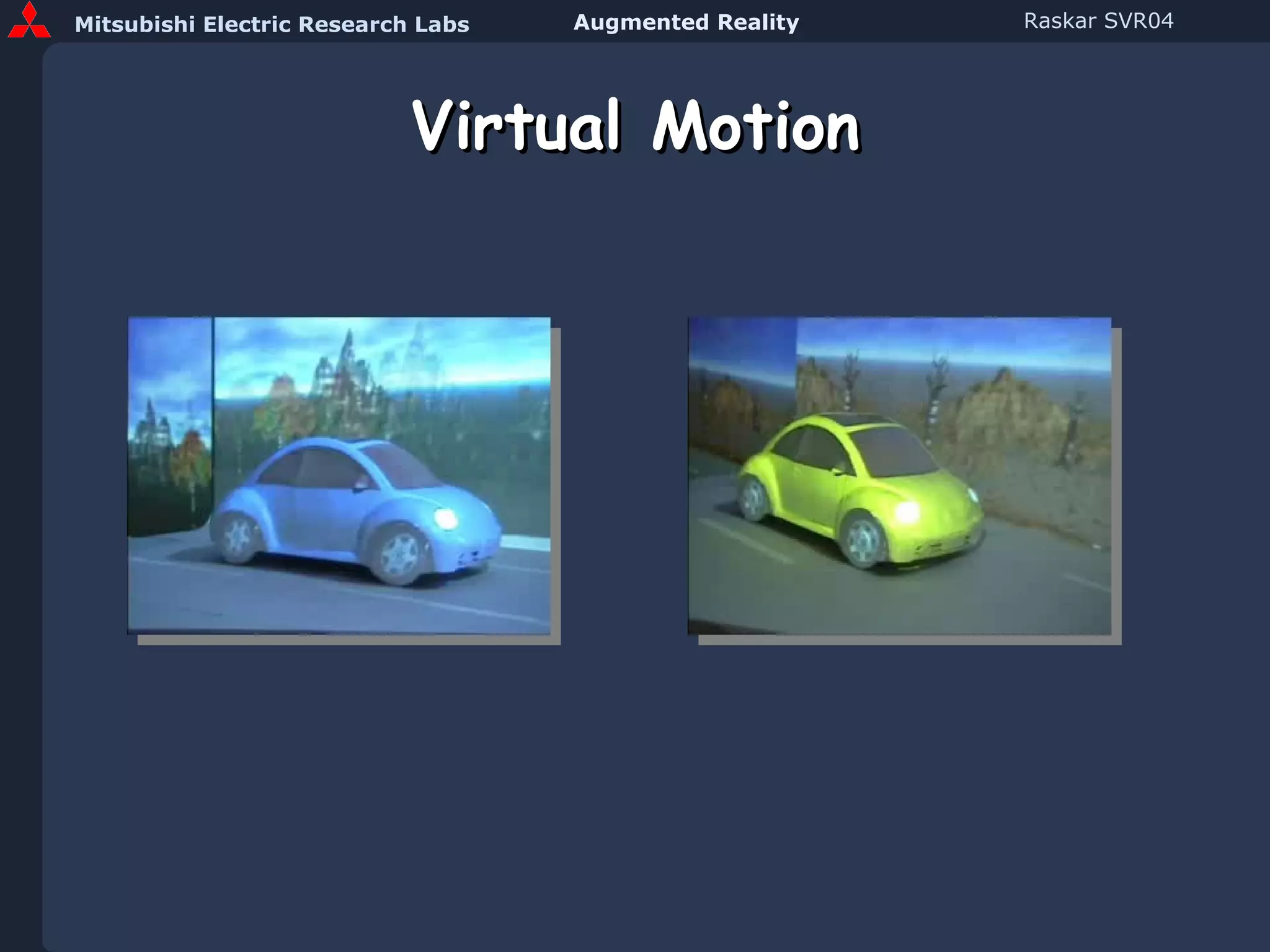
Virtual Motion
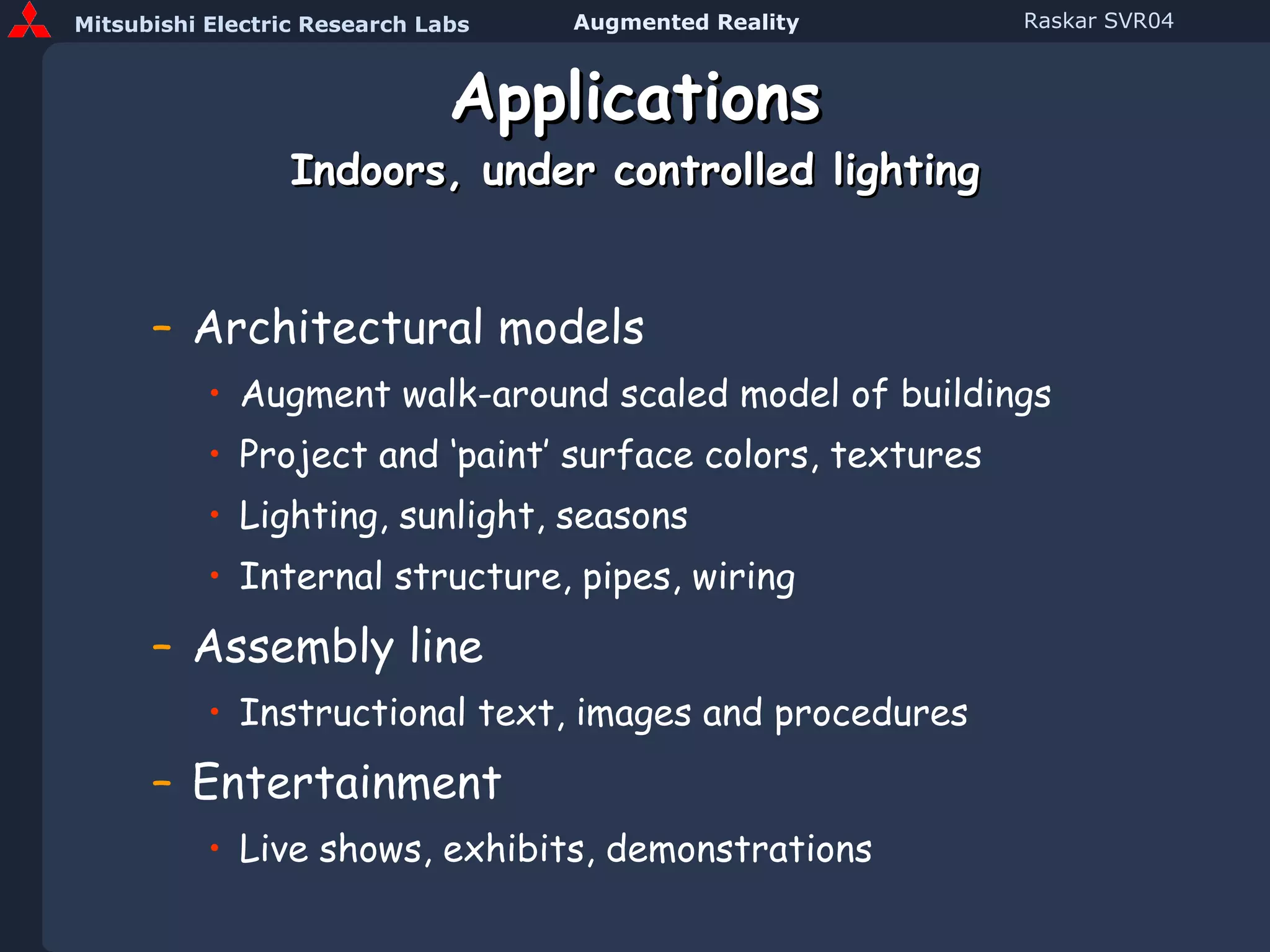
Applications Indoors, under controlled lighting Architectural models Augment walk-around scaled model of buildings Project and ‘paint’ surface colors, textures Lighting, sunlight, seasons Internal structure, pipes, wiring Assembly line Instructional text, images and procedures Entertainment Live shows, exhibits, demonstrations
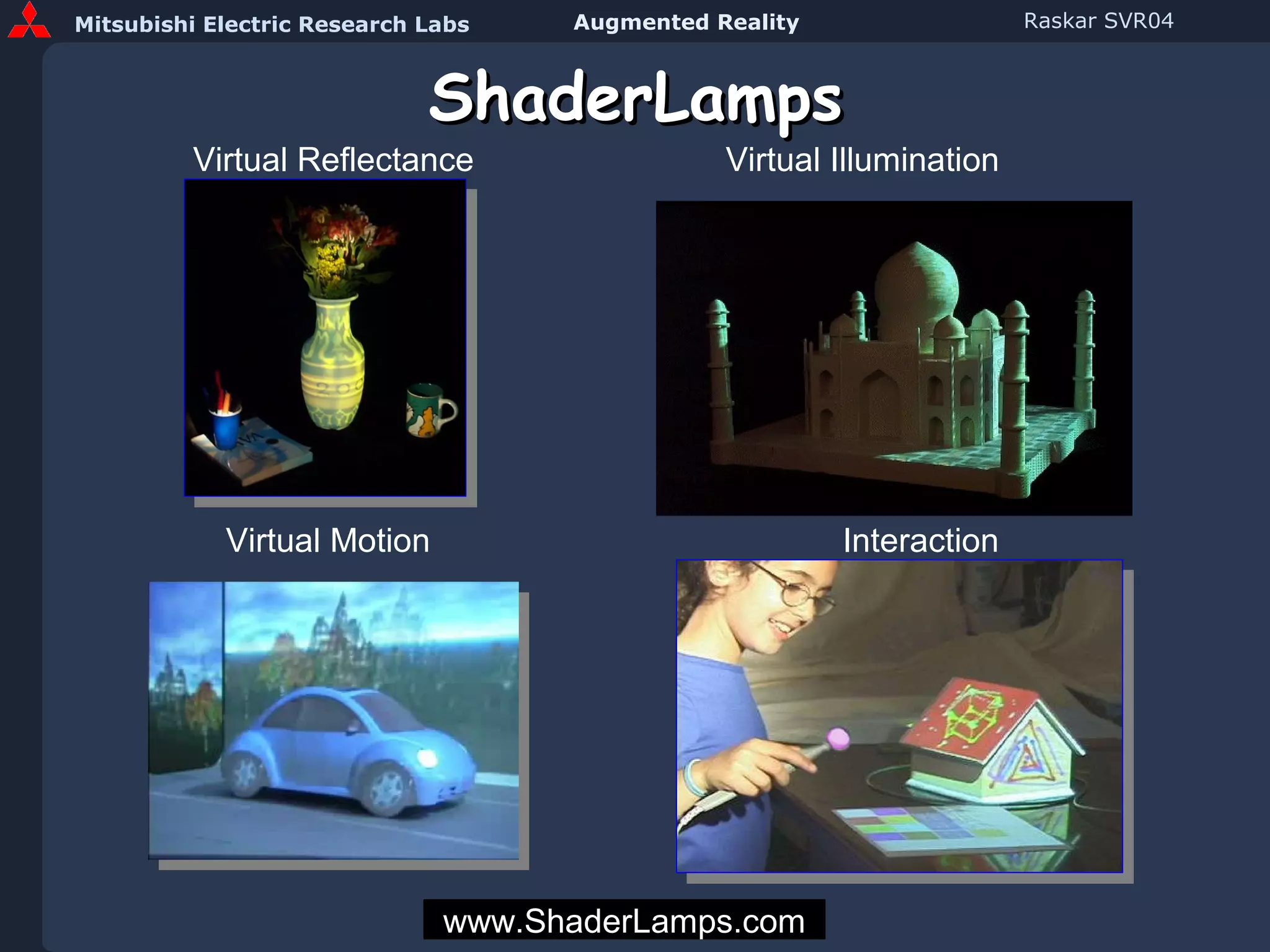
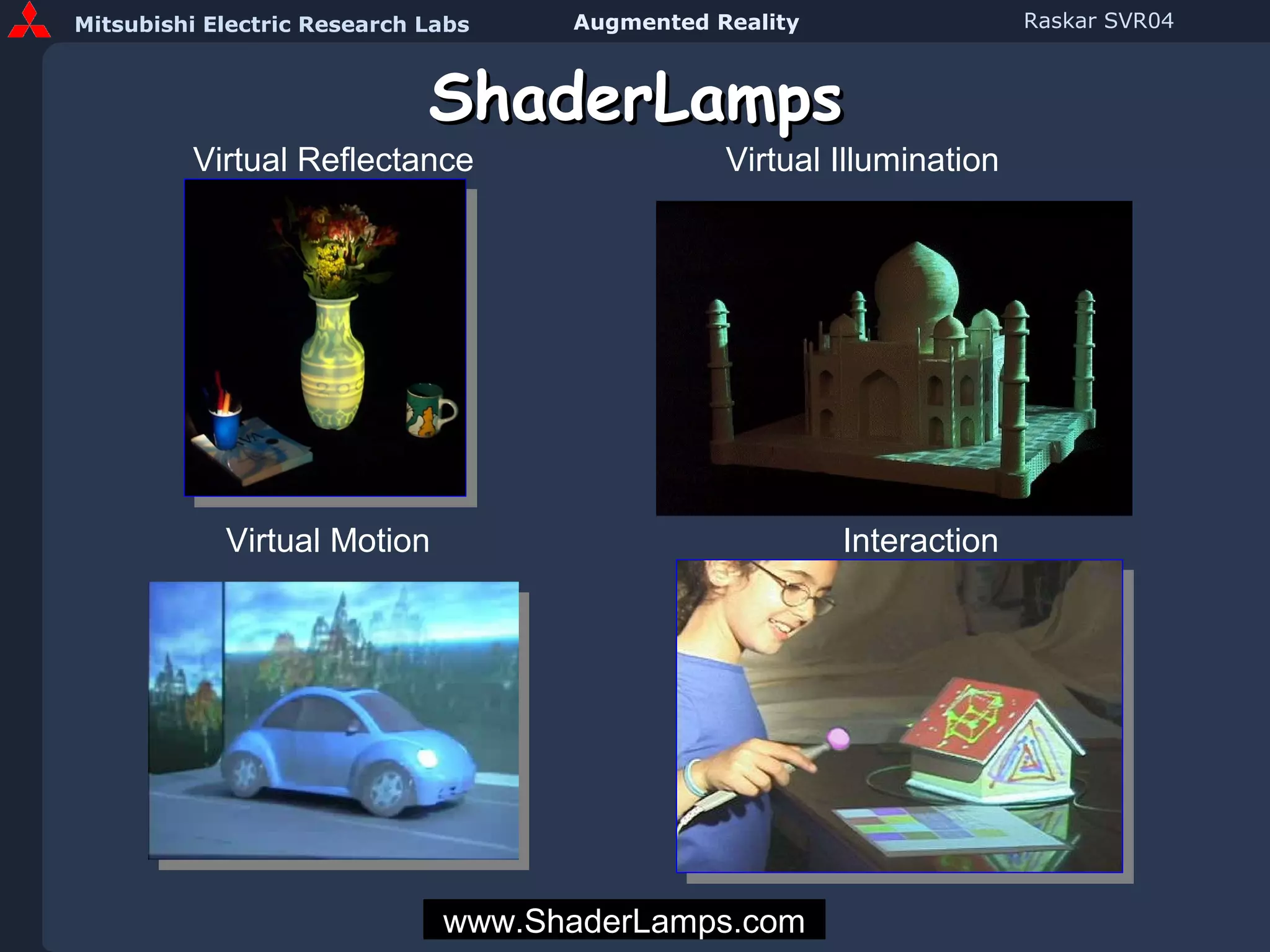
ShaderLamps Virtual Reflectance Virtual Illumination Interaction Virtual Motion www.ShaderLamps.com
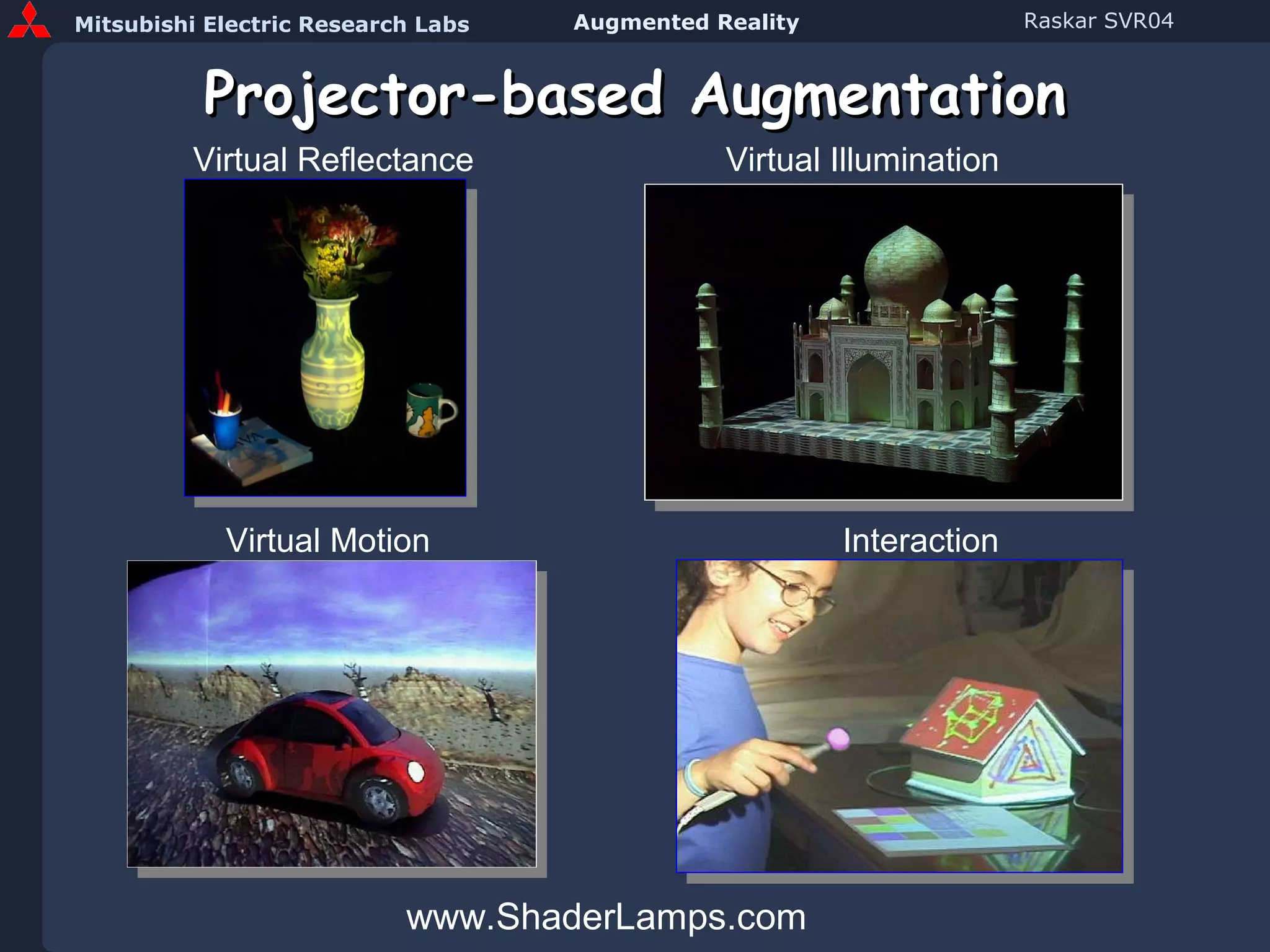
Projector-based Augmentation www.ShaderLamps.com Virtual Reflectance Virtual Illumination Interaction Virtual Motion
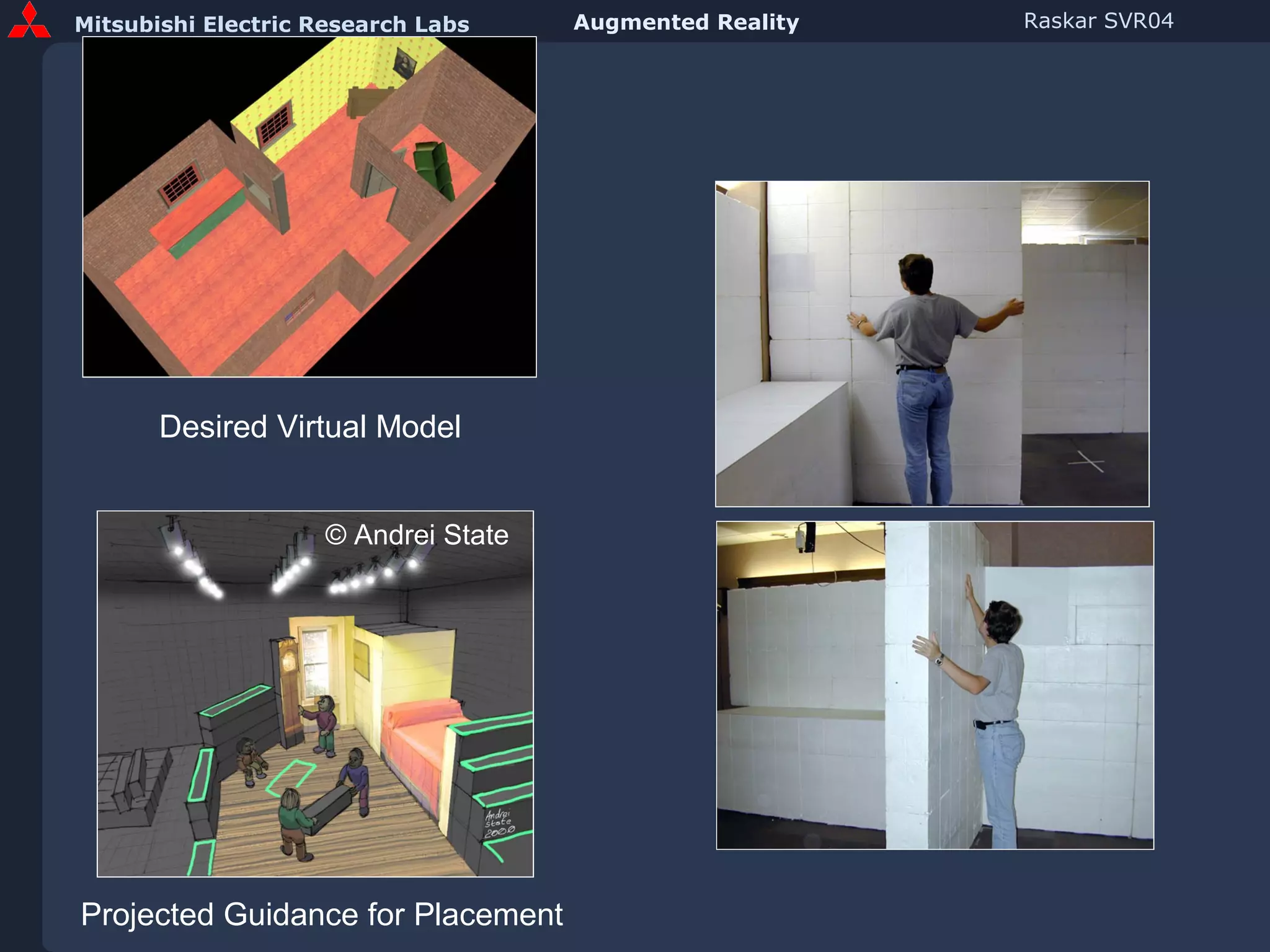
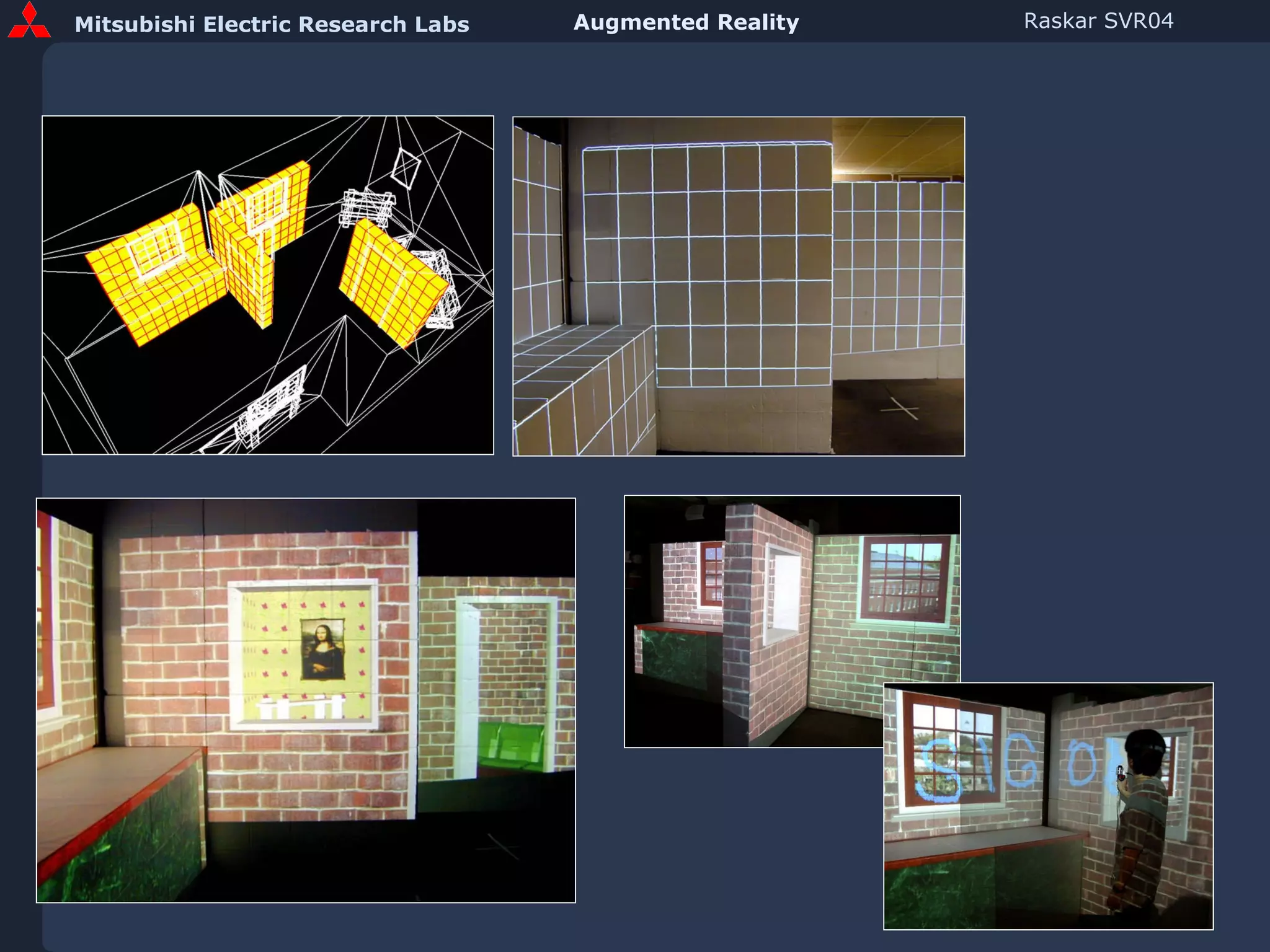
Desired Virtual Model © Andrei State Projected Guidance for Placement
 
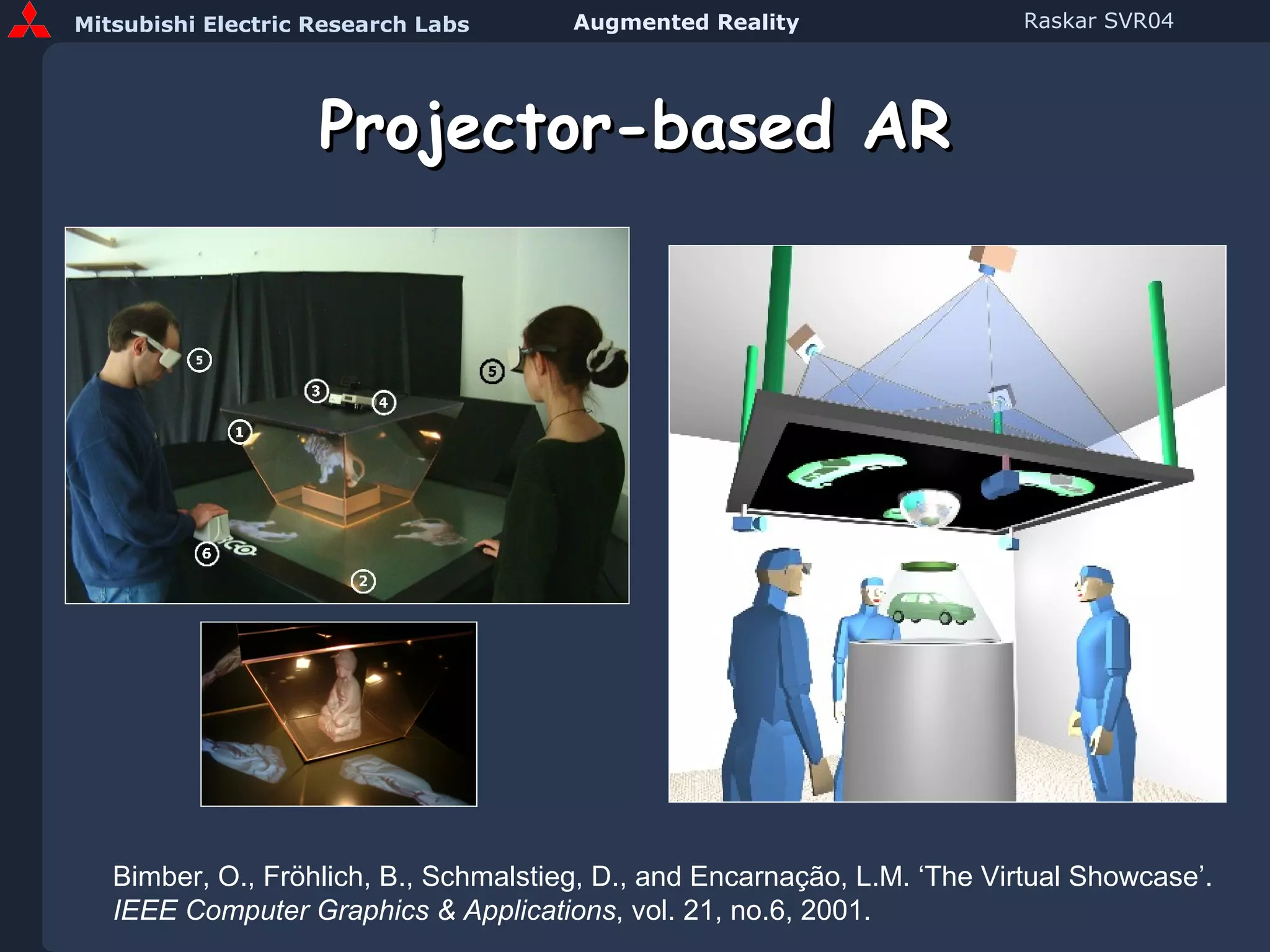
Projector-based AR Bimber, O., Fröhlich, B., Schmalstieg, D., and Encarnação, L.M. ‘The Virtual Showcase’.  IEEE Computer Graphics & Applications , vol. 21, no.6, 2001.
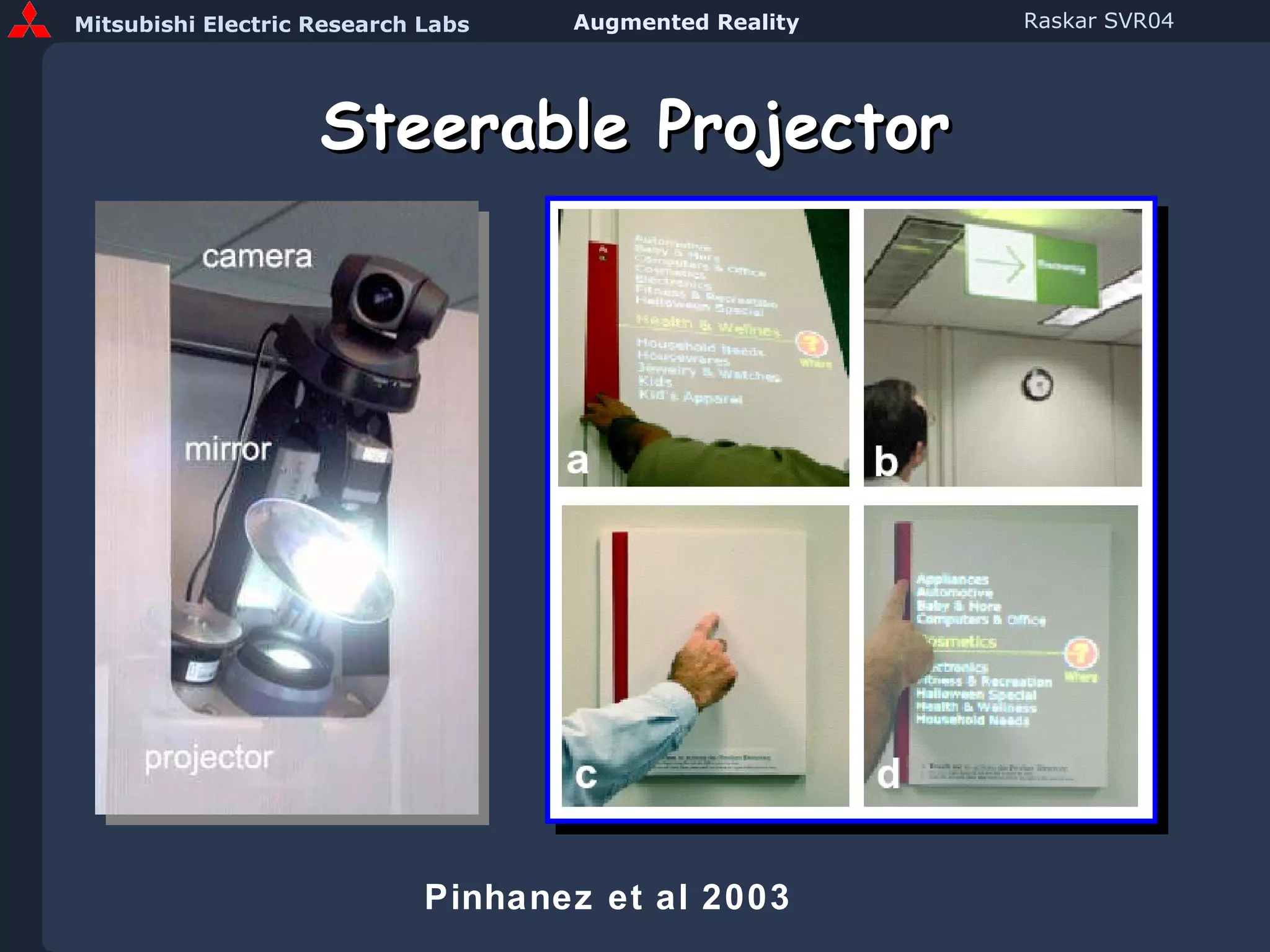
Steerable Projector Pinhanez et al 2003
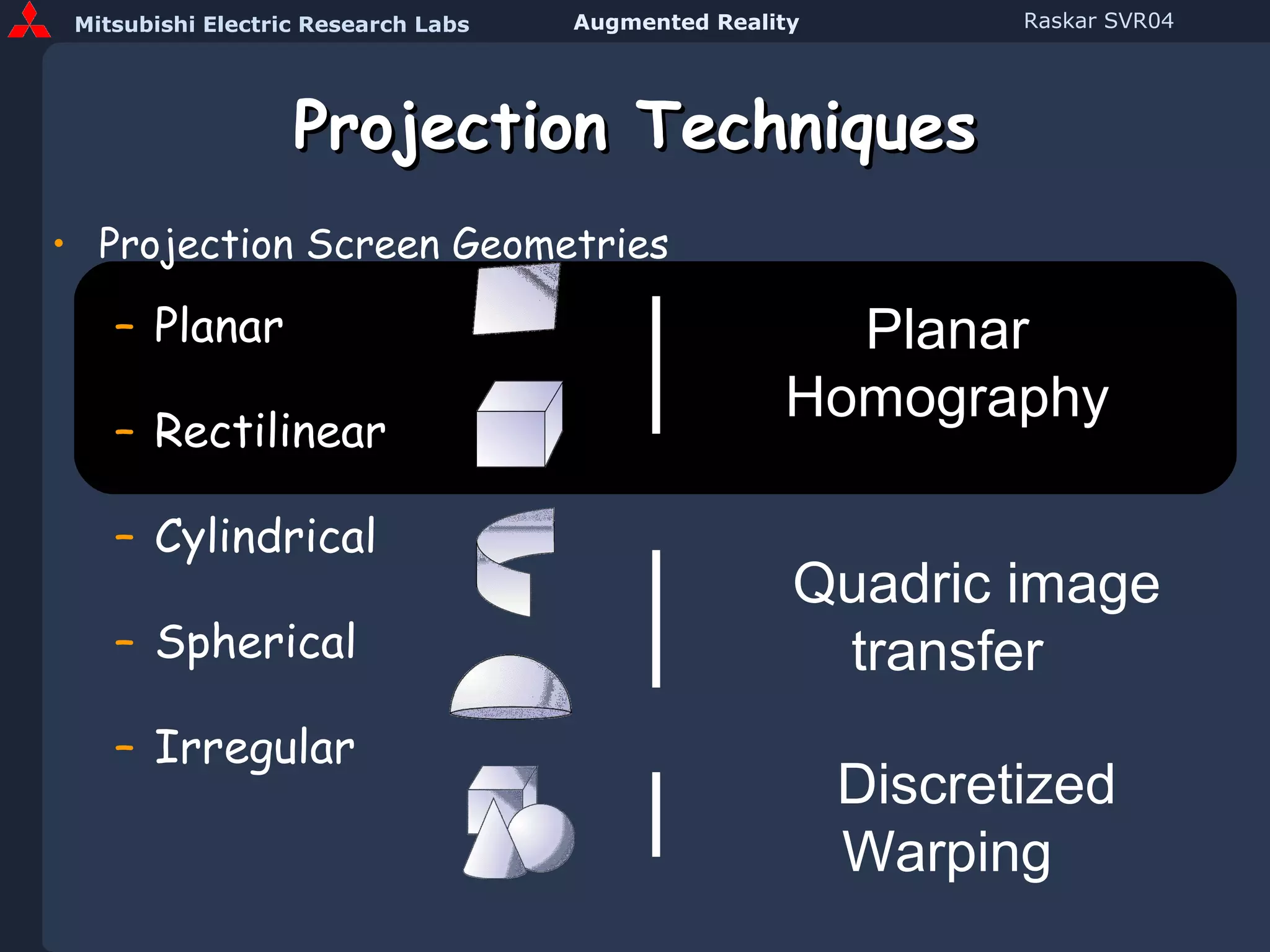
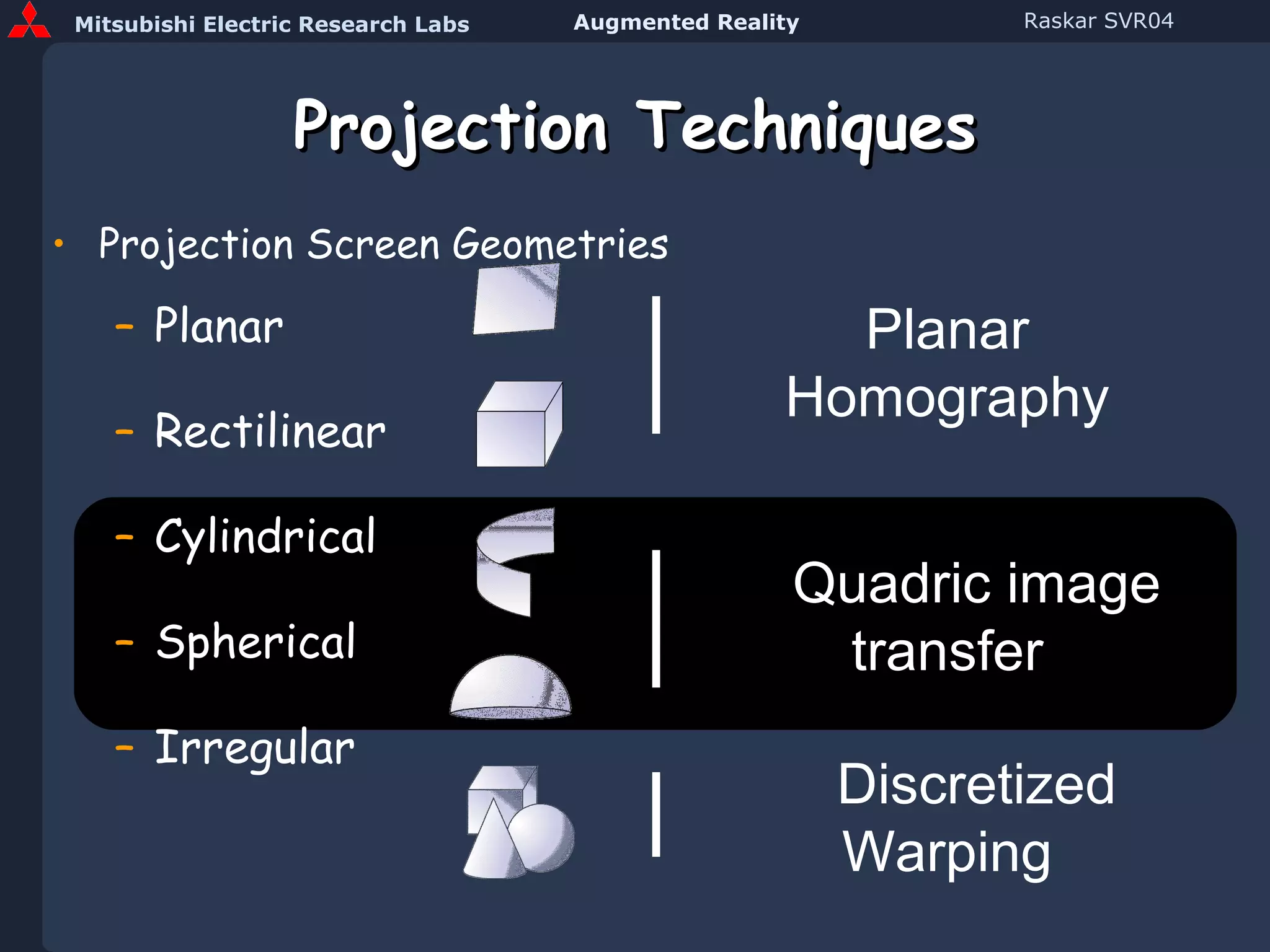
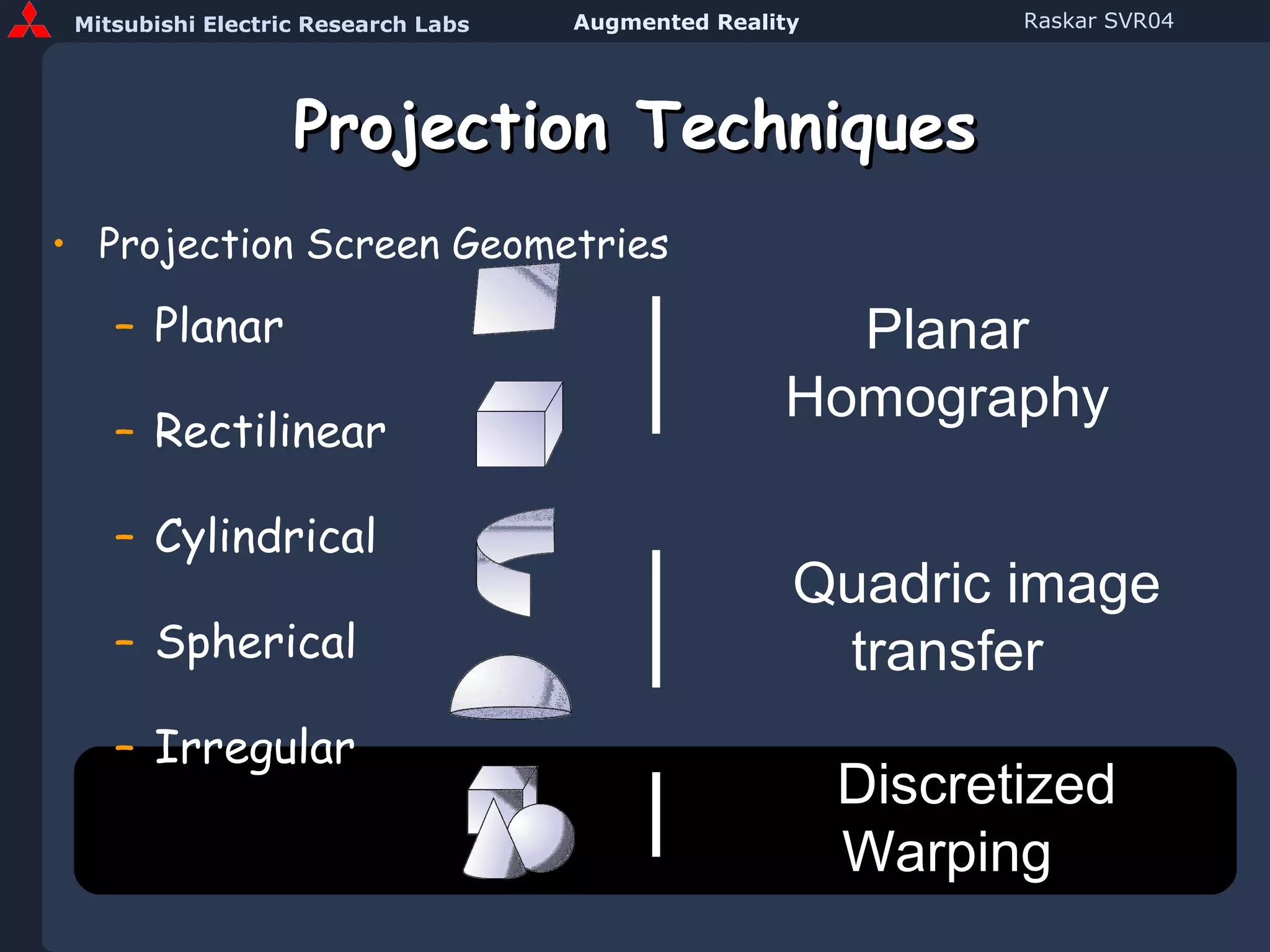
Projection Techniques Projection Screen Geometries Planar Rectilinear Cylindrical Spherical Irregular Planar Homography Quadric image transfer Discretized Warping
Planar Multi-Projector Display [Raskar, Jeroen van Baar] 1 1 1 1 2 2 2 2 3 3 3 3 4 4 4 4 10 Seconds
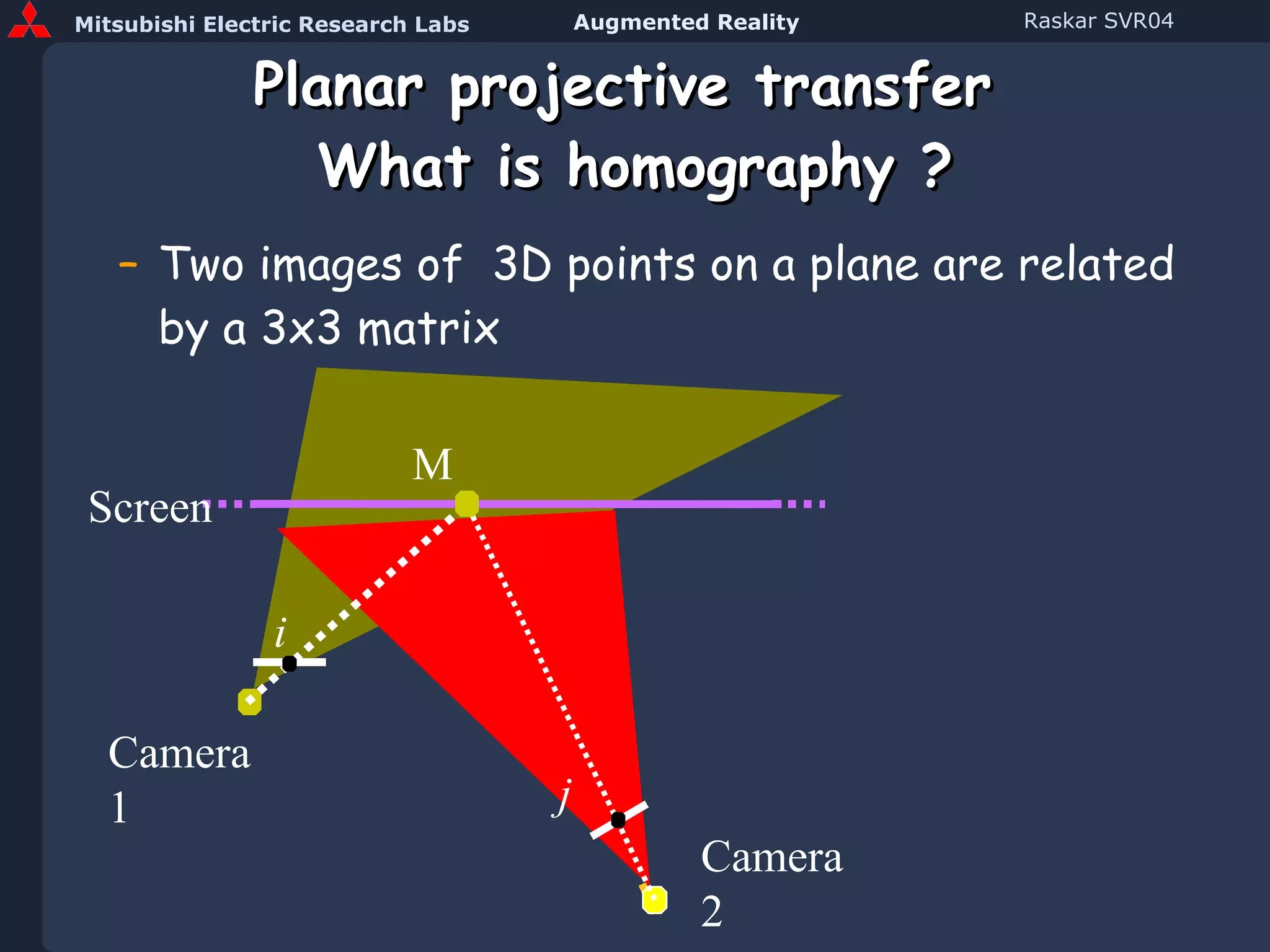
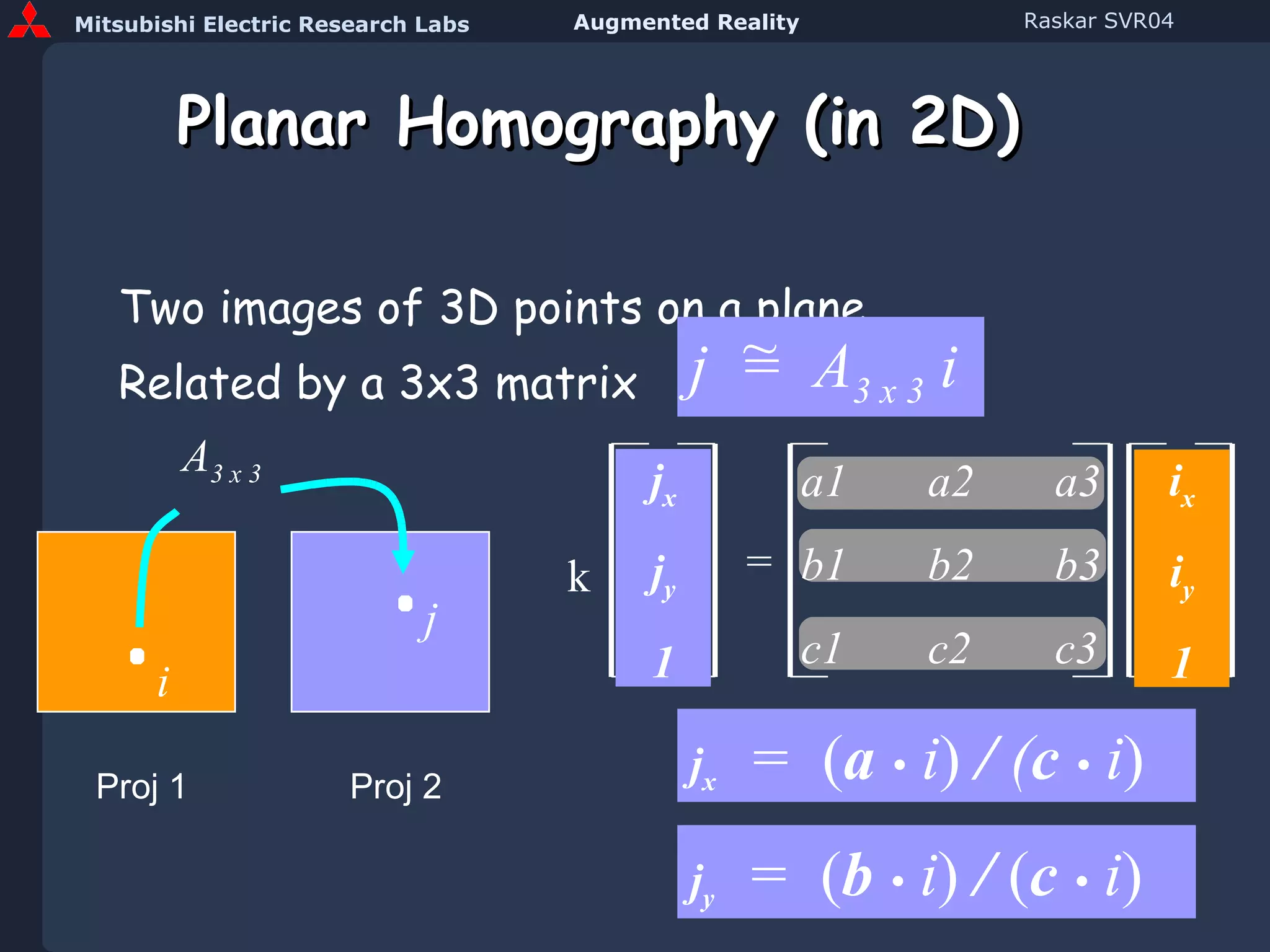
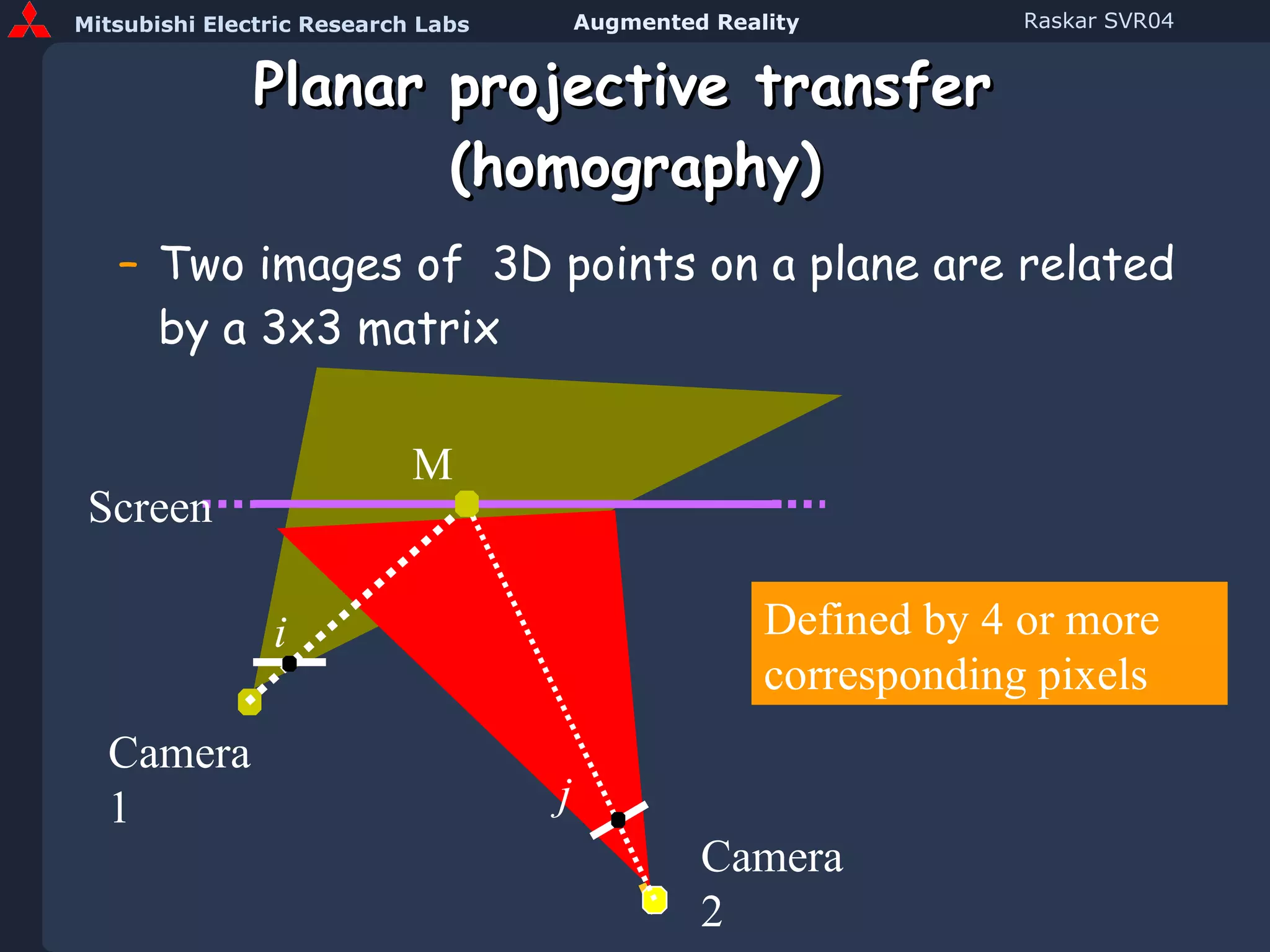
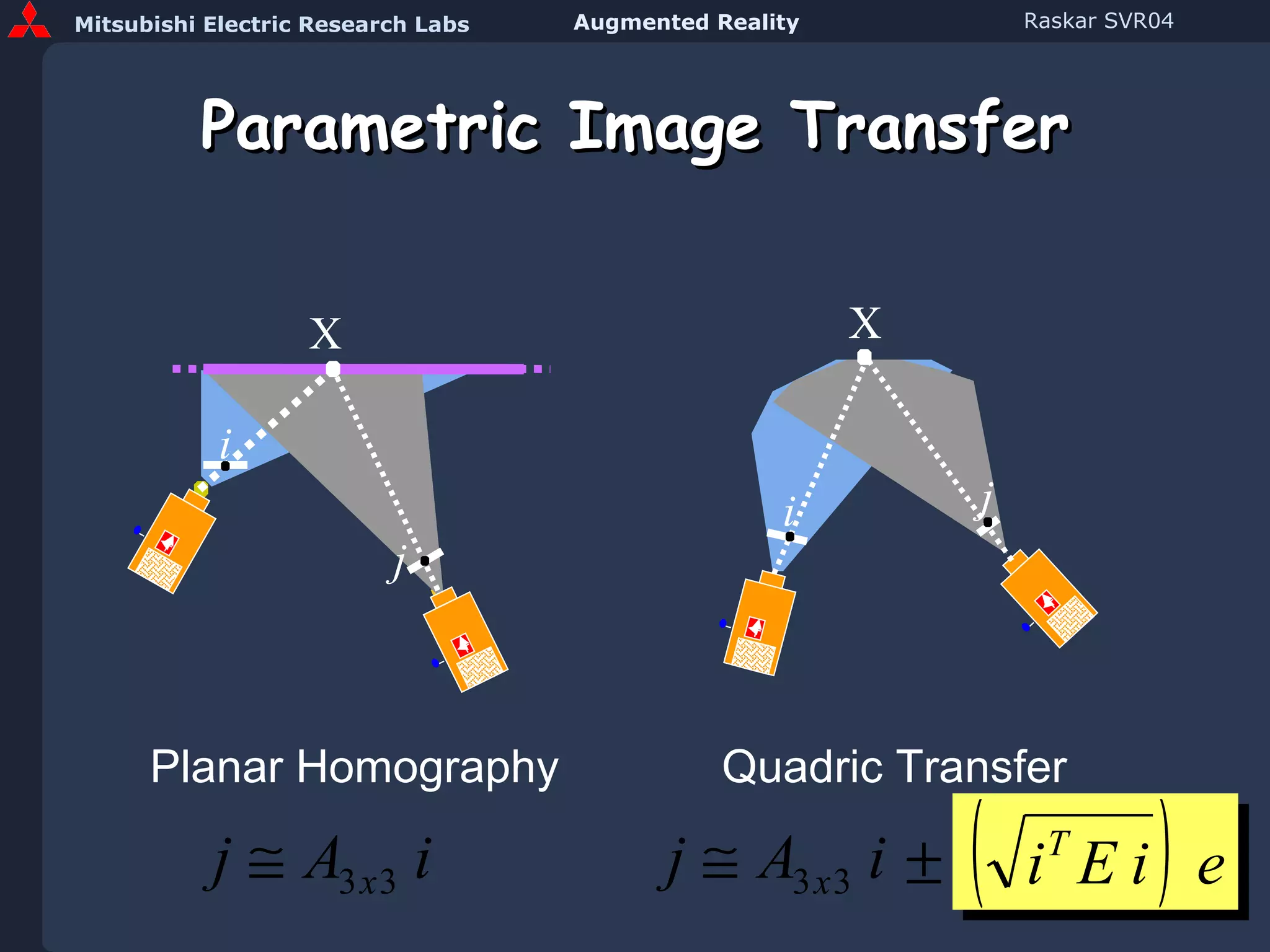
Planar projective transfer  What is homography ? Two images of  3D points on a plane are related by a 3x3 matrix Screen Camera 1 M i j Camera 2
Planar Homography (in 2D) Two images of 3D points on a plane  Related by a 3x3 matrix a1 a2 a3 b1 b2 b3 c1 c2 c3 Proj 1 A 3 x 3 Proj 2 i j j x j y 1 j  =  A 3 x 3  i ~ = i x i y 1 k j x   =  ( a  •   i )   /  ( c  •   i ) j y   =  ( b  •   i )   /  ( c  •   i )
Planar projective transfer  (homography) Two images of  3D points on a plane are related by a 3x3 matrix Screen Camera 1 M i j Camera 2 Defined by 4 or more corresponding pixels
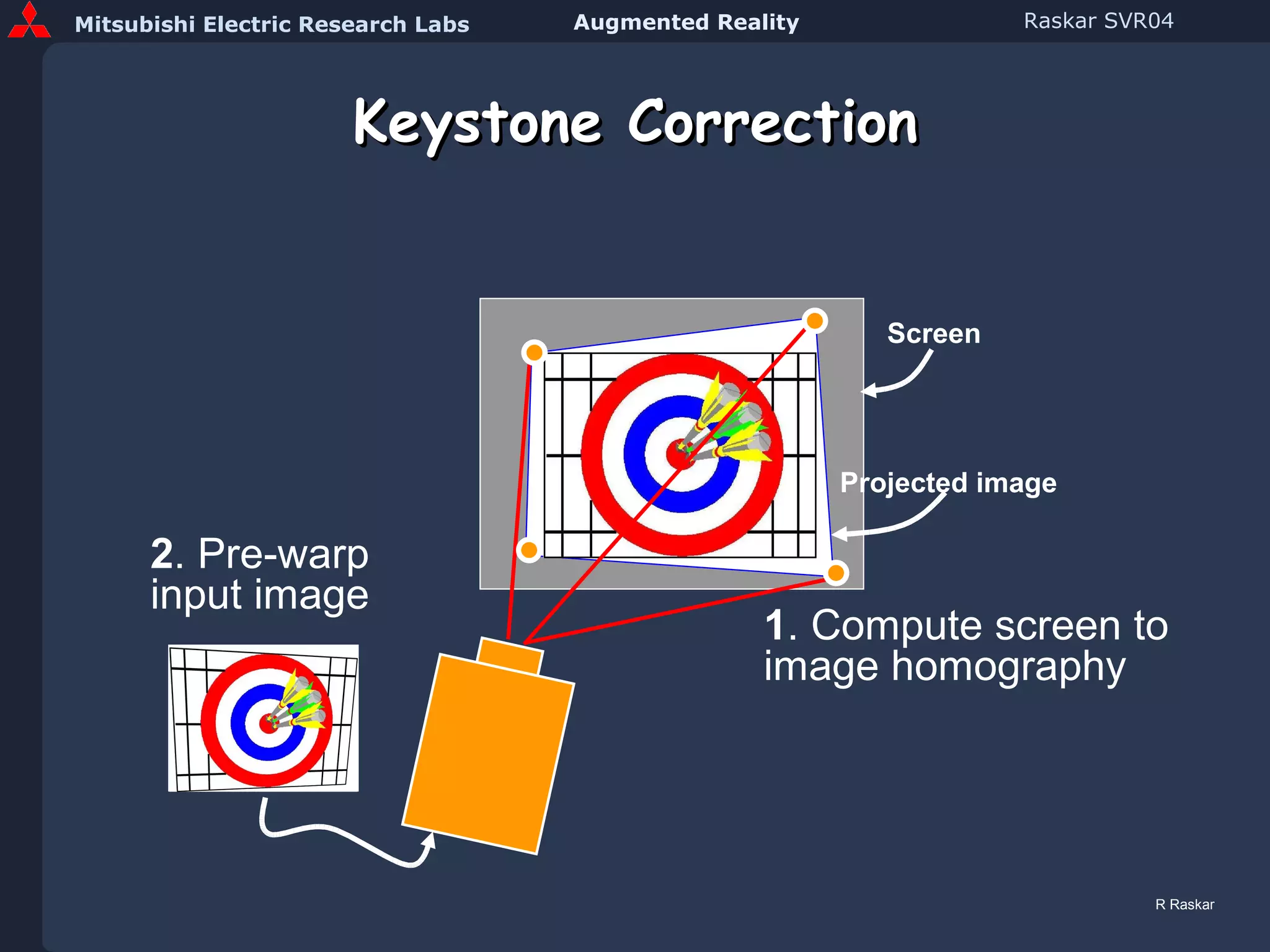
Keystone Correction 1 . Compute screen to image homography 2 . Pre-warp input image Screen Projected   image R Raskar
Automatic Keystone Correction with Camera and Tilt Sensor 1 . Camera and tilt sensor to find projector pose 2 . Compute screen to image homography 3 . Pre-warp input image Screen Projected   image R Raskar [Raskar and Beardsley01]
Planar display surface Use homography ( A 3x3 ) User Single Projection Matrix ! V M i j A j  =  A   i i  =  P T  V ~ ~ P T j  =  [ A P T ]  V ~
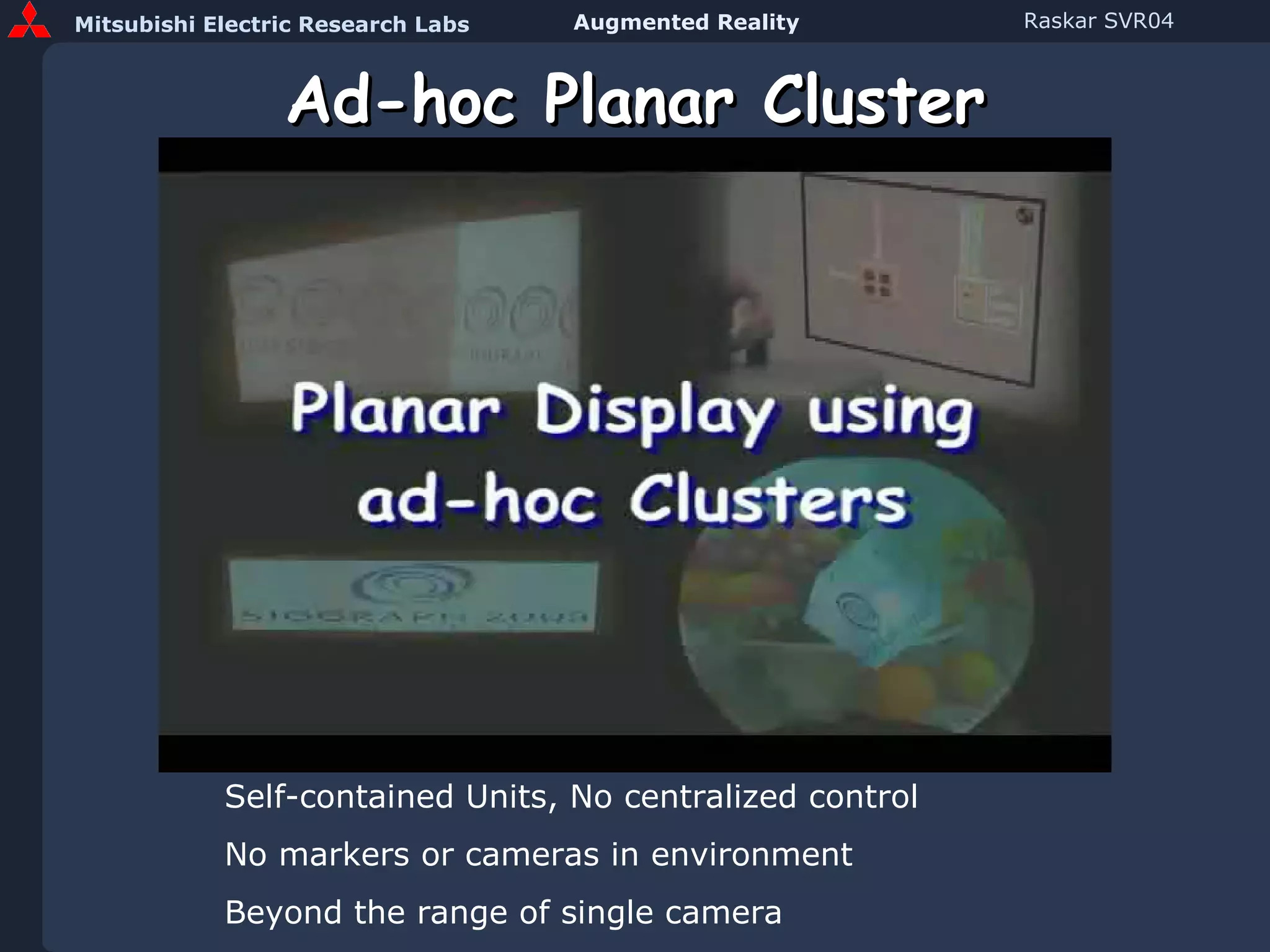
Ad-hoc Planar Cluster (Video) Self-contained Units, No centralized control No markers or cameras in environment Beyond the range of single camera
Projection Techniques Projection Screen Geometries Planar Rectilinear Cylindrical Spherical Irregular Planar Homography Quadric image transfer Discretized Warping
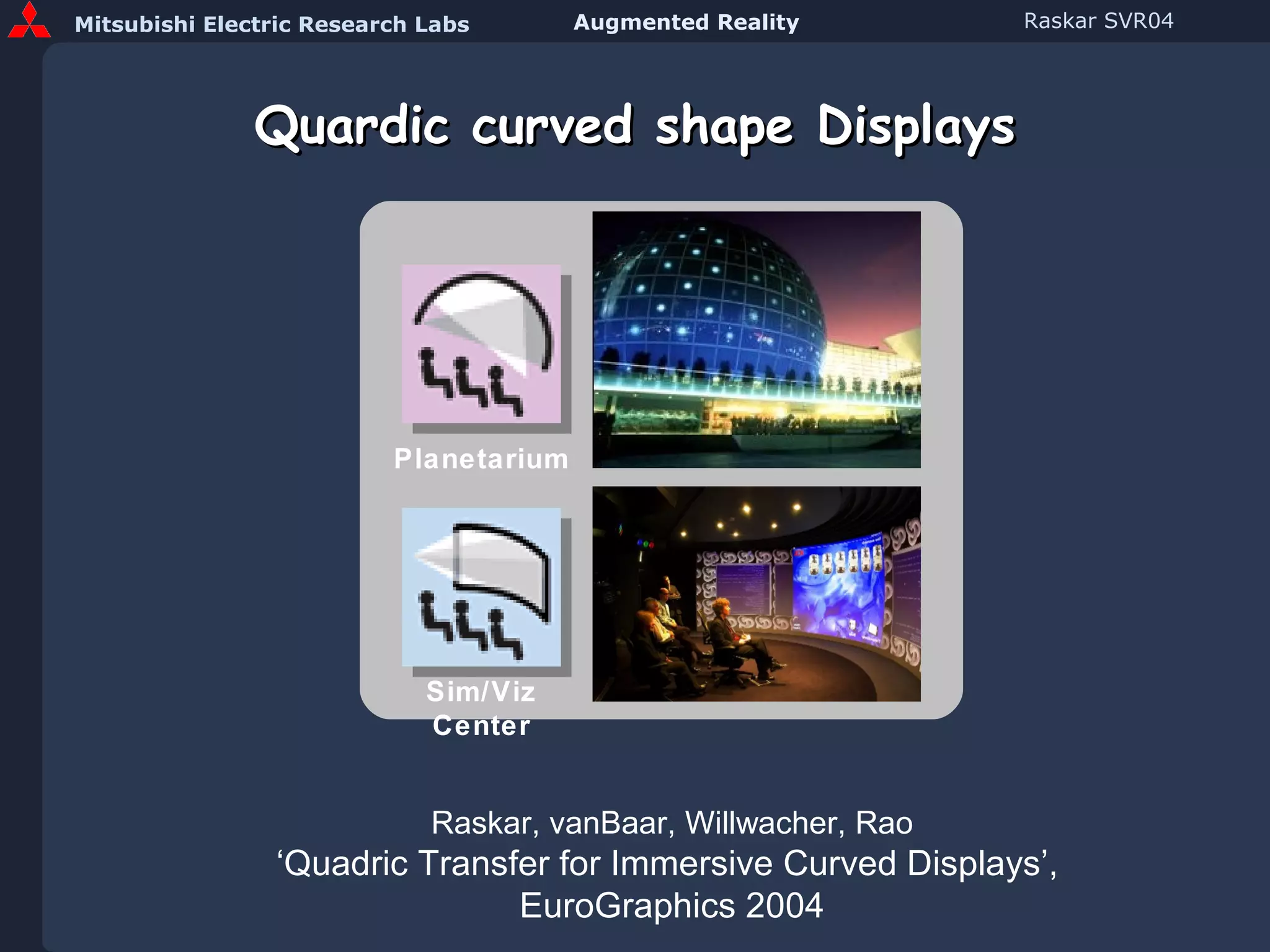
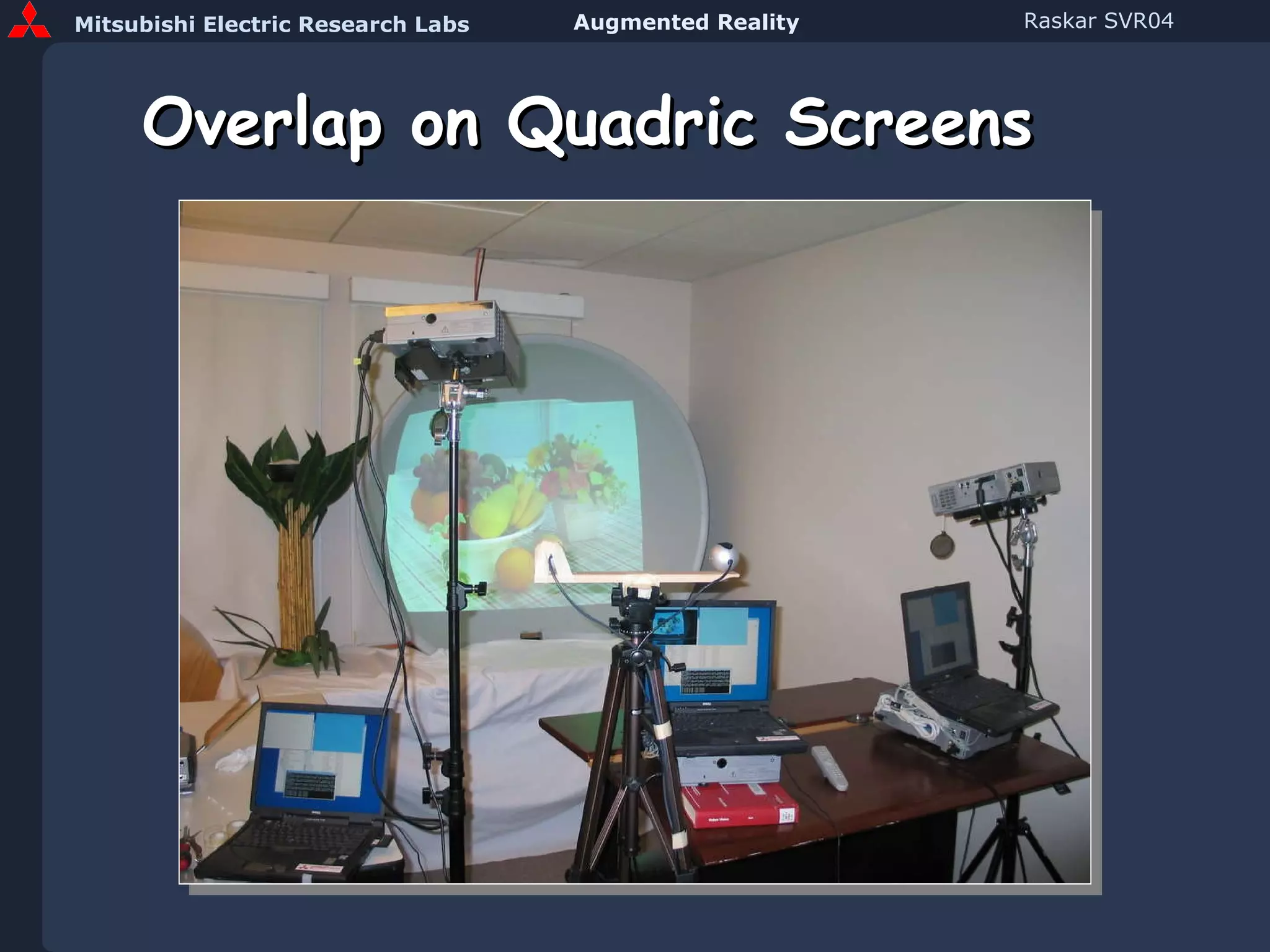
Quardic curved shape Displays Planetarium Sim/Viz Center Raskar, vanBaar, Willwacher, Rao ‘Quadric Transfer for Immersive Curved Displays’,  EuroGraphics 2004
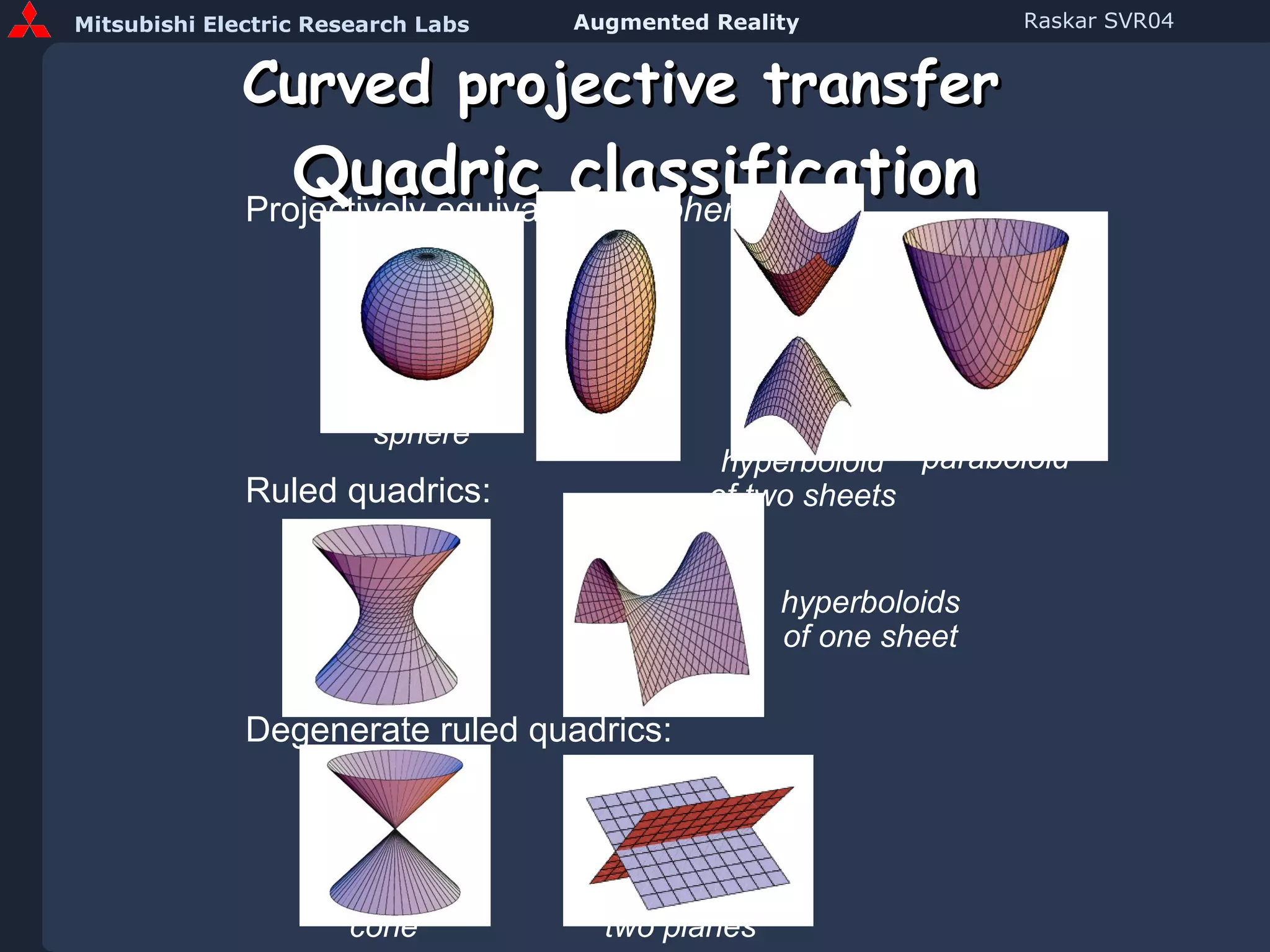
Curved projective transfer   Quadric classification Projectively equivalent to  sphere: hyperboloid of two sheets paraboloid sphere ellipsoid Ruled quadrics: hyperboloids of one sheet Degenerate ruled quadrics: cone two planes
Parametric Image Transfer X i j Planar Homography Quadric Transfer X i j
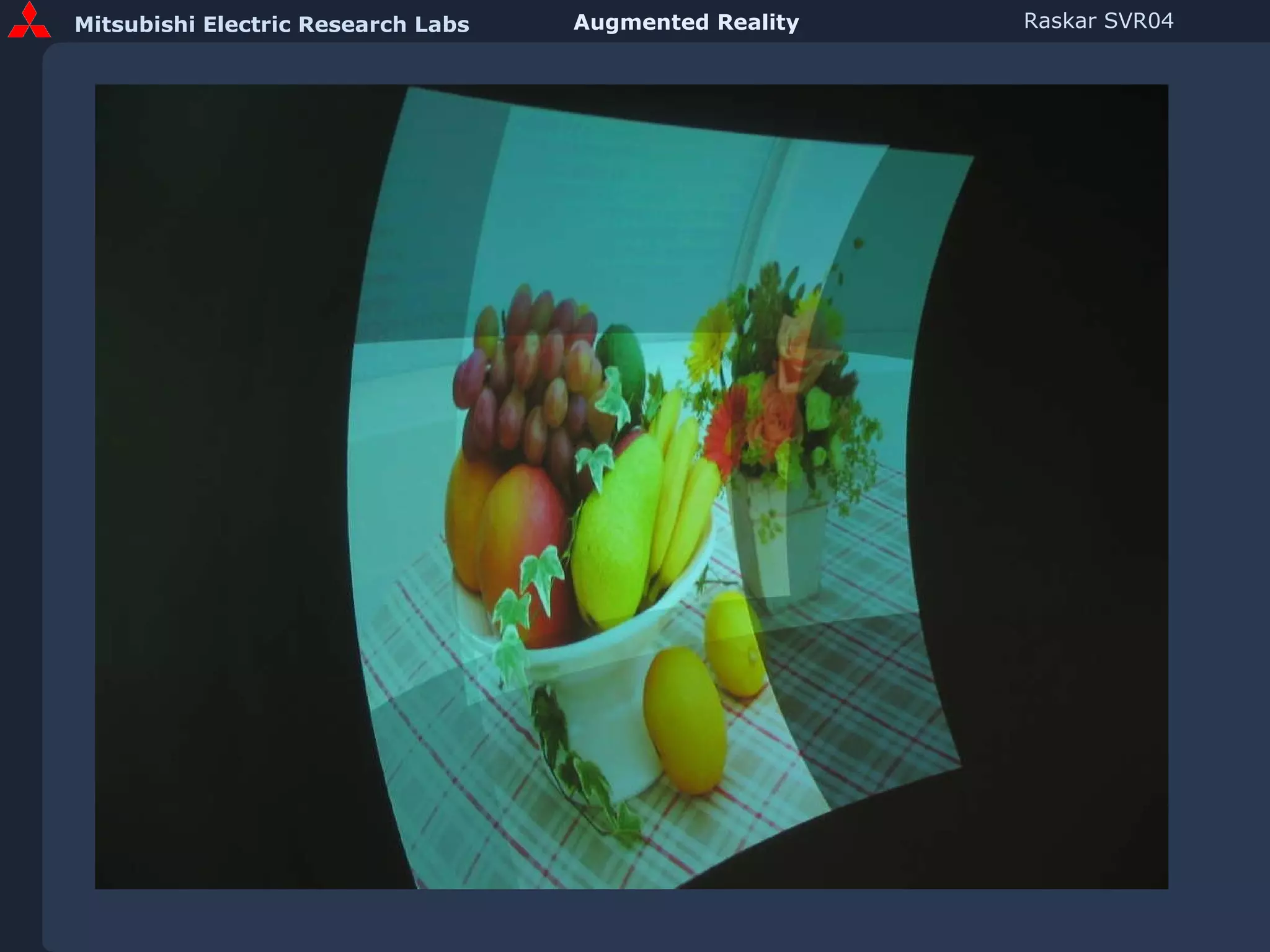
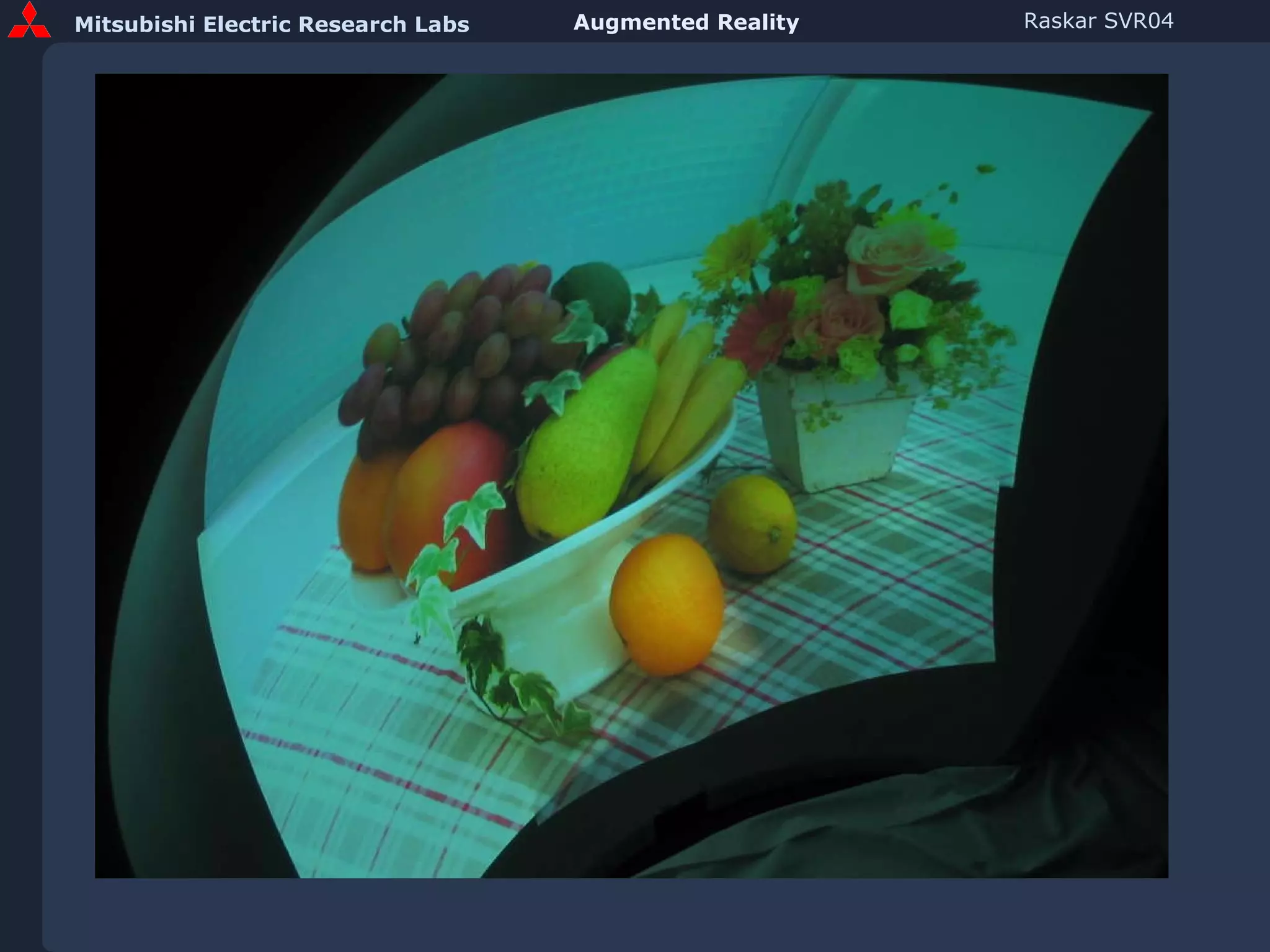
Overlap on Quadric Screens
 
 
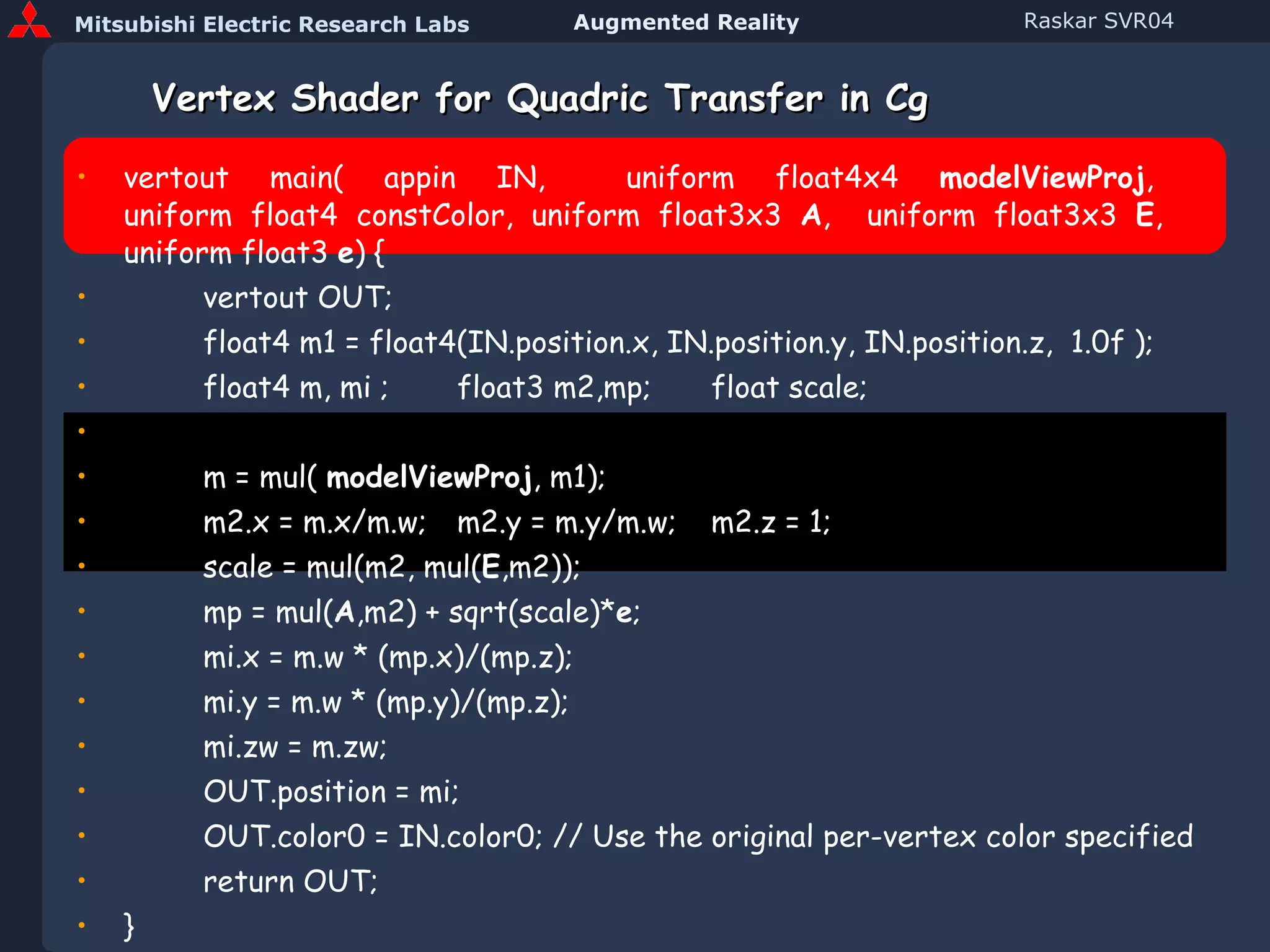
Vertex Shader for Quadric Transfer in Cg vertout main( appin IN,  uniform float4x4  modelViewProj ,  uniform float4 constColor, uniform float3x3  A ,  uniform float3x3  E ,   uniform float3  e ) { vertout OUT; float4 m1 = float4(IN.position.x, IN.position.y, IN.position.z,  1.0f ); float4 m, mi ; float3 m2,mp; float scale;   m = mul(  modelViewProj , m1); m2.x = m.x/m.w; m2.y = m.y/m.w; m2.z = 1; scale = mul(m2, mul( E ,m2)); mp = mul( A ,m2) + sqrt(scale)* e ; mi.x = m.w * (mp.x)/(mp.z); mi.y = m.w * (mp.y)/(mp.z); mi.zw = m.zw; OUT.position = mi;  OUT.color0 = IN.color0; // Use the original per-vertex color specified return OUT; } (Code in Course Notes)
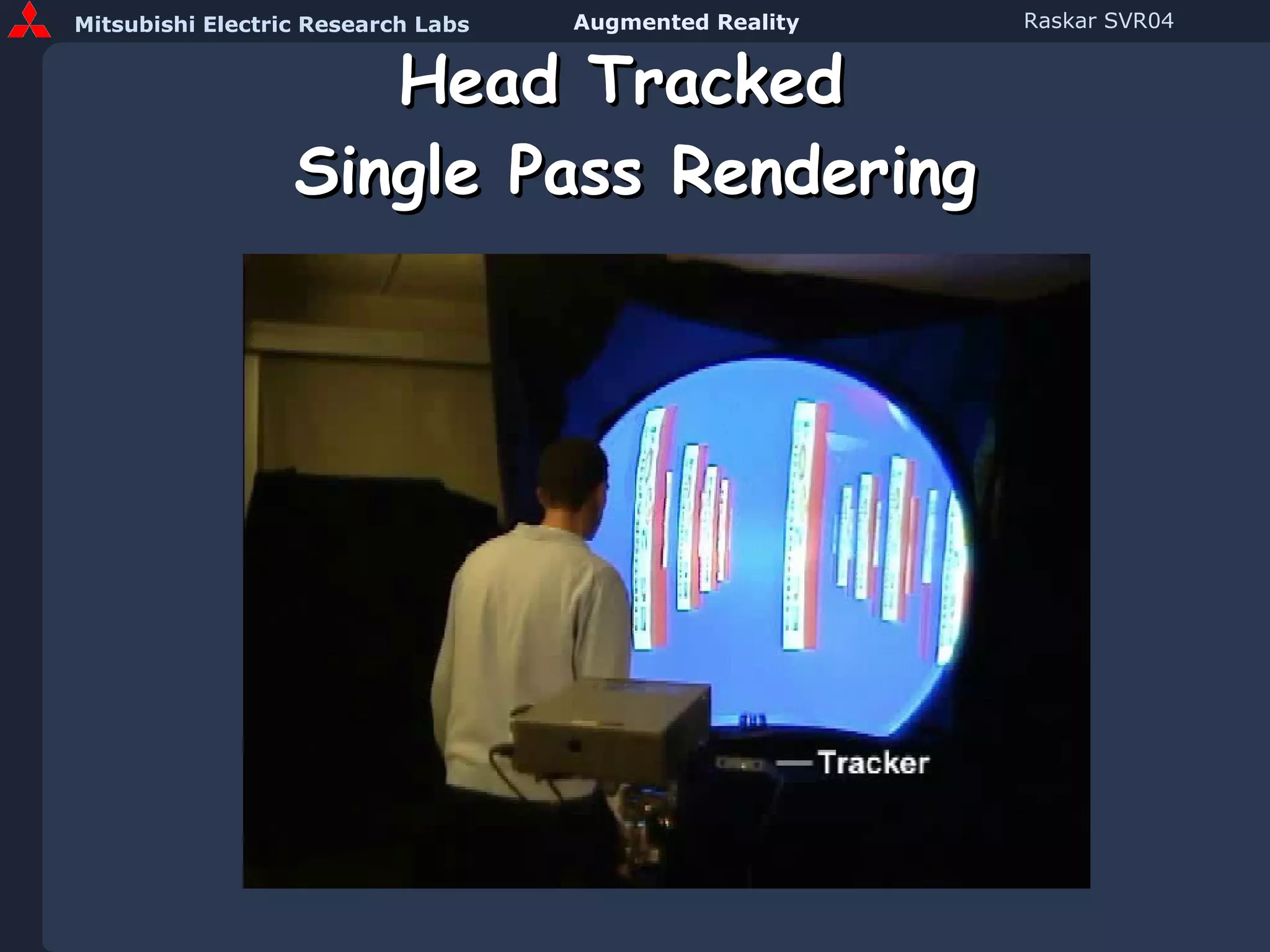
Head Tracked  Single Pass Rendering
Projection Techniques Projection Screen Geometries Planar Rectilinear Cylindrical Spherical Irregular Planar Homography Quadric image transfer Discretized Warping
Non-planar Display Video
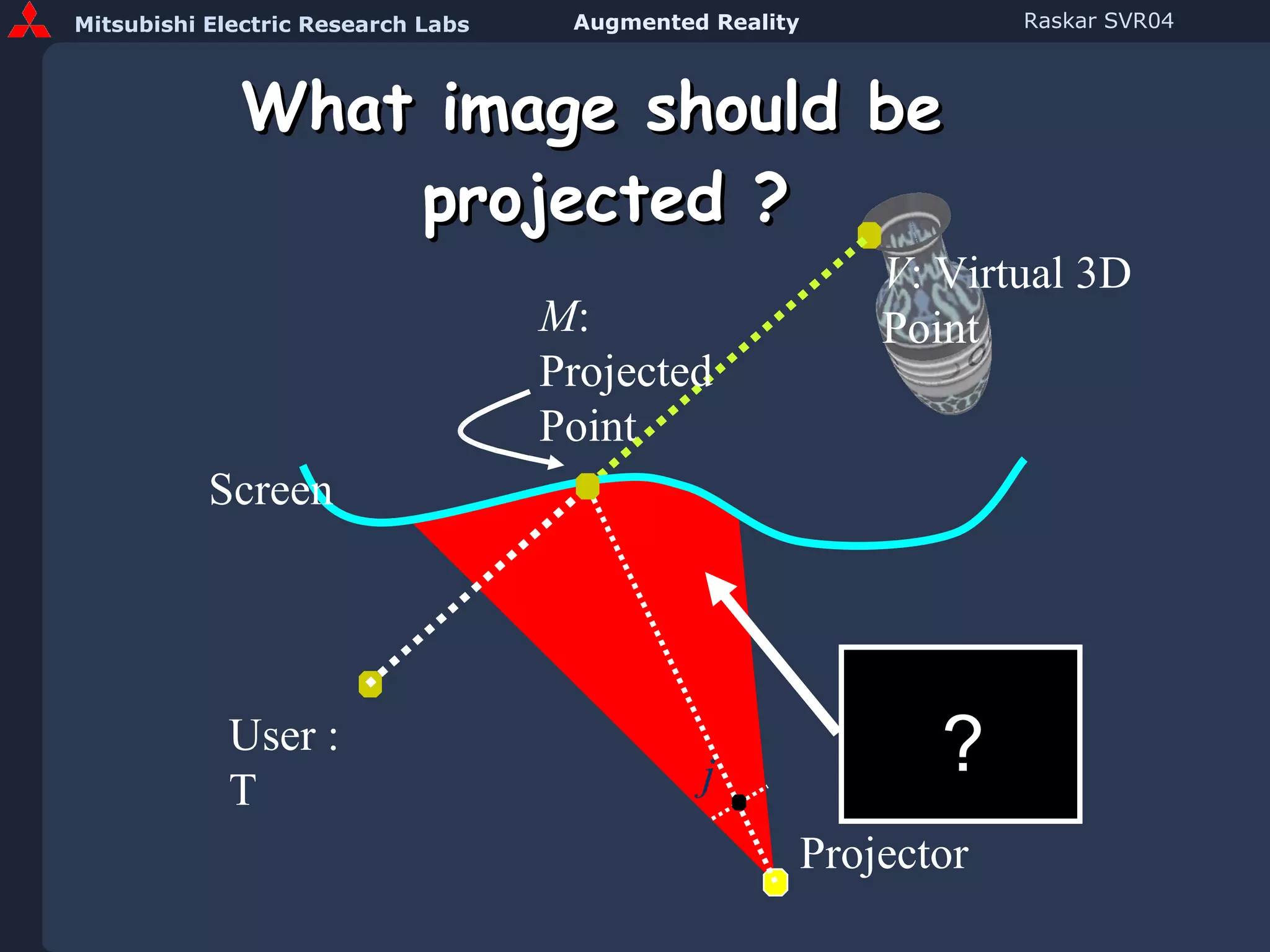
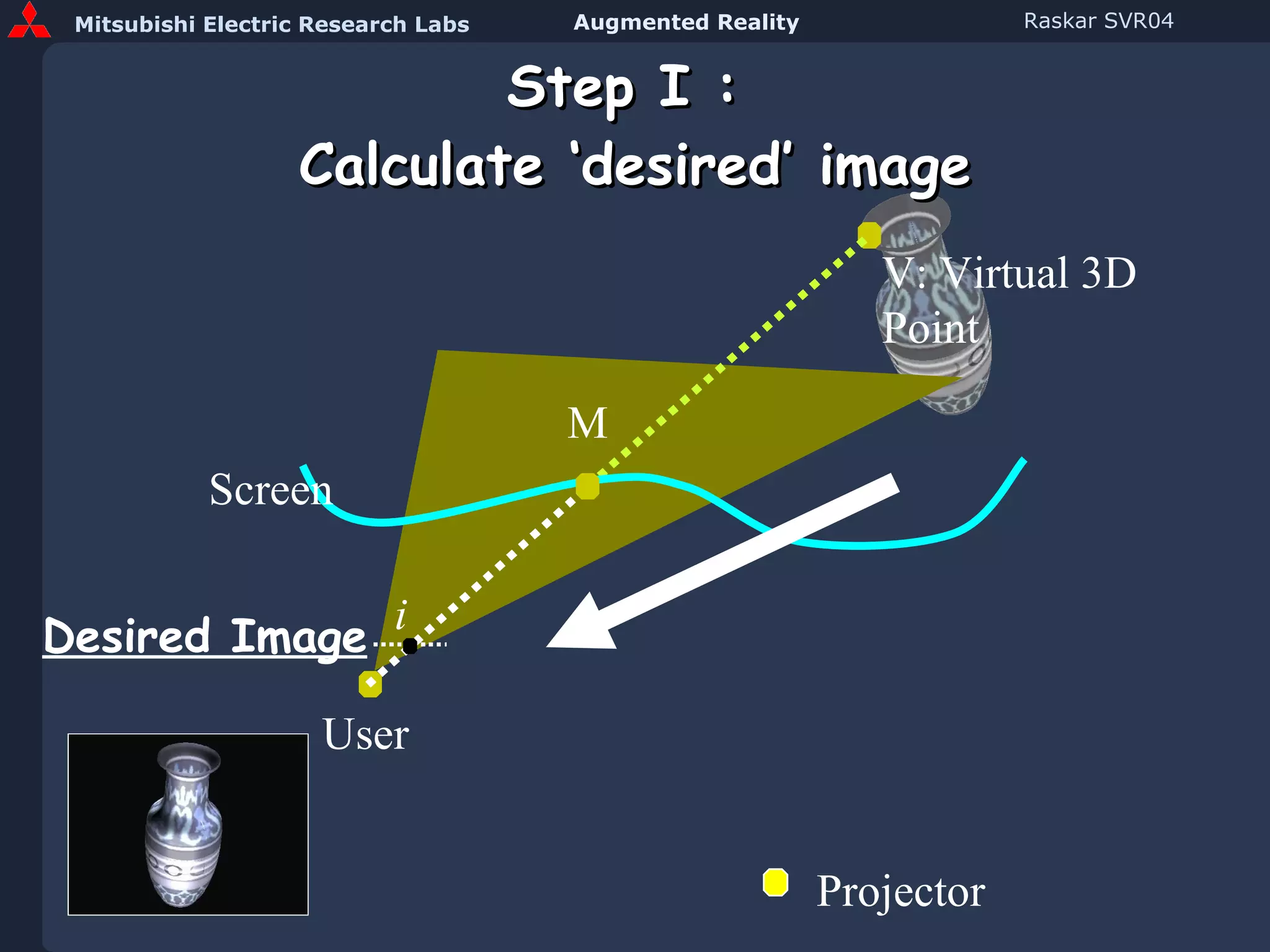
What image should be  projected ? Projector V : Virtual 3D Point M : Projected Point j User : T Screen ?
Step I :  Calculate ‘desired’ image User V: Virtual 3D Point M i Desired Image Screen Projector
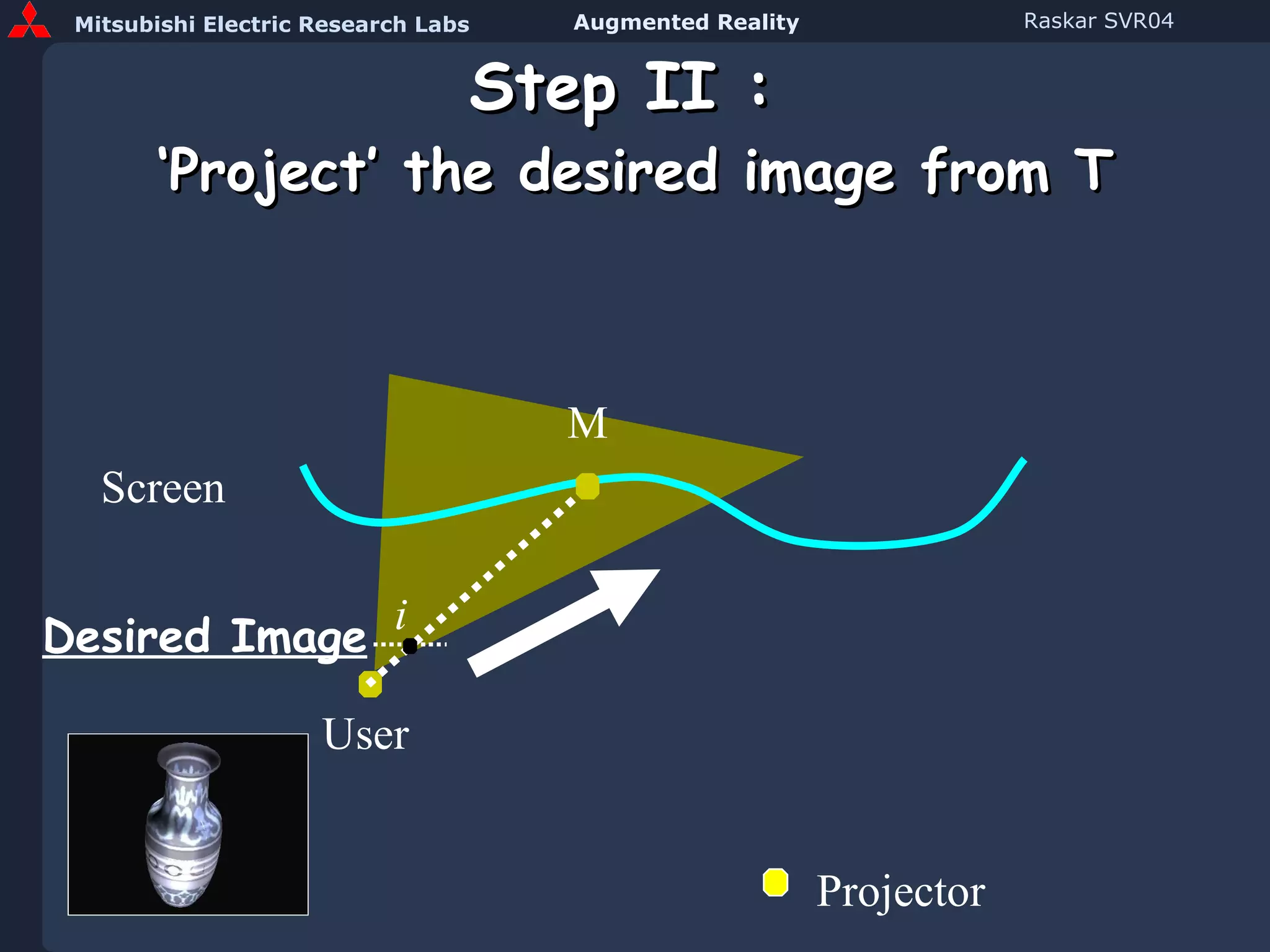
Step II :  ‘Project’ the desired image from T Screen i Desired Image User M Projector
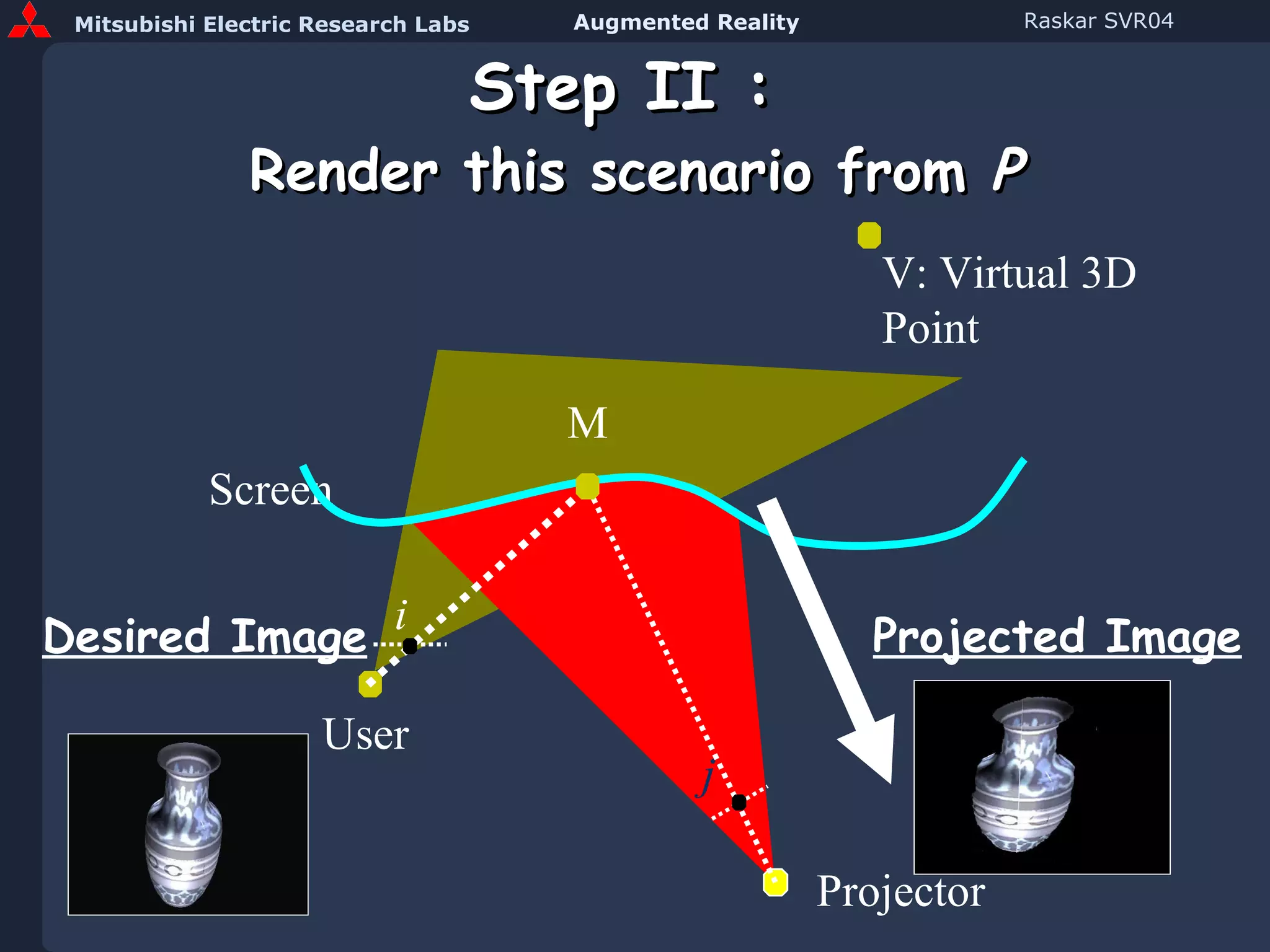
Step II :  Render this scenario from  P Screen V: Virtual 3D Point i j Projector Desired Image User Projected Image M
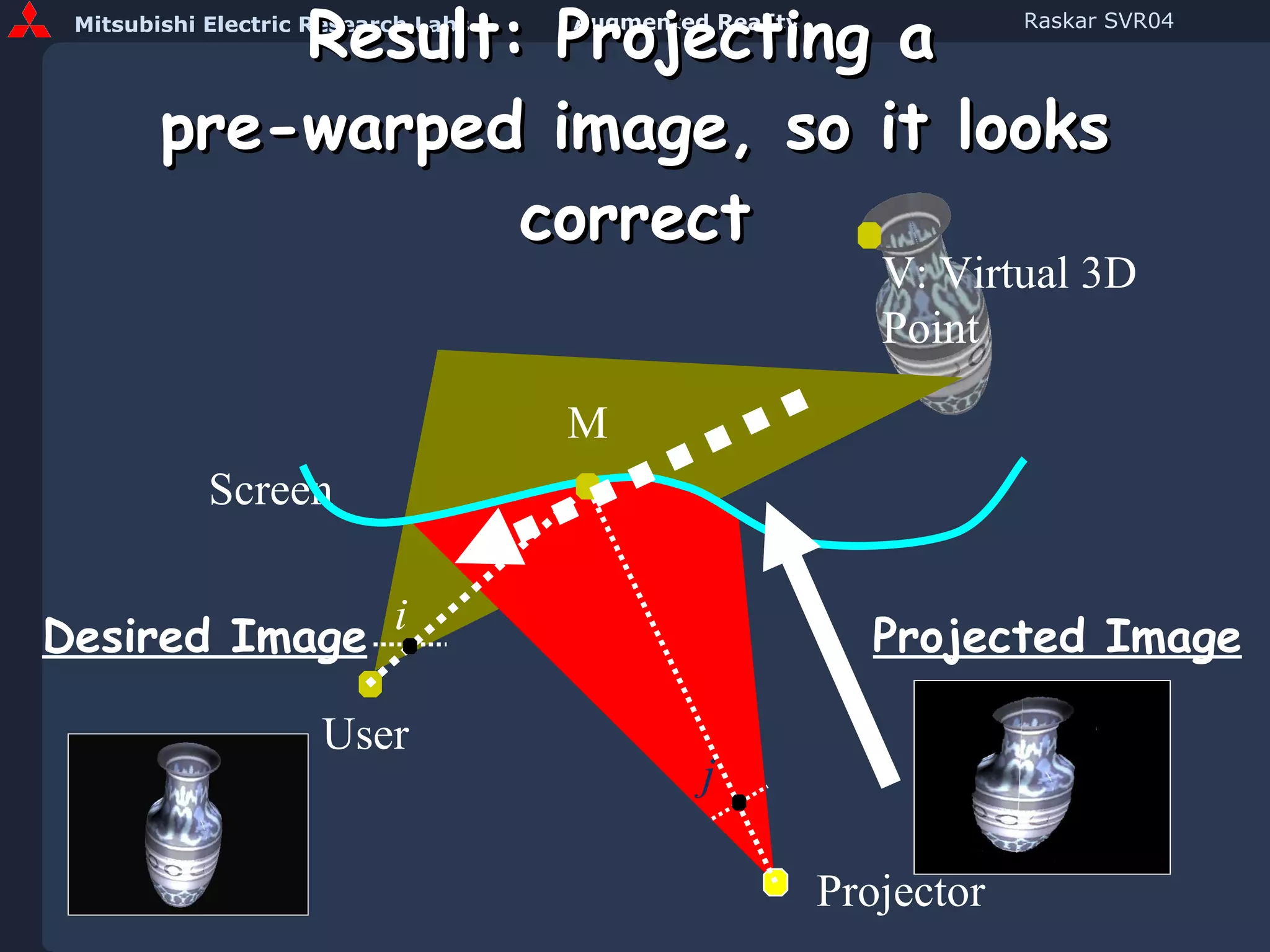
Result: Projecting a  pre-warped image, so it looks correct Screen V: Virtual 3D Point i j Projector Desired Image User Projected Image M
AR with location-aware RFID
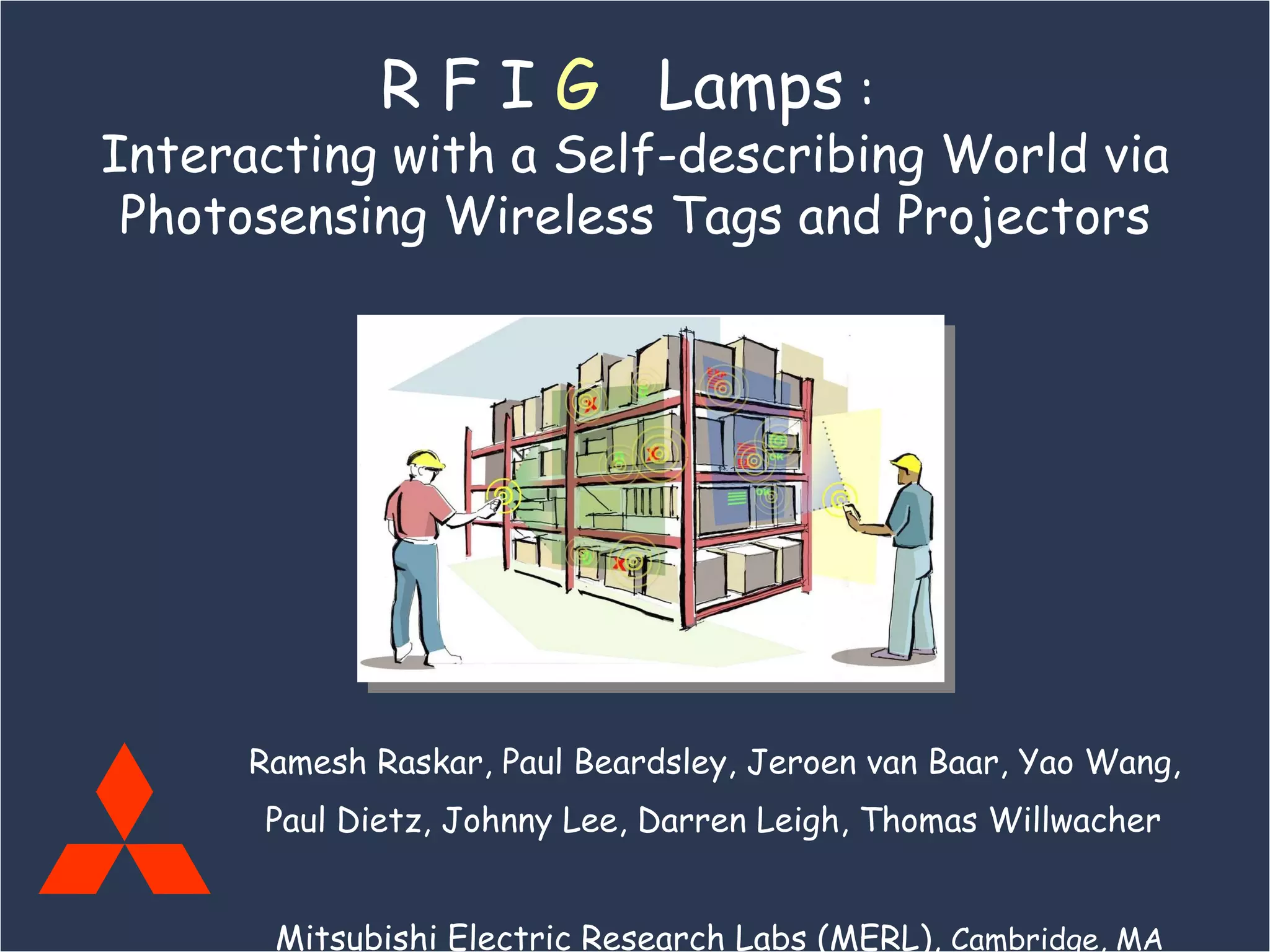
Ramesh Raskar, Paul Beardsley, Jeroen van Baar, Yao Wang,  Paul Dietz, Johnny Lee, Darren Leigh, Thomas Willwacher   Mitsubishi Electric Research Labs (MERL),  Cambridge, MA R F I  G   Lamps  :  Interacting with a Self-describing World via Photosensing Wireless Tags and Projectors
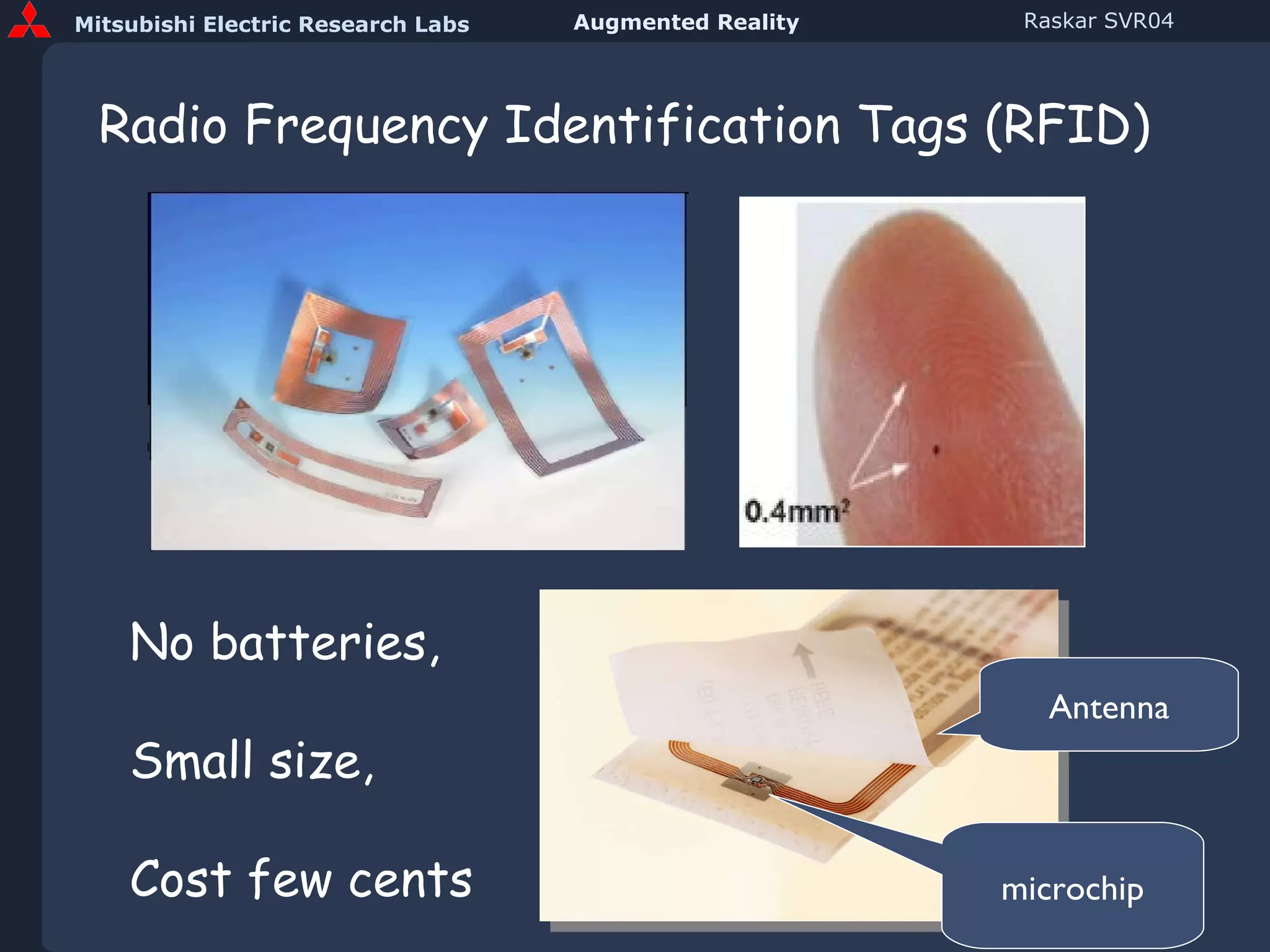
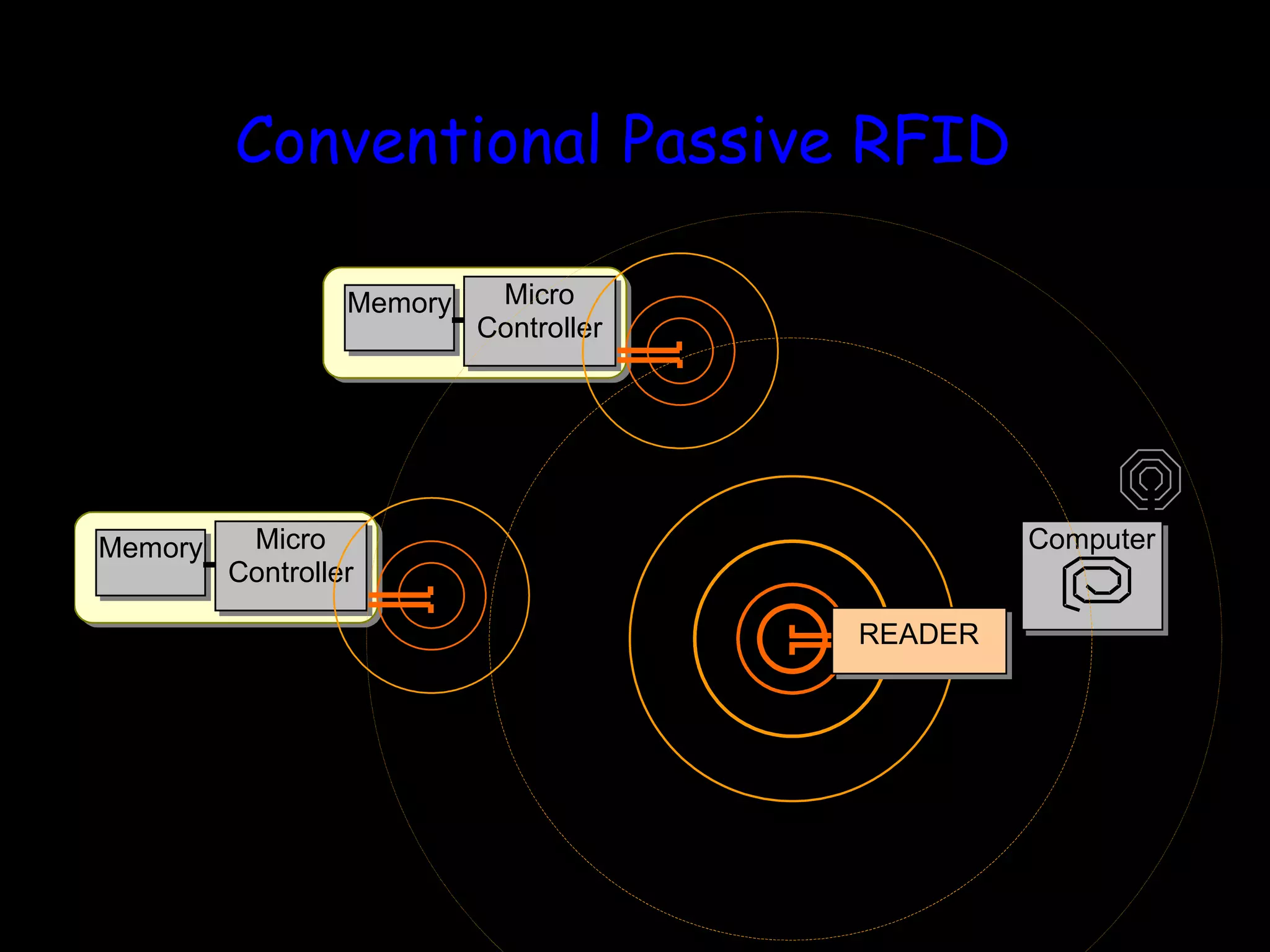
Radio Frequency Identification Tags (RFID) microchip Antenna No batteries, Small size, Cost few cents
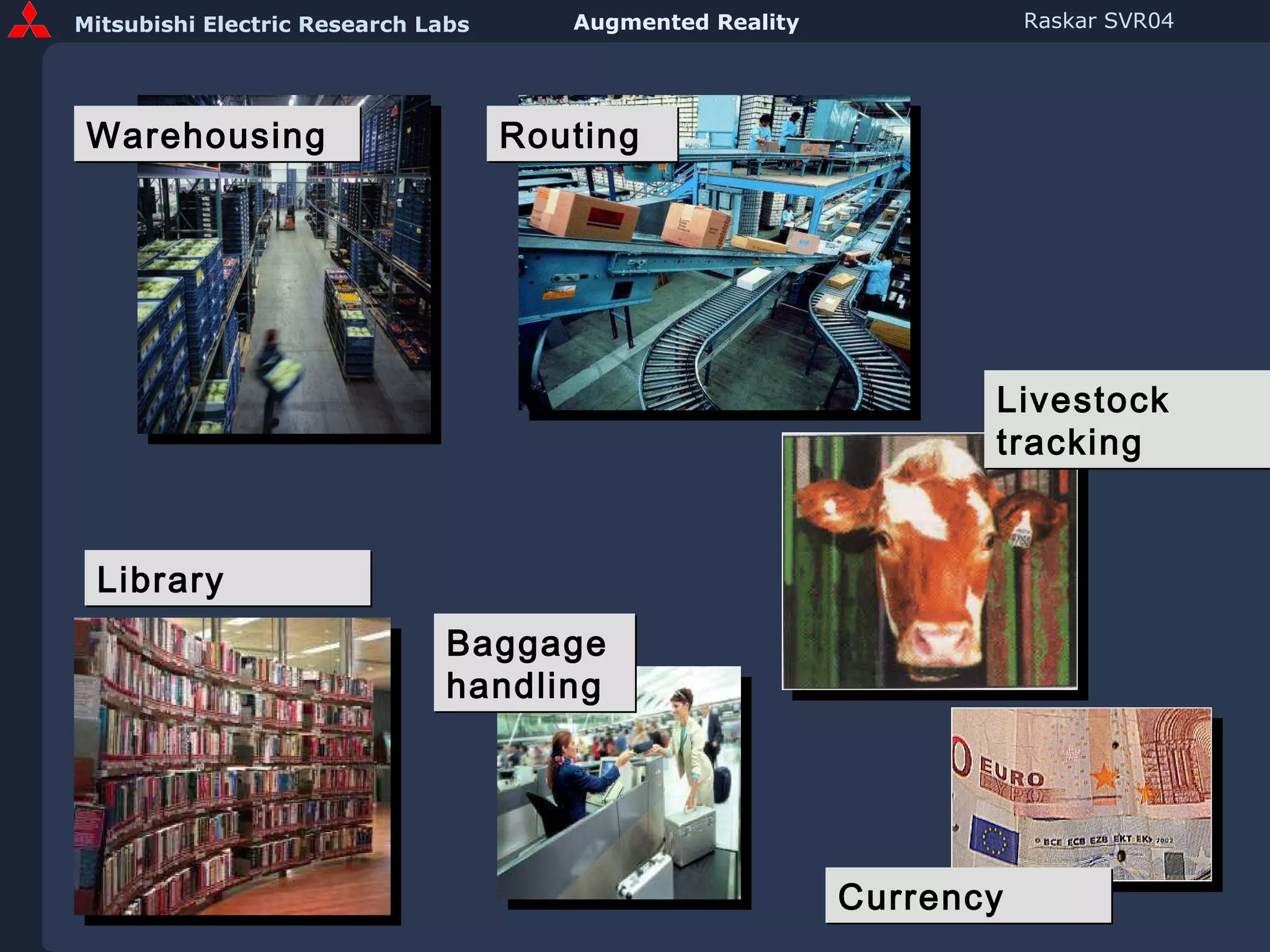
Warehousing Routing Library  Baggage  handling  Currency Livestock tracking
Conventional Passive RFID
Tagged Books in a Library Id  : List of books in RF range No Precise Location Data   Are books in sorted order ? Which book is upside down ?
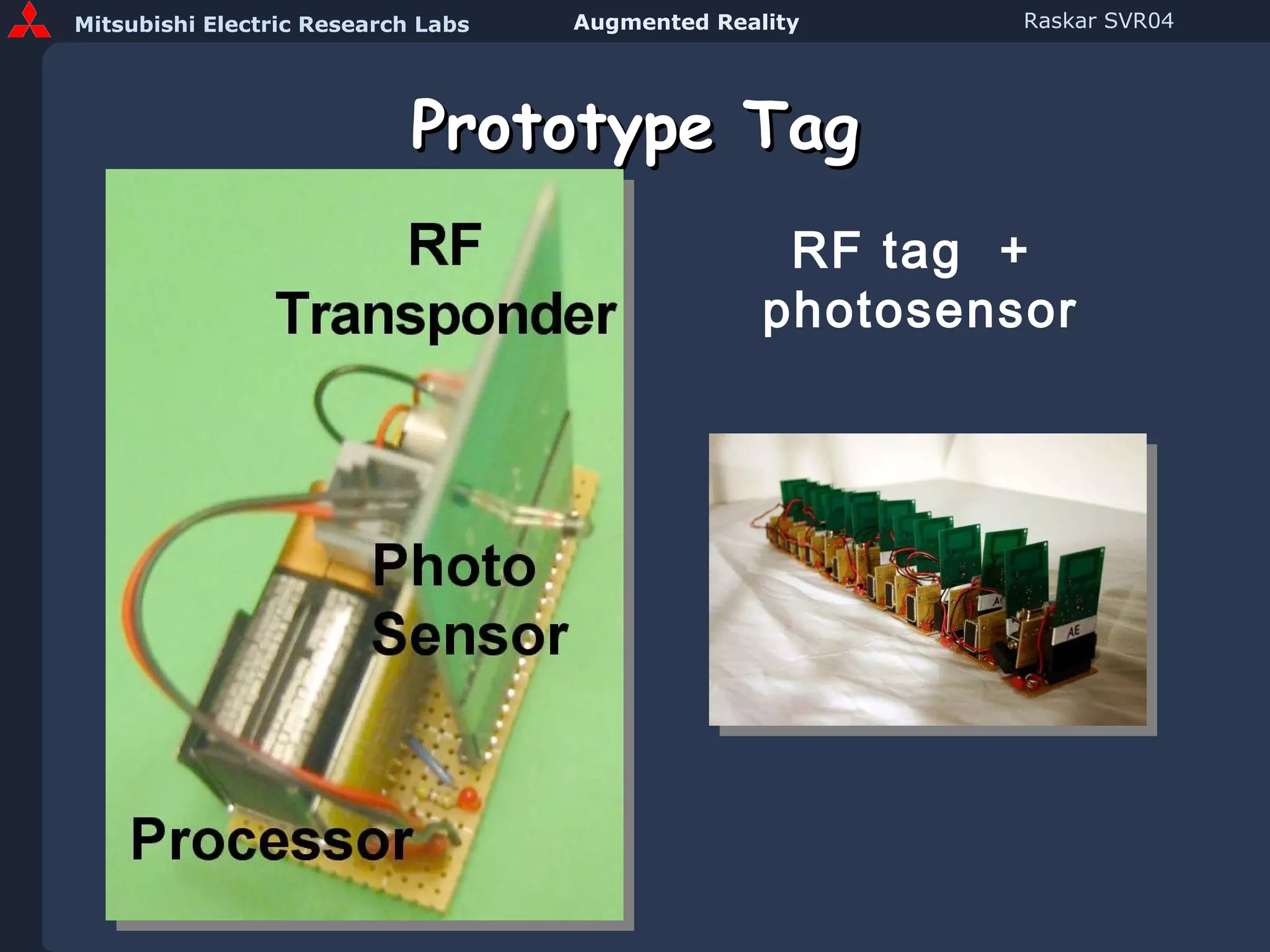
Prototype Tag RF tag  +  photosensor
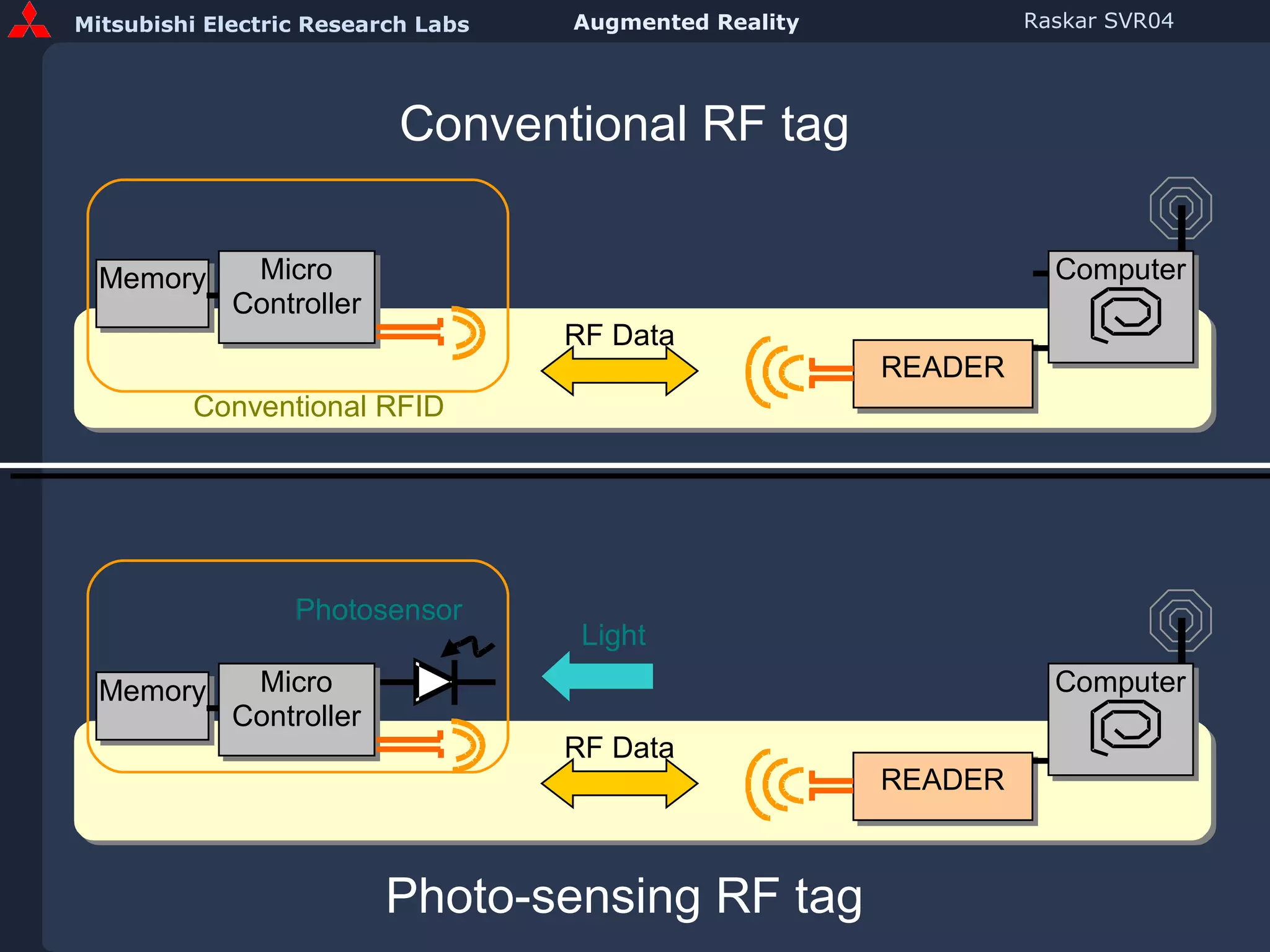
Conventional RF tag Photo-sensing RF tag
 
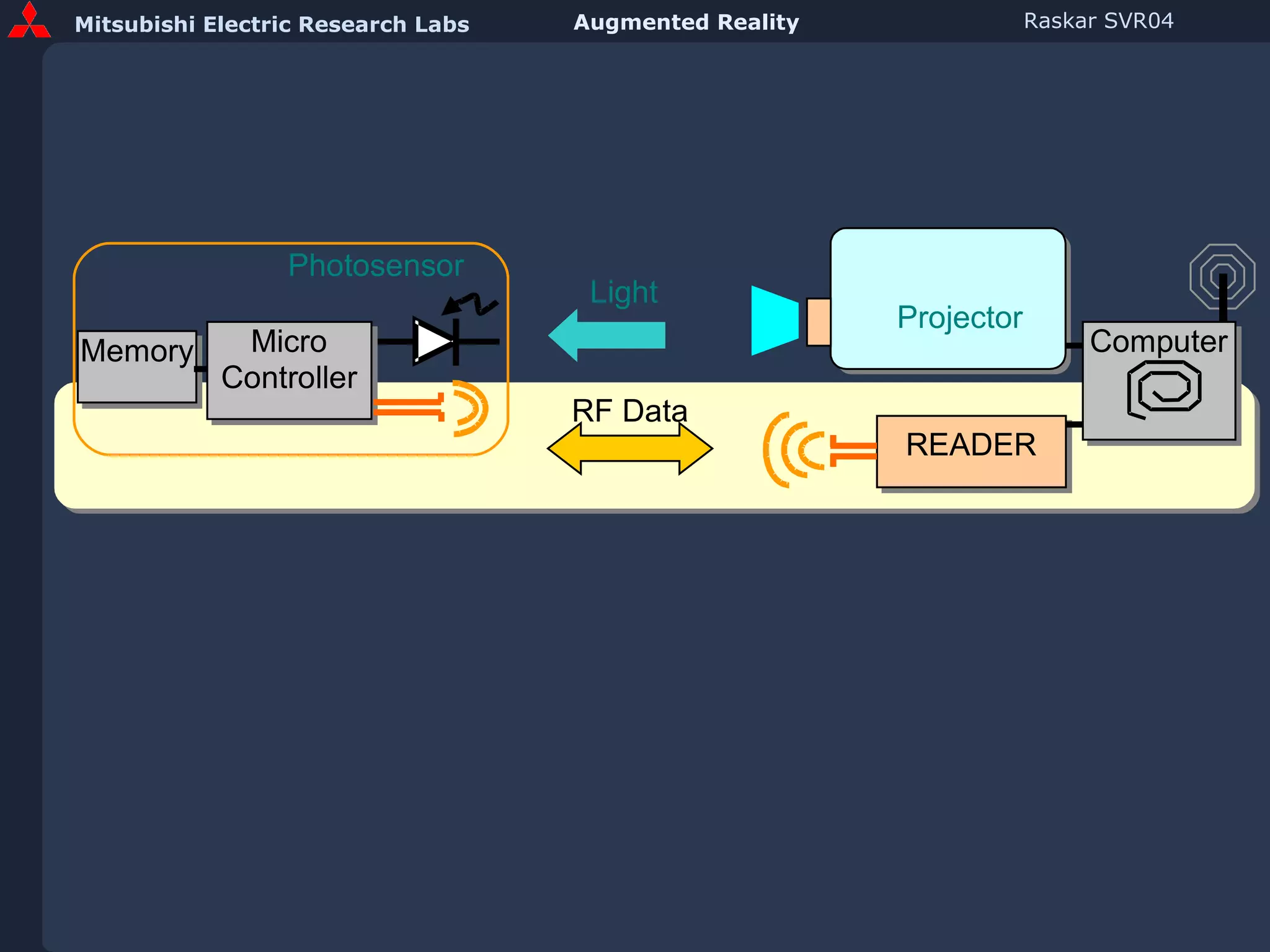
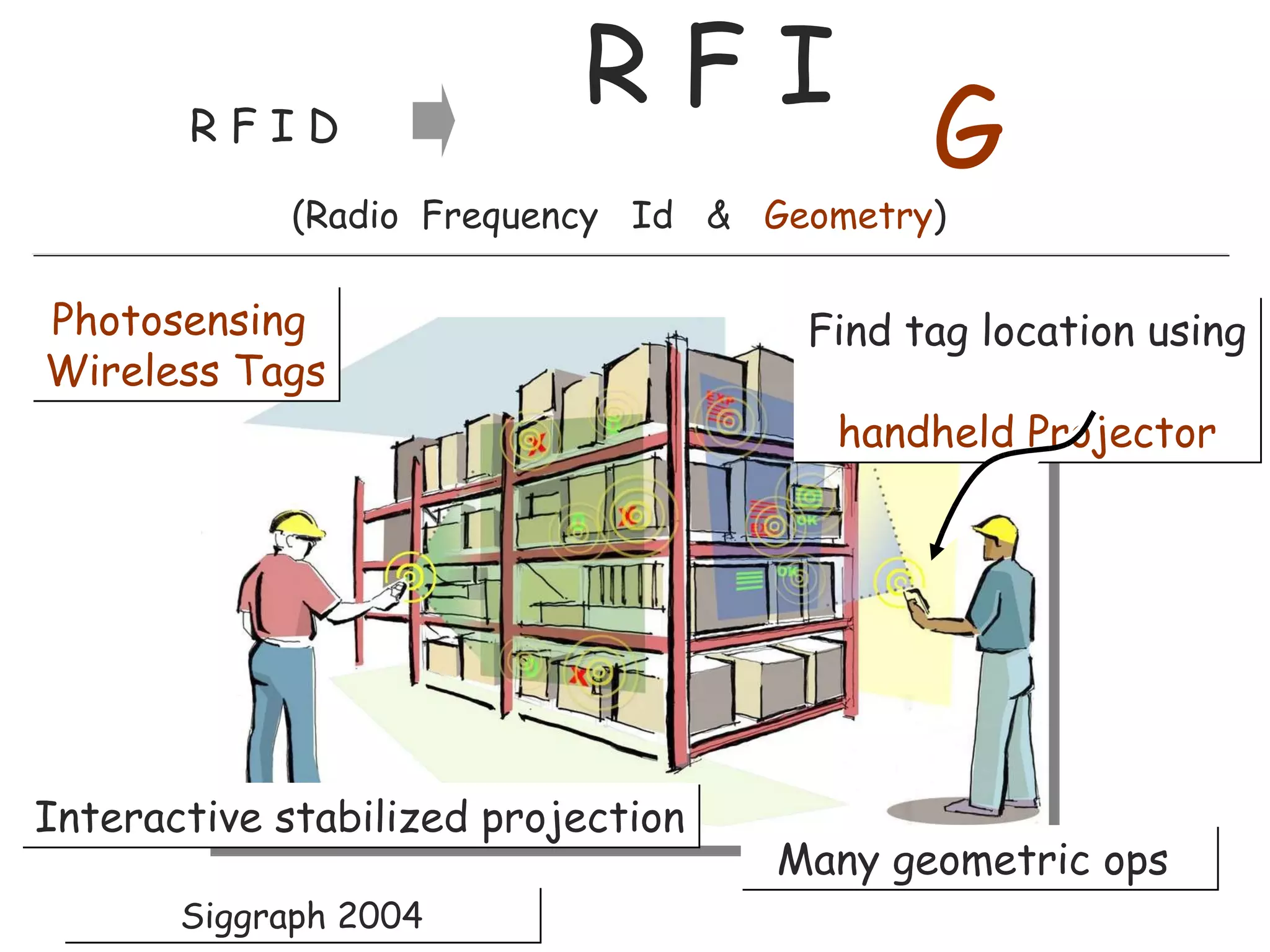
Find tag location using   handheld Projector Photosensing  Wireless Tags Many geometric ops  R F I  R F I D Interactive stabilized projection  (Radio  Frequency  Id  &  Geometry ) G Siggraph 2004
AR with Photosensing RFID and Handheld Projector
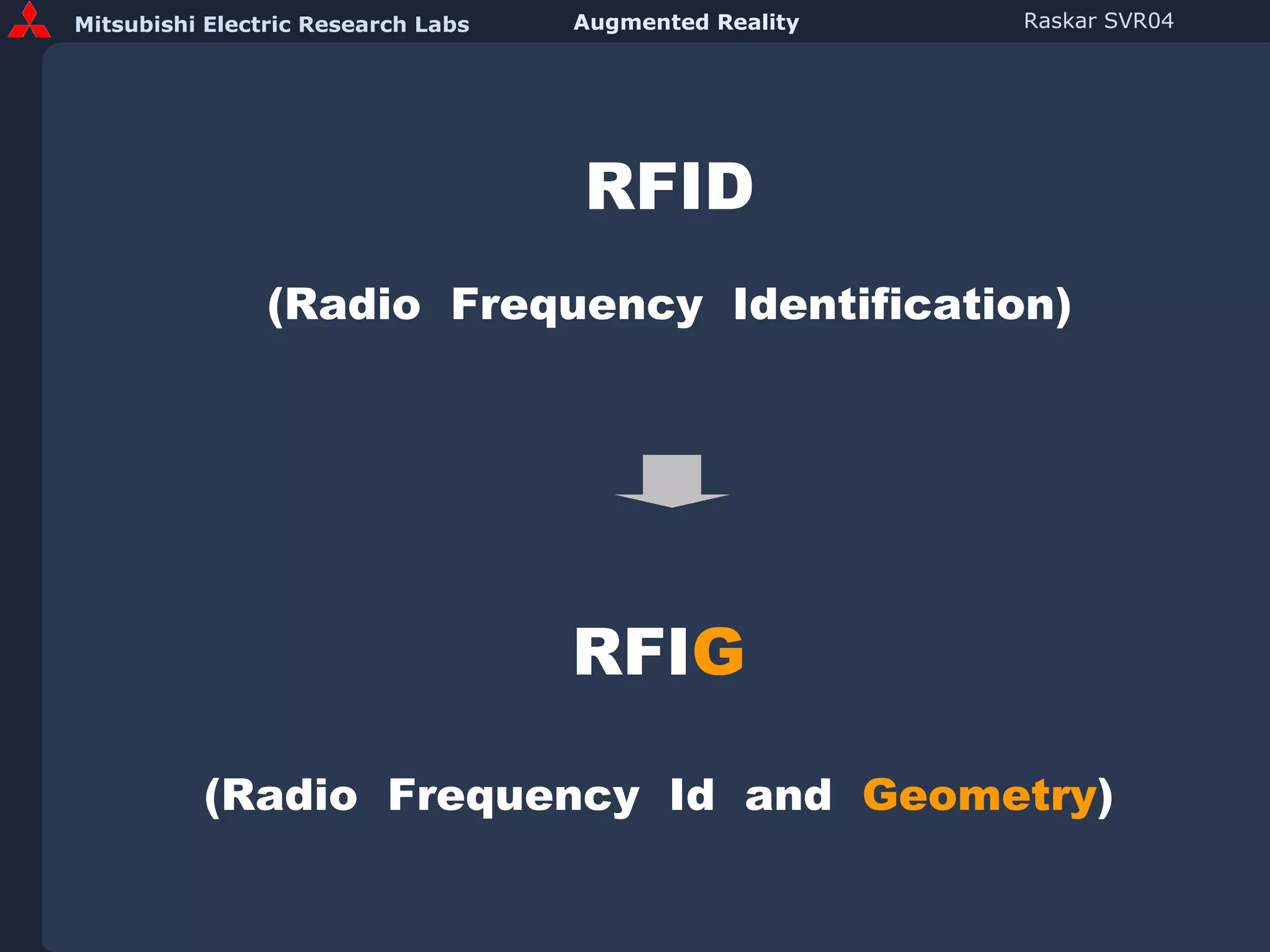
RFID (Radio  Frequency  Identification) RFI G (Radio  Frequency  Id  and  Geometry )
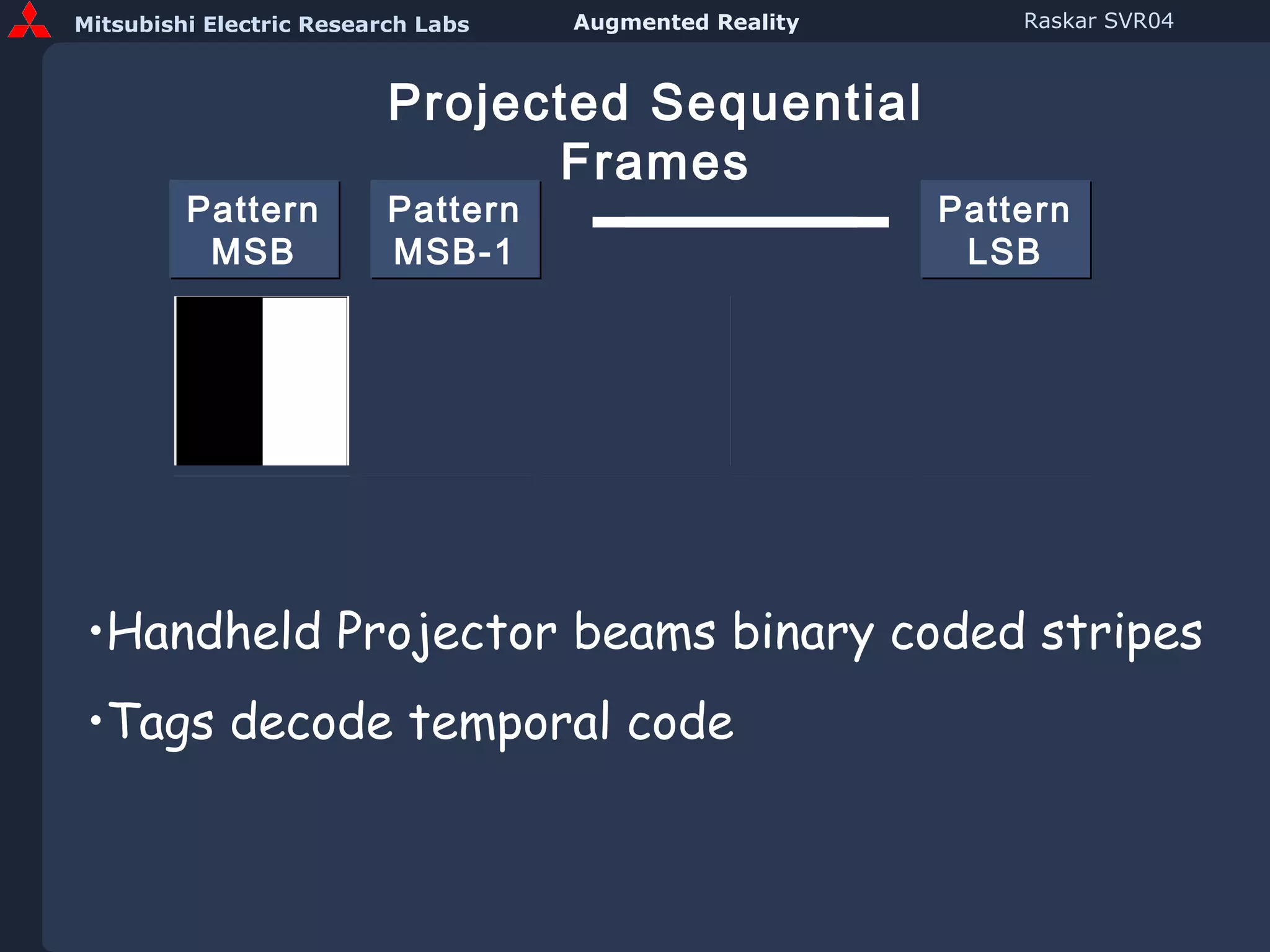
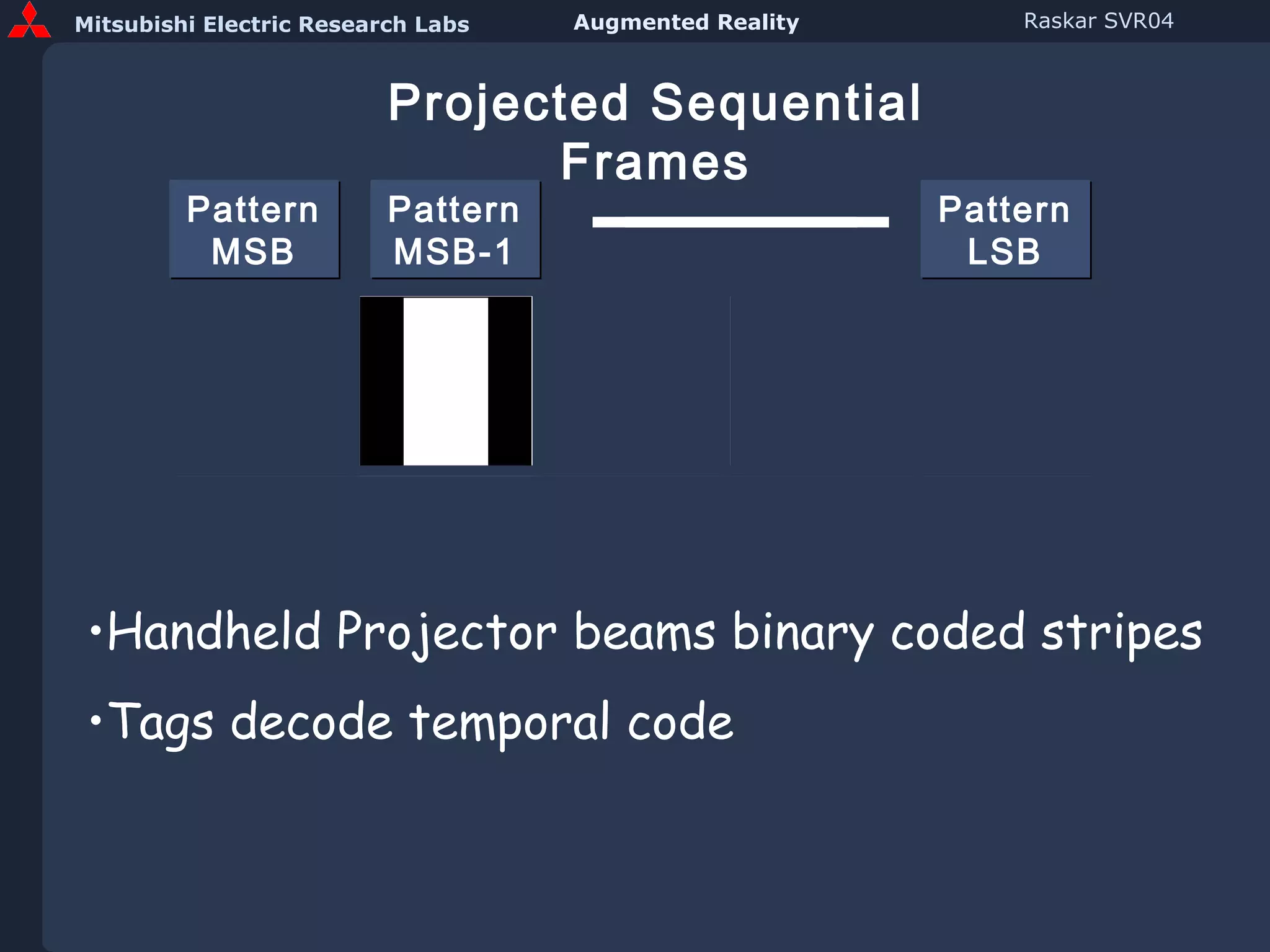
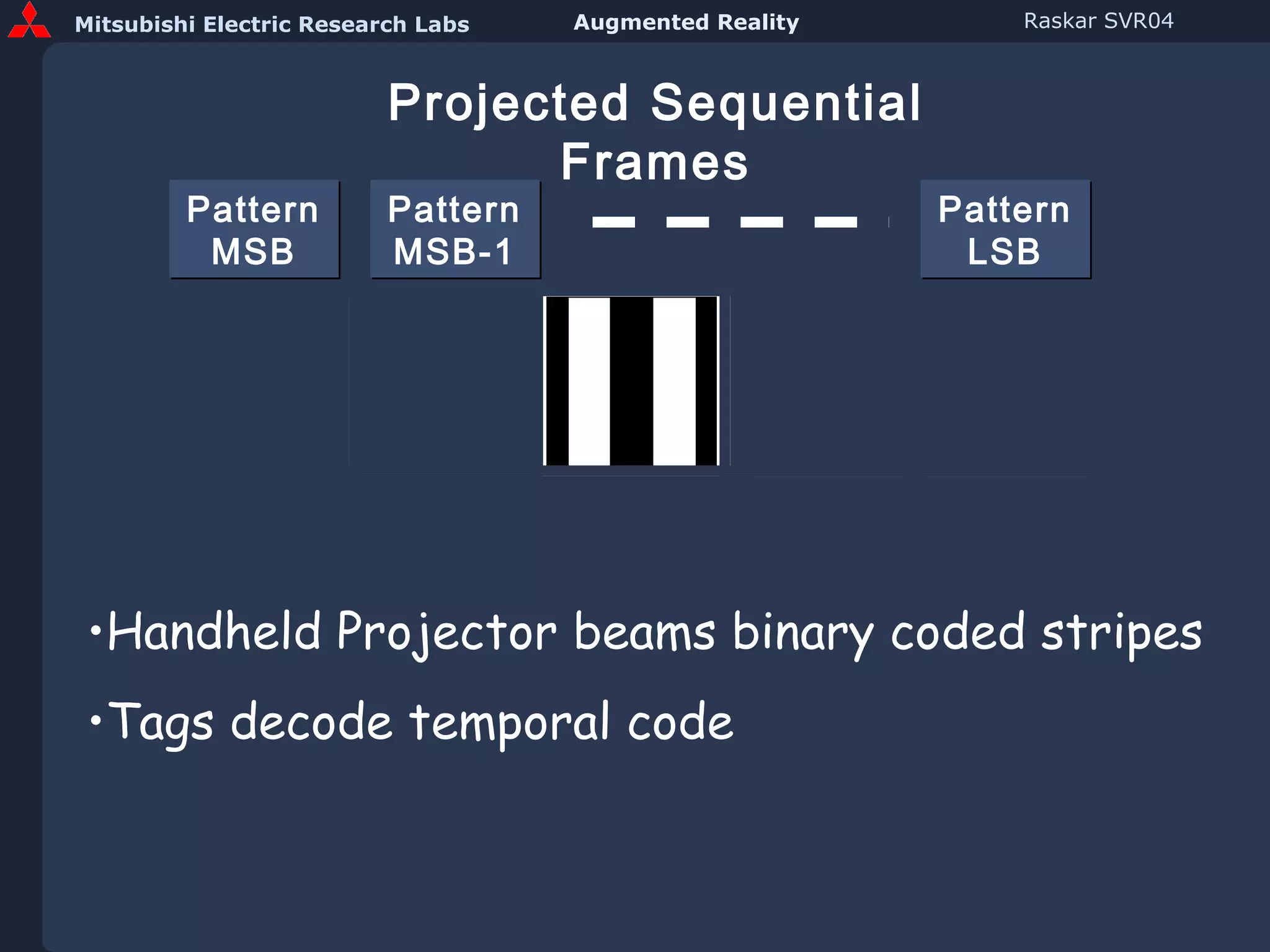
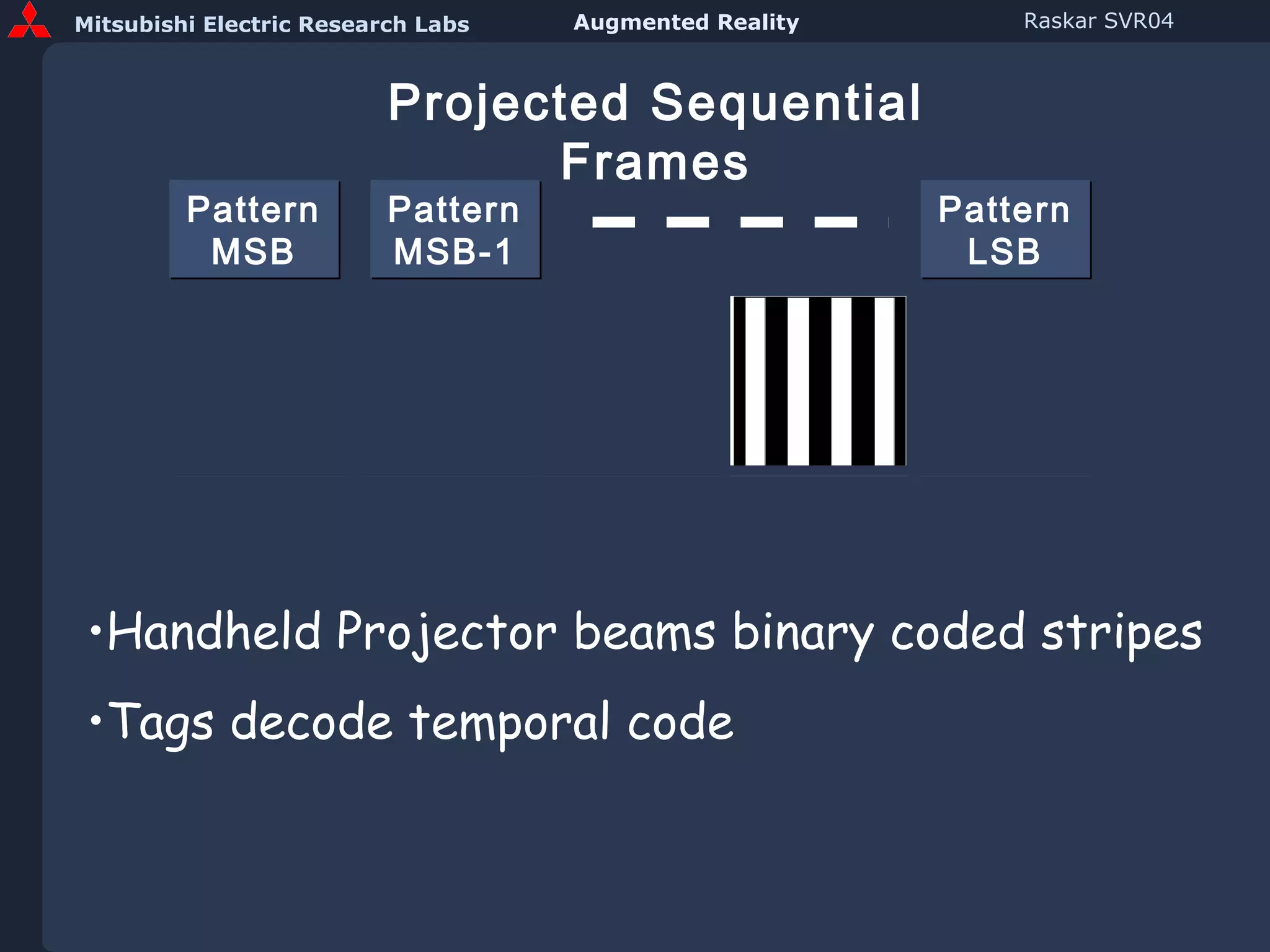
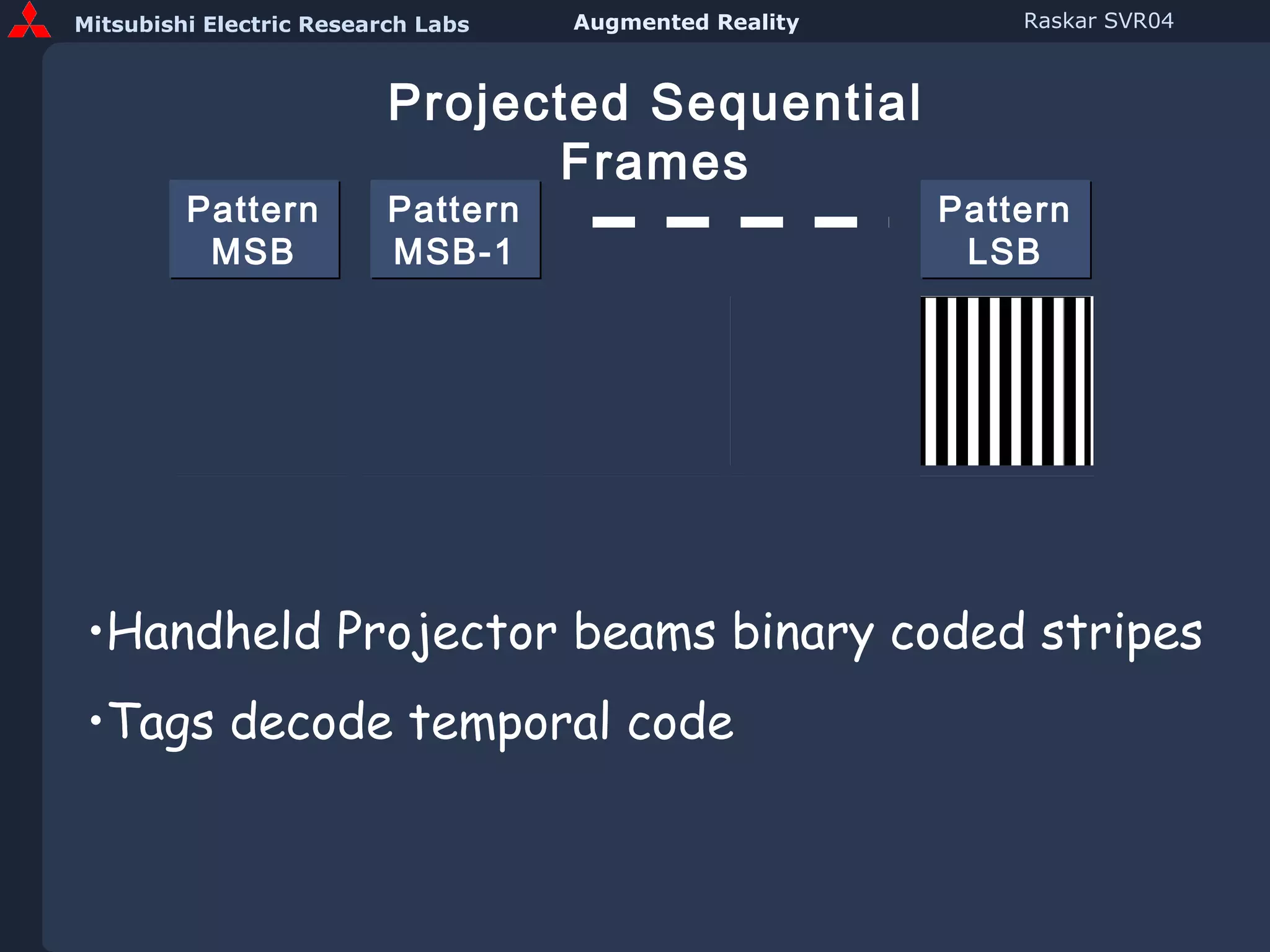
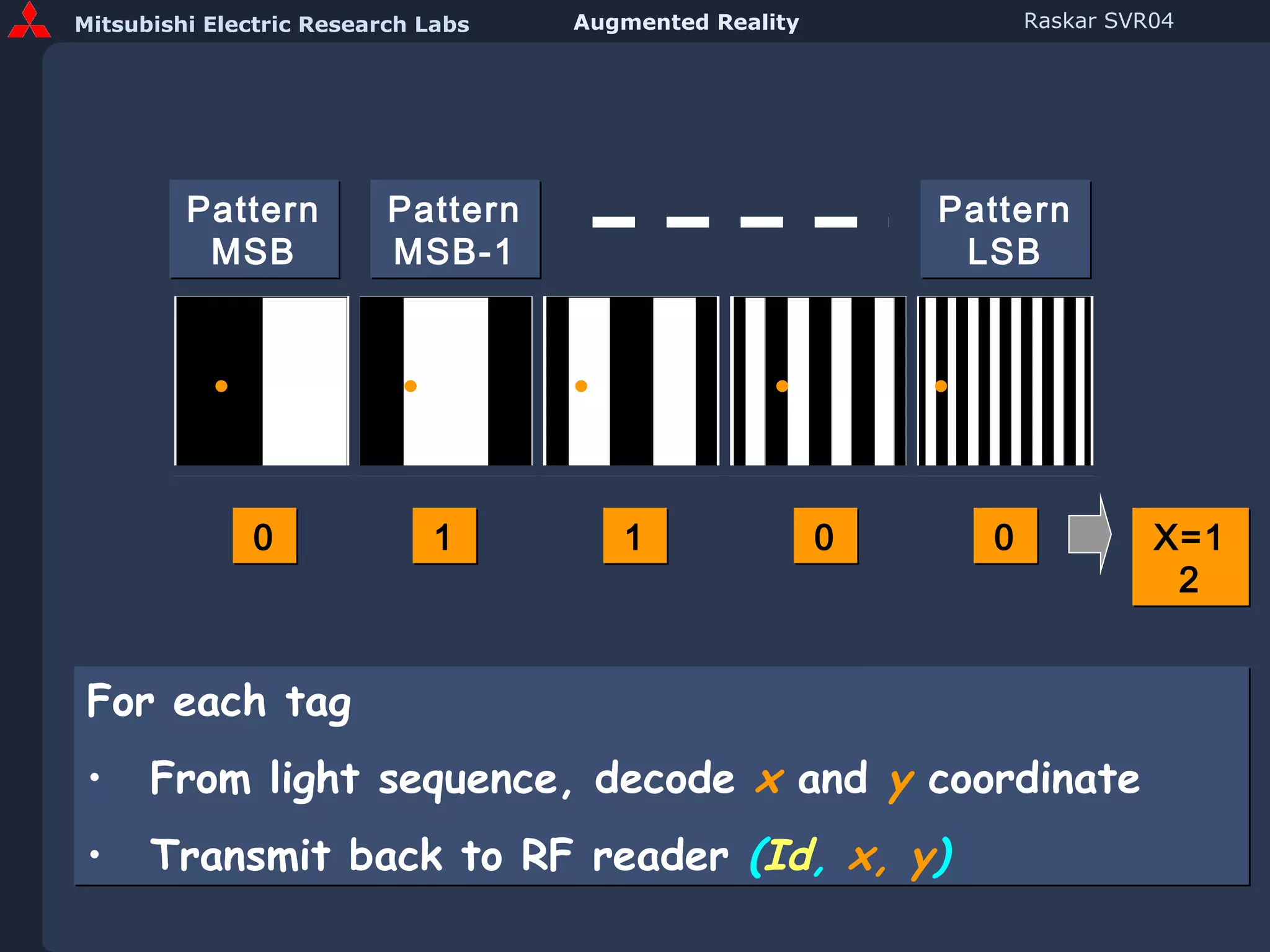
Pattern MSB Pattern MSB-1 Pattern LSB Projected Sequential Frames Handheld Projector beams binary coded stripes Tags decode temporal code
Pattern MSB Pattern MSB-1 Pattern LSB For each tag From light sequence, decode  x  and  y   coordinate Transmit back to RF reader  ( Id ,  x, y ) 0 1 1 0 0 X=12
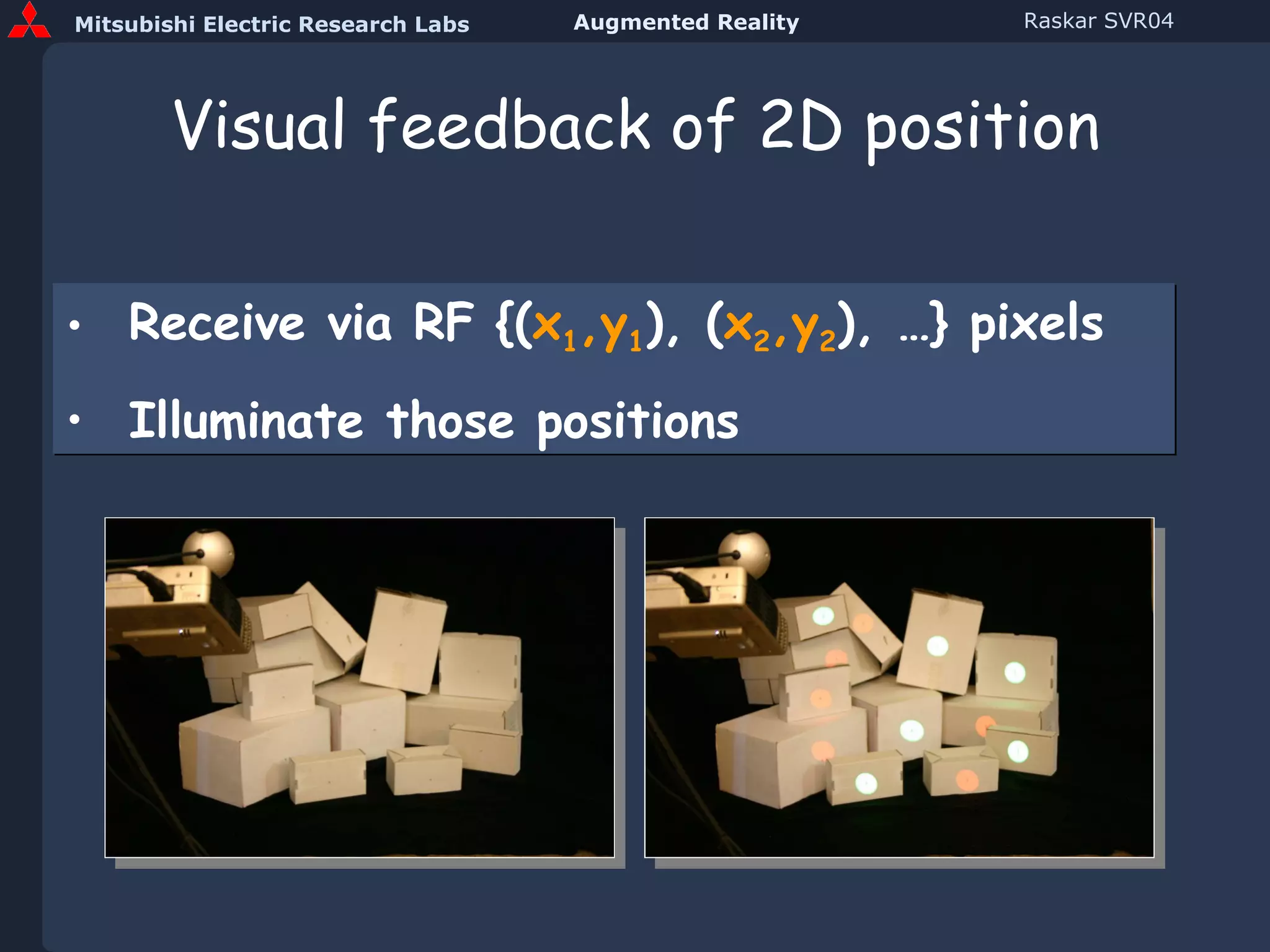
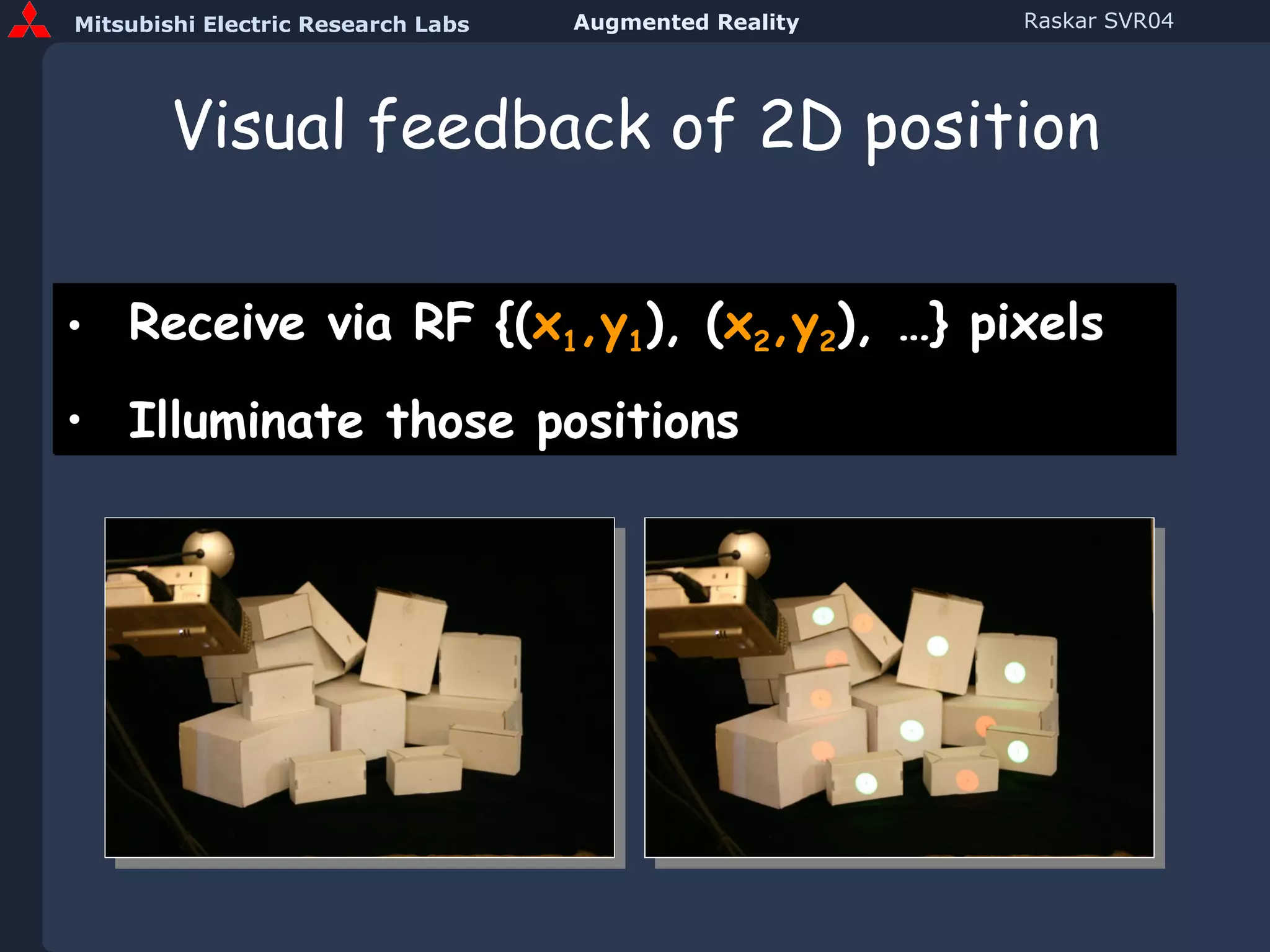
Visual feedback of 2D position Receive via RF {( x 1 ,y 1 ), ( x 2 ,y 2 ), …} pixels Illuminate those positions
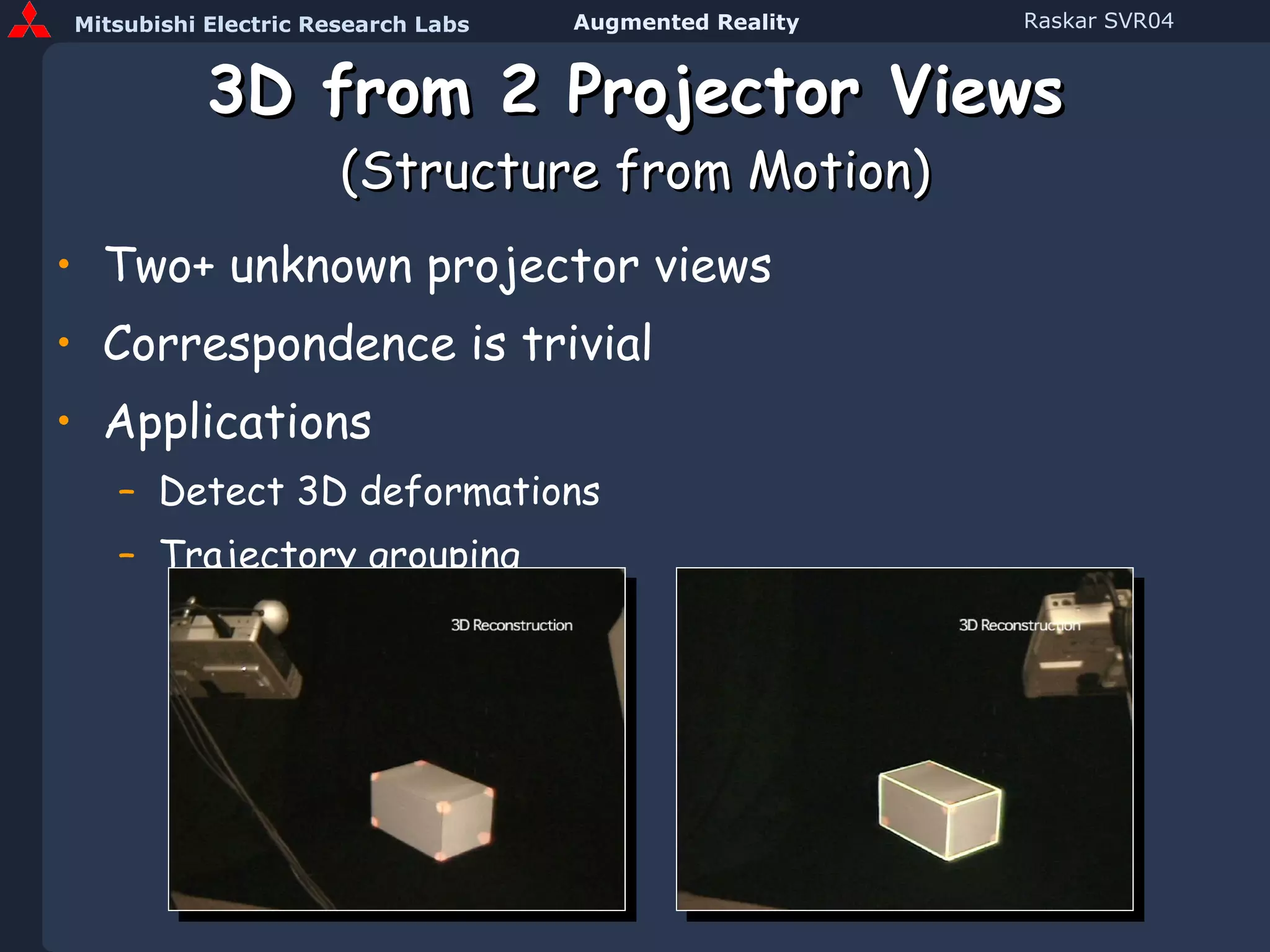
3D from 2 Projector Views (Structure from Motion) Two+ unknown projector views Correspondence is trivial Applications Detect 3D deformations Trajectory grouping
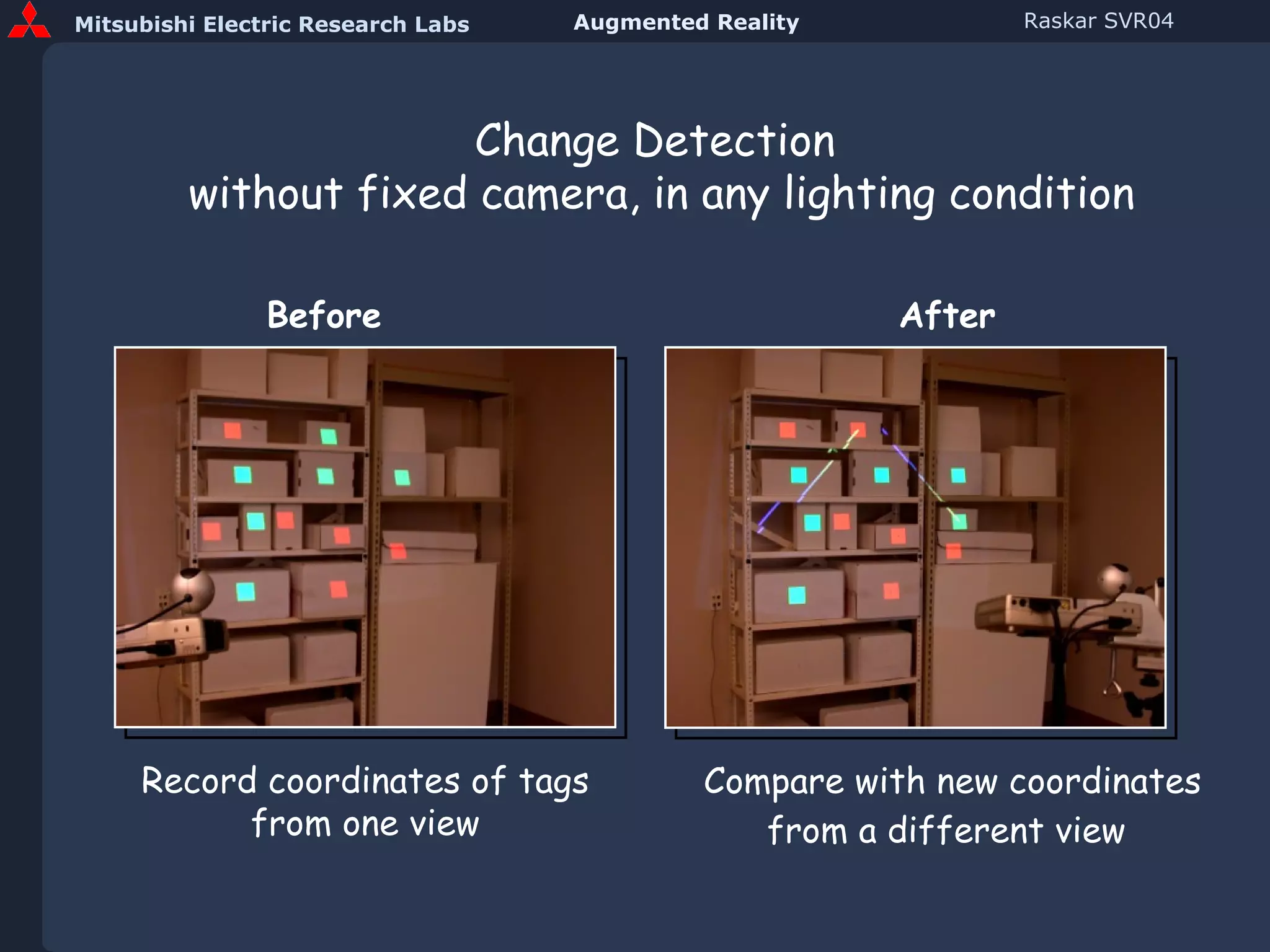
Change Detection  without fixed camera, in any lighting condition Compare with new coordinates from a different view   Record coordinates of tags from one view Before After
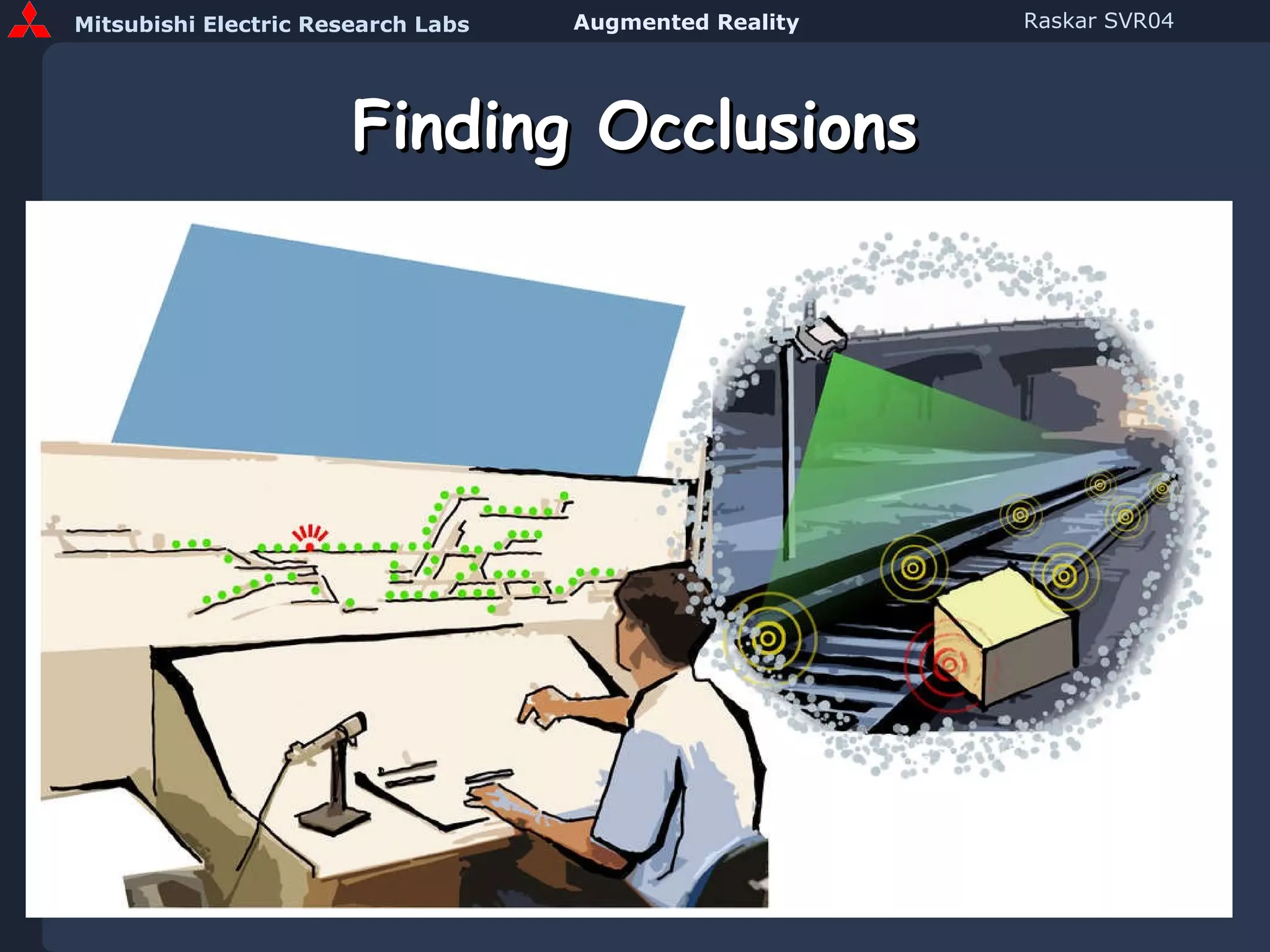
Finding Occlusions
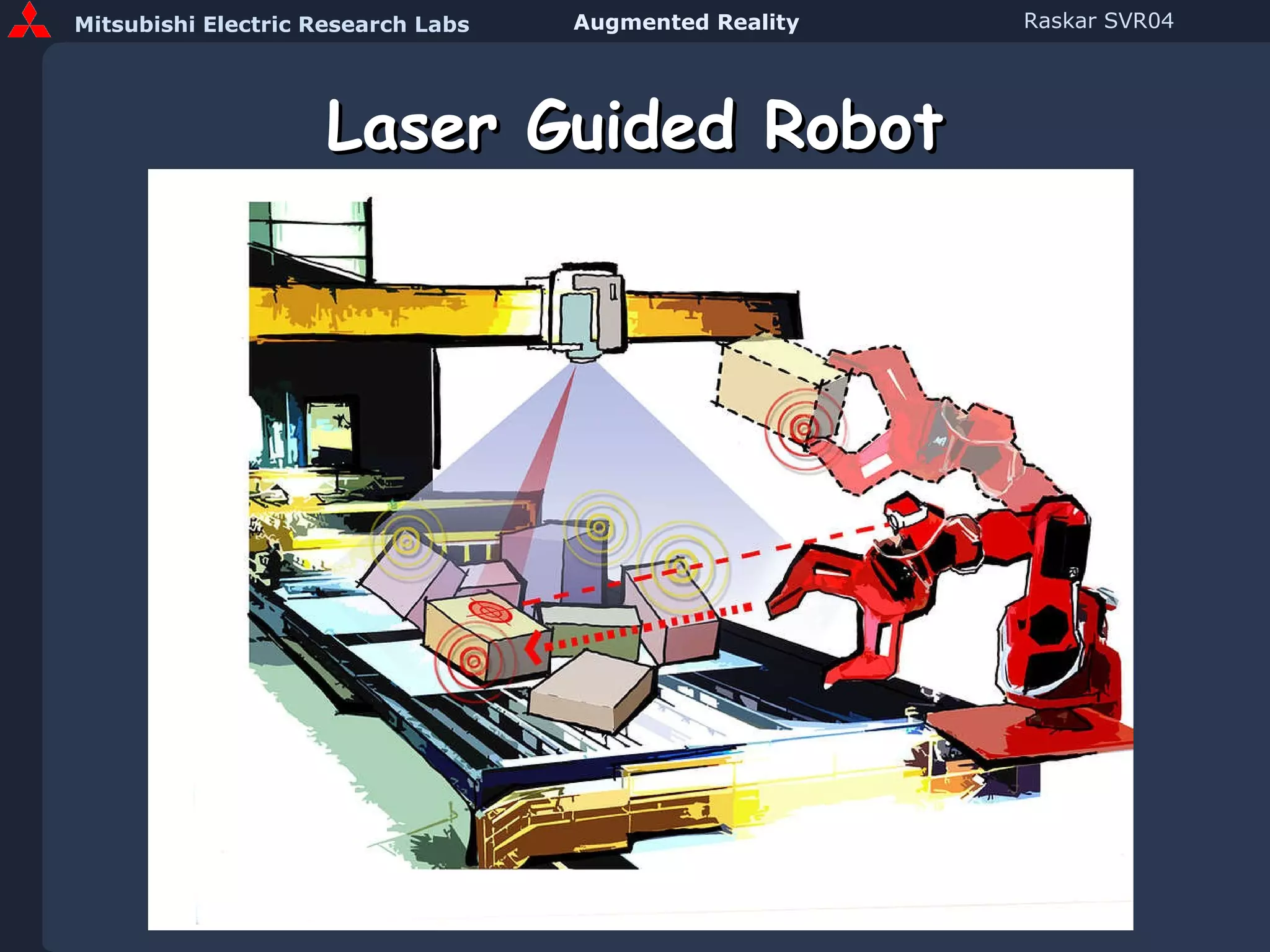
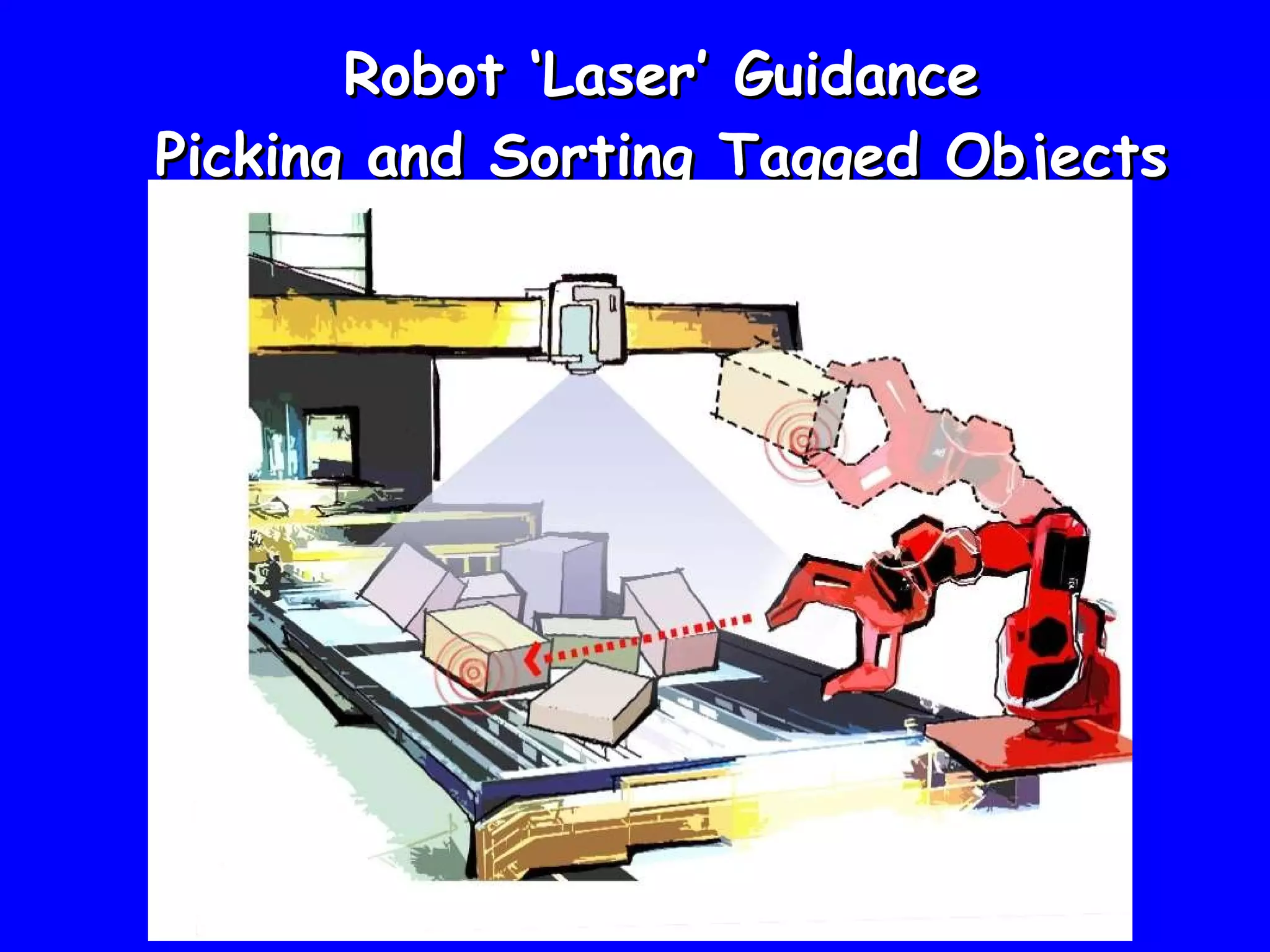
Laser Guided Robot
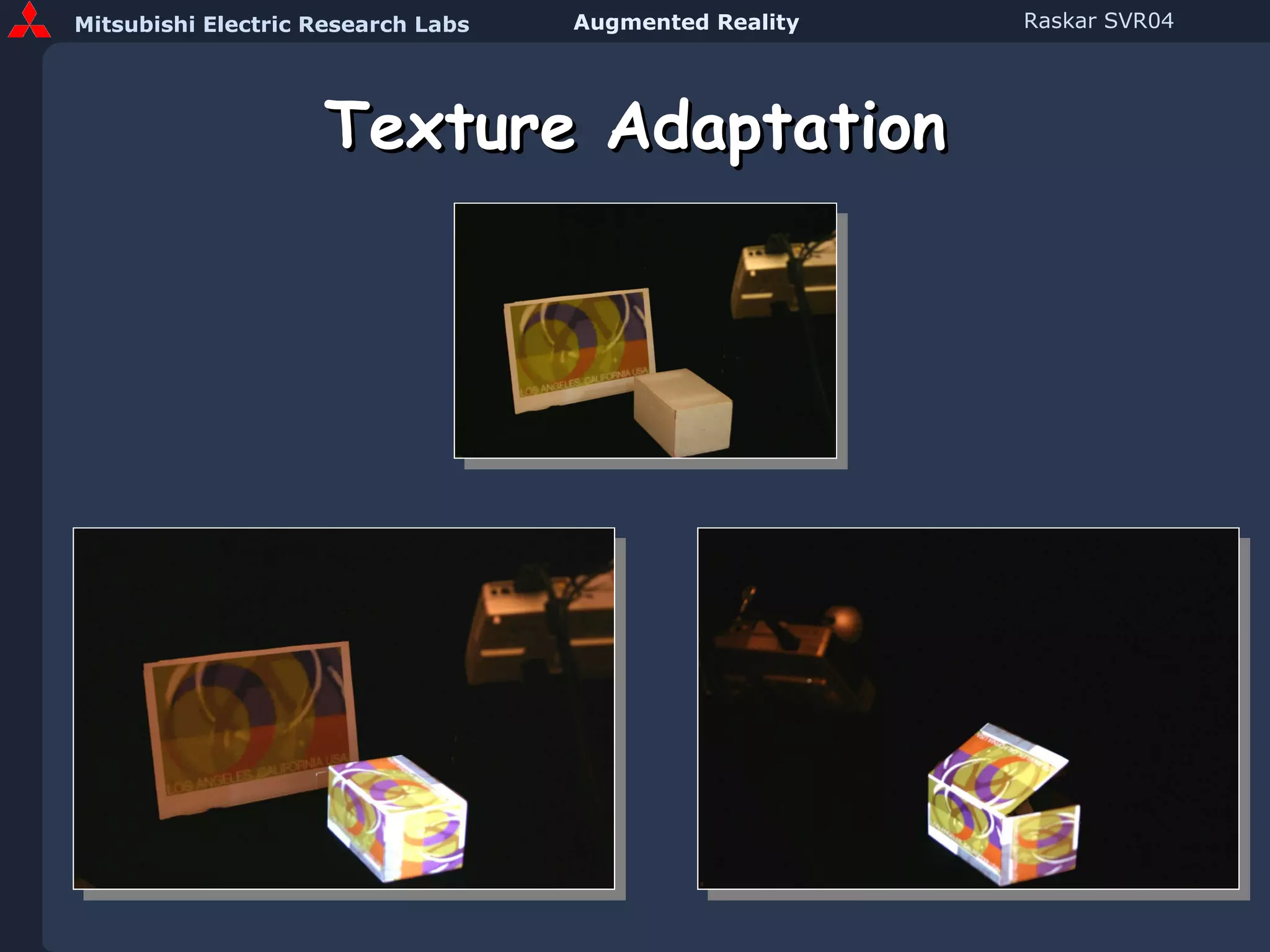
Texture Adaptation
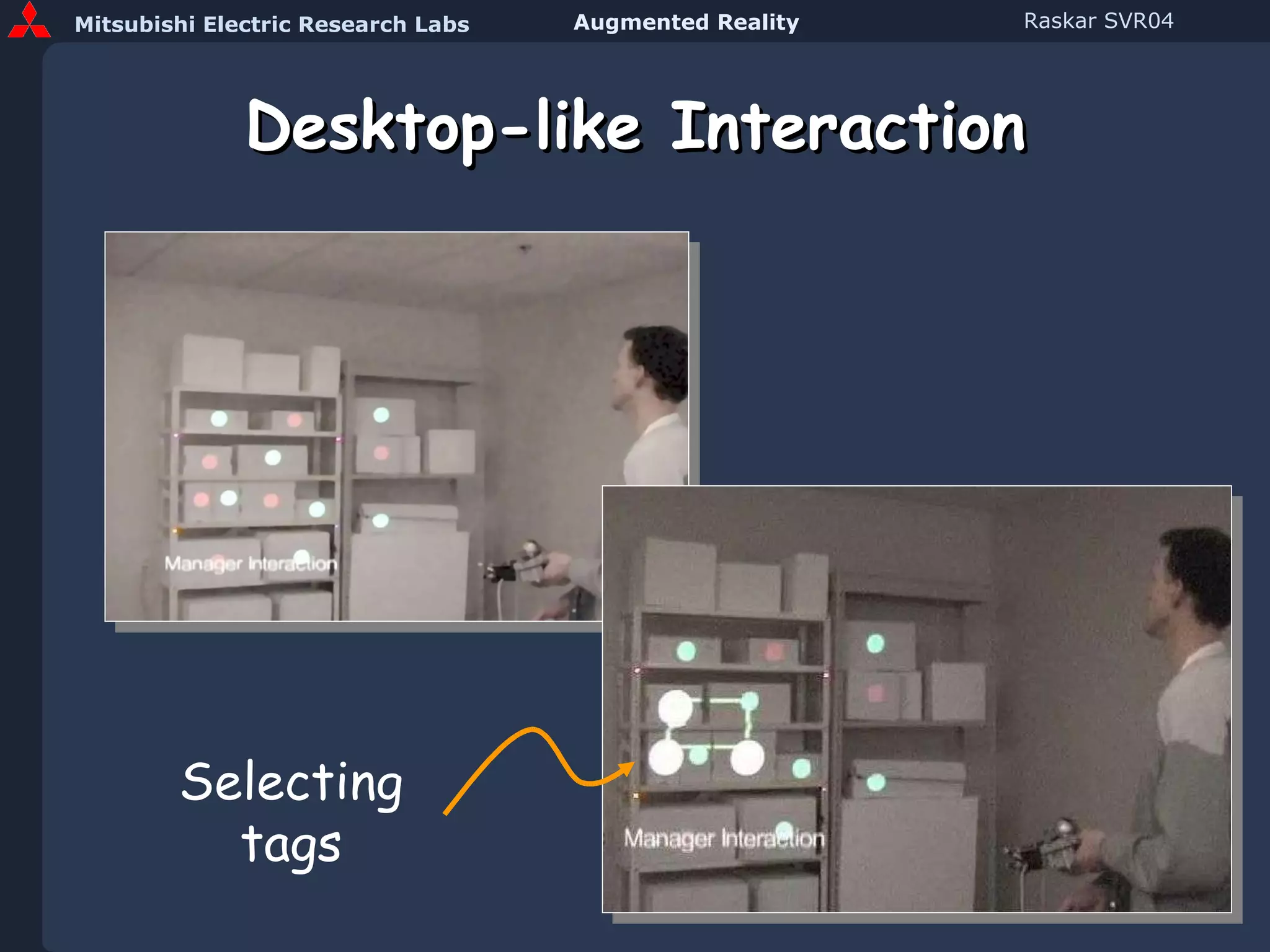
Desktop-like Interaction Selecting tags
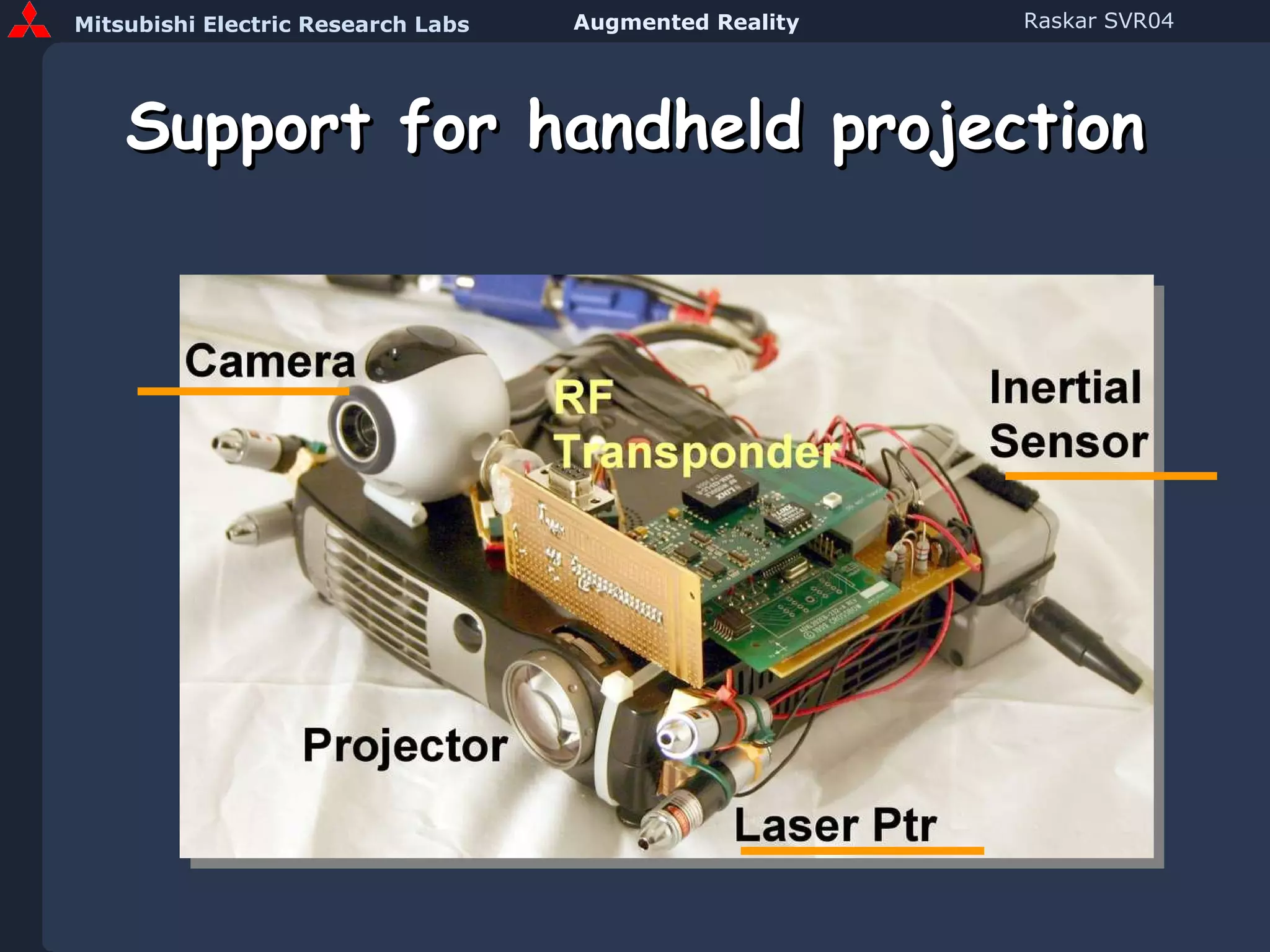
Support for handheld projection
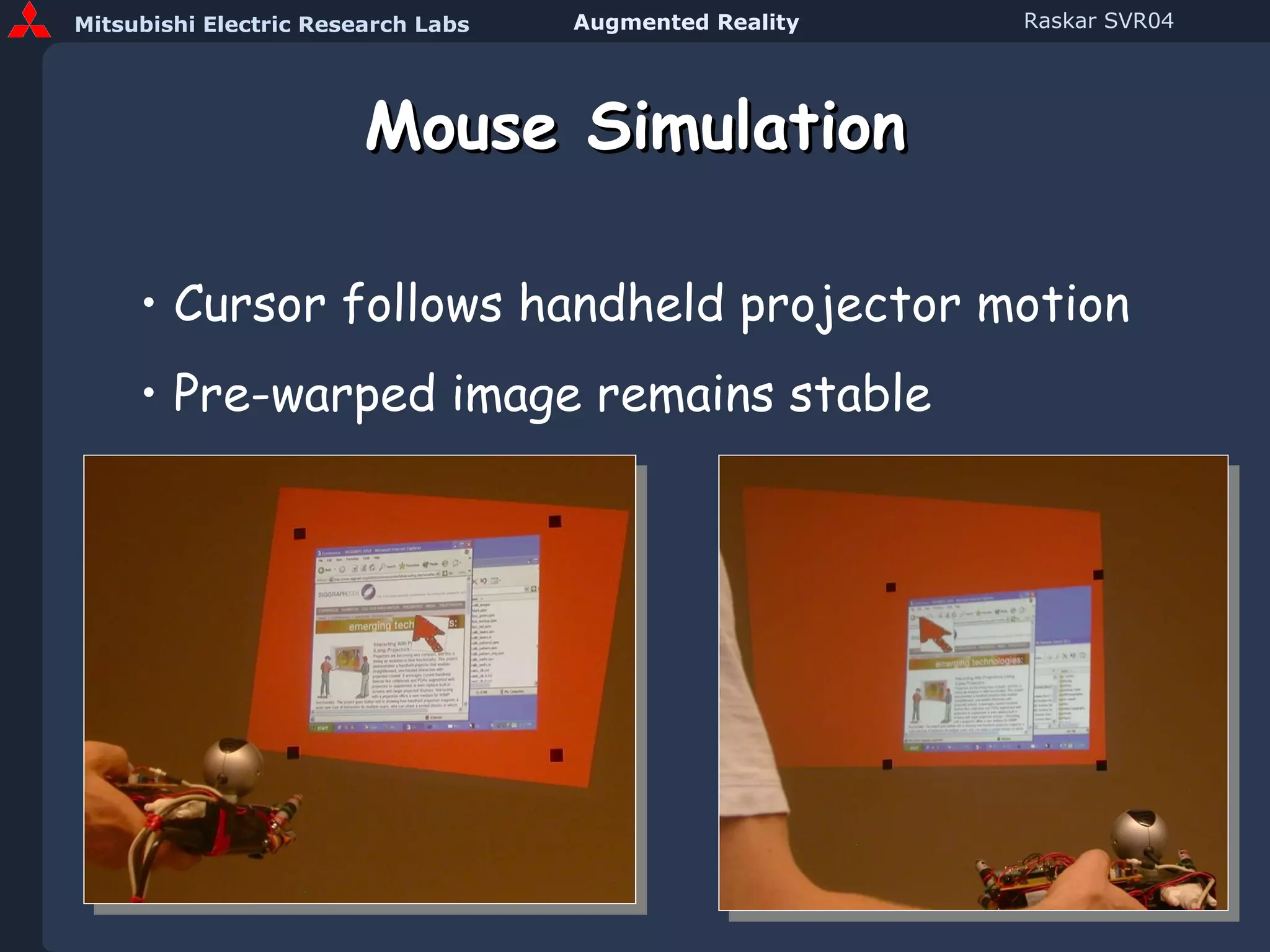
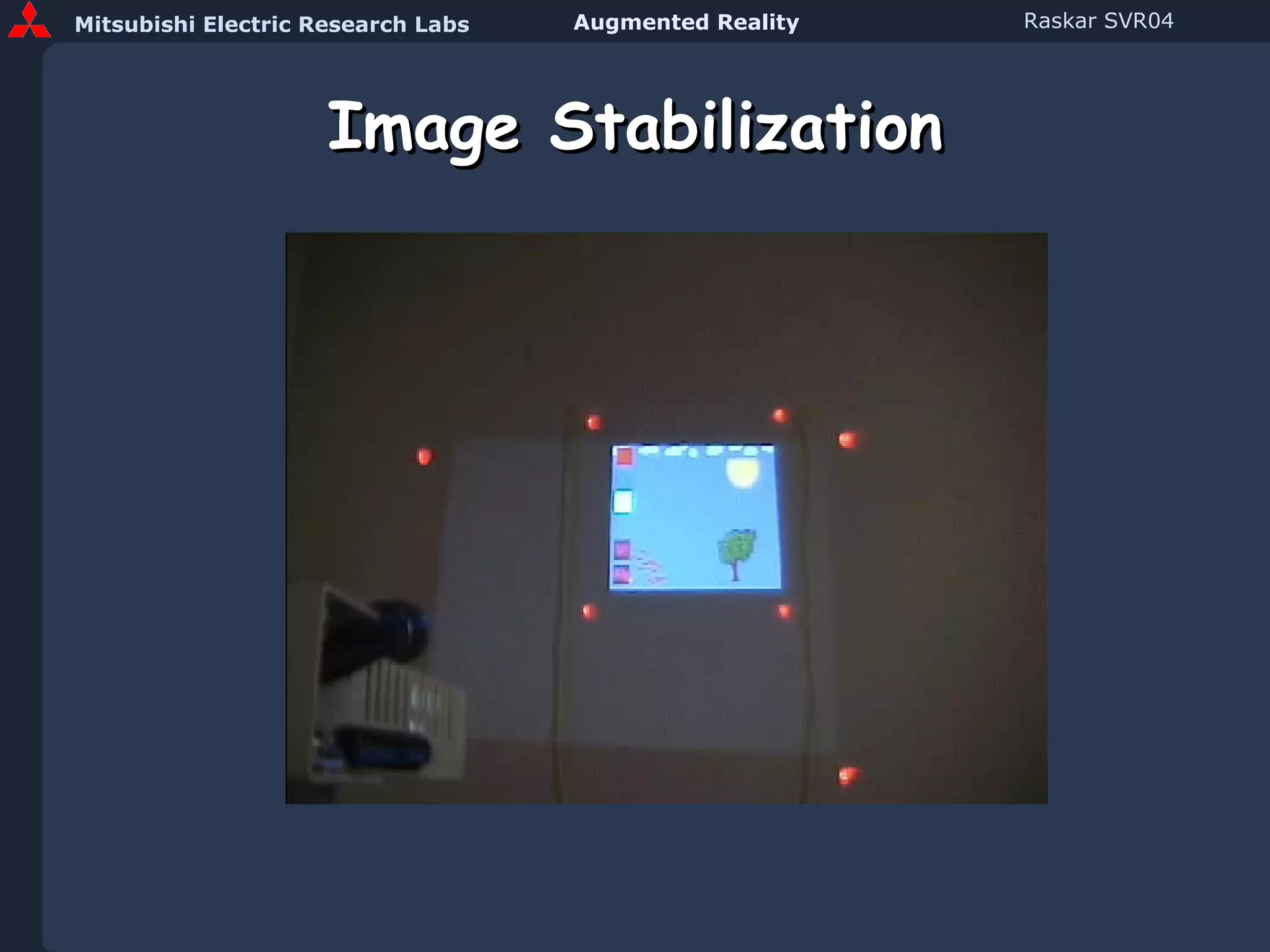
Mouse Simulation Cursor follows handheld projector motion Pre-warped image remains stable
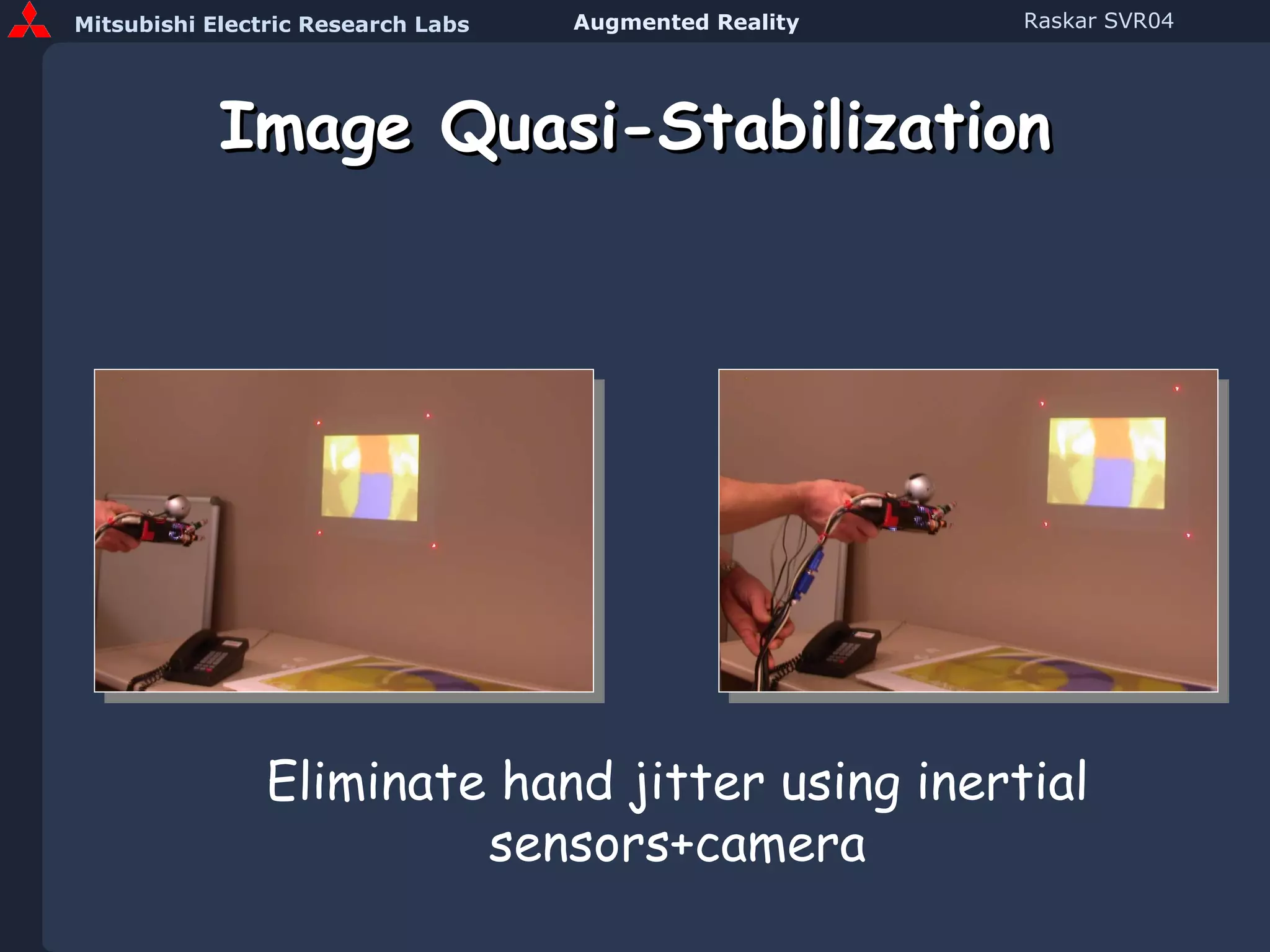
Image Quasi-Stabilization Eliminate hand jitter using inertial sensors+camera
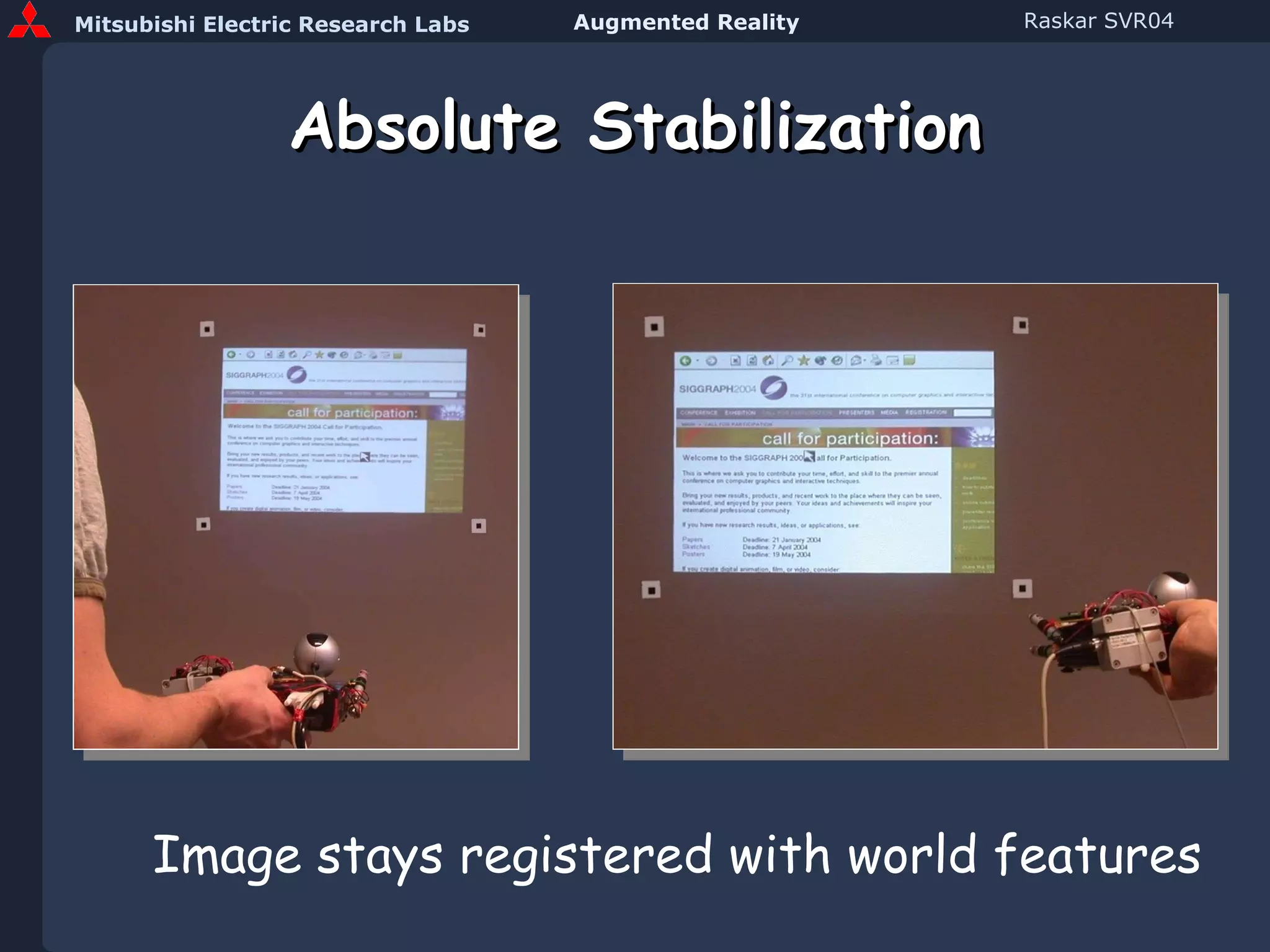
Absolute Stabilization Image stays registered with world features
Image Stabilization
Interactive Projection
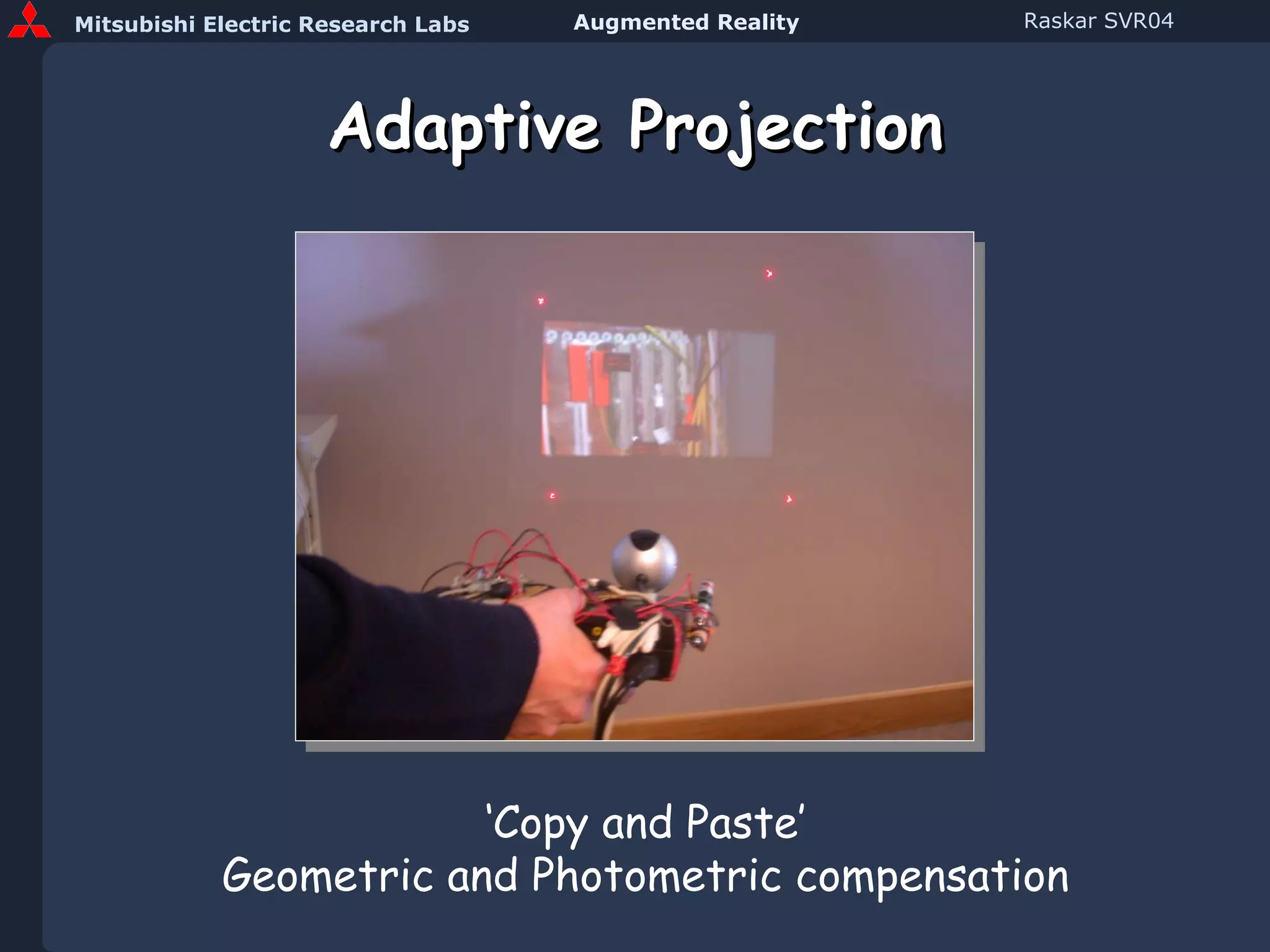
Adaptive Projection ‘ Copy and Paste’ Geometric and Photometric compensation
Prototype Handheld Projector
Machine AR AR for cameras and machines Face Dome  [Debevec 2001] 4D lighting  [MPI, MERL]
Robot ‘Laser’ Guidance Picking and Sorting Tagged Objects
Acknowledgements MERL Jeroen van Baar, Paul Beardsley, Remo Ziegler, Thomas Willwacher, Srinivas Rao, Cliff Forlines, Paul Dietz, Johnny Lee Office of the Future group at UNC Chapel Hill Greg Welch, Kok-lim Low, Deepak B’padhyay Henry Fuchs, Herman Towles Wei-chao Chen   Mitsubishi Electric, Japan Yoshihiro Ashizaki, Masatoshi Kameyama,  Masato Ogata, Keiichi Shiotani Images Oliver Bimber, Claudio Pinhanez Ed Lantz (Spitz Inc.), Marc Pollefeys (UNC Chapel Hill) Aditi Majumder, Rahul Sukthankar,, Chris Jaynes, Shree Nayar Apologies (Not able to include work by others) SVR, Absolut, Luciano Peres
Projector-Camera Workshop June 2005 www.PROCAMS.org Web Page :  http://raskar.com/Projector/ Projector mailing list [email_address] “ subscribe projector”
New Directions in Augmented Reality Spatially Augmented Reality:  Alternative approach Special effects in real world:  Next big graphics challenge Location aware RFID:  Converging technologies www.raskar.com
Ramesh Raskar Mitsubishi Electric Research Labs (MERL), Cambridge, MA New Directions in Augmented Reality
Shader Lamps Motivation View-dependent Appearance
Shader Lamps Image based Illumination Basic Idea Render images and project on objects Multiple projectors View and object dependent color Raskar, Welch, Low, Bandyopadhyay, “Shader Lamps: Animating Real Objects with Image Based Illumination,” Eurographics Rendering Worksop (EGRW 2001)
 
Virtual Motion
ShaderLamps Virtual Reflectance Virtual Illumination Interaction Virtual Motion www.ShaderLamps.com
Prototype Handheld Projector

Svr Raskar

  • 1.
    Ramesh Raskar MitsubishiElectric Research Labs (MERL), Cambridge, MA, USA New Directions in Augmented Reality
  • 2.
    Parent Organization: MELCO Mitsubishi Electric (MELCO), including subsidiaries $32B in annual sales 125,000 people 10 business sectors: Space Development and Satellite Communications Communications and Information Processing Visual Equipment and Systems Electronic Devices Home Electronics Energy Industrial Equipment Public-Use Systems Transportation
  • 3.
    MERL Mitsubishi ElectricResearch Laboratories Dick Waters, President & CEO Two labs, co-located in Cambridge, MA: MERL Technology Lab Kent Wittenburg, Director Advanced systems development ~35 researchers MERL Research Lab Joe Marks, Director Basic research in applied computing 23 researchers, interns, consultants CV, HCI, Multimedia, CG, AI
  • 4.
    New Directions inAugmented Reality Spatially Augmented Reality: Alternative approach Special effects in real world: Next big graphics challenge Location aware RFID: Converging technologies www.raskar.com
  • 5.
    Non-trivial AR Paintingwith Light [Bandyopadhyay, Raskar, Fuchs 2001]
  • 6.
    Spatially Augmented Reality (SAR) HMD-VR Spatially Immersive-VR AR using HMD Spatially Augmented Reality e.g. CAVE Video or Optical see-through SAR, Shaderlamps
  • 7.
  • 8.
    Classification of ARSpatially Augmented Reality
  • 9.
    Spatially Augmented RealityRaskar, vanBaar, Beardsley, Willwacher, Rao, Forlines ‘iLamps: Geometrically Aware and Self-Configurable Projectors’, SIGGRAPH 2003
  • 10.
    AR Issues Preprocessing:Authoring Runtime: Identification : Recognition of objects Using markers and visual tags Registration : Finding relative pose of display device Dynamic estimate of translation and rotation Render/Warp images Interaction: Widgets, Gesture recognition, Visual feedback
  • 11.
    Advantages of ProjectorsSize of image Combination of images Shape of display surface Image can be larger than device Images can be superimposed and added Displayed images may be non-planar
  • 12.
    Disadvantages Projector limitationsLimited depth of field Shadows Affected by display surface reflectance Challenges Calibration required Rendering involves complex relationships
  • 13.
    Advantages of SpatialAugmentation (SAR) Augmentation of objects not view Wide area, High resolution Comparison Body-Worn Displays Better ergonomics Reduced tracking requirements Hand-held Displays Avoids ‘last foot’ problem
  • 14.
    Classification of ARSpatially Augmented Reality ShaderLamps
  • 15.
    Shader Lamps MotivationView-dependent Appearance
  • 16.
    Shader Lamps Imagebased Illumination Basic Idea Render images and project on objects Multiple projectors View and object dependent color Raskar, Welch, Low, Bandyopadhyay, “Shader Lamps: Animating Real Objects with Image Based Illumination,” Eurographics Rendering Worksop (EGRW 2001)
  • 17.
  • 18.
    Changing Appearance ProjectorProjector Virtual light source
  • 19.
    Examples Son etLumiere Projecting slide of augmented photo
  • 20.
    Examples Disney’s HauntedMansion Pre-recorded video Singing busts Madame Leota
  • 21.
    Old Large, rigid installations A 2D image or video projection Single projector Texture New Easy setup, Non-trivial objects Real time 3D animation Multiple projectors BRDF
  • 22.
    Challenges Complete illuminationImage alignment Special effects Changing appearance and lighting Complex geometry, self-occlusions Merging multiple projectors
  • 23.
    Steps Preprocessing Scan3D object and create model Approximately position projector(s) Compute pose, P Find features Find pixels that illuminate them Compute intensity correction Run time Render images of 3D model Intensity correction for object shape Feathering for projector overlap
  • 24.
    Steps Preprocessing Scan3D object and create virtual model, G Faro arm
  • 25.
    Steps Preprocessing Scan3D object and create model, G Approximately position projector(s) Find pose, P
  • 26.
    Motivation Projector -a 3D projection device Projector is a dual of a camera Relates 3D space and image in framebuffer A useful abstraction : geometric projection model
  • 27.
    Projector Model Pinhole model Equations for perspective projection Relationship between 3D and 2D Intrinsic and Extrinsic Parameters
  • 28.
    Camera (and Projector)anatomy Camera center Image plane Principal point Principal axis
  • 29.
    Steps Preprocessing Scan3D object and create model Approximately position projector(s) Compute pose, P Find fiducials Find pixels that illuminate them Compute intensity correction Run time Render images of 3D model using matrix P Intensity correction for object shape Feathering for projector overlap
  • 30.
    Changing Appearance ProjectorProjector Virtual light source
  • 31.
    Steps Preprocessing Scan3D object and create model Approximately position projector(s) Compute pose, P Find fiducials Find pixels that illuminate them Compute intensity correction Run time Render images of 3D model using matrix P Intensity correction for object shape Feathering for projector overlap
  • 32.
    Radiance Adjustment VirtualL(x,  ) =  F(x,  ,  i ) L i (x,  i ) d  i I d Desired radiance BRDF Incident radiance
  • 33.
    Radiance Adjustment k(x)cos(  p ) d(x) 2 Real L(x,  ) =  F(x,  ,  i ) L i (x,  i ) d  i L’(x,  ) = I d I p (x,  p ) Virtual Resultant radiance Pixel intensity
  • 34.
    Radiance Adjustment d( x ) 2 k ( x ) cos(  p ) I p (x,  p ) = I d , k ( x ) > 0 L ( x,  ) Virtual Real Intensity correction Desired radiance Pixel intensity Reflectance
  • 35.
    Rendering with Lightat c.o.p. : cos(  p ) Diffuse reflectance : k Distance attenuation : 1/ d (x) 2  p > 60 0 cut off Intensity Correction Per-pixel factor x L'   P I P d Rendered Image d ( x ) 2 k ( x ) cos(  p ) I p (x,  p ) = L ( x,  )
  • 36.
    Feathering in OverlapA B Projectors i d Traditional Solution A + B Projected Surface Weights A B
  • 37.
    Feathering A B’Projectors i d Traditional Solution A+B Projected Surface Weights B  A+B  A B
  • 38.
    Feathering A B’Projectors i d Traditional Solution A+B Projected Surface Weights A+B 
  • 39.
    Occlusions A BProjectors h g d e f i A A B B B  A+B 
  • 40.
    Occlusion Problems AB  Projectors h g d e f A+B  i Depth discontinuity A A B 
  • 41.
    New Feathering AB Projectors h g d e f A+B  Overlap buffer 1 1 1 2 2 2 i Depth discontinuity Overlap 1 1 A A A A B B B  A+B  B 
  • 42.
    New Feathering AB Projectors h g d e f A+B  A+B  Overlap buffer 1 1 1 2 2 2 i Depth discontinuity 1 1 A A A A B  B 
  • 43.
    Virtual Illumination Shadows,Shading and Blending
  • 44.
    Steps Preprocessing Scan3D object and create model, G Approximately position projector(s) Compute pose, P Compute intensity correction,  Run time Render image [ I ] using model G from pose P
  • 45.
    Steps Preprocessing Scan3D object and create model Approximately position projector(s) Compute pose Compute intensity correction Run time Render image [ I ] Apply intensity correction for object shape [  ] * [ I ] Apply feathering for projector overlap, [  ] * [  ] * [ I ]
  • 46.
    Steps Preprocessing Scan3D object and create model Approximately position projector(s) Compute pose Compute intensity correction Run time Render image [ I ] Intensity correction, [  ] * [ I ] Feathering, [  ] * [  ] * [ I ]
  • 47.
    Steps Preprocessing Scan3D object and create model, G Approximately position projector(s) Compute pose, P Find fiducials Find pixels that illuminate them Find projector pose Run time Render 3D model G from P , [ I ] Intensity correction for object shape [  ] * [ I ] Feathering for projector overlap [  ] * [  ] * [ I ]
  • 48.
    Moving Objects MovingSurface Moving Projector Moving Viewer
  • 49.
    Apparent Motion RameshRaskar, Remo Ziegler, Thomas Willwacher, “Cartoon Dioramas in Motion,” Proc. ACM Symposium on Nonphotorealistic Animation and Rendering (NPAR 2002)
  • 50.
  • 51.
    Applications Indoors, undercontrolled lighting Architectural models Augment walk-around scaled model of buildings Project and ‘paint’ surface colors, textures Lighting, sunlight, seasons Internal structure, pipes, wiring Assembly line Instructional text, images and procedures Entertainment Live shows, exhibits, demonstrations
  • 52.
    ShaderLamps Virtual ReflectanceVirtual Illumination Interaction Virtual Motion www.ShaderLamps.com
  • 53.
    Projector-based Augmentation www.ShaderLamps.comVirtual Reflectance Virtual Illumination Interaction Virtual Motion
  • 54.
    Desired Virtual Model© Andrei State Projected Guidance for Placement
  • 55.
  • 56.
    Projector-based AR Bimber,O., Fröhlich, B., Schmalstieg, D., and Encarnação, L.M. ‘The Virtual Showcase’. IEEE Computer Graphics & Applications , vol. 21, no.6, 2001.
  • 57.
  • 58.
    Projection Techniques ProjectionScreen Geometries Planar Rectilinear Cylindrical Spherical Irregular Planar Homography Quadric image transfer Discretized Warping
  • 59.
    Planar Multi-Projector Display[Raskar, Jeroen van Baar] 1 1 1 1 2 2 2 2 3 3 3 3 4 4 4 4 10 Seconds
  • 60.
    Planar projective transfer What is homography ? Two images of 3D points on a plane are related by a 3x3 matrix Screen Camera 1 M i j Camera 2
  • 61.
    Planar Homography (in2D) Two images of 3D points on a plane Related by a 3x3 matrix a1 a2 a3 b1 b2 b3 c1 c2 c3 Proj 1 A 3 x 3 Proj 2 i j j x j y 1 j = A 3 x 3 i ~ = i x i y 1 k j x = ( a • i ) / ( c • i ) j y = ( b • i ) / ( c • i )
  • 62.
    Planar projective transfer (homography) Two images of 3D points on a plane are related by a 3x3 matrix Screen Camera 1 M i j Camera 2 Defined by 4 or more corresponding pixels
  • 63.
    Keystone Correction 1. Compute screen to image homography 2 . Pre-warp input image Screen Projected image R Raskar
  • 64.
    Automatic Keystone Correctionwith Camera and Tilt Sensor 1 . Camera and tilt sensor to find projector pose 2 . Compute screen to image homography 3 . Pre-warp input image Screen Projected image R Raskar [Raskar and Beardsley01]
  • 65.
    Planar display surfaceUse homography ( A 3x3 ) User Single Projection Matrix ! V M i j A j = A i i = P T V ~ ~ P T j = [ A P T ] V ~
  • 66.
    Ad-hoc Planar Cluster(Video) Self-contained Units, No centralized control No markers or cameras in environment Beyond the range of single camera
  • 67.
    Projection Techniques ProjectionScreen Geometries Planar Rectilinear Cylindrical Spherical Irregular Planar Homography Quadric image transfer Discretized Warping
  • 68.
    Quardic curved shapeDisplays Planetarium Sim/Viz Center Raskar, vanBaar, Willwacher, Rao ‘Quadric Transfer for Immersive Curved Displays’, EuroGraphics 2004
  • 69.
    Curved projective transfer Quadric classification Projectively equivalent to sphere: hyperboloid of two sheets paraboloid sphere ellipsoid Ruled quadrics: hyperboloids of one sheet Degenerate ruled quadrics: cone two planes
  • 70.
    Parametric Image TransferX i j Planar Homography Quadric Transfer X i j
  • 71.
  • 72.
  • 73.
  • 74.
    Vertex Shader forQuadric Transfer in Cg vertout main( appin IN, uniform float4x4 modelViewProj , uniform float4 constColor, uniform float3x3 A , uniform float3x3 E , uniform float3 e ) { vertout OUT; float4 m1 = float4(IN.position.x, IN.position.y, IN.position.z, 1.0f ); float4 m, mi ; float3 m2,mp; float scale;   m = mul( modelViewProj , m1); m2.x = m.x/m.w; m2.y = m.y/m.w; m2.z = 1; scale = mul(m2, mul( E ,m2)); mp = mul( A ,m2) + sqrt(scale)* e ; mi.x = m.w * (mp.x)/(mp.z); mi.y = m.w * (mp.y)/(mp.z); mi.zw = m.zw; OUT.position = mi;  OUT.color0 = IN.color0; // Use the original per-vertex color specified return OUT; } (Code in Course Notes)
  • 75.
    Head Tracked Single Pass Rendering
  • 76.
    Projection Techniques ProjectionScreen Geometries Planar Rectilinear Cylindrical Spherical Irregular Planar Homography Quadric image transfer Discretized Warping
  • 77.
  • 78.
    What image shouldbe projected ? Projector V : Virtual 3D Point M : Projected Point j User : T Screen ?
  • 79.
    Step I : Calculate ‘desired’ image User V: Virtual 3D Point M i Desired Image Screen Projector
  • 80.
    Step II : ‘Project’ the desired image from T Screen i Desired Image User M Projector
  • 81.
    Step II : Render this scenario from P Screen V: Virtual 3D Point i j Projector Desired Image User Projected Image M
  • 82.
    Result: Projecting a pre-warped image, so it looks correct Screen V: Virtual 3D Point i j Projector Desired Image User Projected Image M
  • 83.
  • 84.
    Ramesh Raskar, PaulBeardsley, Jeroen van Baar, Yao Wang, Paul Dietz, Johnny Lee, Darren Leigh, Thomas Willwacher Mitsubishi Electric Research Labs (MERL), Cambridge, MA R F I G Lamps : Interacting with a Self-describing World via Photosensing Wireless Tags and Projectors
  • 85.
    Radio Frequency IdentificationTags (RFID) microchip Antenna No batteries, Small size, Cost few cents
  • 86.
    Warehousing Routing Library Baggage handling Currency Livestock tracking
  • 87.
  • 88.
    Tagged Books ina Library Id : List of books in RF range No Precise Location Data Are books in sorted order ? Which book is upside down ?
  • 89.
    Prototype Tag RFtag + photosensor
  • 90.
    Conventional RF tagPhoto-sensing RF tag
  • 91.
  • 92.
    Find tag locationusing handheld Projector Photosensing Wireless Tags Many geometric ops R F I R F I D Interactive stabilized projection (Radio Frequency Id & Geometry ) G Siggraph 2004
  • 93.
    AR with PhotosensingRFID and Handheld Projector
  • 94.
    RFID (Radio Frequency Identification) RFI G (Radio Frequency Id and Geometry )
  • 95.
    Pattern MSB PatternMSB-1 Pattern LSB Projected Sequential Frames Handheld Projector beams binary coded stripes Tags decode temporal code
  • 96.
    Pattern MSB PatternMSB-1 Pattern LSB Projected Sequential Frames Handheld Projector beams binary coded stripes Tags decode temporal code
  • 97.
    Pattern MSB PatternMSB-1 Pattern LSB Projected Sequential Frames Handheld Projector beams binary coded stripes Tags decode temporal code
  • 98.
    Pattern MSB PatternMSB-1 Pattern LSB Projected Sequential Frames Handheld Projector beams binary coded stripes Tags decode temporal code
  • 99.
    Pattern MSB PatternMSB-1 Pattern LSB Projected Sequential Frames Handheld Projector beams binary coded stripes Tags decode temporal code
  • 100.
    Pattern MSB PatternMSB-1 Pattern LSB For each tag From light sequence, decode x and y coordinate Transmit back to RF reader ( Id , x, y ) 0 1 1 0 0 X=12
  • 101.
    Visual feedback of2D position Receive via RF {( x 1 ,y 1 ), ( x 2 ,y 2 ), …} pixels Illuminate those positions
  • 102.
    Visual feedback of2D position Receive via RF {( x 1 ,y 1 ), ( x 2 ,y 2 ), …} pixels Illuminate those positions
  • 103.
    3D from 2Projector Views (Structure from Motion) Two+ unknown projector views Correspondence is trivial Applications Detect 3D deformations Trajectory grouping
  • 104.
    Change Detection without fixed camera, in any lighting condition Compare with new coordinates from a different view Record coordinates of tags from one view Before After
  • 105.
  • 106.
  • 107.
  • 108.
  • 109.
  • 110.
    Mouse Simulation Cursorfollows handheld projector motion Pre-warped image remains stable
  • 111.
    Image Quasi-Stabilization Eliminatehand jitter using inertial sensors+camera
  • 112.
    Absolute Stabilization Imagestays registered with world features
  • 113.
  • 114.
  • 115.
    Adaptive Projection ‘Copy and Paste’ Geometric and Photometric compensation
  • 116.
  • 117.
    Machine AR ARfor cameras and machines Face Dome [Debevec 2001] 4D lighting [MPI, MERL]
  • 118.
    Robot ‘Laser’ GuidancePicking and Sorting Tagged Objects
  • 119.
    Acknowledgements MERL Jeroenvan Baar, Paul Beardsley, Remo Ziegler, Thomas Willwacher, Srinivas Rao, Cliff Forlines, Paul Dietz, Johnny Lee Office of the Future group at UNC Chapel Hill Greg Welch, Kok-lim Low, Deepak B’padhyay Henry Fuchs, Herman Towles Wei-chao Chen Mitsubishi Electric, Japan Yoshihiro Ashizaki, Masatoshi Kameyama, Masato Ogata, Keiichi Shiotani Images Oliver Bimber, Claudio Pinhanez Ed Lantz (Spitz Inc.), Marc Pollefeys (UNC Chapel Hill) Aditi Majumder, Rahul Sukthankar,, Chris Jaynes, Shree Nayar Apologies (Not able to include work by others) SVR, Absolut, Luciano Peres
  • 120.
    Projector-Camera Workshop June2005 www.PROCAMS.org Web Page : http://raskar.com/Projector/ Projector mailing list [email_address] “ subscribe projector”
  • 121.
    New Directions inAugmented Reality Spatially Augmented Reality: Alternative approach Special effects in real world: Next big graphics challenge Location aware RFID: Converging technologies www.raskar.com
  • 122.
    Ramesh Raskar MitsubishiElectric Research Labs (MERL), Cambridge, MA New Directions in Augmented Reality
  • 123.
    Shader Lamps MotivationView-dependent Appearance
  • 124.
    Shader Lamps Imagebased Illumination Basic Idea Render images and project on objects Multiple projectors View and object dependent color Raskar, Welch, Low, Bandyopadhyay, “Shader Lamps: Animating Real Objects with Image Based Illumination,” Eurographics Rendering Worksop (EGRW 2001)
  • 125.
  • 126.
  • 127.
    ShaderLamps Virtual ReflectanceVirtual Illumination Interaction Virtual Motion www.ShaderLamps.com
  • 128.