Introduction to Computers
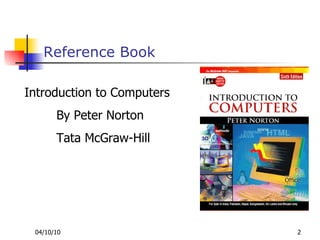
Reference Book Introduction to Computers By Peter Norton Tata McGraw-Hill
Today’s Session What is a computer?. Why is computer so powerful Characteristics of a computer Limitation of a computer Parts of a computer system. Hardware Software Data & People
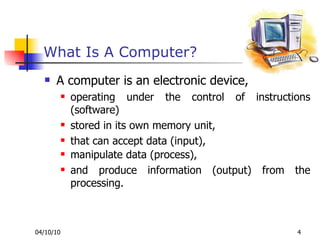
What Is A Computer? A computer is an electronic device,  operating under the control of instructions (software)  stored in its own memory unit,  that can accept data (input),  manipulate data (process), . and produce information (output) from the processing.
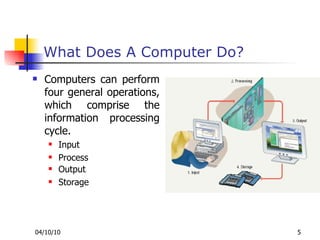
What Does A Computer Do? Computers can perform four general operations, which comprise the information processing cycle. Input Process Output . Storage
Why Is A Computer So Powerful? Speed Reliability  Accuracy Huge power of Remembering  Networking .
Limitations of Computer No IQ Computer is a dumb machine and it cannot do any work without instruction from the user.  We have to decide what to do and in what sequence.  No Feeling It does not have feelings or emotion, taste, knowledge and experience.  It does not distinguish between users.
Parts of a computer
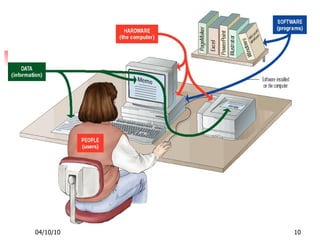
Parts of a computer A complete computer system includes four distinct parts: Hardware Software Data People / User
 
Hardware
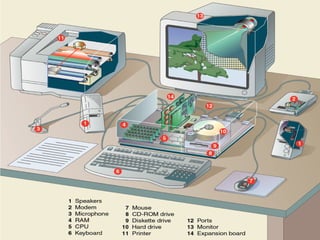
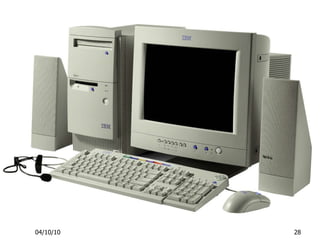
Hardware A computer's hardware consists of electronic devices; the parts we can see and touch. The term "device" refers to any piece of hardware used by the computer, such as a keyboard, monitor, modem, mouse, etc.
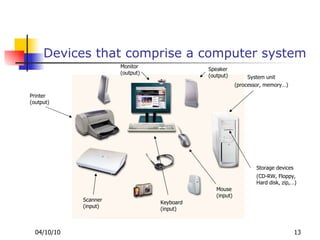
Devices that comprise a computer system Printer (output) Monitor (output) Speaker (output) Scanner (input) Mouse (input) Keyboard (input) System unit (processor, memory…) Storage devices (CD-RW, Floppy, Hard disk, zip,…)
 
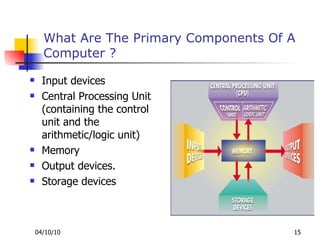
What Are The Primary Components Of A Computer ? Input devices Central Processing Unit (containing the control unit and the arithmetic/logic unit) Memory Output devices. Storage devices
Input Devices Keyboard. Mouse
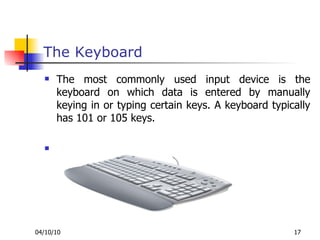
The Keyboard The most commonly used input device is the keyboard on which data is entered by manually keying in or typing certain keys. A keyboard typically has 101 or 105 keys.
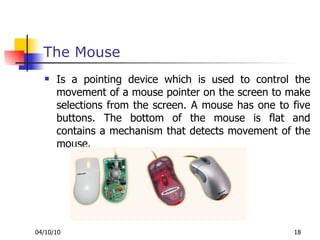
The Mouse Is a pointing device which is used to control the movement of a mouse pointer on the screen to make selections from the screen. A mouse has one to five buttons. The bottom of the mouse is flat and contains a mechanism that detects movement of the mouse.
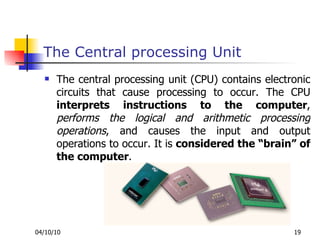
The Central processing Unit The central processing unit (CPU) contains electronic circuits that cause processing to occur. The CPU  interprets instructions to the computer ,  performs the logical and arithmetic processing operations , and causes the input and output operations to occur. It is  considered the “brain” of the computer .
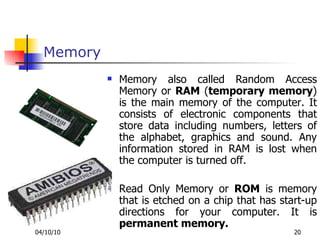
Memory Memory also called Random Access Memory or  RAM  ( temporary memory ) is the main memory of the computer. It consists of electronic components that store data including numbers, letters of the alphabet, graphics and sound. Any information stored in RAM is lost when the computer is turned off.  Read Only Memory or  ROM  is memory that is etched on a chip that has start-up directions for your computer. It is  permanent memory.
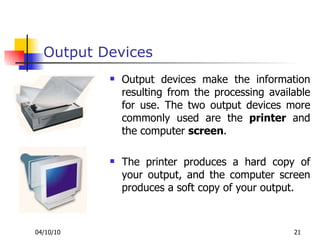
Output Devices Output devices make the information resulting from the processing available for use. The two output devices more commonly used are the  printer  and the computer  screen .  The printer produces a hard copy of your output, and the computer screen produces a soft copy of your output.
Storage Devices Auxiliary storage devices are used  to store data . The most common types of auxiliary storage used on personal computers are floppy disks, hard disks and CD-ROM drives.
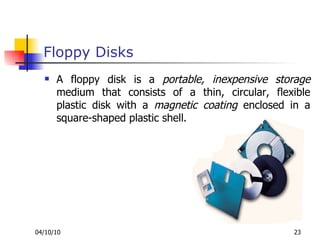
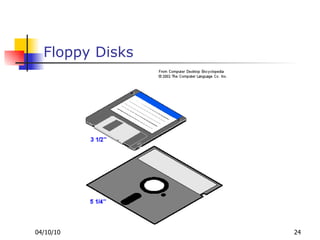
Floppy Disks A floppy disk is a  portable, inexpensive storage  medium that consists of a thin, circular, flexible plastic disk with a  magnetic coating  enclosed in a square-shaped plastic shell.
Floppy Disks
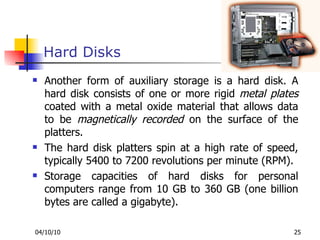
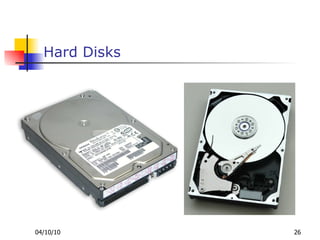
Hard Disks Another form of auxiliary storage is a hard disk. A hard disk consists of one or more rigid  metal plates  coated with a metal oxide material that allows data to be  magnetically recorded  on the surface of the platters. The hard disk platters spin at a high rate of speed, typically 5400 to 7200 revolutions per minute (RPM). Storage capacities of hard disks for personal computers range from 10 GB to 360 GB (one billion bytes are called a gigabyte).
Hard Disks
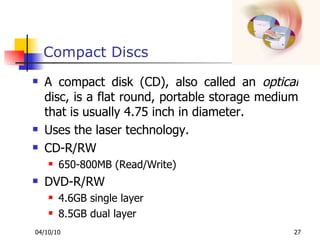
Compact Discs A compact disk (CD), also called an  optical  disc, is a flat round, portable storage medium that is usually 4.75 inch in diameter.  Uses the laser technology. CD-R/RW 650-800MB (Read/Write) DVD-R/RW 4.6GB single layer 8.5GB dual layer
 
Computer Software
How Does a Computer Know what to do? It must be given a detailed list of instructions, called a  compute program  or  software , that tells it exactly what to do Before processing a specific job, the computer program corresponding to that job must be  stored  in memory. Once the program is stored in memory the computer can start the operation by executing the program instructions one after the other
Computer Software
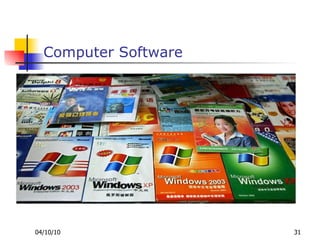
Computer Software Computer software is the key to productive use of computers. Software can be categorized into two types:  System software Operating System Application software.
Operating System Software Operating system software tells the computer how to perform the functions of  loading ,  storing  and  executing  an application and how to transfer data.  Examples …
Application Software Application Software consists of programs that tell a computer how to  produce information.  Some of the more commonly used packages are: Word processing  Electronic spreadsheet Presentation graphics Database
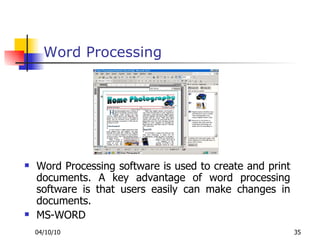
Word Processing Word Processing software is used to create and print documents. A key advantage of word processing software is that users easily can make changes in documents. MS-WORD
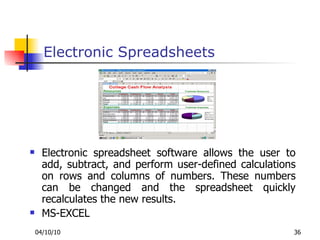
Electronic Spreadsheets Electronic spreadsheet software allows the user to add, subtract, and perform user-defined calculations on rows and columns of numbers. These numbers can be changed and the spreadsheet quickly recalculates the new results. MS-EXCEL
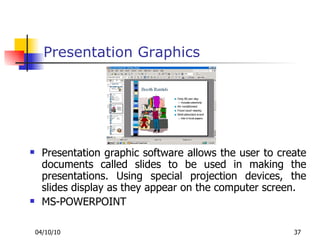
Presentation Graphics Presentation graphic software allows the user to create documents called slides to be used in making the presentations. Using special projection devices, the slides display as they appear on the computer screen. MS-POWERPOINT
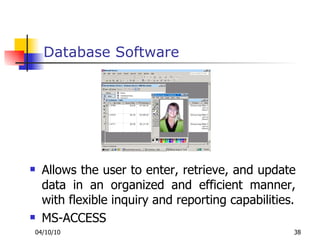
Database Software Allows the user to enter, retrieve, and update data in an organized and efficient manner, with flexible inquiry and reporting capabilities. MS-ACCESS
Which is most important For a Management Graduate which tool is the most important. MS-Word MS-Excel MS-PowerPoint MS-Access
Data & People
Data Data consists of  raw  facts, which the computer can manipulate and process into  information  that is useful to people.
THANK YOU

Ipc 01

  • 1.
  • 2.
    Reference Book Introductionto Computers By Peter Norton Tata McGraw-Hill
  • 3.
    Today’s Session Whatis a computer?. Why is computer so powerful Characteristics of a computer Limitation of a computer Parts of a computer system. Hardware Software Data & People
  • 4.
    What Is AComputer? A computer is an electronic device, operating under the control of instructions (software) stored in its own memory unit, that can accept data (input), manipulate data (process), . and produce information (output) from the processing.
  • 5.
    What Does AComputer Do? Computers can perform four general operations, which comprise the information processing cycle. Input Process Output . Storage
  • 6.
    Why Is AComputer So Powerful? Speed Reliability Accuracy Huge power of Remembering Networking .
  • 7.
    Limitations of ComputerNo IQ Computer is a dumb machine and it cannot do any work without instruction from the user. We have to decide what to do and in what sequence. No Feeling It does not have feelings or emotion, taste, knowledge and experience. It does not distinguish between users.
  • 8.
    Parts of acomputer
  • 9.
    Parts of acomputer A complete computer system includes four distinct parts: Hardware Software Data People / User
  • 10.
  • 11.
  • 12.
    Hardware A computer'shardware consists of electronic devices; the parts we can see and touch. The term "device" refers to any piece of hardware used by the computer, such as a keyboard, monitor, modem, mouse, etc.
  • 13.
    Devices that comprisea computer system Printer (output) Monitor (output) Speaker (output) Scanner (input) Mouse (input) Keyboard (input) System unit (processor, memory…) Storage devices (CD-RW, Floppy, Hard disk, zip,…)
  • 14.
  • 15.
    What Are ThePrimary Components Of A Computer ? Input devices Central Processing Unit (containing the control unit and the arithmetic/logic unit) Memory Output devices. Storage devices
  • 16.
  • 17.
    The Keyboard Themost commonly used input device is the keyboard on which data is entered by manually keying in or typing certain keys. A keyboard typically has 101 or 105 keys.
  • 18.
    The Mouse Isa pointing device which is used to control the movement of a mouse pointer on the screen to make selections from the screen. A mouse has one to five buttons. The bottom of the mouse is flat and contains a mechanism that detects movement of the mouse.
  • 19.
    The Central processingUnit The central processing unit (CPU) contains electronic circuits that cause processing to occur. The CPU interprets instructions to the computer , performs the logical and arithmetic processing operations , and causes the input and output operations to occur. It is considered the “brain” of the computer .
  • 20.
    Memory Memory alsocalled Random Access Memory or RAM ( temporary memory ) is the main memory of the computer. It consists of electronic components that store data including numbers, letters of the alphabet, graphics and sound. Any information stored in RAM is lost when the computer is turned off. Read Only Memory or ROM is memory that is etched on a chip that has start-up directions for your computer. It is permanent memory.
  • 21.
    Output Devices Outputdevices make the information resulting from the processing available for use. The two output devices more commonly used are the printer and the computer screen . The printer produces a hard copy of your output, and the computer screen produces a soft copy of your output.
  • 22.
    Storage Devices Auxiliarystorage devices are used to store data . The most common types of auxiliary storage used on personal computers are floppy disks, hard disks and CD-ROM drives.
  • 23.
    Floppy Disks Afloppy disk is a portable, inexpensive storage medium that consists of a thin, circular, flexible plastic disk with a magnetic coating enclosed in a square-shaped plastic shell.
  • 24.
  • 25.
    Hard Disks Anotherform of auxiliary storage is a hard disk. A hard disk consists of one or more rigid metal plates coated with a metal oxide material that allows data to be magnetically recorded on the surface of the platters. The hard disk platters spin at a high rate of speed, typically 5400 to 7200 revolutions per minute (RPM). Storage capacities of hard disks for personal computers range from 10 GB to 360 GB (one billion bytes are called a gigabyte).
  • 26.
  • 27.
    Compact Discs Acompact disk (CD), also called an optical disc, is a flat round, portable storage medium that is usually 4.75 inch in diameter. Uses the laser technology. CD-R/RW 650-800MB (Read/Write) DVD-R/RW 4.6GB single layer 8.5GB dual layer
  • 28.
  • 29.
  • 30.
    How Does aComputer Know what to do? It must be given a detailed list of instructions, called a compute program or software , that tells it exactly what to do Before processing a specific job, the computer program corresponding to that job must be stored in memory. Once the program is stored in memory the computer can start the operation by executing the program instructions one after the other
  • 31.
  • 32.
    Computer Software Computersoftware is the key to productive use of computers. Software can be categorized into two types: System software Operating System Application software.
  • 33.
    Operating System SoftwareOperating system software tells the computer how to perform the functions of loading , storing and executing an application and how to transfer data. Examples …
  • 34.
    Application Software ApplicationSoftware consists of programs that tell a computer how to produce information. Some of the more commonly used packages are: Word processing Electronic spreadsheet Presentation graphics Database
  • 35.
    Word Processing WordProcessing software is used to create and print documents. A key advantage of word processing software is that users easily can make changes in documents. MS-WORD
  • 36.
    Electronic Spreadsheets Electronicspreadsheet software allows the user to add, subtract, and perform user-defined calculations on rows and columns of numbers. These numbers can be changed and the spreadsheet quickly recalculates the new results. MS-EXCEL
  • 37.
    Presentation Graphics Presentationgraphic software allows the user to create documents called slides to be used in making the presentations. Using special projection devices, the slides display as they appear on the computer screen. MS-POWERPOINT
  • 38.
    Database Software Allowsthe user to enter, retrieve, and update data in an organized and efficient manner, with flexible inquiry and reporting capabilities. MS-ACCESS
  • 39.
    Which is mostimportant For a Management Graduate which tool is the most important. MS-Word MS-Excel MS-PowerPoint MS-Access
  • 40.
  • 41.
    Data Data consistsof raw facts, which the computer can manipulate and process into information that is useful to people.
  • 42.