Web 2.0  & Language Learning Interactive session @Maria Perifanou Kapodistrian University of Athens
Introducing  myself -  Italian Lecturer, elearning professional   European Institute of Vocational Training ‘ ’ AKMI'' National Institute of Continuing Education for Adults (IDEKE)   - Greek Ministry of Education Global Education Network in Languages and Informatics ''AXON'‘ Research   Assistant European Research Institution ''Pontydysgu''- Bridge to Learning, Wales, UK Current work [email_address]
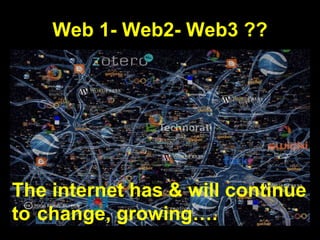
Web 1- Web2- Web3 ?? The internet has & will continue to   change, growing….
1st Question  Shift from Web 1.0 to Web 2.0 Do you know any differences?  Do you use any of the web 2.0 tools in your everyday life? If yes, which one, why and how often?
Group work /Group discussion 10min (Write answers to sticker notes and post them to a piece of paper) Groups’ Feedback/Discussion: 5min Trainer’s feedback: 8min Total time: 23min
According to Tim Berners-Lee.. “ Web 1.0 was all about connecting people. It was an interactive space, and I think Web 2.0 is, of course, a piece of jargon, nobody even knows what it means. If Web 2.0 for you is blogs and wikis, then that is people to people. But that was what the Web was supposed to be all along. And in fact, you know, this Web 2.0 means using the standards which have been produced by all these people working on Web 1.0”   (2006). http://www.ibm.com/developerworks/podcast/dwi/cm-int082206txt.html
Web 1.0   broadcast medium slow connection html expensive software retrieving   information
enriched browser-based interactivity  facile browser-based publishing “ Web services” remix user-generated data   " read only" medium  anyone  can publish  New world of social  interconnectivity
Odeo
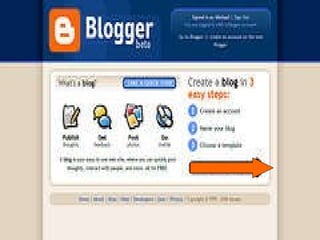
What’s a W eblog  or  B log ? A personal website, a type o diary or journal where individuals can  publish whatever they want to share (opinions, thoughts, ideas) with others. Entries in reverse chronological order Text-images-audio-video-links 2way tool: Comments Tags :  topic-based searching
 
Blogging tools http: // www.blogger.com   EduBlogger:   http: // edublogger.org   Edublogs:   http: // edublogs.org   Posterous :   http: // posterous.com   TypePad:   http: // www.typepad.com   WordPress:   http: // wordpress.com
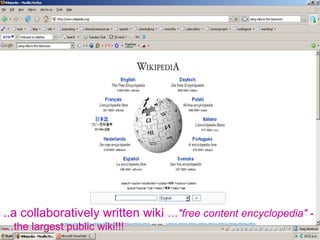
..a  collaboratively written  wiki   … "free content encyclopedia"  - …the largest public wiki!!!
What’s a wiki? Adam Frey, co-founder of Wikispaces says   “  a wiki is a webpage with an edit   button …. easy+history+groups” ..  “ ..is a freely expandable collection of interlinked Web pages, a hypertext system for storing and modifying information – a database, where each page is easily edited by any user with a forms-capable Web browser client”,  Leuf & Cunningham,  2001   first wiki [http://c2.com/cgi-bin/wiki], March 1995
Controlled  pages — co-created, linked, edited, deleted, moved, renamed. Multimedia material :Text-photo-Audio-video e-mail notification  for every change No limits of  place  or  time Free  Easy - no knowledge of HTML  coding slower  internet connection Collaborative  tool ( limited only to a selected group of users) No simultaneous editing Page too long to scroll Lack of real time communication Why Wikis?
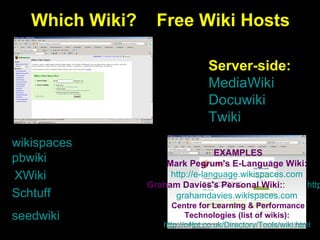
Which Wiki?  Free Wiki Hosts wikispaces pbwiki seedwiki XWiki Schtuff Server-side: MediaWiki Docuwiki Twiki EXAMPLES Mark Pegrum's E-Language Wiki:   http: //e- language.wikispaces.com   Graham Davies's Personal Wiki : :  http: // grahamdavies.wikispaces.com   Centre for Learning & Performance  Technologies  (list of wikis) :   http://c4lpt.co.uk/Directory/Tools/wiki.html
Wikis’ general uses collaborative environments  collaborative online  projects on-line  communities professional  network Co- authoring  collaborative communication  forums   collective  content management  (e.g. DocuWiki)  knowledge bases   knowledge management systems  personal information managers  (PIMs) content  management   for academic instruction
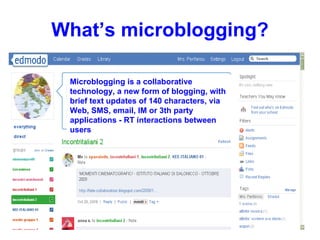
What’s microblogging? Microblogging is a collaborative technology, a new form of blogging, with brief text updates of 140 characters, via Web, SMS, email, IM or 3th party applications - RT interactions between users
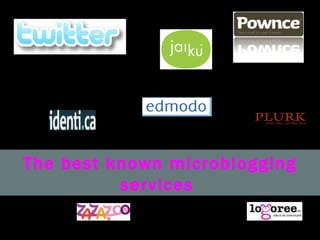
The best known microblogging services
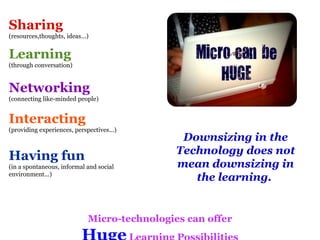
Downsizing in the Technology does not mean downsizing in the learning.  Sharing (resources,thoughts, ideas...) Learning   (through conversation) Networking (connecting like-minded people) Interacting (providing experiences, perspectives...) Having fun (in a spontaneous, informal and social environment...) Micro-technologies can offer Huge  Learning Possibilities
What’s podcasting/vodcasting? iPod  +  broadcasting ? … is like a  radio or TV show.  Instead of being broadcast live, a podcast is recorded & then distributed over  internet. A podcast is a digital audio recording that is made available on the Web, enabling the recording to be played or downloaded automatically for listening at the user's convenience.  A vodcast is the equivalent term used to describe a digital video recording that is made available on the Web.
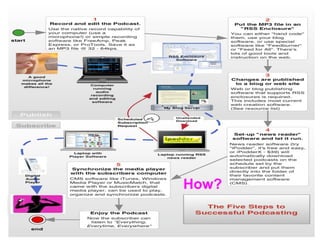
Podcasting VS o lder  A udio  T echnology   ease of publication  (created using readily-available software, such as  Audacity ), and published via iTunes, a blog or an aggregator, such as  Odeo );  ease of subscription  (using RSS, Really Simple Syndication),  ease of use across multiple environments  (MP3 player, mobile phone, PC, etc)  / ubiquity of the MP3 player effective way of reaching a  wide audience
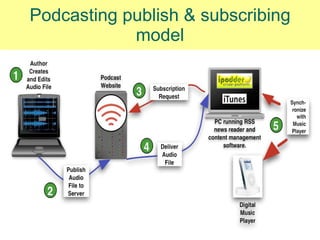
Podcasting publish & subscribing model
How?
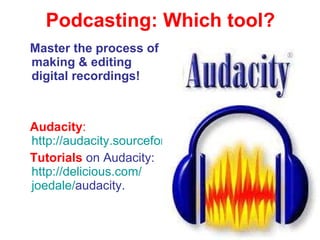
Podcasting: Which tool? M aster the process of making  &  editing digital recordings ! Audacity :   http://audacity.sourceforge.net T utorials  on Audacity:  http: // delicious.com / joedale / audacity .
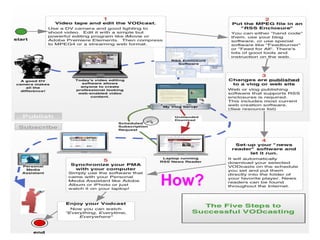
How?
Vodcasting: which tool? Adobe Premiere :  http: // www.adobe.com   Ulead VideoStudio :  http: // www.ulead.com   Pinnacle Studio :  http: // www.pinnaclesys.com   Final Cut Pro (Mac):   http: // www.apple.com / finalcutpro   Matrox offer a wide range of products:  http://www.matro Windows Movie Maker  is bundled with Windows. Tutorials on using Windows Movie Maker can be found at Atomic Learning:  http://www.atomiclearning.com/moviemaker2   NCH Software  offers a wide range of packages:  http: // www.nchsoftware.com   VideoSpin by Pinnacle : A free video editing package:  http: // www.videospin.com / Redesign /
Useful Podcasting/Vodcasting Links Guide of creating Podcasts/Vodcasts  http://www.wssa.net/WSSA/SocietyInfo/ProfessionalDev/Podcasting/Missouri_Podcasting_White_Paper.pdf JISC's Web2practice video on podcasting:  http://web2practice.jiscinvolve.org/podcasting/   Podomatic:  http: // www.podomatic.com   Gabcast:  http: // www.gabcast.com   Podbean:  http: // www.podbean.com   PodcastPeople:  ttp: // www.podcastpeople.com
What’s RSS? Really   Simple Syndication … . allows   you to see when websites have added new content .  f eed s   you information on the latest podcasts , blog posts, websites etc  as soon as they are published  ( RSS feed  or  news feed ) s ubscribe   to or sign up for regular updates to a  series  of podcasts  or posts .   Look  for the RSS icon on a Web page  for available rss feed .   Use  Google Reader!  ww.google.com / reader
What’s  Social networking ? … . is a term applied to a type of website where people can seek other people who have similar interests, find out what's going on in their areas of interest  &  share information and resources.
Popular Social Networks- Search for groups FLL/2ndLL! Ning   http: // www.ning.com  :  C reate your own social network.. Examples of educational Nings :   EUROCALL/CALICO  Virtual   Worlds   Special   Interest   Group ,  AVALON   &   NIFLAR EFL Classroom 2.0 :   http://eflclassroom.ning.com/ Classroom 2.0 :   http://www.classroom20.com  "social network for those interested in Web 2.0 technologies in education“ Cloudworks  http: // cloudworks.ac.uk   :   S hare, find  &  discuss learning  &  teaching ideas  &  experiences.   Open University  UK Facebook :  http://www.facebook.com   many sub-networks based around a workplace, a school, a college . HangOut  http: // www.hangout.net . :  create an avatar of tourself ,  customise your own  3D room,  hang out with your friends.  LinkedIn  http: // www.linkedin.com  :   professional network   PassportStamp   http://www.passportstamp.com :  create a personalised map of  your  travels across the globe ,  discuss  your  exploits with other Web users .
Sharing :   music, photos, videos, bookmarks, ppt presentations,  news!!!
Audio /Video conferencing: a synchronous communications medium   Schoolshape   http: // www.schoolshape.com :  software for setting up an online Language Lab  ( asynchronous audio  &  video assignments )   Skype  http://www.skype.com   Free ,  one-to-one audio communication via a computer conferencing with more than one person at a time ,  a cheap pay-as-you-go service ,  video calls Tapped In  http://tappedin.or   Adobe Acrobat ConnectPro:  http: // www.adobe.com / uk / products / acrobatconnectpro / Elluminate:  http: // www.elluminate.com FlashMeeting,  a videoconferencing tool,  based on Adobe   Flash,  ( Open University, UK ) : http://flashmeeting.e2bn.net   http://flashmeeting.open.ac.uk SCOPIA  http: // www.radvision.com
Exploring virtual worlds… Second Life … .. is a free  3D virtual world  where  users/avatars   ( walk, run ,  fly )  can socialize, connect  &  create using free voice  &  text chat . http: // secondlife.com /
 
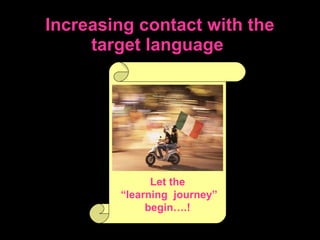
Increasing contact with the target language   Let the “ learning  journey ” begin….!
Language is all about … ..communication
Theories-Successful LL   Vygotsky   ( 19 8 7 )  social interaction  &  collaboration in language learning Long 's interaction hypothesis (1996)  :   “ comprehensible input ”   &   “ negotiated meaning ”   Rüschoff & Ritter   ( 2001 ): Interaction  for successful  linguistic competence Little (2007)   :  learner autonomy  ( learner involvement, learner reflection &  target language use ).   Chapelle (1998) :  Authentic contexts for communication
2nd Question  Web 2.0 & Language Learning How Web 2.0 tools can support Foreign/2nd Language Learning? Do you use any of the Web 2.0 tools during your language lessons or in an another way? If yes, share your experience (which one, in what way, how often..). Do you want to share any other practices that you know that took place in your school, institution or elsewhere?
Group work /Group discussion 10min (Write answers to sticker notes and post them to a piece of paper) Groups’ Feedback/Discussion: 5min Trainer’s feedback: 8min Total time: 23min
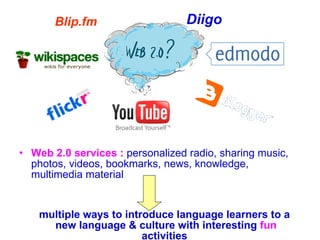
Web 2.0 services :   personalized radio, sharing music, photos, videos, bookmarks,  news, knowledge, multimedia material  multiple ways to introduce language learners to a new language & culture with interesting  fun  activities   Blip.fm Diigo
Why blogging in LL? encourages learner independence, empowerment, reflection  &  autonomy provide s  a low-pressure environment in which to reflect, comment, question  &  review progress outside the classroom in an authentic environment. (Pinkman, 2005).
Blogging in LL: Uses p ractice writing in the target language e xplor e  cultural dimensions  of the target country (or countries) Campbell ( 2003 ) :   tutor blog /  learner blog /  class blog Good Practices: Drake College DULAP programme   http://artsci.drake.edu/wlc/
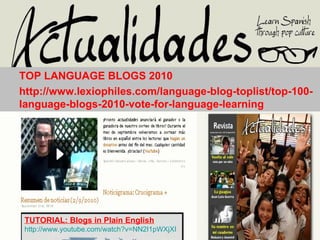
TOP LANGUAGE BLOGS 2010  http://www.lexiophiles.com/language-blog-toplist/top-100-language-blogs-2010-vote-for-language-learning TUTORIAL:  Blogs in Plain English   http://www.youtube.com/watch?v=NN2I1pWXjXI
Wiki’s educational uses The beauty of wikis is ….shaped from within-& imposed from above’   (Lamb, B. 2004)   class communication  site /class discussion forum collaborative knowledge base   post assignments for  peer review process  writing/ co-authoring  professional books   group projects  spaces teacher can  trigger, stimulate, monitor, guide   platform  for electronic, online learning,  distance education   virtual learning communities libraries or databases  around particular cases or topics
Research:  Wiki in  FLL   (1) Penn State’s national foreign language resource -  the Center for Advanced Language Proficiency Education and Research  (CALPER) (Thorne and Payne, 2005) -  L*wiki: composition, individual &collaborative student authoring ,  course project ,  management. Georgia Institute of Technology, (Rick et al, 2002)   English classes wiki environment-CoWiki University of Wisconsin  (Rosen & Kato,  2006 )  intercultural wiki University of Padua  (Guth,  2007 ) Public college in Tapei, (Wang et al, 2005)  2 weeks study,  ESL   essay writing on a Wiki Senior high school students in Taiwan,  (Chang & Schaller, 2005)   Collaborative system of EFL composition writing University of Zagreb   Engwiki project, Kovacic et al 2007- 08,   2 tertiary-level (ESP) courses West Virginia University, (Castaneda, D. 2007)   The Effects of Wiki-and Blog-technologies on the Students. Performance when Learning the Preterite and Imperfect
Research:  Wiki in  FLL   (2) National& Kapodistrian University of Athens Department of Italian Language & Literature @italswebquest: Web2Quest (2007) M.Perifanou
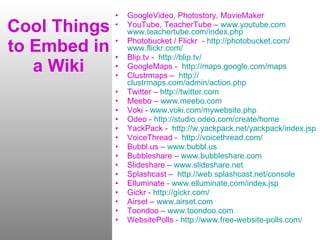
Cool Things to Embed in a Wiki GoogleVideo, Photostory, MovieMaker YouTube, TeacherTube –  www.youtube.com   www.teachertube.com/index.php Photobucket / Flickr  -  http:// photobucket.com /   www.flickr.com / Blip.tv -  http:// blip.tv / GoogleMaps -  http:// maps.google.com /maps Clustrmaps –  http:// clustrmaps.com/admin/action.php Twitter –  http:// twitter.com Meebo –  www.meebo.com Voki -  www.voki.com/mywebsite.php Odeo -  http:// studio.odeo.com /create/home YackPack -  http:// w.yackpack.net/yackpack/index.jsp VoiceThread -  http:// voicethread.com / Bubbl.us –  www.bubbl.us Bubbleshare –  www.bubbleshare.com Slideshare –  www.slideshare.net Splashcast –  http:// web.splashcast.net /console Elluminate -  www.elluminate.com/index.jsp Gickr -  http:// gickr.com / Airset –  www.airset.com Toondoo –  www.toondoo.com WebsitePolls -  http://www.free-website-polls.com /
Microblogging: Educational uses information & knowledge management courses enhancement delivering entire online courses collaborative projects in universities communities of practice ePortfolios
Microblogging in  Language Learning 
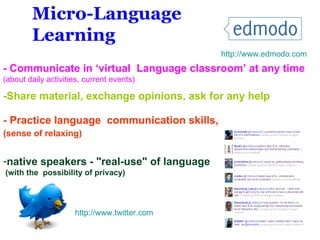
- Practice language  communication skills, (sense of relaxing) ‘ native speakers - "real-use" of language (with the  possibility of privacy) - Communicate in ‘virtual  Language classroom’ at any time   (about daily activities, current events)  Micro-Language Learning -Share material, exchange opinions, ask for any help http://www.edmodo.com http://www. twitter .com
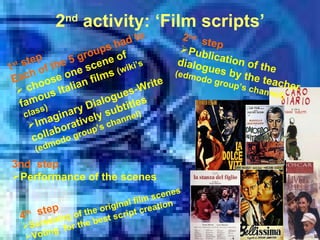
2 nd  activity: ‘Film scripts’ 1 st  step  Each of the 5 groups had to choose one scene of  famous Italian films   (wiki’s class) Imaginary Dialogues-Write collaboratively subtitles  (edmodo group’s channel) 2 nd   step Publication of the dialogues by the teacher  ( edmodo group’s channel) 3nd  step Performance of the scenes 4 th   step Screening of the original film scenes  Voting  for the best script creation
Micro-Language Learning :  First Practices Introduction in class: Sharon   Scinicariello, (2008):   University of Richmond  Twitter-based French Language activities (verbal constructions & digital story telling )  George Mayo, (2008):   Silver International Middle School,Montgomery Country (Maryland)  Twitter-based English online-collaborative project (story telling, science-fiction)   First research: Carsten Ullrich et  al., (2008 ):   University Jiao Tong, Shanghai.  Conversational English 2 nd  Language   courses.  (Vocational  ELL context ).  M. Perifanou (2008)   Global Education Network in Languages and Informatics ''AXON'‘, Thessaloniki,GR Edmodo –Italian
Why podcasting/vodcasting in language education? Develop & practice speaking, listening, writing skills ( creat e  podcasts :   writing scripts, setting up interviews etc.)  ICT skills Teamwork skills Real audience-increase motivation Authentic input/output in target language (culture) Interactive podcasts-valuable feedback Fun
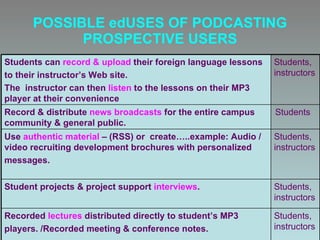
POSSIBLE  ed USES OF PODCASTING PROSPECTIVE USERS Students, instructors Recorded  lectures  distributed directly to student’s MP3 players.  / Recorded meeting  &  conference notes. Students, instructors Student projects  &  project support  interviews . Students, instructors Use  authentic material  – (RSS) or  create…..example:  Audio / video recruiting development brochures with personalized messages. Students Record  &  distribute  news broadcasts  for t he entire campus community  &  general   public . Students, instructors Students can  record  &  upload  their foreign language lessons to their instructor’s Web site.  The  instructor can then   listen   to the lessons on their MP3 player at their convenience
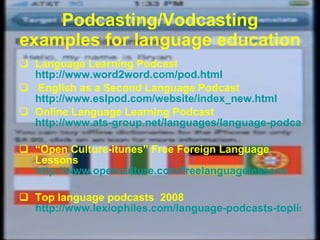
Podcasting/Vodcasting examples for language education Language Learning Podcast   http://www.word2word.com/pod.html English as a Second Language Podcast   http://www.eslpod.com/website/index_new.html Online Language Learning Podcast   http://www.ats-group.net/languages/language-podcast.html “ Open Culture-itunes”  Free Foreign Language Lessons  http://www.openculture.com/freelanguagelessons Top language podcasts  2008   http://www.lexiophiles.com/language-podcasts-toplist/top-10-language-podcasts-2008
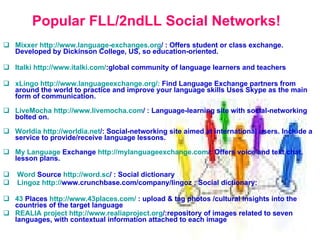
Popular FLL/2ndLL Social Networks! Mixxer   http:// www.language - exchanges.org /   :  Offers student or class exchange. Developed by Dickinson College, US, so education-oriented. Italki   http:// www.italki.com / : global community of language learners and teachers   xLingo  http://www.languageexchange.org/:  Find Language Exchange partners from around the world to practice and improve your language skills Uses Skype as the main form of communication. LiveMocha   http:// www.livemocha.com /   :  Language-learning site with social-networking bolted on. Worldia   http:// worldia.net / :  Social-networking site aimed at international users. Include a service to provide/receive language lessons. My   Language  Exchange   http:// mylanguageexchange.com / :  Offers voice and text chat, lesson plans.  Word  Source   http:// word.sc /   :   S ocial dictionary Lingoz   http:// www.crunchbase.com/company/lingoz  : S ocial dictionary :  43  Places   http://www.43places.com/   :  upload  &  tag photos  / cultural insights into the countries  of the target language REALIA project   http: // www.realiaproject.org / : repository of images related to seven languages, with contextual information attached to each image
TOP TECHNOLOGIES FOR LANGUAGE LEARNING   VoiceThread   http://voicethread.com Text , voice or webcam comments concerning their own or others’ images or videos in a moderated environment.   Xtranormal  www.xtranormal.com T urn text into movie files. Pupils practise writing skills by creating animated characters that read back texts with good pronunciation in a motivating movie clip.   Wallwisher   http://www.wallwisher.com/ O nline notice board for sticky notes. Great for plenaries  &  Assessment for Learning .
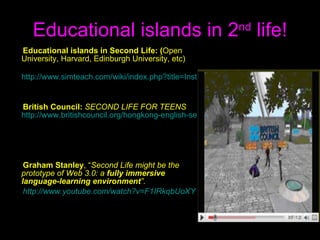
Educational islands in 2 nd  life! E ducational islands in Second Life : ( Open University ,  Harvard ,  Edinburgh University , etc) http://www.simteach.com/wiki/index.php?title=Institutions_and_Organizations_in_SL British Council:   SECOND LIFE FOR TEENS   http://www.britishcouncil.org/hongkong-english-secondlife.htm Graham Stanley ,  “ Second Life might be the prototype of   Web 3.0: a  fully immersive language-learning environment ” . http://www.youtube.com/watch?v=F1IRkqbUoXY
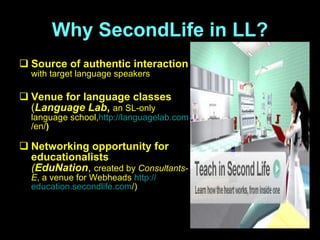
Why SecondLife in LL? S ource of authentic interaction   with target language speakers V enue for language classes   ( Language Lab ,  an SL-only language school , http:// languagelab.com /en/ )   N etworking opportunity for educationalists ( EduNation ,  created by  Consultants-E , a venue for Webheads  http:// education.secondlife.com / )
F urther information on Web 2.0 Tim O'Reilly (2005)  What is Web 2.0? Design patterns and business models for the next generation of software : http://www.oreillynet.com/pub/a/oreilly/tim/news/2005/09/30/what-is-web-20.html   Web 2.0 Summit:   http://www.web2summit.com   BBC's Click Online  programme, "The evolution of the Web", 1 June 2007: http://news.bbc.co.uk/1/hi/programmes/click_online/6708491.stm   Web 2.0: Cool Tools for Schools:   http: // cooltoolsforschools.wikispaces.com   Web 2.0 in Education - a wiki by Mark Pegrum:  http://e-language.wikispaces.com/web2.0   Web 2.0 Tools for Teachers by Nik Peachey  http: // www.technogogy.org.uk  :  A.. downloadable guide for  language  teachers describing how to use a number of Web-based tools  &  learning technologies to assist in language development Social software and participatory learning:Pedagogical choices with   technology affordances in the Web   2.0 era.   McLoughlin, C. & Lee, M. J. W. (2007).  http://www.ascilite.org.au/conferences/singapore07/procs/mcloughlin.pdf
F urther information on Web 2.0 Web 2.0 and Language Learning: A YouTube video with a section on  Second   Life , by Graham Stanley of The British Council: http://fr.youtube.com/watch?v=F1IRkqbUoXY   Web2practice: A JISC initiative on Blip TV at  http://web2practice.blip.tv , comprising a set of videos on Web 2.0 tools:  Social Media:  http://web2practice.jiscinvolve.org/social-media/   Microblogging:  http://web2practice.jiscinvolve.org/microblogging/   Podcasting:  http://web2practice.jiscinvolve.org/podcasting/   RSS:  http://web2practice.jiscinvolve.org/rss-2/   Collaborative Writing:  http://web2practice.jiscinvolve.org/collaborative-writing/   Wikipedia article on Web 2.0:  http://en.wikipedia.org/wiki/Web_2.0   All Things Web 2.0: A comprehensive directory of Web 2.0 applications:  http://www.allthingsweb2.com   Go2Web20 - Web 2.0 Tools and Applications:  http://www.go2web20.net   Web 2.0 tools in teaching foreign languages  http://www.tes.co.uk/article.aspx?storycode=6040748
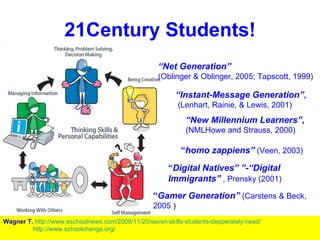
21Century Students! “ New Millennium Learners ” ,   (NMLHowe and Strauss ,  2000)   “ Net Generation”   ( Oblinger  &  Oblinger , 2005;  Tapscott , 1999)   “ Instant - Message Generation” ,  ( Lenhart ,  Rainie , &  Lewis , 2001)   “ Gamer Generation ”   ( Carstens  &  Beck ,  2005   ) “ homo zappiens ”   ( Veen , 2003)   “ Digital Natives” ”-“Digital Immigrants”  ,  Prensky  (2001)  Wagner  T.   http://www.eschoolnews.com/2008/11/20/seven-skills-students-desperately-need/ http://www.schoolchange.org/
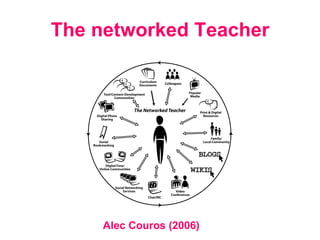
The networked Teacher Alec Couros  (2006)
3nd Question The  networked@  teacher Do you agree with this profile? Which skills and competences do you think that a language teacher should have in the web 2.0 era?  List the skills that you think that you need to develop and prioritise them. Are you a “connected” teacher?
Group work /Group discussion 10min (Write answers to sticker notes and post them to a piece of paper) Groups’ Feedback/Discussion: 5min Trainer’s feedback: 3min Total time: 18min
21st Century Basic Skills FLL Teachers MUST Have Digital  &  Online Tasks   Conduct online class sessions  Communicate with learners between class sessions using e-mails  Create  &  manage online groups  Develop  &  post digital EFL materials  Create, write  &  post to blogs  &  websites    Participate in online  F LT discussion forums  Conduct online reading  &  research  Both upload  &  download EFL materials to  &  from  F LT websites  Larry M. Lynch,(2008) “ Teaching the English Language: 21st Century Skills EFL   Teachers MUST Have ”   http://searchwarp.com/swa323770.htm
Ask yourself for example: Do you have a personal or English Language teaching website or blog?  Do you give and receive assignments via e-mail or online class room site?  How frequent or intensive is your participation in English language teaching forums online?  Are you familiar with and make use of English language teaching materials available at online websites for teachers?  Are you keeping up (or trying to) with what's happening in the field of foreign language teaching theory by researching, reading journals, reports, and blog posts (like this one) on the internet?  Larry M. Lynch,(2008) “ Teaching the English Language: 21st Century Skills EFL   Teachers MUST Have ”   http://searchwarp.com/swa323770.htm
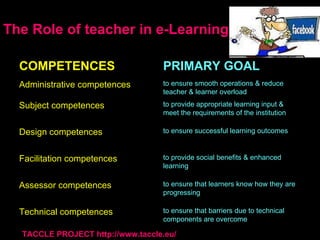
The Role of teacher in e-Learning TACCLE PROJECT  http://www.taccle.eu/ to ensure that barriers due to technical components are overcome Technical competences to ensure that learners know how they are progressing Assessor competences to provide social benefits & enhanced learning Facilitation competences to ensure successful learning outcomes Design competences to provide appropriate learning input & meet the requirements of the institution Subject competences to ensure smooth operations & reduce teacher & learner overload Administrative competences PRIMARY GOAL COMPETENCES
Test your digital skills!! Teachers' digital skills tick list   http://urtak.com/u/1826 Further reading Norm Vaughan , Univ. of Illinois, Chicago:   “ The Role of a Successful Online/Blended Instructor ”   http: // www.uic.edu / depts / oee / blended / workshop / RoleOfASuccessfulOnline - BlendedInstructor.pdf
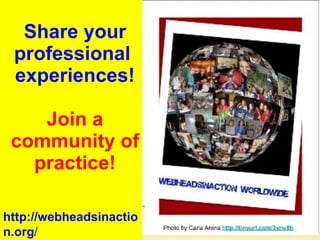
Share your professional  experiences! Join a community of practice! http://webheadsinaction.org /
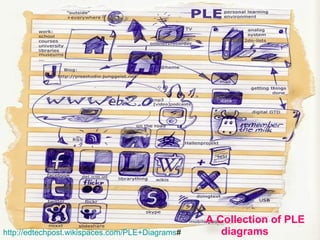
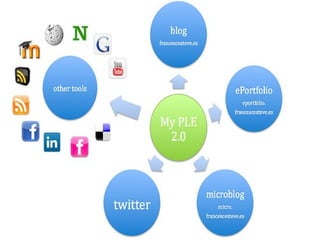
PLEs? Attwell (2007)  explains that “ the idea of PLEs recognises that  learning is  continuing, contextual   & will  not  be provided by a  single  learning provider ……. … ..is to bring together  all forms of learning , including informal learning, workplace learning, learning from the home, learning driven by  problem solving  & learning motivated by  personal interest  as well as learning through engagement in formal educational programmes ”.
In PLE the goal…. … for the student  shifts from a need to collect information to a need to draw connections from it—to acquire it, disseminate it  &  collaborate in its use.
  A Collection of PLE diagrams   http :// edtechpost . wikispaces . com / PLE + Diagrams #
 
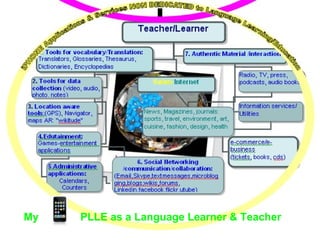
4th Question  What’s your PLE?   Think about all the different ways that you learn and the sources of your learning both on line and off line including both work and life.  Design your PLE
Group work /Group discussion 10min (Write answers to sticker notes and post them to a piece of paper) Groups’ Feedback/Discussion: 5min Trainer’s feedback: 3min Total time: 18min
 
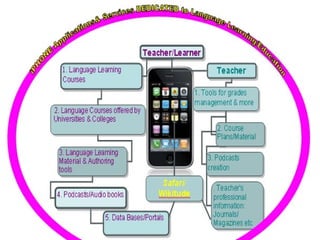
My  PLLE as a Language Learner & Teacher
Thank you!!!!!!! Questions?
It’s time for a coffee break!

Introduction to Web2.0 & Language Learning, LaProf Summer School 2010

  • 1.
  • 2.
    Web 2.0 & Language Learning Interactive session @Maria Perifanou Kapodistrian University of Athens
  • 3.
    Introducing myself- Italian Lecturer, elearning professional European Institute of Vocational Training ‘ ’ AKMI'' National Institute of Continuing Education for Adults (IDEKE) - Greek Ministry of Education Global Education Network in Languages and Informatics ''AXON'‘ Research Assistant European Research Institution ''Pontydysgu''- Bridge to Learning, Wales, UK Current work [email_address]
  • 4.
    Web 1- Web2-Web3 ?? The internet has & will continue to change, growing….
  • 5.
    1st Question Shift from Web 1.0 to Web 2.0 Do you know any differences? Do you use any of the web 2.0 tools in your everyday life? If yes, which one, why and how often?
  • 6.
    Group work /Groupdiscussion 10min (Write answers to sticker notes and post them to a piece of paper) Groups’ Feedback/Discussion: 5min Trainer’s feedback: 8min Total time: 23min
  • 7.
    According to TimBerners-Lee.. “ Web 1.0 was all about connecting people. It was an interactive space, and I think Web 2.0 is, of course, a piece of jargon, nobody even knows what it means. If Web 2.0 for you is blogs and wikis, then that is people to people. But that was what the Web was supposed to be all along. And in fact, you know, this Web 2.0 means using the standards which have been produced by all these people working on Web 1.0” (2006). http://www.ibm.com/developerworks/podcast/dwi/cm-int082206txt.html
  • 8.
    Web 1.0 broadcast medium slow connection html expensive software retrieving information
  • 9.
    enriched browser-based interactivity facile browser-based publishing “ Web services” remix user-generated data " read only" medium anyone can publish New world of social interconnectivity
  • 10.
  • 11.
    What’s a Weblog or B log ? A personal website, a type o diary or journal where individuals can publish whatever they want to share (opinions, thoughts, ideas) with others. Entries in reverse chronological order Text-images-audio-video-links 2way tool: Comments Tags : topic-based searching
  • 12.
  • 13.
    Blogging tools http:// www.blogger.com EduBlogger: http: // edublogger.org Edublogs: http: // edublogs.org Posterous : http: // posterous.com TypePad: http: // www.typepad.com WordPress: http: // wordpress.com
  • 14.
    ..a collaborativelywritten wiki … "free content encyclopedia" - …the largest public wiki!!!
  • 15.
    What’s a wiki?Adam Frey, co-founder of Wikispaces says “ a wiki is a webpage with an edit button …. easy+history+groups” .. “ ..is a freely expandable collection of interlinked Web pages, a hypertext system for storing and modifying information – a database, where each page is easily edited by any user with a forms-capable Web browser client”, Leuf & Cunningham, 2001 first wiki [http://c2.com/cgi-bin/wiki], March 1995
  • 16.
    Controlled pages— co-created, linked, edited, deleted, moved, renamed. Multimedia material :Text-photo-Audio-video e-mail notification for every change No limits of place or time Free Easy - no knowledge of HTML coding slower internet connection Collaborative tool ( limited only to a selected group of users) No simultaneous editing Page too long to scroll Lack of real time communication Why Wikis?
  • 17.
    Which Wiki? Free Wiki Hosts wikispaces pbwiki seedwiki XWiki Schtuff Server-side: MediaWiki Docuwiki Twiki EXAMPLES Mark Pegrum's E-Language Wiki: http: //e- language.wikispaces.com Graham Davies's Personal Wiki : : http: // grahamdavies.wikispaces.com Centre for Learning & Performance Technologies (list of wikis) : http://c4lpt.co.uk/Directory/Tools/wiki.html
  • 18.
    Wikis’ general usescollaborative environments collaborative online projects on-line communities professional network Co- authoring collaborative communication forums collective content management (e.g. DocuWiki) knowledge bases knowledge management systems personal information managers (PIMs) content management for academic instruction
  • 19.
    What’s microblogging? Microbloggingis a collaborative technology, a new form of blogging, with brief text updates of 140 characters, via Web, SMS, email, IM or 3th party applications - RT interactions between users
  • 20.
    The best knownmicroblogging services
  • 21.
    Downsizing in theTechnology does not mean downsizing in the learning. Sharing (resources,thoughts, ideas...) Learning (through conversation) Networking (connecting like-minded people) Interacting (providing experiences, perspectives...) Having fun (in a spontaneous, informal and social environment...) Micro-technologies can offer Huge Learning Possibilities
  • 22.
    What’s podcasting/vodcasting? iPod + broadcasting ? … is like a radio or TV show. Instead of being broadcast live, a podcast is recorded & then distributed over internet. A podcast is a digital audio recording that is made available on the Web, enabling the recording to be played or downloaded automatically for listening at the user's convenience. A vodcast is the equivalent term used to describe a digital video recording that is made available on the Web.
  • 23.
    Podcasting VS older A udio T echnology ease of publication (created using readily-available software, such as Audacity ), and published via iTunes, a blog or an aggregator, such as Odeo ); ease of subscription (using RSS, Really Simple Syndication), ease of use across multiple environments (MP3 player, mobile phone, PC, etc) / ubiquity of the MP3 player effective way of reaching a wide audience
  • 24.
    Podcasting publish &subscribing model
  • 25.
  • 26.
    Podcasting: Which tool?M aster the process of making & editing digital recordings ! Audacity : http://audacity.sourceforge.net T utorials on Audacity: http: // delicious.com / joedale / audacity .
  • 27.
  • 28.
    Vodcasting: which tool?Adobe Premiere : http: // www.adobe.com Ulead VideoStudio : http: // www.ulead.com Pinnacle Studio : http: // www.pinnaclesys.com Final Cut Pro (Mac): http: // www.apple.com / finalcutpro Matrox offer a wide range of products: http://www.matro Windows Movie Maker is bundled with Windows. Tutorials on using Windows Movie Maker can be found at Atomic Learning: http://www.atomiclearning.com/moviemaker2 NCH Software offers a wide range of packages: http: // www.nchsoftware.com VideoSpin by Pinnacle : A free video editing package: http: // www.videospin.com / Redesign /
  • 29.
    Useful Podcasting/Vodcasting LinksGuide of creating Podcasts/Vodcasts http://www.wssa.net/WSSA/SocietyInfo/ProfessionalDev/Podcasting/Missouri_Podcasting_White_Paper.pdf JISC's Web2practice video on podcasting: http://web2practice.jiscinvolve.org/podcasting/ Podomatic: http: // www.podomatic.com Gabcast: http: // www.gabcast.com Podbean: http: // www.podbean.com PodcastPeople: ttp: // www.podcastpeople.com
  • 30.
    What’s RSS? Really Simple Syndication … . allows you to see when websites have added new content . f eed s you information on the latest podcasts , blog posts, websites etc as soon as they are published ( RSS feed or news feed ) s ubscribe to or sign up for regular updates to a series of podcasts or posts . Look for the RSS icon on a Web page for available rss feed . Use Google Reader! ww.google.com / reader
  • 31.
    What’s Socialnetworking ? … . is a term applied to a type of website where people can seek other people who have similar interests, find out what's going on in their areas of interest & share information and resources.
  • 32.
    Popular Social Networks-Search for groups FLL/2ndLL! Ning http: // www.ning.com : C reate your own social network.. Examples of educational Nings : EUROCALL/CALICO Virtual Worlds Special Interest Group , AVALON & NIFLAR EFL Classroom 2.0 : http://eflclassroom.ning.com/ Classroom 2.0 : http://www.classroom20.com "social network for those interested in Web 2.0 technologies in education“ Cloudworks http: // cloudworks.ac.uk : S hare, find & discuss learning & teaching ideas & experiences. Open University UK Facebook : http://www.facebook.com many sub-networks based around a workplace, a school, a college . HangOut http: // www.hangout.net . : create an avatar of tourself , customise your own 3D room, hang out with your friends. LinkedIn http: // www.linkedin.com : professional network PassportStamp http://www.passportstamp.com : create a personalised map of your travels across the globe , discuss your exploits with other Web users .
  • 33.
    Sharing : music, photos, videos, bookmarks, ppt presentations, news!!!
  • 34.
    Audio /Video conferencing:a synchronous communications medium Schoolshape http: // www.schoolshape.com : software for setting up an online Language Lab ( asynchronous audio & video assignments ) Skype http://www.skype.com Free , one-to-one audio communication via a computer conferencing with more than one person at a time , a cheap pay-as-you-go service , video calls Tapped In http://tappedin.or Adobe Acrobat ConnectPro: http: // www.adobe.com / uk / products / acrobatconnectpro / Elluminate: http: // www.elluminate.com FlashMeeting, a videoconferencing tool, based on Adobe Flash, ( Open University, UK ) : http://flashmeeting.e2bn.net http://flashmeeting.open.ac.uk SCOPIA http: // www.radvision.com
  • 35.
    Exploring virtual worlds…Second Life … .. is a free 3D virtual world where users/avatars ( walk, run , fly ) can socialize, connect & create using free voice & text chat . http: // secondlife.com /
  • 36.
  • 37.
    Increasing contact withthe target language Let the “ learning journey ” begin….!
  • 38.
    Language is allabout … ..communication
  • 39.
    Theories-Successful LL Vygotsky ( 19 8 7 ) social interaction & collaboration in language learning Long 's interaction hypothesis (1996) : “ comprehensible input ” & “ negotiated meaning ” Rüschoff & Ritter ( 2001 ): Interaction for successful linguistic competence Little (2007) : learner autonomy ( learner involvement, learner reflection & target language use ). Chapelle (1998) : Authentic contexts for communication
  • 40.
    2nd Question Web 2.0 & Language Learning How Web 2.0 tools can support Foreign/2nd Language Learning? Do you use any of the Web 2.0 tools during your language lessons or in an another way? If yes, share your experience (which one, in what way, how often..). Do you want to share any other practices that you know that took place in your school, institution or elsewhere?
  • 41.
    Group work /Groupdiscussion 10min (Write answers to sticker notes and post them to a piece of paper) Groups’ Feedback/Discussion: 5min Trainer’s feedback: 8min Total time: 23min
  • 42.
    Web 2.0 services: personalized radio, sharing music, photos, videos, bookmarks, news, knowledge, multimedia material multiple ways to introduce language learners to a new language & culture with interesting fun activities Blip.fm Diigo
  • 43.
    Why blogging inLL? encourages learner independence, empowerment, reflection & autonomy provide s a low-pressure environment in which to reflect, comment, question & review progress outside the classroom in an authentic environment. (Pinkman, 2005).
  • 44.
    Blogging in LL:Uses p ractice writing in the target language e xplor e cultural dimensions of the target country (or countries) Campbell ( 2003 ) : tutor blog / learner blog / class blog Good Practices: Drake College DULAP programme http://artsci.drake.edu/wlc/
  • 45.
    TOP LANGUAGE BLOGS2010 http://www.lexiophiles.com/language-blog-toplist/top-100-language-blogs-2010-vote-for-language-learning TUTORIAL: Blogs in Plain English http://www.youtube.com/watch?v=NN2I1pWXjXI
  • 46.
    Wiki’s educational usesThe beauty of wikis is ….shaped from within-& imposed from above’ (Lamb, B. 2004) class communication site /class discussion forum collaborative knowledge base post assignments for peer review process writing/ co-authoring professional books group projects spaces teacher can trigger, stimulate, monitor, guide platform for electronic, online learning, distance education virtual learning communities libraries or databases around particular cases or topics
  • 47.
    Research: Wikiin FLL (1) Penn State’s national foreign language resource - the Center for Advanced Language Proficiency Education and Research (CALPER) (Thorne and Payne, 2005) - L*wiki: composition, individual &collaborative student authoring , course project , management. Georgia Institute of Technology, (Rick et al, 2002) English classes wiki environment-CoWiki University of Wisconsin (Rosen & Kato, 2006 ) intercultural wiki University of Padua (Guth, 2007 ) Public college in Tapei, (Wang et al, 2005) 2 weeks study, ESL essay writing on a Wiki Senior high school students in Taiwan, (Chang & Schaller, 2005) Collaborative system of EFL composition writing University of Zagreb Engwiki project, Kovacic et al 2007- 08, 2 tertiary-level (ESP) courses West Virginia University, (Castaneda, D. 2007) The Effects of Wiki-and Blog-technologies on the Students. Performance when Learning the Preterite and Imperfect
  • 48.
    Research: Wikiin FLL (2) National& Kapodistrian University of Athens Department of Italian Language & Literature @italswebquest: Web2Quest (2007) M.Perifanou
  • 49.
    Cool Things toEmbed in a Wiki GoogleVideo, Photostory, MovieMaker YouTube, TeacherTube – www.youtube.com www.teachertube.com/index.php Photobucket / Flickr - http:// photobucket.com / www.flickr.com / Blip.tv - http:// blip.tv / GoogleMaps - http:// maps.google.com /maps Clustrmaps – http:// clustrmaps.com/admin/action.php Twitter – http:// twitter.com Meebo – www.meebo.com Voki - www.voki.com/mywebsite.php Odeo - http:// studio.odeo.com /create/home YackPack - http:// w.yackpack.net/yackpack/index.jsp VoiceThread - http:// voicethread.com / Bubbl.us – www.bubbl.us Bubbleshare – www.bubbleshare.com Slideshare – www.slideshare.net Splashcast – http:// web.splashcast.net /console Elluminate - www.elluminate.com/index.jsp Gickr - http:// gickr.com / Airset – www.airset.com Toondoo – www.toondoo.com WebsitePolls - http://www.free-website-polls.com /
  • 50.
    Microblogging: Educational usesinformation & knowledge management courses enhancement delivering entire online courses collaborative projects in universities communities of practice ePortfolios
  • 51.
    Microblogging in Language Learning 
  • 52.
    - Practice language communication skills, (sense of relaxing) ‘ native speakers - "real-use" of language (with the possibility of privacy) - Communicate in ‘virtual Language classroom’ at any time (about daily activities, current events) Micro-Language Learning -Share material, exchange opinions, ask for any help http://www.edmodo.com http://www. twitter .com
  • 53.
    2 nd activity: ‘Film scripts’ 1 st step Each of the 5 groups had to choose one scene of famous Italian films (wiki’s class) Imaginary Dialogues-Write collaboratively subtitles (edmodo group’s channel) 2 nd step Publication of the dialogues by the teacher ( edmodo group’s channel) 3nd step Performance of the scenes 4 th step Screening of the original film scenes Voting for the best script creation
  • 54.
    Micro-Language Learning : First Practices Introduction in class: Sharon Scinicariello, (2008): University of Richmond Twitter-based French Language activities (verbal constructions & digital story telling ) George Mayo, (2008): Silver International Middle School,Montgomery Country (Maryland) Twitter-based English online-collaborative project (story telling, science-fiction) First research: Carsten Ullrich et al., (2008 ): University Jiao Tong, Shanghai. Conversational English 2 nd Language courses. (Vocational ELL context ). M. Perifanou (2008) Global Education Network in Languages and Informatics ''AXON'‘, Thessaloniki,GR Edmodo –Italian
  • 55.
    Why podcasting/vodcasting inlanguage education? Develop & practice speaking, listening, writing skills ( creat e podcasts : writing scripts, setting up interviews etc.) ICT skills Teamwork skills Real audience-increase motivation Authentic input/output in target language (culture) Interactive podcasts-valuable feedback Fun
  • 56.
    POSSIBLE edUSES OF PODCASTING PROSPECTIVE USERS Students, instructors Recorded lectures distributed directly to student’s MP3 players. / Recorded meeting & conference notes. Students, instructors Student projects & project support interviews . Students, instructors Use authentic material – (RSS) or create…..example: Audio / video recruiting development brochures with personalized messages. Students Record & distribute news broadcasts for t he entire campus community & general public . Students, instructors Students can record & upload their foreign language lessons to their instructor’s Web site. The instructor can then listen to the lessons on their MP3 player at their convenience
  • 57.
    Podcasting/Vodcasting examples forlanguage education Language Learning Podcast http://www.word2word.com/pod.html English as a Second Language Podcast http://www.eslpod.com/website/index_new.html Online Language Learning Podcast http://www.ats-group.net/languages/language-podcast.html “ Open Culture-itunes” Free Foreign Language Lessons http://www.openculture.com/freelanguagelessons Top language podcasts 2008 http://www.lexiophiles.com/language-podcasts-toplist/top-10-language-podcasts-2008
  • 58.
    Popular FLL/2ndLL SocialNetworks! Mixxer http:// www.language - exchanges.org / : Offers student or class exchange. Developed by Dickinson College, US, so education-oriented. Italki http:// www.italki.com / : global community of language learners and teachers xLingo http://www.languageexchange.org/: Find Language Exchange partners from around the world to practice and improve your language skills Uses Skype as the main form of communication. LiveMocha http:// www.livemocha.com / : Language-learning site with social-networking bolted on. Worldia http:// worldia.net / : Social-networking site aimed at international users. Include a service to provide/receive language lessons. My Language Exchange http:// mylanguageexchange.com / : Offers voice and text chat, lesson plans. Word Source http:// word.sc / : S ocial dictionary Lingoz http:// www.crunchbase.com/company/lingoz : S ocial dictionary : 43 Places http://www.43places.com/ : upload & tag photos / cultural insights into the countries of the target language REALIA project http: // www.realiaproject.org / : repository of images related to seven languages, with contextual information attached to each image
  • 59.
    TOP TECHNOLOGIES FORLANGUAGE LEARNING VoiceThread http://voicethread.com Text , voice or webcam comments concerning their own or others’ images or videos in a moderated environment. Xtranormal www.xtranormal.com T urn text into movie files. Pupils practise writing skills by creating animated characters that read back texts with good pronunciation in a motivating movie clip. Wallwisher http://www.wallwisher.com/ O nline notice board for sticky notes. Great for plenaries & Assessment for Learning .
  • 60.
    Educational islands in2 nd life! E ducational islands in Second Life : ( Open University , Harvard , Edinburgh University , etc) http://www.simteach.com/wiki/index.php?title=Institutions_and_Organizations_in_SL British Council: SECOND LIFE FOR TEENS http://www.britishcouncil.org/hongkong-english-secondlife.htm Graham Stanley , “ Second Life might be the prototype of Web 3.0: a fully immersive language-learning environment ” . http://www.youtube.com/watch?v=F1IRkqbUoXY
  • 61.
    Why SecondLife inLL? S ource of authentic interaction with target language speakers V enue for language classes ( Language Lab , an SL-only language school , http:// languagelab.com /en/ ) N etworking opportunity for educationalists ( EduNation , created by Consultants-E , a venue for Webheads http:// education.secondlife.com / )
  • 62.
    F urther informationon Web 2.0 Tim O'Reilly (2005) What is Web 2.0? Design patterns and business models for the next generation of software : http://www.oreillynet.com/pub/a/oreilly/tim/news/2005/09/30/what-is-web-20.html Web 2.0 Summit: http://www.web2summit.com BBC's Click Online programme, "The evolution of the Web", 1 June 2007: http://news.bbc.co.uk/1/hi/programmes/click_online/6708491.stm Web 2.0: Cool Tools for Schools: http: // cooltoolsforschools.wikispaces.com Web 2.0 in Education - a wiki by Mark Pegrum: http://e-language.wikispaces.com/web2.0 Web 2.0 Tools for Teachers by Nik Peachey http: // www.technogogy.org.uk : A.. downloadable guide for language teachers describing how to use a number of Web-based tools & learning technologies to assist in language development Social software and participatory learning:Pedagogical choices with technology affordances in the Web 2.0 era. McLoughlin, C. & Lee, M. J. W. (2007). http://www.ascilite.org.au/conferences/singapore07/procs/mcloughlin.pdf
  • 63.
    F urther informationon Web 2.0 Web 2.0 and Language Learning: A YouTube video with a section on Second Life , by Graham Stanley of The British Council: http://fr.youtube.com/watch?v=F1IRkqbUoXY Web2practice: A JISC initiative on Blip TV at http://web2practice.blip.tv , comprising a set of videos on Web 2.0 tools: Social Media: http://web2practice.jiscinvolve.org/social-media/ Microblogging: http://web2practice.jiscinvolve.org/microblogging/ Podcasting: http://web2practice.jiscinvolve.org/podcasting/ RSS: http://web2practice.jiscinvolve.org/rss-2/ Collaborative Writing: http://web2practice.jiscinvolve.org/collaborative-writing/ Wikipedia article on Web 2.0: http://en.wikipedia.org/wiki/Web_2.0 All Things Web 2.0: A comprehensive directory of Web 2.0 applications: http://www.allthingsweb2.com Go2Web20 - Web 2.0 Tools and Applications: http://www.go2web20.net Web 2.0 tools in teaching foreign languages http://www.tes.co.uk/article.aspx?storycode=6040748
  • 64.
    21Century Students! “New Millennium Learners ” , (NMLHowe and Strauss , 2000) “ Net Generation” ( Oblinger & Oblinger , 2005; Tapscott , 1999) “ Instant - Message Generation” , ( Lenhart , Rainie , & Lewis , 2001) “ Gamer Generation ” ( Carstens & Beck , 2005 ) “ homo zappiens ” ( Veen , 2003) “ Digital Natives” ”-“Digital Immigrants” , Prensky (2001) Wagner T. http://www.eschoolnews.com/2008/11/20/seven-skills-students-desperately-need/ http://www.schoolchange.org/
  • 65.
    The networked TeacherAlec Couros (2006)
  • 66.
    3nd Question The networked@ teacher Do you agree with this profile? Which skills and competences do you think that a language teacher should have in the web 2.0 era? List the skills that you think that you need to develop and prioritise them. Are you a “connected” teacher?
  • 67.
    Group work /Groupdiscussion 10min (Write answers to sticker notes and post them to a piece of paper) Groups’ Feedback/Discussion: 5min Trainer’s feedback: 3min Total time: 18min
  • 68.
    21st Century BasicSkills FLL Teachers MUST Have Digital & Online Tasks Conduct online class sessions Communicate with learners between class sessions using e-mails Create & manage online groups Develop & post digital EFL materials Create, write & post to blogs & websites   Participate in online F LT discussion forums Conduct online reading & research Both upload & download EFL materials to & from F LT websites Larry M. Lynch,(2008) “ Teaching the English Language: 21st Century Skills EFL Teachers MUST Have ” http://searchwarp.com/swa323770.htm
  • 69.
    Ask yourself forexample: Do you have a personal or English Language teaching website or blog? Do you give and receive assignments via e-mail or online class room site? How frequent or intensive is your participation in English language teaching forums online? Are you familiar with and make use of English language teaching materials available at online websites for teachers? Are you keeping up (or trying to) with what's happening in the field of foreign language teaching theory by researching, reading journals, reports, and blog posts (like this one) on the internet? Larry M. Lynch,(2008) “ Teaching the English Language: 21st Century Skills EFL Teachers MUST Have ” http://searchwarp.com/swa323770.htm
  • 70.
    The Role ofteacher in e-Learning TACCLE PROJECT http://www.taccle.eu/ to ensure that barriers due to technical components are overcome Technical competences to ensure that learners know how they are progressing Assessor competences to provide social benefits & enhanced learning Facilitation competences to ensure successful learning outcomes Design competences to provide appropriate learning input & meet the requirements of the institution Subject competences to ensure smooth operations & reduce teacher & learner overload Administrative competences PRIMARY GOAL COMPETENCES
  • 71.
    Test your digitalskills!! Teachers' digital skills tick list http://urtak.com/u/1826 Further reading Norm Vaughan , Univ. of Illinois, Chicago: “ The Role of a Successful Online/Blended Instructor ” http: // www.uic.edu / depts / oee / blended / workshop / RoleOfASuccessfulOnline - BlendedInstructor.pdf
  • 72.
    Share your professional experiences! Join a community of practice! http://webheadsinaction.org /
  • 73.
    PLEs? Attwell (2007) explains that “ the idea of PLEs recognises that learning is continuing, contextual & will not be provided by a single learning provider ……. … ..is to bring together all forms of learning , including informal learning, workplace learning, learning from the home, learning driven by problem solving & learning motivated by personal interest as well as learning through engagement in formal educational programmes ”.
  • 74.
    In PLE thegoal…. … for the student shifts from a need to collect information to a need to draw connections from it—to acquire it, disseminate it & collaborate in its use.
  • 75.
    ACollection of PLE diagrams http :// edtechpost . wikispaces . com / PLE + Diagrams #
  • 76.
  • 77.
    4th Question What’s your PLE? Think about all the different ways that you learn and the sources of your learning both on line and off line including both work and life. Design your PLE
  • 78.
    Group work /Groupdiscussion 10min (Write answers to sticker notes and post them to a piece of paper) Groups’ Feedback/Discussion: 5min Trainer’s feedback: 3min Total time: 18min
  • 79.
  • 80.
    My PLLEas a Language Learner & Teacher
  • 81.
  • 82.
    It’s time fora coffee break!

Editor's Notes

  • #15 Wikipedia is the best known example of a wiki, a collaboratively written encyclopaedia: http://www.wikipedia.org
  • #17 Wiki pages are controlled — created, linked, edited, deleted, moved, renamed, and so on — by a programming or scripting language, and stored either as plain ASCII text files or in an external relational database. e-mail notification for every change faceless contact -no limits of place or time users freely create and edit web page content using any web browser with no knowledge of HTML coding collaborative tool limited only to a selected group of users
  • #23 The term podcast takes its name from a combination of iPod (Apple's portable digital media player) and broadcasting , but podcasts and vodcasts do not necessarily require the use of an iPod or similar device. Most audio and video recordings on the Web can be played using a standard media player : see Section 2.2.1, Module 2.2, headed Media players .
  • #27 E xcellent free software package that offers all the essential features of recording and editing
  • #40 Long's interaction hypothesis (1996) : “ comprehensible input ” & “ negotiated meanin g training in grammar and vocabulary alone does not result in linguistic competence with no interaction (Rüschoff & Ritter 2001
  • #54 b) Second micro-activity example: ‘Film scripts’ Each group had to choose a scene between several scenes of five famous Italian films proposed and published by the teacher at the wikis’ class. The purpose of the activity was to write the subtitles of the scene chosen. After the creation of these imaginary dialogues using the microblogging tool the teacher published the dialogues at the class microblogging space and then made the corrections needed giving explanations to the students in private or public messages. The activity was concluded with the performance of the scenes by the students and then followed, first, the screening of the original film scenes and, second, the votes for the best script creation by the students. The goal of the activity was to practice basically the oral skill through the creation of these script-dialogues in a spontaneous way as if they were ‘acting’ in real life.
  • #55 The first experiences in Micro-Language Learning are very promising
  • #65 1. Problem-solving and critical thinking; 2. Collaboration across networks and leading by influence; 3. Agility and adaptability; 4. Initiative and entrepreneurship; 5. Effective written and oral communication; 6. Accessing and analyzing information; and 7. Curiosity and imagination.
  • #74 the idea of a PLE recognises that learning is continuing, contextual and will not be provided by a single learning provider Introduction: Language Teacher’s Personal Learning Environment (PLE / MPLLE) (2min)