

Ansible 101
Gennadiy Mykhailiuta,
Ops at Ciklum/Yapital
Kyiv, 2014
Configuration Management
● Identification
define attributes of configuration item, record and baseline
● Change control
set of processes and stages required to change items
attributes
● Status accounting
record and report on configuration baselines at any time
● Audits
ensure that functional or performance attributes of item
achieved
Infrastructure evolution
1 5-10
...
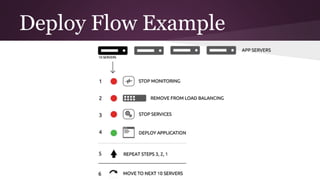
Deploy Flow Example
What is “Ansible”?
1. Fictional instantaneous hyperspace communication
system featured in Orson Scott Card's Ender's Game.
2. Radically simple IT automation platform.
It can:
a. configure systems
b. deploy software
c. orchestrate advanced IT tasks like
i. continuous deployments or
ii. zero downtime rolling updates
Ansible Design Principles
● Dead simple setup
● No custom agents, open ports, etc
● Minimal learning curve. KISS.
● Manage in parallel
● SSH as transport layer
● Human friendly language - YAML
● Modules in any dynamic language
Install
● From system package:
apt-get/yum install ansible
● From Git repository:
git clone git@github.com:ansible/ansible.git
● From PIP:
pip install ansible
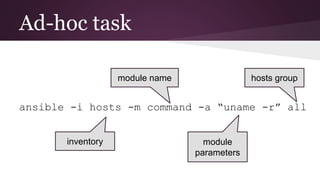
Ad-hoc task
ansible -i hosts -m command -a “uname -r” all
inventory
module name
module
parameters
hosts group
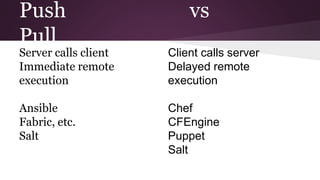
Push vs
Pull
Server calls client
Immediate remote
execution
Ansible
Fabric, etc.
Salt
Client calls server
Delayed remote
execution
Chef
CFEngine
Puppet
Salt
Host Inventory: Basic
[web]
web1.example.com
web2.example.com
[db]
dba.example.com
Host Inventory: Advanced
[web]
web[01:16].example.com
[web-secure]
secure.example.com:2222
[service]
tower.example.com ansible_ssh_port=2201 ansible_ssh_user=admin
Host Inventory: Groups
[kyiv]
kv-app-bmw.example.com
kv-app-audi.example.com
[london]
ld-app-jeep.example.com
[europe:children]
kyiv
london
[europe:variables]
shared_files_url=http://192.168.0.250
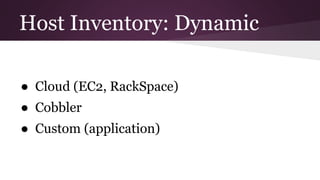
Host Inventory: Dynamic
● Cloud (EC2, RackSpace)
● Cobbler
● Custom (application)
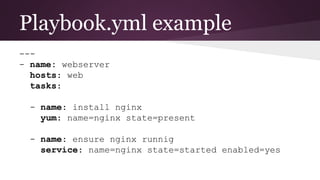
Playbook.yml example
---
- name: webserver
hosts: web
tasks:
- name: install nginx
yum: name=nginx state=present
- name: ensure nginx runnig
service: name=nginx state=started enabled=yes
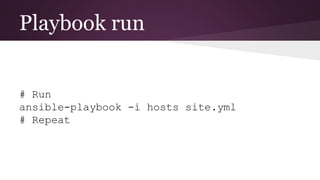
Playbook run
# Run
ansible-playbook -i hosts site.yml
# Repeat
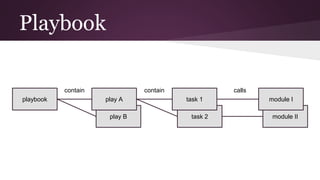
play B
Playbook
playbook play A
task 2
task 1
module II
module I
callscontaincontain
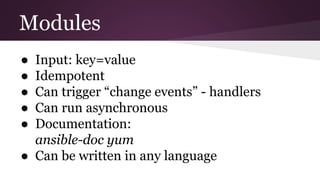
Modules
● Input: key=value
● Idempotent
● Can trigger “change events” - handlers
● Can run asynchronous
● Documentation:
ansible-doc yum
● Can be written in any language
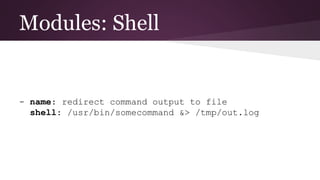
Modules: Shell
- name: redirect command output to file
shell: /usr/bin/somecommand &> /tmp/out.log
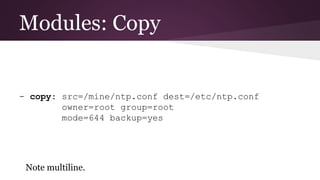
Modules: Copy
- copy: src=/mine/ntp.conf dest=/etc/ntp.conf
owner=root group=root
mode=644 backup=yes
Note multiline.
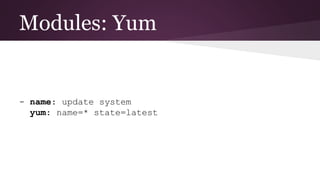
Modules: Yum
- name: update system
yum: name=* state=latest
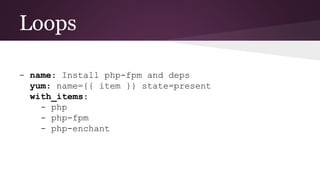
Loops
- name: Install php-fpm and deps
yum: name={{ item }} state=present
with_items:
- php
- php-fpm
- php-enchant
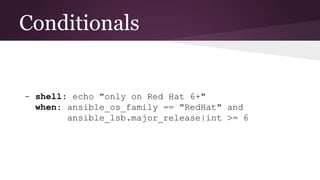
Conditionals
- shell: echo "only on Red Hat 6+"
when: ansible_os_family == "RedHat" and
ansible_lsb.major_release|int >= 6
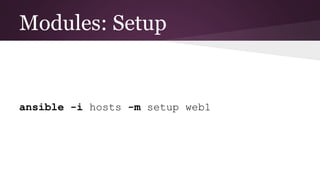
Modules: Setup
ansible -i hosts -m setup web1
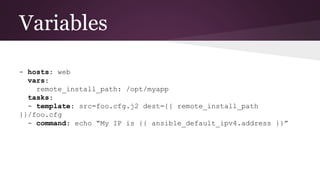
Variables
- hosts: web
vars:
remote_install_path: /opt/myapp
tasks:
- template: src=foo.cfg.j2 dest={{ remote_install_path
}}/foo.cfg
- command: echo “My IP is {{ ansible_default_ipv4.address }}”
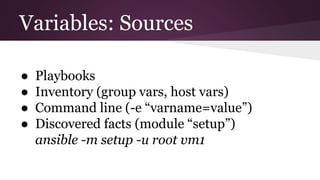
Variables: Sources
● Playbooks
● Inventory (group vars, host vars)
● Command line (-e “varname=value”)
● Discovered facts (module “setup”)
ansible -m setup -u root vm1
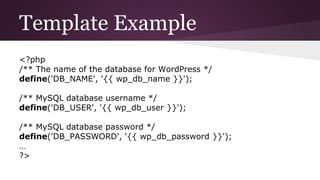
Template Example
<?php
/** The name of the database for WordPress */
define('DB_NAME', '{{ wp_db_name }}');
/** MySQL database username */
define('DB_USER', '{{ wp_db_user }}');
/** MySQL database password */
define('DB_PASSWORD', '{{ wp_db_password }}');
…
?>
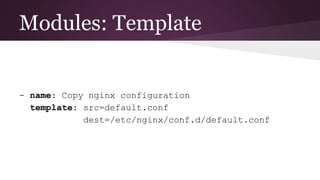
Modules: Template
- name: Copy nginx configuration
template: src=default.conf
dest=/etc/nginx/conf.d/default.conf
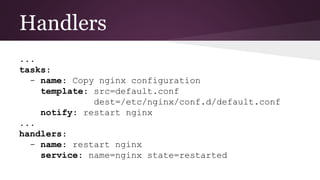
Handlers
...
tasks:
- name: Copy nginx configuration
template: src=default.conf
dest=/etc/nginx/conf.d/default.conf
notify: restart nginx
...
handlers:
- name: restart nginx
service: name=nginx state=restarted
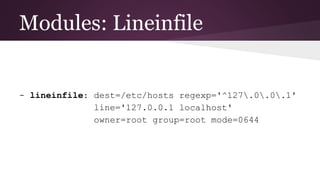
Modules: Lineinfile
- lineinfile: dest=/etc/hosts regexp='^127.0.0.1'
line='127.0.0.1 localhost'
owner=root group=root mode=0644
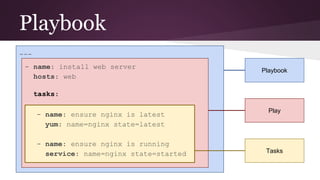
Playbook
---
- name: install web server
hosts: web
tasks:
- name: ensure nginx is latest
yum: name=nginx state=latest
- name: ensure nginx is running
service: name=nginx state=started
Playbook
Play
Tasks
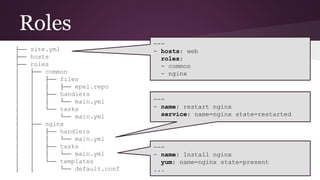
Roles
├── site.yml
├── hosts
├── roles
│ ├── common
│ │ ├── files
│ │ │ ├── epel.repo
│ │ ├── handlers
│ │ │ └── main.yml
│ │ └── tasks
│ │ └── main.yml
│ ├── nginx
│ │ ├── handlers
│ │ │ └── main.yml
│ │ ├── tasks
│ │ │ └── main.yml
│ │ └── templates
│ │ └── default.conf
---
- hosts: web
roles:
- common
- nginx
---
- name: restart nginx
service: name=nginx state=restarted
---
- name: Install nginx
yum: name=nginx state=present
...
Also
● ansible-galaxy
● ansible-vault
● ansible-lint
● ansible-vagrant
Refereces
● ansible.com
● docs.ansible.com
● github.com/ansible/ansible-examples
● slideshare.net/ShapeBlue/ansible-cseug-
jan2014
● infoq.com/articles/ansible-view-on-it-
automation
Thank you!

Ansible 101, Gennadiy Mykhailiuta