By
Asstt. Prof. Abhay S. Gore
Dept. of Mechanical Engg.
MIT (T), Aurangabad
Intro to CAD/CAM and Tools
What is Design?
 Design is the human power to
conceive, plan, and realize products that serve
human beings in the accomplishment of any
individual or collective purpose.
 Usually considered in the context of applied arts
, engineering, architecture, and other creative
endeavors
Some Popular Design Approaches
 User-centered design, which focuses on the
needs, wants, and limitations of the end user of the
designed artifact.
 Use-centered design, which focuses on the goals and
tasks associated with the use of the artifact, rather
than focusing on the end user
 KISS principle, (Keep it Simple, Stupid), which strives
to eliminate unnecessary complications
 Murphy's Law (things will go wrong in any given
situation, if you give them a chance)
CAD/CAM
 Computer-aided design (CAD) is the use of computer
systems to assist in the
creation, modification, analysis, or optimization of a
design.
 Computer-aided manufacturing (CAM) is the use of
computer systems to plan, manage, and control the
operations of a manufacturing plant through direct or
indirect computer interface with plant’s resources.
Need for CAD/CAM
• To increase productivity of the designer
• To improve quality of the design
• To improve communications
• To create a manufacturing database
• To create and test tool paths and optimize
them
• To help in production scheduling and MRP
models
• To have effective shop floor control
Tools of CAD/CAM
 AutoCAD (CAD)
 Computer Aided Design or Computer Aided Drafting
 For 2D and 3D design and drafting, developed and
sold by Autodesk, Inc. in 1982
 Earlier primitive entities used such as
lines, polylines, circles, arcs, and text
 But now it has solid modeling and 3D tools
 Has supported custom objects through its C++ API
 Application Programming Interfaces (APIs) for
customization and automation
 Include AutoLISP, Visual LISP, VBA, .NET and
ObjectARX
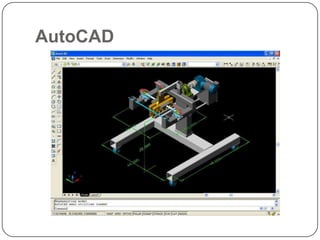
AutoCAD
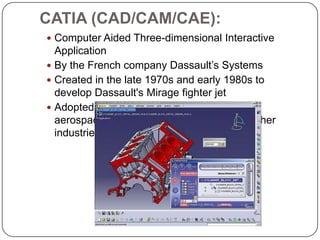
CATIA (CAD/CAM/CAE):
 Computer Aided Three-dimensional Interactive
Application
 By the French company Dassault’s Systems
 Created in the late 1970s and early 1980s to
develop Dassault's Mirage fighter jet
 Adopted in the
aerospace, automotive, shipbuilding, and other
industries
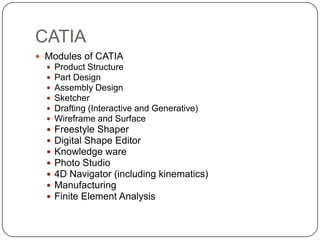
CATIA
 Modules of CATIA
 Product Structure
 Part Design
 Assembly Design
 Sketcher
 Drafting (Interactive and Generative)
 Wireframe and Surface
 Freestyle Shaper
 Digital Shape Editor
 Knowledge ware
 Photo Studio
 4D Navigator (including kinematics)
 Manufacturing
 Finite Element Analysis
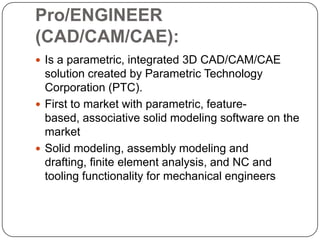
Pro/ENGINEER
(CAD/CAM/CAE):
 Is a parametric, integrated 3D CAD/CAM/CAE
solution created by Parametric Technology
Corporation (PTC).
 First to market with parametric, feature-
based, associative solid modeling software on the
market
 Solid modeling, assembly modeling and
drafting, finite element analysis, and NC and
tooling functionality for mechanical engineers
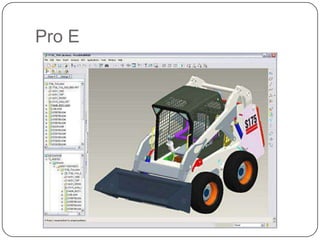
Pro E
SIEMENS NX (CAD/CAM/CAE):
 NX is the commercial CAD/CAM/CAE PLM
software suite developed by Siemens PLM
Software.
 Used in the engineering industry, especially in the
automotive and aerospace sectors.
 NX is a parametric solid / surface feature-based
modeler
 Uses the Para solid geometric modeling kernel.
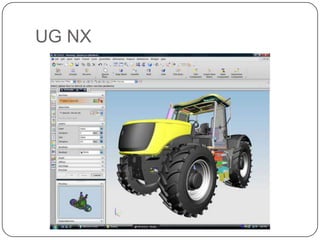
UG NX
SOLID EDGE (CAD/CAE):
 Intergraph in 1996 using the ACIS geometric
modeling kernel it later changed to using the Para
solid kernel
 In 1998 it was purchased and further developed by
UGS Corp
 In 2007, UGS was acquired by the Automation &
Drives Division of Siemens AG
 Solid Edge is 3D CAD parametric feature solid
modeling software
 Provides solid modeling, assembly modeling and
drafting functionality for mechanical engineers
 It has links to many other Product Lifecycle
Management (PLM) technologies
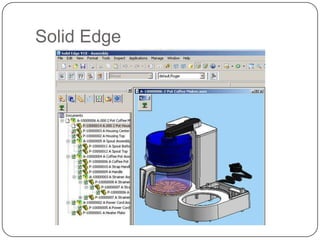
Solid Edge
SOLID WORKS (CAD/CAE):
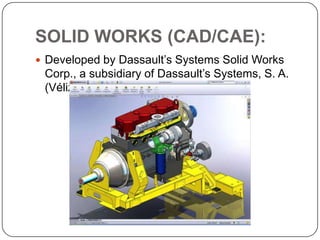
 Developed by Dassault’s Systems Solid Works
Corp., a subsidiary of Dassault’s Systems, S. A.
(Vélizy, France)
INVENTOR (CAD/CAE):
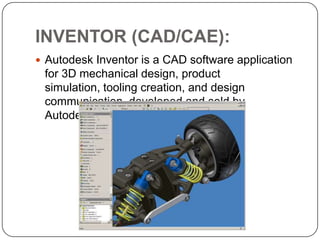
 Autodesk Inventor is a CAD software application
for 3D mechanical design, product
simulation, tooling creation, and design
communication, developed and sold by
Autodesk, Inc. in 1999
MASTERCAM (CAD/CAM):
 Founded in Massachusetts in 1983, CNC
Software, Inc
 Let machinists design virtual parts on a computer
screen and also guided computer numerical
controlled (CNC) machine tools in the
manufacture of parts
 It has set of predefined tool paths—
 including contour, drill, pocketing, face, peel
mill, engraving, surface high speed, advanced multi-
axis, and
 many more—enable machinists to cut parts
efficiently and accurately
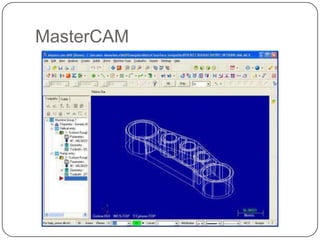
MasterCAM
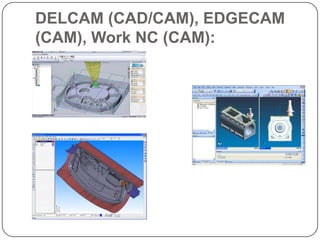
DELCAM (CAD/CAM), EDGECAM
(CAM), Work NC (CAM):
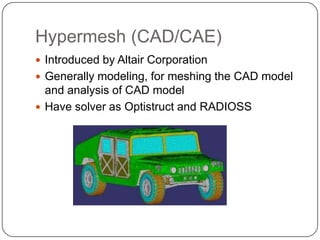
Hypermesh (CAD/CAE)
 Introduced by Altair Corporation
 Generally modeling, for meshing the CAD model
and analysis of CAD model
 Have solver as Optistruct and RADIOSS
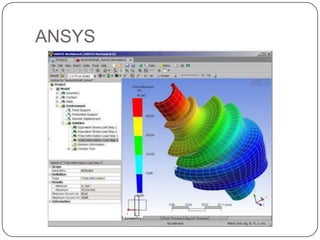
ANSYS (CAE):
 General-purpose finite element analysis and
computational fluid dynamics software
 Best known for its ANSYS Mechanical and ANSYS
Multi physics products
 Including static/dynamic structural analysis (both
linear and non-linear), heat transfer and fluid
problems, as well as acoustic and electro-magnetic
problems.
 CFX computational fluid dynamics and Fluent for CFD
 Electronic design automation (EDA) software for to
simulate high-performance electronics designs found
in mobile communication and Internet
devices, broadband networking components and
systems, integrated circuits, printed circuit boards
ANSYS
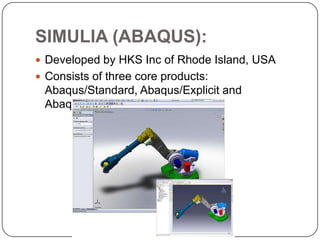
SIMULIA (ABAQUS):
 Developed by HKS Inc of Rhode Island, USA
 Consists of three core products:
Abaqus/Standard, Abaqus/Explicit and
Abaqus/CAE. Abaqus/Standard
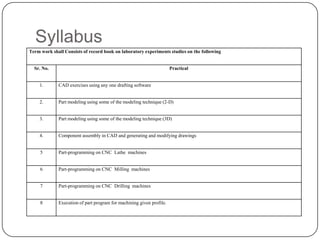
Syllabus
Term work shall Consists of record book on laboratory experiments studies on the following
Sr. No. Practical
1. CAD exercises using any one drafting software
2. Part modeling using some of the modeling technique (2-D)
3. Part modeling using some of the modeling technique (3D)
4. Component assembly in CAD and generating and modifying drawings
5 Part-programming on CNC Lathe machines
6 Part-programming on CNC Milling machines
7 Part-programming on CNC Drilling machines
8 Execution of part program for machining given profile.
Thank
You

Intro to CAD CAM Tools

  • 1.
    By Asstt. Prof. AbhayS. Gore Dept. of Mechanical Engg. MIT (T), Aurangabad Intro to CAD/CAM and Tools
  • 2.
    What is Design? Design is the human power to conceive, plan, and realize products that serve human beings in the accomplishment of any individual or collective purpose.  Usually considered in the context of applied arts , engineering, architecture, and other creative endeavors
  • 3.
    Some Popular DesignApproaches  User-centered design, which focuses on the needs, wants, and limitations of the end user of the designed artifact.  Use-centered design, which focuses on the goals and tasks associated with the use of the artifact, rather than focusing on the end user  KISS principle, (Keep it Simple, Stupid), which strives to eliminate unnecessary complications  Murphy's Law (things will go wrong in any given situation, if you give them a chance)
  • 4.
    CAD/CAM  Computer-aided design(CAD) is the use of computer systems to assist in the creation, modification, analysis, or optimization of a design.  Computer-aided manufacturing (CAM) is the use of computer systems to plan, manage, and control the operations of a manufacturing plant through direct or indirect computer interface with plant’s resources.
  • 5.
    Need for CAD/CAM •To increase productivity of the designer • To improve quality of the design • To improve communications • To create a manufacturing database • To create and test tool paths and optimize them • To help in production scheduling and MRP models • To have effective shop floor control
  • 6.
    Tools of CAD/CAM AutoCAD (CAD)  Computer Aided Design or Computer Aided Drafting  For 2D and 3D design and drafting, developed and sold by Autodesk, Inc. in 1982  Earlier primitive entities used such as lines, polylines, circles, arcs, and text  But now it has solid modeling and 3D tools  Has supported custom objects through its C++ API  Application Programming Interfaces (APIs) for customization and automation  Include AutoLISP, Visual LISP, VBA, .NET and ObjectARX
  • 7.
  • 8.
    CATIA (CAD/CAM/CAE):  ComputerAided Three-dimensional Interactive Application  By the French company Dassault’s Systems  Created in the late 1970s and early 1980s to develop Dassault's Mirage fighter jet  Adopted in the aerospace, automotive, shipbuilding, and other industries
  • 9.
    CATIA  Modules ofCATIA  Product Structure  Part Design  Assembly Design  Sketcher  Drafting (Interactive and Generative)  Wireframe and Surface  Freestyle Shaper  Digital Shape Editor  Knowledge ware  Photo Studio  4D Navigator (including kinematics)  Manufacturing  Finite Element Analysis
  • 10.
    Pro/ENGINEER (CAD/CAM/CAE):  Is aparametric, integrated 3D CAD/CAM/CAE solution created by Parametric Technology Corporation (PTC).  First to market with parametric, feature- based, associative solid modeling software on the market  Solid modeling, assembly modeling and drafting, finite element analysis, and NC and tooling functionality for mechanical engineers
  • 11.
  • 12.
    SIEMENS NX (CAD/CAM/CAE): NX is the commercial CAD/CAM/CAE PLM software suite developed by Siemens PLM Software.  Used in the engineering industry, especially in the automotive and aerospace sectors.  NX is a parametric solid / surface feature-based modeler  Uses the Para solid geometric modeling kernel.
  • 13.
  • 14.
    SOLID EDGE (CAD/CAE): Intergraph in 1996 using the ACIS geometric modeling kernel it later changed to using the Para solid kernel  In 1998 it was purchased and further developed by UGS Corp  In 2007, UGS was acquired by the Automation & Drives Division of Siemens AG  Solid Edge is 3D CAD parametric feature solid modeling software  Provides solid modeling, assembly modeling and drafting functionality for mechanical engineers  It has links to many other Product Lifecycle Management (PLM) technologies
  • 15.
  • 16.
    SOLID WORKS (CAD/CAE): Developed by Dassault’s Systems Solid Works Corp., a subsidiary of Dassault’s Systems, S. A. (Vélizy, France)
  • 17.
    INVENTOR (CAD/CAE):  AutodeskInventor is a CAD software application for 3D mechanical design, product simulation, tooling creation, and design communication, developed and sold by Autodesk, Inc. in 1999
  • 18.
    MASTERCAM (CAD/CAM):  Foundedin Massachusetts in 1983, CNC Software, Inc  Let machinists design virtual parts on a computer screen and also guided computer numerical controlled (CNC) machine tools in the manufacture of parts  It has set of predefined tool paths—  including contour, drill, pocketing, face, peel mill, engraving, surface high speed, advanced multi- axis, and  many more—enable machinists to cut parts efficiently and accurately
  • 19.
  • 20.
  • 21.
    Hypermesh (CAD/CAE)  Introducedby Altair Corporation  Generally modeling, for meshing the CAD model and analysis of CAD model  Have solver as Optistruct and RADIOSS
  • 22.
    ANSYS (CAE):  General-purposefinite element analysis and computational fluid dynamics software  Best known for its ANSYS Mechanical and ANSYS Multi physics products  Including static/dynamic structural analysis (both linear and non-linear), heat transfer and fluid problems, as well as acoustic and electro-magnetic problems.  CFX computational fluid dynamics and Fluent for CFD  Electronic design automation (EDA) software for to simulate high-performance electronics designs found in mobile communication and Internet devices, broadband networking components and systems, integrated circuits, printed circuit boards
  • 23.
  • 24.
    SIMULIA (ABAQUS):  Developedby HKS Inc of Rhode Island, USA  Consists of three core products: Abaqus/Standard, Abaqus/Explicit and Abaqus/CAE. Abaqus/Standard
  • 25.
    Syllabus Term work shallConsists of record book on laboratory experiments studies on the following Sr. No. Practical 1. CAD exercises using any one drafting software 2. Part modeling using some of the modeling technique (2-D) 3. Part modeling using some of the modeling technique (3D) 4. Component assembly in CAD and generating and modifying drawings 5 Part-programming on CNC Lathe machines 6 Part-programming on CNC Milling machines 7 Part-programming on CNC Drilling machines 8 Execution of part program for machining given profile.
  • 26.