Internet Security
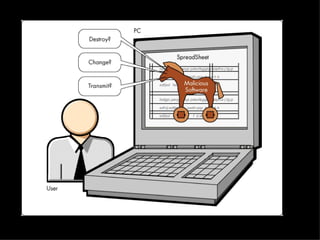
Where do trojan viruses get their name from? Trojans tend to make users believe they are making a decision with a positive effect, but are misleading with this information just as the Trojans did with their horse.
 
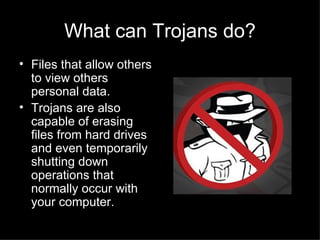
What can Trojans do? Files that allow others to view others personal data. Trojans are also capable of erasing files from hard drives and even temporarily shutting down operations that normally occur with your computer.
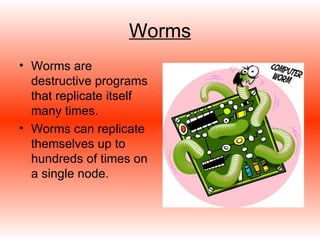
Worms Worms are destructive programs that replicate itself many times. Worms can replicate themselves up to hundreds of times on a single node.
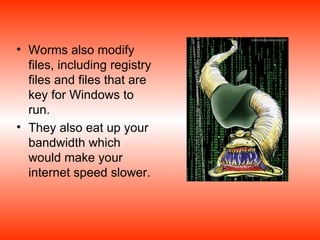
Worms also modify files, including registry files and files that are key for Windows to run. They also eat up your bandwidth which would make your internet speed slower.
Spyware & Adware Spyware secretly places itself on your computer and views transactions that are made on websites. Adware often appears as an advertisement and inevitably is harmful to the user. Spyware and adware both cause a great risk dealing with credit card fraud and identification theft.
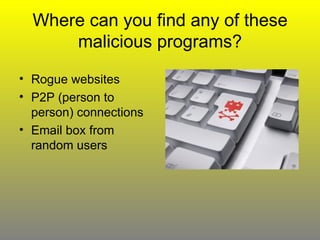
Where can you find any of these malicious programs? Rogue websites P2P (person to person) connections Email box from random users
Solutions to these Problems? Virus Scanners Firewalls Antivirus Programs
Virus Scanners Virus scanners locate worms, Trojans, and other malicious programs and delete them. Virus scanners tend to locate these files by looking for patterns for certain byte strings.
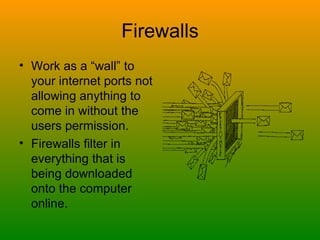
Firewalls Work as a “wall” to your internet ports not allowing anything to come in without the users permission. Firewalls filter in everything that is being downloaded onto the computer online.
Antivirus Programs The most effective way to keep your personal computer cleansed of viruses Introduced in the early nineties and have been improving these programs since then.
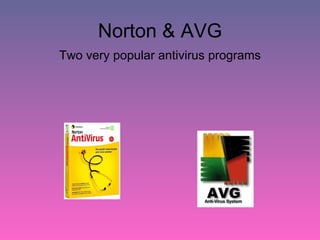
Norton & AVG Two very popular antivirus programs
There are many evils lurking on the internet to corrupt your computer or even worse, steal your identity, credit card numbers, and even your social security number. Browsing the internet is a fun past-time, but needs to be done with caution. This antivirus software as well as being safe and smart with the internet will keep your computer running correctly.
Works Cited / References Brown, Marshall. “How Computer Viruses Work.”  <http://www.howstuffworks.com/virus.htm Kuenning, Geoff. “How does a computer Virus Scan Work?” January 14, 2002. <http://www.sciam.com/article.cfm?id=how-does-a-computer-virus&topicID=5>. Tyson, Jeff. “How Firewalls Work.” <http://computer.howstuffworks.com/firewall.htm>. Vilbert, Robert. “How a Virus Scanner Works. <http://searchsecurity.techtarget.com/expert/KnowledgebaseAnswer/0,289625,sid14_gci788685,00.html>. “ Spyware Information.” 2008 <http://www.spyware-information.com/\.>.
Christopher Rodgers Soundtrack: The Rolling Stones – Gimme Shelter

Internet Security

  • 1.
  • 2.
    Where do trojanviruses get their name from? Trojans tend to make users believe they are making a decision with a positive effect, but are misleading with this information just as the Trojans did with their horse.
  • 3.
  • 4.
    What can Trojansdo? Files that allow others to view others personal data. Trojans are also capable of erasing files from hard drives and even temporarily shutting down operations that normally occur with your computer.
  • 5.
    Worms Worms aredestructive programs that replicate itself many times. Worms can replicate themselves up to hundreds of times on a single node.
  • 6.
    Worms also modifyfiles, including registry files and files that are key for Windows to run. They also eat up your bandwidth which would make your internet speed slower.
  • 7.
    Spyware & AdwareSpyware secretly places itself on your computer and views transactions that are made on websites. Adware often appears as an advertisement and inevitably is harmful to the user. Spyware and adware both cause a great risk dealing with credit card fraud and identification theft.
  • 8.
    Where can youfind any of these malicious programs? Rogue websites P2P (person to person) connections Email box from random users
  • 9.
    Solutions to theseProblems? Virus Scanners Firewalls Antivirus Programs
  • 10.
    Virus Scanners Virusscanners locate worms, Trojans, and other malicious programs and delete them. Virus scanners tend to locate these files by looking for patterns for certain byte strings.
  • 11.
    Firewalls Work asa “wall” to your internet ports not allowing anything to come in without the users permission. Firewalls filter in everything that is being downloaded onto the computer online.
  • 12.
    Antivirus Programs Themost effective way to keep your personal computer cleansed of viruses Introduced in the early nineties and have been improving these programs since then.
  • 13.
    Norton & AVGTwo very popular antivirus programs
  • 14.
    There are manyevils lurking on the internet to corrupt your computer or even worse, steal your identity, credit card numbers, and even your social security number. Browsing the internet is a fun past-time, but needs to be done with caution. This antivirus software as well as being safe and smart with the internet will keep your computer running correctly.
  • 15.
    Works Cited /References Brown, Marshall. “How Computer Viruses Work.” <http://www.howstuffworks.com/virus.htm Kuenning, Geoff. “How does a computer Virus Scan Work?” January 14, 2002. <http://www.sciam.com/article.cfm?id=how-does-a-computer-virus&topicID=5>. Tyson, Jeff. “How Firewalls Work.” <http://computer.howstuffworks.com/firewall.htm>. Vilbert, Robert. “How a Virus Scanner Works. <http://searchsecurity.techtarget.com/expert/KnowledgebaseAnswer/0,289625,sid14_gci788685,00.html>. “ Spyware Information.” 2008 <http://www.spyware-information.com/\.>.
  • 16.
    Christopher Rodgers Soundtrack:The Rolling Stones – Gimme Shelter