Why Internet Literacy?  The Need to Train Student Surfers 5th Annual Educators’ Conference March 3, 2007 Cortland Jr./Sr. High School M. Karre, Librarian [email_address]
What is Internet Literacy???? Literacy 2.0
 
 
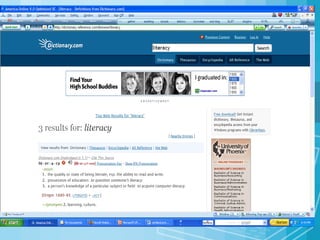
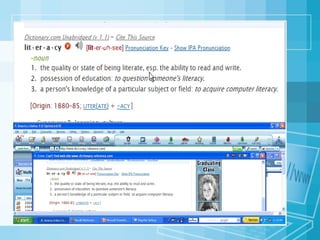
“ The ability to access, understand and create communications in a variety of forms.”  ~  Communications Act of 2003 Literacy =
Web 2.0 Read/write web Literacy all the more important Sharing information on all levels Universal contributions Need to understand, evaluate, reply
“ ..need to be editors as well as readers.”  “… must be literate in the ways of publishing” “… need to have the ability to work closely with others” “… need to know how to manage the information that we consume.” According to Will Richardson, students: Blogs, Wikis, Podcasts and Other Powerful Web Tools for Classrooms,  2006
 
Information Literacy The ability to: use the Internet to search for information   follow rules for gathering and presenting information. find clues on web pages in order to evaluate the content,
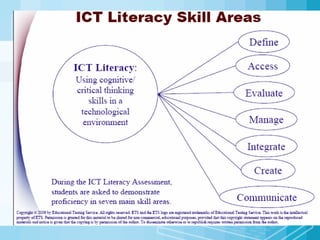
Students need to know: Access -  Search and retrieval Understanding – evaluation and critical thinking Creation - Interactivity
Assumptions: Equal access to technology Teacher assistance Is there a need???
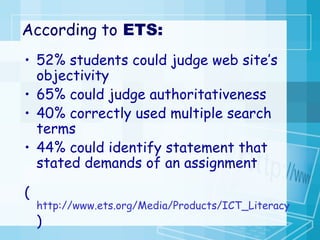
According to  ETS: 52% students could judge web site’s objectivity 65% could judge authoritativeness 40% correctly used multiple search terms 44% could identify statement that stated demands of an assignment ( http://www.ets.org/Media/Products/ICT_Literacy/pdf/2006_Preliminary_Findings.pdf )
All kids can find information on the Internet – that’s what search engines are for!
If it is on the Internet, it must be true.
If it is on the Internet, it’s public information and free for us to copy.
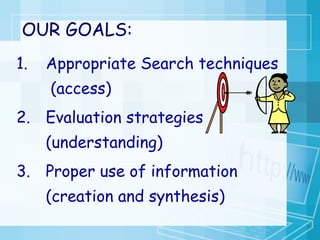
OUR GOALS: Appropriate Search techniques  (access) Evaluation strategies (understanding) Proper use of information (creation and synthesis)
Job one:    keep them away from predators Job two:  keep online experiences comfortable and nourishing Appropriate Search techniques = 1
www.boytoys.com Typed by 4 th  grade boy while researching the history of toys.
“ We don’t need no liberry…. We got the Internet.” Spoken by teacher at the beginning of a research project.
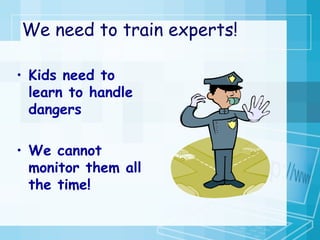
We need to train experts! Kids need to learn to handle dangers  We cannot monitor them all the time!
Safety means different things at different ages GetNetWise
Rules for little ones are simple: Never give out information that can help someone find you Report all threatening behavior Use only “safe” sites
Great online safety Quiz! SafeKids.com Take it with the kids!! CyberCafe
“ Congress can pass all the laws it wants and civil-liberties groups can challenge those laws, but it's up to parents and kids themselves to assure a safe passage while online” ~  Common Sense Rules Can Protect Kids on the Net by Larry Magid
We don’t have to worry…. We have a FILTER!
“ Filters can give parents and guardians a false sense of security—prompting them to believe that children are protected when they are  not .   Numerous studies have documented that filters  fail   to block many sites banned under CIPA”  ~American Library Assoc.
Surfing the Net with Kids Iggy and Rasper's Tips for Internet Safety and Good Manners
But….. We also want them to avoid sites that are fraudulent, overly pushy or just plain stupid.
The Web is a lot like a flea market
“ Without a clear search strategy, using a search engine is like wandering aimlessly in the stacks of a library trying to find a particular book.”   -  Debbie Flanagan , Fort Lauderdale, FL. – Web Search Strategies
The research process:  (The teacher’s view) Develop interesting assignment  Assign it  Stand back and watch wonderful learning experience  Collect and correct  Evaluate
The research process: (The student’s view) Locate information using Google  Take the first search results  Print out EVERYTHING  Put your name on it  Done!
Why do we see this behavior?   Badly structured assignments Easy access to pre-digested  information on the web  Time pressures on students  Lack access to current  materials Lack of training
Find exact phrase matches “ Binghamton Toyota dealership” Power Search Logical Expressions baseball AND diamond Proximity With “” or NEAR
Four NETS for Better Searching
Student's Guide to Research with the WWW
Check out How to Search
ESSENTIAL that students have the ability to locate  sound,  factual, and  age-appropriate material
The  walled garden  approach in creating browsing environments: Students have access to only limited Web sites, and teachers need a password in order to leave the walled garden and browse the Internet in its entirety.
A more focused database should:  return very precise results  offer greater usability to  the data.   FOCUS:
Examples: WebQuests Portals Word Documents with links Folders on desktop Del.icio.us Blog aggregators Filamentality
Portals  eliminate need to type addresses offer more choices than just search engines provide safer searches through select search engines www.ivyjoy.com/rayne/kidssearch.html
Existing portals and databases Four County Library System www.4cls.org BOCES Databases www.btboces.org/Center/Resources/ElectronicResources.shtm Horace Mann School Library http://opalsbnj.stier.org
Compare kids' search engines Make your own portal…..
Best not to let students type addresses…. … but if they must, teach caution Personal & business =  “.com”;  Federal government = “.gov,”  K-12 school sites = “.k12”  college and university = “.edu.”  Organizations = “.org.”
The next step is learning to evaluate information  2
Rapid growth in the Internet = Millions of quality web sites PLUS… More sites =  Millions of poorly constructed and inaccurate ones.
PLUS…. Web 2.0 means Anonymous authors Public editing Proliferation of information “ Instant” creation and elimination of pages Random assignment of domains
How do kids tell the good From the BAD? The  Martin Luther King , Jr., Research and Education Institute  A collection of primary and secondary documents pertaining to  Martin Luther King , Jr., held at Stanford University. www.stanford.edu/group/King/ Martin Luther King  Jr. - A True Historical Examination  The truth about  Martin Luther King : Includes historical trivia, articles and pictures. A valuable resource for teachers and students alike. www. martinlutherking .org/
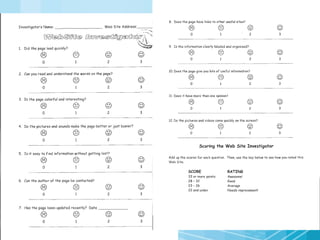
Kathy Schrock’s Website Evaluators
Online KidsFirst Worksheet http://www.kidsfirst.org/juror/website_6-12.html COALITION FOR QUALITY CHILDREN'S MEDIA
Before you launch an Internet assignment... Consider best tool for the purpose
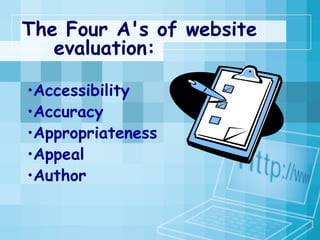
The Four A's of website  evaluation: Accessibility  Accuracy Appropriateness Appeal Author
Also consider: Dates Created  and Last Modified
ACCESSIBILITY =  Dead ends Long waits Dead links
ACCURACY= Authorship or authority,  Objectivity,  Coverage, Context.
APPROPRIATENESS = Good for the report? Too technical? Understandable?
APPEAL = Fun to use Easy to read Graphics make sense
AUTHOR: Search for more info about author Check the URL (“user”, “~”) Check links -- Link:url
 
Use of Information But what do we DO with it? 3
Avoiding theft and forgery -
“ The growth of the Internet has emphasized the need to understand intellectual property rights, including copyright fundamentals and plagiarism” . See -  Education World:  Teaching About Web Literacy
What can we DO? Detect plagiarism - Glatt  Plagiarism Program Kathy Schrock’s Guide for Educators Read Write Think Plagiarism Lesson
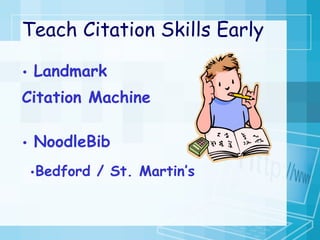
Teach Citation Skills Early Landmark  Citation Machine NoodleBib Bedford / St. Martin’s guides for online citation
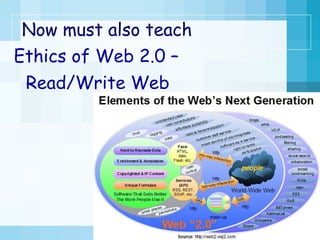
Now must also teach Ethics of Web 2.0 – Read/Write Web
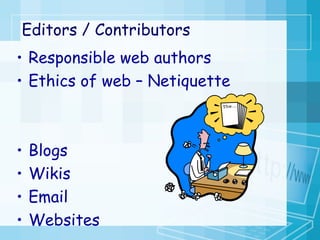
Editors / Contributors Responsible web authors Ethics of web – Netiquette Blogs Wikis Email Websites
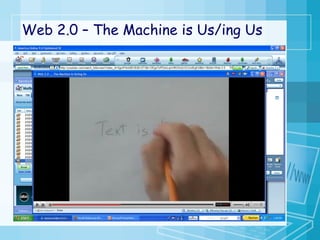
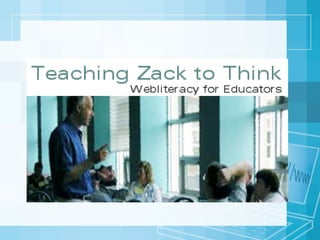
Web 2.0 – The Machine is Us/ing Us
Putting good intentions into practice How do we put it all together?
Process, not product;  (How, not what) Teach, not block. (Prepare for the worst, expect the best) SIMPLE RULE:
Role of Teacher: Demonstrate familiarity with technology Locate and Evaluate resources prior to use  Direct students to appropriate resources Model and teach ethical use of information
For Further Study: The Internet Literacy Handbook: A Guide for Connected Educators   (flash) Developing Critical Literacy Skills for the Internet (Power Point) Internet Literacy – Pensacola Junior College ALA Information Literacy Standards
With trust,  focused practice,  training on authoritativeness and usability,  and clear selection rubric,  kids can do fine job selecting needed resources
 
 
Have you "wiped out" yet?   Tutorials Galore
http://www.noodletools.com Compare search engines  Choose Invisible web databases Deconstruct a Web site.  NoodleTools  NoodleQuest  Search Strategy Wizard.

Internet Literacy Workshop

  • 1.
    Why Internet Literacy? The Need to Train Student Surfers 5th Annual Educators’ Conference March 3, 2007 Cortland Jr./Sr. High School M. Karre, Librarian [email_address]
  • 2.
    What is InternetLiteracy???? Literacy 2.0
  • 3.
  • 4.
  • 5.
    “ The abilityto access, understand and create communications in a variety of forms.” ~ Communications Act of 2003 Literacy =
  • 6.
    Web 2.0 Read/writeweb Literacy all the more important Sharing information on all levels Universal contributions Need to understand, evaluate, reply
  • 7.
    “ ..need tobe editors as well as readers.” “… must be literate in the ways of publishing” “… need to have the ability to work closely with others” “… need to know how to manage the information that we consume.” According to Will Richardson, students: Blogs, Wikis, Podcasts and Other Powerful Web Tools for Classrooms, 2006
  • 8.
  • 9.
    Information Literacy Theability to: use the Internet to search for information follow rules for gathering and presenting information. find clues on web pages in order to evaluate the content,
  • 10.
    Students need toknow: Access - Search and retrieval Understanding – evaluation and critical thinking Creation - Interactivity
  • 11.
    Assumptions: Equal accessto technology Teacher assistance Is there a need???
  • 12.
    According to ETS: 52% students could judge web site’s objectivity 65% could judge authoritativeness 40% correctly used multiple search terms 44% could identify statement that stated demands of an assignment ( http://www.ets.org/Media/Products/ICT_Literacy/pdf/2006_Preliminary_Findings.pdf )
  • 13.
    All kids canfind information on the Internet – that’s what search engines are for!
  • 14.
    If it ison the Internet, it must be true.
  • 15.
    If it ison the Internet, it’s public information and free for us to copy.
  • 16.
    OUR GOALS: AppropriateSearch techniques (access) Evaluation strategies (understanding) Proper use of information (creation and synthesis)
  • 17.
    Job one: keep them away from predators Job two: keep online experiences comfortable and nourishing Appropriate Search techniques = 1
  • 18.
    www.boytoys.com Typed by4 th grade boy while researching the history of toys.
  • 19.
    “ We don’tneed no liberry…. We got the Internet.” Spoken by teacher at the beginning of a research project.
  • 20.
    We need totrain experts! Kids need to learn to handle dangers We cannot monitor them all the time!
  • 21.
    Safety means differentthings at different ages GetNetWise
  • 22.
    Rules for littleones are simple: Never give out information that can help someone find you Report all threatening behavior Use only “safe” sites
  • 23.
    Great online safetyQuiz! SafeKids.com Take it with the kids!! CyberCafe
  • 24.
    “ Congress canpass all the laws it wants and civil-liberties groups can challenge those laws, but it's up to parents and kids themselves to assure a safe passage while online” ~ Common Sense Rules Can Protect Kids on the Net by Larry Magid
  • 25.
    We don’t haveto worry…. We have a FILTER!
  • 26.
    “ Filters cangive parents and guardians a false sense of security—prompting them to believe that children are protected when they are not . Numerous studies have documented that filters fail to block many sites banned under CIPA” ~American Library Assoc.
  • 27.
    Surfing the Netwith Kids Iggy and Rasper's Tips for Internet Safety and Good Manners
  • 28.
    But….. We alsowant them to avoid sites that are fraudulent, overly pushy or just plain stupid.
  • 29.
    The Web isa lot like a flea market
  • 30.
    “ Without aclear search strategy, using a search engine is like wandering aimlessly in the stacks of a library trying to find a particular book.” - Debbie Flanagan , Fort Lauderdale, FL. – Web Search Strategies
  • 31.
    The research process: (The teacher’s view) Develop interesting assignment Assign it Stand back and watch wonderful learning experience Collect and correct Evaluate
  • 32.
    The research process:(The student’s view) Locate information using Google Take the first search results Print out EVERYTHING Put your name on it Done!
  • 33.
    Why do wesee this behavior? Badly structured assignments Easy access to pre-digested information on the web Time pressures on students Lack access to current materials Lack of training
  • 34.
    Find exact phrasematches “ Binghamton Toyota dealership” Power Search Logical Expressions baseball AND diamond Proximity With “” or NEAR
  • 35.
    Four NETS forBetter Searching
  • 36.
    Student's Guide toResearch with the WWW
  • 37.
    Check out Howto Search
  • 38.
    ESSENTIAL that studentshave the ability to locate sound, factual, and age-appropriate material
  • 39.
    The walledgarden approach in creating browsing environments: Students have access to only limited Web sites, and teachers need a password in order to leave the walled garden and browse the Internet in its entirety.
  • 40.
    A more focuseddatabase should: return very precise results offer greater usability to the data. FOCUS:
  • 41.
    Examples: WebQuests PortalsWord Documents with links Folders on desktop Del.icio.us Blog aggregators Filamentality
  • 42.
    Portals eliminateneed to type addresses offer more choices than just search engines provide safer searches through select search engines www.ivyjoy.com/rayne/kidssearch.html
  • 43.
    Existing portals anddatabases Four County Library System www.4cls.org BOCES Databases www.btboces.org/Center/Resources/ElectronicResources.shtm Horace Mann School Library http://opalsbnj.stier.org
  • 44.
    Compare kids' searchengines Make your own portal…..
  • 45.
    Best not tolet students type addresses…. … but if they must, teach caution Personal & business = “.com”; Federal government = “.gov,” K-12 school sites = “.k12” college and university = “.edu.” Organizations = “.org.”
  • 46.
    The next stepis learning to evaluate information 2
  • 47.
    Rapid growth inthe Internet = Millions of quality web sites PLUS… More sites = Millions of poorly constructed and inaccurate ones.
  • 48.
    PLUS…. Web 2.0means Anonymous authors Public editing Proliferation of information “ Instant” creation and elimination of pages Random assignment of domains
  • 49.
    How do kidstell the good From the BAD? The Martin Luther King , Jr., Research and Education Institute A collection of primary and secondary documents pertaining to Martin Luther King , Jr., held at Stanford University. www.stanford.edu/group/King/ Martin Luther King Jr. - A True Historical Examination The truth about Martin Luther King : Includes historical trivia, articles and pictures. A valuable resource for teachers and students alike. www. martinlutherking .org/
  • 50.
  • 51.
    Online KidsFirst Worksheethttp://www.kidsfirst.org/juror/website_6-12.html COALITION FOR QUALITY CHILDREN'S MEDIA
  • 52.
    Before you launchan Internet assignment... Consider best tool for the purpose
  • 53.
    The Four A'sof website evaluation: Accessibility Accuracy Appropriateness Appeal Author
  • 54.
    Also consider: DatesCreated and Last Modified
  • 55.
    ACCESSIBILITY = Dead ends Long waits Dead links
  • 56.
    ACCURACY= Authorship orauthority, Objectivity, Coverage, Context.
  • 57.
    APPROPRIATENESS = Goodfor the report? Too technical? Understandable?
  • 58.
    APPEAL = Funto use Easy to read Graphics make sense
  • 59.
    AUTHOR: Search formore info about author Check the URL (“user”, “~”) Check links -- Link:url
  • 60.
  • 61.
    Use of InformationBut what do we DO with it? 3
  • 62.
  • 63.
    “ The growthof the Internet has emphasized the need to understand intellectual property rights, including copyright fundamentals and plagiarism” . See - Education World: Teaching About Web Literacy
  • 64.
    What can weDO? Detect plagiarism - Glatt Plagiarism Program Kathy Schrock’s Guide for Educators Read Write Think Plagiarism Lesson
  • 65.
    Teach Citation SkillsEarly Landmark Citation Machine NoodleBib Bedford / St. Martin’s guides for online citation
  • 66.
    Now must alsoteach Ethics of Web 2.0 – Read/Write Web
  • 67.
    Editors / ContributorsResponsible web authors Ethics of web – Netiquette Blogs Wikis Email Websites
  • 68.
    Web 2.0 –The Machine is Us/ing Us
  • 69.
    Putting good intentionsinto practice How do we put it all together?
  • 70.
    Process, not product; (How, not what) Teach, not block. (Prepare for the worst, expect the best) SIMPLE RULE:
  • 71.
    Role of Teacher:Demonstrate familiarity with technology Locate and Evaluate resources prior to use Direct students to appropriate resources Model and teach ethical use of information
  • 72.
    For Further Study:The Internet Literacy Handbook: A Guide for Connected Educators (flash) Developing Critical Literacy Skills for the Internet (Power Point) Internet Literacy – Pensacola Junior College ALA Information Literacy Standards
  • 73.
    With trust, focused practice, training on authoritativeness and usability, and clear selection rubric, kids can do fine job selecting needed resources
  • 74.
  • 75.
  • 76.
    Have you "wipedout" yet? Tutorials Galore
  • 77.
    http://www.noodletools.com Compare searchengines Choose Invisible web databases Deconstruct a Web site. NoodleTools NoodleQuest Search Strategy Wizard.