RESEARCH &
LIBRARY SKILLS
Covenant Christian
School
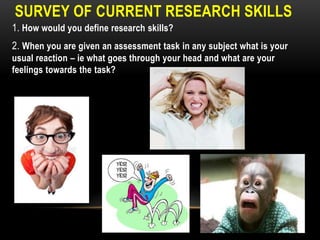
SURVEY OF CURRENT RESEARCH SKILLS
1. How would you define research skills?
2. When you are given an assessment task in any subject what is your
usual reaction – ie what goes through your head and what are your
feelings towards the task?
SURVEY OF CURRENT RESEARCH SKILLS
3. What do you find is the most difficult step in researching and
finding information for an assessment task or assignment?

4. When you start working on your assessment do you use a
particular research strategy or process to complete your
assessment? Give details.
SURVEY OF CURRENT RESEARCH SKILLS
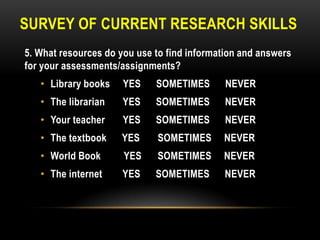
5. What resources do you use to find information and answers
for your assessments/assignments?
• Library books

YES

SOMETIMES

NEVER

• The librarian

YES

SOMETIMES

NEVER

• Your teacher

YES

SOMETIMES

NEVER

• The textbook

YES

SOMETIMES

NEVER

• World Book

YES

SOMETIMES

NEVER

• The internet

YES

SOMETIMES

NEVER
SURVEY OF CURRENT RESEARCH SKILLS
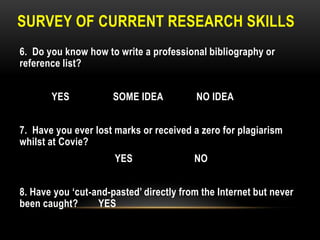
6. Do you know how to write a professional bibliography or
reference list?
YES

SOME IDEA

NO IDEA

7. Have you ever lost marks or received a zero for plagiarism
whilst at Covie?

YES

NO

8. Have you „cut-and-pasted‟ directly from the Internet but never
been caught?
YES
SURVEY OF CURRENT RESEARCH SKILLS
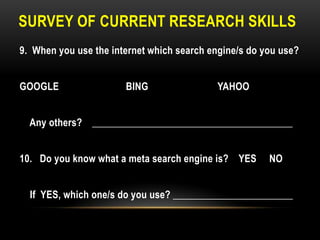
9. When you use the internet which search engine/s do you use?
GOOGLE

BING

YAHOO

Any others? ________________________________________
10. Do you know what a meta search engine is? YES

NO

If YES, which one/s do you use? ________________________
SURVEY OF CURRENT RESEARCH SKILLS
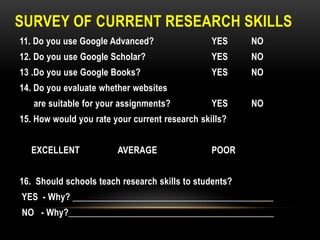
11. Do you use Google Advanced?

YES

NO

12. Do you use Google Scholar?

YES

NO

13 .Do you use Google Books?

YES

NO

YES

NO

14. Do you evaluate whether websites

are suitable for your assignments?

15. How would you rate your current research skills?
EXCELLENT

AVERAGE

POOR

16. Should schools teach research skills to students?
YES - Why? ____________________________________________

NO - Why?_____________________________________________
WHAT ARE SOME
ASSUMPTIONS ABOUT
STUDENTS‟ RESEARCH
SKILLS?
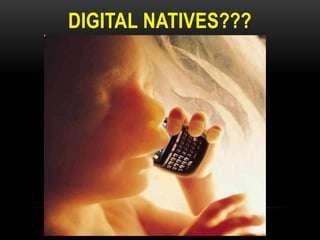
DIGITAL NATIVES???
A digital native is a person for whom
digital technologies already existed
when they were born, and hence has
grown up with digital technology such
as computers, the Internet, mobile
phones and MP3s etc……ie YOU!
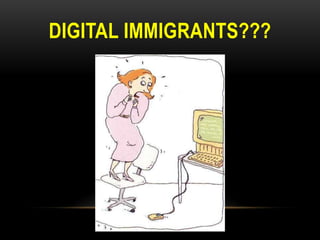
DIGITAL IMMIGRANTS???
A digital immigrant is a person who has
been born before the Internet and other
digital technologies existed. They are said
to have a "thick accent" when operating in
the digital world in distinctly pre-digital
ways, when, for instance, they might "dial"
someone on the telephone to ask if his email was received….ie ME!
THE PROBLEM….
Students think differently
about information and
communication than
teachers and parents
BUT…..
DO DIGITAL NATIVES KNOW
HOW TO USE THE INTERNET
AND FIND INFORMATION
MORE EFFECTIVELY THAN
DIGITAL IMMIGRANTS?
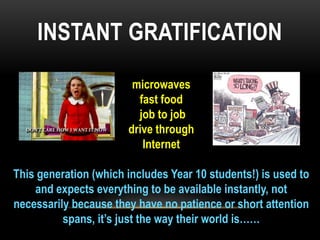
INSTANT GRATIFICATION
microwaves
fast food
job to job
drive through
Internet
This generation (which includes Year 10 students!) is used to
and expects everything to be available instantly, not
necessarily because they have no patience or short attention
spans, it‟s just the way their world is……
WHAT IS THE TRUTH?
• Students think that research skills are all about the internet.
• Students are effective web users but not effective web learners.
• Students tend to go straight to a search engine, most likely Google AND
Wikipedia when they need information, and waste much time in fruitless
searching.
• Students exhibit a „snatch-and-grab‟ or „cut-and-paste‟ attitude where
there is little or no reading/interpretation of results.
• Most students fail to plan their research just “wanting to get it over and
done with” - thus they don‟t think about getting the best information from
a variety of sources.
• Students don't ask librarians for help. They don't realize that 30 minutes
with the librarian could open up a whole range of scholarly research
material and databases that aren't available through a quick Google
search.
• In summary, most students are NOT information literate!
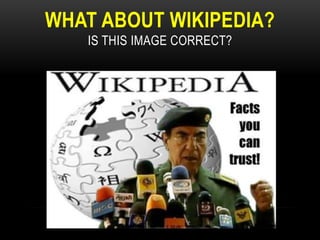
WHAT ABOUT WIKIPEDIA?
IS THIS IMAGE CORRECT?
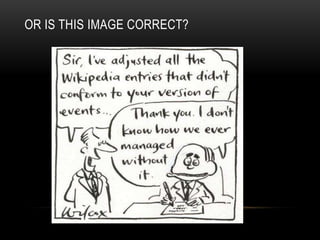
OR IS THIS IMAGE CORRECT?
WHAT ABOUT GOOGLE?
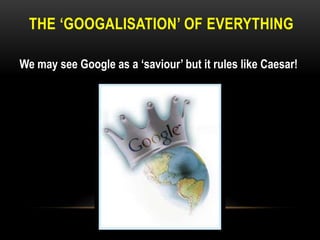
THE „GOOGALISATION‟ OF EVERYTHING
We may see Google as a „saviour‟ but it rules like Caesar!
SO WHAT ARE „RESEARCH SKILLS‟?
RESEARCH SKILLS ARE MUCH MORE THAN THE
WEB, GOOGLE & WIKIPEDIA!
• Google and Wikipedia both have their place in the
research process but they are not an end in
themselves! Wikipedia is good for providing an
overview or background information on a topic whilst
Google works best when it is used effectively eg. Using
key search terms to find relevant websites rather than
typing in the assessment question and expecting
Google to magically give you the answer!
• Guess what? Sometimes it is more effective to bypass
the Internet and try finding information in other
places…this is what Research Skills are all about!
DO EFFECTIVE RESEARCH SKILLS
IMPROVE YOUR RESULTS?
• Absolutely!

• The research is overwhelmingly positive – when students
develop and practice effective research skills their
confidence improves and consequently their results
improve!
• However, students need guidance on thinking about what
they are searching for and why they are searching.
• Developing effective research skills doesn‟t happen
overnight. But making small changes will start to make a
difference.
• You must be motivated and willing to give up established
and ingrained habits when it comes to researching!
• Students who are web LEARNERS as well as web
USERS will most succeed in school and beyond school.
• A web LEARNER will:
• develop effective search strategies
• critically evaluate what they find on the web
• select information that is relevant to their purpose

• use information and ideas found on the web
ethically and effectively
• learn from each use of the web, by reflecting on
what they found, and how they found it
INFORMATION LITERACY
• Information Literacy (IL) is one of the key abilities
which students need for the 21 st century.
• IL is a process where students are empowered to
become independent learners who can access, make
sense of and use information, transforming what they
find into deep knowledge and understanding that they
can fluently apply in personal, work and educational
learning situations.
• It is about students being critical, active and creative
thinkers and becoming life-long learners.
DIGITAL LITERACY
• It is much more than having access to or being able to
use a computer.
• Digital literacy is the skills, knowledge and
understanding that enables critical, creative, discerning
and safe practices when engaging with digital
technologies in all areas of life.
• Being digitally literate is about knowing when and why
digital technologies are appropriate and helpful to the
task at hand and when they are not.
DIGITAL LITERARY
• It‟s about thinking critically about all the opportunities
and challenges digital technologies present, whether
these are, for example, Web 2.0 tools such as social
networking sites and Wikis or digital cameras.
• Digital literacy involves critically engaging with
technology and developing a social awareness of how a
number of factors including commercial agendas and
cultural understandings can shape the ways in which
technology is used to convey information and meaning.
INFOWHELM & INFORMATION FLUENCY
WHAT ELSE IS
THERE BESIDES
THE INTERNET??
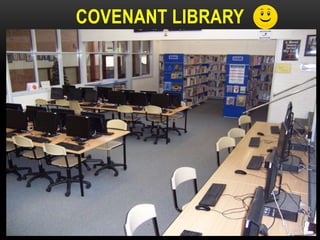
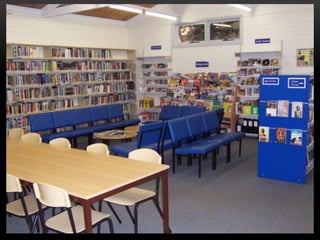
COVENANT LIBRARY
OTHER LIBRARIES
• Local Library

• State Library
• National Library
BENEFITS

• Join for free!
• Gain access to fantastic resources such as
Databases, Journal Articles, HSC Resources etc…

• Borrow books that may not be at Covie.
OTHER SEARCH ENGINES
• School Library – WEBLINKS (accessed via the Wiki
on Edumate)
• Sweetsearch = a Search Engine for Students. It
searches only credible Web sites approved by Internet
research experts
• InstaGrok = presents each topic as an interactive
visual interface, allowing the user to quickly grasp
important concepts, key facts and relationships
META-SEARCH ENGINES
• Google is classified as a single search engine as it
searches its own database for information in relation to
a user’s query.
• Meta-search engines can be useful because they
search across other search engines and present what
they view as the most relevant hits from these search
engines. Examples include
Dogpile, Info.com, Clusty.com
GUIDED INQUIRY
• Guided Inquiry is a process that will help develop your
information literacy skills.
• It is fairly new in Australia but is proving to be a very
effective model for students to use both in the
classroom and at home.

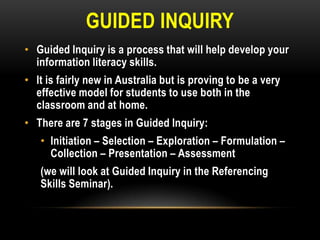
• There are 7 stages in Guided Inquiry:
• Initiation – Selection – Exploration – Formulation –
Collection – Presentation – Assessment

(we will look at Guided Inquiry in the Referencing
Skills Seminar).
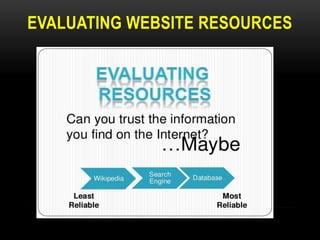
EVALUATING WEBSITE RESOURCES
WHY EVALUATE WHAT YOU FIND ON THE WEB?

• Anyone can put up a web page

• Many pages are not updated
• No quality control

• Most sites are not „peer-reviewed‟
• Most sites are less trustworthy than
scholarly publications and books!
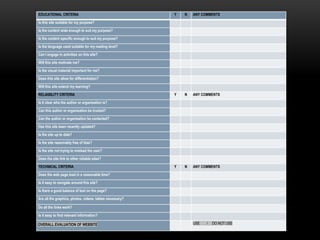
EDUCATIONAL CRITERIA

Y

N

ANY COMMENTS

Y

N

ANY COMMENTS

Y

N

ANY COMMENTS

Is this site suitable for my purpose?
Is the content wide enough to suit my purpose?
Is the content specific enough to suit my purpose?
Is the language used suitable for my reading level?
Can I engage in activities on this site?
Will this site motivate me?
Is the visual material important for me?
Does this site allow for differentiation?
Will this site extend my learning?
RELIABILITY CRITERIA
Is it clear who the author or organisation is?
Can this author or organisation be trusted?
Can the author or organisation be contacted?
Has this site been recently updated?
Is the site up to date?
Is the site reasonably free of bias?
Is the site not trying to mislead the user?
Does the site link to other reliable sites?
TECHNICAL CRITERIA
Does the web page load in a reasonable time?
Is it easy to navigate around this site?
Is there a good balance of text on the page?
Are all the graphics, photos, videos, tables necessary?
Do all the links work?
Is it easy to find relevant information?
OVERALL EVALUATION OF WEBSITE

USE

/

DO NOT USE
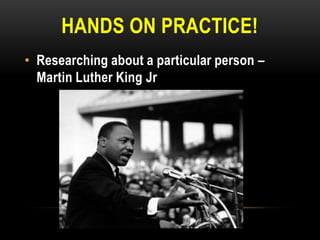
HANDS ON PRACTICE!
• Researching about a particular person –
Martin Luther King Jr
USUAL STRATEGY
• What would be your approach to finding
information about this person?
•

just Google it!

•

Wikipedia the first point of call!

•

probably the first couple of sites on Google
………is that all there is to it?
TIP 1: SEARCH THE LIBRARY
1. Library Catalogue – OPAC, Reading Lists, Pathfinders
2. Worldbook online – via Edumate
* Login = covie Password = school
* Put shortcut on computer
3. Weblinks = directory of educational websites –
accessed via Edumate
TIP 2: SEARCH OTHER LIBRARIES
1. Local libraries
- Warringah Library Service http://www.wls.nsw.gov.au/
- Pittwater Library http://www.pittwater.nsw.gov.au/library
- Kuring-gai Library
http://www.kmc.nsw.gov.au/www/html/64-library.asp

2. State Library of NSW http://www.sl.nsw.gov.au/
3. TROVE (National Library of Australia)
http://trove.nla.gov.au/
TIP 3: SEARCH THE INTERNET
• Meta-search engines & other search engines

•

Dogpile
Clusty
Sweetsearch
InstaGrok
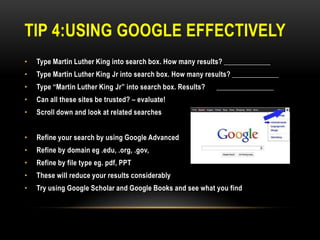
TIP 4:USING GOOGLE EFFECTIVELY
•

Type Martin Luther King into search box. How many results? _____________

•

Type Martin Luther King Jr into search box. How many results? _____________

•

Type “Martin Luther King Jr” into search box. Results?

•

Can all these sites be trusted? – evaluate!

•

Scroll down and look at related searches

•

Refine your search by using Google Advanced

•

Refine by domain eg .edu, .org, .gov,

•

Refine by file type eg. pdf, PPT

•

These will reduce your results considerably

•

Try using Google Scholar and Google Books and see what you find

________________
CHRISTIANS AND THE INTERNET
• Recognise and rejoice – in the goodness of God and the
technologies he has blessed us with.
• Discern and resist –the distortions and disobedience as
we begin to idolise technology as a saviour-substitute.
• Confront and renew - confront web 2.0 and its distortions
of the true messiah and do this with redemptive courage.
Chris Parker NICE
REFLECTION & EVALUATION
• What are at least two new things you have learnt
about research skills that you didn‟t know before?
• What two things have you learnt that you want to
apply when doing research for an assessment or
assignment?
• Any other comments?
THANKS FOR LISTENING

Research & library skills

  • 1.
  • 2.
    SURVEY OF CURRENTRESEARCH SKILLS 1. How would you define research skills? 2. When you are given an assessment task in any subject what is your usual reaction – ie what goes through your head and what are your feelings towards the task?
  • 3.
    SURVEY OF CURRENTRESEARCH SKILLS 3. What do you find is the most difficult step in researching and finding information for an assessment task or assignment? 4. When you start working on your assessment do you use a particular research strategy or process to complete your assessment? Give details.
  • 4.
    SURVEY OF CURRENTRESEARCH SKILLS 5. What resources do you use to find information and answers for your assessments/assignments? • Library books YES SOMETIMES NEVER • The librarian YES SOMETIMES NEVER • Your teacher YES SOMETIMES NEVER • The textbook YES SOMETIMES NEVER • World Book YES SOMETIMES NEVER • The internet YES SOMETIMES NEVER
  • 5.
    SURVEY OF CURRENTRESEARCH SKILLS 6. Do you know how to write a professional bibliography or reference list? YES SOME IDEA NO IDEA 7. Have you ever lost marks or received a zero for plagiarism whilst at Covie? YES NO 8. Have you „cut-and-pasted‟ directly from the Internet but never been caught? YES
  • 6.
    SURVEY OF CURRENTRESEARCH SKILLS 9. When you use the internet which search engine/s do you use? GOOGLE BING YAHOO Any others? ________________________________________ 10. Do you know what a meta search engine is? YES NO If YES, which one/s do you use? ________________________
  • 7.
    SURVEY OF CURRENTRESEARCH SKILLS 11. Do you use Google Advanced? YES NO 12. Do you use Google Scholar? YES NO 13 .Do you use Google Books? YES NO YES NO 14. Do you evaluate whether websites are suitable for your assignments? 15. How would you rate your current research skills? EXCELLENT AVERAGE POOR 16. Should schools teach research skills to students? YES - Why? ____________________________________________ NO - Why?_____________________________________________
  • 8.
    WHAT ARE SOME ASSUMPTIONSABOUT STUDENTS‟ RESEARCH SKILLS?
  • 9.
  • 10.
    A digital nativeis a person for whom digital technologies already existed when they were born, and hence has grown up with digital technology such as computers, the Internet, mobile phones and MP3s etc……ie YOU!
  • 11.
  • 12.
    A digital immigrantis a person who has been born before the Internet and other digital technologies existed. They are said to have a "thick accent" when operating in the digital world in distinctly pre-digital ways, when, for instance, they might "dial" someone on the telephone to ask if his email was received….ie ME!
  • 13.
    THE PROBLEM…. Students thinkdifferently about information and communication than teachers and parents
  • 14.
    BUT….. DO DIGITAL NATIVESKNOW HOW TO USE THE INTERNET AND FIND INFORMATION MORE EFFECTIVELY THAN DIGITAL IMMIGRANTS?
  • 15.
    INSTANT GRATIFICATION microwaves fast food jobto job drive through Internet This generation (which includes Year 10 students!) is used to and expects everything to be available instantly, not necessarily because they have no patience or short attention spans, it‟s just the way their world is……
  • 16.
    WHAT IS THETRUTH? • Students think that research skills are all about the internet. • Students are effective web users but not effective web learners. • Students tend to go straight to a search engine, most likely Google AND Wikipedia when they need information, and waste much time in fruitless searching. • Students exhibit a „snatch-and-grab‟ or „cut-and-paste‟ attitude where there is little or no reading/interpretation of results. • Most students fail to plan their research just “wanting to get it over and done with” - thus they don‟t think about getting the best information from a variety of sources. • Students don't ask librarians for help. They don't realize that 30 minutes with the librarian could open up a whole range of scholarly research material and databases that aren't available through a quick Google search. • In summary, most students are NOT information literate!
  • 18.
    WHAT ABOUT WIKIPEDIA? ISTHIS IMAGE CORRECT?
  • 19.
    OR IS THISIMAGE CORRECT?
  • 20.
  • 21.
    THE „GOOGALISATION‟ OFEVERYTHING We may see Google as a „saviour‟ but it rules like Caesar!
  • 22.
    SO WHAT ARE„RESEARCH SKILLS‟?
  • 23.
    RESEARCH SKILLS AREMUCH MORE THAN THE WEB, GOOGLE & WIKIPEDIA! • Google and Wikipedia both have their place in the research process but they are not an end in themselves! Wikipedia is good for providing an overview or background information on a topic whilst Google works best when it is used effectively eg. Using key search terms to find relevant websites rather than typing in the assessment question and expecting Google to magically give you the answer! • Guess what? Sometimes it is more effective to bypass the Internet and try finding information in other places…this is what Research Skills are all about!
  • 24.
    DO EFFECTIVE RESEARCHSKILLS IMPROVE YOUR RESULTS? • Absolutely! • The research is overwhelmingly positive – when students develop and practice effective research skills their confidence improves and consequently their results improve! • However, students need guidance on thinking about what they are searching for and why they are searching. • Developing effective research skills doesn‟t happen overnight. But making small changes will start to make a difference. • You must be motivated and willing to give up established and ingrained habits when it comes to researching!
  • 25.
    • Students whoare web LEARNERS as well as web USERS will most succeed in school and beyond school. • A web LEARNER will: • develop effective search strategies • critically evaluate what they find on the web • select information that is relevant to their purpose • use information and ideas found on the web ethically and effectively • learn from each use of the web, by reflecting on what they found, and how they found it
  • 26.
    INFORMATION LITERACY • InformationLiteracy (IL) is one of the key abilities which students need for the 21 st century. • IL is a process where students are empowered to become independent learners who can access, make sense of and use information, transforming what they find into deep knowledge and understanding that they can fluently apply in personal, work and educational learning situations. • It is about students being critical, active and creative thinkers and becoming life-long learners.
  • 27.
    DIGITAL LITERACY • Itis much more than having access to or being able to use a computer. • Digital literacy is the skills, knowledge and understanding that enables critical, creative, discerning and safe practices when engaging with digital technologies in all areas of life. • Being digitally literate is about knowing when and why digital technologies are appropriate and helpful to the task at hand and when they are not.
  • 28.
    DIGITAL LITERARY • It‟sabout thinking critically about all the opportunities and challenges digital technologies present, whether these are, for example, Web 2.0 tools such as social networking sites and Wikis or digital cameras. • Digital literacy involves critically engaging with technology and developing a social awareness of how a number of factors including commercial agendas and cultural understandings can shape the ways in which technology is used to convey information and meaning.
  • 29.
  • 31.
    WHAT ELSE IS THEREBESIDES THE INTERNET??
  • 32.
  • 34.
    OTHER LIBRARIES • LocalLibrary • State Library • National Library BENEFITS • Join for free! • Gain access to fantastic resources such as Databases, Journal Articles, HSC Resources etc… • Borrow books that may not be at Covie.
  • 35.
    OTHER SEARCH ENGINES •School Library – WEBLINKS (accessed via the Wiki on Edumate) • Sweetsearch = a Search Engine for Students. It searches only credible Web sites approved by Internet research experts • InstaGrok = presents each topic as an interactive visual interface, allowing the user to quickly grasp important concepts, key facts and relationships
  • 36.
    META-SEARCH ENGINES • Googleis classified as a single search engine as it searches its own database for information in relation to a user’s query. • Meta-search engines can be useful because they search across other search engines and present what they view as the most relevant hits from these search engines. Examples include Dogpile, Info.com, Clusty.com
  • 37.
    GUIDED INQUIRY • GuidedInquiry is a process that will help develop your information literacy skills. • It is fairly new in Australia but is proving to be a very effective model for students to use both in the classroom and at home. • There are 7 stages in Guided Inquiry: • Initiation – Selection – Exploration – Formulation – Collection – Presentation – Assessment (we will look at Guided Inquiry in the Referencing Skills Seminar).
  • 38.
  • 39.
    WHY EVALUATE WHATYOU FIND ON THE WEB? • Anyone can put up a web page • Many pages are not updated • No quality control • Most sites are not „peer-reviewed‟ • Most sites are less trustworthy than scholarly publications and books!
  • 43.
    EDUCATIONAL CRITERIA Y N ANY COMMENTS Y N ANYCOMMENTS Y N ANY COMMENTS Is this site suitable for my purpose? Is the content wide enough to suit my purpose? Is the content specific enough to suit my purpose? Is the language used suitable for my reading level? Can I engage in activities on this site? Will this site motivate me? Is the visual material important for me? Does this site allow for differentiation? Will this site extend my learning? RELIABILITY CRITERIA Is it clear who the author or organisation is? Can this author or organisation be trusted? Can the author or organisation be contacted? Has this site been recently updated? Is the site up to date? Is the site reasonably free of bias? Is the site not trying to mislead the user? Does the site link to other reliable sites? TECHNICAL CRITERIA Does the web page load in a reasonable time? Is it easy to navigate around this site? Is there a good balance of text on the page? Are all the graphics, photos, videos, tables necessary? Do all the links work? Is it easy to find relevant information? OVERALL EVALUATION OF WEBSITE USE / DO NOT USE
  • 44.
    HANDS ON PRACTICE! •Researching about a particular person – Martin Luther King Jr
  • 45.
    USUAL STRATEGY • Whatwould be your approach to finding information about this person? • just Google it! • Wikipedia the first point of call! • probably the first couple of sites on Google ………is that all there is to it?
  • 46.
    TIP 1: SEARCHTHE LIBRARY 1. Library Catalogue – OPAC, Reading Lists, Pathfinders 2. Worldbook online – via Edumate * Login = covie Password = school * Put shortcut on computer 3. Weblinks = directory of educational websites – accessed via Edumate
  • 47.
    TIP 2: SEARCHOTHER LIBRARIES 1. Local libraries - Warringah Library Service http://www.wls.nsw.gov.au/ - Pittwater Library http://www.pittwater.nsw.gov.au/library - Kuring-gai Library http://www.kmc.nsw.gov.au/www/html/64-library.asp 2. State Library of NSW http://www.sl.nsw.gov.au/ 3. TROVE (National Library of Australia) http://trove.nla.gov.au/
  • 48.
    TIP 3: SEARCHTHE INTERNET • Meta-search engines & other search engines • Dogpile Clusty Sweetsearch InstaGrok
  • 49.
    TIP 4:USING GOOGLEEFFECTIVELY • Type Martin Luther King into search box. How many results? _____________ • Type Martin Luther King Jr into search box. How many results? _____________ • Type “Martin Luther King Jr” into search box. Results? • Can all these sites be trusted? – evaluate! • Scroll down and look at related searches • Refine your search by using Google Advanced • Refine by domain eg .edu, .org, .gov, • Refine by file type eg. pdf, PPT • These will reduce your results considerably • Try using Google Scholar and Google Books and see what you find ________________
  • 50.
    CHRISTIANS AND THEINTERNET • Recognise and rejoice – in the goodness of God and the technologies he has blessed us with. • Discern and resist –the distortions and disobedience as we begin to idolise technology as a saviour-substitute. • Confront and renew - confront web 2.0 and its distortions of the true messiah and do this with redemptive courage. Chris Parker NICE
  • 51.
    REFLECTION & EVALUATION •What are at least two new things you have learnt about research skills that you didn‟t know before? • What two things have you learnt that you want to apply when doing research for an assessment or assignment? • Any other comments?
  • 52.