INTEGRATING TECHNOLOGY IN
EDUCATION
WHAT IS THE ‘BIG PICTURE’?
“It is clear that educational technology is essentially the product of a great
historical stream consisting of trial and error, long practice and imitation, and
sporadic manifestations of unusual individual creativity and persuasion.”
Paul Saettler
As we can understand from his quote, educational technology is not new at all and
it is not limited to the use of devices.
PERSPECTIVES ON EDUCATIONAL TECHNOLOGY AND
ORGANIZATIONS THAT REPRESENT THEM
➔AECT ( http://www.aect.org ) “Educational study is the study and ethical
practice of facilitating learning and improving performance by creating, using,
and managing appropriate technological processes and resources.”
➔ITEEA ( http://www.iteaconnect.org ) “Technology education is problem-
based learning utilizing math, science and technology principles.”
➔ISTE ( http://www.iste.org ) “Educational technology is the full range of digital
hardware and software used to support teaching and learning across the
curriculum.
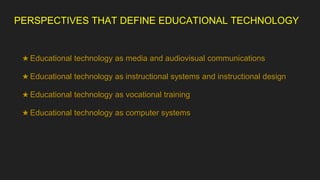
PERSPECTIVES THAT DEFINE EDUCATIONAL TECHNOLOGY
★ Educational technology as media and audiovisual communications
★ Educational technology as instructional systems and instructional design
★ Educational technology as vocational training
★ Educational technology as computer systems
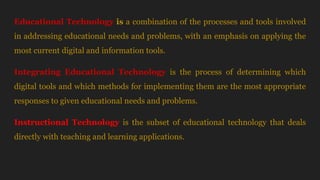
Educational Technology is a combination of the processes and tools involved
in addressing educational needs and problems, with an emphasis on applying the
most current digital and information tools.
Integrating Educational Technology is the process of determining which
digital tools and which methods for implementing them are the most appropriate
responses to given educational needs and problems.
Instructional Technology is the subset of educational technology that deals
directly with teaching and learning applications.
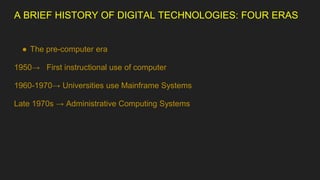
A BRIEF HISTORY OF DIGITAL TECHNOLOGIES: FOUR ERAS
● The pre-computer era
1950→ First instructional use of computer
1960-1970→ Universities use Mainframe Systems
Late 1970s → Administrative Computing Systems
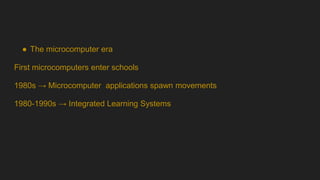
● The microcomputer era
First microcomputers enter schools
1980s → Microcomputer applications spawn movements
1980-1990s → Integrated Learning Systems
● The internet era
1993→ www -World Wide Web is born
1994 → Internet use explodes
1995 → Virtual schooling begins
1998 → International society for technology in education( ISTE) creates standards
● Mobile technologies: the era of ubiquitious access
2005 → Social networking sites gain popularity
2007 → Amazon releases first Kindle ebook reader
2008 → Partnership for 21st century skills creates framework
2010 → Apple releases first iPad handheld computer
WHAT WE HAVE LEARNED FROM THE PAST
★ No technology is a panacea for education.
★ Teachers usually do not develop technology materials or curriculum.
★ “Technically possible” does not equal “desirable, feasible, or inevitable”.
★ Technologies change faster than teachers can keep up.
★ Older technologies can be useful.
★ Teachers always will be more important than tachnology.
TECHNOLOGY FACILITIES:HARDWARE AND
CONFIGURATIONS FOR TEACHING
➔Microcomputers (desktops, laptops, tablets, network servers)
➔Handheld Technologies ( cellphones, ebook readers, smart pens)
➔Display Technologies ( interactive whiteboards, projection systems)
➔Imaging Technologies ( cameras, scanners)
➔Peripherals ( mice, computer monitors, keyboards, printers, clickers)
➔External Storage Devices ( hard drives)
TYPES OF SOFTWARE APPLICATIONS IN SCHOOLS
Instructional → Programs designed to teach skills or information through
demonstrations, examples, explanations or problem solving.
Productivity → Programs designed to help teachers and students plan, develop
materials, communicate and keep records.
Administrative → Programs that administrators at school, state and district levels
use to support record keeping and exchanges of information among various
agencies.
ISSUES THAT SHAPE THE ENVIRONMENT FOR USING
TECHNOLOGY
● Quality of life concerns
● Fears about technology overuses
● Fears about technology misuses
● Risks of online social networking
● Problems due to malware, viruses, spam, and other malicious actions
● Lack of technology funding
● Teacher and student accountability for quality and progress
● The new plagiarism and academic dishonesty
● Hacking
● Illegal downloads/ software piracy
● Students with special needs
● Debate over best practices with technologies
● Racial and gender equity
● Safety issues
THE ICT COMPETENCY FRAMEWORK
➢ICT is a term often used in place of the terms instructional technology and
educational technology.
Technology Literacy → Needed to ‘prepare learners, citizens and the workforce
that is capable of taking up new technologies so as to support social development
and economic productivity.’
Knowledge Deepening → Increases ‘the ability of students, citizens and the
workforce to add value to society and the economy by applying the knowledge of
school subjects to solve complex, high priority problems encountered in real
world.’
Knowledge Creation → Intended ‘ to increase productivity by creating
students,citizens and a workforce that is continually engaged in and benefits from
knowledge creation and innovation and life-long learning.’
TECHNOLOGY-USE RATIONALE BASED ON PROBLEM
SOLVING
Problem 1 → How to motivate and engage students?
★ Gaining their attention
★ Supporting manual operations during high-level learning
★ Illustrating real-world relevance through highly visual presentations
★ Engaging students through production work
★ Connecting students with audiences for their writing
★ Engaging learning through real-world situations and collaborations
★ Providing support for working cooperatively
Problem 2 → How to support students’ learning needs?
★ Supporting effective skill practice
★ Helping students visualize underlying concepts in unfamiliar or abstract topics
★ Letting students study systems in unique ways
★ Giving acess to unique information sources and populations
★ Supplying self-paced learning for accelerated students
★ Turning disabilities into capabilities
★ Saving time on production tasks
★ Grading and tracking student work
Problem 3 → How to prepare students for future learning?
★ Technological literacy
★ Information literacy
★ Visual literacy
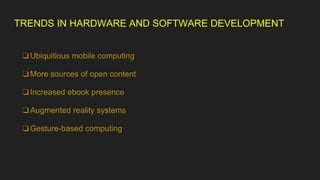
TRENDS IN HARDWARE AND SOFTWARE DEVELOPMENT
❏Ubiquitious mobile computing
❏More sources of open content
❏Increased ebook presence
❏Augmented reality systems
❏Gesture-based computing
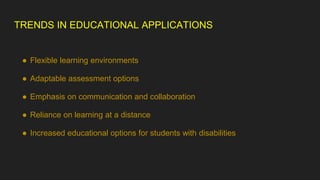
TRENDS IN EDUCATIONAL APPLICATIONS
● Flexible learning environments
● Adaptable assessment options
● Emphasis on communication and collaboration
● Reliance on learning at a distance
● Increased educational options for students with disabilities
SERAP COŞKUN
YILDIZ TECHNICAL UNIVERSITY

Integrating technology in education pptx

  • 1.
  • 3.
    WHAT IS THE‘BIG PICTURE’? “It is clear that educational technology is essentially the product of a great historical stream consisting of trial and error, long practice and imitation, and sporadic manifestations of unusual individual creativity and persuasion.” Paul Saettler As we can understand from his quote, educational technology is not new at all and it is not limited to the use of devices.
  • 4.
    PERSPECTIVES ON EDUCATIONALTECHNOLOGY AND ORGANIZATIONS THAT REPRESENT THEM ➔AECT ( http://www.aect.org ) “Educational study is the study and ethical practice of facilitating learning and improving performance by creating, using, and managing appropriate technological processes and resources.” ➔ITEEA ( http://www.iteaconnect.org ) “Technology education is problem- based learning utilizing math, science and technology principles.” ➔ISTE ( http://www.iste.org ) “Educational technology is the full range of digital hardware and software used to support teaching and learning across the curriculum.
  • 5.
    PERSPECTIVES THAT DEFINEEDUCATIONAL TECHNOLOGY ★ Educational technology as media and audiovisual communications ★ Educational technology as instructional systems and instructional design ★ Educational technology as vocational training ★ Educational technology as computer systems
  • 6.
    Educational Technology isa combination of the processes and tools involved in addressing educational needs and problems, with an emphasis on applying the most current digital and information tools. Integrating Educational Technology is the process of determining which digital tools and which methods for implementing them are the most appropriate responses to given educational needs and problems. Instructional Technology is the subset of educational technology that deals directly with teaching and learning applications.
  • 7.
    A BRIEF HISTORYOF DIGITAL TECHNOLOGIES: FOUR ERAS ● The pre-computer era 1950→ First instructional use of computer 1960-1970→ Universities use Mainframe Systems Late 1970s → Administrative Computing Systems
  • 8.
    ● The microcomputerera First microcomputers enter schools 1980s → Microcomputer applications spawn movements 1980-1990s → Integrated Learning Systems
  • 9.
    ● The internetera 1993→ www -World Wide Web is born 1994 → Internet use explodes 1995 → Virtual schooling begins 1998 → International society for technology in education( ISTE) creates standards
  • 10.
    ● Mobile technologies:the era of ubiquitious access 2005 → Social networking sites gain popularity 2007 → Amazon releases first Kindle ebook reader 2008 → Partnership for 21st century skills creates framework 2010 → Apple releases first iPad handheld computer
  • 11.
    WHAT WE HAVELEARNED FROM THE PAST ★ No technology is a panacea for education. ★ Teachers usually do not develop technology materials or curriculum. ★ “Technically possible” does not equal “desirable, feasible, or inevitable”. ★ Technologies change faster than teachers can keep up. ★ Older technologies can be useful. ★ Teachers always will be more important than tachnology.
  • 12.
    TECHNOLOGY FACILITIES:HARDWARE AND CONFIGURATIONSFOR TEACHING ➔Microcomputers (desktops, laptops, tablets, network servers) ➔Handheld Technologies ( cellphones, ebook readers, smart pens) ➔Display Technologies ( interactive whiteboards, projection systems) ➔Imaging Technologies ( cameras, scanners) ➔Peripherals ( mice, computer monitors, keyboards, printers, clickers) ➔External Storage Devices ( hard drives)
  • 13.
    TYPES OF SOFTWAREAPPLICATIONS IN SCHOOLS Instructional → Programs designed to teach skills or information through demonstrations, examples, explanations or problem solving. Productivity → Programs designed to help teachers and students plan, develop materials, communicate and keep records. Administrative → Programs that administrators at school, state and district levels use to support record keeping and exchanges of information among various agencies.
  • 14.
    ISSUES THAT SHAPETHE ENVIRONMENT FOR USING TECHNOLOGY ● Quality of life concerns ● Fears about technology overuses ● Fears about technology misuses ● Risks of online social networking ● Problems due to malware, viruses, spam, and other malicious actions ● Lack of technology funding ● Teacher and student accountability for quality and progress
  • 15.
    ● The newplagiarism and academic dishonesty ● Hacking ● Illegal downloads/ software piracy ● Students with special needs ● Debate over best practices with technologies ● Racial and gender equity ● Safety issues
  • 16.
    THE ICT COMPETENCYFRAMEWORK ➢ICT is a term often used in place of the terms instructional technology and educational technology. Technology Literacy → Needed to ‘prepare learners, citizens and the workforce that is capable of taking up new technologies so as to support social development and economic productivity.’ Knowledge Deepening → Increases ‘the ability of students, citizens and the workforce to add value to society and the economy by applying the knowledge of school subjects to solve complex, high priority problems encountered in real world.’
  • 17.
    Knowledge Creation →Intended ‘ to increase productivity by creating students,citizens and a workforce that is continually engaged in and benefits from knowledge creation and innovation and life-long learning.’
  • 18.
    TECHNOLOGY-USE RATIONALE BASEDON PROBLEM SOLVING Problem 1 → How to motivate and engage students? ★ Gaining their attention ★ Supporting manual operations during high-level learning ★ Illustrating real-world relevance through highly visual presentations ★ Engaging students through production work ★ Connecting students with audiences for their writing ★ Engaging learning through real-world situations and collaborations ★ Providing support for working cooperatively
  • 19.
    Problem 2 →How to support students’ learning needs? ★ Supporting effective skill practice ★ Helping students visualize underlying concepts in unfamiliar or abstract topics ★ Letting students study systems in unique ways ★ Giving acess to unique information sources and populations ★ Supplying self-paced learning for accelerated students ★ Turning disabilities into capabilities ★ Saving time on production tasks ★ Grading and tracking student work
  • 20.
    Problem 3 →How to prepare students for future learning? ★ Technological literacy ★ Information literacy ★ Visual literacy
  • 21.
    TRENDS IN HARDWAREAND SOFTWARE DEVELOPMENT ❏Ubiquitious mobile computing ❏More sources of open content ❏Increased ebook presence ❏Augmented reality systems ❏Gesture-based computing
  • 22.
    TRENDS IN EDUCATIONALAPPLICATIONS ● Flexible learning environments ● Adaptable assessment options ● Emphasis on communication and collaboration ● Reliance on learning at a distance ● Increased educational options for students with disabilities
  • 23.