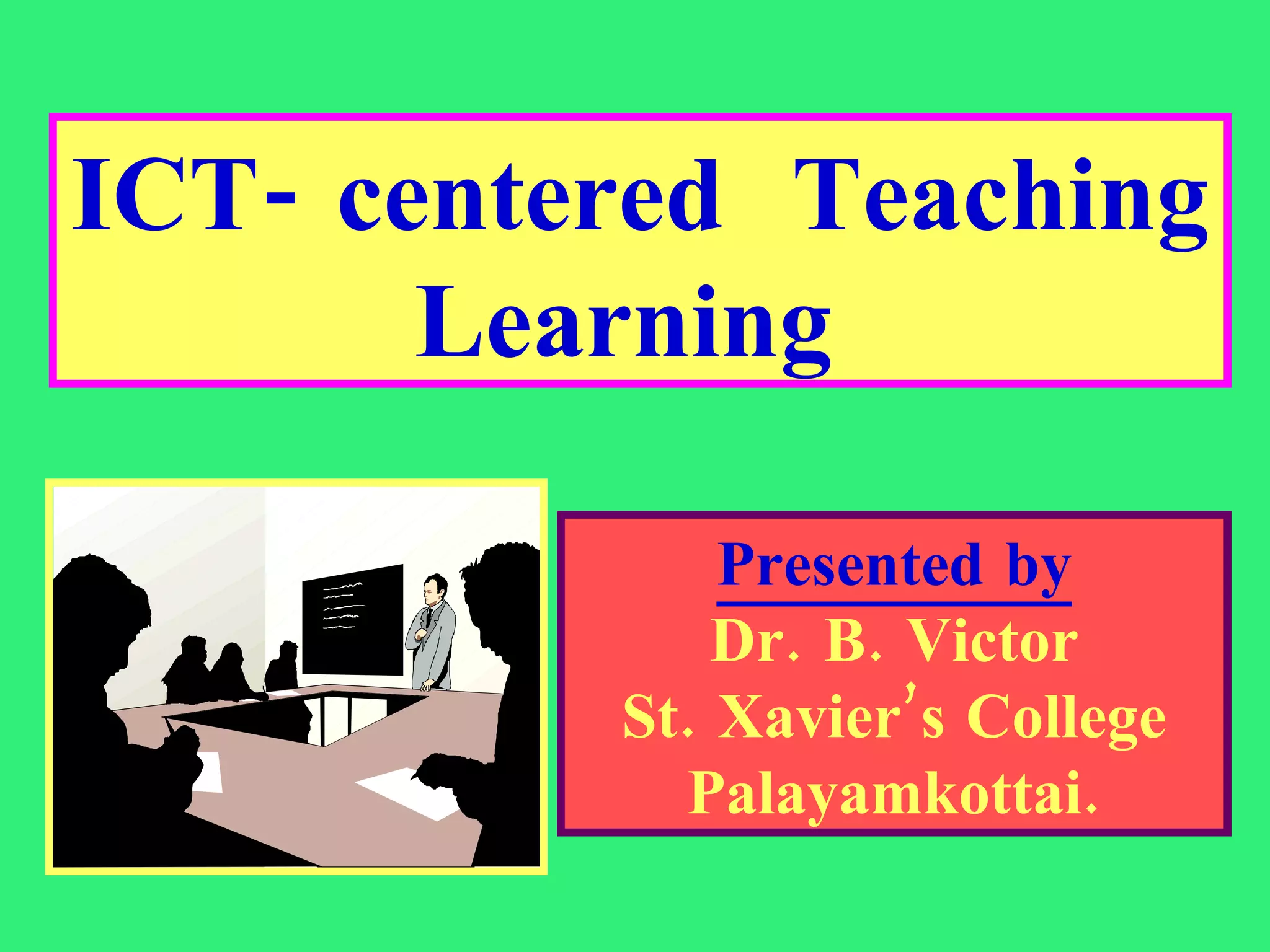
ICT- centered  Teaching Learning  Presented by Dr. B. Victor St. Xavier’s College Palayamkottai.
Teacher centered Philosophy Learner centered Philosophy ICT centered Philosophy ICT Skills and competencies ICT Tools and Digital Techniques Computers in Education Web based teaching/ learning Exploratory learning  Visual  representations End Note Presentation outline
“ The quality of education is not to be measured by its length and breadth but only by its depth” -Vinoba Bhave
For many years, teachers taught and students were responsible for learning the material.  It was the student’s responsibility  to acquire the knowledge for success.   The primary concern of the teacher was to impart the knowledge.   Teacher Centered Philosophy
Student learning is the primary goal of the teacher  as opposed to teaching. The teacher must motivate the students to learn, participate, critically think and successfully perform in tests. Learner centered philosophy
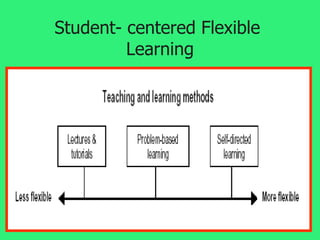
Student- centered Flexible  Learning
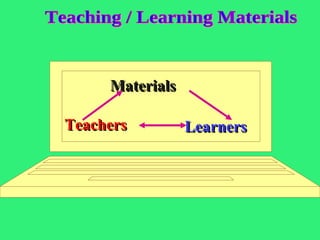
Learning is a process in which four components interact :  (1) the teacher, (2) the student,  (3) curriculum content and goals, (4) instructional materials and   infrastructure Process of Learning
Materials Teachers Learners Teaching / Learning Materials
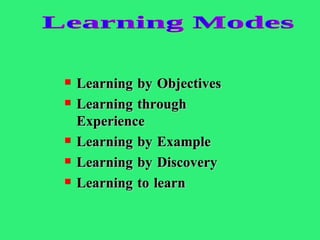
Learning by Objectives Learning through Experience Learning by Example Learning by Discovery Learning to learn Learning Modes
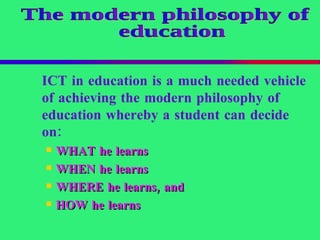
ICT in education is a much needed vehicle of achieving the modern philosophy of education whereby a student can decide on:   WHAT  he learns   WHEN  he learns   WHERE  he learns, and   HOW  he learns   The modern philosophy of education
“ Technology will not have a significant impact on student learning until teachers change the way they teach.” Larry Cuban, 1986
Technology is continuously changing . It is an ongoing process. It demands continual learning. Change is not always easy.   The initial human reaction to change is resistance. Resistance makes for slow change. Change is inevitable .  Change led to progress .  The  acceptance of change  is a major requirement for technology integration. Technology integration
Technology is revolutionizing the way we think, work, and play.  Technology enables  teachers to provide  multiple representations  of content (images, graphs, diagrams, tables) and  multiple options for expression   ( multimedia, power point).  Computer technology changes traditional classroom instructional techniques.  Computers enable students to process the information  via  multiple intelligences .  Why do we need technology integration?
Technology integration helps to achieve  21st Century Skills in students  . They are:   Personal and social responsibility. Planning,  critical thinking , reasoning, and  creativity . Strong communication skills , both for interpersonal and presentation needs. Visualizing and decision-making. Knowing how and when to use technology and  choosing the most appropriate tool for the task. Technology integration: Reasons
Technology helps  change the student/teacher roles and relationships . Technology cannot teach; only teachers can teach. Technology can enhance the teaching- learning process. Technology can do..
What is Technology integration? Technology integration is the use of technology resources --  computers, Internet, e-mail, digital cameras, CD-ROMs, software applications, electronic publications, etc.  -- in daily classroom practices, and in the management of a College.
How to use Information technologies effectively ?   Using  computer-based services  to search for and find relevant information in a range of contexts. using a  variety of media  to retrieve information.  Decoding information in  variety of forms-  written, statistical and graphic.
Information literacy Using  computer based services   to write, analyze, present and communicate information;  Using  information technologies   to create,   to share and to store knowledge .
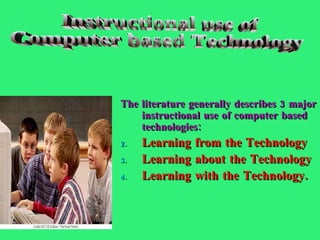
The literature generally describes 3 major instructional use of computer based technologies:  Learning from the Technology Learning about the Technology Learning with the Technology. Instructional use of Computer based Technology
According to  Mr. Kofi Annan , Secretary-General of the United Nations, Information and Communication Technology has transformed education. Viewpoint...
ICTs provide an array of powerful tools that may help in transforming the present isolated  teacher-centered  and text - bound classrooms  into  rich, student – focused, interactive knowledge environment. Viewpoint...
Food for thought “  Any technology which increase the rate of learning would enable the teacher to teach less and the learner to learn more ”
Information and Communication technology Information technology (IT) is defined as  the study or use of electronic equipments, especially computers for storing, analysing and sending out information. Communication technology is  the process of sending, receiving and exchanging information.
ICT is a generic term referring to technologies, which are being used for collecting, storing, editing and passing on information in various forms (SER,1997) The meaning of  ICT
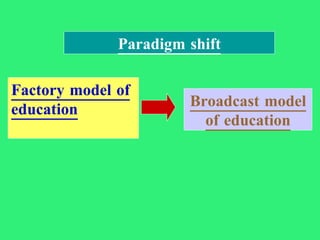
Factory model of education Broadcast model of education Paradigm shift
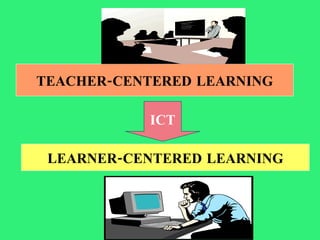
TEACHER-CENTERED LEARNING ICT LEARNER-CENTERED LEARNING
ICT literacy basically involves using digital technology, communication tools and/or access, manage, integrate, evaluate and create information in order to function in a knowledge   society. ICT  literacy
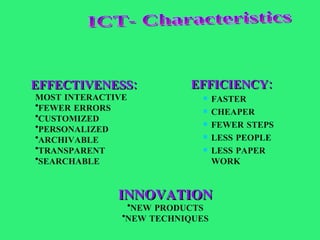
EFFICIENCY: FASTER CHEAPER FEWER STEPS LESS PEOPLE LESS PAPER WORK EFFECTIVENESS: MOST INTERACTIVE FEWER ERRORS CUSTOMIZED PERSONALIZED ARCHIVABLE TRANSPARENT SEARCHABLE INNOVATION NEW PRODUCTS NEW TECHNIQUES ICT- Characteristics
1.Entry Phase Teachers use traditional print-based media.  Learning activities center around seat-based work.  Teachers are most concerned about the basic operation of computers.  “ I just don’t have time!”
2.Adoption Phase Classroom instruction still depends heavily upon chalkboards, textbooks, Teachers use word processors for writing activities. Teachers use educational software, including rudimentary drill-and-practice software to develop low-level skills.
3.Adaptation Phase Students use word processors, databases, some graphics applications, and many computer-assisted instruction packages. With the support of technology, student productivity increases  Students’ basic computer skills improve.  Students are allowed to progress at their own paces.
4.Appropriation Phase Teachers and students demonstrate highly developed skills with technology.  Teachers are comfortable with technology Teachers develop new instructional strategies. Emphasis shifts to collaborative learning.  Students move toward collaborative work patterns.
5.Invention Phase Teachers facilitate the construction of student knowledge Classrooms promote social interaction, encouraging students to share their own knowledge and experiences. Teachers implement a curriculum integrated with technology. Teachers employ a variety of student assessment activities,
the educators should acquire: 1.ICT  Operations and Concepts  –  teachers demonstrate a sound understanding of ICT operations and concepts. 2.Planning and Designing Learning Environments and Experiences  –  teachers plan and design effective learning environments supported by ICT. 3 .  Teaching, Learning and the Curriculum  –  teachers implement curriculum plans that include methods and strategies for applying  ICT. ICT skills and competencies-
The skills and competencies 4.Assessment and Evaluation   – teachers apply ICT to facilitate a variety of effective assessment. 5.Productivity and Professional Practice  –  teachers use ICT to enhance their productivity and professional practices 6.Social, Ethical, Legal and Human Issues  –  teachers understand the social, ethical, legal, and human issues surrounding the use of ICT in College.
Initial:  This level indicates that the educator has a level of awareness of the potential uses of ICT.  This is the stage when the educator first begins to experiment ICT in the classroom at a basic level for discrete   lessons.  Skilled Educators :  ICT Literacy Level - I
Developing :  This level indicates that the educator is increasingly  aware of using ICT  to enhance student learning.   The educator now incorporates ICT into the classroom on a daily basis. ICT Literacy Level - II
  Proficient :  This level indicates that the educator is a leader in the use of ICT.  ICT Literacy Level - III
Instructional computing consists of IT tools, methods and services. It allows faculty to improve their teaching. It provide an enhancing learning environment  for students. Instructional  Computing
1.Improved /expanded faculty- student communications-e.g  e-mail, on-line chatrooms, virtual class hours. 2.Improved instructional logistics and communications-e.g.  e-syllbus, on-line submission of assignment, on-line testing Instructional  I T
3.Expanded and improved classrooms and laboratory instructional methods- e.g . simulations ,visualization applications. 4.Use of alternate learning delivery mechanisms- e.g .  satellite, video, cable, internet Instructional  I T
5.Faculty IT access  to electronic material-e.g . digital library, multimedia 6.The IT infrastructure needed to support the above uses-e.g . www, file servers, news servers, courseware acquisition and distribution. Wired classrooms with audio/visual equipment and computer projection and instructional laboratories. Instructional  I T
Attributes of Computer based technology Multi-sensory delivery :  Text, graphics, animation, sound and video. Active learning :  enhanced learner interest . Co-operative learning :  positive group/social interaction. Communication Skills :  one-to-one, one-to-many, many-to-many. Multicultural education :  link students from across the country/around the world. Motivation :  greater learner engagement (time).
Computer technology-based learning   Prior to working with computers , students can discuss concepts in the lesson and plan -  what they are going to do.  While using computers ,  students can discuss - either orally or via computer -  what they are working on. During a pause in computer use , students can analyze -  what they have learned and done , share information with others, and plan their next steps.  After using computers , students can again analyze and share  -  what they have learned and done, as well as what they need to do next.
ICT poses new challenges to Educators The teachers  have to learn  how to use the  variety  of ICT applications; The teachers  have to use , adapt and design ICT-enhanced curricula; They  have to expand   the content area of knowledge; They  have to take new roles ; and  They  have to  respond  to individual students
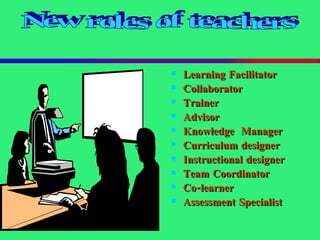
Learning Facilitator Collaborator Trainer Advisor Knowledge  Manager Curriculum designer Instructional designer   Team Coordinator Co-learner Assessment Specialist New roles of teachers
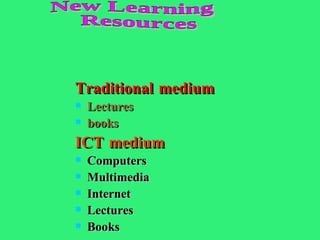
Traditional medium Lectures books ICT medium Computers  Multimedia Internet Lectures Books New Learning Resources
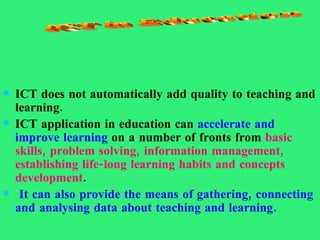
ICT does not automatically add quality to teaching and learning.  ICT application in education can  accelerate and improve learning  on a number of fronts from  basic skills, problem solving, information management, establishing life-long learning habits and concepts development . It can also provide the means of gathering, connecting and analysing data about teaching and learning. ICT in Education
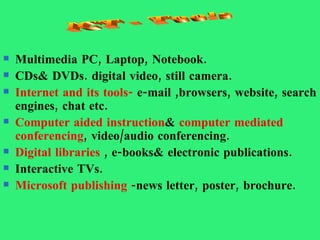
Multimedia PC, Laptop, Notebook. CDs& DVDs. digital video, still camera. Internet and its tools-  e-mail ,browsers, website, search engines, chat etc. Computer aided instruction &  computer mediated conferencing , video/audio conferencing. Digital libraries  , e-books& electronic publications. Interactive TVs. Microsoft publishing  -news letter, poster, brochure. ICT - Tools
Creativity  Flexibility  Logistic skills ICT-Benefits
Advantages of ICT resource sharing;   wide variety of services;   flexibility;   reliability;   faster speed;   cheaper cost. 
Word processing  -documents, notes, projects, assignments Spread sheet programming  -records, exam scores Data bases  -information storage Graphing software  -to prepare teaching-learning resources Developing Multimedia kits  -to make process interesting Using internet and e-mail facilities  -to gain knowledge Games and simulations  -to improve quality of learning Digital techniques in Education
Helps to  provide interactive learning experiences  Students  are  stimulated and motivated by the technology  Students have  comfortable learning  . Visualization  aids in the understanding of difficult concepts and processes  Caters to  different learning styles   Helps students to gain valuable  computer skills.  Aids in  collaboration and group work . ICT influence in Learning
Transforms teaching and helps teachers to be more  efficient and effective .  Aids in  the organization and the structure  of the course and the course materials.  Provides  innovative ways  to help students learn basic concepts and skills . Aids in the provision of interesting and  creative presentations  of content.  ICT Influence on Teaching
Facilitate  collaboration and communication .  Aid in the visualization  of difficult concepts  Promote creativity .  Enable ease in revision and updating of course content.  Provide  flexibility and variety in learning .  Provide a multimedia presence  in the classroom.  Unique Attributes
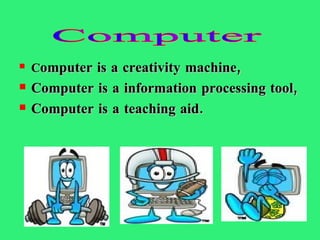
C omputer is a creativity machine, Computer is a information processing tool,   Computer is a teaching aid. Computer
Computer technology 1. Computers provide an opportunity to enhance the way students think about, manage, process and use information. 2.The use of computers helps us see patterns and relationships in the data that we collect and work with. 3.Students can learn the material at their own time and  pace. 4.Computer based learning appeals to a variety  of cognitive strengths and learning styles.
Computer-mediated instructional (CMI) materials Learner centered Knowledge centered Assessment centered Society centered
CBI provides consistency of content delivery. CBI provides for diverse learning needs. CBI offers learner flexibility in controlling and pacing learning. CBI provides motivation and promotes interactivity. CBI provides greater retention and reduces the instructional time. Computer –Based Instruction, CBI
CBI provides means of tracking learners’ progress. CBI allows standardized testing. CBI provides opportunities for practice through simulation. CBI more readily provides training to remote locations and eliminates cost associated with travel. CBI
A system that allows access to information sites all over the world. Information is presented in text, audio and video files. Resources such as   lecture notes, readings, tutorials and assignments   can be delivered to, and received from, students both on and off campus.  World Wide Web
Web assisted classroom instruction  -the teacher teaches the lesson with the help of the website. The interactions may be in the form  of discussion ,questioning, demonstration and experiment. Web Based Instruction
The learner searches website, collects information and learns the lesson.  Web is a viable tool to help students gain education without being on campus. It allows greater autonomy of learning. Web based learning
the Internet consists of a vast collection of independent computers linked by national and international tele-communication networks. Each Internet site contains information ( text, images, audio, video, links etc .) which are accessible to the individual working from their home computer.  Internet
Internet sites are increasing in number, sophistication and content.  These changes have arisen due to commercial adoption of the Internet.  Internet provides  information in  text, graphics, audio and video .  New programming allows a  greater degree of interactivity  through real time audiovisual transfers and chat.  Coloured and animated graphics  are of much greater educational value than photocopied images  Properties of Internet sites
Online learning  tasks One - alone:  Online data bases,  e-journals, digital libraries. One – to - one:  Collaborative assignments’  interviews. One – to - many:  Online lectures,  symposiums. Many - to - many : Discussion groups,  debates, games, simulations,  case studies, brain storming,   project groups.
Hypertext consist of a complex webs of interrelated ideas/documents. The linking of information together by highlighted key words that have been marked up creating paths through related material from different sources.  Hypertext tools
An approach to information storage and retrieval  that provides multiple linkages among elements . It allows the learner to navigate easily from one piece of information to another. It is the storage and retrieval of text, images audio and video files.  Hypermedia tools
A connection among documents in a hypermedia or hypertext format. Hyperlink
It provides a platform for incorporating a variety of different kinds of multi-media file types:   images, video, audio and animations. It is neat and clean and it allows for portability of materials. It is easy for professors to update, saving them time and energy.  Power point Presentation
Scanning media. Talking to experts. Recording information. Writing/ producing compositions. Engaging research. Multi-media applications
Students who use multimedia tools are  active learners.  Students reflect these kind of tasks  throughout their life.  Students work collaboratively, not  only with each other, but with  researchers and teachers. Multimedia Applications in Student Learning
A typical system consists of a combination of a compact disc,  computer and video technology.  The interactive video refers  broadly to software that responds to certain choices and commands by the user. Interactive video
Videodisc systems store video pictures, still pictures, and sound on discs that users can control with a videodisc player.  These systems can provide the interactive capabilities of computers and the motion-picture capabilities of videos.  The interactive video
Video Conferencing is a medium where individuals or groups can meet face-to-face in real time to interact and exchange ideas. Video conferencing began in the mid 1980's as compressed video. Since it was introduced, communication technologies have improved exponentially.  Video Conferencing
A computer simulation attempts to reproduce   real-life situations   Simulations feature a combination of text and graphics ,using dialogue and inquiry to guide the student through a situation.  Simulations also can bring about   higher-order  synthesis and analysis skills . Simulation
Tutorials are one of the most common types of computer-assisted instruction. Tutorials are “page-turners” similar to textbooks, interspersed with predetermined questions and responses. The one-to-one tutoring and feedback provided by a tutorial can make it an excellent tool for improving student knowledge (cognitive domain). Tutorials
Drill-and-practice programs work well in increasing student knowledge through repetition, usually through cues Students can take as much time as they need or repeat sections, helping to individualize instruction Drill-and-practice programs provide automatic feedback to learners. Drill-and-Practice (Review)
ICT allow students to direct their own learning.  the student learns facts, concepts, and procedures through the process of discovery, or guided discovery.  Role of ICT in  Discovery Learning
ICT  in Discovery Learning 1.Computer-based information retrieval  systems   (e.g., electronic databases), 2. Micro-worlds   (microcomputer-based labs  and simulations.  Simulations are available  for biology, genetics, geology, chemistry,  physics, environment, social studies,  economics, and mathematics- ),  and 3.Interactive video   It allows control of sound, animation, text,  graphics, and full-motion video   .
A digital library is a collection of textual, numeric, graphic, audio and video data stored in digital form, indexed and logically linked for ease of retrieval.  Digital Library
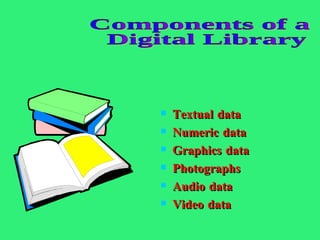
Textual data Numeric data Graphics data Photographs Audio data Video data Components of a Digital Library
Unique features of digital library Safe storage and multiple access of material Ability to process numerical data published in the literature Ability to store variety  of data Access information from anywhere in the world Ease of search and retrieval
E-learning allows for different learning experiences through: On - line students group : allowing students to interact with each other On - line lecturing : allowing faculty to interact with students On - line counseling : helps students in decision- making On - line libraries and resource center : providing text, documents, articles for reference. E-learning
E-mail enables students and faculty to communicate with each other and with people all over the world. Students send questions to the instructor and instructor can transmit the answer instantaneously to all students. Faculty can hold  “ electronic office hours”  so that students can ask  questions and receive answers almost immediately. Faculty can create  “electronic suggestion foxes”  where students can post their comments about the course. E- mail
Structured face-to-face telephone interviewing  where computer is used to prompt the interviewee and record the answer in a format convenient for further processing. It saves time and the need to travel. It opens up possibilities for interviewing research subjects from different parts of the world. It provides a limited register for communication.  E- interviews
Technology-enhanced pedagogical practices   Promote  active and autonomous learning  in students; Provide students with competencies and  technological skills  that allow them to search for, organize, and analyze information, and communicate their ideas in a variety of media forms; Enable teachers, students, and their parents to  communicate and share information  on-line;  Engage students in  collaborative, project-based learning  in which students work with classmates on complex, real-world-like problems or projects; Provide students with individualized or  differentiated instruction , to meet the needs of students with different achievement levels, interests, or learning styles;
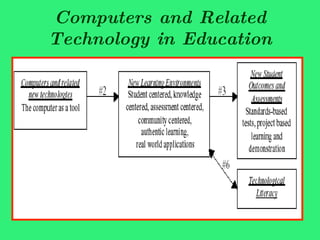
Computers and Related Technology in Education
Applications of graphics Rieber (1994) proposed five applications of graphics that relate to learning outcomes and events of instruction; these include:  cosmetic – graphics serve only as decoration  motivation – graphics serve to arouse curiosity  attention-gaining – graphics serve to focus the learner’s attention on the instruction  presentation – graphics serve to "demonstrate or elaborate a lesson concept" (p.50)  practice – graphics serve to provide visual feedback
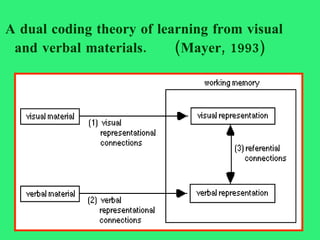
A dual coding theory of learning from visual and verbal materials.  (Mayer, 1993)   
Framework of Mayer (1993)   This framework postulates the formation of  three types of mental "connections":    1) visual material is used to mentally form a internal visual representation;   2) verbal material is used to form a verbal representation, thus forming a verbal representational connection; 3) the learner builds referential connections between the visual representation and verbal representation.
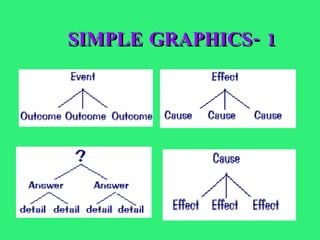
SIMPLE GRAPHICS- 1
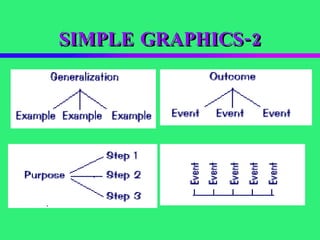
SIMPLE GRAPHICS-2
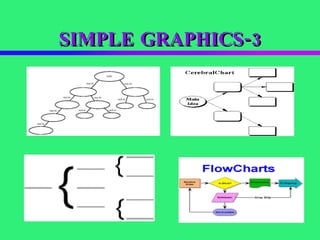
SIMPLE GRAPHICS-3
VISUAL TOOLS To clarify your point To emphasize your point To simplify your point To unify your point To impress your learner
Dart, B & Boulton-Lewis, G (eds) (1998)  Teaching and Learning in Higher Education . Melbourne, Australian Council for Educational Research. Gibbs G & Habeshaw T (1995)  253 Ideas for your Teaching.  Bristol, Technical and Education Services. Laurillard, D (1993)  Rethinking University Teaching: A Framework for the Effective Use of Educational Technology . London, Routledge.  Weimer, M. (1990).  Improving college teaching: Strategies for developing instructional effectiveness . San Francisco: Jossey-Bass. Sandholtz, J. H., C. Ringstaff, and D.W. Dwyer (1997).  Teaching with Technology: Creating Student-centered Classrooms . New York, Teachers College Press. References
“ If we understand the human mind, we begin to understand what we can do with educational Technology” - Herbert A. Simon.
About the presenter Dr.B.Victor is a highly experienced postgraduate biology teacher, recently retired from the reputed educational institution St. Xavier’ s College, Palayamkottai, India-627001. He was  the dean of sciences and assistant controller of examinations. He has more than 32 years of teaching and research experience He has  taught a diversity of courses ranging from Send your comments to : pre-  university to post graduate classes. [email_address]
Thanks a lot Presentation is over

ICT Centered Teaching & Learning

  • 1.
    ICT- centered Teaching Learning Presented by Dr. B. Victor St. Xavier’s College Palayamkottai.
  • 2.
    Teacher centered PhilosophyLearner centered Philosophy ICT centered Philosophy ICT Skills and competencies ICT Tools and Digital Techniques Computers in Education Web based teaching/ learning Exploratory learning Visual representations End Note Presentation outline
  • 3.
    “ The qualityof education is not to be measured by its length and breadth but only by its depth” -Vinoba Bhave
  • 4.
    For many years,teachers taught and students were responsible for learning the material. It was the student’s responsibility to acquire the knowledge for success. The primary concern of the teacher was to impart the knowledge. Teacher Centered Philosophy
  • 5.
    Student learning isthe primary goal of the teacher as opposed to teaching. The teacher must motivate the students to learn, participate, critically think and successfully perform in tests. Learner centered philosophy
  • 6.
  • 7.
    Learning is aprocess in which four components interact : (1) the teacher, (2) the student, (3) curriculum content and goals, (4) instructional materials and infrastructure Process of Learning
  • 8.
    Materials Teachers LearnersTeaching / Learning Materials
  • 9.
    Learning by ObjectivesLearning through Experience Learning by Example Learning by Discovery Learning to learn Learning Modes
  • 10.
    ICT in educationis a much needed vehicle of achieving the modern philosophy of education whereby a student can decide on:  WHAT he learns  WHEN he learns  WHERE he learns, and  HOW he learns  The modern philosophy of education
  • 11.
    “ Technology willnot have a significant impact on student learning until teachers change the way they teach.” Larry Cuban, 1986
  • 12.
    Technology is continuouslychanging . It is an ongoing process. It demands continual learning. Change is not always easy. The initial human reaction to change is resistance. Resistance makes for slow change. Change is inevitable . Change led to progress . The acceptance of change is a major requirement for technology integration. Technology integration
  • 13.
    Technology is revolutionizingthe way we think, work, and play. Technology enables teachers to provide multiple representations of content (images, graphs, diagrams, tables) and multiple options for expression ( multimedia, power point). Computer technology changes traditional classroom instructional techniques. Computers enable students to process the information via multiple intelligences . Why do we need technology integration?
  • 14.
    Technology integration helpsto achieve 21st Century Skills in students . They are: Personal and social responsibility. Planning, critical thinking , reasoning, and creativity . Strong communication skills , both for interpersonal and presentation needs. Visualizing and decision-making. Knowing how and when to use technology and choosing the most appropriate tool for the task. Technology integration: Reasons
  • 15.
    Technology helps change the student/teacher roles and relationships . Technology cannot teach; only teachers can teach. Technology can enhance the teaching- learning process. Technology can do..
  • 16.
    What is Technologyintegration? Technology integration is the use of technology resources -- computers, Internet, e-mail, digital cameras, CD-ROMs, software applications, electronic publications, etc. -- in daily classroom practices, and in the management of a College.
  • 17.
    How to useInformation technologies effectively ? Using computer-based services to search for and find relevant information in a range of contexts. using a variety of media to retrieve information. Decoding information in variety of forms- written, statistical and graphic.
  • 18.
    Information literacy Using computer based services to write, analyze, present and communicate information; Using information technologies to create, to share and to store knowledge .
  • 19.
    The literature generallydescribes 3 major instructional use of computer based technologies: Learning from the Technology Learning about the Technology Learning with the Technology. Instructional use of Computer based Technology
  • 20.
    According to Mr. Kofi Annan , Secretary-General of the United Nations, Information and Communication Technology has transformed education. Viewpoint...
  • 21.
    ICTs provide anarray of powerful tools that may help in transforming the present isolated teacher-centered and text - bound classrooms into rich, student – focused, interactive knowledge environment. Viewpoint...
  • 22.
    Food for thought“ Any technology which increase the rate of learning would enable the teacher to teach less and the learner to learn more ”
  • 23.
    Information and Communicationtechnology Information technology (IT) is defined as the study or use of electronic equipments, especially computers for storing, analysing and sending out information. Communication technology is the process of sending, receiving and exchanging information.
  • 24.
    ICT is ageneric term referring to technologies, which are being used for collecting, storing, editing and passing on information in various forms (SER,1997) The meaning of ICT
  • 25.
    Factory model ofeducation Broadcast model of education Paradigm shift
  • 26.
    TEACHER-CENTERED LEARNING ICTLEARNER-CENTERED LEARNING
  • 27.
    ICT literacy basicallyinvolves using digital technology, communication tools and/or access, manage, integrate, evaluate and create information in order to function in a knowledge society. ICT literacy
  • 28.
    EFFICIENCY: FASTER CHEAPERFEWER STEPS LESS PEOPLE LESS PAPER WORK EFFECTIVENESS: MOST INTERACTIVE FEWER ERRORS CUSTOMIZED PERSONALIZED ARCHIVABLE TRANSPARENT SEARCHABLE INNOVATION NEW PRODUCTS NEW TECHNIQUES ICT- Characteristics
  • 29.
    1.Entry Phase Teachersuse traditional print-based media. Learning activities center around seat-based work. Teachers are most concerned about the basic operation of computers. “ I just don’t have time!”
  • 30.
    2.Adoption Phase Classroominstruction still depends heavily upon chalkboards, textbooks, Teachers use word processors for writing activities. Teachers use educational software, including rudimentary drill-and-practice software to develop low-level skills.
  • 31.
    3.Adaptation Phase Studentsuse word processors, databases, some graphics applications, and many computer-assisted instruction packages. With the support of technology, student productivity increases Students’ basic computer skills improve. Students are allowed to progress at their own paces.
  • 32.
    4.Appropriation Phase Teachersand students demonstrate highly developed skills with technology. Teachers are comfortable with technology Teachers develop new instructional strategies. Emphasis shifts to collaborative learning. Students move toward collaborative work patterns.
  • 33.
    5.Invention Phase Teachersfacilitate the construction of student knowledge Classrooms promote social interaction, encouraging students to share their own knowledge and experiences. Teachers implement a curriculum integrated with technology. Teachers employ a variety of student assessment activities,
  • 34.
    the educators shouldacquire: 1.ICT Operations and Concepts – teachers demonstrate a sound understanding of ICT operations and concepts. 2.Planning and Designing Learning Environments and Experiences – teachers plan and design effective learning environments supported by ICT. 3 . Teaching, Learning and the Curriculum – teachers implement curriculum plans that include methods and strategies for applying ICT. ICT skills and competencies-
  • 35.
    The skills andcompetencies 4.Assessment and Evaluation – teachers apply ICT to facilitate a variety of effective assessment. 5.Productivity and Professional Practice – teachers use ICT to enhance their productivity and professional practices 6.Social, Ethical, Legal and Human Issues – teachers understand the social, ethical, legal, and human issues surrounding the use of ICT in College.
  • 36.
    Initial: Thislevel indicates that the educator has a level of awareness of the potential uses of ICT. This is the stage when the educator first begins to experiment ICT in the classroom at a basic level for discrete lessons. Skilled Educators :  ICT Literacy Level - I
  • 37.
    Developing :  Thislevel indicates that the educator is increasingly aware of using ICT to enhance student learning.  The educator now incorporates ICT into the classroom on a daily basis. ICT Literacy Level - II
  • 38.
      Proficient : This level indicates that the educator is a leader in the use of ICT. ICT Literacy Level - III
  • 39.
    Instructional computing consistsof IT tools, methods and services. It allows faculty to improve their teaching. It provide an enhancing learning environment for students. Instructional Computing
  • 40.
    1.Improved /expanded faculty-student communications-e.g e-mail, on-line chatrooms, virtual class hours. 2.Improved instructional logistics and communications-e.g. e-syllbus, on-line submission of assignment, on-line testing Instructional I T
  • 41.
    3.Expanded and improvedclassrooms and laboratory instructional methods- e.g . simulations ,visualization applications. 4.Use of alternate learning delivery mechanisms- e.g . satellite, video, cable, internet Instructional I T
  • 42.
    5.Faculty IT access to electronic material-e.g . digital library, multimedia 6.The IT infrastructure needed to support the above uses-e.g . www, file servers, news servers, courseware acquisition and distribution. Wired classrooms with audio/visual equipment and computer projection and instructional laboratories. Instructional I T
  • 43.
    Attributes of Computerbased technology Multi-sensory delivery : Text, graphics, animation, sound and video. Active learning : enhanced learner interest . Co-operative learning : positive group/social interaction. Communication Skills : one-to-one, one-to-many, many-to-many. Multicultural education : link students from across the country/around the world. Motivation : greater learner engagement (time).
  • 44.
    Computer technology-based learning Prior to working with computers , students can discuss concepts in the lesson and plan - what they are going to do. While using computers , students can discuss - either orally or via computer - what they are working on. During a pause in computer use , students can analyze - what they have learned and done , share information with others, and plan their next steps. After using computers , students can again analyze and share - what they have learned and done, as well as what they need to do next.
  • 45.
    ICT poses newchallenges to Educators The teachers have to learn how to use the variety of ICT applications; The teachers have to use , adapt and design ICT-enhanced curricula; They have to expand the content area of knowledge; They have to take new roles ; and They have to respond to individual students
  • 46.
    Learning Facilitator CollaboratorTrainer Advisor Knowledge Manager Curriculum designer Instructional designer Team Coordinator Co-learner Assessment Specialist New roles of teachers
  • 47.
    Traditional medium Lecturesbooks ICT medium Computers Multimedia Internet Lectures Books New Learning Resources
  • 48.
    ICT does notautomatically add quality to teaching and learning. ICT application in education can accelerate and improve learning on a number of fronts from basic skills, problem solving, information management, establishing life-long learning habits and concepts development . It can also provide the means of gathering, connecting and analysing data about teaching and learning. ICT in Education
  • 49.
    Multimedia PC, Laptop,Notebook. CDs& DVDs. digital video, still camera. Internet and its tools- e-mail ,browsers, website, search engines, chat etc. Computer aided instruction & computer mediated conferencing , video/audio conferencing. Digital libraries , e-books& electronic publications. Interactive TVs. Microsoft publishing -news letter, poster, brochure. ICT - Tools
  • 50.
    Creativity Flexibility Logistic skills ICT-Benefits
  • 51.
    Advantages of ICTresource sharing;  wide variety of services;  flexibility;  reliability;  faster speed;  cheaper cost. 
  • 52.
    Word processing -documents, notes, projects, assignments Spread sheet programming -records, exam scores Data bases -information storage Graphing software -to prepare teaching-learning resources Developing Multimedia kits -to make process interesting Using internet and e-mail facilities -to gain knowledge Games and simulations -to improve quality of learning Digital techniques in Education
  • 53.
    Helps to provide interactive learning experiences Students are stimulated and motivated by the technology Students have comfortable learning . Visualization aids in the understanding of difficult concepts and processes Caters to different learning styles Helps students to gain valuable computer skills. Aids in collaboration and group work . ICT influence in Learning
  • 54.
    Transforms teaching andhelps teachers to be more efficient and effective . Aids in the organization and the structure of the course and the course materials. Provides innovative ways to help students learn basic concepts and skills . Aids in the provision of interesting and creative presentations of content. ICT Influence on Teaching
  • 55.
    Facilitate collaborationand communication . Aid in the visualization of difficult concepts Promote creativity . Enable ease in revision and updating of course content. Provide flexibility and variety in learning . Provide a multimedia presence in the classroom. Unique Attributes
  • 56.
    C omputer isa creativity machine, Computer is a information processing tool, Computer is a teaching aid. Computer
  • 57.
    Computer technology 1.Computers provide an opportunity to enhance the way students think about, manage, process and use information. 2.The use of computers helps us see patterns and relationships in the data that we collect and work with. 3.Students can learn the material at their own time and pace. 4.Computer based learning appeals to a variety of cognitive strengths and learning styles.
  • 58.
    Computer-mediated instructional (CMI)materials Learner centered Knowledge centered Assessment centered Society centered
  • 59.
    CBI provides consistencyof content delivery. CBI provides for diverse learning needs. CBI offers learner flexibility in controlling and pacing learning. CBI provides motivation and promotes interactivity. CBI provides greater retention and reduces the instructional time. Computer –Based Instruction, CBI
  • 60.
    CBI provides meansof tracking learners’ progress. CBI allows standardized testing. CBI provides opportunities for practice through simulation. CBI more readily provides training to remote locations and eliminates cost associated with travel. CBI
  • 61.
    A system thatallows access to information sites all over the world. Information is presented in text, audio and video files. Resources such as lecture notes, readings, tutorials and assignments can be delivered to, and received from, students both on and off campus. World Wide Web
  • 62.
    Web assisted classroominstruction -the teacher teaches the lesson with the help of the website. The interactions may be in the form of discussion ,questioning, demonstration and experiment. Web Based Instruction
  • 63.
    The learner searcheswebsite, collects information and learns the lesson. Web is a viable tool to help students gain education without being on campus. It allows greater autonomy of learning. Web based learning
  • 64.
    the Internet consistsof a vast collection of independent computers linked by national and international tele-communication networks. Each Internet site contains information ( text, images, audio, video, links etc .) which are accessible to the individual working from their home computer. Internet
  • 65.
    Internet sites areincreasing in number, sophistication and content. These changes have arisen due to commercial adoption of the Internet. Internet provides information in text, graphics, audio and video . New programming allows a greater degree of interactivity through real time audiovisual transfers and chat. Coloured and animated graphics are of much greater educational value than photocopied images Properties of Internet sites
  • 66.
    Online learning tasks One - alone: Online data bases, e-journals, digital libraries. One – to - one: Collaborative assignments’ interviews. One – to - many: Online lectures, symposiums. Many - to - many : Discussion groups, debates, games, simulations, case studies, brain storming, project groups.
  • 67.
    Hypertext consist ofa complex webs of interrelated ideas/documents. The linking of information together by highlighted key words that have been marked up creating paths through related material from different sources. Hypertext tools
  • 68.
    An approach toinformation storage and retrieval that provides multiple linkages among elements . It allows the learner to navigate easily from one piece of information to another. It is the storage and retrieval of text, images audio and video files. Hypermedia tools
  • 69.
    A connection amongdocuments in a hypermedia or hypertext format. Hyperlink
  • 70.
    It provides aplatform for incorporating a variety of different kinds of multi-media file types: images, video, audio and animations. It is neat and clean and it allows for portability of materials. It is easy for professors to update, saving them time and energy. Power point Presentation
  • 71.
    Scanning media. Talkingto experts. Recording information. Writing/ producing compositions. Engaging research. Multi-media applications
  • 72.
    Students who usemultimedia tools are active learners. Students reflect these kind of tasks throughout their life. Students work collaboratively, not only with each other, but with researchers and teachers. Multimedia Applications in Student Learning
  • 73.
    A typical systemconsists of a combination of a compact disc, computer and video technology. The interactive video refers broadly to software that responds to certain choices and commands by the user. Interactive video
  • 74.
    Videodisc systems storevideo pictures, still pictures, and sound on discs that users can control with a videodisc player. These systems can provide the interactive capabilities of computers and the motion-picture capabilities of videos. The interactive video
  • 75.
    Video Conferencing isa medium where individuals or groups can meet face-to-face in real time to interact and exchange ideas. Video conferencing began in the mid 1980's as compressed video. Since it was introduced, communication technologies have improved exponentially. Video Conferencing
  • 76.
    A computer simulationattempts to reproduce real-life situations Simulations feature a combination of text and graphics ,using dialogue and inquiry to guide the student through a situation. Simulations also can bring about higher-order synthesis and analysis skills . Simulation
  • 77.
    Tutorials are oneof the most common types of computer-assisted instruction. Tutorials are “page-turners” similar to textbooks, interspersed with predetermined questions and responses. The one-to-one tutoring and feedback provided by a tutorial can make it an excellent tool for improving student knowledge (cognitive domain). Tutorials
  • 78.
    Drill-and-practice programs workwell in increasing student knowledge through repetition, usually through cues Students can take as much time as they need or repeat sections, helping to individualize instruction Drill-and-practice programs provide automatic feedback to learners. Drill-and-Practice (Review)
  • 79.
    ICT allow studentsto direct their own learning. the student learns facts, concepts, and procedures through the process of discovery, or guided discovery. Role of ICT in Discovery Learning
  • 80.
    ICT inDiscovery Learning 1.Computer-based information retrieval systems (e.g., electronic databases), 2. Micro-worlds (microcomputer-based labs and simulations. Simulations are available for biology, genetics, geology, chemistry, physics, environment, social studies, economics, and mathematics- ), and 3.Interactive video It allows control of sound, animation, text, graphics, and full-motion video .
  • 81.
    A digital libraryis a collection of textual, numeric, graphic, audio and video data stored in digital form, indexed and logically linked for ease of retrieval. Digital Library
  • 82.
    Textual data Numericdata Graphics data Photographs Audio data Video data Components of a Digital Library
  • 83.
    Unique features ofdigital library Safe storage and multiple access of material Ability to process numerical data published in the literature Ability to store variety of data Access information from anywhere in the world Ease of search and retrieval
  • 84.
    E-learning allows fordifferent learning experiences through: On - line students group : allowing students to interact with each other On - line lecturing : allowing faculty to interact with students On - line counseling : helps students in decision- making On - line libraries and resource center : providing text, documents, articles for reference. E-learning
  • 85.
    E-mail enables studentsand faculty to communicate with each other and with people all over the world. Students send questions to the instructor and instructor can transmit the answer instantaneously to all students. Faculty can hold “ electronic office hours” so that students can ask questions and receive answers almost immediately. Faculty can create “electronic suggestion foxes” where students can post their comments about the course. E- mail
  • 86.
    Structured face-to-face telephoneinterviewing where computer is used to prompt the interviewee and record the answer in a format convenient for further processing. It saves time and the need to travel. It opens up possibilities for interviewing research subjects from different parts of the world. It provides a limited register for communication. E- interviews
  • 87.
    Technology-enhanced pedagogical practices Promote active and autonomous learning in students; Provide students with competencies and technological skills that allow them to search for, organize, and analyze information, and communicate their ideas in a variety of media forms; Enable teachers, students, and their parents to communicate and share information on-line; Engage students in collaborative, project-based learning in which students work with classmates on complex, real-world-like problems or projects; Provide students with individualized or differentiated instruction , to meet the needs of students with different achievement levels, interests, or learning styles;
  • 88.
    Computers and RelatedTechnology in Education
  • 89.
    Applications of graphicsRieber (1994) proposed five applications of graphics that relate to learning outcomes and events of instruction; these include: cosmetic – graphics serve only as decoration motivation – graphics serve to arouse curiosity attention-gaining – graphics serve to focus the learner’s attention on the instruction presentation – graphics serve to "demonstrate or elaborate a lesson concept" (p.50) practice – graphics serve to provide visual feedback
  • 90.
    A dual codingtheory of learning from visual and verbal materials. (Mayer, 1993)   
  • 91.
    Framework of Mayer(1993)   This framework postulates the formation of three types of mental "connections":    1) visual material is used to mentally form a internal visual representation;  2) verbal material is used to form a verbal representation, thus forming a verbal representational connection; 3) the learner builds referential connections between the visual representation and verbal representation.
  • 92.
  • 93.
  • 94.
  • 95.
    VISUAL TOOLS Toclarify your point To emphasize your point To simplify your point To unify your point To impress your learner
  • 96.
    Dart, B &Boulton-Lewis, G (eds) (1998) Teaching and Learning in Higher Education . Melbourne, Australian Council for Educational Research. Gibbs G & Habeshaw T (1995) 253 Ideas for your Teaching. Bristol, Technical and Education Services. Laurillard, D (1993) Rethinking University Teaching: A Framework for the Effective Use of Educational Technology . London, Routledge. Weimer, M. (1990). Improving college teaching: Strategies for developing instructional effectiveness . San Francisco: Jossey-Bass. Sandholtz, J. H., C. Ringstaff, and D.W. Dwyer (1997). Teaching with Technology: Creating Student-centered Classrooms . New York, Teachers College Press. References
  • 97.
    “ If weunderstand the human mind, we begin to understand what we can do with educational Technology” - Herbert A. Simon.
  • 98.
    About the presenterDr.B.Victor is a highly experienced postgraduate biology teacher, recently retired from the reputed educational institution St. Xavier’ s College, Palayamkottai, India-627001. He was the dean of sciences and assistant controller of examinations. He has more than 32 years of teaching and research experience He has taught a diversity of courses ranging from Send your comments to : pre- university to post graduate classes. [email_address]
  • 99.
    Thanks a lotPresentation is over