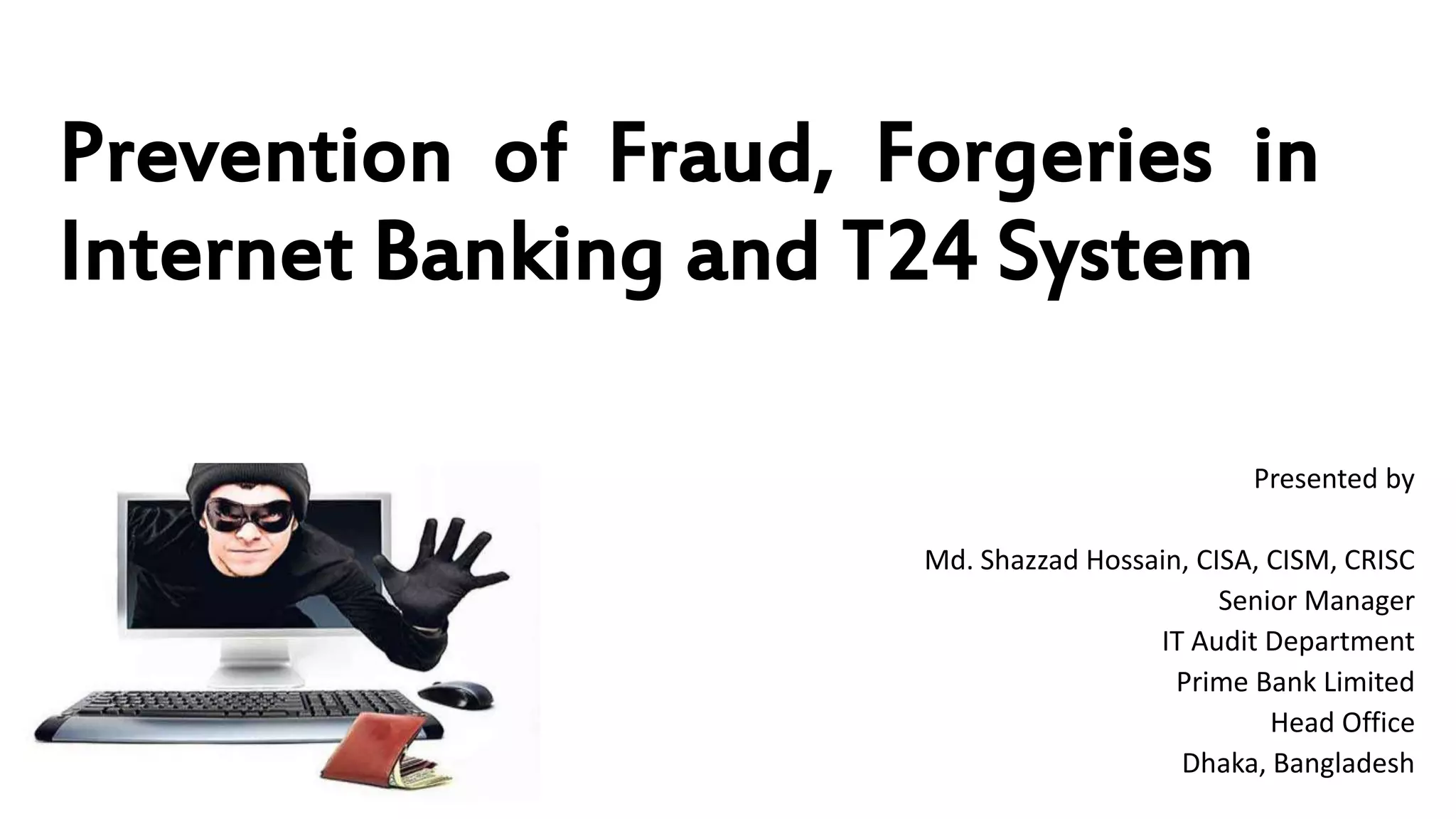
Prevention of Fraud, Forgeries in
Internet Banking and T24 System
Presented by
Md. Shazzad Hossain, CISA, CISM, CRISC
Senior Manager
IT Audit Department
Prime Bank Limited
Head Office
Dhaka, Bangladesh
Some points to be ponder
 Banking and Bank
 Fraud and Forgery
 Internet
 Internet Banking
 How an Internet Banking Fraud happened
 Prevention of Fraud in IB
Banking and Bank
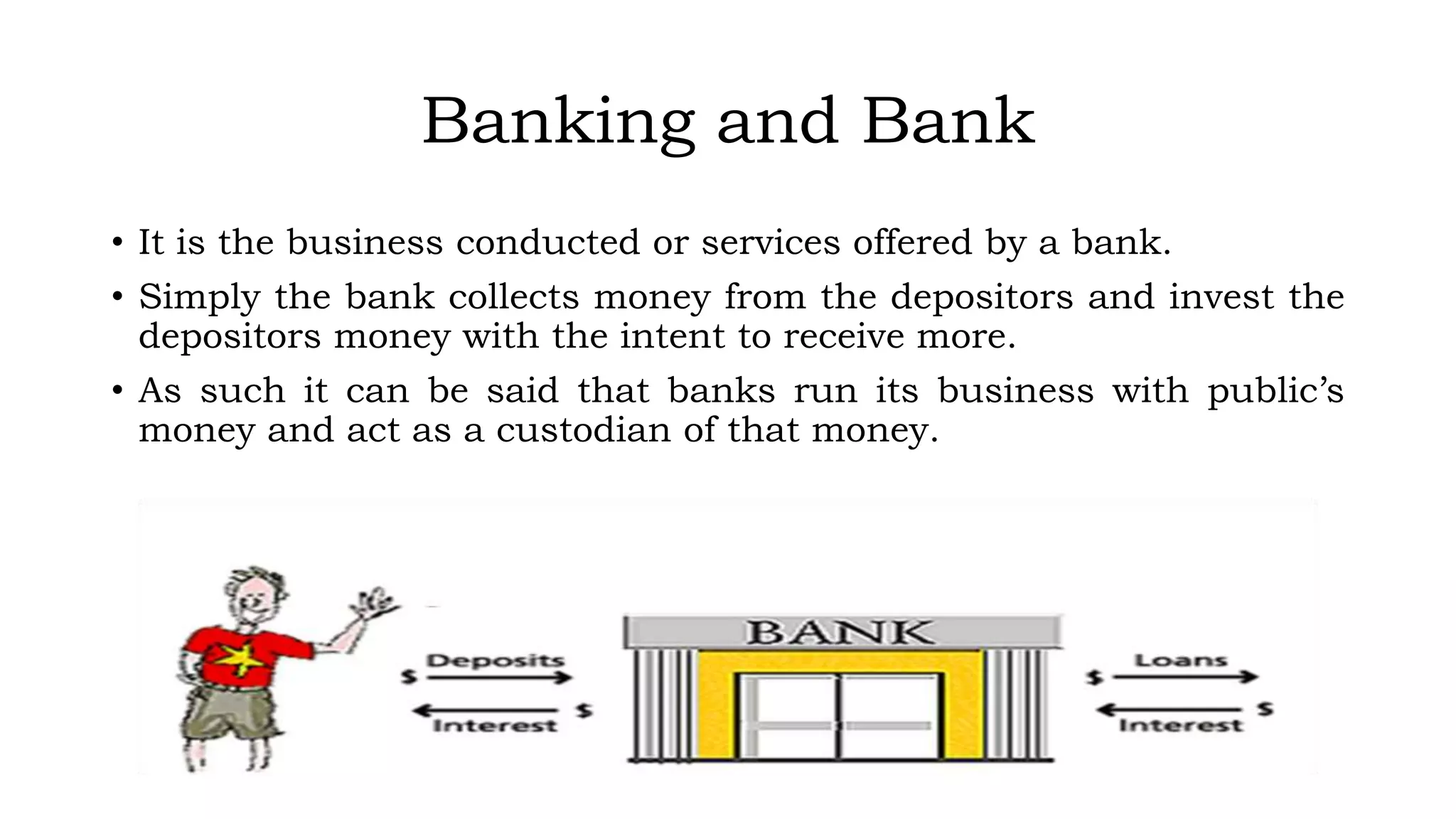
• It is the business conducted or services offered by a bank.
• Simply the bank collects money from the depositors and invest the
depositors money with the intent to receive more.
• As such it can be said that banks run its business with public’s
money and act as a custodian of that money.
Fraud and Forgery
• Though the word Fraud and Forgery is used inter changeably; they are not
actually same.
Fraud: Fraud is a relatively broad term applied to any illegal act in
which the offender uses deceitful or deceptive means to carry out the
crime. In almost all instances of fraud, the offender is trying to obtain
something from the victim, whether the victim be an individual
person, group of people, or company. Furthermore, most fraud crimes
are committed to obtain money or access to money.
Forgery: Forgery is actually a type of fraud in which the offender uses
false, fabricated or fictitious documents in order to defraud a victim,
usually in an effort to secure money. A person can also be charged
with forgery if they alter or change an existing document for the
purpose of deceiving or defrauding the victim. Even something as
simple as signing another person's name on a check can be
considered forgery.
Fraud is a hidden crime. In every fraud situation, the fraudster tries to
conceal his/her crime. The method for concealing fraud are so numerous and
sometimes ingenious that almost anyone might be defrauded.
Internet
• The Internet is a global system of interconnected computer
networks that use the standard Internet protocol suite (TCP/IP) to
link several billion devices worldwide.
• It is a global network connecting millions of computers. More than
190 countries are linked into exchanges of data, news and
opinions. According to Internet Live Stats, as of December 30, 2014
there was an estimated 3,037,608,300 Internet users worldwide.
The number of Internet users represents nearly 40 percent of the
world's population. The largest number of Internet users by
country is China, followed by the United States and India.
• In September 2014, the total number of websites with a unique
hostname online exceeded 1 billion. This is an increase from one
website (info.cern.ch) in 1991.
Is Web and Internet the Same?
• The Internet is not synonymous with World Wide Web. The Internet
is a massive network of networks, a networking infrastructure. It
connects millions of computers together globally, forming a
network in which any computer can communicate with any other
computer as long as they are both connected to the Internet. The
World Wide Web, or simply Web, is a way of accessing information
over the medium of the Internet. It is an information-sharing model
that is built on top of the Internet.
Internet Banking
• Bank offer its product or service through many ways. Internet
Banking is one of them and most probably the recent addition in
our society.
• To avail this service one have to have a formal banking relationship
with bank and an internet connected PC or device.
• In our bank the internet banking is offered to our customer named
“ALTITUDE”.
• It is a secure, most robust and popular Internet Banking solution
in Bangladesh.
• As such it is not beyond the target of cyber criminals and prone to
fraud and forgery.
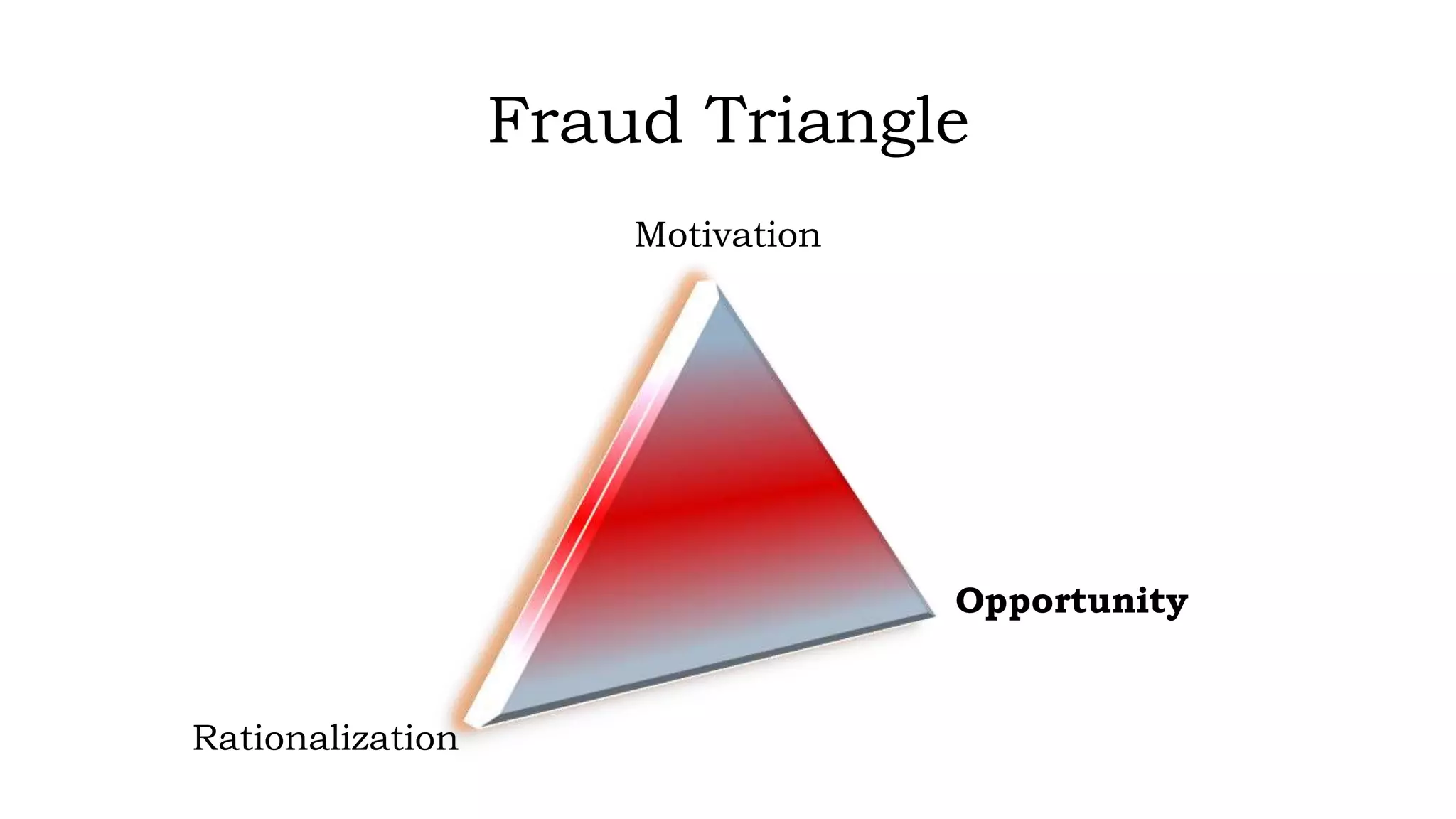
Fraud Triangle
Motivation
Opportunity
Rationalization
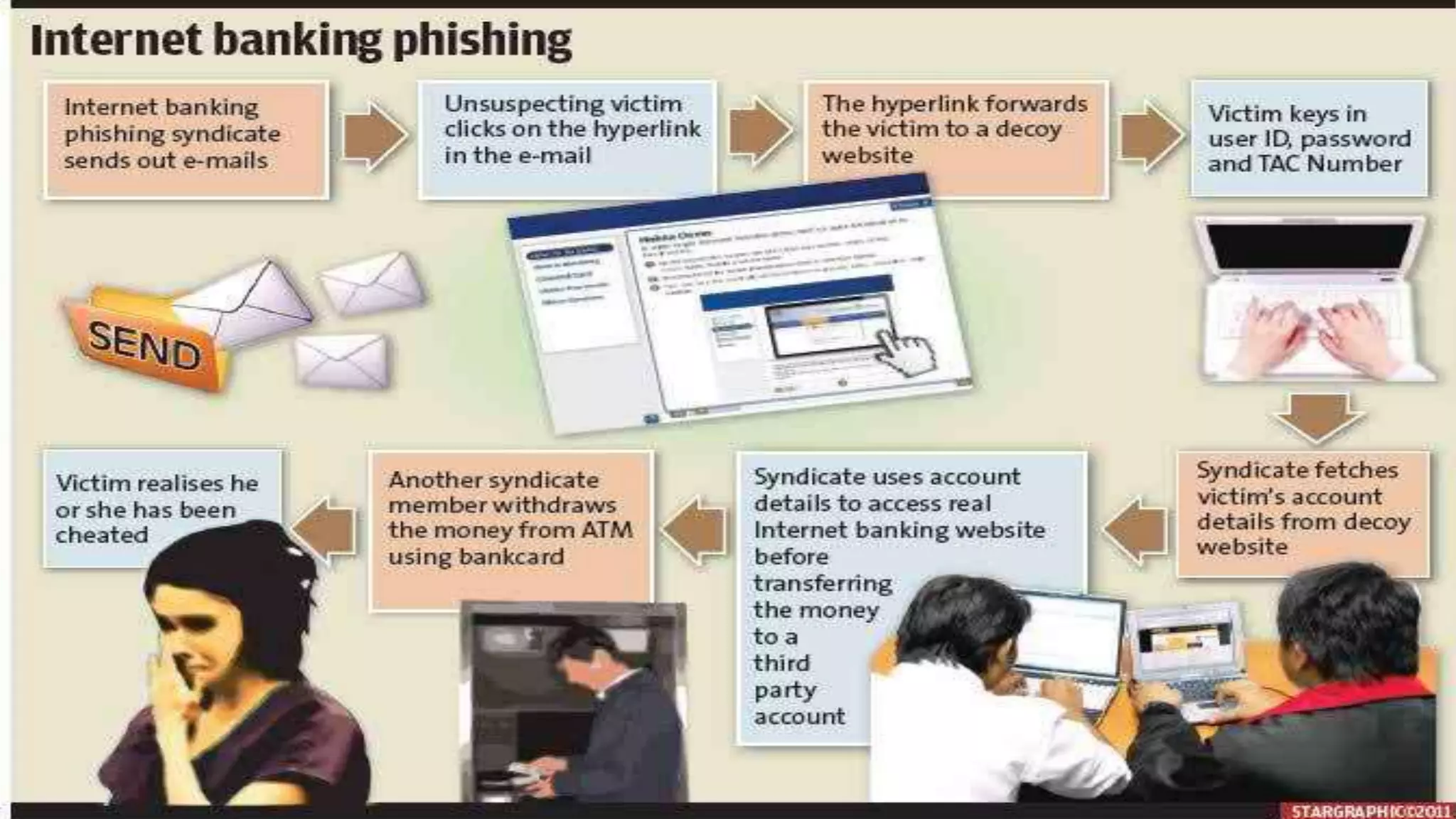
How an Internet Banking Fraud happened
• In most cases Internet Banking fraud initiated by taking the opportunity of one’s lack of
security knowledge.
• The process followed by fraudsters to steal money from internet banking users is nearly
always the same. They are:
i. Get the person’s Internet banking details, typically through a “Phishing
Attack”
ii. Get a banking account/s to which money can be transferred to and
withdrawn
iii. Clone the SIM card used by the person
iv. Hack the persons e-mail account
v. Create beneficiaries (using the list of banking accounts) and transfer
money to these beneficiaries and
vi. Withdraw the money from these accounts.
• In each of these steps the criminals can exploit different weaknesses in the system to
achieve their goal.
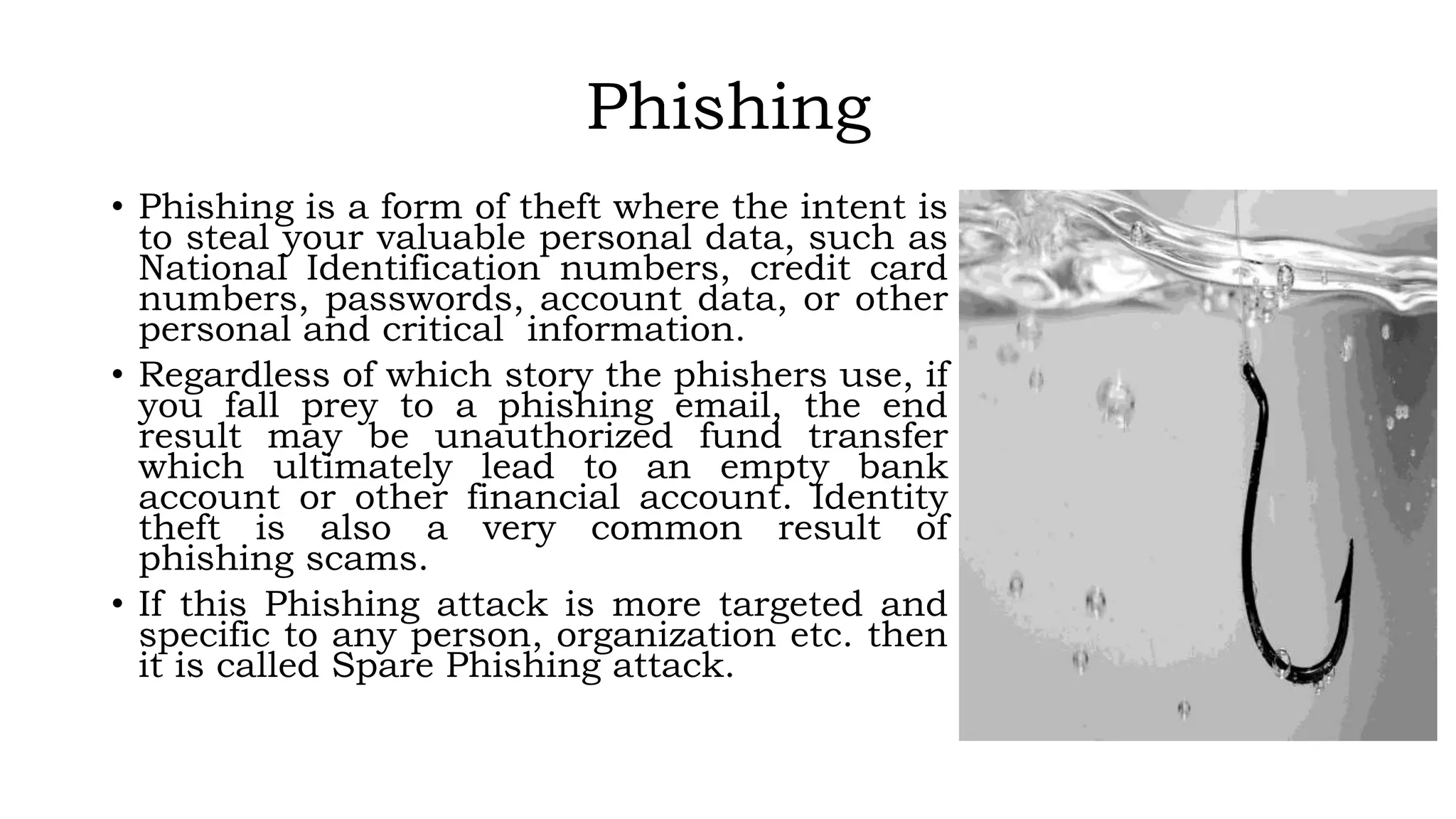
Phishing
• Phishing is a form of theft where the intent is
to steal your valuable personal data, such as
National Identification numbers, credit card
numbers, passwords, account data, or other
personal and critical information.
• Regardless of which story the phishers use, if
you fall prey to a phishing email, the end
result may be unauthorized fund transfer
which ultimately lead to an empty bank
account or other financial account. Identity
theft is also a very common result of
phishing scams.
• If this Phishing attack is more targeted and
specific to any person, organization etc. then
it is called Spare Phishing attack.
How does Phishing work?
• A phisher will send you an email, an instant message or sometimes call you on the phone.
The message may appear to come from a friend, a business (your bank), a government agency
(the BB), or some other entity. Common phishing scams typically claim to be credit card
companies, banks, and major online retailers such as Ajker Deal, Bikroy.com or bdjobs, as
well as social networking sites like Facebook. Some phishing attempts are easy to identify
because they claim to come from businesses or companies that you have never dealt with;
others may be more difficult to identify, since they appear to originate from entities with
which you do business.
• A phishing message may indicate that the entity had problems with their computers or data
and that they simply need to verify your account information so you won't be inconvenienced
next time you try to use their services. The email message might suggest that a suspicious
purchase was made using your credit card, and that if you did not make this purchase, you
need to contact them by using the link included in the email.
• Another example is a message claiming that you have just won the lottery, that you should go
to the secure web link provided, enter your bank account information and they will deposit
your winnings into your account.
• Other variation might be an email claiming to be from retail shop claiming that due to an
accounting error, you are owed a refund. They ask that you go to a website and enter your
banking information so that they can process the refund.
Example of a Phishing email
From: Altitude Team [rj@calpoly.edu]
Sent: Friday, June 29, 2012 2:42 PM
Subject: Internet Banking Account Deletion Confirmation
Altitude! SERVICE ANNOUNCEMENT
Dear Account Holder,
1. You have requested your Internet Banking Account on June 29, 2012 at 11:02 PM BST to be
deactivated and deleted from a location in with this IP number; 201.130.47.33.
2. Click on (http://localhost/pib.primebank.com.bd/login.html) to cancel this request after log
into your account; else your internet banking account will be deactivated and deleted within 24 hours
3. Do not share your password with anyone for your security purpose.
Thank You for Being A Loyal Altitude User
Altitude Team
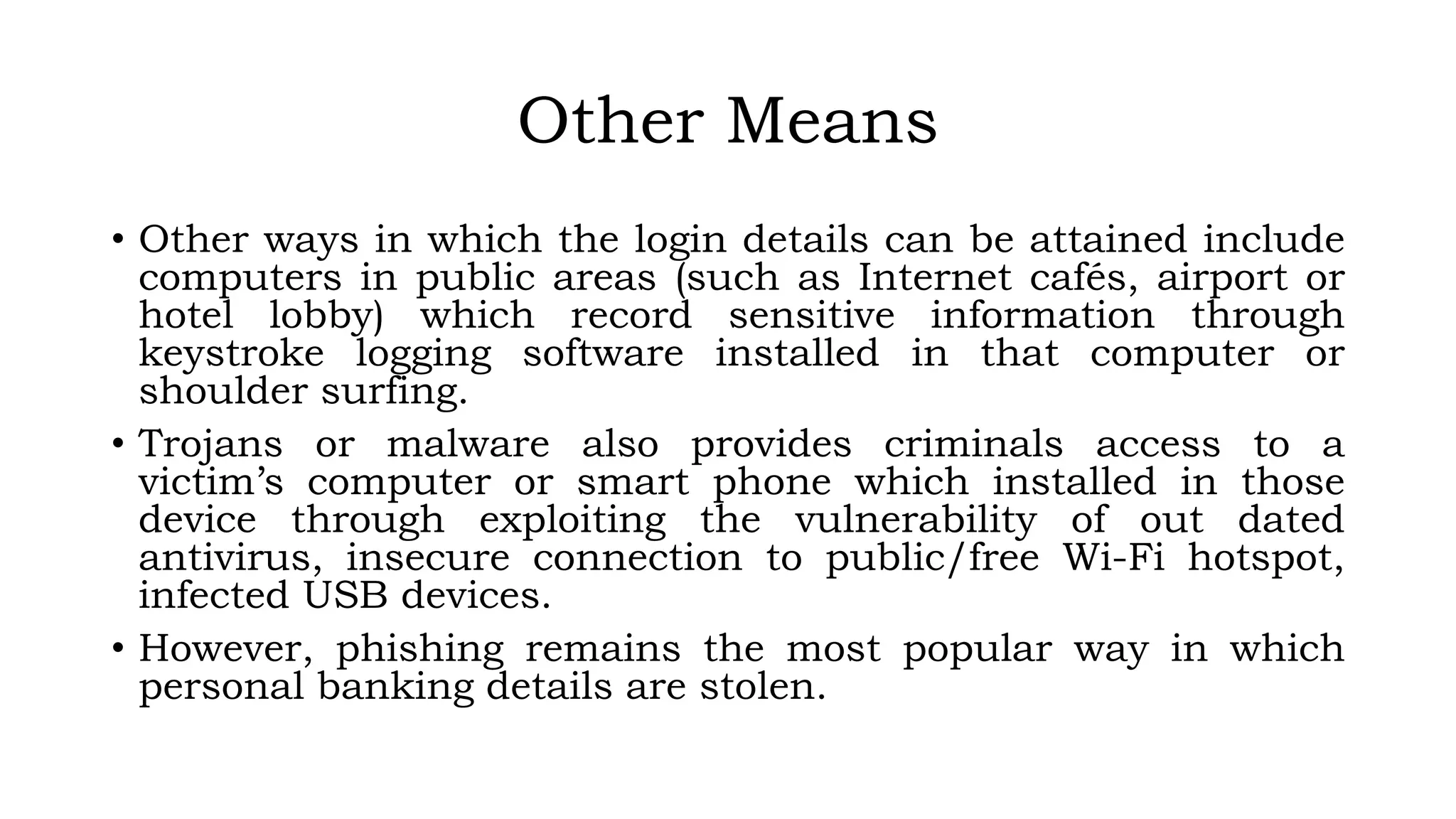
Other Means
• Other ways in which the login details can be attained include
computers in public areas (such as Internet cafés, airport or
hotel lobby) which record sensitive information through
keystroke logging software installed in that computer or
shoulder surfing.
• Trojans or malware also provides criminals access to a
victim’s computer or smart phone which installed in those
device through exploiting the vulnerability of out dated
antivirus, insecure connection to public/free Wi-Fi hotspot,
infected USB devices.
• However, phishing remains the most popular way in which
personal banking details are stolen.
Final Picture
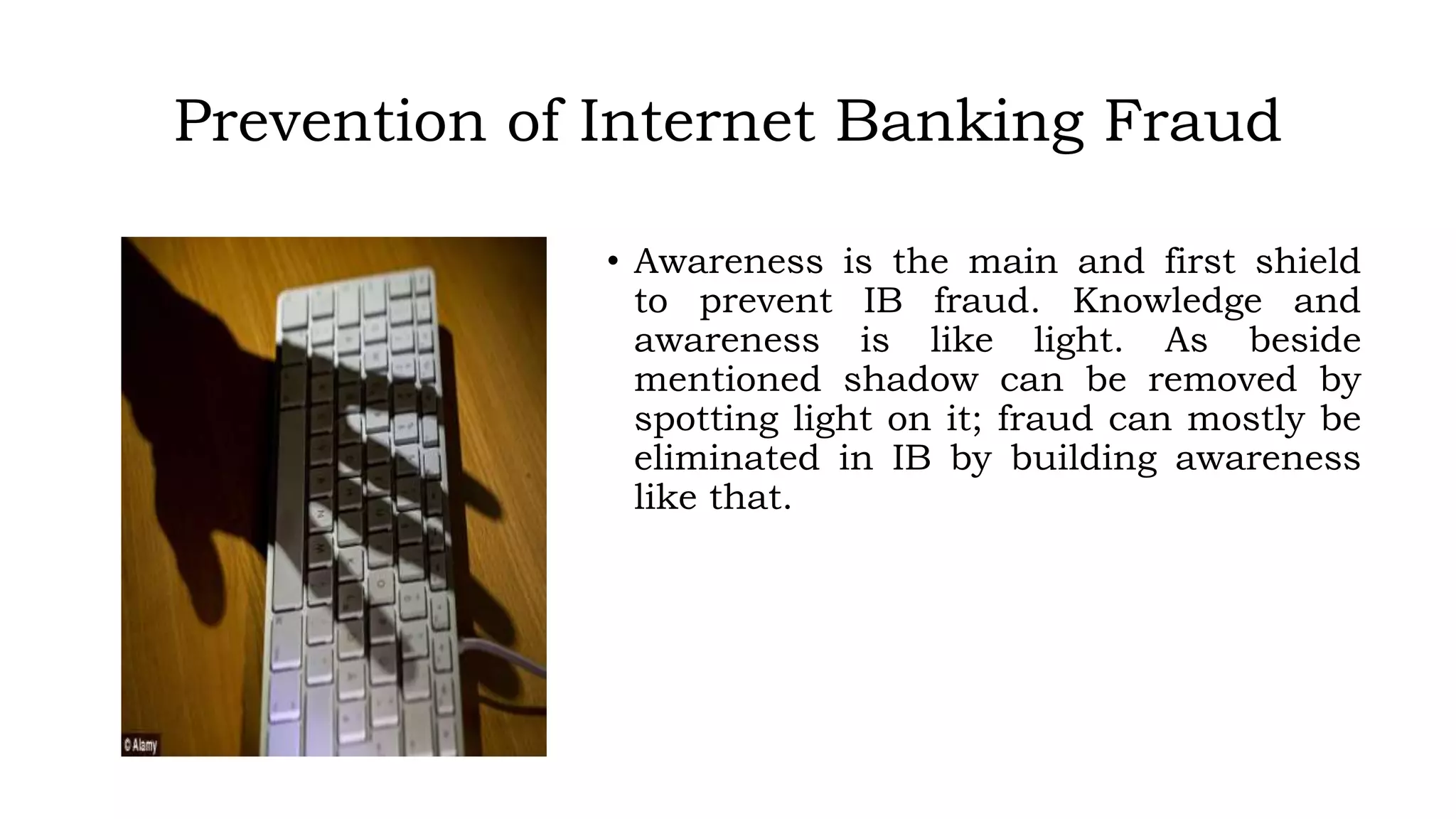
Prevention of Internet Banking Fraud
• Awareness is the main and first shield
to prevent IB fraud. Knowledge and
awareness is like light. As beside
mentioned shadow can be removed by
spotting light on it; fraud can mostly be
eliminated in IB by building awareness
like that.
Prevention of Internet Banking Fraud (contd..)
To avoid to be a victim of Internet Banking fraud, following tips
should be kept in mind:
• Remember, legitimate businesses should NEVER ask you for your
personal or financial information via email.
• If it appears to be a phishing email, simply delete it.
• Do not click on any links listed within the email message, and do
not open any attachments contained within the email. Many
phishing messages and sites not only attempt to get your personal
information, they may also attempt to install malicious code on
your computer.
• Do not enter personal information in a pop-up screen. Legitimate
companies, agencies, and organizations don't ask for personal
information via pop-up screens.
Prevention of Internet Banking Fraud (contd..)
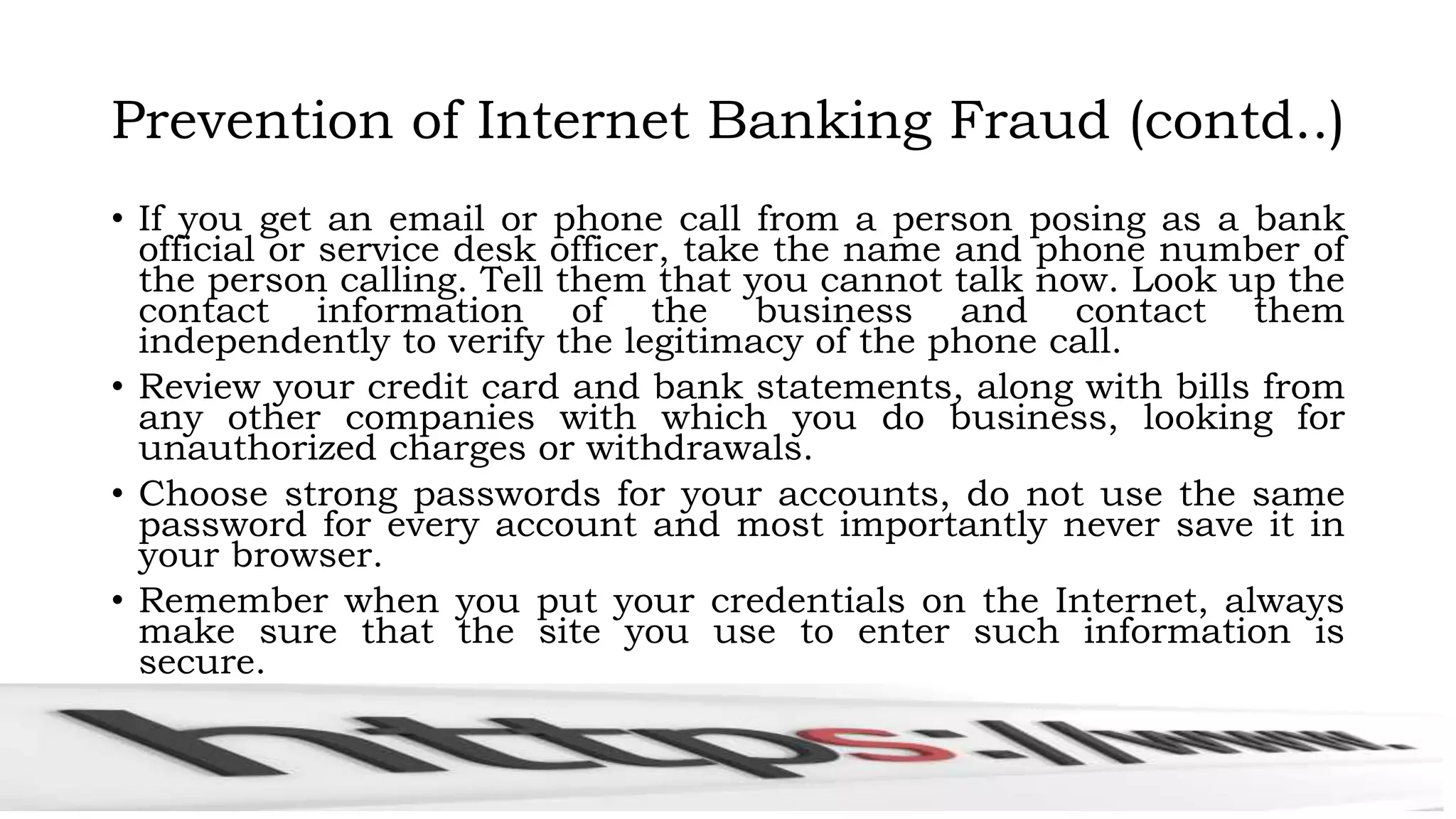
• If you get an email or phone call from a person posing as a bank
official or service desk officer, take the name and phone number of
the person calling. Tell them that you cannot talk now. Look up the
contact information of the business and contact them
independently to verify the legitimacy of the phone call.
• Review your credit card and bank statements, along with bills from
any other companies with which you do business, looking for
unauthorized charges or withdrawals.
• Choose strong passwords for your accounts, do not use the same
password for every account and most importantly never save it in
your browser.
• Remember when you put your credentials on the Internet, always
make sure that the site you use to enter such information is
secure.
Prevention of Internet Banking Fraud (contd..)
• Always keep antivirus of your PC or device(if any) updated and run
virus scan regularly
• Make sure that latest patch of OS has been deployed
• Change your password periodically as per Information Security
Policy
• Avoid using insecure public Wi-Fi hotspot or other peoples
PC/Laptop to log into the Internet Banking solution
• Watch out for shoulder surfers (people who watch over your
shoulder when you type in your passwords).
• Always lock or log off of your computer before walking away from it!
Now It is Time for the
IB Fraud

IB Fraud

  • 1.
    Prevention of Fraud,Forgeries in Internet Banking and T24 System Presented by Md. Shazzad Hossain, CISA, CISM, CRISC Senior Manager IT Audit Department Prime Bank Limited Head Office Dhaka, Bangladesh
  • 2.
    Some points tobe ponder  Banking and Bank  Fraud and Forgery  Internet  Internet Banking  How an Internet Banking Fraud happened  Prevention of Fraud in IB
  • 3.
    Banking and Bank •It is the business conducted or services offered by a bank. • Simply the bank collects money from the depositors and invest the depositors money with the intent to receive more. • As such it can be said that banks run its business with public’s money and act as a custodian of that money.
  • 4.
    Fraud and Forgery •Though the word Fraud and Forgery is used inter changeably; they are not actually same. Fraud: Fraud is a relatively broad term applied to any illegal act in which the offender uses deceitful or deceptive means to carry out the crime. In almost all instances of fraud, the offender is trying to obtain something from the victim, whether the victim be an individual person, group of people, or company. Furthermore, most fraud crimes are committed to obtain money or access to money. Forgery: Forgery is actually a type of fraud in which the offender uses false, fabricated or fictitious documents in order to defraud a victim, usually in an effort to secure money. A person can also be charged with forgery if they alter or change an existing document for the purpose of deceiving or defrauding the victim. Even something as simple as signing another person's name on a check can be considered forgery. Fraud is a hidden crime. In every fraud situation, the fraudster tries to conceal his/her crime. The method for concealing fraud are so numerous and sometimes ingenious that almost anyone might be defrauded.
  • 5.
    Internet • The Internetis a global system of interconnected computer networks that use the standard Internet protocol suite (TCP/IP) to link several billion devices worldwide. • It is a global network connecting millions of computers. More than 190 countries are linked into exchanges of data, news and opinions. According to Internet Live Stats, as of December 30, 2014 there was an estimated 3,037,608,300 Internet users worldwide. The number of Internet users represents nearly 40 percent of the world's population. The largest number of Internet users by country is China, followed by the United States and India. • In September 2014, the total number of websites with a unique hostname online exceeded 1 billion. This is an increase from one website (info.cern.ch) in 1991.
  • 6.
    Is Web andInternet the Same? • The Internet is not synonymous with World Wide Web. The Internet is a massive network of networks, a networking infrastructure. It connects millions of computers together globally, forming a network in which any computer can communicate with any other computer as long as they are both connected to the Internet. The World Wide Web, or simply Web, is a way of accessing information over the medium of the Internet. It is an information-sharing model that is built on top of the Internet.
  • 7.
    Internet Banking • Bankoffer its product or service through many ways. Internet Banking is one of them and most probably the recent addition in our society. • To avail this service one have to have a formal banking relationship with bank and an internet connected PC or device. • In our bank the internet banking is offered to our customer named “ALTITUDE”. • It is a secure, most robust and popular Internet Banking solution in Bangladesh. • As such it is not beyond the target of cyber criminals and prone to fraud and forgery.
  • 8.
  • 9.
    How an InternetBanking Fraud happened • In most cases Internet Banking fraud initiated by taking the opportunity of one’s lack of security knowledge. • The process followed by fraudsters to steal money from internet banking users is nearly always the same. They are: i. Get the person’s Internet banking details, typically through a “Phishing Attack” ii. Get a banking account/s to which money can be transferred to and withdrawn iii. Clone the SIM card used by the person iv. Hack the persons e-mail account v. Create beneficiaries (using the list of banking accounts) and transfer money to these beneficiaries and vi. Withdraw the money from these accounts. • In each of these steps the criminals can exploit different weaknesses in the system to achieve their goal.
  • 10.
    Phishing • Phishing isa form of theft where the intent is to steal your valuable personal data, such as National Identification numbers, credit card numbers, passwords, account data, or other personal and critical information. • Regardless of which story the phishers use, if you fall prey to a phishing email, the end result may be unauthorized fund transfer which ultimately lead to an empty bank account or other financial account. Identity theft is also a very common result of phishing scams. • If this Phishing attack is more targeted and specific to any person, organization etc. then it is called Spare Phishing attack.
  • 11.
    How does Phishingwork? • A phisher will send you an email, an instant message or sometimes call you on the phone. The message may appear to come from a friend, a business (your bank), a government agency (the BB), or some other entity. Common phishing scams typically claim to be credit card companies, banks, and major online retailers such as Ajker Deal, Bikroy.com or bdjobs, as well as social networking sites like Facebook. Some phishing attempts are easy to identify because they claim to come from businesses or companies that you have never dealt with; others may be more difficult to identify, since they appear to originate from entities with which you do business. • A phishing message may indicate that the entity had problems with their computers or data and that they simply need to verify your account information so you won't be inconvenienced next time you try to use their services. The email message might suggest that a suspicious purchase was made using your credit card, and that if you did not make this purchase, you need to contact them by using the link included in the email. • Another example is a message claiming that you have just won the lottery, that you should go to the secure web link provided, enter your bank account information and they will deposit your winnings into your account. • Other variation might be an email claiming to be from retail shop claiming that due to an accounting error, you are owed a refund. They ask that you go to a website and enter your banking information so that they can process the refund.
  • 12.
    Example of aPhishing email From: Altitude Team [rj@calpoly.edu] Sent: Friday, June 29, 2012 2:42 PM Subject: Internet Banking Account Deletion Confirmation Altitude! SERVICE ANNOUNCEMENT Dear Account Holder, 1. You have requested your Internet Banking Account on June 29, 2012 at 11:02 PM BST to be deactivated and deleted from a location in with this IP number; 201.130.47.33. 2. Click on (http://localhost/pib.primebank.com.bd/login.html) to cancel this request after log into your account; else your internet banking account will be deactivated and deleted within 24 hours 3. Do not share your password with anyone for your security purpose. Thank You for Being A Loyal Altitude User Altitude Team
  • 14.
    Other Means • Otherways in which the login details can be attained include computers in public areas (such as Internet cafés, airport or hotel lobby) which record sensitive information through keystroke logging software installed in that computer or shoulder surfing. • Trojans or malware also provides criminals access to a victim’s computer or smart phone which installed in those device through exploiting the vulnerability of out dated antivirus, insecure connection to public/free Wi-Fi hotspot, infected USB devices. • However, phishing remains the most popular way in which personal banking details are stolen.
  • 15.
  • 16.
    Prevention of InternetBanking Fraud • Awareness is the main and first shield to prevent IB fraud. Knowledge and awareness is like light. As beside mentioned shadow can be removed by spotting light on it; fraud can mostly be eliminated in IB by building awareness like that.
  • 17.
    Prevention of InternetBanking Fraud (contd..) To avoid to be a victim of Internet Banking fraud, following tips should be kept in mind: • Remember, legitimate businesses should NEVER ask you for your personal or financial information via email. • If it appears to be a phishing email, simply delete it. • Do not click on any links listed within the email message, and do not open any attachments contained within the email. Many phishing messages and sites not only attempt to get your personal information, they may also attempt to install malicious code on your computer. • Do not enter personal information in a pop-up screen. Legitimate companies, agencies, and organizations don't ask for personal information via pop-up screens.
  • 18.
    Prevention of InternetBanking Fraud (contd..) • If you get an email or phone call from a person posing as a bank official or service desk officer, take the name and phone number of the person calling. Tell them that you cannot talk now. Look up the contact information of the business and contact them independently to verify the legitimacy of the phone call. • Review your credit card and bank statements, along with bills from any other companies with which you do business, looking for unauthorized charges or withdrawals. • Choose strong passwords for your accounts, do not use the same password for every account and most importantly never save it in your browser. • Remember when you put your credentials on the Internet, always make sure that the site you use to enter such information is secure.
  • 19.
    Prevention of InternetBanking Fraud (contd..) • Always keep antivirus of your PC or device(if any) updated and run virus scan regularly • Make sure that latest patch of OS has been deployed • Change your password periodically as per Information Security Policy • Avoid using insecure public Wi-Fi hotspot or other peoples PC/Laptop to log into the Internet Banking solution • Watch out for shoulder surfers (people who watch over your shoulder when you type in your passwords). • Always lock or log off of your computer before walking away from it!
  • 20.
    Now It isTime for the