Get Inspired, Create and Share: Developing the Use of ICT  in the MFL Faculty Isabelle Jones, The Radclyffe School Oldham [email_address]   http://isabellejones.blogspot.com   Twitter: icpjones
Aims s Find out about 7 top tools to use with students Discover how to promote creativity in the classroom with the support of  ICT Find out about 7 top tools to share good practice with your Faculty colleagues Use ICT to bring the World into your classroom  AIMs
Why do we need to use ICT? Core skill Life skill Part of students’ lives Cross-curricular skill Uneven distribution of students’ skills Develop students’ awareness of how appropriate tools are When NOT to use ICT
How can we use ICT? For lessons  In lessons
Barriers to using ICT for Lessons Facilities:  own/school computer?  home broadband? Staff: Confidence Lack of training/ideas Time management Resistance to change:  the “OHP syndrome”
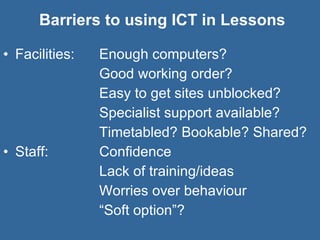
Barriers to using ICT in Lessons Facilities:  Enough computers?  Good working order? Easy to get sites unblocked? Specialist support available? Timetabled? Bookable? Shared? Staff: Confidence Lack of training/ideas Worries over behaviour “ Soft option”?
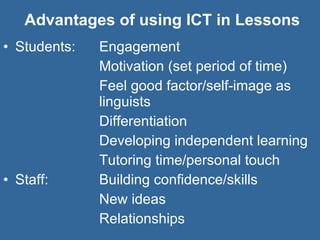
Advantages of using ICT in Lessons Students:  Engagement  Motivation (set period of time) Feel good factor/self-image as  linguists Differentiation Developing independent learning Tutoring time/personal touch Staff: Building confidence/skills New ideas Relationships
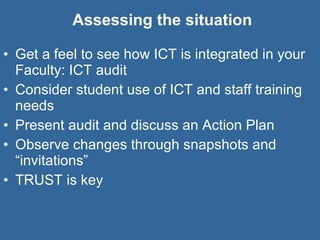
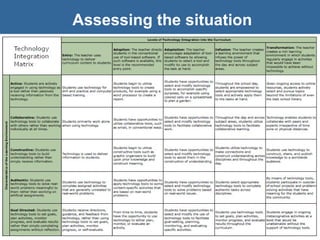
Assessing the situation Get a feel to see how ICT is integrated in your Faculty: ICT audit Consider student use of ICT and staff training needs Present audit and discuss an Action Plan Observe changes through snapshots and “invitations” TRUST is key
Assessing the situation
Assessing the situation ICT SKILLS AUDIT NAME OF TEACHER:  ………………………………..  SUBJECT:  … Please circle your level of confidence along a scale of 1-5 (1 = not confident, 5 = highly confident) Description Level of Confidence •  Load a programme 1 2 3 4 5 •  Connect up the computer & peripherals 1 2 3 4 5 •  Organise your electronic files 1 2 3 4 5 •  Understand how a word processor can be used 1 2 3 4 5 •  Use simple editing, e.g. bold, centre, etc. 1 2 3 4 5 •  Use a spellchecker 1 2 3 4 5 •  Import text & images into word processed documents 1 2 3 4 5 •  Lay out text and pictures 1 2 3 4 5 •  Publish work using multimedia 1 2 3 4 5 •  Understand how a spreadsheet can be used 1 2 3 4 5 •  Set up a spreadsheet 1 2 3 4 5 •  Use a spreadsheet to produce charts 1 2 3 4 5 •  Input formulae 1 2 3 4 5 •  Use a spreadsheet to make predictions 1 2 3 4 5 •  Use simulations, e.g. “Flying over Paris” to explore key landmarks 1 2 3 4 5 •  Understand how a painting package can be used 1 2 3 4 5 •  Use a range of tools e.g. brush, colour chart etc. 1 2 3 4 5 •  Understand how a drawing package can help you 1 2 3 4 5 •  Understand the differences between drawing and painting packages 1 2 3 4 5 •  Export images and text between drawing and painting 1 2 3 4 5 •  Use a scanner for importing images 1 2 3 4 5 •  Use a CD-ROM 1 2 3 4 5 •  Use search engines to find information 1 2 3 4 5 •  Use Bookmarks 1 2 3 4 5 •  Download information from the Internet 1 2 3 4 5 •  Publish work on the Internet 1 2 3 4 5 •  Understand how e-mail can be used 1 2 3 4 5 •  Send and receive e-mail 1 2 3 4 5 •  Attach files to outgoing e-mails 1 2 3 4 5 •  Save files attached to incoming e-mails 1 2 3 4 5
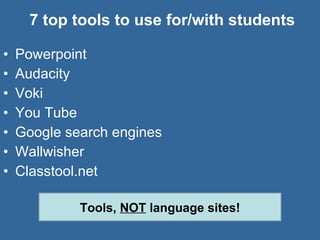
7 top tools to use for/with students Powerpoint Audacity Voki You Tube Google search engines Wallwisher  Classtool.net Tools,  NOT  language sites!
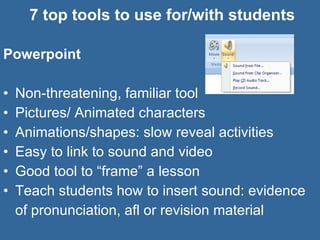
7 top tools to use for/with students Powerpoint Non-threatening, familiar tool Pictures/ Animated characters Animations/shapes: slow reveal activities Easy to link to sound and video Good tool to “frame” a lesson Teach students how to insert sound: evidence of pronunciation, afl or revision material
7 top tools to use for/with students Audacity   Great to devise own listening material/podcasts (or get FLA to record them) Good to get students to practise pronunciation at text level Versatile tool that can allow students to take sound with them (mp3) Students can make their own podcasts and practise their writing and speaking skills through  scripting and recording
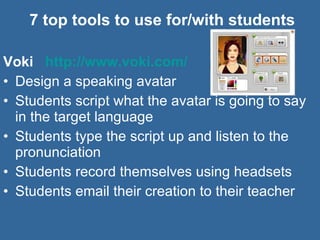
7 top tools to use for/with students Voki  http://www.voki.com/   Design a speaking avatar Students script what the avatar is going to say in the target language Students type the script up and listen to the pronunciation  Students record themselves using headsets Students email their creation to their teacher
7 top tools to use for/with students Google  http://www.google.fr   Parallel texts:  Teach students how to search for documents and pictures in the target language or documents translated in both language. Student collect specific or new language Webquests:  Get students to use google in the target language to find out about cultural items like places and food.
7 top tools to use for/with students You Tube  http://www.youtube.com/   Advertisements, Cartoons, extracts of TV programmes: soaps, keep fit, cooking, Music videos, Documentaries & Travel videos, Language tutorials... Introduction to a topic  http://il.youtube.com/watch?v=P1I_leowIRw   Listening for gist and spotting cultural clues Listening for  detail with a transcript Using videos subtitled in English and in the TL Using videos without sound/Using sound and transcript-students re-make the video!
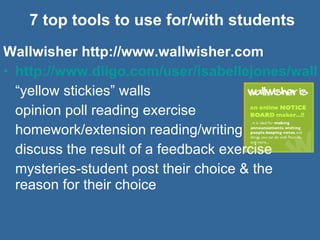
7 top tools to use for/with students Wallwisher http://www.wallwisher.com http://www.diigo.com/user/isabellejones/wallwisher “ yellow stickies” walls opinion poll reading exercise homework/extension reading/writing discuss the result of a feedback exercise mysteries-student post their choice & the reason for their choice
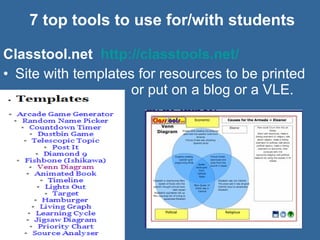
7 top tools to use for/with students Classtool.net  http://classtools.net/   Site with templates for resources to be printed  or put on a blog or a VLE.
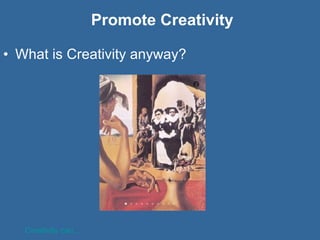
Promote Creativity What is Creativity anyway? Creativity can...
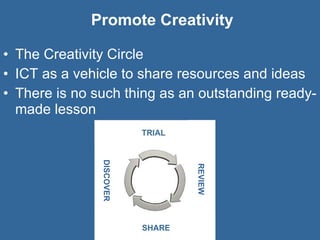
Promote Creativity The Creativity Circle ICT as a vehicle to share resources and ideas There is no such thing as an outstanding ready-made lesson DISCOVER REVIEW SHARE
Promote Creativity What can you do promote creativity? Encourage/ be aware of/share strengths Find out about and share innovative practice  Sharing from within the Faculty, with other Faculties and ... The rest of the world
7 top tools to share good practice  VLE/Shared Faculty area Faculty Bulletin  Faculty blog Slideshare Diigo  NING/ grou.ps Twitter
7 top tools to share good practice  Template for a Faculty Bulletin Thank you Meeting dates/ Agenda (L&T slot) Staff out (and why) SoW focus/ PLTS and SEAL focus Deadlines for reporting and assessment Resources links: Direct and Diigo Recent courses attended CPD opportunities Languages in the News
7 top tools to share good practice  Faculty Blog/Blog for the Faculty Decide whether it is personal or just for school Post own useful resources and ideas Use as an evaluation tool Post about language-related news Write about the training events you have been to/ you have lead Post links to other people’s useful blogs and resources Encourage use as a reference document  http://isabellejones.blogspot.com
7 top tools to share good practice  Slideshare Site where you can upload your own presentations and documents Open sharing or view only Complements free blog platforms like Blogger Useful back up  Comments can be added Get followed/Follow other language teachers  Search for other language teachers/ languages-related groups http://www.slideshare.net/icpj
7 top tools to share good practice  Diigo Social bookmarking : ability to save web addresses and share them with other people; Bookmarks are accessible from any computer from your Diigo account  http://www.diigo.com/user/isabellejones   They can be “tagged” and called up as a list of bookmarks on the same topic or “tag” The lists that can be created can be referred to by a URL  http://www.diigo.com/user/isabellejones/video   The lists are automatically updated when new bookmarks are saved and tagged
7 top tools to share good practice  NING/grou.ps Platforms to set up online groups (paying/free) Each member has a profile and can post documents, photos and videos Members that are accepted as “friends” can contact you direct Some group also have chatting facilities  All members of the  group can be contacted by the creator of the group    http://primarymfl.ning.com/   http://grou.ps/oldhamlanguages
7 top tools to share good practice  Twitter Good to connect with other language teachers Exchange ideas and resource as well as get moral and professional support Create an account and follow language-related lists  http://twitter.com/icpjones   http://twitter.com/#!/joedale/mfl-twitterers   http://twitter.com/#!/icpjones/worldlanguagesteachers   Versatile tool-can be accessed from mobile
Strategies to bring the World into  your classrom  Use Pictures ... of real places, food, cover of magazines, of real people, of real cultural events- “Thoughts For The Day”; Use Sound ... news headlines/ podcasts,  music videos; Use the Moving Image ... target language country TV programmes, film trailers; Use Real People ... videoconference, Skype, webcams, Twitter, Wallwisher ;
Aims s Find out about 7 top tools to use with students Discover how to promote creativity in the classroom with the support of  ICT Find out about 7 top tools to share good practice with your Faculty colleagues Use ICT to bring the World into your classroom  AIMs
What Next? s step to develop my own use of ICT for teaching steps to develop my students use of ICT in lessons steps to increase the amount of sharing I do  AIMs
Get Inspired, Create and Share: Developing the Use of ICT  in the MFL Faculty Isabelle Jones, The Radclyffe School Oldham [email_address]   http://isabellejones.blogspot.com   Twitter: icpjones

Get inspired, create and share

  • 1.
    Get Inspired, Createand Share: Developing the Use of ICT in the MFL Faculty Isabelle Jones, The Radclyffe School Oldham [email_address] http://isabellejones.blogspot.com Twitter: icpjones
  • 2.
    Aims s Findout about 7 top tools to use with students Discover how to promote creativity in the classroom with the support of ICT Find out about 7 top tools to share good practice with your Faculty colleagues Use ICT to bring the World into your classroom AIMs
  • 3.
    Why do weneed to use ICT? Core skill Life skill Part of students’ lives Cross-curricular skill Uneven distribution of students’ skills Develop students’ awareness of how appropriate tools are When NOT to use ICT
  • 4.
    How can weuse ICT? For lessons In lessons
  • 5.
    Barriers to usingICT for Lessons Facilities: own/school computer? home broadband? Staff: Confidence Lack of training/ideas Time management Resistance to change: the “OHP syndrome”
  • 6.
    Barriers to usingICT in Lessons Facilities: Enough computers? Good working order? Easy to get sites unblocked? Specialist support available? Timetabled? Bookable? Shared? Staff: Confidence Lack of training/ideas Worries over behaviour “ Soft option”?
  • 7.
    Advantages of usingICT in Lessons Students: Engagement Motivation (set period of time) Feel good factor/self-image as linguists Differentiation Developing independent learning Tutoring time/personal touch Staff: Building confidence/skills New ideas Relationships
  • 8.
    Assessing the situationGet a feel to see how ICT is integrated in your Faculty: ICT audit Consider student use of ICT and staff training needs Present audit and discuss an Action Plan Observe changes through snapshots and “invitations” TRUST is key
  • 9.
  • 10.
    Assessing the situationICT SKILLS AUDIT NAME OF TEACHER: ……………………………….. SUBJECT: … Please circle your level of confidence along a scale of 1-5 (1 = not confident, 5 = highly confident) Description Level of Confidence • Load a programme 1 2 3 4 5 • Connect up the computer & peripherals 1 2 3 4 5 • Organise your electronic files 1 2 3 4 5 • Understand how a word processor can be used 1 2 3 4 5 • Use simple editing, e.g. bold, centre, etc. 1 2 3 4 5 • Use a spellchecker 1 2 3 4 5 • Import text & images into word processed documents 1 2 3 4 5 • Lay out text and pictures 1 2 3 4 5 • Publish work using multimedia 1 2 3 4 5 • Understand how a spreadsheet can be used 1 2 3 4 5 • Set up a spreadsheet 1 2 3 4 5 • Use a spreadsheet to produce charts 1 2 3 4 5 • Input formulae 1 2 3 4 5 • Use a spreadsheet to make predictions 1 2 3 4 5 • Use simulations, e.g. “Flying over Paris” to explore key landmarks 1 2 3 4 5 • Understand how a painting package can be used 1 2 3 4 5 • Use a range of tools e.g. brush, colour chart etc. 1 2 3 4 5 • Understand how a drawing package can help you 1 2 3 4 5 • Understand the differences between drawing and painting packages 1 2 3 4 5 • Export images and text between drawing and painting 1 2 3 4 5 • Use a scanner for importing images 1 2 3 4 5 • Use a CD-ROM 1 2 3 4 5 • Use search engines to find information 1 2 3 4 5 • Use Bookmarks 1 2 3 4 5 • Download information from the Internet 1 2 3 4 5 • Publish work on the Internet 1 2 3 4 5 • Understand how e-mail can be used 1 2 3 4 5 • Send and receive e-mail 1 2 3 4 5 • Attach files to outgoing e-mails 1 2 3 4 5 • Save files attached to incoming e-mails 1 2 3 4 5
  • 11.
    7 top toolsto use for/with students Powerpoint Audacity Voki You Tube Google search engines Wallwisher Classtool.net Tools, NOT language sites!
  • 12.
    7 top toolsto use for/with students Powerpoint Non-threatening, familiar tool Pictures/ Animated characters Animations/shapes: slow reveal activities Easy to link to sound and video Good tool to “frame” a lesson Teach students how to insert sound: evidence of pronunciation, afl or revision material
  • 13.
    7 top toolsto use for/with students Audacity Great to devise own listening material/podcasts (or get FLA to record them) Good to get students to practise pronunciation at text level Versatile tool that can allow students to take sound with them (mp3) Students can make their own podcasts and practise their writing and speaking skills through scripting and recording
  • 14.
    7 top toolsto use for/with students Voki http://www.voki.com/ Design a speaking avatar Students script what the avatar is going to say in the target language Students type the script up and listen to the pronunciation Students record themselves using headsets Students email their creation to their teacher
  • 15.
    7 top toolsto use for/with students Google http://www.google.fr Parallel texts: Teach students how to search for documents and pictures in the target language or documents translated in both language. Student collect specific or new language Webquests: Get students to use google in the target language to find out about cultural items like places and food.
  • 16.
    7 top toolsto use for/with students You Tube http://www.youtube.com/ Advertisements, Cartoons, extracts of TV programmes: soaps, keep fit, cooking, Music videos, Documentaries & Travel videos, Language tutorials... Introduction to a topic http://il.youtube.com/watch?v=P1I_leowIRw Listening for gist and spotting cultural clues Listening for detail with a transcript Using videos subtitled in English and in the TL Using videos without sound/Using sound and transcript-students re-make the video!
  • 17.
    7 top toolsto use for/with students Wallwisher http://www.wallwisher.com http://www.diigo.com/user/isabellejones/wallwisher “ yellow stickies” walls opinion poll reading exercise homework/extension reading/writing discuss the result of a feedback exercise mysteries-student post their choice & the reason for their choice
  • 18.
    7 top toolsto use for/with students Classtool.net http://classtools.net/ Site with templates for resources to be printed or put on a blog or a VLE.
  • 19.
    Promote Creativity Whatis Creativity anyway? Creativity can...
  • 20.
    Promote Creativity TheCreativity Circle ICT as a vehicle to share resources and ideas There is no such thing as an outstanding ready-made lesson DISCOVER REVIEW SHARE
  • 21.
    Promote Creativity Whatcan you do promote creativity? Encourage/ be aware of/share strengths Find out about and share innovative practice Sharing from within the Faculty, with other Faculties and ... The rest of the world
  • 22.
    7 top toolsto share good practice VLE/Shared Faculty area Faculty Bulletin Faculty blog Slideshare Diigo NING/ grou.ps Twitter
  • 23.
    7 top toolsto share good practice Template for a Faculty Bulletin Thank you Meeting dates/ Agenda (L&T slot) Staff out (and why) SoW focus/ PLTS and SEAL focus Deadlines for reporting and assessment Resources links: Direct and Diigo Recent courses attended CPD opportunities Languages in the News
  • 24.
    7 top toolsto share good practice Faculty Blog/Blog for the Faculty Decide whether it is personal or just for school Post own useful resources and ideas Use as an evaluation tool Post about language-related news Write about the training events you have been to/ you have lead Post links to other people’s useful blogs and resources Encourage use as a reference document http://isabellejones.blogspot.com
  • 25.
    7 top toolsto share good practice Slideshare Site where you can upload your own presentations and documents Open sharing or view only Complements free blog platforms like Blogger Useful back up Comments can be added Get followed/Follow other language teachers Search for other language teachers/ languages-related groups http://www.slideshare.net/icpj
  • 26.
    7 top toolsto share good practice Diigo Social bookmarking : ability to save web addresses and share them with other people; Bookmarks are accessible from any computer from your Diigo account http://www.diigo.com/user/isabellejones They can be “tagged” and called up as a list of bookmarks on the same topic or “tag” The lists that can be created can be referred to by a URL http://www.diigo.com/user/isabellejones/video The lists are automatically updated when new bookmarks are saved and tagged
  • 27.
    7 top toolsto share good practice NING/grou.ps Platforms to set up online groups (paying/free) Each member has a profile and can post documents, photos and videos Members that are accepted as “friends” can contact you direct Some group also have chatting facilities All members of the group can be contacted by the creator of the group http://primarymfl.ning.com/ http://grou.ps/oldhamlanguages
  • 28.
    7 top toolsto share good practice Twitter Good to connect with other language teachers Exchange ideas and resource as well as get moral and professional support Create an account and follow language-related lists http://twitter.com/icpjones http://twitter.com/#!/joedale/mfl-twitterers http://twitter.com/#!/icpjones/worldlanguagesteachers Versatile tool-can be accessed from mobile
  • 29.
    Strategies to bringthe World into your classrom Use Pictures ... of real places, food, cover of magazines, of real people, of real cultural events- “Thoughts For The Day”; Use Sound ... news headlines/ podcasts, music videos; Use the Moving Image ... target language country TV programmes, film trailers; Use Real People ... videoconference, Skype, webcams, Twitter, Wallwisher ;
  • 30.
    Aims s Findout about 7 top tools to use with students Discover how to promote creativity in the classroom with the support of ICT Find out about 7 top tools to share good practice with your Faculty colleagues Use ICT to bring the World into your classroom AIMs
  • 31.
    What Next? sstep to develop my own use of ICT for teaching steps to develop my students use of ICT in lessons steps to increase the amount of sharing I do AIMs
  • 32.
    Get Inspired, Createand Share: Developing the Use of ICT in the MFL Faculty Isabelle Jones, The Radclyffe School Oldham [email_address] http://isabellejones.blogspot.com Twitter: icpjones