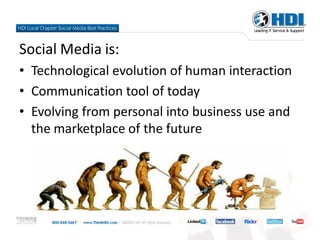
Social Media is:
• Technological evolution of human interaction
• Communication tool of today
• Evolving from personal into business use and
  the marketplace of the future
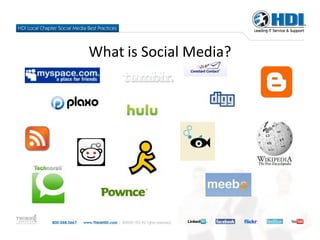
What is Social Media?
Why are we here?
• Local chapters are already using Social Media
• Needed guidelines and best practices
• Some officers/chapters need basics of what and how
• Some officers advanced “power users” on leading
  edge of using Social Media for local chapters
• Committee formed to explore and formalize ideas
• Resulting white paper on CHKR
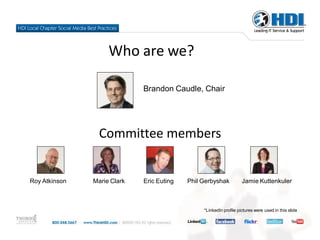
Who are we?

                             Brandon Caudle, Chair


                 Committee members


Roy Atkinson   Marie Clark   Eric Euting   Phil Gerbyshak           Jamie Kuttenkuler


                                                *LinkedIn profile pictures were used in this slide
Why use Social Media?
• This is where the people are:
   • Twitter – 9 Million accounts
   • LinkedIn – 40 Million accounts
   • Facebook – 400 Million accounts
• All ages, not just Gen Y
Why use Social Media?
• Engage members and bridge time between
  meetings
• Grow membership
• Increase meeting
  attendance
• Find speakers
• Find sponsors
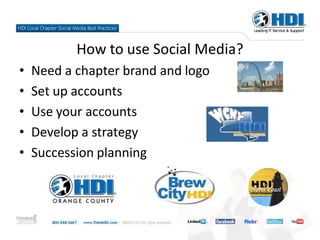
How to use Social Media?
•   Need a chapter brand and logo
•   Set up accounts
•   Use your accounts
•   Develop a strategy
•   Succession planning
Why Use Social Networking Tools?
LinkedIn
 • Respected professional social network
 • Easy to create groups, send messages to a
   focused audience


FaceBook
 • Most popular site
 • Links to inline communities and bidirectional
   conversation
Twitter
 •The “next big thing”
 • Short, simple messages with links to drive traffic to
   your site


Plaxo
  •A good mix of friends and business
  •Your “Pulse” can be sent out to your connections
  indicating changes
Best Practices
• Use your profile as an elevator pitch for your chapter
• Use each Social Media tool to promote other social
  media tools and your website
• Use spell check
• Ask questions to spark conversation and activity on
  your page
• See how other businesses and chapters are using
  Social Networking tools
Worst Practices
• Concentrating on quantity over quality
• Using the tool only to sell your chapter
• Not having enough people dedicated to keeping
  your site updated
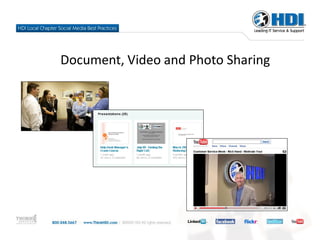
Document, Video and Photo Sharing
What to do with Document Sharing?
• Upload slides from presentations
• Pictures of chapter meetings
• Video testimonials
• Post written recap of meeting to
  website
• Collaborate with members on a
  document
Why use Document and Media Sharing?
• Engages members
• Disperse information to those
  that couldn’t attend meetings
• Increases ease of accessing
  information and collaboration
• Testimonials to communicate
  value and add members
Best Practices
      • Consistent usage
      • Present information and
        slides from meetings
      • Maintain professionalism
      • Ensure you have rights or
        permission to post material
      • Obtain feedback on
        member needs
Worst Practices
• Offensive material
• Alienating members
• Illegibility
• Broken links
• Stolen information
  (non-cited)
• Surveys with no
  follow-up
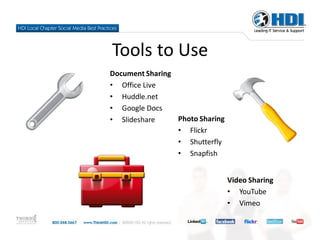
Tools to Use
Document Sharing
• Office Live
• Huddle.net
• Google Docs
• Slideshare     Photo Sharing
                 • Flickr
                 • Shutterfly
                 • Snapfish


                                 Video Sharing
                                 • YouTube
                                 • Vimeo
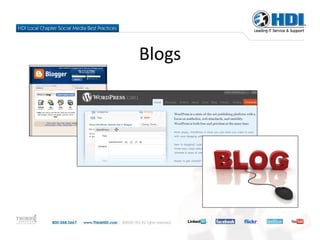
Blogs
Why Blog?
• To reinforce the chapter's Web presence.
• To publicize events, speakers, meetings.
• To deliver content that contributes to
  professional development
• To entertain and enlighten all, not just
  members
• To broaden the reach of HDI's mission and
  message.
Launching Your Blog
• Consider the decision – it’s not a whim
• Make a commitment to keep it up – include
  succession planning
• Have an editorial policy
• Use the blog to expand your Web presence
• Tell your story
• Use the best tools at your disposal (maybe your
  Web host can host a blog as part of your site)
• Free blog sites are plentiful
Worst Practices
• Plagiarism
• Posting intellectual property without
  clearance
• Posting internal business
• Poor writing
• Neglect (70% of blogs are neglected)
• Duplicating effort across media (repurpose
  instead)
Best Practices
• Use HDI logos according to guidelines
• Identify the blog as a chapter blog, not just
  “HDI”
• Have a bio about your chapter
• Welcome comments as feedback
• Respond to comments with good info – and be
  kind
• It’s all about interaction and communication
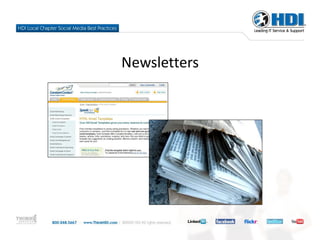
Newsletters
Old School

• Many people still prefer
  newsletters
• Periodic, regular
  schedule
• Aggregate information
  in one delivery method
Best Practices
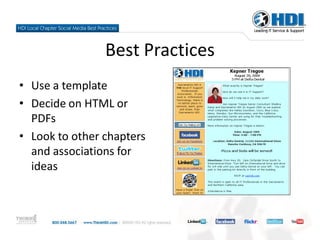
• Use a template
• Decide on HTML or
  PDFs
• Look to other chapters
  and associations for
  ideas
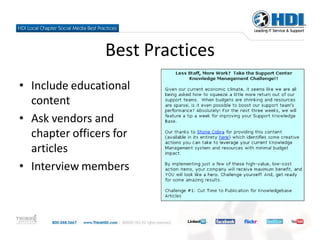
Best Practices
• Include educational
  content
• Ask vendors and
  chapter officers for
  articles
• Interview members
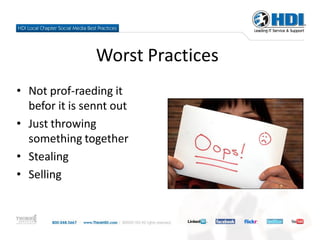
Worst Practices
• Not prof-raeding it
  befor it is sennt out
• Just throwing
  something together
• Stealing
• Selling
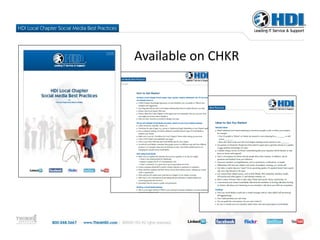
Available on CHKR
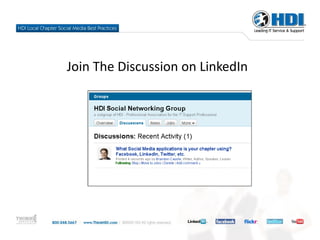
Join The Discussion on LinkedIn
Questions?

HDI LCO Social Media Presentation (Fall 2009)

  • 2.
    Social Media is: •Technological evolution of human interaction • Communication tool of today • Evolving from personal into business use and the marketplace of the future
  • 3.
  • 4.
    Why are wehere? • Local chapters are already using Social Media • Needed guidelines and best practices • Some officers/chapters need basics of what and how • Some officers advanced “power users” on leading edge of using Social Media for local chapters • Committee formed to explore and formalize ideas • Resulting white paper on CHKR
  • 5.
    Who are we? Brandon Caudle, Chair Committee members Roy Atkinson Marie Clark Eric Euting Phil Gerbyshak Jamie Kuttenkuler *LinkedIn profile pictures were used in this slide
  • 6.
    Why use SocialMedia? • This is where the people are: • Twitter – 9 Million accounts • LinkedIn – 40 Million accounts • Facebook – 400 Million accounts • All ages, not just Gen Y
  • 7.
    Why use SocialMedia? • Engage members and bridge time between meetings • Grow membership • Increase meeting attendance • Find speakers • Find sponsors
  • 8.
    How to useSocial Media? • Need a chapter brand and logo • Set up accounts • Use your accounts • Develop a strategy • Succession planning
  • 9.
    Why Use SocialNetworking Tools?
  • 10.
    LinkedIn • Respectedprofessional social network • Easy to create groups, send messages to a focused audience FaceBook • Most popular site • Links to inline communities and bidirectional conversation
  • 11.
    Twitter •The “nextbig thing” • Short, simple messages with links to drive traffic to your site Plaxo •A good mix of friends and business •Your “Pulse” can be sent out to your connections indicating changes
  • 12.
    Best Practices • Useyour profile as an elevator pitch for your chapter • Use each Social Media tool to promote other social media tools and your website • Use spell check • Ask questions to spark conversation and activity on your page • See how other businesses and chapters are using Social Networking tools
  • 13.
    Worst Practices • Concentratingon quantity over quality • Using the tool only to sell your chapter • Not having enough people dedicated to keeping your site updated
  • 14.
    Document, Video andPhoto Sharing
  • 15.
    What to dowith Document Sharing? • Upload slides from presentations • Pictures of chapter meetings • Video testimonials • Post written recap of meeting to website • Collaborate with members on a document
  • 16.
    Why use Documentand Media Sharing? • Engages members • Disperse information to those that couldn’t attend meetings • Increases ease of accessing information and collaboration • Testimonials to communicate value and add members
  • 17.
    Best Practices • Consistent usage • Present information and slides from meetings • Maintain professionalism • Ensure you have rights or permission to post material • Obtain feedback on member needs
  • 18.
    Worst Practices • Offensivematerial • Alienating members • Illegibility • Broken links • Stolen information (non-cited) • Surveys with no follow-up
  • 19.
    Tools to Use DocumentSharing • Office Live • Huddle.net • Google Docs • Slideshare Photo Sharing • Flickr • Shutterfly • Snapfish Video Sharing • YouTube • Vimeo
  • 20.
  • 21.
    Why Blog? • Toreinforce the chapter's Web presence. • To publicize events, speakers, meetings. • To deliver content that contributes to professional development
  • 22.
    • To entertainand enlighten all, not just members • To broaden the reach of HDI's mission and message.
  • 23.
    Launching Your Blog •Consider the decision – it’s not a whim • Make a commitment to keep it up – include succession planning • Have an editorial policy • Use the blog to expand your Web presence • Tell your story • Use the best tools at your disposal (maybe your Web host can host a blog as part of your site) • Free blog sites are plentiful
  • 24.
    Worst Practices • Plagiarism •Posting intellectual property without clearance • Posting internal business • Poor writing • Neglect (70% of blogs are neglected) • Duplicating effort across media (repurpose instead)
  • 25.
    Best Practices • UseHDI logos according to guidelines • Identify the blog as a chapter blog, not just “HDI” • Have a bio about your chapter • Welcome comments as feedback • Respond to comments with good info – and be kind • It’s all about interaction and communication
  • 26.
  • 27.
    Old School • Manypeople still prefer newsletters • Periodic, regular schedule • Aggregate information in one delivery method
  • 28.
    Best Practices • Usea template • Decide on HTML or PDFs • Look to other chapters and associations for ideas
  • 29.
    Best Practices • Includeeducational content • Ask vendors and chapter officers for articles • Interview members
  • 30.
    Worst Practices • Notprof-raeding it befor it is sennt out • Just throwing something together • Stealing • Selling
  • 31.
  • 32.
  • 33.