Social Media 101
http://midstride.com/presentations/2011-11-19-cga


                                 Adrian Liem
                               adrian.liem@midstride.com

                                      MiDSTRiDE
                                      DiGiTAL CREATiVE
                                       www.midstride.com
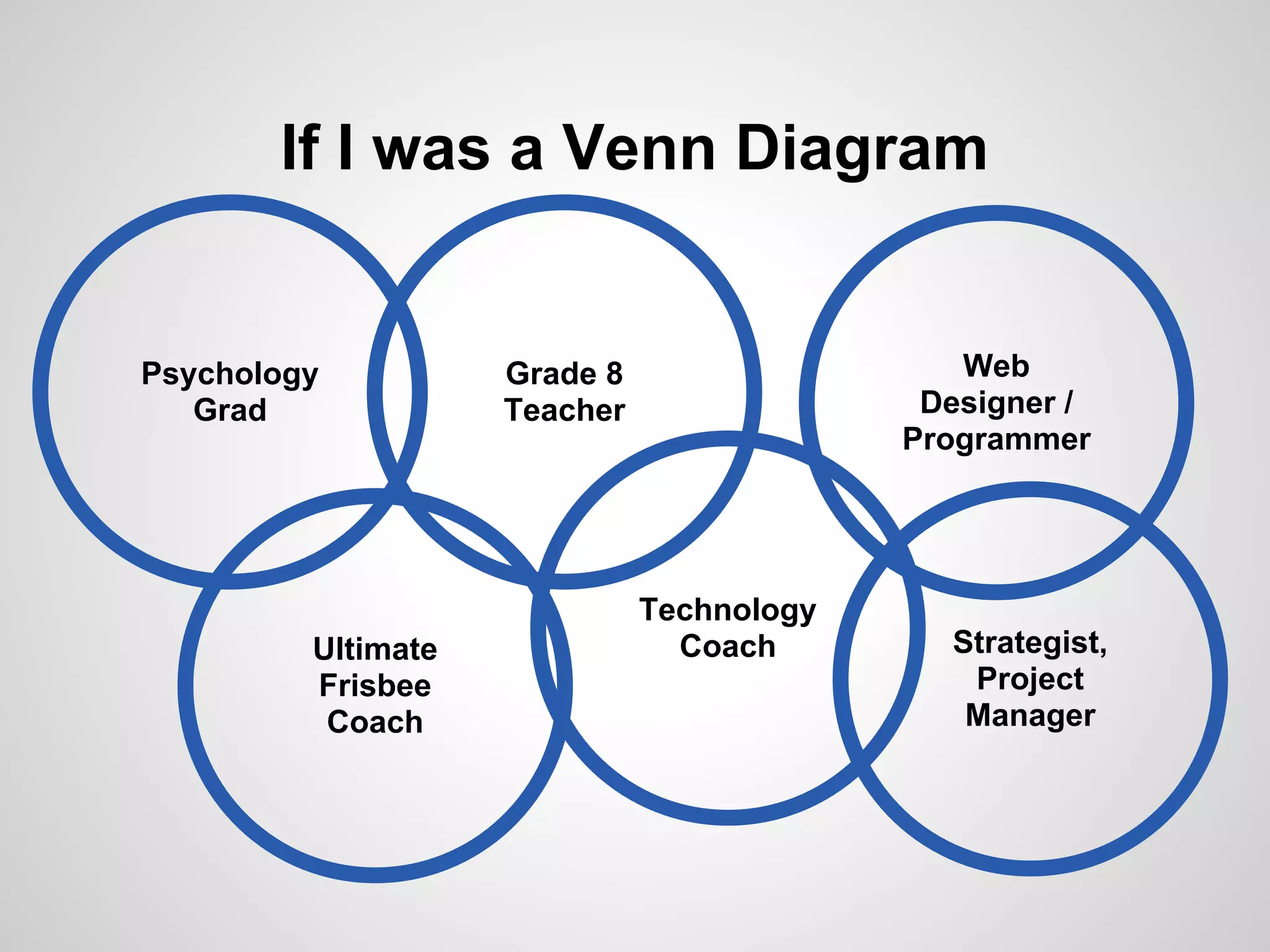
If I was a Venn Diagram


Psychology          Grade 8                   Web
   Grad             Teacher                 Designer /
                                           Programmer


                              Technology
         Ultimate               Coach        Strategist,
         Frisbee                              Project
          Coach                               Manager
Interests in this Room
(aka: A disclaimer & advice for today)


Personal                                    Best Practice
                   Workplace                  for Small
  Use
                                             Business


                               Managing /
                               Recruiting    Best Practice
        Career                   Staff         for Large
       Relevance                             Organizations
1996
Credit: Time Patterson http://www.flickr.com/photos/timpatterson/3045994303/in/photostream/
2001
2006
2011
LinkedIn
By the Numbers

LinkedIn went public in May 2011.

After 1st day of trading, valued at

$9 BILLION
Facebook
By the Numbers

If Facebook was a country, it would be
the 3rd largest in the world.

(but is largely blocked in China)
Twitter
By the Numbers

Average number of "tweets" sent per
day:


Feb 2010:   50 MILLION
Twitter
By the Numbers

Average number of "tweets" sent per
day:


Mar 2011: 177             million
Feb 2010: 50 million
YouTube
By the Numbers

YouTube is now the world's 2nd largest
search engine.

YouTube also happens to be owned by
Google.
Why Social Media Matters
● You can't ignore it (even if you want to)
● Tremendous opportunity
   ○ To learn
   ○ To connect with others
   ○ To make an impact

● New way of delivering (and finding) value
How did this happen???
Osborne vs. iPhone
Osborne vs. iPhone
"Osborne Executive"
● 100 x heavier
● 500 x larger in volume
● 10 x more expensive (ajusted for inflation)
● 100 x slower (1/100 clock rate)

Source: http://en.wikipedia.org/wiki/File:Osborne_Executive_with_iPhone_in_2009.jpg
Moore's Law
& Exponential Growth in Technology
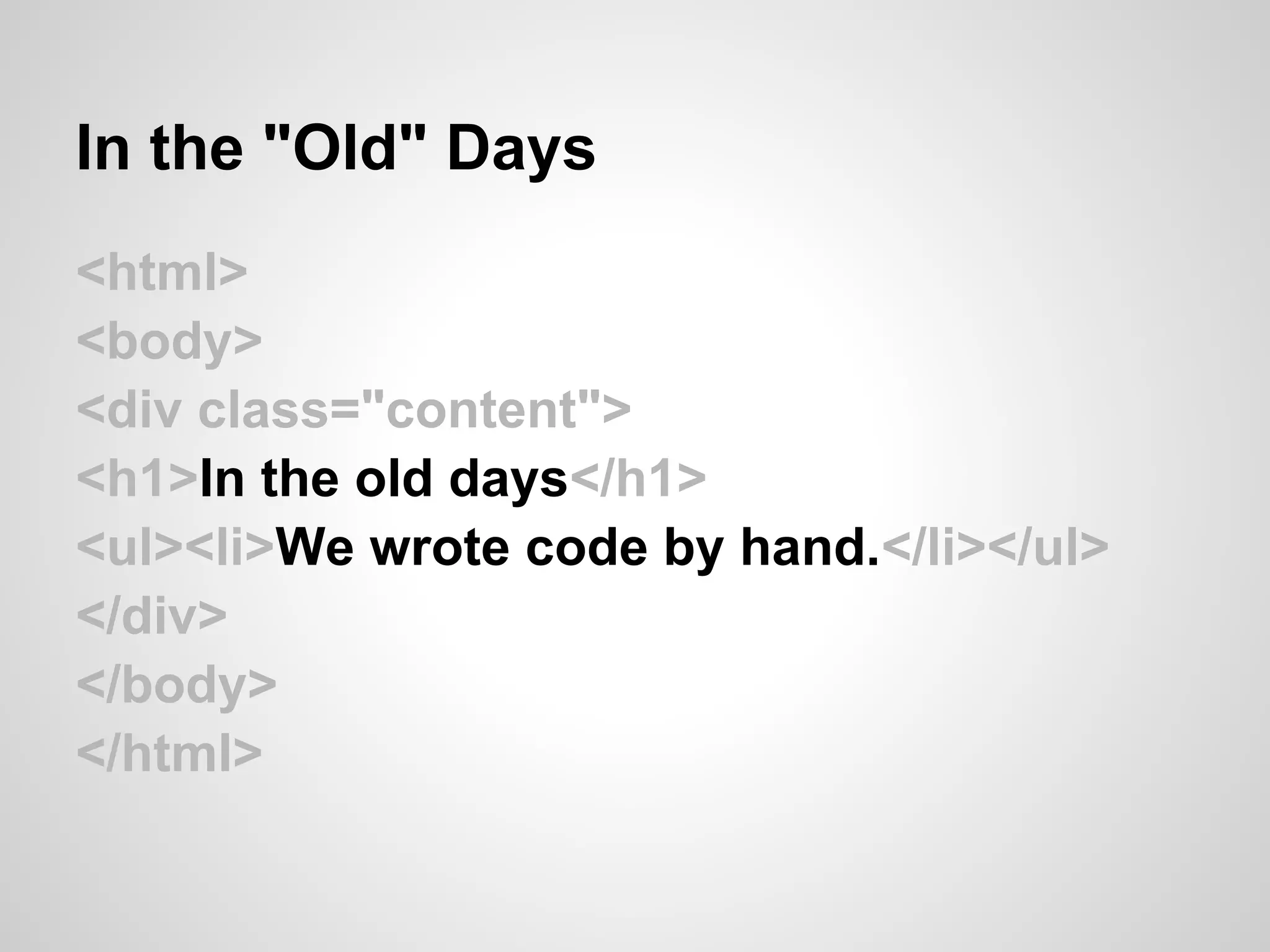
In the "Old" Days
<html>
<body>
<div class="content">
<h1>In the old days</h1>
<ul><li>We wrote code by hand.</li></ul>
</div>
</body>
</html>
In the "Old" Days
<html>
<body>
<div class="content">
<h1>In the old days</h1>
<ul><li>We wrote code by hand.</li></ul>
</div>
</body>
</html>
In the "Old" Days
Web Publishing Today
What You See Is What You Get
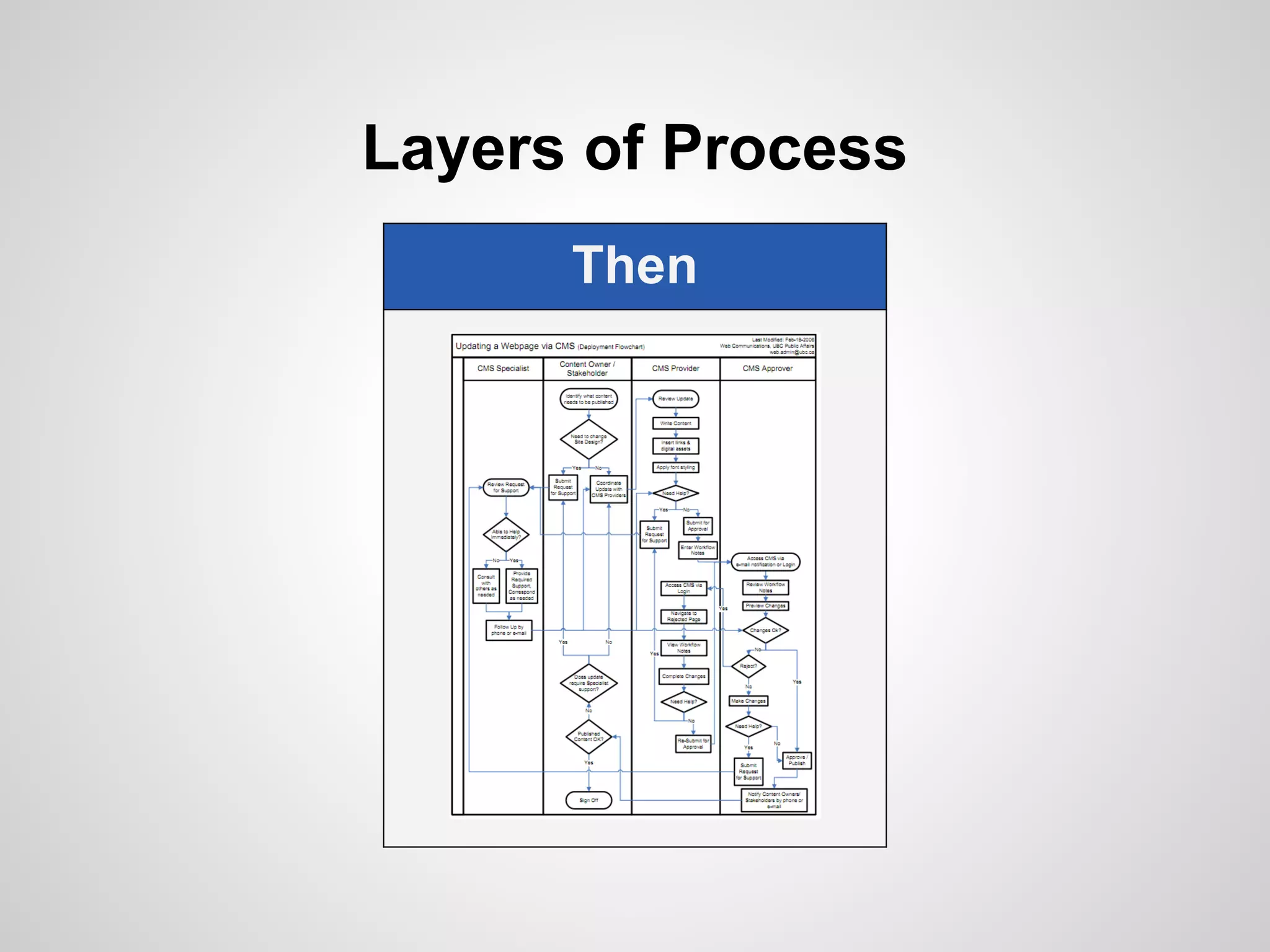
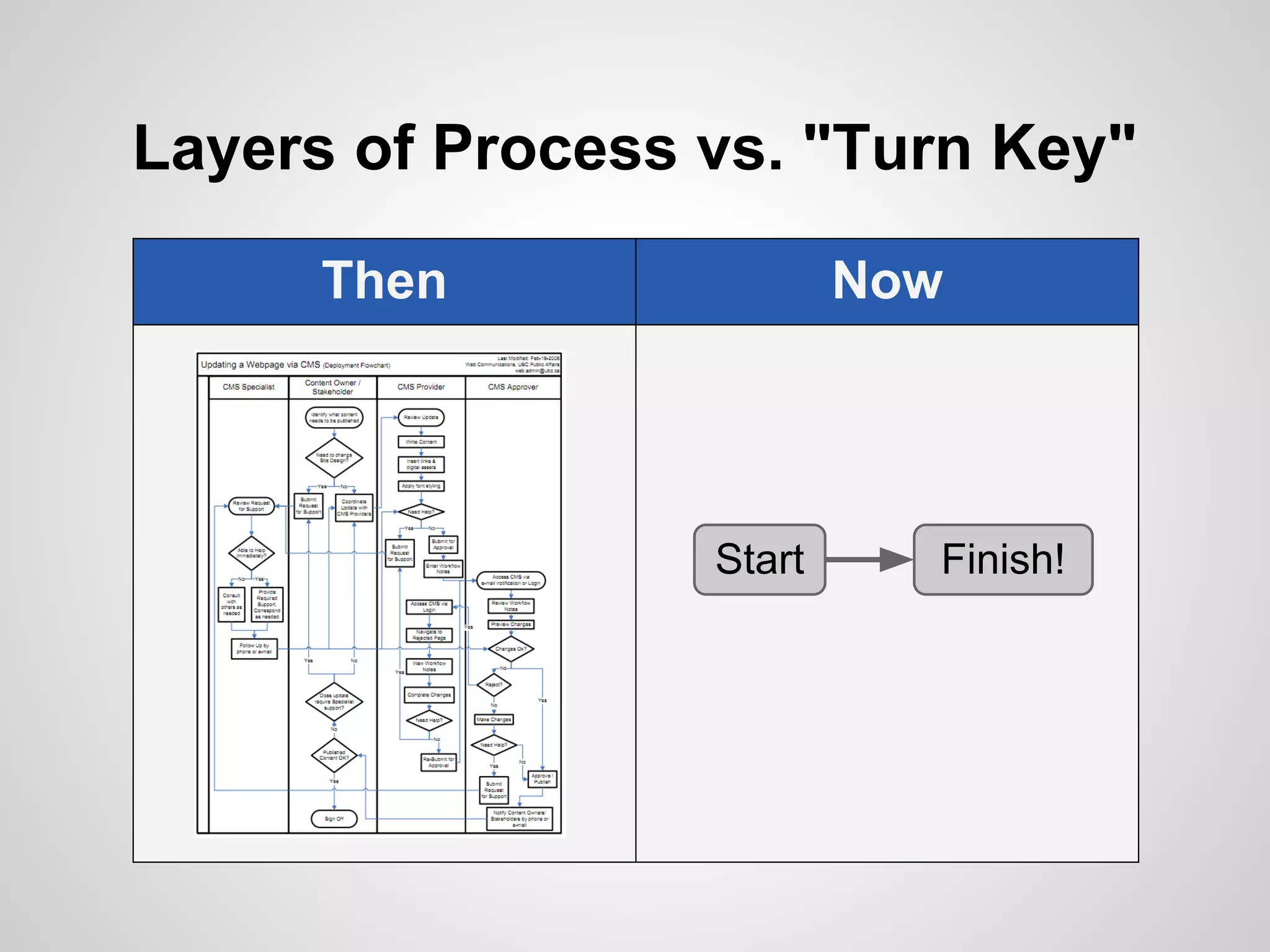
Layers of Process
      Then
Layers of Process vs. "Turn Key"

      Then                Now


                  Start     Finish!
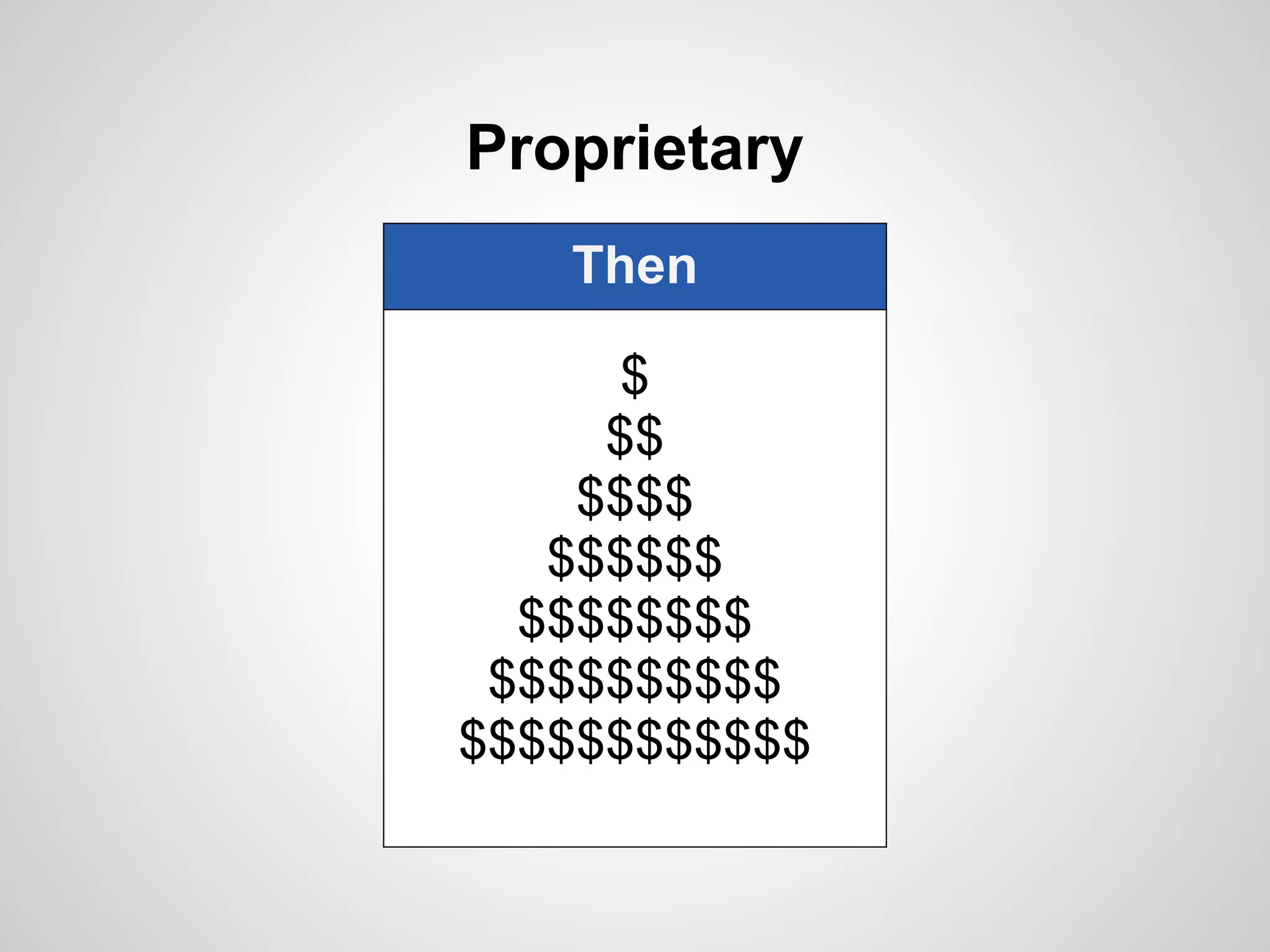
Proprietary
   Then

      $
     $$
    $$$$
   $$$$$$
  $$$$$$$$
 $$$$$$$$$$
$$$$$$$$$$$$
Proprietary vs. Open Source
   Then            Now

      $
     $$
    $$$$
   $$$$$$
  $$$$$$$$
 $$$$$$$$$$
$$$$$$$$$$$$
Example: WordPress
●   Open source software
●   Originally for blogging
●   Now used for full-blown websites
●   Powers more than 60 million sites
●   Freely available
●   Spurred a new industry of experts

Disclaimer
As a big fan/user/developer, I'm biased :)
The Web

  Then
Broadcast
Marketing
 Selling
  One
Web 1.0 vs. "Web 2.0"

  Then            Now
Broadcast    User Generated
Marketing       Listening
 Selling       Engaging
  One          Everyone
Loudest Voice Wins

   EVERYONE
 can have a voice
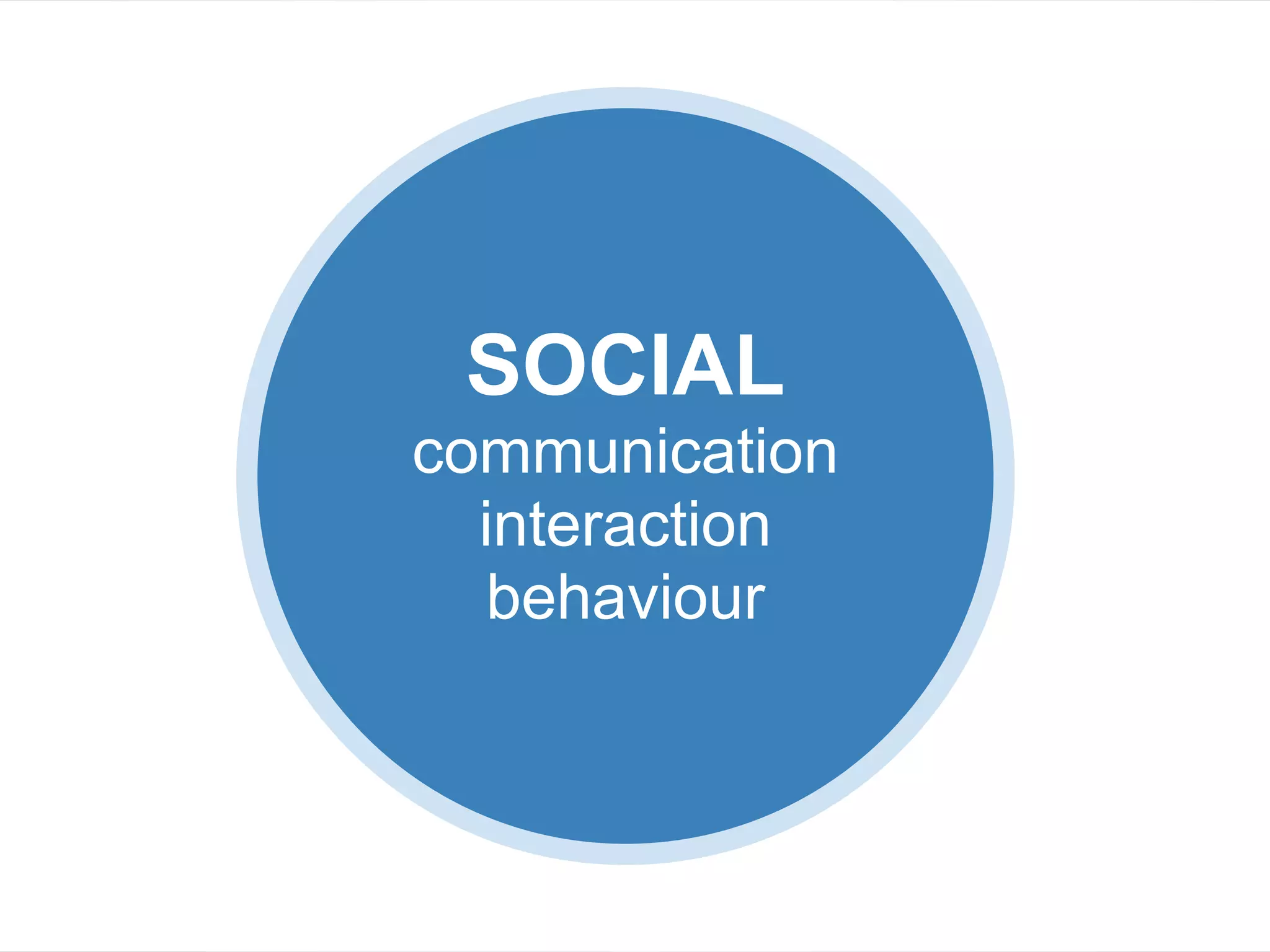
SOCIAL
SOCIAL
communication
  interaction
  behaviour
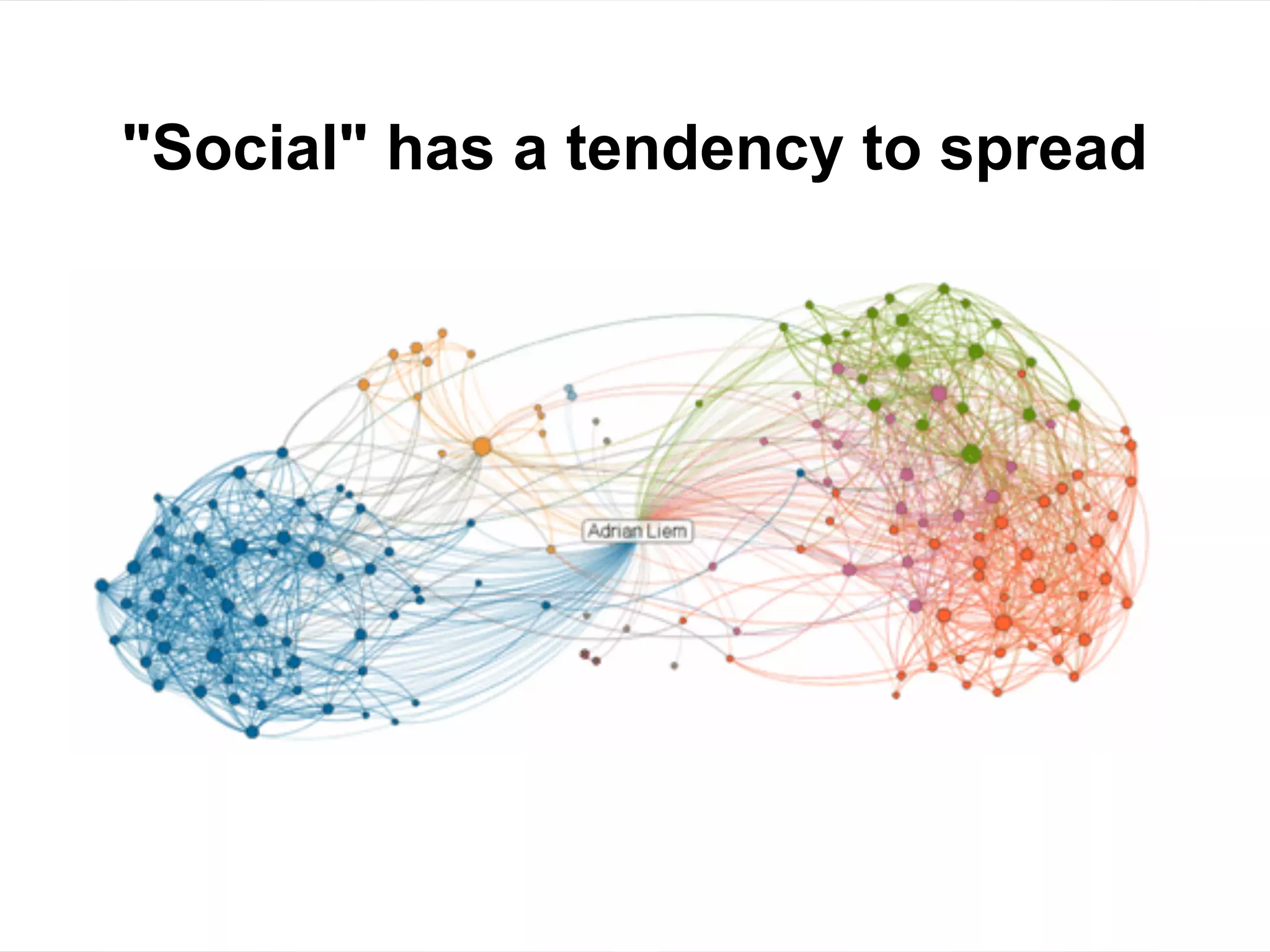
"Social" has a tendency to spread
Tech Growth + Social Spread
Expontential Growth of Social Media
What exactly is
social media?
Introducing OkRobo
Help me help you
(I'll ask you)
What do you think?
                        OkRobo is my
                     suggestion on where
                        to take notes
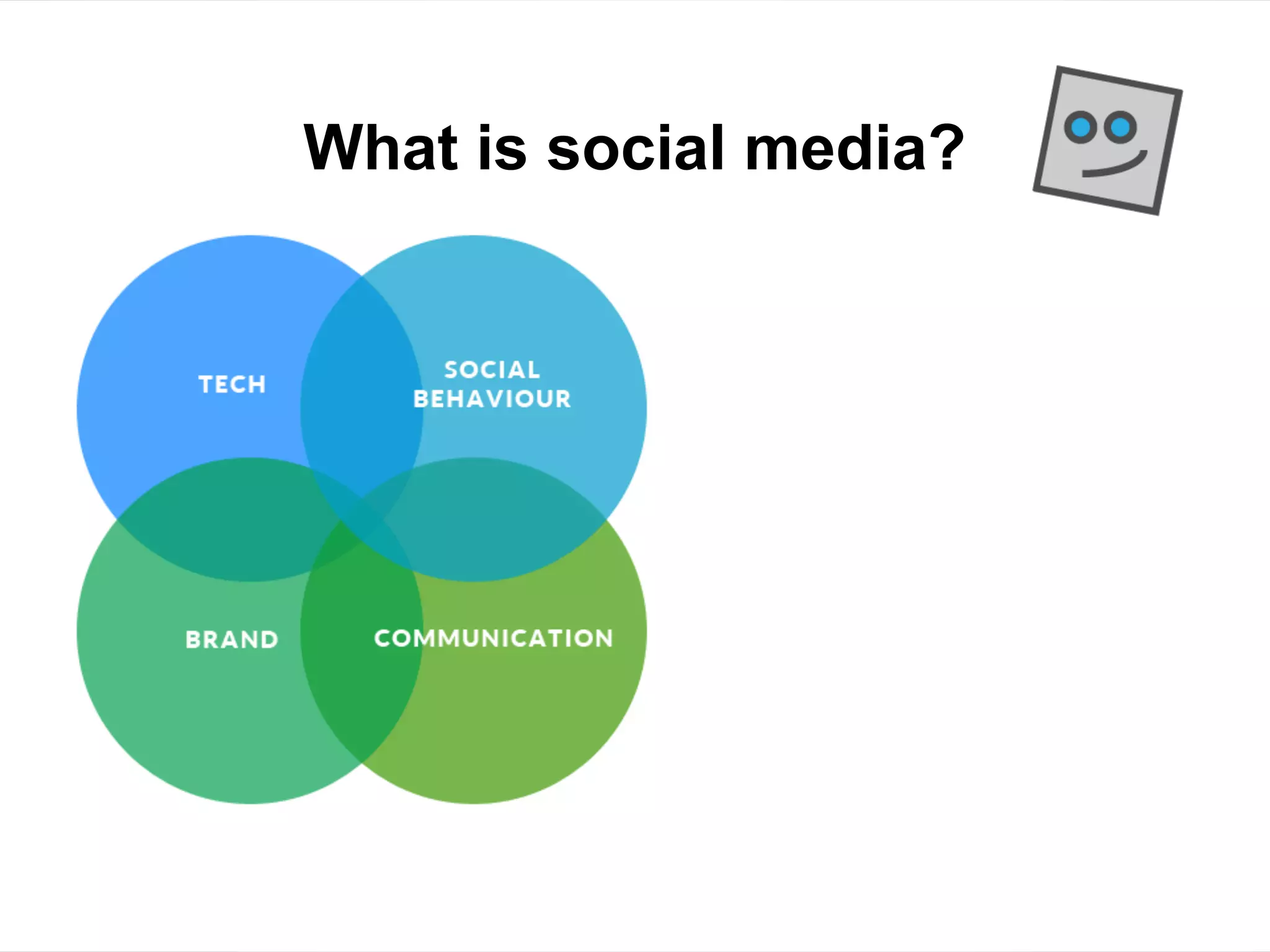
If social media were a Venn diagram
 4 Big Components
 What do you think?
What is social media?
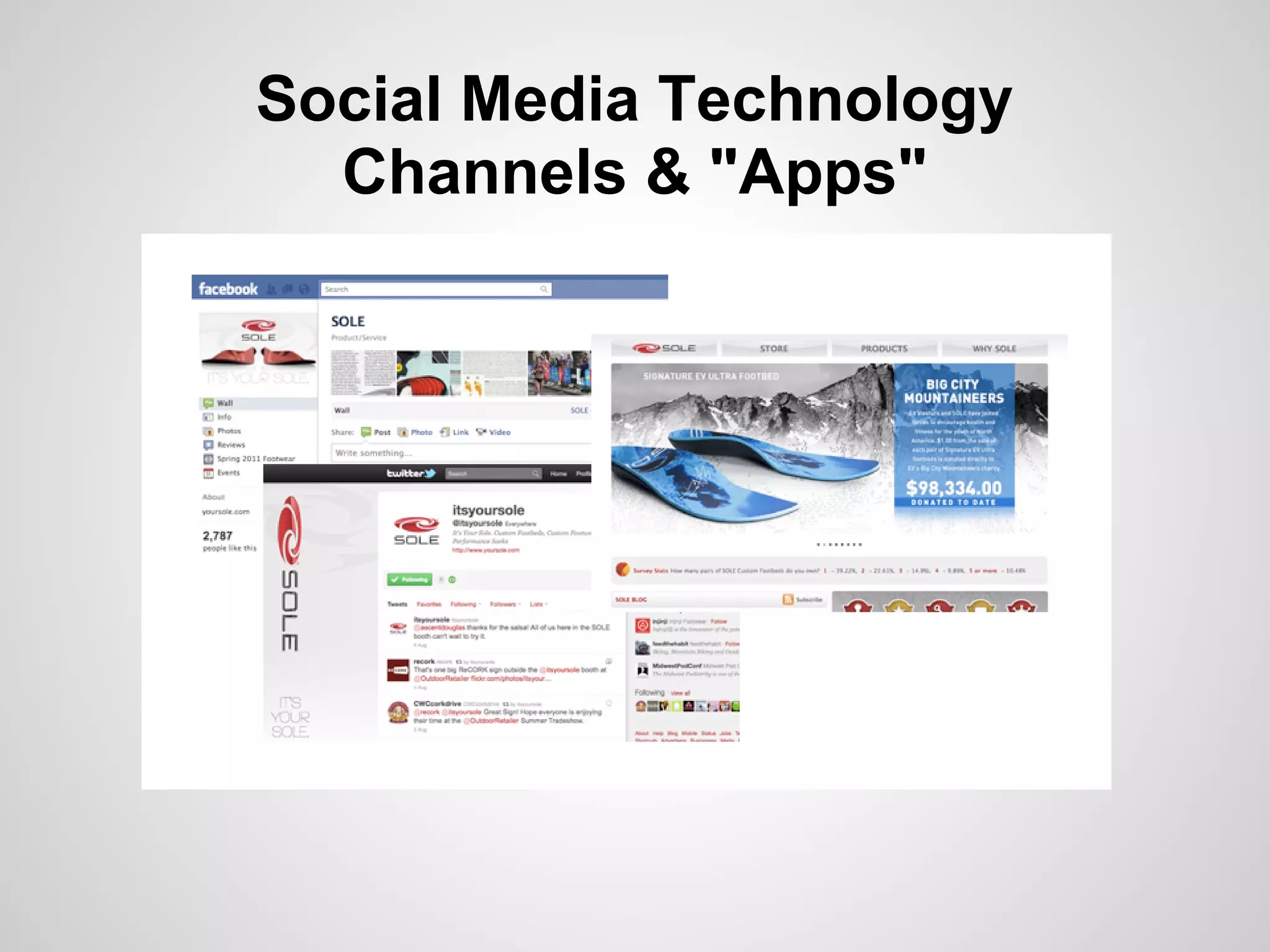
Social Media Technology
  Channels & "Apps"
Social Media Technology
  Channels & "Apps"
Social Media Technology
  Channels & "Apps"
Social Technographics Ladder*
CREATORS            "Classification of
CONVERSATIONALSTS   people according to
COLLECTORS          how they use social
JOINERS             technologies."
SPECTATORS
INACTIVES           *Forrester
                    Research
Social Technographics Ladder
CREATORS             ● Make content
CONVERSATIONALISTS
                     ● Write blogs
COLLECTORS
                     ● Upload videos,
JOINERS
                       music, photos
SPECTATORS
INACTIVES            ● Publish
                       websites
Social Technographics Ladder
CREATORS             ● Respond to
CONVERSATIONALISTS     others
COLLECTORS
                     ● Post reviews
JOINERS
                     ● Post comments
SPECTATORS
INACTIVES            ● Participate in
                       online
                       discussions
                     ● Edit Wikipedia
Social Technographics Ladder
CREATORS
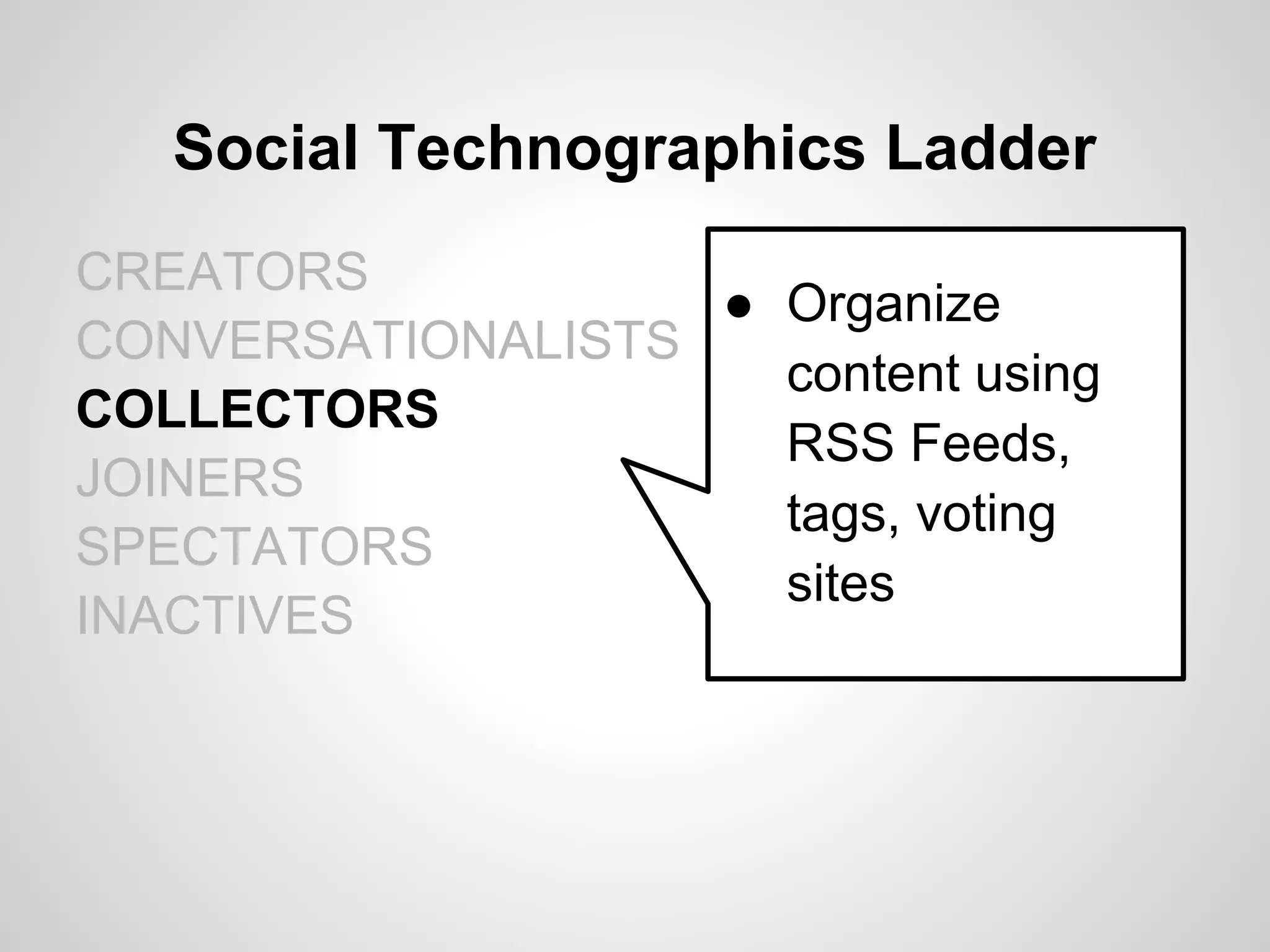
                   ● Organize
CONVERSATIONALISTS
                     content using
COLLECTORS
                     RSS Feeds,
JOINERS
                     tags, voting
SPECTATORS
                     sites
INACTIVES
Social Technographics Ladder
CREATORS
CONVERSATIONALISTS ● Connect with
COLLECTORS           others in social
JOINERS              networks
SPECTATORS           (like Facebook)
INACTIVES
Social Technographics Ladder
CREATORS
CONVERSATIONALISTS ● Consume social
COLLECTORS           content
JOINERS            ● Read, watch,
SPECTATORS           listen
INACTIVES
Social Technographics Ladder
CREATORS
CONVERSATIONALISTS ● Neither create
COLLECTORS           nor consume
JOINERS              social content
SPECTATORS
INACTIVES
Where are you on the ladder?
CREATORS
CONVERSATIONALISTS
COLLECTORS
JOINERS
SPECTATORS
INACTIVES
Social Media = Social Setting
Social Setting = Social NORMS
Social Norms
● Definition:
   ○ Accepted behaviours in social settings

● Examples:
  ○ Going to a restaurant
  ○ Attending a seminar
  ○ Riding the Elevator
  ○ Buying a car
Example: Riding the Elevator
●   Let people out before you go in
●   Establish and maintain a buffer zone
●   Lower voice
●   Minimize eye contact, look at:
    ○   buttons
    ○   door
    ○   floor indicator
    ○   floor
    ○   feet
    ○   phone
Characteristics of an Elevator Trip
●   Relatively short in duration
●   Everyone has a clear purpose
●   Encounter complete strangers
●   Sometimes it's empty, sometimes it's full
●   Sometimes people are chatting, usually it's
    quiet
Your Turn
● Think of a social setting you're familiar with
● What are the "norms / rules" of this setting?
● Ideas:
  ○ Workplace
  ○ Driving
  ○ Conference
● Write some notes on your own (5 minutes)
● Discuss (5 minutes)
How about
Online Social Networking?
Characteristics of
Traditional Networking Events

●   Coordinated by an Organizer
●   Lasts a couple/few hours
●   Welcomed at the door
●   Name tag
●   Expected to mingle, make conversation
●   Everyone has a personal agenda
●   Occasionally sponsored
Characteristics of
Online Social Networking

●   Coordinated by a system or "Site Admin"
●   Asynchronous (on your own schedule)
●   Identified by your Profile / User Account
●   Expected to mingle, make conversation
●   Everyone has a personal agenda
●   Occasionally sponsored
Some differences
●   Anonymity (sometimes)
●   Public exposure
●   Permanence & Archived Data
●   Fewer cues = Greater interpretation :(
●   Different language
The Vocabulary of Social Media


●   Tweet (noun, verb)   ●   Wall
●   Followers            ●   Apps
●   Following            ●   Pages, Groups
●   RT                   ●   Status
●   Hashtag #            ●   Fan (noun, verb)
●   Tweeps               ●   Like
●   Feed                 ●   Stories
                         ●   Timeline
3 Key Norms of Social Media
1. Authentic
2. Transparent
3. Personally relevant
Social Media
& Your Career
Benefits for Your Career
● Grow your professional network
● Connect with peers and thought leaders
● Get a peek into the culture of a prospective
  employer or prospective client
● Discuss "issues of the day"
● Learn new perspectives
LinkedIn
LinkedIn
LinkedIn

What
● World's largest professional network

Why
● Personal professional development
  ○ Connect with peers, mentors, apprentices
  ○ Discover industry discussions, parallel fields
LinkedIn
LinkedIn Groups
LinkedIn Group Discussions
LinkedIn Answers
Top 10 Tips for LinkedIn

 1.   Sign up!!
 2.   Brand yourself
 3.   Add links to your websites / profiles
 4.   Highlight past accomplishments
 5.   Connect (with everyone?)
 6.   Ask for recommendations
 7.   Recommend others
 8.   Join groups
 9.   Join discussions
10.   Be transparent
Twitter
Twitter

What
● "Instantly connect to what's most important
  to you"

Why
● Connect with people
● Discover relevant social content
● Get a peek into interests of others
Brand Your Bio

● Include a picture/avatar
● Include a link to your primary web presence
● Come up with a descriptive bio blurb (don't
  be shy, show some personality)
Twitter Bio
Twitter Bios: Comprehensive

Example

"The largest independent news source covering
web culture, social media and tech. Updates
from @mashable staff. Tweet @mashablehq
for questions and comments. http://mashable.
com"
Twitter Bios: Informative

Example

"Communication design agency, specializing in
data visualization and annual reports."
Twitter Bios: Creative

Example

"Raconteur, demagogue, libertarian, these are
a few of the words that I know how to spell."
Simple Tips

●   Listen and watch to learn the lingo
●   Follow the followers
●   Set up lists
●   Be wary of spammers
Following Followers
Following Followers
Following Followers
Manage streams of content

● Organize into Twitter Lists
● Use "dashboards"
Example: Hootsuite
Facebook
Facebook

What
● Social networking

Why
● Connect with people
● Increase exposure
● Build on-going communications
● Organize & promote events
Facebook

● Check your privacy settings
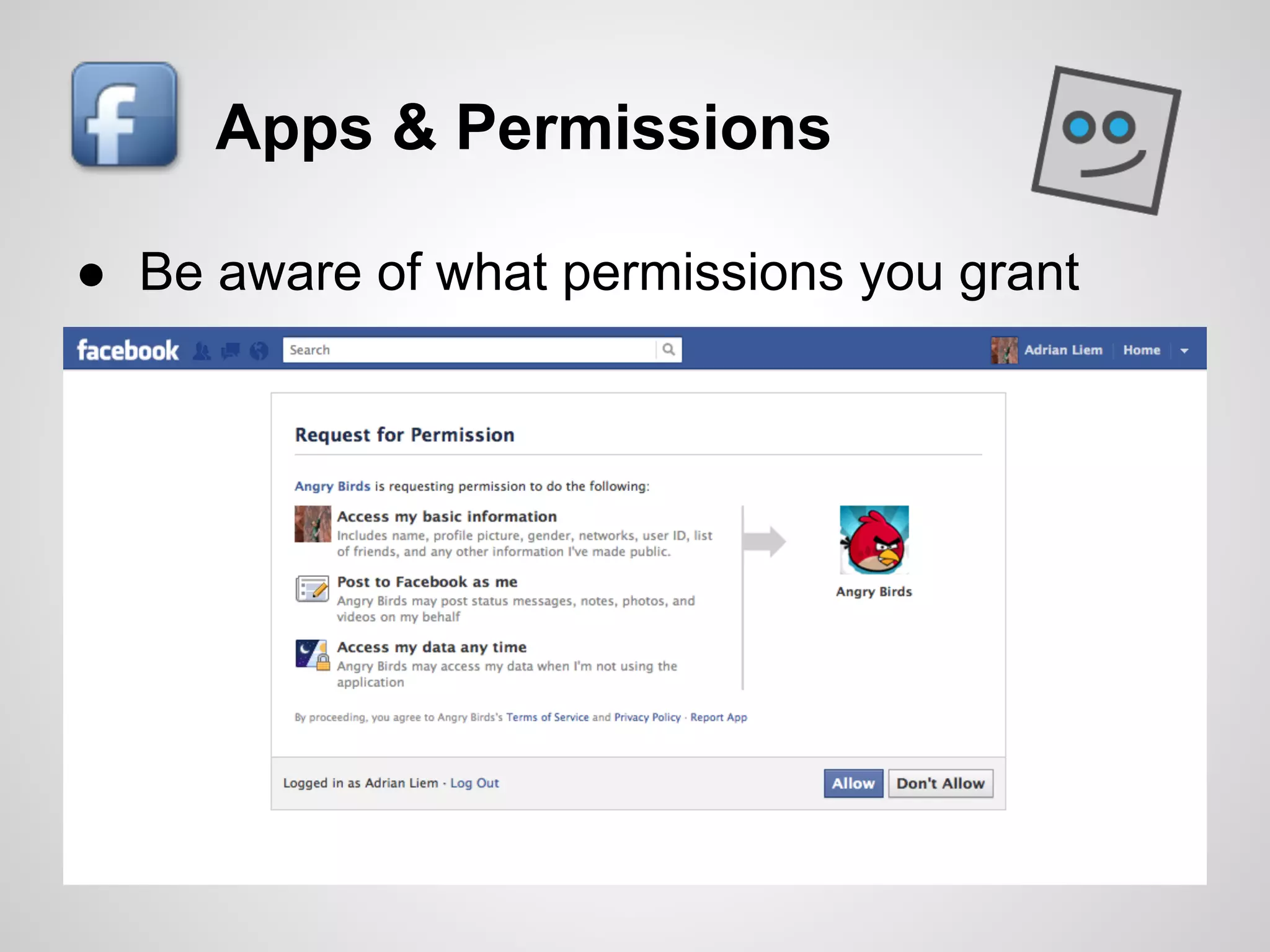
Apps & Permissions

● Be aware of what permissions you grant
Professional Use

● Page or Profile
● Post updates on topics directly in your field,
  as well as tangentially related
● Personal relevance and interest is key
   ○ Events, charities, fundraisers
Workplace Considerations
Social Media          Vegas
● What happens in social media doesn't stay
  in social media
Published publicly?
● Assume it will always be available to
  somebody somewhere
Social Media = Puerto Vallarta:
         All-Inclusive


   Personal       Professional
Social Media Policies & Guidelines
● Purpose:
  ○ Protect (organization and individual)
  ○ Manage expectations
  ○ Enable effective use
● Include
  ○ Do's & Don't's
  ○ Provide practical examples
● Can be as simple or as complicated as you
  need it to be
Litmus Test: Before you post
Would I be ok if my [ ________ ] read this?
 a. Mom / Dad
 b. Daughter / Son
 c. In-laws
 d. Customers / Clients
 e. Boss / Staff
  f. Peers
Benefits for Business
Business Practice is following
Consumer/User Trends with Social

● Businesses are increasingly connecting with
  one another through social media
● Particularly true for:
  ○ Small businesses
  ○ Contractors
  ○ Freelancers
Businesses have conversations too
● VW commercial
  (http://www.youtube.com/watch?v=R55e-uHQna0)


● Green Peace response
  (http://www.youtube.com/watch?v=cW3KmLALUUY)
Benefits for Business
What Do You Think?
●
●
●
Benefits for Business
Boost your web presence
● Increase exposure and access
● Increase web traffic / subscriptions
● Improve search engine rankings
Benefits for Business
Increase your visibility
● Gain exposure
● Build your reputation
● Have a voice at the "table"
● Show another face to the community
Benefits for Business
Connect with Prospects
● Find new partnerships & qualified leads
● Connect directly with potential new hires
● Listen and learn from real conversations
● Gain direct feedback on ideas
How Businesses Use Social Media
●   Marketing products & services
●   Researching target markets
●   Connecting directly with customers / clients
●   Prospecting new business partners
●   Recruitment
●   Internal communications
Common Pitfalls
Common Pitfalls
What Do You Think?
●
●
●
Common Pitfalls
Strategic Blunders
● Driving with the wrong map

Tactical Mistakes
● Running out of gas
● Hit and run
"That guy"

      Herb Taleck, WKRP
         (in Cincinnati)

     "...the boorish, tasteless
        advertising account
       executive, wears loud
      plaid suits, with his belt
         matching his white
              shoes..."
Strategic Blunders
● Stepping in without understanding the
  ecosystem (culture)
● Mistaking social media as a broadcast
  medium
● Unrealistic expectations
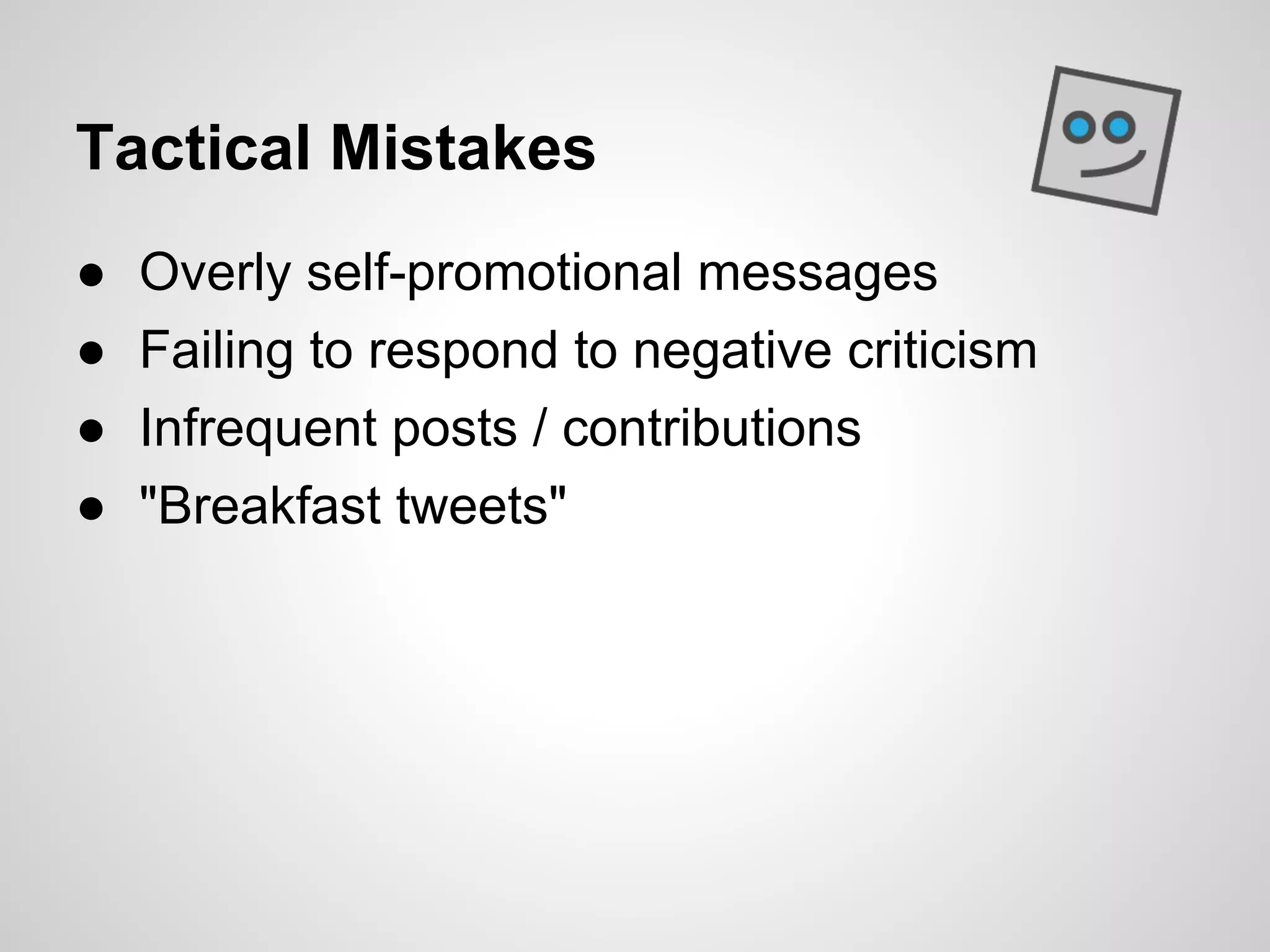
Tactical Mistakes
●   Overly self-promotional messages
●   Failing to respond to negative criticism
●   Infrequent posts / contributions
●   "Breakfast tweets"
Unrealistic Expectations
● Low barriers to entry can lead to poorly
  executed projects
● Just because you can do something, doesn't
  mean you should
Resource Demands
● The technology, trends, best practices all
  change at a rapid pace
● Risk of spending too much time and money
  on something that won't exist next year
● Additional costs with on-going operations
  ○ Staff time, support, maintenance
Asking the wrong questions
● Tendency is to focus on the what:
  ○ What tools
  ○ What do we have to do
  ○ How can we do it
Asking the wrong questions
● But first, you must be able to answer "Why?"
  ○ Why are we doing this?
  ○ What are we hoping to achieve?
  ○ How will we measure performance?
Challenges
● Context
  ○ No understanding of the norms & culture
● Implementation
  ○ Underestimating time & cost
  ○ (Free = No Cost?)
● Integration
  ○ Lack of policies, guidelines
  ○ Limited systems to coordinate across business units
Best Practices
Best Practices
What Do You Think?
●
●
●
Do your homework
Seek first to understand (thank you Covey)
● Research different tools
● Research your competition / peers
● Become familiar with the culture
● Use social media in your personal life
Have a Plan
Set up a Basic Strategy
● Know your business, your brand, your
  customers
● Know your resources (time, people, tech)
● Set some goals
  ○ Build recognition? Drive traffic to your website? Build
    a client list?
Focus Your Efforts
Be selective in your Tactics
● What channels will you focus on?
● Who will manage the account?
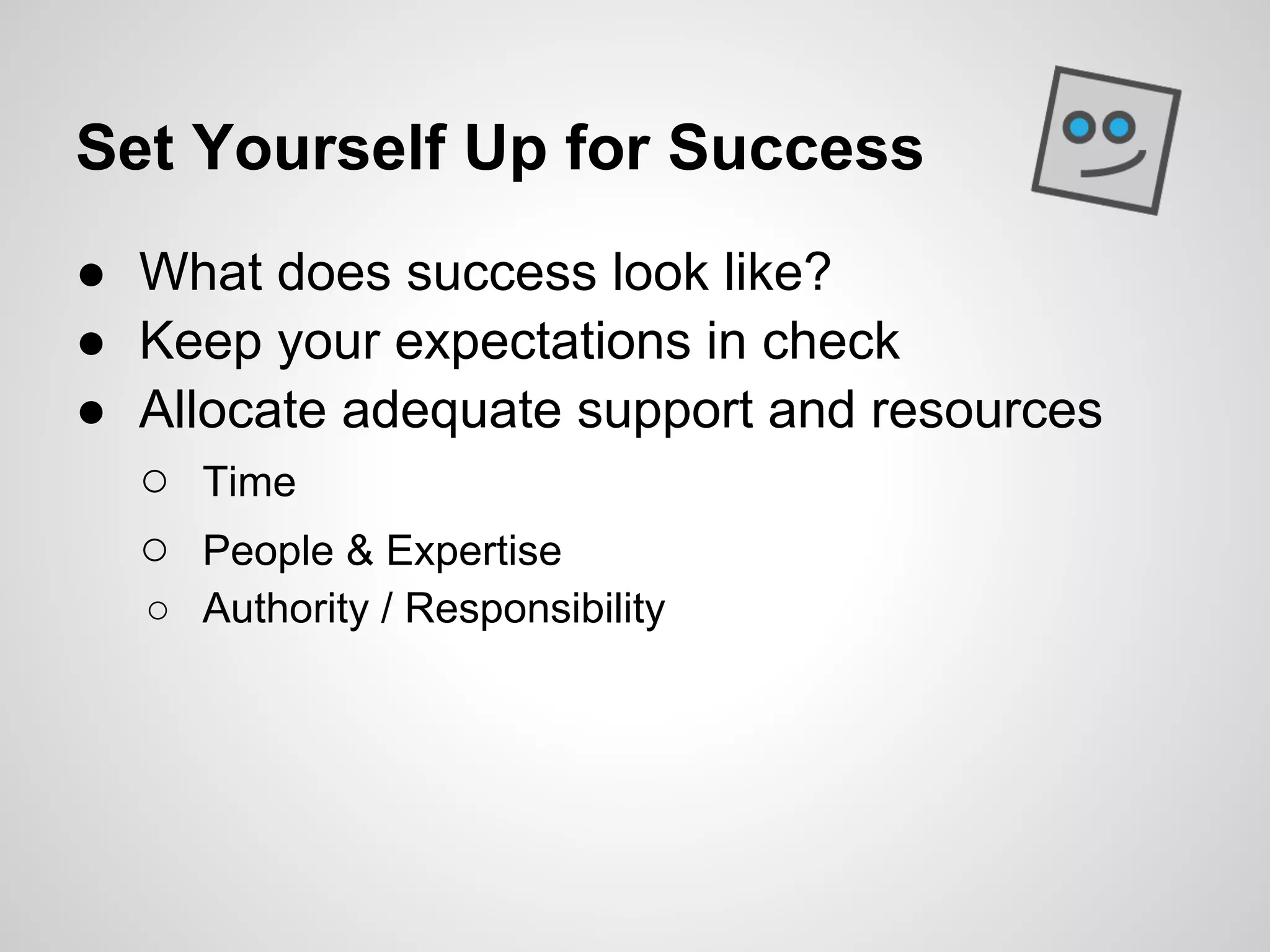
Set Yourself Up for Success
● What does success look like?
● Keep your expectations in check
● Allocate adequate support and resources
  ○ Time
  ○ People & Expertise
  ○ Authority / Responsibility
Deliver Value
●   Focus on topics of interest
●   Ask questions
●   Show appreciation
●   Announce time-sensitive information
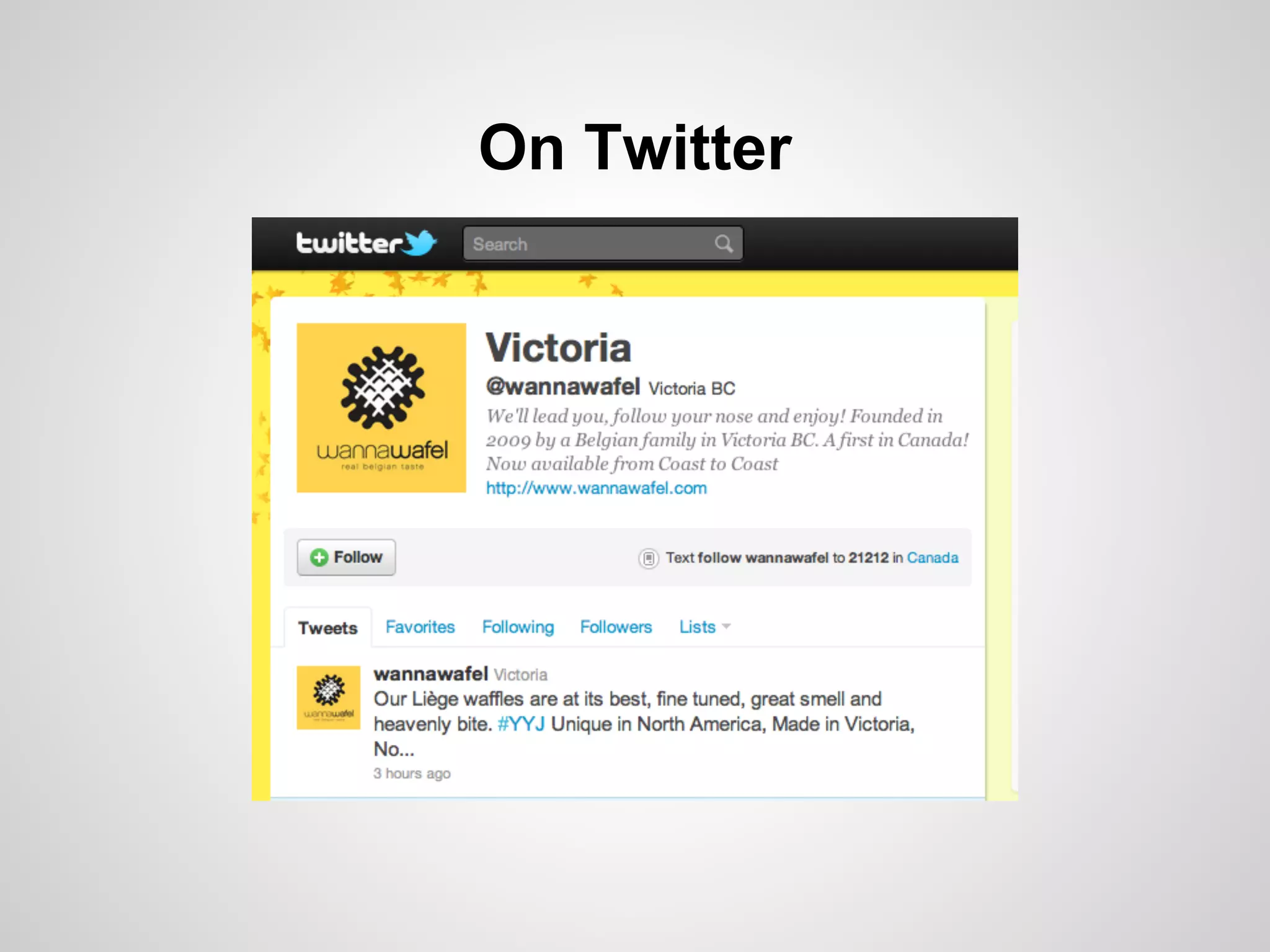
Example: Wannawafel
On Facebook
On Twitter
A "Family" of Sites
Online Presence
● Instantly recognizable
● Consistent
   ○ Colours
   ○ Logo
   ○ Taglines

● Official contact information
● Cross-linking
Delivering Value
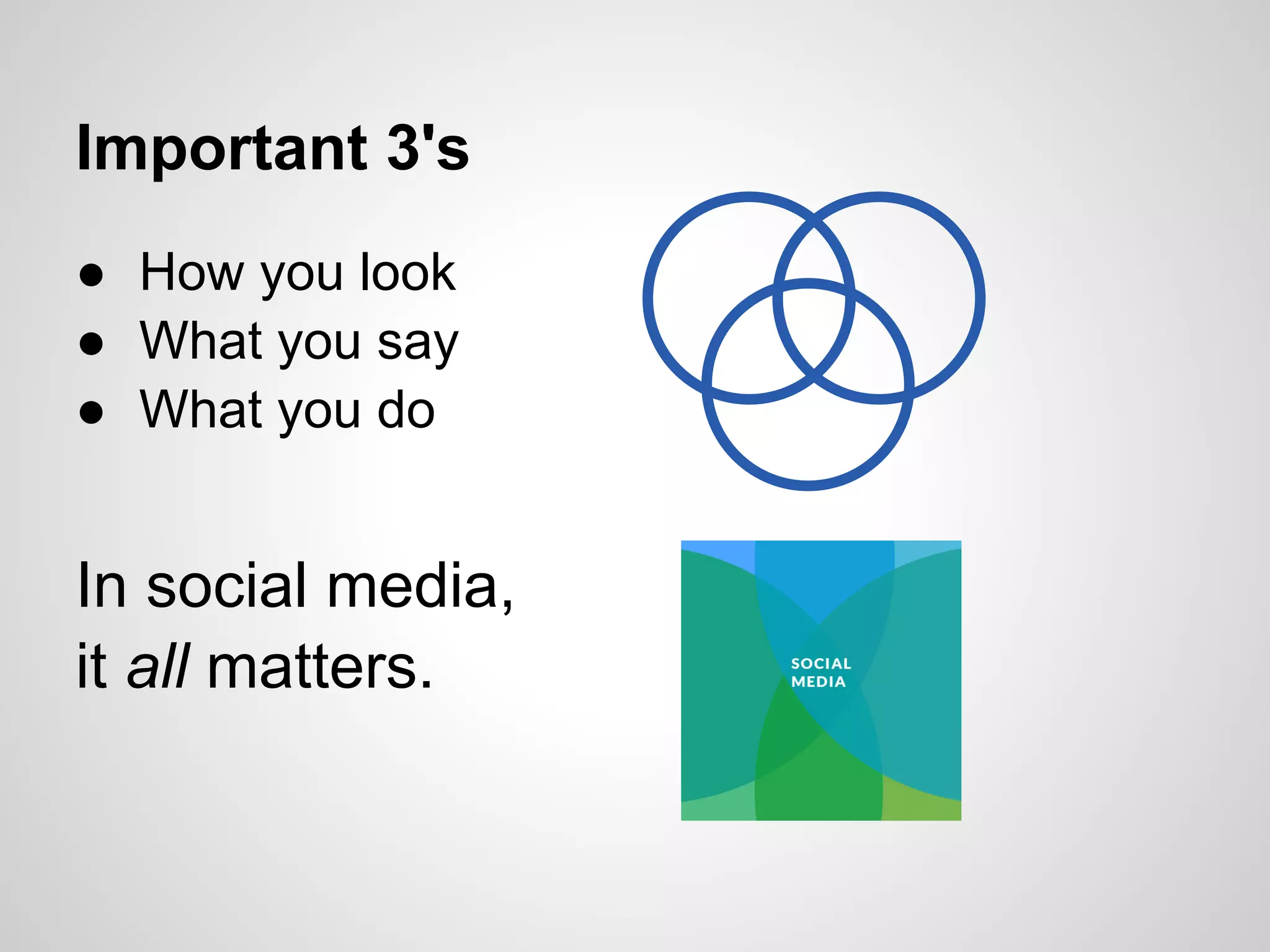
Important 3's
● How you look
● What you say
● What you do


In social media,
it all matters.
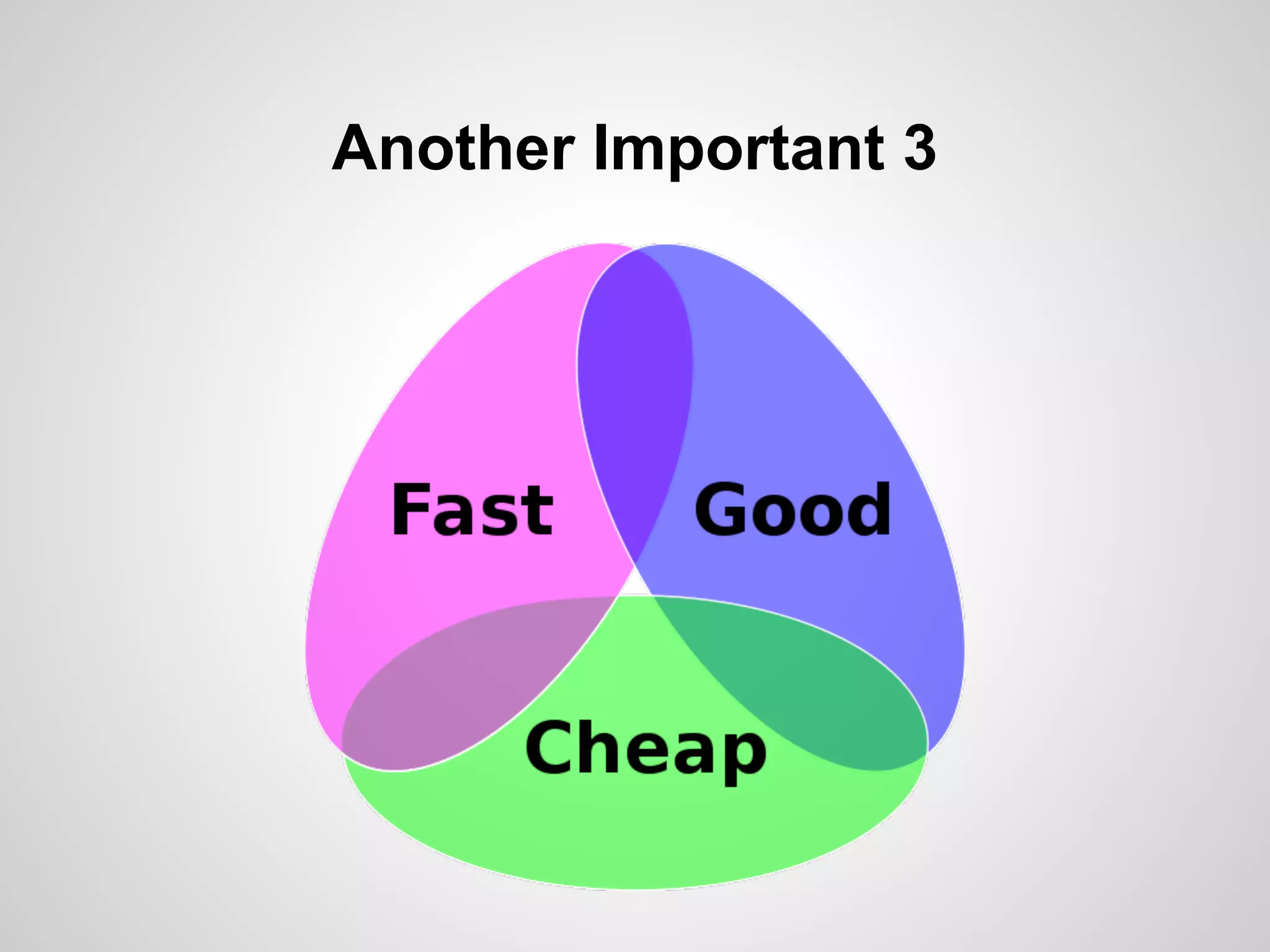
Another Important 3
(You can't have it all)
Social Media Brief
What?
● A simple, short (brief) document
● A roadmap
● A blueprint

Why?
● Helps focus
● Helps set priorities
● Helps set expectations
Social Media Brief
● Purpose
  ○ Why are you setting up a social media presence?
● Objectives
  ○ What do you hope to achieve?
● Audience
  ○ Who are you trying to connect with?
● Resources
  ○ Who will set up, manage, and maintain the
      presence?
   ○ Who will be held accountable?
Social Media Brief Example 1:
Member Organization
Purpose
● Increase awareness of upcoming vote
Objectives
● Increase number of members voting
Audience
● Current members
Resources
● Marketing Coordinator reporting to VP
  Communications
Social Media Brief Example 2:
Sole Proprietor
Purpose
● Become more recognized in the local
  community
Objectives
● Connect with new clients in my region
Audience
● Small businesses, contractors, freelancers
Resources
● Me / My Office Manager
Social Media Brief

Remember
● It doesn't have to be complex
● Make it practical
● Can include Strategy & Tactics
5 Key Tactics for Building
a Social Media Presence

1.   Listen to and understand the culture
2.   Create a consistent brand
3.   Post regularly, keep active
4.   Respond to questions, feedback, issues
5.   Integrate efforts with website, print materials
There must be a way?
Social Technographics Ladder
CREATORS             Where do you
CONVERSATIONALISTS   want to be on this
COLLECTORS           ladder?
JOINERS
SPECTATORS
INACTIVES
Social Technographics Ladder
CREATORS             Where do you
CONVERSATIONALISTS   want to be on this
COLLECTORS           ladder?
JOINERS
SPECTATORS
INACTIVES
To Blog or Not To Blog
What does it take?
●   Decent writing ability
●   Dedication (time)
●   Passion / Knowledge for a topic of interest
●   Thick skin
Social Technographics Ladder
CREATORS             Where do you
CONVERSATIONALISTS   want to be on this
COLLECTORS           ladder?
JOINERS
SPECTATORS
INACTIVES
Climb to the top?
Just because you can, doesn't mean you
should.

Trends
● Social channels as primary presence
● Focus on content and connections
● Simplification through centralization
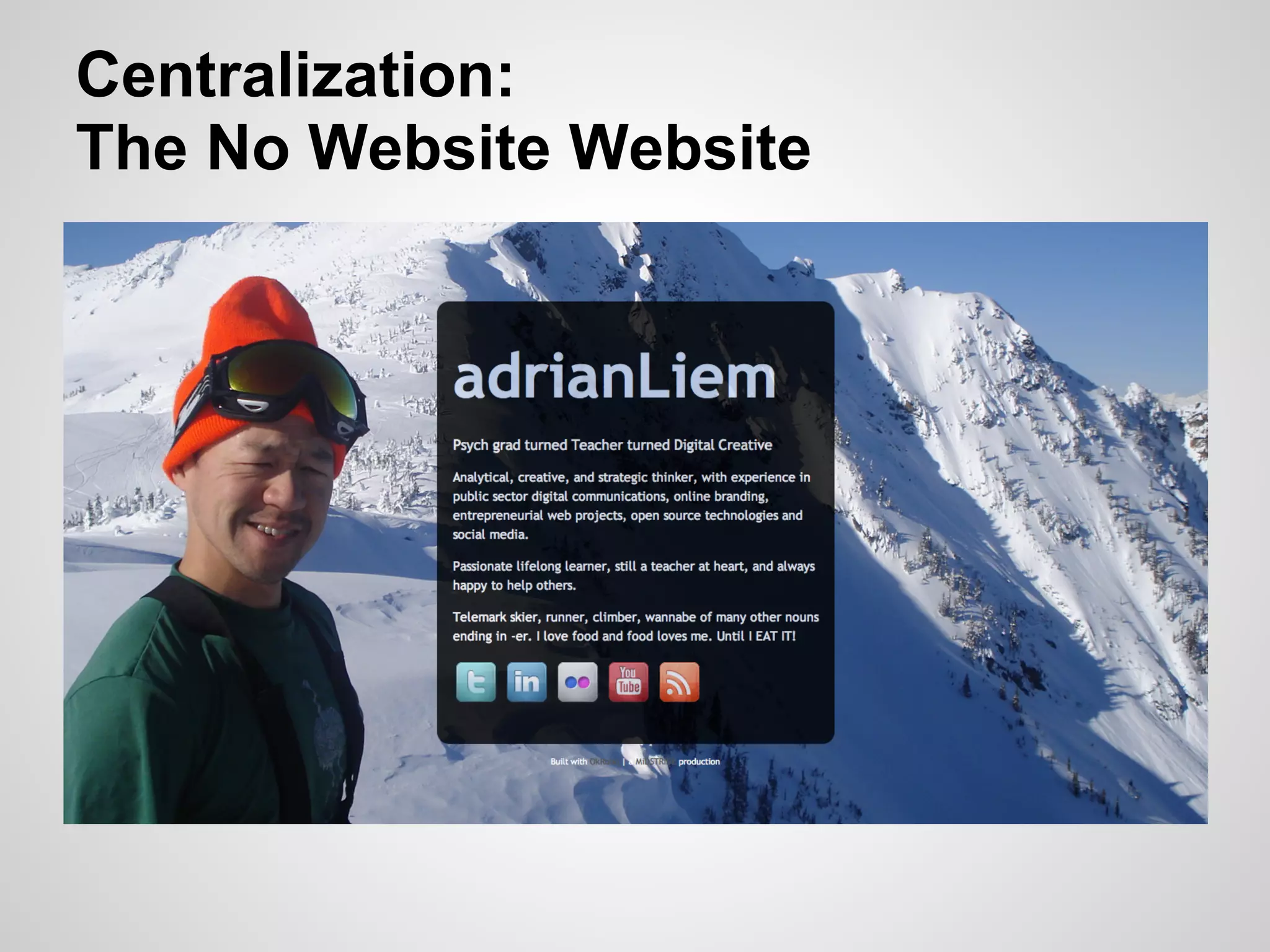
Centralization:
The No Website Website
Filtering the Flood
Here's the Problem (Part 1)
       Remember this?
The Problem (Part 2)


    86,400
Coping with Information Overload
Common Approaches:
● Software & Services
  ○ RSS News Readers
  ○ "Dashboards"
● Behavioural
  ○ Change habits
  ○ Change expectations
5 Tips for Managing Info Overload
1.   "Satisfice"
2.   Focus: Create a Lens
3.   Organize
4.   Set time limits & Be Selective
5.   Kaizen-ify it!
"Satisfice"
● Satisfy + Suffice = Satisfice
● Accept that
    ○ You can't keep up to speed with everything
    ○ If it's really important, you'll find out about it soon
      enough

(Hat Tip: The Paradox of Choice by Barry Schwartz)
Focus: Create a Lens
● Ask yourself "Why"
  ○ Why are you signing up?
   ○ What are you looking for?
● Evaluate everything you see against this
  lens
Organize
● Categorize and Aggregate
  ○ Twitter Lists
  ○ RSS Feeds
● Use free tools
  ○ Google Reader, Netvibes, Hootsuite
  ○ Summify, Paper.li, Percolate
Set Time Limits & Be Selective
● "Time-box"
    ○ Set a max time limit
● "Pomodoro Technique"
    ○ 25 minutes on-task, 5 minutes off
● Scheduled Time
    ○ Check for updates once in the morning, once at
      lunch, once in the afternoon
●   Be Selective
    ○ Scan don't read
Kaizen-ify it!
● Continuously refine your approach
● Re-evaluate your Lens
● Purge & Pilfer
  ○ Unsubscribe, un-follow, un-friend
  ○ Find more people / businesses / organizations to
    follow
Thank you!
http://midstride.com/presentations/2011-11-19-cga


                                 Adrian Liem
                               adrian.liem@midstride.com

                                      MiDSTRiDE
                                      DiGiTAL CREATiVE
                                       www.midstride.com

Social Media 101

  • 1.
    Social Media 101 http://midstride.com/presentations/2011-11-19-cga Adrian Liem adrian.liem@midstride.com MiDSTRiDE DiGiTAL CREATiVE www.midstride.com
  • 3.
    If I wasa Venn Diagram Psychology Grade 8 Web Grad Teacher Designer / Programmer Technology Ultimate Coach Strategist, Frisbee Project Coach Manager
  • 4.
    Interests in thisRoom (aka: A disclaimer & advice for today) Personal Best Practice Workplace for Small Use Business Managing / Recruiting Best Practice Career Staff for Large Relevance Organizations
  • 5.
  • 7.
    Credit: Time Pattersonhttp://www.flickr.com/photos/timpatterson/3045994303/in/photostream/
  • 8.
  • 10.
  • 13.
  • 14.
    LinkedIn By the Numbers LinkedInwent public in May 2011. After 1st day of trading, valued at $9 BILLION
  • 15.
    Facebook By the Numbers IfFacebook was a country, it would be the 3rd largest in the world. (but is largely blocked in China)
  • 16.
    Twitter By the Numbers Averagenumber of "tweets" sent per day: Feb 2010: 50 MILLION
  • 17.
    Twitter By the Numbers Averagenumber of "tweets" sent per day: Mar 2011: 177 million Feb 2010: 50 million
  • 18.
    YouTube By the Numbers YouTubeis now the world's 2nd largest search engine. YouTube also happens to be owned by Google.
  • 20.
    Why Social MediaMatters ● You can't ignore it (even if you want to) ● Tremendous opportunity ○ To learn ○ To connect with others ○ To make an impact ● New way of delivering (and finding) value
  • 21.
    How did thishappen???
  • 22.
  • 23.
    Osborne vs. iPhone "OsborneExecutive" ● 100 x heavier ● 500 x larger in volume ● 10 x more expensive (ajusted for inflation) ● 100 x slower (1/100 clock rate) Source: http://en.wikipedia.org/wiki/File:Osborne_Executive_with_iPhone_in_2009.jpg
  • 24.
    Moore's Law & ExponentialGrowth in Technology
  • 25.
    In the "Old"Days <html> <body> <div class="content"> <h1>In the old days</h1> <ul><li>We wrote code by hand.</li></ul> </div> </body> </html>
  • 26.
    In the "Old"Days <html> <body> <div class="content"> <h1>In the old days</h1> <ul><li>We wrote code by hand.</li></ul> </div> </body> </html>
  • 27.
  • 28.
    Web Publishing Today WhatYou See Is What You Get
  • 29.
  • 30.
    Layers of Processvs. "Turn Key" Then Now Start Finish!
  • 31.
    Proprietary Then $ $$ $$$$ $$$$$$ $$$$$$$$ $$$$$$$$$$ $$$$$$$$$$$$
  • 32.
    Proprietary vs. OpenSource Then Now $ $$ $$$$ $$$$$$ $$$$$$$$ $$$$$$$$$$ $$$$$$$$$$$$
  • 33.
    Example: WordPress ● Open source software ● Originally for blogging ● Now used for full-blown websites ● Powers more than 60 million sites ● Freely available ● Spurred a new industry of experts Disclaimer As a big fan/user/developer, I'm biased :)
  • 34.
    The Web Then Broadcast Marketing Selling One
  • 35.
    Web 1.0 vs."Web 2.0" Then Now Broadcast User Generated Marketing Listening Selling Engaging One Everyone
  • 36.
    Loudest Voice Wins EVERYONE can have a voice
  • 37.
  • 38.
  • 39.
    "Social" has atendency to spread
  • 40.
    Tech Growth +Social Spread
  • 41.
  • 42.
  • 43.
  • 44.
    Help me helpyou (I'll ask you) What do you think? OkRobo is my suggestion on where to take notes
  • 45.
    If social mediawere a Venn diagram 4 Big Components What do you think?
  • 46.
  • 47.
  • 48.
  • 49.
  • 50.
  • 51.
    Social Media Technology Channels & "Apps"
  • 52.
    Social Media Technology Channels & "Apps"
  • 53.
    Social Media Technology Channels & "Apps"
  • 54.
    Social Technographics Ladder* CREATORS "Classification of CONVERSATIONALSTS people according to COLLECTORS how they use social JOINERS technologies." SPECTATORS INACTIVES *Forrester Research
  • 55.
    Social Technographics Ladder CREATORS ● Make content CONVERSATIONALISTS ● Write blogs COLLECTORS ● Upload videos, JOINERS music, photos SPECTATORS INACTIVES ● Publish websites
  • 56.
    Social Technographics Ladder CREATORS ● Respond to CONVERSATIONALISTS others COLLECTORS ● Post reviews JOINERS ● Post comments SPECTATORS INACTIVES ● Participate in online discussions ● Edit Wikipedia
  • 57.
    Social Technographics Ladder CREATORS ● Organize CONVERSATIONALISTS content using COLLECTORS RSS Feeds, JOINERS tags, voting SPECTATORS sites INACTIVES
  • 58.
    Social Technographics Ladder CREATORS CONVERSATIONALISTS● Connect with COLLECTORS others in social JOINERS networks SPECTATORS (like Facebook) INACTIVES
  • 59.
    Social Technographics Ladder CREATORS CONVERSATIONALISTS● Consume social COLLECTORS content JOINERS ● Read, watch, SPECTATORS listen INACTIVES
  • 60.
    Social Technographics Ladder CREATORS CONVERSATIONALISTS● Neither create COLLECTORS nor consume JOINERS social content SPECTATORS INACTIVES
  • 61.
    Where are youon the ladder? CREATORS CONVERSATIONALISTS COLLECTORS JOINERS SPECTATORS INACTIVES
  • 62.
    Social Media =Social Setting Social Setting = Social NORMS
  • 63.
    Social Norms ● Definition: ○ Accepted behaviours in social settings ● Examples: ○ Going to a restaurant ○ Attending a seminar ○ Riding the Elevator ○ Buying a car
  • 64.
    Example: Riding theElevator ● Let people out before you go in ● Establish and maintain a buffer zone ● Lower voice ● Minimize eye contact, look at: ○ buttons ○ door ○ floor indicator ○ floor ○ feet ○ phone
  • 65.
    Characteristics of anElevator Trip ● Relatively short in duration ● Everyone has a clear purpose ● Encounter complete strangers ● Sometimes it's empty, sometimes it's full ● Sometimes people are chatting, usually it's quiet
  • 66.
    Your Turn ● Thinkof a social setting you're familiar with ● What are the "norms / rules" of this setting? ● Ideas: ○ Workplace ○ Driving ○ Conference ● Write some notes on your own (5 minutes) ● Discuss (5 minutes)
  • 67.
  • 68.
    Characteristics of Traditional NetworkingEvents ● Coordinated by an Organizer ● Lasts a couple/few hours ● Welcomed at the door ● Name tag ● Expected to mingle, make conversation ● Everyone has a personal agenda ● Occasionally sponsored
  • 69.
    Characteristics of Online SocialNetworking ● Coordinated by a system or "Site Admin" ● Asynchronous (on your own schedule) ● Identified by your Profile / User Account ● Expected to mingle, make conversation ● Everyone has a personal agenda ● Occasionally sponsored
  • 70.
    Some differences ● Anonymity (sometimes) ● Public exposure ● Permanence & Archived Data ● Fewer cues = Greater interpretation :( ● Different language
  • 71.
    The Vocabulary ofSocial Media ● Tweet (noun, verb) ● Wall ● Followers ● Apps ● Following ● Pages, Groups ● RT ● Status ● Hashtag # ● Fan (noun, verb) ● Tweeps ● Like ● Feed ● Stories ● Timeline
  • 72.
    3 Key Normsof Social Media 1. Authentic 2. Transparent 3. Personally relevant
  • 73.
  • 74.
    Benefits for YourCareer ● Grow your professional network ● Connect with peers and thought leaders ● Get a peek into the culture of a prospective employer or prospective client ● Discuss "issues of the day" ● Learn new perspectives
  • 75.
  • 76.
  • 77.
    LinkedIn What ● World's largestprofessional network Why ● Personal professional development ○ Connect with peers, mentors, apprentices ○ Discover industry discussions, parallel fields
  • 78.
  • 79.
  • 80.
  • 81.
  • 82.
    Top 10 Tipsfor LinkedIn 1. Sign up!! 2. Brand yourself 3. Add links to your websites / profiles 4. Highlight past accomplishments 5. Connect (with everyone?) 6. Ask for recommendations 7. Recommend others 8. Join groups 9. Join discussions 10. Be transparent
  • 83.
  • 84.
    Twitter What ● "Instantly connectto what's most important to you" Why ● Connect with people ● Discover relevant social content ● Get a peek into interests of others
  • 85.
    Brand Your Bio ●Include a picture/avatar ● Include a link to your primary web presence ● Come up with a descriptive bio blurb (don't be shy, show some personality)
  • 86.
  • 87.
    Twitter Bios: Comprehensive Example "Thelargest independent news source covering web culture, social media and tech. Updates from @mashable staff. Tweet @mashablehq for questions and comments. http://mashable. com"
  • 88.
    Twitter Bios: Informative Example "Communicationdesign agency, specializing in data visualization and annual reports."
  • 89.
    Twitter Bios: Creative Example "Raconteur,demagogue, libertarian, these are a few of the words that I know how to spell."
  • 90.
    Simple Tips ● Listen and watch to learn the lingo ● Follow the followers ● Set up lists ● Be wary of spammers
  • 91.
  • 92.
  • 93.
  • 94.
    Manage streams ofcontent ● Organize into Twitter Lists ● Use "dashboards"
  • 95.
  • 96.
  • 97.
    Facebook What ● Social networking Why ●Connect with people ● Increase exposure ● Build on-going communications ● Organize & promote events
  • 98.
    Facebook ● Check yourprivacy settings
  • 100.
    Apps & Permissions ●Be aware of what permissions you grant
  • 101.
    Professional Use ● Pageor Profile ● Post updates on topics directly in your field, as well as tangentially related ● Personal relevance and interest is key ○ Events, charities, fundraisers
  • 102.
    Workplace Considerations Social Media Vegas ● What happens in social media doesn't stay in social media Published publicly? ● Assume it will always be available to somebody somewhere
  • 103.
    Social Media =Puerto Vallarta: All-Inclusive Personal Professional
  • 104.
    Social Media Policies& Guidelines ● Purpose: ○ Protect (organization and individual) ○ Manage expectations ○ Enable effective use ● Include ○ Do's & Don't's ○ Provide practical examples ● Can be as simple or as complicated as you need it to be
  • 105.
    Litmus Test: Beforeyou post Would I be ok if my [ ________ ] read this? a. Mom / Dad b. Daughter / Son c. In-laws d. Customers / Clients e. Boss / Staff f. Peers
  • 106.
  • 107.
    Business Practice isfollowing Consumer/User Trends with Social ● Businesses are increasingly connecting with one another through social media ● Particularly true for: ○ Small businesses ○ Contractors ○ Freelancers
  • 108.
    Businesses have conversationstoo ● VW commercial (http://www.youtube.com/watch?v=R55e-uHQna0) ● Green Peace response (http://www.youtube.com/watch?v=cW3KmLALUUY)
  • 109.
    Benefits for Business WhatDo You Think? ● ● ●
  • 110.
    Benefits for Business Boostyour web presence ● Increase exposure and access ● Increase web traffic / subscriptions ● Improve search engine rankings
  • 111.
    Benefits for Business Increaseyour visibility ● Gain exposure ● Build your reputation ● Have a voice at the "table" ● Show another face to the community
  • 112.
    Benefits for Business Connectwith Prospects ● Find new partnerships & qualified leads ● Connect directly with potential new hires ● Listen and learn from real conversations ● Gain direct feedback on ideas
  • 113.
    How Businesses UseSocial Media ● Marketing products & services ● Researching target markets ● Connecting directly with customers / clients ● Prospecting new business partners ● Recruitment ● Internal communications
  • 114.
  • 115.
    Common Pitfalls What DoYou Think? ● ● ●
  • 116.
    Common Pitfalls Strategic Blunders ●Driving with the wrong map Tactical Mistakes ● Running out of gas ● Hit and run
  • 117.
    "That guy" Herb Taleck, WKRP (in Cincinnati) "...the boorish, tasteless advertising account executive, wears loud plaid suits, with his belt matching his white shoes..."
  • 118.
    Strategic Blunders ● Steppingin without understanding the ecosystem (culture) ● Mistaking social media as a broadcast medium ● Unrealistic expectations
  • 119.
    Tactical Mistakes ● Overly self-promotional messages ● Failing to respond to negative criticism ● Infrequent posts / contributions ● "Breakfast tweets"
  • 120.
    Unrealistic Expectations ● Lowbarriers to entry can lead to poorly executed projects ● Just because you can do something, doesn't mean you should
  • 121.
    Resource Demands ● Thetechnology, trends, best practices all change at a rapid pace ● Risk of spending too much time and money on something that won't exist next year ● Additional costs with on-going operations ○ Staff time, support, maintenance
  • 122.
    Asking the wrongquestions ● Tendency is to focus on the what: ○ What tools ○ What do we have to do ○ How can we do it
  • 123.
    Asking the wrongquestions ● But first, you must be able to answer "Why?" ○ Why are we doing this? ○ What are we hoping to achieve? ○ How will we measure performance?
  • 124.
    Challenges ● Context ○ No understanding of the norms & culture ● Implementation ○ Underestimating time & cost ○ (Free = No Cost?) ● Integration ○ Lack of policies, guidelines ○ Limited systems to coordinate across business units
  • 125.
  • 126.
    Best Practices What DoYou Think? ● ● ●
  • 127.
    Do your homework Seekfirst to understand (thank you Covey) ● Research different tools ● Research your competition / peers ● Become familiar with the culture ● Use social media in your personal life
  • 128.
    Have a Plan Setup a Basic Strategy ● Know your business, your brand, your customers ● Know your resources (time, people, tech) ● Set some goals ○ Build recognition? Drive traffic to your website? Build a client list?
  • 129.
    Focus Your Efforts Beselective in your Tactics ● What channels will you focus on? ● Who will manage the account?
  • 130.
    Set Yourself Upfor Success ● What does success look like? ● Keep your expectations in check ● Allocate adequate support and resources ○ Time ○ People & Expertise ○ Authority / Responsibility
  • 131.
    Deliver Value ● Focus on topics of interest ● Ask questions ● Show appreciation ● Announce time-sensitive information
  • 132.
  • 133.
  • 134.
  • 135.
  • 136.
    Online Presence ● Instantlyrecognizable ● Consistent ○ Colours ○ Logo ○ Taglines ● Official contact information ● Cross-linking
  • 137.
  • 138.
    Important 3's ● Howyou look ● What you say ● What you do In social media, it all matters.
  • 139.
  • 140.
  • 141.
    Social Media Brief What? ●A simple, short (brief) document ● A roadmap ● A blueprint Why? ● Helps focus ● Helps set priorities ● Helps set expectations
  • 142.
    Social Media Brief ●Purpose ○ Why are you setting up a social media presence? ● Objectives ○ What do you hope to achieve? ● Audience ○ Who are you trying to connect with? ● Resources ○ Who will set up, manage, and maintain the presence? ○ Who will be held accountable?
  • 143.
    Social Media BriefExample 1: Member Organization Purpose ● Increase awareness of upcoming vote Objectives ● Increase number of members voting Audience ● Current members Resources ● Marketing Coordinator reporting to VP Communications
  • 144.
    Social Media BriefExample 2: Sole Proprietor Purpose ● Become more recognized in the local community Objectives ● Connect with new clients in my region Audience ● Small businesses, contractors, freelancers Resources ● Me / My Office Manager
  • 145.
    Social Media Brief Remember ●It doesn't have to be complex ● Make it practical ● Can include Strategy & Tactics
  • 146.
    5 Key Tacticsfor Building a Social Media Presence 1. Listen to and understand the culture 2. Create a consistent brand 3. Post regularly, keep active 4. Respond to questions, feedback, issues 5. Integrate efforts with website, print materials
  • 147.
  • 148.
    Social Technographics Ladder CREATORS Where do you CONVERSATIONALISTS want to be on this COLLECTORS ladder? JOINERS SPECTATORS INACTIVES
  • 149.
    Social Technographics Ladder CREATORS Where do you CONVERSATIONALISTS want to be on this COLLECTORS ladder? JOINERS SPECTATORS INACTIVES
  • 150.
    To Blog orNot To Blog What does it take? ● Decent writing ability ● Dedication (time) ● Passion / Knowledge for a topic of interest ● Thick skin
  • 151.
    Social Technographics Ladder CREATORS Where do you CONVERSATIONALISTS want to be on this COLLECTORS ladder? JOINERS SPECTATORS INACTIVES
  • 152.
    Climb to thetop? Just because you can, doesn't mean you should. Trends ● Social channels as primary presence ● Focus on content and connections ● Simplification through centralization
  • 153.
  • 154.
  • 155.
    Here's the Problem(Part 1) Remember this?
  • 156.
  • 157.
    Coping with InformationOverload Common Approaches: ● Software & Services ○ RSS News Readers ○ "Dashboards" ● Behavioural ○ Change habits ○ Change expectations
  • 158.
    5 Tips forManaging Info Overload 1. "Satisfice" 2. Focus: Create a Lens 3. Organize 4. Set time limits & Be Selective 5. Kaizen-ify it!
  • 159.
    "Satisfice" ● Satisfy +Suffice = Satisfice ● Accept that ○ You can't keep up to speed with everything ○ If it's really important, you'll find out about it soon enough (Hat Tip: The Paradox of Choice by Barry Schwartz)
  • 160.
    Focus: Create aLens ● Ask yourself "Why" ○ Why are you signing up? ○ What are you looking for? ● Evaluate everything you see against this lens
  • 161.
    Organize ● Categorize andAggregate ○ Twitter Lists ○ RSS Feeds ● Use free tools ○ Google Reader, Netvibes, Hootsuite ○ Summify, Paper.li, Percolate
  • 162.
    Set Time Limits& Be Selective ● "Time-box" ○ Set a max time limit ● "Pomodoro Technique" ○ 25 minutes on-task, 5 minutes off ● Scheduled Time ○ Check for updates once in the morning, once at lunch, once in the afternoon ● Be Selective ○ Scan don't read
  • 163.
    Kaizen-ify it! ● Continuouslyrefine your approach ● Re-evaluate your Lens ● Purge & Pilfer ○ Unsubscribe, un-follow, un-friend ○ Find more people / businesses / organizations to follow
  • 164.
    Thank you! http://midstride.com/presentations/2011-11-19-cga Adrian Liem adrian.liem@midstride.com MiDSTRiDE DiGiTAL CREATiVE www.midstride.com