Hardware Planning & Sizing for
SQL Server
Davide Mauri
dmauri@solidq.com
Sponsor & Media Partners
Davide Mauri
 18 Years of experience on the SQL Server
Platform
 Specialized in Data Solution Architecture,
Database Design, Performance Tuning, Business
Intelligence

 Projects, Consulting, Mentoring & Training





Regular Speaker @ SQL Server events
Microsoft SQL Server MVP
President of UGISS (Italian SQL Server UG)
Mentor @ SolidQ
Requirements
What’s the typical RDBMS requirement?

Performance!
Expectations
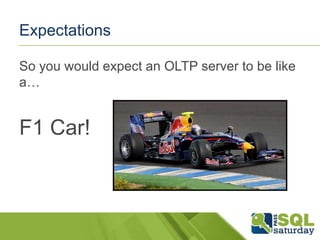
So you would expect an OLTP server to be like
a…

F1 Car!
Expectations
Or, if you’re into Business Intelligence, you
would expect a great

(Fast)
Truck!
Reality
Let’s do a reality check. Typical servers are…

…Something Else…
Why this happens?
Huge misunderstanding on hardware
features…
«System is slow, we need an upgrade to improve
performance»
«Here’s 2 TB of more space»
«WTF!?!?!?»
Balanced Systems
The only way to go is to have balanced
systems
Balanced:
pay and use everything
no single bottleneck
nothing more than what you can consume
Just wasting money
Unbalanced system is just a money black hole
Wasted money on
Licenses
Hardware
HW/Storage Consultants
DBA
SYS Admins
Developers
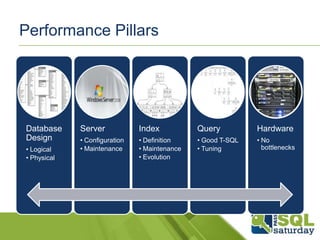
Performance Pillars

Database
Design
• Logical
• Physical

Server

Index

Query

Hardware

• Configuration
• Maintenance

• Definition
• Maintenance
• Evolution

• Good T-SQL
• Tuning

• No
bottlenecks
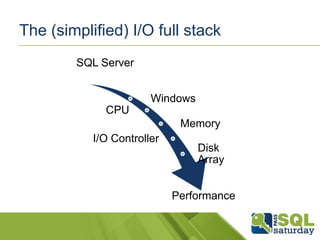
The (simplified) I/O full stack
SQL Server
Windows
CPU
Memory
I/O Controller

Disk
Array
Performance
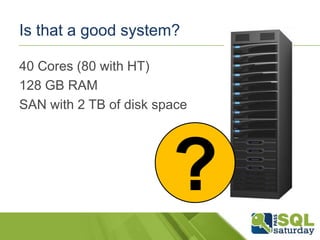
Is that a good system?
40 Cores (80 with HT)
128 GB RAM
SAN with 2 TB of disk space

?
Answer
My feeling?
Not really.

Some important data is missing.
How many disks?
How the SAN is connected to the server?
How to evaluate & balance a server
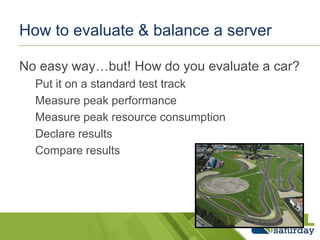
No easy way…but! How do you evaluate a car?
Put it on a standard test track
Measure peak performance
Measure peak resource consumption
Declare results
Compare results
How to evaluate & balance a server
Of course you’ll never get the declared values
in real-life usage
Still they are a good way to
Understand if that car is good for your
Compare it against other cars
Use published data
Let’s do some math with published or wellknown values
TPC Benchmarks

Let’s start to evaluate a Data Warehouse since
is much more simpler than a OLTP system
CPU
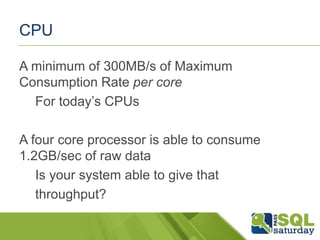
A minimum of 300MB/s of Maximum
Consumption Rate per core
For today’s CPUs

A four core processor is able to consume
1.2GB/sec of raw data
Is your system able to give that
throughput?
Memory
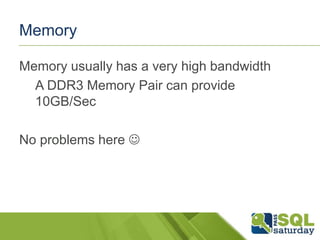
Memory usually has a very high bandwidth
A DDR3 Memory Pair can provide
10GB/Sec

No problems here 
PCI-X o PCIe BUS
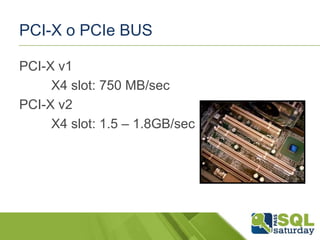
PCI-X v1
X4 slot: 750 MB/sec
PCI-X v2
X4 slot: 1.5 – 1.8GB/sec
PCI-X o PCIe BUS
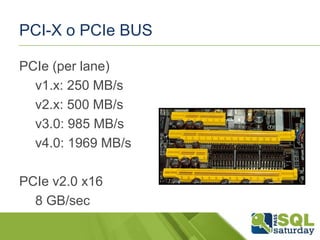
PCIe (per lane)
v1.x: 250 MB/s
v2.x: 500 MB/s
v3.0: 985 MB/s
v4.0: 1969 MB/s
PCIe v2.0 x16
8 GB/sec
Storage: Spindles
A «classic» HDD (a «spindle») the following
numbers:
Sequential IO
90MB/sec to 125MB/sec for a single drive
Random IO usually much lower
SQL Server tries to convert rnd to seq
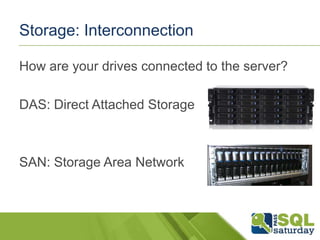
Storage: Interconnection
How are your drives connected to the server?
DAS: Direct Attached Storage

SAN: Storage Area Network
Storage: DAS
Standards: (SCSI), SAS, SATA
Typically Integrated controller on the server

PCI Direct Access
Host-Bus Adapter (HBA) may or may be used
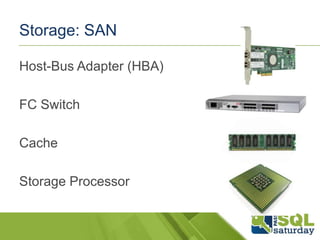
Storage: SAN
Host-Bus Adapter (HBA)
FC Switch

Cache
Storage Processor
Storage: SAN – The Numbers
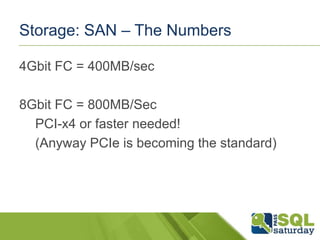
4Gbit FC = 400MB/sec
8Gbit FC = 800MB/Sec
PCI-x4 or faster needed!
(Anyway PCIe is becoming the standard)
Building the server
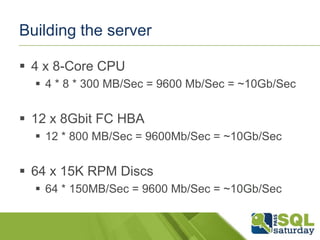
 4 x 8-Core CPU
 4 * 8 * 300 MB/Sec = 9600 Mb/Sec = ~10Gb/Sec

 12 x 8Gbit FC HBA
 12 * 800 MB/Sec = 9600Mb/Sec = ~10Gb/Sec

 64 x 15K RPM Discs
 64 * 150MB/Sec = 9600 Mb/Sec = ~10Gb/Sec
Building the server
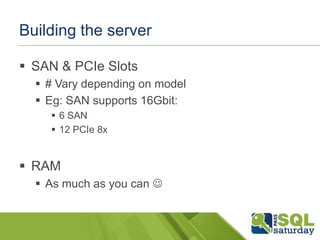
 SAN & PCIe Slots
 # Vary depending on model
 Eg: SAN supports 16Gbit:
 6 SAN
 12 PCIe 8x

 RAM
 As much as you can 
Database File Placing
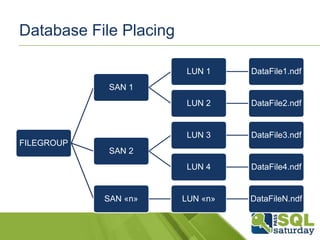
LUN 1

DataFile1.ndf

LUN 2

DataFile2.ndf

LUN 3

DataFile3.ndf

LUN 4

DataFile4.ndf

LUN «n»

DataFileN.ndf

SAN 1

FILEGROUP
SAN 2

SAN «n»
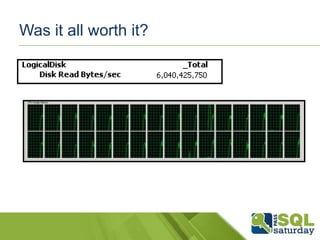
Was it all worth it?
Performance Baselining: Storage
SQLIO
Free tool to measure IO from Microsoft
IOMeter
Free, open source, tool
Performance Baselining: System
Use TPC Databases and tools to measure
performance and compare different systems
www.tpc.org
OLTP
TPC-C & TPC-E
DW/BI/DSS
TPC-H & TPC-DS
Is that all?
 It’s ALL about hardware!
 Just keep in mind that it’s only a part of the
game
 Remember to measure latency (continuously!)
 Use SQL Server DMVS to monitor Wait Stats
 Use H/W monitoring tools
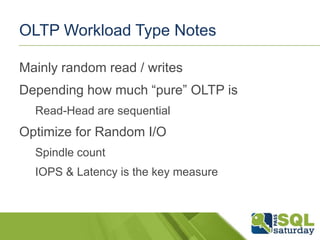
OLTP Workload Type Notes
Mainly random read / writes

Depending how much “pure” OLTP is
Read-Head are sequential

Optimize for Random I/O
Spindle count
IOPS & Latency is the key measure
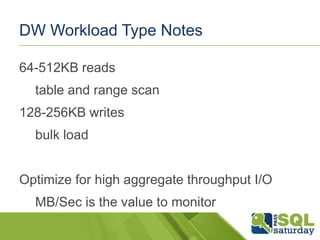
DW Workload Type Notes
64-512KB reads

table and range scan
128-256KB writes
bulk load
Optimize for high aggregate throughput I/O
MB/Sec is the value to monitor
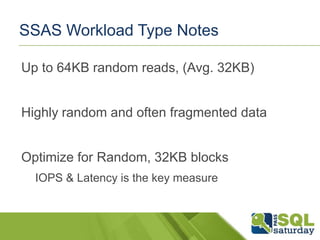
SSAS Workload Type Notes
Up to 64KB random reads, (Avg. 32KB)
Highly random and often fragmented data
Optimize for Random, 32KB blocks
IOPS & Latency is the key measure
Fast Track Data Warehouse
Reference architecture
Guide to create a balanced system optimized
for DW workload
Large Scans of Data
IBM, HP & DELL provides hardware
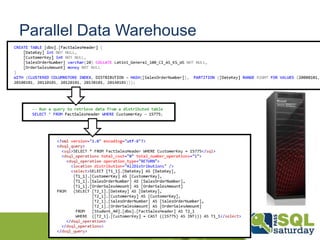
Parallel Data Warehouse
 Massively Parallel Processing (MPP)
Architecture
 Basically several Fast Track all together 
 Query is split and executed across all nodes
Parallel Data Warehouse
OLTP Appliance
 Unfortunately missing in action…
 Generalization much more complex than
DWH
 HP, IBM & DELL have specific whitepapers
OLTP Appliance
 Microsoft® SQL Server® 2012 OLTP
Workload Benefits Using IBM® XIV® Storage
System Gen3 SSD Cache

 Achieving a High Performance OLTP
Database using SQL Server® and Dell™
PowerEdge™ R720 with Internal PCIe SSD
Storage
OLTP Appliance
 HP Reference Architecture for High
Performance SQL Server
THANKS!

Hardware planning & sizing for sql server

  • 1.
    Hardware Planning &Sizing for SQL Server Davide Mauri dmauri@solidq.com
  • 2.
  • 3.
    Davide Mauri  18Years of experience on the SQL Server Platform  Specialized in Data Solution Architecture, Database Design, Performance Tuning, Business Intelligence  Projects, Consulting, Mentoring & Training     Regular Speaker @ SQL Server events Microsoft SQL Server MVP President of UGISS (Italian SQL Server UG) Mentor @ SolidQ
  • 4.
    Requirements What’s the typicalRDBMS requirement? Performance!
  • 5.
    Expectations So you wouldexpect an OLTP server to be like a… F1 Car!
  • 6.
    Expectations Or, if you’reinto Business Intelligence, you would expect a great (Fast) Truck!
  • 7.
    Reality Let’s do areality check. Typical servers are… …Something Else…
  • 8.
    Why this happens? Hugemisunderstanding on hardware features… «System is slow, we need an upgrade to improve performance» «Here’s 2 TB of more space» «WTF!?!?!?»
  • 9.
    Balanced Systems The onlyway to go is to have balanced systems Balanced: pay and use everything no single bottleneck nothing more than what you can consume
  • 10.
    Just wasting money Unbalancedsystem is just a money black hole Wasted money on Licenses Hardware HW/Storage Consultants DBA SYS Admins Developers
  • 11.
    Performance Pillars Database Design • Logical •Physical Server Index Query Hardware • Configuration • Maintenance • Definition • Maintenance • Evolution • Good T-SQL • Tuning • No bottlenecks
  • 12.
    The (simplified) I/Ofull stack SQL Server Windows CPU Memory I/O Controller Disk Array Performance
  • 13.
    Is that agood system? 40 Cores (80 with HT) 128 GB RAM SAN with 2 TB of disk space ?
  • 14.
    Answer My feeling? Not really. Someimportant data is missing. How many disks? How the SAN is connected to the server?
  • 15.
    How to evaluate& balance a server No easy way…but! How do you evaluate a car? Put it on a standard test track Measure peak performance Measure peak resource consumption Declare results Compare results
  • 16.
    How to evaluate& balance a server Of course you’ll never get the declared values in real-life usage Still they are a good way to Understand if that car is good for your Compare it against other cars
  • 17.
    Use published data Let’sdo some math with published or wellknown values TPC Benchmarks Let’s start to evaluate a Data Warehouse since is much more simpler than a OLTP system
  • 18.
    CPU A minimum of300MB/s of Maximum Consumption Rate per core For today’s CPUs A four core processor is able to consume 1.2GB/sec of raw data Is your system able to give that throughput?
  • 19.
    Memory Memory usually hasa very high bandwidth A DDR3 Memory Pair can provide 10GB/Sec No problems here 
  • 20.
    PCI-X o PCIeBUS PCI-X v1 X4 slot: 750 MB/sec PCI-X v2 X4 slot: 1.5 – 1.8GB/sec
  • 21.
    PCI-X o PCIeBUS PCIe (per lane) v1.x: 250 MB/s v2.x: 500 MB/s v3.0: 985 MB/s v4.0: 1969 MB/s PCIe v2.0 x16 8 GB/sec
  • 22.
    Storage: Spindles A «classic»HDD (a «spindle») the following numbers: Sequential IO 90MB/sec to 125MB/sec for a single drive Random IO usually much lower SQL Server tries to convert rnd to seq
  • 23.
    Storage: Interconnection How areyour drives connected to the server? DAS: Direct Attached Storage SAN: Storage Area Network
  • 24.
    Storage: DAS Standards: (SCSI),SAS, SATA Typically Integrated controller on the server PCI Direct Access Host-Bus Adapter (HBA) may or may be used
  • 25.
    Storage: SAN Host-Bus Adapter(HBA) FC Switch Cache Storage Processor
  • 26.
    Storage: SAN –The Numbers 4Gbit FC = 400MB/sec 8Gbit FC = 800MB/Sec PCI-x4 or faster needed! (Anyway PCIe is becoming the standard)
  • 27.
    Building the server 4 x 8-Core CPU  4 * 8 * 300 MB/Sec = 9600 Mb/Sec = ~10Gb/Sec  12 x 8Gbit FC HBA  12 * 800 MB/Sec = 9600Mb/Sec = ~10Gb/Sec  64 x 15K RPM Discs  64 * 150MB/Sec = 9600 Mb/Sec = ~10Gb/Sec
  • 28.
    Building the server SAN & PCIe Slots  # Vary depending on model  Eg: SAN supports 16Gbit:  6 SAN  12 PCIe 8x  RAM  As much as you can 
  • 29.
    Database File Placing LUN1 DataFile1.ndf LUN 2 DataFile2.ndf LUN 3 DataFile3.ndf LUN 4 DataFile4.ndf LUN «n» DataFileN.ndf SAN 1 FILEGROUP SAN 2 SAN «n»
  • 30.
    Was it allworth it?
  • 31.
    Performance Baselining: Storage SQLIO Freetool to measure IO from Microsoft IOMeter Free, open source, tool
  • 32.
    Performance Baselining: System UseTPC Databases and tools to measure performance and compare different systems www.tpc.org OLTP TPC-C & TPC-E DW/BI/DSS TPC-H & TPC-DS
  • 33.
    Is that all? It’s ALL about hardware!  Just keep in mind that it’s only a part of the game  Remember to measure latency (continuously!)  Use SQL Server DMVS to monitor Wait Stats  Use H/W monitoring tools
  • 34.
    OLTP Workload TypeNotes Mainly random read / writes Depending how much “pure” OLTP is Read-Head are sequential Optimize for Random I/O Spindle count IOPS & Latency is the key measure
  • 35.
    DW Workload TypeNotes 64-512KB reads table and range scan 128-256KB writes bulk load Optimize for high aggregate throughput I/O MB/Sec is the value to monitor
  • 36.
    SSAS Workload TypeNotes Up to 64KB random reads, (Avg. 32KB) Highly random and often fragmented data Optimize for Random, 32KB blocks IOPS & Latency is the key measure
  • 37.
    Fast Track DataWarehouse Reference architecture Guide to create a balanced system optimized for DW workload Large Scans of Data IBM, HP & DELL provides hardware
  • 38.
    Parallel Data Warehouse Massively Parallel Processing (MPP) Architecture  Basically several Fast Track all together   Query is split and executed across all nodes
  • 39.
  • 40.
    OLTP Appliance  Unfortunatelymissing in action…  Generalization much more complex than DWH  HP, IBM & DELL have specific whitepapers
  • 41.
    OLTP Appliance  Microsoft®SQL Server® 2012 OLTP Workload Benefits Using IBM® XIV® Storage System Gen3 SSD Cache  Achieving a High Performance OLTP Database using SQL Server® and Dell™ PowerEdge™ R720 with Internal PCIe SSD Storage
  • 42.
    OLTP Appliance  HPReference Architecture for High Performance SQL Server
  • 43.

Editor's Notes

  • #2 All images usedeare © of respectiveauthors
  • #21 http://en.wikipedia.org/wiki/PCI-X
  • #22 http://h20566.www2.hp.com/portal/site/hpsc/template.PAGE/public/kb/docDisplay/?sp4ts.oid=254869&spf_p.tpst=kbDocDisplay&spf_p.prp_kbDocDisplay=wsrp-navigationalState%3DdocId%253Demr_na-c01647212-2%257CdocLocale%253D%257CcalledBy%253D&javax.portlet.begCacheTok=com.vignette.cachetoken&javax.portlet.endCacheTok=com.vignette.cachetokenhttp://en.wikipedia.org/wiki/PCI_Express