DAT 402Designing High Performance I/O System with SQL ServerDubi LebelDubi.lebel@gmail.com
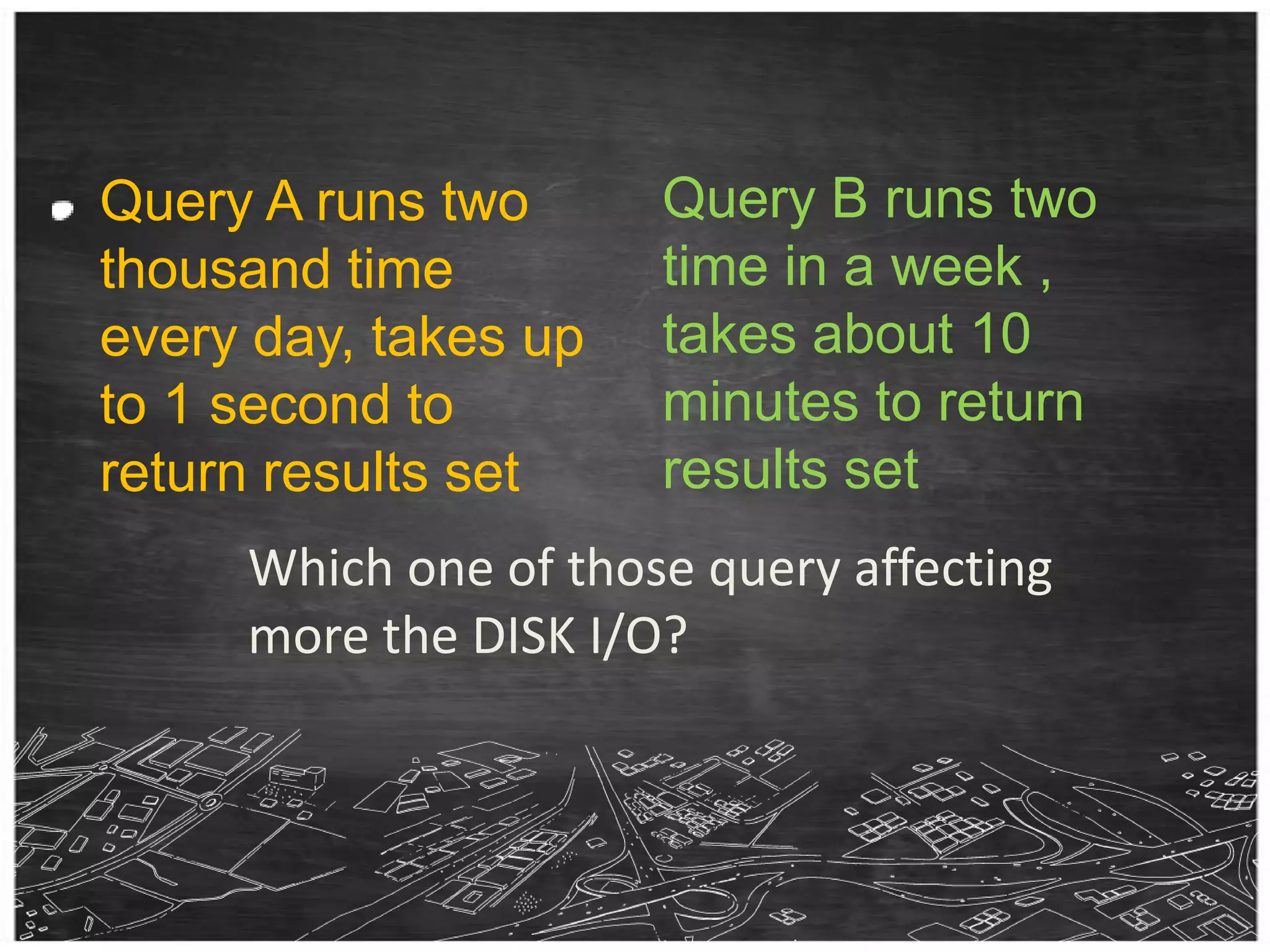
Query B runs two time in a week , takes about 10  minutes to return results setQuery A runs two thousand time every day, takes up to 1 second to return results setWhich one of those query affecting more the DISK I/O?
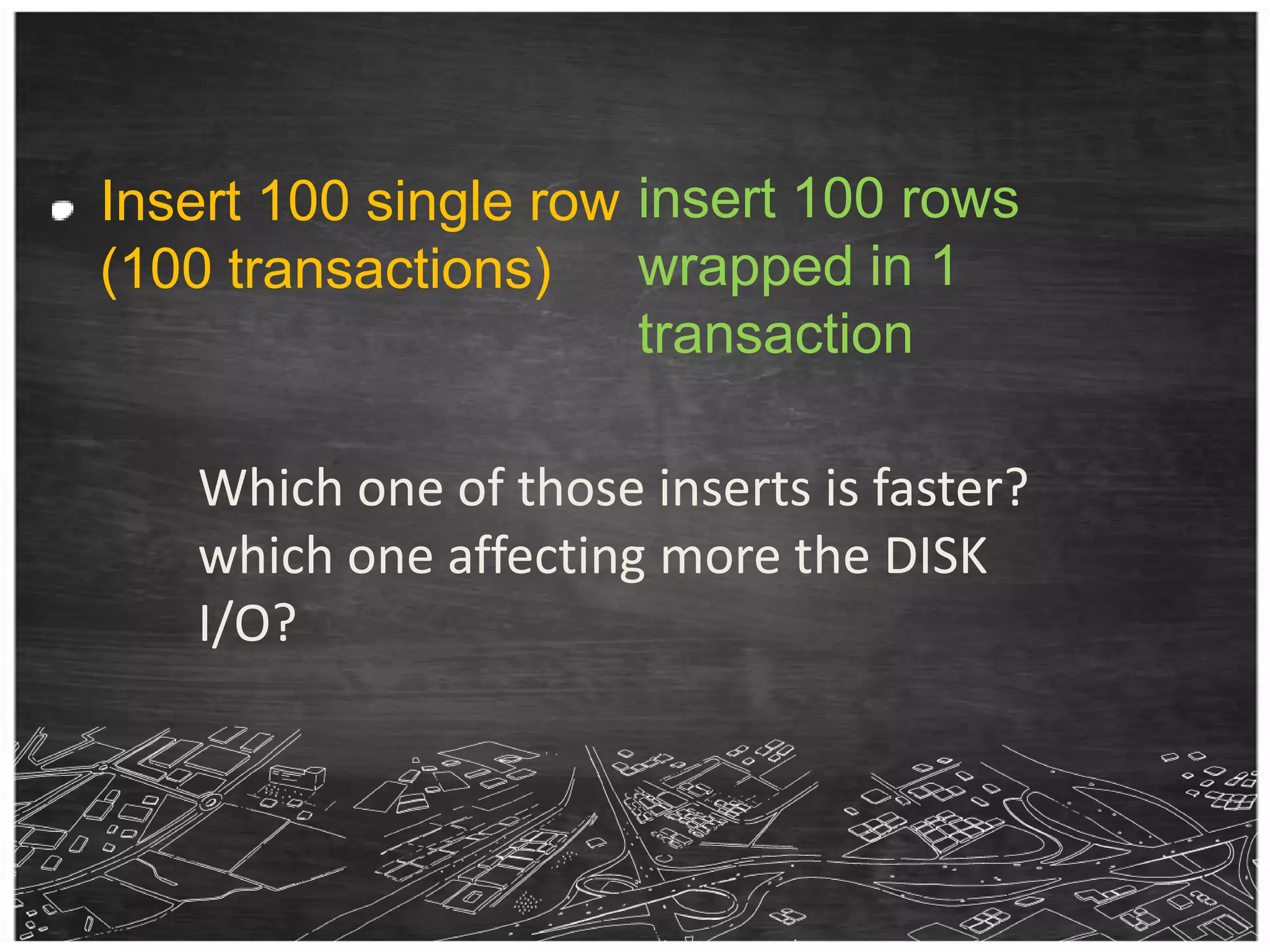
insert 100 rows wrapped in 1 transactionInsert 100 single row (100 transactions)Which one of those inserts is faster? which one affecting more the DISK I/O?
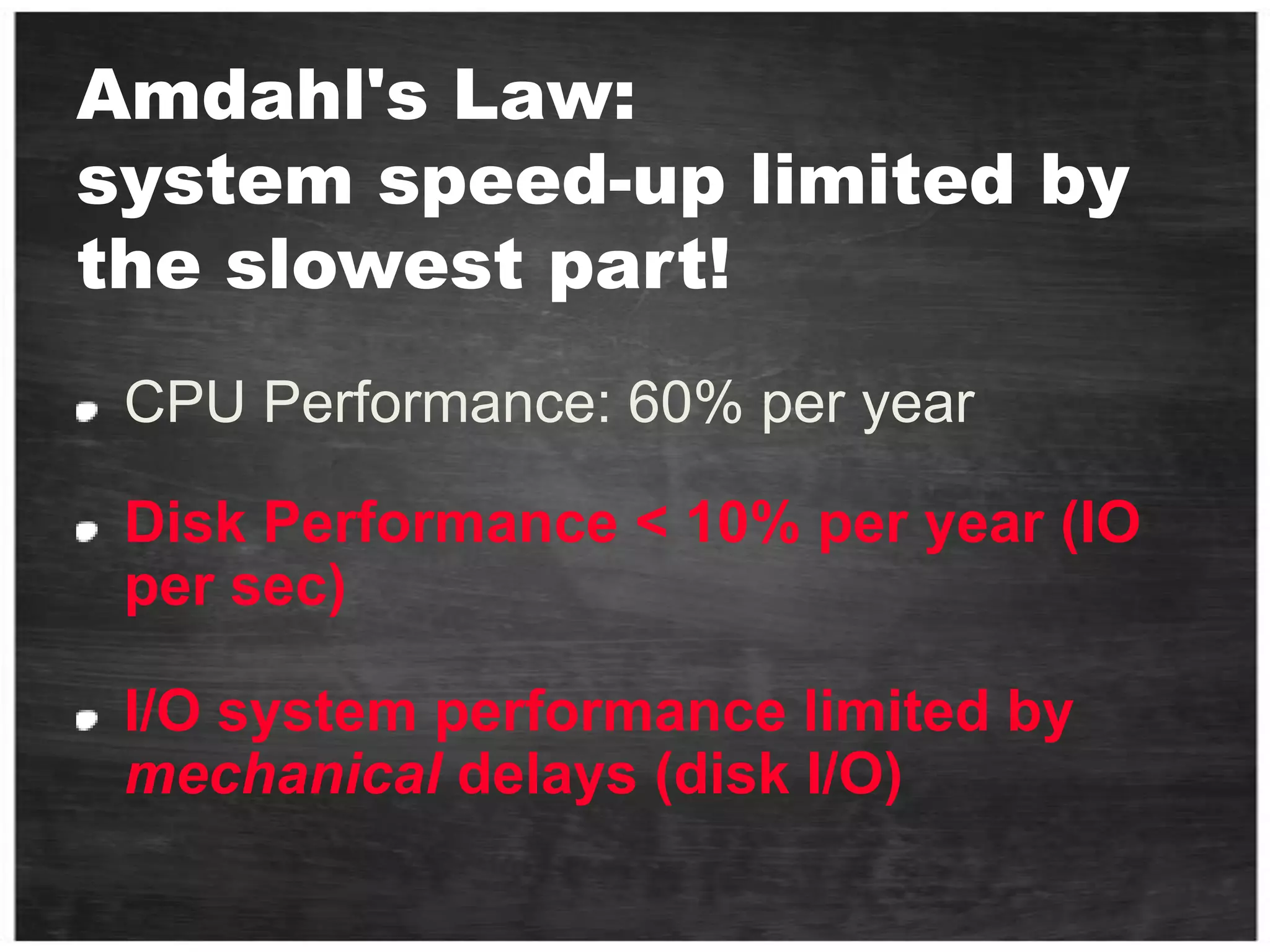
Amdahl's Law: system speed-up limited by the slowest part!CPU Performance: 60% per yearDisk Performance < 10% per year (IO per sec)I/O system performance limited by mechanical delays (disk I/O)
Who am I?D.B.A.  (Don’t Bother Asking) Architect at Logic Ind.Worked as a database Dev & admin since 1990.Works with SQL Server from first (SYBASE) version 3.6 Been at S.R.L. (R.I.P.) 8½ years Been at Microsoft 7 ½ as Technical manager of SQL pre-sales (managed 3 times the DB track at Tech-ED)Co-manage with Ami Leven the SQL Server Israeli User Group
ThanksThomas Kejser - SQL CAT member http://sqlcat.com/members/tkejser.aspxThomas with  Henk Van derValk  (BI405 29/11/10, 11:30 - 12:45 )	world record SSIS -ETL performance - 1.18 TB in under 10 minutes.
Key TakeawayThis is NOT going to be easy…182 slides You can either dive here or in the sea.But here you will see what you can’t see in the sea.The lessons in this session wrote in sweat and blood
What is IO for me?Terminology.Tools.The path from client application to the storage and back.What affects the disk performance?Benchmark and Sizing Methodology.Workload - Design for Performance.
What is IO for me?
What is IO for me?
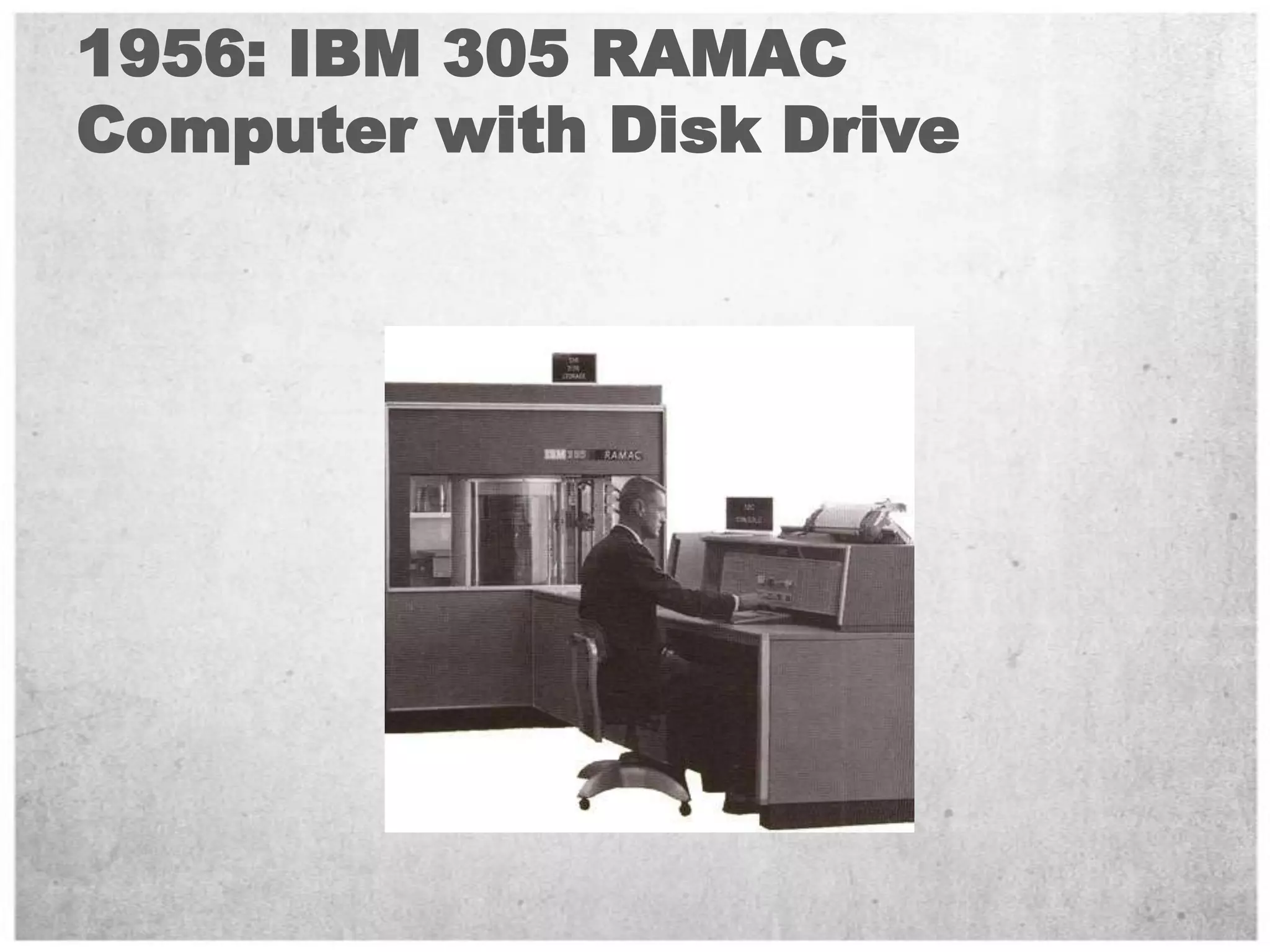
1956: IBM 305 RAMAC Computer with Disk Drive
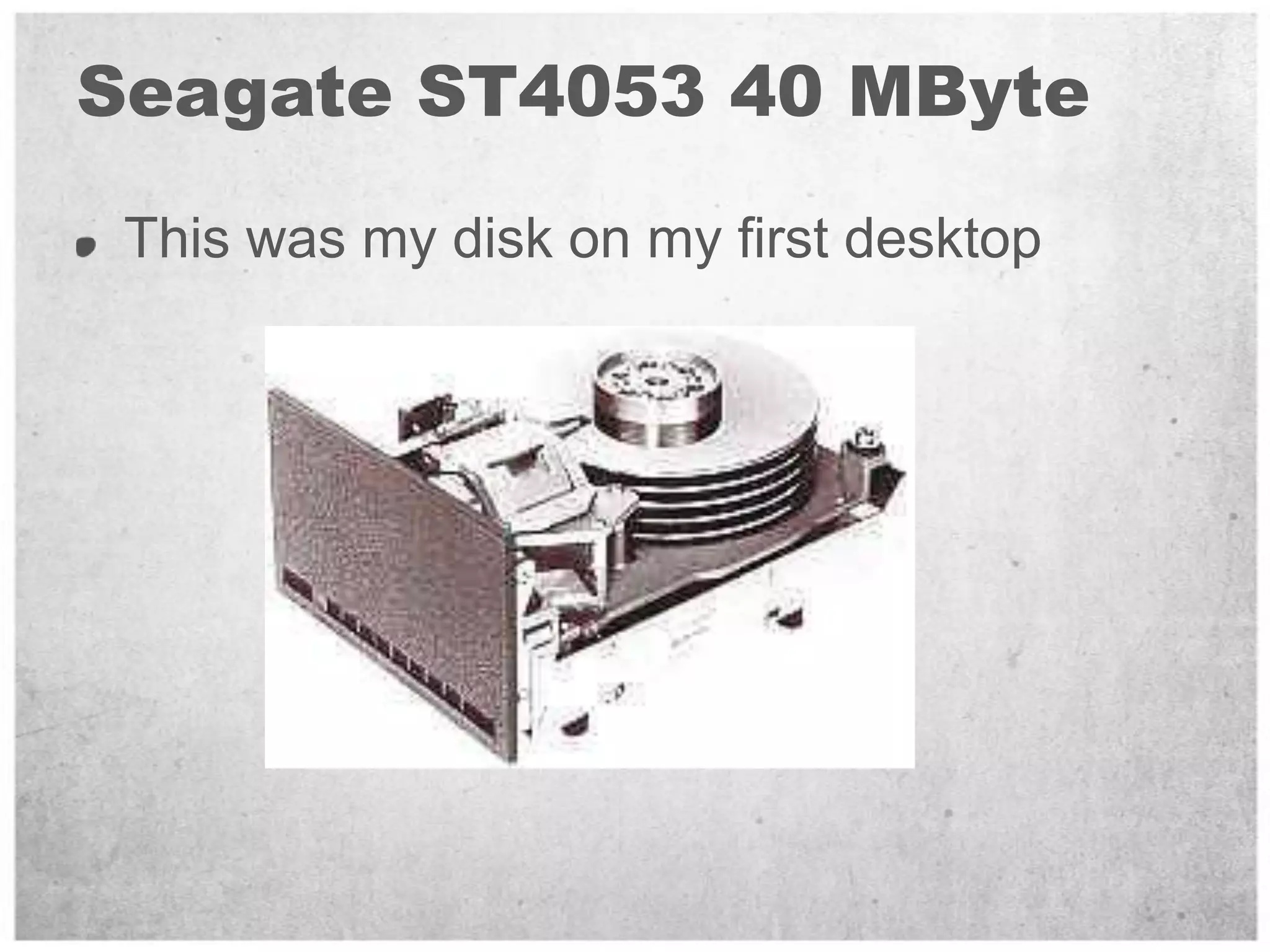
Seagate ST4053 40 MByteThis was my disk on my first desktop
What is IO for me?Terminology.Tools.DiThe path from client application to the storage and back.What affects the disk performance?Benchmark and Sizing Methodology.Workload - Design for Performance.
What is IO for me?ThroughputLatencyCapacityHow do you Measure it?
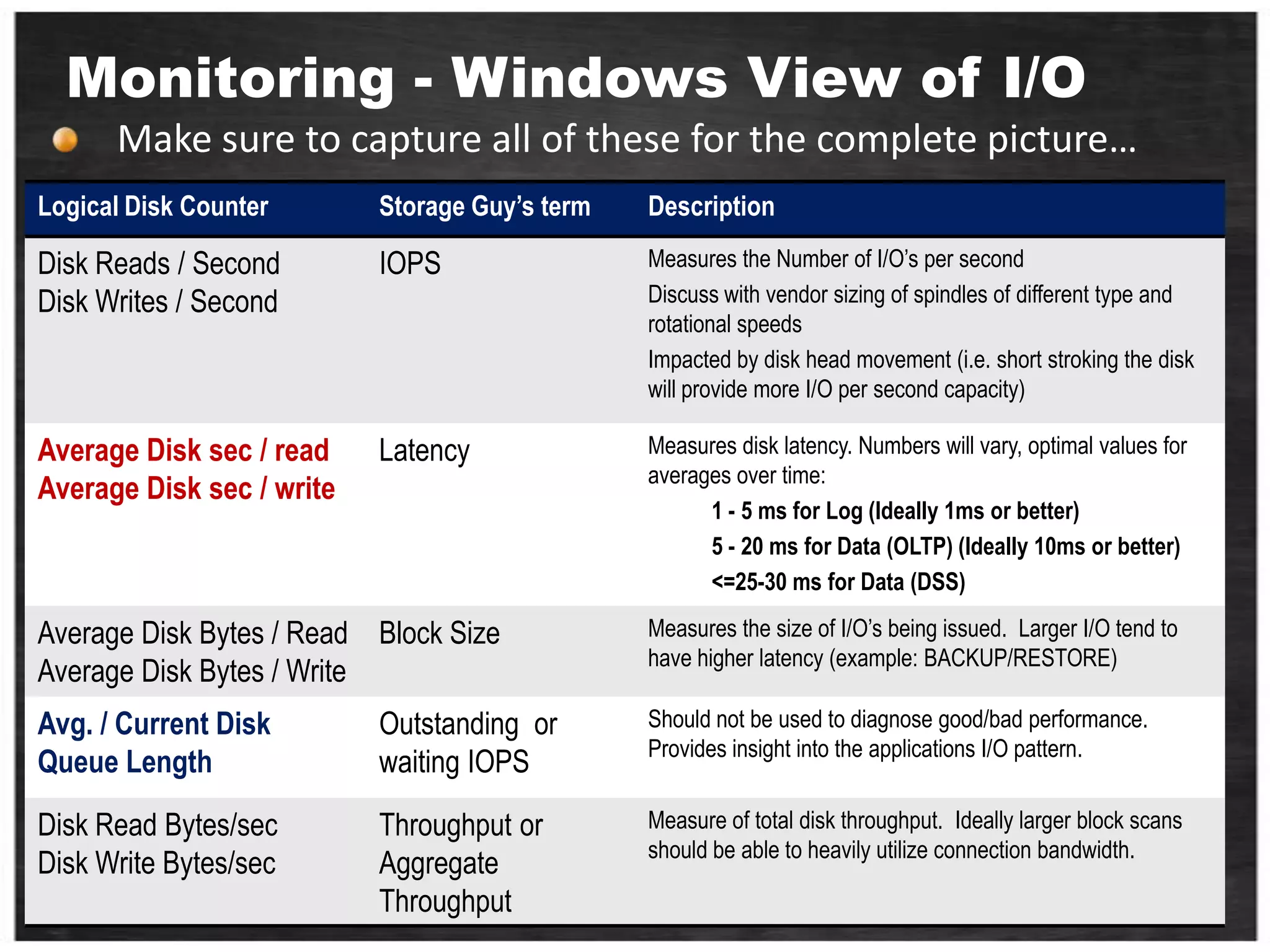
What is IO for me -  ThroughputThe amount of successful data passing between storage and computer in a specified amount of time Measured in MB/sec or IOPs Performance Monitor: Logical DiskDisk Read Bytes / SecDisk Write Bytes / SecDisk Read / SecDisk Writes / Sec
What is IO for me - LatencyA synonym for delay. how much time it takes for a packet of data to get from one designated to anotherMeasured in milliseconds (ms) Performance Monitor: Logical DiskAvg. Disk Sec / read Avg. Disk Sec / writeMore on healthy latency values later
What is IO for me -  CapacityCapacity  is just Capacity Measured in GB/TBThe easy one!does it important? Key Takeaway:	Don’t think about disk i/o as disk capacity
What is IO for me?Terminology.Tools.The path from client application to the storage and back.What affects the disk performance?Benchmark and Sizing Methodology.Workload - Design for Performance.
Terminology - BasicDisk - Spindles – Physical disks in the Storage ArrayArray - Box with the Spindles in it
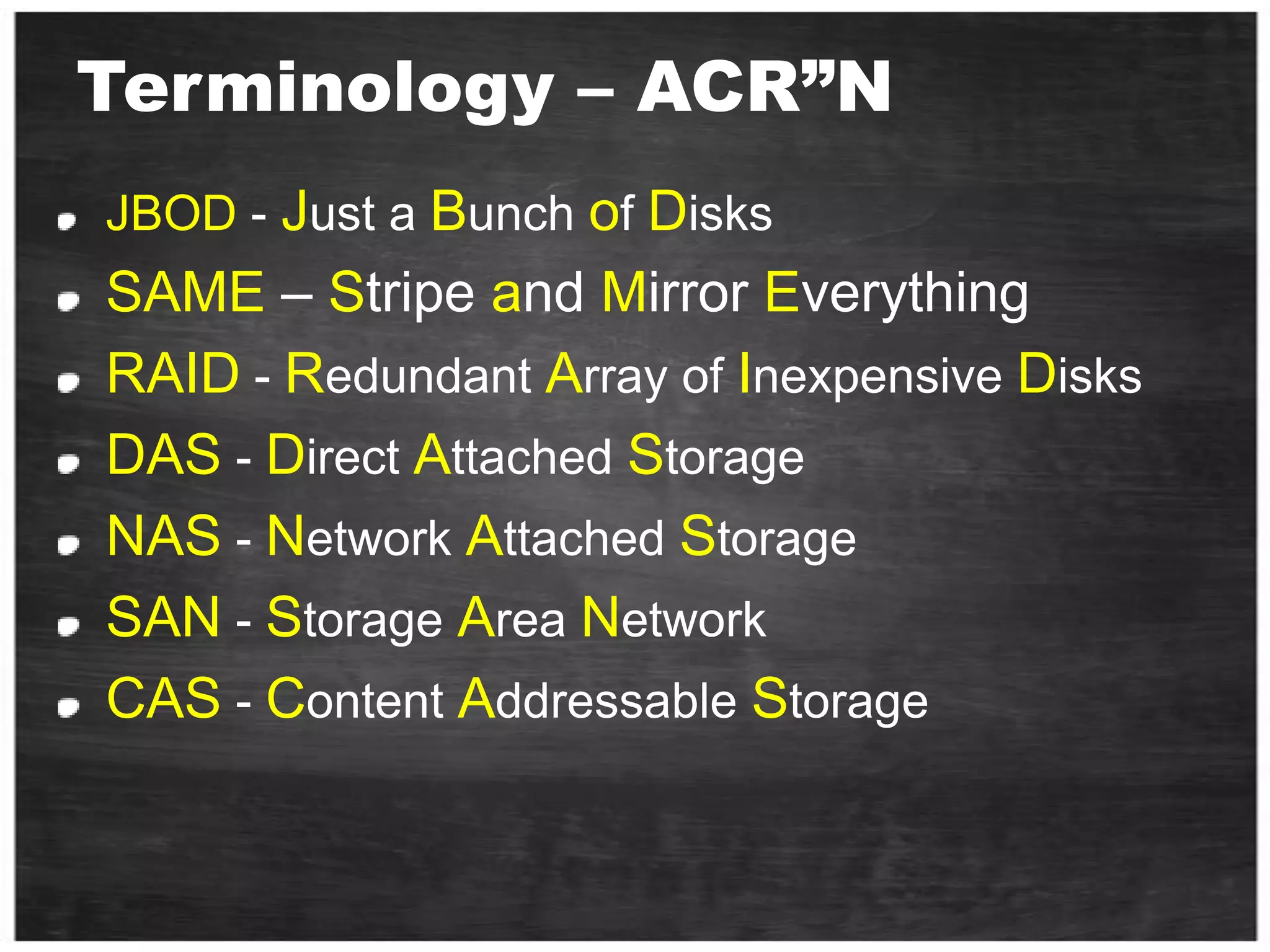
Terminology – ACR”NJBOD - Just a Bunch of DisksSAME – Stripe and Mirror EverythingRAID - Redundant Array of Inexpensive DisksDAS - Direct Attached StorageNAS - Network Attached StorageSAN - Storage Area NetworkCAS - Content Addressable Storage
NAS vs. SAN
Terminology – Adv.LUN - Logical Unit NumberHost - The Server or Servers a LUN is presented to.Disk - How the OS sees a LUN when presentedIOps  - Physical Operation To DiskSequential IO - Reads or writes which are sequential on the spindleRandom IO - Reads or writes which are located at random positions on the spindle
Cardiothoracic Surgery
The Full StackI/O Controller / HBACablingArrayCacheSpindlePCI BusWindowsCPUSQL Serv.

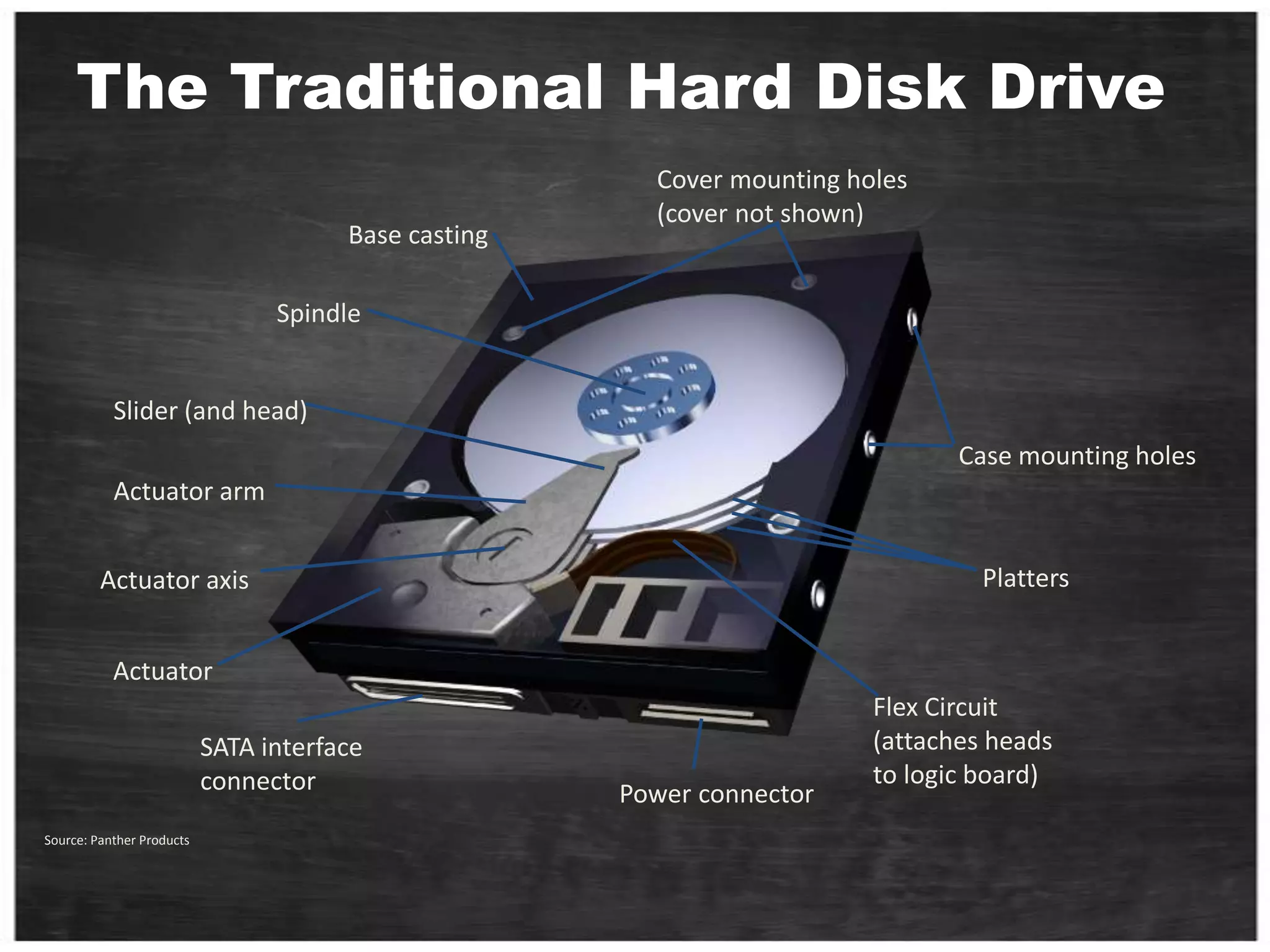
The Traditional Hard Disk DriveCover mounting holes(cover not shown)Base castingSpindleSlider (and head)Case mounting holesActuator armPlattersActuator axisActuatorFlex Circuit(attaches headsto logic board)SATA interfaceconnectorPower connectorSource: Panther Products
Disk Arm and HeadDisk arm
A disk arm carries disk heads
Disk head
Read and write on disk surface
Read/write operation
Disk controller receives a command with <track#, sector#>
Seek the right cylinder (tracks)
Wait until the right sector comes
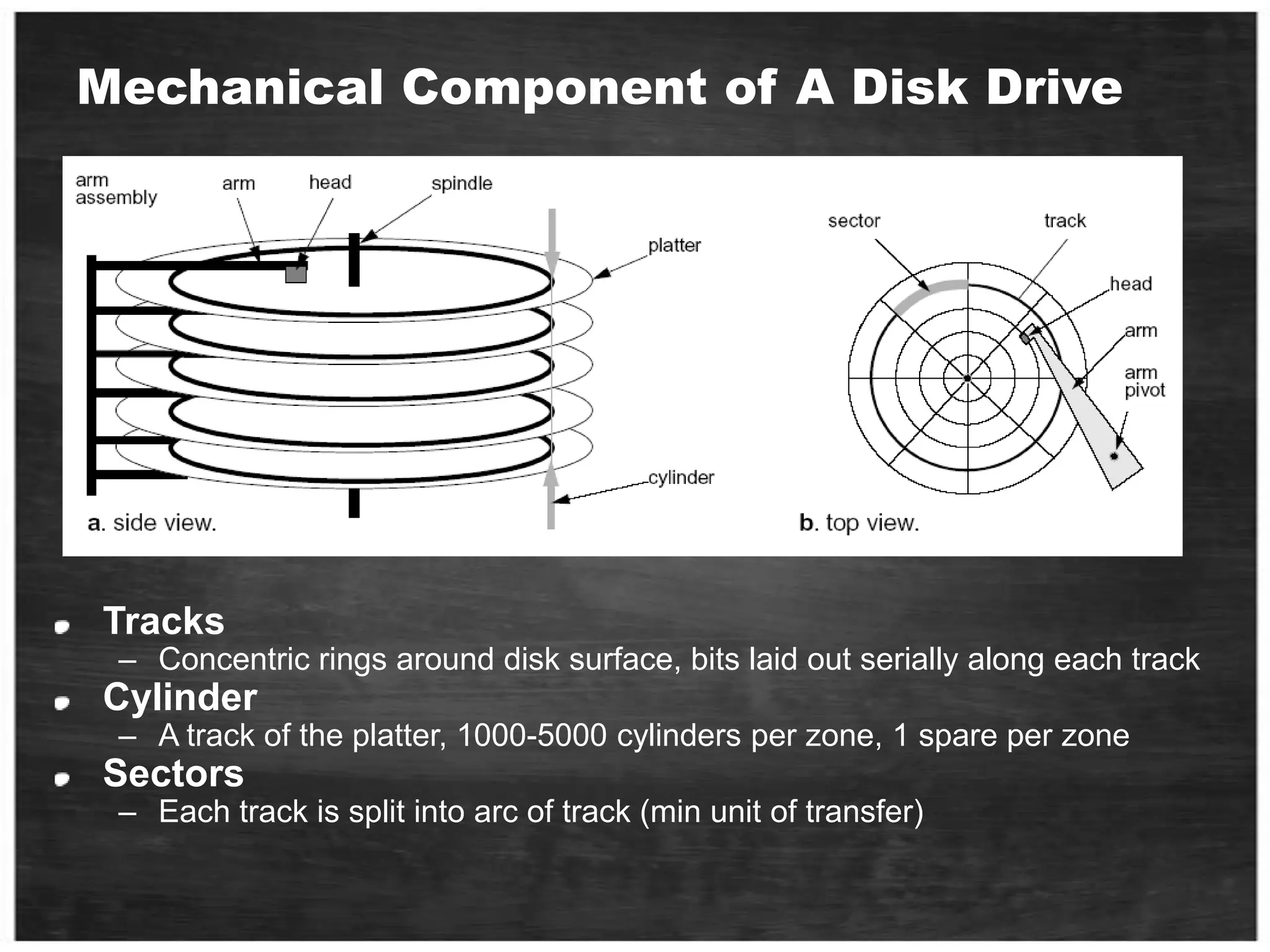
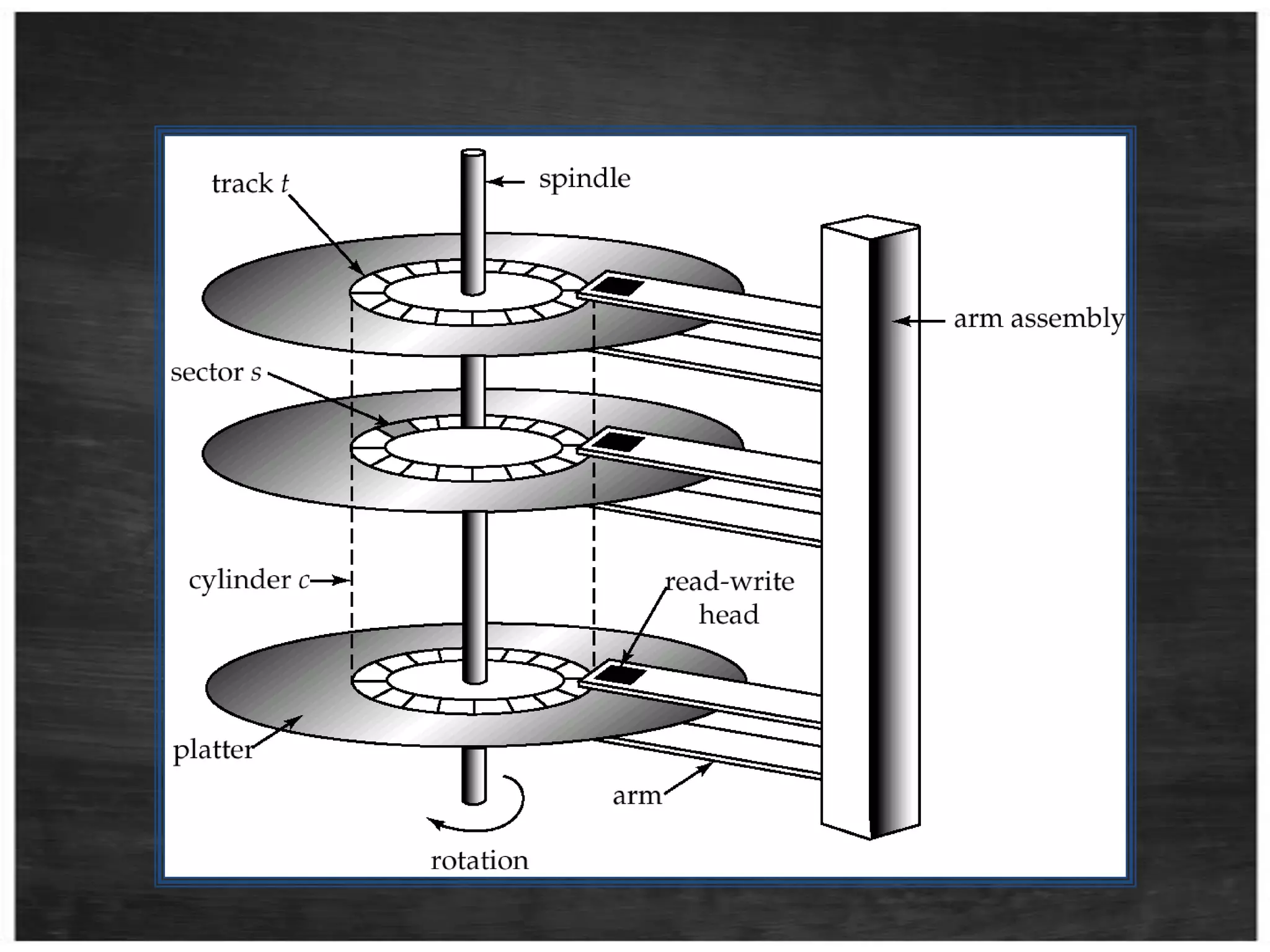
Perform read/writeMechanical Component of A Disk DriveTracksConcentric rings around disk surface, bits laid out serially along each trackCylinderA track of the platter, 1000-5000 cylinders per zone, 1 spare per zoneSectorsEach track is split into arc of track (min unit of transfer)
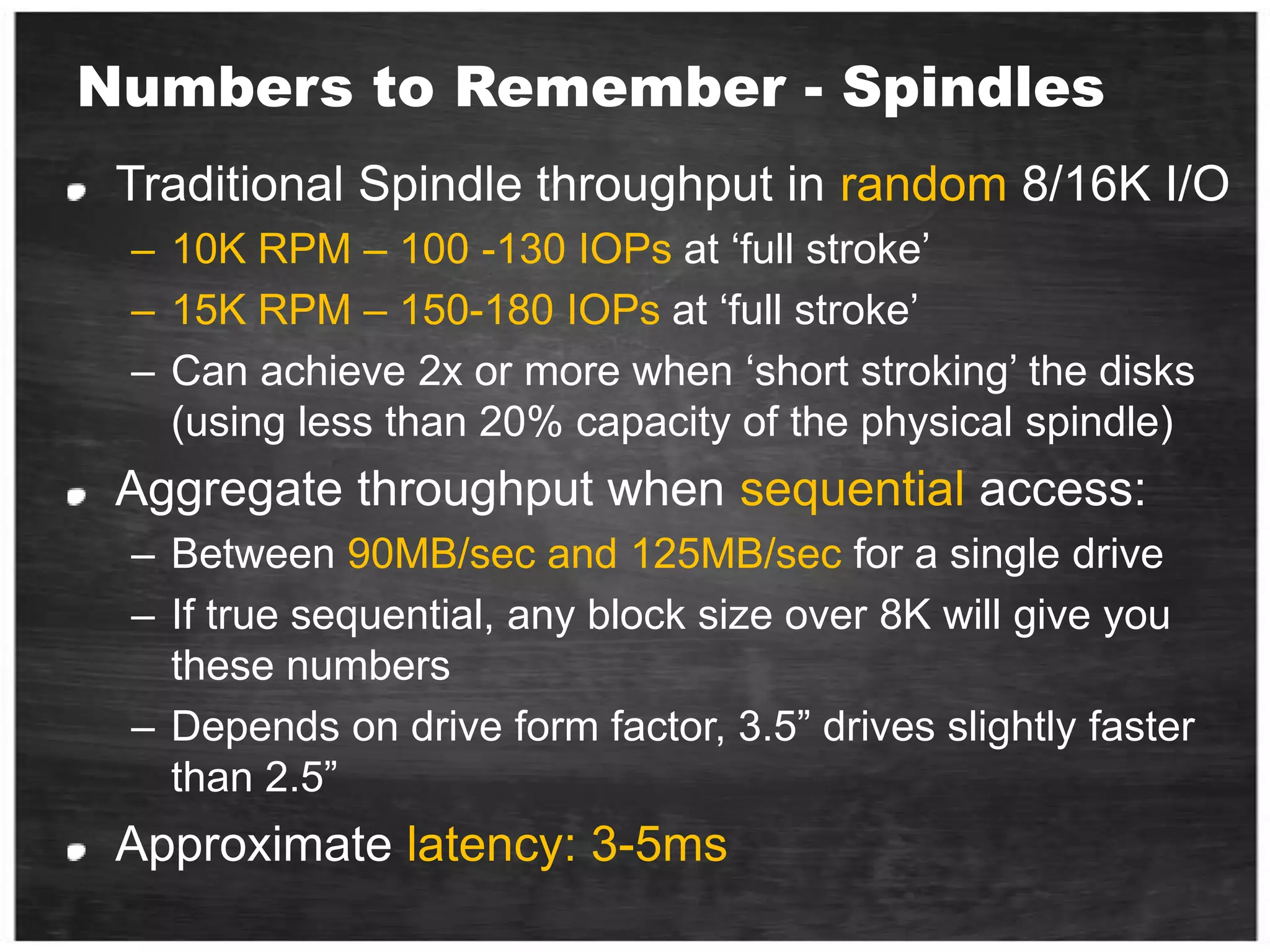
Numbers to Remember - SpindlesTraditional Spindle throughput in random 8/16K I/O10K RPM – 100 -130 IOPs at ‘full stroke’15K RPM – 150-180 IOPs at ‘full stroke’Can achieve 2x or more when ‘short stroking’ the disks (using less than 20% capacity of the physical spindle)Aggregate throughput when sequential access:Between 90MB/sec and 125MB/sec for a single driveIf true sequential, any block size over 8K will give you these numbersDepends on drive form factor, 3.5” drives slightly faster than 2.5”Approximate latency: 3-5ms
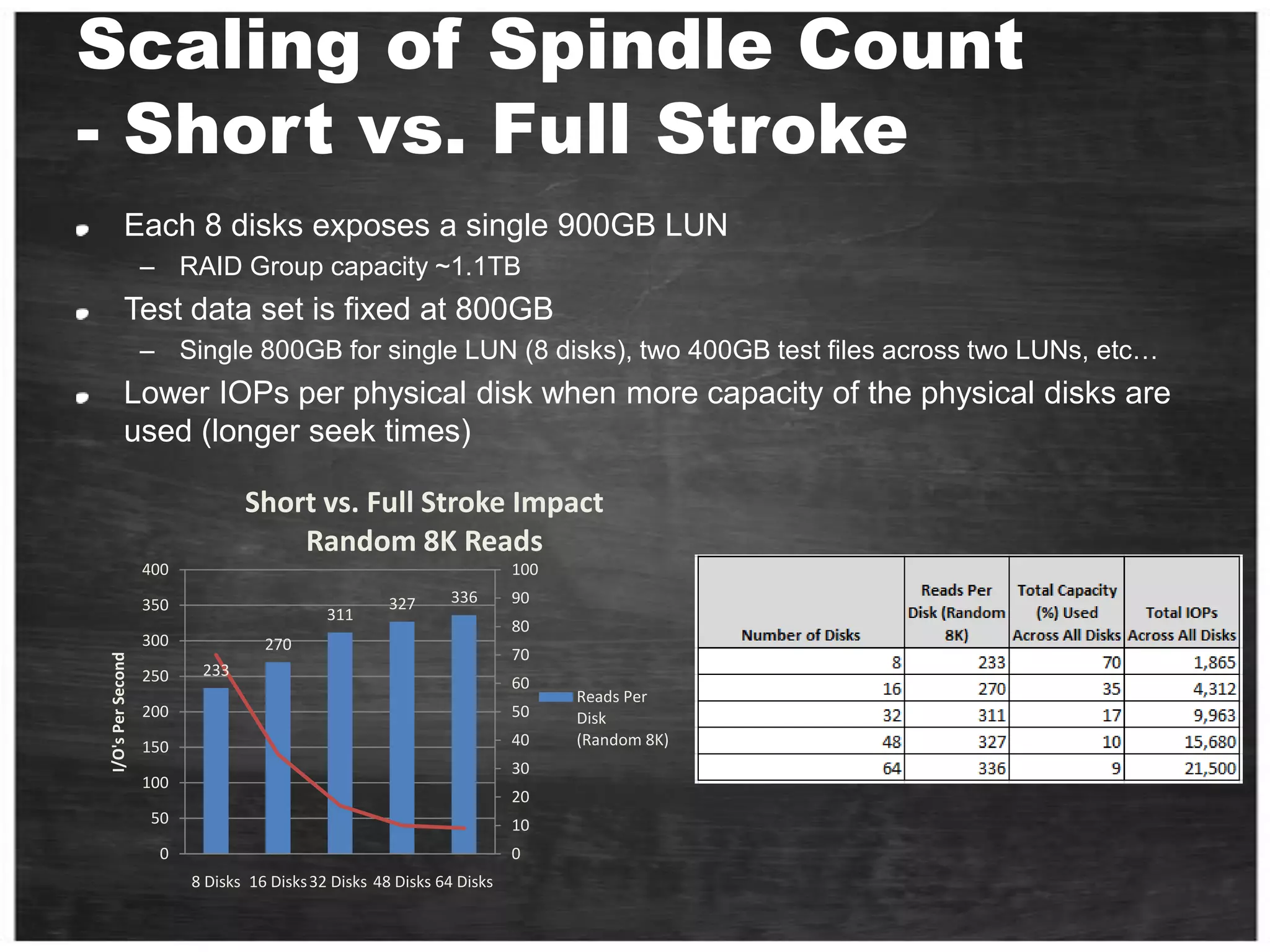
Scaling of Spindle Count - Short vs. Full Stroke Each 8 disks exposes a single 900GB LUNRAID Group capacity ~1.1TBTest data set is fixed at 800GB Single 800GB for single LUN (8 disks), two 400GB test files across two LUNs, etc…Lower IOPs per physical disk when more capacity of the physical disks are used (longer seek times)
The “New” Hard Disk Drive (SSD)Solid State Drive No moving parts!
Paul S. Randal SQLskills.comhttp://www.sqlskills.com/BLOGS/PAUL/category/Benchmarking.aspxBenchmarking-Introducing-SSDs-part 1 , 2 and 3
SSD - Game Changer!No moving partsPower consumption (20%)Read operations Random = Sequential low latency on access
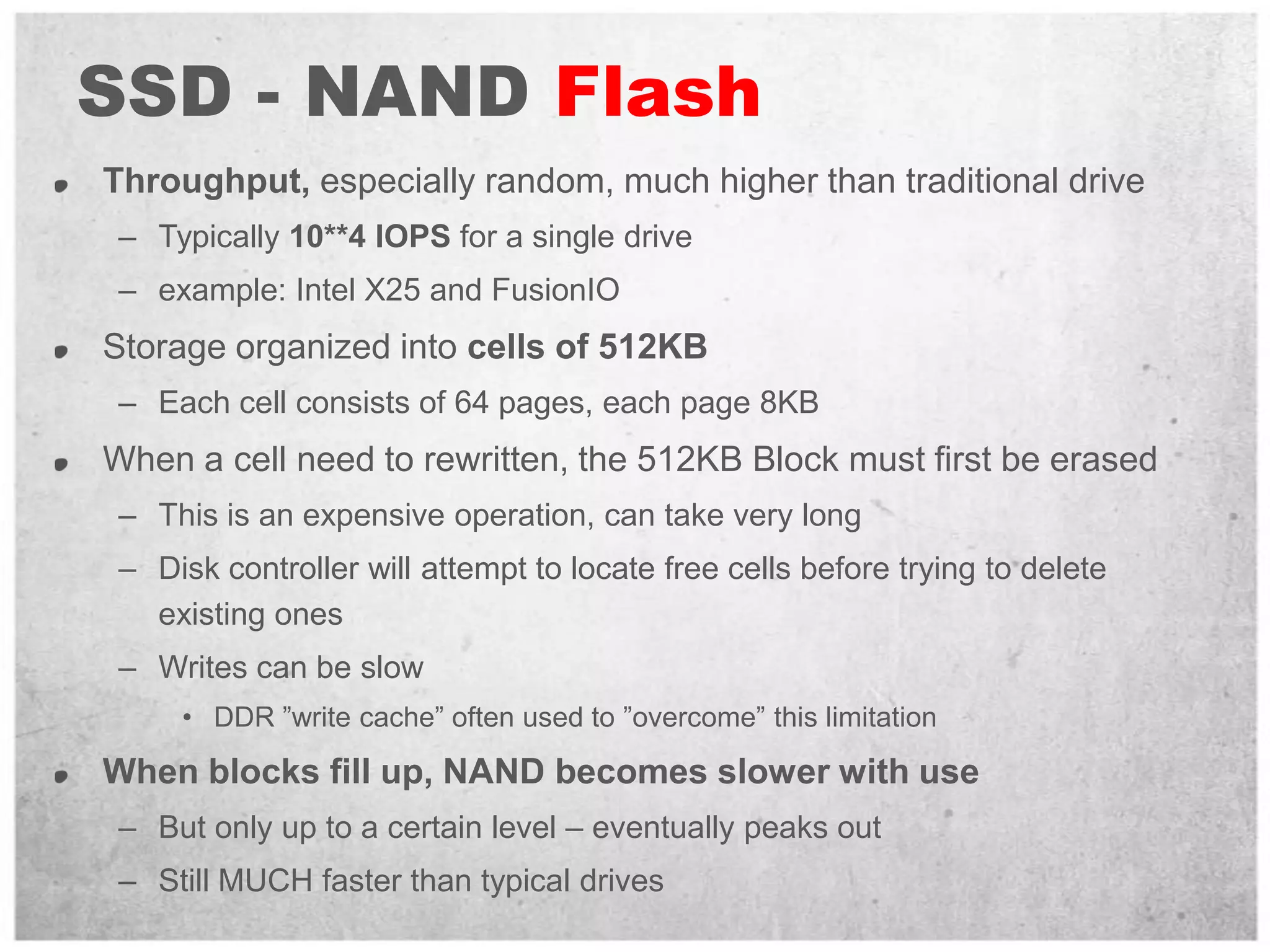
SSD - NAND FlashThroughput, especially random, much higher than traditional driveTypically 10**4 IOPS for a single driveexample: Intel X25 and FusionIOStorage organized into cells of 512KBEach cell consists of 64 pages, each page 8KBWhen a cell need to rewritten, the 512KB Block must first be erasedThis is an expensive operation, can take very longDisk controller will attempt to locate free cells before trying to delete existing onesWrites can be slowDDR ”write cache” often used to ”overcome” this limitationWhen blocks fill up, NAND becomes slower with useBut only up to a certain level – eventually peaks outStill MUCH faster than typical drives
SSD - Battery Backed DRAMThroughput close to speed of RAMTypically 10**5 IOPS for a single driveDrive is essentially DRAM RAM on a PCI card (example: FusionIO) ...or with a fiber interface (example: DSI3400)Battery backed up to persist storageBe careful about downtime, how long can drive survive with no power?As RAM prices drop, these drives are becoming largerExtremely high throughput, watch the path to the drives
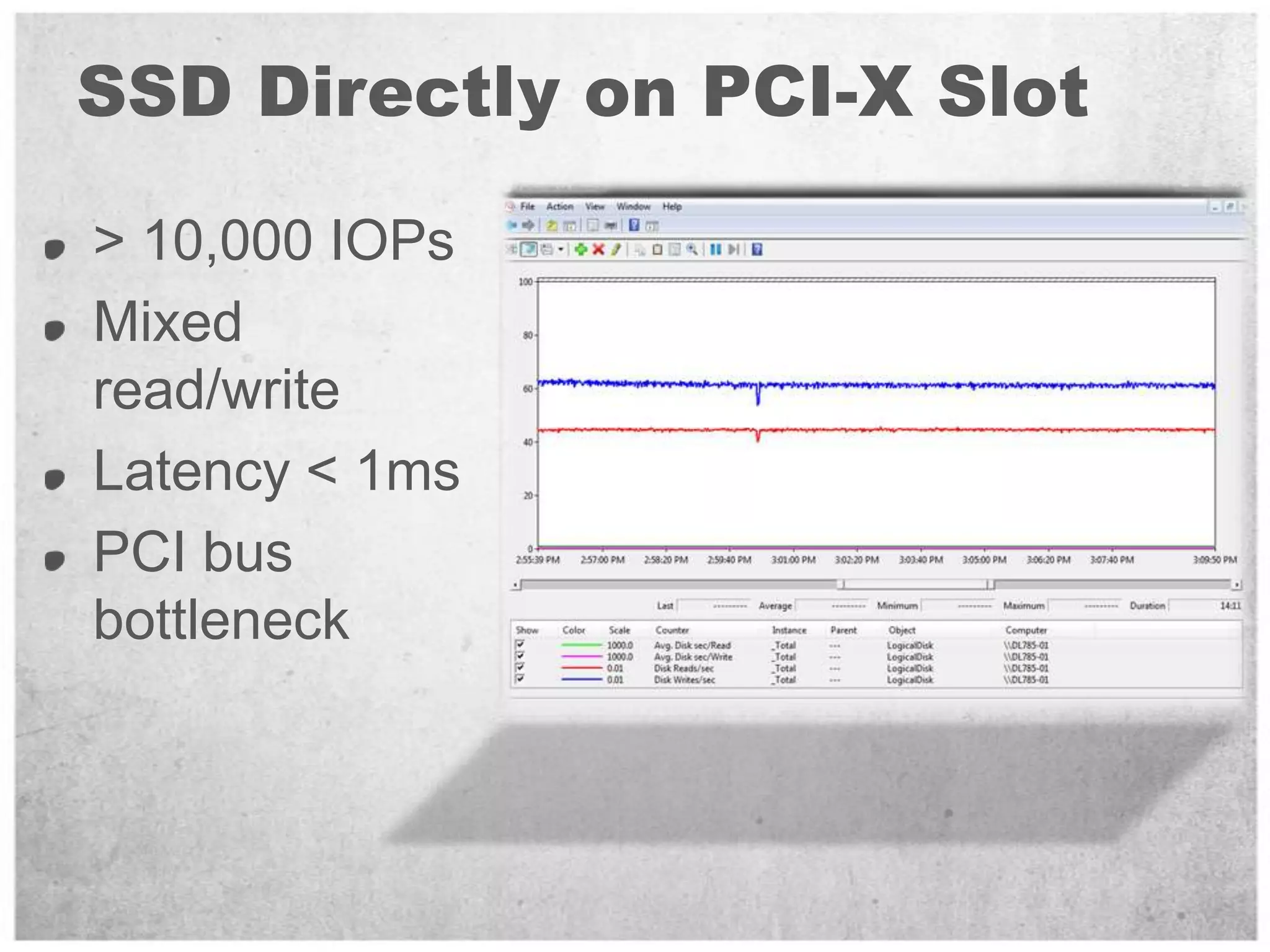
SSD Directly on PCI-X Slot> 10,000 IOPsMixed read/write Latency < 1msPCI bus bottleneck
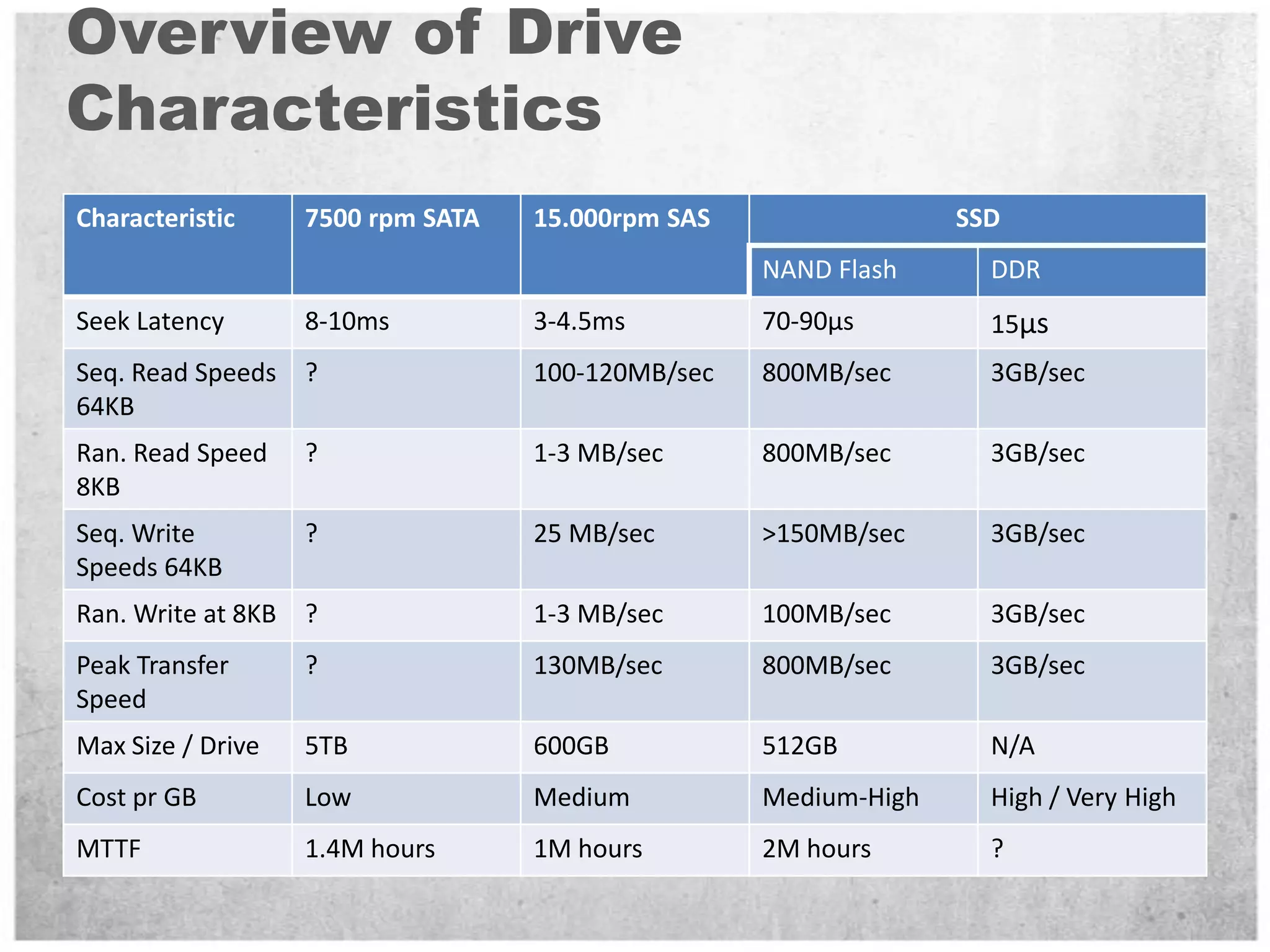
Overview of Drive Characteristics
QuestionSSD is evolution of DiskOnKey,What is the most dangerous event that can lead you to loss all your Disk On Key data?Don’t put all the eggs on one basket!
What is IO for me?Terminology.Tools.The path from client application to the storage and back.What affects the disk performance?Benchmark and Sizing Methodology.Workload - Design for Performance.
ToolsSQLIOIOMETERSQLIOStress - SQLIOSim
SQLIOWhat is itDomoHow to read results
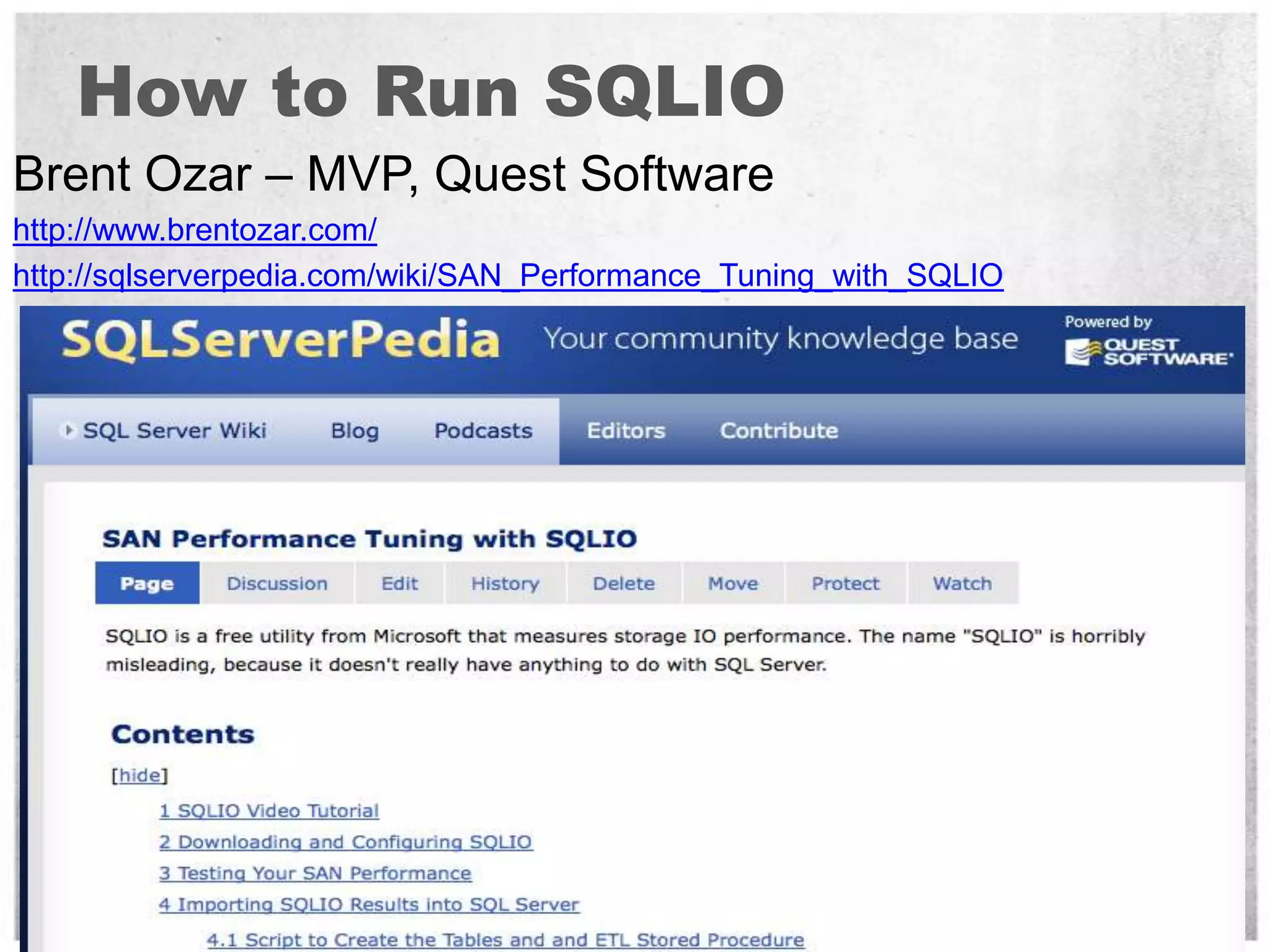
How to Run SQLIOBrent Ozar – MVP, Quest Softwarehttp://www.brentozar.com/http://sqlserverpedia.com/wiki/SAN_Performance_Tuning_with_SQLIO
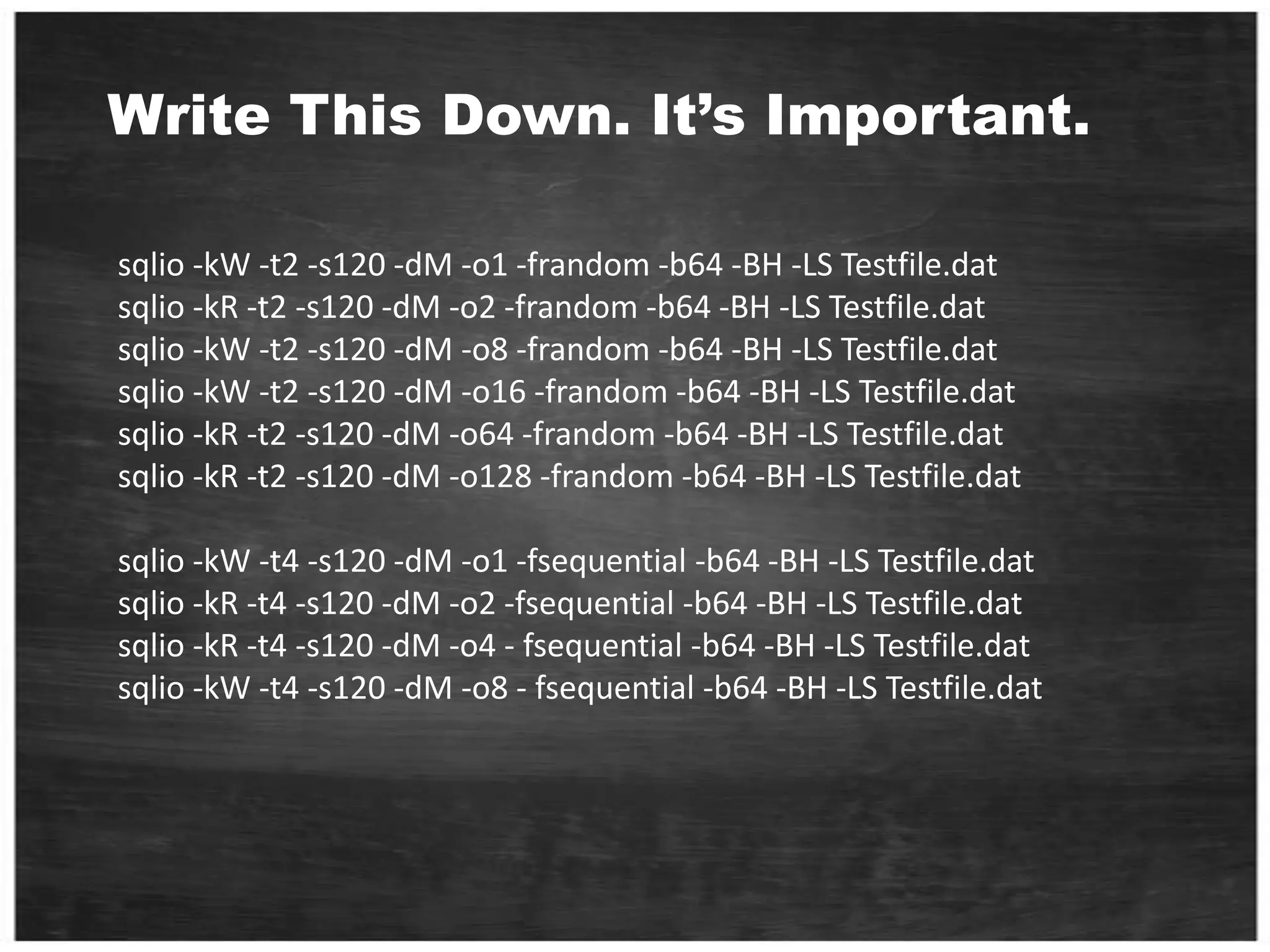
Write This Down. It’s Important.sqlio -kW -t2 -s120 -dM -o1 -frandom -b64 -BH -LS Testfile.datsqlio -kR -t2 -s120 -dM -o2 -frandom -b64 -BH -LS Testfile.datsqlio -kW -t2 -s120 -dM -o8 -frandom -b64 -BH -LS Testfile.datsqlio -kW -t2 -s120 -dM -o16 -frandom -b64 -BH -LS Testfile.datsqlio -kR -t2 -s120 -dM -o64 -frandom -b64 -BH -LS Testfile.datsqlio -kR -t2 -s120 -dM -o128 -frandom -b64 -BH -LS Testfile.datsqlio -kW -t4 -s120 -dM -o1 -fsequential -b64 -BH -LS Testfile.datsqlio -kR -t4 -s120 -dM -o2 -fsequential -b64 -BH -LS Testfile.datsqlio -kR -t4 -s120 -dM -o4 - fsequential -b64 -BH -LS Testfile.datsqlio -kW -t4 -s120 -dM -o8 - fsequential -b64 -BH -LS Testfile.dat
The most important parameters are: -kW means writes (as opposed to reads) -t2 means two threads -s120 means test for 120 seconds -dM means drive letter M -o1 means one outstanding request (not piling up requests) -frandom means random access (as opposed to -fsequential) -b64 means 64kb IOs
The OutputE:\Program Files (x86)\SQLIO>sqlio -kW -t2 -s120 -dM -o1 -frandom -b64 -BH -LS Testfile.datsqlio v1.5.SGusing system counter for latency timings, -1361967296 counts per second2 threads writing for 120 secs to file M:Testfile.dat	using 64KB random IOs	enabling multiple I/Os per thread with 1 outstanding	buffering set to use hardware disk cache (but not file cache)using current size: 24576 MB for file: M:Testfile.datinitialization doneCUMULATIVE DATA:throughput metrics:IOs/sec:  1539.50MBs/sec:    96.21latency metrics:Min_Latency(ms): 0Avg_Latency(ms): 0Max_Latency(ms): 572histogram:ms: 0  1  2  3  4  5  6  7  8  9 10 11 12 13 14 15 16 17 18 19 20 21 22 23 24+%: 66 32  1  0  0  0  0  0  0  0  0  0  0  0  0  0  0  0  0  0  0  0  0  0  0
Jonathan Kehayiashttp://sqlblog.com/blogs/jonathan_kehayias/archive/2010/05/25/parsing-sqlio-output-to-excel-charts-using-regex-in-powershell.aspx
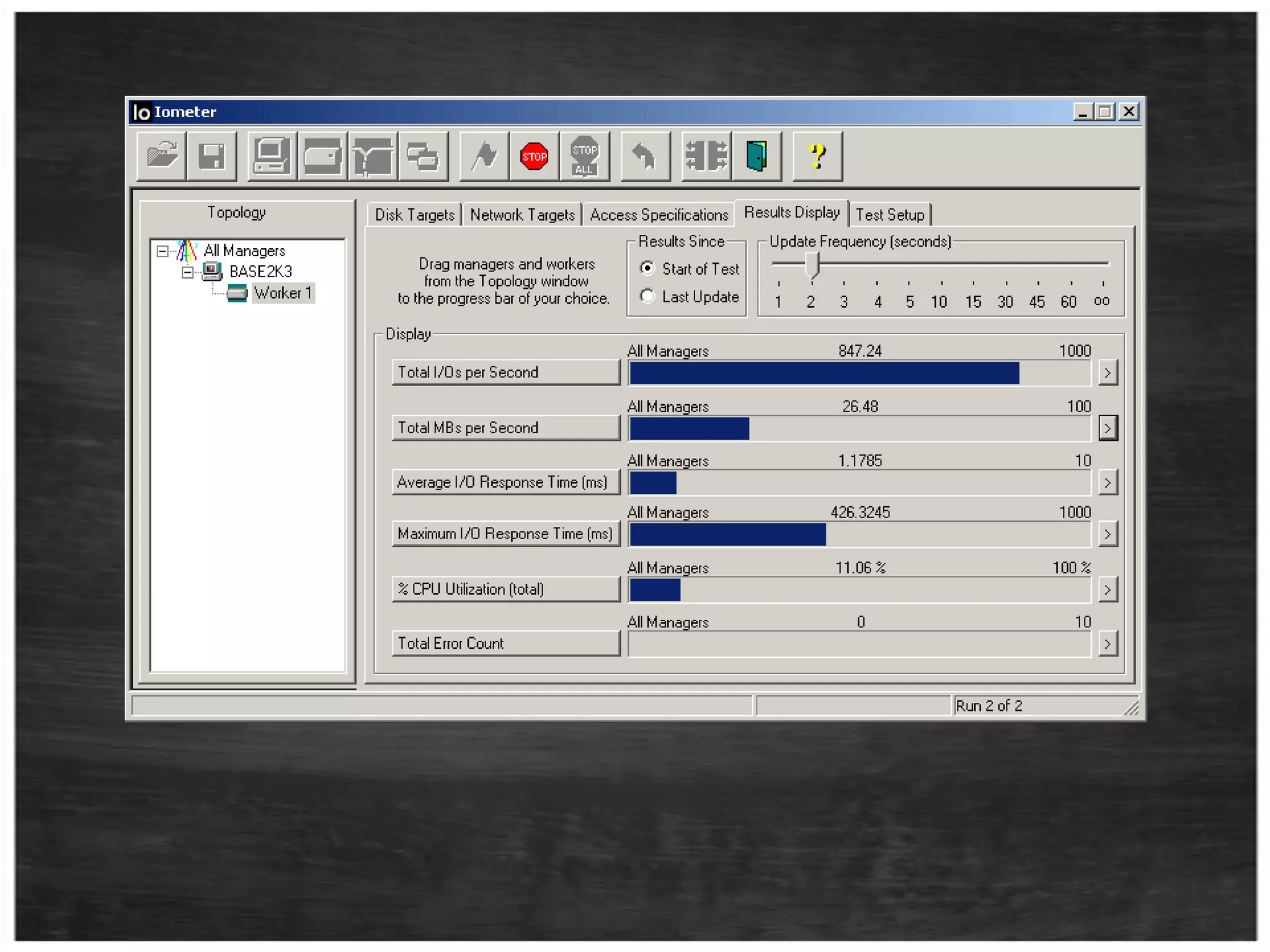
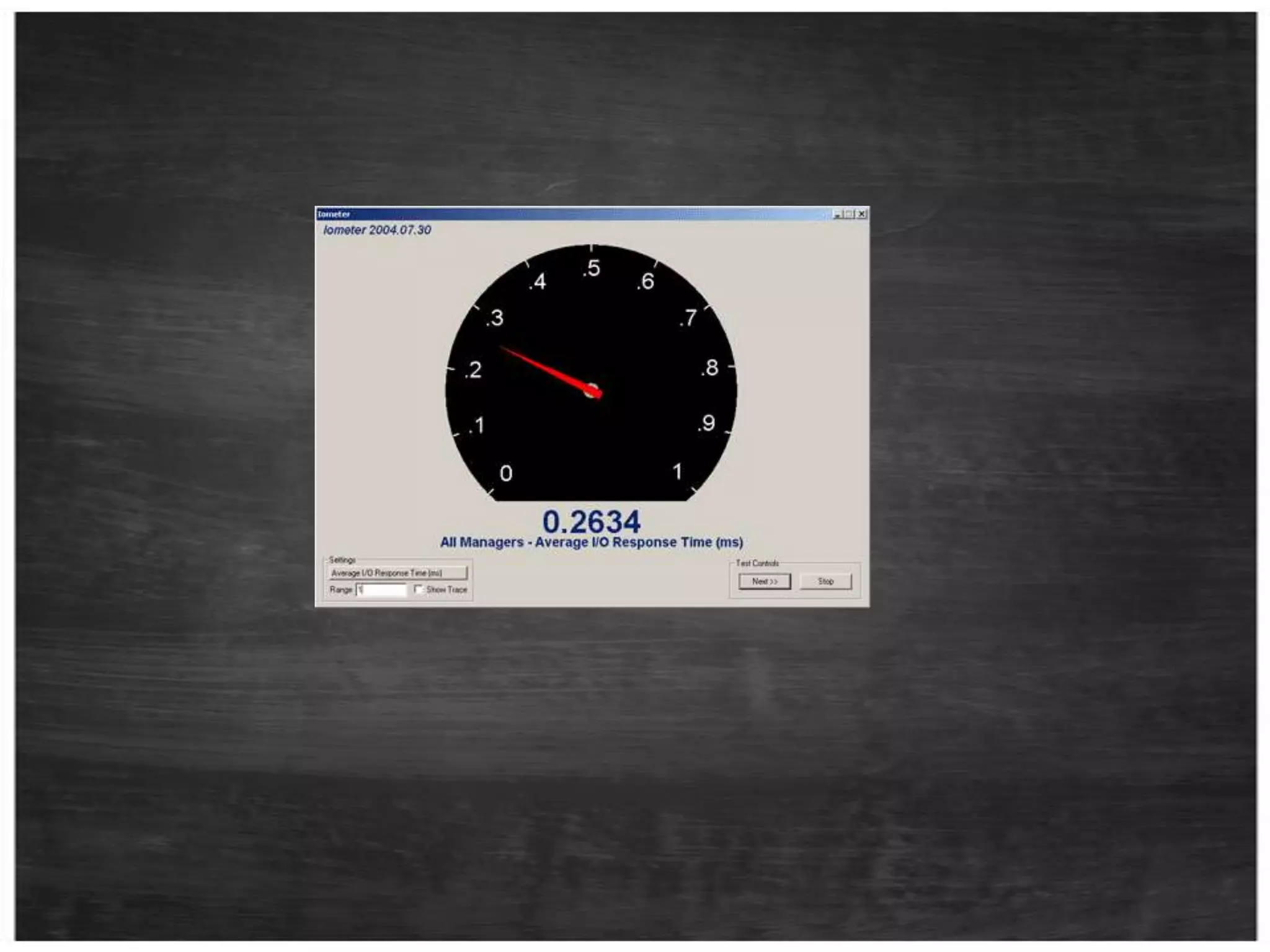
IOMETERWhat is itDomoHow to read results
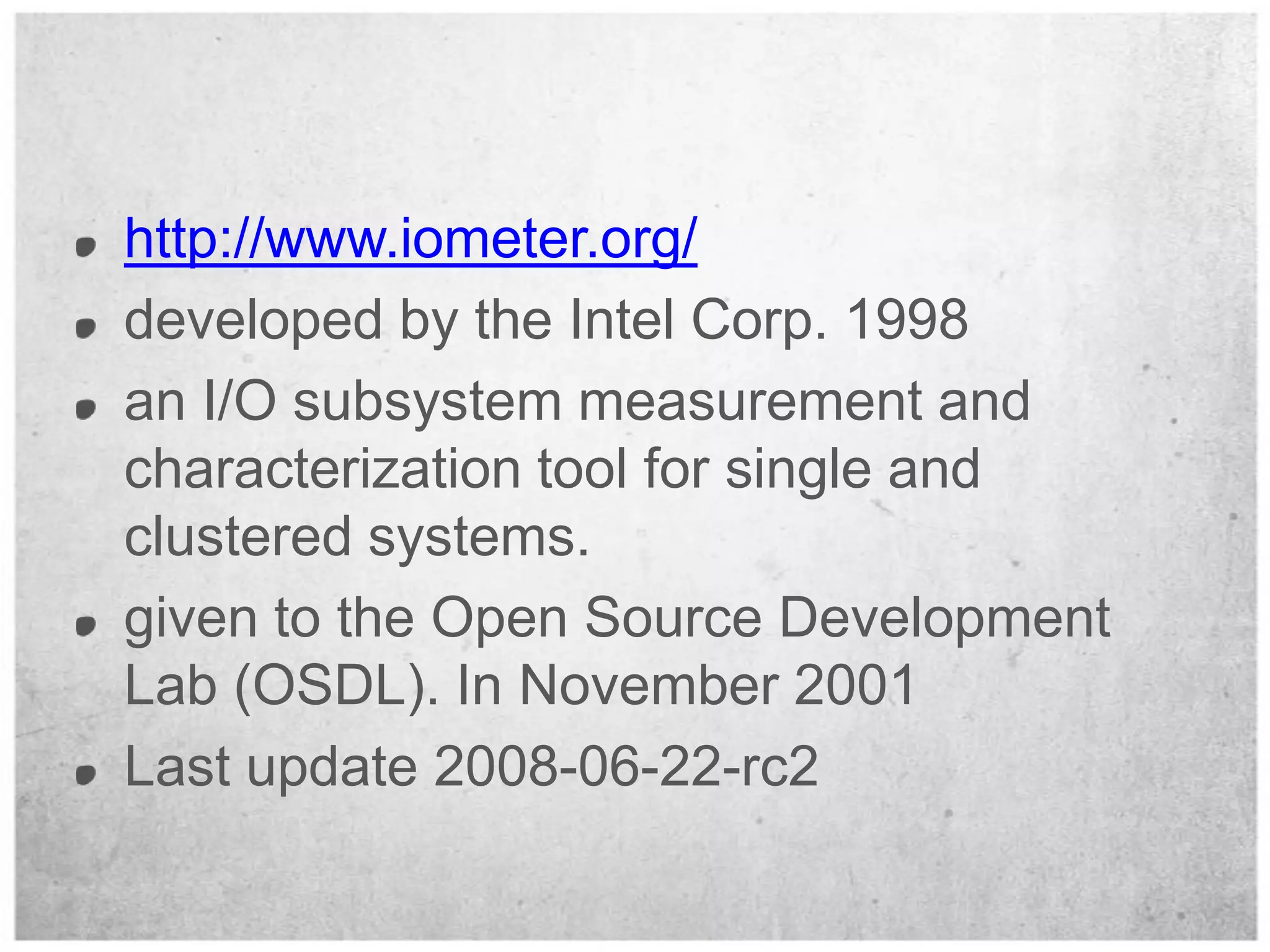
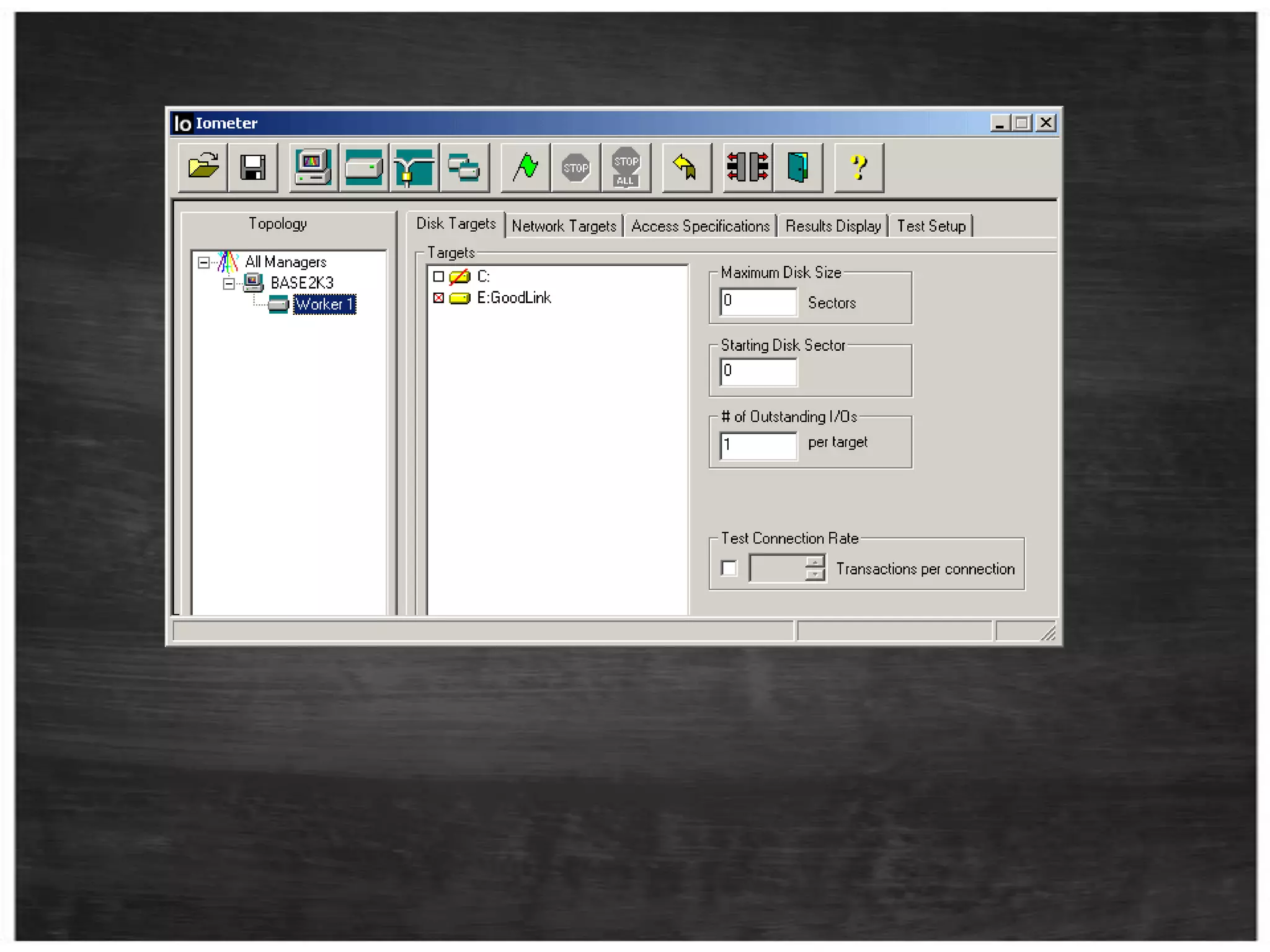
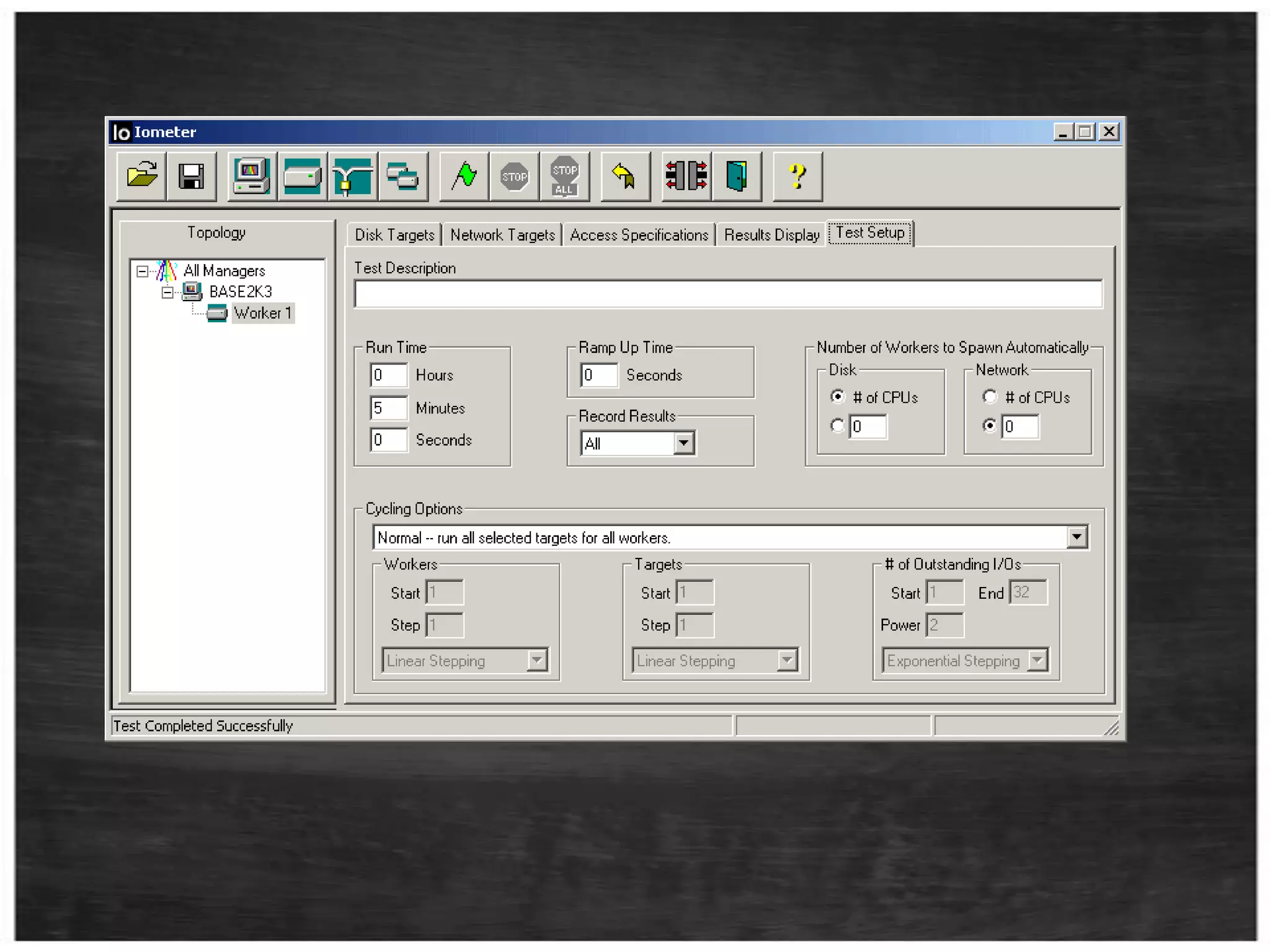
http://www.iometer.org/developed by the Intel Corp. 1998an I/O subsystem measurement and characterization tool for single and clustered systems.given to the Open Source Development Lab (OSDL). In November 2001Last update 2008-06-22-rc2
Note:If you leave this field at “0”, IOMeter will use all available disk space.Heuristics:One manager per server.
One worker per processor.Can play a significant role in observed performance.
QLIOStress - SQLIOSimWhat is itDomeHow to read results
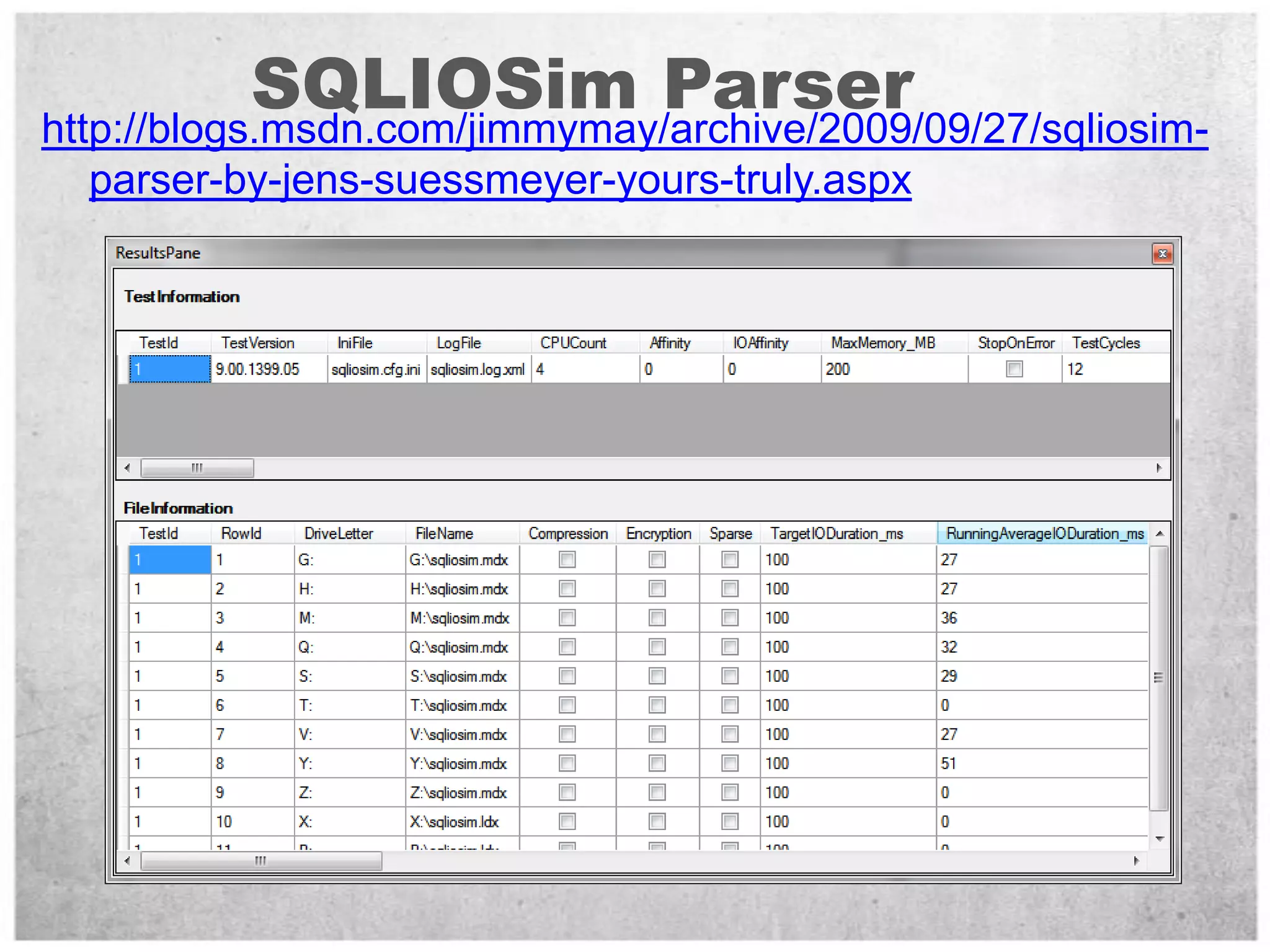
SQLIOSim Parserhttp://blogs.msdn.com/jimmymay/archive/2009/09/27/sqliosim-parser-by-jens-suessmeyer-yours-truly.aspx
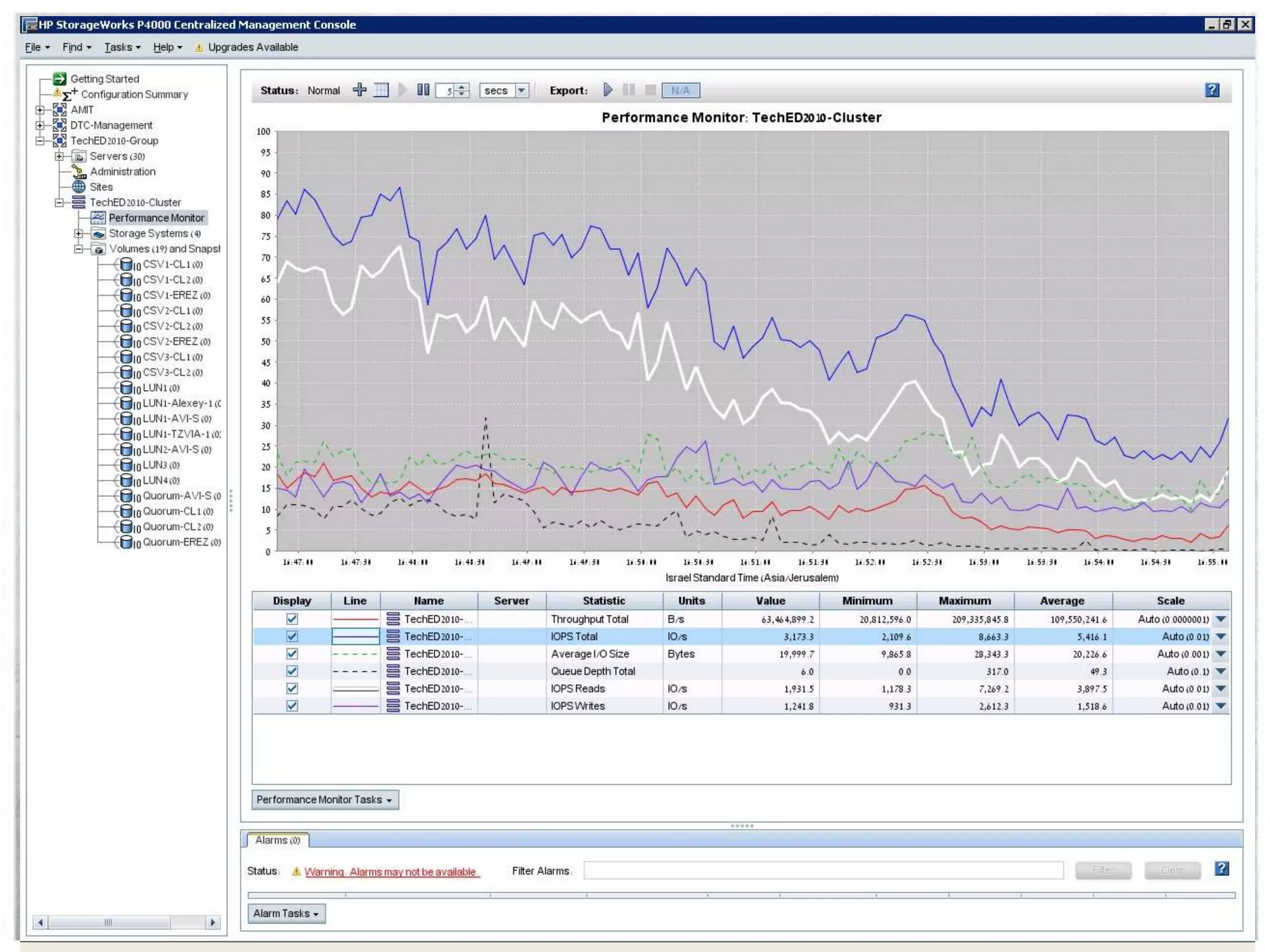
HP StorageWoker
What is IO for me?Terminology.Tools.The path from client application to the storage and back.What affects the disk performance?Benchmark and Sizing Methodology.Workload - Design for Performance.
I/O Controller / HBACablingArrayCacheSpindlePCI BusWindowsCPUSQL Serv.
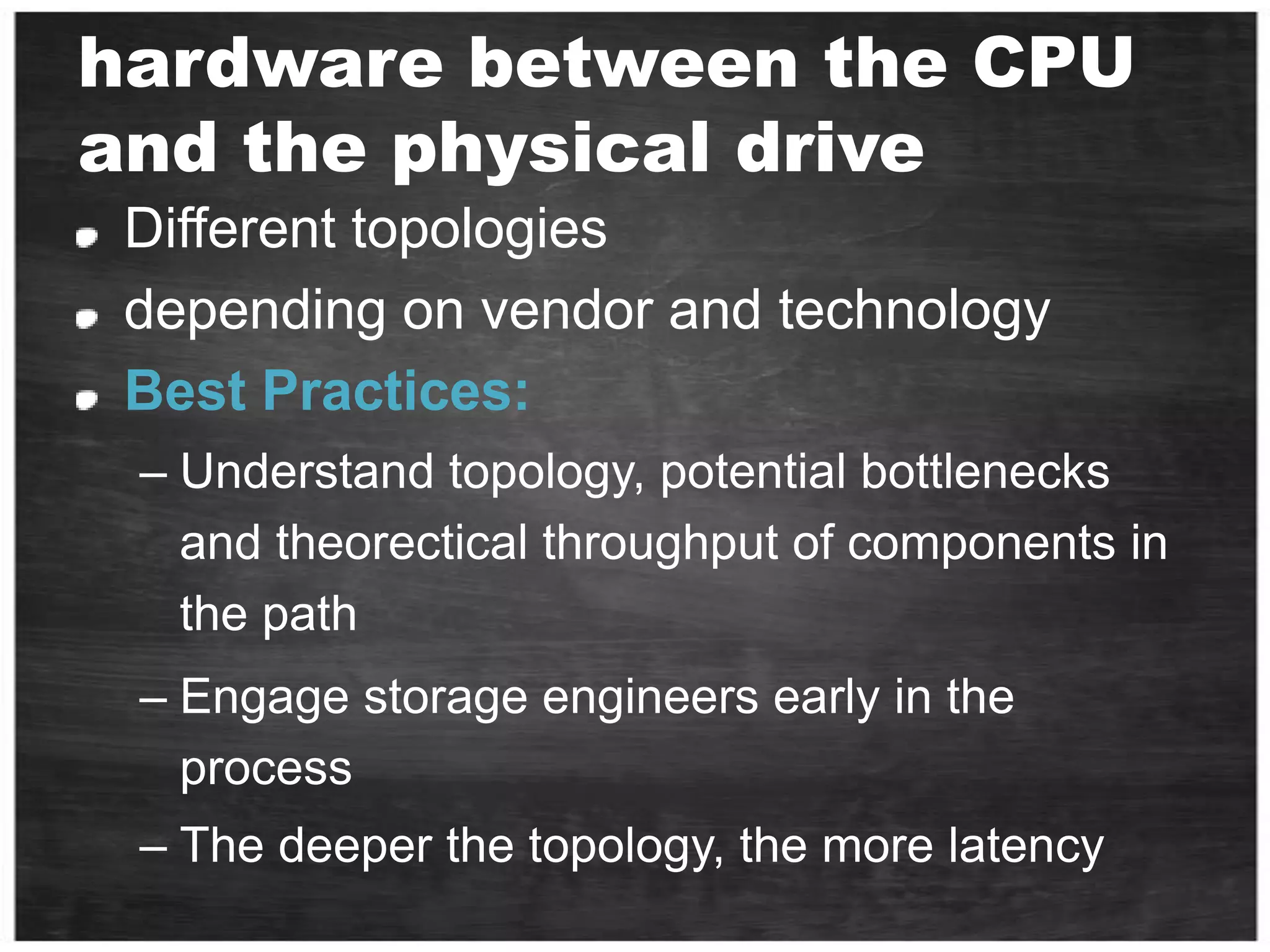
hardware between the CPU and the physical driveDifferent topologiesdepending on vendor and technologyBest Practices:Understand topology, potential bottlenecks and theorectical throughput of components in the pathEngage storage engineers early in the processThe deeper the topology, the more latency
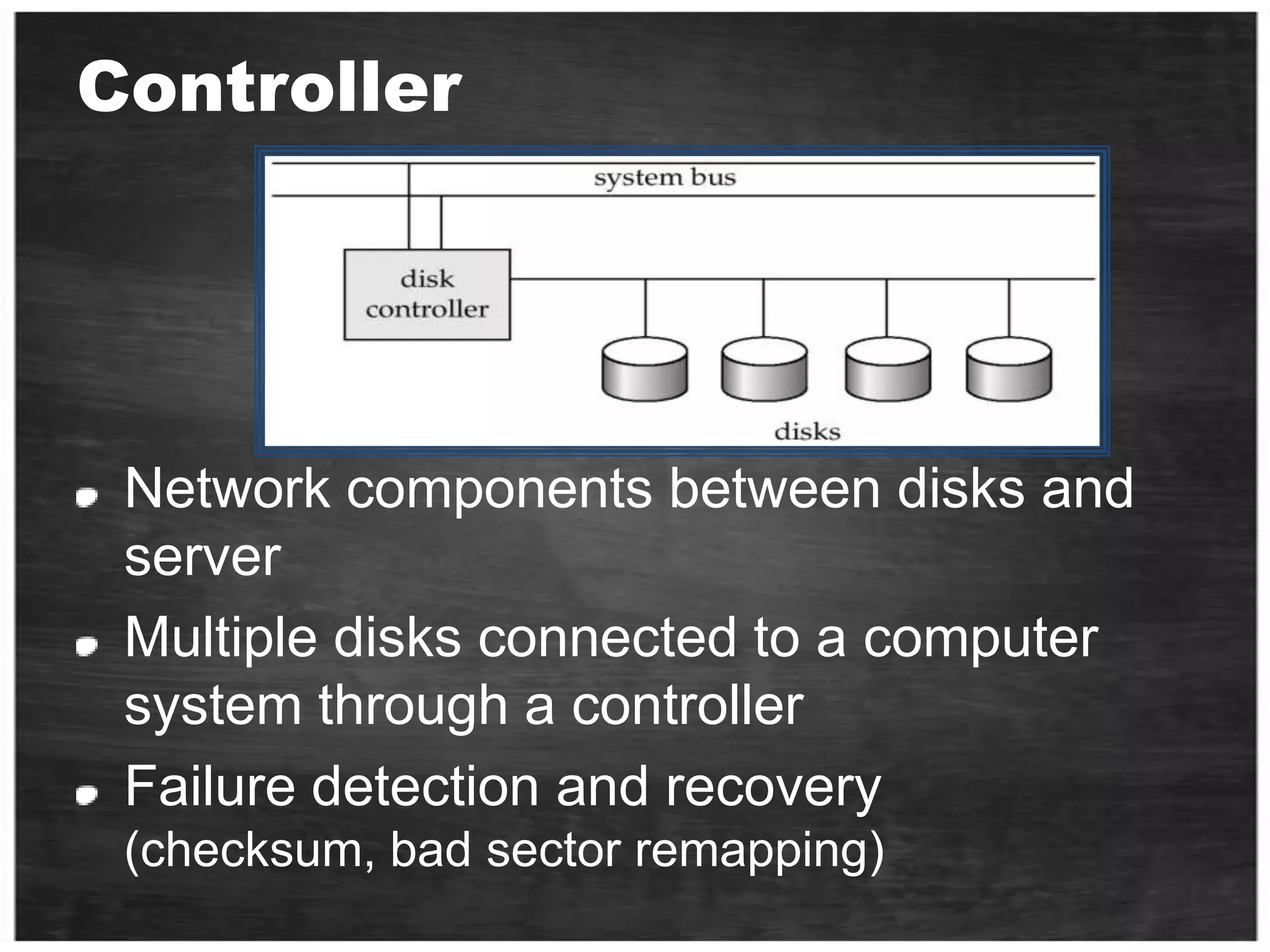
ControllerNetwork components between disks and serverMultiple disks connected to a computer system through a controllerFailure detection and recovery  (checksum, bad sector remapping)
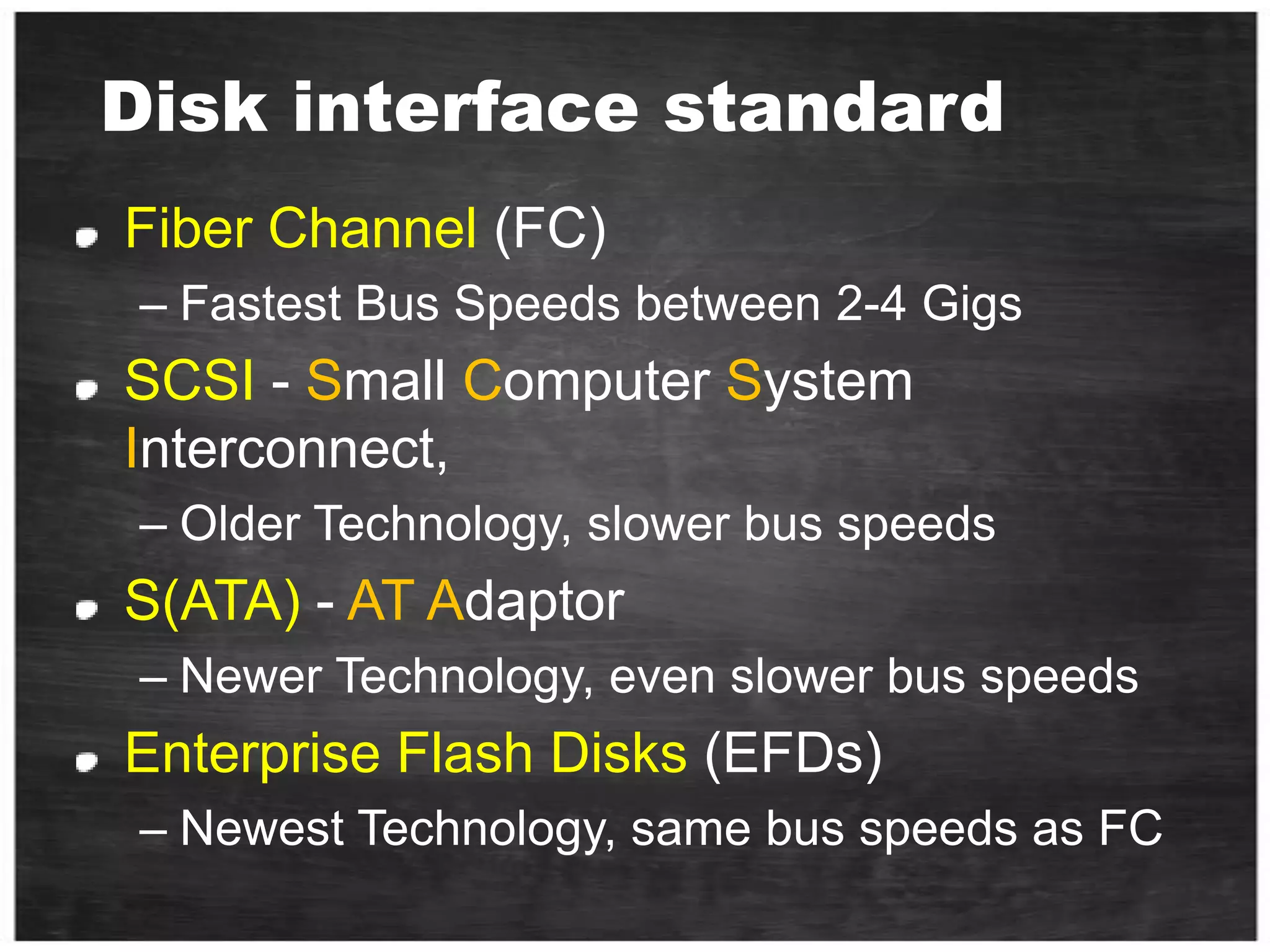
 Disk interface standardFiber Channel (FC)Fastest Bus Speeds between 2-4 GigsSCSI -Small Computer System Interconnect, Older Technology, slower bus speedsS(ATA) - ATAdaptorNewer Technology, even slower bus speedsEnterprise Flash Disks (EFDs)Newest Technology, same bus speeds as FC
Cache System cache - Buffer data between disk and interfaceDisk cache  Use DRAM to cache recently accessed blocksBlocks are replaced usually in an LRU orderMinimum 8-16MBNeeds battery and operational for reliable writes
Cache size, checkpoint  2GB vs. 8GBKey Takeaway: Write cache helps, up to a certain point
I/O SystemsinterruptsProcessorCacheMemory - I/O BusI/OControllerI/OControllerI/OControllerMainMemoryGraphicsDiskDiskNetwork
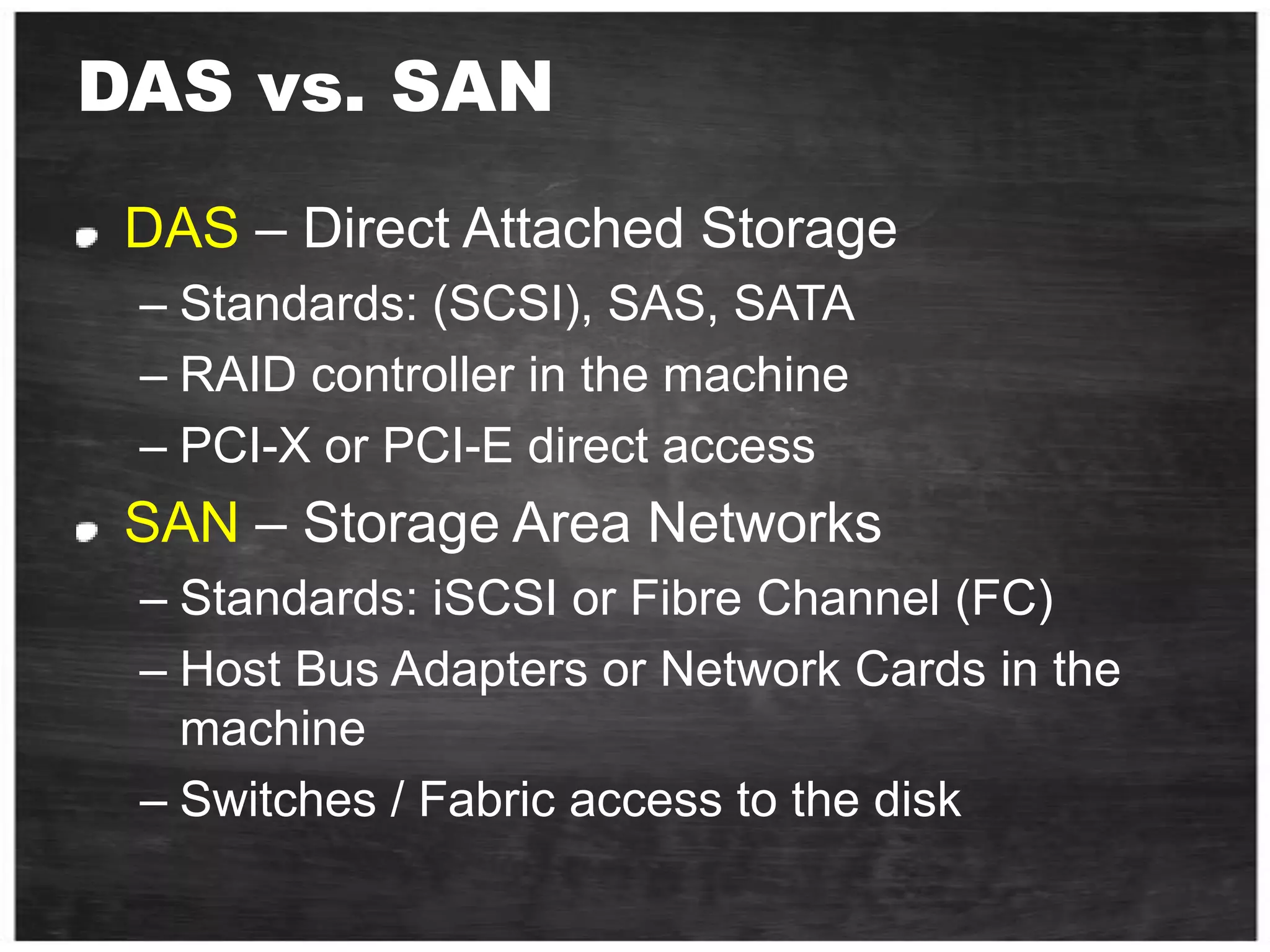
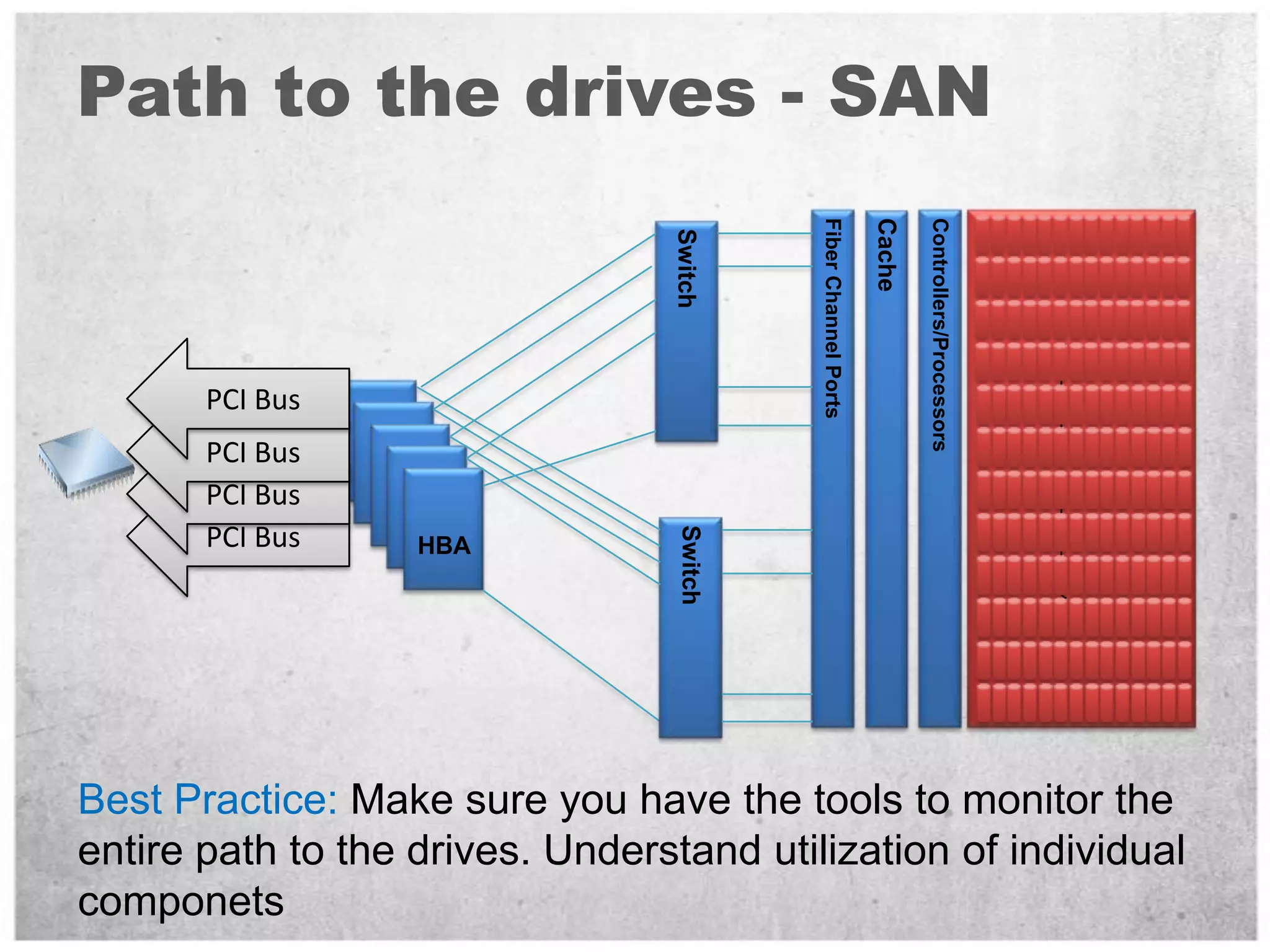
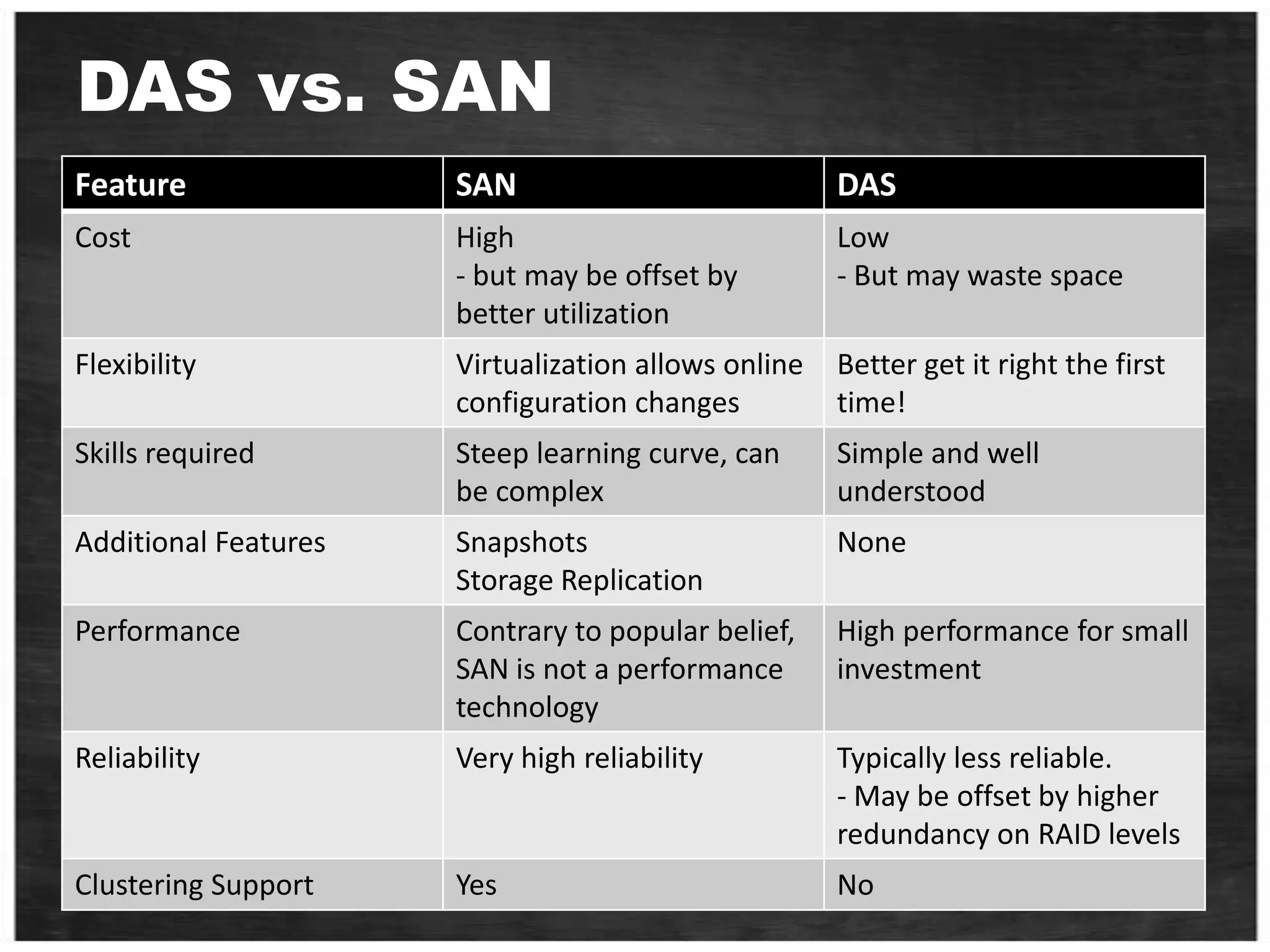
DAS vs. SANDAS – Direct Attached StorageStandards: (SCSI), SAS, SATARAID controller in the machinePCI-X or PCI-E direct accessSAN – Storage Area Networks Standards: iSCSI or Fibre Channel (FC)Host Bus Adapters or Network Cards in the machineSwitches / Fabric access to the disk
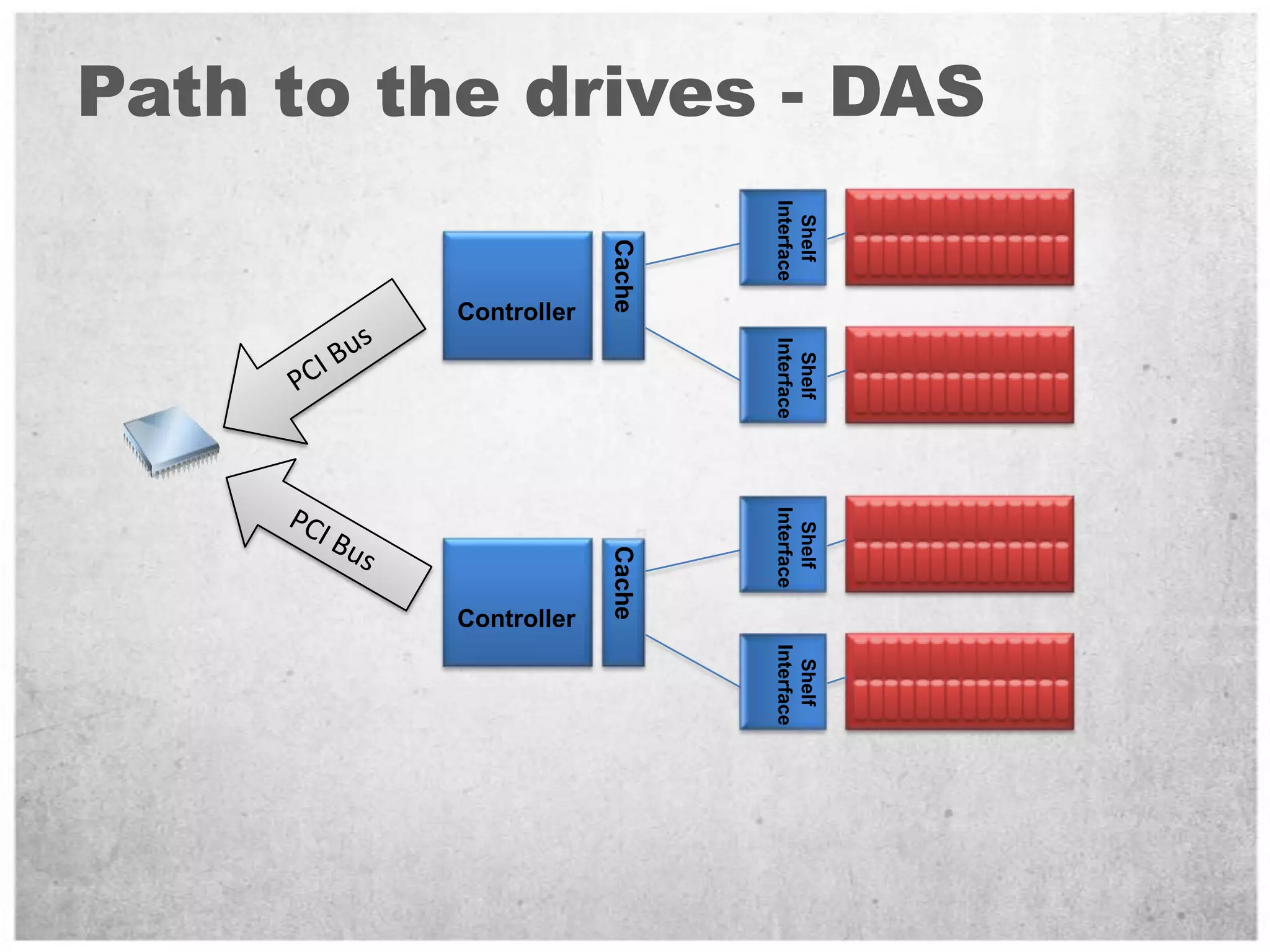
Path to the drives - DASShelf InterfaceCacheControllerPCI BusShelf InterfacePCI BusShelf InterfaceCacheControllerShelf Interface
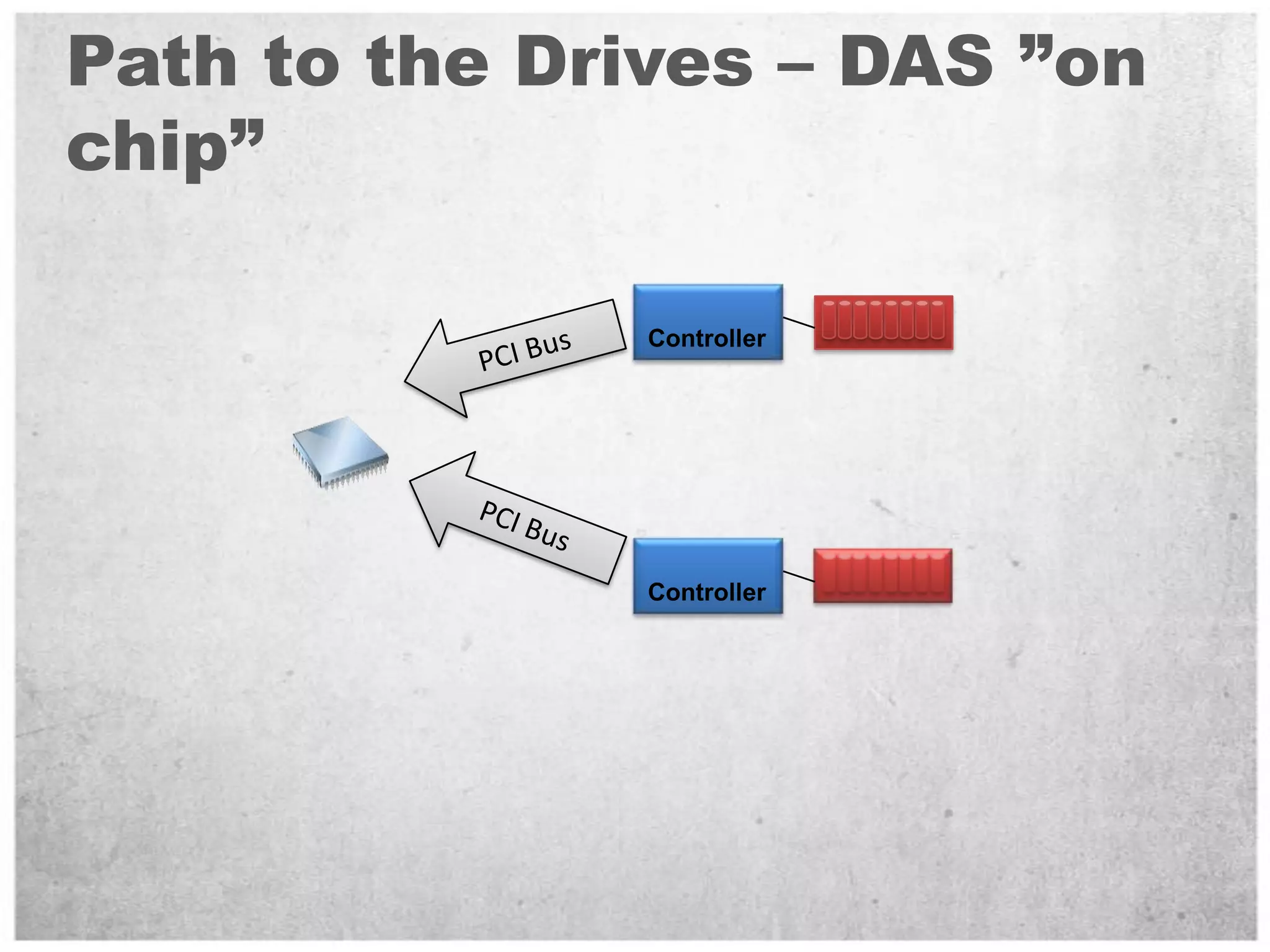
Path to the Drives – DAS ”on chip”ControllerPCI BusPCI BusController
Path to the drives - SANCacheFiber Channel PortsControllers/ProcessorsSwitchPCI BusPCI BusPCI BusHBAPCI BusSwitchBest Practice: Make sure you have the tools to monitor the entire path to the drives. Understand utilization of individual componets
SQL Server on DAS - ProsBeware of non disk related bottlenecksSCSI/SAS controller may not have bandwidth to support disksPCI bus should be fast enoughExample: Need PCI-X 8x to consume 1GB/secCan use Dynamic Disks to stripe LUN’s togetherBigger, more manageable partitionsOften a cheap way to get high performance at low priceVery few skills required to configure
SQL Server on DAS - ConsCannot grow storage dynamicallyBuy enough capacity from the start… or plan database layout to support growthExample: Allocate two files per LUN to allow doubling of capacity by moving half the filesInexpensive and simple way to create very high performance I/O systemImportant: No SAN = No Cluster!Must rely on other technologies (ex: Database Mirror) for maintaining redundant data copiesConsider requirements for storage specific functionalityEx: DAS will not do snapshotsBe careful about single points of failureExample: Loss of single storage controller may cause many drives lost
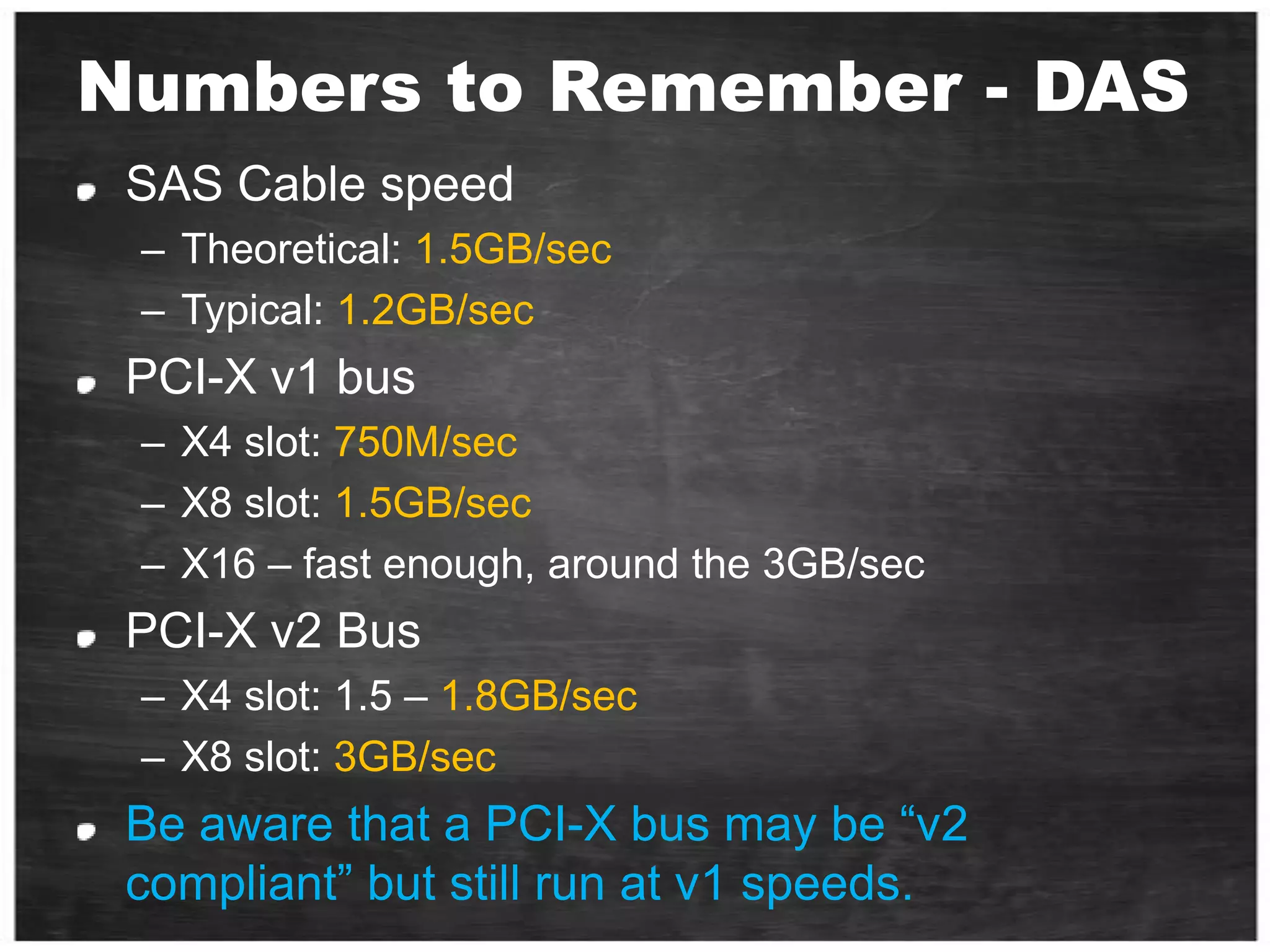
Numbers to Remember - DASSAS Cable speedTheoretical: 1.5GB/secTypical: 1.2GB/secPCI-X v1 busX4 slot: 750M/secX8 slot: 1.5GB/secX16 – fast enough, around the 3GB/secPCI-X v2 BusX4 slot: 1.5 – 1.8GB/secX8 slot: 3GB/secBe aware that a PCI-X bus may be “v2 compliant” but still run at v1 speeds.
SQL Server on SAN – Pitfalls (1/2)Sizing on capacity instead of performanceOver-estimating the ability of the SAN or arrayOverutilization of shared storageLack of knowledge about physical configuration and the potential bottlenecks or expected limits of configurationMakes it hard to tell if performance is reasonable on the configurationArray controller or bandwidth of the connection is often the bottleneckKey Takeaway: Bottleneck is not always the diskOne size fits all solutions is probably not optimal for SQL ServerGet the full story, make sure you have SAN vendors tools to measure the path to the drivesCapture counters that provide the entire picture (see benchmarking section)
SQL Server on SAN – Pitfalls (2/2)Storage technologies are evolving rapidly and traditional best practices may not apply to all configurationsAssuming physical design does not matter on SANOver estimating the benefit of array cache Physical isolation practices become more important at the high endHigh volume OLTP, large scale DWIsolation of HBA to storage ports can yield big benefitsThis largely remains true for SAN although some vendors claim it is not needed
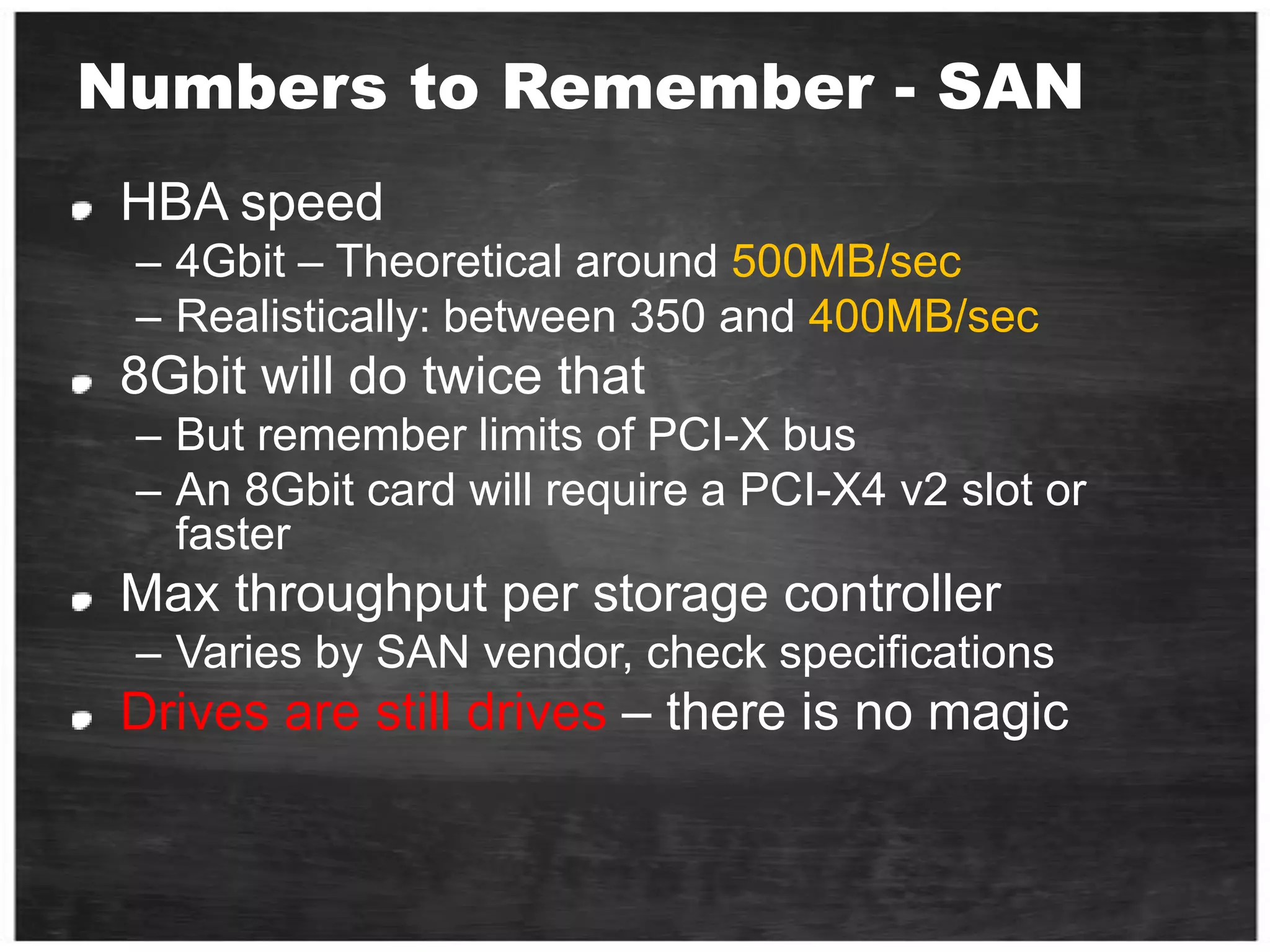
Numbers to Remember - SANHBA speed4Gbit – Theoretical around 500MB/secRealistically: between 350 and 400MB/sec8Gbit will do twice thatBut remember limits of PCI-X busAn 8Gbit card will require a PCI-X4 v2 slot or fasterMax throughput per storage controllerVaries by SAN vendor, check specificationsDrives are still drives – there is no magic
DAS vs. SAN
What is IO for me?Terminology.Tools.The path from client application to the storage and back.What affects the disk performance?Benchmark and Sizing Methodology.Workload - Design for Performance.
Monitoring - Windows View of I/OMake sure to capture all of these for the complete picture…
Validating a System for High Throughput OLTPCached files vs. Disk AccessFrom CacheBy the way – Notice the queue depth From Disk
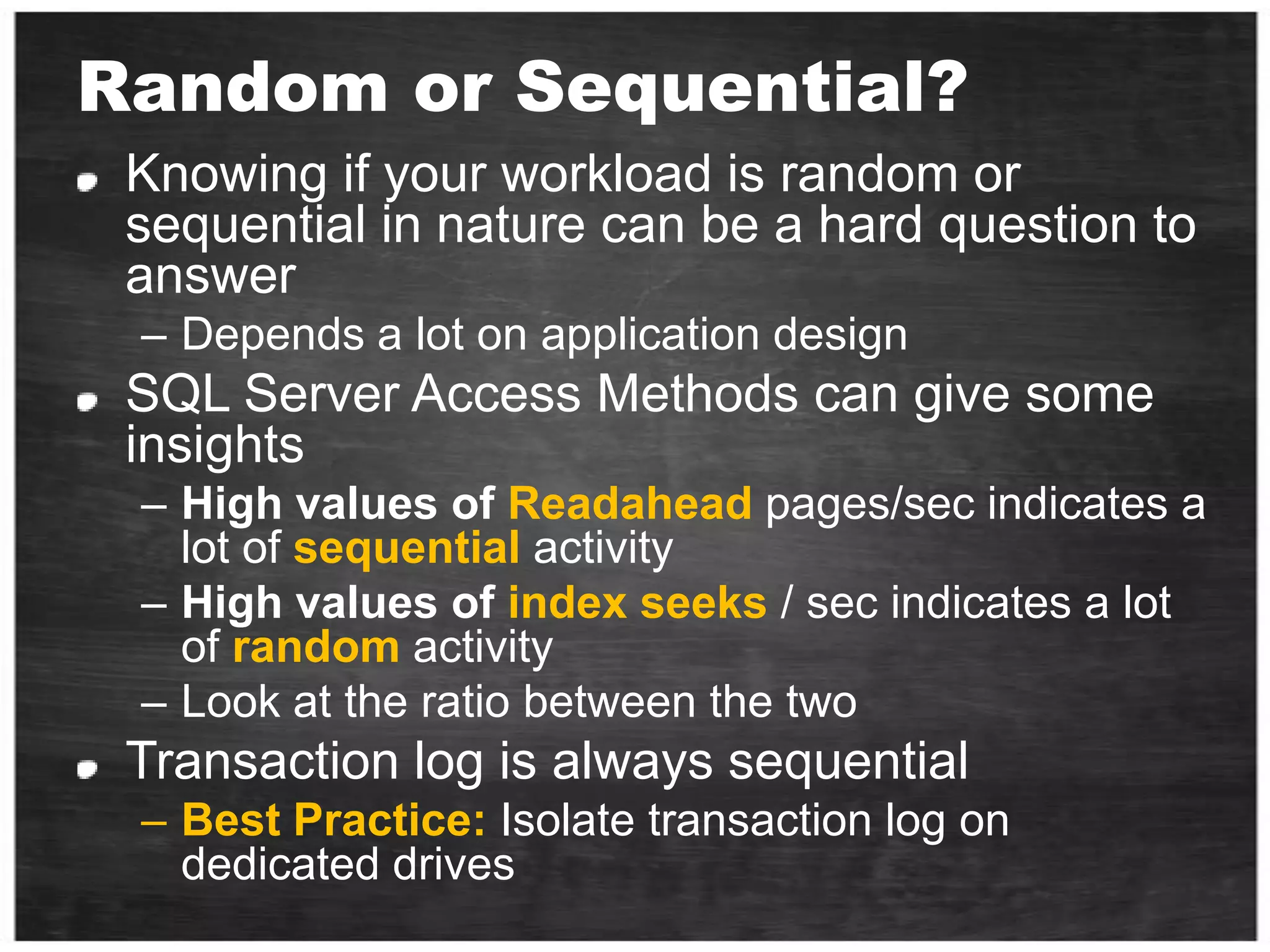
Random or Sequential?Knowing if your workload is random or sequential in nature can be a hard question to answerDepends a lot on application designSQL Server Access Methods can give some insightsHigh values of Readahead pages/sec indicates a lot of sequential activityHigh values of index seeks / sec indicates a lot of random activityLook at the ratio between the twoTransaction log is always sequentialBest Practice: Isolate transaction log on dedicated drives
Configuring Disks in WindowsThe one slide best practiceUse Disk Alignment at 1024KBUse GPT if MBR not large enoughFormat partitions at 64KB allocation unit sizeOne partition per LUNOnly use Dynamic Disks when there is a need to stripe LUNs using Windows striping  (i.e. Analysis Services workload)Tools:Diskpar.exe, DiskPart.exe and DmDiag.exeFormat.exe Disk Manager
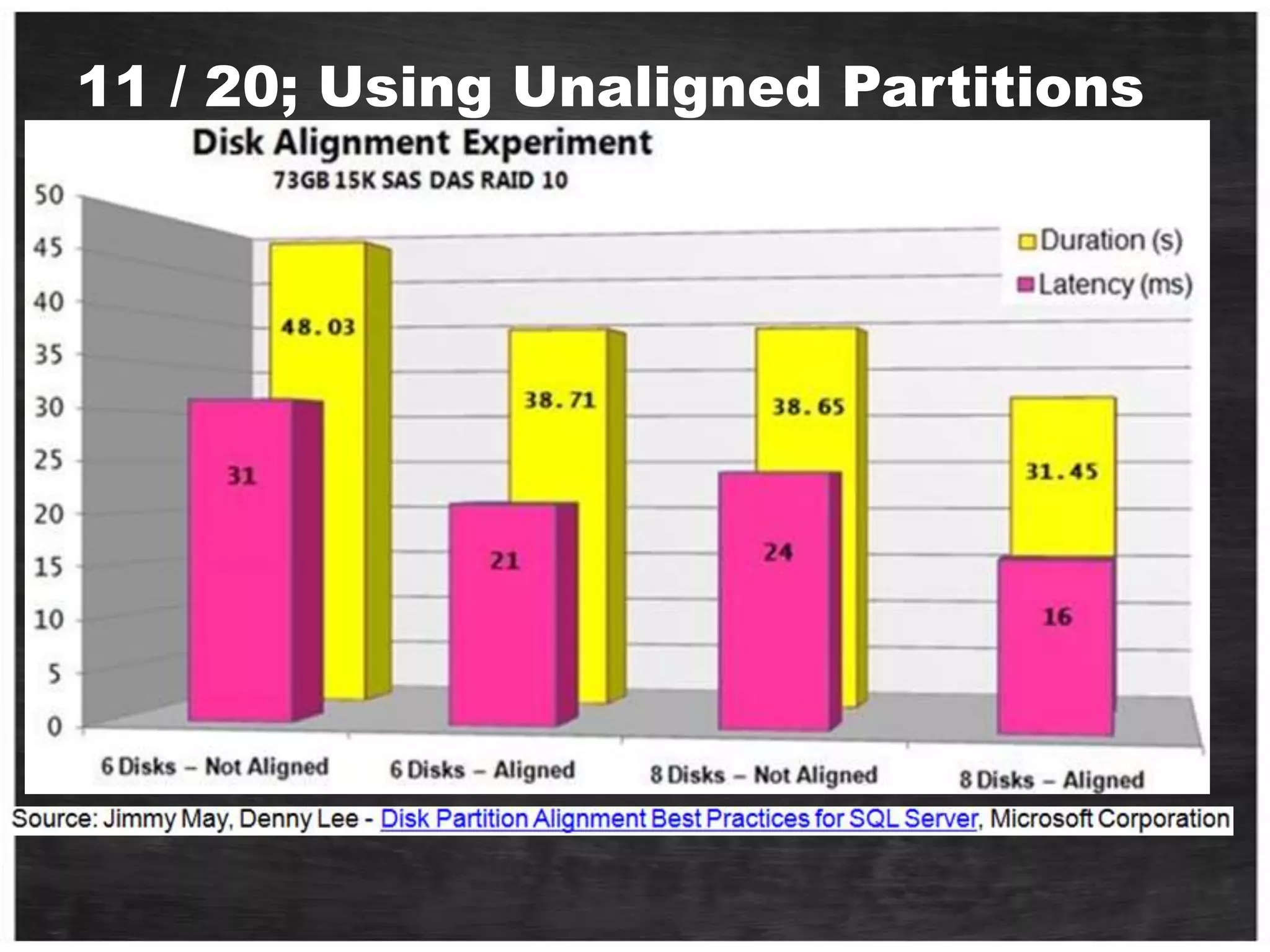
Ensure Disks are Formatted CorrectlyThe worst scenario?  Random operations using 64K IO and 64K chunk size.  One sector off and you are hitting two disks for every IO thus halving the random performance potential.  Note:  On a RAID array this means accessing two different stripe units on two separate disks.Graphics Source:  Jimmy Mayד
11 / 20; Using Unaligned Partitionsד
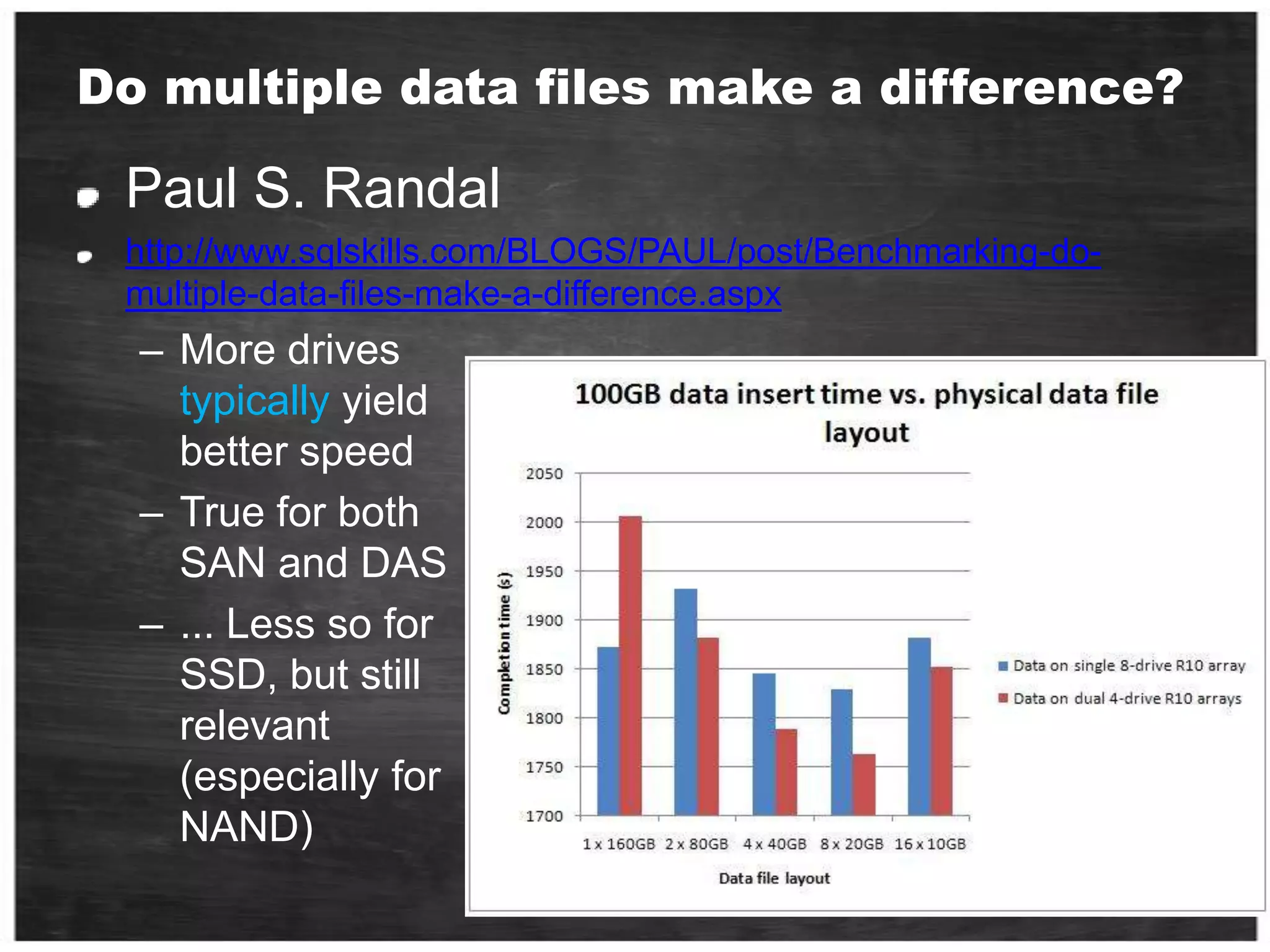
Do multiple data files make a difference?Paul S. Randalhttp://www.sqlskills.com/BLOGS/PAUL/post/Benchmarking-do-multiple-data-files-make-a-difference.aspxMore drives typically yield better speed
True for both SAN and DAS
... Less so for SSD, but still relevant (especially for NAND)How Many Data Files Do I Need?More data files does not necessarily equal better performance Determined mainly by 1) hardware capacity & 2) access patternsNumber of data files may impact scalability of heavy write workloadsPotential for contention on allocation structures (PFS/GAM/SGAM) Mainly a concern for applications with high rate of page allocations on servers with >= 8 CPU coresMore of a consideration for Tempdb (most cases)Can be used to maximize # of spindles – Data files can be used to “stripe” database across more physical spindlesBest practice: Pre-size data/log files, use equal size for files within a single file group and manually grow all files within filegroup at same time (vs. AUTOGROW)
How Many Filegroups?Performance Filegroups can be used to separate tables/indexes - allowing selective placement of these at the disk level Separate objects requiring more data files due to high page allocation rateCan be used to separate I/O patternsAdministration consideration (primarily) Backup can be performed at the filegroup or file level Partial availabilityDatabase is available if primary filegroup is available; other filegroups can be offlineA filegroup is available if all its files are availableTables and IndexesCan specify separate filegroups for in-row data and large-object dataBest Practice: Place LOB data in a dedicated filegroupPartitioned Tables Each partition can be in its own filegroup Partition per filegroup may provide better archiving strategy Partitions can be moved in and out of the tableBest Practice: Do not place data in PRIMARY filegroup, allocate a new filegroup and set this as default
Share storage environments At the disk level and other shared components (i.e. service processors, cache, etc…)
What is IO for me?Terminology.Tools.The path from client application to the storage and back.What affects the disk performance?Benchmark and Sizing Methodology.Workload - Design for Performance.
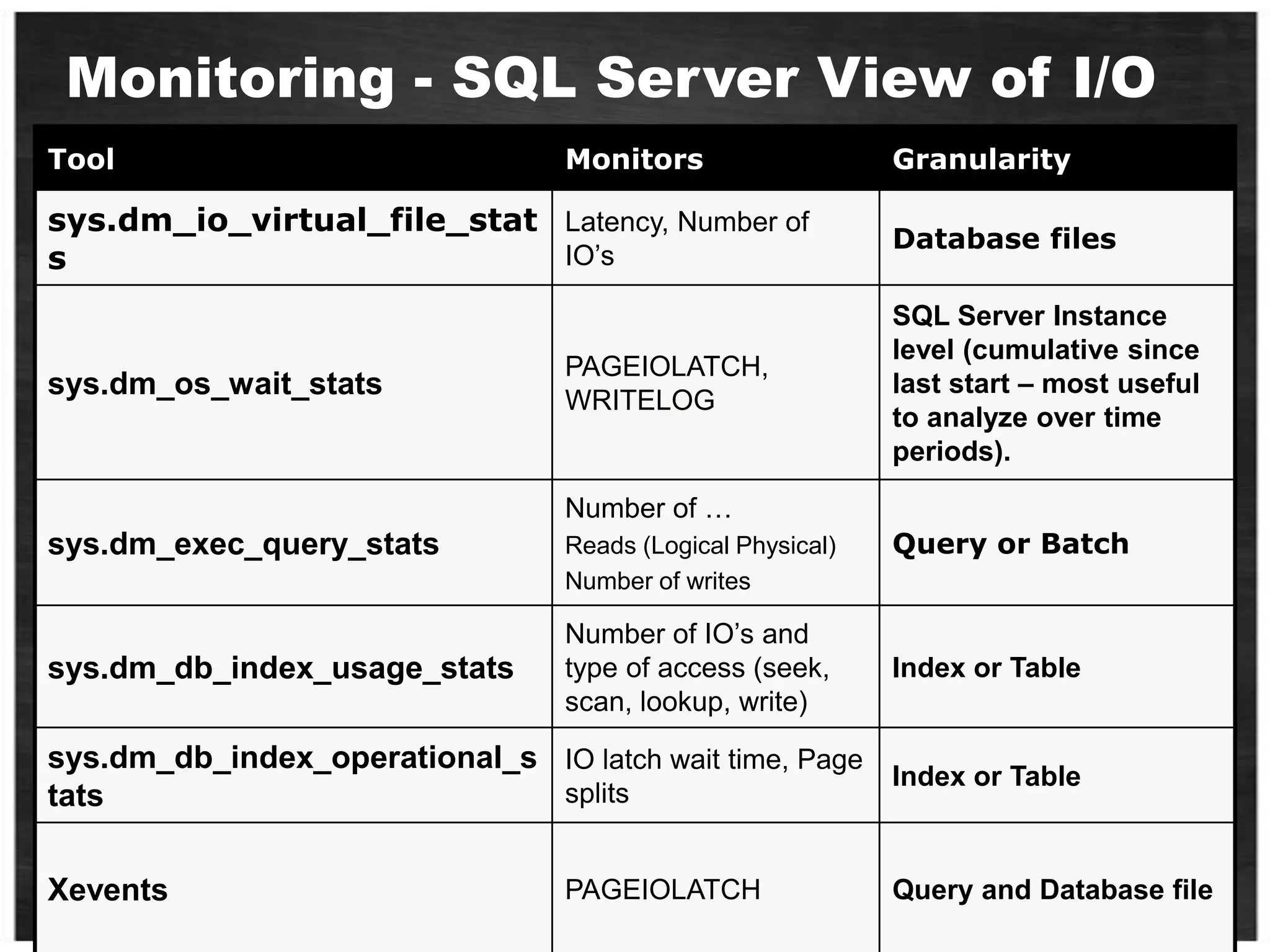
Monitoring - SQL Server View of I/O
What is IO for me?Terminology.Tools.The path from client application to the storage and back.What affects the disk performance?Benchmark and Sizing Methodology.Workload - Design for Performance.
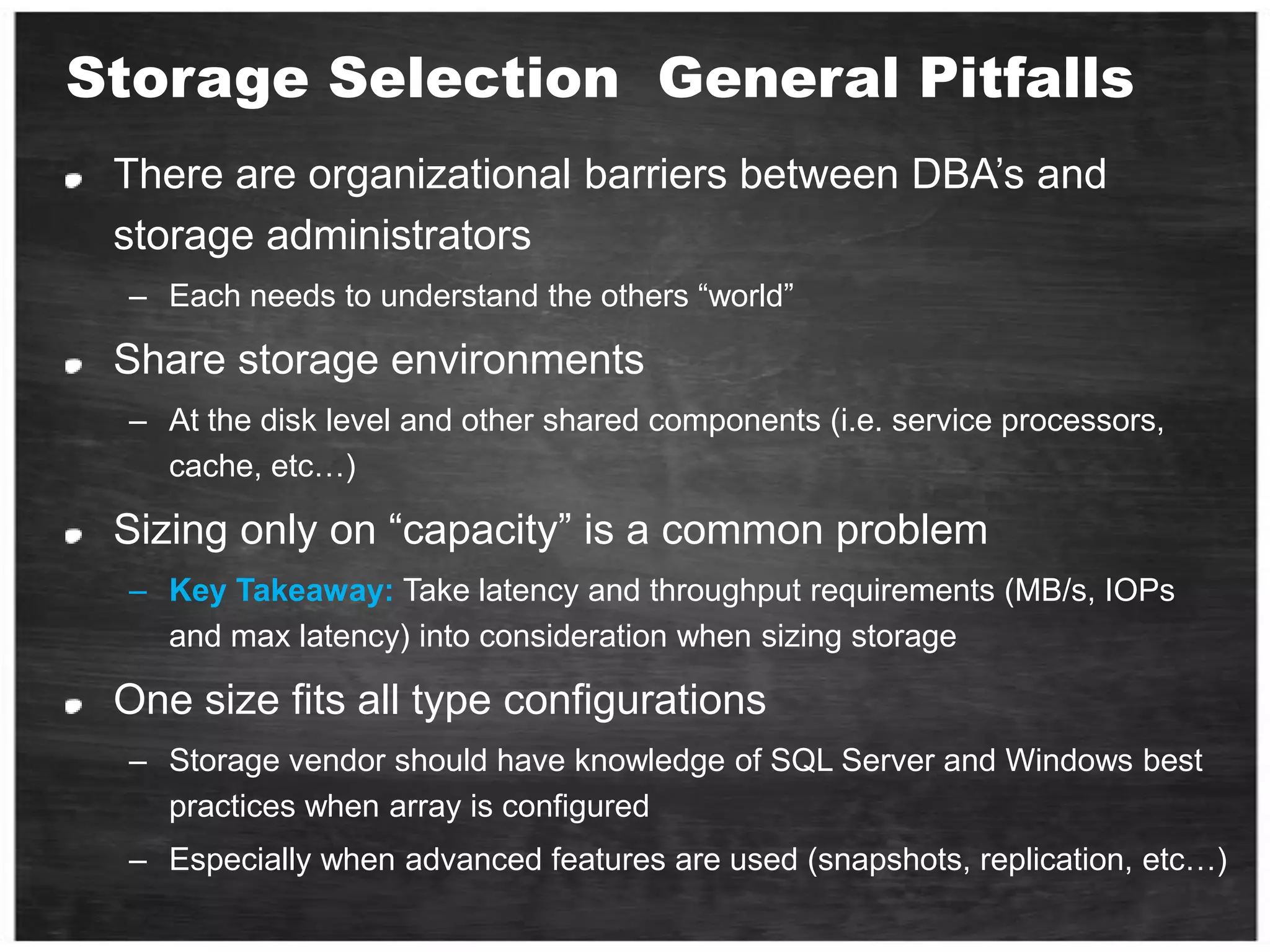
Storage Selection  General PitfallsThere are organizational barriers between DBA’s and storage administrators  Each needs to understand the others “world”Share storage environments At the disk level and other shared components (i.e. service processors, cache, etc…)Sizing only on “capacity” is a common problem Key Takeaway: Take latency and throughput requirements (MB/s, IOPs and max latency) into consideration when sizing storageOne size fits all type configurationsStorage vendor should have knowledge of SQL Server and Windows best practices when array is configured Especially when advanced features are used (snapshots, replication, etc…)
Disk Subsystem - SQL Server I/O PatternUnderstanding I/O characteristics of common SQL Server operations/scenarios can help you determine how to configure storageOLTP Workloads High number of small Tlog writes (often single digit KB)T-Log buffer is written because Commit is issued by the applicationConcurrency around writing into T-Log BufferMajority ‘random’ single page reads
OLAP - DWH Workloads Smaller number of Tlog Writes with longer writes (often 64K)T-Log buffers get written because buffer is fullOften ‘sequential’ Read-Ahead with 64K or more from data files
Backup / RestoreBackup and restore operations utilize internal buffers for the data being read/writtenNumber of buffers is determined by:The number of data file volumesThe number of backup devicesOr by explicitly setting BUFFERCOUNTIf database files are spread across are a few (or a single) logical volume(s), and there are a few (or a single) output device(s) optimal performance may not be achievable by defaultTuning can be achieved by using the BUFFERCOUNT parameter for BACKUP / RESTORE More Information: http://sqlcat.com/technicalnotes/archive/2008/04/21/tuning-the-performance-of-backup-compression-in-sql-server-2008.aspx

IO Dubi Lebel

  • 1.
    DAT 402Designing HighPerformance I/O System with SQL ServerDubi LebelDubi.lebel@gmail.com
  • 2.
    Query B runstwo time in a week , takes about 10 minutes to return results setQuery A runs two thousand time every day, takes up to 1 second to return results setWhich one of those query affecting more the DISK I/O?
  • 3.
    insert 100 rowswrapped in 1 transactionInsert 100 single row (100 transactions)Which one of those inserts is faster? which one affecting more the DISK I/O?
  • 4.
    Amdahl's Law: systemspeed-up limited by the slowest part!CPU Performance: 60% per yearDisk Performance < 10% per year (IO per sec)I/O system performance limited by mechanical delays (disk I/O)
  • 5.
    Who am I?D.B.A. (Don’t Bother Asking) Architect at Logic Ind.Worked as a database Dev & admin since 1990.Works with SQL Server from first (SYBASE) version 3.6 Been at S.R.L. (R.I.P.) 8½ years Been at Microsoft 7 ½ as Technical manager of SQL pre-sales (managed 3 times the DB track at Tech-ED)Co-manage with Ami Leven the SQL Server Israeli User Group
  • 6.
    ThanksThomas Kejser -SQL CAT member http://sqlcat.com/members/tkejser.aspxThomas with Henk Van derValk (BI405 29/11/10, 11:30 - 12:45 ) world record SSIS -ETL performance - 1.18 TB in under 10 minutes.
  • 7.
    Key TakeawayThis isNOT going to be easy…182 slides You can either dive here or in the sea.But here you will see what you can’t see in the sea.The lessons in this session wrote in sweat and blood
  • 8.
    What is IOfor me?Terminology.Tools.The path from client application to the storage and back.What affects the disk performance?Benchmark and Sizing Methodology.Workload - Design for Performance.
  • 9.
    What is IOfor me?
  • 10.
    What is IOfor me?
  • 11.
    1956: IBM 305RAMAC Computer with Disk Drive
  • 12.
    Seagate ST4053 40MByteThis was my disk on my first desktop
  • 13.
    What is IOfor me?Terminology.Tools.DiThe path from client application to the storage and back.What affects the disk performance?Benchmark and Sizing Methodology.Workload - Design for Performance.
  • 14.
    What is IOfor me?ThroughputLatencyCapacityHow do you Measure it?
  • 15.
    What is IOfor me - ThroughputThe amount of successful data passing between storage and computer in a specified amount of time Measured in MB/sec or IOPs Performance Monitor: Logical DiskDisk Read Bytes / SecDisk Write Bytes / SecDisk Read / SecDisk Writes / Sec
  • 16.
    What is IOfor me - LatencyA synonym for delay. how much time it takes for a packet of data to get from one designated to anotherMeasured in milliseconds (ms) Performance Monitor: Logical DiskAvg. Disk Sec / read Avg. Disk Sec / writeMore on healthy latency values later
  • 17.
    What is IOfor me - CapacityCapacity is just Capacity Measured in GB/TBThe easy one!does it important? Key Takeaway: Don’t think about disk i/o as disk capacity
  • 18.
    What is IOfor me?Terminology.Tools.The path from client application to the storage and back.What affects the disk performance?Benchmark and Sizing Methodology.Workload - Design for Performance.
  • 19.
    Terminology - BasicDisk- Spindles – Physical disks in the Storage ArrayArray - Box with the Spindles in it
  • 20.
    Terminology – ACR”NJBOD- Just a Bunch of DisksSAME – Stripe and Mirror EverythingRAID - Redundant Array of Inexpensive DisksDAS - Direct Attached StorageNAS - Network Attached StorageSAN - Storage Area NetworkCAS - Content Addressable Storage
  • 21.
  • 22.
    Terminology – Adv.LUN- Logical Unit NumberHost - The Server or Servers a LUN is presented to.Disk - How the OS sees a LUN when presentedIOps - Physical Operation To DiskSequential IO - Reads or writes which are sequential on the spindleRandom IO - Reads or writes which are located at random positions on the spindle
  • 23.
  • 24.
    The Full StackI/OController / HBACablingArrayCacheSpindlePCI BusWindowsCPUSQL Serv.
  • 25.
    The Traditional HardDisk DriveCover mounting holes(cover not shown)Base castingSpindleSlider (and head)Case mounting holesActuator armPlattersActuator axisActuatorFlex Circuit(attaches headsto logic board)SATA interfaceconnectorPower connectorSource: Panther Products
  • 26.
    Disk Arm andHeadDisk arm
  • 27.
    A disk armcarries disk heads
  • 28.
  • 29.
    Read and writeon disk surface
  • 30.
  • 31.
    Disk controller receivesa command with <track#, sector#>
  • 32.
    Seek the rightcylinder (tracks)
  • 33.
    Wait until theright sector comes
  • 34.
    Perform read/writeMechanical Componentof A Disk DriveTracksConcentric rings around disk surface, bits laid out serially along each trackCylinderA track of the platter, 1000-5000 cylinders per zone, 1 spare per zoneSectorsEach track is split into arc of track (min unit of transfer)
  • 36.
    Numbers to Remember- SpindlesTraditional Spindle throughput in random 8/16K I/O10K RPM – 100 -130 IOPs at ‘full stroke’15K RPM – 150-180 IOPs at ‘full stroke’Can achieve 2x or more when ‘short stroking’ the disks (using less than 20% capacity of the physical spindle)Aggregate throughput when sequential access:Between 90MB/sec and 125MB/sec for a single driveIf true sequential, any block size over 8K will give you these numbersDepends on drive form factor, 3.5” drives slightly faster than 2.5”Approximate latency: 3-5ms
  • 37.
    Scaling of SpindleCount - Short vs. Full Stroke Each 8 disks exposes a single 900GB LUNRAID Group capacity ~1.1TBTest data set is fixed at 800GB Single 800GB for single LUN (8 disks), two 400GB test files across two LUNs, etc…Lower IOPs per physical disk when more capacity of the physical disks are used (longer seek times)
  • 38.
    The “New” HardDisk Drive (SSD)Solid State Drive No moving parts!
  • 39.
    Paul S. RandalSQLskills.comhttp://www.sqlskills.com/BLOGS/PAUL/category/Benchmarking.aspxBenchmarking-Introducing-SSDs-part 1 , 2 and 3
  • 40.
    SSD - GameChanger!No moving partsPower consumption (20%)Read operations Random = Sequential low latency on access
  • 41.
    SSD - NANDFlashThroughput, especially random, much higher than traditional driveTypically 10**4 IOPS for a single driveexample: Intel X25 and FusionIOStorage organized into cells of 512KBEach cell consists of 64 pages, each page 8KBWhen a cell need to rewritten, the 512KB Block must first be erasedThis is an expensive operation, can take very longDisk controller will attempt to locate free cells before trying to delete existing onesWrites can be slowDDR ”write cache” often used to ”overcome” this limitationWhen blocks fill up, NAND becomes slower with useBut only up to a certain level – eventually peaks outStill MUCH faster than typical drives
  • 42.
    SSD - BatteryBacked DRAMThroughput close to speed of RAMTypically 10**5 IOPS for a single driveDrive is essentially DRAM RAM on a PCI card (example: FusionIO) ...or with a fiber interface (example: DSI3400)Battery backed up to persist storageBe careful about downtime, how long can drive survive with no power?As RAM prices drop, these drives are becoming largerExtremely high throughput, watch the path to the drives
  • 43.
    SSD Directly onPCI-X Slot> 10,000 IOPsMixed read/write Latency < 1msPCI bus bottleneck
  • 44.
    Overview of DriveCharacteristics
  • 45.
    QuestionSSD is evolutionof DiskOnKey,What is the most dangerous event that can lead you to loss all your Disk On Key data?Don’t put all the eggs on one basket!
  • 46.
    What is IOfor me?Terminology.Tools.The path from client application to the storage and back.What affects the disk performance?Benchmark and Sizing Methodology.Workload - Design for Performance.
  • 47.
  • 48.
    SQLIOWhat is itDomoHowto read results
  • 49.
    How to RunSQLIOBrent Ozar – MVP, Quest Softwarehttp://www.brentozar.com/http://sqlserverpedia.com/wiki/SAN_Performance_Tuning_with_SQLIO
  • 50.
    Write This Down.It’s Important.sqlio -kW -t2 -s120 -dM -o1 -frandom -b64 -BH -LS Testfile.datsqlio -kR -t2 -s120 -dM -o2 -frandom -b64 -BH -LS Testfile.datsqlio -kW -t2 -s120 -dM -o8 -frandom -b64 -BH -LS Testfile.datsqlio -kW -t2 -s120 -dM -o16 -frandom -b64 -BH -LS Testfile.datsqlio -kR -t2 -s120 -dM -o64 -frandom -b64 -BH -LS Testfile.datsqlio -kR -t2 -s120 -dM -o128 -frandom -b64 -BH -LS Testfile.datsqlio -kW -t4 -s120 -dM -o1 -fsequential -b64 -BH -LS Testfile.datsqlio -kR -t4 -s120 -dM -o2 -fsequential -b64 -BH -LS Testfile.datsqlio -kR -t4 -s120 -dM -o4 - fsequential -b64 -BH -LS Testfile.datsqlio -kW -t4 -s120 -dM -o8 - fsequential -b64 -BH -LS Testfile.dat
  • 51.
    The most importantparameters are: -kW means writes (as opposed to reads) -t2 means two threads -s120 means test for 120 seconds -dM means drive letter M -o1 means one outstanding request (not piling up requests) -frandom means random access (as opposed to -fsequential) -b64 means 64kb IOs
  • 52.
    The OutputE:\Program Files(x86)\SQLIO>sqlio -kW -t2 -s120 -dM -o1 -frandom -b64 -BH -LS Testfile.datsqlio v1.5.SGusing system counter for latency timings, -1361967296 counts per second2 threads writing for 120 secs to file M:Testfile.dat using 64KB random IOs enabling multiple I/Os per thread with 1 outstanding buffering set to use hardware disk cache (but not file cache)using current size: 24576 MB for file: M:Testfile.datinitialization doneCUMULATIVE DATA:throughput metrics:IOs/sec: 1539.50MBs/sec: 96.21latency metrics:Min_Latency(ms): 0Avg_Latency(ms): 0Max_Latency(ms): 572histogram:ms: 0 1 2 3 4 5 6 7 8 9 10 11 12 13 14 15 16 17 18 19 20 21 22 23 24+%: 66 32 1 0 0 0 0 0 0 0 0 0 0 0 0 0 0 0 0 0 0 0 0 0 0
  • 53.
  • 54.
  • 55.
    http://www.iometer.org/developed by theIntel Corp. 1998an I/O subsystem measurement and characterization tool for single and clustered systems.given to the Open Source Development Lab (OSDL). In November 2001Last update 2008-06-22-rc2
  • 57.
    Note:If you leavethis field at “0”, IOMeter will use all available disk space.Heuristics:One manager per server.
  • 58.
    One worker perprocessor.Can play a significant role in observed performance.
  • 63.
    QLIOStress - SQLIOSimWhatis itDomeHow to read results
  • 64.
  • 65.
  • 67.
    What is IOfor me?Terminology.Tools.The path from client application to the storage and back.What affects the disk performance?Benchmark and Sizing Methodology.Workload - Design for Performance.
  • 68.
    I/O Controller /HBACablingArrayCacheSpindlePCI BusWindowsCPUSQL Serv.
  • 69.
    hardware between theCPU and the physical driveDifferent topologiesdepending on vendor and technologyBest Practices:Understand topology, potential bottlenecks and theorectical throughput of components in the pathEngage storage engineers early in the processThe deeper the topology, the more latency
  • 70.
    ControllerNetwork components betweendisks and serverMultiple disks connected to a computer system through a controllerFailure detection and recovery (checksum, bad sector remapping)
  • 71.
    Disk interfacestandardFiber Channel (FC)Fastest Bus Speeds between 2-4 GigsSCSI -Small Computer System Interconnect, Older Technology, slower bus speedsS(ATA) - ATAdaptorNewer Technology, even slower bus speedsEnterprise Flash Disks (EFDs)Newest Technology, same bus speeds as FC
  • 72.
    Cache System cache- Buffer data between disk and interfaceDisk cache Use DRAM to cache recently accessed blocksBlocks are replaced usually in an LRU orderMinimum 8-16MBNeeds battery and operational for reliable writes
  • 73.
    Cache size, checkpoint 2GB vs. 8GBKey Takeaway: Write cache helps, up to a certain point
  • 74.
    I/O SystemsinterruptsProcessorCacheMemory -I/O BusI/OControllerI/OControllerI/OControllerMainMemoryGraphicsDiskDiskNetwork
  • 75.
    DAS vs. SANDAS– Direct Attached StorageStandards: (SCSI), SAS, SATARAID controller in the machinePCI-X or PCI-E direct accessSAN – Storage Area Networks Standards: iSCSI or Fibre Channel (FC)Host Bus Adapters or Network Cards in the machineSwitches / Fabric access to the disk
  • 76.
    Path to thedrives - DASShelf InterfaceCacheControllerPCI BusShelf InterfacePCI BusShelf InterfaceCacheControllerShelf Interface
  • 77.
    Path to theDrives – DAS ”on chip”ControllerPCI BusPCI BusController
  • 78.
    Path to thedrives - SANCacheFiber Channel PortsControllers/ProcessorsSwitchPCI BusPCI BusPCI BusHBAPCI BusSwitchBest Practice: Make sure you have the tools to monitor the entire path to the drives. Understand utilization of individual componets
  • 79.
    SQL Server onDAS - ProsBeware of non disk related bottlenecksSCSI/SAS controller may not have bandwidth to support disksPCI bus should be fast enoughExample: Need PCI-X 8x to consume 1GB/secCan use Dynamic Disks to stripe LUN’s togetherBigger, more manageable partitionsOften a cheap way to get high performance at low priceVery few skills required to configure
  • 80.
    SQL Server onDAS - ConsCannot grow storage dynamicallyBuy enough capacity from the start… or plan database layout to support growthExample: Allocate two files per LUN to allow doubling of capacity by moving half the filesInexpensive and simple way to create very high performance I/O systemImportant: No SAN = No Cluster!Must rely on other technologies (ex: Database Mirror) for maintaining redundant data copiesConsider requirements for storage specific functionalityEx: DAS will not do snapshotsBe careful about single points of failureExample: Loss of single storage controller may cause many drives lost
  • 81.
    Numbers to Remember- DASSAS Cable speedTheoretical: 1.5GB/secTypical: 1.2GB/secPCI-X v1 busX4 slot: 750M/secX8 slot: 1.5GB/secX16 – fast enough, around the 3GB/secPCI-X v2 BusX4 slot: 1.5 – 1.8GB/secX8 slot: 3GB/secBe aware that a PCI-X bus may be “v2 compliant” but still run at v1 speeds.
  • 82.
    SQL Server onSAN – Pitfalls (1/2)Sizing on capacity instead of performanceOver-estimating the ability of the SAN or arrayOverutilization of shared storageLack of knowledge about physical configuration and the potential bottlenecks or expected limits of configurationMakes it hard to tell if performance is reasonable on the configurationArray controller or bandwidth of the connection is often the bottleneckKey Takeaway: Bottleneck is not always the diskOne size fits all solutions is probably not optimal for SQL ServerGet the full story, make sure you have SAN vendors tools to measure the path to the drivesCapture counters that provide the entire picture (see benchmarking section)
  • 83.
    SQL Server onSAN – Pitfalls (2/2)Storage technologies are evolving rapidly and traditional best practices may not apply to all configurationsAssuming physical design does not matter on SANOver estimating the benefit of array cache Physical isolation practices become more important at the high endHigh volume OLTP, large scale DWIsolation of HBA to storage ports can yield big benefitsThis largely remains true for SAN although some vendors claim it is not needed
  • 84.
    Numbers to Remember- SANHBA speed4Gbit – Theoretical around 500MB/secRealistically: between 350 and 400MB/sec8Gbit will do twice thatBut remember limits of PCI-X busAn 8Gbit card will require a PCI-X4 v2 slot or fasterMax throughput per storage controllerVaries by SAN vendor, check specificationsDrives are still drives – there is no magic
  • 85.
  • 86.
    What is IOfor me?Terminology.Tools.The path from client application to the storage and back.What affects the disk performance?Benchmark and Sizing Methodology.Workload - Design for Performance.
  • 87.
    Monitoring - WindowsView of I/OMake sure to capture all of these for the complete picture…
  • 88.
    Validating a Systemfor High Throughput OLTPCached files vs. Disk AccessFrom CacheBy the way – Notice the queue depth From Disk
  • 89.
    Random or Sequential?Knowingif your workload is random or sequential in nature can be a hard question to answerDepends a lot on application designSQL Server Access Methods can give some insightsHigh values of Readahead pages/sec indicates a lot of sequential activityHigh values of index seeks / sec indicates a lot of random activityLook at the ratio between the twoTransaction log is always sequentialBest Practice: Isolate transaction log on dedicated drives
  • 90.
    Configuring Disks inWindowsThe one slide best practiceUse Disk Alignment at 1024KBUse GPT if MBR not large enoughFormat partitions at 64KB allocation unit sizeOne partition per LUNOnly use Dynamic Disks when there is a need to stripe LUNs using Windows striping (i.e. Analysis Services workload)Tools:Diskpar.exe, DiskPart.exe and DmDiag.exeFormat.exe Disk Manager
  • 91.
    Ensure Disks areFormatted CorrectlyThe worst scenario? Random operations using 64K IO and 64K chunk size. One sector off and you are hitting two disks for every IO thus halving the random performance potential. Note: On a RAID array this means accessing two different stripe units on two separate disks.Graphics Source: Jimmy Mayד
  • 92.
    11 / 20;Using Unaligned Partitionsד
  • 93.
    Do multiple datafiles make a difference?Paul S. Randalhttp://www.sqlskills.com/BLOGS/PAUL/post/Benchmarking-do-multiple-data-files-make-a-difference.aspxMore drives typically yield better speed
  • 94.
    True for bothSAN and DAS
  • 95.
    ... Less sofor SSD, but still relevant (especially for NAND)How Many Data Files Do I Need?More data files does not necessarily equal better performance Determined mainly by 1) hardware capacity & 2) access patternsNumber of data files may impact scalability of heavy write workloadsPotential for contention on allocation structures (PFS/GAM/SGAM) Mainly a concern for applications with high rate of page allocations on servers with >= 8 CPU coresMore of a consideration for Tempdb (most cases)Can be used to maximize # of spindles – Data files can be used to “stripe” database across more physical spindlesBest practice: Pre-size data/log files, use equal size for files within a single file group and manually grow all files within filegroup at same time (vs. AUTOGROW)
  • 96.
    How Many Filegroups?PerformanceFilegroups can be used to separate tables/indexes - allowing selective placement of these at the disk level Separate objects requiring more data files due to high page allocation rateCan be used to separate I/O patternsAdministration consideration (primarily) Backup can be performed at the filegroup or file level Partial availabilityDatabase is available if primary filegroup is available; other filegroups can be offlineA filegroup is available if all its files are availableTables and IndexesCan specify separate filegroups for in-row data and large-object dataBest Practice: Place LOB data in a dedicated filegroupPartitioned Tables Each partition can be in its own filegroup Partition per filegroup may provide better archiving strategy Partitions can be moved in and out of the tableBest Practice: Do not place data in PRIMARY filegroup, allocate a new filegroup and set this as default
  • 97.
    Share storage environmentsAt the disk level and other shared components (i.e. service processors, cache, etc…)
  • 98.
    What is IOfor me?Terminology.Tools.The path from client application to the storage and back.What affects the disk performance?Benchmark and Sizing Methodology.Workload - Design for Performance.
  • 99.
    Monitoring - SQLServer View of I/O
  • 100.
    What is IOfor me?Terminology.Tools.The path from client application to the storage and back.What affects the disk performance?Benchmark and Sizing Methodology.Workload - Design for Performance.
  • 101.
    Storage Selection General PitfallsThere are organizational barriers between DBA’s and storage administrators Each needs to understand the others “world”Share storage environments At the disk level and other shared components (i.e. service processors, cache, etc…)Sizing only on “capacity” is a common problem Key Takeaway: Take latency and throughput requirements (MB/s, IOPs and max latency) into consideration when sizing storageOne size fits all type configurationsStorage vendor should have knowledge of SQL Server and Windows best practices when array is configured Especially when advanced features are used (snapshots, replication, etc…)
  • 102.
    Disk Subsystem -SQL Server I/O PatternUnderstanding I/O characteristics of common SQL Server operations/scenarios can help you determine how to configure storageOLTP Workloads High number of small Tlog writes (often single digit KB)T-Log buffer is written because Commit is issued by the applicationConcurrency around writing into T-Log BufferMajority ‘random’ single page reads
  • 103.
    OLAP - DWHWorkloads Smaller number of Tlog Writes with longer writes (often 64K)T-Log buffers get written because buffer is fullOften ‘sequential’ Read-Ahead with 64K or more from data files
  • 104.
    Backup / RestoreBackupand restore operations utilize internal buffers for the data being read/writtenNumber of buffers is determined by:The number of data file volumesThe number of backup devicesOr by explicitly setting BUFFERCOUNTIf database files are spread across are a few (or a single) logical volume(s), and there are a few (or a single) output device(s) optimal performance may not be achievable by defaultTuning can be achieved by using the BUFFERCOUNT parameter for BACKUP / RESTORE More Information: http://sqlcat.com/technicalnotes/archive/2008/04/21/tuning-the-performance-of-backup-compression-in-sql-server-2008.aspx
  • 105.
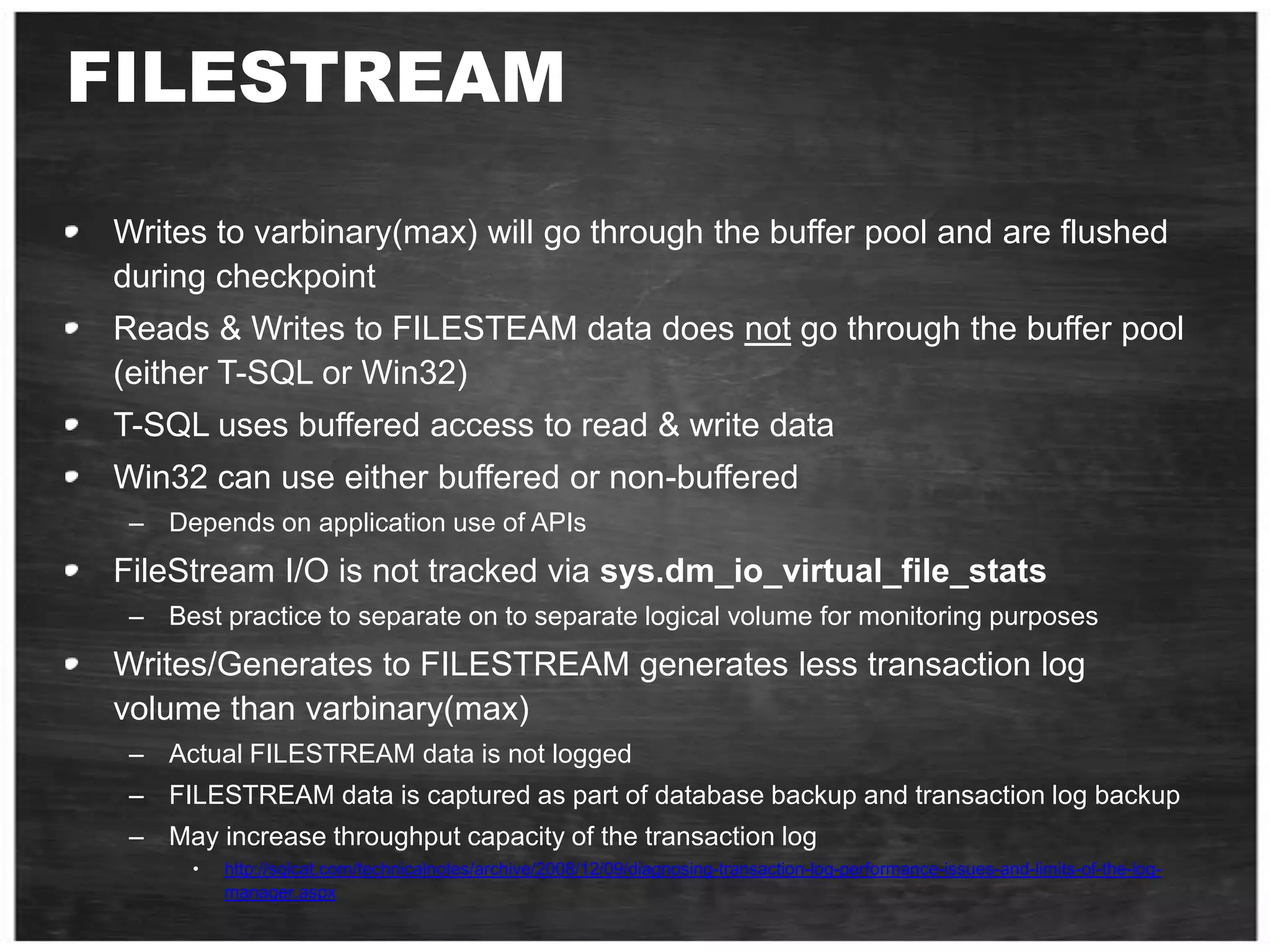
    FILESTREAMWrites to varbinary(max)will go through the buffer pool and are flushed during checkpointReads & Writes to FILESTEAM data does not go through the buffer pool (either T-SQL or Win32)T-SQL uses buffered access to read & write dataWin32 can use either buffered or non-bufferedDepends on application use of APIsFileStream I/O is not tracked via sys.dm_io_virtual_file_statsBest practice to separate on to separate logical volume for monitoring purposesWrites/Generates to FILESTREAM generates less transaction log volume than varbinary(max)Actual FILESTREAM data is not loggedFILESTREAM data is captured as part of database backup and transaction log backup May increase throughput capacity of the transaction log http://sqlcat.com/technicalnotes/archive/2008/12/09/diagnosing-transaction-log-performance-issues-and-limits-of-the-log-manager.aspx
  • 106.
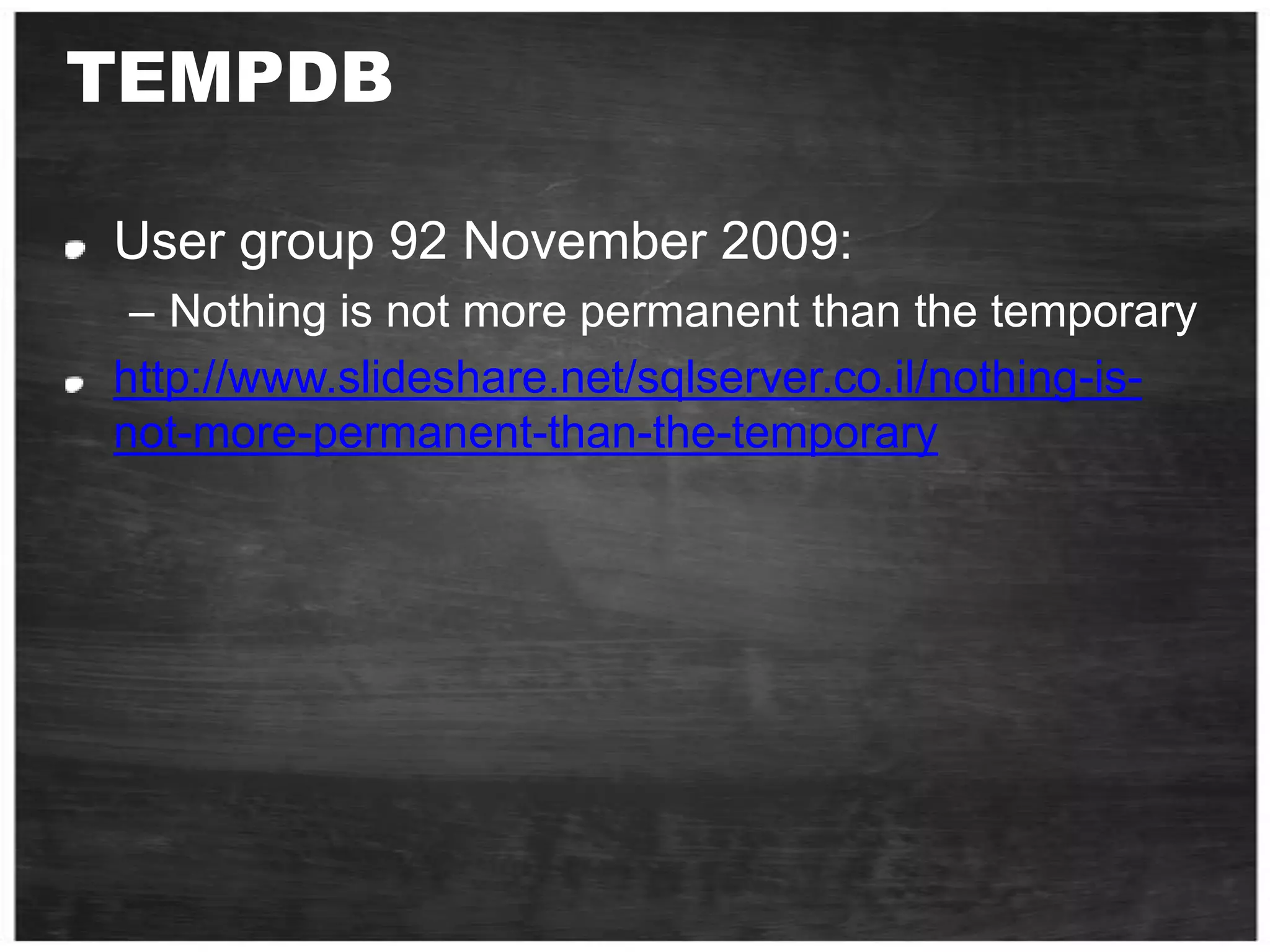
    TEMPDBUser group 92November 2009:Nothing is not more permanent than the temporary http://www.slideshare.net/sqlserver.co.il/nothing-is-not-more-permanent-than-the-temporary
  • 107.
    Tools SQLIOUsed tostress an I/O subsystem – Test a configuration’s performancehttp://www.microsoft.com/downloads/details.aspx?FamilyId=9A8B005B-84E4-4F24-8D65-CB53442D9E19&displaylang=enSQLIOSimSimulates SQL Server I/O – Used to isolate hardware issues 231619 HOW TO: Use the SQLIOStress Utility to Stress a Disk Subsystem http://support.microsoft.com/?id=231619Fiber Channel Information Tool Command line tool which provides configuration information (Host/HBA)http://www.microsoft.com/downloads/details.aspx?FamilyID=73d7b879-55b2-4629-8734-b0698096d3b1&displaylang=en
  • 108.
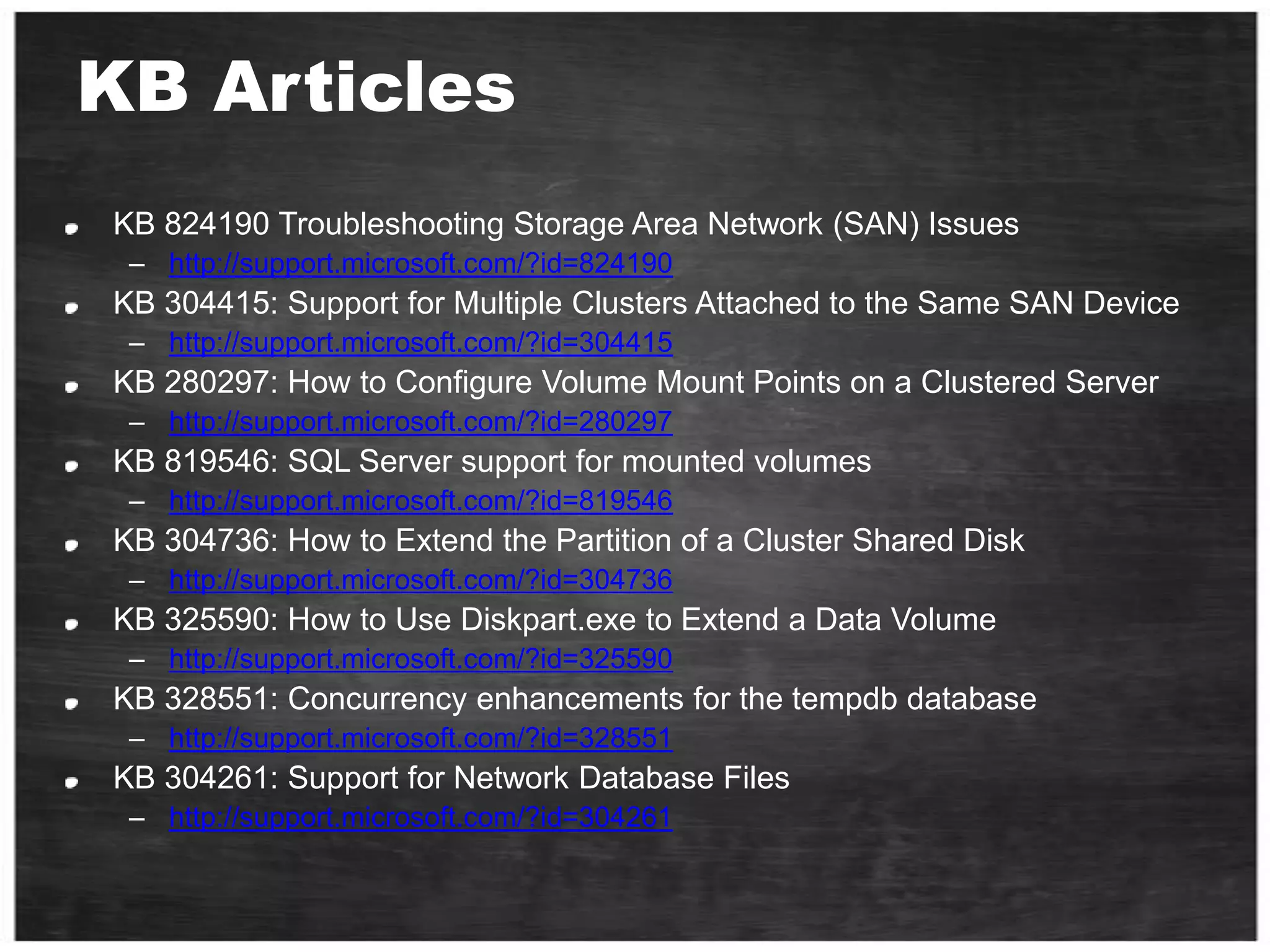
    KB ArticlesKB 824190Troubleshooting Storage Area Network (SAN) Issueshttp://support.microsoft.com/?id=824190KB 304415: Support for Multiple Clusters Attached to the Same SAN Devicehttp://support.microsoft.com/?id=304415KB 280297: How to Configure Volume Mount Points on a Clustered Serverhttp://support.microsoft.com/?id=280297KB 819546: SQL Server support for mounted volumeshttp://support.microsoft.com/?id=819546KB 304736: How to Extend the Partition of a Cluster Shared Diskhttp://support.microsoft.com/?id=304736KB 325590: How to Use Diskpart.exe to Extend a Data Volumehttp://support.microsoft.com/?id=325590KB 328551: Concurrency enhancements for the tempdb databasehttp://support.microsoft.com/?id=328551KB 304261: Support for Network Database Fileshttp://support.microsoft.com/?id=304261
  • 109.
    General Storage ReferencesMicrosoftWindows Clustering: Storage Area Networkshttp://www.microsoft.com/windowsserver2003/techinfo/overview/san.mspxStorPort in Windows Server 2003: Improving Manageability and Performance in Hardware RAID and Storage Area Networkshttp://www.microsoft.com/windowsserversystem/wss2003/techinfo/plandeploy/storportwp.mspxVirtual Device Interface Specificationhttp://www.microsoft.com/downloads/details.aspx?FamilyID=416f8a51-65a3-4e8e-a4c8-adfe15e850fc&DisplayLang=enWindows Server System Storage Homehttp://www.microsoft.com/windowsserversystem/storage/default.mspxMicrosoft Storage Technologies – Multipath I/Ohttp://www.microsoft.com/windowsserversystem/storage/technologies/mpio/default.mspxStorage Top 10 Best Practices http://sqlcat.com/top10lists/archive/2007/11/21/storage-top-10-best-practices.aspx
  • 110.
    Recommended Courses: SQL2008Maintaining a Microsoft SQL Server 2008 Database Implementing a Microsoft SQL Server 2008 Database ועכשיו מבצע מיוחד!הרשם לאחד מקורסי SQL המוצעים כאן קנה בחינת הסמכה משלימה:70-432 TS: Microsoft SQL Server 2008, Implementation and Maintenance70-433 TS: Microsoft SQL Server 2008, Database Developmentוקבל מנוי שנתי ל- TechNet ואפשרות לבחינה חוזרת ללא עלות לפרטים נוספים והרשמה, פנה למכללות המוסמכות
  • 111.
    Recommended Courses: BusinessIntelligenceImplementing and Maintaining Microsoft SQL Server 2008 Reporting Services Implementing and Maintaining Microsoft SQL Server 2008 Integration Services Implementing and Maintaining Microsoft SQL Server 2008 Analysis Services לפרטים נוספים והרשמה, פנה למכללות המוסמכות
  • 112.