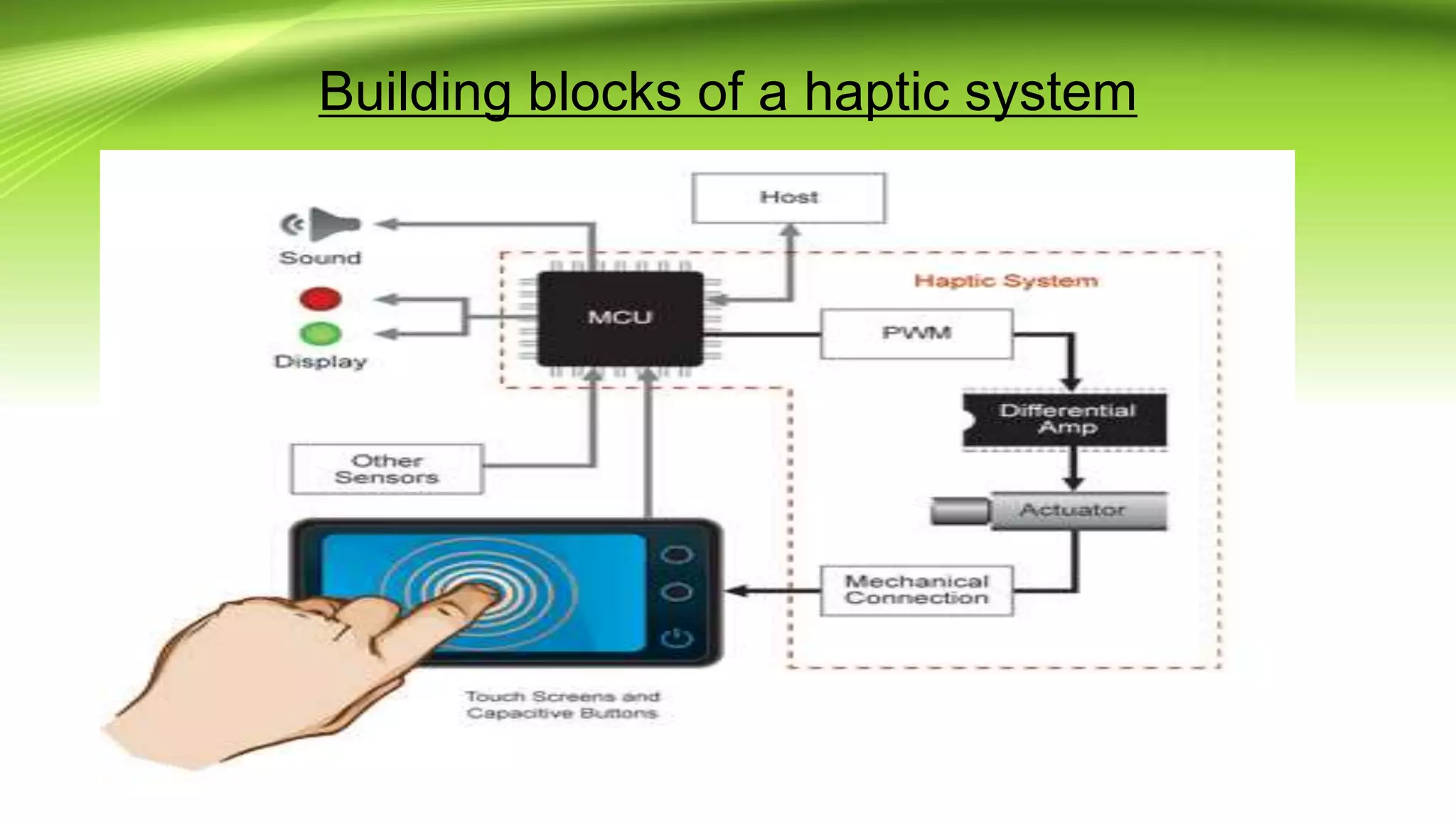
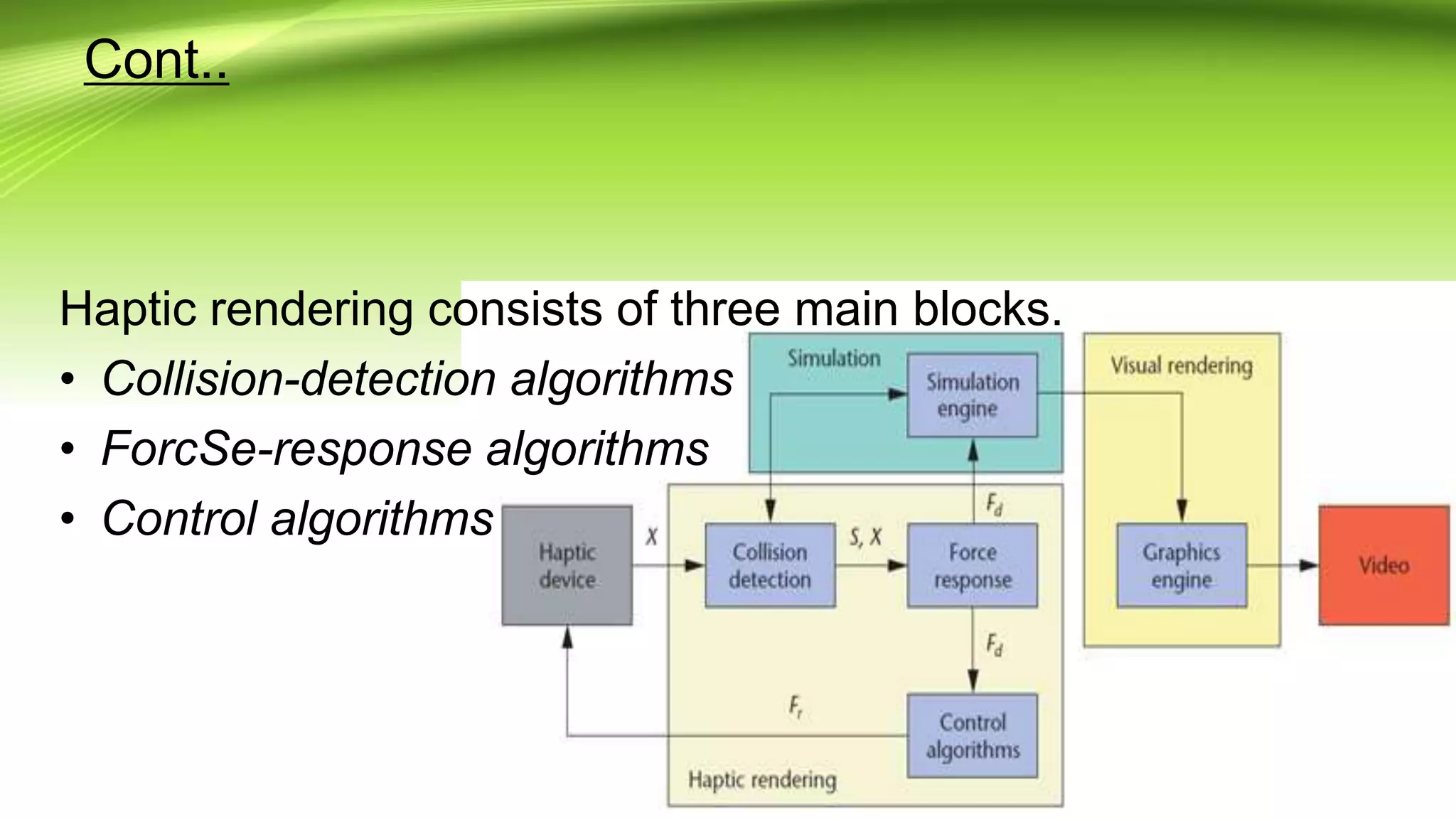
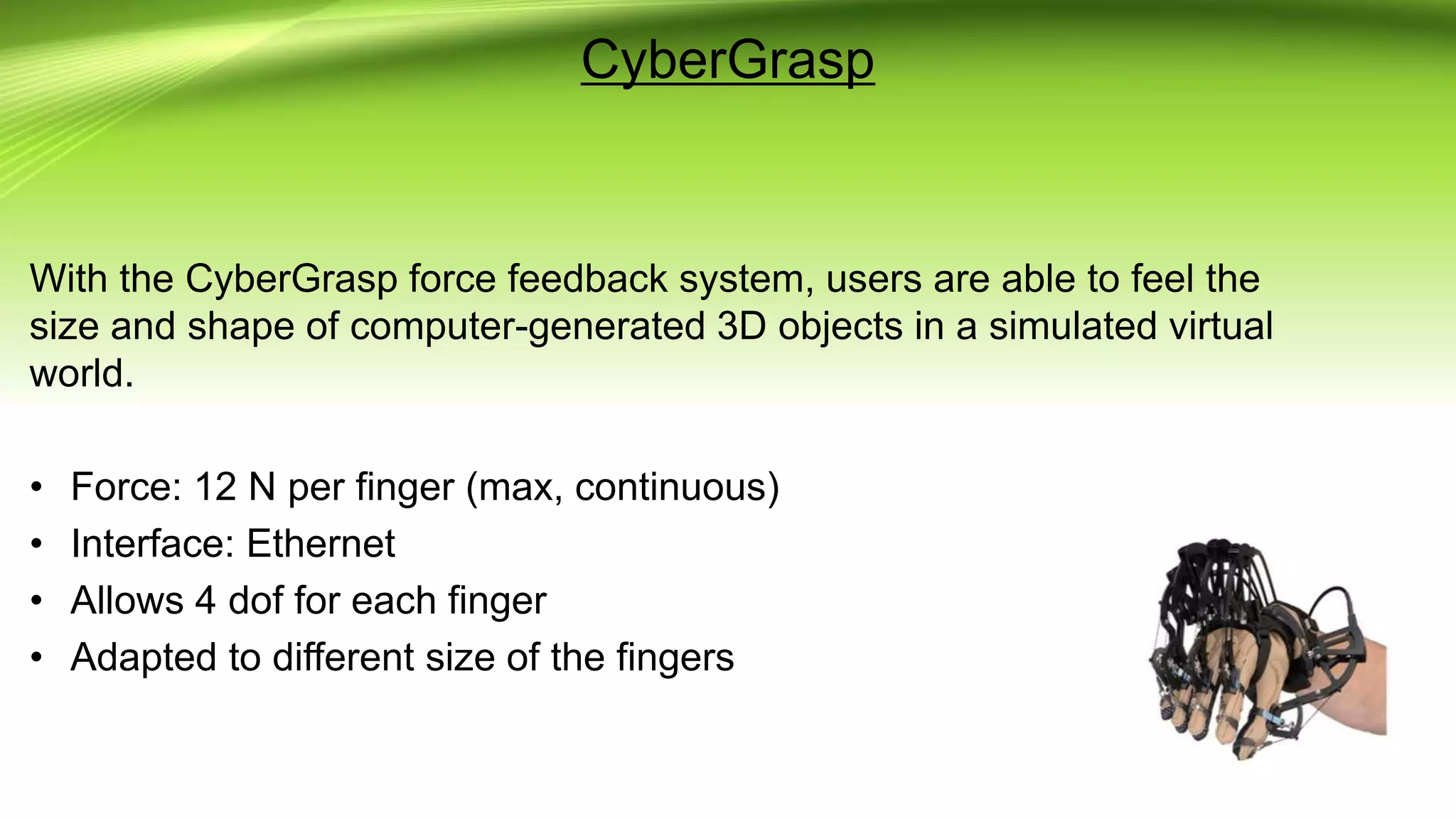
Haptic technology uses actuators and sensors to enable tactile feedback through touch. It allows users to interact with virtual objects through force, vibration and motion. There are four generations of haptic technology with increasing levels of touch-coordinate specificity and customizable effects. Haptic systems combine tactile and kinesthetic information to create virtual haptic objects that can be manipulated through force-feedback devices like exoskeletons and gloves. Current applications include medical simulation, video games, and virtual reality. Future uses may include holographic interaction and assistive technologies.