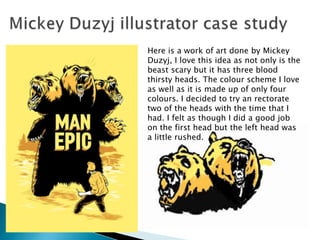
Here is a work of art done by Mickey
Duzyj, I love this idea as not only is the
beast scary but it has three blood
thirsty heads. The colour scheme I love
as well as it is made up of only four
colours. I decided to try an rectorate
two of the heads with the time that I
had. I felt as though I did a good job
on the first head but the left head was
a little rushed.
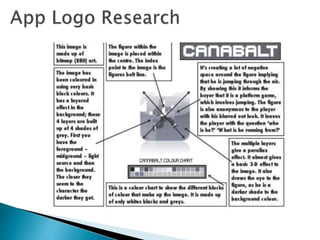
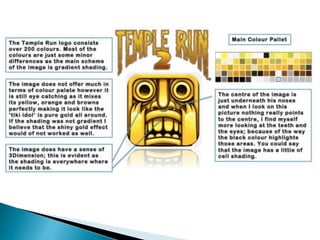
1. Simplicity is the main thing I have learnt to having a successful app logo.
By over cluttering a logo can just make it look messy and un appealing
against a simple crisp vector logo.
2. framing is something that is included in a lot of the well known logos. it
gives the pictures a 3D effect and makes them stand out to those that don’t
have a boarder.
3. By using complimentary colors this goes well with a two colour way
system and is attracted well to the eye.
4. A focal point for a logo is key! either using bold text or a big image of a
main character within the game or implementing a mechanic gives the
buyer an idea of what the games about.
5. By using leading lines and gradients of colour to represent light, this can
be another great way to lead the eye to a focal point within an app logo.
some of the most downloaded apps use this simple technique.
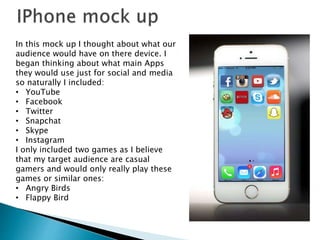
In this mock up I thought about what our
audience would have on there device. I
began thinking about what main Apps
they would use just for social and media
so naturally I included:
• YouTube
• Facebook
• Twitter
• Snapchat
• Skype
• Instagram
I only included two games as I believe
that my target audience are casual
gamers and would only really play these
games or similar ones:
• Angry Birds
• Flappy Bird
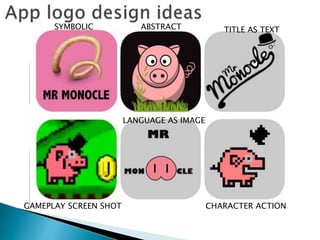
SYMBOLIC ABSTRACT TITLE AS TEXT
GAMEPLAY SCREEN SHOT
LANGUAGE AS IMAGE
CHARACTER ACTION
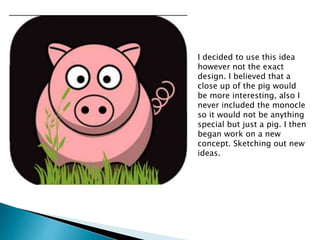
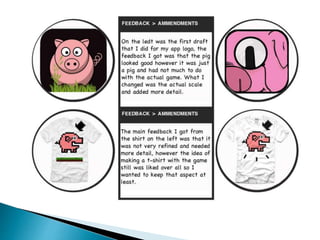
I decided to use this idea
however not the exact
design. I believed that a
close up of the pig would
be more interesting, also I
never included the monocle
so it would not be anything
special but just a pig. I then
began work on a new
concept. Sketching out new
ideas.
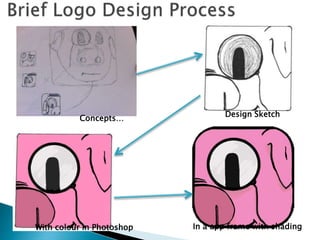
Concepts…
Design Sketch
With colour in Photoshop In a app frame with shading
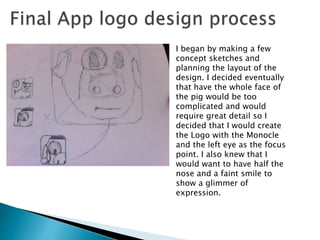
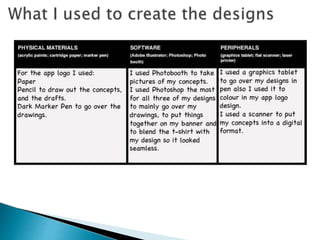
I began by making a few
concept sketches and
planning the layout of the
design. I decided eventually
that have the whole face of
the pig would be too
complicated and would
require great detail so I
decided that I would create
the Logo with the Monocle
and the left eye as the focus
point. I also knew that I
would want to have half the
nose and a faint smile to
show a glimmer of
expression.
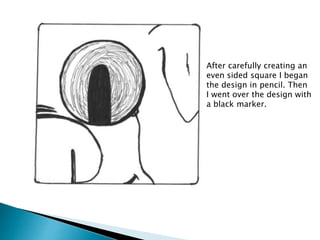
After carefully creating an
even sided square I began
the design in pencil. Then
I went over the design with
a black marker.
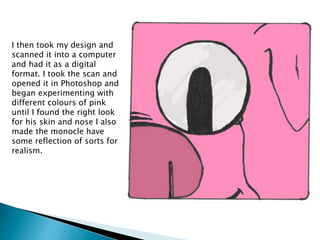
I then took my design and
scanned it into a computer
and had it as a digital
format. I took the scan and
opened it in Photoshop and
began experimenting with
different colours of pink
until I found the right look
for his skin and nose I also
made the monocle have
some reflection of sorts for
realism.
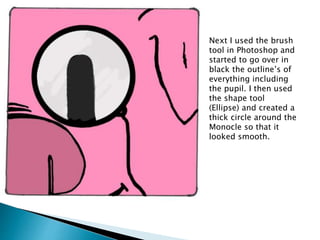
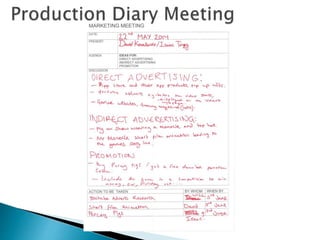
Next I used the brush
tool in Photoshop and
started to go over in
black the outline’s of
everything including
the pupil. I then used
the shape tool
(Ellipse) and created a
thick circle around the
Monocle so that it
looked smooth.
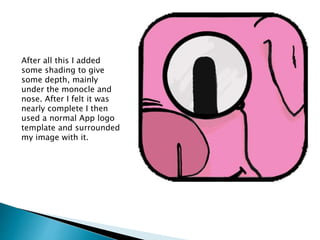
After all this I added
some shading to give
some depth, mainly
under the monocle and
nose. After I felt it was
nearly complete I then
used a normal App logo
template and surrounded
my image with it.
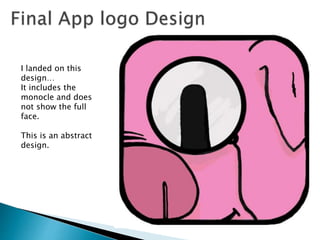
I landed on this
design…
It includes the
monocle and does
not show the full
face.
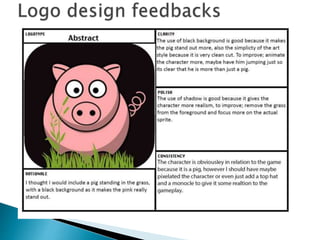
This is an abstract
design.
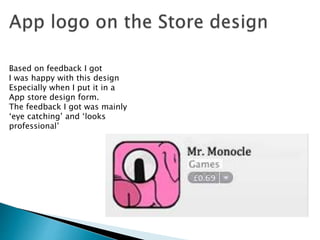
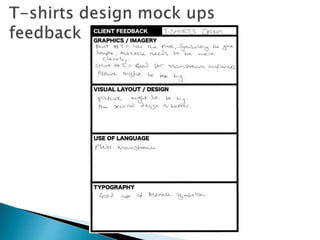
Based on feedback I got
I was happy with this design
Especially when I put it in a
App store design form.
The feedback I got was mainly
‘eye catching’ and ‘looks
professional’
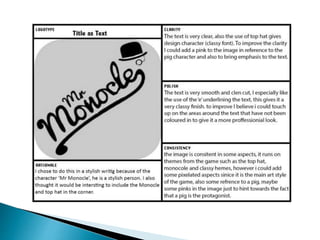
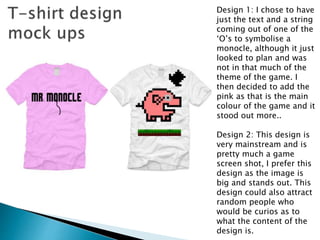
Design 1: I chose to have
just the text and a string
coming out of one of the
‘O’s to symbolise a
monocle, although it just
looked to plan and was
not in that much of the
theme of the game. I
then decided to add the
pink as that is the main
colour of the game and it
stood out more..
Design 2: This design is
very mainstream and is
pretty much a game
screen shot, I prefer this
design as the image is
big and stands out. This
design could also attract
random people who
would be curios as to
what the content of the
design is.
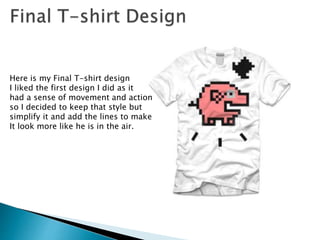
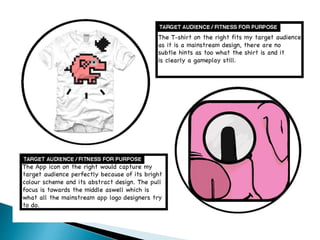
Here is my Final T-shirt design
I liked the first design I did as it
had a sense of movement and action
so I decided to keep that style but
simplify it and add the lines to make
It look more like he is in the air.
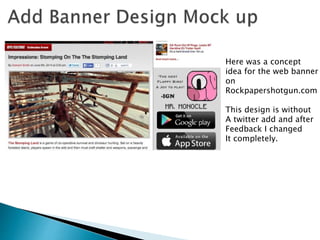
Here was a concept
idea for the web banner
on
Rockpapershotgun.com
This design is without
A twitter add and after
Feedback I changed
It completely.
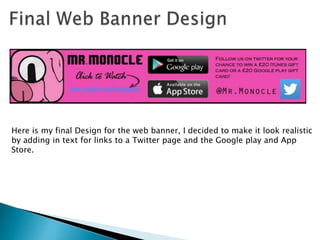
Here is my final Design for the web banner, I decided to make it look realistic
by adding in text for links to a Twitter page and the Google play and App
Store.
Graphics design presentation

Graphics design presentation

  • 2.
    Here is awork of art done by Mickey Duzyj, I love this idea as not only is the beast scary but it has three blood thirsty heads. The colour scheme I love as well as it is made up of only four colours. I decided to try an rectorate two of the heads with the time that I had. I felt as though I did a good job on the first head but the left head was a little rushed.
  • 9.
    1. Simplicity isthe main thing I have learnt to having a successful app logo. By over cluttering a logo can just make it look messy and un appealing against a simple crisp vector logo. 2. framing is something that is included in a lot of the well known logos. it gives the pictures a 3D effect and makes them stand out to those that don’t have a boarder. 3. By using complimentary colors this goes well with a two colour way system and is attracted well to the eye. 4. A focal point for a logo is key! either using bold text or a big image of a main character within the game or implementing a mechanic gives the buyer an idea of what the games about. 5. By using leading lines and gradients of colour to represent light, this can be another great way to lead the eye to a focal point within an app logo. some of the most downloaded apps use this simple technique.
  • 10.
    In this mockup I thought about what our audience would have on there device. I began thinking about what main Apps they would use just for social and media so naturally I included: • YouTube • Facebook • Twitter • Snapchat • Skype • Instagram I only included two games as I believe that my target audience are casual gamers and would only really play these games or similar ones: • Angry Birds • Flappy Bird
  • 11.
    SYMBOLIC ABSTRACT TITLEAS TEXT GAMEPLAY SCREEN SHOT LANGUAGE AS IMAGE CHARACTER ACTION
  • 14.
    I decided touse this idea however not the exact design. I believed that a close up of the pig would be more interesting, also I never included the monocle so it would not be anything special but just a pig. I then began work on a new concept. Sketching out new ideas.
  • 15.
    Concepts… Design Sketch With colourin Photoshop In a app frame with shading
  • 16.
    I began bymaking a few concept sketches and planning the layout of the design. I decided eventually that have the whole face of the pig would be too complicated and would require great detail so I decided that I would create the Logo with the Monocle and the left eye as the focus point. I also knew that I would want to have half the nose and a faint smile to show a glimmer of expression.
  • 17.
    After carefully creatingan even sided square I began the design in pencil. Then I went over the design with a black marker.
  • 18.
    I then tookmy design and scanned it into a computer and had it as a digital format. I took the scan and opened it in Photoshop and began experimenting with different colours of pink until I found the right look for his skin and nose I also made the monocle have some reflection of sorts for realism.
  • 19.
    Next I usedthe brush tool in Photoshop and started to go over in black the outline’s of everything including the pupil. I then used the shape tool (Ellipse) and created a thick circle around the Monocle so that it looked smooth.
  • 20.
    After all thisI added some shading to give some depth, mainly under the monocle and nose. After I felt it was nearly complete I then used a normal App logo template and surrounded my image with it.
  • 22.
    I landed onthis design… It includes the monocle and does not show the full face. This is an abstract design.
  • 23.
    Based on feedbackI got I was happy with this design Especially when I put it in a App store design form. The feedback I got was mainly ‘eye catching’ and ‘looks professional’
  • 24.
    Design 1: Ichose to have just the text and a string coming out of one of the ‘O’s to symbolise a monocle, although it just looked to plan and was not in that much of the theme of the game. I then decided to add the pink as that is the main colour of the game and it stood out more.. Design 2: This design is very mainstream and is pretty much a game screen shot, I prefer this design as the image is big and stands out. This design could also attract random people who would be curios as to what the content of the design is.
  • 26.
    Here is myFinal T-shirt design I liked the first design I did as it had a sense of movement and action so I decided to keep that style but simplify it and add the lines to make It look more like he is in the air.
  • 27.
    Here was aconcept idea for the web banner on Rockpapershotgun.com This design is without A twitter add and after Feedback I changed It completely.
  • 29.
    Here is myfinal Design for the web banner, I decided to make it look realistic by adding in text for links to a Twitter page and the Google play and App Store.