GPU
Graphics processing unit
By
Hassan Bashir
Topics Covered
• Some background
• The von Neumann model
• Serial Computing vs.Parallel computing
• GPU Evolution
• GPU working
• GPU architecture
• CPU vs GPU
• GPU Memory architecture
• GPU programming (CUDA)
• GPU Application's
Some background
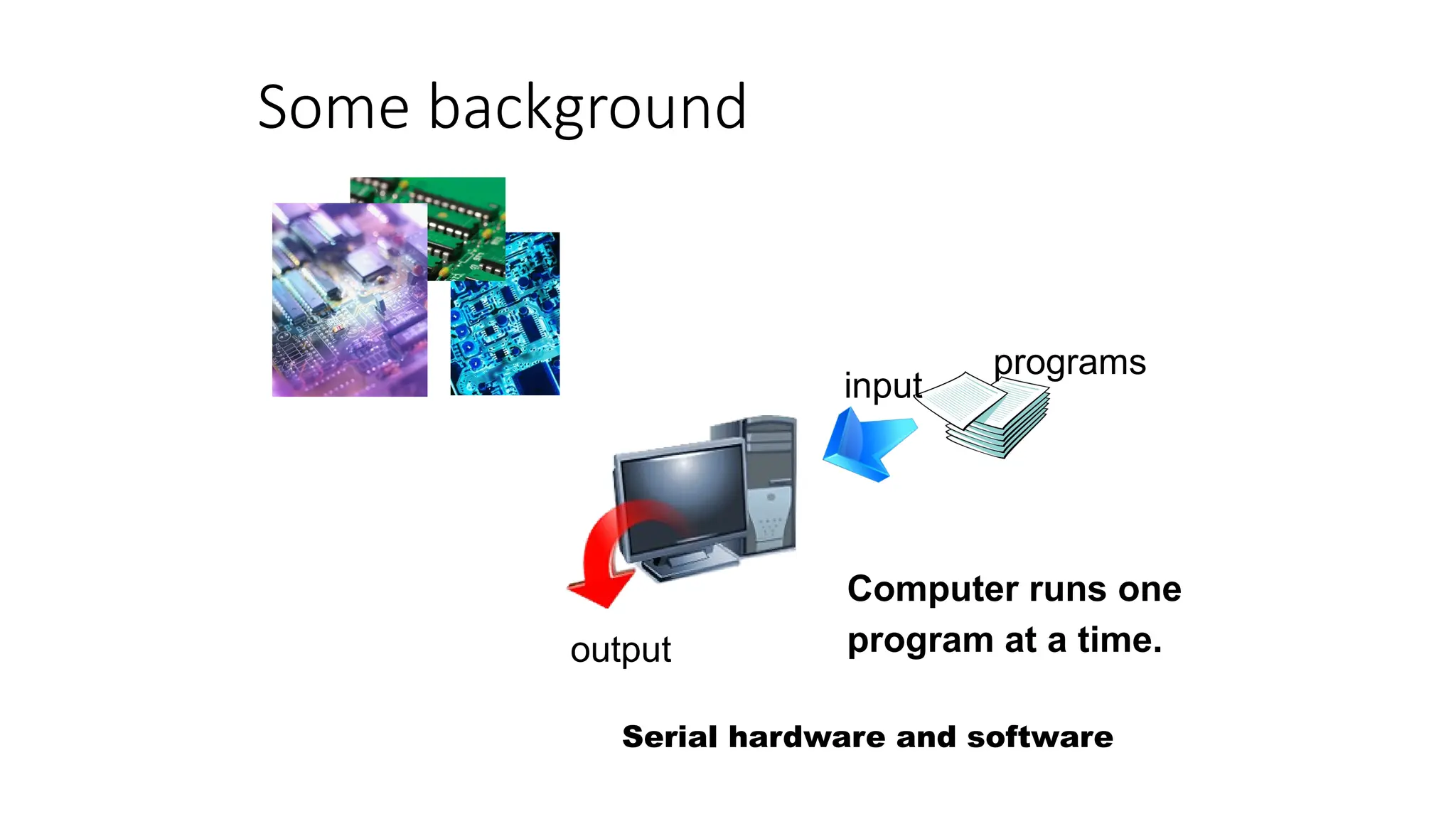
input
output
programs
Computer runs one
program at a time.
Serial hardware and software
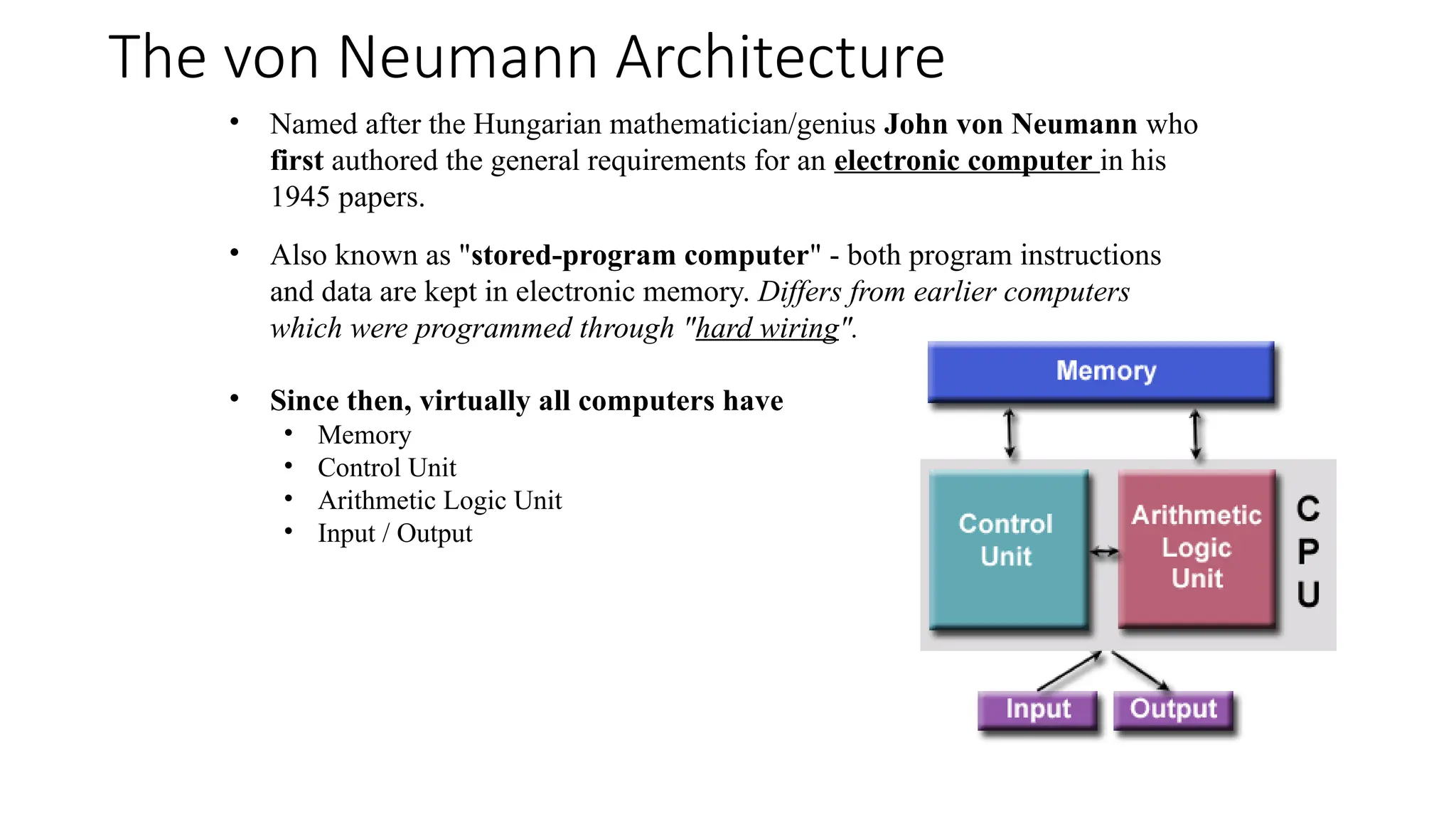
The von Neumann Architecture
• Named after the Hungarian mathematician/genius John von Neumann who
first authored the general requirements for an electronic computer in his
1945 papers.
• Also known as "stored-program computer" - both program instructions
and data are kept in electronic memory. Differs from earlier computers
which were programmed through "hard wiring".
• Since then, virtually all computers have
• Memory
• Control Unit
• Arithmetic Logic Unit
• Input / Output
Cont.
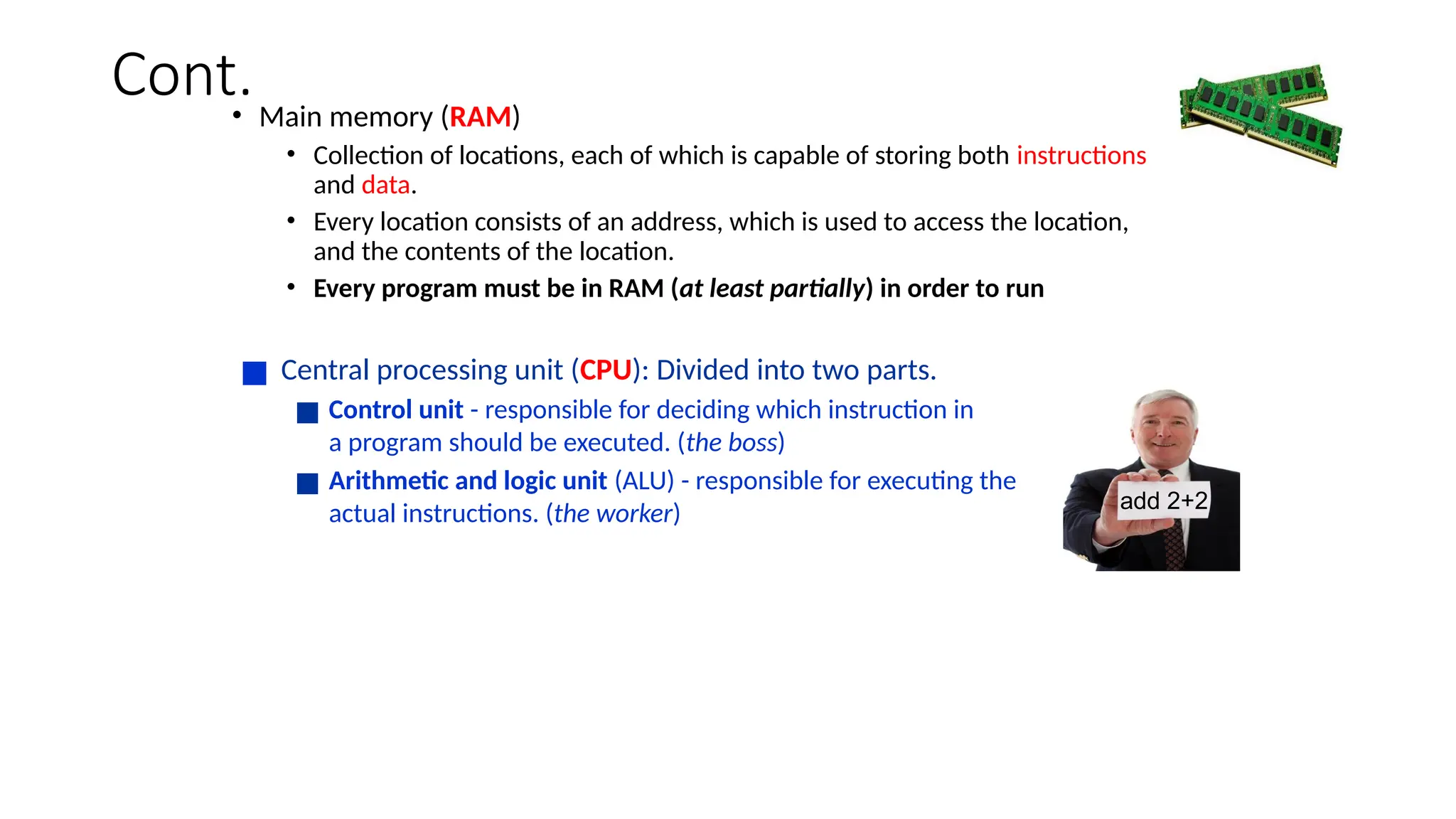
• Main memory (RAM)
• Collection of locations, each of which is capable of storing both instructions
and data.
• Every location consists of an address, which is used to access the location,
and the contents of the location.
• Every program must be in RAM (at least partially) in order to run
■ Central processing unit (CPU): Divided into two parts.
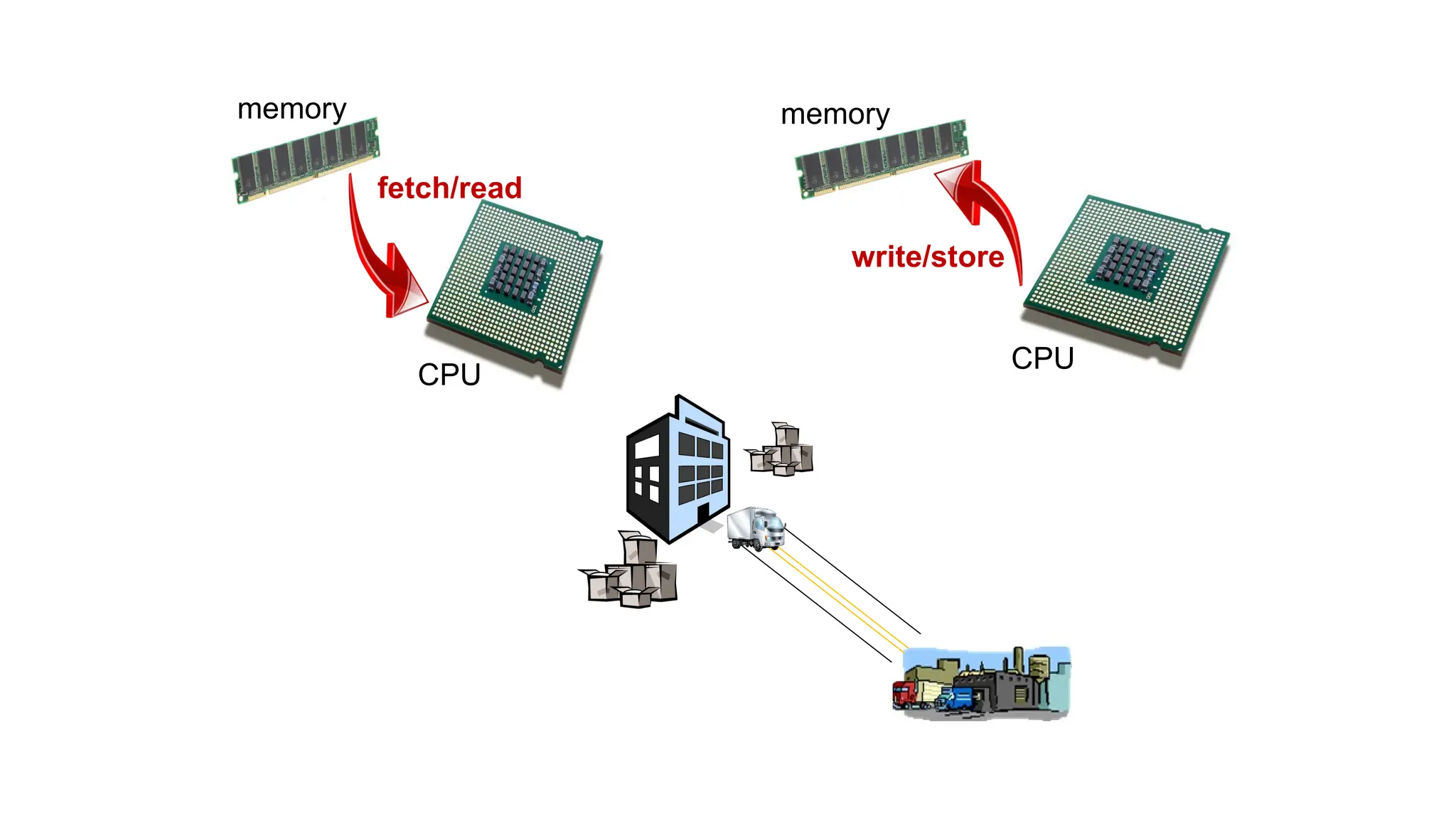
■ Control unit - responsible for deciding which instruction in
a program should be executed. (the boss)
■ Arithmetic and logic unit (ALU) - responsible for executing the
actual instructions. (the worker) add 2+2
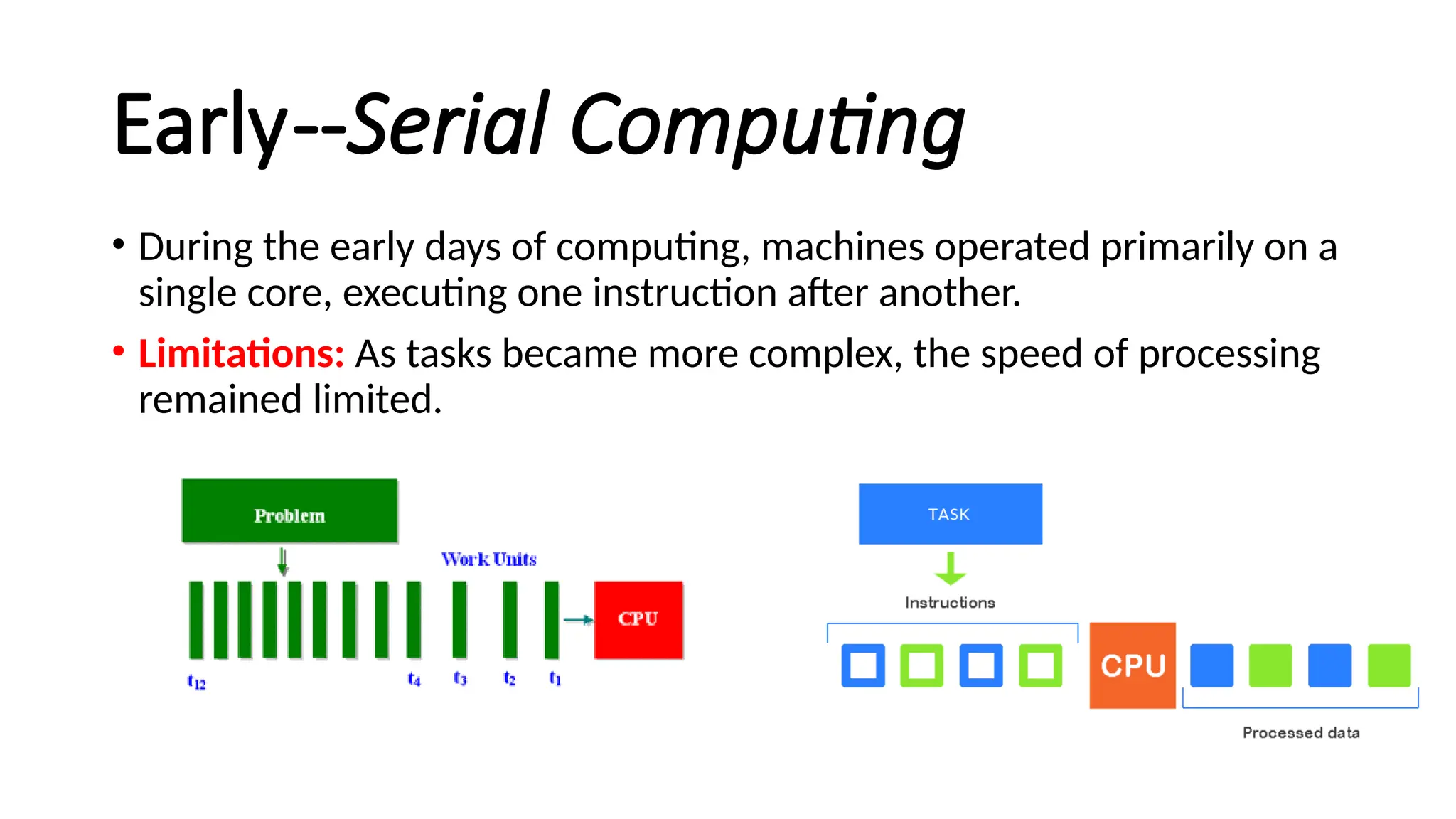
memory
CPU
fetch/read
memory
CPU
write/store
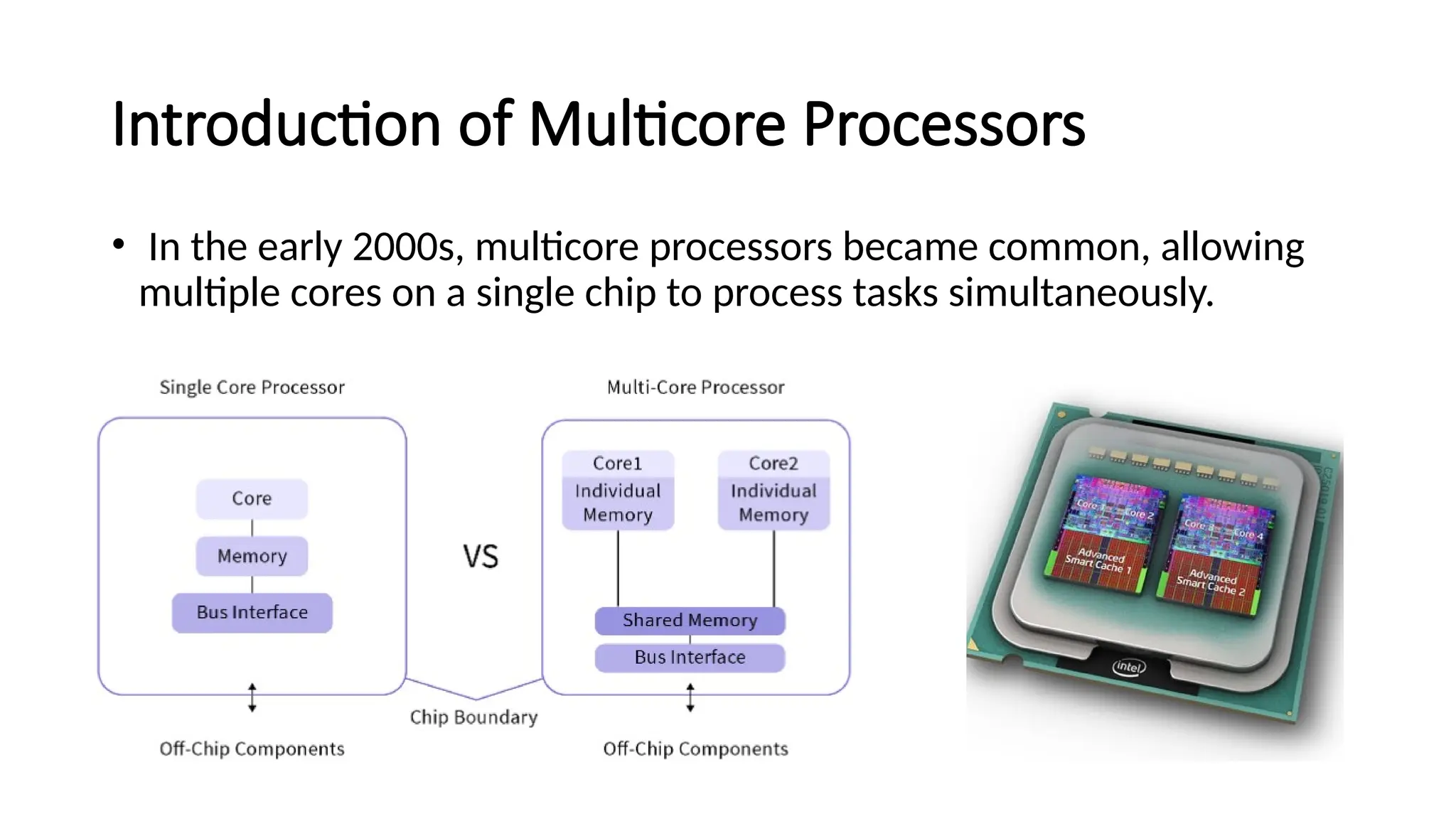
Early--Serial Computing
• During the early days of computing, machines operated primarily on a
single core, executing one instruction after another.
• Limitations: As tasks became more complex, the speed of processing
remained limited.
Introduction of Multicore Processors
• In the early 2000s, multicore processors became common, allowing
multiple cores on a single chip to process tasks simultaneously.
Parallel Computing
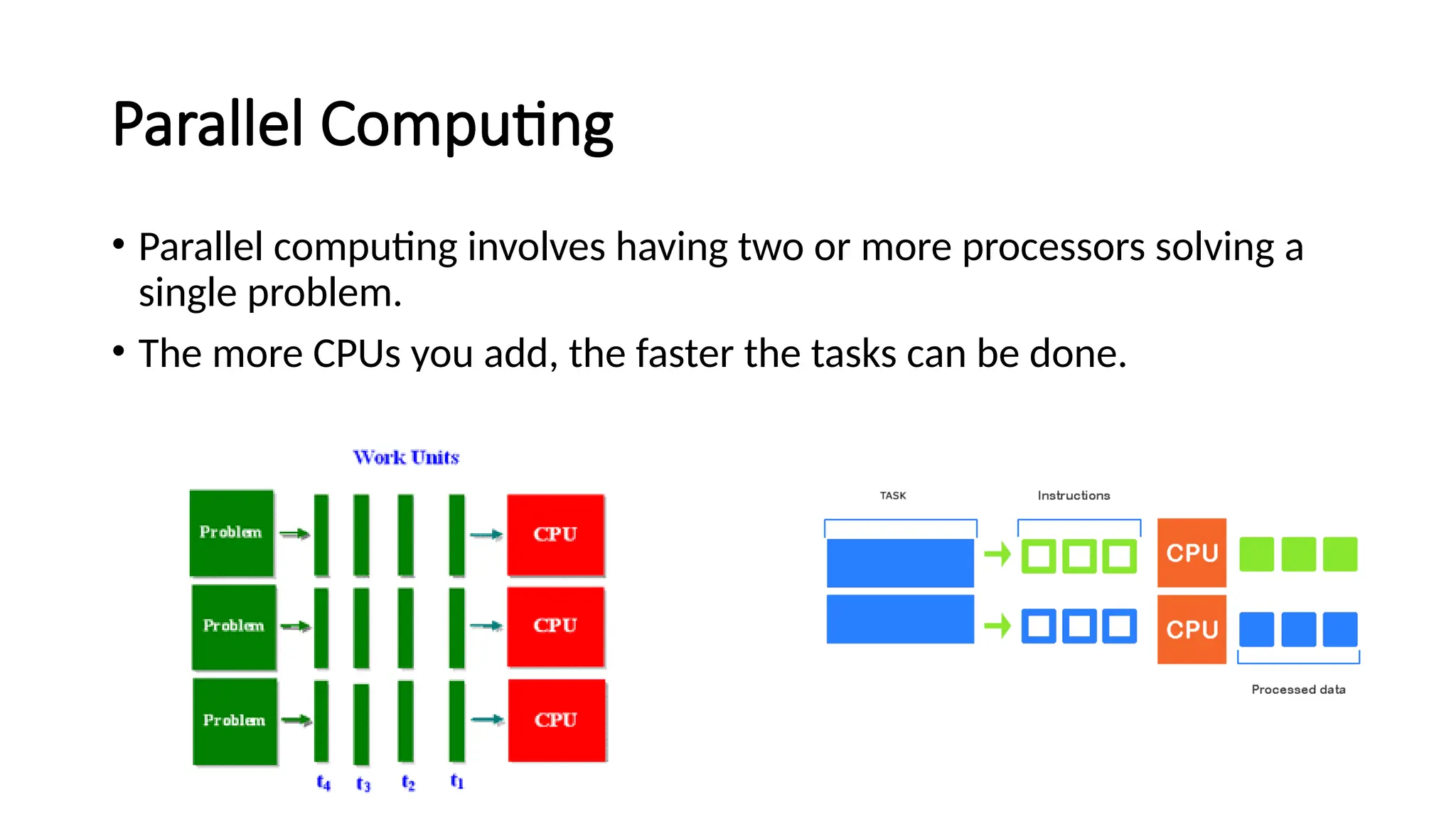
• Parallel computing involves having two or more processors solving a
single problem.
• The more CPUs you add, the faster the tasks can be done.
Parallel Computing Models
• Frameworks and languages (like MPI, OpenMP, and CUDA) emerged to facilitate
parallel processing.
• MPI (Message Passing Interface)
• Description: MPI is a standardized and portable message-passing system designed for
parallel programming on distributed memory systems, such as clusters or networked
computers.
• OpenMP (Open Multi-Processing)
• Description: OpenMP is a set of compiler directives and an API that enables parallel
programming in shared-memory environments, allowing a single program to utilize
multiple cores on the same CPU.
• Example Directive: #pragma omp parallel for to parallelize a for loop across CPU cores.
Approaches to the serial problem
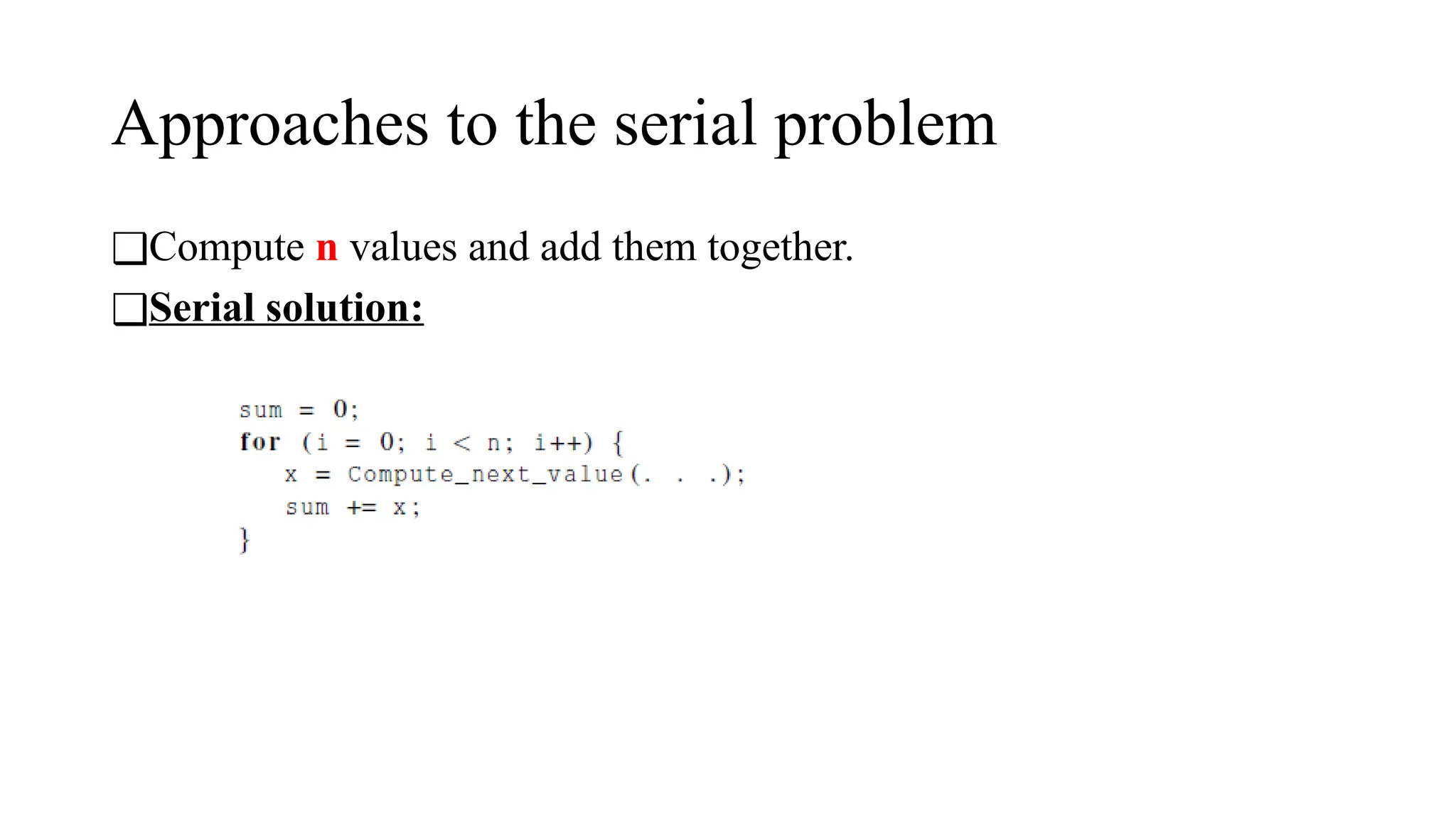
❑Compute n values and add them together.
❑Serial solution:
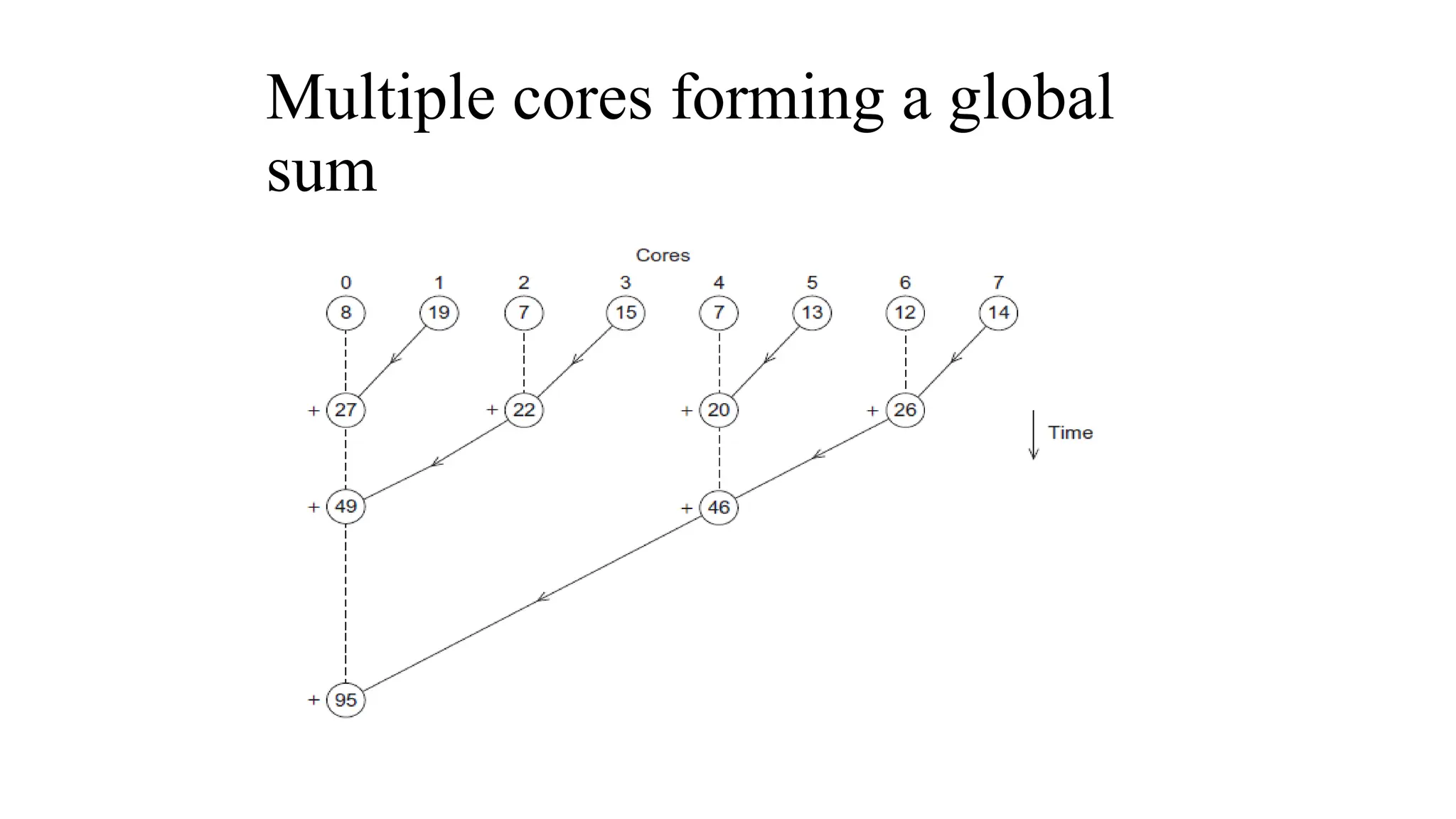
Multiple cores forming a global
sum
Copyright © 2023, Jameel Ahmad. All
rights Reserved
The Role of GPUs
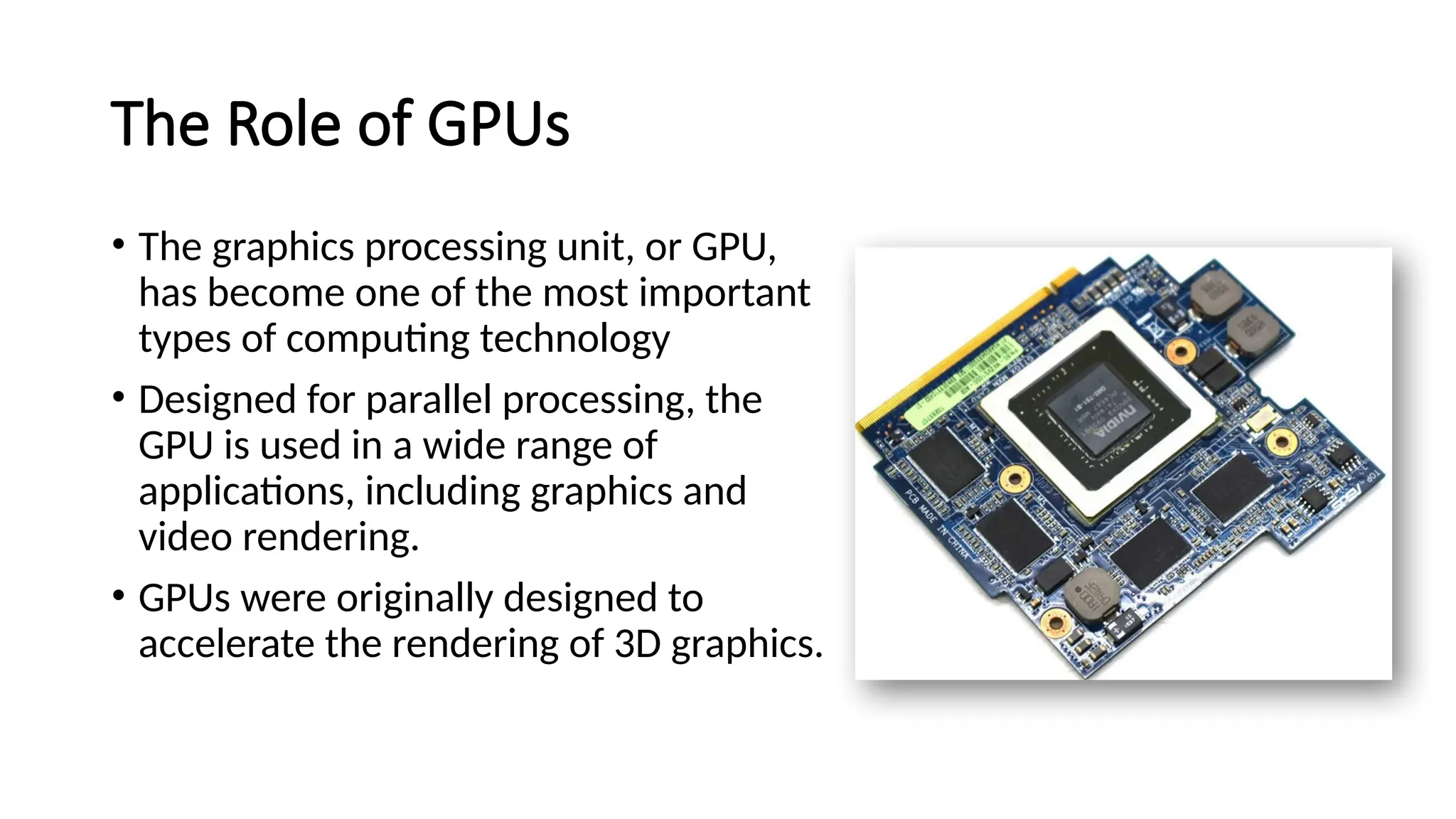
• The graphics processing unit, or GPU,
has become one of the most important
types of computing technology
• Designed for parallel processing, the
GPU is used in a wide range of
applications, including graphics and
video rendering.

• GPUs were originally designed to
accelerate the rendering of 3D graphics.
GPU Evolution
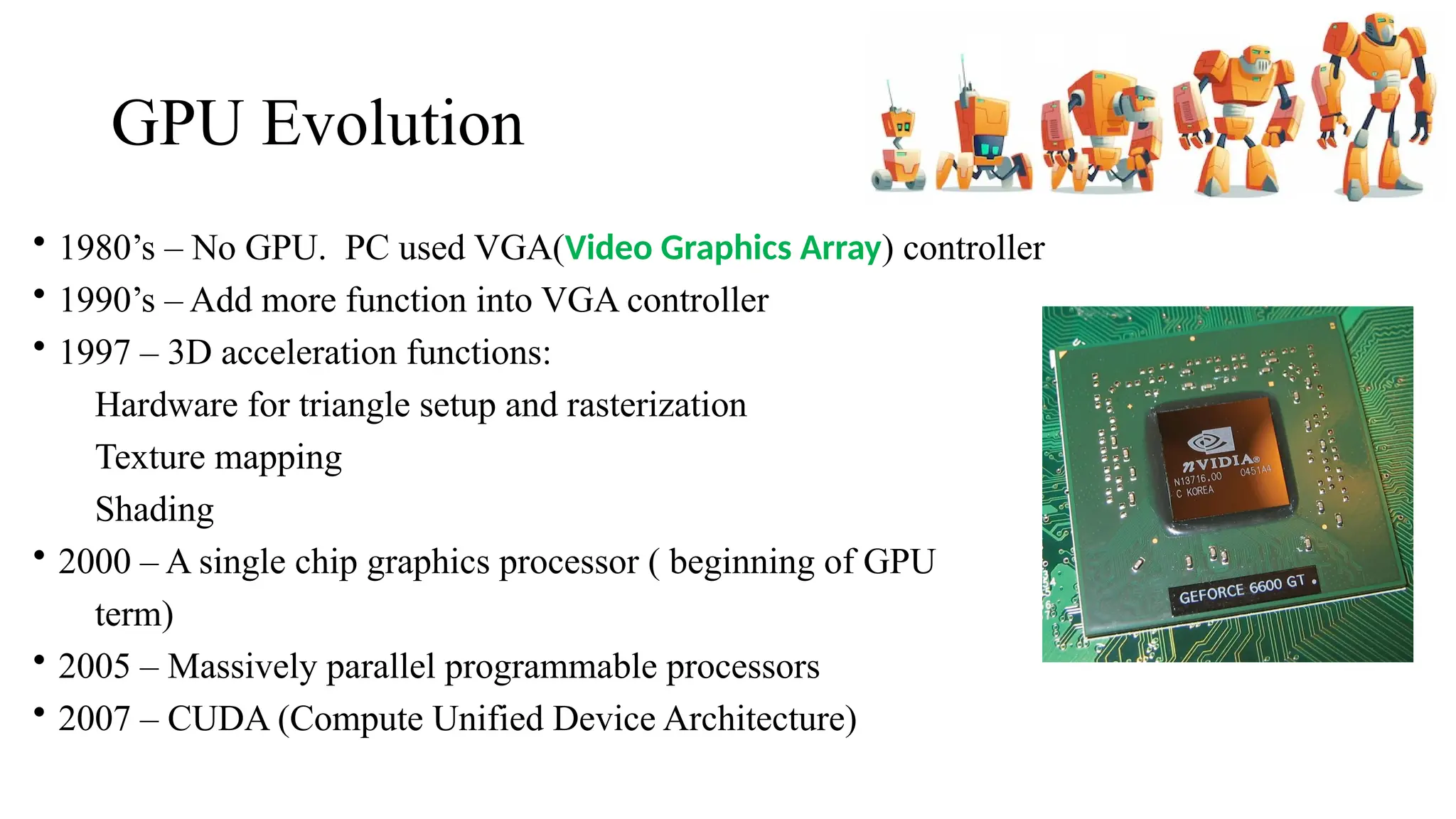
• 1980’s – No GPU. PC used VGA(Video Graphics Array) controller
• 1990’s – Add more function into VGA controller
• 1997 – 3D acceleration functions:
Hardware for triangle setup and rasterization
Texture mapping
Shading
• 2000 – A single chip graphics processor ( beginning of GPU
term)
• 2005 – Massively parallel programmable processors
• 2007 – CUDA (Compute Unified Device Architecture)
How does a GPU work?
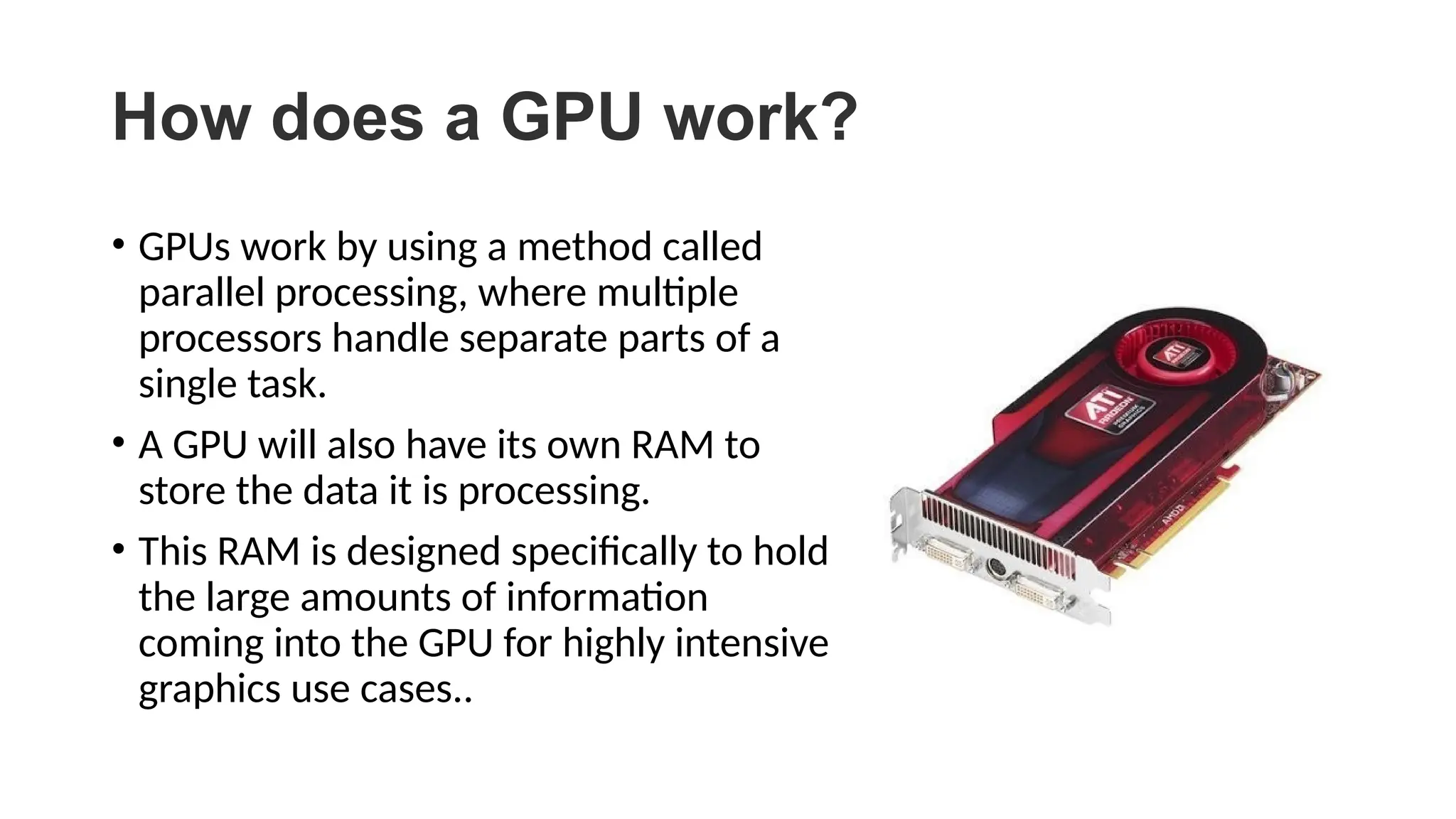
• GPUs work by using a method called
parallel processing, where multiple
processors handle separate parts of a
single task.
• A GPU will also have its own RAM to
store the data it is processing.
• This RAM is designed specifically to hold
the large amounts of information
coming into the GPU for highly intensive
graphics use cases..
GPU Architecture
CPU vs. GPU
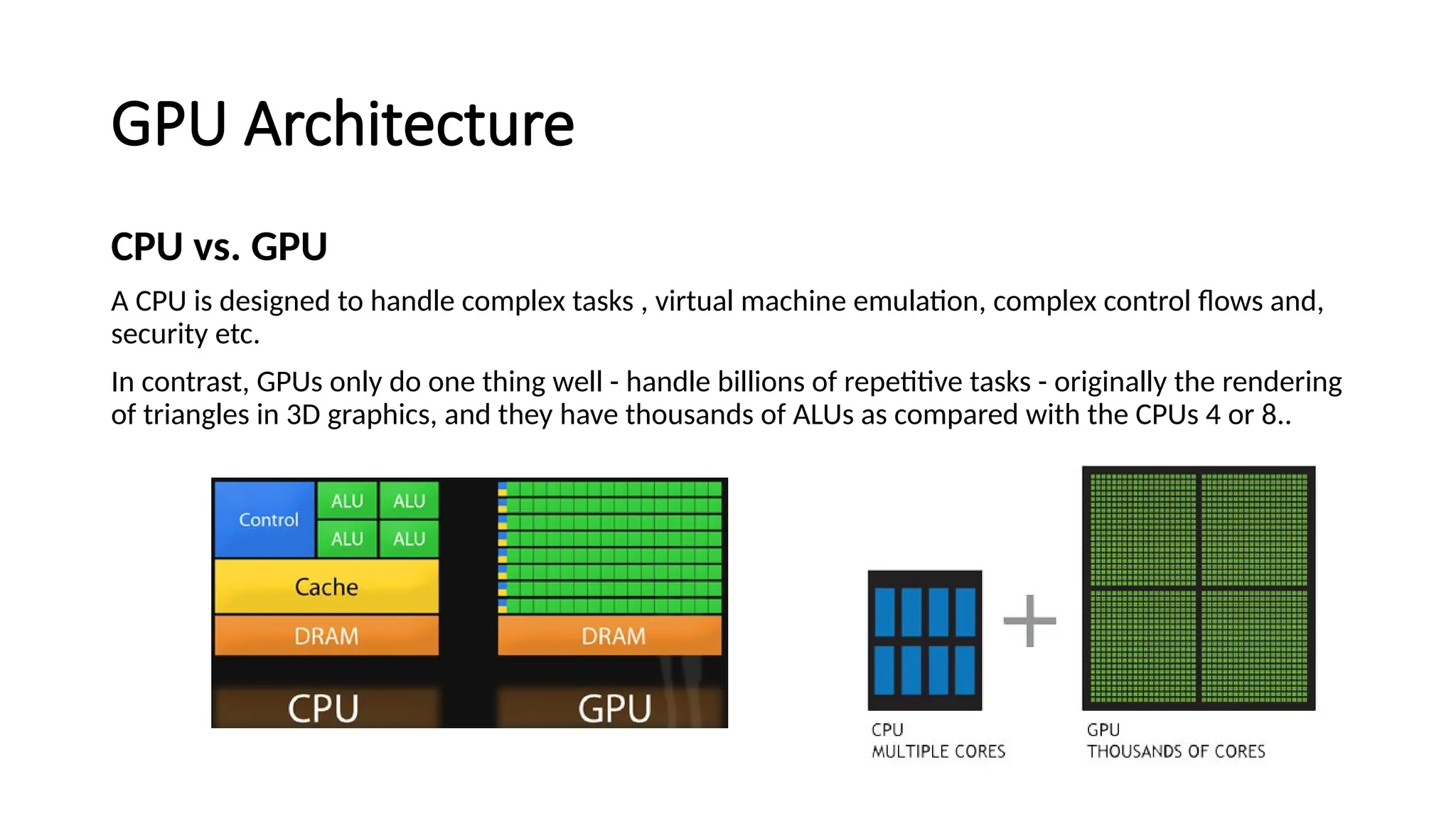
A CPU is designed to handle complex tasks , virtual machine emulation, complex control flows and,
security etc.
In contrast, GPUs only do one thing well - handle billions of repetitive tasks - originally the rendering
of triangles in 3D graphics, and they have thousands of ALUs as compared with the CPUs 4 or 8..
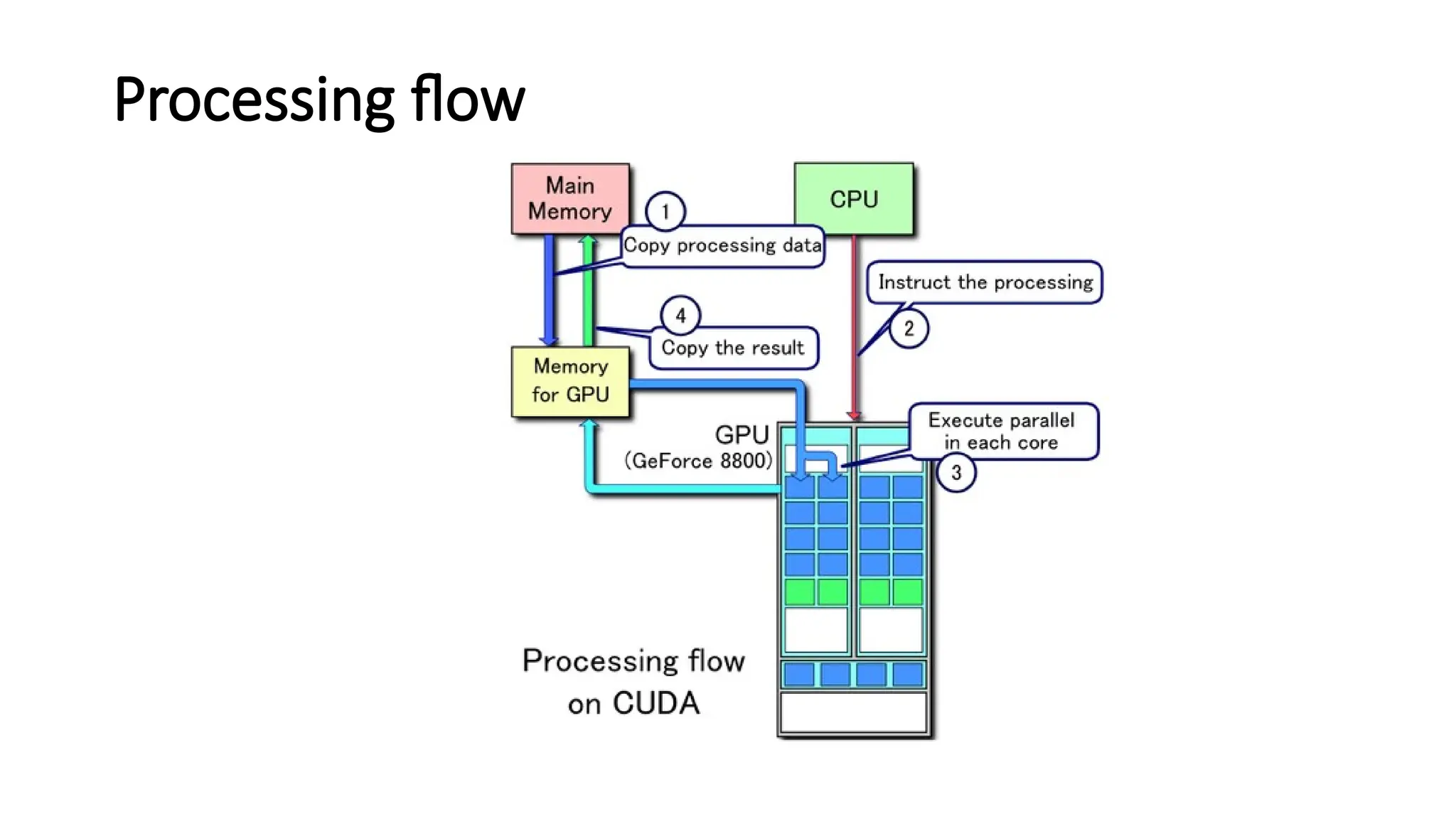
Processing flow
Stream Multiprocessor(SM) and
Stream Processor(SP)
• GPU consists of smaller components called as Stream
Multiprocesssors(SM).
• Each SM consists of many Stream Processors(SP) on which
actual computation is done. Each SP is also called a Cuda
core.
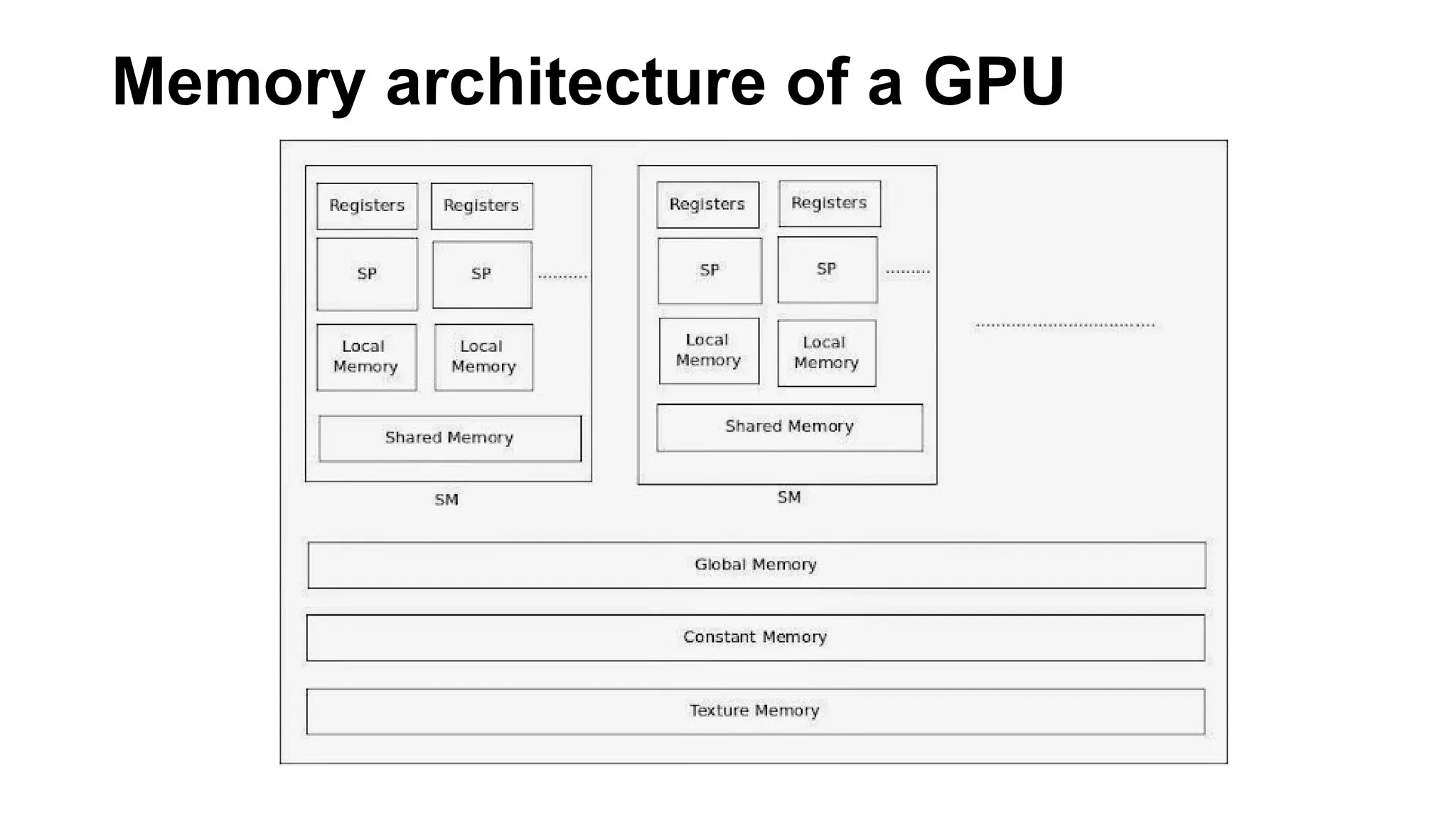
Memory architecture of a GPU
1.Local Memory
Each SP uses Local memory. All variables declared in a kernel(a function to be executed on
GPU) are saved into Local memory.
2. Registers
Kernel may consist of several expressions. During execution of an expression, values are
saved into the Registers of SP.
3. Global Memory
It is the main memory of GPU. Whenever a memory from GPU is allocated for variables by
using cudaMalloc() function, by default, it uses global memory.
4. Shared Memory
On one SP, one or more threads can be run. A collection of threads is called a Block. On one
SM, one or more blocks can be run. Advantage of Shared memory is, it is shared by all the threads in
one block.
5. Constant Memory
Constant Memory is used to store constant values.
6. Texture Memory
Texture memory is again used to reduce the latency. Texture memory is used in a special
case. Consider an image. When we access a particular pixel, there are more chances that we will access
surrounding pixels. Such a group of values which are accessed together are saved in texture memory.
CUDA parallel computing
platform
CUDA
• stands for Compute Unified Device Architecture, is a parallel
computing platform and programming model developed by NVIDIA.
• It allows developers to use NVIDIA GPUs (Graphics Processing Units)
for general-purpose computing tasks beyond graphics processing.
• CUDA enables the creation of highly parallel applications by providing
a parallel programming model and a set of tools for software
developers.
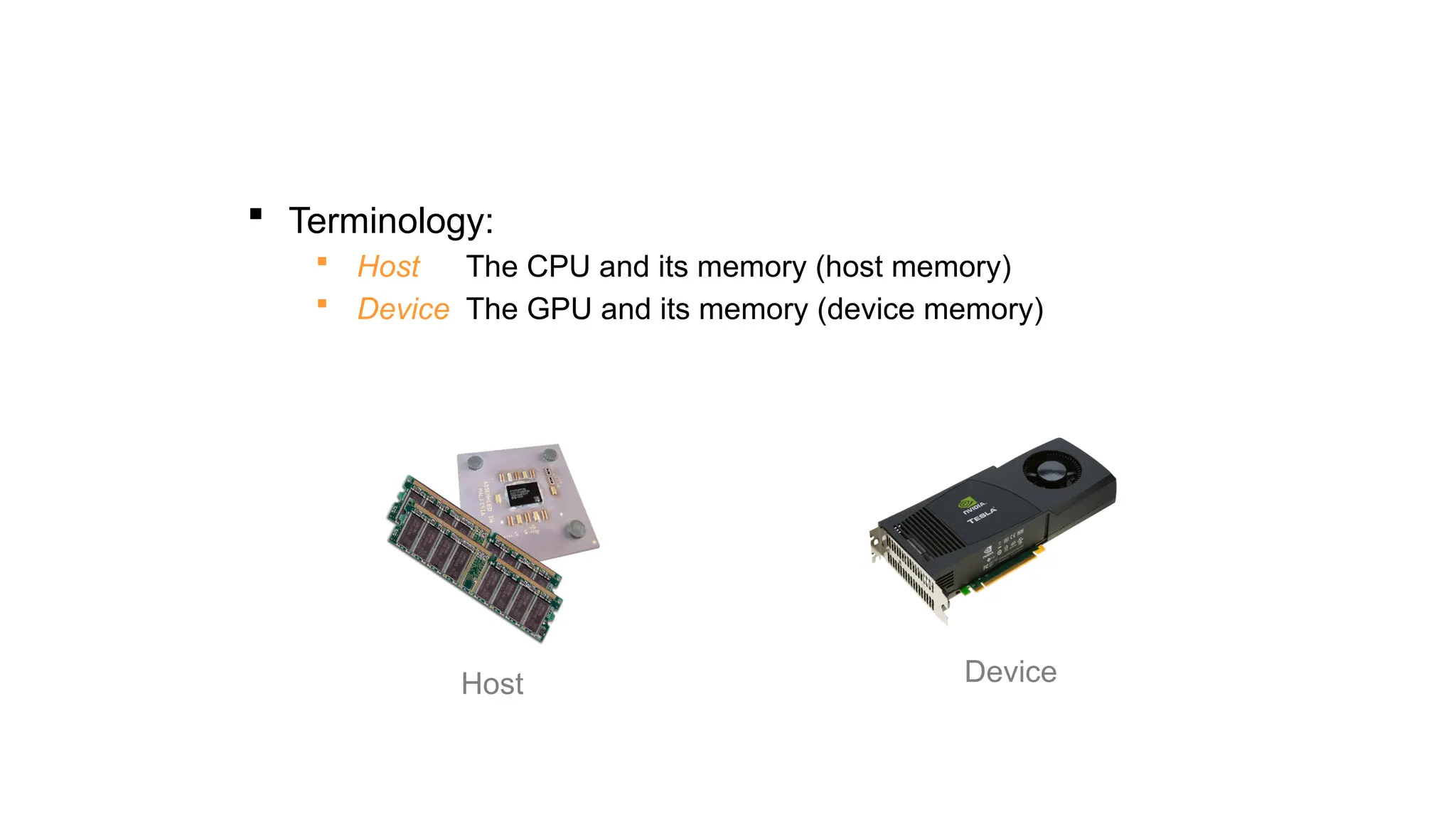
 Terminology:
 Host The CPU and its memory (host memory)
 Device The GPU and its memory (device memory)
Host Device
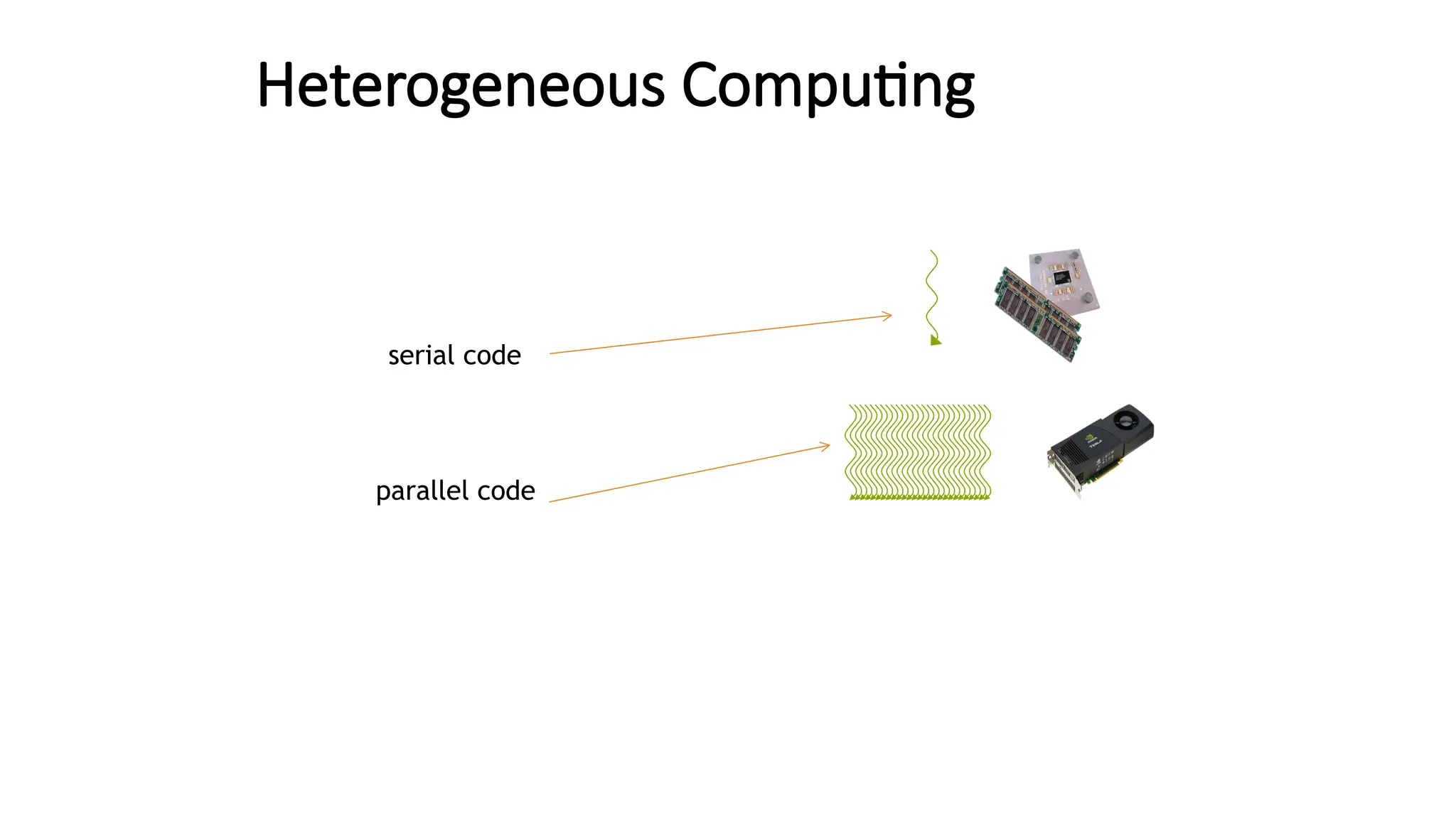
Heterogeneous Computing
serial code
parallel code
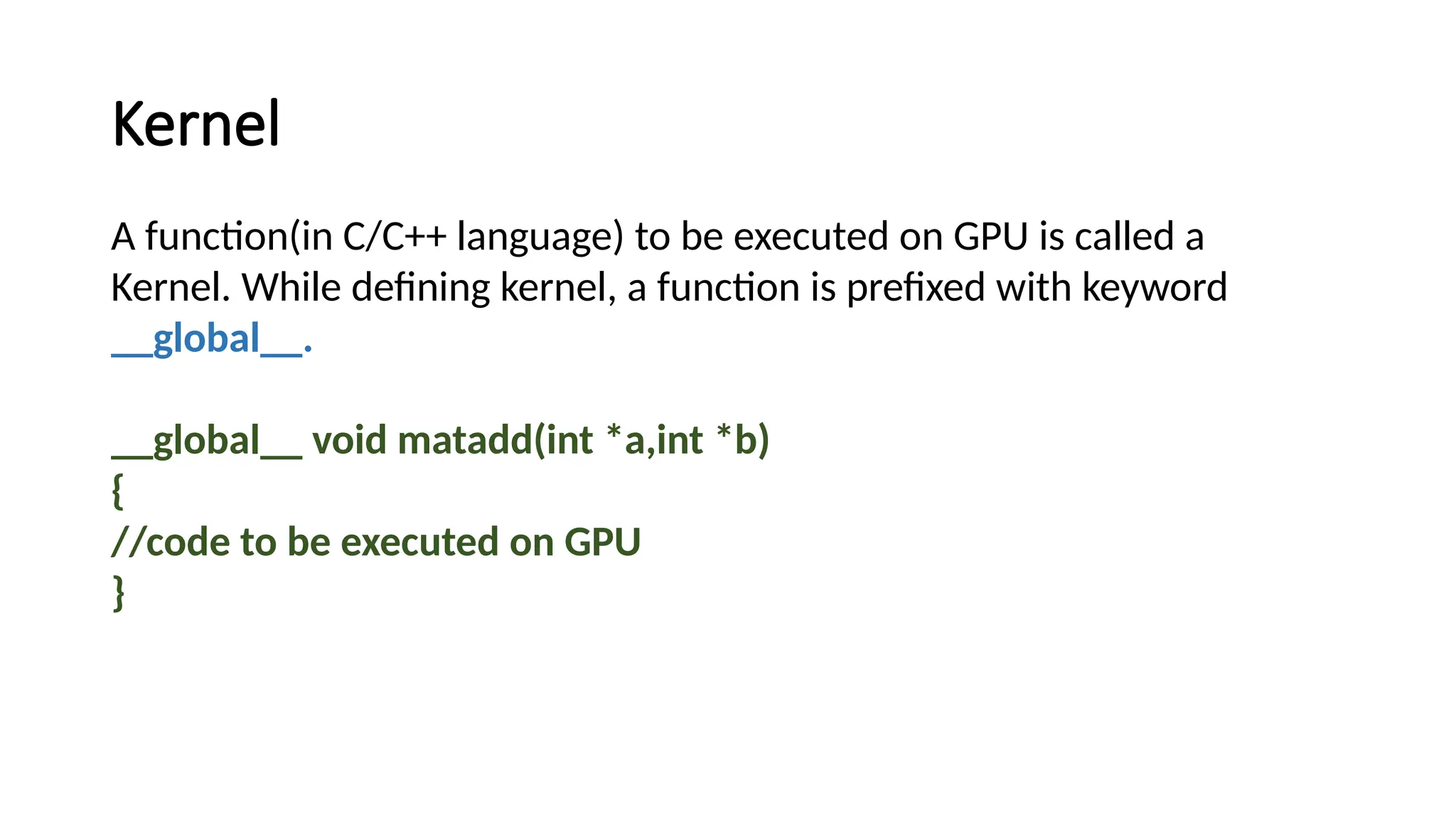
Kernel
A function(in C/C++ language) to be executed on GPU is called a
Kernel. While defining kernel, a function is prefixed with keyword
__global__.
__global__ void matadd(int *a,int *b)
{
//code to be executed on GPU
}
© NVIDIA 2013
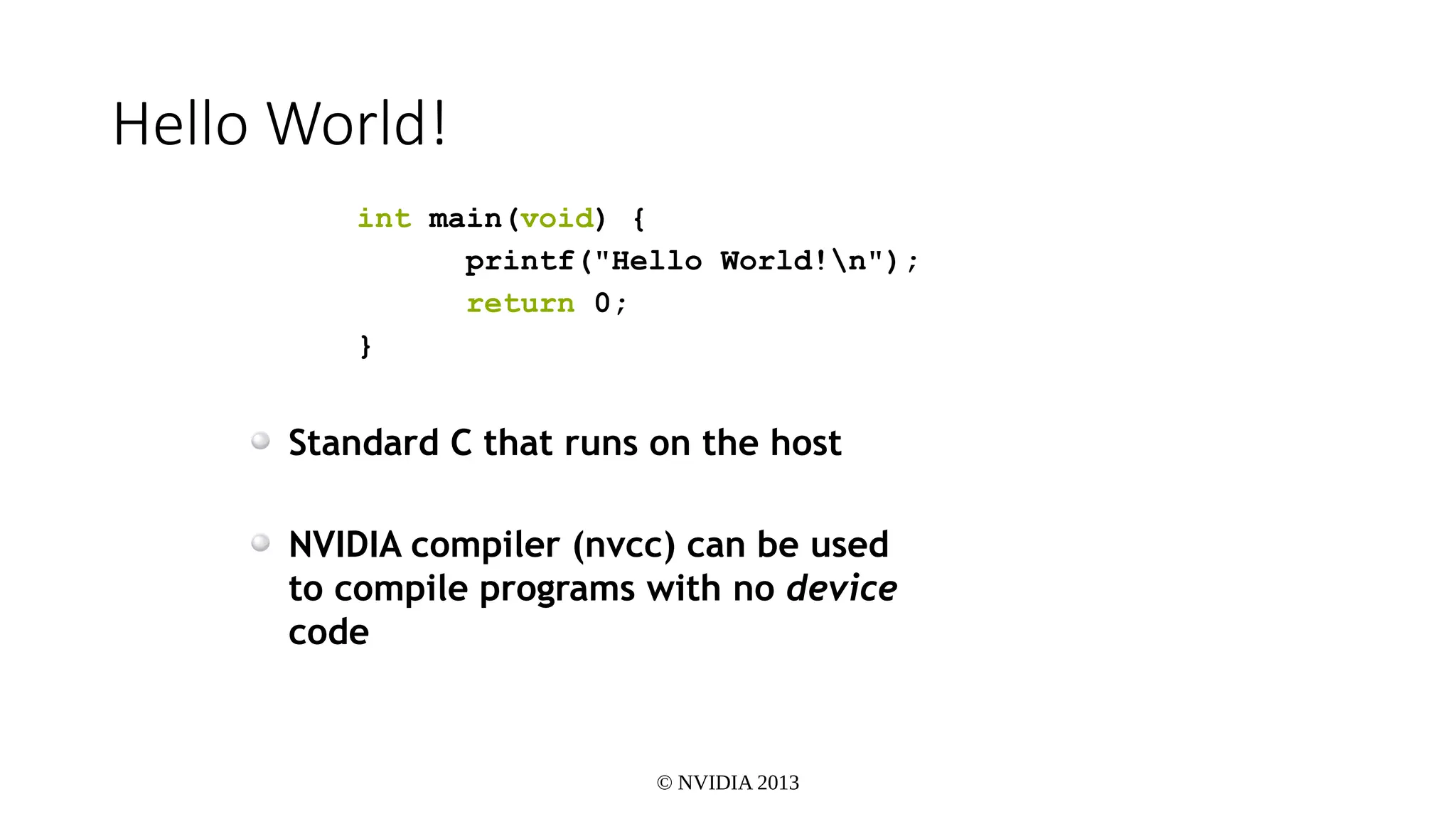
Hello World!
int main(void) {
printf("Hello World!n");
return 0;
}
Standard C that runs on the host
NVIDIA compiler (nvcc) can be used
to compile programs with no device
code
© NVIDIA 2013
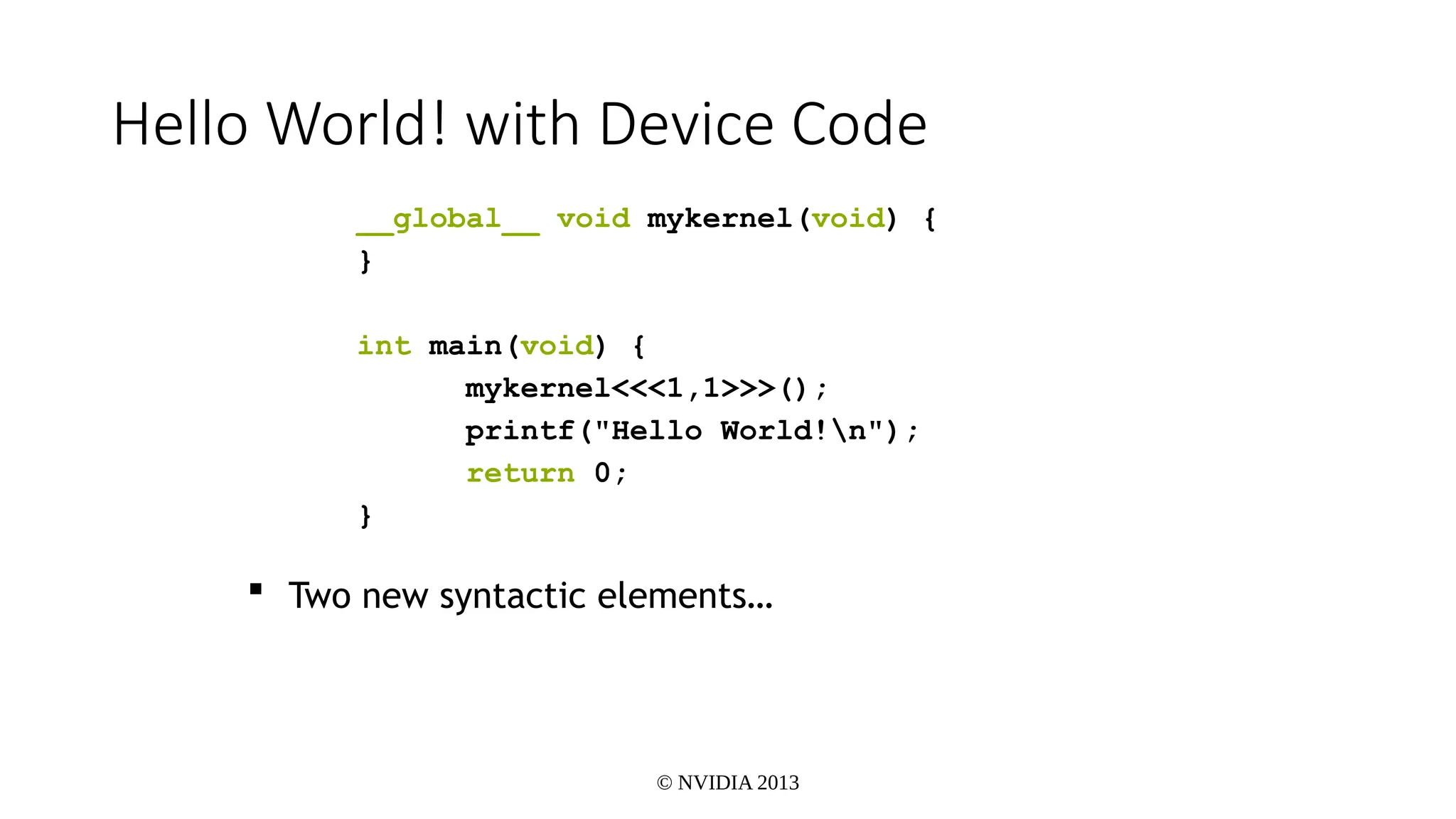
Hello World! with Device Code
__global__ void mykernel(void) {
}
int main(void) {
mykernel<<<1,1>>>();
printf("Hello World!n");
return 0;
}
 Two new syntactic elements…
© NVIDIA 2013
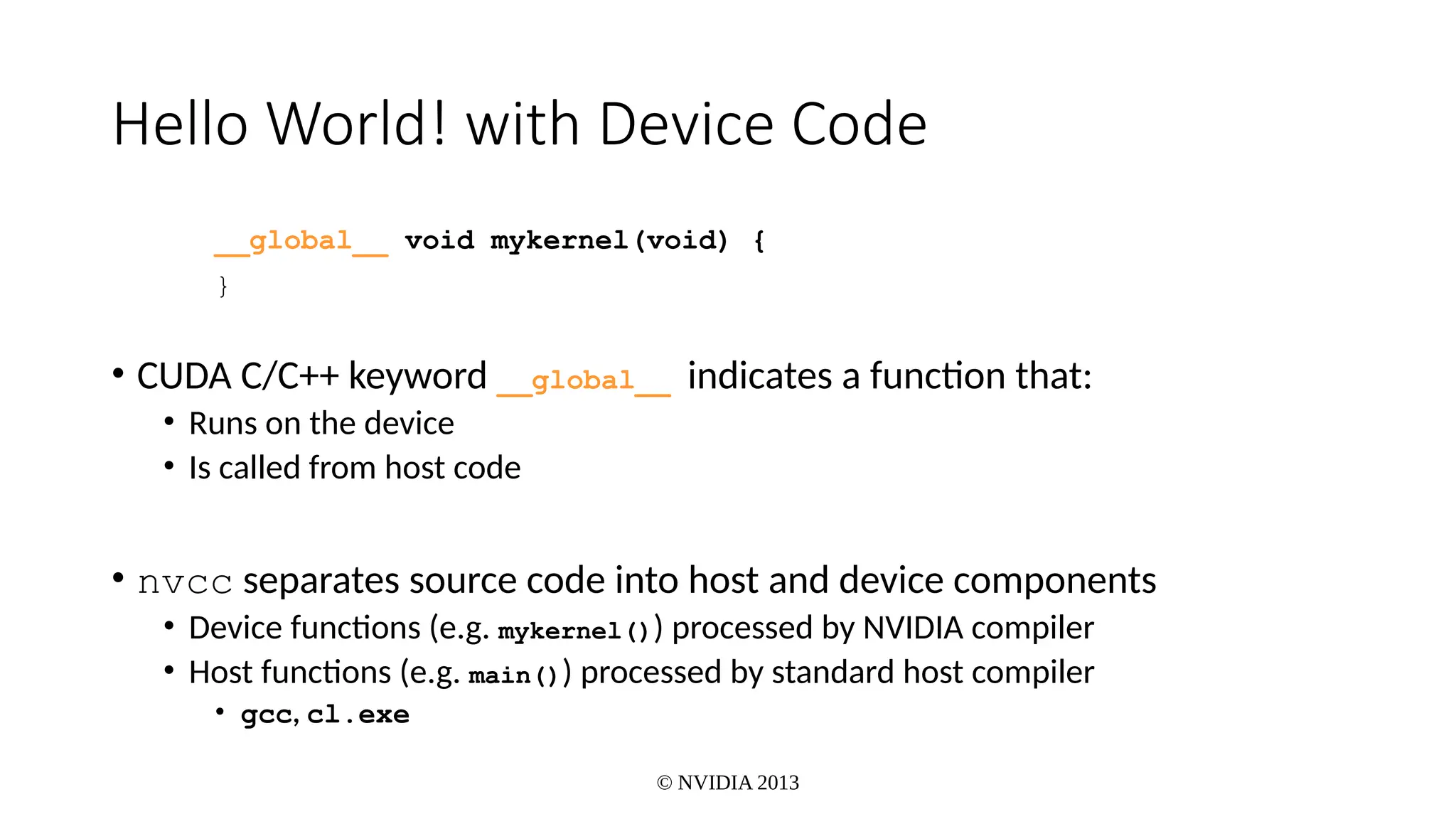
Hello World! with Device Code
__global__ void mykernel(void) {
}
• CUDA C/C++ keyword __global__ indicates a function that:
• Runs on the device
• Is called from host code
• nvcc separates source code into host and device components
• Device functions (e.g. mykernel()) processed by NVIDIA compiler
• Host functions (e.g. main()) processed by standard host compiler
• gcc, cl.exe
© NVIDIA 2013
Hello World! with Device COde
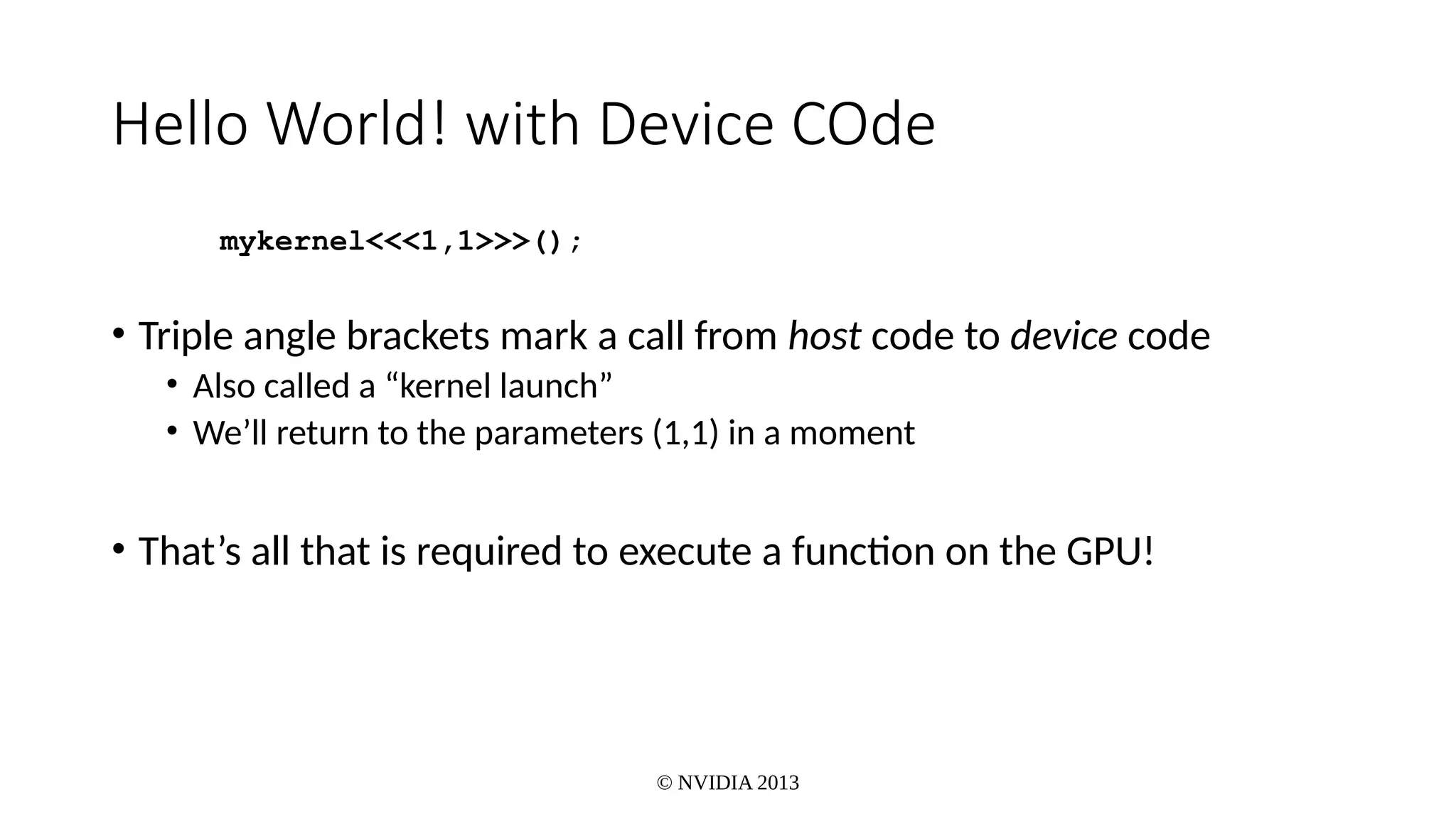
mykernel<<<1,1>>>();
• Triple angle brackets mark a call from host code to device code
• Also called a “kernel launch”
• We’ll return to the parameters (1,1) in a moment
• That’s all that is required to execute a function on the GPU!
© NVIDIA 2013
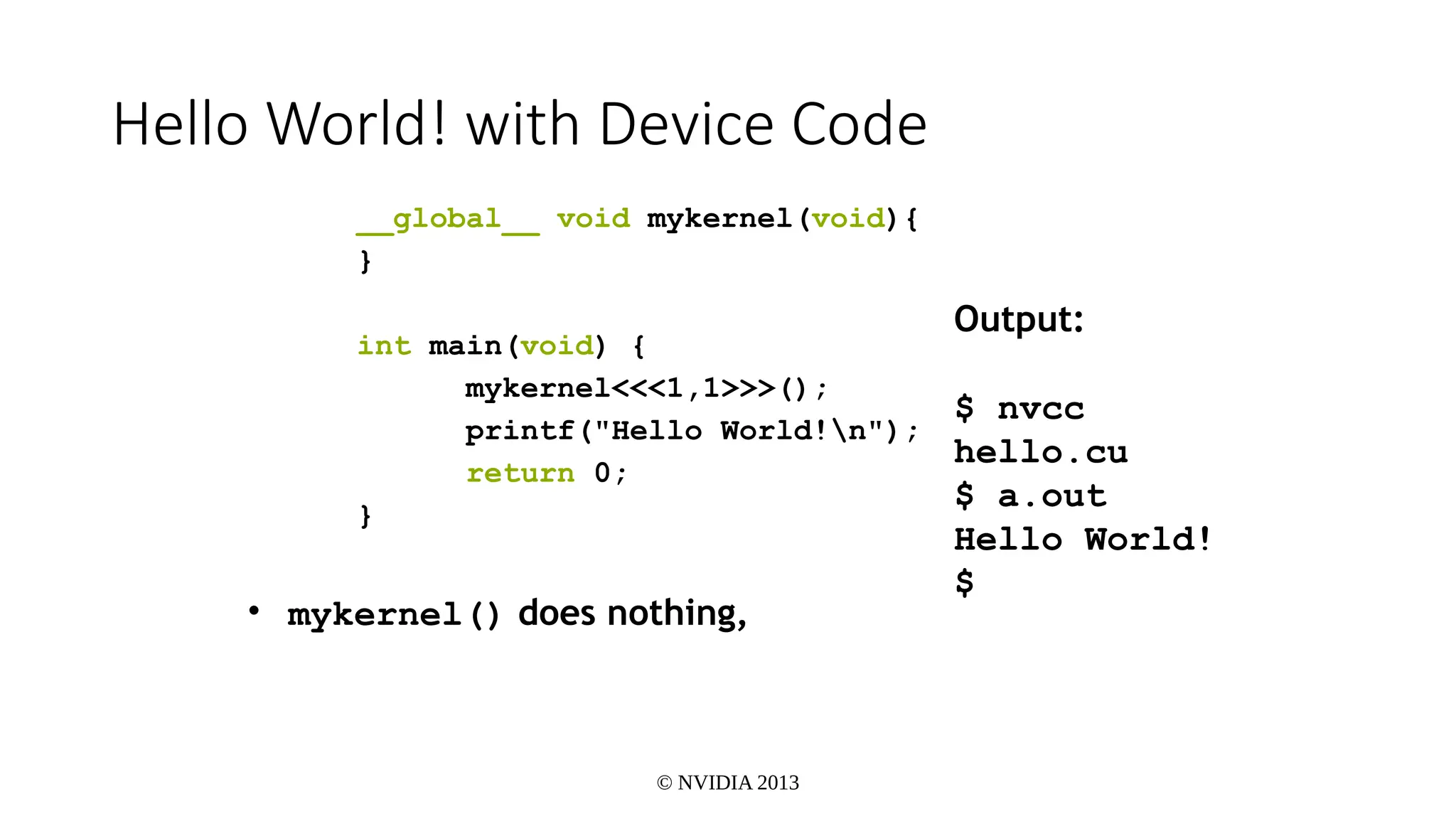
Hello World! with Device Code
__global__ void mykernel(void){
}
int main(void) {
mykernel<<<1,1>>>();
printf("Hello World!n");
return 0;
}
• mykernel() does nothing,
Output:
$ nvcc
hello.cu
$ a.out
Hello World!
$
© NVIDIA 2013
Addition on the Device
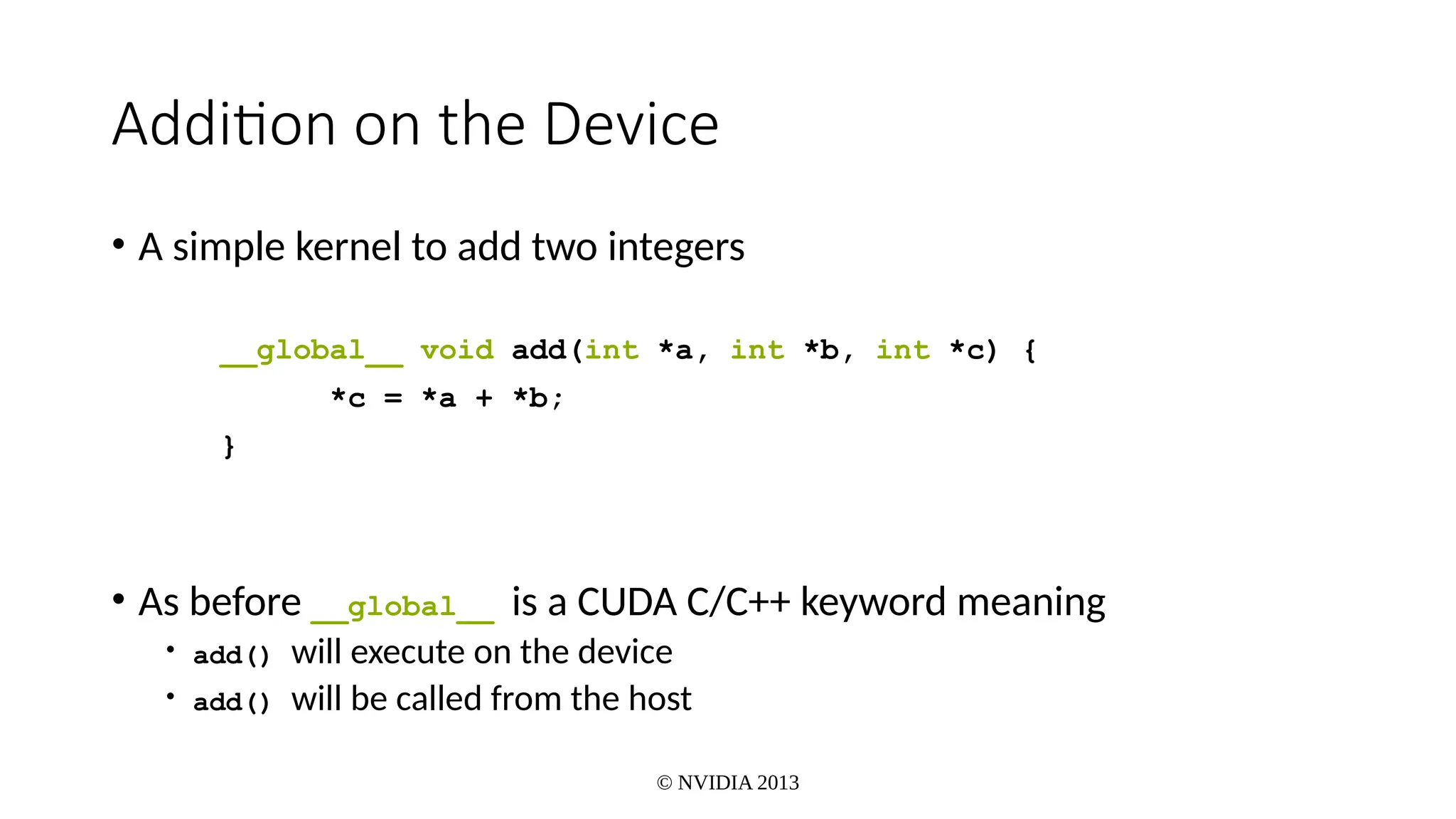
• A simple kernel to add two integers
__global__ void add(int *a, int *b, int *c) {
*c = *a + *b;
}
• As before __global__ is a CUDA C/C++ keyword meaning
• add() will execute on the device
• add() will be called from the host
© NVIDIA 2013
Addition on the Device
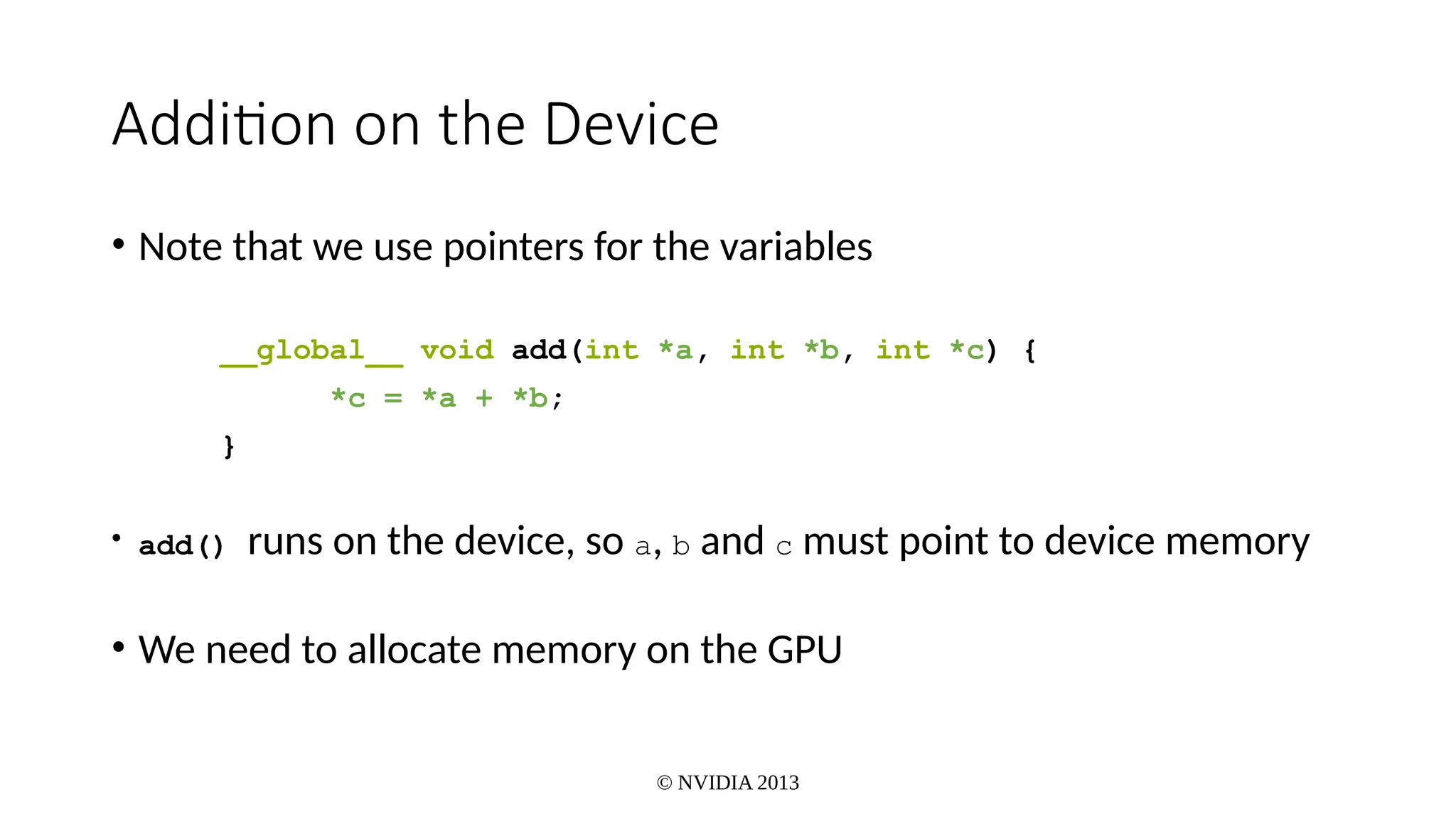
• Note that we use pointers for the variables
__global__ void add(int *a, int *b, int *c) {
*c = *a + *b;
}
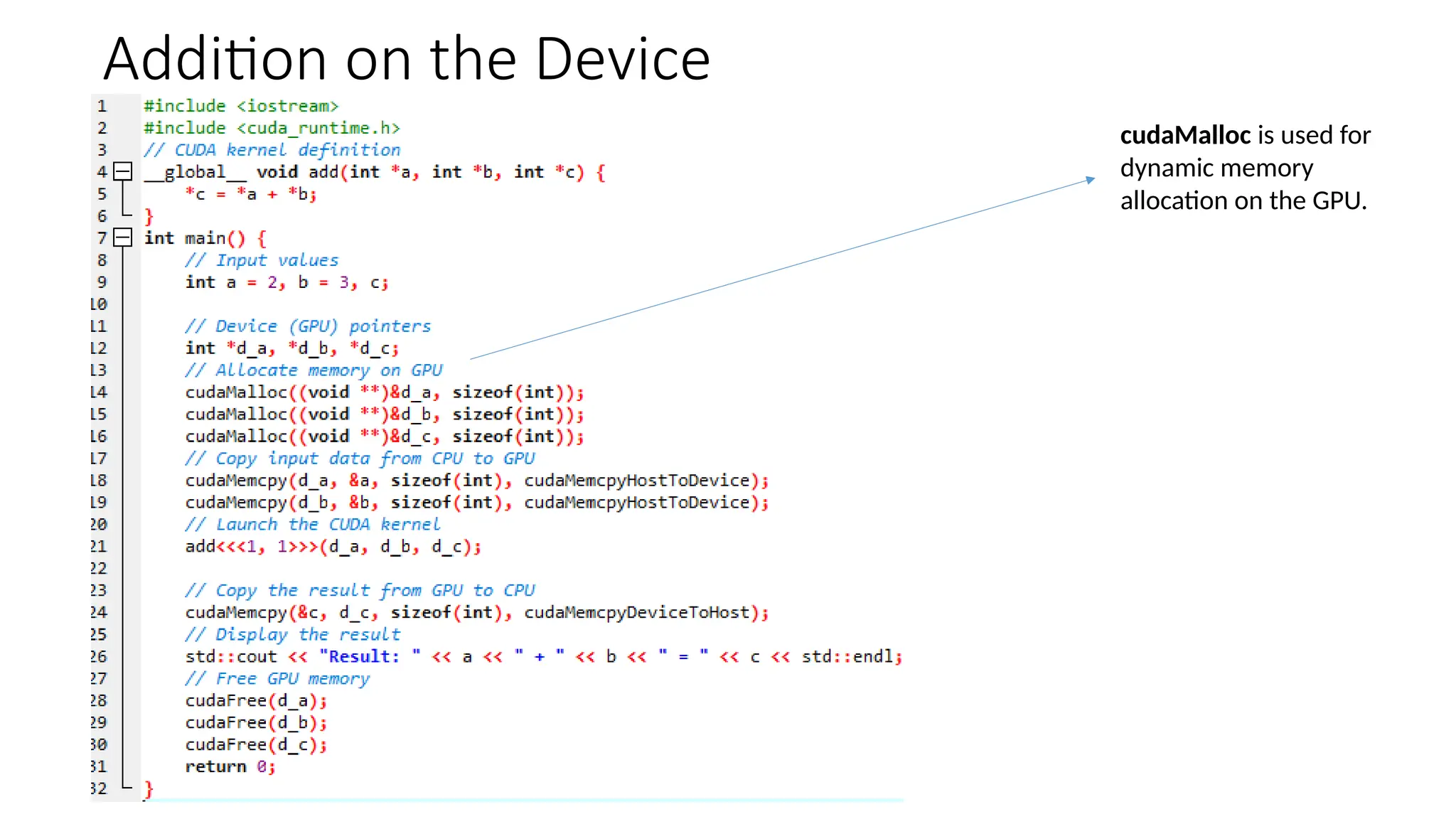
• add() runs on the device, so a, b and c must point to device memory
• We need to allocate memory on the GPU
Addition on the Device
cudaMalloc is used for
dynamic memory
allocation on the GPU.
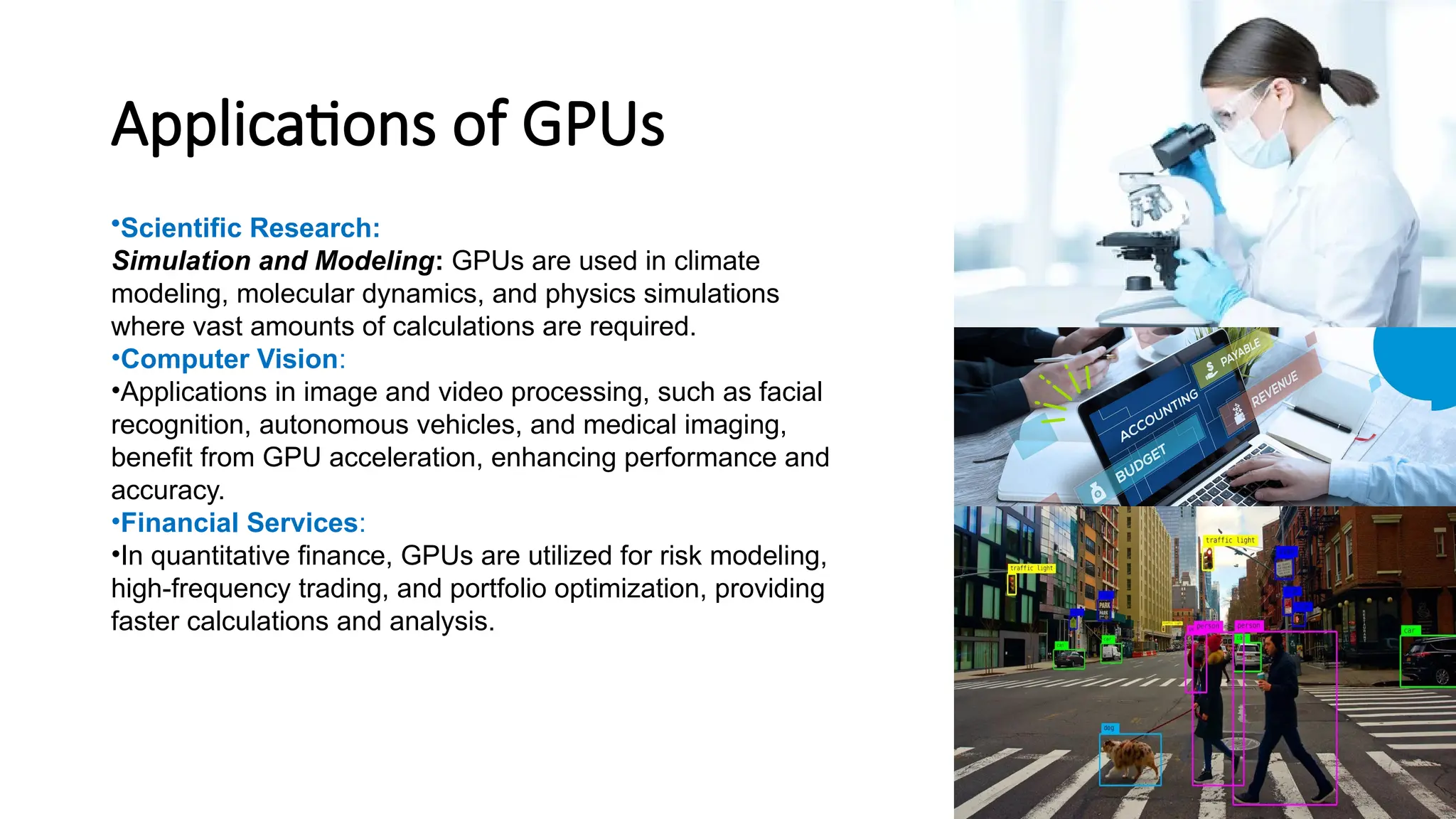
Applications of GPUs
•Scientific Research:
Simulation and Modeling: GPUs are used in climate
modeling, molecular dynamics, and physics simulations
where vast amounts of calculations are required.
•Computer Vision:
•Applications in image and video processing, such as facial
recognition, autonomous vehicles, and medical imaging,
benefit from GPU acceleration, enhancing performance and
accuracy.
•Financial Services:
•In quantitative finance, GPUs are utilized for risk modeling,
high-frequency trading, and portfolio optimization, providing
faster calculations and analysis.
Applications of GPUs
• Gaming and Graphics:
• Modern gaming relies on GPUs for rendering
high-quality graphics in real-time,
• Artificial Intelligence:
• Beyond traditional machine learning, GPUs
facilitate advancements in natural language
processing, reinforcement learning, and
generative models, pushing the boundaries of AI
capabilities.
References
• https://www.nvidia.com/en-us/?srsltid=AfmBOoozcDkEOh0yW0Mw2
66W1wnk1_9fRuQ1hNRuvkhxrUBEv1bs_cIB
• www.cherryservers.com/blog/everything-you-need-to-know-about-g
pu-architecture
• https://www.wikipedia.org/
• https://
www.researchgate.net/publication/261424611_Evolution_and_trends
_in_GPU_computing
• https://ieeexplore.ieee.org/document/8748495GPU
Computing Revolution: CUDA Publisher: IEEE
Thank You

GPU in Computer Science advance topic .pptx

  • 1.
  • 2.
    Topics Covered • Somebackground • The von Neumann model • Serial Computing vs.Parallel computing • GPU Evolution • GPU working • GPU architecture • CPU vs GPU • GPU Memory architecture • GPU programming (CUDA) • GPU Application's
  • 3.
    Some background input output programs Computer runsone program at a time. Serial hardware and software
  • 4.
    The von NeumannArchitecture • Named after the Hungarian mathematician/genius John von Neumann who first authored the general requirements for an electronic computer in his 1945 papers. • Also known as "stored-program computer" - both program instructions and data are kept in electronic memory. Differs from earlier computers which were programmed through "hard wiring". • Since then, virtually all computers have • Memory • Control Unit • Arithmetic Logic Unit • Input / Output
  • 5.
    Cont. • Main memory(RAM) • Collection of locations, each of which is capable of storing both instructions and data. • Every location consists of an address, which is used to access the location, and the contents of the location. • Every program must be in RAM (at least partially) in order to run ■ Central processing unit (CPU): Divided into two parts. ■ Control unit - responsible for deciding which instruction in a program should be executed. (the boss) ■ Arithmetic and logic unit (ALU) - responsible for executing the actual instructions. (the worker) add 2+2
  • 6.
  • 7.
    Early--Serial Computing • Duringthe early days of computing, machines operated primarily on a single core, executing one instruction after another. • Limitations: As tasks became more complex, the speed of processing remained limited.
  • 8.
    Introduction of MulticoreProcessors • In the early 2000s, multicore processors became common, allowing multiple cores on a single chip to process tasks simultaneously.
  • 9.
    Parallel Computing • Parallelcomputing involves having two or more processors solving a single problem. • The more CPUs you add, the faster the tasks can be done.
  • 10.
    Parallel Computing Models •Frameworks and languages (like MPI, OpenMP, and CUDA) emerged to facilitate parallel processing. • MPI (Message Passing Interface) • Description: MPI is a standardized and portable message-passing system designed for parallel programming on distributed memory systems, such as clusters or networked computers. • OpenMP (Open Multi-Processing) • Description: OpenMP is a set of compiler directives and an API that enables parallel programming in shared-memory environments, allowing a single program to utilize multiple cores on the same CPU. • Example Directive: #pragma omp parallel for to parallelize a for loop across CPU cores.
  • 11.
    Approaches to theserial problem ❑Compute n values and add them together. ❑Serial solution:
  • 12.
    Multiple cores forminga global sum Copyright © 2023, Jameel Ahmad. All rights Reserved
  • 13.
    The Role ofGPUs • The graphics processing unit, or GPU, has become one of the most important types of computing technology • Designed for parallel processing, the GPU is used in a wide range of applications, including graphics and video rendering. • GPUs were originally designed to accelerate the rendering of 3D graphics.
  • 14.
    GPU Evolution • 1980’s– No GPU. PC used VGA(Video Graphics Array) controller • 1990’s – Add more function into VGA controller • 1997 – 3D acceleration functions: Hardware for triangle setup and rasterization Texture mapping Shading • 2000 – A single chip graphics processor ( beginning of GPU term) • 2005 – Massively parallel programmable processors • 2007 – CUDA (Compute Unified Device Architecture)
  • 15.
    How does aGPU work? • GPUs work by using a method called parallel processing, where multiple processors handle separate parts of a single task. • A GPU will also have its own RAM to store the data it is processing. • This RAM is designed specifically to hold the large amounts of information coming into the GPU for highly intensive graphics use cases..
  • 16.
    GPU Architecture CPU vs.GPU A CPU is designed to handle complex tasks , virtual machine emulation, complex control flows and, security etc. In contrast, GPUs only do one thing well - handle billions of repetitive tasks - originally the rendering of triangles in 3D graphics, and they have thousands of ALUs as compared with the CPUs 4 or 8..
  • 17.
  • 18.
    Stream Multiprocessor(SM) and StreamProcessor(SP) • GPU consists of smaller components called as Stream Multiprocesssors(SM). • Each SM consists of many Stream Processors(SP) on which actual computation is done. Each SP is also called a Cuda core.
  • 19.
  • 20.
    Memory architecture ofa GPU 1.Local Memory Each SP uses Local memory. All variables declared in a kernel(a function to be executed on GPU) are saved into Local memory. 2. Registers Kernel may consist of several expressions. During execution of an expression, values are saved into the Registers of SP. 3. Global Memory It is the main memory of GPU. Whenever a memory from GPU is allocated for variables by using cudaMalloc() function, by default, it uses global memory. 4. Shared Memory On one SP, one or more threads can be run. A collection of threads is called a Block. On one SM, one or more blocks can be run. Advantage of Shared memory is, it is shared by all the threads in one block. 5. Constant Memory Constant Memory is used to store constant values. 6. Texture Memory Texture memory is again used to reduce the latency. Texture memory is used in a special case. Consider an image. When we access a particular pixel, there are more chances that we will access surrounding pixels. Such a group of values which are accessed together are saved in texture memory.
  • 21.
  • 22.
    CUDA • stands forCompute Unified Device Architecture, is a parallel computing platform and programming model developed by NVIDIA. • It allows developers to use NVIDIA GPUs (Graphics Processing Units) for general-purpose computing tasks beyond graphics processing. • CUDA enables the creation of highly parallel applications by providing a parallel programming model and a set of tools for software developers.
  • 23.
     Terminology:  HostThe CPU and its memory (host memory)  Device The GPU and its memory (device memory) Host Device
  • 24.
  • 25.
    Kernel A function(in C/C++language) to be executed on GPU is called a Kernel. While defining kernel, a function is prefixed with keyword __global__. __global__ void matadd(int *a,int *b) { //code to be executed on GPU }
  • 26.
    © NVIDIA 2013 HelloWorld! int main(void) { printf("Hello World!n"); return 0; } Standard C that runs on the host NVIDIA compiler (nvcc) can be used to compile programs with no device code
  • 27.
    © NVIDIA 2013 HelloWorld! with Device Code __global__ void mykernel(void) { } int main(void) { mykernel<<<1,1>>>(); printf("Hello World!n"); return 0; }  Two new syntactic elements…
  • 28.
    © NVIDIA 2013 HelloWorld! with Device Code __global__ void mykernel(void) { } • CUDA C/C++ keyword __global__ indicates a function that: • Runs on the device • Is called from host code • nvcc separates source code into host and device components • Device functions (e.g. mykernel()) processed by NVIDIA compiler • Host functions (e.g. main()) processed by standard host compiler • gcc, cl.exe
  • 29.
    © NVIDIA 2013 HelloWorld! with Device COde mykernel<<<1,1>>>(); • Triple angle brackets mark a call from host code to device code • Also called a “kernel launch” • We’ll return to the parameters (1,1) in a moment • That’s all that is required to execute a function on the GPU!
  • 30.
    © NVIDIA 2013 HelloWorld! with Device Code __global__ void mykernel(void){ } int main(void) { mykernel<<<1,1>>>(); printf("Hello World!n"); return 0; } • mykernel() does nothing, Output: $ nvcc hello.cu $ a.out Hello World! $
  • 31.
    © NVIDIA 2013 Additionon the Device • A simple kernel to add two integers __global__ void add(int *a, int *b, int *c) { *c = *a + *b; } • As before __global__ is a CUDA C/C++ keyword meaning • add() will execute on the device • add() will be called from the host
  • 32.
    © NVIDIA 2013 Additionon the Device • Note that we use pointers for the variables __global__ void add(int *a, int *b, int *c) { *c = *a + *b; } • add() runs on the device, so a, b and c must point to device memory • We need to allocate memory on the GPU
  • 33.
    Addition on theDevice cudaMalloc is used for dynamic memory allocation on the GPU.
  • 34.
    Applications of GPUs •ScientificResearch: Simulation and Modeling: GPUs are used in climate modeling, molecular dynamics, and physics simulations where vast amounts of calculations are required. •Computer Vision: •Applications in image and video processing, such as facial recognition, autonomous vehicles, and medical imaging, benefit from GPU acceleration, enhancing performance and accuracy. •Financial Services: •In quantitative finance, GPUs are utilized for risk modeling, high-frequency trading, and portfolio optimization, providing faster calculations and analysis.
  • 35.
    Applications of GPUs •Gaming and Graphics: • Modern gaming relies on GPUs for rendering high-quality graphics in real-time, • Artificial Intelligence: • Beyond traditional machine learning, GPUs facilitate advancements in natural language processing, reinforcement learning, and generative models, pushing the boundaries of AI capabilities.
  • 36.
    References • https://www.nvidia.com/en-us/?srsltid=AfmBOoozcDkEOh0yW0Mw2 66W1wnk1_9fRuQ1hNRuvkhxrUBEv1bs_cIB • www.cherryservers.com/blog/everything-you-need-to-know-about-g pu-architecture •https://www.wikipedia.org/ • https:// www.researchgate.net/publication/261424611_Evolution_and_trends _in_GPU_computing • https://ieeexplore.ieee.org/document/8748495GPU Computing Revolution: CUDA Publisher: IEEE
  • 37.

Editor's Notes

  • #16 https://www.youtube.com/watch?v=-P28LKWTzrI&t=9s
  • #23 Heterogeneous computing involves the use of multiple types of processing units or devices within a single system, typically combining a CPU (Central Processing Unit) and a GPU (Graphics Processing Unit). The terminology commonly used in the context of heterogeneous computing includes: Host: The term "host" refers to the primary computing device in a heterogeneous system, usually the CPU (Central Processing Unit). The host is responsible for managing the overall execution of the program, handling I/O operations, and coordinating the activities of other devices. Device: In heterogeneous computing, the term "device" usually refers to the secondary processing unit, which is often a GPU (Graphics Processing Unit). The device operates alongside the CPU and is designed to accelerate specific types of computations, particularly those that can benefit from parallel processing. Host Memory: Host memory is the system memory (RAM) associated with the CPU. It is used to store data and instructions for the CPU and is accessible by the CPU for general computing tasks.