GoogleTag Manager for
actionable metrics -
Beyond basic Google
Analytics
Saturday, July 11th
Drupal Camp Asheville
2020
Stephen Pashby @DH_Stephen
@DesignHammer
1
Overview
• Google Analytics
• Google Tag Manager
• Common Google Tag Manager Patterns
• Customization and Testing
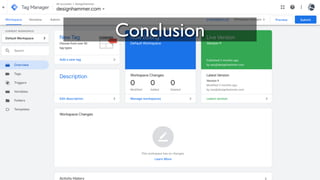
• Conclusion
2
Who am I?
• Account Manager at DesignHammer
• Working on Drupal sites for ~10 years
• Head up analytics implementations for our
projects
• Not a JavaScript developer ;-)
3
Who are you?
• Developers?
• Site Builders?
• Project Managers?
• Site Owners?
• Who else?
4
Google Analytics/Google
Tag Manager Experience
• Who has used Google Analytics?
• Who as used Google Tag Manager?
5
6
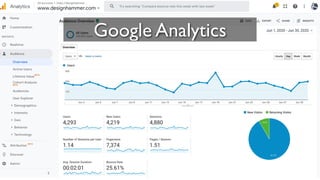
Google Analytics
What is Google Analytics
• Google provided web analytics service
• Launched in 2005
• Free to use
• According to Built With’s data, Google
Analytics is used on over 29M sites
worldwide
7
Out of the Box
Functionality
• Tracks pageviews
• Cookie tracking of users, including:
• Unique visitors
• Sessions
• Inferred user behavior metrics based on
pageviews and cookie interpretation
8
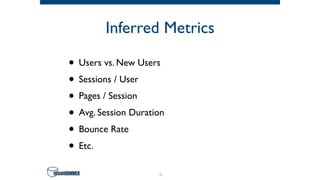
Inferred Metrics
• Users vs. New Users
• Sessions / User
• Pages / Session
• Avg. Session Duration
• Bounce Rate
• Etc.
9
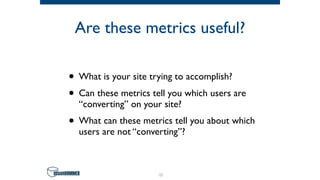
Are these metrics useful?
• What is your site trying to accomplish?
• Can these metrics tell you which users are
“converting” on your site?
• What can these metrics tell you about which
users are not “converting”?
10
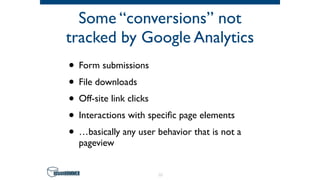
Some “conversions” not
tracked by Google Analytics
• Form submissions
• File downloads
• Off-site link clicks
• Interactions with specific page elements
• …basically any user behavior that is not a
pageview
11
12
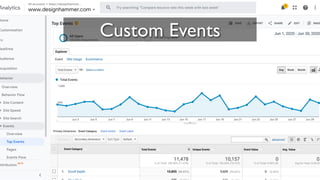
Custom Events
Custom Events
• Google Analytics provides the ability to track
other user interactions using custom events
• Flexible in what can be tracked and how the
data can be analyzed
• While Google Analytics can interpret
custom events that it receives, your site still
needs to submit the events
13
Custom Events
• Event components:
• Event Category (text) [required]
• Event Action (text) [required]
• Event Label (text) [optional]
• EventValue (integer) [optional]
14
Google Analytics Module
• The Drupal Google Analytics module
provides some custom event tracking
through module configuration:
• Clicks on outbound links
• Clicks on mailto links
• Clicks on downloads
15
Additional Events in Drupal
• Traditionally two main options:
• Custom JavaScript
• Google Analytics Event Tracking module
16
Custom JavaScript Events
• Very customizable
• Required a developer to implement and/or
update
17
Google Analytics Event
Tracking Module
• Customizable but requires implementing
custom modules based on the provided
example module
• Minimally maintained
• Prod release for D7, alpha release for D8
18
So what’s the problem?
• Depending upon your development capacity
and development workflow, you may need to
wait on developer availability to implement
or adjust custom event tracking
• Not interesting development work, so may
not be prioritized if MarComm does not
drive development priorities
19
20
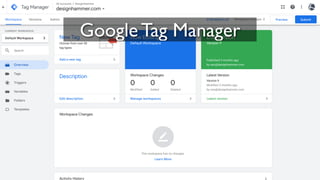
Google Tag Manager
What is Google Tag
Manager?
• Tag Management System (TMS) provided by
Google in 2012
• TMSs are implemented to deploy and
manage various marketing tags on websites
• Based on W3Techs, GTM is used by 99.3% of
all the websites with a TMS (~29.5% of sites)
• Not a replacement for GA, but simplifies
implementing custom events as tags
21
How does GTM work?
• GTM Container [required]
• Tags [required]
• Triggers [required]
• Variables [if necessary]
22
23
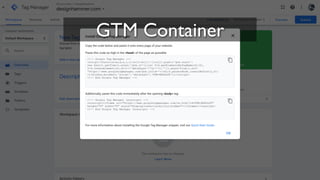
GTM Container
GTM Container
• Needs to be added to the website
• GTM dynamically serves configured tags to
the container on page load to allow tracking
of user activity
24
25
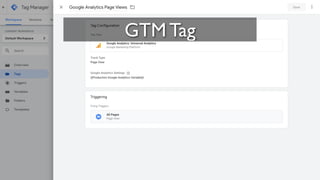
GTM Tag
GTM Tags
• Piece of code usually intended to send
information to a system
• Fire in response to certain events (triggers)
• GTM has many provided tags (e.g. Google
Analytics, Crazy Egg, LinkedIn Insights, etc.)
• Tags also support custom HTML/JavaScript
26
27
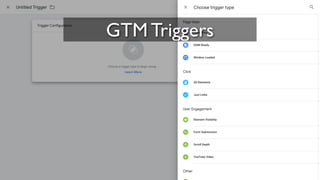
GTM Triggers
GTM Triggers
• Listens for certain types of events (e.g. form
submissions, button clicks, etc.)
• A trigger tells a tag to fire when the
specified event is detected
• Every tag must have at least one trigger in
order to fire
28
29
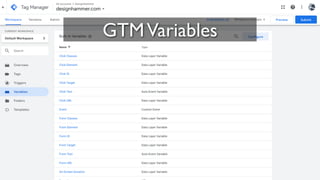
GTMVariables
Variables
• Named placeholder for a value that will
change, such as a product name, a price
value, or a date
• Tag manager implements a data layer to
temporarily hold values in the client so that
they can be used by tags, triggers, and
variables
30
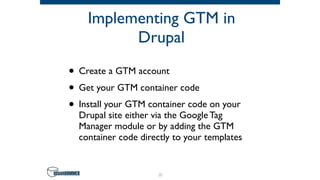
Implementing GTM in
Drupal
• Create a GTM account
• Get your GTM container code
• Install your GTM container code on your
Drupal site either via the Google Tag
Manager module or by adding the GTM
container code directly to your templates
31
32
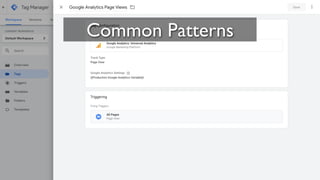
Common Patterns
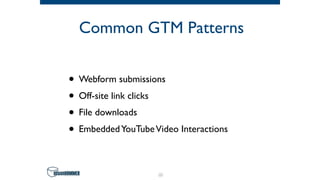
Common GTM Patterns
• Webform submissions
• Off-site link clicks
• File downloads
• EmbeddedYouTubeVideo Interactions
33
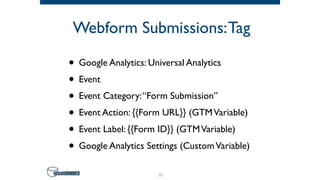
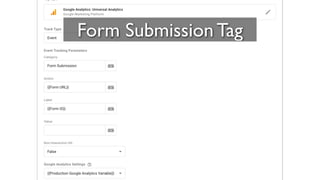
Webform Submissions:Tag
• Google Analytics: Universal Analytics
• Event
• Event Category:“Form Submission”
• Event Action: {{Form URL}} (GTMVariable)
• Event Label: {{Form ID}} (GTMVariable)
• Google Analytics Settings (CustomVariable)
34
35
Form Submission Tag
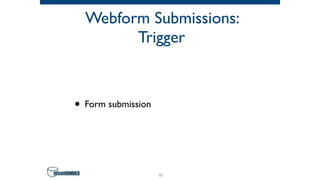
Webform Submissions:
Trigger
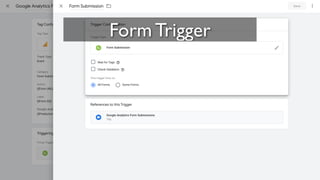
• Form submission
36
37
Form Trigger
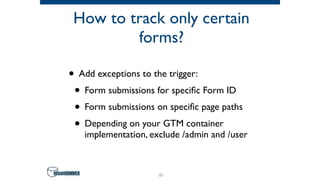
How to track only certain
forms?
• Add exceptions to the trigger:
• Form submissions for specific Form ID
• Form submissions on specific page paths
• Depending on your GTM container
implementation, exclude /admin and /user
38
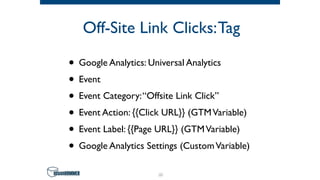
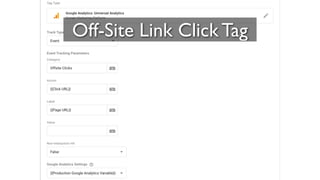
Off-Site Link Clicks:Tag
• Google Analytics: Universal Analytics
• Event
• Event Category:“Offsite Link Click”
• Event Action: {{Click URL}} (GTMVariable)
• Event Label: {{Page URL}} (GTMVariable)
• Google Analytics Settings (CustomVariable)
39
40
Off-Site Link Click Tag
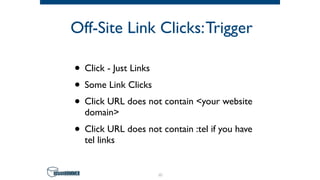
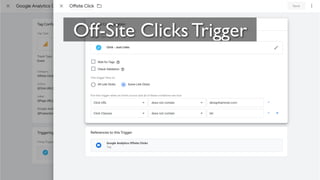
Off-Site Link Clicks:Trigger
• Click - Just Links
• Some Link Clicks
• Click URL does not contain <your website
domain>
• Click URL does not contain :tel if you have
tel links
41
42
Off-Site Clicks Trigger
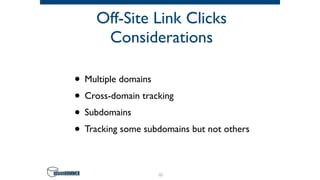
Off-Site Link Clicks
Considerations
• Multiple domains
• Cross-domain tracking
• Subdomains
• Tracking some subdomains but not others
43
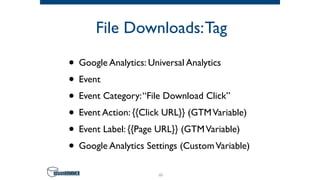
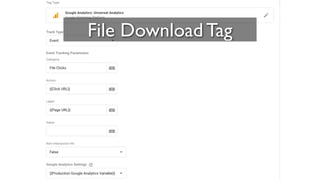
File Downloads:Tag
• Google Analytics: Universal Analytics
• Event
• Event Category:“File Download Click”
• Event Action: {{Click URL}} (GTMVariable)
• Event Label: {{Page URL}} (GTMVariable)
• Google Analytics Settings (CustomVariable)
44
45
File Download Tag
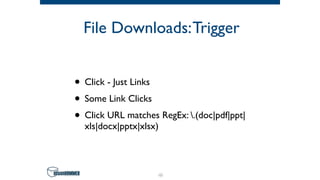
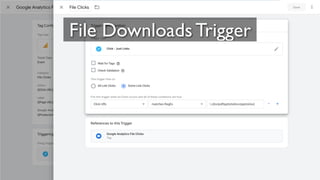
File Downloads:Trigger
• Click - Just Links
• Some Link Clicks
• Click URL matches RegEx: .(doc|pdf|ppt|
xls|docx|pptx|xlsx)
46
47
File Downloads Trigger
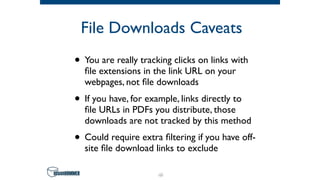
File Downloads Caveats
• You are really tracking clicks on links with
file extensions in the link URL on your
webpages, not file downloads
• If you have, for example, links directly to
file URLs in PDFs you distribute, those
downloads are not tracked by this method
• Could require extra filtering if you have off-
site file download links to exclude
48
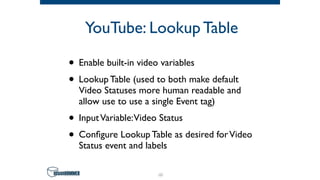
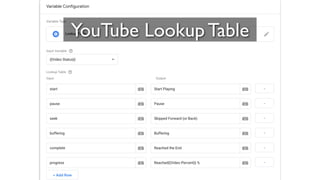
YouTube: Lookup Table
• Enable built-in video variables
• Lookup Table (used to both make default
Video Statuses more human readable and
allow use to use a single Event tag)
• InputVariable:Video Status
• Configure Lookup Table as desired forVideo
Status event and labels
49
50
YouTube Lookup Table
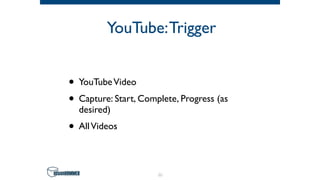
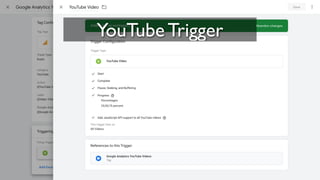
YouTube:Trigger
• YouTubeVideo
• Capture: Start, Complete, Progress (as
desired)
• AllVideos
51
52
YouTube Trigger
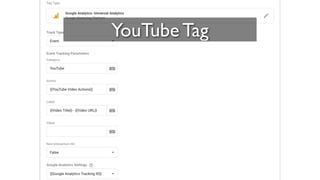
YouTube:Tag
• Google Analytics: Universal Analytics
• Event
• Event Category:“YouTubeVideo Actions”
• Event Action: [your_lookup_table_variable]
• Event Label: {{Video Title}} - {{Video URL}}
(GTMVariables)
• Google Analytics Settings (CustomVariable)
53
54
YouTube Tag
YouTube Considerations
• Leverages GTM’s built in support for
YouTube videos
• Other video providers require a different
approach
55
56
Customize & Test
Identify User Interaction
You Want to Track
• Specific CTA click
• Specific form interaction
• Scroll depth
• …the possibilities are nearly endless.
57
What Can GTM “See?”
• GTM “Built in” triggers
• Custom event triggers
• Trigger groups
58
Other User Behavior
Related GTM Triggers
• Page view trigger
• History change trigger
• Scroll Depth trigger
• Timer trigger
59
Custom Event Trigger
• Can trigger on interactions with the GTM
Data Layer
• Common approach is to use a Custom
HTML tag to insert data into specific
Variables in the data layer and trigger based
on those changes
60
Trigger Group
• Set dependencies between multiple triggers
• The Trigger Group does not fire the tag until
every trigger in the group has fired at least
once
61
Event Construction
• Use the built in GTM variables (e.g. Page
path, Click URL, etc.) to populate your
custom event properties with useful info
• Remember how events will be parsed by
Google Analytics for actionable metrics
• Consistency with other custom events is a
good idea for cross event analysis
62
Use Preview & Debug
Mode for Testing
• Enabled in Google Tag Manager
• Allows you to test unsubmitted changes in
your workspace
• Load site in another tab or window of the
same browser
• Provides insight into which tags are firing
and when they fire
63
Live Demo
64
65
Conclusion
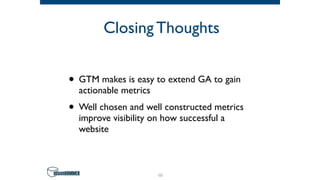
Closing Thoughts
• GTM makes is easy to extend GA to gain
actionable metrics
• Well chosen and well constructed metrics
improve visibility on how successful a
website
66
67
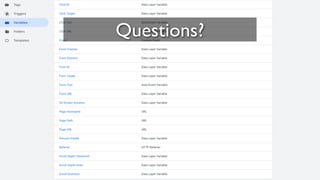
Questions?
Special thanks
68
Stephen Pashby
Follow us!
@DesignHammer
facebook.com/DesignHammer
www.designhammer.com
69

Google Tag Manager for actionable metrics - Beyond basic Google Analytics

  • 1.
    GoogleTag Manager for actionablemetrics - Beyond basic Google Analytics Saturday, July 11th Drupal Camp Asheville 2020 Stephen Pashby @DH_Stephen @DesignHammer 1
  • 2.
    Overview • Google Analytics •Google Tag Manager • Common Google Tag Manager Patterns • Customization and Testing • Conclusion 2
  • 3.
    Who am I? •Account Manager at DesignHammer • Working on Drupal sites for ~10 years • Head up analytics implementations for our projects • Not a JavaScript developer ;-) 3
  • 4.
    Who are you? •Developers? • Site Builders? • Project Managers? • Site Owners? • Who else? 4
  • 5.
    Google Analytics/Google Tag ManagerExperience • Who has used Google Analytics? • Who as used Google Tag Manager? 5
  • 6.
  • 7.
    What is GoogleAnalytics • Google provided web analytics service • Launched in 2005 • Free to use • According to Built With’s data, Google Analytics is used on over 29M sites worldwide 7
  • 8.
    Out of theBox Functionality • Tracks pageviews • Cookie tracking of users, including: • Unique visitors • Sessions • Inferred user behavior metrics based on pageviews and cookie interpretation 8
  • 9.
    Inferred Metrics • Usersvs. New Users • Sessions / User • Pages / Session • Avg. Session Duration • Bounce Rate • Etc. 9
  • 10.
    Are these metricsuseful? • What is your site trying to accomplish? • Can these metrics tell you which users are “converting” on your site? • What can these metrics tell you about which users are not “converting”? 10
  • 11.
    Some “conversions” not trackedby Google Analytics • Form submissions • File downloads • Off-site link clicks • Interactions with specific page elements • …basically any user behavior that is not a pageview 11
  • 12.
  • 13.
    Custom Events • GoogleAnalytics provides the ability to track other user interactions using custom events • Flexible in what can be tracked and how the data can be analyzed • While Google Analytics can interpret custom events that it receives, your site still needs to submit the events 13
  • 14.
    Custom Events • Eventcomponents: • Event Category (text) [required] • Event Action (text) [required] • Event Label (text) [optional] • EventValue (integer) [optional] 14
  • 15.
    Google Analytics Module •The Drupal Google Analytics module provides some custom event tracking through module configuration: • Clicks on outbound links • Clicks on mailto links • Clicks on downloads 15
  • 16.
    Additional Events inDrupal • Traditionally two main options: • Custom JavaScript • Google Analytics Event Tracking module 16
  • 17.
    Custom JavaScript Events •Very customizable • Required a developer to implement and/or update 17
  • 18.
    Google Analytics Event TrackingModule • Customizable but requires implementing custom modules based on the provided example module • Minimally maintained • Prod release for D7, alpha release for D8 18
  • 19.
    So what’s theproblem? • Depending upon your development capacity and development workflow, you may need to wait on developer availability to implement or adjust custom event tracking • Not interesting development work, so may not be prioritized if MarComm does not drive development priorities 19
  • 20.
  • 21.
    What is GoogleTag Manager? • Tag Management System (TMS) provided by Google in 2012 • TMSs are implemented to deploy and manage various marketing tags on websites • Based on W3Techs, GTM is used by 99.3% of all the websites with a TMS (~29.5% of sites) • Not a replacement for GA, but simplifies implementing custom events as tags 21
  • 22.
    How does GTMwork? • GTM Container [required] • Tags [required] • Triggers [required] • Variables [if necessary] 22
  • 23.
  • 24.
    GTM Container • Needsto be added to the website • GTM dynamically serves configured tags to the container on page load to allow tracking of user activity 24
  • 25.
  • 26.
    GTM Tags • Pieceof code usually intended to send information to a system • Fire in response to certain events (triggers) • GTM has many provided tags (e.g. Google Analytics, Crazy Egg, LinkedIn Insights, etc.) • Tags also support custom HTML/JavaScript 26
  • 27.
  • 28.
    GTM Triggers • Listensfor certain types of events (e.g. form submissions, button clicks, etc.) • A trigger tells a tag to fire when the specified event is detected • Every tag must have at least one trigger in order to fire 28
  • 29.
  • 30.
    Variables • Named placeholderfor a value that will change, such as a product name, a price value, or a date • Tag manager implements a data layer to temporarily hold values in the client so that they can be used by tags, triggers, and variables 30
  • 31.
    Implementing GTM in Drupal •Create a GTM account • Get your GTM container code • Install your GTM container code on your Drupal site either via the Google Tag Manager module or by adding the GTM container code directly to your templates 31
  • 32.
  • 33.
    Common GTM Patterns •Webform submissions • Off-site link clicks • File downloads • EmbeddedYouTubeVideo Interactions 33
  • 34.
    Webform Submissions:Tag • GoogleAnalytics: Universal Analytics • Event • Event Category:“Form Submission” • Event Action: {{Form URL}} (GTMVariable) • Event Label: {{Form ID}} (GTMVariable) • Google Analytics Settings (CustomVariable) 34
  • 35.
  • 36.
  • 37.
  • 38.
    How to trackonly certain forms? • Add exceptions to the trigger: • Form submissions for specific Form ID • Form submissions on specific page paths • Depending on your GTM container implementation, exclude /admin and /user 38
  • 39.
    Off-Site Link Clicks:Tag •Google Analytics: Universal Analytics • Event • Event Category:“Offsite Link Click” • Event Action: {{Click URL}} (GTMVariable) • Event Label: {{Page URL}} (GTMVariable) • Google Analytics Settings (CustomVariable) 39
  • 40.
  • 41.
    Off-Site Link Clicks:Trigger •Click - Just Links • Some Link Clicks • Click URL does not contain <your website domain> • Click URL does not contain :tel if you have tel links 41
  • 42.
  • 43.
    Off-Site Link Clicks Considerations •Multiple domains • Cross-domain tracking • Subdomains • Tracking some subdomains but not others 43
  • 44.
    File Downloads:Tag • GoogleAnalytics: Universal Analytics • Event • Event Category:“File Download Click” • Event Action: {{Click URL}} (GTMVariable) • Event Label: {{Page URL}} (GTMVariable) • Google Analytics Settings (CustomVariable) 44
  • 45.
  • 46.
    File Downloads:Trigger • Click- Just Links • Some Link Clicks • Click URL matches RegEx: .(doc|pdf|ppt| xls|docx|pptx|xlsx) 46
  • 47.
  • 48.
    File Downloads Caveats •You are really tracking clicks on links with file extensions in the link URL on your webpages, not file downloads • If you have, for example, links directly to file URLs in PDFs you distribute, those downloads are not tracked by this method • Could require extra filtering if you have off- site file download links to exclude 48
  • 49.
    YouTube: Lookup Table •Enable built-in video variables • Lookup Table (used to both make default Video Statuses more human readable and allow use to use a single Event tag) • InputVariable:Video Status • Configure Lookup Table as desired forVideo Status event and labels 49
  • 50.
  • 51.
    YouTube:Trigger • YouTubeVideo • Capture:Start, Complete, Progress (as desired) • AllVideos 51
  • 52.
  • 53.
    YouTube:Tag • Google Analytics:Universal Analytics • Event • Event Category:“YouTubeVideo Actions” • Event Action: [your_lookup_table_variable] • Event Label: {{Video Title}} - {{Video URL}} (GTMVariables) • Google Analytics Settings (CustomVariable) 53
  • 54.
  • 55.
    YouTube Considerations • LeveragesGTM’s built in support for YouTube videos • Other video providers require a different approach 55
  • 56.
  • 57.
    Identify User Interaction YouWant to Track • Specific CTA click • Specific form interaction • Scroll depth • …the possibilities are nearly endless. 57
  • 58.
    What Can GTM“See?” • GTM “Built in” triggers • Custom event triggers • Trigger groups 58
  • 59.
    Other User Behavior RelatedGTM Triggers • Page view trigger • History change trigger • Scroll Depth trigger • Timer trigger 59
  • 60.
    Custom Event Trigger •Can trigger on interactions with the GTM Data Layer • Common approach is to use a Custom HTML tag to insert data into specific Variables in the data layer and trigger based on those changes 60
  • 61.
    Trigger Group • Setdependencies between multiple triggers • The Trigger Group does not fire the tag until every trigger in the group has fired at least once 61
  • 62.
    Event Construction • Usethe built in GTM variables (e.g. Page path, Click URL, etc.) to populate your custom event properties with useful info • Remember how events will be parsed by Google Analytics for actionable metrics • Consistency with other custom events is a good idea for cross event analysis 62
  • 63.
    Use Preview &Debug Mode for Testing • Enabled in Google Tag Manager • Allows you to test unsubmitted changes in your workspace • Load site in another tab or window of the same browser • Provides insight into which tags are firing and when they fire 63
  • 64.
  • 65.
  • 66.
    Closing Thoughts • GTMmakes is easy to extend GA to gain actionable metrics • Well chosen and well constructed metrics improve visibility on how successful a website 66
  • 67.
  • 68.
  • 69.