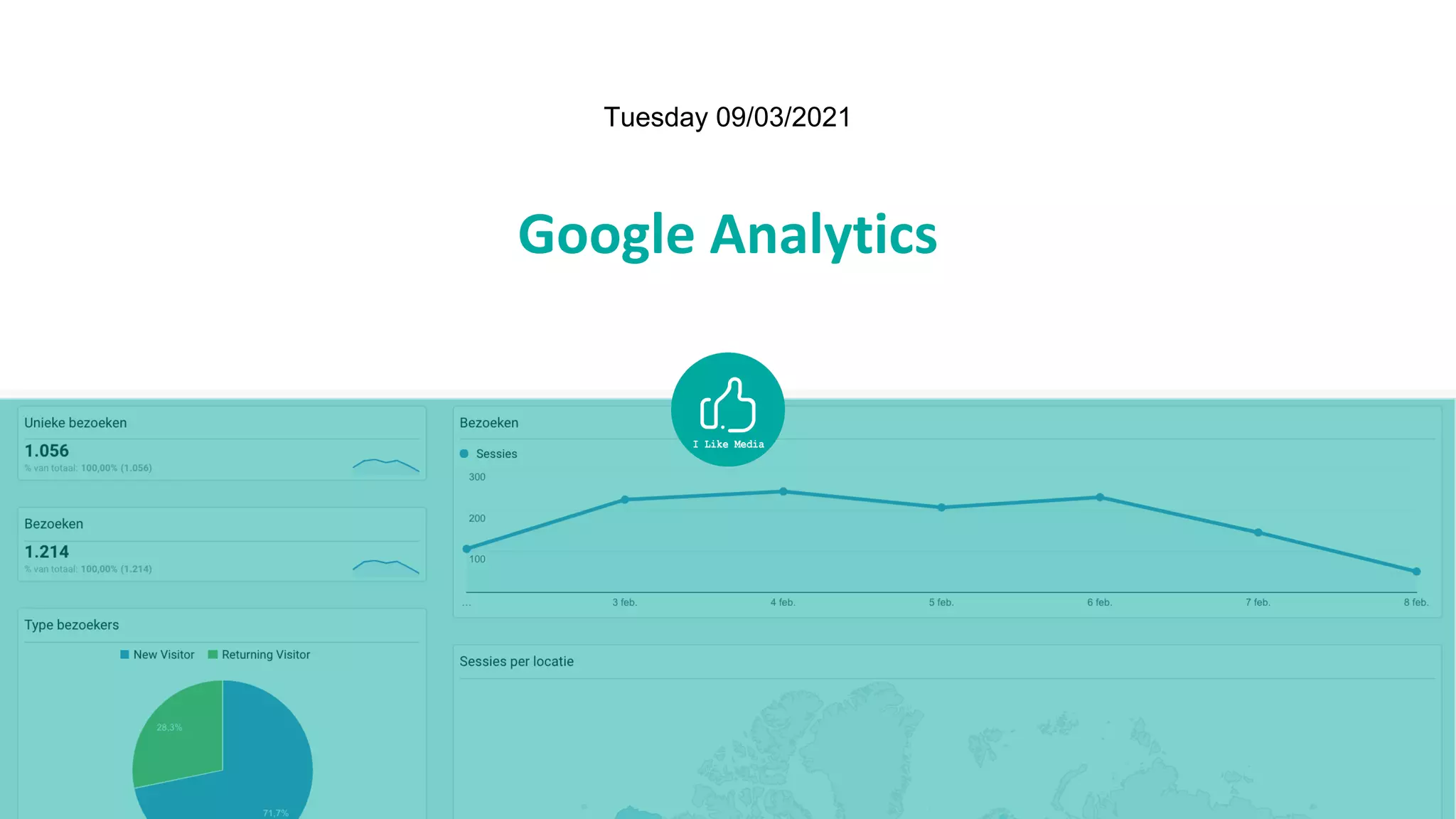
Google Analytics
Tuesday 09/03/2021
Send your questions to
leen@ilikemedia.be
Find this presentation at
www.slideshare.com/ilikemedia
Hello!
I LIKE MEDIA: COLLECTIVE OF FREELANCE TRAINERS
WITH A PASSION FOR DIGITAL MEDIA
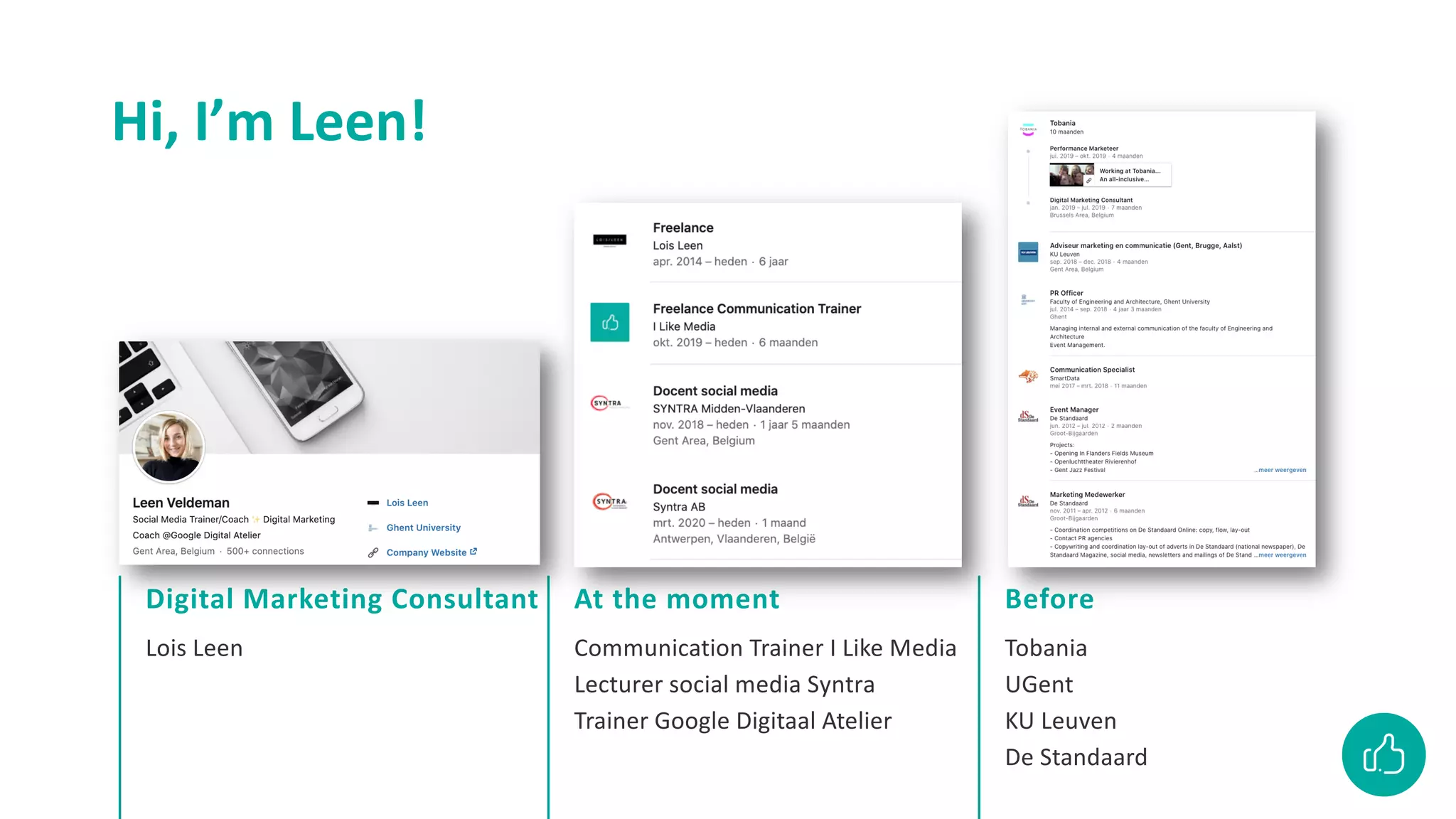
Lois Leen
Digital Marketing Consultant
Communication Trainer I Like Media
Lecturer social media Syntra
Trainer Google Digitaal Atelier
At the moment
Tobania
UGent
KU Leuven
De Standaard
Before
Hi, I’m Leen!
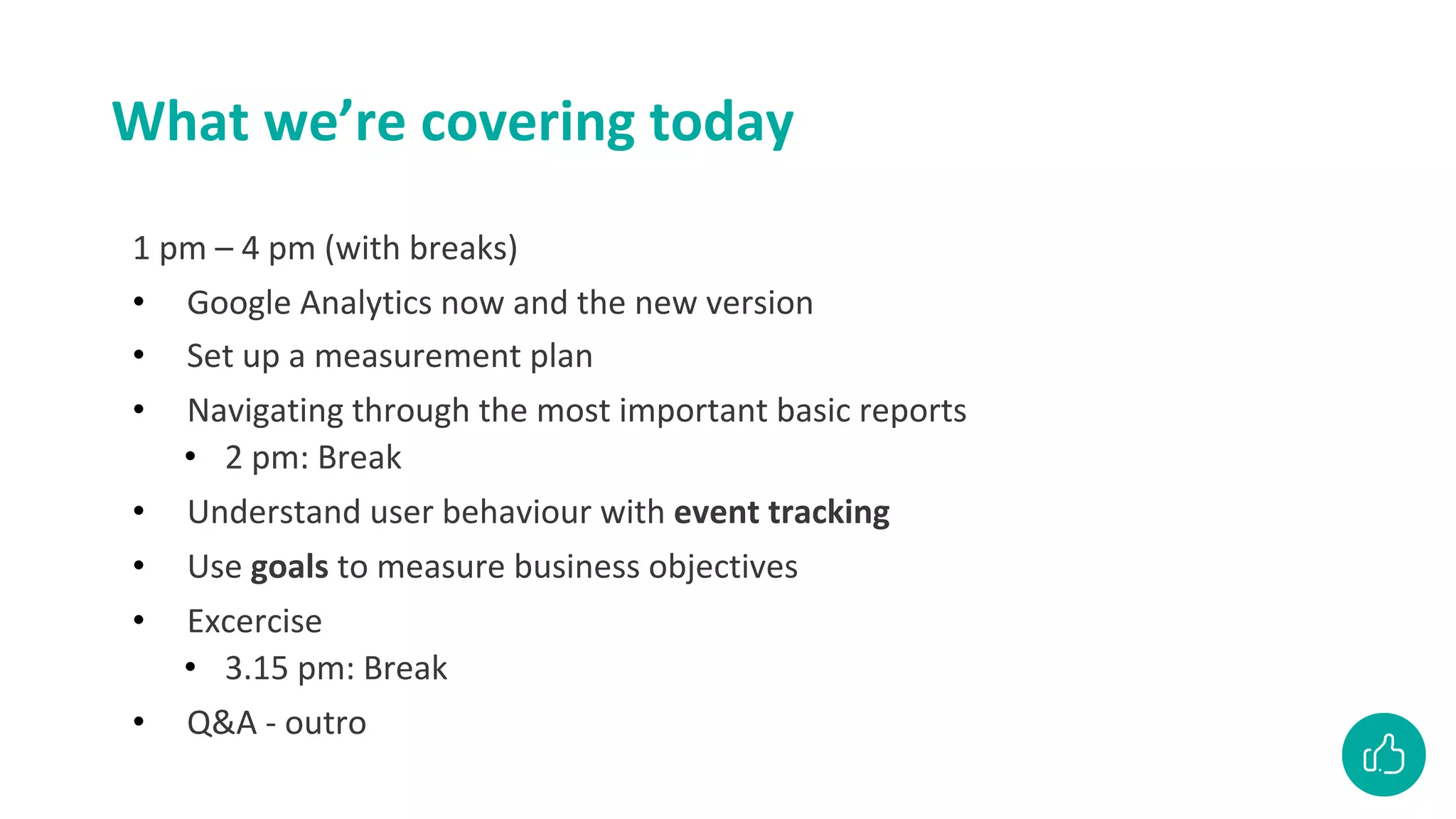
What we’re covering today
1 pm – 4 pm (with breaks)
• Google Analytics now and the new version
• Set up a measurement plan
• Navigating through the most important basic reports
• 2 pm: Break
• Understand user behaviour with event tracking
• Use goals to measure business objectives
• Excercise
• 3.15 pm: Break
• Q&A - outro
There is a new version of Google
Analytics
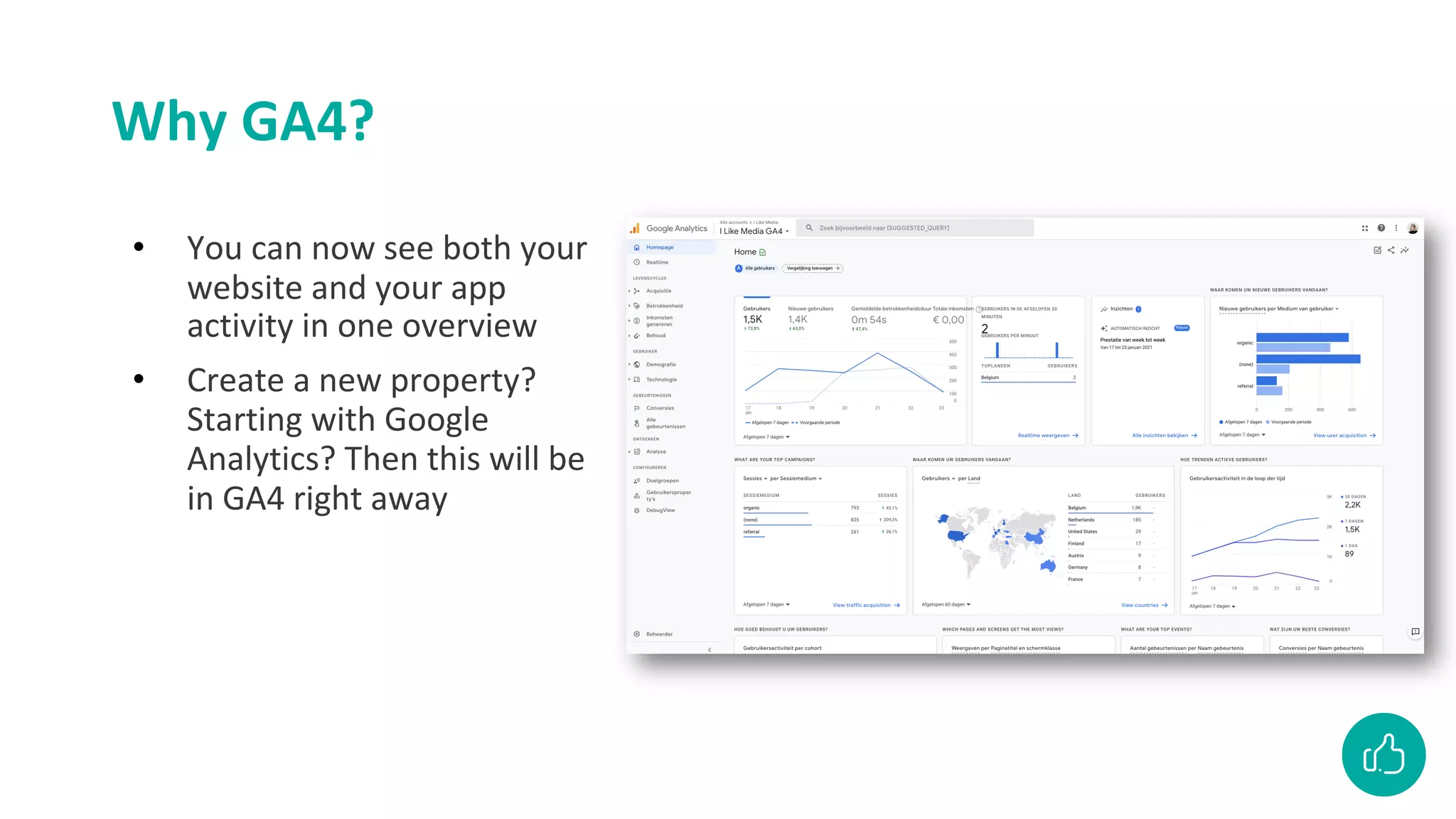
Why GA4?
• You can now see both your
website and your app
activity in one overview
• Create a new property?
Starting with Google
Analytics? Then this will be
in GA4 right away
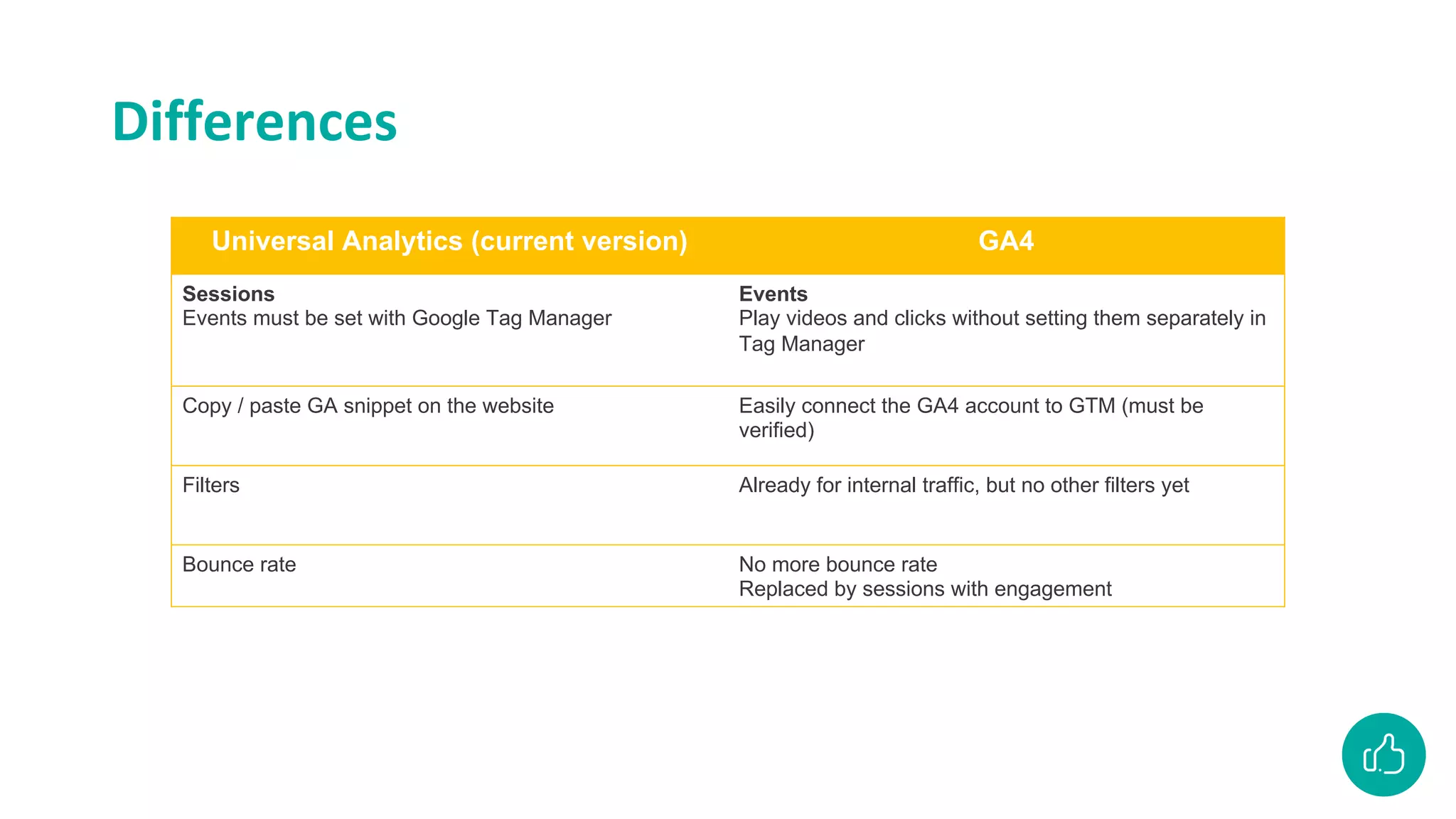
Differences
Universal Analytics (current version) GA4
Sessions
Events must be set with Google Tag Manager
Events
Play videos and clicks without setting them separately in
Tag Manager
Copy / paste GA snippet on the website Easily connect the GA4 account to GTM (must be
verified)
Filters Already for internal traffic, but no other filters yet
Bounce rate No more bounce rate
Replaced by sessions with engagement
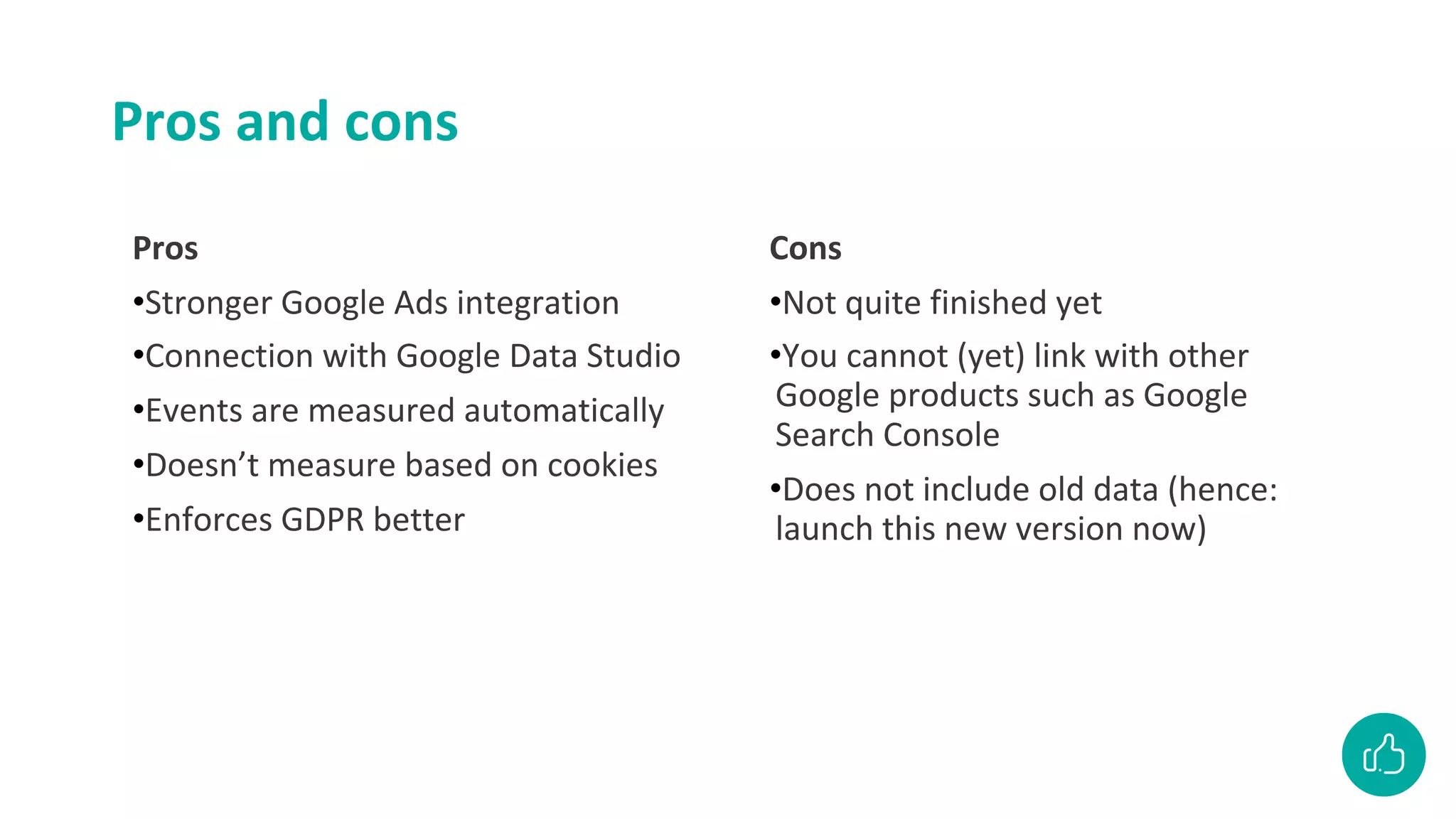
Pros and cons
Pros
•Stronger Google Ads integration
•Connection with Google Data Studio
•Events are measured automatically
•Doesn’t measure based on cookies
•Enforces GDPR better
Cons
•Not quite finished yet
•You cannot (yet) link with other
Google products such as Google
Search Console
•Does not include old data (hence:
launch this new version now)
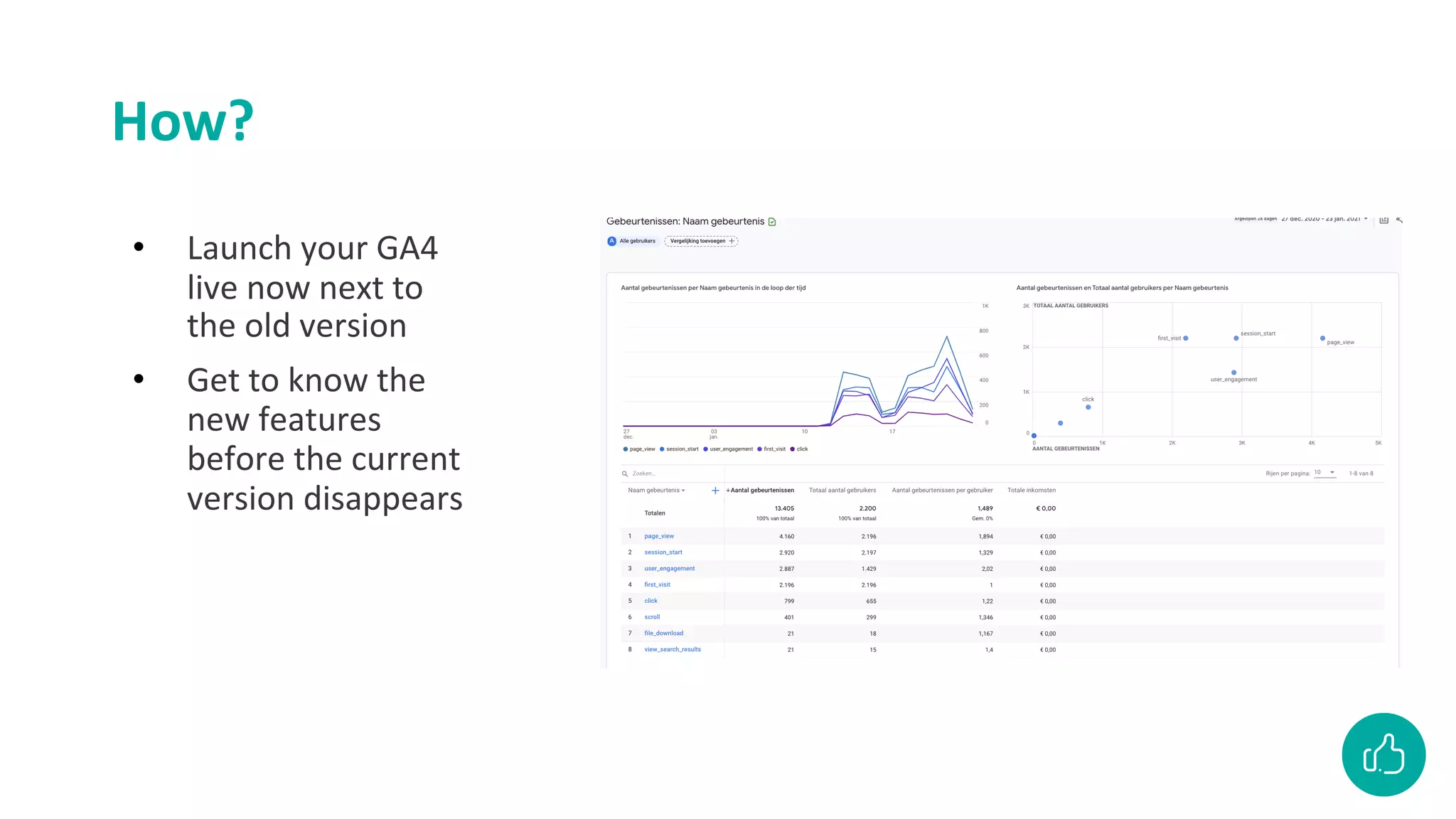
How?
• Launch your GA4
live now next to
the old version
• Get to know the
new features
before the current
version disappears
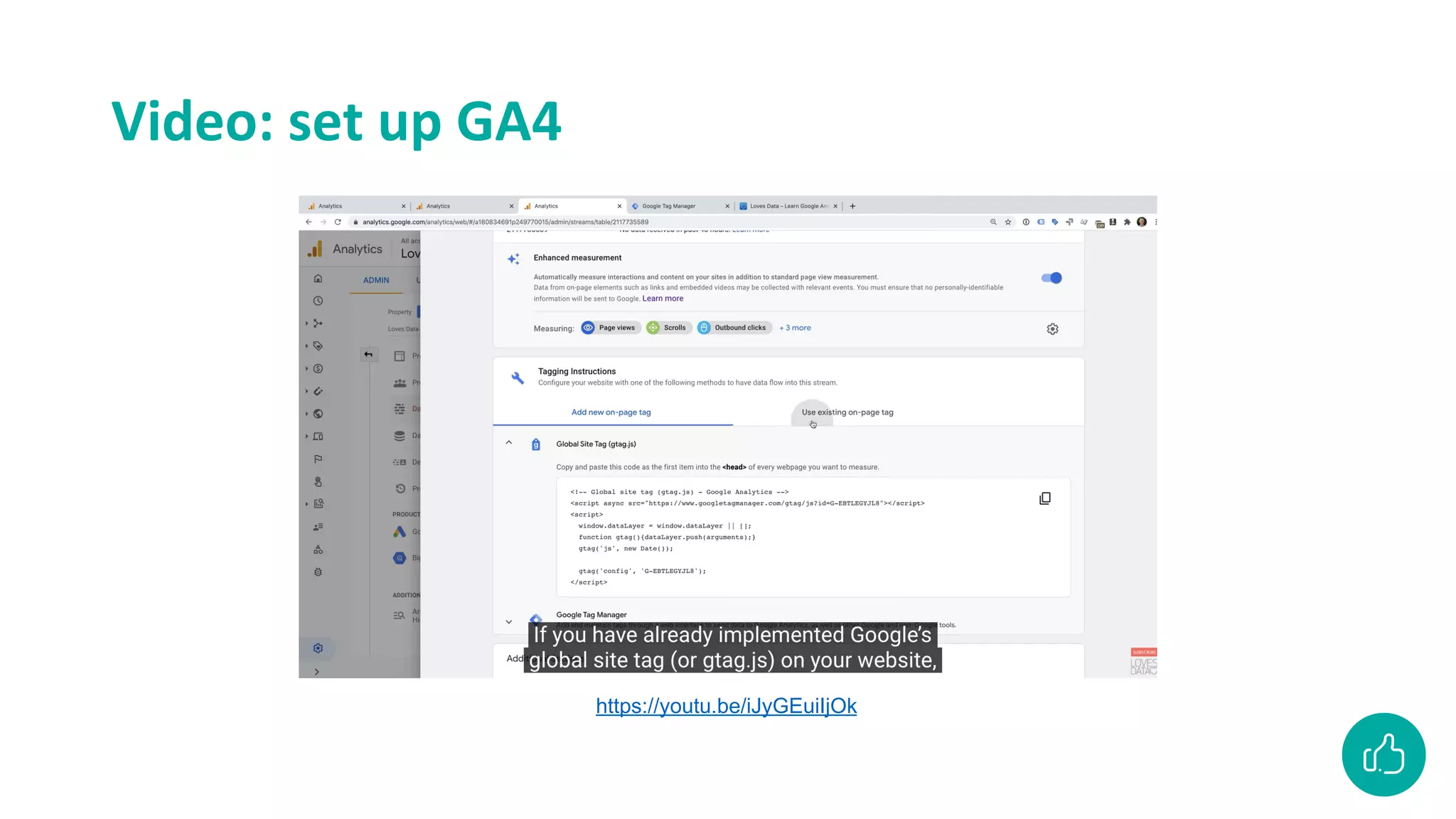
Video: set up GA4
https://youtu.be/iJyGEuiIjOk
Google Analytics
(Universal Analytics)
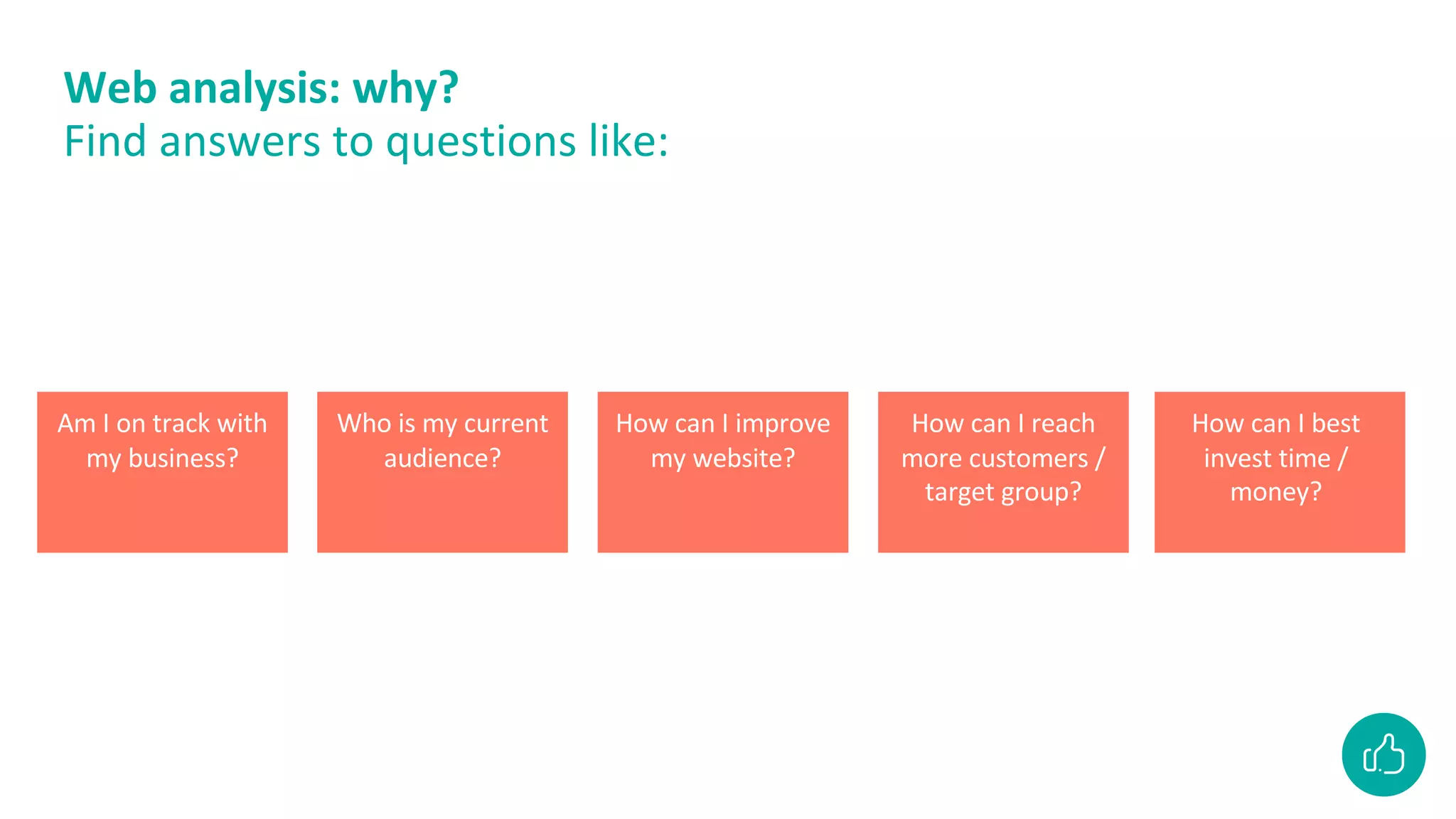
Web analysis: why?
Find answers to questions like:
Am I on track with
my business?
Who is my current
audience?
How can I improve
my website?
How can I reach
more customers /
target group?
How can I best
invest time /
money?
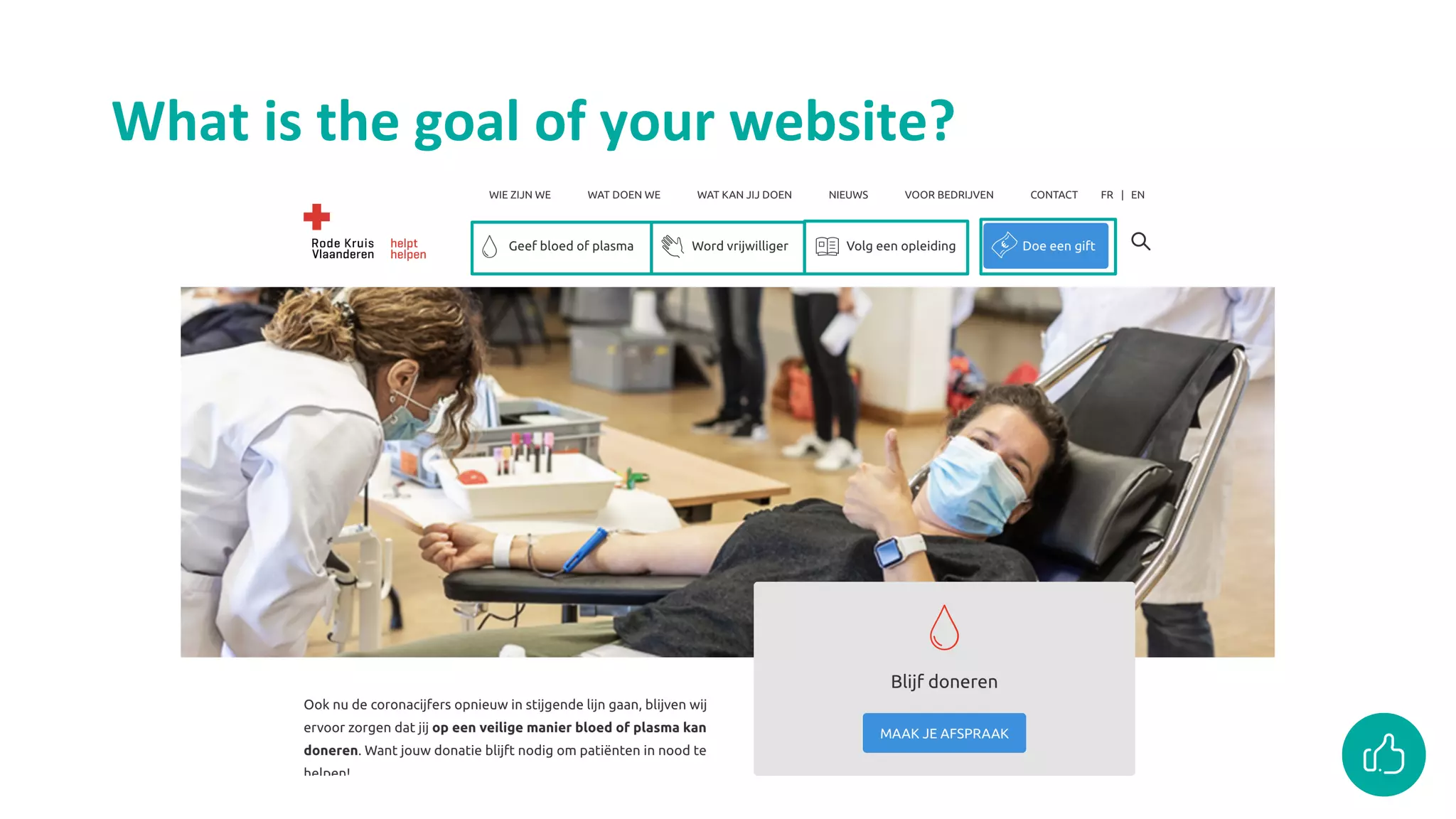
What is the goal of your
website?
What is the goal of your website?
Write down for yourself
What is the goal of your website?
The measurement plan
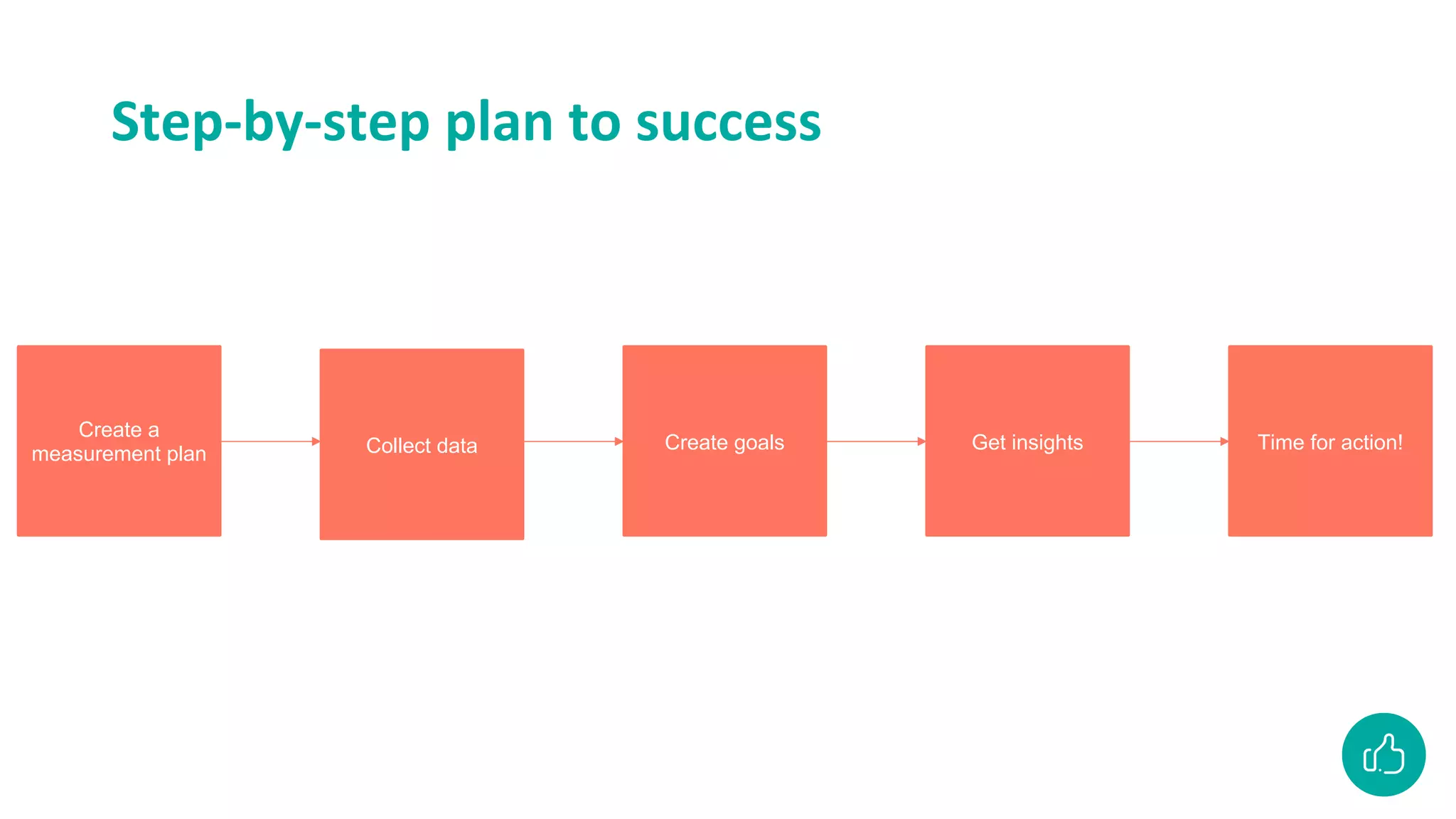
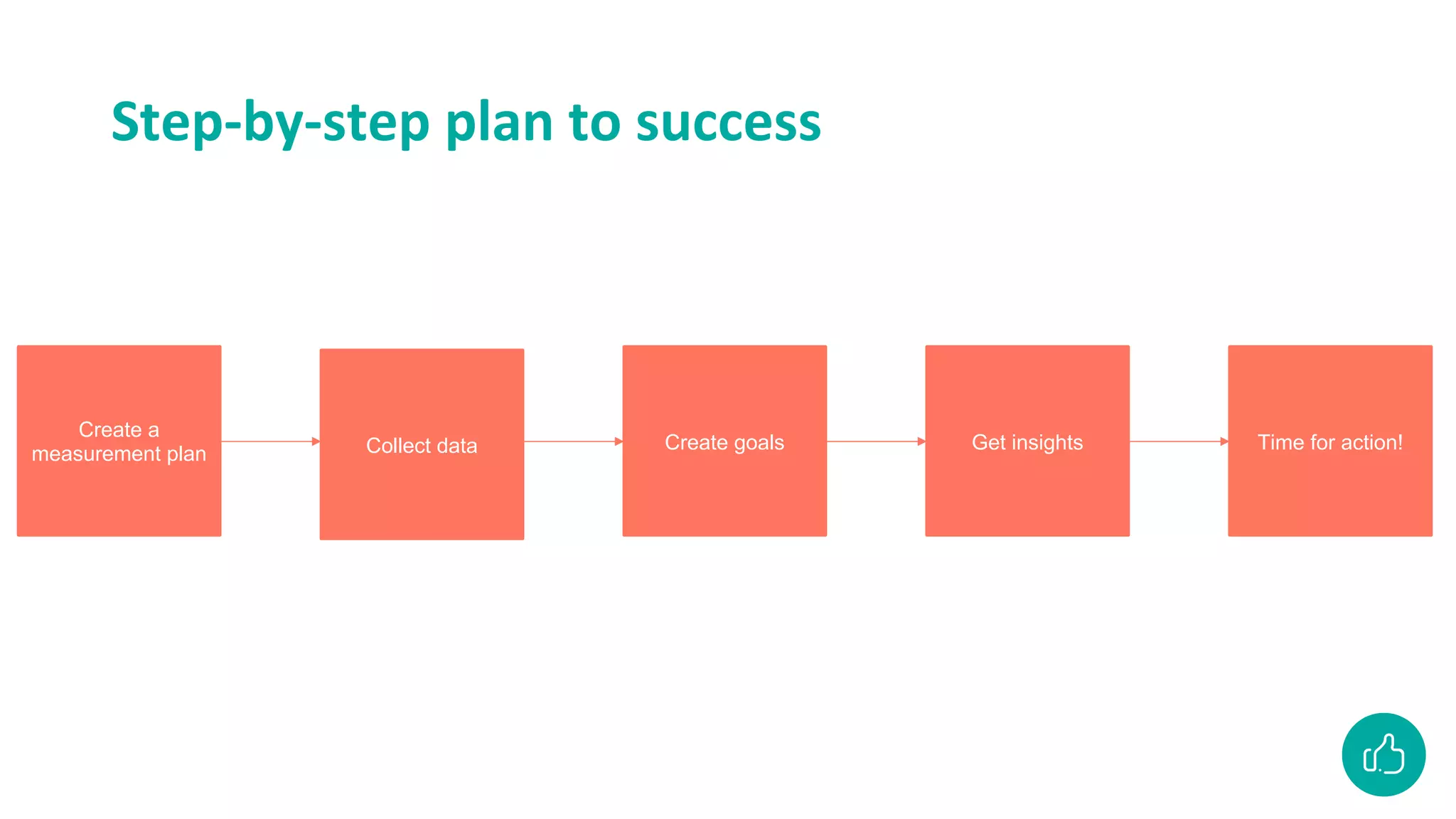
Step-by-step plan to success
Create a
measurement plan Collect data Create goals Get insights Time for action!
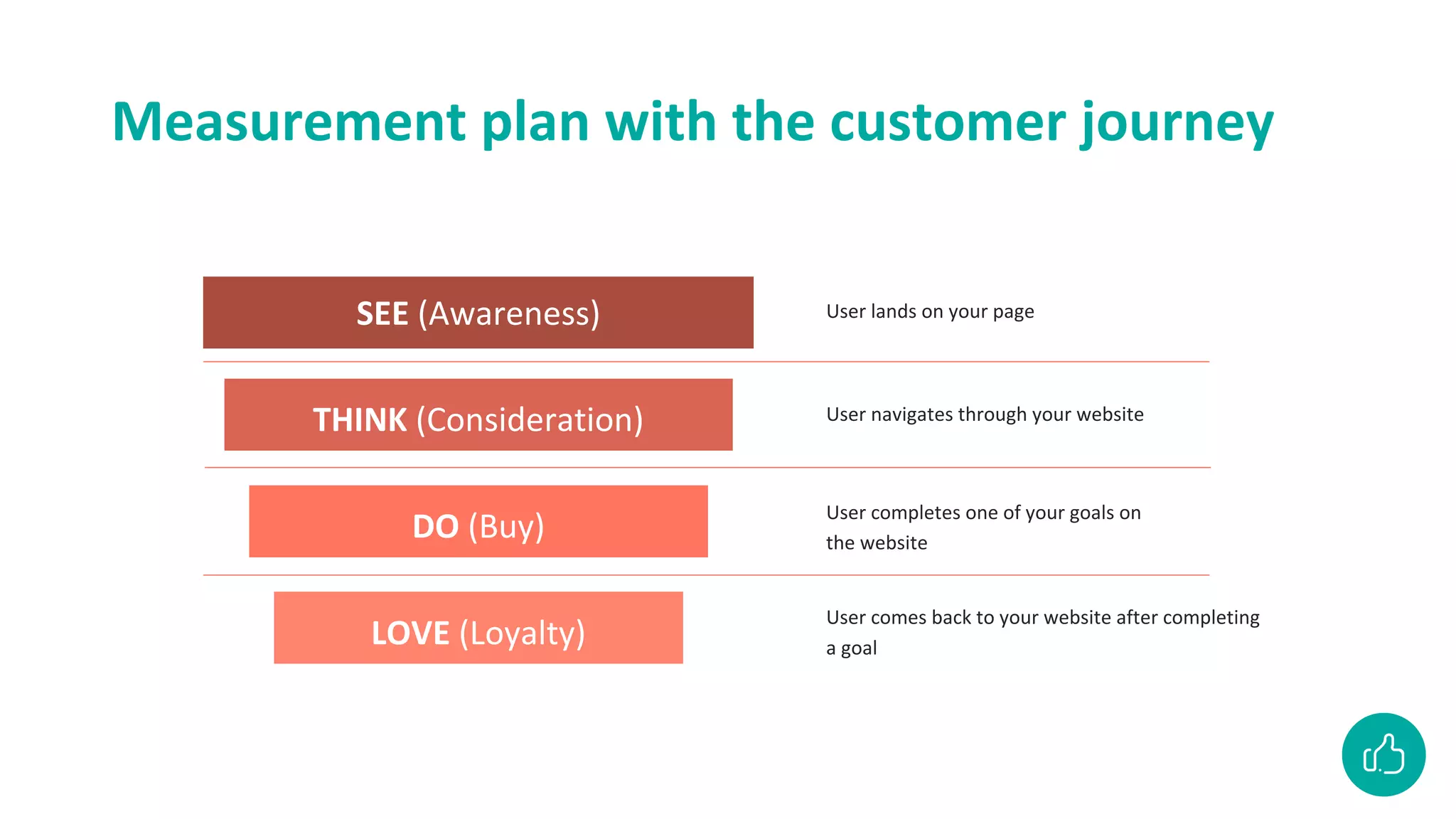
Measurement plan with the customer journey
ZIEN (Bewustwording)
DENKEN (Overweging)
DOEN (Aankoop)
SEE (Awareness)
THINK (Consideration)
DO (Buy)
LOVE (Loyalty)
User lands on your page
User navigates through your website
User completes one of your goals on
the website
User comes back to your website after completing
a goal
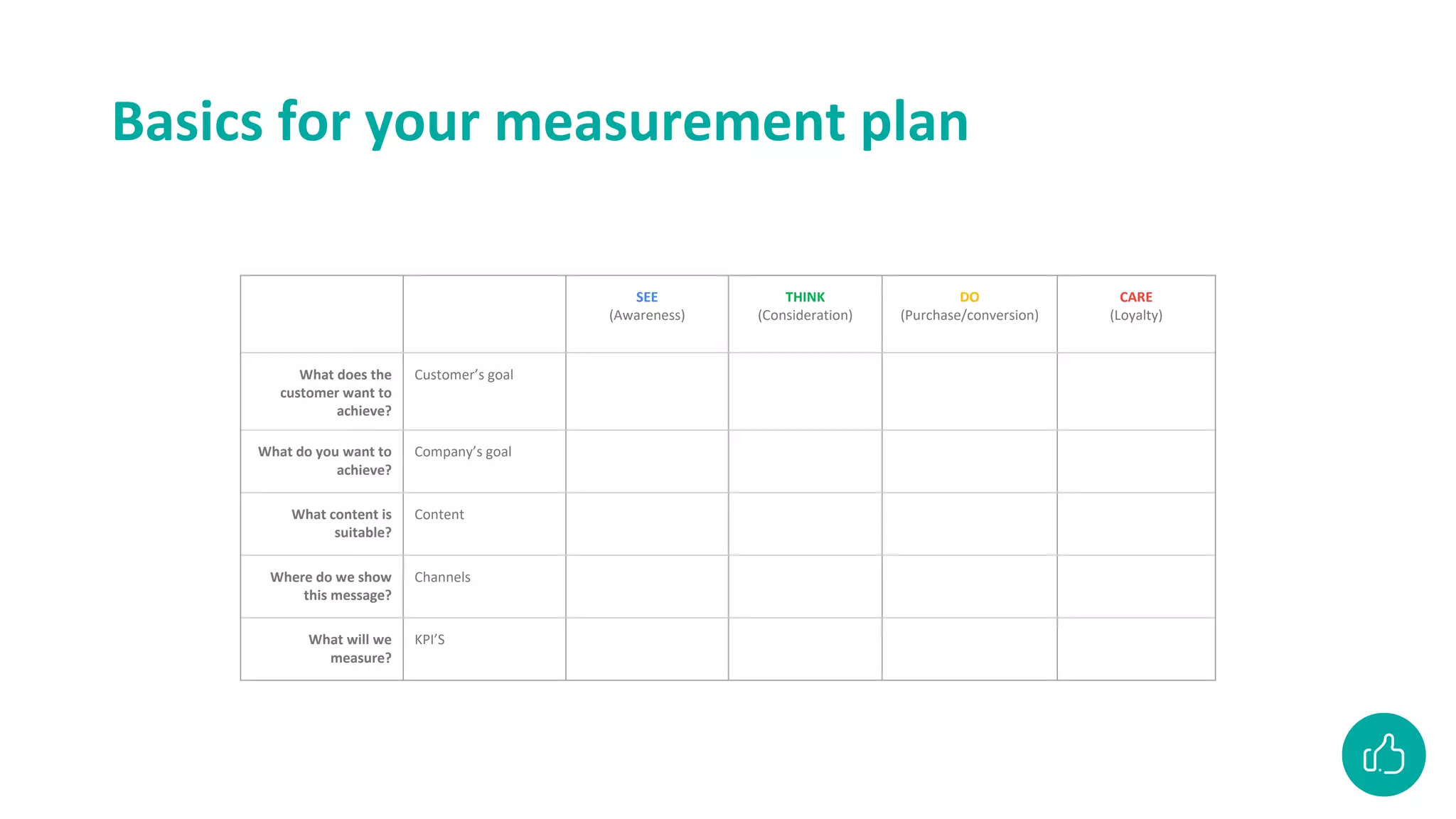
Basics for your measurement plan
SEE
(Awareness)
THINK
(Consideration)
DO
(Purchase/conversion)
CARE
(Loyalty)
What does the
customer want to
achieve?
Customer’s goal
What do you want to
achieve?
Company’s goal
What content is
suitable?
Content
Where do we show
this message?
Channels
What will we
measure?
KPI’S
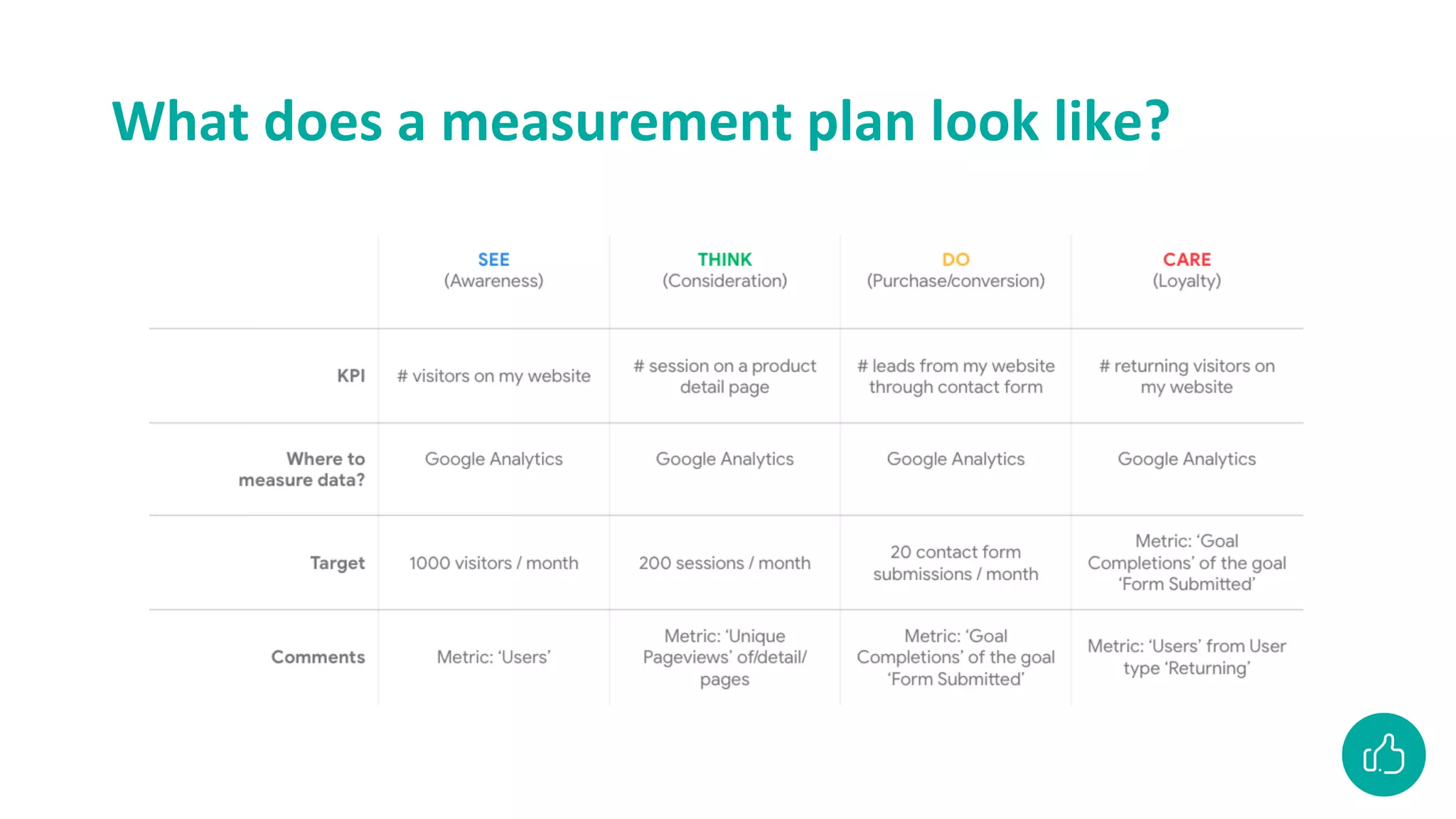
What does a measurement plan look like?
Collect data
Step-by-step plan to success
Create a
measurement plan Collect data Create goals Get insights Time for action!
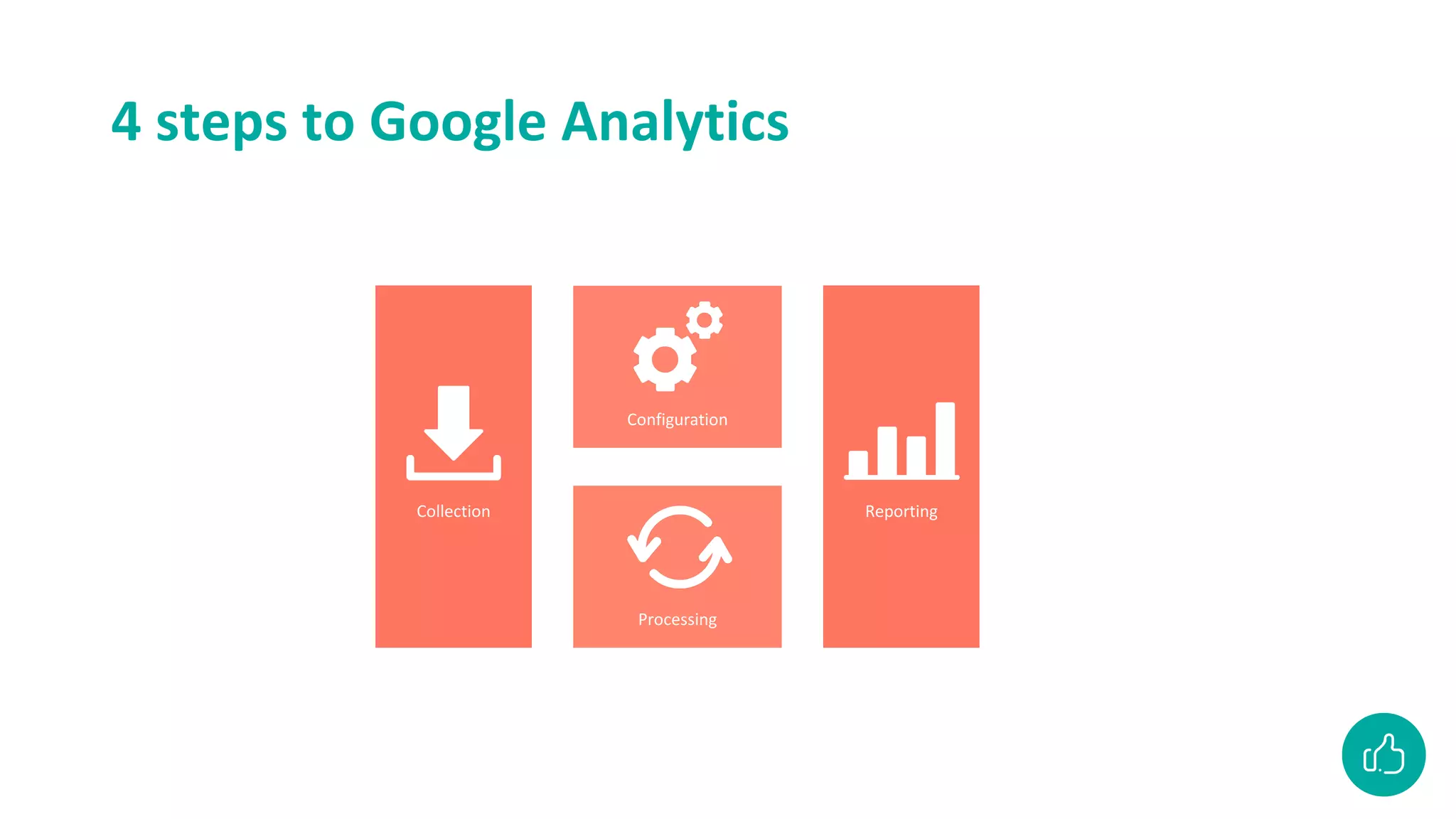
4 steps to Google Analytics
Collection
Configuration
Processing
Reporting
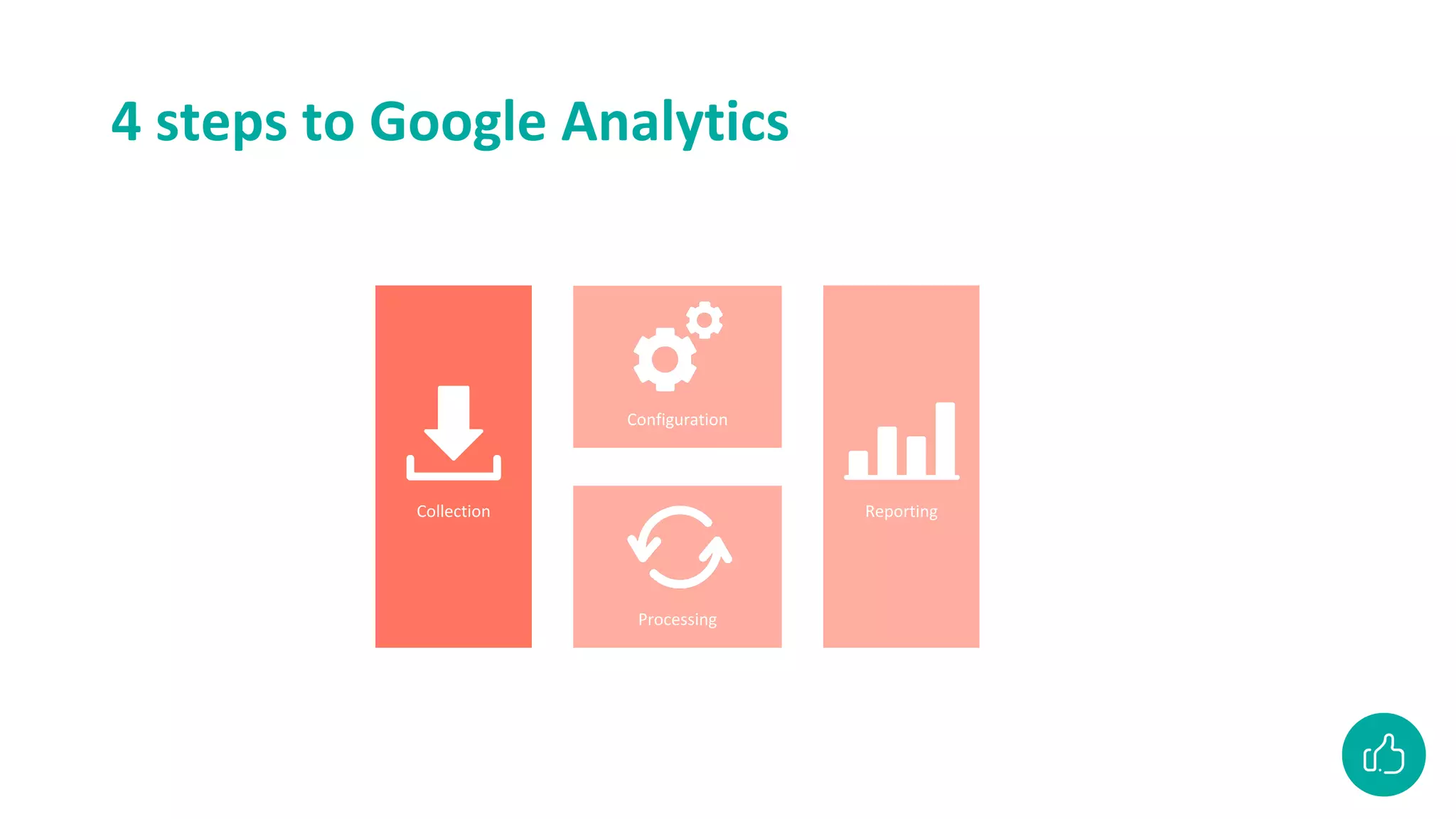
4 steps to Google Analytics
Collection
Configuration
Processing
Reporting
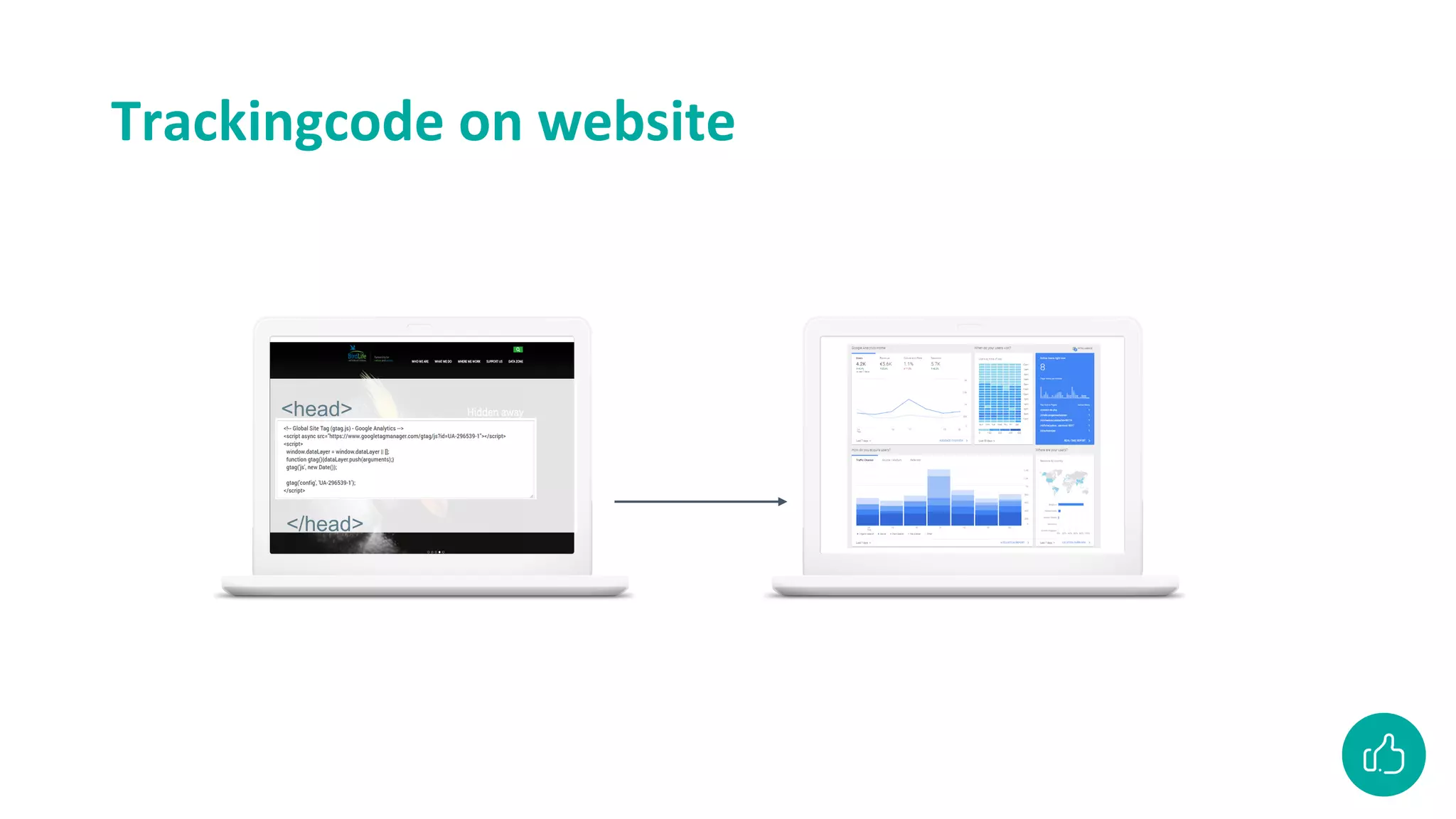
Trackingcode on website
<head>
</head>
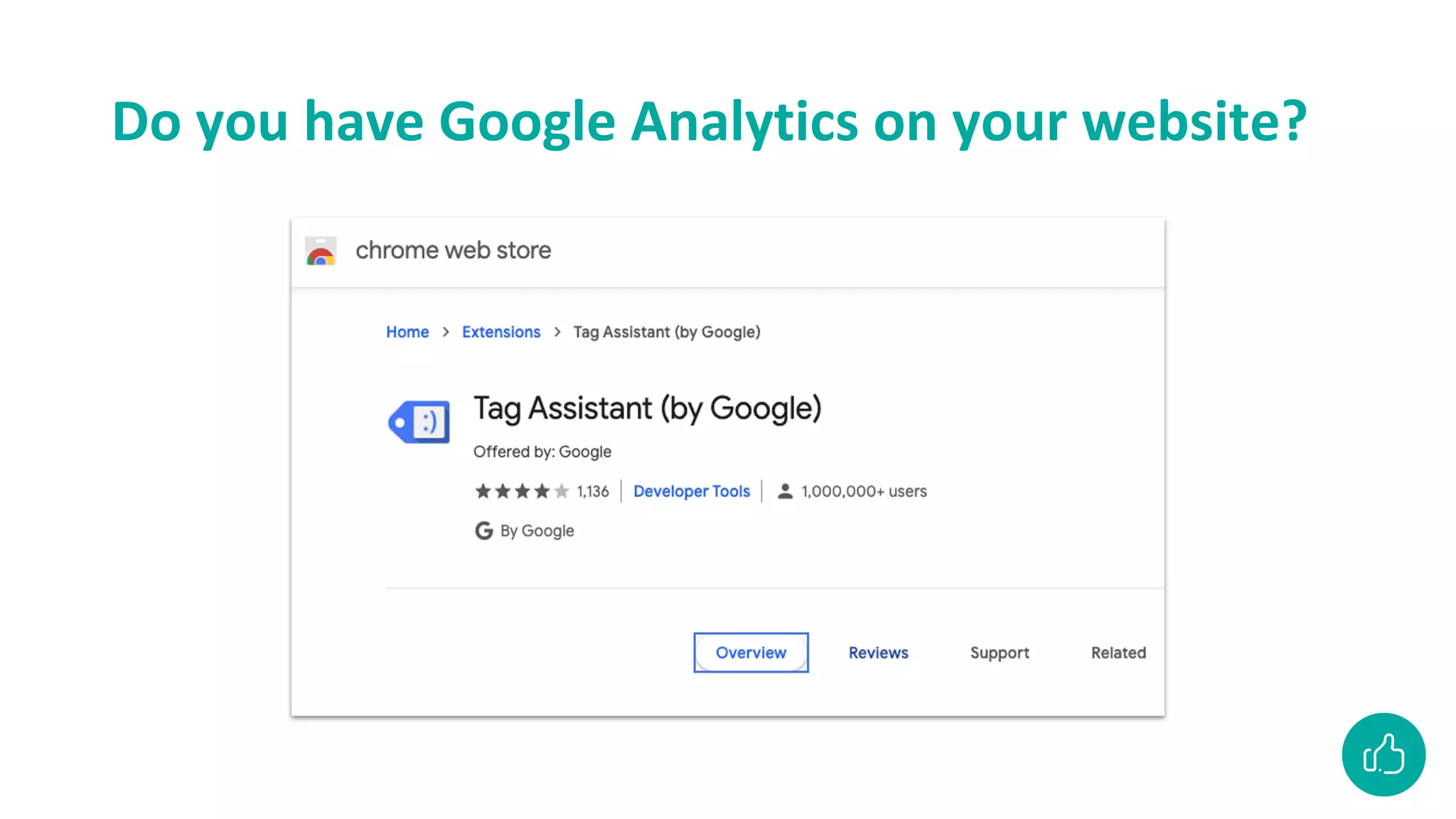
Do you have Google Analytics on your website?
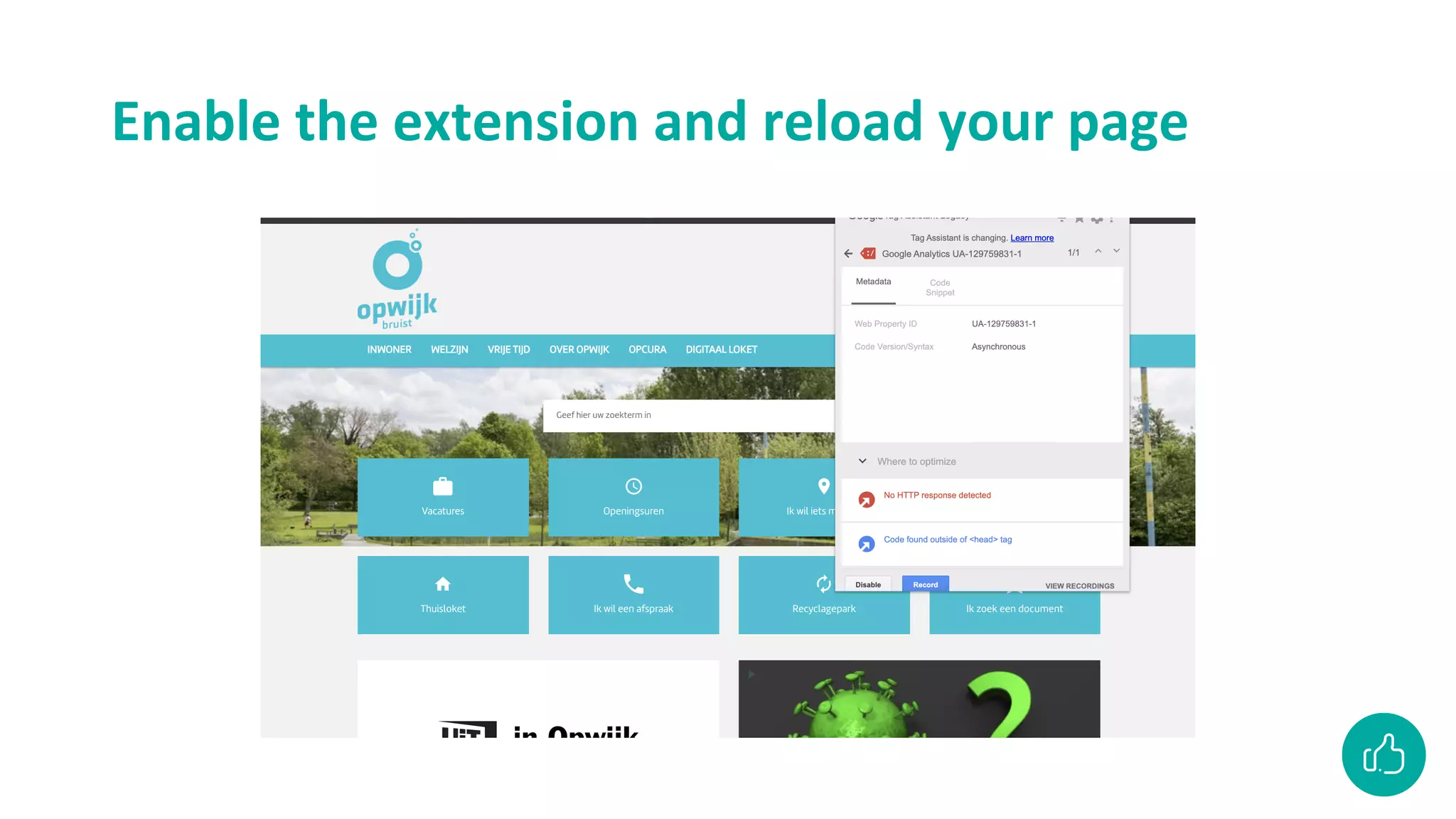
Enable the extension and reload your page
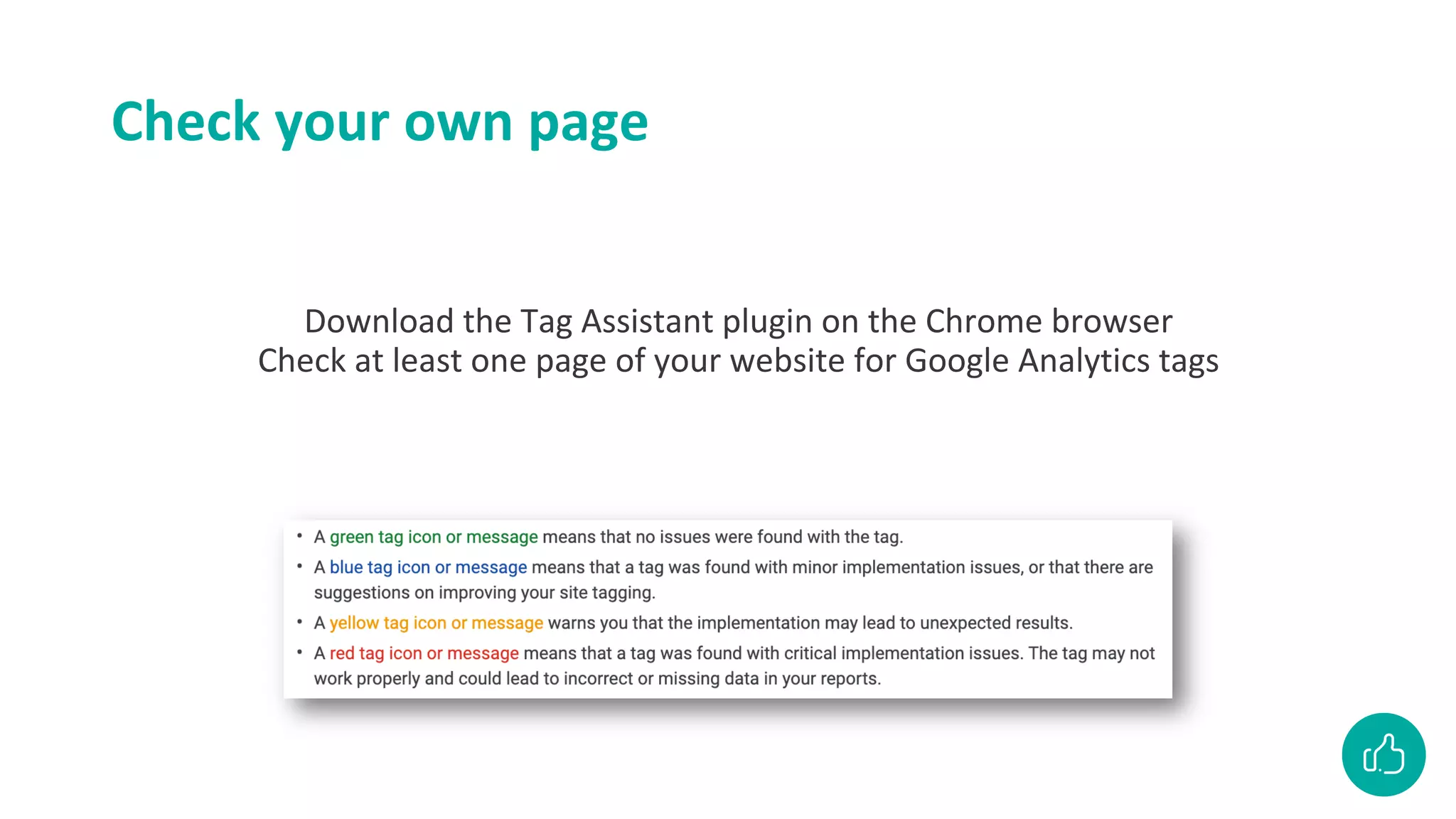
Check your own page
Download the Tag Assistant plugin on the Chrome browser
Check at least one page of your website for Google Analytics tags
Let’s focus on reporting now
Collection
Configuration
Processing
Reporting
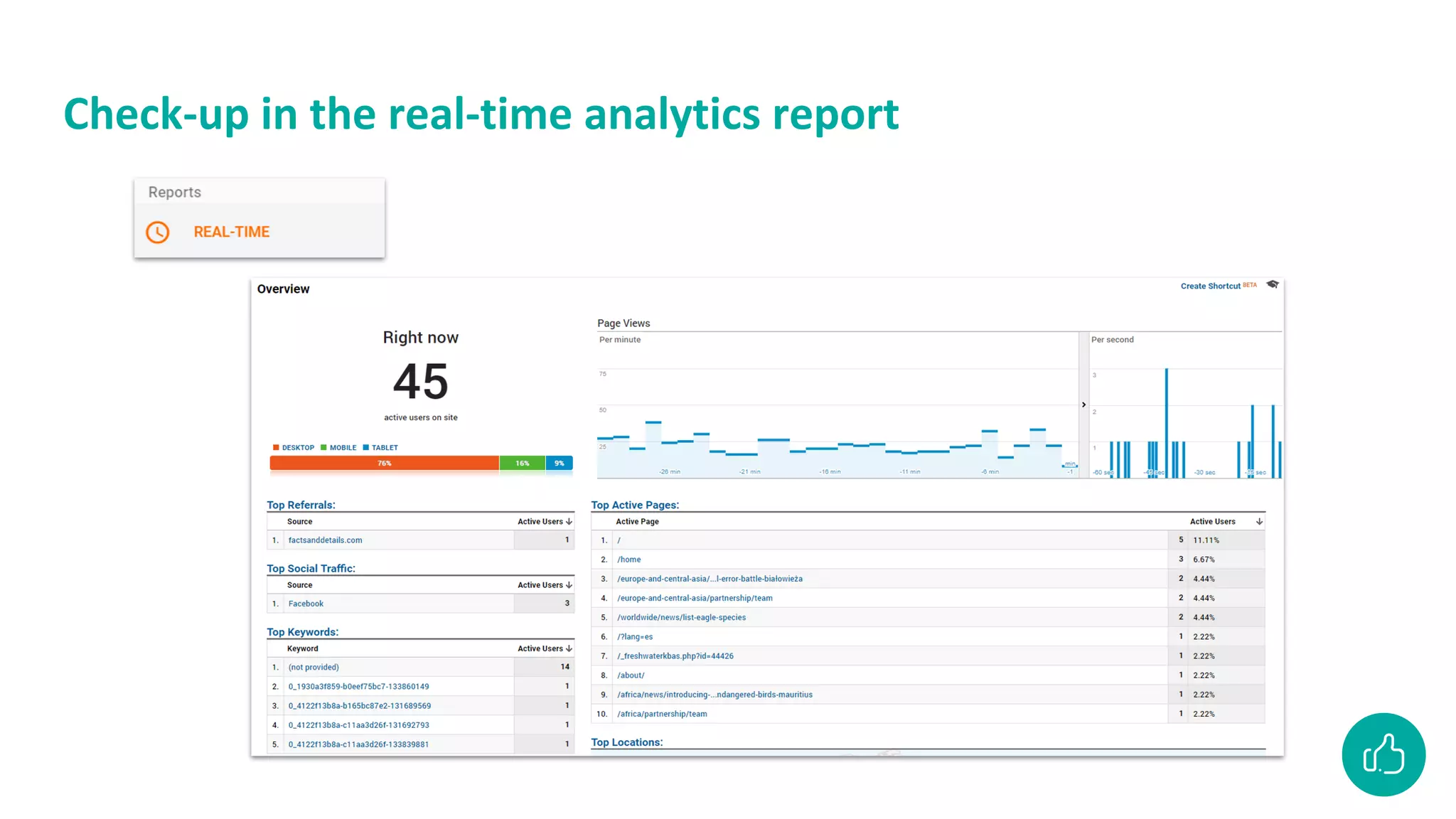
Check-up in the real-time analytics report
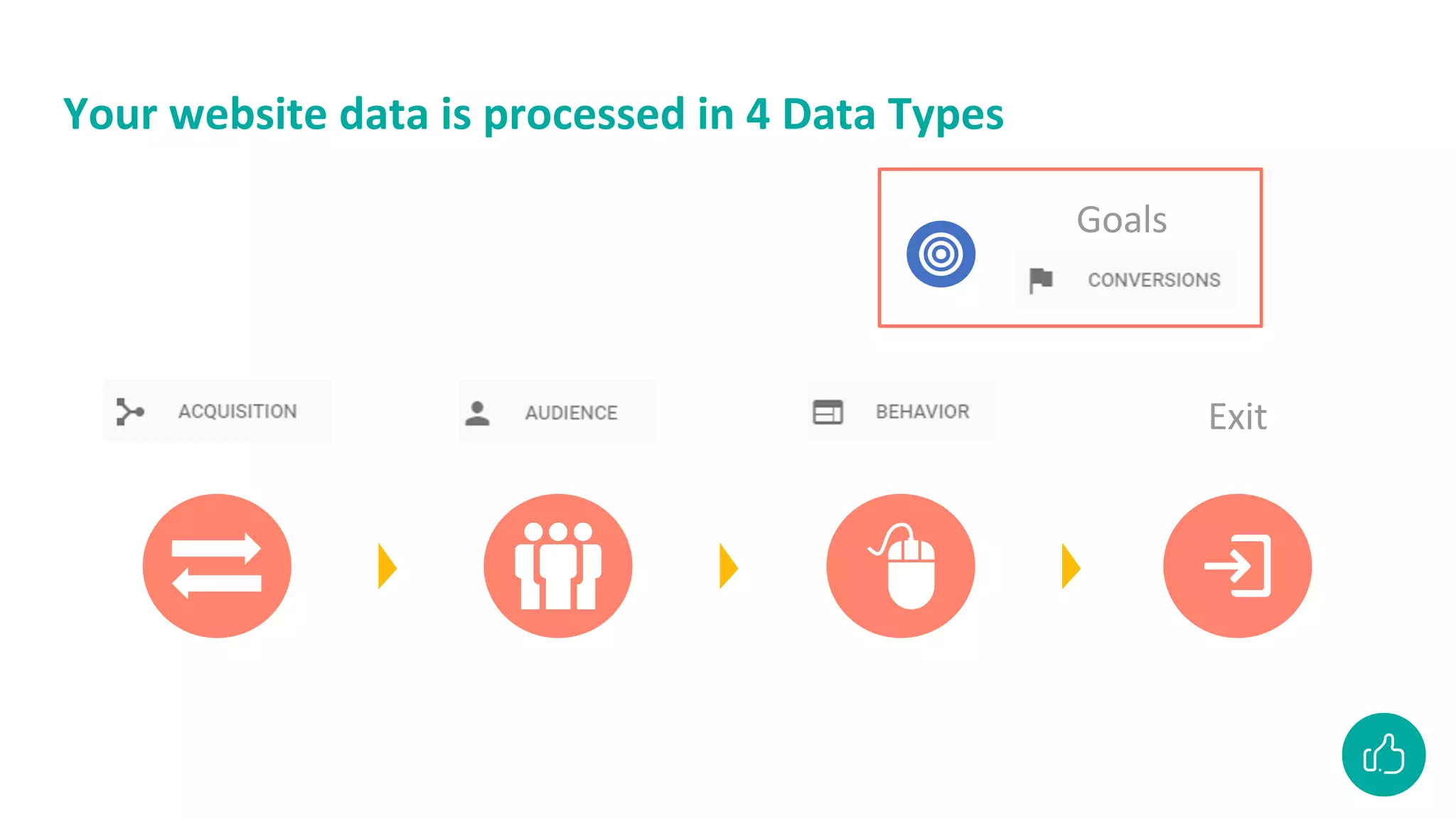
Your website data is processed in 4 Data Types
Exit
Goals
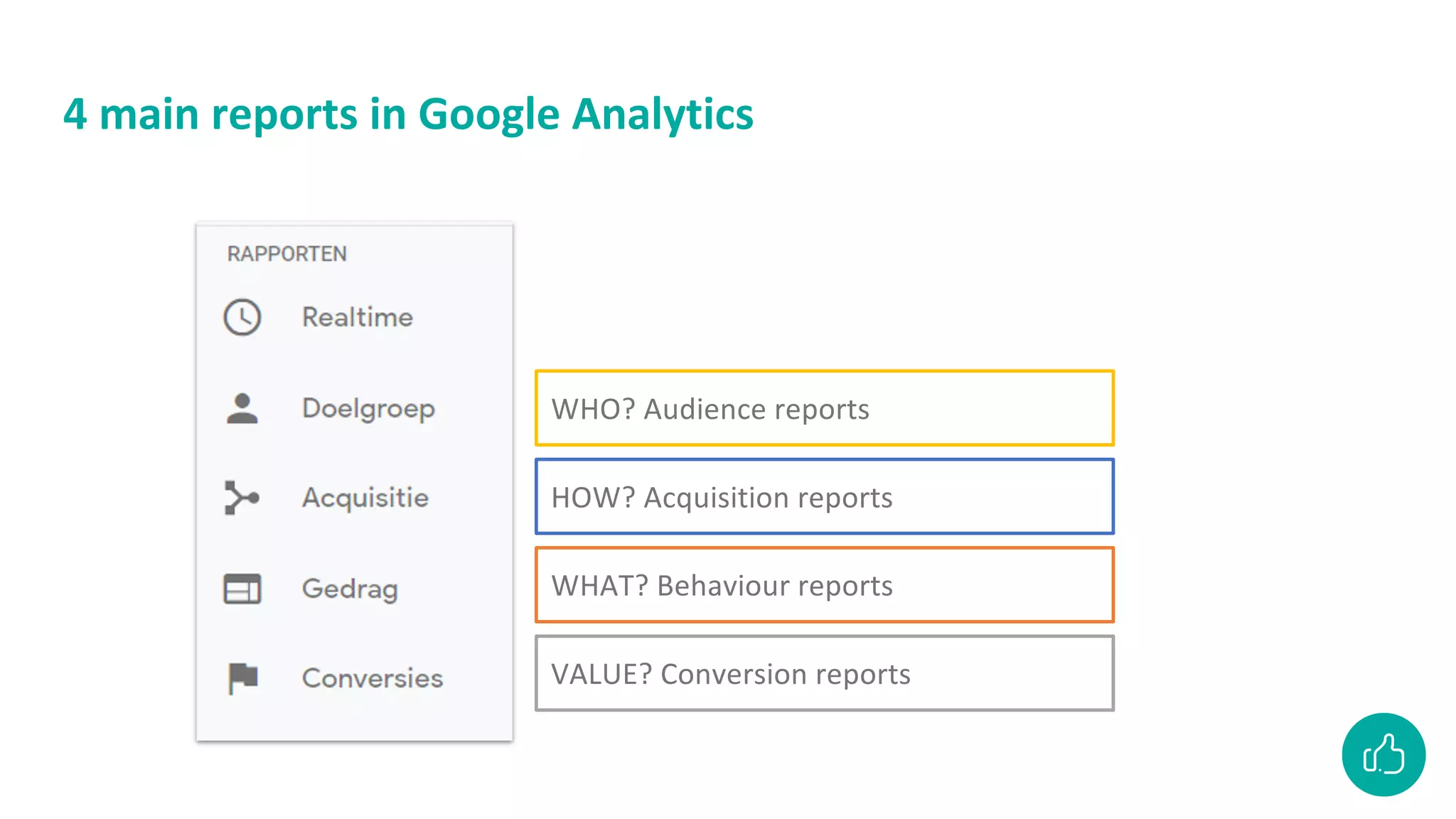
4 main reports in Google Analytics
WHO? Audience reports
HOW? Acquisition reports
WHAT? Behaviour reports
VALUE? Conversion reports
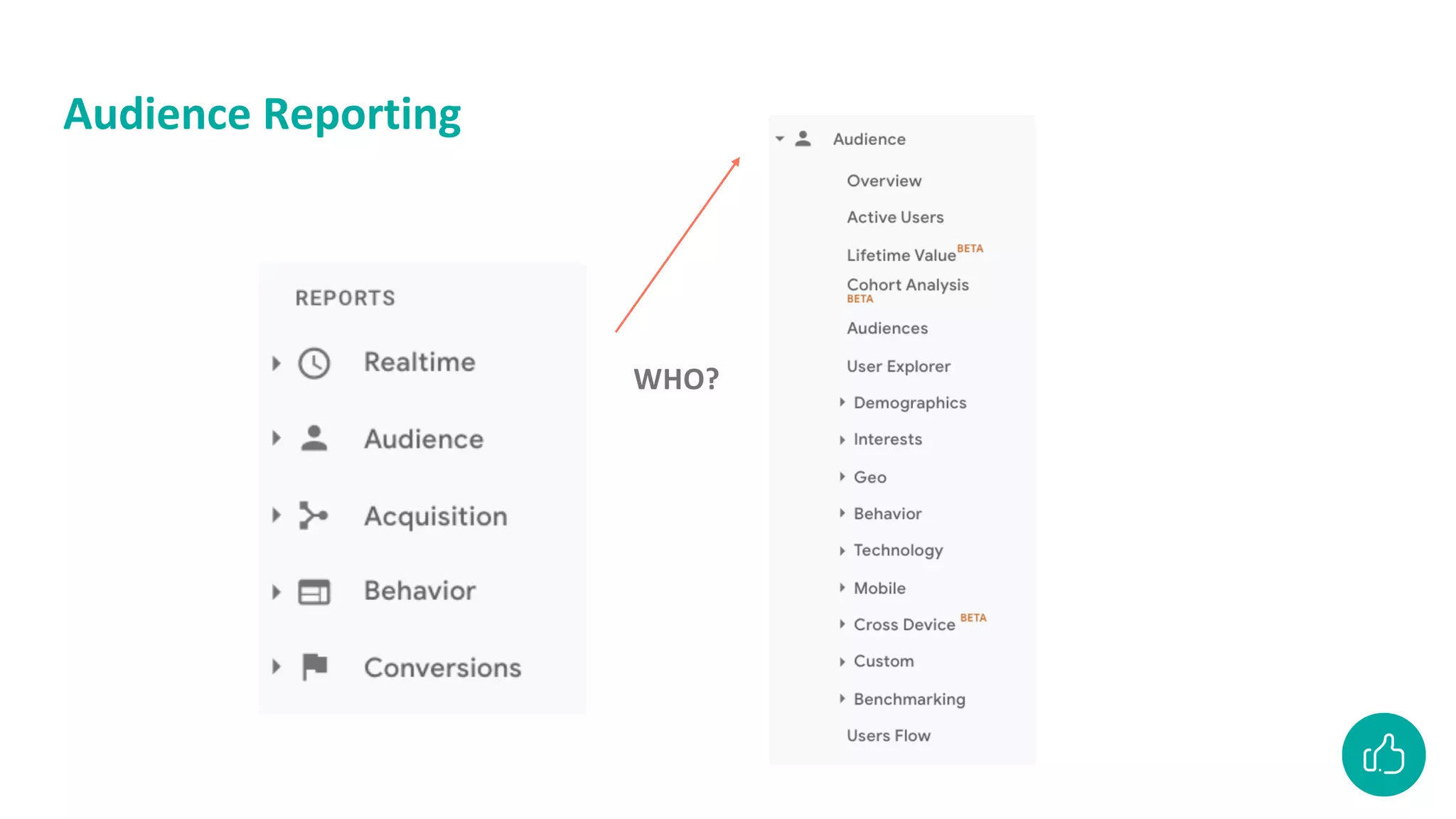
Audience reporting
Audience Reporting
WHO?
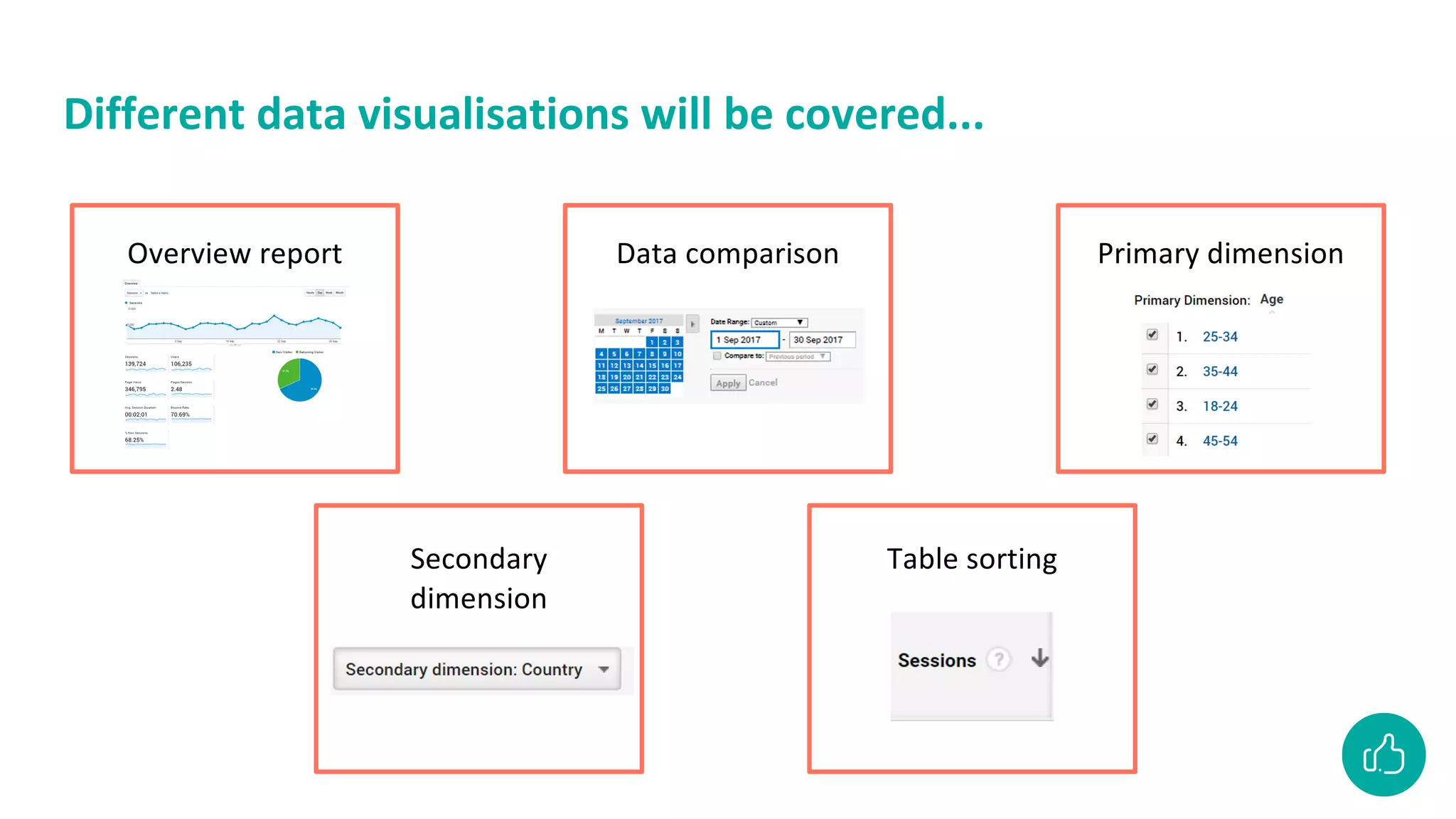
Different data visualisations will be covered...
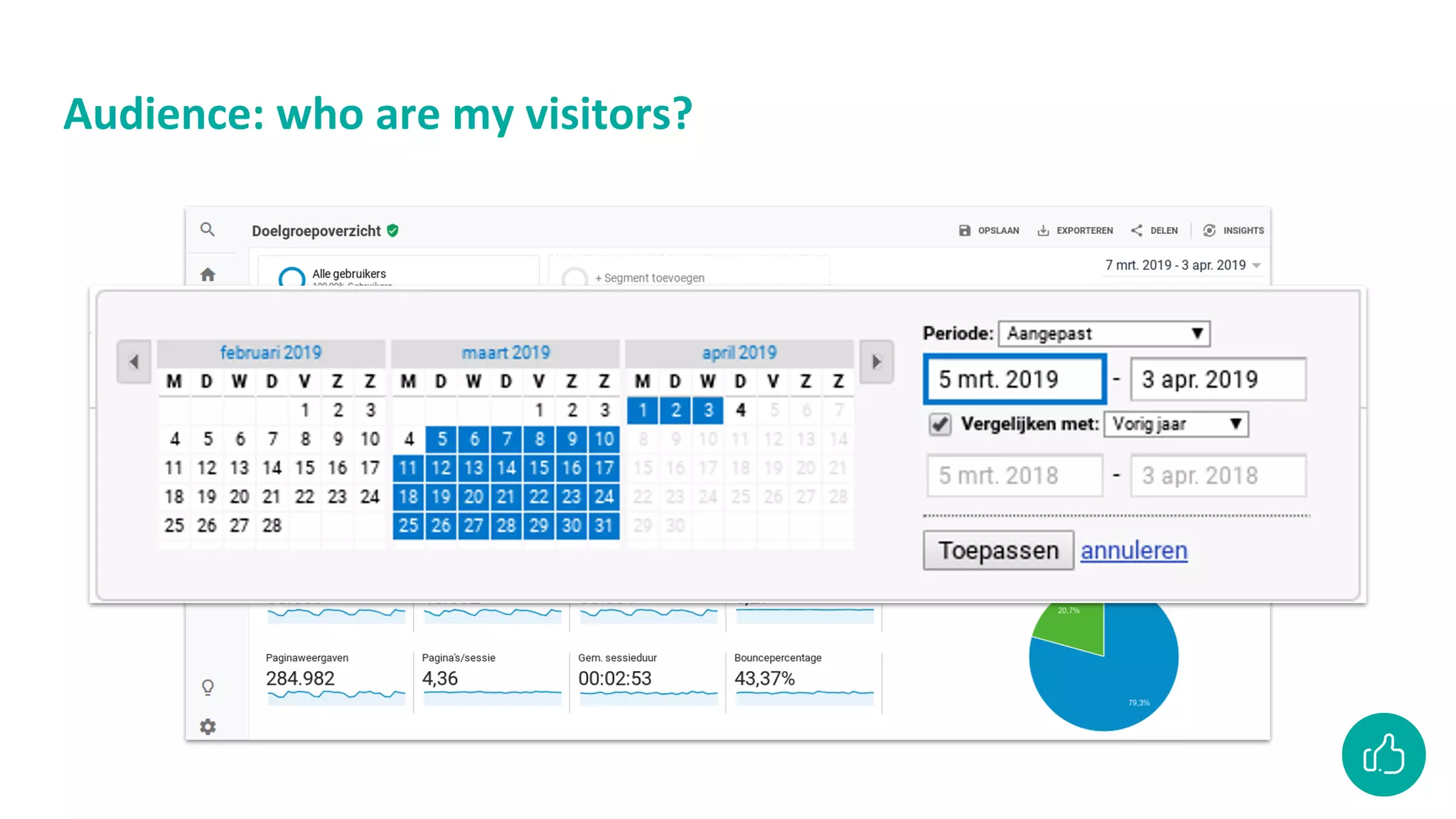
Overview report Data comparison Primary dimension
Secondary
dimension
Table sorting
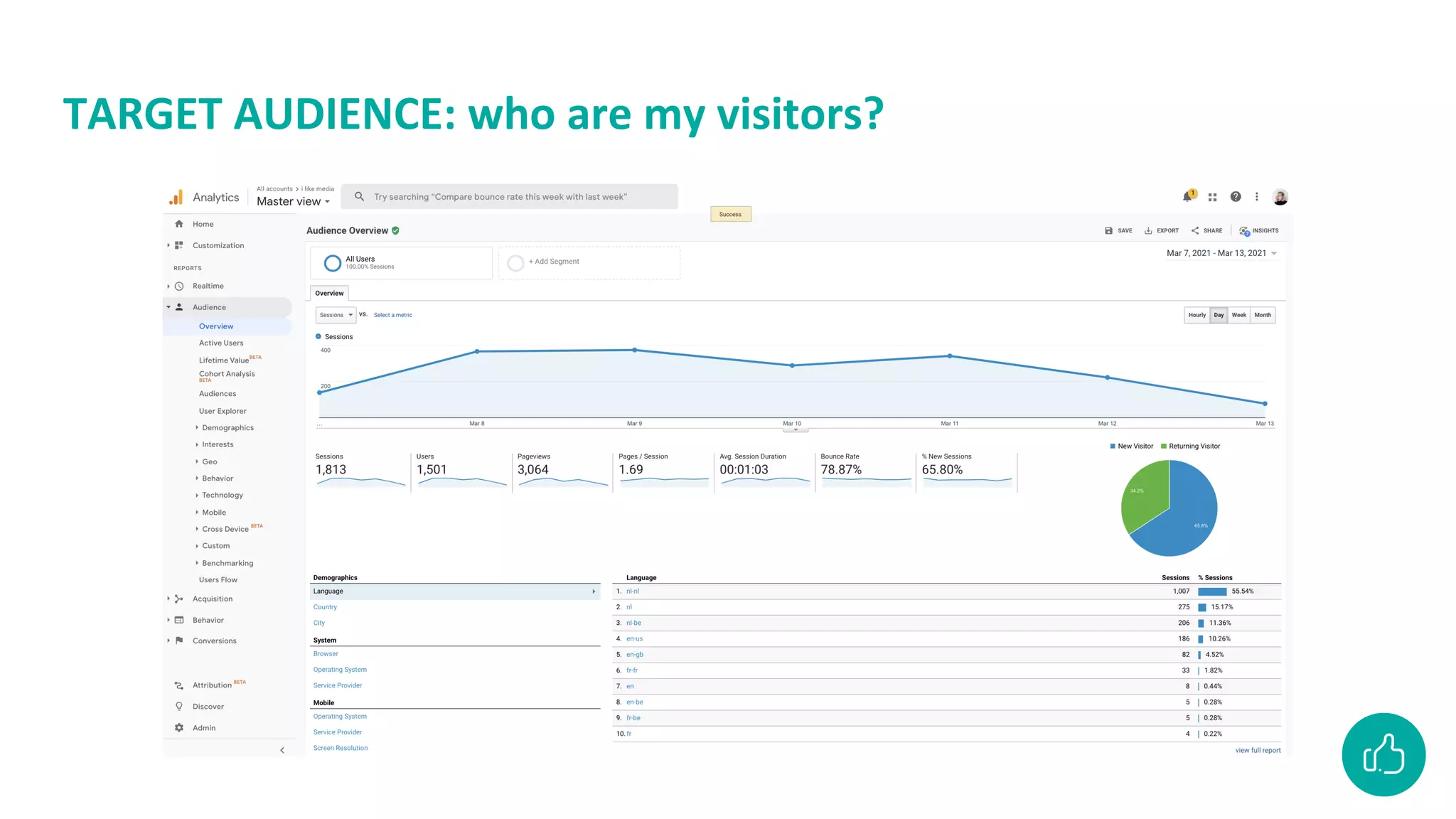
TARGET AUDIENCE: who are my visitors?
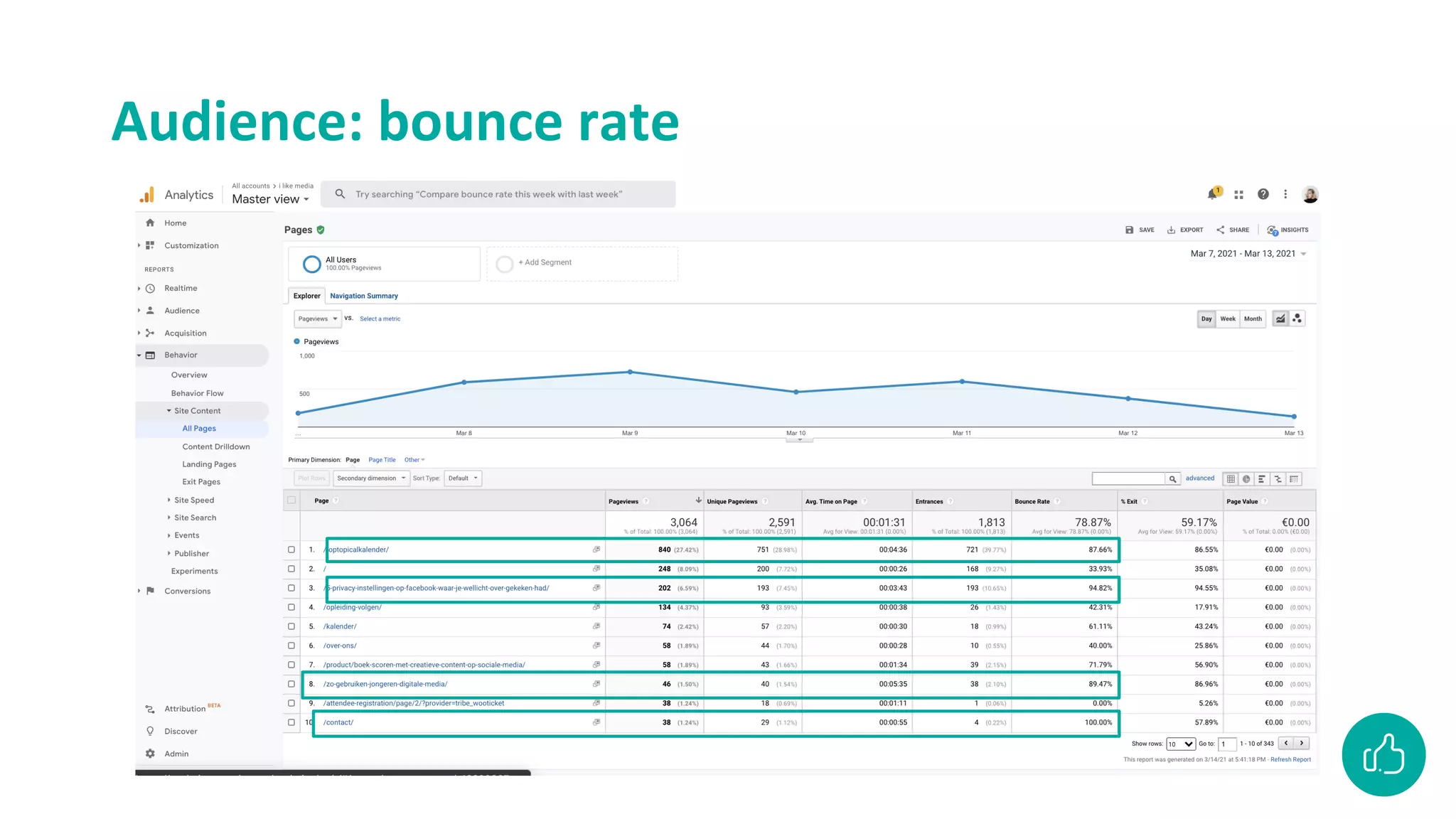
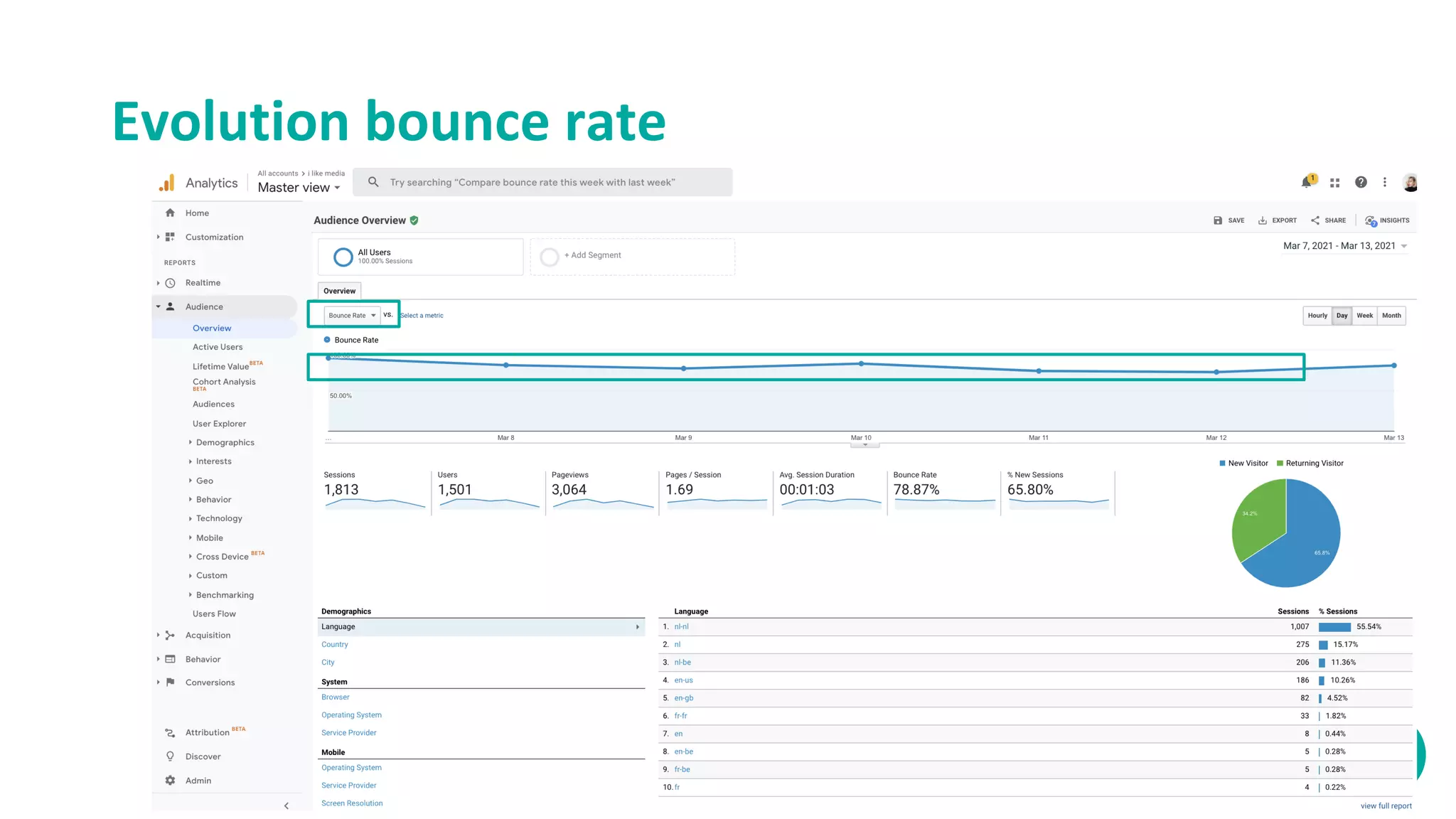
Evolution bounce rate
A high bounce rate… is that a bad thing?
• Depends
• Yes: if the success of the site
depends on how many users view
more than 1 page
• No: if the site consists of only 1
page (a blog, or other types of
content of which you only expect 1
session, ...)
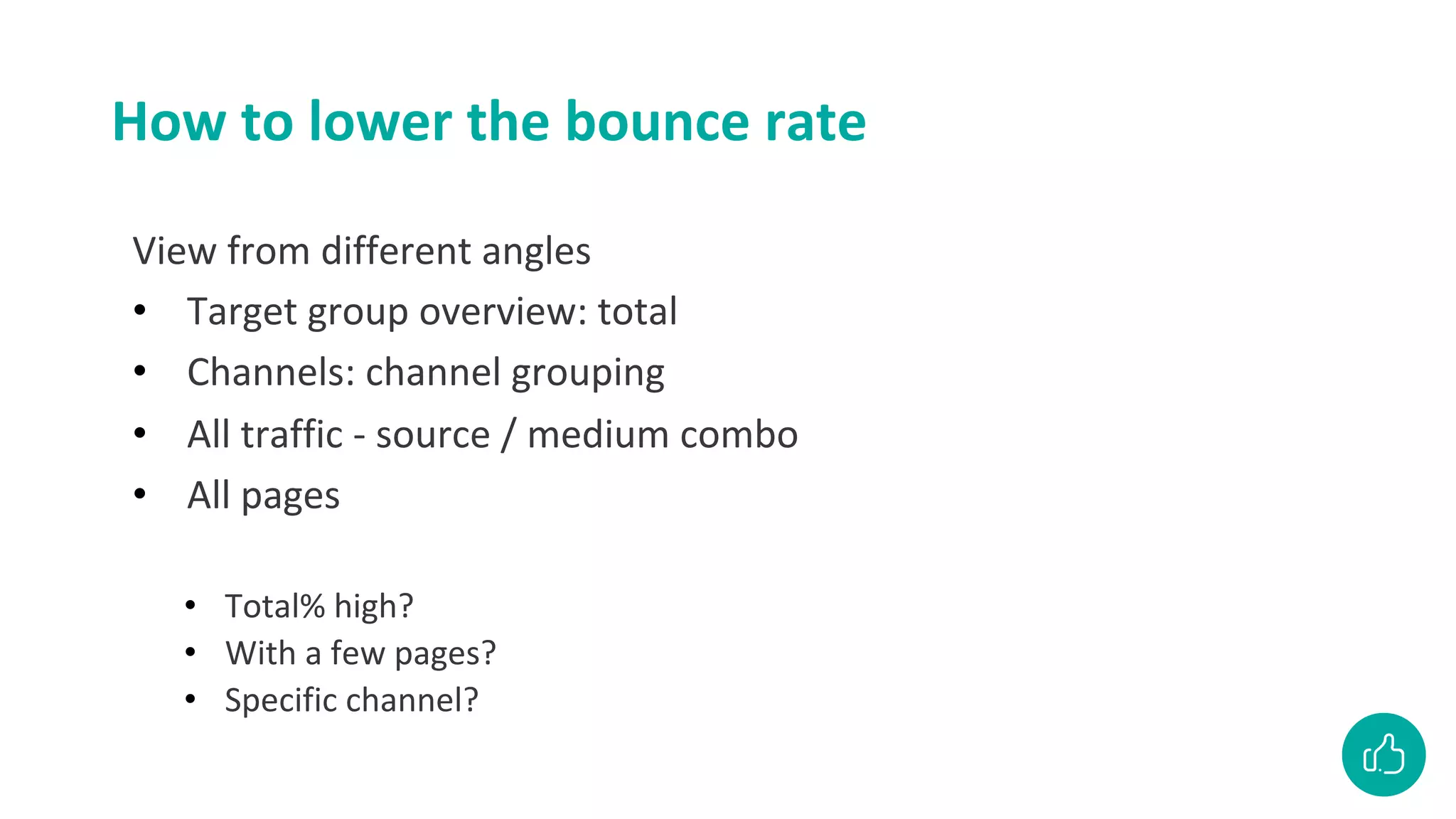
How to lower the bounce rate
View from different angles
• Target group overview: total
• Channels: channel grouping
• All traffic - source / medium combo
• All pages
• Total% high?
• With a few pages?
• Specific channel?
Audience: bounce rate
Audience: who are my visitors?
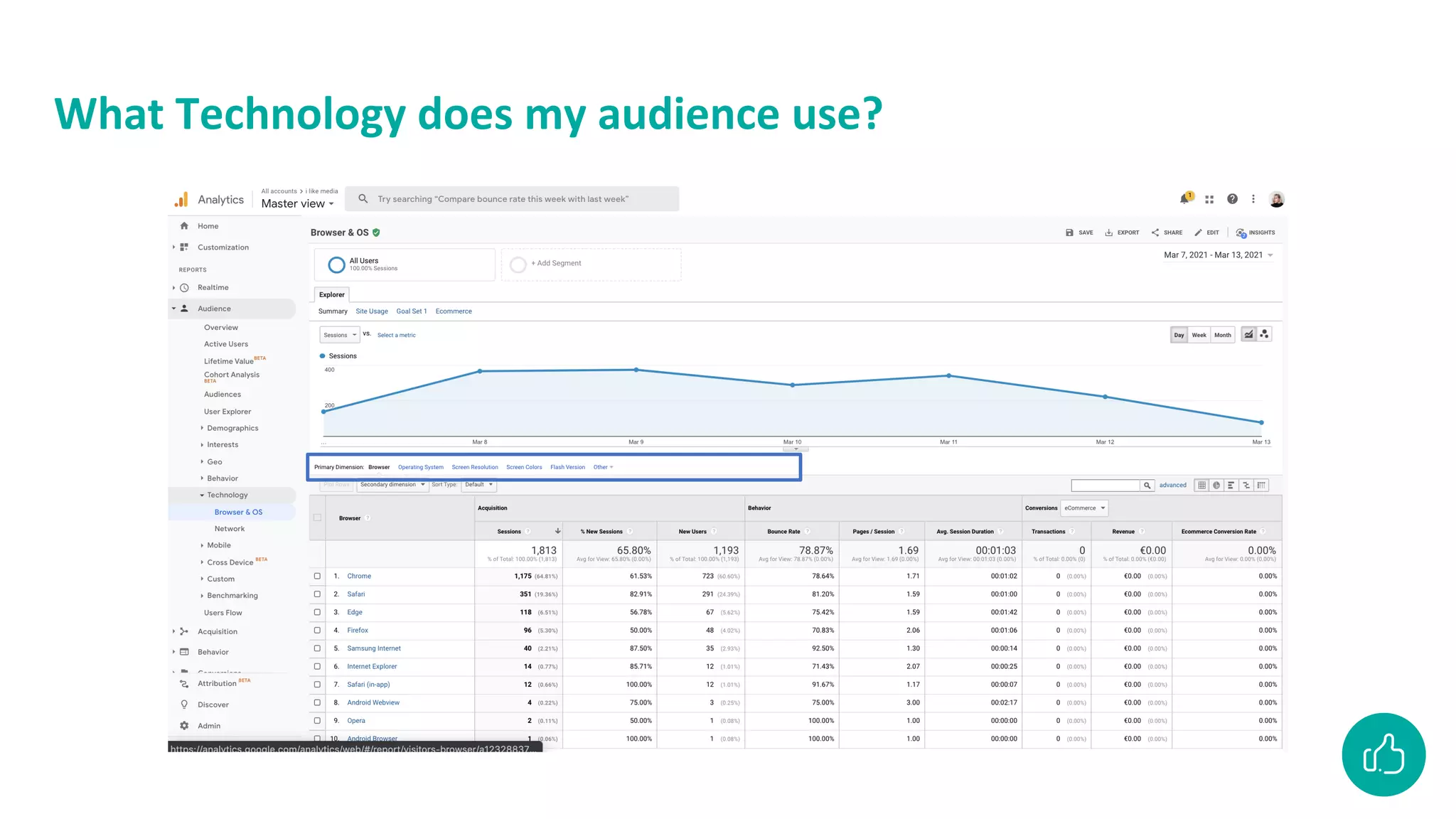
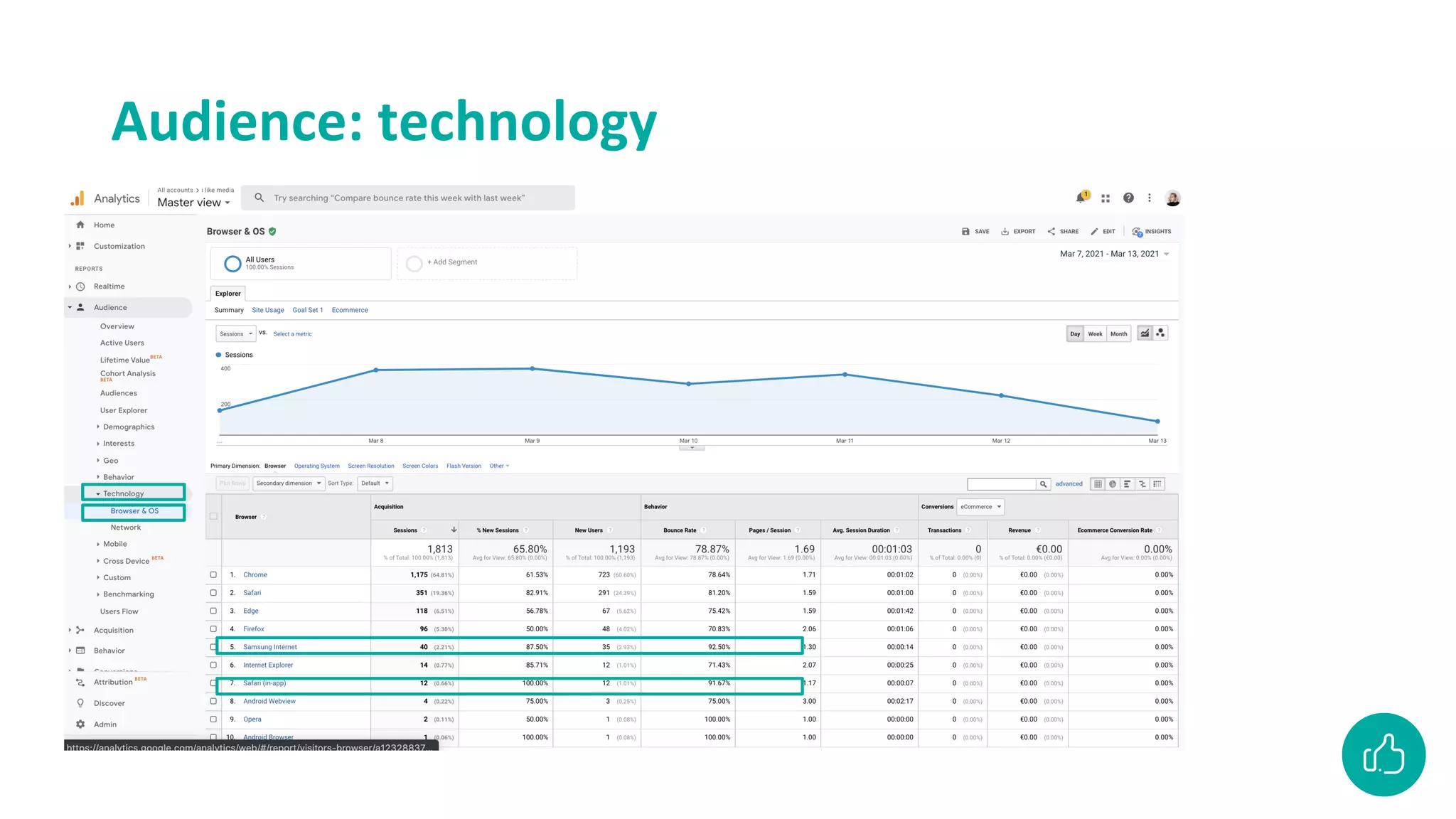
What Technology does my audience use?
Look it up yourself
What percentage of Belgian mobile users were there
compared to all visitors
Look it up yourself
What percentage of Belgian mobile users were there
compared to all visitors
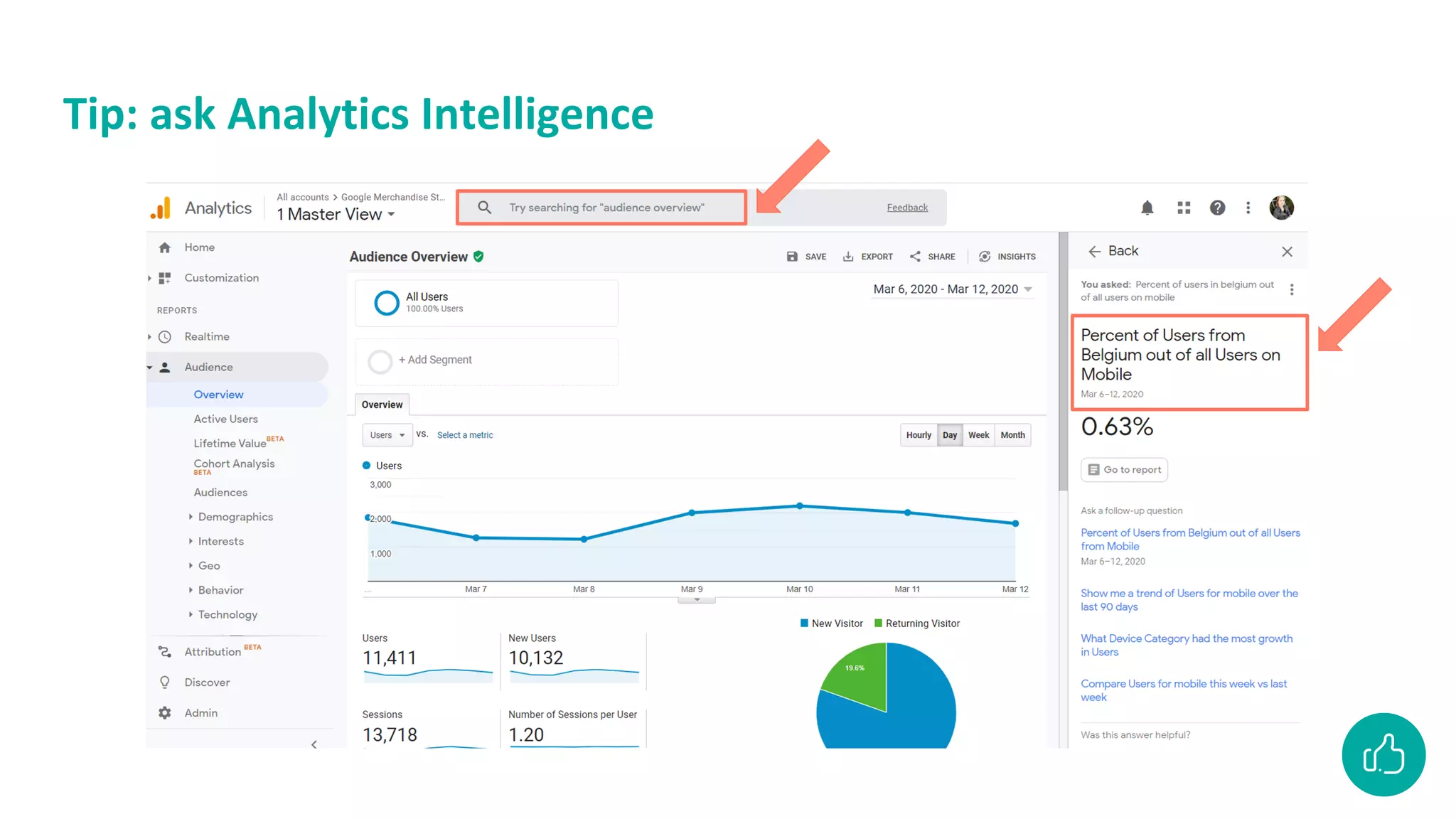
Tip: ask Analytics Intelligence
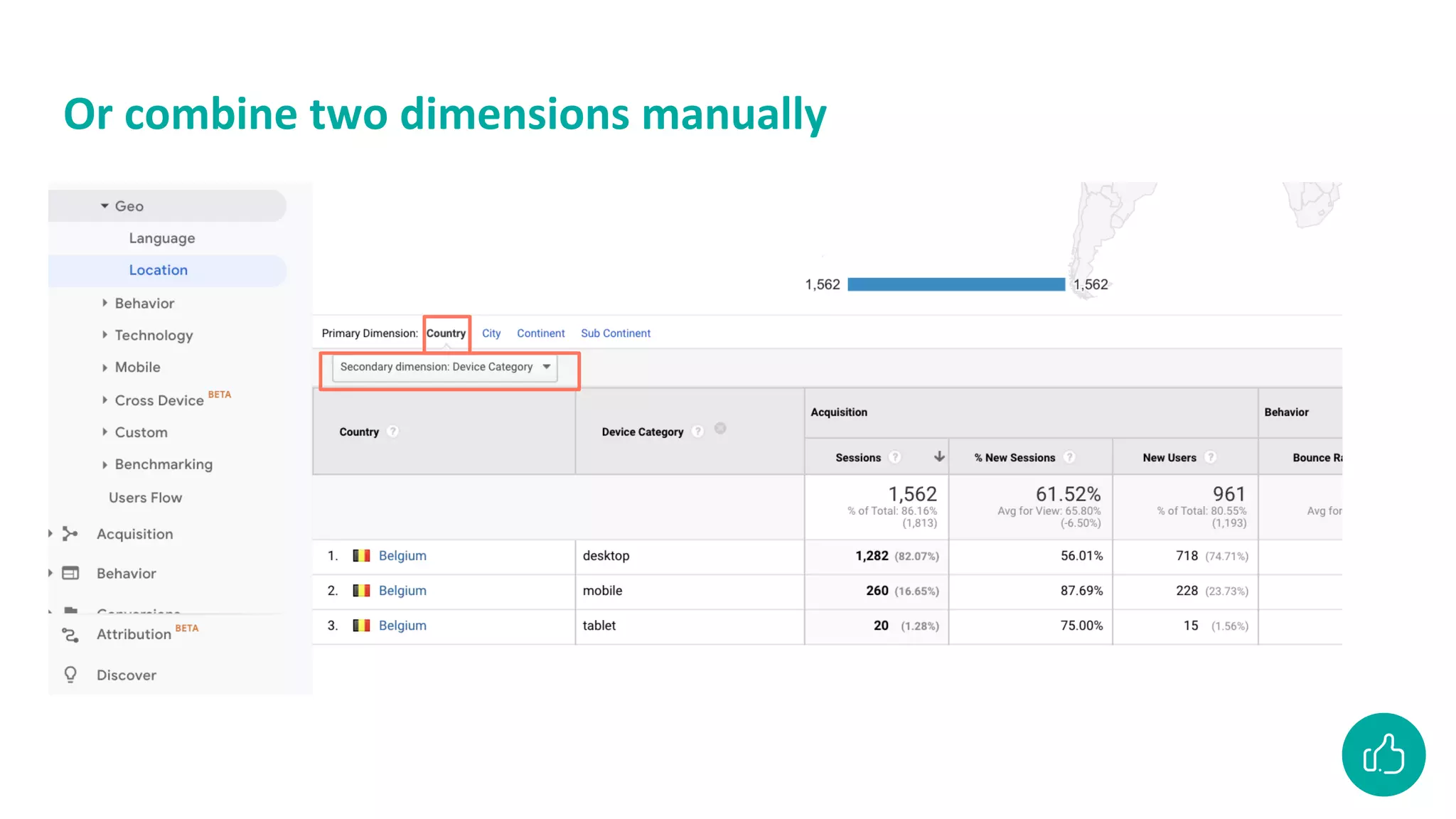
Or combine two dimensions manually
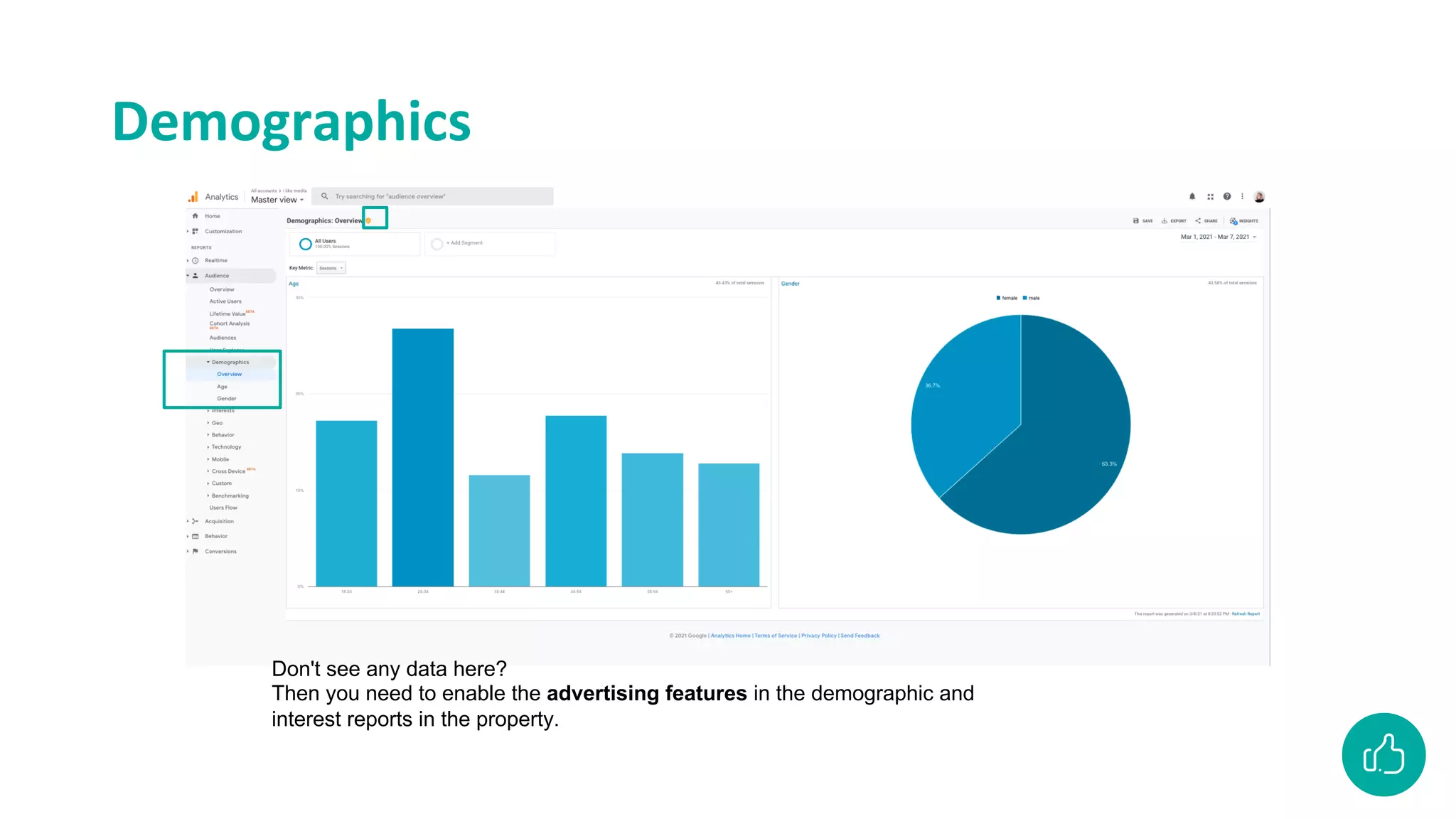
Demographics
Don't see any data here?
Then you need to enable the advertising features in the demographic and
interest reports in the property.
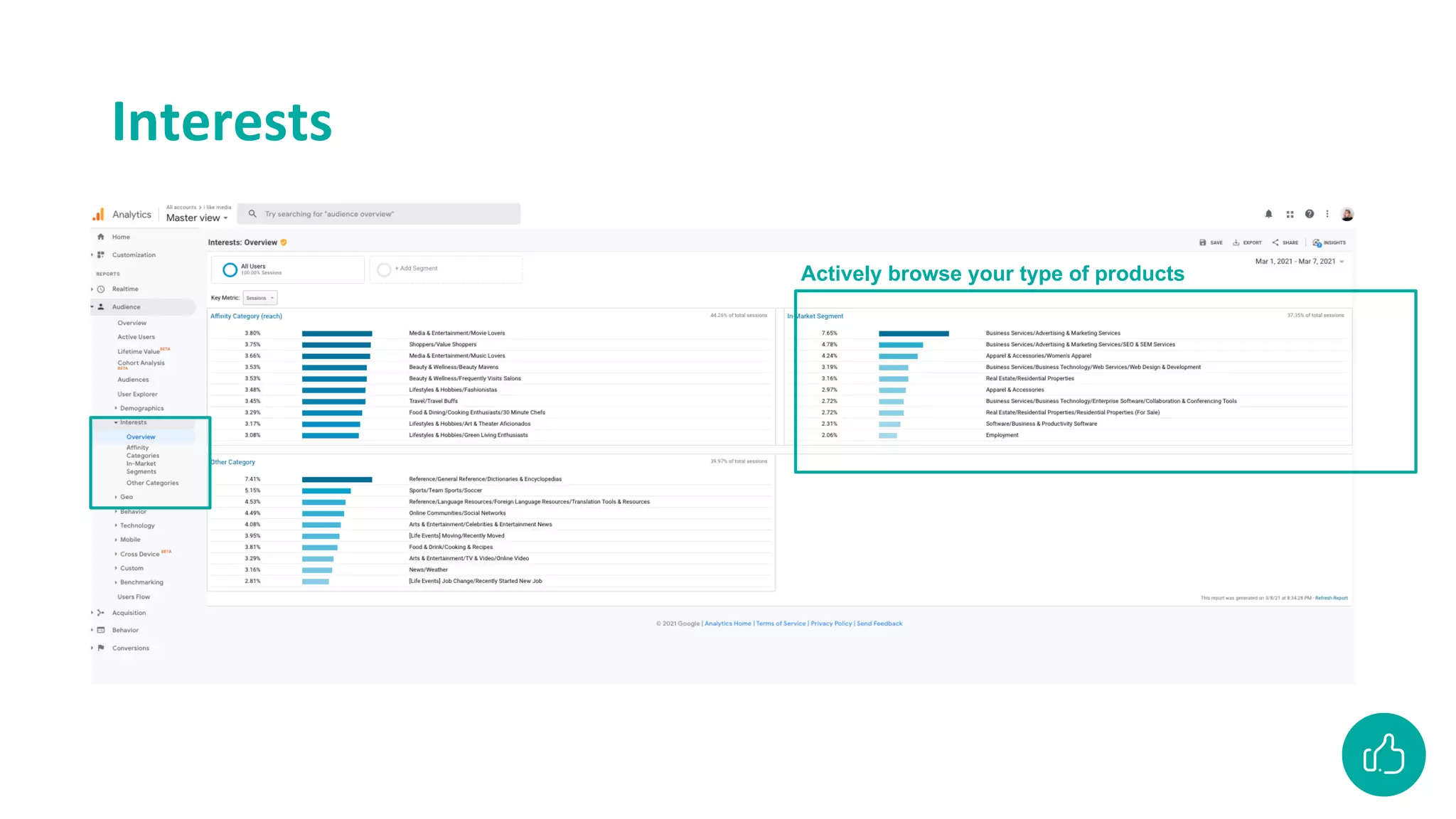
Interests
Actively browse your type of products
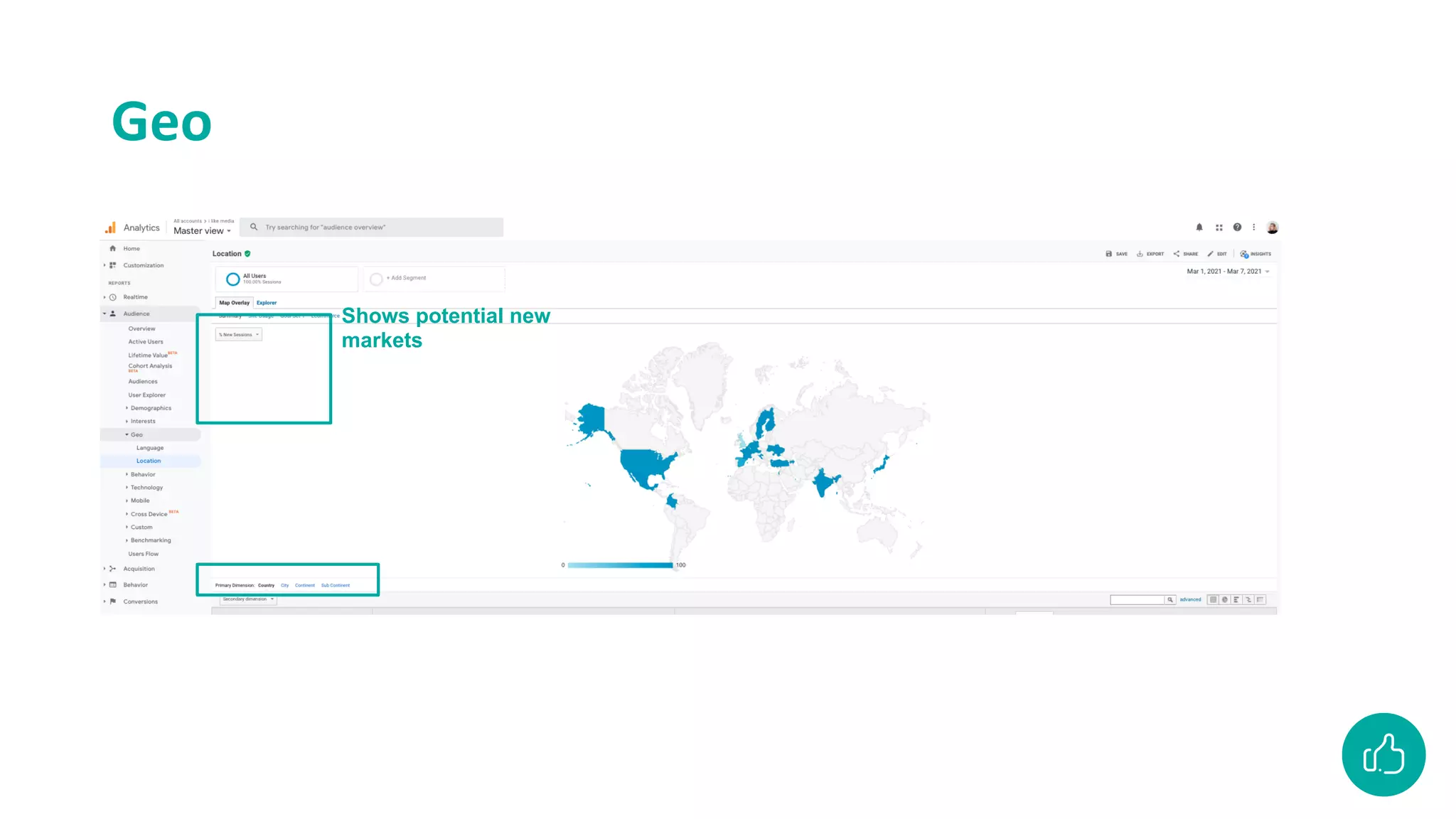
Geo
Shows potential new
markets
Geo
Audience: technology
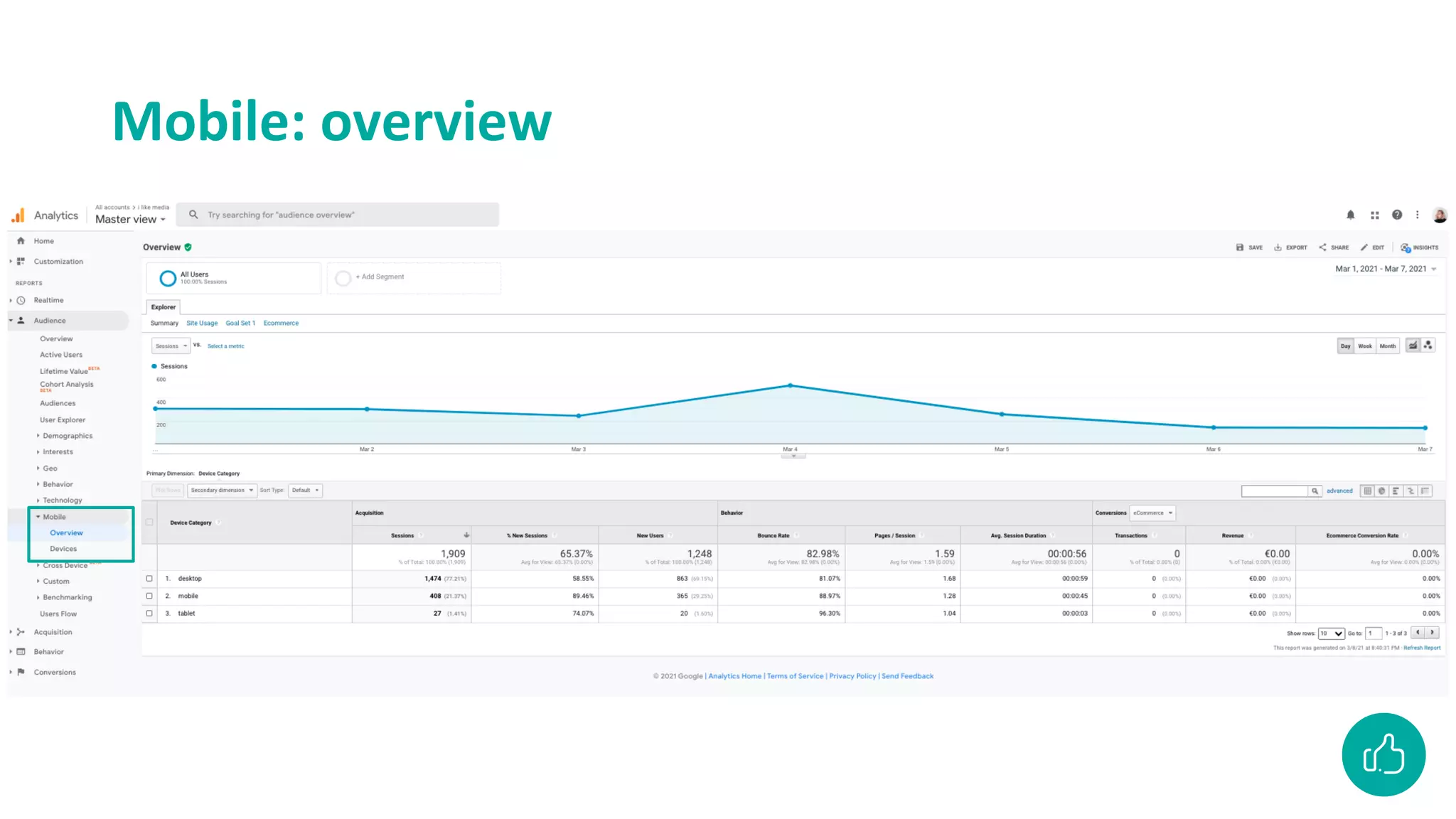
Mobile: overview
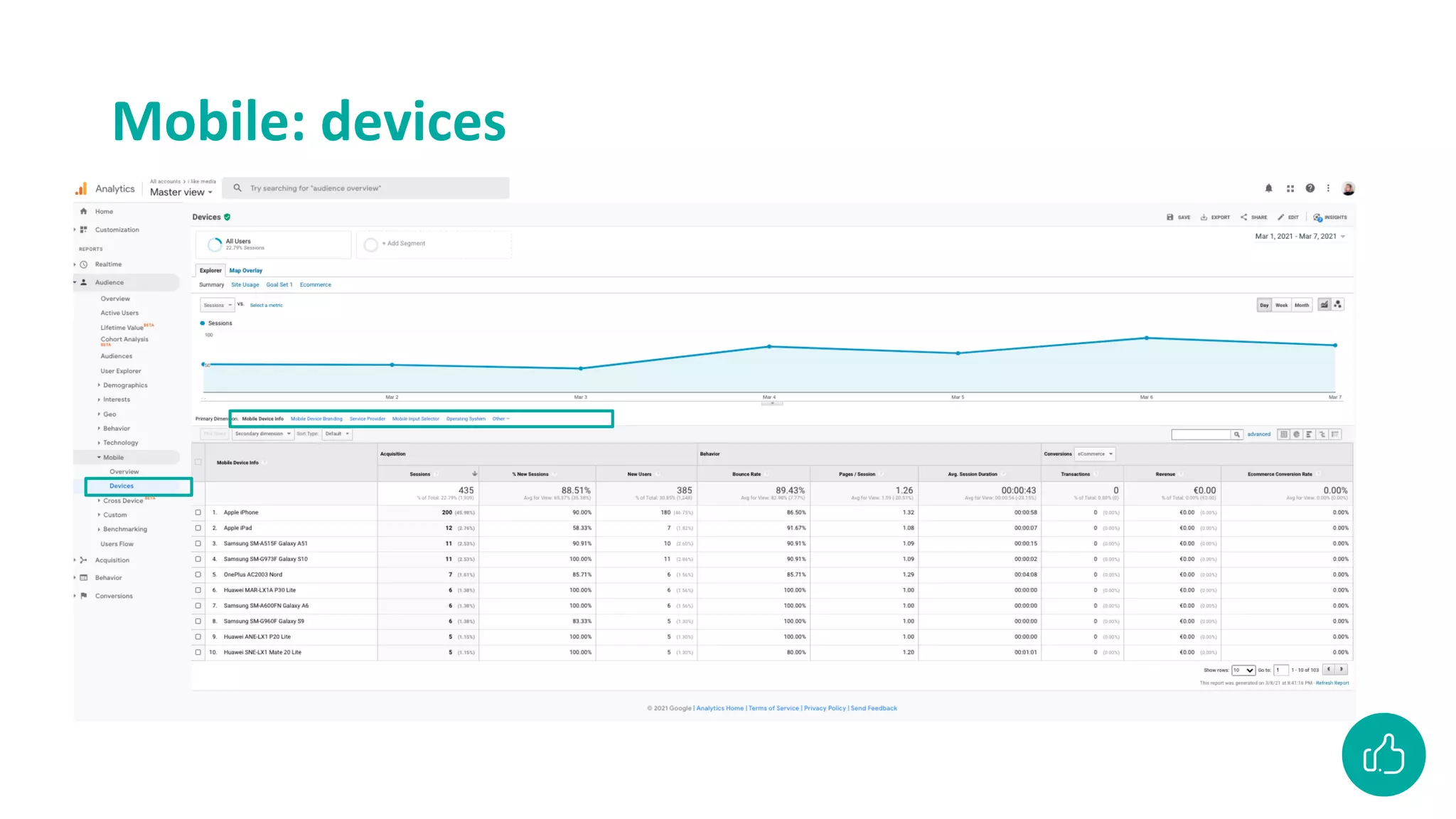
Mobile: devices
Acquistition
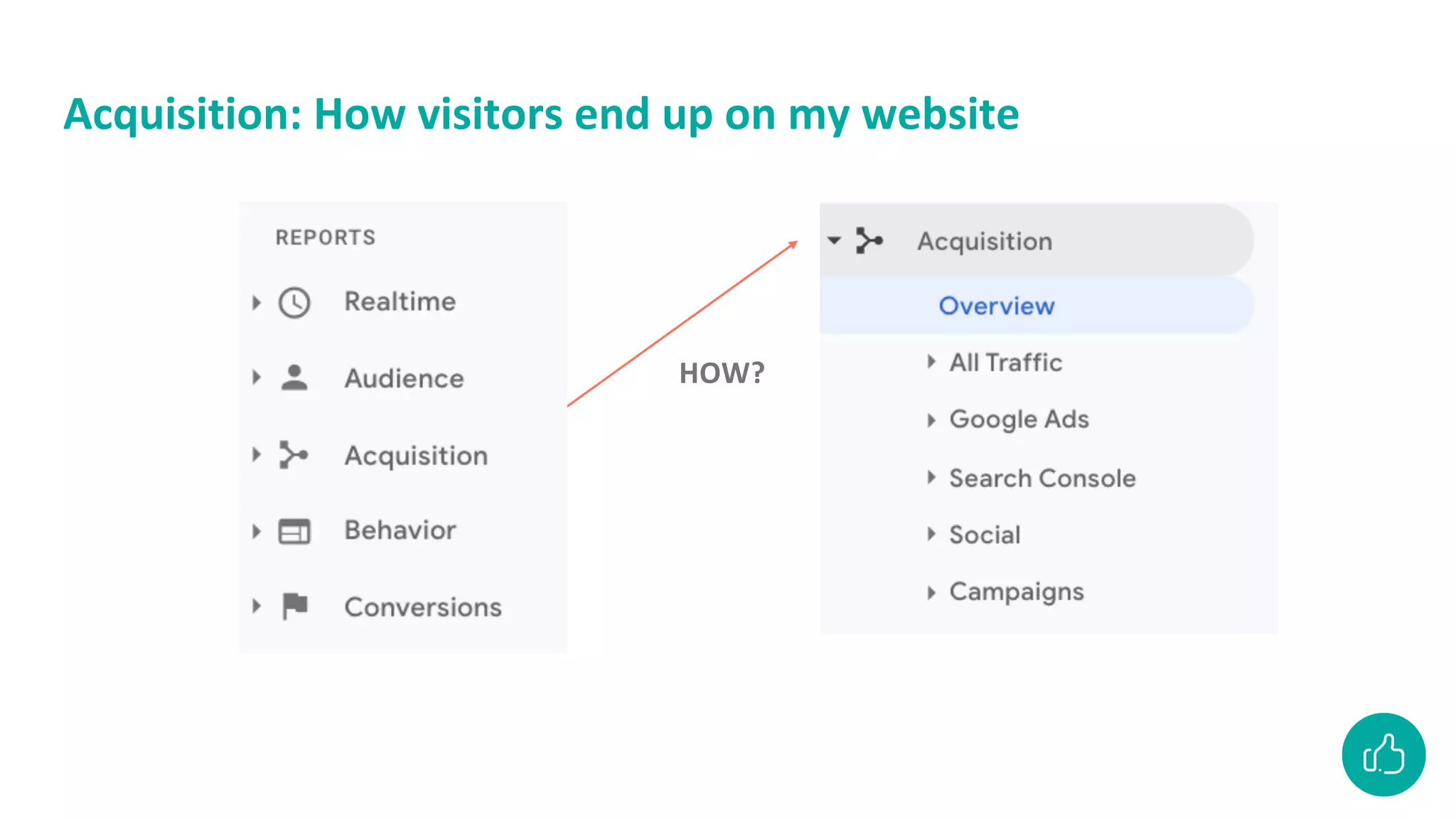
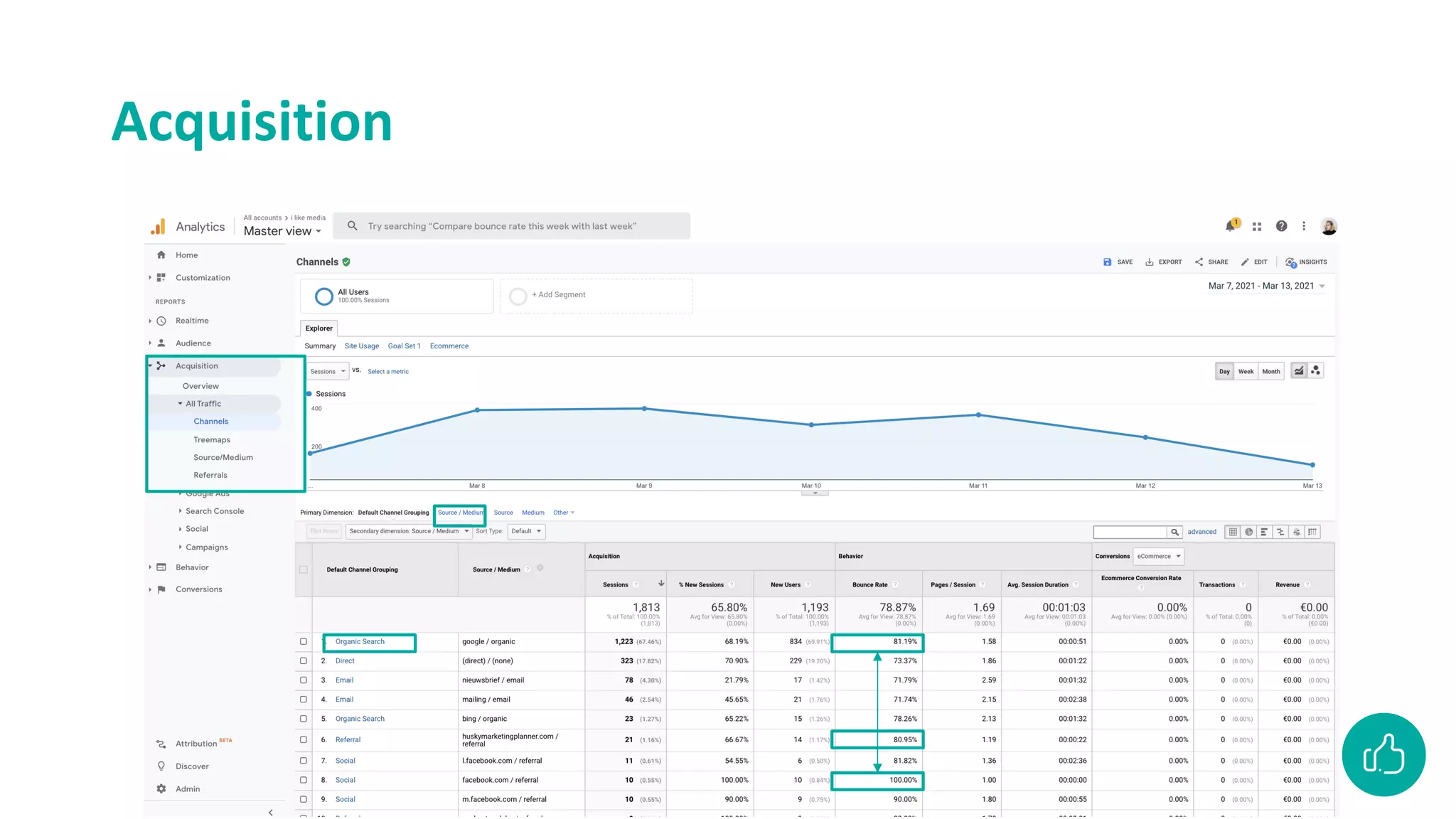
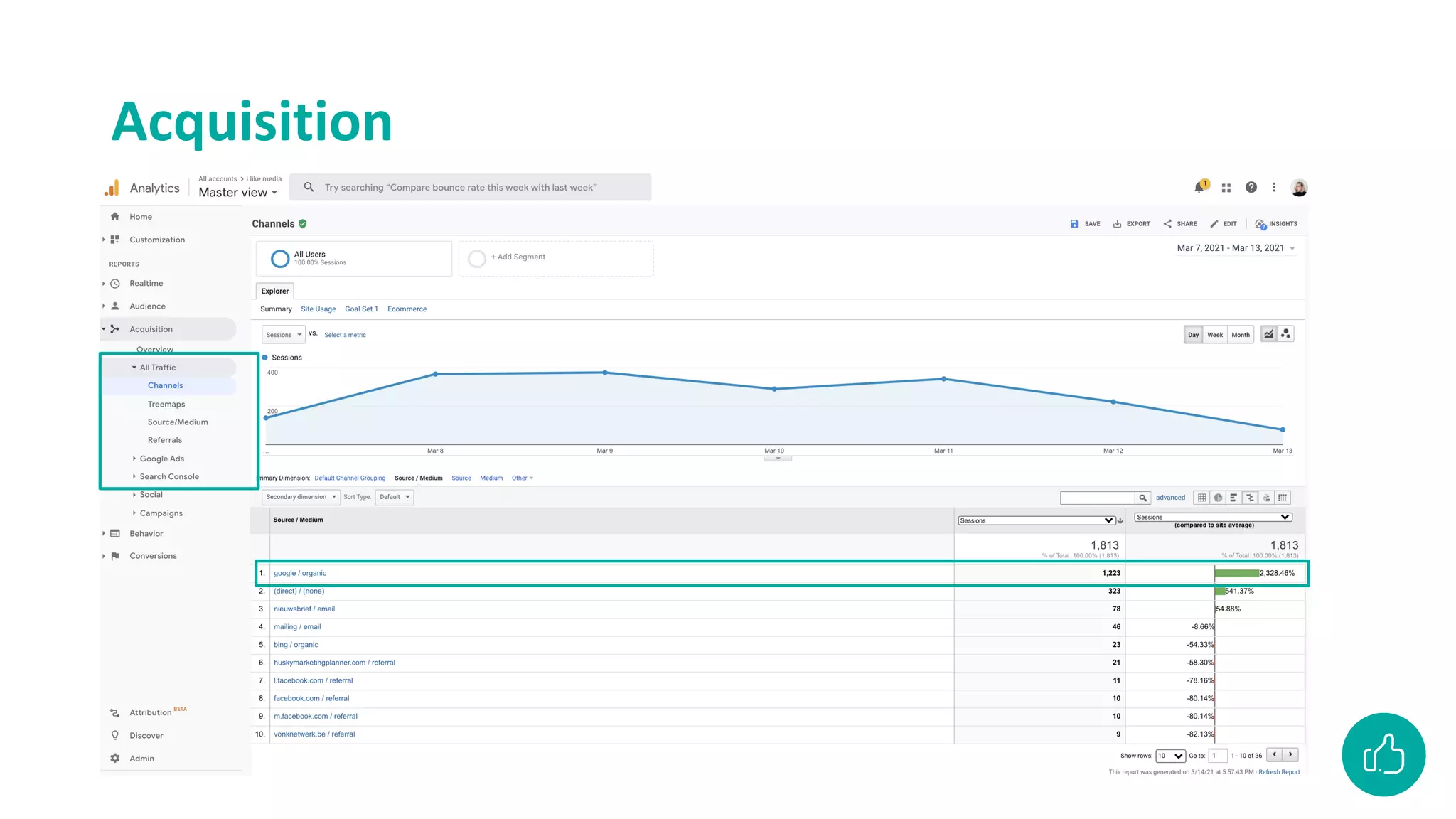
Acquisition: How visitors end up on my website
HOW?
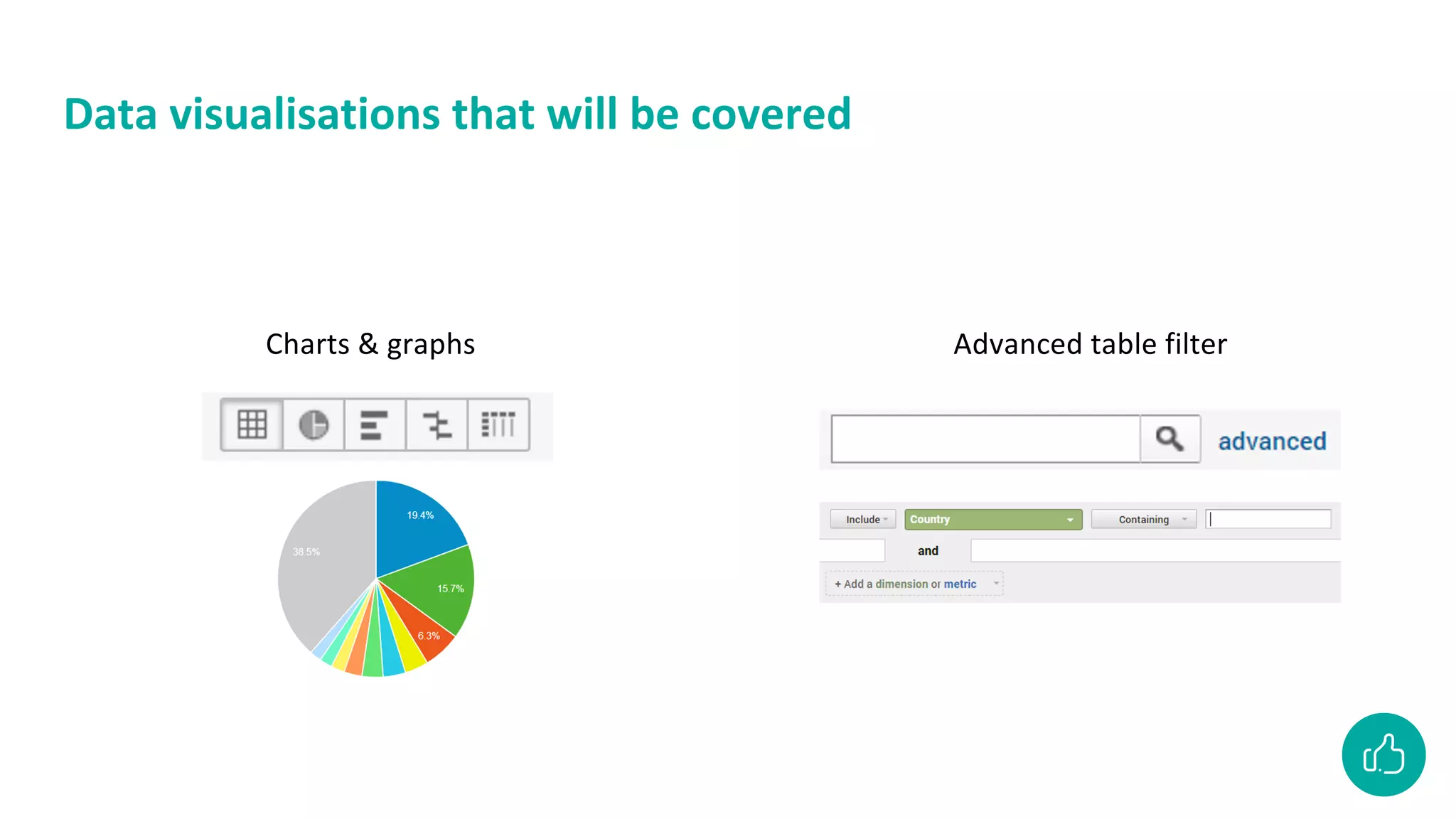
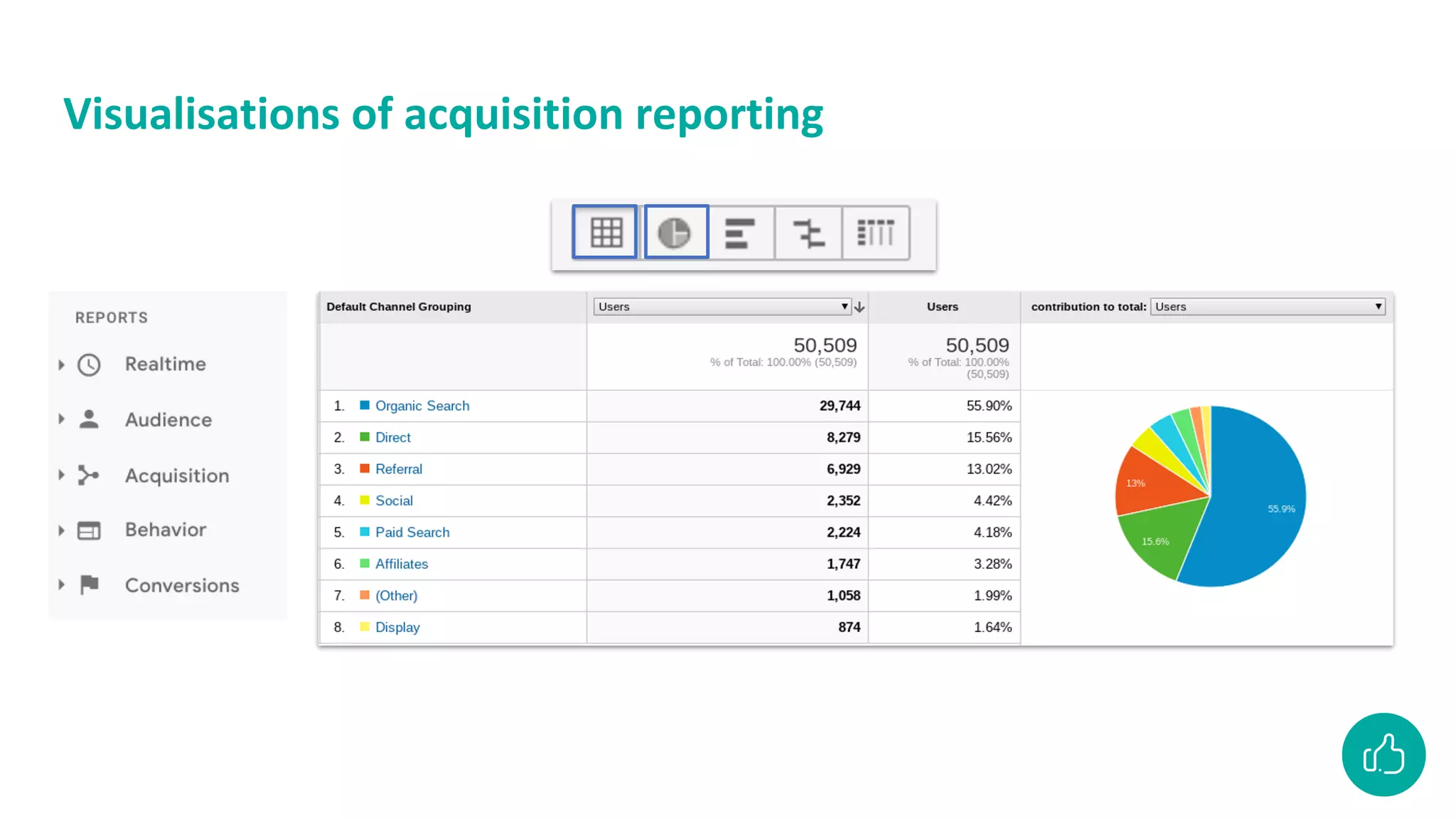
Data visualisations that will be covered
Charts & graphs Advanced table filter
Visualisations of acquisition reporting
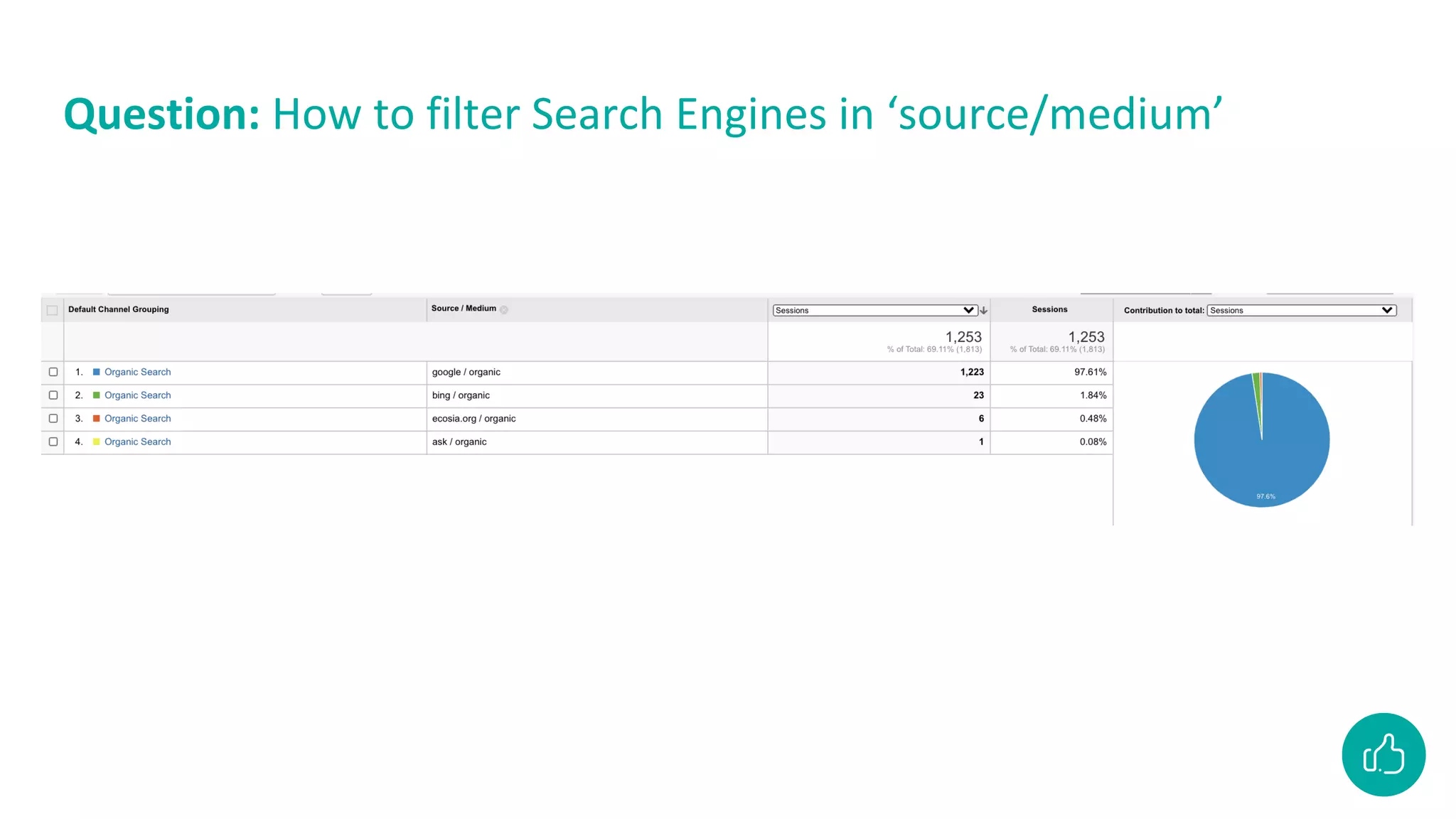
Question: How to filter Search Engines in ‘source/medium’
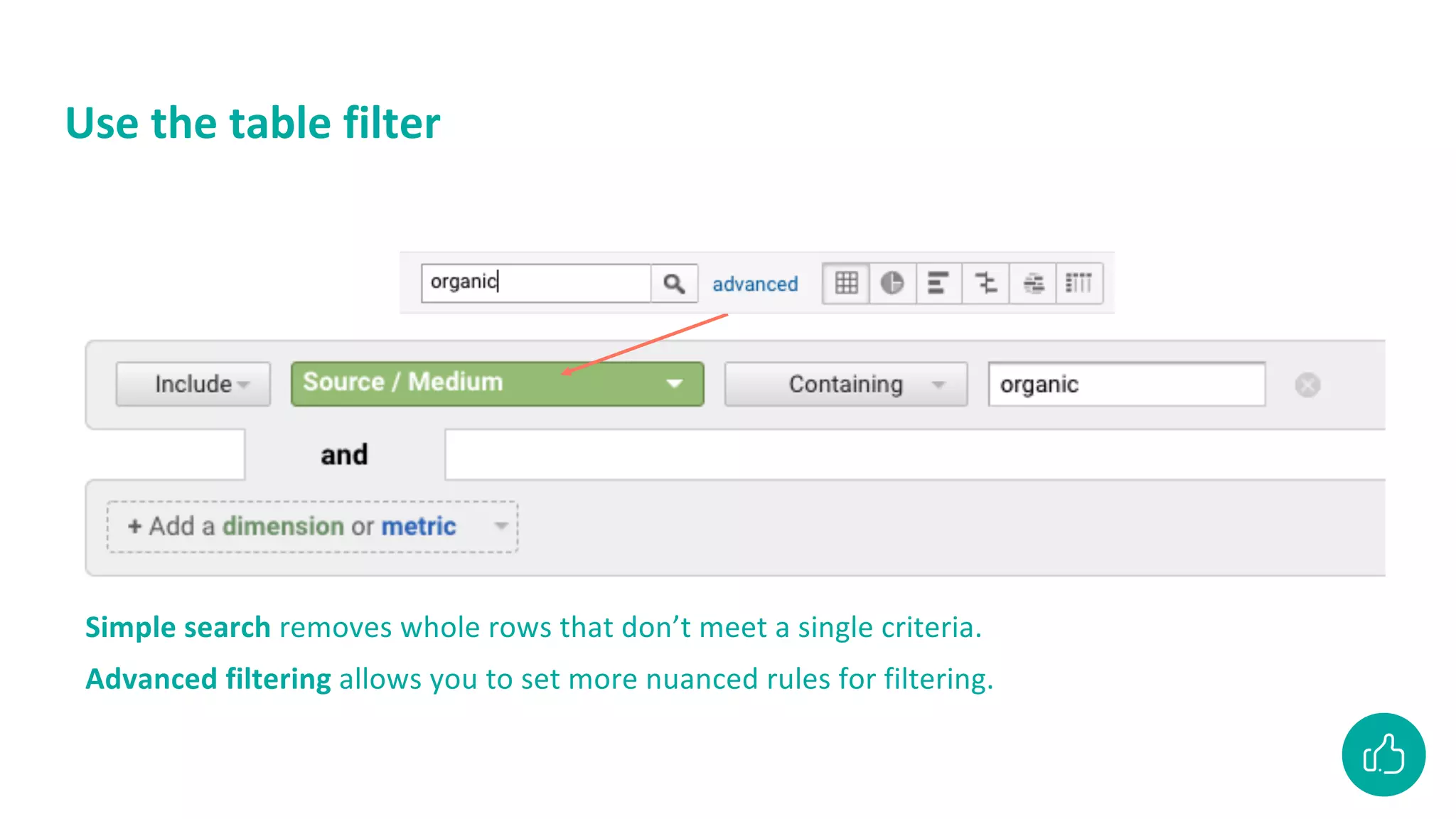
Use the table filter
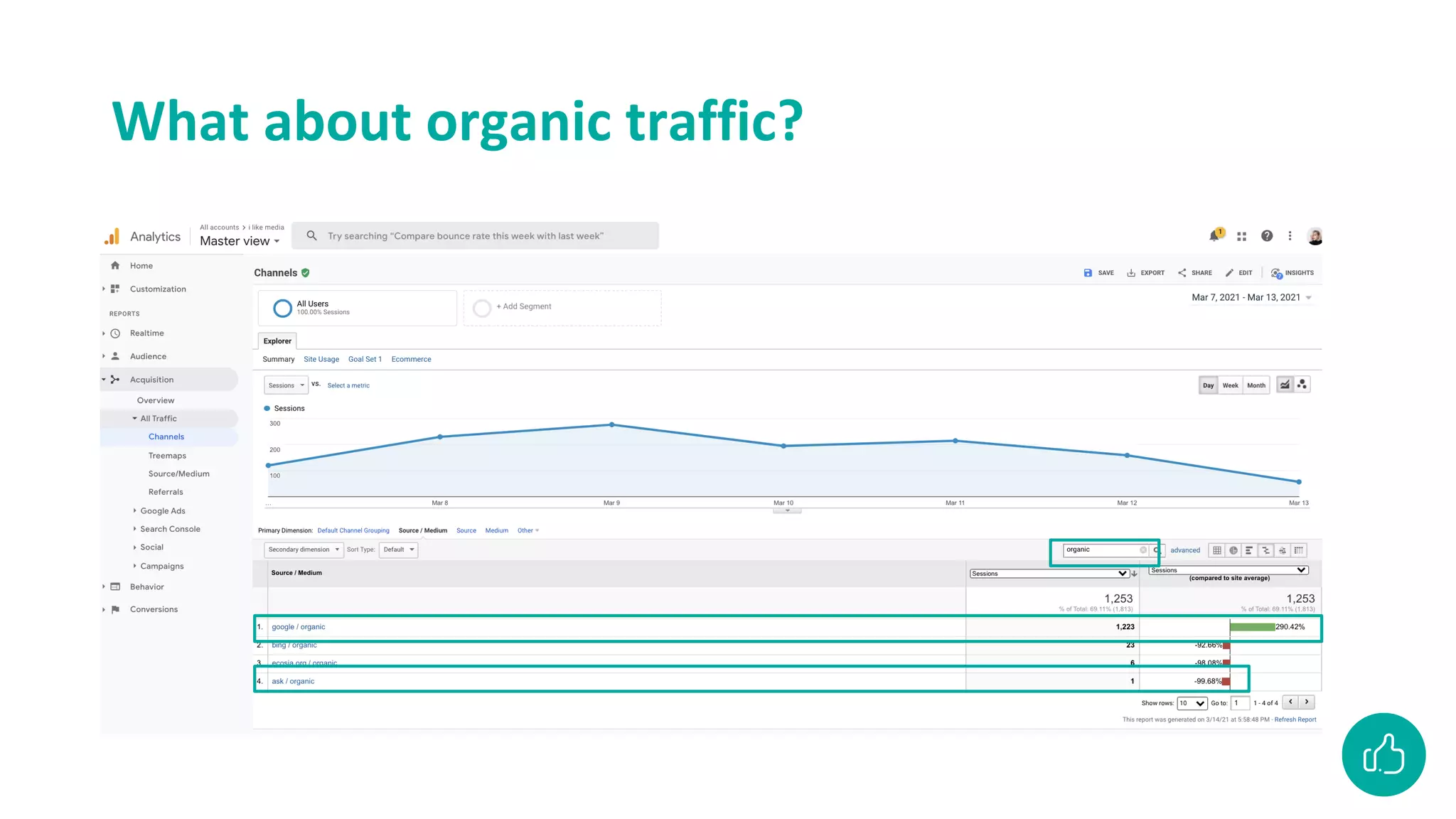
Simple search removes whole rows that don’t meet a single criteria.
Advanced filtering allows you to set more nuanced rules for filtering.
Acquisition
Acquisition
What about organic traffic?
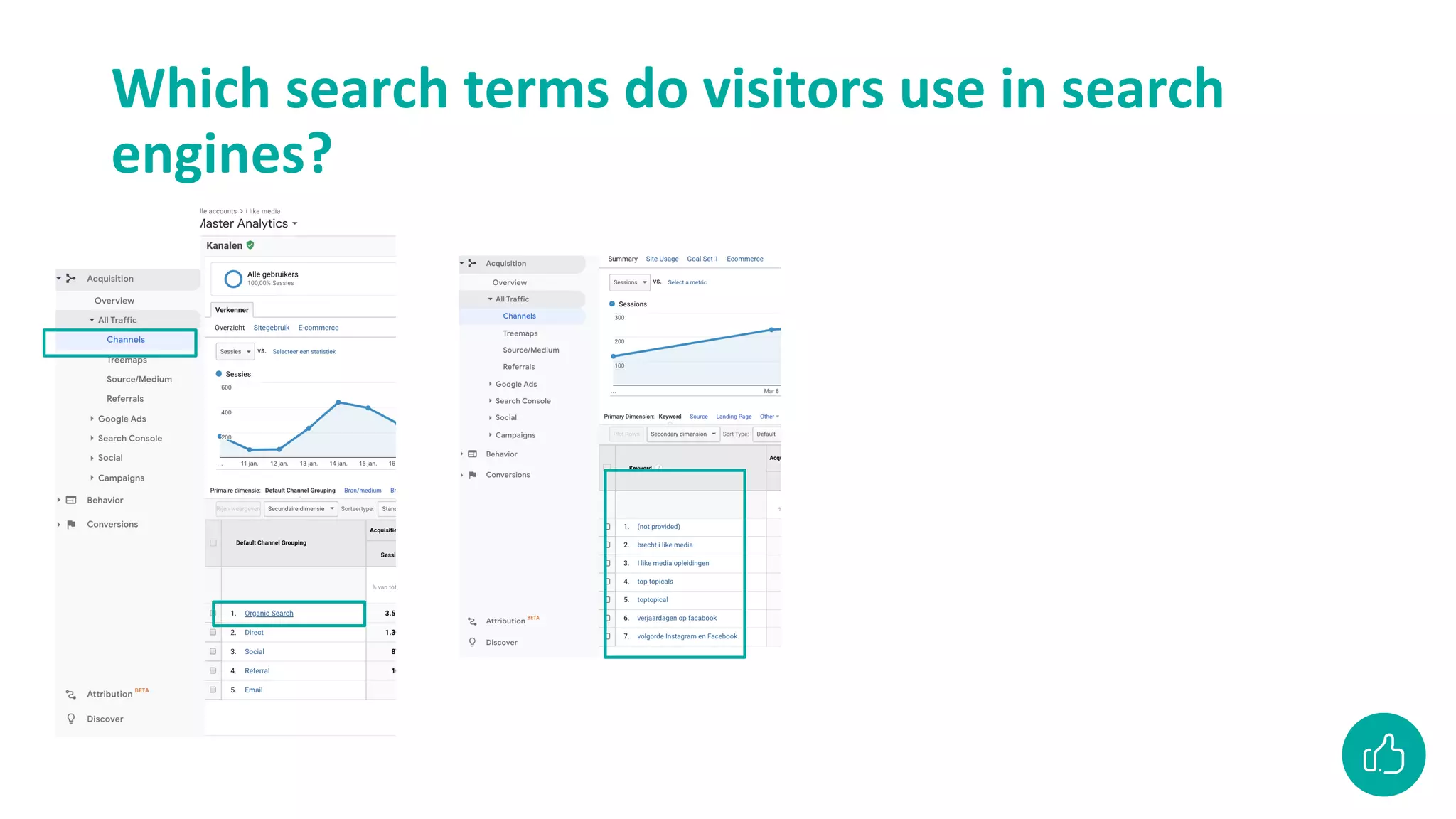
Which search terms do visitors use in search
engines?
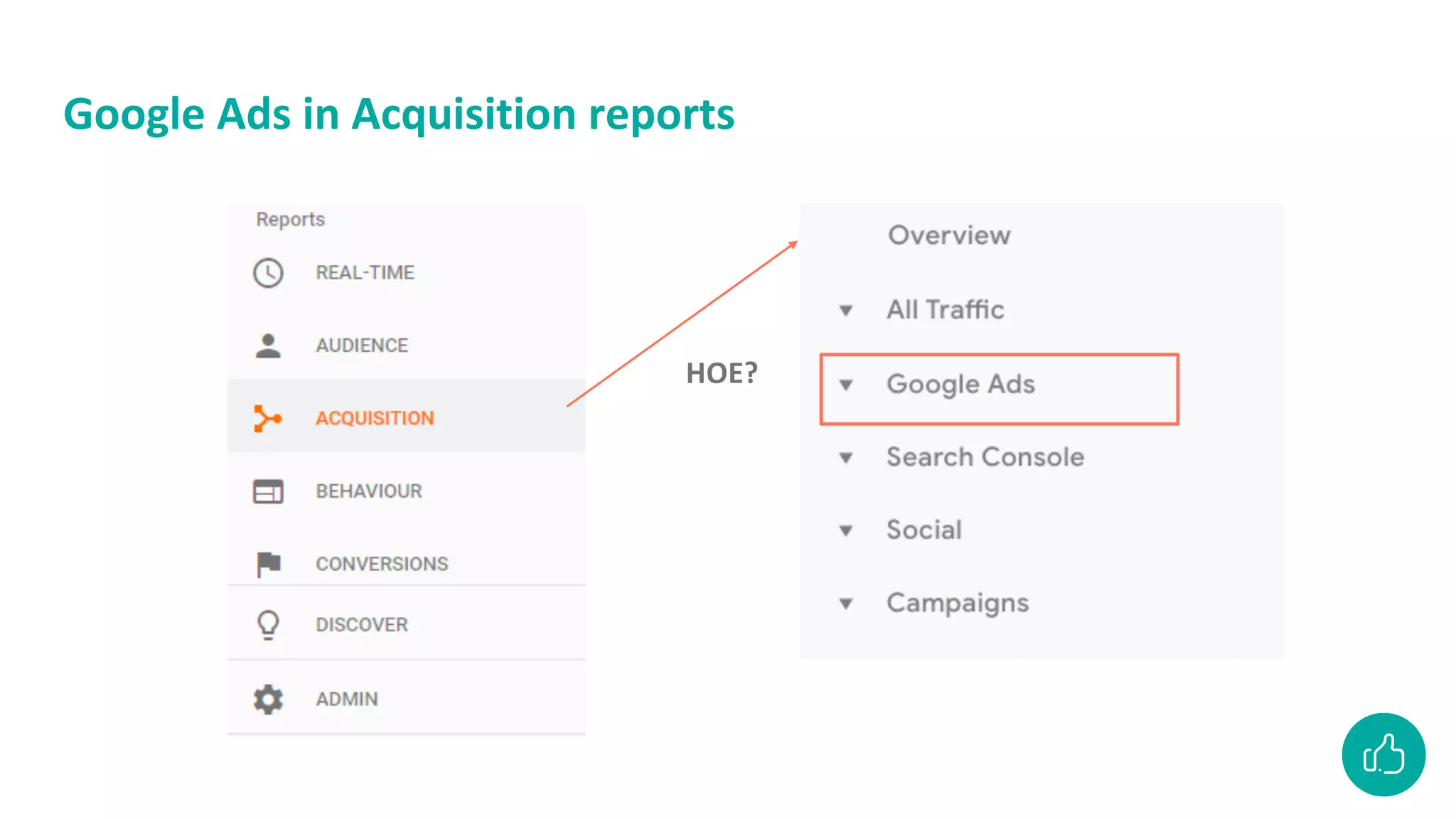
Google Ads in Acquisition reports
HOE?
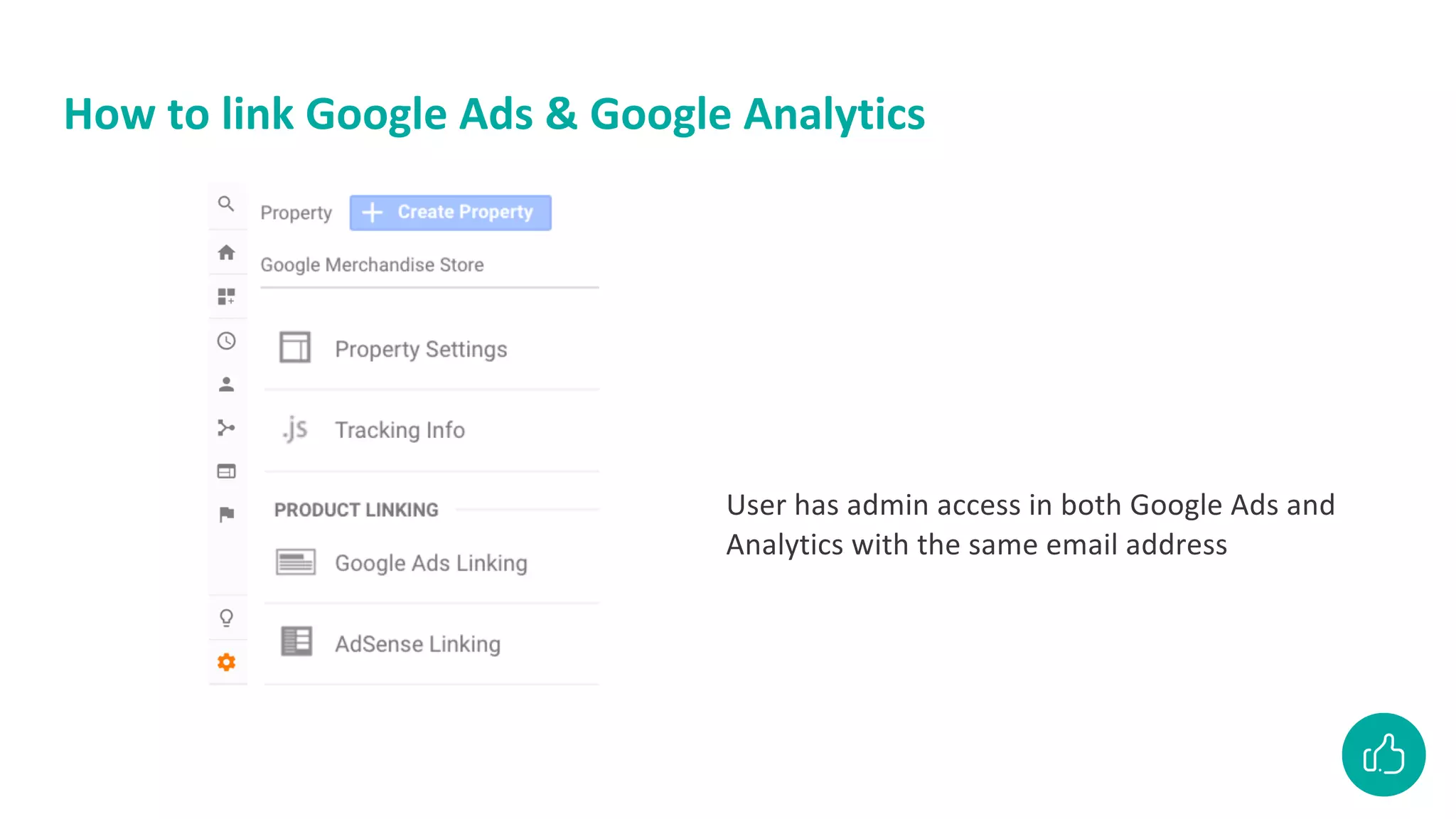
How to link Google Ads & Google Analytics
User has admin access in both Google Ads and
Analytics with the same email address
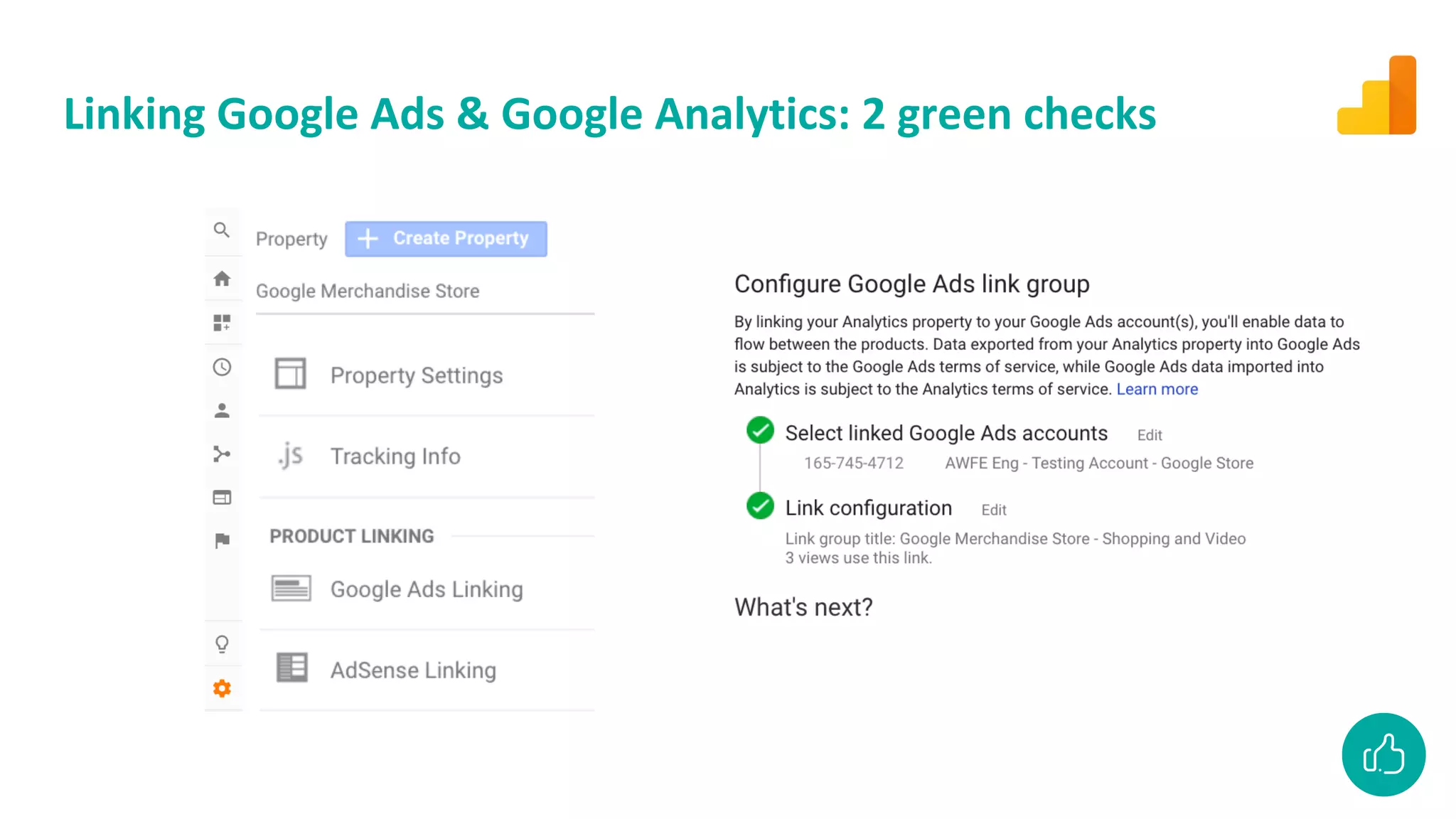
Linking Google Ads & Google Analytics: 2 green checks
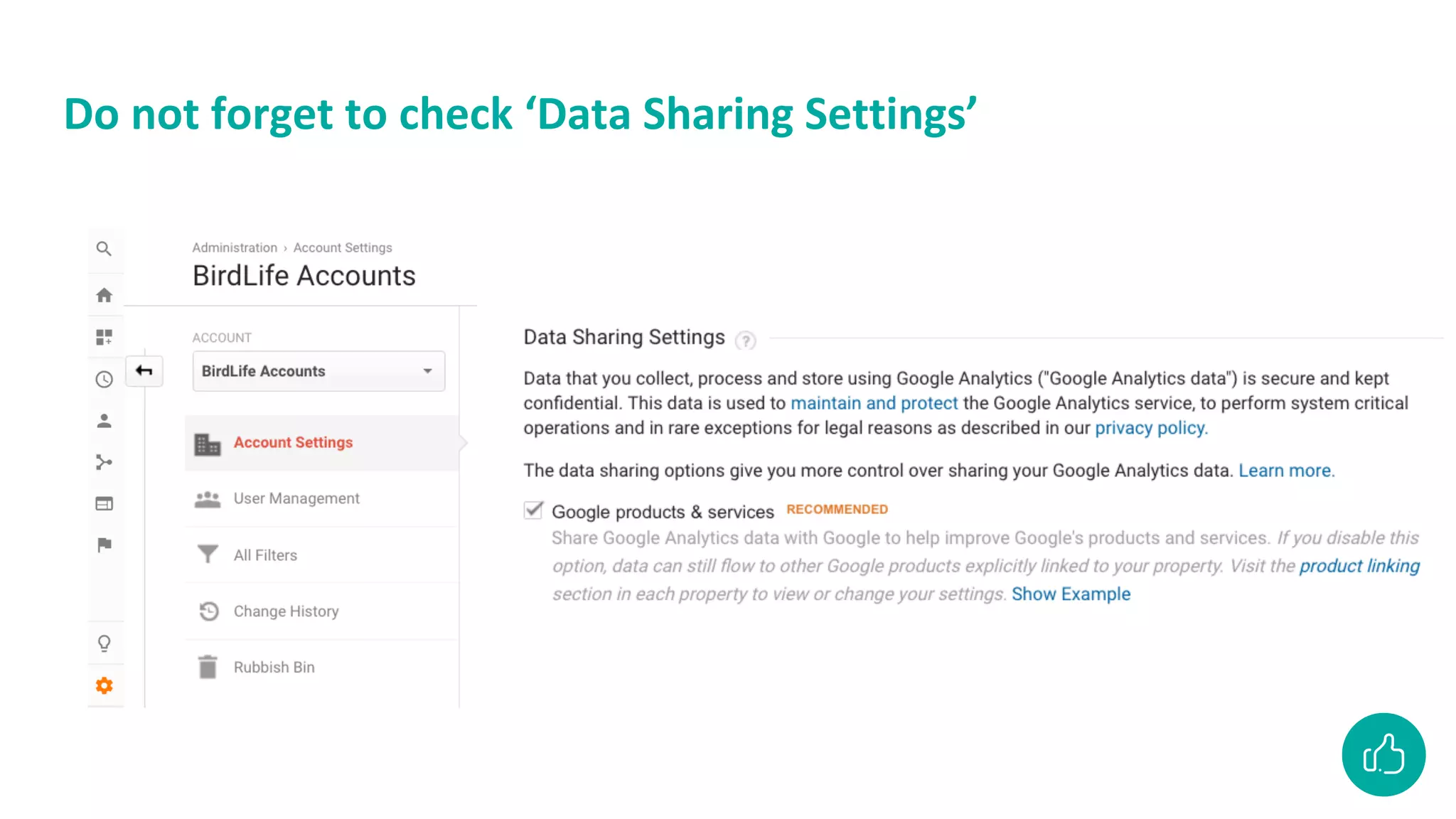
Do not forget to check ‘Data Sharing Settings’
Break
Track more than
pageviews
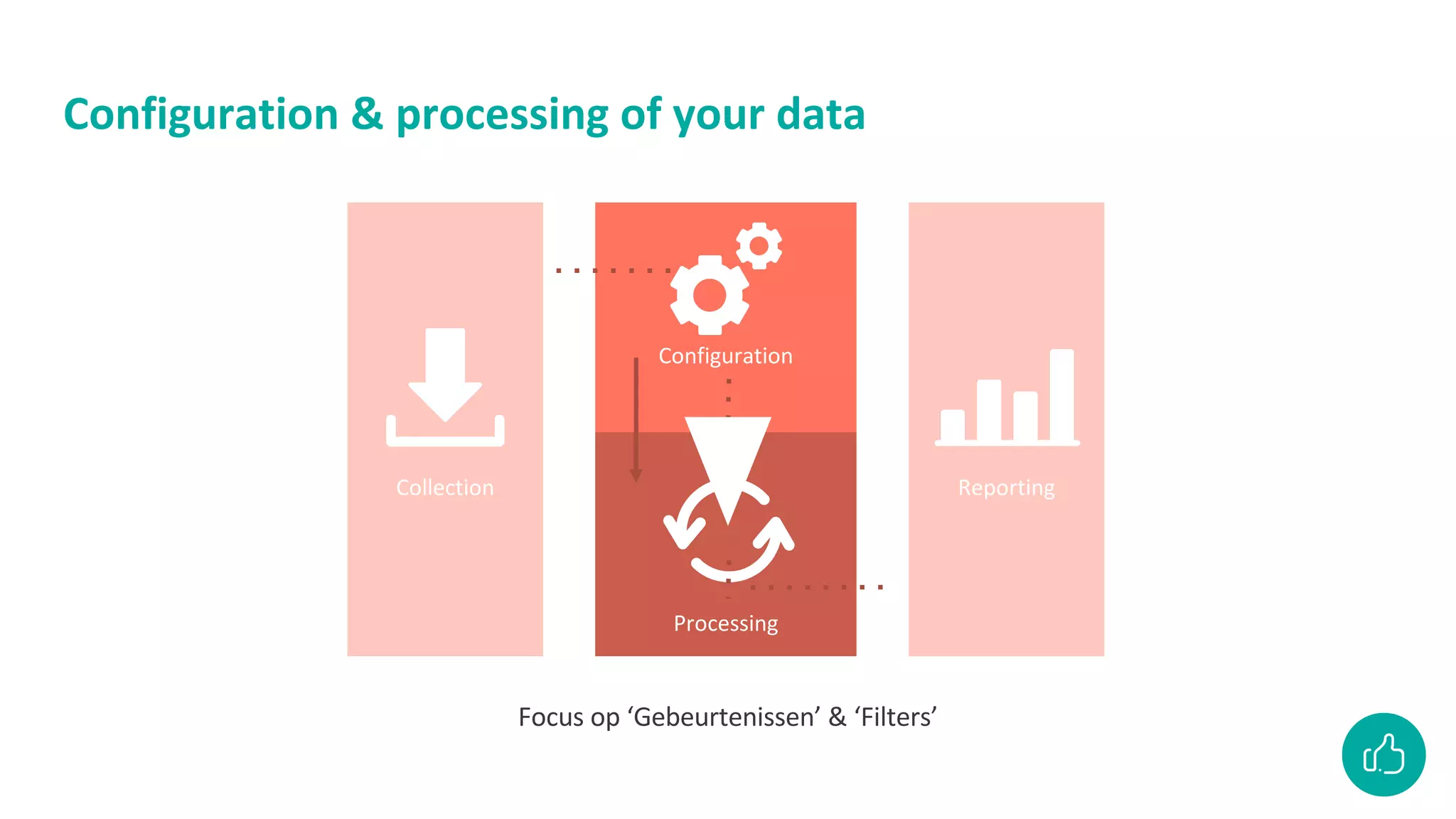
Configuration & processing of your data
Focus op ‘Gebeurtenissen’ & ‘Filters’
Collection
Configuration
Processing
Reporting
Tracking events
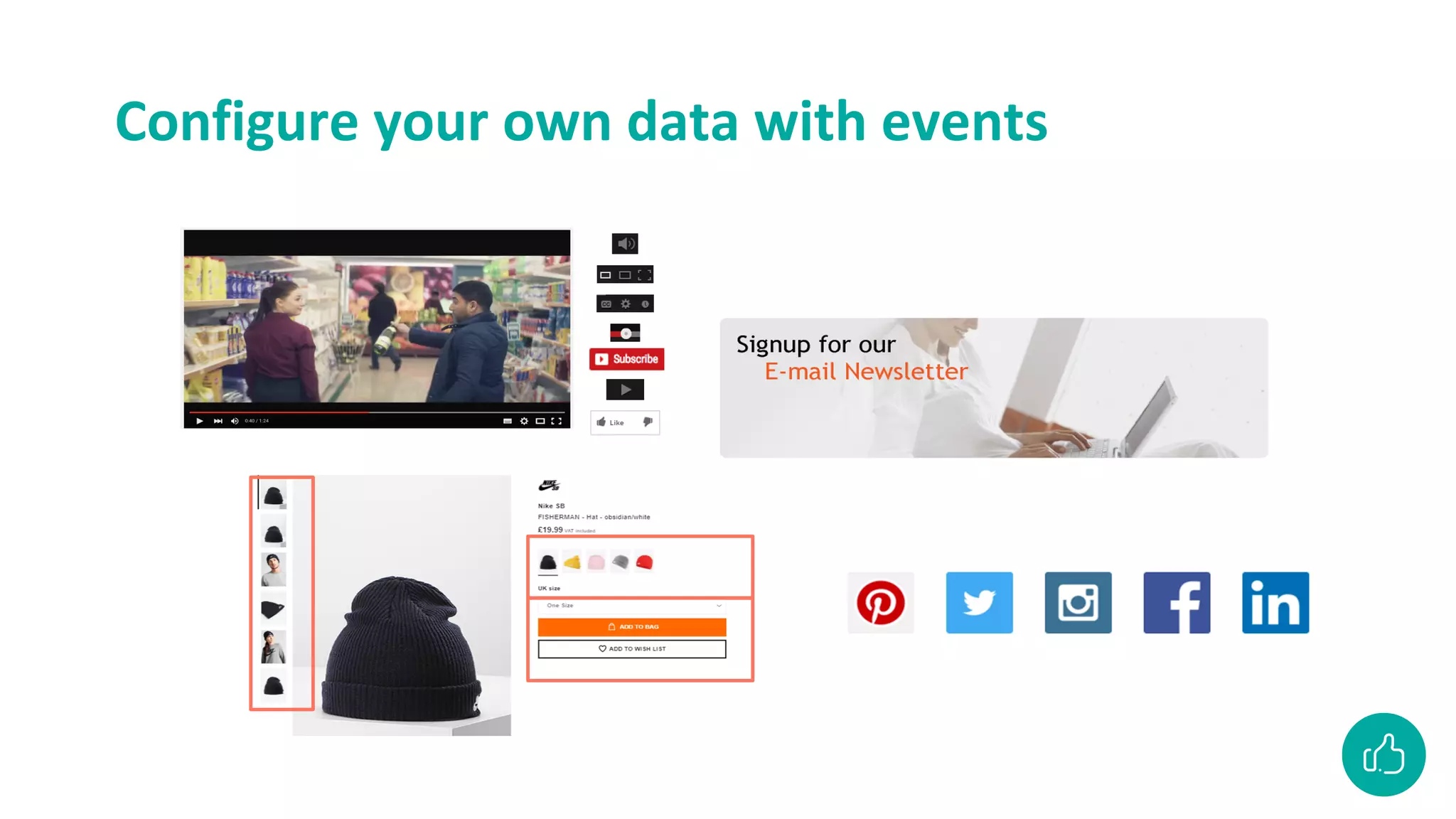
Configure your own data with events
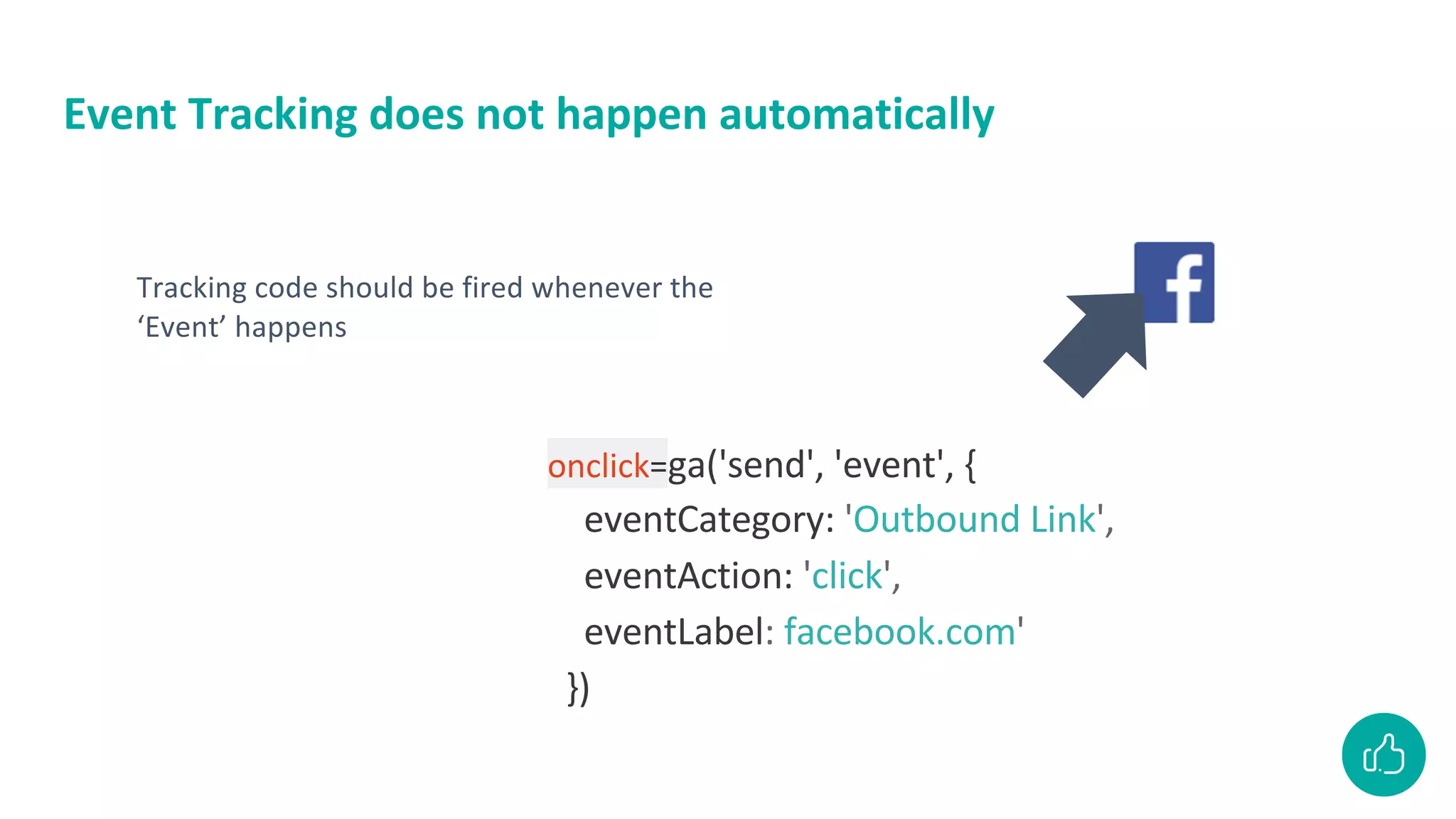
Event Tracking does not happen automatically
onclick=ga('send', 'event', {
eventCategory: 'Outbound Link',
eventAction: 'click',
eventLabel: facebook.com'
})
Tracking code should be fired whenever the
‘Event’ happens
How to place the code for Event Tracking?
● Use a Tag Management System
● Use a plugin for open source websites
Event tracking doesn’t happen automatically!
Talk about this with the web developer
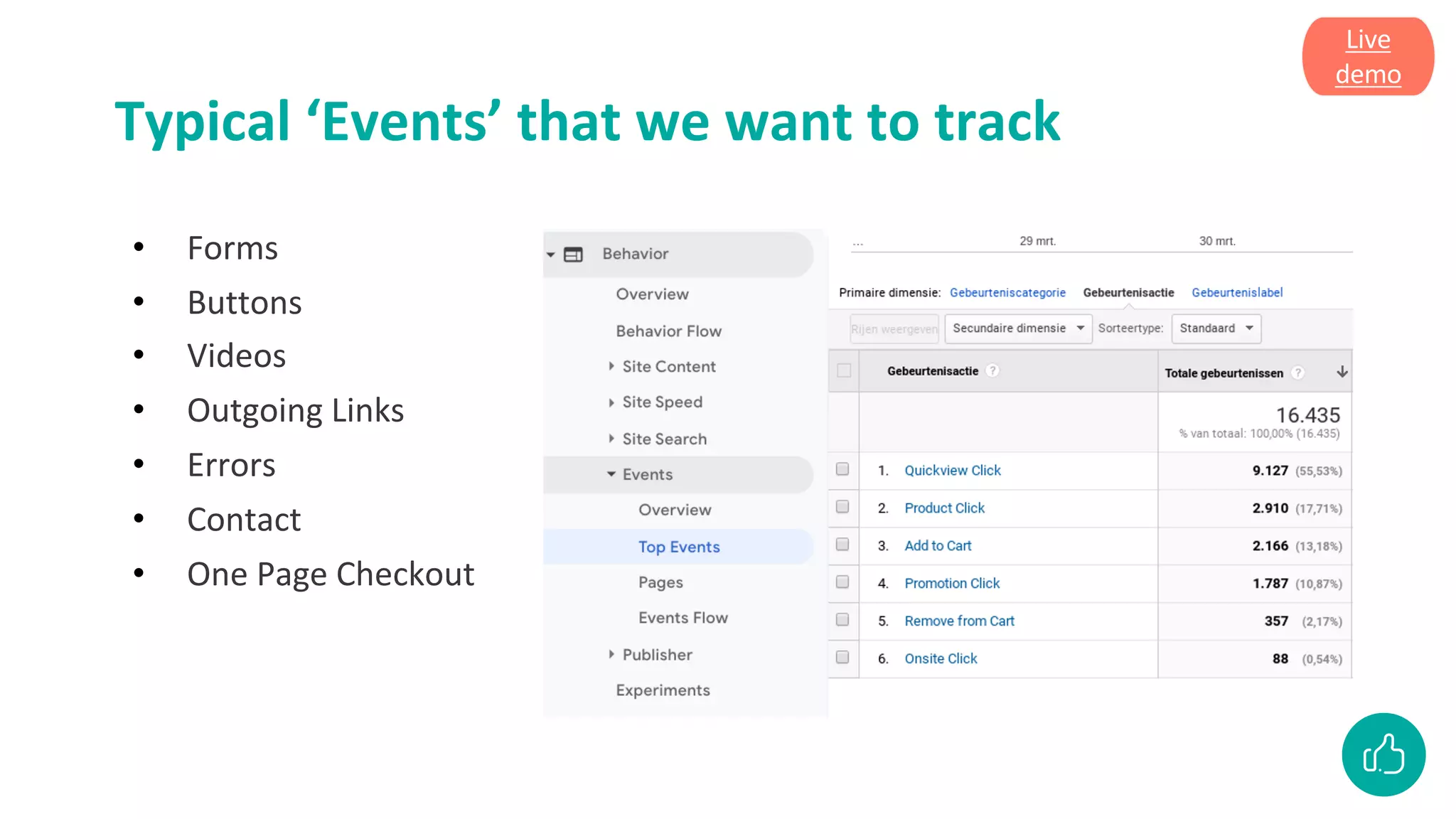
Typical ‘Events’ that we want to track
• Forms
• Buttons
• Videos
• Outgoing Links
• Errors
• Contact
• One Page Checkout
Live
demo
Set goals in Google
Analytics to measure
business objectives
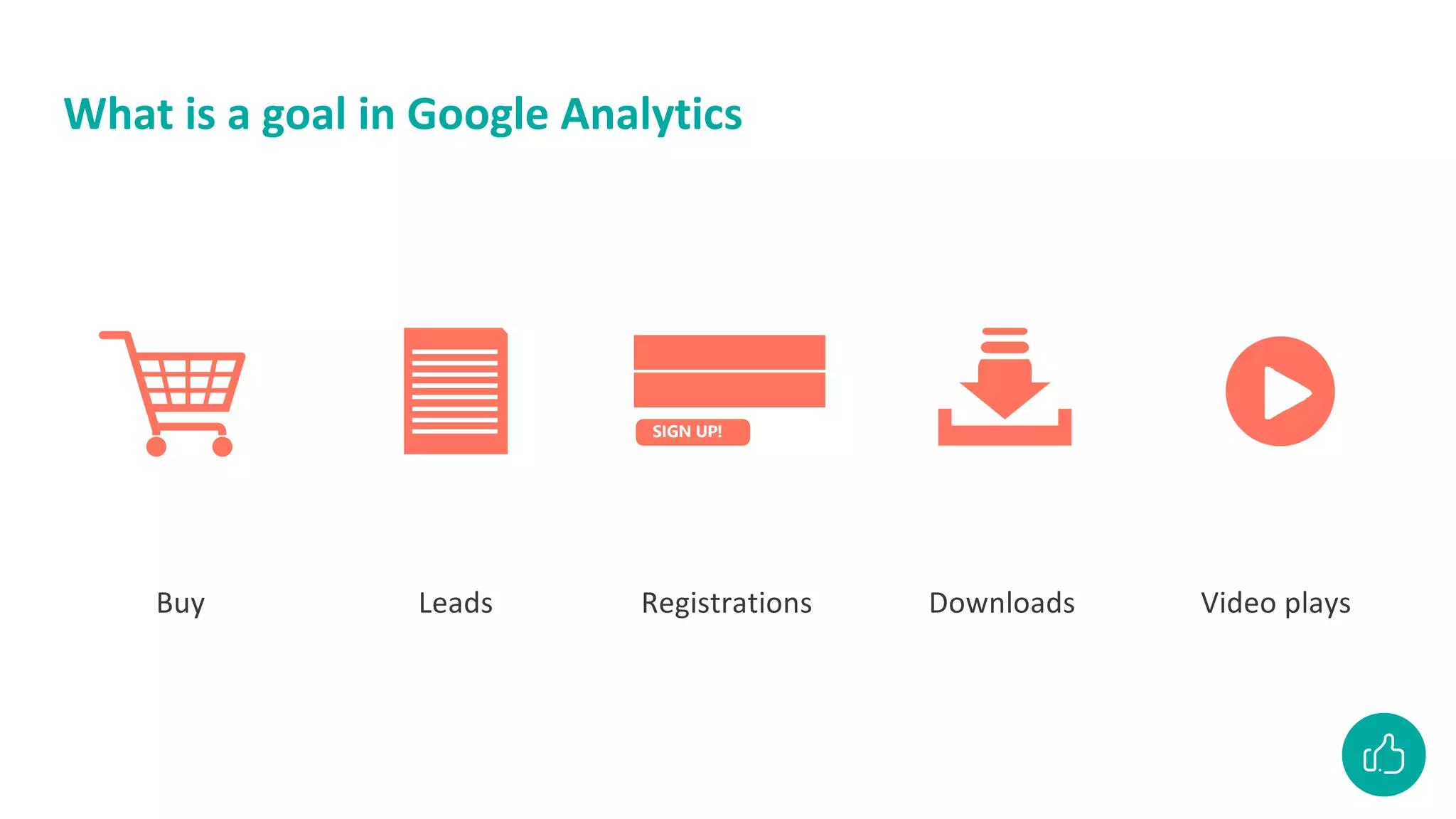
What is a goal in Google Analytics
SIGN UP!
Buy Leads Registrations Downloads Video plays
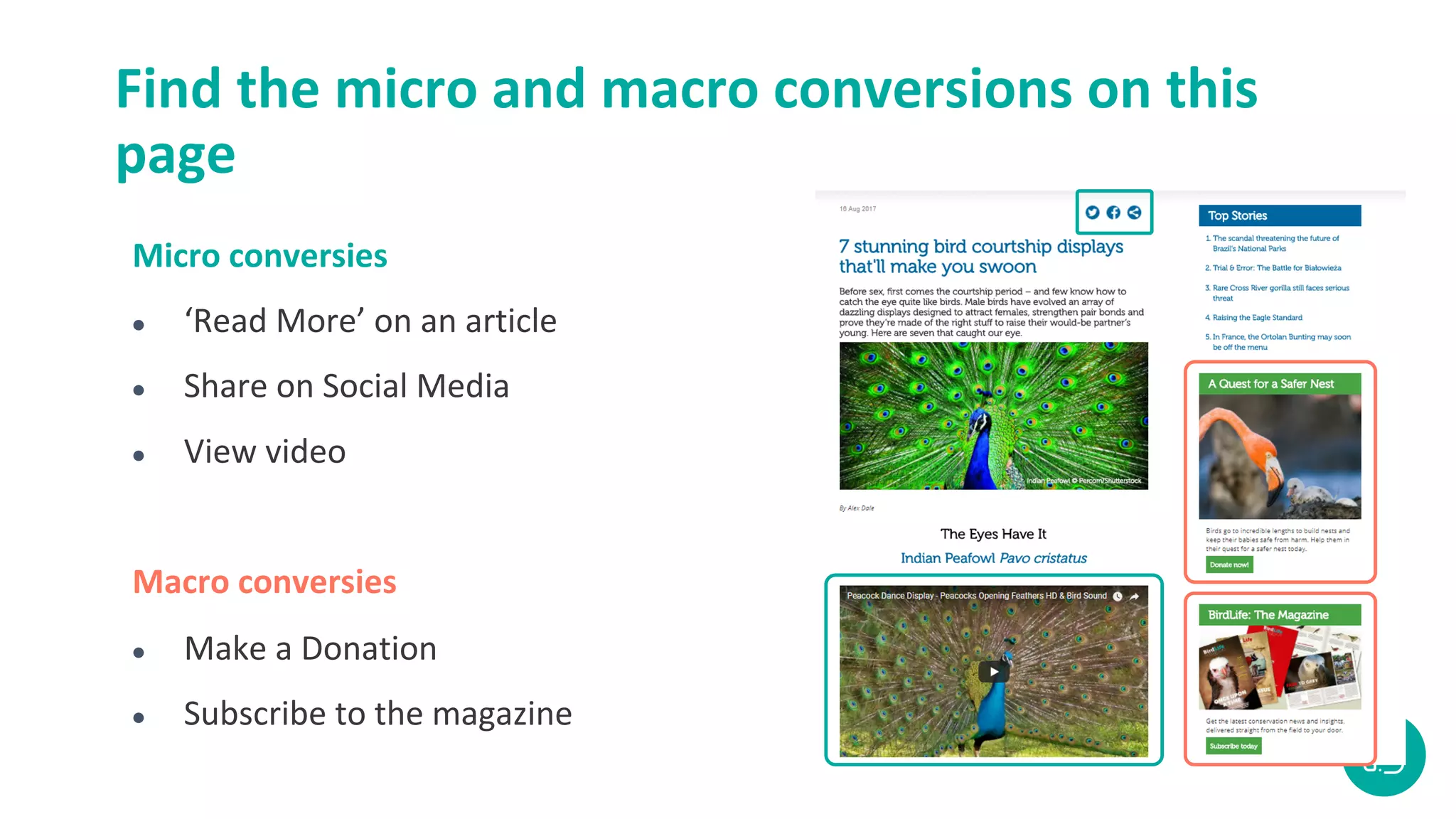
Find the micro and macro conversions on this
page
Micro conversies
● ‘Read More’ on an article
● Share on Social Media
● View video
Macro conversies
● Make a Donation
● Subscribe to the magazine

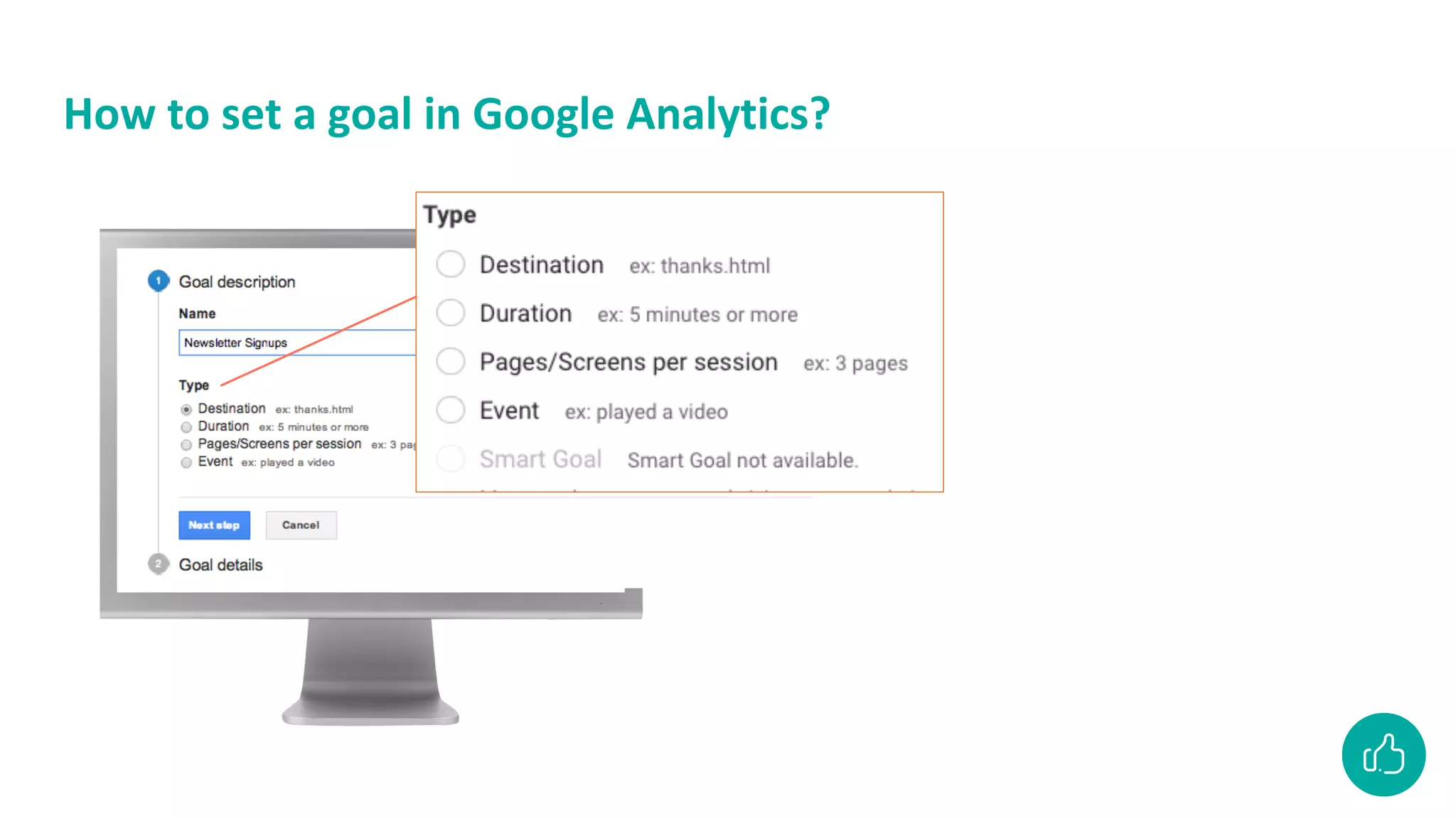
How to set a goal in Google Analytics?
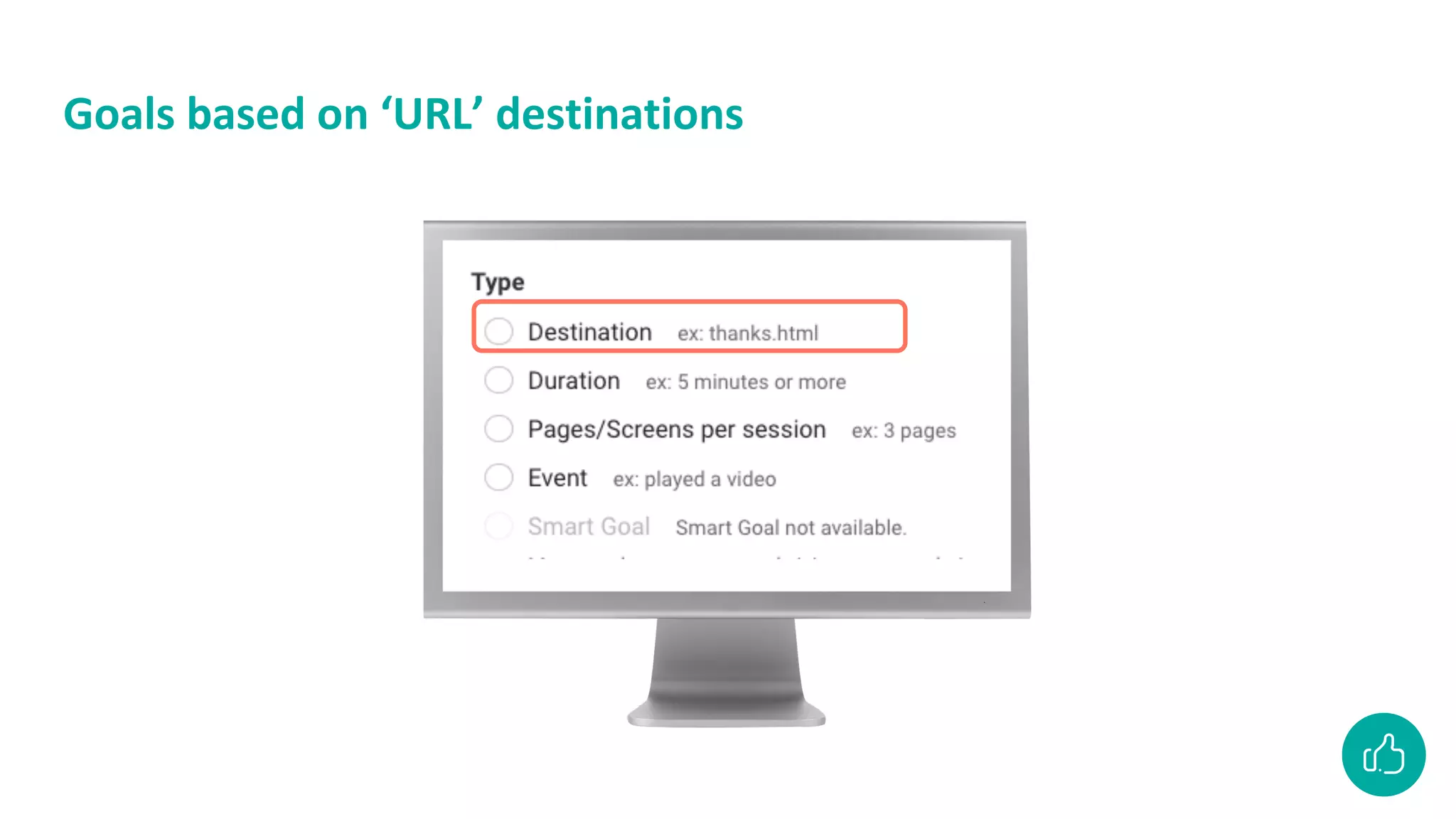
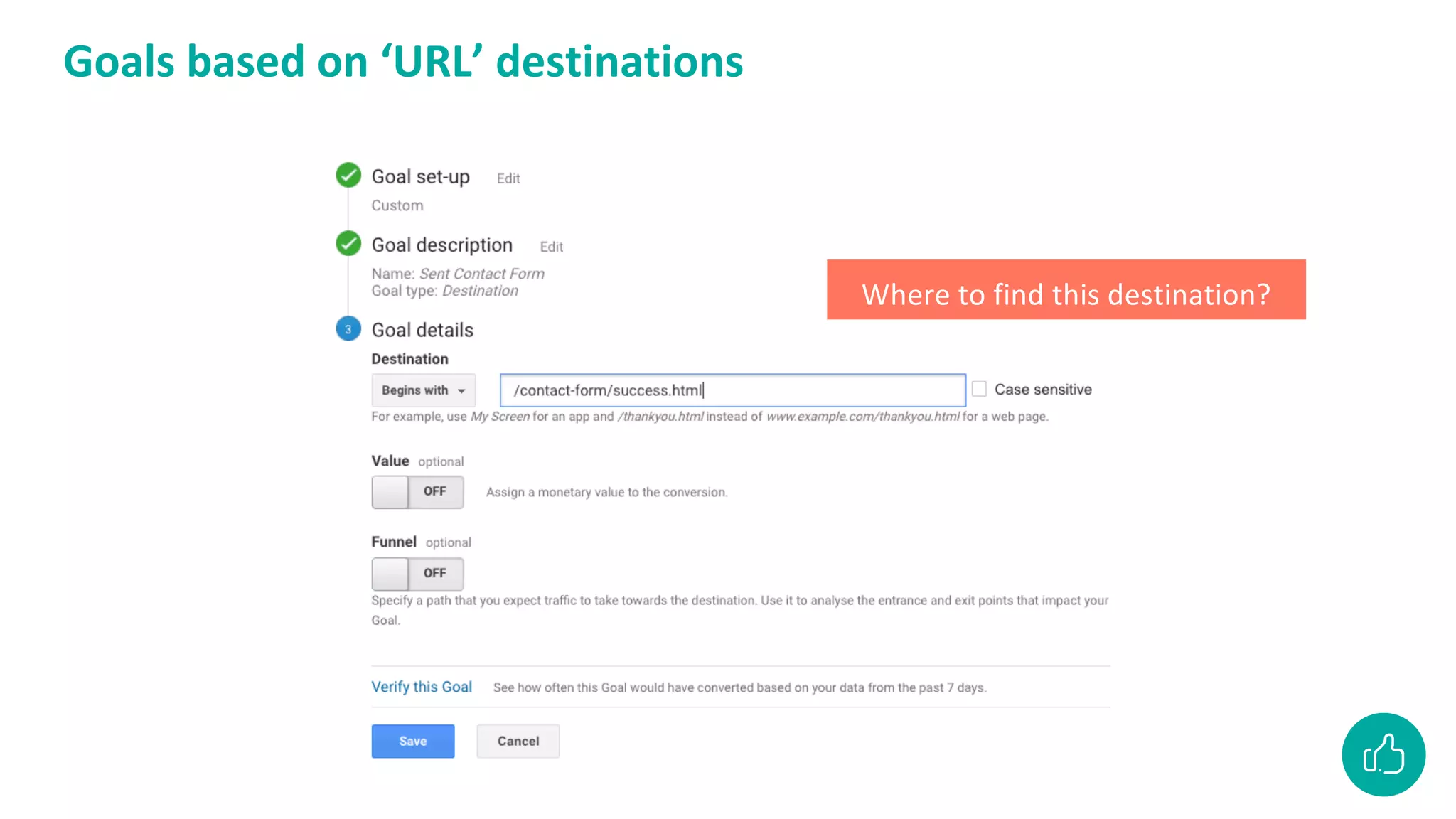
Goals based on ‘URL’ destinations
Where to find this destination?
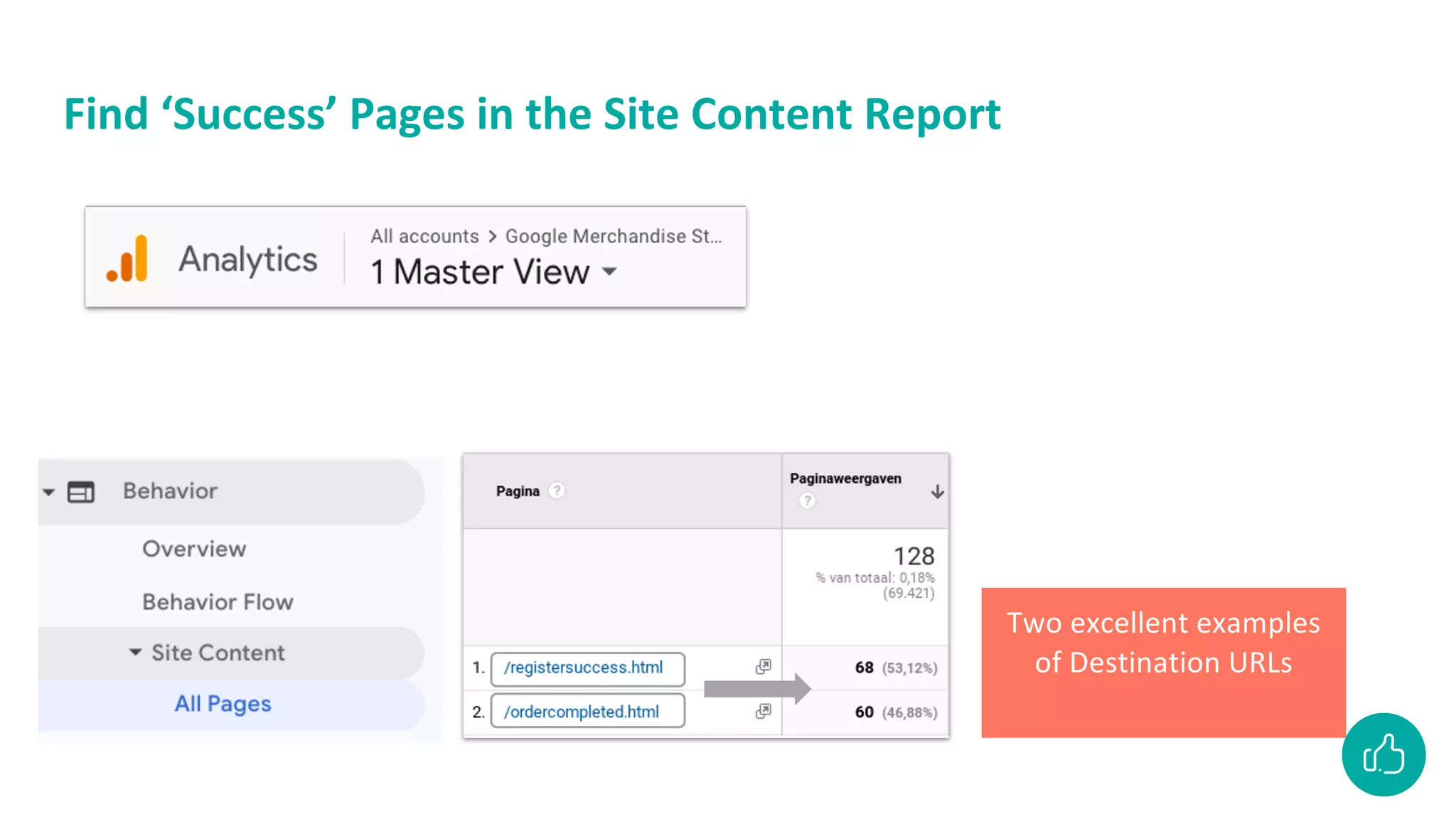
Find ‘Success’ Pages in the Site Content Report
Two excellent examples
of Destination URLs
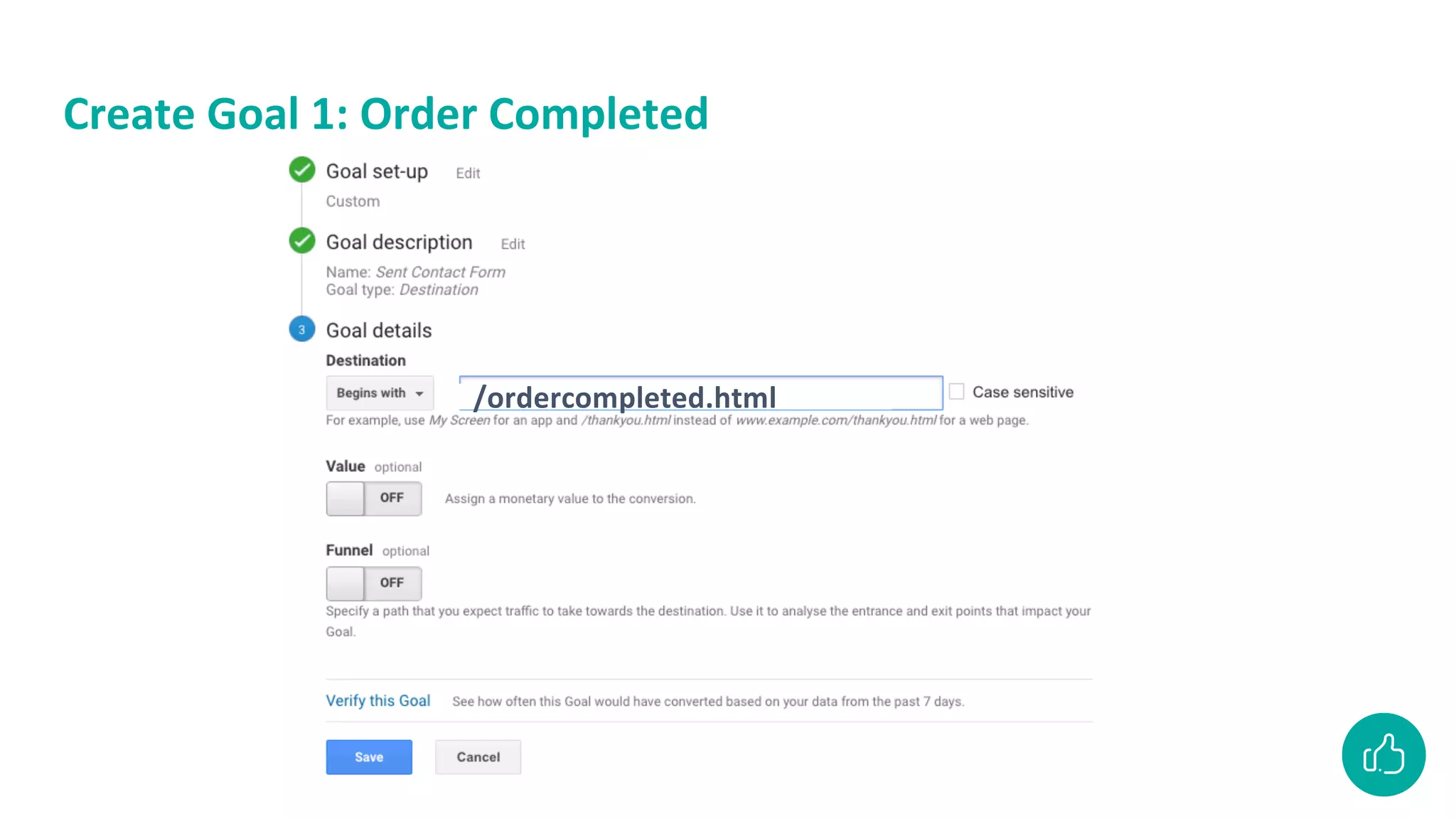
Create Goal 1: Order Completed
/ordercompleted.html
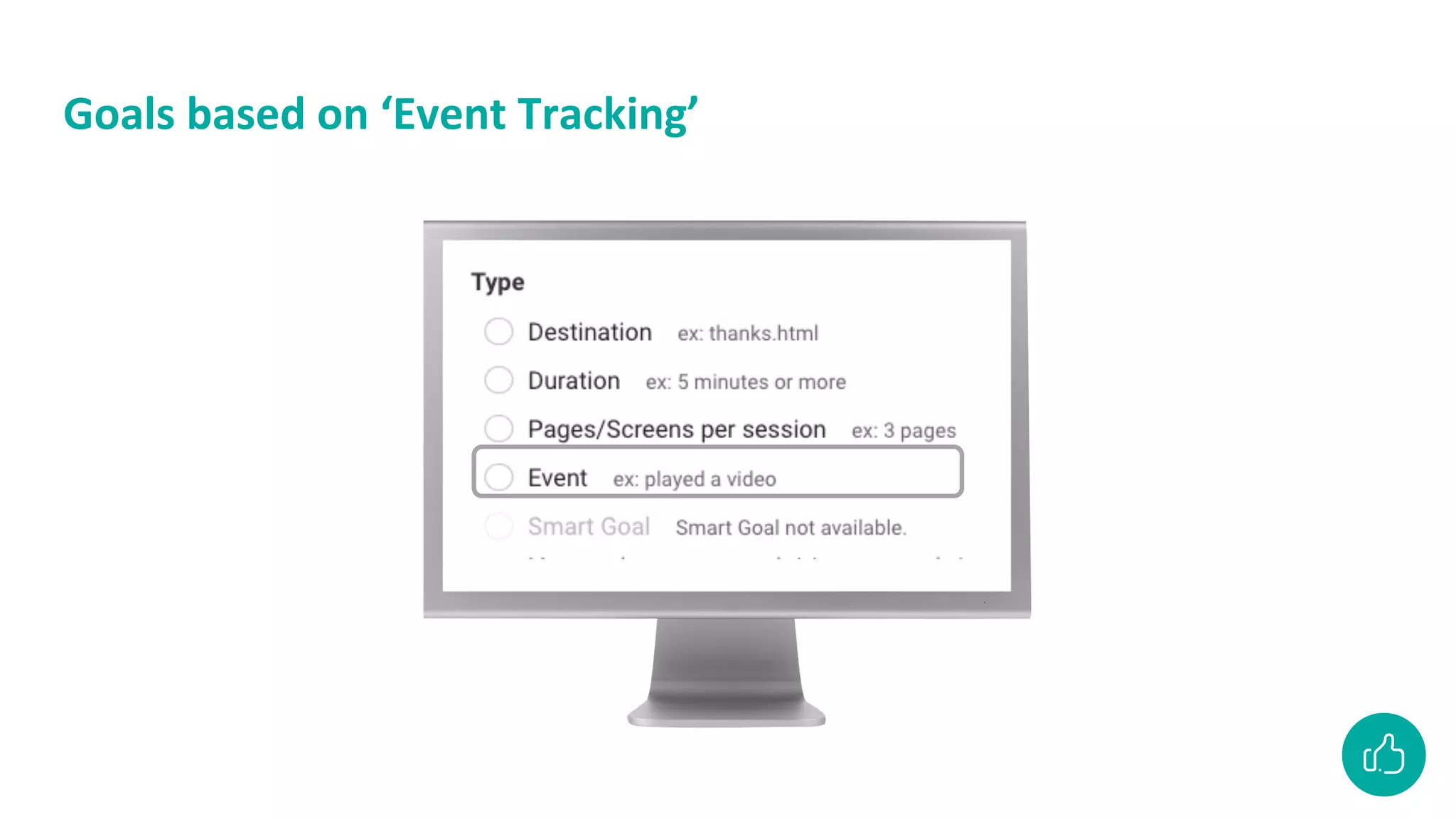
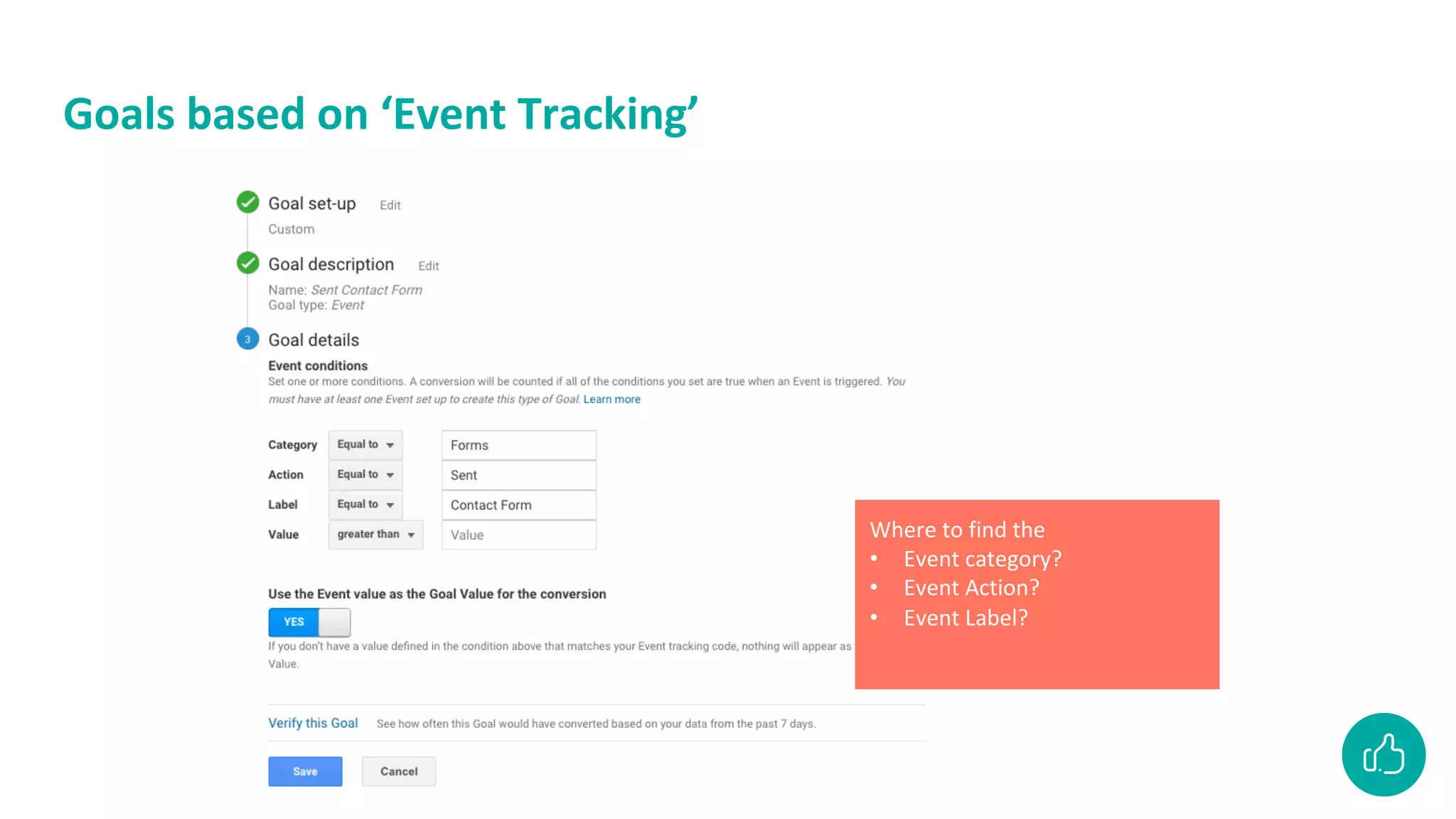
Goals based on ‘Event Tracking’
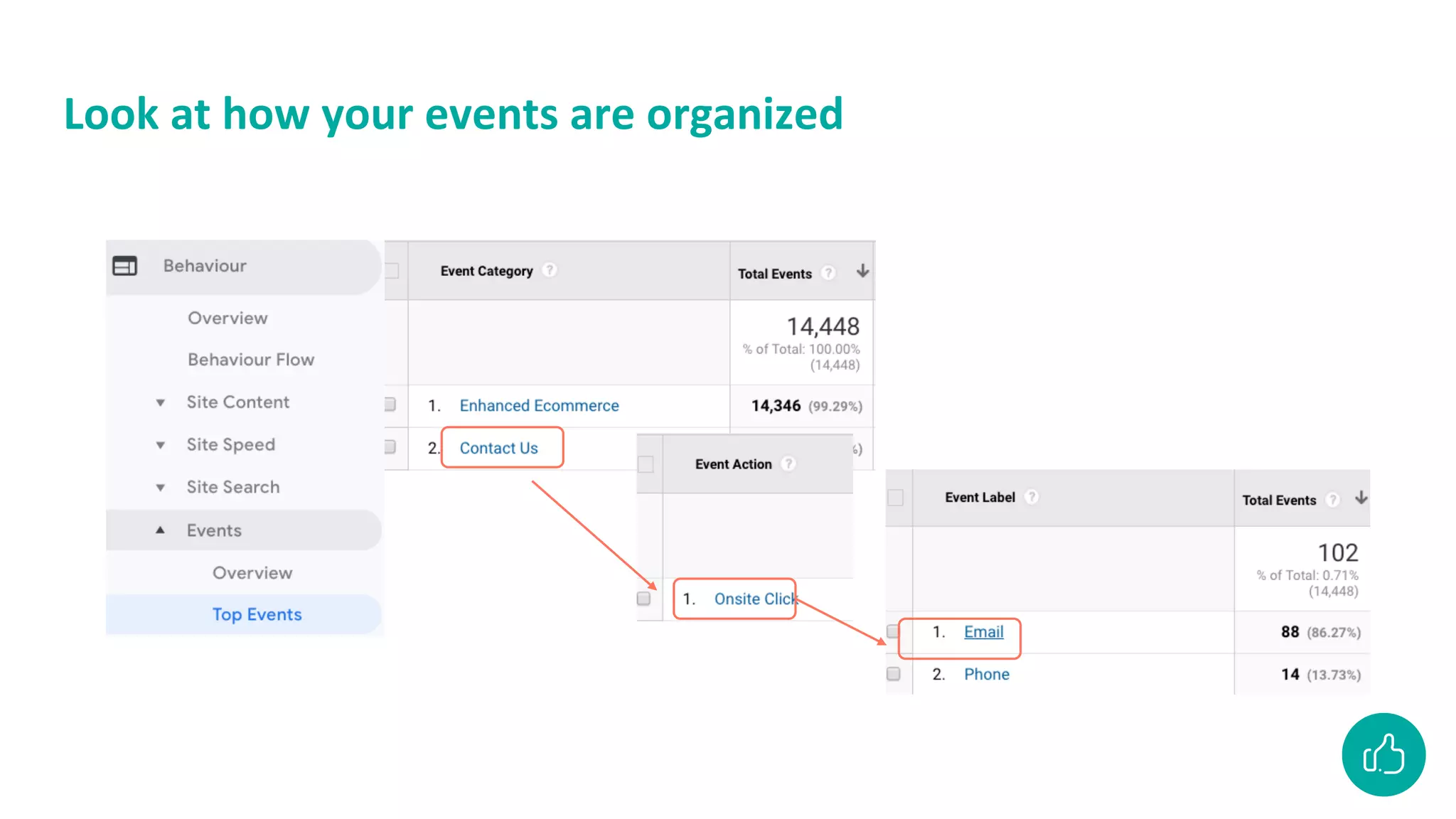
Where to find the
• Event category?
• Event Action?
• Event Label?
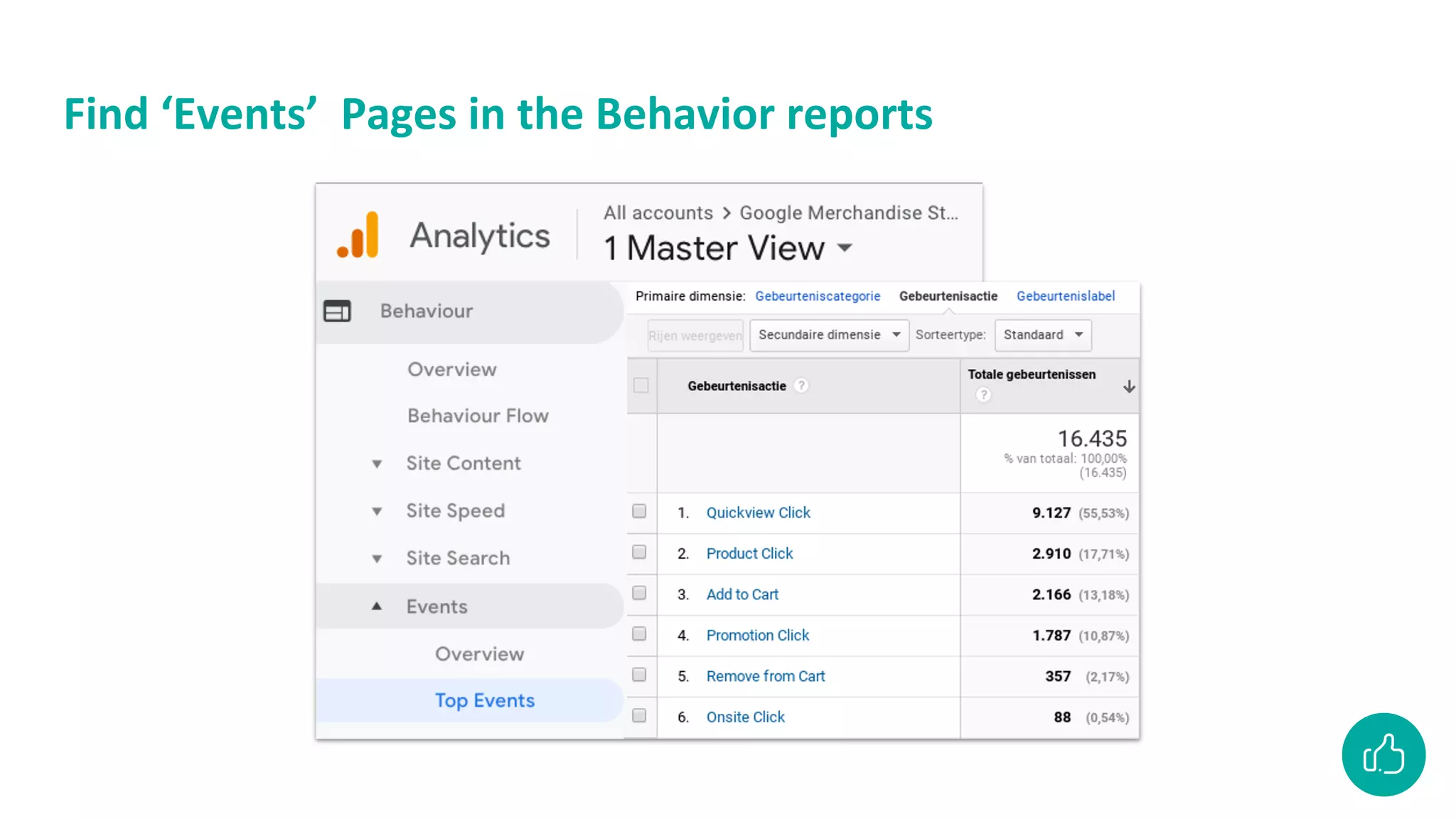
Find ‘Events’ Pages in the Behavior reports
Look at how your events are organized
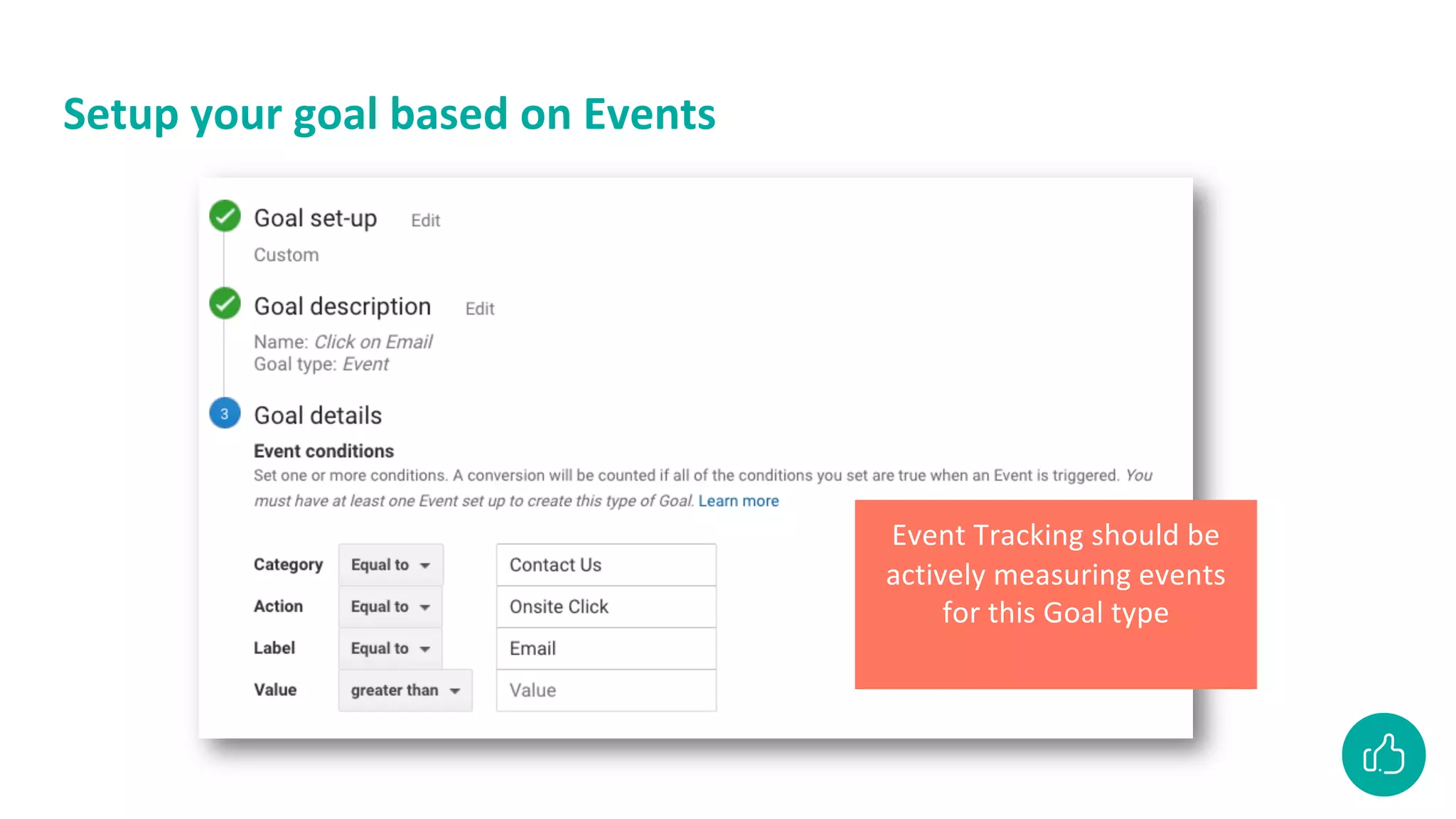
Setup your goal based on Events
Event Tracking should be
actively measuring events
for this Goal type
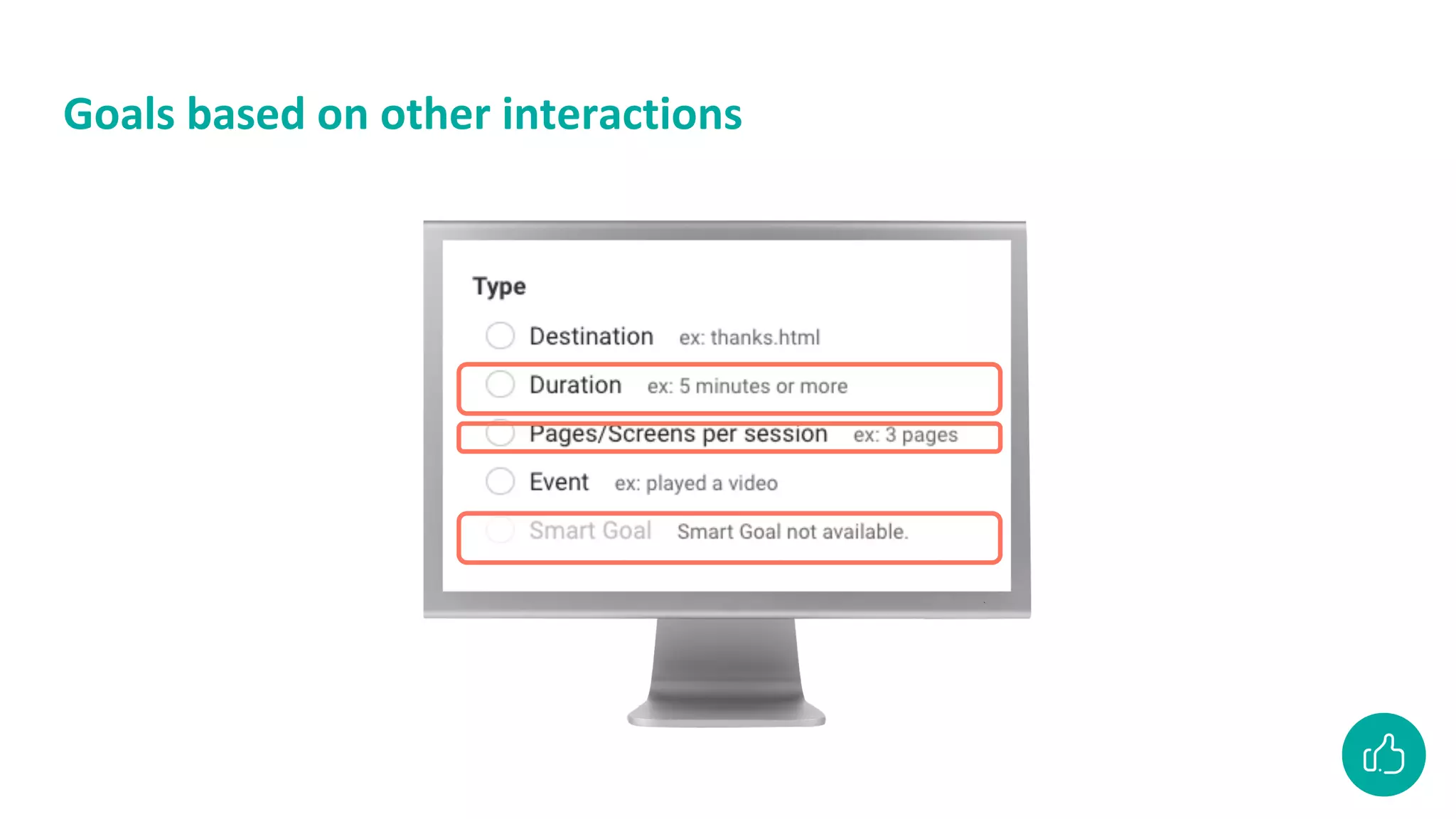
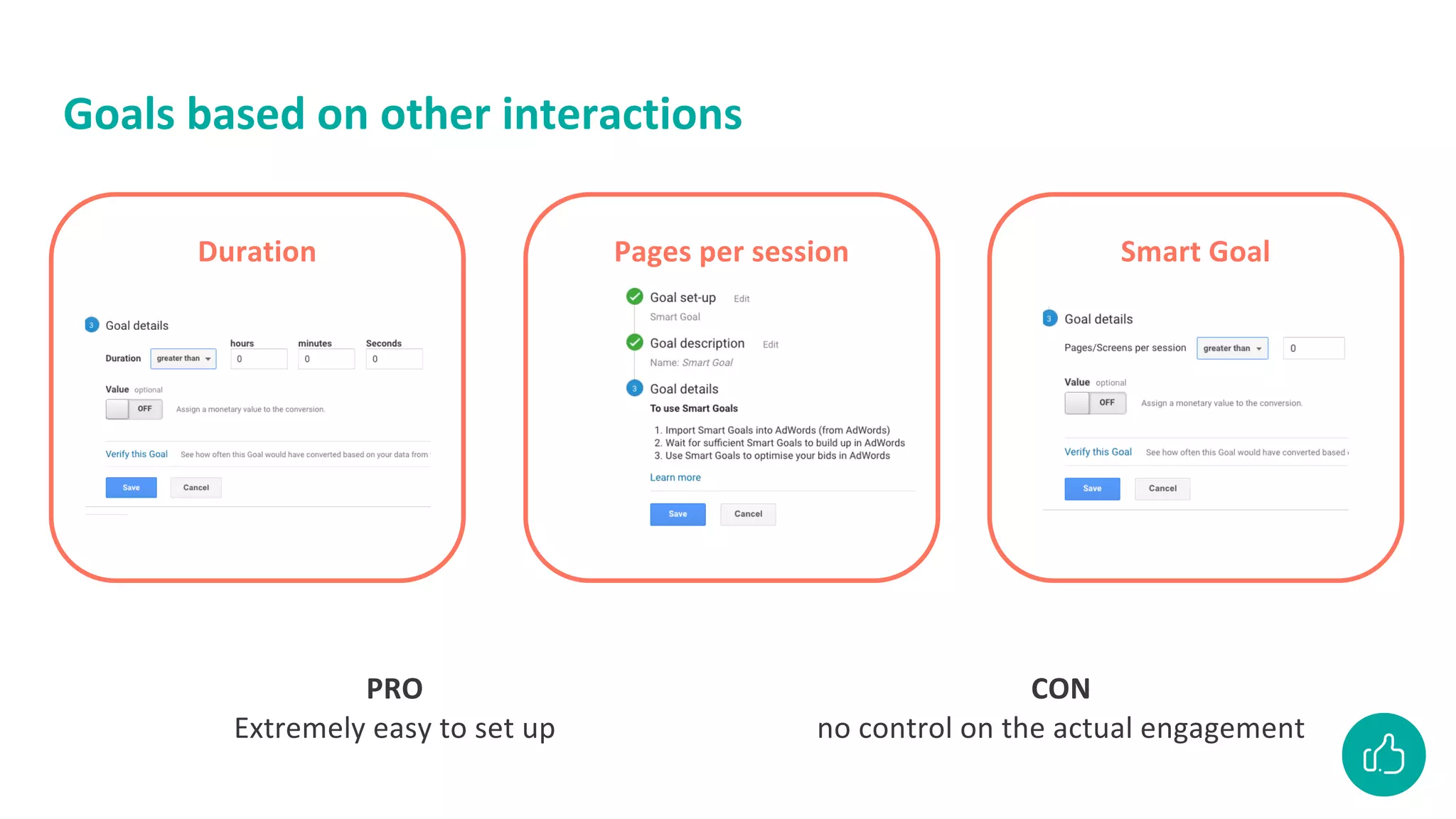
Goals based on other interactions
Duration Smart Goal
Pages per session
PRO
Extremely easy to set up
CON
no control on the actual engagement
Let’s have another look at
the measurement plan
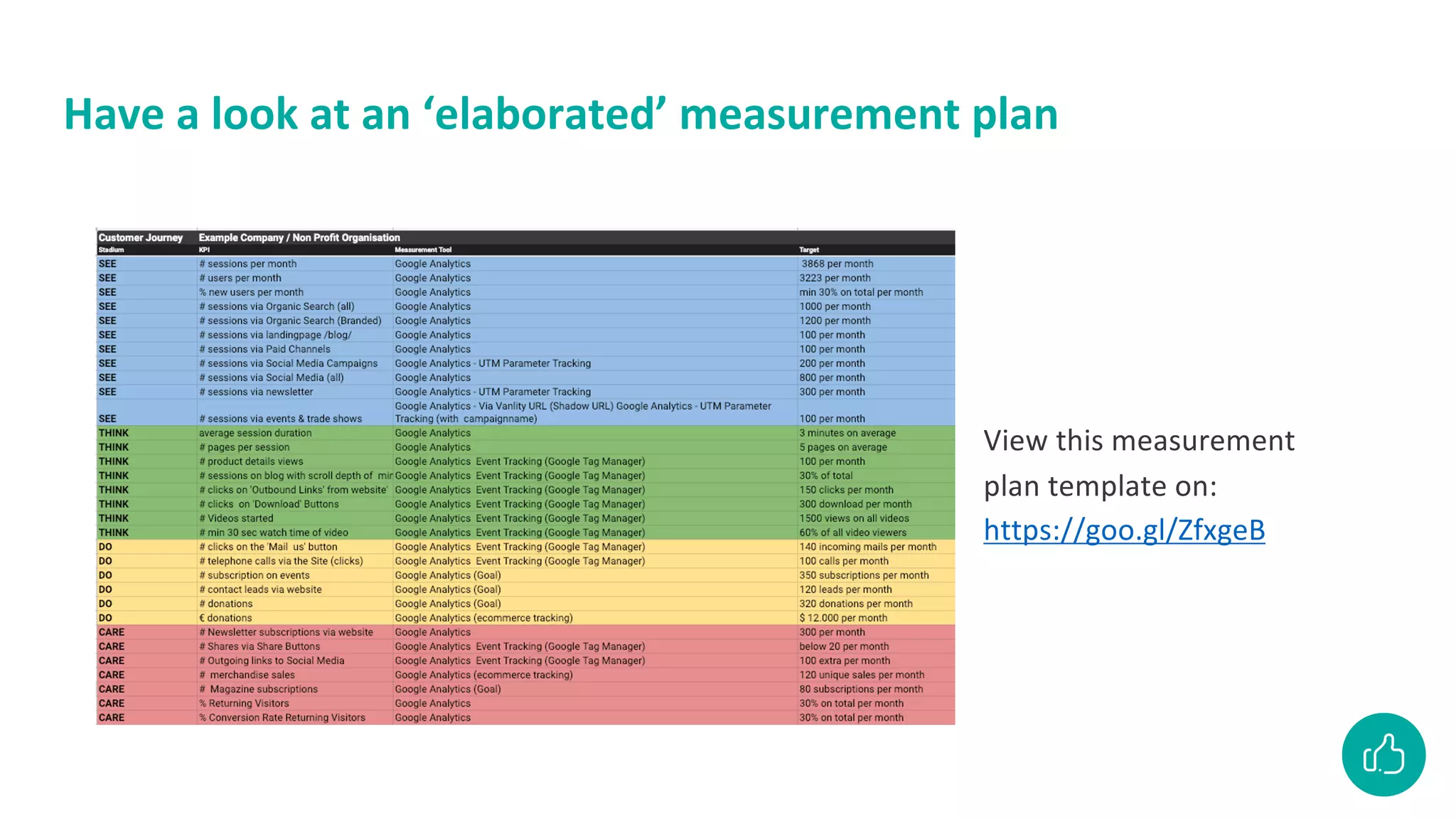
Have a look at an ‘elaborated’ measurement plan
View this measurement
plan template on:
https://goo.gl/ZfxgeB
Action points
• Think of your business goals and how they are
reflected on the website
• Create your measurement plan and find out where
you have ‘data gaps’
• Talk to your Web Developer about installing Google
Analytics (via Google Tag Manager, Plugin or
manually)
• Create ‘Goals’ based on your measurement plan
• Come back to the Atelier for our follow-up
workshop ‘Discover insights with Google Analytics’
Let’s have fun!
30 min excercise
• You will be devided in groups of 3 to 4 students
• Give your group a group name
• Find the answer to 11 questions on the Google Demo Account
• Set your date range to the last quarter of last year: 1 okt – 31 dec
• The group with the most points wins! 🎉
• Find all details at bitly.com/GoogleAnalyticsUGent
Break
Let’s wrap it up
Let’s wrap it up
• At work: keep the web developer on your side J
• Know your business goals
• Work with a measurement plan
• Configure your GA with filters and goals
• Check the reports that correspond to your objectives
• Check your numbers every month
• Start exploring Google Data Studio
• Suggestion: earn your certificate at the Google Analytics Academy
• Beginners: https://analytics.google.com/analytics/academy/course/6
• Advanced: https://analytics.google.com/analytics/academy/course/7
• Get the certificate here
VEEL SUCCES!
Stuur je vragen naar
leen@ilikemedia.be
Deze presentatie vind je ook op
www.slideshare.net/ilikemedia
Abonneer je op onze nieuwsbrief
www.ilikemedia.be/nieuwsbrief
Volg ons op Facebook
www.facebook.com/ilikemedia.be

20210309 Google Analytics - UGent

  • 1.
  • 2.
    Send your questionsto leen@ilikemedia.be Find this presentation at www.slideshare.com/ilikemedia Hello!
  • 3.
    I LIKE MEDIA:COLLECTIVE OF FREELANCE TRAINERS WITH A PASSION FOR DIGITAL MEDIA
  • 4.
    Lois Leen Digital MarketingConsultant Communication Trainer I Like Media Lecturer social media Syntra Trainer Google Digitaal Atelier At the moment Tobania UGent KU Leuven De Standaard Before Hi, I’m Leen!
  • 5.
    What we’re coveringtoday 1 pm – 4 pm (with breaks) • Google Analytics now and the new version • Set up a measurement plan • Navigating through the most important basic reports • 2 pm: Break • Understand user behaviour with event tracking • Use goals to measure business objectives • Excercise • 3.15 pm: Break • Q&A - outro
  • 6.
    There is anew version of Google Analytics
  • 7.
    Why GA4? • Youcan now see both your website and your app activity in one overview • Create a new property? Starting with Google Analytics? Then this will be in GA4 right away

  • 8.
    Differences Universal Analytics (currentversion) GA4 Sessions Events must be set with Google Tag Manager Events Play videos and clicks without setting them separately in Tag Manager Copy / paste GA snippet on the website Easily connect the GA4 account to GTM (must be verified) Filters Already for internal traffic, but no other filters yet Bounce rate No more bounce rate Replaced by sessions with engagement
  • 9.
    Pros and cons Pros •StrongerGoogle Ads integration •Connection with Google Data Studio •Events are measured automatically •Doesn’t measure based on cookies •Enforces GDPR better Cons •Not quite finished yet •You cannot (yet) link with other Google products such as Google Search Console •Does not include old data (hence: launch this new version now)
  • 10.
    How? • Launch yourGA4 live now next to the old version • Get to know the new features before the current version disappears
  • 11.
    Video: set upGA4 https://youtu.be/iJyGEuiIjOk
  • 12.
  • 13.
    Web analysis: why? Findanswers to questions like: Am I on track with my business? Who is my current audience? How can I improve my website? How can I reach more customers / target group? How can I best invest time / money?
  • 14.
    What is thegoal of your website?
  • 15.
    What is thegoal of your website?
  • 16.
    Write down foryourself What is the goal of your website?
  • 17.
  • 18.
    Step-by-step plan tosuccess Create a measurement plan Collect data Create goals Get insights Time for action!
  • 19.
    Measurement plan withthe customer journey ZIEN (Bewustwording) DENKEN (Overweging) DOEN (Aankoop) SEE (Awareness) THINK (Consideration) DO (Buy) LOVE (Loyalty) User lands on your page User navigates through your website User completes one of your goals on the website User comes back to your website after completing a goal
  • 20.
    Basics for yourmeasurement plan SEE (Awareness) THINK (Consideration) DO (Purchase/conversion) CARE (Loyalty) What does the customer want to achieve? Customer’s goal What do you want to achieve? Company’s goal What content is suitable? Content Where do we show this message? Channels What will we measure? KPI’S
  • 21.
    What does ameasurement plan look like?
  • 22.
  • 23.
    Step-by-step plan tosuccess Create a measurement plan Collect data Create goals Get insights Time for action!
  • 24.
    4 steps toGoogle Analytics Collection Configuration Processing Reporting
  • 25.
    4 steps toGoogle Analytics Collection Configuration Processing Reporting
  • 26.
  • 27.
    Do you haveGoogle Analytics on your website?
  • 28.
    Enable the extensionand reload your page
  • 29.
    Check your ownpage Download the Tag Assistant plugin on the Chrome browser Check at least one page of your website for Google Analytics tags
  • 30.
    Let’s focus onreporting now Collection Configuration Processing Reporting
  • 31.
    Check-up in thereal-time analytics report
  • 32.
    Your website datais processed in 4 Data Types Exit Goals
  • 33.
    4 main reportsin Google Analytics WHO? Audience reports HOW? Acquisition reports WHAT? Behaviour reports VALUE? Conversion reports
  • 34.
  • 35.
  • 36.
    Different data visualisationswill be covered... Overview report Data comparison Primary dimension Secondary dimension Table sorting
  • 37.
    TARGET AUDIENCE: whoare my visitors?
  • 38.
  • 39.
    A high bouncerate… is that a bad thing? • Depends • Yes: if the success of the site depends on how many users view more than 1 page • No: if the site consists of only 1 page (a blog, or other types of content of which you only expect 1 session, ...)
  • 40.
    How to lowerthe bounce rate View from different angles • Target group overview: total • Channels: channel grouping • All traffic - source / medium combo • All pages • Total% high? • With a few pages? • Specific channel?
  • 41.
  • 42.
    Audience: who aremy visitors?
  • 43.
    What Technology doesmy audience use?
  • 44.
    Look it upyourself What percentage of Belgian mobile users were there compared to all visitors
  • 45.
    Look it upyourself What percentage of Belgian mobile users were there compared to all visitors
  • 46.
    Tip: ask AnalyticsIntelligence
  • 47.
    Or combine twodimensions manually
  • 48.
    Demographics Don't see anydata here? Then you need to enable the advertising features in the demographic and interest reports in the property.
  • 49.
  • 50.
  • 51.
  • 52.
  • 53.
  • 54.
  • 55.
  • 56.
    Acquisition: How visitorsend up on my website HOW?
  • 57.
    Data visualisations thatwill be covered Charts & graphs Advanced table filter
  • 58.
  • 59.
    Question: How tofilter Search Engines in ‘source/medium’
  • 60.
    Use the tablefilter Simple search removes whole rows that don’t meet a single criteria. Advanced filtering allows you to set more nuanced rules for filtering.
  • 61.
  • 62.
  • 63.
  • 64.
    Which search termsdo visitors use in search engines?
  • 65.
    Google Ads inAcquisition reports HOE?
  • 66.
    How to linkGoogle Ads & Google Analytics User has admin access in both Google Ads and Analytics with the same email address
  • 67.
    Linking Google Ads& Google Analytics: 2 green checks
  • 68.
    Do not forgetto check ‘Data Sharing Settings’
  • 69.
  • 70.
  • 71.
    Configuration & processingof your data Focus op ‘Gebeurtenissen’ & ‘Filters’ Collection Configuration Processing Reporting
  • 72.
  • 73.
    Configure your owndata with events
  • 74.
    Event Tracking doesnot happen automatically onclick=ga('send', 'event', { eventCategory: 'Outbound Link', eventAction: 'click', eventLabel: facebook.com' }) Tracking code should be fired whenever the ‘Event’ happens
  • 75.
    How to placethe code for Event Tracking? ● Use a Tag Management System ● Use a plugin for open source websites Event tracking doesn’t happen automatically! Talk about this with the web developer
  • 76.
    Typical ‘Events’ thatwe want to track • Forms • Buttons • Videos • Outgoing Links • Errors • Contact • One Page Checkout Live demo
  • 77.
    Set goals inGoogle Analytics to measure business objectives
  • 78.
    What is agoal in Google Analytics SIGN UP! Buy Leads Registrations Downloads Video plays
  • 79.
    Find the microand macro conversions on this page Micro conversies ● ‘Read More’ on an article ● Share on Social Media ● View video Macro conversies ● Make a Donation ● Subscribe to the magazine
  • 80.
    How to seta goal in Google Analytics?
  • 81.
    Goals based on‘URL’ destinations
  • 82.
    Goals based on‘URL’ destinations Where to find this destination?
  • 83.
    Find ‘Success’ Pagesin the Site Content Report Two excellent examples of Destination URLs
  • 84.
    Create Goal 1:Order Completed /ordercompleted.html
  • 85.
    Goals based on‘Event Tracking’
  • 86.
    Goals based on‘Event Tracking’ Where to find the • Event category? • Event Action? • Event Label?
  • 87.
    Find ‘Events’ Pagesin the Behavior reports
  • 88.
    Look at howyour events are organized
  • 89.
    Setup your goalbased on Events Event Tracking should be actively measuring events for this Goal type
  • 90.
    Goals based onother interactions
  • 91.
    Goals based onother interactions Duration Smart Goal Pages per session PRO Extremely easy to set up CON no control on the actual engagement
  • 92.
    Let’s have anotherlook at the measurement plan
  • 93.
    Have a lookat an ‘elaborated’ measurement plan View this measurement plan template on: https://goo.gl/ZfxgeB
  • 94.
    Action points • Thinkof your business goals and how they are reflected on the website • Create your measurement plan and find out where you have ‘data gaps’ • Talk to your Web Developer about installing Google Analytics (via Google Tag Manager, Plugin or manually) • Create ‘Goals’ based on your measurement plan • Come back to the Atelier for our follow-up workshop ‘Discover insights with Google Analytics’
  • 95.
  • 96.
    30 min excercise •You will be devided in groups of 3 to 4 students • Give your group a group name • Find the answer to 11 questions on the Google Demo Account • Set your date range to the last quarter of last year: 1 okt – 31 dec • The group with the most points wins! 🎉 • Find all details at bitly.com/GoogleAnalyticsUGent
  • 97.
  • 98.
  • 99.
    Let’s wrap itup • At work: keep the web developer on your side J • Know your business goals • Work with a measurement plan • Configure your GA with filters and goals • Check the reports that correspond to your objectives • Check your numbers every month • Start exploring Google Data Studio • Suggestion: earn your certificate at the Google Analytics Academy • Beginners: https://analytics.google.com/analytics/academy/course/6 • Advanced: https://analytics.google.com/analytics/academy/course/7 • Get the certificate here
  • 100.
    VEEL SUCCES! Stuur jevragen naar leen@ilikemedia.be Deze presentatie vind je ook op www.slideshare.net/ilikemedia Abonneer je op onze nieuwsbrief www.ilikemedia.be/nieuwsbrief Volg ons op Facebook www.facebook.com/ilikemedia.be